
FMT 380 BT - FM Transmitter HYUNDAI - Free user manual and instructions
Find the device manual for free FMT 380 BT HYUNDAI in PDF.


| Product Type | FM Transmitter with Bluetooth |
| Brand | Hyundai |
| Model | FMT 380 BT |
| Input Voltage | DC 12V/24V (car cigarette lighter) |
| Working Current | ≤ 81 mA (without charging) |
| FM Frequency Range | 87.5 - 108 MHz (0.1 MHz step) |
| FM Transmission Distance | ≤ 5 m |
| Bluetooth Version | V5.0 |
| Bluetooth Frequency | 2.402 - 2.480 MHz |
| Bluetooth Protocols | MP3, WMA, WAV, APE |
| USB-A Input | Read USB music disc (MP3/WMA/WAV/APE) |
| USB-A Charging Port | 5V / max. 2.4A |
| Micro SD Card Slot | Yes, up to 32GB |
| Display | LED display for frequency and status |
| Multifunction Button | MFB for pairing, frequency adjust, volume, call control |
| Microphone | Built-in for hands-free calling |
| Call Functions | Answer, hang up, reject, redial last number |
| Music Control | Play/Pause, next/previous track via buttons |
| Auto-Pairing | Connects to last paired device automatically |
| Safety Precautions | Read all instructions; avoid rain, moisture, snow; unplug before maintenance |
| Cleaning | Unplug before cleaning; do not use harsh chemicals |
| Disposal | Do not dispose as household waste; recycle at applicable collection point |
| Compliance | Directive 2014/53/EU; EU declaration of conformity available online |
| Warranty | Licensed by Hyundai Corporation Holdings, Korea |
Frequently Asked Questions - FMT 380 BT HYUNDAI
User questions about FMT 380 BT HYUNDAI
0 question about this device. Answer the ones you know or ask your own.
Ask a new question about this device
Download the instructions for your FM Transmitter in PDF format for free! Find your manual FMT 380 BT - HYUNDAI and take your electronic device back in hand. On this page are published all the documents necessary for the use of your device. FMT 380 BT by HYUNDAI.
USER MANUAL FMT 380 BT HYUNDAI
natural_image
Symbol of a trash bin crossed with a diagonal line and a horizontal bar below (no text or numbers present)POKYNY K OVLÁDANIU BLUETOOTH
natural_image
Symbol of a trash bin crossed with a diagonal line and a horizontal bar below (no text or numbers present)natural_image
Symbol of a trash bin crossed with a diagonal line and a horizontal bar below (no text or numbers present)- SAVE THIS INSTRUCTION - This manual contains important safety and operating instructions for the product.
- Before using the product, read all instructions and cautionary markings on Vehicle Battery Adapters.
- For the best audio quality, please turn the volume of your phone and FM transmitter into the max level, and then adjust the car volume.
- If the noise is too loud, please try another blank FM station.
- The signal of any FM transmitter sometimes can be interfered by the surrounded radio or the similar frequency signal thus cause noise, this is normal.
- To prevent your car battery from being drained, please remove the product from the car charger port after use.
- Do not expose the product to rain, moisture, or snow.
- Do not disassemble the product incorrect reassembly may result in a risk of electric shock or fire.
- To reduce risk of electric shock, unplug the product before attempting any maintenance. Turning off controls will not reduce this risk.
PRODUCT DIAGRAM
- USB-A charging port - 5V / 2,4A
- USB-A input - read USB music disc & charging port
- Microphone
- Display screen
- Multifunction button (MFB)
- Micro SD card port
- Next
- Previous
ADJUST FM FREQUENCY
Press the MFB for about 2 seconds, the display flashes it means entered FM frequency adjust mode. Rotate the MFB to increase or reduce frequency. Press the „Next“ or „Previous“ button to increase or reduce frequency.
ADJUST VOLUME
Rotate the MFB to increase or reduce volume.
- Plug the transmitter into the car cigarette socket.
- The transmitter will power on after you plug it in, the display flashes means it is in pairing mode.
- Tum on the Bluetooth function of your smart device. Search for Bluetooth devices and select „FMT 380 BT“
- If pairing is successful, the display will stop flash.
- Tune the car FM radio to a blank FM station.
- Tune the FM transmitter into the same frequency with the car FM radio.
- Open the music player/navigation of your smart device, now it can transmit the phone calls, music or navigation to the car stereo system.
REMARK
It will connect to the last paired device automatically when turned on next time. (Turn on the Bluetooth of your smart device first, and then turn on the product).
For the best audio quality, please turn the volume of your smart device and FM transmitter into the max level.
The signal of any FM transmitter sometimes can be interfered by the surrounded radio or the similar frequency signal thus cause noise, this is normal. If the noise is too loud, please try another blank FM station.
The transmitter can make or answer a call after successfully connected to your phone via Bluetooth
- Redial the last number: Double-click the MFB.
- Reject a call: Long press the MFB for about 2 seconds.
- Answer a call: Press the MFB once.
- Hang up a call: Press the MFB once.
MUSIC PLAY/PAUSE
- Play/Pause: Press the MFB once.
- Next song: Press the „Next“ button.
- Previous song: Press the „Previous“ button.
PLAYING MUSIC FROM USB DISK/MICRO SD CARD
- Tune the car FM radio to a blank FM station.
- Tune the FM transmitter into the same frequency with the car FM radio.
- Insert the USB disk/Micro SD card into the device, it will automatically detect and play the MP3 / WMA / WAV / APE format music.
MUSIC SOURCE
The product plays music from the tile last connected device and will memorize it next time.
If Bluetooth device, USB disk or Micro SD are connected at the same time, press the „Next“ button for about 4 seconds to switch music source.
When you switch to Bluetooth music, you have to press play button to start the music.
PRODUCT PARAMETERS
- Input Voltage: DC 12V/24V
- Work Currency: ≤ 81 mA (When do not charge for mobile phone or other devices)
• FM Frequency: 87,5 - 108 MHz; 0,1 MHz as first grade
• Frequency distortion degree: < 1%
• FM Transmission Distance: ≤ 5 m - Bluetooth Version: V5.0
• BT frequency: 2,402 - 2,480 MHz - EIRP: 2,10 mW
• Support Bluetooth protocol: MP3/ WMA / WAV /APE - Micro SD card/USB capacity: Up to 32GB
• USB-A charging port: 5V/max. 2,4A
We reserve the right to change technical specifications.
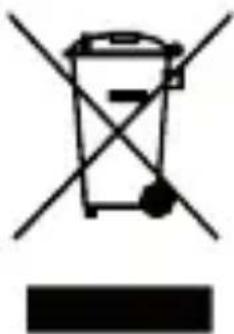
Disposal of old Electrical & Electronic Equipment (Applicable in the European Union and other European countries with separate collection systems)
natural_image
Symbol of a trash bin crossed with a diagonal line and a horizontal bar below (no text or numbers present)This symbol on the product or on its packaging indicates that this product shall not be treated as household waste. Instead it shall be handed over to the applicable collection point for the recycling of electrical and electronic equipment. By ensuring this product is disposed of correctly, you will help prevent potential negative consequences for the environment and human health, which could otherwise be caused by inappropriate waste handling of this product. The recycling of materials will help to conserve natural resources. For more detailed information about recycling of this product, please contact your local Civic Office, your household waste disposal service or the shop where you purchased the product.
Hereby, ETA a.s. declares that the radio equipment type FMT 380 BT CHARGE is in compliance with Directive 2014/53/EU. The full text of the EU declaration of conformity is available at the following internet address:
http://www.hyundai-electronics.cz/declaration_of_conformity
FONTOS UTASÍTÁSOK
natural_image
Symbol of a trash bin crossed with a diagonal line and a horizontal bar below (no text or numbers present)Licensed by Hyundai Corporation Holdings, Korea