
HT8S plus - Radio H-Tronic - Free user manual and instructions
Find the device manual for free HT8S plus H-Tronic in PDF.


| Product Type | Radio Receiver |
| Brand | H-Tronic |
| Model | HT8S plus |
| Frequency Range | FM 87.5-108 MHz, AM 530-1600 kHz |
| Display | LCD digital display |
| Power Source | 2x 1.5V AA batteries or AC adapter |
| Dimensions (HxWxD) | Approx. 120 x 200 x 80 mm |
| Weight | Approx. 350 g (without batteries) |
| Audio Output | Built-in speaker, 3.5 mm headphone jack |
| Antenna | Telescopic FM antenna |
| Memory Presets | Up to 20 FM stations |
| Alarm Function | Wake-up alarm with buzzer or radio |
| Sleep Timer | Yes, up to 90 minutes |
| Clock | Analog display with time setting |
| Maintenance | Clean with dry cloth; avoid moisture |
| Safety | Do not expose to water or extreme temperatures |
| Spare Parts / Repairability | Contact H-Tronic for battery compartment and adapter |
Frequently Asked Questions - HT8S plus H-Tronic
User questions about HT8S plus H-Tronic
0 question about this device. Answer the ones you know or ask your own.
Ask a new question about this device
Download the instructions for your Radio in PDF format for free! Find your manual HT8S plus - H-Tronic and take your electronic device back in hand. On this page are published all the documents necessary for the use of your device. HT8S plus by H-Tronic.
USER MANUAL HT8S plus H-Tronic
- Designated use 17
- Operating conditions 17
- Battery installation / battery exchange 17
- Transmitter settings 18
- Range of the device....20
- Malfunction 21
- Guarantee 22
- Environment....23
8-KANAL-SENDER HT8S plus
Art.-Nr. 16 18 190

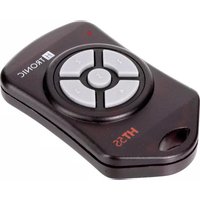
the 8-chAnnel trAnsMitter ht8s Plus for professional use in demanding environments defies the most adverse working conditions. Thanks to the design according to IP65, the hand transmitter HT8S plus is absolutely dust-tight, protected against water jets and, thanks to its impact protection, extremely robust. The front membrane made of UV-resistant material is designed for operation with light work gloves and offers improved tactile feedback thanks to the raised push buttons. The transmitted data is encrypted according to AES 128 consisting of the so-called "Rolling-Code". This makes each set unique and incompatible to another set. Each transmitter has an unique identification code identifying the device. Copying the device and duplications of the code are not possible in application. The 8 channels (keys) can be operated parallel and independently from one another giving the device the functionality of a "wireless joystick". In addition to these features the device allows 8 further settings making the device highly flexible for various applications. To cover the multitude of applications up to 32 transmitters can be programmed into one receiver.
HIGHLIGHTS
- Degree of protection IP65 dust-tight and protected against water jets for use outdoors
- Robust plastic housing with impact protection / extremely robust
- UV-resistant membrane keyboard for use outdoors at high ambient temperatures
- Raised membrane keyboard for better feedback even when wearing light work gloves
– Control of doors, gates and barrier systems. - Opening and closing of electrically controlled windows.
– Control of lighting circuits and systems.
– Control of pumps, air conditioning and water systems.
– Control of electrical, hydraulic and pneumatic systems. - Highest safety standards with "Rolling-Code" security code.
- A free range of approximately 150 m under normal operating conditions.
technlcAI sPecIFlcAtlons
- Range: 200 m (in free space)
- Operating voltage: 3V (CR2032)
- Power consumption: in operation: approx.18mA, idle: <100nA
- Operating frequency adjustable: 868,35MHz, 869,05MHz oder 869,55MHz
- Transmitting power: Max. 10 mW
- Encryption method: AES128
- Transmission mode: continuous or timed
– Degree of protection: IP65
-UVresistant
Suitable for H-TRONIC
receivers:
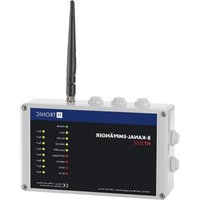
ht200e 8-channel,
art. no 1618250
ht3e 3-channel,
art. no 1618255
ht1e 1-channel,
art. no 1618260
ht1ePP 1-channel,
art. no 1618265
Dear customer,
to ensure a correct operation of this device, please read these instructions completely and carefully before use. Please take into consideration that this manual contains important information on the operation and use of this device. This instruction manual is part of the device. Please keep this manual in a safe place for future reference. If you pass the device on to a third person, please make sure that you also pass on the manual. Damages caused by failure of following the instructions in the manual will void the warranty. No liabilities will be taken for consequential damages. This product is certified according to the applicable EC directives for Electromagnetic Compatibility and complies with statutory requirements.
This item has been tested in accordance with the applicable EC guidelines for electromagnetic compatibility and complies with the legal requirements. Keep these instructions in a safe place for future reference. This device left the factory in perfect technical condition. In order to maintain this condition and to ensure safe operation, the user must observe and follow the safety instructions and warning notes in these instructions.
notice!
- This transmitter only works together with the H-TRONIC receivers 8-channel ht200e (Art.-No. 1618250), 3-channel ht3e (Art.-No. 1618255), 1-channel ht1e (Art.-No. 1618260) and our 1-channel receiver with socket-outlet ht1ePP (Art.-No. 1618265). Other receivers cannot be used. The transmitters must be trained to function with the receiver.
- The radio system operates on the european frequencies 868,53MHz, 869,05MHz or 869,55MHz.
- This transmitter may only be operated in areas where you can see the device to be controlled. Never switch devices where you have no visual contact.
- When installing in radio-controlled toys / models, the relevant BZT regulations must be followed.
sAFetY InForMAtlon AccordInG to r&tte: dAnGer!
Radio remote controls are only permitted for devices and systems in which a radio interference in the transmitter or receiver does not endanger persons, animals or property, other than if this risk is covered by other safety devices. The user must be informed that a radio remote control of installations with an accident-risk, may only be carried out if there is a direct visual contact with the system and that the area is free of persons, animals and objects. Hand transmitters are to be kept in such a way that unintentional activation, e.g. by children or persons with reduced physical, sensory or mental abilities or lack of experience and knowledge or animals is not possible.
wArnInG: This remote control is only applicable for devices and systems in which radio interference in the transmitter or receiver does not pose a risk to people or installation. In addition, a higher-level emergency stop system that can be triggered manually should be integrated in the component that is to be controlled. The remote control of devices and systems with an increased risk is prohibited. Crane systems of any kind may not be operated with this radio remote control.
This remote control may only be operated in an area in which the area of the system to be operated is visible. No liability whatsoever is taken for any damage caused by external influences, such as malfunctions or negligent operation by the user.
1. desIGnAted use
A suitable remote switch receiver (or a consumer connected to it) can be switched on or off wirelessly by using the remote control. The radio transmitter is operated with a CR2032 battery.
2. oPerAtInG conditions
This product fulfills all legal, national and European requirements. All company names and product descriptions contained are trademarks of the respective owner. All rights reserved.
- Hand transmitters do not belong in children's hands!
- Hand transmitters may only be used by persons who have been instructed on how to use them!
- The hand transmitter must be operated with visual contact to the object!
- The handheld transmitter must be protected from direct sunlight!
- The hand transmitter must be protected from moisture and dust. If this point is not followed, a malfunction can be caused by moisture within the device!
- The permissible ambient temperature (room temperatures between -20^ and +55^ ) during operation.
Local conditions can affect the range of the remote control.
3. BAtterY InstAllAtlon / BAtterY eXchAnGe
A CR2032 battery is included in the delivery which is already in the battery compartment.
- Open the battery compartment of the radio mini transmitters by carefully prying apart the two housing halves (e.g. with a fingernail). The two housing halves are only screwed together. Do not use force! Insert a CR2032 battery with correct polarity. The positive pole of the battery should point outwards, towards you.
- Place the housing cover back on and screw the two housing halves together carefully. Do not use force.
- A battery change is necessary if the range of the radio remote control decreases noticeably or the LED no longer lights up when the button is pressed.
notes on the BAtterY
- Batteries do not belong in the hands of children.
- Do not leave batteries lying around openly, there is a risk of them being swallowed by children or pets. If swallowed, seek medical advice immediately.
-
Leaking or damaged batteries can cause burns if they come into contact with the skin. In this case, use suitable protective gloves.
-
Batteries may not be short-circuited, disassembled or thrown into a fire. There is a risk of explosion!
- Conventional non-rechargeable batteries may not be charged. There is a risk of explosion! - Pay attention to the correct polarity when inserting the battery (note plus / + and minus / -)
4. trAnsMitter settInGs:
The device has six selectable modes of operation (factory setting 0) which are programmed when the battery is put in. To change the default settings continue with the following steps:
- Take the battery out the battery holder.
- Press any key for one second to discharge the buffer capacitor in the device and erase previous settings.
- Select a mode: hold down the appropriate key (1-5) and insert the battery into the device. If no key is pressed when inserting the battery factory settings (mode 0) will be installed.
- Release the button.
the FollowInG PreProGrAMMed Modes Are AVAILABLE:
- Mode „0“: Factory presets. The factory presets are installed when no key is pressed in the battery is inserted into the device:
1.1 Operating frequency: 868.35 MHz
1.2 Transmission: Continuous operation. The transmission lasts as long as the button is pressed. -
Mode „1“: Mode that is installed when button “1” is pressed when inserting the battery:
2.1 Operating frequency: 869.05 MHz
2.2 Transmission: Continuous operation. The transmission lasts as long as the button is pressed. -
Mode „2“: Mode that is installed when button "2" is pressed when inserting the battery:
3.1 Operating frequency: 869.55 MHz
3.2 Transmission: Continuous operation. The transmission lasts as long as the button is pressed
- Mode „3“: Mode that is installed when button "3" is pressed when inserting the battery:
4.1. Operating frequency: 868.35MHz
4.2 Transmission: timed operation. The transmission lasts approx. 250 mS when the button is pressed and then switches off.
- Mode „4“: Mode that is installed when button "4" is pressed when inserting the battery:
5.1 Operating frequency: 869.05MHz
5.2 Transmission: Timed operation. The transmission lasts approx. 250 mS when the button is pressed and then switches off.
Mode „5“: Mode that is installed when button “5” is pressed when inserting the battery:
6.1 Operating frequency: 869.55MHz
6.2 Transmission: Timed operation. The transmission lasts approx. 250mS when the button is pressed and then switches off.
note: The timed operation mode (mode 3, 4, 5) is the battery saving mode for the transmitter. The continuous pressing of a button will not delete the battery.
5. rAnGe of the deVIce
The transmitter/receiver operates in the 868 MHz range which is also used by other radio services. Therefore it can happen that devices operating on the same or adjacent frequencies can result in limitations on the operations of the range. The range of wireless remote controls depends on several factors. The specified range is the free-field range meaning the distance in the line of sight between transmitter and receiver. In reality however, walls, ceilings, cars and other obstructions can be between transmitter and receiver, reducing the range accordingly.
Possible cAuses For A reduced rAnGe:
- Walls, ceilings through which this signal has to pass and especially the material of which they are made of.
- Insulating windows in the car.
- Other radio sources operating on the same frequency can significantly reduce the range (headphones, baby monitors etc.).
- Interference of microprocessors from computers, satellite receivers, TVs, photocopiers and other electronic devices. (The receiver should have enough distance from such devices)
- Conductive metal parts that are located near the receivers or are near or within the direct path of the transmitted signal. E.g. radiators, insulated glass windows, enforced concrete walls and floors.
- The receiver should not be placed near large motors. These can cause massive interference.
- All devices emitting a high frequency disturbance of all kinds.
- Buildings and vegetation.
- The influence of the transmission pattern of the antenna of the transmitter and receiver through conductive surfaces or objects (including human bodies or soil).
- Broadband interference in urban areas reducing the signal-to-noise ratio. The signal is no longer detected in the "noise".
IMProVInG the rAnGe:
If the range of your wireless remote control is too short, you should observe the following tips:
- Are other electronic devices in operation or causing the interference?
- Place the receiver at a different location. A few inches can make a big difference.
- Are the batteries in the transmitter still working?
6. MAlFunction
If it can be assumed that safe operation is no longer possible, the device must be taken out of operation and secured against unintentional operation.
This applies if:
- The device has visible damage
- The device is no longer functional
- Parts of the device are loose
If the device needs to be repaired, only original spare parts may be used! The use of alternative spare parts can lead to serious damage and personal injury. Service and repair work may only be carried out by a specialist or a trained person under the direction and supervision of a qualified electrician. Should the device become malfunctioned, we recommend sending it to us for repair.
- In schools, training facilities, hobby and DIY workshops, the operation and assembly must be monitored by trained personnel.
- If the device needs to be repaired, only original spare parts may be used! The use of spare parts that are not original, can lead to serious damage to property, malfunction and personal injury!
- Dispose of unnecessary packaging material or keep it in a place that is inaccessible to children. There is a risk of suffocation!
7. GuArAntee
The dealer/manufacturer from which the device was purchased provides a guarantee of 2 years from the date of handover for the material and manufacture of the device. In the event of a defect, the purchaser is initially only entitled to supplementary performance. The supplementary performance includes either the repair or the delivery of a replacement product.
Any devices or parts which have been replaced will become the property of the dealer/manufacturer. The buyer has to notify the trader of defects immediately.
Proof of the warranty claim shall be furnished by means of a proper purchase confirmation (purchase receipt, invoice, if applicable). Damages resulting from improper handling, improper connection, use of parts from other manufacturers, normal wear and tear, use of force, personal repair attempts or changes to the device, cables or terminals, change of circuit, damage due to ignoring the operating instructions, or improper use or other external influences, if connected to an incorrect voltage or current type, bridged or incorrect fuses, in case of misuse or damage caused by negligence, are not covered by the warranty or void the warranty.
Further claims against the vendor due to this warranty obligation, in particular claims for compensation for loss of profit, compensation for use and indirect damages, are excluded, unless legally mandatory.
We reserve the right to repair, rectify, replace or refund the purchase price. Costs and risks of transport, assembly and disassembly work as well as all other costs which can be connected with the repair are not replaced. Liability for consequential damage resulting from faulty function of the device – of whatever nature – is in principle excluded.
In the following cases, the warranty will expire and the device returned at your expense:
- In the case of changes of any kind and repair attempts on the device, cables or clamps.
- In the event of an unauthorized modification of the circuit.
- When non-original components have been used.
- In the case of damage caused by failure to follow the operating instructions and the wiring diagram and in case of damage caused by negligent handling.
- In the case of damage caused by overloading the device.
- In the case of damage caused by the intervention of other persons.
- When connected to an incorrect voltage or current type.
- In case of wrong operation or damage caused by negligent treatment.
- For defects caused by bridged fuses or by using incorrect fuses.
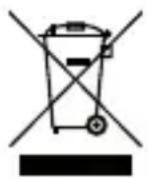
8. enVIronMent
This product must not be disposed of in the normal household waste at the end of its life. It must be disposed of at a collection point for the recycling of electrical and electronic equipment. The symbol on the product, the user manual or the packaging indicates that valuable substances are recyclable according to their labelling. Please refer to your local collection systems for electrical and electronic equipment.
By recycling the materials you make an important contribution to the protection of our environment.
PAcKAGInG
When disposing of the packaging, please observe the applicable laws for environmental protection and waste disposal. The disposal of the outer packaging is possible through the normal household waste disposal. If you want to dispose of the system components yourself, then observe the applicable laws for the disposal of electronic waste. Do not leave the packaging material careless. This could become a dangerous toy for children!
ce MArK And conForMItY
We, the manufacturer (H-TRONIC GmbH) hereby declare that this equipment (8-Channel Transmitter), is in compliance with the essential requirements and other relevant provisions of Directive 2014/53/EU. CE conformance has been certified – the relevant records are in the hands of the manufacturer: H-TRONIC GmbH, Industriegebiet Dienhof 11, DE-92242 Hirschau

This manual is a publication of H-TRONIC GmbH, Industriegebiet Dienhof 11, DE-92242 Hirschau, Germany. All rights including translation reserved. Information provided in this manual may not be copied, transferred or put in storage systems without the express written consent of the publisher. Reprinting, also for parts only, is prohibited. This manual is according to the technical data when printed. This manual is according to the technical status at the time of printing and is a constituent part of the device. We reserve the right to make technical changes to the construction, equipment and design.
© Copyright 2020 by H-TRONIC GmbH


- 8-KANAL-SENDER HT8S plus
- HIGHLIGHTS
- technlcAI sPecIFlcAtlons
- Dear customer,
- notice!
- sAFetY InForMAtlon AccordInG to r&tte: dAnGer!
- desIGnAted use
- oPerAtInG conditions
- BAtterY InstAllAtlon / BAtterY eXchAnGe
- notes on the BAtterY
- trAnsMitter settInGs:
- the FollowInG PreProGrAMMed Modes Are AVAILABLE:
- rAnGe of the deVIce
- Possible cAuses For A reduced rAnGe:
- IMProVInG the rAnGe:
- MAlFunction
- GuArAntee
- enVIronMent
- PAcKAGInG
- ce MArK And conForMItY
Brand : H-Tronic
Model : HT8S plus
Category : Radio