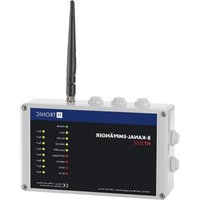
HT200E - Remote control H-Tronic - Free user manual and instructions
Find the device manual for free HT200E H-Tronic in PDF.


Pick your language and provide your email: we'll send you a specifically translated version.
| Product Type | Remote Control |
| Brand | H-Tronic |
| Model | HT200E |
| Operating Frequency | 433 MHz |
| Range | Up to 100 meters (open field) |
| Number of Buttons | 4 |
| Power Supply | 2 x AAA batteries (not included) |
| Battery Life | Approximately 6 months (typical usage) |
| Dimensions (L x W x H) | 120 x 45 x 20 mm |
| Weight | 50 g (with batteries) |
| Material | ABS plastic |
| Color | Black/White |
| Compatible Devices | H-Tronic receivers with matching frequency |
| Functions | On/Off, dimming, scene control (depending on receiver) |
| LED Indicator | Yes (transmission confirmation) |
| Wall Mountable | Yes (via mounting holes) |
| Water Resistance | IP20 (indoor use only) |
| Temperature Range | -10°C to +50°C |
| Certifications | CE, RoHS |
| Package Contents | Remote control, user manual |
Frequently Asked Questions - HT200E H-Tronic
How do I pair the HT200E remote with a receiver?
To pair, press the Learn button on the receiver until the LED flashes, then press any button on the remote once. The LED will stop flashing to confirm pairing.
What type of batteries does the HT200E use?
The remote requires 2 x AAA batteries (not included). Use alkaline batteries for best performance.
What is the maximum range of the HT200E?
In open air, the range is up to 100 meters. Indoor range may be reduced due to walls.
Can I use the HT200E with non-H-Tronic devices?
The remote operates at 433 MHz, so it may work with other 433 MHz receivers if they use compatible coding. However, official H-Tronic receivers are recommended.
How do I replace the batteries?
Slide the battery cover off, remove old batteries, insert new ones with correct polarity (+/-), and replace the cover.
Why is the LED not flashing when I press a button?
This usually indicates dead batteries. Replace them. If the issue persists, the remote may be damaged.
Is the HT200E waterproof?
No, it has an IP20 rating, meaning it is only protected against dust and not water. Keep it dry.
How do I reset the remote to factory settings?
Remove batteries, press any button for 5 seconds to discharge, then reinsert batteries. This clears stored codes.
Can I mount the remote on a wall?
Yes, the remote has mounting holes on the back. Use screws to attach it to a wall.
What do I do if the remote works intermittently?
Check for interference from other devices, replace batteries, and ensure the receiver is within range. Also, clean the battery contacts.
User questions about HT200E H-Tronic
0 question about this device. Answer the ones you know or ask your own.
Ask a new question about this device
No questions yet. Be the first to ask one.
Download the instructions for your Remote control in PDF format for free! Find your manual HT200E - H-Tronic and take your electronic device back in hand. On this page are published all the documents necessary for the use of your device. HT200E by H-Tronic.
USER MANUAL HT200E H-Tronic


Manual assistant
Powered by Anthropic
Waiting for your message
Product information
Brand : H-Tronic
Model : HT200E
Category : Remote control