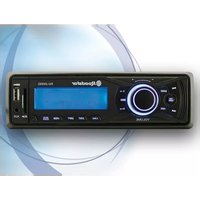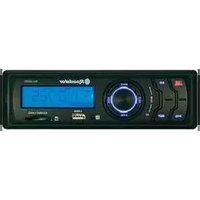
ROADSTAR CD-776RD - Car radio

CD-776RD - Car radio ROADSTAR - Free user manual and instructions

Find the device manual for free CD-776RD ROADSTAR in PDF.

📄 12 pages English EN Download 💬 AI Question 10 questions ⚙️ Specs
Notice ROADSTAR CD-776RD - page 1
Pick your language and provide your email: we'll send you a specifically translated version.
Product Type Car Stereo with CD Player and FM Radio
Brand Roadstar
Model CD-776RD
Supported Discs CD, CD-R, CD-RW
Radio Bands FM Stereo PLL
RDS Features RDS with PTY (Program Type), PS (Program Service), CT (Clock Time), FREQ (Frequency)
Traffic Program TP (Traffic Program) function
Front Panel Detachable, anti-theft
Dimensions (W x H x D) Approximately 178 x 50 x 160 mm (1 DIN standard)
Weight Approximately 1.5 kg
Power Supply 12V DC (car battery)
Power Output 4 x 40W (typical, not specified)
Audio Outputs Speaker outputs (4 channels)
Manual Languages English (EN), possibly others
Cleaning Instructions Use a soft dry cloth; avoid solvents
Safety Features Detachable panel to deter theft; CE certified
Standards Compliance EEC Directive 89/336, EN50013, EN50020
Warranty Manufacturer warranty (check packaging)
Spare Parts Availability Contact Roadstar service centers for parts
Repairability Serviceable by qualified technician

Frequently Asked Questions - CD-776RD ROADSTAR

How do I install the CD-776RD car stereo?
Follow the installation precautions in the manual. Use proper wiring harness for 12V DC power, connect speakers to corresponding outputs, and mount the unit using the supplied brackets. Ensure the detachable front panel is removed before installation.
What disc formats does the CD player support?
It supports CD, CD-R, and CD-RW discs. Ensure discs are standard 12 cm and free from scratches.
How do I set radio presets?
Tune to the desired station, then press and hold one of the preset buttons (1-6) until the display flashes or confirms. The station is now stored.
What is RDS and how do I use PTY?
RDS (Radio Data System) displays station information. PTY (Program Type) lets you search by genre (e.g., news, rock). Press the PTY button to cycle through types and select.
How do I remove and reattach the front panel?
To remove, press the release button and slide the panel off. To reattach, align the panel with the guide rails and push until it clicks securely.
The display shows 'CDP' or 'CT'. What does it mean?
CDP likely indicates CD player mode. CT stands for Clock Time from RDS. Refer to the manual for specific display symbols.
How do I clean the CD lens?
Use a soft dry cloth for the exterior. For the lens, use a designated CD lens cleaner disc. Do not use liquid or spray directly inside.
What should I do if the unit doesn't turn on?
Check the car fuse and the unit's fuse. Ensure the ignition is on (if wired to accessory). Verify connections to the battery and ground.
Can I play MP3 files on this stereo?
No, the CD-776RD only supports audio CD, CD-R, and CD-RW in standard CD-DA format. MP3 playback is not mentioned in the manual.
How do I reset the unit to factory settings?
Press the reset button located on the front panel (small hole) using a pointed object. This clears preset stations and settings.

User questions about CD-776RD ROADSTAR

0 question about this device. Answer the ones you know or ask your own.

Ask a new question about this device

The email remains private: it is only used to notify you if someone responds to your question.

No questions yet. Be the first to ask one.

Download the instructions for your Car radio in PDF format for free! Find your manual CD-776RD - ROADSTAR and take your electronic device back in hand. On this page are published all the documents necessary for the use of your device. CD-776RD by ROADSTAR.

USER MANUAL CD-776RD ROADSTAR

This product meets the essential requirements laid down by EEC Directive 89/336 and has been built in accordance with European standards EN50013, EN50020.

Car Stereo Compact Disc CD/CD-R/CD-RW Player with PLL FM Stereo Radio Radio Data System with PTY Detachable Front Panel System

CD-776RD/FM

Instruction manual

Bedienungsanleitung

PS --- CT --- FREQ --- PTY

MODALIDAD LECTOR CD

CDP --- CT --- PS --- FREQ --- PTY

TP (Traffic Program)

INSTALLATION

VORSICHTSMASSNAHMEN

PS --- CT --- FREQ --- PTY

CDP --- CT --- PS --- FREQ --- PTY
Table of contents Click a title to access it
Manual assistant
Powered by Anthropic
Waiting for your message
Product information

Brand : ROADSTAR

Model : CD-776RD

Category : Car radio