
Touch Go 2.1 - Smartwatch Overmax - Free user manual and instructions
Find the device manual for free Touch Go 2.1 Overmax in PDF.


| Brand | Overmax |
| Model | Touch Go 2.1 |
| Product Type | Smartwatch |
| Operating System Compatibility | Android 4.3+ / iOS 7.0+ (Bluetooth 4.0) |
| Display | Touch screen |
| Gesture Control | Wrist movement to turn on screen |
| Battery Charging | 5V/1A USB; charge at least 30 mins first use; red LED stops when full |
| Functions | Time, steps, distance, calories, alarm, sleep monitor, remote camera shutter, message notifications |
| Bluetooth | Bluetooth 4.0 |
| Application | Zeroner (available on Google Play) |
| Weight | Approx. 50 g |
| Dimensions | Approx. 40 x 40 x 10 mm (estimation) |
| Power On/Off | Touch and hold screen to power on; hold to confirm power off |
| Navigation | Swipe left/right to switch functions; touch to confirm |
| CE Compliance | Yes (Declaration of Conformity) |
| Maintenance | Wipe with soft, dry cloth |
| Repair and Spare Parts | Contact manufacturer; battery replacement possible by service center |
| Warranty | Standard warranty (refer to manual) |
Frequently Asked Questions - Touch Go 2.1 Overmax
User questions about Touch Go 2.1 Overmax
0 question about this device. Answer the ones you know or ask your own.
Ask a new question about this device
Download the instructions for your Smartwatch in PDF format for free! Find your manual Touch Go 2.1 - Overmax and take your electronic device back in hand. On this page are published all the documents necessary for the use of your device. Touch Go 2.1 by Overmax.
USER MANUAL Touch Go 2.1 Overmax
The device supports only the following operating systems:
Android: version 4.3 or up; Bluetooth 4.0 iOS: version 7.0 or up; Bluetooth 4.0
Icon descriptions
Time:
Steps:
Distance:
Calories:
Calories:
Alarm:
Sleep monitor:
Remote shooting:
Message
received:
Bluetooth
transmission:
Bluetooth:
Charging:
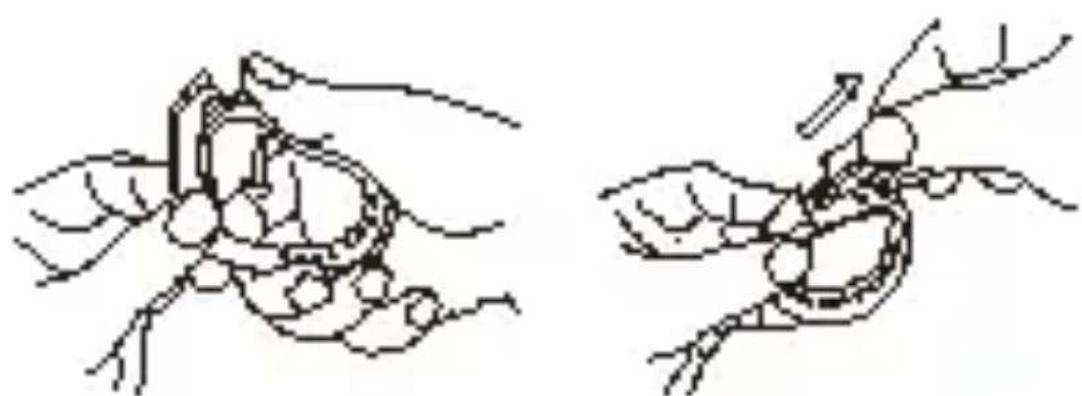
Before the first use, please charge the battery for at least 30 minutes. In order to do so, remove the main unit from the bracelet, as shown in the following illustration.
natural_image
Two hand-drawn diagrams showing a crab being held, with no text or symbols present.Touch Go 2.1 can be charged via a 5V/1A USB port. The red LED stops flashing indicating that the unit is fully charged.
Touch Go 2.1 operations
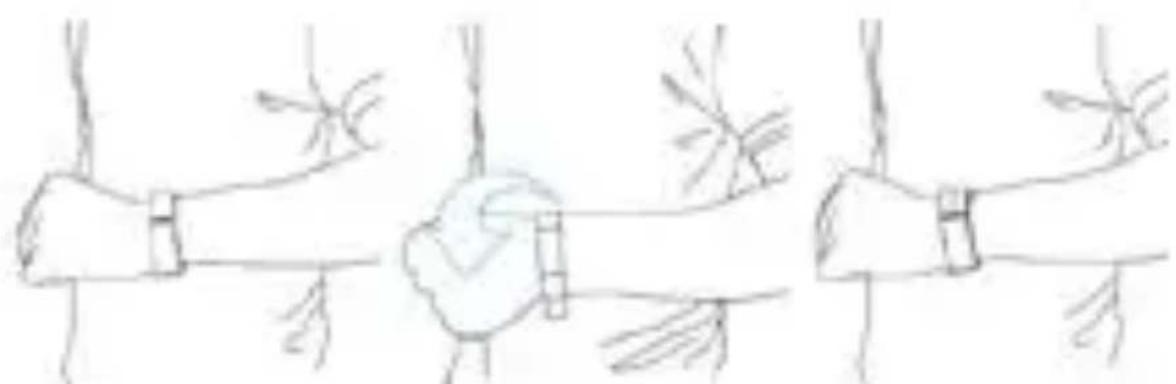
The bracelet can be controlled by gestures and touch screen operations.
Gesture control:
Touch Go 2.1 turns on automatically and shows the current time
natural_image
Hand-drawn sketch of three hands holding a wrist, with no text or symbols presentMove your wrist
Turn your bracelet so that the screen is facing up
Touch Go 2.1 turns on automatically and shows the current time
Touch screen operations
| Function | Operation | |
| Power on | 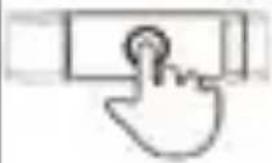 | Touch and hold the bracelet screen |
| Waking up | 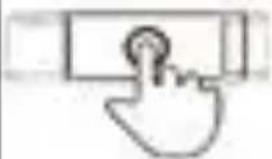 | Touch the screen to wake the bracelet up. |
| Power off |  Hold your finger on the screen to confirm the powering off operation Hold your finger on the screen to confirm the powering off operation | |
| Switching functions | 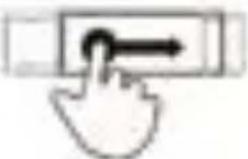 the screen the screen | Swipe your finger left or right across |
| Switching between pages | 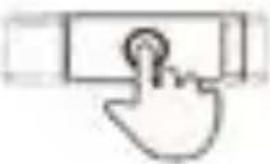 | Touch the screen |
| Confirming | 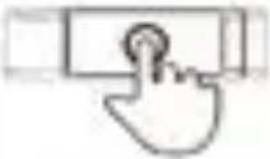 | Touch and hold the screen |
NOTE: The manufacturer reserves the right to make changes and improvements to the product without prior notice. For more information, please refer to the "Help" tab in the application menu.
Application
Download the "Zeroner" app from an application store (e.g. Google Play) and install it on your smartphone or tablet. The device must be connected to the Internet (via WiFi or 3G/4G) in order to be able to start the installation.
First run:
When running the application for the first time it prompts you to create an account. The registration is quick and easy. It allows you to log into your account using whatever device you want - all you need is to have the "Zeroner" app installed on it. During the registration you need to enter your e-mail and password. Subsequent starts of the application don't require another registration processes.
Pairing Touch GO 2.1 with a smartphone or tablet:
Enable Bluetooth and WiFi on your smartphone or tablet.
- Log into your "Zeroner" account. Go to "Settings" (the icon in the upper left corner of the screen). Then, click "Device connection".
- Double tap the bracelet's screen. The "Bluetooth transmission" icon appears on it. In the application interface tap "Search for devices". Then, choose the ID of a desirable device from the list (e.g. Braceli5-0000).
- If you use an Android device, a pairing confirmation request appears in the application interface. Please confirm the operation. After these steps the pairing process is successfully completed.
- If you use an iOS device, a pairing confirmation request appears in the application interface. Please confirm the operation. After these steps the pairing process is successfully completed.
INSTRUKCJA OBSŁUGI
TOUCH GO 2.1
Kompatybilność:
natural_image
Two hand-drawn illustrations of a crab, one with legs and body, the other with legs and body (no text or symbols)Nabíjení:
natural_image
Two hand-drawn diagrams showing a crab being held, with no text or symbols present.natural_image
Hand-drawn sketch of three hands holding a wrist, with no text or symbols presentPohněte zápěstím
natural_image
Two hand-drawn diagrams showing a crab being held, with no text or symbols present.

Incarcare:
natural_image
Two hand-drawn diagrams showing a crab being held by two fingers, with no text or symbols present.natural_image
Two hand-drawn diagrams of a crab being held, showing structural details (no text or symbols)natural_image
Two hand-drawn diagrams showing a crab being held, with no text or symbols present.Declaration of Conformity
We, the undersigned:
Declare the following apparatus:
| Products name: | Smart Bracelet |
| Brand and Model name: | OV-Touch Go 2.1 |
Hereby we confirm above product compliance with the European directive of CE:
Below standards were tested and passed:
| EMC : | ETSI EN 301 489-1 V1.8.1 (2008-04)ETSI EN 301 489-17 V2.1.1 (2009-05) |
| LVD : | EN 60950-1:2006 + A11:2009 + A1:2010+ A12:2011 |
Release date: 21.09.2012
www.overmax.eu
Brand : Overmax
Model : Touch Go 2.1
Category : Smartwatch