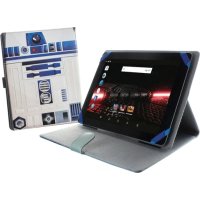
Beauty HD Intel Quad Core - Tablet eSTAR - Free user manual and instructions
Find the device manual for free Beauty HD Intel Quad Core eSTAR in PDF.


Pick your language and provide your email: we'll send you a specifically translated version.
| Product Type | Tablet |
| Brand | eSTAR |
| Model | Beauty HD Intel Quad Core |
| Display Size | 10.1 inches |
| Display Resolution | 1920 x 1200 pixels |
| Processor | Intel Quad Core (up to 1.8 GHz) |
| RAM | 2 GB |
| Storage | 32 GB |
| Operating System | Android 10 |
| Battery Capacity | 4000 mAh |
| Dimensions (W x H x D) | 240 x 170 x 10 mm |
| Weight | 520 g |
| Connectivity | Wi-Fi 802.11 b/g/n, Bluetooth 4.0 |
| Camera (Rear) | 5 MP |
| Camera (Front) | 2 MP |
| Ports | Micro USB, 3.5 mm headphone jack |
| Power Supply | DC 5V 2A via USB charger |
| Maintenance | Clean with a soft, dry cloth. Do not use liquids. |
| Safety Precautions | Keep away from water and extreme temperatures. |
| Spare Parts | Battery, charger, USB cable available. |
| General Information | 1 year limited warranty. User manual in English. |
Frequently Asked Questions - Beauty HD Intel Quad Core eSTAR
How do I turn on the eSTAR Beauty HD Intel Quad Core tablet?
Press and hold the Power button located on the top edge for 3-5 seconds until the screen lights up.
How do I charge the tablet?
Connect the included USB cable to the Micro USB port and plug the charger into a power outlet. The battery icon will show charging status.
How do I connect to Wi-Fi?
Go to Settings > Wi-Fi, toggle it on, select your network and enter the password.
How do I perform a factory reset?
Go to Settings > Backup & Reset > Factory Data Reset. Confirm and the device will erase all data.
How do I take a screenshot?
Press and hold the Power and Volume Down buttons simultaneously for 2 seconds.
How do I expand storage?
Insert a microSD card into the slot located on the side of the tablet, up to 128 GB.
How do I update the operating system?
Go to Settings > About Tablet > System Updates and check for updates. Download and install if available.
My tablet screen is not responding, what should I do?
Try a forced restart by holding the Power button for 10 seconds. If the issue persists, charge the tablet for 30 minutes and try again.
How do I transfer files to a computer?
Connect the tablet to your computer using the USB cable. On the tablet, swipe down and select File Transfer mode.
What is the warranty period for this tablet?
The eSTAR Beauty HD Intel Quad Core comes with a 1-year limited warranty covering manufacturing defects.
User questions about Beauty HD Intel Quad Core eSTAR
0 question about this device. Answer the ones you know or ask your own.
Ask a new question about this device
No questions yet. Be the first to ask one.
Download the instructions for your Tablet in PDF format for free! Find your manual Beauty HD Intel Quad Core - eSTAR and take your electronic device back in hand. On this page are published all the documents necessary for the use of your device. Beauty HD Intel Quad Core by eSTAR.