
PI3900B2 - Tablet PHILIPS - Free user manual and instructions
Find the device manual for free PI3900B2 PHILIPS in PDF.


| Product Type | Tablet |
| Brand | Philips |
| Model | PI3900B2 |
| Operating System | Android |
| Display | Touchscreen |
| Connectivity | Wi-Fi, Bluetooth, GPS, HDMI, USB |
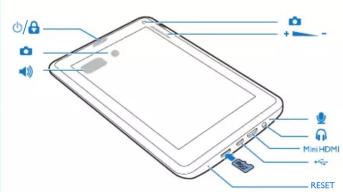
| Ports | USB, HDMI, Reset |
| Power Adapter | Included, use for initial charge |
| Battery Charging | First charge > 8 hours; charge at least 30 min if depleted |
| PC Connection | Via USB cable for drag and drop files |
| Internet Setup | Wi-Fi setup via settings slider |
| Special Features | Power control widget, Google Voice Search |
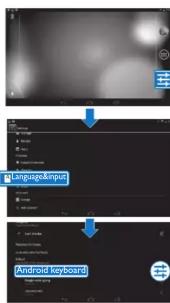
| Keyboard | Android keyboard with language input |
| Interface Navigation | Swipe, back button, home screen, recent apps |
| Dimensions | Not specified |
Frequently Asked Questions - PI3900B2 PHILIPS
User questions about PI3900B2 PHILIPS
0 question about this device. Answer the ones you know or ask your own.
Ask a new question about this device
Download the instructions for your Tablet in PDF format for free! Find your manual PI3900B2 - PHILIPS and take your electronic device back in hand. On this page are published all the documents necessary for the use of your device. PI3900B2 by PHILIPS.
USER MANUAL PI3900B2 PHILIPS
Register your product and get support at www.philips.com/welcome
PHILIPS

Specifications are subject to change without notice © 2013 Koninklijke Philips Electronics N.V. All rights reserved.
P1390082/55_QSG_V1.0_WK1332.5


Select languages
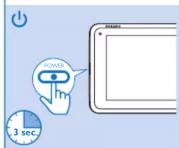
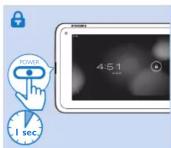
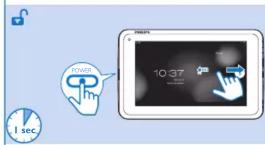
EN Device does not respond to the pressing of keys.


Charge
Charge
Charge
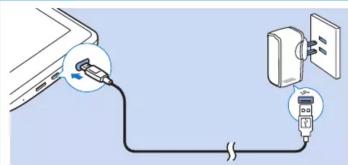
EN The first time you use the device, use the supplied power adapter to charge the device for more than eight hours. Tips: When the battery of the device is over-drained, the LCD display may not turn on due to low battery level even when the charger is connected. Charge the device for at least 30 minutes before you switch the device on again.
Swipe left/right to select a page. Search in the web or the device. Start Google Voice Search. Go to the Home screen. Back one level or exit. Switch to recent applications.
PT
Power control widget: On/off switches for Wi-Fi, Bluetooth, GPS, background sync (for some apps, like mail) and screen brightness.
Connect to online services. Connect to online services.
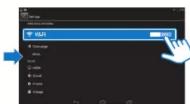
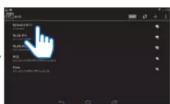
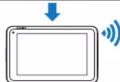
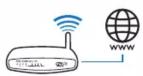
ES Through Wi-Fi, connect PI3900B2/55 to the internet. On the pop-up screen for setup options, drag the slider to activate Wi-Fi and connect to an available network. EN Through Wi-Fi, connect PI3900B2/55 to the Internet. On the pop-up screen for setup options, drag the slider to switch on Wi-Fi and connect to an available network.
Connect to your PC![graph TD A["Mobile Device ①"] --> B["Mass Storage"] B --> C["Mobile Device ②"] C --> D["USB Storage"] D --> E["Turn on USB Storage"] E --> F["Computer"]](/content/2026/05/844420/images/a9912a15e0605e5898079d0b548f148e79d72ff34ff8f8b2f675e57c8ed46113.jpg)
Use the USB cable to connect the PI3900B2/55 to a PC. You can drag and drop apps and media files between the PI3900B2/55 and the PC.
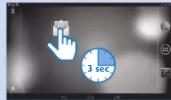
More information
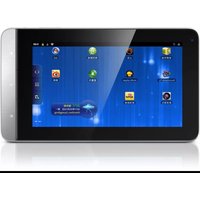
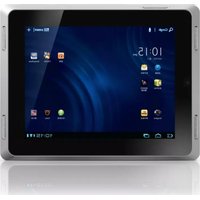


Brand : PHILIPS
Model : PI3900B2
Category : Tablet