
PI7000 - Tablet PHILIPS - Free user manual and instructions
Find the device manual for free PI7000 PHILIPS in PDF.
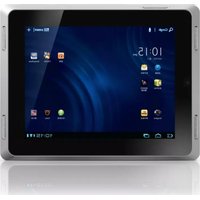


| Product Type | Tablet |
| Brand | Philips |
| Model | PI7000 |
| Display Diagonal | 7 inches |
| Display Technology | TFT LCD |
| Display Resolution | 1024 x 600 pixels |
| Processor | 1.2 GHz dual-core |
| RAM | 1 GB |
| Internal Storage | 8 GB |
| Expandable Storage | microSD, up to 32 GB |
| Operating System | Android 4.2 Jelly Bean |
| Rear Camera | 2 MP |
| Front Camera | 0.3 MP |
| Connectivity | Wi-Fi 802.11 b/g/n |
| Bluetooth | Yes, 4.0 |
| Battery Capacity | 4500 mAh |
| Charging Port | Micro USB |
| Headphone Jack | 3.5 mm |
| Dimensions | 191 x 106 x 10.5 mm |
| Weight | 320 g |
| Color Options | Black |
| Box Accessories | Charger, USB cable, user manual |
| Cleaning and Maintenance | Wipe with soft dry cloth, avoid solvents |
| Safety Features | Over-charge protection, safe battery design |
| Spare Parts and Repairability | Removable back cover, replaceable battery |
Frequently Asked Questions - PI7000 PHILIPS
User questions about PI7000 PHILIPS
0 question about this device. Answer the ones you know or ask your own.
Ask a new question about this device
Download the instructions for your Tablet in PDF format for free! Find your manual PI7000 - PHILIPS and take your electronic device back in hand. On this page are published all the documents necessary for the use of your device. PI7000 by PHILIPS.
USER MANUAL PI7000 PHILIPS
用户手册
PHILIPS
目录
1 重要安全信息 5
常规维护 5
注意 6
产品回收 7
2 您的新平板电脑 8
包装盒内物品 8
设备上加载的电脑软件 8
设备上加载的文件 8
概述 8
控件 8
主屏幕 9
3 使用入门 10
充电 10
打开或关闭设备 10
4 基本功能 11
查找应用程序 11
使用应用程序 11
使用通知和状态栏 11
选择设置选项 12
查看通知 12
使用屏幕 12
旋转屏幕 12
锁定/解锁屏幕 12
自定义主屏幕 13
添加项目 13
重新排列项目 13
文本输入 14
选择文本输入的选项 14
输入文本 14
编辑文本 15
5 连接 17
连接至Wi-Fi 17
连接至互联网 18
加入您的家庭网络 18
连接至 HDTV 18
连接至您的电脑 19
使用 Micro SD 卡 19
连接至蓝牙 19
与蓝牙设备连接 19
通过蓝牙收发文件 20
通过立体声蓝牙耳机收听音乐 20
6 应用 21
安装应用程序 21
安卓市场 21
其他来源 21
管理应用程序 21
7 音乐、视频和照片 22
HDMI, and HDMI logo and High-Definition Multimedia Interface are trademarks or registered trademarks of HDMI licensing LLC in the United States and other countries.
Redistribution and use in source and binary forms, with or without modification, are permitted provided that the following conditions are met:
- Redistributions of source code must retain the above copyright notice, this list of conditions and the following disclaimer.
- Redistributions in binary form must reproduce the above copyright notice, this list of conditions and the following disclaimer in the documentation and/or other materials provided with the distribution.
- Neither the name of the Xiph. org Foundation nor the names of its contributors may be used to endorse or promote products derived from this software without specific prior written permission.
This software is provided by the copyright holders and contributors "as is" and any express or implied warranties, including, but not limited to, the implied warranties of merchantability and fitness for a particular purpose are disclaimed. In no event shall the foundation or contributors be liable for any direct, indirect, incidental, special, exemplary, or consequential damages (including, but not limited to, procurement of substitute goods or services; loss of use, data, or profits; or business interruption) however caused and on any theory of liability, whether in contract, strict liability, or tort (including negligence or otherwise) arising in any way out of the use of this software, even if advised of the possibility of such damage
产品回收
① 电源/锁定按钮

注
4 基本功能
查找应用程序
在主屏幕上导航以查找应用程序:
使用通知和状态栏

① 通知
② 前
当时钟时间
③ 设置状态

自定义主屏幕
重新排列项目
删除项目
文本输入

提示

注
连接至蓝牙
显示或隐藏播放屏幕
- 向上/向下拖动

要在播放屏幕上选择播放选项,
要关闭锁定屏幕,

1 在邮件列表屏幕上,点击
帐户设置。
→ 显示弹出屏幕。
您可以通过以下方式查看电子邮件:
前
① 滑块
② 快门
③ 缩略图
1 从主屏幕转到
→ 此时将显示屏幕上的按钮。
4 要设置闹钟,
3 在路由器上,添加 Pi7000。
网络通知
• Philips Songbird, SimplyShare
注
Specifications are subject to change without notice
All rights reserved.
Pi7000_UM_93_V1.0_WK1147.1

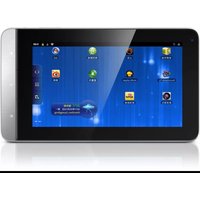


Brand : PHILIPS
Model : PI7000
Category : Tablet