
GoGear PI5000 - Tablet PHILIPS - Free user manual and instructions
Find the device manual for free GoGear PI5000 PHILIPS in PDF.
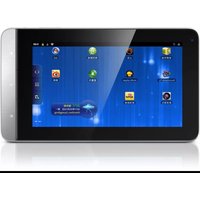


| Product Type | Tablet |
| Brand | Philips |
| Model | GoGear PI5000 |
| Display Size | 7 inches |
| Display Resolution | 800 x 480 pixels |
| Operating System | Android 2.2 (Froyo) |
| Processor | 1 GHz ARM Cortex-A8 |
| RAM | 512 MB |
| Internal Storage | 4 GB (expandable via microSD) |
| Wi-Fi | 802.11 b/g |
| Bluetooth | Yes |
| Battery | Rechargeable lithium-ion, 3000 mAh |
| Weight | Approximately 350 g |
| Dimensions | 190 x 120 x 12 mm |
| Power Supply | AC adapter via USB |
| Main Functions | Web browsing, multimedia playback, e-book reading, apps |
| Maintenance and Cleaning | Wipe with a soft, dry cloth |
| Safety | Keep away from water and heat sources |
| Spare Parts and Repairability | Battery not user-replaceable; contact authorized service center |
| General Information | Supports multi-touch gestures and includes a front camera |
Frequently Asked Questions - GoGear PI5000 PHILIPS
User questions about GoGear PI5000 PHILIPS
0 question about this device. Answer the ones you know or ask your own.
Ask a new question about this device
Download the instructions for your Tablet in PDF format for free! Find your manual GoGear PI5000 - PHILIPS and take your electronic device back in hand. On this page are published all the documents necessary for the use of your device. GoGear PI5000 by PHILIPS.
USER MANUAL GoGear PI5000 PHILIPS
Be responsible Respect copyrights
Redistribution and use in source and binary forms, with or without modification, are permitted provided that the following conditions are met:
• Redistributions of source code must retain the above copyright notice, this list of conditions and the following disclaimer.
- Redistributions in binary form must reproduce the above copyright notice, this list of conditions and the following disclaimer in the documentation and/or other materials provided with the distribution.
- Neither the name of the Xiph.org Foundation nor the names of its contributors may be used to endorse or promote products derived from this software without specific prior written permission.
This software is provided by the copyright holders and contributors “as is” and any express or implied warranties, including, but not limited to, the implied warranties of merchantability and fitness for a particular purpose are disclaimed. In no event shall the foundation or contributors be liable for any direct, indirect, incidental, special, exemplary, or consequential damages (including, but not limited to, procurement of substitute goods or services; loss of use, data, or profits; or business interruption) however caused and on any theory of liability, whether in contract, strict liability, or tort (including negligence or otherwise) arising in any way out of the use of this software, even if advised of the possibility of such damage
2 您的新平板电脑
包装盒内物品
确认您已收到以下物品:
本机

USB 电缆

USB 电源适配器

精美软袋

快速入门指南


注
三注
选择 USB 连接模式
向左/向右滑动以选择页面;或·
要返回上一个屏幕,
- 反复按 → 。
要返回主屏幕,
- 按↑。
状态栏和通知下拉列表

状态栏
要设置最大音量级别,
屏幕
旋转屏幕
要选择横向或纵向视图,


锁定/解锁屏幕
文本输入

注
6 网络应用
安卓市场
安装来自安卓市场的应用程序
要浏览照片或视频,
要在播放屏幕上选择播放选项,
拍摄照片或录像
1 从主屏幕转到。
→ 此时将显示屏幕上的按钮。
mufin player TM
新浪微博TM
新浪TM 音乐
新浪TM新闻
文夹视图
相机
媒体库
电源控件小工具
浏览器
搜索
日历
电子邮件
闹钟
计算器
音乐
注
This logo refers to the period (10 years) during which the toxic or hazardous substances or elements contained in electronic information products will not leak or mutate so that the use of these [substances or elements] will not result in any severe environmental pollution, any bodily injury or damage to any assets.




Brand : PHILIPS
Model : GoGear PI5000
Category : Tablet