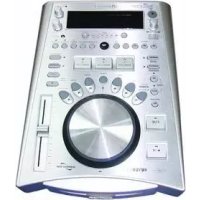
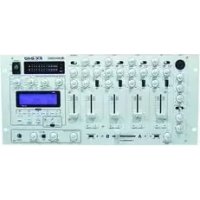
MMP-1 - Mixer Omnitronic - Free user manual and instructions
Find the device manual for free MMP-1 Omnitronic in PDF.


Pick your language and provide your email: we'll send you a specifically translated version.
| Product Type | DJ Mixer |
| Brand | Omnitronic |
| Model | MMP-1 |
| Dimensions (WxDxH) | 200 x 150 x 60 mm |
| Weight | 1.2 kg |
| Power Supply | 12V DC 500mA |
| Inputs | 2 x RCA (Line), 1 x 3.5mm (Mic) |
| Outputs | 2 x RCA (Master), 1 x 3.5mm (Headphones) |
| Controls | Volume, Bass, Treble, Crossfader, Cue |
| Frequency Response | 20 Hz - 20 kHz |
| Connection Type | Analog |
| Housing Material | Metal |
| Included Accessories | Power adapter, User manual |
| Cleaning Instructions | Wipe with a soft, dry cloth. Do not use liquid cleaners. |
| Safety Instructions | Keep away from moisture and heat. Do not open the device. |
| Spare Parts Availability | Contact Omnitronic support for replacement parts. |
| Recommended Use | Home DJing, small events, practice |
| Warranty | 2 years (depending on region) |
Frequently Asked Questions - MMP-1 Omnitronic
How do I connect the mixer to my speakers?
Use RCA cables to connect the Master Output of the mixer to your speakers' input.
Can I use a microphone with the MMP-1?
Yes, the mixer has a 3.5mm microphone input. You may need an adapter for larger XLR mics.
Why is there no sound from the headphones?
Ensure the Cue button is pressed for the desired channel and the headphone volume is turned up. Check the headphone connection.
How do I power the mixer?
Connect the included 12V DC power adapter to the mixer's power jack and plug it into a mains outlet.
Can I record from the mixer?
Yes, connect the Record Output (usually RCA) to your recording device's input.
The crossfader is scratchy, what can I do?
Cleaning the crossfader with contact cleaner may help. If the issue persists, consider replacing the crossfader unit.
What is the maximum input voltage?
Do not exceed the rated 12V DC input voltage. Using a higher voltage can damage the mixer.
How do I adjust the EQ?
Use the Bass and Treble knobs on each channel to adjust low and high frequencies.
Can I connect a turntable?
Yes, but you may need a phono preamp if your turntable does not have a built-in preamp. Connect to the Line inputs.
The mixer is not turning on, what should I check?
First, ensure the power adapter is properly connected and the mains outlet is working. If still no power, contact support.
User questions about MMP-1 Omnitronic
0 question about this device. Answer the ones you know or ask your own.
Ask a new question about this device
No questions yet. Be the first to ask one.
Download the instructions for your Mixer in PDF format for free! Find your manual MMP-1 - Omnitronic and take your electronic device back in hand. On this page are published all the documents necessary for the use of your device. MMP-1 by Omnitronic.