
IR - Remote control Vaddio - Free user manual and instructions
Find the device manual for free IR Vaddio in PDF.


| Product Type | Infrared (IR) Remote Control |
| Brand | Vaddio |
| Model | IR |
| Dimensions (approx.) | 7.0 x 2.0 x 1.0 in (17.8 x 5.1 x 2.5 cm) |
| Weight (approx.) | 4.0 oz (113 g) with batteries |
| Power Source | 2 x AAA batteries (DC 3V) |
| Transmission Technology | Infrared (IR) |
| Operating Range | Up to 30 ft (9 m) line of sight |
| Compatible Devices | Vaddio PTZ cameras, switchers, and presentation systems |
| Key Functions | Power, volume, mute, input select, menu navigation, camera control (pan/tilt/zoom) |
| Battery Life | Approximately 6-12 months with normal use |
| Operating Temperature | 32°F to 104°F (0°C to 40°C) |
| Storage Temperature | -4°F to 140°F (-20°C to 60°C) |
| Materials | ABS plastic, silicone buttons |
| Cleaning Instructions | Wipe with a soft, dry cloth. Do not use liquids or solvents. |
| Safety Precautions | Do not expose to water or extreme heat. Remove batteries if not used for extended periods. |
| Battery Replacement | Slide open battery compartment cover, replace with fresh AAA batteries, ensuring correct polarity. |
| Repair and Spare Parts | Contact Vaddio support or authorized dealers for service and replacement parts. |
| Warranty | Varies by region; typically 1-2 years |
Frequently Asked Questions - IR Vaddio
User questions about IR Vaddio
0 question about this device. Answer the ones you know or ask your own.
Ask a new question about this device
Download the instructions for your Remote control in PDF format for free! Find your manual IR - Vaddio and take your electronic device back in hand. On this page are published all the documents necessary for the use of your device. IR by Vaddio.
USER MANUAL IR Vaddio
998-2105-000 (Worldwide)
Installing the Batteries
The remote uses two AAA batteries.
- Remove the cover from the back of the remote. You may need to upper edge while sliding it off.
- Install the batteries as shown in the diagram in the battery opening.
- Slide and snap the cover back into place.
Tips for Using the Remote
Presets: The remote provides access to camera presets. Your camera's web interface may provide access to additional camera presets.
Camera selection: The remote has three IR channels, so it can control up to three cameras independently. Check your camera's manual for information on setting it as camera 1, camera 2, or camera 3. By default, Vaddio cameras respond as camera 1
Troubleshooting tip: If the camera does not respond to the remote, press the Camera 1 button and try again. If that doesn't fix the problem, try the other camera selection buttons.
Auto-framing cameras: Auto-framing pauses when you press any button that affects the shot (arrows, home, zoom, presets).

IR Remote Controller Quick Reference
The remote may have controls for capabilities that your camera does not have. Some buttons behave in different ways depending on the camera's capabilities.
 | Power button and indicator - Set the camera to standby return to full-power mode. |
 | |
 | Arrow buttons - Pan and tilt.Home button - Function depends on the model of camera-framing cameras, press to resume auto-framing. |
 | Network button - Display the camera's IP address on the output(s). |
 | Backlight button - Adjusts for excess light behind the subject. |
 | Mute button - Mute connected or built-in microphone(s). |
 | Volume +/- button - Increase or decrease the volume connected or built-in speaker. |
 | Focus +/- buttons - Adjust the focal distance in or out, when focus mode is selected. |
 | Zoom +/- button- Increase or decrease the zoom. |
 | Focus Auto/Man buttons - Select automatic or manual focus. |
 | Pan Dir buttons - Set pan direction relative to the person using the remote. Std is from the camera's perspective. Rev is from the perspective of a person facing the camera. |
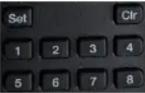 | Set, Clr, and Preset buttons - Set, clear, or select preset shots. |
Storing and Clearing Presets
Depending on the camera, presets may store zoom, pan/tilt location, color settings, or some comb of these.
Your camera may have additional presets available through its web interface.
To store a preset:
Set up the shot. Then hold down the Set button and press one of the numbered preset button To clear a preset:
Press and hold the Clr button while pressing the number of the preset you want to clear.
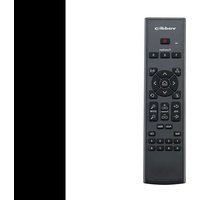
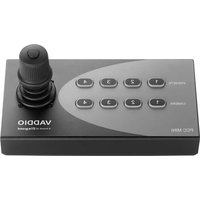
Brand : Vaddio
Model : IR
Category : Remote control