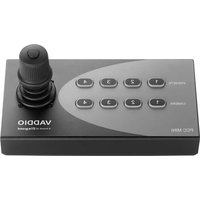
PCC Mini - Surveillance Camera Vaddio - Free user manual and instructions
Find the device manual for free PCC Mini Vaddio in PDF.


Pick your language and provide your email: we'll send you a specifically translated version.
| Product Type | PTZ Surveillance Camera |
| Brand | Vaddio |
| Model | PCC Mini |
| Dimensions (W x H x D) | 5.5 x 5.5 x 5.5 inches (140 x 140 x 140 mm) |
| Weight | 2.2 lbs (1 kg) |
| Power Supply | PoE+ (Power over Ethernet Plus) or 12V DC |
| Image Sensor | 1/2.8-inch CMOS |
| Resolution | 1080p Full HD (1920 x 1080) |
| Optical Zoom | 3x optical zoom |
| Pan & Tilt Range | Pan: 340°; Tilt: 120° |
| Video Output | HDMI, IP (RTSP) |
| Connectors | HDMI, Ethernet (RJ-45), 3.5mm audio in |
| Mounting | Tabletop or ceiling mount (VESA compatible) |
| Operating Temperature | 32°F to 104°F (0°C to 40°C) |
| Storage Temperature | -4°F to 140°F (-20°C to 60°C) |
| Main Functions | Pan, Tilt, Zoom; Auto-tracking; Preset positions; Remote control via IR or web interface |
| Cleaning and Maintenance | Wipe lens with microfiber cloth; clean vents with compressed air; use soft dry cloth for body |
| Safety Instructions | Do not expose to water or extreme temperatures; use only approved power adapter; ensure proper ventilation |
| Spare Parts and Repairability | Replacement remote and power supply available; contact Vaddio support for internal parts |
| General Information | Firmware updates available via Vaddio website; compatible with major video conferencing platforms |
Frequently Asked Questions - PCC Mini Vaddio
How do I connect the Vaddio PCC Mini to my computer?
Connect via HDMI for video and USB if using the camera's USB output, or use IP streaming over Ethernet.
Can I control the camera remotely?
Yes, use the IR remote or access the web interface via the camera's IP address for pan, tilt, zoom, and preset management.
What power supply does the PCC Mini require?
It supports PoE+ (Power over Ethernet Plus) or a 12V DC adapter. Check your network switch for PoE capability.
How do I mount the camera on the ceiling?
Use the included VESA mount bracket. Ensure the ceiling can support the weight and secure with appropriate screws.
The camera does not start. What should I check?
Verify the power connection (PoE or DC). Check Ethernet cable integrity. Try a factory reset by holding the reset button for 10 seconds.
How to update the firmware?
Download the latest firmware from Vaddio support website. Upload via the web interface under System > Firmware Update.
What is the maximum pan and tilt range?
Pan: 340°, Tilt: 120°. Use presets for quick positioning.
Can I use the camera with Zoom or Teams?
Yes, the PCC Mini is compatible with Zoom, Microsoft Teams, and other platforms via USB or RTSP streams.
How do I clean the lens?
Use a microfiber cloth gently to avoid scratches. For stubborn dirt, use a lens cleaning solution lightly.
The camera image is blurry. What can I do?
Check if the focus mode is set to auto. Adjust via web interface or remote. Clean the lens if dirty.
User questions about PCC Mini Vaddio
0 question about this device. Answer the ones you know or ask your own.
Ask a new question about this device
No questions yet. Be the first to ask one.
Download the instructions for your Surveillance Camera in PDF format for free! Find your manual PCC Mini - Vaddio and take your electronic device back in hand. On this page are published all the documents necessary for the use of your device. PCC Mini by Vaddio.
USER MANUAL PCC Mini Vaddio

Manual assistant
Powered by Anthropic
Waiting for your message
Product information
Brand : Vaddio
Model : PCC Mini
Category : Surveillance Camera