
Hub - Uncategorized Hive - Free user manual and instructions
Find the device manual for free Hub Hive in PDF.


| Product Type | Smart Home Hub |
| Brand | Hive |
| Model | Hub |
| Dimensions (approx.) | 10 x 10 x 2 cm |
| Weight (approx.) | 150 g |
| Power Supply | DC 5V, 1A (micro USB) |
| Wireless Connectivity | Wi-Fi 2.4 GHz, Zigbee, Bluetooth |
| Compatible Devices | Hive thermostats, lights, sensors, plugs |
| App Control | Hive app (iOS/Android) |
| Voice Control | Amazon Alexa, Google Assistant, Apple HomeKit |
| Maximum Number of Devices | Up to 50 |
| Range (Zigbee) | Up to 30 meters indoors |
| LED Indicators | Power and connection status |
| Reset Button | Pinhole reset |
| Operating Temperature | 0°C to 40°C |
| Storage Temperature | -20°C to 60°C |
| Humidity | 5% to 90% non-condensing |
| Material | ABS plastic |
| Color | White |
| Mounting | Free-standing or wall-mountable (screws not included) |
| Certifications | CE, FCC, RoHS |
| Package Contents | Hub, power adapter, micro USB cable, quick start guide |
Frequently Asked Questions - Hub Hive
User questions about Hub Hive
0 question about this device. Answer the ones you know or ask your own.
Ask a new question about this device
Download the instructions for your Uncategorized in PDF format for free! Find your manual Hub - Hive and take your electronic device back in hand. On this page are published all the documents necessary for the use of your device. Hub by Hive.
USER MANUAL Hub Hive
natural_image
White square electronic device with rounded edges, isolated on a dark blue background (no text or symbols visible)
HIVE
Welcome to Hive
Let's get started setting up your account. Just download the Hive app or visit hivehome.com/register to enter in your details. Once your account has been confirmed, you can login through the Hive app and start pairing your devices*.
Download the Hive app:

*If you already have an account with us, don't worry about this step.
Your Hive Hub
Your hub is the heart of your Hive system. It lets your devices talk to each other and allows you to control them from your smartphone, tablet or laptop anytime, anywhere.
Getting started:
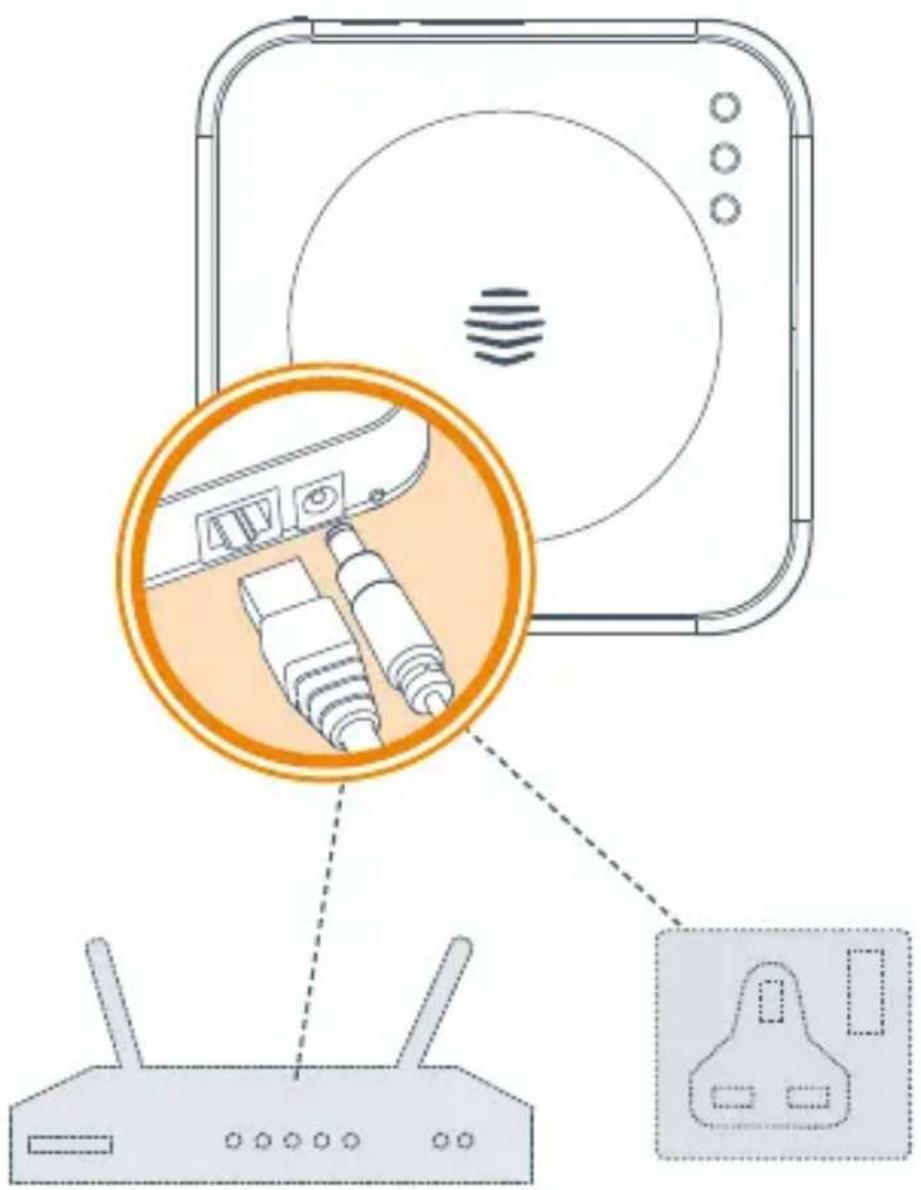
1 Connect your hub
- Connect your hub to your broadband router using the Ethernet cable in the box.
- Connect your hub to a mains power socket using the power cable in the box.
- For the hub to work at its best you should avoid placing it on the floor or in an enclosed area such as a cupboard. A table or shelf are better options, if possible.
2 Activate your hub
Log in to the Hive app, select Hub or log in at hivehome.com and enter the hub ID when prompted. This is the ABC-123 formatted number on the underside of the hub.
3 That's it!
You can now pair your other Hive devices by tapping Install devices in the app or online dashboard.
Remember: For your Hive devices to work correctly your hub must be kept plugged in and switched on.
Usage
Your Hive Hub is designed for UK household wiring and for indoor use only.
Maintenance
Disconnect your Hive Hub before cleaning and keep it away from water and other liquids at all times. The hub does not contain any serviceable parts so do not attempt to open it.
Can we help?
You can view our handy how-to-use videos along with hints and tips at hivehome.com/support
If for any reason you need to return your Hive Hub, simply return your box and its contents to the retailer. Any return is subject to the retailer's refund policy so please don't forget to check the retailer's refund policy too.
© 2023 Centrica Hive Limited (tradin as Hive). Registered in England (No. 5782908) SL4 5GD, UK. Bord Gáis Energy. Registered in Ireland (No. 463078) D02 HH27, Ireland All rights, reserved.
Centrica Connected Home Limited declares that the radio equipment type HUB500 & HUB502 complies with Directive 2014/53/EU. Full declaration text available at: hivehome.com/compliance Max. radiated power: <10 dBm. Frequency: 2405 - 2480 MHz
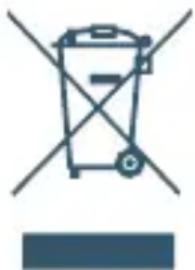
To avoid environmental and health problems due to hazardous substances in electrical and electronic goods, appliances marked with a crossed out wheeled bin should
not be placed into your household rubbish bin. Instead, when they are unable to be re-used, they should be recycled. Your local authority will be able to advise you on the location of the nearest recycling centre that is authorised to accept this type of waste. Please recycle responsibly.
natural_image
Simple line drawing of a trash bin with crossed lines indicating no waste or restriction (no text or symbols)
HIVE
Brand : Hive
Model : Hub
Category : Uncategorized