
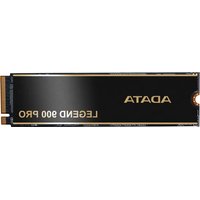
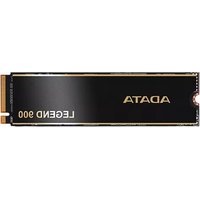
LEGEND 750 - SSD ADATA - Free user manual and instructions
Find the device manual for free LEGEND 750 ADATA in PDF.


Pick your language and provide your email: we'll send you a specifically translated version.
| Product Type | Internal SSD (M.2 2280) |
| Capacity | 256GB / 512GB / 1TB / 2TB (model dependent) |
| Interface | PCIe 4.0 x4, NVMe 1.4 |
| Sequential Read Speed | Up to 5,000 MB/s |
| Sequential Write Speed | Up to 4,500 MB/s |
| Form Factor | M.2 2280 |
| Dimensions (L x W x H) | 80 x 22 x 2.15 mm |
| Weight | Approx. 7 g |
| Operating Temperature | 0°C to 70°C |
| Storage Temperature | -40°C to 85°C |
| Power Consumption (Active) | 3.5 W typical |
| Power Consumption (Idle) | 20 mW typical |
| Endurance (TBW) | 150 TBW (1TB model) |
| MTBF | 2,000,000 hours |
| Key Features | PCIe 4.0 support, low latency, SLC caching, LDPC ECC, TRIM support |
| Maintenance | No routine maintenance required |
| Safety Certifications | CE, FCC, RoHS |
| Warranty | 5-year limited warranty |
| Spare Parts Availability | Not applicable (non-user-serviceable) |
| Reparability | Not repairable; replacement recommended |
Frequently Asked Questions - LEGEND 750 ADATA
What motherboard compatibility does the ADATA LEGEND 750 require?
The LEGEND 750 uses an M.2 2280 form factor with a PCIe 4.0 x4 interface. It is compatible with motherboards that have an M.2 slot supporting PCIe 4.0 or 3.0 (backward compatible). For optimal performance, use a PCIe 4.0 slot.
How do I install the ADATA LEGEND 750 SSD?
Insert the M.2 SSD at a 30-degree angle into the M.2 slot, then gently press it down and secure it with the mounting screw. Refer to your motherboard manual for the correct slot and orientation.
Can I use the LEGEND 750 as a boot drive?
Yes, the LEGEND 750 is ideal as a boot drive. Ensure your system's BIOS is set to UEFI mode and the drive is selected as the first boot device after installing the operating system.
What is the maximum capacity available for the LEGEND 750?
The LEGEND 750 is available in capacities up to 2TB. Smaller capacities (256GB, 512GB, 1TB) are also offered.
Does the LEGEND 750 support TRIM?
Yes, the SSD supports the TRIM command to help maintain performance over time. TRIM is enabled by default in most modern operating systems.
How can I monitor the health of my LEGEND 750?
You can use ADATA's SSD Toolbox software to check drive health, firmware updates, and perform diagnostic functions. Third-party tools like CrystalDiskInfo also work.
What is the warranty period for the ADATA LEGEND 750?
The LEGEND 750 typically comes with a 5-year limited warranty. Check the official ADATA website for terms and conditions.
Does the LEGEND 750 have a heatsink?
The standard model does not include a heatsink. However, many motherboards provide M.2 heatsinks. For sustained heavy workloads, an aftermarket heatsink may be beneficial.
What operating systems are compatible?
The LEGEND 750 is compatible with Windows 8.1/10/11, Linux, and macOS systems that support NVMe SSDs.
How do I update the firmware on my LEGEND 750?
Download the latest firmware from ADATA's official website and use the ADATA SSD Toolbox to update. Ensure to back up your data before updating.
User questions about LEGEND 750 ADATA
0 question about this device. Answer the ones you know or ask your own.
Ask a new question about this device
No questions yet. Be the first to ask one.
Download the instructions for your SSD in PDF format for free! Find your manual LEGEND 750 - ADATA and take your electronic device back in hand. On this page are published all the documents necessary for the use of your device. LEGEND 750 by ADATA.
USER MANUAL LEGEND 750 ADATA

Manual assistant
Powered by Anthropic
Waiting for your message
Product information
Brand : ADATA
Model : LEGEND 750
Category : SSD