FRANKE SB1200 - Coffee maker

SB1200 - Coffee maker FRANKE - Free user manual and instructions

Find the device manual for free SB1200 FRANKE in PDF.
📄 92 pages English EN Download 💬 AI Question 10 questions ⚙️ Specs
Notice FRANKE SB1200 - page 6
Pick your language and provide your email: we'll send you a specifically translated version.
Product Type Coffee Maker
Brand Franke
Model SB1200
Dimensions (H x W x D) Approx. 800 x 600 x 600 mm
Weight Approx. 50 kg
Power Supply 230 V, 50/60 Hz
Power Consumption Max. 3000 W
Water Tank Capacity 10 L
Bean Hopper Capacity 1.5 kg
Drink Options Espresso, Coffee, Cappuccino, Latte, Hot Water
Milk System Integrated with automatic frothing
Display Touch screen with customizable interface
Programming Adjustable coffee strength, temperature, volume
Timer Programmable on/off timer
Access Control User levels: Owner, Specialist, Operator
Data Management USB port for media and backups
Cleaning Automatic cleaning and descaling cycles
Safety Features Automatic shut-off, child lock, overheat protection
Repairability Modular design with replaceable parts
Warranty 2 years (check local terms)

Frequently Asked Questions - SB1200 FRANKE

How do I change the language on the Franke SB1200?
Go to My settings > Set machine > Language. Select your desired language from the list.
How do I set the timer for automatic on/off?
Navigate to My settings > Date and time > Timer 1. Set the desired on and off times.
What is the milk system cleaning procedure?
Use the automatic cleaning cycle from the menu. Alternatively, manually flush with hot water and a cleaning solution. Refer to the manual for detailed steps.
How do I add new drink images or media?
Insert a USB stick with the media files. Go to Individualization and data transfer > Load media and follow the prompts.
What does the 'Key (secured) products' setting do?
This restricts access to certain products. Only users with the appropriate key (access level) can dispense these items. Set this under My settings > Access rights > 6.6 Key (secured) products.
How do I reset the machine to factory settings?
Go to My settings > Set machine > Factory reset. Confirm the action. Note: all custom settings will be lost.
What are the common error codes and their meanings?
Error codes are displayed on the screen. Common ones include E01 (water tank empty), E02 (beans hopper empty), E03 (brew unit jam). Consult the manual for a full list.
How often should I descale the SB1200?
Descaling frequency depends on water hardness. The machine prompts when descaling is needed. Use a recommended descaling solution and follow the automatic cycle.
Can I adjust the coffee strength and temperature?
Yes. Go to My settings > Set machine > Flavor to adjust strength, and Temperature in the same menu to adjust brewing temperature.
How do I back up my settings?
Insert a USB stick. Go to Individualization and data transfer > Back up data. Select the data to back up and confirm.

User questions about SB1200 FRANKE

0 question about this device. Answer the ones you know or ask your own.

Ask a new question about this device

The email remains private: it is only used to notify you if someone responds to your question.

No questions yet. Be the first to ask one.

Download the instructions for your Coffee maker in PDF format for free! Find your manual SB1200 - FRANKE and take your electronic device back in hand. On this page are published all the documents necessary for the use of your device. SB1200 by FRANKE.

USER MANUAL SB1200 FRANKE

FRANKE SB1200 - 1

IT'S ALL ABOUT THE MOMENT

when great coffee makes happier customers.

FRANKE SB1200 - IT'S ALL ABOUT THE MOMENT - 1

FRANKE SB1200 - IT'S ALL ABOUT THE MOMENT - 2

natural_image Solid orange horizontal bar with no text or symbols

Warning sign with warning symbols and colored bars, including yellow, blue, orange, and yellow warning labels

Warning sign with yellow warning symbols and orange horizontal bars, indicating no errors or failures.

Warning sign with yellow warning symbols and a blue warning circle, likely indicating absence of warning or error.

FRANKE SB1200 - IT'S ALL ABOUT THE MOMENT - 6

FRANKE SB1200 - IT'S ALL ABOUT THE MOMENT - 7

FRANKE SB1200 - IT'S ALL ABOUT THE MOMENT - 8

FRANKE SB1200 - IT'S ALL ABOUT THE MOMENT - 9

FRANKE SB1200 - IT'S ALL ABOUT THE MOMENT - 10

FRANKE SB1200 - IT'S ALL ABOUT THE MOMENT - 11

FRANKE SB1200 - IT'S ALL ABOUT THE MOMENT - 12

FRANKE SB1200 - IT'S ALL ABOUT THE MOMENT - 13

FRANKE

FRANKE SB1200 - IT'S ALL ABOUT THE MOMENT - 14

FRANKE SB1200 - IT'S ALL ABOUT THE MOMENT - 15

Vertical sequence of gray icons representing information, document, workflow, and directional arrows

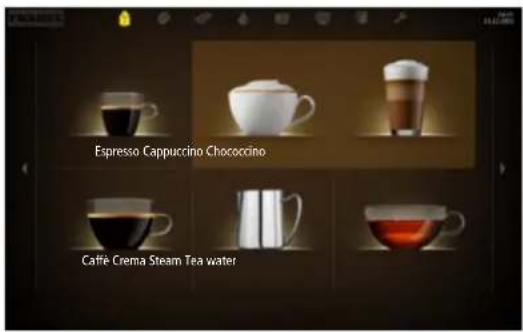
Espresso Cappuccino Chococcino Café-Crema Steam Tea water

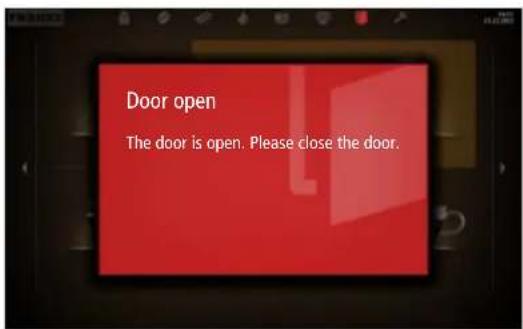
Door open The door is open. Please close the door.

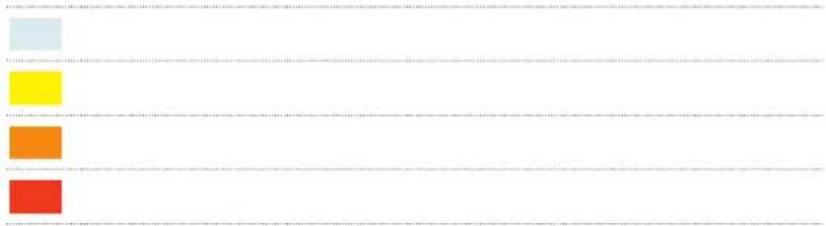
Scanned document with four colored rectangular blocks arranged in a grid, likely a form or template.

i

FRANKE SB1200 - i - 1

natural_image Collection of various electronic components and accessories, including battery, capacitors, wires, and plastic containers (no visible text or symbols)
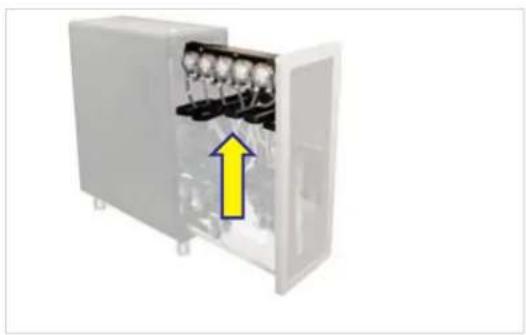
FRANKE SB1200 - i - 2

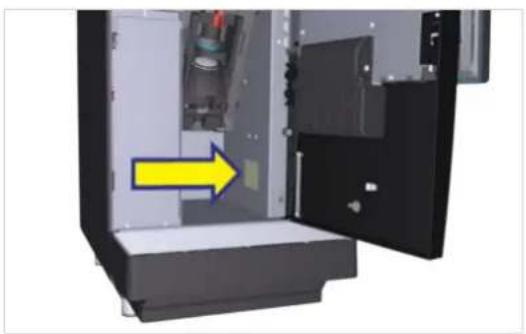
natural_image Interior view of a computer or electronic device showing an open door, internal components, and a yellow arrow pointing to a component (no text or symbols visible)

FRANKE SB1200 - i - 3

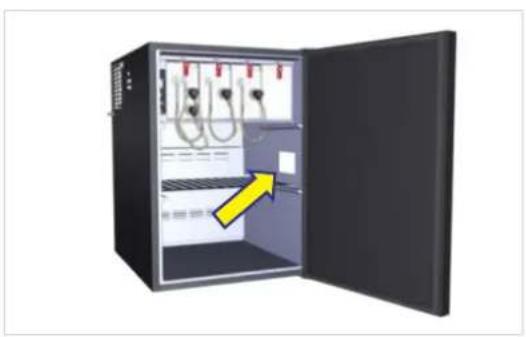
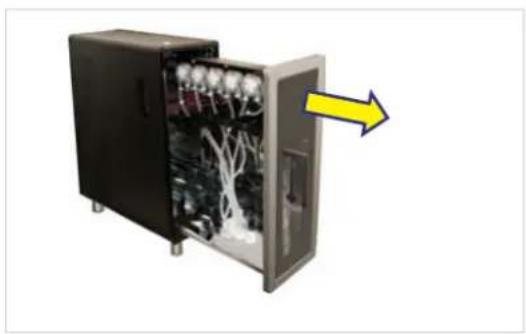
natural_image 3D illustration of an open industrial control cabinet with visible wiring and a yellow arrow pointing to the interior (no text or symbols)

FRANKE SB1200 - i - 4

natural_image Interior view of an open electrical enclosure with internal components and a yellow arrow pointing to a component (no text or symbols visible)

FRANKE SB1200 - i - 5

natural_image Exterior view of a black industrial electrical enclosure with multiple vertical panels and red connectors, no visible text or symbols.

FRANKE SB1200 - i - 6

natural_image Black rectangular object with a yellow upward arrow inside, no visible text or symbols

FRANKE SB1200 - i - 7

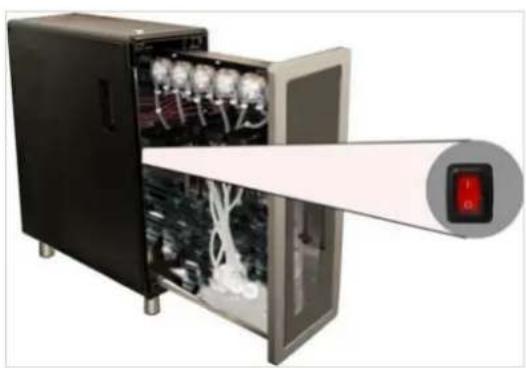
natural_image 3D cutaway view of a black electronic device showing internal components with no visible text or symbols

FRANKE SB1200 - i - 8

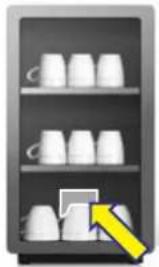
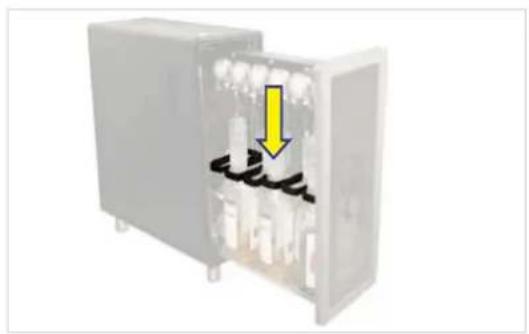
natural_image Illustration of a refrigerator shelf with white cups and a yellow arrow pointing to one cup (no text or symbols)

FRANKE SB1200 - i - 9

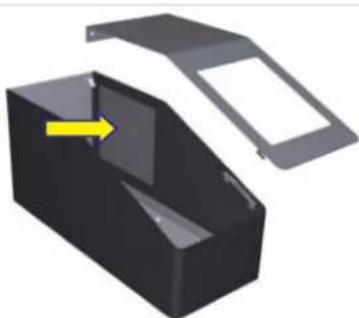
natural_image 3D rendering of a black plastic enclosure with an open lid and a yellow arrow pointing to its side (no text or symbols)

FRANKE SB1200 - i - 10

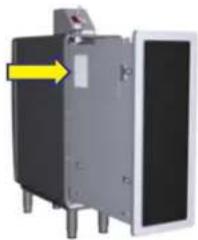
natural_image Exterior view of a mechanical device with a yellow arrow pointing to a component (no text or symbols visible)
natural_image Interior view of a medical or laboratory device with internal compartments and control buttons (no visible text or symbols)

FRANKE SB1200 - i - 11

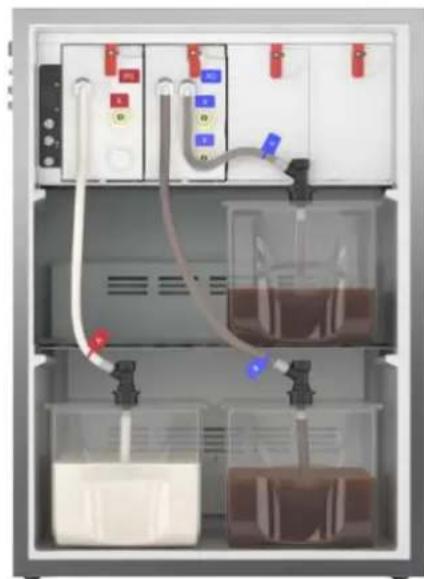
natural_image Interior view of a laboratory apparatus with control panels, tubing, and beakers containing liquid (no visible text or symbols)

FRANKE SB1200 - i - 12

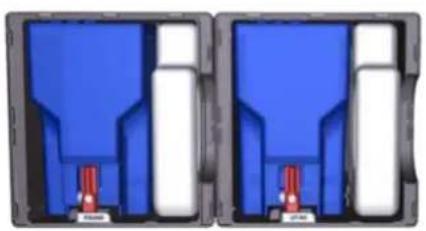
natural_image Two identical mechanical components with blue and white sections, each containing a red pin (no text or symbols visible)

FRANKE SB1200 - i - 13

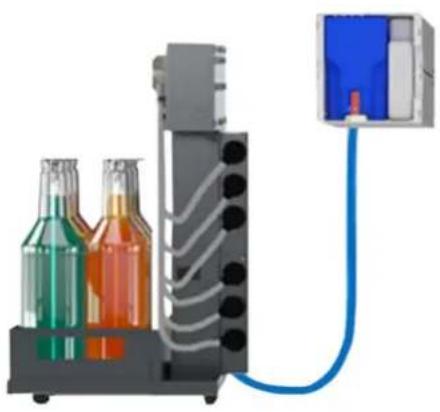
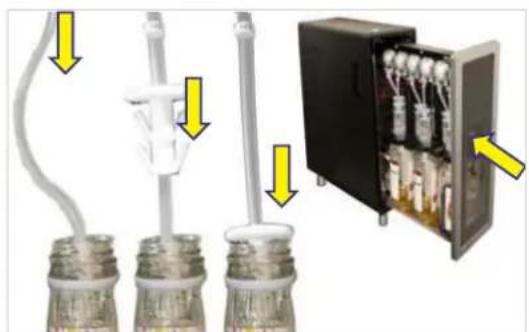
natural_image Illustration of a laboratory setup with three bottles and tubing connected to a control panel (no text or symbols visible)

FRANKE SB1200 - i - 14

natural_image Exterior view of a modern office building (no signage)

FRANKE SB1200 - i - 15

natural_image Electrical wiring diagram showing multiple connectors and terminal blocks (no text or labels visible)

FRANKE SB1200 - i - 16

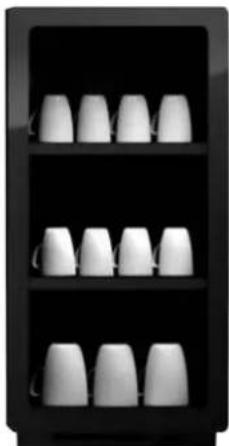
natural_image Black shelf with white ceramic cups arranged in two rows (no text or symbols visible)

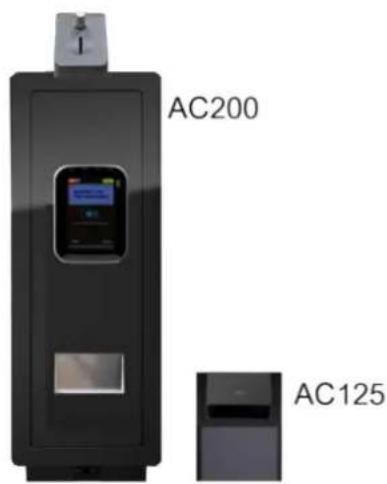
AC200 AC125

FRANKE SB1200 - i - 18

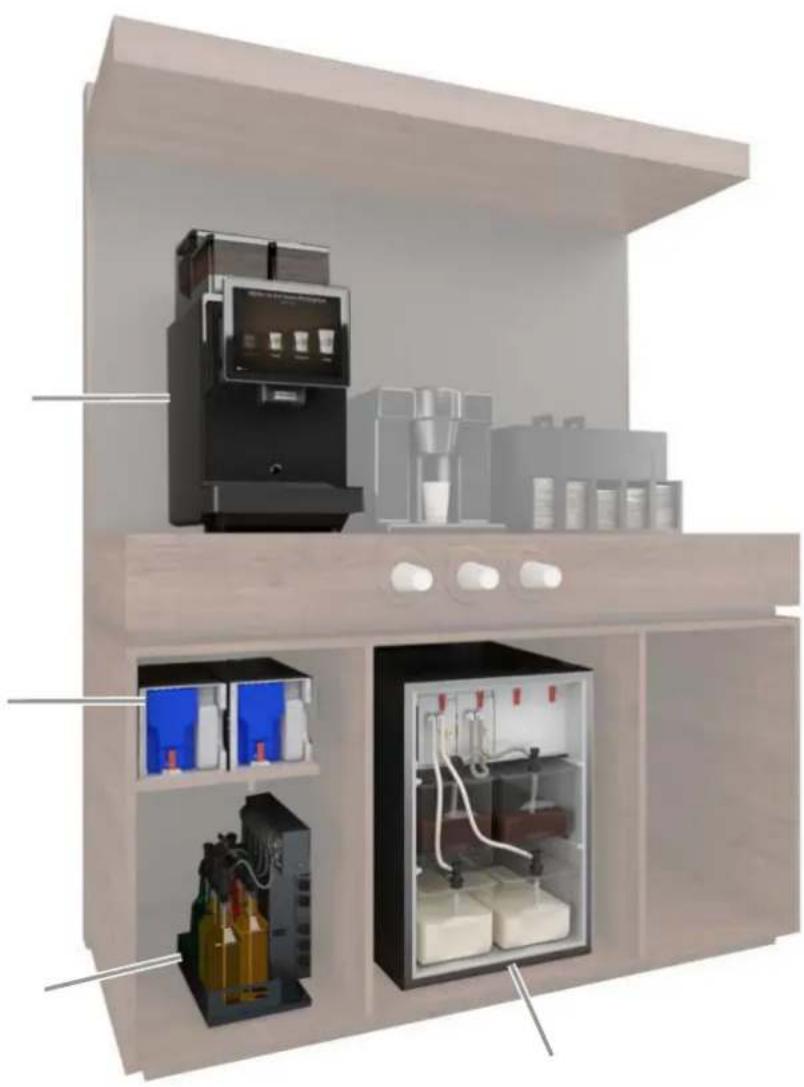
natural_image Interior view of a modern coffee shop with shelves, coffee machines, and storage compartments (no visible text or labels)

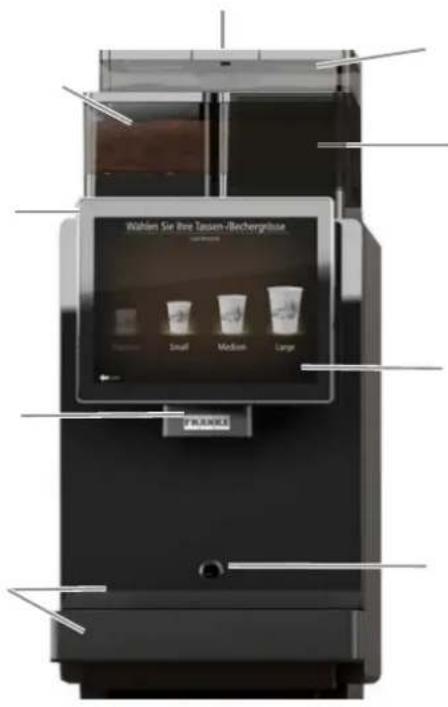
Bean hopper Grounds container

FRANKE SB1200 - i - 20

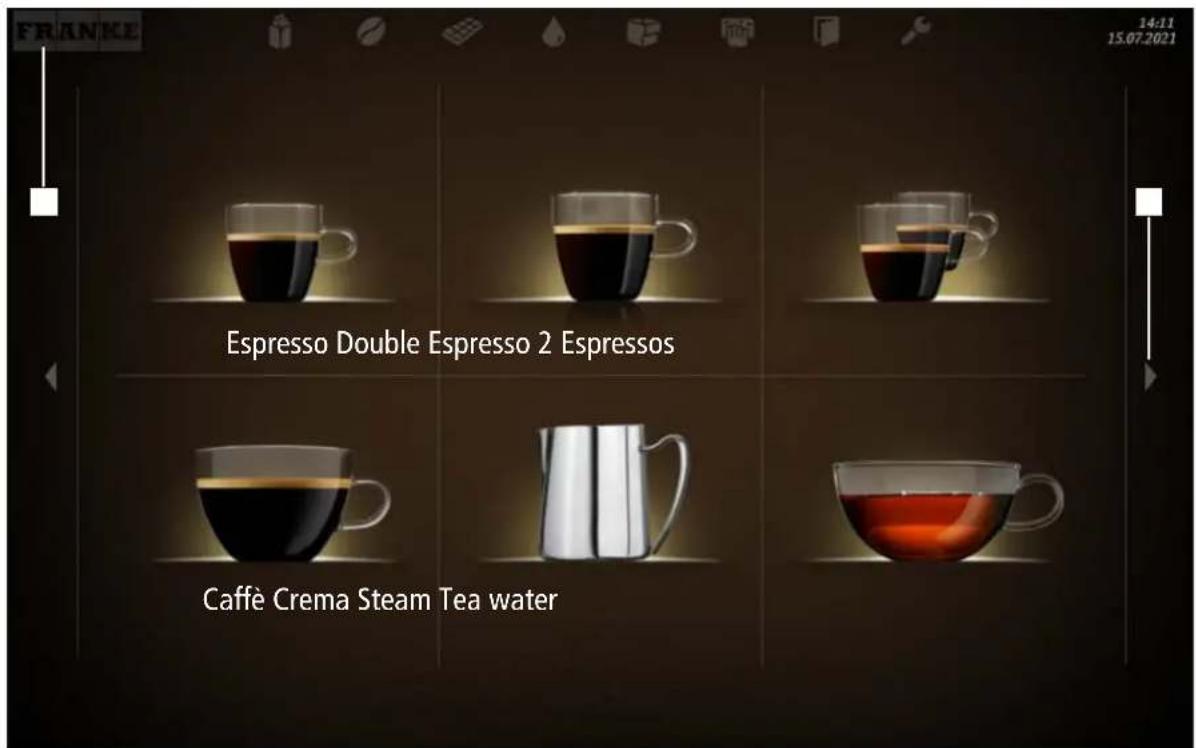
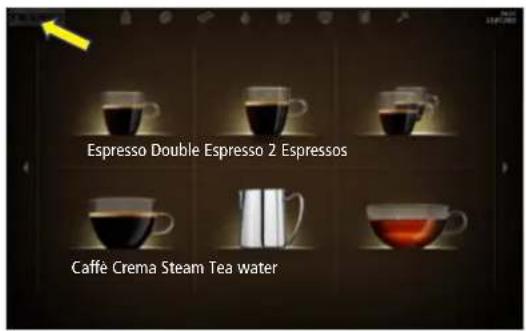
FRANKE 14:11 15.07.2021 Espresso Double Espresso 2 Espressos Caffè Crema Steam Tea water

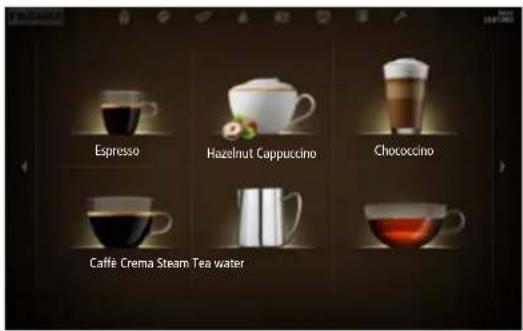
Espresso Hazelnut Cappuccino Chococino Caffè Crema Steam Tea water

FRANKE SB1200 - i - 23

FRANKE SB1200 - i - 24

flowchart
graph TD
    A["Woman at the start"] --> B["Pre-eat preparation"]
    B --> C["Pre-eat preparation (1)"]
    C --> D["Pre-eat preparation (2)"]
    D --> E["Pre-eat preparation (3)"]
    E --> F["Pre-eat preparation (4)"]
    F --> G["Pre-eat preparation (5)"]
    G --> H["Pre-eat preparation (6)"]
    H --> I["Pre-eat preparation (7)"]
    I --> J["Pre-eat preparation (8)"]
    J --> K["Pre-eat preparation (9)"]

FRANKE SB1200 - i - 25

flowchart
graph TD
    A["Raw material input"] --> B["1: Raw material input"]
    B --> C["2: Raw material input"]
    C --> D["3: Raw material input"]
    D --> E["4: Raw material input"]
    E --> F["5: Raw material input"]
    F --> G["6: Final product output"]
    G --> H["7: Final product output"]
    H --> I["8: Final product output"]

FRANKE SB1200 - i - 26

FRANKE SB1200 - i - 27

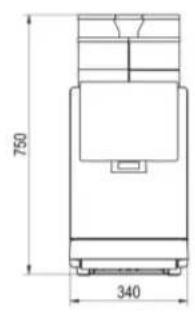
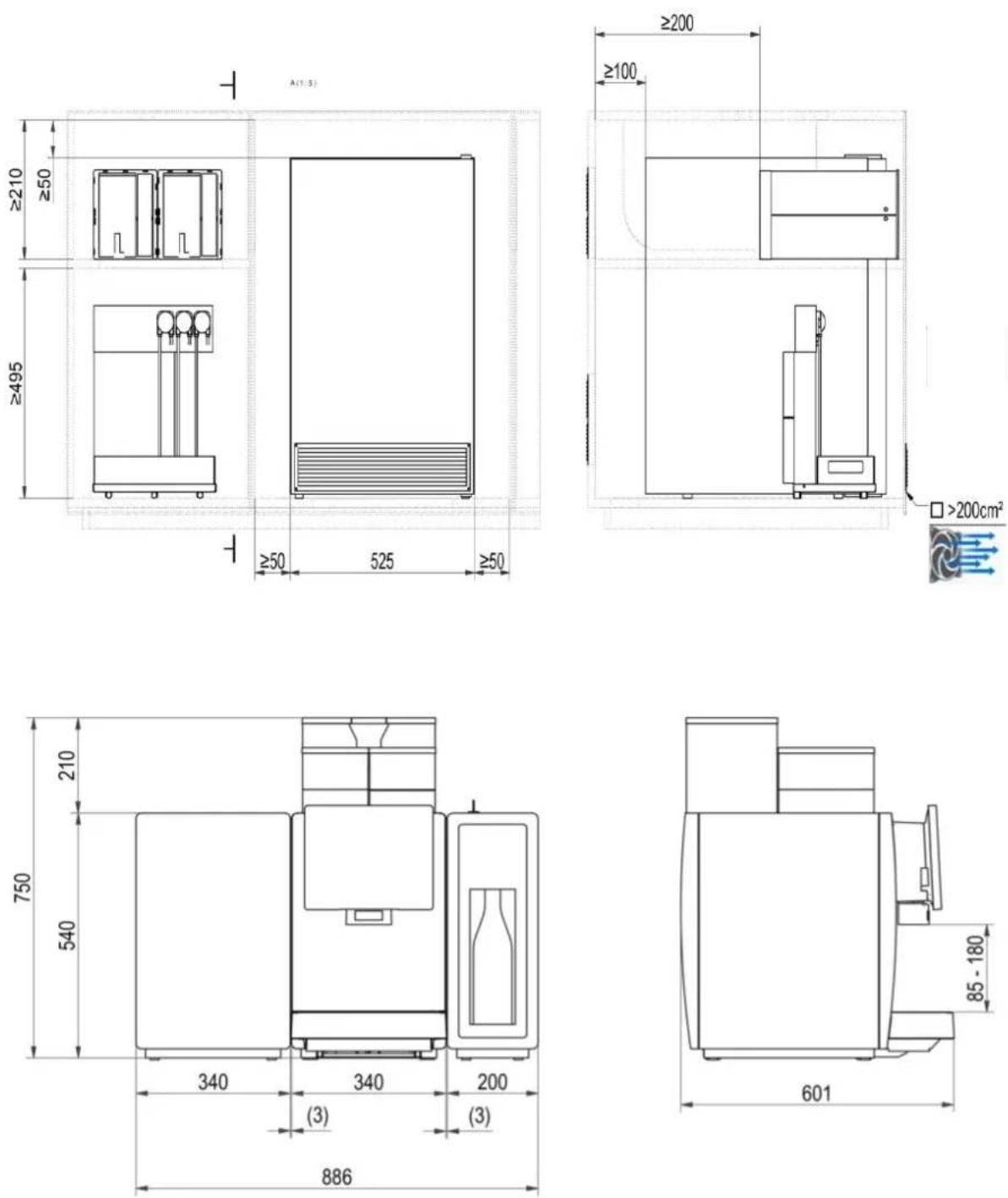
750 340

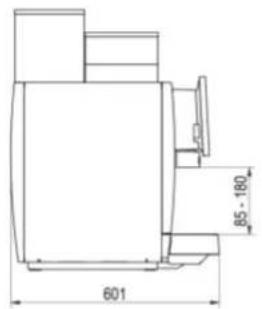
601 85 - 180

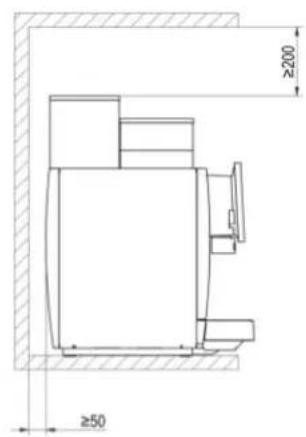
≥200 ≥50

FRANKE SB1200 - i - 31

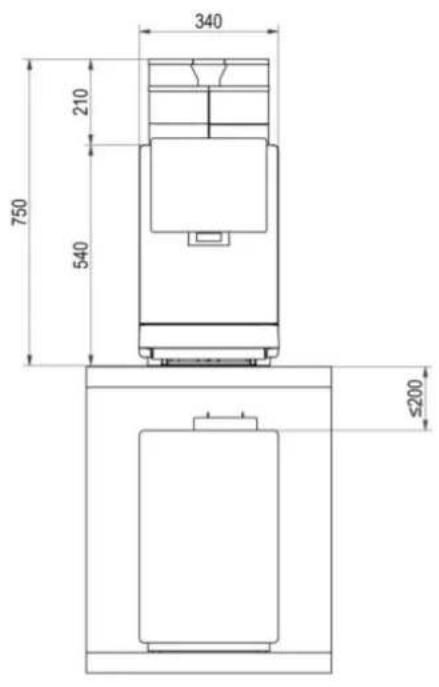
340 210 750 540 ≤200

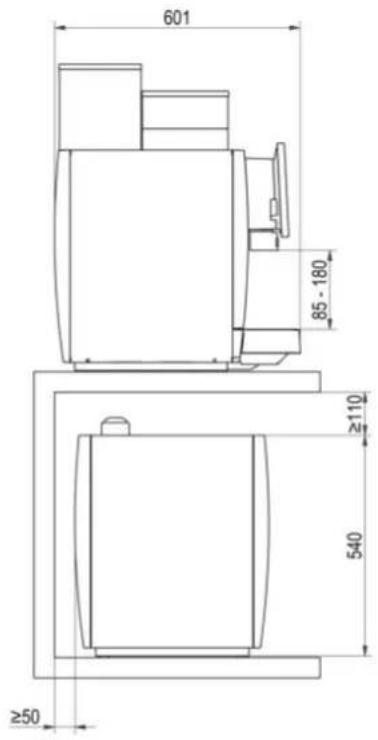
601 85 - 180 ≥110 540 ≥50

FRANKE SB1200 - i - 34

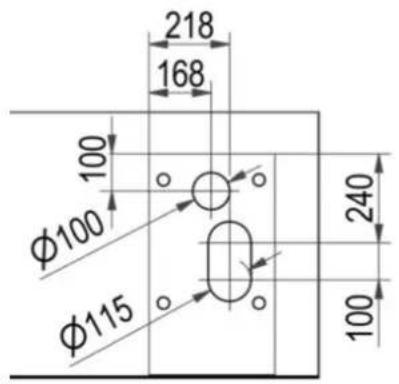
218 168 100 φ100 φ115 240 100

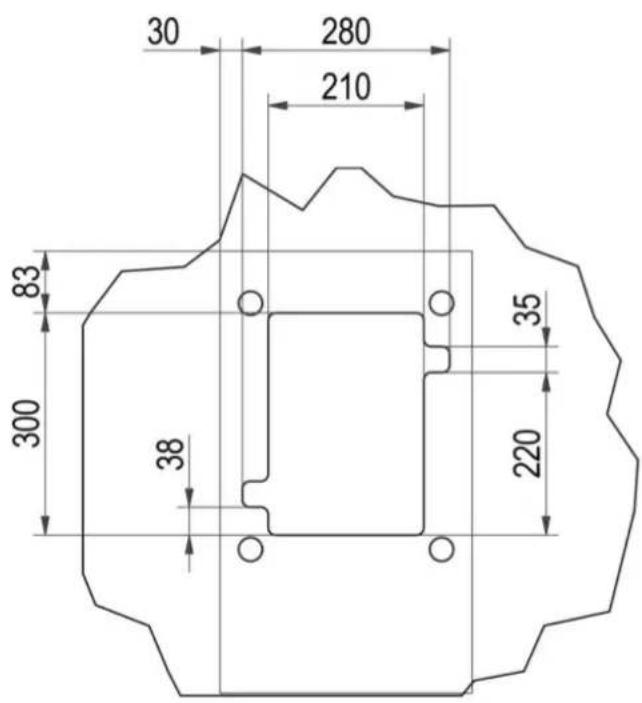
30 280 210 83 300 38 35 220

FRANKE SB1200 - i - 37

FRANKE SB1200 - i - 38

FRANKE SB1200 - i - 39

FRANKE SB1200 - i - 40

FRANKE SB1200 - i - 41

natural_image Diagram showing a device being processed with a yellow arrow indicating process direction (no text or symbols)

FRANKE SB1200 - i - 42

natural_image Diagram showing a container with contents being lifted by a black plastic bag, with a yellow arrow indicating the process (no text or symbols present)

FRANKE SB1200 - i - 43

natural_image 3D rendering of a mechanical component with a transparent internal structure and a dark rectangular package inserted into it (no visible text or symbols)

FRANKE SB1200 - i - 44

natural_image Illustration of a chemical reactor with a yellow arrow indicating compression or reduction process (no text or symbols)

FRANKE SB1200 - i - 45

natural_image Illustration of a container being poured into a granular medium, with a yellow arrow indicating the process (no text or symbols present)

FRANKE SB1200 - i - 46

natural_image Illustration of a container with liquid and a red container pouring from it, no text or symbols present

FRANKE SB1200 - i - 47

FRANKE SB1200 - i - 48

FRANKE SB1200 - i - 49

FRANKE SB1200 - i - 50

natural_image Interior view of an electrical enclosure showing two main components with red and blue indicators, no visible text or symbols.

FRANKE SB1200 - i - 51

natural_image Illustration of an open industrial water heater unit with internal components and a yellow arrow indicating direction (no text or symbols)

FRANKE SB1200 - i - 52

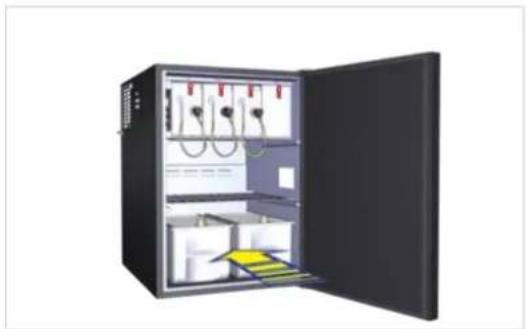
natural_image Interior view of a refrigerated industrial control unit with open door and internal compartments (no visible text or labels)

FRANKE SB1200 - i - 53

FRANKE SB1200 - i - 54

natural_image Close-up of a white electronic device with a black control panel and red connectors, no visible text or symbols.

FRANKE SB1200 - i - 55

natural_image 3D illustration of an open plastic box with a yellow arrow indicating rotation or movement (no text or symbols)

FRANKE SB1200 - i - 56

natural_image Laboratory setup with a beaker containing liquid and a gas collection device, shown in an inset (no text or symbols visible)

FRANKE SB1200 - i - 57

natural_image Close-up of a mechanical device with a black connector and yellow arrow indicating downward motion, mounted on a transparent container (no text or symbols visible)

FRANKE SB1200 - i - 58

natural_image 3D illustration of an open laboratory or storage cabinet with internal compartments and wiring (no text or symbols visible)

FRANKE SB1200 - i - 59

FRANKE SB1200 - i - 60

natural_image Interior view of an open server rack cabinet with visible wiring and components, no text or symbols present.

FRANKE SB1200 - i - 61

natural_image Interior view of an electrical cabinet with internal components and a yellow arrow indicating a downward motion (no text or symbols)

FRANKE SB1200 - i - 62

natural_image Interior view of an open industrial control cabinet with visible wiring and internal components, no text or symbols present.

FRANKE SB1200 - i - 63

natural_image Close-up of three plastic test tubes with yellow arrows pointing to a component, alongside an open electrical box (no text or symbols visible)

FRANKE SB1200 - i - 64

natural_image Interior view of a server rack unit with multiple units and a yellow upward arrow indicating orientation (no text or symbols)

FRANKE SB1200 - i - 65

FRANKE SB1200 - i - 66

natural_image Close-up of a mechanical device with attached cables and a close-up view showing internal components (no text or symbols visible)

FRANKE SB1200 - i - 67

natural_image 3D rendering of a mechanical or electrical enclosure with vertical rods and internal components, shown in two views (no text or symbols visible)

FRANKE SB1200 - i - 68

natural_image Close-up of a mechanical assembly with a yellow arrow indicating a directional flow or force (no text or symbols visible)

FRANKE SB1200 - i - 69

natural_image 3D rendering of a multi-stage chemical processing unit with bottles and tubing, no visible text or symbols

FRANKE SB1200 - i - 70

FRANKE SB1200 - i - 71

FRANKE SB1200 - i - 72

FRANKE SB1200 - i - 73

natural_image Close-up of a mechanical assembly with red and yellow components, no visible text or symbols

FRANKE SB1200 - i - 74

natural_image Diagram showing a battery with an upward arrow and a yellow arrow emerging from its side, no text or symbols present.

FRANKE SB1200 - i - 75

natural_image 3D mechanical assembly diagram showing a central shaft and circular component with tool handles (no text or symbols)

FRANKE SB1200 - i - 76

natural_image Diagram showing a device with a yellow arrow pointing downward to a black panel, mounted on a base (no text or symbols)

FRANKE SB1200 - i - 77

natural_image Interior view of a server rack with red and yellow components, no visible text or symbols

FRANKE SB1200 - i - 78

FRANKE SB1200 - i - 79

natural_image Close-up of a mechanical assembly with red and yellow components, no visible text or symbols

FRANKE SB1200 - i - 80

natural_image Diagram showing a device with a yellow arrow pointing downward to a black panel, mounted on a base (no text or symbols present)

FRANKE SB1200 - i - 81

natural_image Diagram showing a device with a yellow upward arrow and a blue arrow emerging from it, mounted on a base (no text or symbols present)

FRANKE SB1200 - i - 82

natural_image Interior view of a device showing a red component with yellow and blue arrows pointing to a yellow panel (no text or symbols visible)

FRANKE SB1200 - i - 83

FRANKE SB1200 - i - 84

FRANKE SB1200 - i - 85

FRANKE SB1200 - i - 86

natural_image Close-up of a mechanical assembly with red and yellow components, no visible text or symbols

FRANKE SB1200 - i - 87

natural_image 3D diagram of a mechanical device with a yellow arrow indicating downward motion (no text or symbols)

FRANKE SB1200 - i - 88

natural_image 3D diagram of a mechanical assembly with a yellow arrow indicating upward motion (no text or symbols)

FRANKE SB1200 - i - 89

natural_image Interior view of a mechanical device showing red components and a yellow directional arrow (no text or symbols)

FRANKE SB1200 - i - 90

FRANKE SB1200 - i - 91

FRANKE SB1200 - i - 92

natural_image Two 3D printing machines shown from different angles, one with yellow arrow indicating compression or disassembly (no text or symbols visible)

FRANKE SB1200 - i - 93

natural_image 3D mechanical assembly view showing a black component with a yellow arrow pointing to a specific part (no text or symbols visible)

FRANKE SB1200 - i - 94

natural_image 3D rendering of a mechanical assembly with a yellow arrow pointing to a component (no text or symbols visible)

FRANKE SB1200 - i - 95

natural_image 3D black plastic object with a blue square icon containing a white brain outline (no text or symbols on the object itself)

FRANKE SB1200 - i - 96

FRANKE SB1200 - i - 97

natural_image Interior view of a refrigerant appliance with open door and internal compartments (no visible text or symbols)

FRANKE SB1200 - i - 98

natural_image Interior view of a refrigerant appliance with open door, internal compartments, and control panel (no visible text or symbols)

FRANKE SB1200 - i - 99

natural_image Interior view of an open industrial electrical enclosure with internal compartments and a yellow arrow pointing to the door (no text or symbols visible)

FRANKE SB1200 - i - 100

natural_image 3D rendering of a white refrigerator with a yellow arrow indicating rotation (no text or symbols)

FRANKE SB1200 - i - 101

natural_image 3D rendering of an open industrial enclosure with internal compartments and hanging fixtures (no text or symbols visible)

FRANKE SB1200 - i - 102

natural_image Laboratory setup with a gas cylinder connected to a pump, accompanied by a close-up of a mechanical device (no visible text or symbols)

FRANKE SB1200 - i - 103

natural_image 3D illustration of an open industrial control cabinet with internal wiring and a yellow arrow indicating a component (no text or symbols)

FRANKE SB1200 - i - 104

natural_image 3D rendering of a rectangular container with a small metallic object on top (no text or symbols)

FRANKE SB1200 - i - 105

natural_image Close-up of a white appliance front panel with a black control panel and red tape, showing no visible text or symbols.

FRANKE SB1200 - i - 106

natural_image 3D rendering of a gray plastic storage box with a coiled cable and a separate open lid, alongside a blue square icon with a bird silhouette (no text or symbols on the main objects)

FRANKE SB1200 - i - 107

natural_image Black refrigerator with open lid and side panel, isolated on white background (no text or symbols visible)

FRANKE SB1200 - i - 108

natural_image 3D illustration of an open industrial cabinet with internal compartments and wiring (no text or symbols visible)

FRANKE SB1200 - i - 109

FRANKE SB1200 - i - 110

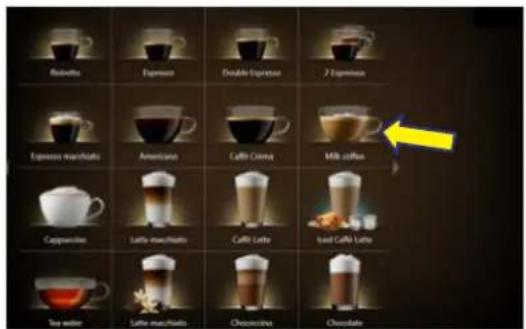
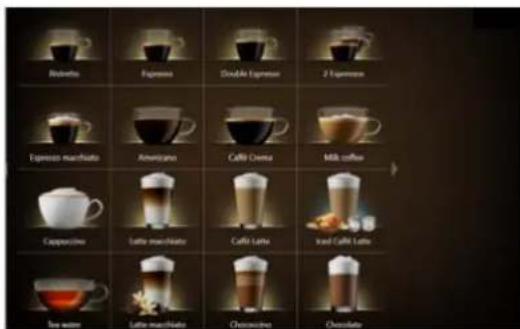
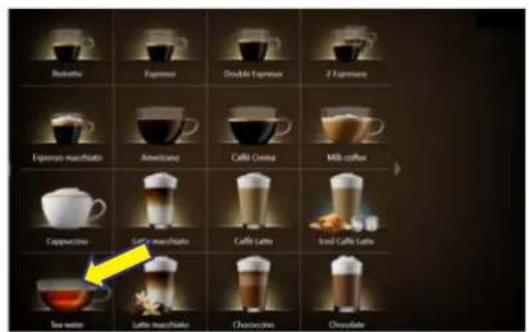
Rubrolo Expresso Double Espresso 7 Expressos Expresso macrolato Americano Coffee Cream Milk coffee Cappuccino Lafte macrolato Coffee Lette Iced Café Lette Tea water Lafte macrolato Chocscino Chocolate

Redbello Expresso Double Expresso 2 Expresso Expresso nachblate Americano Cafill Cenna Milk coffee Cappuccino Lettie nachblate Caffe Latte Iced Café Latte Tea water Lettie nachblate Cheracoline Chocolate

FRANKE SB1200 - i - 113

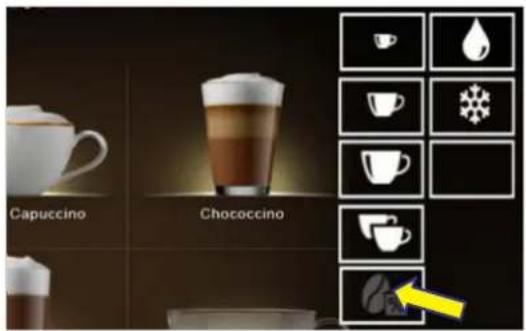
Capuccino Chococcino

FRANKE SB1200 - i - 115

natural_image 3D mechanical component with a yellow arrow indicating a directional flow or movement, no visible text or symbols

FRANKE SB1200 - i - 116

natural_image 3D rendering of a mechanical component with a yellow arrow indicating a specific feature, no visible text or symbols

FRANKE SB1200 - i - 117

FRANKE SB1200 - i - 118

natural_image Modern coffee machine with digital display and glass mug (no visible text or symbols)

Rednetto Expresso Double Espresso 2 Espresso Expresso machiato Americano Caffo Crema Milk coffee Cappuccino Salt machiato Caffo Latto Iced Caffe Latto Tea water Lettio machiato Chesscino Chocolate

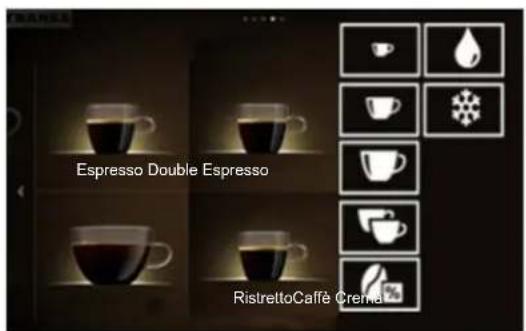
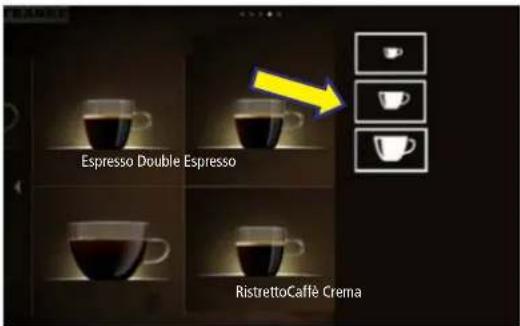
Espresso Double Espresso RistrettoCaffe Crema

FRANKE SB1200 - i - 121

natural_image Exterior view of a modern office building (no signage)

FRANKE SB1200 - i - 122

FRANKE SB1200 - i - 123

FRANKE SB1200 - i - 124

FRANKE SB1200 - i - 125

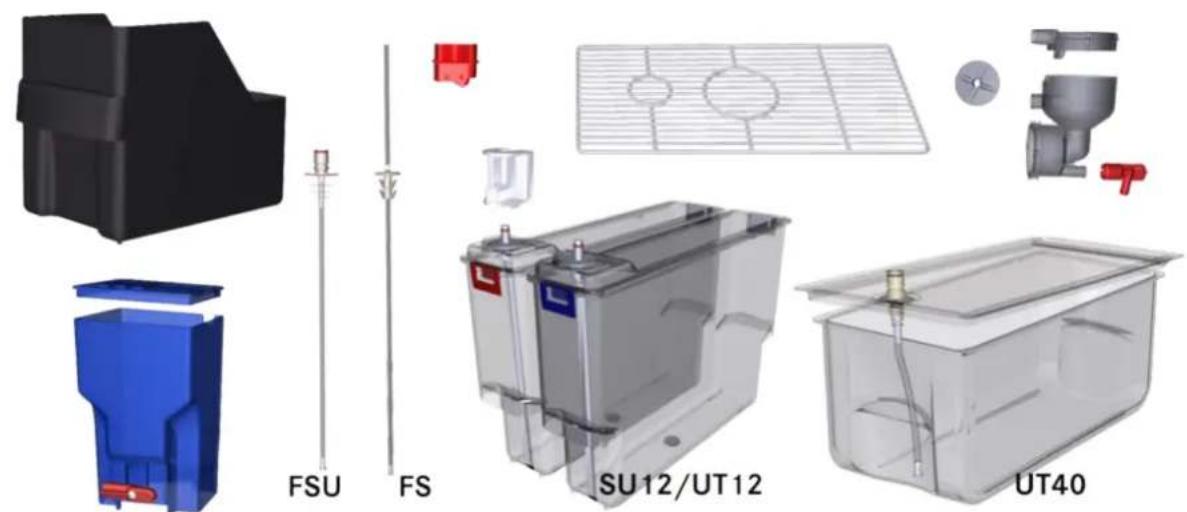
FSU FS SU12/UT12 UT40

FRANKE SB1200 - i - 127

FRANKE SB1200 - i - 128

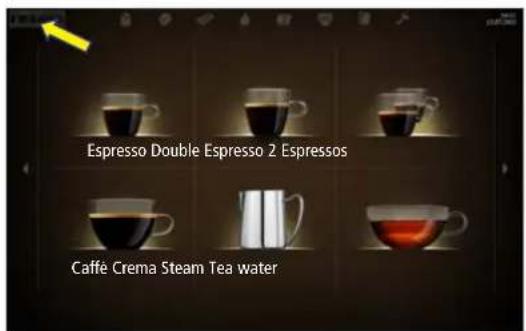
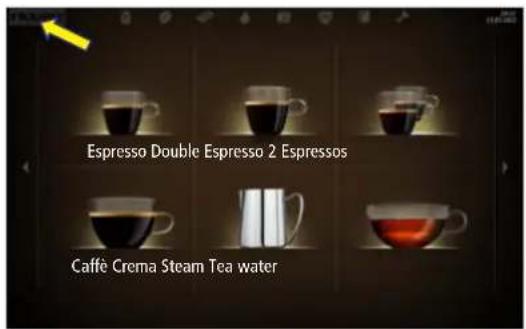
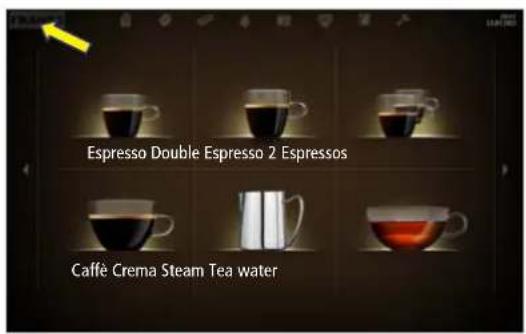
Espresso Double Espresso 2 Espressos Caffè Crema Steam Tea water

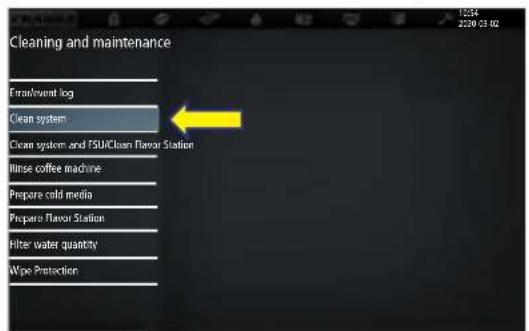
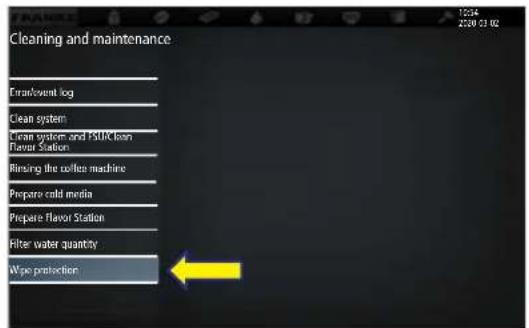
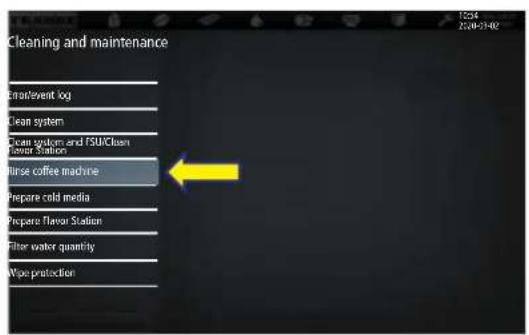
Cleaning and maintenance FrankEvent log Clean system Clean system and FSUClean Flavor Station Inse coffee machine Prepare cold media Prepare Flavor Station Filter water quantity Wipe Protection

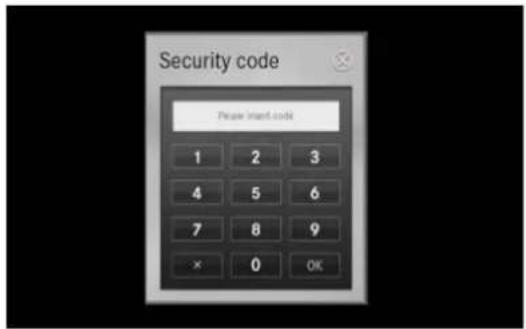
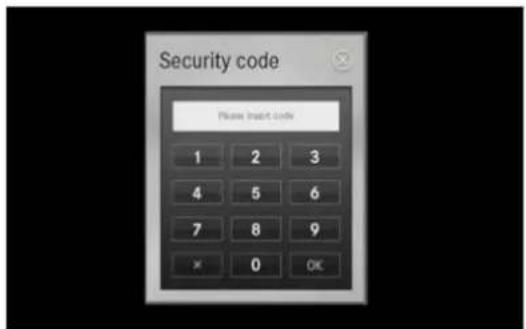
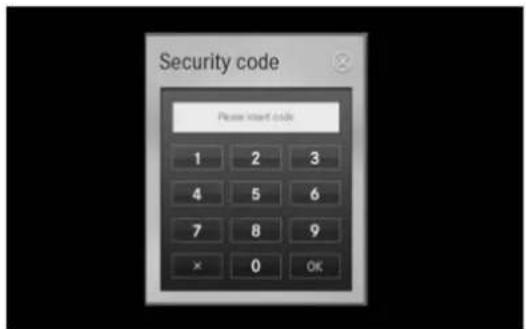
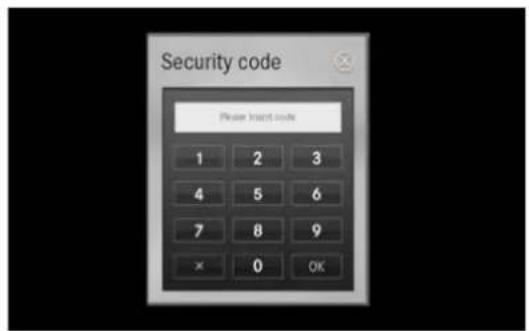
Security code Please insert code 1 2 3 4 5 6 7 8 9 × 0 OK

FRANKE SB1200 - i - 132

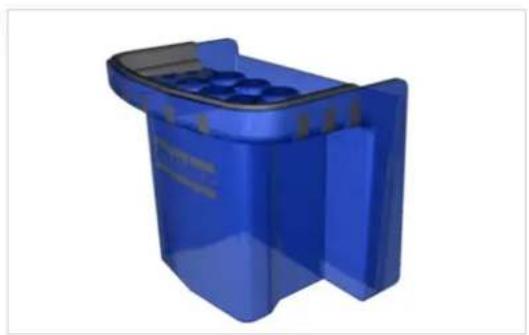
natural_image Blue plastic recycling bin with internal compartments (no text or symbols visible)

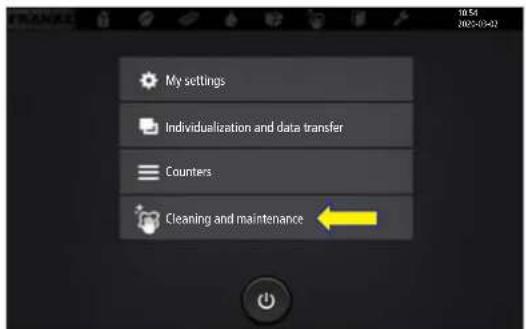
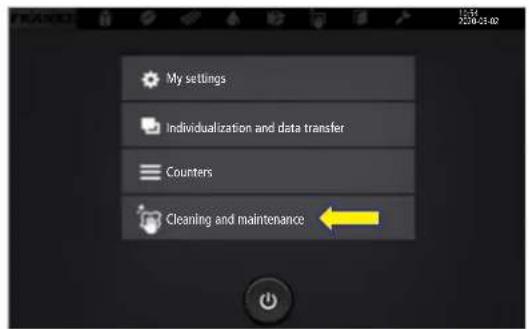
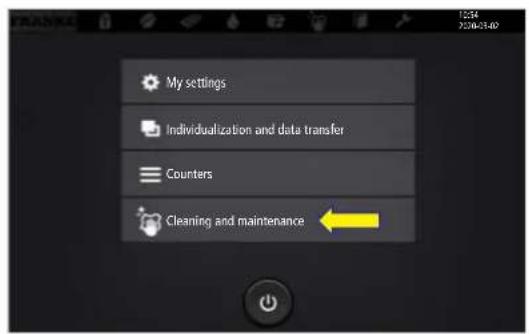
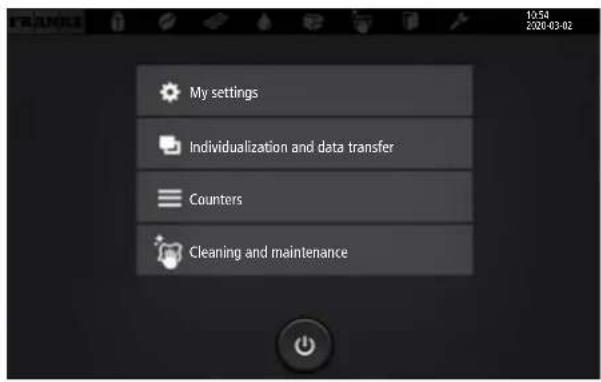
My settings Individualization and data transfer Counters Cleaning and maintenance

FRANKE SB1200 - i - 134

FRANKE SB1200 - i - 135

FRANKE SB1200 - i - 136

natural_image Close-up of a mechanical assembly with red and yellow components, no visible text or symbols

FRANKE SB1200 - i - 137

natural_image 3D diagram of a battery with an upward arrow and a yellow arrow, no text or symbols present

FRANKE SB1200 - i - 138

natural_image Diagram showing a device with a yellow arrow pointing downward to a black panel, mounted on a base (no text or symbols present)

FRANKE SB1200 - i - 139

natural_image Interior view of a device showing red and yellow components with a blue arrow pointing to a yellow section (no text or symbols visible)

Espresso Double Espresso 2 Espressos Caffè Crema Steam Tea water

My settings Individualization and data transfer Counters Cleaning and maintenance

Security code Please insert code 1 2 3 4 5 6 7 8 9 × 0 OK

Cleaning and maintenance Extravent log Clean system Clean system and 100% loss Flavor Station Rinsing the coffee machine Prepare cold media Prepare flavor Station Filter water quantity Wipe protection

FRANKE SB1200 - i - 144

FRANKE SB1200 - i - 145

Espresso Double Espresso 2 Espressos Caffè Crema Steam Tea water

My settings Individualization and data transfer Counters Cleaning and maintenance

Security code Please start code 1 2 3 4 5 6 7 8 9 × 0 OK

Cleaning and maintenance Error/event log Clean system Clean system and TSU/Clean Flavor Station Worse coffee machine Prepare cold media Prepare flavor Station Filter water quantity Wipe protection

Espresso Double Espresso 2 Espressos Caffè Crema Steam Tea water

Security code Please insert code 1 2 3 4 5 6 7 8 9 × 0 OK

2 2 2

FRANKE SB1200 - i - 153

flowchart
graph TD
    A[" "] --> B[" "]
    B --> C[" "]
    C --> D[" "]
    D --> E[" "]
    E --> F[" "]
    F --> G[" "]
    G --> H[" "]
    H --> I[" "]
    I --> J[" "]
    J --> K[" "]
    K --> L[" "]
    L --> M[" "]
    M --> N[" "]
    N --> O[" "]

FRANKE SB1200 - i - 154

FRANKE SB1200 - i - 155

FRANKE SB1200 - i - 156

FRANKE SB1200 - i - 157

FRANKE SB1200 - i - 158

My settings Individualization and data transfer Counters Cleaning and maintenance

FRANKE SB1200 - i - 160

FRANKE SB1200 - i - 161

flowchart
graph TD
    A["My settings"] --> B["1 Set machine"]
    B --> C["1.1 Language"]

FRANKE SB1200 - i - 162

flowchart
graph TD
    A["My settings"] --> B["1 Set machine"]
    B --> C["1.2 Operating mode"]
flowchart
graph TD
    A[" "] --> B[" "]
    B --> C[" "]

FRANKE SB1200 - i - 163

The Ground Truth image displays a single, solid horizontal line, which is a stylistic or background element (like a rule line on paper). According to Rule 2, such lines must be ignored by the OCR result. The OCR content provided is "", which consists of no characters. Since the OCR output correctly ignores the stylistic line, it complies with Rule 2. Therefore, the OCR result is consistent with the Ground Truth.

(1) AD = BD = 1

[Non-Text]

[Non-Text]

[Non-Text]

[Non-Text]

The Ground Truth image displays a single, solid horizontal line, which is a stylistic or background element (like a rule line on paper), not a placeholder for text. According to Rule 2, such stylistic/background lines must be ignored by the OCR result. The OCR content provided is "", which consists of no characters. This correctly represents the absence of any textual content in the GT and correctly matches the visual line as a stylistic element. Therefore, the OCR output should not contain any underscores or line representations. Outputting underscores for a stylistic line violates the rule and constitutes an error.

[Non-Text]

The following table provides the information that the data is available for each of the four categories: (1) the data contained in the first section, and (2) the data contained in the second section. The data is presented in a separate column with the same label "the data contained in the first section" and the corresponding data labeled "the data contained in the second section".

The Ground Truth image displays a single, solid horizontal line. According to Rule 2 (UNDERSCORE & LINE RULES), this is a stylistic or background line, not a placeholder underscore. Therefore, the OCR result must ignore it and output nothing or only meaningful text. The provided OCR content is "____", which consists of four underscores. This is an incorrect interpretation of the line as a placeholder, violating the rule that stylistic lines must be ignored. The OCR has hallucinated underscores where none should exist based on the GT's visual context. Hence, the OCR result is inconsistent with the Ground Truth.

[Non-Text]

[Non-Text]

[Non-Text]

[Non-Text]

FRANKE SB1200 - i - 164

flowchart
graph TD
    A["My settings"] --> B["1 Set machine"]
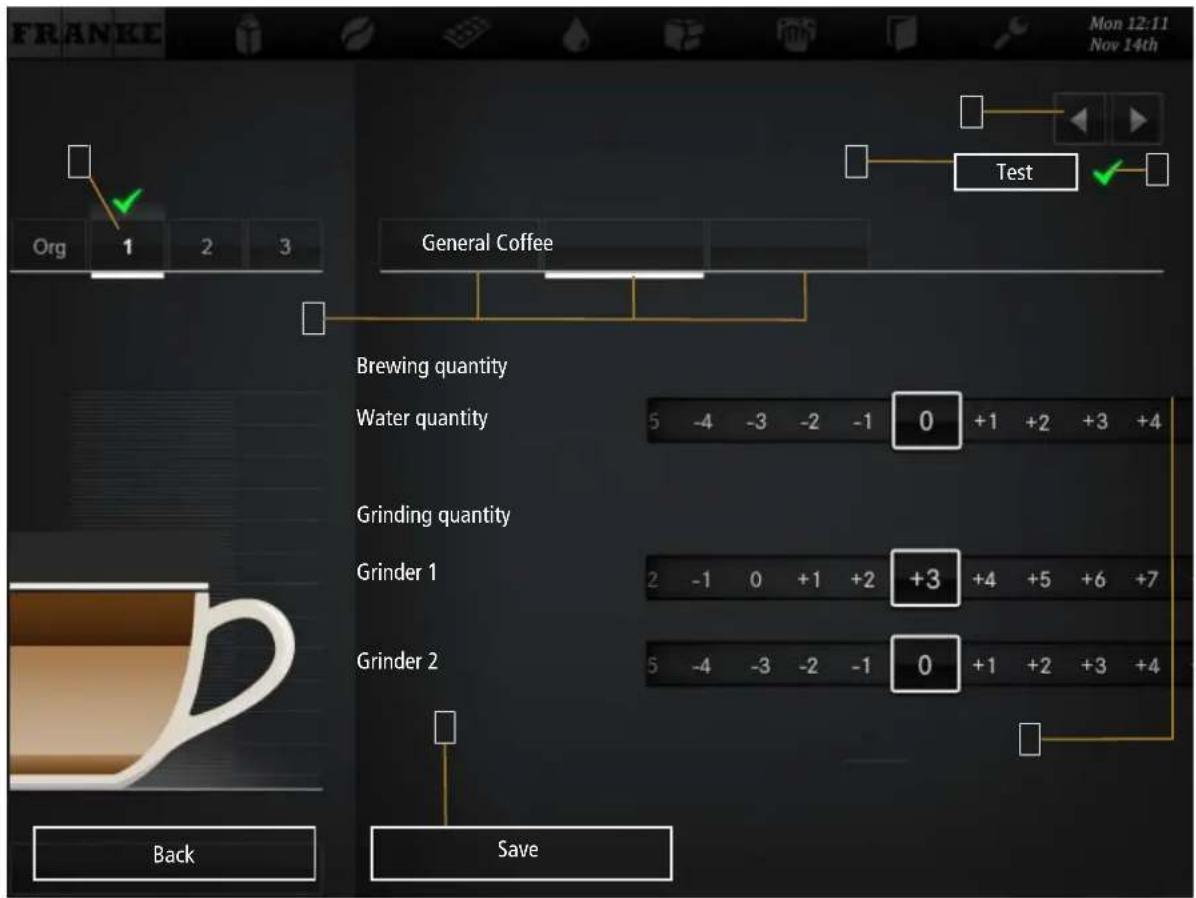
    B --> C["1.11 Flavor"]

FRANKE SB1200 - i - 165

FRANKE Mon 12:11 Nov 14th Org 1 2 3 Test General Coffee Brewing quantity Water quantity 5 -4 -3 -2 -1 0 +1 +2 +3 +4 Grinding quantity Grinder 1 2 -1 0 +1 +2 +3 +4 +5 +6 +7 Grinder 2 5 -4 -3 -2 -1 0 +1 +2 +3 +4 Back Save

FRANKE Mon 12:11 Nov 14th Org 1 2 3 Test General Coffee Brewing quantity Water quantity 5 -4 -3 -2 -1 0 +1 +2 +3 +4 Grinding quantity Grinder 1 2 -1 0 +1 +2 +3 +4 +5 +6 +7 Grinder 2 5 -4 -3 -2 -1 0 +1 +2 +3 +4 Back Save

FRANKE SB1200 - i - 168

flowchart
graph TD
    A["My settings"] --> B["3 Date and time"]
    B --> C["3.1 On/Off machine"]

Menu item 6.7 On/Off machine

FRANKE SB1200 - i - 169

flowchart
graph TD
    A["My settings"] --> B["3 Date and time"]
    B --> C["3.2 Date and time"]

FRANKE SB1200 - i - 170

flowchart
graph TD
    A["My settings"] --> B["3 Date and time"]
    B --> C["3.3 Timer 1"]
    D["My settings"] --> E["3 Date and time"]
    E --> F["..."]

FRANKE SB1200 - i - 171

flowchart
graph TD
    A["My settings"] --> B["4 Nutritional value information"]
    B --> C["4.1 Milk"]
    D["My settings"] --> E["4 Nutritional value information"]
    E --> F["4.2 Flavor"]
    G["My settings"] --> H["4 Nutritional value information"]
    H --> I["4.3 Powder"]

FRANKE SB1200 - i - 172

6.2 Owner
6.3 Specialist
6.4 Operator
6.6 Key (secured) products
6.7 On/Off machine

FRANKE SB1200 - i - 173

flowchart
graph TD
    A["My settings"] --> B["6 Access rights"]
    B --> C["6.2 Owner"]

counter

FRANKE SB1200 - i - 174

flowchart
graph TD
    A["My settings"] --> B["6 Access rights"]
    B --> C["6.3 Specialist"]

trieve product counter

FRANKE SB1200 - i - 175

flowchart
graph TD
    A["My settings"] --> B["6 Access rights"]
    B --> C["6.4 Operator"]

FRANKE SB1200 - i - 176

flowchart
graph TD
    A["My settings"] --> B["6 Access rights"]
    B --> C["6.6 Key (secured) products"]

FRANKE SB1200 - i - 177

flowchart
graph TD
    A["My settings"] --> B["6 Access rights"]
    B --> C["6.7 On/Off machine"]

FRANKE SB1200 - i - 178

flowchart
graph TD
    A["Individualization and data transfer"] --> B["1 Manage my media"]
    B --> C["1.1 Load media"]
    C --> D["1.2 Back up media"]
    D --> E["1.3 Advertising media"]
    E --> F["1.4 Product images"]
    F --> G["1.5 Screen saver"]
    G --> H["1.6 Audio files"]
    H --> I["1.7 Eject USB stick"]
    I --> J["1.8 Create directory structure"]

    B --> K["2 Modify depiction"]
    K --> L["2.1 Activate drinks"]
    L --> M["2.2 Image carousel"]
    M --> N["2.3 Screen saver"]
    N --> O["2.4 My screen saver"]
    O --> P["2.5 Menu cards"]
    P --> Q["2.6 Advertising media"]
    Q --> R["2.7 My advertising media"]
    R --> S["2.8 Audio sequences"]
    S --> T["2.9 My audio sequences"]
    T --> U["2.10 Sort Quick Select"]
    U --> V["2.11 Sort Cash Register"]
    V --> W["2.12 My product images"]
    W --> X["2.13 Configure application"]

    K --> Y["3 Load/back up data"]
    Y --> Z["3.1 Back up data"]
    Z --> AA["3.2 Load backup"]
    AA --> AB["3.3 Back up XML data"]
    AB --> AC["3.12 Load license"]

FRANKE SB1200 - i - 179

FRANKE SB1200 - i - 180

Advertising media/Product images/Screen savers

Delete the media that is no longer required by tapping the Delete button

beverage preparation

FRANKE SB1200 - i - 181

FRANKE SB1200 - i - 182

1.1 Language

FRANKE SB1200 - i - 183

The Ground Truth image displays a single, solid horizontal line, which is a stylistic or background element (like a rule line on paper). According to Rule 2, such lines must be ignored by the OCR result. The OCR content provided is "", which consists of no characters. Since the OCR output correctly ignores the stylistic line, it complies with Rule 2. Therefore, the OCR result is consistent with the Ground Truth.

The Ground Truth image displays a single, solid horizontal line, which is a stylistic or background element (like a rule line on paper). According to Rule 2, such lines must be ignored by the OCR result. The OCR content provided is "", which consists of no characters. Since the OCR output correctly ignores the stylistic line, it complies with Rule 2. Therefore, the OCR result is consistent with the Ground Truth.

[Non-Text]

[Non-Text]

The Ground Truth image displays a single, solid horizontal line. According to Rule 2 (UNDERSCORE & LINE RULES), if the GT contains lines used for stylistic emphasis or as background elements (like ruled paper), the OCR result must ignore them. The line in the GT is clearly a stylistic or background line, not a placeholder for text. Therefore, the OCR should not have output any underscores. Outputting `____` constitutes an error under Rule 2, as it hallucinates placeholder symbols where none are semantically intended. Hence, the OCR result is inconsistent with the Ground Truth.

In the case of the study, the case was a result of an outcome and for the case that the effect of the clinical trials and the other method was similar to the case. The case was a result of a result of the effect of the clinical trials and the other method was different from the case. In addition, the case was a result of a result of a result of the effect of the clinical trials and the other method was different from the case. The case was a result of a result of a result of the effect of the clinical trials and the other method was different from the case.

[Non-Text]

The Ground Truth image displays a single, solid horizontal line, which is a stylistic or background element (like a rule line on paper). According to Rule 2, such lines must be ignored by the OCR result. The OCR content provided is "", which consists of no characters. Since the OCR output correctly ignores the stylistic line, it complies with Rule 2. Therefore, the OCR result is consistent with the Ground Truth.

The following table provides the information obtained from the research paper of the United States: The Research Paper, 1980, is published by the National Association for the United States. The 2004 and 2005 estimates are presented in Table 1. The 2006 and 2007 estimates are presented in Table 2. The 2008 and 2009 estimates are presented in Table 3. The 2010 and 2011 estimates are presented in Table 4.

[Non-Text]

[Non-Text]

[Non-Text]

[Non-Text]

[Non-Text]

[Non-Text]

The Ground Truth image displays a single, solid horizontal line. According to Rule 2 (UNDERSCORE & LINE RULES), this is a stylistic or background line, not a placeholder underscore. Therefore, the OCR result must ignore it and output nothing or only meaningful text. The provided OCR content is "____", which consists of four underscores. This is an incorrect interpretation of the line as a placeholder, violating the rule that stylistic lines must be ignored. The OCR has hallucinated placeholder underscores where none should exist in the GT. Hence, the OCR result is inconsistent with the Ground Truth.


FRANKE SB1200 - i - 184

FRANKE 10:53 2:04-07

FRANKE SB1200 - i - 186

Scanned document with four colored rectangular blocks arranged vertically, likely a form or template.

meter error

FRANKE SB1200 - i - 188

FRANKE SB1200 - i - 189

FRANKE SB1200 - i - 190

FRANKE SB1200 - i - 191

FRANKE SB1200 - i - 192

FRANKE SB1200 - i - 193

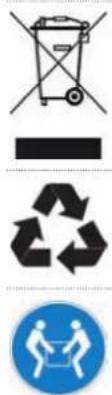
Image displaying four compliance and recycling symbols: a trash can with cross, a blank rectangle, a recycling symbol, and a blue circular sign with hands holding a person.

FRANKE SB1200 - i - 195

line | Year | Series 1 | Series 2 | Series 3 | Series 4 | Series 5 | Series 6 | Series 7 | Series 8 | Series 9 | Series 10 | |---|---|---|---|---|---|---|---|---|---|---| | 2010 | 0.0000 | 0.0000 | 0.0000 | 0.0000 | 0.0000 | 0.0000 | 0.0000 | 0.0000 | 0.0000 | 0.0000 | | 2011 | 0.0001 | 0.0001 | 0.0001 | 0.0001 | 0.0001 | 0.0001 | 0.0001 | 0.0001 | 0.0001 | 0.0001 | | 2012 | 0.0012 | 0.0012 | 0.0012 | 0.0012 | 0.0012 | 0.0012 | 0.0012 | 0.0012 | 0.0012 | 0.0012 | | 2013 | 0.0145 | 0.0145 | 0.0145 | 0.0145 | 0.0145 | 0.0145 | 0.0145 | 0.0145 | 0.0145 | 0.0145 | | 2014 | 0.1388 | 0.1388 | 0.1388 | 0.1388 | 0.1388 | 0.1388 | 0.1388 | 0.1388 | 0.1388 | 0.1388 | | 2015 | 1.3679 | 1.3679 | 1.3679 | 1.3679 | 1.3679 | 1.3679 | 1.3679 | 1.3679 | 1.3679 | 1.3679 | | 2016 | 2.5965 | 2.5965 | 2.5965 | 2.5965 | 2.5965 | 2.5965 | 2.5965 | 2.5965 | 2.5965 | 2.5965 | | 2017 | 3.8444 | 3.8444 | 3.8444 | 3.8444 | 3.8444 | 3.8444 | 3.8444 | 3.8444 | 3.8444 | 3.8444 | | 2018 | 5.2777 | 5.2777 | 5.2777 | 5.2777 | 5.2777 | 5.2777 | 5.2777 | 5.2777 | 5.2777 | 5.2777 | | 2019 | 6.8866 | 6.8866 | 6.8866 | 6.8866 | 6.8866 | 6.8866 | 6.8866 | 6.8866 | 6.8866 | 6.8866 | | 2020 | 8.4444 | 8.4444 | 8.4444 | 8.4444 | 8.4444 | 8.4444 | 8.4444 | 8.4444 | 8.4444 | 8.4444 | | 2021E-22 - Actual Period (Years) = [] - The chart displays the estimated values of the metric (Y-axis) for each year from January to December (X-axis). The Y-axis represents the value in dollars, and the X-axis represents the year, with each year's value shown as a separate data point on the line.
Table of contents Click a title to access it
Manual assistant
Powered by Anthropic
Waiting for your message
Product information

Brand : FRANKE

Model : SB1200

Category : Coffee maker