
A1000 - Coffee maker FRANKE - Free user manual and instructions
Find the device manual for free A1000 FRANKE in PDF.


Pick your language and provide your email: we'll send you a specifically translated version.
| Product Type | Fully automatic coffee machine |
| Brand | Franke |
| Model | A1000 |
| Color / Finish | Stainless steel and black |
| Dimensions (approx.) | 50 cm height, 32 cm width, 52 cm depth |
| Weight (approx.) | 18 kg |
| Power Supply | 230 V / 50 Hz |
| Power Consumption | 1500 W |
| Water Tank Capacity | 2.5 liters |
| Bean Hopper Capacity | 500 g |
| Built-in Grinder | Yes, with adjustable grind size |
| Milk Frothing | Automatic milk and steam wand |
| Beverages | Espresso, coffee, cappuccino, latte macchiato, hot milk |
| Display | Color touchscreen |
| Maintenance | Automatic cleaning and descaling programs |
| Safety Features | Automatic switch-off, child safety lock, overheating protection |
| Spare Parts & Repair | Genuine Franke spare parts available, modular design for easy servicing |
| Warranty | 2-year warranty with registration |
Frequently Asked Questions - A1000 FRANKE
How often should I descale the Franke A1000 coffee maker?
Franke recommends running a descaling cycle every 3 to 6 months, depending on water hardness. The machine will prompt you when descaling is required. Always use an approved descaling solution and follow the instructions in the manual.
Can I use pre-ground coffee in the A1000?
Yes, the A1000 has a separate bypass for pre-ground coffee, located next to the bean hopper. Simply add a measured dose of ground coffee and select the desired beverage.
How do I clean the milk frother?
After every milk-based beverage, the machine automatically rinses the milk system with hot steam. For a deeper cleaning, you can remove the milk wand and soak it in warm soapy water. Refer to the maintenance chapter in the manual for detailed steps.
What type of coffee beans should I use?
Use whole roasted coffee beans, preferably medium to dark roast for optimal flavor. Avoid beans that are oily or caramelized, as they may clog the grinder.
How do I adjust the coffee strength?
You can adjust the aroma level in the settings menu on the touchscreen, from very mild to very strong. The grinder also allows you to change the grind size to further control extraction.
What does the error message 'empty grounds container' mean?
The grounds container is full. Empty it and rinse it, then reinsert it correctly. The machine will reset the counter automatically. Never leave the container out for more than a few minutes to avoid releasing odors.
Can I get spare parts for the A1000?
Yes, Franke offers genuine spare parts for the A1000, including filters, seals, grinder burrs, and milk system components. Contact Franke customer service or an authorized service center for your specific needs.
How do I set the water hardness?
Using a test strip provided with the machine, determine your water hardness. Then go to the settings menu, select 'Water Hardness' and enter the value. This ensures accurate descaling intervals.
Is it normal for the water pump to be noisy?
Some noise during pump operation is normal. However, unusual rattling or loud noises may indicate air in the system or a blocked water line. Run a rinsing cycle and ensure the water tank is fully seated.
How do I reset the A1000 to factory settings?
To restore factory defaults, navigate to Settings on the touchscreen, select System, then Factory Reset. Confirm the reset and wait for the machine to reboot. This will delete all personal settings.
User questions about A1000 FRANKE
0 question about this device. Answer the ones you know or ask your own.
Ask a new question about this device
No questions yet. Be the first to ask one.
Download the instructions for your Coffee maker in PDF format for free! Find your manual A1000 - FRANKE and take your electronic device back in hand. On this page are published all the documents necessary for the use of your device. A1000 by FRANKE.
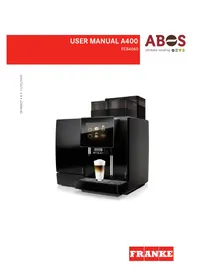
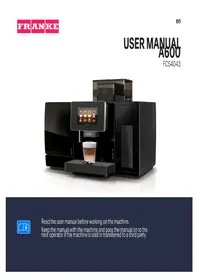
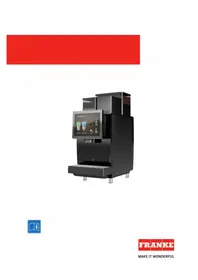
USER MANUAL A1000 FRANKE
Manual assistant
Powered by Anthropic
Waiting for your message
Product information
Brand : FRANKE
Model : A1000
Category : Coffee maker