 ManualGo.com
KDC-C519FM - Car stereo KENWOOD - Free user manual and instructions
Find the device manual for free KDC-C519FM KENWOOD in PDF.



Download the instructions for your Car stereo in PDF format for free! Find your manual KDC-C519FM - KENWOOD and take your electronic device back in hand. On this page are published all the documents necessary for the use of your device. KDC-C519FM by KENWOOD.
USER MANUAL KDC-C519FM KENWOOD
KDC-C519FM KDC-C469FM KDC-C469FMA
MANUAL DE INSTRUÇÕES
Take the time to read through this instruction manual. Familiarity with installation and operation procedures will help you obtain the best performance from your new compact disc auto changer. For your records COMPACT Record the serial number, found on the back of the unit, in the spaces designated on the warranty card, and in the space provided below. Refer to the model and serial numbers whenever you call upon your KENWOOD dealer for information or service on the product. Model KDC-C519FM,KDC-C469FM Serial number ©B64-2347-00/00 (KW/EW) DIGITAL AUDIO
KDC-C519/469FM(K/E)/U.S
10:24 AM Page 2 English
KDC-C519/469FM(K/E)/U.S
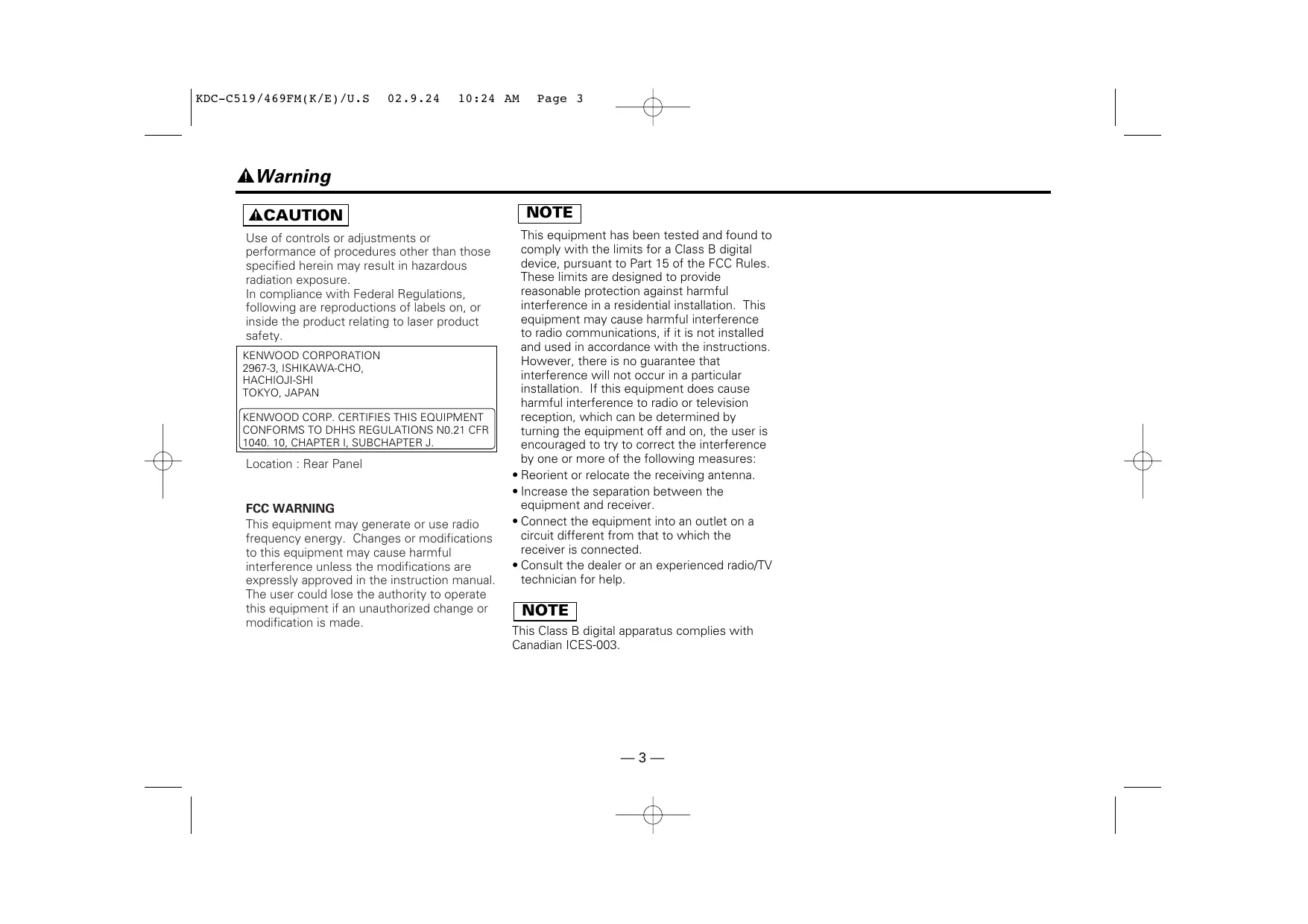
10:24 AM Page 3 2Warning 2CAUTION Use of controls or adjustments or performance of procedures other than those specified herein may result in hazardous radiation exposure. In compliance with Federal Regulations, following are reproductions of labels on, or inside the product relating to laser product safety. KENWOOD CORPORATION 2967-3, ISHIKAWA-CHO, HACHIOJI-SHI TOKYO, JAPAN
KENWOOD CORP. CERTIFIES THIS EQUIPMENT
CONFORMS TO DHHS REGULATIONS N0.21 CFR
1040. 10, CHAPTER I, SUBCHAPTER J. Location : Rear Panel FCC WARNING This equipment may generate or use radio frequency energy. Changes or modifications to this equipment may cause harmful interference unless the modifications are expressly approved in the instruction manual. The user could lose the authority to operate this equipment if an unauthorized change or modification is made. NOTE This equipment has been tested and found to comply with the limits for a Class B digital device, pursuant to Part 15 of the FCC Rules. These limits are designed to provide reasonable protection against harmful interference in a residential installation. This equipment may cause harmful interference to radio communications, if it is not installed and used in accordance with the instructions. However, there is no guarantee that interference will not occur in a particular installation. If this equipment does cause harmful interference to radio or television reception, which can be determined by turning the equipment off and on, the user is encouraged to try to correct the interference by one or more of the following measures:
- Reorient or relocate the receiving antenna.
- Increase the separation between the equipment and receiver.
- Connect the equipment into an outlet on a circuit different from that to which the receiver is connected.
- Consult the dealer or an experienced radio/TV technician for help. NOTE This Class B digital apparatus complies with Canadian ICES-003. —3—
KDC-C519/469FM(K/E)/U.S
10:24 AM Page 4 English Safety Precautions 2WARNING Take the following precautions to prevent fire and avoid personal injury:
- When extending the ignition wire, battery wire, or ground wire, use 0.75mm2 (AWG18) or larger automotive grade wire to avoid wire deterioration or damage to the covering.
- Check that no metal objects (coins, tools, etc.) are left inside the unit to avoid short circuits.
- If you smell or see smoke, turn the power off immediately and consult your Kenwood dealer.
- Do not touch the liquid crystal fluid if the LCD is damaged or broken due to shock. The liquid crystal fluid may be dangerous to your health or even fatal. If the liquid crystal fluid from the LCD contacts your body or clothing, wash it off with soap immediately. 2CAUTION Take the following precautions to keep the unit in proper working order.
- Be sure the unit is connected to a 12V DC power supply with a negative ground connection.
- Do not open the top or bottom cover.
- Do not install the unit in places it is exposed to direct sunlight, high heat or humidity, water may splash over it, or dust exists.
- When replacing a fuse, only use a new one with the prescribed rating. Using a fuse with the wrong rating may cause your unit to malfunction. on hot places such as above the dashboard.
- To prevent a short circuit when replacing a fuse, first disconnect the wiring harness. NOTE
- If you have difficulty in installing this unit in your vehicle, contact your Kenwood dealer.
- If it doesn’t seem to be working properly, first press the Reset button. If the malfunction persists, consult your Kenwood dealer. REP
CD AUTO CHANGER CONTROLLER
RDM DISC FREQ LEVEL M.RDM D.REP D.SCN PWR
- Some car stereos cause the sound of the tuner to make for a moment when an engine is activated.
- The reception of the tuner may be reduced a little if the KDC-C519FM, KDC-C469FM is used.
- If the sound is lower than the tuner sound, raise up the volume level of the CD with using the receiver.
- Do not use your own screws. Use only the screws provided. If you use the wrong screws, you could damage the unit. —4— Cleaning the Unit If the front panel gets dirty, turn off the power and wipe the panel with a dry silicon cloth or soft cloth. 2CAUTION Do not use hard cloths or paint thinner, alcohol, or other volatile solvents. These may damage external surfaces or remove indicator characters. Lens fogging In cold climates, there may be a period after you turn on your vehicle’s heater when the lens that guides the laser beam used in your CD player fogs up. If this happens, you cannot play compact discs. Take out discs and the fogging will disappear. If it does not return to normal after several hours, contact your Kenwood dealer.
KDC-C519/469FM(K/E)/U.S
10:24 AM Page 5 Safety Precautions 2CAUTION Do not set the remote on hot places such as above the dashboard. Loading and Replacing the Batteries: Use two "AAA" batteries. Slide the cover while pressing downwards to remove it as illustrated. Insert the batteries with the + and – poles aligned properly, following the illustration inside the case. 2WARNING Store unused batteries out of the reach of children. Contact a doctor immediately if the battery is accidentally swallowed. NOTE
- The provided batteries are intended for use in operation checking, and their service life may be short.
- When the remote controllable distance becomes short, replace both of the batteries with new ones. NOTE A portion of the operations may not be possible, depending on the unit that is connected. —5—
KDC-C519/469FM(K/E)/U.S
10:24 AM Page 6 English Handling Compact Discs Playing a CD that is dirty, scratched or warped can cause the sound to skip and the unit to operate incorrectly, resulting in worsened sound quality. Take the following precautions to prevent your CDs from getting scratched or damaged. Handling CDs
- Do not touch the recorded side of the CD (the side opposite the label) when holding it.
- The reflective film on a CD-R or a CD-RW is more fragile than that on an ordinary music CD, and may peel off if scratched. Fingerprints on a CD-R or CDRW are also more likely to cause skipping when the disc is played. For these reasons, handle the disc very carefully. Detailed handling instructions will appear on the CD-R or CD-RW package: read this information carefully before using the disc.
- Do not stick tape on either side of the CD. music CD to damage from high temperatures and humidity, and in some cases, may become unusable if left in the car for long periods of time.
- Remove CDs from the unit when not listening to them for a while, and put them back in their cases. Do not pile up CDs that are removed from their cases or prop them against something. Cleaning CDs If a CD has gotten dirty, wipe it off gently using a commercially available cleaning cloth or a soft cotton cloth, starting from the center of the disc and moving outward. Do not clean CDs with conventional record cleaners, anti-static formulas, or chemicals such as paint thinner or benzene. Do Not Load CD Accessories Do not use commercially available CD accessories that can be loaded into the CD slot, such as stabilizers, protective sheets, or CD cleaning discs, since they can cause the unit to malfunction. 2CAUTION Do Not Use Special Shape CDs
- Be sure to use round shape CDs only for this unit and do not use any special shape CDs. Use of special shape CDs may cause the unit to malfunction.
- This unit can only play the CDs with
Checking New CDs for Burrs When playing a new CD for the first time, check that there are not any burrs stuck to the perimeter of the disc or in the central hole. CDs with burrs stuck on them may not load properly or may skip while playing. Remove burrs using a ballpoint pen or a similar utensil. Tape Burrs Burrs It may not correctly play disks which do not have the mark.
- CD-Rs and CD-RWs which have not undergone finalization processing cannot be played. (For more information on finalization processing, refer to the manual for your CD-R/CD-RW writing software or CD-R/CD-RW recorder.) Additionally, depending on the recording status, it may prove impossible to play certain CDs recorded on CD-R or CD-RW. Do Not Use CDs with Sticker on the Labeled Side Do not use the CD with the label sticker stuck on it. Using such a CD may cause the CD to be deformed and the sticker to peel off, resulting in malfunction of the unit. Storing CDs
- Do not store CDs in areas exposed to direct sunlight (such as a car seat or the dashboard) or other hot places.
- A CD-R or CD-RW is more susceptible than a —6—
KDC-C519/469FM(K/E)/U.S
10:24 AM Page 7 Loading Compact Discs
Close the CD changer door. Make sure the disc magazine is the right way up with the Kenwood logo on the top.Pull the tray out by the projection.
NOTE Open the CD changer door.
Use the CD changer with its door closed to prevent the entry of dust into the changer.
Place the disc on the tray with the label facing upwards. Insert the tray into the disc magazine until it locks. The discs are numbered from the bottom from 1 to 6 or 10. Open the CD changer door, and press the EJECT button. 2CAUTION
- Take care to insert the tray into the correct grooves in the disc magazine.
- 8-cm discs cannot be used. If an 8-cm disc adapter is used, the disc cannot be ejected.
- Keep all the trays in the magazine even when empty. NOTE Insert the magazine into the CD changer until it clicks. —7— Be sure to open the door completely before pressing the EJECT button. If the door is not completely open, the magazine may hit the door and cause damage of malfunction.
KDC-C519/469FM(K/E)/U.S
10:24 AM Page 8 Operations English Buttons Display Unit Set the car radio FM station to 88.3 MHz. See Page 12 for more information on changing the transmission frequency. REP Playing CDs Playing CDs: Press the PWR (POWER...Remote) button. The power goes ON and the CD play start. When the unit receives any signal from the remote controller, the mark lights up. Disc No. Play indicator TRACK Reset 6 button PWR button 4/¢ Remote buttons RDM button REP button (Accessory of the KDC-C519FM / KDC-C469FM(Europe sales area only)) RDM When the player reaches the end of the last track on the disc you are playing, it will shift automatically to the first track on the next disc. When the player plays the last disc, it will return to the first disc. The play display blinks during disc replacement. Disc No. 10 is displayed as "0". (KDC-C519FM only) Power off : Press the PWR (POWER...Remote) button. The power goes OFF. To listen to the radio : Press the PWR (POWER...Remote) button. The FM modulator is turned OFF and the radio can be heard. Pause : Press the 6 (38...Remote) button. Disc play is temporarily paused. If you press the switch once more, the disc is replayed from the paused part. NOTE buttons
- Be sure to turn down the volume whenever you listen to the radio or a cassette tape after stopping the disc play.
- During the disc play is being conducted, you are not able to receive ordinary Radio broadcasting because antenna output is switched into compact disc player‘s side. —8—
KDC-C519/469FM(K/E)/U.S
10:24 AM Page 9 Fast Forwarding and Reversing Disc Play Disc Search Search forward or backward through the discs in a disc changer. Fast Forwarding Disc Play : Hold down on the ¢ button. Release your finger to play the disc at that point. Reversing Disc Play : Hold down on the 4 button. Release your finger to play the disc at the point. Track Search Search forward or backward through the tracks on the disc until you reach the one that you want to listen to. Making a Reverse Track Search : Press the 4 (T. DOWN...Remote) button to display the desired track number. Press once to search back to the beginning of the current track, twice to search back to the beginning of the previous track, and so forth. Play starts at the beginning of the displayed track number. Making a Reverse Disc Search : Press the – button to display the desired disc number. Each time the button is pressed, the displayed disc number decreases by one. Play starts at the beginning of the displayed disc. Making a Forward Disc Search : Press the + button to display the desired discnumber. Each time the button is pressed, the displayed disc number increases by one. Play starts at the beginning of the displayed disc. Direct Track Search Function of Remote Using the remote, directly input the track number that you want to listen to. 1 Using the number buttons on the remote, input the number of NOTE Pressing the 4 (T. DOWN...Remote) button while listening to track 1 will only search back to the beginning of that track. The reverse search is not "recycled" to the last track on the disc. Making a Forward Track Search: Press the ¢ (T. UP...Remote) button to display the desired track number. Press once to fast forward to the next track, twice to fast forward to the track after that, and so forth. Play starts at the beginning of the displayed track number. the track that you want to listen to. The selected track number will blink in the display for 10 seconds. If you make no further input in the 10-second period, the number entry mode will automatically be canceled. 2 Press either the T. DOWN or T. UP button while the track number is blinking. The track starts playing. Canceling Direct Track Search While It Is Operating : Press the 38 button. NOTE You cannot make a forward track search when listening to the last track on a disc. —9—
KDC-C519/469FM(K/E)/U.S
10:24 AM Page 10 English Operations Direct Disc Search Function of remote Using the remote, directly input the disc number that you want to listen to. 1 Using the number buttons on the remote, input the number of the disc that you want to listen to. The selected disc number will blink in the display for 10 seconds. If you make no further input in the 10-second period, the number entry mode will automatically be canceled. NOTE
- Input "0" to select disc 10.
- If you input more than two numbers all at once, a search will be made only of the last number input. Disc Repeat Function of remote Repeat playing the disc currently being listened to. To repeat disc : Press the D.REPEAT button. The D.REP indicator will appear on the display and the Disc repeat function will turn on. The same disc is played repeatedly. To cancel : Press the D.REPEAT button. The D.REP indicator disappears and the Disc repeat function is canceled. NOTE When disc play stops, Disc repeat is canceled. 2 Press either the + or – button while the number inputted is blinking. The disc starts playing. Canceling Direct Disc Search While It Is Operating : Press the 38 button. Track Scan Function of remote Successively play the beginning of each track on a disc until you find the track that you want to listen to. Track Repeat Repeat playing the track currently being listened to. To repeat track : Press the REP (REP...Remote) button. The REP indicator will appear on the display and the Track repeat function will turn on. The same track is played repeatedly. To cancel : Press the REP (REP...Remote) button. The REP indicator disappears and the Track repeat function is canceled. Starting the Track Scan: Press the SCAN button. The SCN indicator will appear on the display and the player will play the first 10 seconds of each track in succession. Stopping to Listen to the Track Being Scanned : Press the 38 or SCAN button. The SCN indicator disappears and the Track scan is canceled. Normal playback starts. NOTE
- When disc play stops, Track scan is canceled.
- When all tracks on the disc you are listening to are scanned, Track scan is canceled. NOTE When disc play stops, Track repeat is canceled. — 10 —
KDC-C519/469FM(K/E)/U.S
10:24 AM Page 11 Random Play 2 To change the track being heard, press the T. UP button. Play all the tracks on the current disc in random order. Another disc/track will be selected and played. NOTE 1 Press the RDM button to switch the random play function on
- Magazine random play is canceled when you stop playing a disc.
- The time needed for random selection depends on the number of discs loaded in the disc magazine. and off. The RDM indicator lights up when the random play function is turned on. The display of the track number changes continuously as the next track is being selected. When the track has been selected, play starts. The selected track number blinks in the display as it is being played. NOTE When all the tracks on a certain disc have been played using the random play function, the next disc on the changer starts playing (with the random play function still turned on). 2 To change the track being heard, press the ¢ (T. UP...Remote) button. Another track is selected and played. NOTE The random play function is cancelled when you stop playing a disc. Magazine Random Play Function of remote Play the tracks on all the discs in the disc changer in random order. 1 Press the M.RDM button to switch magazine random play on and off. The M.RDM indicator lights up when magazine random play is turned on. The disc and track numbers will change over and over in the display as the next track is being selected. When the disc/track has been selected, play will begin. The selected disc/ track number blinks in the display as it is being played. — 11 —
KDC-C519/469FM(K/E)/U.S
10:24 AM Page 12 Changing the Transmission Frequency NOTE Some car radios cannot receive a 87.7 MHz frequency. To cancel : Press the REP button on the display unit for at least three seconds. The FREQ indicator will go off and the frequency change will take effect. The frequency change mode is automatically canceled if you do nothing for 15 seconds. 1 To set the frequency change mode Press the REP button for at least three seconds. The FREQ indicator will light up and the currently set frequency will be displayed. FREQ MHz NOTE
- The initial value is 88.3MHz.
- If this function is on, the functions other than power on / off, reset, and modulation level / dynamic control, cannot be operated.
- This function is not available when the random play, repeat play, or scan play function is on. Before using this function, cancel the other functions. This function cannot be used while loading a disc (while the play indicator is blinking). 2 To change the frequency Press either the 4 or ¢ button. Each time you press the 4 or ¢ button, the mode switches as follows : 89.9MHz
88.3MHz (initial value) 89.3MHz
English Operations — 12 —
KDC-C519/469FM(K/E)/U.S
10:24 AM Page 13 2CAUTION Modulation level / Dynamic control If a disc with a high recording level is used, the sound may distort even if the prevention of distortion function is set to "2" (ON). In this case, reduce the modulation level. To cancel : Press the RDM button on the display unit for at least three seconds. The LEVEL indicator will go off and the modulation level change will take effect. The control mode is automatically canceled if you do nothing for 15 seconds. 1 To set the control mode Press the RDM button on the display unit for at least three seconds. The LEVEL indicator will light up and the currently set modulation level will be displayed. Modulation level LEVEL Number for prevention of distortion setting NOTE
- If this function is on, the functions other than power on / off, reset, and changing the transmission frequency, cannot be operated.
- This function is not available when the random play, repeat play, or scan play function is on. Before using this function, cancel the other functions. This function cannot be used while loading a disc (while the play indicator is blinking). 2 To change the modulation level Press either the 4 or ¢ button. Each time the 4 or ¢ button is pressed, the modulation level changes in the range from 1 to 4. As the number increases, the modulation level increases.The initial setting is 2. NOTE Dynamic control The unit comes with the prevention of distortion function to reduce sound distortion. If the sound is distorted severely, press the + button on the display unit and then set the function to "2" (ON). If the prevention of distortion function is set to "2" (ON), the sound extension is reduced. The initial setting is "1" (OFF). — 13 —
KDC-C519/469FM(K/E)/U.S
10:24 AM Page 14 Installation Procedure English Accessories External view ......... Number of items
1. To prevent a short circuit, remove the key from the ignition and
disconnect the - battery.
2. Make the proper input and output wire connections for each unit.
3. Connect the wiring harness wires in the following order: ground,
4. Install the unit in your car.
5. Reconnect the - battery.
6. Press the reset button.
2WARNING When drilling a hole in the car chassis to install the unit, check first that nothing is on the other side.
- If the fuse blows, first make sure the wires aren’t touching to cause a short circuit, then replace the old fuse with one with the same rating.
- Do not let unconnected wires or terminals touch metal on the car or anything else conducting electricity. To prevent a short circuit, do not remove the caps on the ends of the unconnected wires or the terminals.
- After the unit is installed, check whether the brake lamps, blinkers, wipers, etc. on the car are working properly.
- Insulate unconnected wires with vinyl tape or other similar material.
- Some disc changers need conversion cords for connection. See the section on "Safety Precautions" for details.
Europe sales area only. 2CAUTION The use of any accessories except for those provided might result in damage to the unit. Make sure only to use the accessories shipped with the unit, as shown above. ■ Removing the transportation screws Remove all 3 transportation screws for protecting the internal mechanism before you start to install the unit. Transportation screws NOTE After removing the transport screw, retain it carefully and attach it again before transporting the unit again. — 14 —
KDC-C519/469FM(K/E)/U.S
10:24 AM Page 15 Installation Procedure Installation ■ Angle adjustment switches ■ Installation of Display unit The angle adjustment switches on the both saides of the unit are to be set according to the angle of installation of the CD auto changer. Set both of the two switches to the same position. If the switches are not set properly, sound skip or other malfunction may occur.
- Installation without using the trim mount plate 7 Display unit Attach one velcro to the slanted-line of the the display units as shown above, and attach the other velcro to the parts where you wish to attach the display units. Then, put velcros together and install the display units. Set the angle adjustment switches with a coin or other flat object. Change the switch step by step by detaching and reusing the object at the end of each step. Angle adjustment switches
- Installation using the trim mount plate 7 REP
CD AUTO CHANGER CONTROLLER
Left side Angle adjustment switch position RDM TRACK PWR 0°~5° Pass the wire from the display unit through the hole on the trim mount plate and push fit the display unit into the trim mount plate until it locks.
- It is not possible to install at an angle of 40°~50° if only 1 is used. 2CAUTION
- Be sure not to place the unit on such place as where it is exposed to direct sunlight and temperature eventually rises. It results in the deformation of the case.
- Depending on the installing location, the display unit may not be able to receive the signals from the controller unit. Install them after confirming that the signals can be received.
- Install the unit in such a way that it does not disturb driving. — 15 —
KDC-C519/469FM(K/E)/U.S
10:24 AM Page 16 Installation ■ In case of hanging in the trunk Use the holes marked (¶) to install the unit. Use the holes marked (¶) to install the unit. Bottom view Bottom view
Side view KDC-C519FM Side view
KDC-C519FM KDC-C469FM
■ Vertical installation ■ Installation of FM modulator unit Use the holes marked (¶) to install the unit. Bottom view 2CAUTION
Take sufficient care so that the wires are not caught under the seat. If they are caught, they may break.
Side view KDC-C519FM KDC-C469FM
Install the FM modulator unit beneath the front seat using Metal fixture and Bind head screw as shown in the above figure.
English ■ Horizontal installation
KDC-C519/469FM(K/E)/U.S
10:24 AM Page 17 Connecting Wires to Terminals FREQ LEVEL M.RDM D.REP D.SCN
3/ 8 MHz TRACK PWR DISC
Control input FM modulator unit
Antenna plug for automobile Car stereo with FM tuner FM/AM antenna output Ignition wire + (Red)
Ignition key switch ACC Car fuse box Battery wire + (Yellow) Ground wire (Black) - (To car chassis) Battery 2WARNING NOTE Do not install an antenna of radio equipment or distribute the antenna wire near the changer output wire, for this could cause malfunction with this unit. To prevent fire when the ignition wire (Red) or battery wire (Yellow) is short-circuited by coming into contact with the vehicle chassis (ground), only connect the power supply after making the fuse box connections. 2CAUTION Be sure to press the reset button after installation. — 17 — English
KDC-C519/469FM(K/E)/U.S
10:24 AM Page 18 Troubleshooting guide What might seem to be a malfunction in your unit may just be the result of slight misoperation or miswiring. Before calling service, first check the following table for possible problems. PROBLEM POSSIBLE CAUSE SOLUTION The power is not turned on. The wiring harness fuse blows. Check wires for shorts, then replace the fuse with one of with the same rating (shown on the case). No sound or sound is low. The volume level is minimum. Raise the volume level. The fader or balance is set to one side. Adjust the fader and balance. The input/output wire or wiring harness is connected incorrectly. Connect the input/output wire or wiring harness correctly. See "Connecting Wires to Terminals" (Page 15). The unit does not work properly when a button is pressed. The microcomputer malfunctions. Sound quality is poor. (Sound distortion) The volume level is too high. Use the appropriate volume level. CD play does not start. CD auto-changer input is not connected to the unit. Connect the CD auto-changer input to the unit. Power button is not turned ON. Turn the power button ON. The specified disc is very dirty. Check and, if possible, clean the disc. See "Cleaning CDs" (Page 6). The specified disc is not played; a different disc is played instead. The disc is loaded upside down. Eject the disc magazine and insert the disc correctly. Two discs are inserted in a slot. Eject the disc magazine and insert the discs correctly. The number of the slot into which the disc is inserted is different from the number of the specified disc. Eject the disc magazine and check the number of the specified disc. The disc is severely damaged.
KDC-C519/469FM(K/E)/U.S
10:24 AM Page 19 Something is touching the CD auto-changer. Keep it away from the CD auto-changer. The disc is dirty or damaged. If sound skips at the same part, the disc is faulty. Check and, if possible, clean the disc. See "Cleaning CDs" (Page 6). The unit is mounted at a slant. Mount the unit so that is level. Changer unit is mounted in an unstable place. Mount the unit in a stable place. The angle adjustment switches are set improperly. Set the angle adjustment switches to the correct positions. Nothing appears on the display. The control output of the display unit is not connected properly. Connect the control output properly. Sound distortion. A disc with a high recording level is used. Change the modulation level / dynamic control setting.(Page 13) Sound quality is poor. The recording of the disc is poor. Try playing another disc. If the sound is good, the fault was with the original disc. The disc is dirty or damaged. Check and, if possible, clean the disc. See "Cleaning CDs" . (Page 6)" Volume is set to minimum level. Raise the volume level. The microcomputer does not function correctly. The system is not connected properly. The player is set to Random Play / Magazine Random Play. Turn off Random Play / Magazine Random Play. Sound skips due to vibration. No sound is heard even though the information concerning the CD auto-changer is displayed. The specified track is not played. — 19 — Connect the system properly. See "Connecting Wires to Terminals" .(Page 15)
KDC-C519/469FM(K/E)/U.S
10:24 AM Page 20 English Troubleshooting guide The following messages are displayed when certain problems are occurring in your system. Take the recommended actions. 01 E: No disc magazine has been loaded in the changer. The disc magazine is not completely loaded. ] Load the disc magazine properly. 02 E: No disc has been loaded in the disc magazine. ] Load a disc into the disc magazine. 04 E: No disc has been loaded in the disc magazine. ] Load a disc into the disc magazine The CD is quite dirty. The CD is upside-down. The CD is scratched a lot. ] Clean the CD and load it correctly. 77 E: The unit is malfunctioning for some reason. ] Press the reset button on the unit. If the "77E" code does not disappear, consult your nearest service center. 99 E: Something is wrong with the disc magazine. Or the unit is malfunctioning for some reason. ] Check the disc magazine. And then, press the reset button on the unit. If the "99E" code does not disappear, consult your nearest service center. 0d E: The protective circuit in the unit activates when the temperature inside the automatic disc changer exceeds 60°C (140°F), stopping all operation. ] Cool down the unit by opening the windows or turning on the air conditioner. As the temperature falls below 60°C (140°F), the disc will start playing again. — 20 —
KDC-C519/469FM(K/E)/U.S
10:24 AM Page 21 FREQ LEVEL M.RDM D.REP D.SCN Installation ■ Installation horizontale
KDC-C519FM KDC-C469FM
■ Installation verticale FREQ LEVEL M.RDM D.REP
3/ 8 MHz D.SCN TRACK PWR DISC
KDC-C519/469FM(K/E)/Es
11:04 AM Page 42 KDC-C519/469FM(K/E)/Es
11:04 AM Page 43 FREQ LEVEL M.RDM D.REP D.SCN
3/ 8 MHz TRACK PWR KDC-C519/469FM(K/E)/Es
11:04 AM Page 44 KDC-C519/469FM(K/E)/Es
11:04 AM Page 45 KDC-C519/469FM(K/E)/Es
11:04 AM Page 46 KDC-C519/469FM(K/E)/Es
11:04 AM Page 47 Botones Operación KDC-C519/469FM(K/E)/Es
11:04 AM Page 48 KDC-C519/469FM(K/E)/Es
11:04 AM Page 49 KDC-C519/469FM(K/E)/Es
11:04 AM Page 50 KDC-C519/469FM(K/E)/Es NOTA KDC-C519/469FM(K/E)/Es
11:04 AM Page 52 Operación 2PRECAUCIÓN KDC-C519/469FM(K/E)/Es
11:04 AM Page 53 KDC-C519/469FM(K/E)/Es
11:04 AM Page 54 KDC-C519/469FM(K/E)/Es
11:04 AM Page 55 KDC-C519/469FM(K/E)/Es
11:04 AM Page 56 FREQ LEVEL M.RDM D.REP D.SCN
3/ 8 MHz TRACK PWR DISC
KDC-C519/469FM(K/E)/Es
11:04 AM Page 57 KDC-C519/469FM(K/E)/Es
11:04 AM Page 58 KDC-C519/469FM(K/E)/Es
11:04 AM Page 59 KDC-C519/469FM(K/E)/Es
11:04 AM Page 60 lbs) lbs) lbs) lbs) lbs) — 60 — KDC-C519/469FM(K/E)/Es
11:04 AM Page 61 KDC-C519/469FM(K/E)/Por
2:47 PM Page 62 KDC-C519/469FM(K/E)/Por
2:47 PM Page 63 FREQ LEVEL M.RDM D.REP D.SCN KDC-C519/469FM(K/E)/Por
2:47 PM Page 64 KDC-C519/469FM(K/E)/Por
2:47 PM Page 65 KDC-C519/469FM(K/E)/Por
2:47 PM Page 66 Abra a porta do CD changer.
KDC-C519/469FM(K/E)/Por
2:47 PM Page 67 Botões Operações KDC-C519/469FM(K/E)/Por
2:47 PM Page 68 KDC-C519/469FM(K/E)/Por
2:47 PM Page 69 KDC-C519/469FM(K/E)/Por
2:47 PM Page 70 KDC-C519/469FM(K/E)/Por
2:47 PM Page 71 KDC-C519/469FM(K/E)/Por
2:47 PM Page 72 Operações 2CUIDADO KDC-C519/469FM(K/E)/Por
2:48 PM Page 73 KDC-C519/469FM(K/E)/Por
2:48 PM Page 74 KDC-C519/469FM(K/E)/Por
KDC-C519FM KDC-C469FM
■ Instalação vertical KDC-C519/469FM(K/E)/Por
2:48 PM Page 76 FREQ LEVEL M.RDM D.REP D.SCN
3/ 8 MHz TRACK PWR DISC
KDC-C519/469FM(K/E)/Por
2:48 PM Page 77 KDC-C519/469FM(K/E)/Por
2:48 PM Page 78 KDC-C519/469FM(K/E)/Por
2:48 PM Page 79 KDC-C519/469FM(K/E)/Por
2:48 PM Page 80 lbs) lbs) lbs) lbs) lbs)