
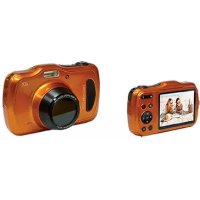
MD 40820 - Camcorder MEDION - Free user manual and instructions
Find the device manual for free MD 40820 MEDION in PDF.


Pick your language and provide your email: we'll send you a specifically translated version.
| Product Type | Camcorder |
| Brand | MEDION |
| Model | MD 40820 |
| Dimensions (approx.) | 120 x 65 x 130 mm |
| Weight (approx.) | 300 g (including battery) |
| Power Source | Rechargeable Li-ion battery, 3.7 V, 1200 mAh |
| Video Resolution | Full HD 1080p |
| Optical Zoom | 10x |
| Display | 3.0-inch LCD |
| Image Stabilization | Yes, electronic |
| Storage Media | SD/SDHC card (not included) |
| Connectivity | HDMI, USB 2.0 |
| Photo Resolution | Up to 12 megapixels (interpolated) |
| Recording Format | AVI, MP4 |
| Battery Life (approx.) | 60 minutes continuous recording |
| Care Instructions | Keep lens clean, avoid dust and moisture; use a soft cloth for cleaning |
| Safety Warnings | Do not expose to high temperatures, use only designated charger |
| Spare Parts Available | Battery, charger, USB cable (contact Medion support) |
| Repairability | Battery and card slot accessible; other repairs by service center |
| General Information | User manual available online at notice-facile.com |
Frequently Asked Questions - MD 40820 MEDION
How do I transfer video to my computer?
Connect the camcorder to your computer using the USB cable. The device will appear as a removable drive; you can then copy files.
What type of memory card does the MD 40820 support?
It supports SD and SDHC cards. A card is not included. Use a Class 4 or higher for best performance.
Can I use the camcorder while charging?
It is recommended to not use the camcorder while charging to avoid overheating. Charge fully before use.
How do I reset the camcorder?
Open the battery cover and locate the reset button near the battery compartment. Press it with a pointed object for 5 seconds.
What is the maximum recording time?
With a full battery and a 32GB SDHC card, you can record up to 4 hours in standard quality, or about 1 hour in Full HD.
Why is the video playback blurry?
Ensure the lens is clean and the focus is set correctly. For distant objects, use manual focus or zoom out.
How do I update the firmware?
Check the MEDION support website for firmware updates. Copy the update file to an SD card and insert into the camcorder. Follow on-screen instructions.
Can I use an external microphone?
No, the MD 40820 does not have an external microphone input. Only the built-in mic is available.
What is the warranty period?
MEDION typically offers a 2-year warranty from the date of purchase. Keep your receipt as proof.
How do I clean the lens?
Use a soft, lint-free cloth slightly dampened with lens cleaner. Gently wipe the lens in a circular motion. Avoid touching with fingers.
User questions about MD 40820 MEDION
0 question about this device. Answer the ones you know or ask your own.
Ask a new question about this device
No questions yet. Be the first to ask one.
Download the instructions for your Camcorder in PDF format for free! Find your manual MD 40820 - MEDION and take your electronic device back in hand. On this page are published all the documents necessary for the use of your device. MD 40820 by MEDION.
USER MANUAL MD 40820 MEDION
Manual assistant
Powered by Anthropic
Waiting for your message
Product information
Brand : MEDION
Model : MD 40820
Category : Camcorder