
MD-N01 - Camera accessory Ziv - Free user manual and instructions
Find the device manual for free MD-N01 Ziv in PDF.


| Product Type | Battery Grip for Nikon D500 DSLR |
| Model | MD-N01 |
| Brand | Ziv |
| Dimensions (H × W × D) | 2.0 × 6.0 × 3.1 in. (50.5 × 152 × 78.5 mm) |
| Weight | 8.2 oz. (233 g) without batteries |
| Power Source | Rechargeable Nikon EN-EL15 battery or 8 AA batteries (optional tray) |
| Operating Temperature | 32°F to 104°F (0°C to 40°C) |
| Compatible Cameras | Nikon D500 (specifically designed for D500) |
| Main Controls | Shutter-release button, AF-ON button, Function button, Main and Sub-command dials, Multi selector, Control lock switch |
| Portrait Orientation Support | Yes, replicate camera controls for vertical shooting |
| Battery Chamber | Accepts EN-EL15 battery holder or AA battery tray (sold separately) |
| Mounting | Screw-mount with locking wheel |
| Tripod Socket | Yes, on the grip |
| AC Power Supply | Supported via AC power supply socket (adapter not included) |
| Warranty | One-year limited warranty |
| Material | High-quality plastic/metal construction (not explicitly stated, but inferred) |
| Color | Black (assumed from typical grip design) |
| Cleaning | Soft, dry cloth only |
| Safety Notices | Avoid flammable gases, extreme temperatures, moisture; remove batteries when not in use |
| Contact Cap | Provided to protect power/signal contacts when grip is not attached |
Frequently Asked Questions - MD-N01 Ziv
User questions about MD-N01 Ziv
0 question about this device. Answer the ones you know or ask your own.
Ask a new question about this device
Download the instructions for your Camera accessory in PDF format for free! Find your manual MD-N01 - Ziv and take your electronic device back in hand. On this page are published all the documents necessary for the use of your device. MD-N01 by Ziv.
USER MANUAL MD-N01 Ziv
The MD-NO1 is a battery grip for the Nikon D500 DSLR camera. It features familiar dials and buttons that are on the camera, but for control and comfort in portrait orientation. This includes an alternate shutter-release button, control lock, function button, AF-ON button, multi selector, and main and sub-command dials. The grip accepts a rechargeable Nikon® EN-EL15 battery which extends shooting time, and there's an optional battery tray that holds eight AA batteries.
PRECAUTIONS
- Please read and follow these instructions, and keep this manual in a safe place.
- Make sure the item is intact and that there are no missing parts.
- There are no user-serviceable parts inside the device. Do not attempt to disassemble or perform any unauthorized modification.
- When the battery grip is not attached to the camera, cover the power/signal contacts with the contact cap to prevent electrical shorts.
- Do not operate the unit in the presence of flammable gas or vapors.
- Use only with batteries and battery holders recommended in this manual.
- If you notice smoke, noise, or an unusual smell from the battery pack, discontinue use immediately. Remove the batteries, and contact Ziv Customer Service.
- Do not handle with wet hands or immerse in water or expose to rain. Failure to observe these precautions could result in fire or electric shock.
- Do not use or leave the device in conditions of extreme heat, severe cold, or high humidity.
- Remove batteries from the grip when not in use.
- Keep out of the reach of children.
- Clean the unit with only a soft, dry cloth.
- Handle the unit with care.
- All images are for illustrative purposes only.
OVERVIEW
- Sub-command dial*
- Shutter-release button*
- Function button
- Control lock switch
- Tripod socket
- Contact cap
- Mounting screw
- Power/signal contacts
- Battery chamber
- Battery holder latch
-
AC power supply socket
-
Locking wheel
- Camera contact cover holder
- AF-ON button*
- Main command dial*
- Multi selector*
- EN-EL15 battery holder
- Power terminals
- Battery release
- AA battery tray (holds eight AA batteries)
* These controls perform the same functions as their on-camera equivalents and are affected by changes to the custom settings menu. See your camera manual for details.

ATTACHING THE BATTERY GRIP TO YOUR CAMERA
1 Remove the contact cap on both the battery grip and the camera. You can store the camera's contact cap in the battery grip for safekeeping.
2 Seat the battery grip's contacts into the contacts underneath the camera.
3 Use the locking wheel to fasten the battery grip to the camera. Make sure it's secure.
4 Turn on your camera and the grip.
INSTALLING A RECHARGEABLE EN-EL15 BATTERY
1 Make sure the camera power is off and the control lock on the MD-N01 is in the L position.
2 Use the battery-holder latch to unlock the battery holder, and remove it from the grip.
3 Match your Nikon® rechargeable EN-EL15 battery contacts with those in the holder, and insert the battery into the holder.
4 Lock the battery in place by pushing it down and forward until it locks.
5 Insert the battery holder into the grip, and lock it with the latch.
Tip: In cold temperatures, batteries can discharge at a fast rate. Warming up a cold battery can recover some of its lost charge and help improve its performance.
BATTERY INFO
The camera can display information for the Nikon EN-EL15 batteries via the battery info option in the Setup menu. For AA batteries, only battery levels will be displayed.
BATTERY ORDER
In your camera's Setup menu, you can set the order of battery usage between the camera's internal battery and the one in the grip.
AA BATTERY TYPE
If you're using AA batteries with the AA battery holder, you will need to choose a battery type from the camera's Setup menu (MB-D17 battery type).
SPECIFICATIONS
| Power source | Rechargeable Nikon®EN-EL15 batteryEight AA batteries |
| Operating temperature | 32°F to 104°F(0°C to 40°C) |
| Dimensions(H × W × D) | 2.0 × 6.0 × 3.1 in.(50.5 × 152 × 78.5 mm) |
| Weight | 8.2 oz. (233 g)without batteries |
ONE-YEAR LIMITED WARRANTY
This ZIV product is warranted to the original purchaser to be free from defects in materials and workmanship under normal consumer use for a period of one (1) year from the original purchase date or thirty (30) days after replacement, whichever occurs later. The warranty provider's responsibility with respect to this limited warranty shall be limited solely to repair or replacement, at the provider's discretion, of any product that fails during normal use of this product in its intended manner and in its intended environment. Inoperability of the product or part(s) shall be determined by the warranty provider. If the product has been discontinued, the warranty provider reserves the right to replace it with a model of equivalent quality and function.
This warranty does not cover damage or defect caused by misuse, neglect, accident, alteration, abuse, improper installation or maintenance. EXCEPT AS PROVIDED HEREIN, THE WARRANTY PROVIDER MAKES NEITHER ANY EXPRESS WARRANTIES NOR ANY IMPLIED WARRANTIES, INCLUDING BUT NOT LIMITED TO ANY IMPLIED WARRANTY OF MERCHANTABILITY OR FITNESS FOR A PARTICULAR PURPOSE. This warranty provides you with specific legal rights, and you may also have additional rights that vary from state to state.
To obtain warranty coverage, contact the Ziv Customer Service Department to obtain a return merchandise authorization (“RMA”) number, and return the defective product to Ziv along with the RMA number and proof of purchase. Shipment of the defective product is at the purchaser's own risk and expense.
For more information or to arrange service, visit www.zivphotogear.com or call Customer Service at 212-594-2353.

Product warranty provided by the Gradus Group.
www.gradusgroup.com
ZIV is a registered trademark of the Gradus Group.
© 2016 Gradus Group LLC. All Rights Reserved.
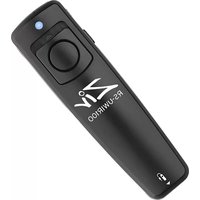

Brand : Ziv
Model : MD-N01
Category : Camera accessory