TTL-NF3 - Uncategorized Ziv - Free user manual and instructions
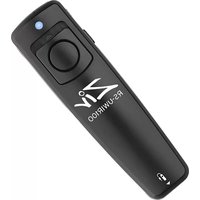
Find the device manual for free TTL-NF3 Ziv in PDF.


Pick your language and provide your email: we'll send you a specifically translated version.
| Product Type | Digital Timer / Remote Control |
| Brand | Ziv |
| Model | TTL-NF3 |
| Color | White / Black |
| Display | LCD, 4-digit |
| Power Supply | 2 x AAA batteries (1.5V) |
| Dimensions | 10 x 6 x 2 cm |
| Weight | 80 g (without batteries) |
| Operating Temperature | 0 °C to 40 °C |
| Timer Range | 1 minute to 99 hours |
| Countdown / Countup | Both modes |
| Memory Function | Remembers last setting |
| Auto-Off | Yes, after alarm or inactivity |
| Low Battery Indicator | Icon on display |
| Alarm Sound | Beep, adjustable volume |
| Setting Buttons | Hour, Min, Sec, Start/Stop, Reset |
| Cleaning | Wipe with soft dry cloth |
| Safety | Keep away from water and heat |
| Spare Parts | Batteries only (standard AAA) |
| Manual | PDF available for download |
| Country of Origin | China |
Frequently Asked Questions - TTL-NF3 Ziv
How do I set the timer on my Ziv TTL-NF3?
Press and hold the SET button until the hour digits flash. Use HOUR and MIN buttons to adjust. Press SET again to confirm and move to minutes. Finally press START/STOP to begin countdown.
What batteries does the TTL-NF3 use?
It uses two AAA 1.5V alkaline batteries. Insert them with correct polarity as indicated in the battery compartment.
How do I reset the device?
Remove the batteries, wait 10 seconds, and reinsert them. The display will show default settings. Alternatively, press the RESET button with a pointed object.
Why is my timer not beeping?
Check that the volume is not set to zero. Ensure batteries are fresh. If the problem persists, the speaker may be damaged; contact Ziv support.
Can I use the TTL-NF3 as a stopwatch?
Yes, press the MODE button to switch to count-up mode. Press START/STOP to begin timing. It counts up to 99 hours.
What is the maximum timer setting?
The maximum countdown time is 99 hours 59 minutes 59 seconds.
Does the device have a memory function?
Yes, it remembers the last set time even after the alarm sounds. However, if batteries are removed, the memory is lost.
How do I clean the TTL-NF3?
Wipe the surface with a soft dry cloth. Do not use water or chemical cleaners. Keep the battery compartment dry.
Is the device waterproof?
No, it is not waterproof. Keep away from moisture and liquids. Use only indoors.
Where can I download the manual?
The manual is available for free in PDF format on notice-facile.com. You can also request a translated version via email.
User questions about TTL-NF3 Ziv
0 question about this device. Answer the ones you know or ask your own.
Ask a new question about this device
No questions yet. Be the first to ask one.
Download the instructions for your Uncategorized in PDF format for free! Find your manual TTL-NF3 - Ziv and take your electronic device back in hand. On this page are published all the documents necessary for the use of your device. TTL-NF3 by Ziv.
USER MANUAL TTL-NF3 Ziv


Manual assistant
Powered by Anthropic
Waiting for your message
Product information
Brand : Ziv
Model : TTL-NF3
Category : Uncategorized