
Little Devil - Processor Chandler - Free user manual and instructions
Find the device manual for free Little Devil Chandler in PDF.


| Product Type | 500-series Compressor Module |
| Brand | Chandler Limited |
| Model | Little Devil Compressor |
| Country of Manufacture | USA |
| Circuit Type | 100% Discrete Transistor |
| Transformers | Specially wound, transformer-balanced inputs and outputs |
| Power Requirements | +16V @ 65mA, -16V @ 65mA (typical) |
| Compatible Racks | API 500v, API Lunchbox, BAE racks, Empirical Labs 2-slot, A-Designs 2-slot, Purple Sweet 10 (not tested with Radial Workhorse) |
| Input Control | Attenuator (set high for optimal gain structure) |
| Output Control | Make-up gain with unity gain below maximum |
| Mix Control | Wet/dry blend for parallel compression (fully compressed left, dry right) |
| Attack Control | Variable from fast to slow; functions like a threshold |
| Release Control | 3-position toggle: Fast, Medium, Slow |
| Ratio Control | Variable from near 1:1 to limiting; interacts with curve on Zener setting |
| Curve Switch | Germ (aggressive, faster) or Zener (extremely smooth, slower knee) |
| Sidechain Filter | High-pass filter: Out, 30, 60, 90, 150, 300 Hz |
| Bypass Switch | Hardwire bypass for A/B comparison |
| Pin Configuration | Pin 2 hot (transformer balanced) |
| Certification | CE compliant (EMC 2004/108/EC, LVD 2006/95/EC) |
| Support Contact | Phone: (319) 885-4200, Email: support@chandlerlimited.com |
| Repair Address | Chandler Limited, Inc., 222 S. Cherry St., Shell Rock, IA 50670, USA |
Frequently Asked Questions - Little Devil Chandler
User questions about Little Devil Chandler
0 question about this device. Answer the ones you know or ask your own.
Ask a new question about this device
Download the instructions for your Processor in PDF format for free! Find your manual Little Devil - Chandler and take your electronic device back in hand. On this page are published all the documents necessary for the use of your device. Little Devil by Chandler.
USER MANUAL Little Devil Chandler
Little Devil Compressor - Designed by Wade Chandler Goeke
Chandler Limited, Little Devil and the Little Devil Flame Logo are trademarks of Chandler Limited Inc. All rights reserved.
Thank you for purchasing the Chandler Limited Little Devil Compressor. Your Devil is handmade in the USA by real people. What does that mean? We do not use large solder or component machines that pick and solder the parts. We pay a real person to do it like they did in the golden age of gear. We do not have most of our work done in China only to do final assembly in America and then call it made in USA. We do not use surface mount components or ribbon cables that are commonly used in cell phones and computers to shrink their size and reduce the build time. Instead we use time proven through hole audio components, discrete transistors, and large transformers just like they did in the golden age of gear.
At Chandler we are proud of our American made products and we hope you like them!
The Little Devil Compressor uses a 100% discrete transistor circuit and specially wound transformers. Included are item descriptions and hints to get you on your way. Please feel free to call our shop anytime for help or questions.
Prior to sending in your gear for repair, please contact our shop at the number below. We will assist you in trouble-shooting the problem and if needed, we will issue you an RMA# to send in the gear.
Send repairs to: Chandler Limited, Inc.
Attention: Repairs
222 S. Cherry St.
Shell Rock, IA 50670
Phone: (319) 885-4200
Email: support@chandlerlimited.com

Connections - All connections on the Devils are transformer balanced with pin 2 hot.

Current draw - Here are the current draw specifications for the Devil Compressor when the Devil isaded 600 ohm and operating at a continuous level of unity gain. Please consult your rack and PSU specifications to make sure you are not overloading you system.
+16 volt power rail = +65ma
-16 volt power rail = -65ma
CHANDLER LIMITED®
COMPATIBILITY-
The Little Devil Compressor is tested and proven to have no start up or power errors in these racks-
API 500v 10-slot with L200 PSU
API 500-6B Lunchbox
API 500-6B HC "new version" Lunchbox
BAE 11-slot with power one supply
BAE 6-slot portable with power one supply
BAE 6-slot with Avedis designed supply
Emperical Labs 2-slot (awesome rack and worth the money!)
A-Designs 2-slot
Purple Sweet 10
As of the release of this product we have not yet tested with the Radial Workhorse.
POWER SUPPLY RECOMMENDATIONS-
With ANY 500 modules (not just the Devils) we recommend using a rack with external supply. We feel a power supply in such close proximity to the right hand slots of the rack can cause hum and noise floor issues with many modules by many manufacturers. For this reason we mainly recommend the API 500v rack with external L200 supply and the BAE 11-slot with external supply.
NOTES on BAE racks-
We recommend adding a wire from Earth to power supply common on all BAE racks. In many cases hum can be avoided and Earth to common is standard procedure on most electronic equipment.
CHANDLER LIMITED®
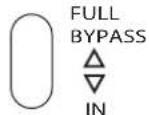
BYPASS - This is a hardwire bypass. Use this switch to easily check between compressed or effected sounds as well as to easily check and adjust unity gain through the unit.
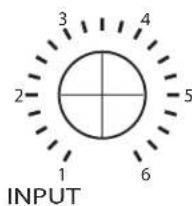
INPUT - The INPUT control is at the very front of the circuit. In the design it works as an attenuator, so in most cases this should be set at maximum or at least at higher positions, or gain structure will suffer and noise will be increased by having to drive the output hard to compensate for the low input levels.
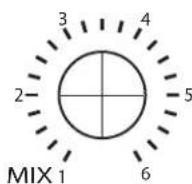
MIX (wet/dry control) - This mixes together the raw unprocessed signal with the compressed signal allowing you to simulate parallel compression or sub-mixing right in the unit. Mix the tight compressed sound together with the unprocessed original signal and get the best of both. Use this on any source to keep the compression from removing too much attack, transient, or intensity. Leave the attack and punch of your drums while adding in as much of the tight compressed sound as you need.
To the left is the all compressed signal while the right side is unprocessed sound, with 12 'o clock being 50% of each. It's recommended starting with the all compressed sound and adjusting from there. As you get comfortable with this you start to notice how effective and important it is to combine the Mix with attack, release, sidechain, and the curve.
There are several ways to approach the Mix control. First try setting the compressor as you would if it did not have this feature. Once you have a good start try dialing in some dry signal to add life back to the sound. The other is to dial in some dry signal from the start and adjust the compression as it responds to the dry signal. This second method is a very good way to learn the intricacies of the wet/dry. Each offers a different perspective and can lead you in interesting directions as well as teaching you the possibilities of the Devil.
CHANDLER LIMITED®

CURVE - The Devil is very much two compressors in one. The CURVE or knee of a compressor often dictates a large part of the sound and function of the unit. The GERM and ZENER selections are radically different in both knee, time constants, distortion, and overall sound character. A product of endless experimentation, I could not have made them more individual if I had tried!
As mentioned in the quick start section, the Zener curve is an extremely gentle knee. I have never actually seen a smoother knee in measurements of any compressors, new or old, in the last 15 years! Because of this you will notice that large amounts of compression SOUND much less compressed than other compressors and that you can you use the Zener setting with much less worry of over compression and sound degradation. Time constants on this curve are slower than the GERM and THD is less overall. I have found that slightly slower attack settings work best and will generally start with attack at 2 instead of 1. You will also notice that the ratio selections change the time constants. The higher the ratio the slower the timing gets, with the highest ratio sounding close to a slow variable-mu style compression such as found on an Altec 436 or UA176.
The GERM curve resembles the GERM settings on the Chandler Germanium Compressor except that it will generally compress a bit more aggressively. It is also a smooth knee but has just the right amount of grab to make it punchy and fun sounding! It is faster than the Zener setting and harmonically and tonally very rich and colored. Ratio does not affect timing as on the Zener curve.

RATIO - As with our Germanium Compressor the Ratios were mostly chosen by ear. The range is very wide going from almost none to near limiting between the settings. Please note while in GERM curve RATIO functions in a very standard way but when switched to Zener curve the RATIO and CURVE interact and change the time constants. The higher the ratio the slower the timing. See CURVE and EXAMPLE SETTINGS.

OUTPUT - The OUTPUT controls the gain of the line (or output) amplifier. Use this to make up for compression losses or just crank it cause it sounds good! With the OUTPUT all the way down you will actually be below unity gain, this was done so you can use the compressor to fine tune your recording level much like you would with a fader.
CHANDLER LIMITED®

RELEASE - A standard release toggle with three selections. The settings have each been selected by ear, while ranging from quite fast to relatively slow. In my use I have tended to stay more with the fast setting and many examples in the manual will show that. Try not to get stuck in fast as I have, there are interesting choices available when using the release to its fullest :-)

SIDECHAIN - The Sidechain adjusts the amount of low frequency entering the Compressor circuit. This is very useful on bass-heavy instruments like kick drum and bass guitar, but also useful on dense audio such as mixes and subgroups. Any track where more precise control of compression frequency is required will benefit from experimenting with the SIDECHAIN. For example, on an acoustic guitar track the lower strings may cause the compressor to clamp down harder on certain sections where they are hit harder or more often. Adjusting the SIDECHAIN can smooth the compression action and give better overall control of the source material. It is recommended you also experiment with this to change or create sounds by altering the compression characteristic. You should spend some time getting to know this feature. The settings are OUT, 30, 60, 90, 150, and 300 Hz.

ATTACK - I have never calculated the actual ATTACK and RELEASE times in an attempt to keep them as musical and natural as possible. The attack is purposely set to have a wide range, as in my opinion, many compressors have a very small range of control that severely limits their usefulness. Too often you end up with softened transients and a mushy over-compressed tone. The Devil can easily be tuned in to "grab" as much or little audio as needed. I recommend thinking of it as a threshold as much as you do an attack. In my use I generally started with the attack set at 2 and adjusted from there. Only in cases where I wanted extreme compression did I find the fastest attack needed, but... then it can be imperative.
CHANDLER LIMITED®
LITTLE DEVIL COMPRESSOR, -A Quick Lesson
Since there are some controls on the Devil Comp that users might not be familiar with here is a good way to get to know your Devil faster and start having fun. Pay close attention to the Attack control.

Set all controls to the flaming hot spots as shown on the left.
Send a simple kick/snare beat at good level to the Devil.
Set the Curve toggle to GERM.
You should have a good amount of compression at this point and hear the distinct sound of the Germanium Knee.
Now start to vary the attack. Because of the wide variation available in the attack control you should be able change the sound from quite smashed to nearly invisible all with one control. While designing the Devil I intended the attack to be able to function nearly as a threshold control and is an important feature of the comp. With use you will notice that on many occasions you may never need to touch other controls on the Devil. If you ever feel unsure of the controls set the unit back to the "quick start" settings begin again with just the attack control. In my use this is the knob I touch most.
Now switch the RATIO to high. The compressor should be smashing the drums. This is good :-) Now slowly dial in the MIX control adding back the unprocessed sound. Use the output to equalize the levels. Listen to the huge overall difference. Compressed but . . . not. This is the magic of a mix control. Most situations can benefit from even a minor touch.
Next grab the SIDECHAIN. Switch the filter to 30 then 60 and listen to how the compression starts to leave the kick drum alone. Kick drum bass guitar, ignoring the low string on acoustics, and mixes are all extremely useful situations for the SIDECHAIN as it gives precise control of how frequency will trigger the compressor.
Next switch the curve toggle to Zener. You notice a big change in the Curve or knee of the compression. Unlike the Chandler Zener Limiter and the Zener setting on the Chandler Germanium Compressor, which is very extreme, the Devil setting is completely the opposite. There is almost no knee and it is a very soft/smooth compression. Also notice the slower sound of the Zener setting.
Try the Ratio, Mix, and Sidechain steps with the Zener curve and see how they react.
EXAMPLE SETTINGS - Set all controls to the HOT zones. Controls left unmarked choose any setting. On most examples you can still adjust the Mix or switch in the Sidechain for variation.
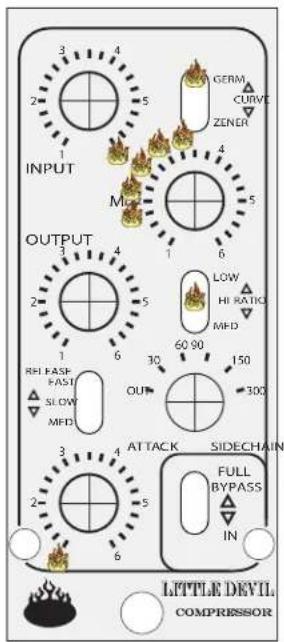
SMASHED w/MIX
In this setting keep the input full. The output will usually be set quite high because of large amounts of compression. This adds to the sound! Now gently dial in the amount of dry signal required. You'll hear the track come back alive. In some cases putting an eq before the comp will make it sound even cooler as it adds to the pumping. Try this on drums!
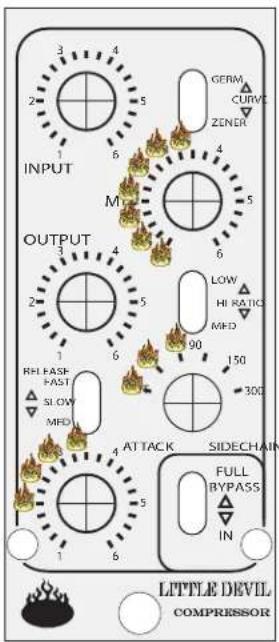
BUSS or SUBMIX
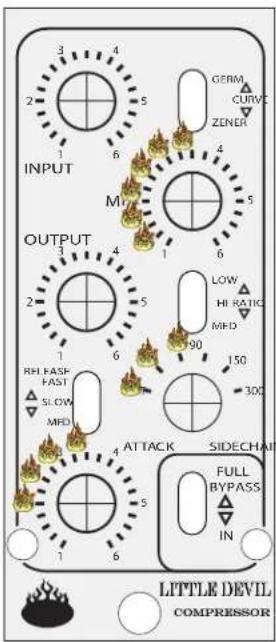
STEREO BUSS
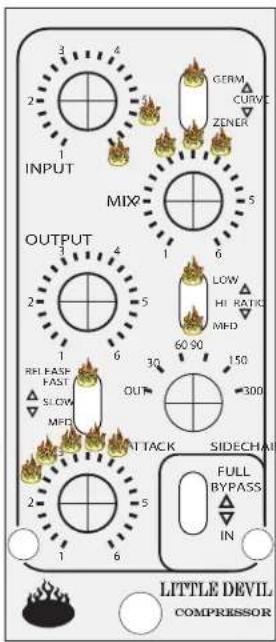
GERM THICKENER -

ZENER THICKENER -
Adjust so compression is not heavily audible but there is an obvious sound improvement. Work the Mix and Attack. Use smaller amounts of compression and look for a good combo of THD and compression. This one is cool with a touch of practice!
Adjust so compression is not heavily audible but there is an obvious sound improvement. Again work the Mix and Attack. The different Curve and time constants will yield different effects. Try Ratio combos for even more variation.

AUTO ZENER -
Slow Zener curve that resembles vintage style auto controls and slower variable-mu tube comps. Try other Ratios for speed and sound variation.

KICK DRUM

SNARE DRUM

BASS GUITAR
| CHANDLERLIMITED |  |  |
| CHANDLERLIMITED | 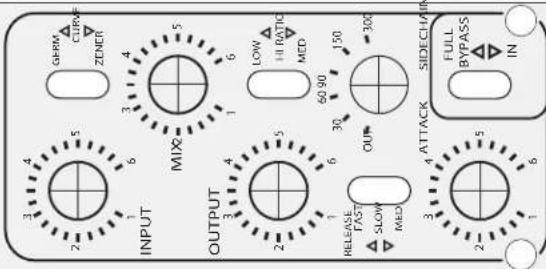 |  |
| CHANDLERLIMITED | 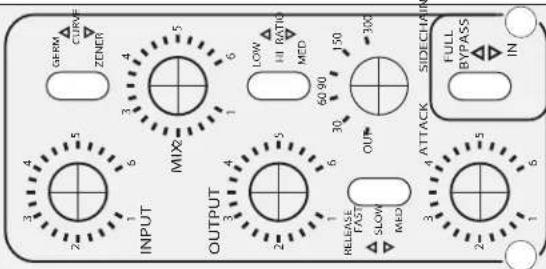 |  |
| CHANDLERLIMITED | 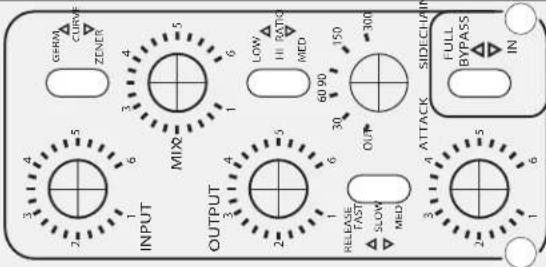 |  |
| CHANDLERLIMITED | 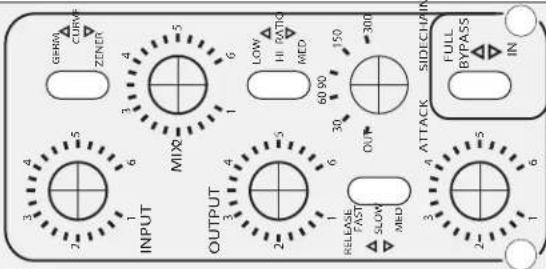 |  |
| CHANDLERLIMITED |  |  |
CHANDLER LIMITED®
CE Certification
Chandler Limited declares under its sole responsibility that all products manufactured by them are in compliance with EC directives 2004/108/EC Electromagnetic Compatibility; 2004/108/EG Electromagnetic Compatibility; 2006/95/EC Low Voltage Equipment Safety.
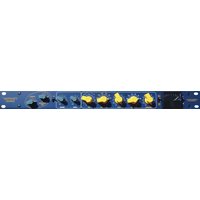
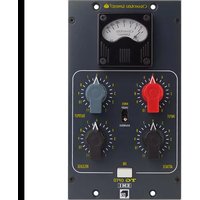

Brand : Chandler
Model : Little Devil
Category : Processor