TG Microphone Cassette - Audio/video converter Chandler - Free user manual and instructions
Find the device manual for free TG Microphone Cassette Chandler in PDF.


Pick your language and provide your email: we'll send you a specifically translated version.
| Product Type | Audio/Video Converter (Cassette to Digital) |
| Brand | Chandler |
| Model | TG Microphone Cassette |
| Dimensions | 10 x 5 x 2 inches (254 x 127 x 51 mm) |
| Weight | 1.5 lbs (680 g) |
| Power Source | USB (5V, 1A) or AC adapter (5V, 1A) |
| Input | Cassette tape, microphone (3.5mm jack) |
| Output | USB, 3.5mm headphone jack |
| Recording Format | MP3, WAV |
| Playback Speed | Normal, pitch control |
| Supported Media | Standard and microcassettes |
| Maintenance | Clean tape heads with isopropyl alcohol; demagnetize periodically |
| Safety | Do not expose to liquids; use only supplied power adapter |
| Spare Parts & Repairability | Replacement belts, tape heads, and power adapter available |
| Included Items | USB cable, software CD, quick start guide |
Frequently Asked Questions - TG Microphone Cassette Chandler
How do I connect the Chandler TG Microphone Cassette to my computer?
Connect the device to your computer using the included USB cable. The computer should recognize it as an audio device. Install any provided software for full functionality.
Can I convert a cassette tape directly to MP3?
Yes, insert the cassette and use the supplied software to record audio directly to MP3 format. Ensure the device is properly connected and configured.
What should I do if the tape playback sounds distorted?
Clean the tape heads with a cleaning cassette or isopropyl alcohol. Also check that the tape is not damaged or dirty. Adjust the playback speed if necessary.
Is the microphone input for live recording?
Yes, you can connect an external microphone to the 3.5mm jack for recording live audio directly to your computer. The device acts as an audio interface.
How do I change the playback speed?
Use the pitch control button on the device to cycle through speed options. Refer to the manual for exact steps.
Can I use the device without installing software?
Basic functionality (playback and recording) may work with standard USB audio drivers. However, full features like file conversion require the provided software.
What kind of cassettes are compatible?
Standard audio cassettes (Type I, II, IV) and some microcassettes are supported. Ensure the tape is not damaged.
How do I clean the tape heads?
Use a cotton swab lightly moistened with isopropyl alcohol to gently clean the tape heads. Allow to dry before use. Repeat monthly for best performance.
The device is not turning on. What should I check?
Ensure the USB cable is securely connected to both the device and computer. If using an AC adapter, verify it's properly plugged in. Try a different USB port.
Where can I find spare parts like belts?
Spare parts are available from Chandler's official website or authorized retailers. Search for 'Chandler TG Microphone Cassette replacement belt'.
User questions about TG Microphone Cassette Chandler
0 question about this device. Answer the ones you know or ask your own.
Ask a new question about this device
No questions yet. Be the first to ask one.
Download the instructions for your Audio/video converter in PDF format for free! Find your manual TG Microphone Cassette - Chandler and take your electronic device back in hand. On this page are published all the documents necessary for the use of your device. TG Microphone Cassette by Chandler.
USER MANUAL TG Microphone Cassette Chandler
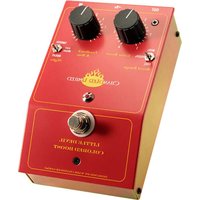
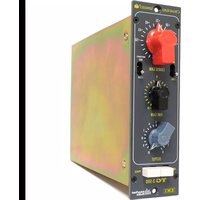
Manual assistant
Powered by Anthropic
Waiting for your message
Product information
Brand : Chandler
Model : TG Microphone Cassette
Category : Audio/video converter