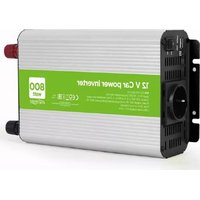
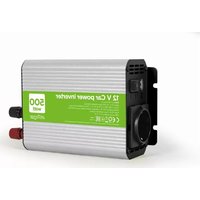
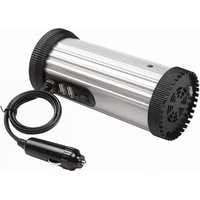
EG-PWC-PS500-01 - Battery EnerGenie - Free user manual and instructions
Find the device manual for free EG-PWC-PS500-01 EnerGenie in PDF.


Pick your language and provide your email: we'll send you a specifically translated version.
| Product Type | Portable Power Station |
| Model | EG-PWC-PS500-01 |
| Brand | EnerGenie |
| Battery Capacity | 500 Wh (Lithium-ion) |
| AC Output | 1x 110V/220V (500W continuous, 1000W peak) |
| USB Output | 2x USB-A (5V/2.4A), 1x USB-C PD (60W) |
| DC Output | 1x 12V/10A (car port) |
| Input Charging | AC adapter (100-240V, 50/60Hz), solar panel (12-30V, max 100W) |
| Charge Time | AC: approx. 6-8 hours, Solar: variable |
| Dimensions | Approx. 300 x 200 x 200 mm |
| Weight | Approx. 5.5 kg |
| Display | LCD screen showing battery level, input/output power |
| Safety Features | Overcharge, overdischarge, short circuit, overcurrent, temperature protection |
| Operating Temperature | -10°C to 40°C |
| Maintenance | Keep in dry, cool place; charge every 3 months when not in use |
| Cleaning | Wipe with dry cloth; do not use water or solvents |
| Repairability | Internal battery not user-serviceable; contact authorized service |
Frequently Asked Questions - EG-PWC-PS500-01 EnerGenie
How do I charge the EnerGenie EG-PWC-PS500-01?
You can charge it using the included AC adapter or via solar panels (12-30V, max 100W). The LCD shows charging status.
What can I power with this battery?
It powers devices up to 500W continuous, such as laptops, phones, lights, fans, and small appliances. For sensitive electronics, ensure total wattage does not exceed 500W.
How long does it take to fully charge?
With the AC adapter, approximately 6-8 hours. Solar charging time depends on sunlight and panel wattage.
Can I use it while charging?
Yes, the pass-through function allows simultaneous charging and discharging, but it may reduce battery lifespan if done frequently.
How do I maintain the battery when not in use?
Store in a cool, dry place at 50-80% charge. Recharge every 3 months to prevent deep discharge.
What safety protections does it have?
It includes protections against overcharge, overdischarge, short circuit, overcurrent, and overheating. The BMS (Battery Management System) ensures safe operation.
Can I use solar panels to charge it?
Yes, it supports solar input from 12V to 30V with a maximum of 100W. Use a compatible solar charge cable.
What does the LCD display show?
The LCD shows remaining battery percentage, input and output power, and any fault codes.
Is it suitable for outdoor camping?
Absolutely. Its portable design and solar charging capability make it ideal for camping, RVs, and outdoor activities.
What should I do if the device doesn't turn on?
First, check if the battery is charged. Press and hold the power button for 3 seconds. If still off, reset by disconnecting all loads and charging for 1 hour. Contact support if issue persists.
User questions about EG-PWC-PS500-01 EnerGenie
0 question about this device. Answer the ones you know or ask your own.
Ask a new question about this device
No questions yet. Be the first to ask one.
Download the instructions for your Battery in PDF format for free! Find your manual EG-PWC-PS500-01 - EnerGenie and take your electronic device back in hand. On this page are published all the documents necessary for the use of your device. EG-PWC-PS500-01 by EnerGenie.