
HIF1970BT - Turntable Reflexion - Free user manual and instructions
Find the device manual for free HIF1970BT Reflexion in PDF.


| Product Type | Turntable with Bluetooth, USB recording, and built-in speakers |
| Model | HIF1970BT |
| Brand | Reflexion |
| Power Supply | DC 5V / 1A (via included adapter) |
| Power Consumption | 5W |
| Turntable Speeds | 33, 45, 78 RPM |
| Bluetooth Version | V4.2 |
| Bluetooth Range | Up to 10 meters (line of sight) |
| Bluetooth Profiles | A2DP (Android/iOS) |
| USB Recording | USB 2.0, up to 32GB, MP3 128kbps (recording only) |
| Speaker Output Power | 2 x 24W (max) |
| Audio Inputs | 3.5mm AUX (Line In), Phono |
| Audio Outputs | 3.5mm headphone jack, RCA Line Out |
| Auto Stop | Switchable on/off |
| Tonearm | Manual with lift lever |
| Operating Temperature | 5°C to 35°C |
| Housing | Suitcase design with handle and lock |
| Warranty | 24 months from date of purchase |
| Safety | Do not open housing; no user-serviceable parts; keep away from moisture and heat |
| Cleaning | Use a dry cloth; disconnect power before cleaning |
Frequently Asked Questions - HIF1970BT Reflexion
User questions about HIF1970BT Reflexion
0 question about this device. Answer the ones you know or ask your own.
Ask a new question about this device
Download the instructions for your Turntable in PDF format for free! Find your manual HIF1970BT - Reflexion and take your electronic device back in hand. On this page are published all the documents necessary for the use of your device. HIF1970BT by Reflexion.
USER MANUAL HIF1970BT Reflexion
natural_image
Simple line drawing of a target with concentric circles and a mechanical component attached (no text or symbols)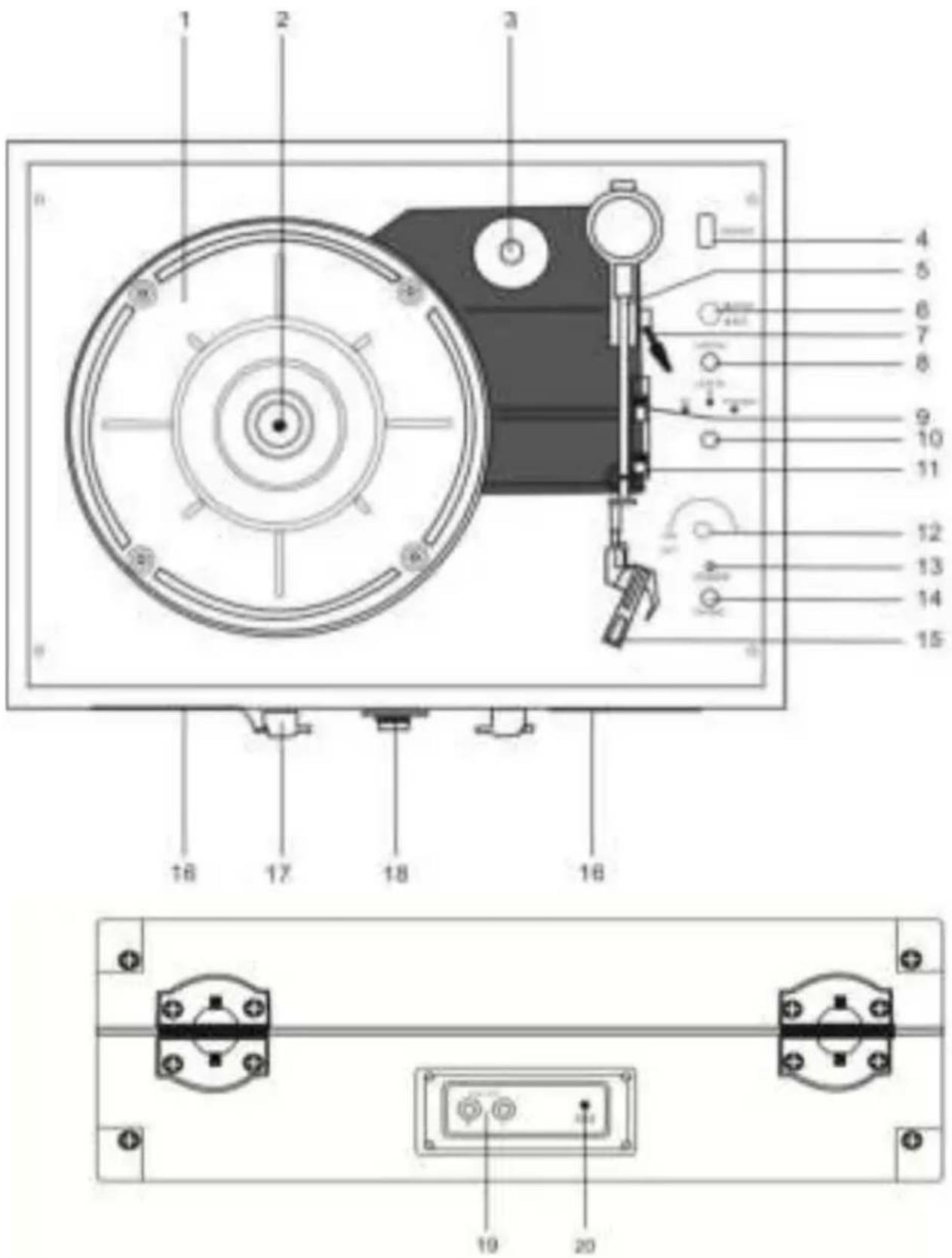
Am Gerät
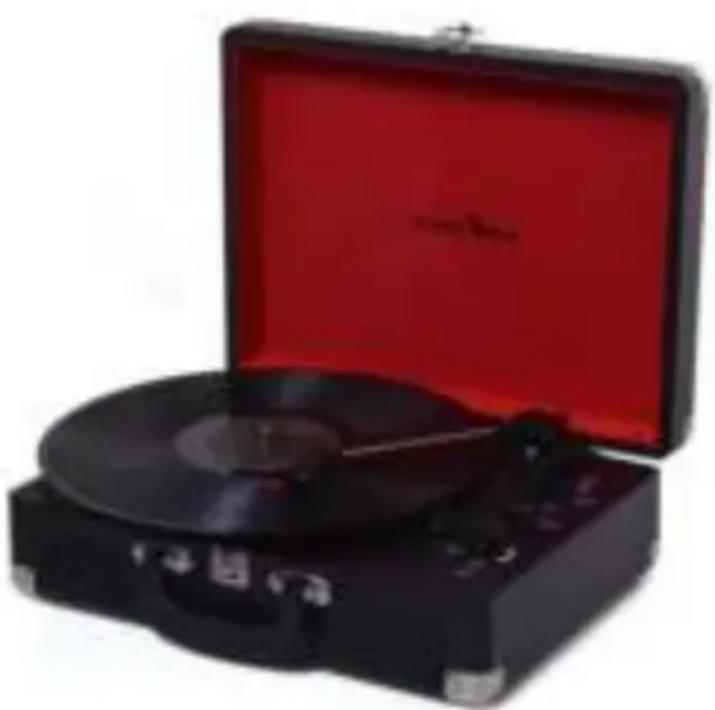
Suitcase turntable with AUX IN / Bluetooth / Record function
Model No.: HIF1970BT
natural_image
Black convertible tuxler with red open lid, no visible text or symbolsRead the operating instructions carefully before the initial start-up and keep the instructions for future reference.

SAFETY INSTRUCTIONS

The exclamation mark in the triangle indicates to the user important operating and maintenance instructions (service) in this manual that must be followed.
The lightning symbol in the triangle indicates to the user "dangerous voltages" on some components inside the device.
To avoid the risk of electric shock, do not open the housing under any circumstances. There are no user-serviceable parts inside. Repairs may only be carried out by an authorized specialist workshop.



This device is designed for DC 5V mains voltage. If higher voltages are used, the device may malfunction.
Do not expose the device to moisture or rain.
Do not switch on the system until you have checked all connections carefully.



Set up the device so that an undisturbed fresh air supply is always ensured. Never place the device on carpets or near curtains and do not install it on bookshelves.
Do not expose the device to direct sunlight or heat sources.
READ ALL INSTRUCTIONS BEFORE USE
SAFETY INSTRUCTIONS
1) Read these operating instructions carefully before using the device for the first time.
2) Keep these operating instructions in a safe place for future reference.
3) The device must not be exposed to dripping or splashing water and no objects filled with liquids, such as vases, should be placed on the device. Use only in dry regions.
4) Do not place open flames such as candles on the device and keep the device away from open flames.
5) Children should be supervised to ensure that they do not play with the device.
6) Make sure that the device is only used with the included DC 5V / 1A power supply. If higher voltages are used, the device may malfunction.
7) Only use accessories and spare parts that are approved by the manufacturer.
8) Install the device according to the manufacturer's instructions.
9) Only install the device in sufficiently ventilated surroundings. Place the device on a flat and stable surface.
10) Do not expose to temperatures above 35^ C. At the installation site make sure that 30 cm to the rear and the top of the device and 5 cm from each side are observed.
11) Dispose of used batteries / rechargeable batteries in an environmentally friendly manner.
12) Always make sure that the device is pulled out of the socket before transport or cleaning. Only clean it with a dry cloth.
13) In the event of a thunderstorm or if the device is not used for a long time, disconnect the device from the power supply.
14) This device has no user-serviceable parts. Do not try to repair this device yourself. Only qualified service personnel may carry out maintenance. In the event of a defect, complain about the device to your dealer.
15) Never leave the device unattended and take care that nothing is pushed through holes, slots or any other openings in the device housing. This can result in a fatal electric shock.
16) Do not place the device near TV sets, loudspeakers and other objects that generate strong magnetic fields.
UNPACK THE UNIT
- Carefully remove the device from the box and remove all packaging material from the device.
- Unwind the power cord.
- Place the device on a stable, level surface.
- Connect the device to your home socket using the included power supply.
- Open the lid of the turntable.
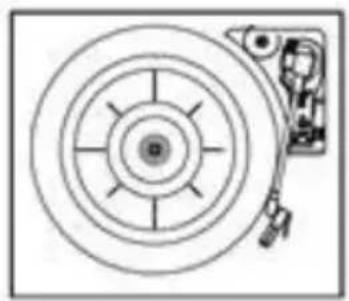
- Remove all transport locks (adhesive strips, etc.).
- Remove the white plastic cover from the clay needle by pulling it in the direction of the arrow.
- Remove the cable tie from the tonearm.
natural_image
Simple line drawing of a target with concentric circles and a mechanical component attached (no text or symbols)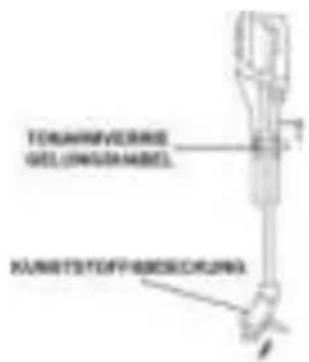
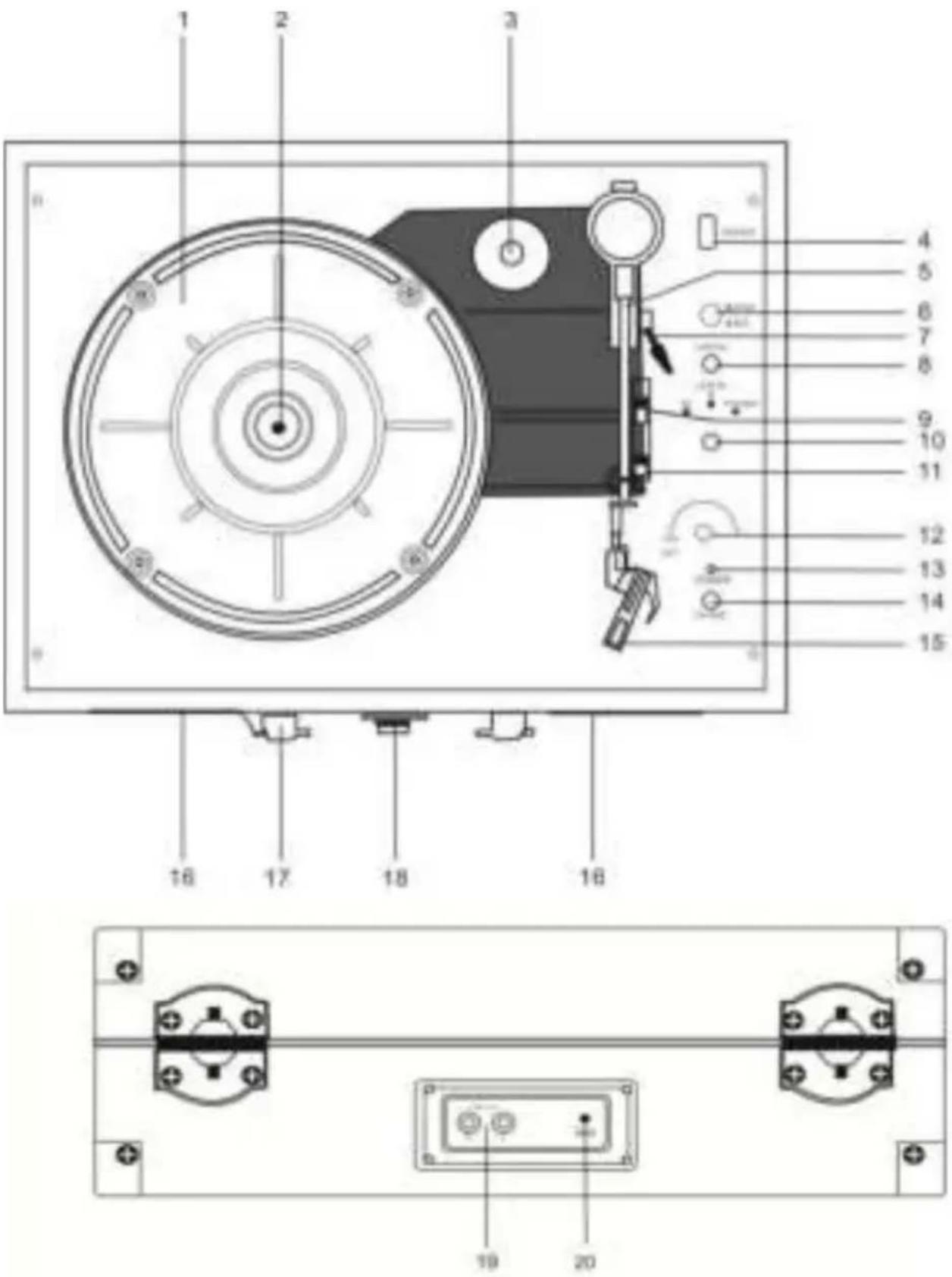
On the device
- Record plate
- Record disc shaft
- Record adapter
- USB REC socket No playback. For recording only.
- Tonearm
- Stop / Rec USB record button
- Tonearm lever Raise and lower the tonearm
- Line In (3.5mm) Connection of an external playback device
- RPM. Speed setting switch (33/45/78)
- Function controller BT (Bluetooth) / LINE IN / PHONO
- Auto stop switch / off Switches the auto stop function on
- Power controller (volume) Device on / off. Adjust Volume
- Power LED Lights up when switched on. Shows the function mode in color
- Phone (3.5mm) Headphone output (3.5mm)
- Tone needle
- Loudspeaker Sound output
- Handle Handle for transportation
- Lock Lock / unlock the case lid
- Line out Cinch output
- DC input DC 5V / 1A
POWER SUPPLY
Connect the power adapter to the device and your house socket. Note that the power source corresponds to the values of the power supply. The device may only be connected to a DC 5V 1A power supply.
Turn the device on:
Turn the [Power] control to switch on the device. The power LED lights up when the device is switched on.
Turn the device off:
Turn the [Power] control to switch the device off. If the device is switched off, the Power LED does not light up.
VOLUME ADJSTMENT
- To change the volume, turn the [Volume control] until the desired volume is reached.
SETTING THE FUNCTION MODE
- To select the desired function mode, turn the [Function controller] to the desired function.
- The selected mode is shown in color by the Power LED.
- The following function modes are available. BT (blue) / LINE IN (purple) / PHONO (red)
BLUETOOTH MODE
- Turn the [Function knob] to BT (Bluetooth) to select the Bluetooth function.
- The Power LED shows whether a device is connected. No device connected: Power LED flashes blue Connected to device: Power LED lights up blue
- Start the Bluetooth search on your external playback device.
- Select HIF1970BT from the Bluetooth list.
- Start playback with the external playback device.
- You control the playback and basic volume with the external playback device.
Note:
- Bluetooth works best within 10 meters outdoors.
- The device connects to the last connected device.
-
The basic volume is specified by your external device. You can use the volume control on the device to adjust the volume.
-
Turn the [Function knob] to Phono to select the turntable function.
- The Power LED lights up red.
- Select the speed based on your record. (33/45/78 rpm.)
- Place a record on the turntable.
- Lift the tonearm using the tonearm lever.
- Move the tonearm over the record.
- The turntable starts to turn.
- Lower the tonearm using the tonearm lever.
- Playback begins.
Auto stop
On: The turntable stops automatically.
Off: The turntable does not stop automatically.
Note:
- Before playback, check that all transport stickers have been removed and that the protective cap has been removed from the clay needle.
- The tonearm does not automatically return to the zero position after playback.
LINE IN MODE
- Turn the [Function knob] to LINE IN to select the LINE IN function.
- The LED lights up purple
- Use a 3.5mm AUX cable to connect the device to an external playback device.
- You control the playback with the externally connected playback device.
Phono recording
- Insert a USB stick into the [USB / REC] socket.
- Start the playback.
- Press the [STOP / REC] button to start recording.
- The Power LED flashes red.
- To save the recording, press the [USB / REC] button again.
- The Power LED now lights up red and the recording is saved.
Line IN recording
- Insert a USB stick into the [USB / REC] socket.
- Start the Line In playback.
- Press the [STOP / REC] button to start recording.
- The Power LED flashes purple.
- To save the recording, press the [USB / REC] button again.
- The Power LED now lights up purple and the recording is saved.
Note:
• The recording speed is 1:1.
- No song title information is recorded.
- To avoid damage to the USB stick, only pull out the USB stick when the device is switched off.
General
Power Supply DC 5V / 1A
Power consumption 5W
Operating temperature 5°C - +35°C
Turntable 33 / 45 / 78 RPM
USB Version 2.0 / 200mA / max. 32GB
Only for recording
Max. Music output 2x 24W
MP3 recording MP3-Bitrate: 128kbps
Bluetooth Version V4.2
Transmission range 10 Meter (Line of sight)
Compatible Bluetooth profiles A2DP (Android / IOS)
Bluetooth transmission power < 4dBm
Bluetooth frequency range 2.402 - 2.480 GHz
Scope of delivery
Main unit (HIF1970BT)....1
User manual....1
Power adapter DC5V 1A....1
All statements without guarantee.
Design and specification subject to change without notice.
DISPOSAL INSTRUCTIONS
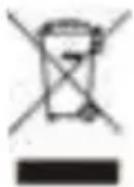
This symbol on the product or in the instructions means that the device and electrical and electronic parts must be disposed of separately from your household waste at the end of its service life. There are separate collection systems for recycling in the EU.
For more information, please contact the local authority or the dealer where you purchased the product.
Simplified EU declaration of conformity
Hereby, UltraMedia GmbH & Co. Handels KG declares that the radio equipment type HIF1970BT is in compliance with Directive 2014/53 / EU.
The full text of the EU Declaration of Conformity can be requested at the following email address.
info@ultramedia.de
We hope you enjoy using the device.
Your UltraMedia Team

Warranty
REFLEXION
Dear Customer,
Thank you for choosing one of our products. Our products undergo precise quality control during production. Should one of our devices give you cause for complaint or you have questions about one of our devices, please call our customer support.
We give a warranty of 24 months on this device from the date of purchase. Outside of the warranty, we offer you a repair that is subject to a fee and a cost estimate. Please contact our customer support before submitting. Please understand that the warranty can only be taken into account for devices that we receive within the warranty period.
The guarantee relates to material and production defects. Your device will be repaired or replaced during the warranty. A reimbursement of the purchase amount by the company UltraMedia is unfortunately not possible. Damage caused by improper use, the use of third-party accessories, fall, dust, water damage and wear and tear (e.g. scratches, optical wear) caused by the customer or external influences are excluded from the warranty.
In order to assert the warranty claims, send the device with all accessories, a copy of the invoice and the description of the error to the address below. Unfortunately, no guarantee can be taken into account for devices that do not have a proof of guarantee. If you have any questions, please do not forget to include your complete address, a telephone number / email address.
Shipping to us takes place at your own expense. Unpaid packages cannot be accepted and are returned to the sender.
Please pack the device sufficiently for transport. UltraMedia assumes no liability for transport damage that occurs on the way to us. After receiving your submission, we will process your device as quickly as possible and send it back to you.
Please contact our customer support or your specialist dealer before sending in your device, as many problems can also be solved by telephone.

- Am Gerät
- Suitcase turntable with AUX IN / Bluetooth / Record function
- SAFETY INSTRUCTIONS
- UNPACK THE UNIT
- On the device
- POWER SUPPLY
- Turn the device on:
- Turn the device off:
- VOLUME ADJSTMENT
- SETTING THE FUNCTION MODE
- BLUETOOTH MODE
- Note:
- Auto stop
- LINE IN MODE
- Phono recording
- Line IN recording
- General
- Scope of delivery
- DISPOSAL INSTRUCTIONS
- Simplified EU declaration of conformity
- Warranty
- REFLEXION
Brand : Reflexion
Model : HIF1970BT
Category : Turntable