
SE215 Pro - Headphones SHURE - Free user manual and instructions
Find the device manual for free SE215 Pro SHURE in PDF.


| Product Type | Sound Isolating Earphones |
| Model | SE215 Pro |
| Brand | Shure |
| Transducer Type | Single High-Definition MicroDriver |
| Sensitivity | 107 dB SPL/mW at 1 kHz |
| Impedance | 17 Ω at 1 kHz |
| Frequency Range | 21 Hz – 17.5 kHz |
| Weight | 30 g (1 oz.) |
| Cable | Detachable, deformable cable with cinch |
| Remote Control | Single-button remote for answer/end calls on compatible phones |
| Earphone Sleeves | Soft Flex, Soft Foam, and Triple-Flange sleeves included |
| Accessories | Carrying case, cleaning tool, adapters |
| Maintenance | Clean sleeves with warm water and air dry; wipe earphones with mild antiseptic |
| Safety | Do not modify; avoid extreme temperatures; do not force objects into nozzle |
| Spare Parts | Replacement cables and sleeves (use only Shure supplied) |
| Certifications | CE marked |
| Manufacturer | Shure Europe GmbH, Germany |
| Website | www.shure.com |
Frequently Asked Questions - SE215 Pro SHURE
User questions about SE215 Pro SHURE
0 question about this device. Answer the ones you know or ask your own.
Ask a new question about this device
Download the instructions for your Headphones in PDF format for free! Find your manual SE215 Pro - SHURE and take your electronic device back in hand. On this page are published all the documents necessary for the use of your device. SE215 Pro by SHURE.
USER MANUAL SE215 Pro SHURE
Shure Sound Isolating™ Earphones, deliver a detailed soundstage free deformable cable, adapters, a durable carrying case, and interchange outside noise. The powerful and stylish Shure SE earphones come Sound alsolating sleeves for a comfortable and personalized fit.
Wearing the Earphones
The following are some suggested ways of wearing the earphones. Wear the cable over the ear and secure it behind the head to earphones in place during physical activity.
Tighten the cable and take up slack by raising the cable cinch.
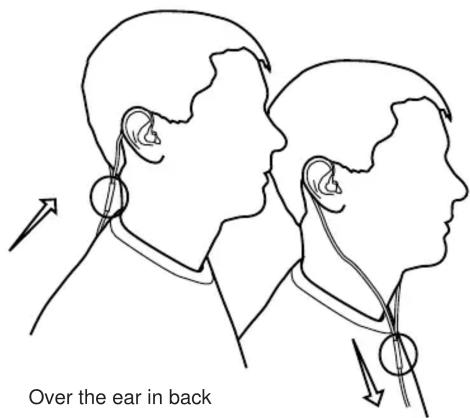
Detachable Cable
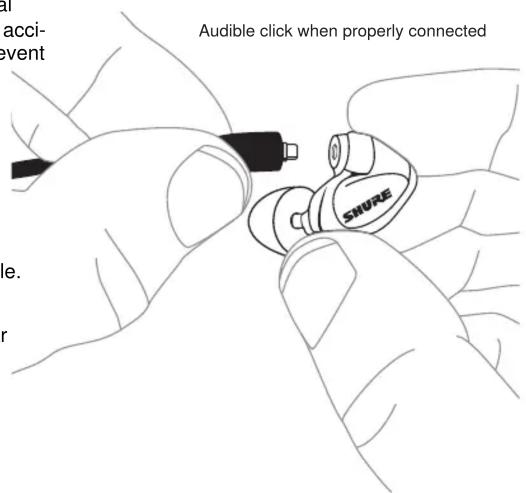
You may need to detach the cable from the earphones to attach optional components or to replace the cable if it becomes damaged. To prevent accidental separation, the connector has a snug fit. Take special care to prevent damage to the earphone and connector.
- Do not use pliers or other tools.
- Grasp the connector and the earphone as close as possible to where they join.
- Pull straight apart—do not twist. Cable is a snap fit, not threaded. Note: If you pull at an angle, the connector will not detach.
- Do not pull on the cable or put any pressure on the earphone nozzle.
- Listen for a click when connecting.
- When reattaching the cable, match the "L" and "R" markings. For clear cables and earphones, match the color dots (Red=Right, Blue=Left).
Inserting the Earphones
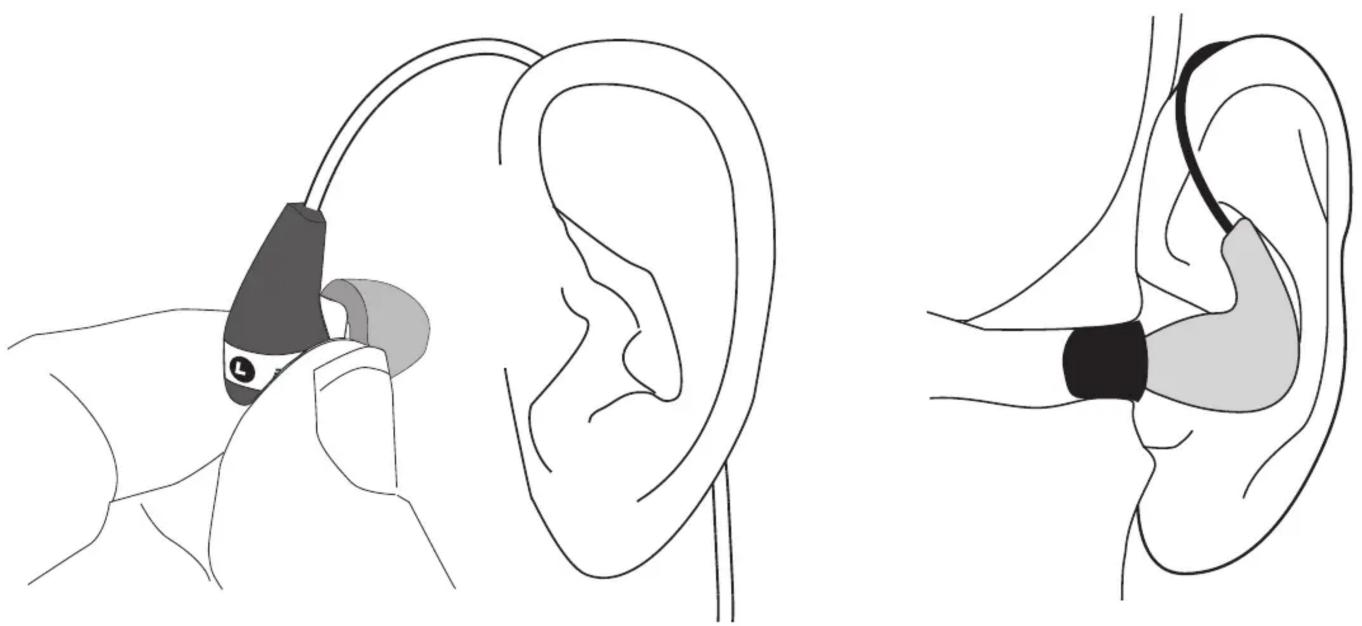
Insert the earphones so they form a tight seal. The fit of the earphone can greatly affect sound quality.
natural_image
Illustration of ear ear anatomy showing two views: one with a small ear device, the other with a stethoscope (no text or labels)Important: If there seems to be a lack of low frequency response (bass), this means that the earphone sleeve is not forming a tight seal. Gently push the earphone deeper into the ear canal or try a different sleeve.
Warning: Do not push the earphone sleeve beyond the ear canal opening.
Changing Sleeves
- Twist and pull to remove the sleeve from the nozzle.
- Slide on a new sleeve so that it completely covers the barb nozzle.
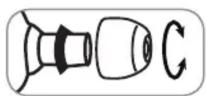
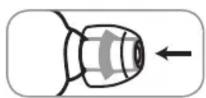
Caution: If the barb or any of the nozzle is exposed, the sleeve only installed. Replace sleeves if they do not tightly grip the nozzle and the proper fit and performance, use only sleeves supplied by Shure (un custom molded sleeves).
Removing the Earphones
Grasp the body of earphone and gently twist to remove.
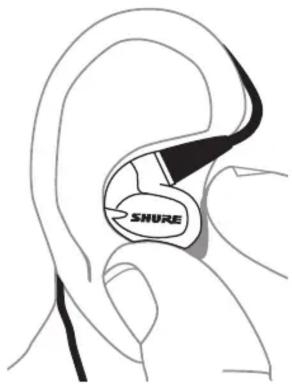
Note: Do not pull on cable to remove earphone.
Choosing a Sleeve
Select an earphone sleeve that provides the best fit and sound should be easy to insert, fit comfortably, and easy to remove.
| Isolation. It | Soft Flex Sleeves: In small, medium, and large sizes. Made from pliable rubber. |
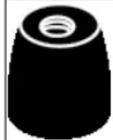 | Soft Foam Sleeves: Compress the foam sleeve between your fingers and insert into the ear Hold in place for about ten seconds while the expands. |
 | Triple-Flange Sleeves: If desired, use scissors to trim the stem on the sleeve. |
Using the Remote
Use the remote to control compatible media phone players.
• Answer/End Call: Click the center button once.
- When answering calls speak in a normal manner.
- Answer/end calls on most phones by pressing the center button
Please read your mobile device's user guide for more information of use the answer/end button, check for additional features, or to trouble usage problems.
NOTE: On some phones it might be necessary to adjust the volume once switching from phone call to music.
For more information about compatible models go to: www.shure.com
Maintenance and Cleaning
Careful maintenance ensures a tight seal between the sleeve and nozzle, improving sound quality and product safety.
- Keep the earphones and sleeves as clean and dry as possible.
- To clean sleeves, remove them from earphones, gently rinse in warm water and air dry. Foam sleeves require a longer drying time. Inspect for damage and replace if necessary. Ear sleeves must be completely dry before reusing.
- Wipe the earphones and sleeves with mild antiseptic to avoid infections. Do not use alcohol-based disinfectants.
- Do not expose earphones to extreme temperatures.
- Replace sleeves if they do not fit properly.
- Do not attempt to modify this product. Doing so will void the warranty and could result in personal injury and/or product failure.
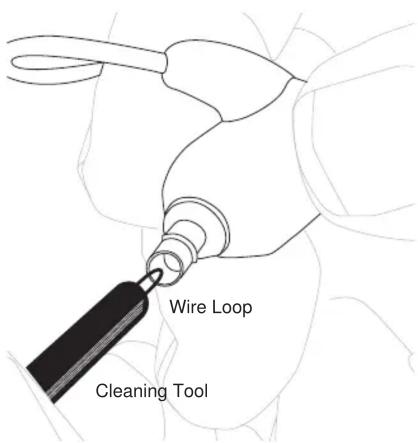
Cleaning the Earphone Nozzle
If you notice a change in sound quality, remove the sleeve and nozzle of your earphone. If nozzle is blocked, clear obstruction by loop end of cleaning tool.
If no obstruction is found or if sound quality does not improve, sleeve with a new sleeve.
Caution: When cleaning, do not force any object through the earphone-nozing! Withs will damage the earphone sound filter.
Warning: The cleaning tool is only to be used to clean the earph replace use, such as using the tool to clean ears or foam sleeve, in injury.
The cable connectors to the earphones may collect debris or other that can affect audio quality. If this happens, disconnect the cables them using a dry cotton swab.
Specifications
Transducer Type
Single High-Definition MicroDriver
Sensitivity
at 1 kHz
107 dB SPL/mW
Impedance
at 1 kHz
17 Ω
Frequency Range
| 21 Hz-17.5 kHzSE215 | |
| 22 Hz-17.5 kHzSE215 |
Specia
Net Weight
30 g (1 oz.)
Accessories
For information about earphone accessories and other Shure products furnished accessories subject to change.
www.shure.com
Certifications
This product meets the Essential Requirements of all relevant European directives and is eligible for CE marking.
The CE Declaration of Conformity can be obtained from:
www.shure.com/europe/compliance
Authorized European representative:
Shure Europe GmbH
Headquarters Europe, Middle East & Africa
Department: EMEA Approval
Jakob-Dieffenbacher-Str. 12
75031 Eppingen, Germany
Phone: +49-7262-92 49 0
Fax: +49-7262-92 49 11 4


Brand : SHURE
Model : SE215 Pro
Category : Headphones