
SSD7502 - Regulator Highpoint - Free user manual and instructions
Find the device manual for free SSD7502 Highpoint in PDF.


| Product Type | M.2 NVMe RAID Controller |
| Model | SSD7502 |
| Brand | HighPoint Technologies |
| Host Interface | PCIe 4.0 x16 (backward compatible with PCIe 3.0) |
| M.2 Ports | 2x M.2 (NVMe) |
| Supported Drives | NVMe M.2 SSDs |
| Form Factor | Low-profile PCIe Card |
| Cooling | Active fan + heatsink with thermal pad |
| Operating Systems | Windows 10, Windows Server 2016+, Linux kernel 3.10+, macOS 10.13+ |
| RAID Support | Hardware RAID (RAID 0, 1, 10, etc. via software) |
| Kit Contents | Controller card, quick installation guide, low-profile bracket |
| Installation | Remove heatsink, install M.2 SSDs, apply thermal pad, reassemble |
| Safety Precautions | Ensure proper heatsink alignment to prevent overheating and data loss |
| Maintenance | Keep fan and heatsink clean; reapply thermal pad if necessary |
| Spare Parts | Low-profile bracket included; contact support for fan/heatsink |
| Warranty | Refer to HighPoint official warranty policy |
| Dimensions (approx.) | Standard low-profile PCIe card (typical 6.6 x 2.7 x 1.2 in) |
| Power Consumption | Powered via PCIe slot (typical < 25W) |
| Compliance | RoHS, CE, FCC (assumed) |
| Support Resources | Online manuals, drivers, FAQ at highpoint-tech.com |
Frequently Asked Questions - SSD7502 Highpoint
User questions about SSD7502 Highpoint
0 question about this device. Answer the ones you know or ask your own.
Ask a new question about this device
Download the instructions for your Regulator in PDF format for free! Find your manual SSD7502 - Highpoint and take your electronic device back in hand. On this page are published all the documents necessary for the use of your device. SSD7502 by Highpoint.
USER MANUAL SSD7502 Highpoint
2x M.2 Port to PCIe 4.0x16 NVMe RAID Controller
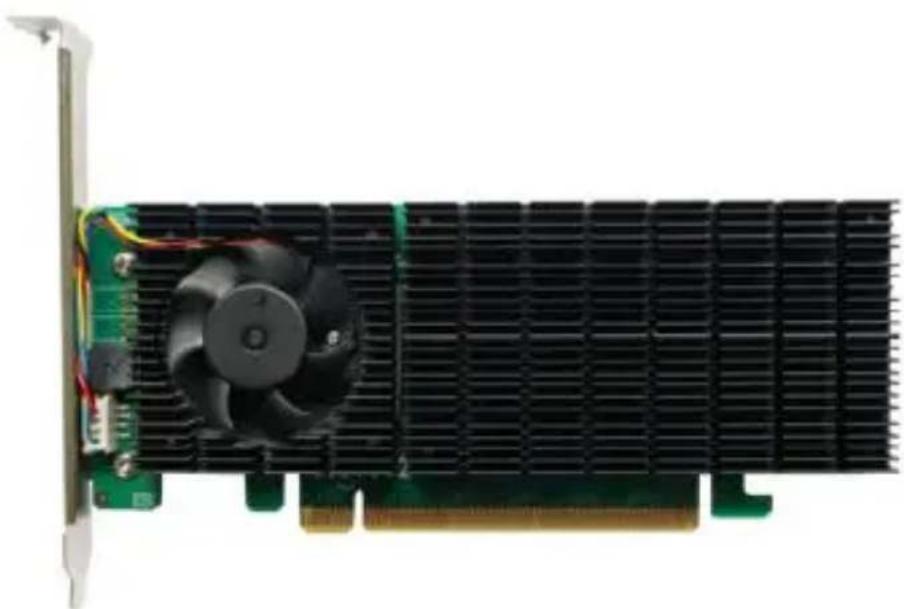
Quick Installation Guide
V1.00
System Requirements
PC Requirements
• System with a free PCIe 4.0 x16 or PCIe3.0 x16 slot
• Windows 10, Windows Server 2016 or later, Microsoft Hyper-V
• Linux kernel 3.10 and later
• MacOS 10.13 and later
SSD7502 Kit Content
- SSD7502 Controller Card
- Quick Installation Guide
- Low Profile Bracket
SSD7502 Hardware
Front View
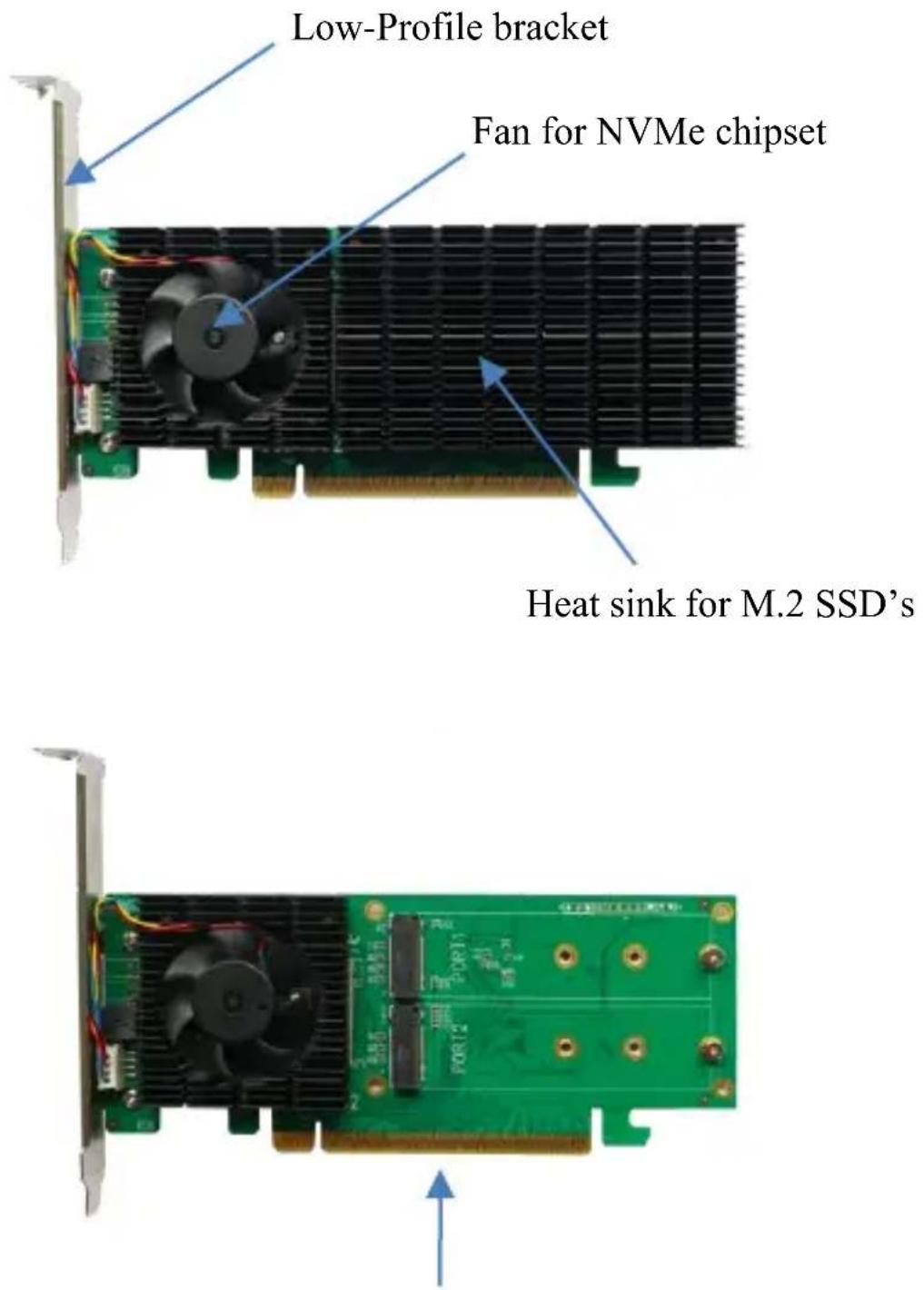
PCIe 3.0 x16 Host Interface
SSD7502 Hardware Installation:
Step 1. On the rear of the SSD7502, remove the four screws that secure the unit's heat sink to the PCB.
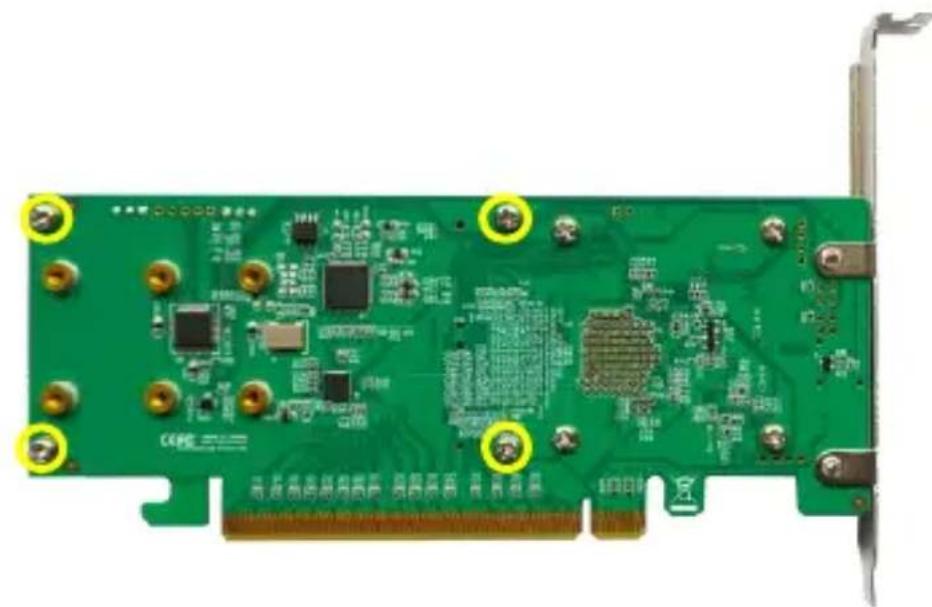
After removing the screws, carefully remove the heat sink from the SSD7502.
Step 2. After removing the casing, carefully turn it over to view the thermal pad. The blue film must be removed from the pad before reinstalling the panel. This film protects the pad from damage and foreign objects prior to installation, but will also prevent the pad from transferring heat away from the NVMe SSD's and controller componentry.
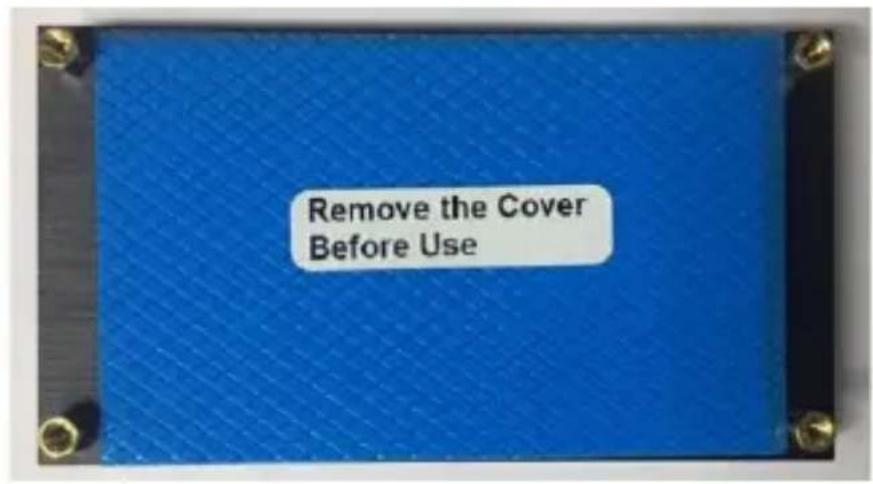
Step 3. These 2 screws are used to install the NVMe SSD's.
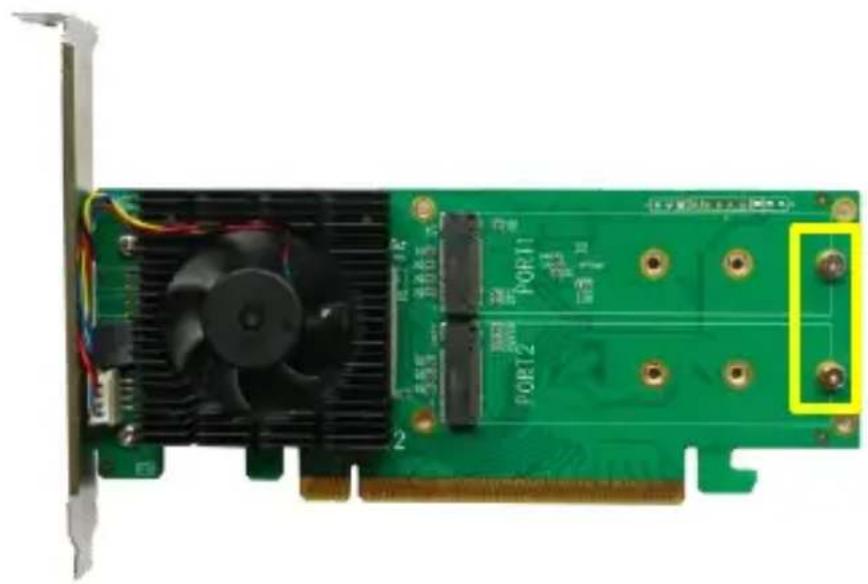
Step 4. Please remove the screws on the right side of SSD7502
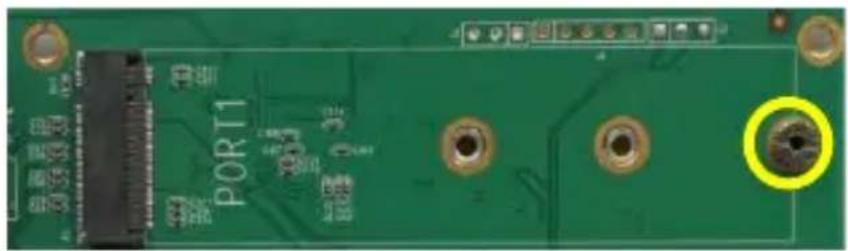
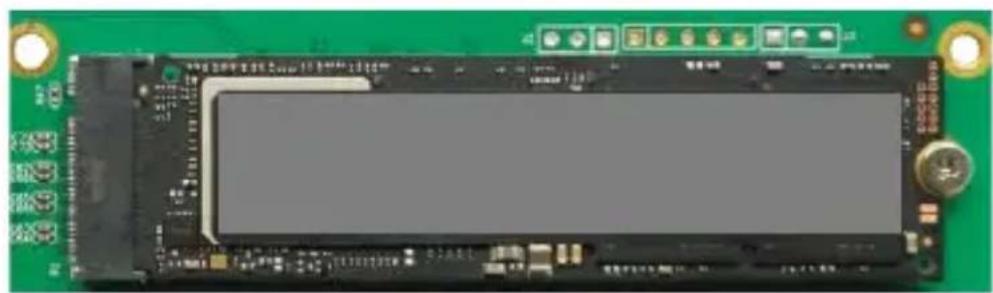
Step 5. Gently insert the SSD into the slot. Refasten the screw to secure the SSD.
Repeat Steps 3 to 5 to install the remaining SSD.
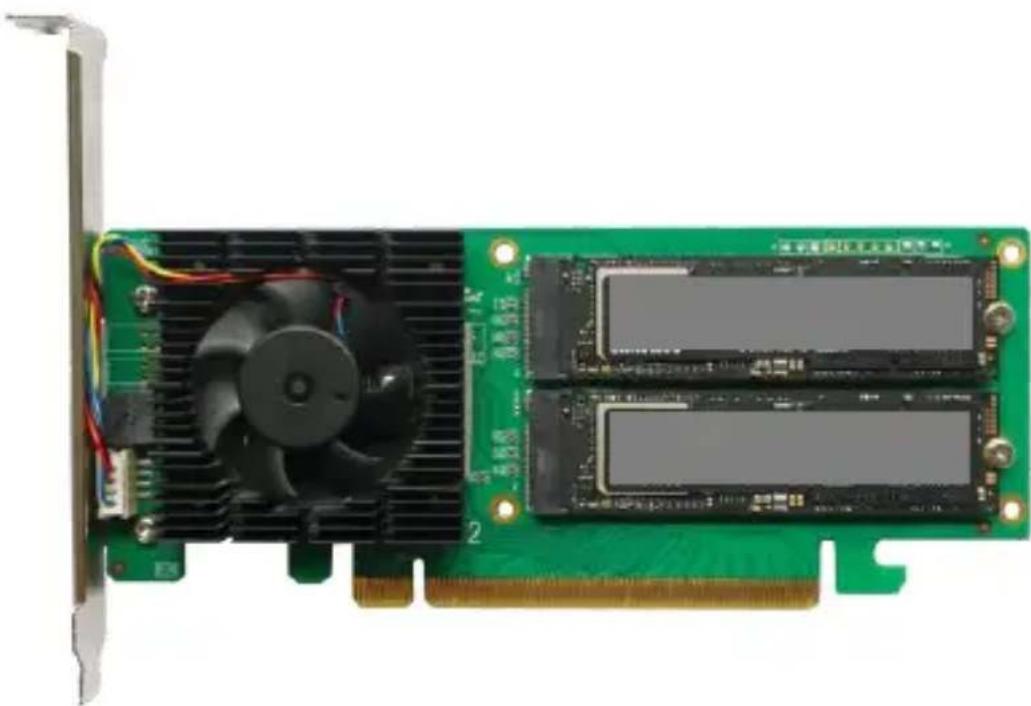
Note: Make sure the SSD's are carefully, but securely installed into each M.2 port. Loose connections can cause a variety of stability and performance issues, and may ultimately result in data loss.
Step 6. Replace the heat sink after installing all SSDs
Step 7. On the rear of the SSD7502, refasten the 4 screws that were removed in step 1.
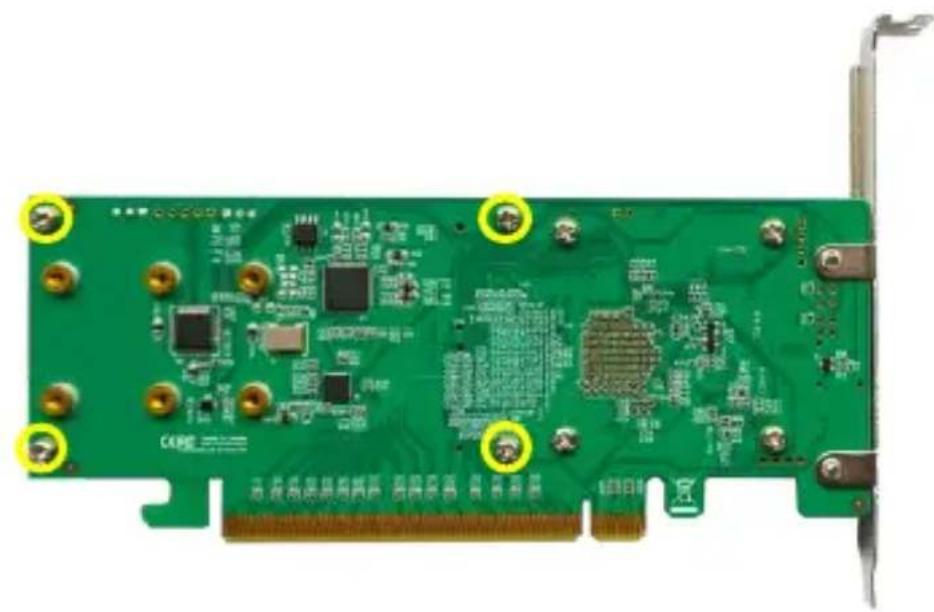
Note: Make sure the heatsink & fan assembly are properly aligned with the controller board (PCB), and that it makes full contact with the thermal pad, before refastening it to the SSD7502. If this assembly is improperly installed, the fan, heatsink and thermal pad will be unable to sufficiently cool the NVMe SSD's and controller componentry, which may result in damage to the SSD's or controller hardware, performance loss, unstable I/O, and the loss of data.
Resources
A variety of manuals, guides and FAQ's are available for the SSD7502 RAID controller.
In addition, we recommend visiting the Software Downloads webpage for the latest drivers, management interfaces, and installation guides.
Software Download:
https://highpoint-tech.com/USA_new/series-ssd7502-overview.html
Customer Support
If you encounter any problems while utilizing the SSD7502 drive, or have any questions about this or any other HighPoint Technologies, Inc. product, feel free to contact our Customer Support Department.
Web Support:
https://www.highpoint-tech.com/websupport/main.php
HighPoint Technologies, Inc. websites:
https://www.highpoint-tech.com


Brand : Highpoint
Model : SSD7502
Category : Regulator