
V-Panel TSD-2020 - Monitor Crestron - Free user manual and instructions
Find the device manual for free V-Panel TSD-2020 Crestron in PDF.


| Product Type | 20" HD Touch Screen Display |
| Brand | Crestron |
| Model | V-Panel TSD-2020 |
| Screen Size | 20 inches (diagonal) |
| Display Technology | TFT Color LCD with LED backlight |
| Touch Technology | Capacitive touch supporting finger and included touch pen |
| Power Supply | AC adapter (supplied) with Class I construction |
| Input/Output | USB connectivity for touch input |
| Mounting Options | Wall mount (follow manufacturer's method) |
| Cleaning Instructions | Unplug before cleaning; use a dry cloth only; avoid liquid cleaners |
| Operating Conditions | Avoid exposure to rain, moisture, extreme temperatures, and direct sunlight |
| Continuous Use Warranty | Up to 15 hours per day; exceeding this may void warranty |
| Included Accessories | AC adapter, power cord, touch pen |
| Safety | Class I construction; no user-serviceable parts; use only specified replacement parts |
| Regulatory Information | Patents listed at patents.crestron.com |
| Manufacturer | Crestron Electronics, Inc., Rockleigh, NJ |
Frequently Asked Questions - V-Panel TSD-2020 Crestron
User questions about V-Panel TSD-2020 Crestron
0 question about this device. Answer the ones you know or ask your own.
Ask a new question about this device
Download the instructions for your Monitor in PDF format for free! Find your manual V-Panel TSD-2020 - Crestron and take your electronic device back in hand. On this page are published all the documents necessary for the use of your device. V-Panel TSD-2020 by Crestron.
USER MANUAL V-Panel TSD-2020 Crestron
TO REDUCE THE RISK OF FIRE OR ELECTRIC SHOCK, DO NOT EXPOSE THIS APPARATUS TO RAIN OR MOISTURE. THE APPARATUS SHALL NOT BE EXPOSED TO DRIPPING OR SPLASHING. OBJECTS FILLED WITH LIQUIDS, SUCH AS VASES, SHOULD NOT BE PLACED ON THE APPARATUS.
WARNING:
TO PREVENT ELECTRIC SHOCK, DO NOT REMOVE COVER. THERE ARE NO USER SERVICEABLE PARTS INSIDE. ONLY QUALIFIED SERVICE PERSONNEL SHOULD PERFORM SERVICE.
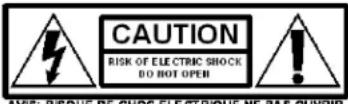
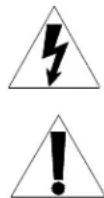
The lightning flash with arrowhead symbol, within an equilateral triangle, is intended to alert the user to the presence of uninsulated “dangerous voltage” within the product's enclosure that may be of sufficient magnitude to constitute a risk of electric shock to persons.
The exclamation point within an equilateral triangle is intended to alert the user to the presence of important operating and maintenance (servicing) instructions in the literature accompanying the appliance.
WARNING:
THIS IS AN APPARATUS WITH CLASS I CONSTRUCTION. IT SHALL BE CONNECTED TO AN ELECTRICAL OUTLET WITH AN EARTHING GROUND TERMINAL.
IMPORTANT:
This device can be used with Class 2 output wiring.
The specific patents that cover Crestron products are listed at patents.crestron.com.
Crestron, the Crestron logo, and V-Panel are either trademarks or registered trademarks of Crestron Electronics, Inc. in the United States and/or other countries. Other trademarks, registered trademarks, and trade names may be used in this document to refer to either the entities claiming the marks and names or their products. Crestron disclaims any proprietary interest in the marks and names of others. Crestron is not responsible for errors in typography or photography.
This document was written by the Technical Publications department at Crestron.
©2013 Crestron Electronics, Inc.
Contents
V-Panel 20" HD Touch Screen Display: TSD-2020 1
Safety Precautions ....1
Operating Tips 4
Resources....6
Further Inquiries 6
Future Updates ....6
V-Panel 20" HD Touch Screen Display: TSD-2020
Safety Precautions
The Crestron ^® TSD-2020 has been engineered and manufactured with safety as the highest priority. However, improper use can result in electric shock or fire. To ensure safety and prolong the service life of the TSD-2020, please read the following precautions carefully before using this product.
- Read instructions—All operating instructions must be read and understood before the product is used.
- Keep this manual in a safe place—These safety and operating instructions must be kept in a safe place for future reference.
- Observe warnings—All warnings on the product and in the instructions must be observed.
- Follow instructions—All operating instructions must be followed.
- Cleaning—Unplug the power cord from the ac outlet before cleaning the product. Use a dry cloth to clean the product. Do not use liquid cleaners or aerosol cleaners.
- Attachments—Do not use attachments which are not recommended by the manufacturer. Use of non-recommended attachments can result in accidents.
- Water and moisture—Do not use the product near water. Do not install the product in a place where water may splash onto it. Be careful of equipment which drains water such as air conditioners.
- Ventilation—The vents and other openings in the cabinet are designed for ventilation. Do not cover or block these vents and openings since insufficient ventilation can cause overheating and shorten the life of the product. Do not place the product on a sofa, rug or other similar surface since these can block ventilation openings. Do not place the product in an enclosed place such as a bookcase or rack unless proper ventilation is provided or the manufacturer's instructions are followed.
-
Power cord protection—The power cord must be routed properly to prevent it from being stepped on or having objects placed on it.
-
The screen used in this product is made of glass. Therefore, it can break when the product is dropped or something is dropped on the product. If the screen breaks, be careful to avoid injury from broken glass.
- Overloading—Do not overload ac outlets or extension cords. Overloading can cause fire or electric shock.
- Avoid inserting objects and spilling liquids—Never insert an object into the product through the vents or openings. High voltage flows in the product and inserting an object can cause electric shock or short circuit internal parts.
- Servicing—Removing covers can expose high voltage and other dangerous conditions. Have all service performed by qualified service personnel.
- Repair—If any of the following conditions occur, unplug the power cord from the ac outlet and have a qualified service person perform any repairs.
When the power cord or plug is damaged
When a liquid was spilled on the product or when objects have fallen into the product
⇒ When the product has been exposed to rain or water
When the product does not operate properly
⇒ When the product has been dropped or damaged
When the product displays an abnormal condition—Any noticeable abnormality in the product indicates the product needs servicing.
- Replacement parts—In case the product needs replacement parts, make sure the service person uses replacement parts specified by the manufacturer or those with the same characteristics and performance as the original parts. Use of unauthorized parts can result in fire, electric shock or other danger.
- Safety checks—Upon completion of service or repair work, the service technician must perform safety checks to ensure the product is in proper operating condition.
- Wall mounting—When mounting the product on a wall, be sure to install the product according to the method recommended by the manufacturer.
- Heat sources—Keep the product away from heat sources such as radiators, heaters, stoves and other heat generating products (including amplifiers).
- Use of this product must not be accompanied by fatal risks or dangers that could lead directly to death, personal injury, severe physical damage or other loss, including nuclear reaction control in a nuclear facility, medical life support systems, and missile launch control in a weapon system.
- Do not touch the ac adapter or other parts of the product that might become hot after long periods of use. Doing so may result in low-temperature burns.
- Do not place this product on top of unstable objects or in unsafe places. Do not allow the product to receive strong shocks or to strongly vibrate.
- Use only the power cord and ac adapter supplied with the product.
- When handling the ac adapter, observe the following as incorrect handling may result in fire, electric shock or injury.
⇒ Do not drop the ac adapter or subject it to impact.
Never disassemble the ac adapter. It contains high voltage parts that are dangerous to touch.
⇒ The ac adapter is for indoor use only. Do not use it outdoors.
⇒ Do not use the supplied ac adapter with other devices.
- Do not damage the power cord or ac adapter. Do not place heavy objects on the cord, stretch it or over bend it. Also, do not add extension cords. Damage to the cord may result in fire or electric shock.
- Do not use the power cord with a power tap. Adding an extension cord may lead to fire as a result of overheating.
- Do not remove or insert the power plug with wet hands. Doing so could result in electric shock.
- Unplug the power cord when the product is not used for a long time.
- Do not attempt to repair the power cord if it is broken or malfunctioning. Refer the service to a qualified technician.
• For viewer health, observe the following:
If using the product continuously, take a 10- to 15-minute break every hour to rest the eyes.
⇒ Do not use the product in high contrast light conditions.
Do not use the product in locations where the screen is subject to direct sunlight.
Operating Tips
For best results, observe the following operating tips.
- The TFT color LDC panel used in the TSD-2020 is made with the application of high precision technology. However, there may be minute points on the screen where pixels never light or are permanently lit. Also, if the screen is viewed from an acute angle, there may be uneven color or brightness. Please note these are not malfunctions but common phenomena associated with LCDs and will not affect the performance of the product.
- Do not display a still picture for a long period as this could cause residual damage.
• Never rub or tap the monitor with hard objects.
• This product and its accessories may be upgraded without advance notice. - Continuous Operation Time and Warranty This product has been designed based on the assumption of 15 or fewer hours of use per day. Continuous use that exceeds 15 hours per day is not covered by the warranty.
- The ac outlet shall be installed near the equipment and shall be easily accessible.
- Do not touch the screen when starting the TSD-2020. If the screen is touched, the device may not function correctly. In this situation, turn off the TSD-2020, wait at least 5 seconds and then turn it on again.
- Do not operate the TSD-2020 with a hard or pointed object such as a fingernail, pencil or pen other than the included touch pen.
- Depending on the application used, the supplied touch pen may not function.
- If another USB device is connected to the computer to which the TSD-2020 is connected, do not operate the USB device during touch screen input. Otherwise, input may not function correctly.
• To avoid malfunction, keep all cables off the touch screen. - If used in a room (or other location) with drastic temperature variation, the display quality of the TSD-2020 and the quality of touch screen performance may suffer.
- The LED backlight in this product has a limited lifetime. If the screen gets dark or does not turn on, it may be necessary to replace the LED backlight. This LED backlight is exclusive to this product and must be replaced by an authorized Crestron servicing dealer or service center.
- When performing touch actions, use the ball of the finger.
- When performing pen actions, use the included touch pen.
- Do not use the touch pen for any purpose other than touch screen operation.
- Do not press hard on the tip of the touch pen.
-
If there is dirt or foreign matter on the tip of the touch pen, remove it. Failure to do so may damage the screen.
-
Even when in pen-only mode, the TSD-2020 may respond to objects other than the included touch pen.
- When performing pen actions with the included touch pen, do not touch the screen with anything other than the hand that is holding the pen.
Resources
Further Inquiries
To locate specific information or resolve questions after reviewing this guide, contact Crestron's True Blue Support at 1-888-CRESTRON [1-888-273-7876] or, for assistance within a particular geographic region, refer to the listing of Crestron worldwide offices at www.crestron.com/offices.
To post a question about Crestron products, log onto Crestron's Online Help at www.crestron.com/onlinhelp. First-time users must establish a user account to fully benefit from all available features.
Future Updates
As Crestron improves functions, adds new features, and extends the capabilities of the TSD-2020, additional information may be made available as manual updates. These updates are solely electronic and serve as intermediary supplements prior to the release of a complete technical documentation revision.
Check the Crestron website periodically for manual update availability and its relevance. Updates are identified as an “Addendum” in the Download column.
This page is intentionally left blank.

CRESTRON®
Crestron Electronics, Inc.
15 Volvo Drive Rockleigh, NJ 07647 (2038884)
Tel: 888.CRESTRON 11.13
Fax: 201.767.7576
www.crestron.com
Operations Guide - DOC. 7611A
Specifications subject to
change without notice.

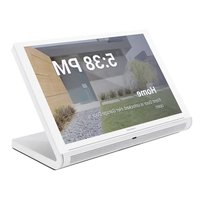
Brand : Crestron
Model : V-Panel TSD-2020
Category : Monitor