
XMP-6250 - Media player Iadea - Free user manual and instructions
Find the device manual for free XMP-6250 Iadea in PDF.


| Product Type | Media Player |
| Brand | Iadea |
| Model | XMP-6250 |
| Video Format Support | H.264, VC-1, MPEG-4 ASP, MPEG-2 (up to 1080p, 10 Mbps) |
| Image Format Support | JPEG, PNG (up to 1920x1080) |
| Audio Codec Support | MP3 (up to 320 Kbps) |
| Dynamic Content | HTML5, SMIL 3.0 |
| Video Output | HDMI 1.4 |
| USB Ports | 2 x USB 2.0 |
| Ethernet | RJ45 |
| Wireless Antenna | External antenna (included) |
| Audio Output | 3.5mm analog, S/PDIF digital |
| Local Storage | 8 GB eMMC + Micro SD card slot |
| Power Input | 12V DC, 1.5 A |
| Power Consumption | Average 6 W |
| Dimensions (W x D x H) | 138.60 x 128.10 x 30.20 mm (5.45 x 5.04 x 1.18 in) |
| Weight | 334.2 g (0.74 lbs) |
| Operating Temperature | -20 to 50°C (-68 to 122°F) |
| Humidity | 10% – 85% @ 45°C non-condensing |
| Certifications | CE, FCC, IC |
| Warranty | One-year limited parts & labor |
| Mounting Options | Wall mount (M4 screw) or Velcro on monitor |
| Accessories Included | AC adapter, HDMI cable, wireless antenna, Velcro, mounting brackets |
| System Setup | Requires USB mouse (not included) |
Frequently Asked Questions - XMP-6250 Iadea
User questions about XMP-6250 Iadea
0 question about this device. Answer the ones you know or ask your own.
Ask a new question about this device
Download the instructions for your Media player in PDF format for free! Find your manual XMP-6250 - Iadea and take your electronic device back in hand. On this page are published all the documents necessary for the use of your device. XMP-6250 by Iadea.
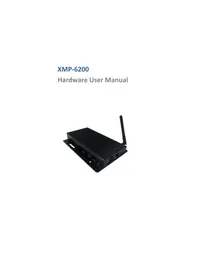
USER MANUAL XMP-6250 Iadea
natural_image
Black HDMI router device with visible ports and antenna (no text or symbols on body)Contents
1. Introduction 1
1.1. Package contents 1
1.2. Installation 1
1.3. Physical view 3
2. Technical Data 4
2.1. Specifications 4
1. Introduction
This document describes the hardware of the XMP-6250.
1.1. Package contents
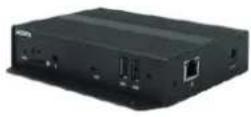
Media Player Unit
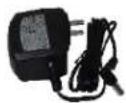
AC Adapter
(with select power plug)
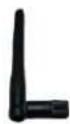
Wireless Antenna
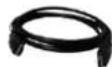
HDMI Cable

Velcro (2 sets)

Power and Micro SD card brackets
NOT INCLUDED: A USB mouse is required for system setup
1.2. Installation
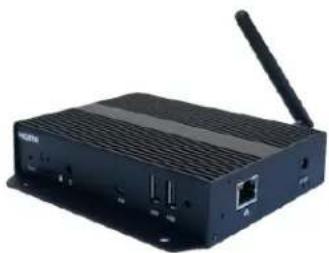
Attach wireless antenna
Attach the wireless antenna as shown below, and then screw antenna clockwise onto the post.
natural_image
Black wireless router device with antenna and ports (no visible text or labels)Mounting Option 1: [Wall Mount]
The player has built-in wall mount bracket, screw thread: M4
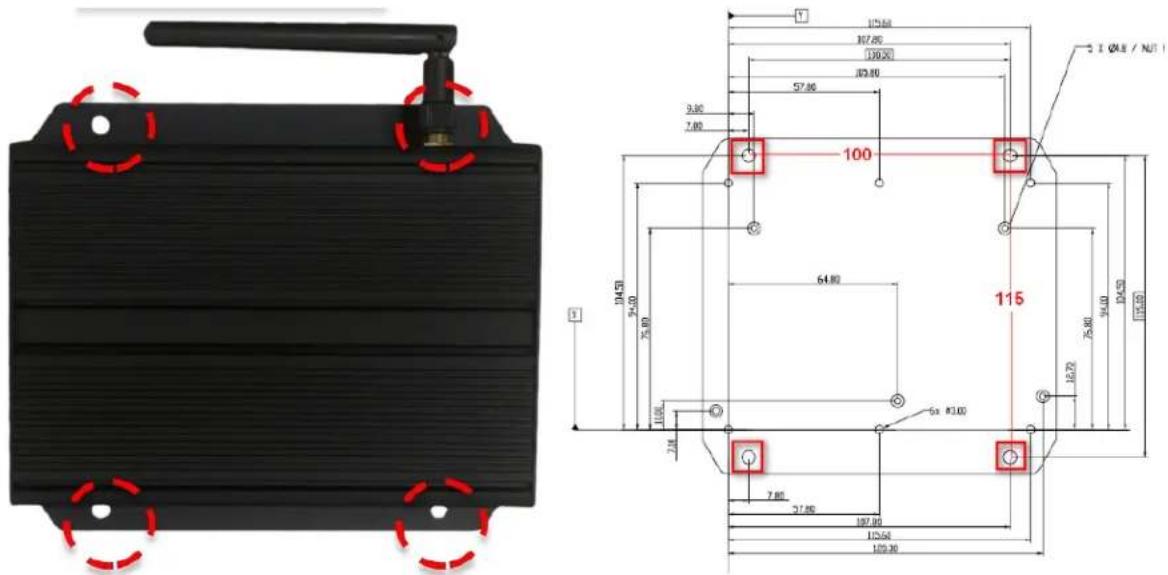
Mounting Option2: [Attach the player on the back of the monitor using Velcro]
- Separate the Velcro pads, and stick on the bottom of player.
- Stick the other Velcro pad onto the back of monitor, and then attach the player to it.
- Use HDMI cable to connect player and the monitor.
![Iadea XMP-6250 - Mounting Option2: [Attach the player on the back of the monitor using Velcro] - 1](/content/2026/05/819167/images/893e80d32c36a69ab95fad87cf411afa0d7f5c122eab2419b562062f691bedbe.jpg)
natural_image
Interior view of an electronic device with a mounted power supply unit and control panel (no visible text or symbols)1.3. Physical view
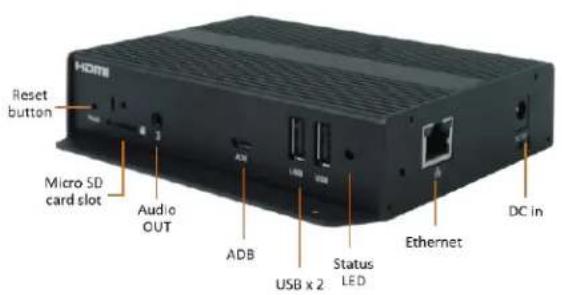
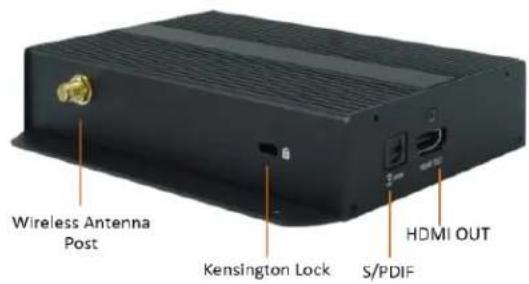
Physical features (left to right in above illustration)
- Reset button to perform factory reset
- Micro SD card slot
• 3.5mm Audio out - Micro USB for ADB, Android debug console port
• 2 x USB ports for USB content update and configuration
• Power(green) and Status(orange) LED indicator - Ethernet port for network content update
- DC input port
- Wireless antenna post
- Kensington lock
• S/PDIF Audio out
• HDMI connector for digital video and audio combined OUTPUT
2. Technical Data
2.1. Specifications
| XMP-6250 | |
| Video format support | H.264 (up to 1080p,10Mbps)VC-1 (up to 1080p,10Mbps)MPEG-4 ASP (up to 1080p,10Mbps)MPEG-2 (up to 1080p,10Mbps)POPAI Screen Media Standards : S6 to S12, E4,E7,E8 |
| Image format support | JPEG,PNG up to 1920x1080POPAI Screen Media Standards : S1 to S3, E1 to E3 |
| Audio codec support | MP3 up to 320KbpsPOPAI Screen Media Standards : S4, S5 |
| Dynamic content | W3C HTML5 (HTML, CSS, JavaScript)W3C SMIL 3.0 instructions (sub-set) |
| Physical I/O connectors | HDMI 1.4 for AV OUTPUTUSB 2.0 x 2RJ45 Ethernet portWireless antenna portMicro USB for ADBMicro SD card slotLED: Power(green)/Status(orange) |
| Local storage | 8 GB eMMC with Micro SD card expansion slot |
| Accessories | AC adapter(UL/CB/PSE certified power supplies)HDMI cableWireless antennaVelcro (2 sets)Micro SD card slot bracket/screw x1Power jack bracket/screw x1 |
| Power requirement | 12V 1.5A DC |
| Power consumption | Average 6 W |
| Environmental | Operating temperature: -20 to 50°C / -68 to 122° FHumidity: 10 – 85% @ 45°C /113°F non-condensing |
| Dimensions | 138.60x 128.10x30.20 mm (5.45x5.04x1.18 inches, incl. base/mounting bracket) |
| Weight | 334.2 g0.74 lbs |
| Certifications | CE/FCC/IC |
| Warranty | One-year limited parts & labor |

- Contents
- Introduction 1
- Technical Data 4
- Introduction
- Package contents
- Installation
- Attach wireless antenna
- Mounting Option 1: [Wall Mount]
- Mounting Option2: [Attach the player on the back of the monitor using Velcro]
- Physical view
- Physical features (left to right in above illustration)
- Technical Data
- Specifications
Brand : Iadea
Model : XMP-6250
Category : Media player