XMP-6400 - Uncategorized Iadea - Free user manual and instructions
Find the device manual for free XMP-6400 Iadea in PDF.


Pick your language and provide your email: we'll send you a specifically translated version.
| Product Type | Media Player / Set-Top Box |
| Model | XMP-6400 |
| Brand | Iadea |
| Dimensions (W x D x H) | 170 x 120 x 40 mm |
| Weight | 0.5 kg |
| Power Supply | DC 12V, 1.5A |
| Power Consumption | 18 W max |
| Supported Video Formats | MPEG-4, H.264, H.265, VP9 |
| Supported Audio Formats | MP3, AAC, WAV, FLAC |
| Output Resolution | Up to 4K UHD @ 60 Hz |
| Connectivity | HDMI 2.0, USB 2.0, Ethernet, Wi-Fi 802.11 b/g/n |
| Storage | MicroSD slot, supports up to 128 GB |
| Main Functions | Media playback, streaming, file browsing |
| Operating System | Linux-based embedded OS |
| Control | Remote control (IR) |
| Package Contents | XMP-6400 unit, remote control, power adapter, user manual |
| Care and Cleaning | Wipe with dry cloth, avoid liquids |
| Safety Precautions | Use only provided power adapter, keep away from water |
| Spare Parts Availability | Remote control, power adapter available |
| Repairability | Limited user-serviceable parts; contact support for repairs |
| General Information | Designed for home entertainment, silent operation |
Frequently Asked Questions - XMP-6400 Iadea
How do I set up the Iadea XMP-6400?
Connect the power adapter, then use an HDMI cable to connect to your TV. Turn on the device and follow on-screen instructions.
Can I play 4K video on this device?
Yes, the XMP-6400 supports 4K UHD output at 60 Hz for compatible video files.
How do I connect to Wi-Fi?
Go to Settings > Network > Wi-Fi, select your network, and enter the password.
What file formats are supported?
It supports video formats like MP4, MKV, AVI (H.264/H.265) and audio formats like MP3, AAC, FLAC.
The remote control is not working. What should I do?
Check the batteries, ensure there are no obstructions, and point the remote directly at the IR receiver on the device.
Can I expand the storage?
Yes, you can insert a microSD card up to 128 GB into the slot on the side.
How do I reset the device to factory settings?
Go to Settings > System > Reset, or use a paperclip to press the reset button on the bottom for 10 seconds.
The device is overheating. What should I do?
Ensure proper ventilation, do not block the vents, and place on a hard surface. If problem persists, contact support.
Can I connect a USB drive?
Yes, connect a USB drive to the USB 2.0 port to access media files.
Where can I find the user manual?
A digital copy is available on the product page or can be downloaded from the manufacturer's website.
User questions about XMP-6400 Iadea
0 question about this device. Answer the ones you know or ask your own.
Ask a new question about this device
No questions yet. Be the first to ask one.
Download the instructions for your Uncategorized in PDF format for free! Find your manual XMP-6400 - Iadea and take your electronic device back in hand. On this page are published all the documents necessary for the use of your device. XMP-6400 by Iadea.
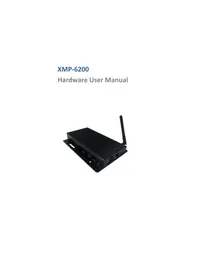
USER MANUAL XMP-6400 Iadea


Manual assistant
Powered by Anthropic
Waiting for your message
Product information
Brand : Iadea
Model : XMP-6400
Category : Uncategorized