
HM4000 - Humidifier BLACK & DECKER - Free user manual and instructions
Find the device manual for free HM4000 BLACK & DECKER in PDF.


| Product type | Humidifier |
| Brand | Black & Decker |
| Model | HM4000 |
| Water tank capacity | 4 L |
| Power | 30 W |
| Voltage | 220-240 V AC |
| Frequency | 50-60 Hz |
| Humidification technology | Ultrasonic |
| Aroma tray | Yes (essential oils recommended) |
| Water level indicator | Transparent water window |
| Activated carbon filter | Yes, replacement recommended every 4 months |
| Double insulation | Yes (no earth wire required) |
| Intended use | Indoor household use only |
| Warranty | 24 months |
| Recommended cleaning | Once a week |
| Descaling | With citric acid or descaling agent (ratio 1/50) |
| Automatic shut-off when water is low | Yes (audible alarm and flashing red light) |
Frequently Asked Questions - HM4000 BLACK & DECKER
User questions about HM4000 BLACK & DECKER
0 question about this device. Answer the ones you know or ask your own.
Ask a new question about this device
Download the instructions for your Humidifier in PDF format for free! Find your manual HM4000 - BLACK & DECKER and take your electronic device back in hand. On this page are published all the documents necessary for the use of your device. HM4000 by BLACK & DECKER.
USER MANUAL HM4000 BLACK & DECKER
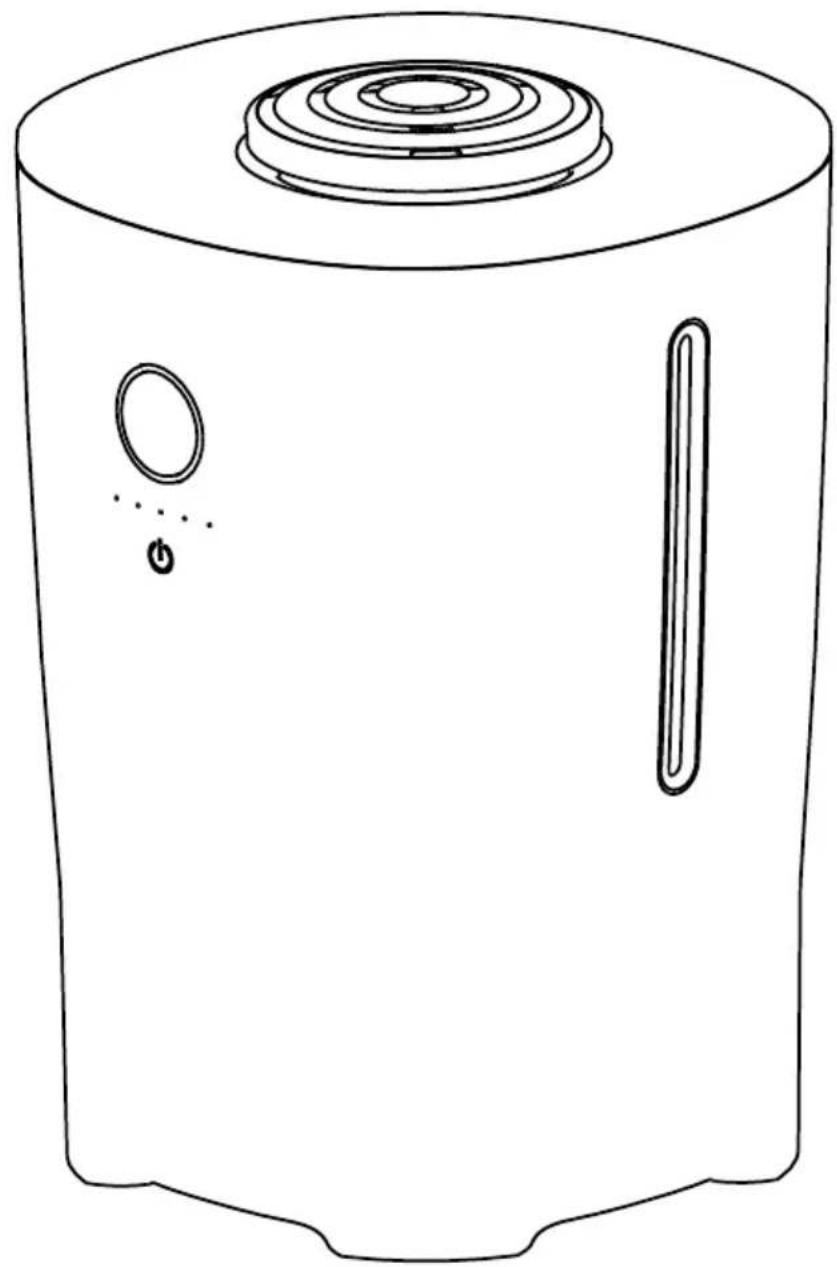
natural_image
Line drawing of a cylindrical device with a top and side panel, showing internal components (no text or symbols)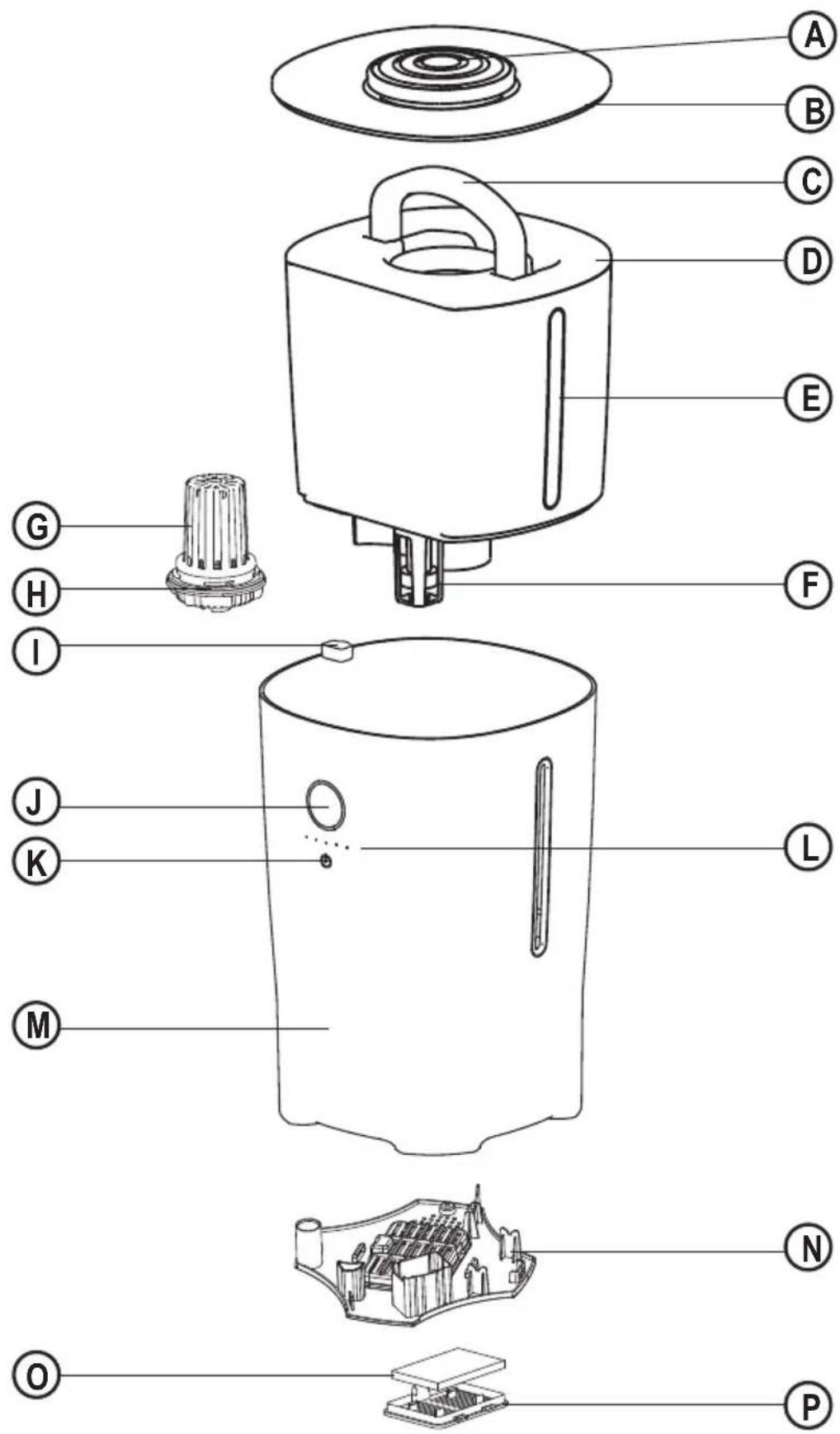
Float and float cover assembly
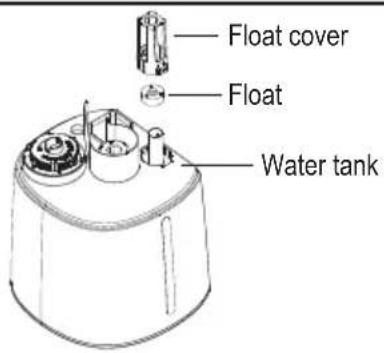
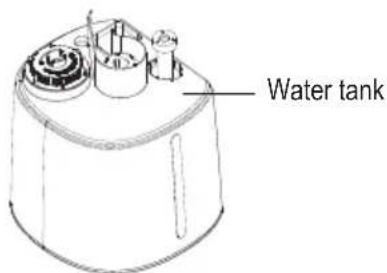
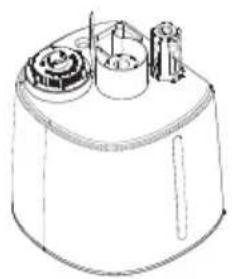
Install the float to the shaft as picture shows. (any side can face up)
natural_image
Line drawing of a cylindrical device with internal components and a handle (no text or symbols)Install the float cover up side the float and assemble it tightly.
Activated carbon filter and air inlet assembly
natural_image
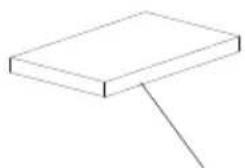
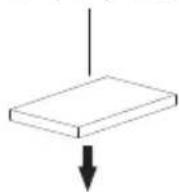
Simple line drawing of a rectangular block with a diagonal line extending from its top (no text or symbols)Activated carbon filter
natural_image
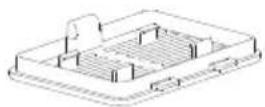
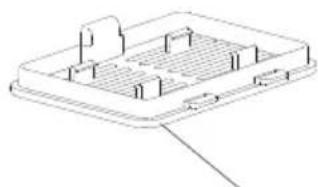
Isometric line drawing of a rectangular electronic component or enclosure with internal structure (no text or symbols)Air inlet
Black side places upwards
Silver side places adown
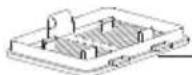
Air inlet
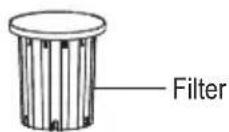
Filter and Water Inlet Assembly
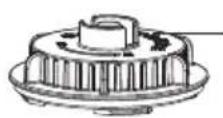
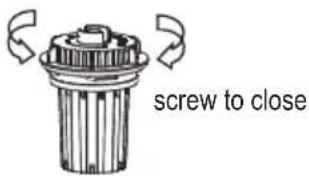
Water inlet plug
Screw to open
Intended use
Your BLACK+DECKER HM4000 Humidifier has been designed to increase the level of humidity in rooms and alleviate dry skin, chapped lips and other conditions that may occur in periods of low humidity.
This product is intended for consumer use only.
Thank you for choosing BLACK+DECKER. We hope that you will enjoy using this product for many years.
For indoor domestic household use only.
This appliance is not to be used in:
- Staff kitchen areas in shops, offices and other working environments;
- Farm Houses;
- By clients in hotels, motels and other residential type environments;
- Bed and breakfast type environments or any other non household type environments.
Safety instructions

Warning! Read all safety warnings and all instructions. Failure to follow the warnings and instructions listed below may result in electric shock, fire and/or serious injury.
- Read all of this manual carefully before using the appliance.
- Always route the power supply cord carefully to avoid a tripping hazard.
- The intended use is described in this manual. The use of any accessory or attachment or the performance of any operation with this appliance other than those recommended in this instruction manual may present a risk of personal injury.
Warning! When using mains-powered appliances, basic safety precautions, including the following, should always be followed to reduce the risk of fire, electric shock and personal injury and material damage.
- Retain this manual for future reference.
Using your appliance
• Always take care when using the appliance.
- Never pull the power supply cord to disconnect the plug from the socket.
- Keep the power supply cord away from heat, oil and sharp edges.
- Do not place the appliance on or near heat sources or in a heated oven.
- Do not use the appliance outdoors.
• Always protect the motor unit from water or excessive humidity.
- If the power supply cord is damaged during use, disconnect the appliance from the power supply
immediately. Do not touch the power supply cord before disconnecting from the power supply.
- Disconnect the appliance from the power supply when not in use, before fitting or removing parts and before cleaning.
- Never let the appliance operate unattended.
- Do not let the cord hang over the edge of a table, counter, or touch hot surfaces.
- Fully uncoil then guide the power supply cord neatly so it cannot be caught accidentally or tripped over.
- The humidifier must not be located immediately below a socket-outlet.
- To prevent overload and blown fuses, do not plug other appliance into same outlet (receptacle)
- Do not place the humidifier on carpets, don't place the cable under carpets. Arrange cord away from track areas so that it will not be tripped over.
- DO NOT place the humidifier under an electrical socket outlet or other product that maybe affected by humidity
- NEVER use this humidifier where it may come into contact with water i.e. bathroom, shower room, kitchen. Do not use this heater in the immediate surroundings of a bath, a shower or a swimming pool.
- ONLY de-mineralized or normal drinking water should be used in this product
Warning! In order to avoid overheating, do not cover the humidifier.
- Always ensure that hands are dry before operating or adjusting any switch on the product or touching the plug and mains supply connections.
- Do not use this humidifier with a programmer, timer, separate remote-control system or any other device that switches the humidifier on automatically, since a fire risk exists if the humidifier is covered or positioned incorrectly.
- To prevent a possible fire, do not block air intakes or exhaust in any manner. Do not use on soft surfaces, like a bed, where openings may become blocked.
- Don't use extension cable.
• Always operate on a flat horizontal surface.
- Do not insert or allow foreign objects to enter any ventilation or exhaust opening, as this may cause an electric shock, fire or damage to the appliance.
- Do not operate in areas where gasoline, paint or other flammable liquids are used or stored.
- The most common cause of overheating is deposits of dust or fluff in the appliance. Ensure these deposits are removed regularly by unplugging the appliance and vacuum cleaning air vents and grilles.
• Always use the humidifier in an upright position.
- To disconnect the appliance, switch it "OFF" then remove.
Warning! To reduce the risk of water-based bacteria being discharged into the room, regular cleaning and disinfecting is strongly recommended.
- Always leave sufficient space around the humidifier for ventilation.
- Do not use any additives in the water tank.
Safety of others
- This appliance is not intended for use by persons (including children) with reduced physical, sensory or mental capabilities, or lack of experience and knowledge, unless they have been given supervision or instruction concerning use of the appliance by a person responsible for their safety.
- Children should be supervised to ensure that they do not play with the appliance.
- Do not allow children or any person unfamiliar with these instructions to use the appliance.
- Do not allow children or animals to come near the work area or to touch the appliance or power supply cord.
- Close supervision is necessary when the appliance is used near children.
• Children of less than 3 years should be kept away unless continuously supervised. - Children aged from 3 years and less than 8 years shall only switch on/off the appliance provided that it has been placed or installed in its intended normal operating position and they have been given supervision or instruction concerning use of the appliance in a safe way and understand the hazards involved"
- Children aged from 3 years and less than 8 years shall not plug in, regulate and clean the appliance or perform user maintenance
After use
- Remove the plug from the socket before leaving the appliance unattended and before changing, cleaning or inspecting any parts of the appliance.
- When not in use, the appliance should be stored in a dry place. Children should not have access to stored appliances.
Inspection and repairs
- Switch off the appliance before cleaning, changing accessories or approaching parts which move in use.
- Before use, check the appliance for damaged or defective parts. Check for breakage of parts, damage to switches and any other conditions that may affect its operation.
- Do not use the appliance if any part is damaged or defective.
-
Have any damaged or defective parts repaired or replaced by an authorised repair agent.
-
Before use, check the power supply cord for signs of damage, ageing and wear.
- Do not use the appliance if the power supply cord or mains plug is damaged or defective.
- If the power supply cord or mains plug is damaged or defective it must be repaired by an authorised repair agent in order to avoid a hazard. Do not cut the power supply cord and do not attempt to repair it yourself.
- Never attempt to remove or replace any parts other than those specified in this manual.
Electrical safety
Before use, check that the mains voltage corresponds to the voltage on the rating plate.

This appliance is double insulated therefore no earth wire is required.
- To avoid the risk of electric shock, do not immerse the cord, plug or motor unit in water or other liquid.
- Check that the supply voltage shown on the rating plate of the appliance matches that of your electrical system. Any connection error will invalidate the guarantee.
Labels on Appliance
The following pictograms is shown on the appliance:

Warning! In order to avoid overheating, do not cover the humidifier.
Features
A. Nozzle
B. Top cover
C. Handle
D. Water tank
E. Water window
F. Float
G. Filter
H. Water inlet plug
I. Aroma tray
J. Lamp cover
K. Switch
L. Indicator light
M. Body
N. Bottom cover
O. Activated carbon filter
P. Air inlet
Use
- Place the appliance upright on a flat and sturdy surface.
-
Remove the cover and nozzle, turn the water tank upside down and turn the water inlet plug anti-clockwise.
-
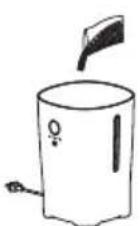
Fill the water tank with water. Water must be clean and water temperature must not be higher than 40^ C or lower than 6^ C. Replace the water inlet plug to the water tank. Wipe any water droplet on the water tank and place it back to the body.
-
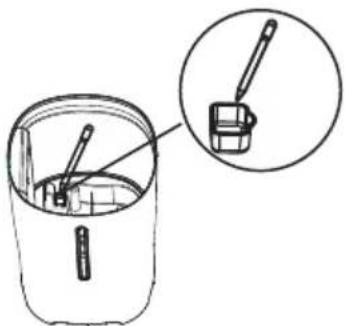
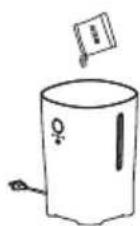
Add aroma essence as illustrated if necessary. To add aroma essence, lift the water tank, use dropper to take essence and add in to aroma tray. Aroma essence volume is not expected to be over 1/3 of the aroma box, plant essential oil is highly recommended, or it is possible to affect the atomization effect. After that, put back the water tank.
- Install the top cover and nozzle to the top of the water tank.
- Plug in the appliance, a beeping sound shows that it is powered on.
- Touch the switch key shortly to start the appliance and choose different work modes and press the key for 3 seconds during working mode to stop the appliance.
- Do not move the appliance before it is switched off and unplugged. The appliance should be moved as a whole.
- Do not move the appliance during working mode.
Cleaning and maintenance
- Unplug the appliance before any cleaning and maintenance.
- Remove the water inlet plug and flush it with clean water.
- Use clean and soft cloth to wipe the touch panel area, never use wet and rough cloth to avoid any potential damage to the appliance function.
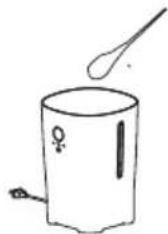
- For incrustation on tank and ultrasonic dish, soak it with citric acid or disincrustant and water (advised water temperature 40^ C) in ratio 1/50 for 5 to 10 minutes, then brush it with brush or cotton swab and wipe it with clean water.
natural_image
Simple line drawing of a pot with a spoon above it, no text or symbols presentNote: It is recommended to clean the appliance at least once a week. Never use any hard item to clean the scaling.
- Rinse the aroma tray in clean water if necessary.
-
Soak the soft cloth in 40 °C water and use it to wipe the surface of the appliance. Never use any hard item to scratch the appliance.
-
Never clean the appliance with methylbenzene, acid cleanser, petrol, alcohol or other chemical cleaning agents.
-
Clean the appliance with neutral cleanser and soft cloth or sponge.
-
Clean the appliance and pack it in order, if it is not used for a long time and store it in dry place.
-
Do not clean the appliance with metal scourer or chemical cleaning agents.

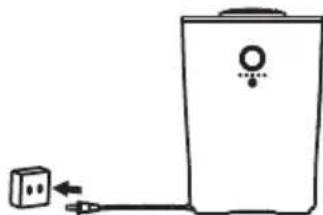
- Unplug the power plug before any cleaning or maintenance to avoid electric shock.
natural_image
Simple line drawing of a portable electronic device connected to a small plug (no text or symbols)- Wipe the base and touch panel with soft cloth. Do not wash it with water directly.
natural_image
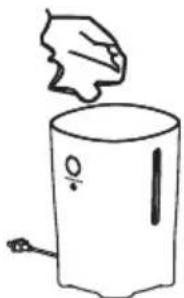
Simple line drawing of a hand holding a small object above a cylindrical container (no text or symbols)- Water tank, top cover and nozzle can be washed in water.
natural_image
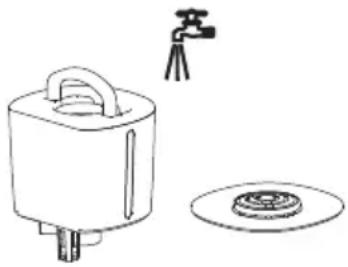
Line drawing of a square water heater with a tripod-mounted sensor and a circular base (no text or symbols)- To clean inside of water tank, add some detergent and 40^ C water to the water tank, close the water inlet and soak for 10-15min, and then rinse it with cleaning water.
- To clean the activated carbon filter, please take out the air inlet first. It is advised to change the filter every four months. Aroma tray must be cleaned with detergent at least once a month.
- Clean the power cord with soft dry cloth.
- Store the appliance in dry and well-ventilated room.
Mains plug replacement
If a new mains plug needs to be fitted:
- Safely dispose of the old plug.
- Connect the brown lead to the live terminal of the new plug.
- Connect the blue lead to the neutral terminal.
- If the product is class I (earthed), connect the green / yellow lead to the earth terminal.
Warning! If your product is class II double insulated (only 2 wires in the cord set), no connection is to be made to the earth terminal.
Follow the fitting instructions supplied with good quality plugs.
Any replacement fuse must be of the same rating as the original fuse supplied with the product.
Troubleshooting
- Short water alarm when water tank is full of water?
-- Check if the float is installed
-- Check if the float cover is fixed
- Stop work or less mist volume during appliance functioning?
-- Check if the appliance is at appropriate mist volume position
-- Check if it is filled with clean water or not
-- Check if there is scale on transducer
- Smelly mist
-- Check if the ultrasonic dish is dirty
-- Check if the water in water tank is clean or if it is stored for too long
4. Power switch flash red
-- It is running out of water.
Protecting the environment
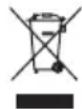
Separate collection. This product must not be disposed of with normal household waste.
Should you find one day that your Black+Decker product needs replacement, or if it is of no further use to you, do not dispose of it with other household waste. Make this product available for separate collection.
- Black+Decker provides a facility for recycling Black+Decker products once they have reached the end of their working life. This service is provided free of charge. To take advantage of this service please return your product to any authorised repair agent who will collect them on our behalf.
- You can check the location of your nearest authorised repair agent by contacting your local Black+Decker office at the address indicated in this manual. Alternatively, a list of authorized Black+Decker repair agents and full details of our after-sales service and contact are available on the Internet at: www.2helpU.com.
Technical data
| HM4000 | ||
| Voltage V | AC 220 - 240 | |
| Frequency Hz 50 - 60 | ||
| Water tank capacity L 4 | ||
| Power W 30 | ||
Warranty
BLACK+DECKER is confident of the quality of its products and offers an outstanding warranty.
This warranty statement is in addition to and in no way prejudices your statutory rights.
If a BLACK+DECKER product becomes defective due to faulty materials, workmanship or lack of conformity, within 24 months from the date of purchase, BLACK+DECKER warranty to replace defective parts, repair products subjected to fair wear and tear or replace such products to ensure minimum inconvenience to the customer unless:
The product has been used for trade, professional or hire purposes;
The product has been subjected to misuse or neglect;
The product has sustained damage through foreign objects, substances or accidents;
Repairs have been attempted by persons other than authorised repair agents or BLACK+DECKER service staff.
To claim on the warranty, you will need to submit proof of purchase to the seller or an authorised repair agent. You can check the location of your nearest authorised repair agent by contacting your local BLACK+DECKER office at the address indicated in this manual.
Alternatively, a list of authorised BLACK+DECKER repair agents and full details of our after-sales service and contacts are available on the Internet at: www.2helpU.com.
Manufacturer: Black and Decker (Overseas) GmbH Address: PO Box 17164, Dubai, United Arab Emirates
natural_image
Simple line drawing of a pot with a spoon above it, no text or symbols presentnatural_image
Simple line drawing of a portable water heater connected to a small plug (no text or symbols)natural_image
Simple line drawing of a hand holding a leaf above a cylindrical container with a handle and outlet (no text or symbols)natural_image
Simple line drawing of a water pump with a tripod-mounted sensor and a circular base (no text or symbols)natural_image
Simple line drawing of a crossed-out food item with no text or symbolsnatural_image
Simple line drawing of a portable electronic device connected to a small plug (no text or symbols)natural_image
Simple line drawing of a hand holding a leaf above a cylindrical container (no text or symbols)natural_image
Simple line drawing of a portable device with a tripod-mounted camera and a circular base (no text or symbols)natural_image
Diagram showing a container with a brush inside and a magnified inset of the lid (no text or symbols)natural_image
Line drawing of a cylindrical device with internal components and a top component (no text or symbols)Names & Addresses for BLACK+DECKER Service Concessionaries
| COUNTRY NAME ADDRESS TELEPHONE NO. EMAIL | ||||
| BAHRAIN | Alfouz Services Co. WLL | P.O. Box 26562, Tubli, Manama | (00973) 17783562 / 17879987 | alfouz@batelco.com.bh |
| BAHRAIN | Kewalram & Sons Co. WLL | P.O. Box 84, Manama,Kingdom of Bahrain | (00973) 1721311017210617 | kewalram02@batelco.com.bhkewalram@batelco.com.bh |
| EGYPT | Anasia Egypt for TradingS.A.E. (Mentrade) | P.O. Box 2443, 9, Mostafa Refaat Street,Sheraton Heliopolis 11361, Cairo | (00202) 22684159Hotline19311 | wael.salah@anasia.comnevien.elbeshbishy@anasia.com |
| JORDAN | Mega Hardware -(Sami Bashiti & Partners Co.) | 93 King Abdullah II St.,P.O.BOX 3005 AMMAN 11953 | (009626) 5349098 | info@mega-hardware.comwww.mega-hardware.com |
| KSA | Fawaz Ebrahim Al ZayaniTrading Est. | P.O. Box 76026, Al Raka : 31952 | (009663) 8140914 | dewaltdammam@hotmail.comwww.fawazalzayanigroup.com |
| KSA(U-MARK)and Ghunaim Market | United Trading & Marketing Co;Military city road – Near City max | #15, Khamis Mushait 62411, Abha, | (00966) 172500378 | serviceabha@u-mark.net |
| KSA(U-MARK) | United Trading & Marketing Co;Al Saud Street - Near Nawan Hotel | #116, Prince Fahad Ibn Ibrahim | (00966) 11473-3258 | malazservice@u-mark.net |
| KSA(U-MARK)Al Umran & Khub Ath Thinayan | United Trading & Marketing Co;52371 Al Hamr Road near Jaryat | Ash Shiqah, Al Hamr, Buraydah | (00966) 16-3694969 | serviceqaseem@u-mark.net |
| KSA(Sihha Medical Center) | United Trading & Marketing Co;(U-MARK) | King Abdulaziz St, Al AziziyahDammam 32424 near Dat'AS | (00966) 138179319138172654 | servicedammam@u-mark.net |
| KSA(U-MARK)New Jeddah National Hospital | United Trading & Marketing Co;Jeddah 23331 Falastin Road Near | Jabal Ar-Rubabah, Misrifah, | (00966) 126612552 | servicejeddah@u-mark.net |
| KSA | United Trading & Marketing Co; (U-MARK) | #356, Al Talah Medina 42322 | (00966) 148423339 | servicemadina@u-mark.net |
| KUWAIT | Al Omar Technical Co. | P.O. Box 4062, Safat 13041, Kuwait | (00965) 24848595 / 24840039 | alexotc@usa.net |
| LEBANONBuilding, Beirut | Aces Service Centre(Est. F.A.Ketaneh SA) | P.O. Box 90-102, Nahr El Mot,Seaside Highway, Pharaon | (009611) 898989 / 262626 | nissrine.hajj@aces.com.lblassim.aziz@Aces.com.lb |
| LIBYA(Benghazi, Libya (P.O. Box 18182 Salmany) | Homeworld Co. | Senidal St. Amr Ibn Elaas Road,ext. 103 | (0021861) 9094183 | nissrine.hajj@aces.com.lb |
| LIBYA(El Ghoul Brothers) | North Africa TradingStreet 11, Benghazi | P.O. Box 348, 7 October | (00218061) 3383994 | nissrine.hajj@aces.com.lb |
| LIBYA | North Africa Trading(El Ghoul Brothers) | AlBarniq Dewalt Center,Mokhazin-elsukar St. Elfallah, Tripoli | (00218021) 3606430 | nagte.ly@gmail.comnagte.dpt@gmail.com |
| MAURITIUS | The Brandhouse Ltd. | Rogers Industrial Park 1, RicheTerre, Mauritius | (00230) 20694502071700 | claims(service.centre@goupille.mustephanie.bijou@gmail.com |
| OMAN | Oman Marketing & Service Co.(Omasco) | P.O. Box 2734,Behind HondaShowroom,Wattayah,Oman | (00968) 2456023224560255 | npservice@omasco.com.omashok.balan@omasco.com.om |
| OMAN | Oman Marketing & Service Co. (Omasco) | Al Ohi, Sohar,Oman | (00968) 26846379 | sooraj.neeran@omasco.com.om |
| OMAN | Oman Marketing & Service Co. (Omasco) | Sanaya, Salalah,Oman | (00968) 23212290 | rajagopal.pr@omasco.com.om |
| PAKISTANPlaza Behind Gul Plaza MarstonRoad.KARACHI | Ammar Service & Spares | Office No 6068 6th Floor Central | (009221) 32775252 | babji93@yahoo.com |
| QATAR | Al Muftah Service Centre | Al Wakrah Road, P.O. Box 875,Doha,Qatar | (00974) 4465088044650110 | service@almuftah.comalmuftah@almuftah.com |
| TUNISIAMaintenance(STM)2013 BEN AROUS, TUNISIA. | Societe Tunisienne De | RUE DE LA PHYSIQUE. NOUVELLEZONE INDUSTRIELLE BEN AROUS. | (0021679) 389687 | importa@stqu.com |
| UAE | Light House Electrical | P.O. Box 120, Abu Dhabi | (009712) 6726131 | dewalt_lhe@hotmail.com |
| UAE | Light House Electrical | P.O. Box 120, Abu Dhabi | (009712) 5548315 | dewalt_lhe@hotmail.com |
| UAE | BLACK+DECKER (Overseas) GmbH | P.O. Box 5420, Dubai | (009714) 8127400 / 8127406 | service.mea@sbdinc.com |
| UAE | Zillion Equipment and | P.O. Box 10584, Ras Al Khaimah | (009717) 2277095 | zillionrak@gmail.com |
| UAETrading LLC | Zillion Equipment and Spare PartsTrimix Redymix Sanaiya, Al Ain | P.O. Box 19740, Opp. Bin Sadal / | (009713) 7216690 | zilliontrdg@gmail.com |
| YEMEN | Middle East Trading Co. (METCO) | 5th Flr.Hayel Saeed AnamBldg. Al-Mugamma St. Taiz, Yemen | (009674) 213455 | metco@metcotrading.comsami@metcotrading.com |
| YEMEN | Middle East Trading Co. (METCO) | Mualla Dakka, Aden | (009672) 222670sami@metcotrading.com | metco@metcotrading.com |
| YEMEN | Middle East Trading Co. (METCO) | Hayel st.,Sana'a,Yemen | (009671) 204201sami@metcotrading.com | metco@metcotrading.com |
WARRANTY REGISTRATION CARD
YOUR NAME/ VOTRE NOM/الإسم
YOUR ADDRESS/ VOTRE ADRESSE/العنوان

- Float and float cover assembly
- Activated carbon filter and air inlet assembly
- Filter and Water Inlet Assembly
- Intended use
- Safety instructions
- Using your appliance
- Safety of others
- After use
- Inspection and repairs
- Electrical safety
- Labels on Appliance
- Features
- Use
- Cleaning and maintenance
- Mains plug replacement
- Troubleshooting
- Protecting the environment
- Warranty
- WARRANTY REGISTRATION CARD
Brand : BLACK & DECKER
Model : HM4000
Category : Humidifier