
Diamond Omega - Smartphone ARCHOS - Free user manual and instructions
Find the device manual for free Diamond Omega ARCHOS in PDF.


| Product type | Smartphone |
| Brand | Archos |
| Model | Diamond Omega |
| Dimensions | 158.0 × 75.0 × 8.0 mm (approx) |
| Weight | 180 g (approx) |
| Display | 5.7-inch LTPS LCD, 1080 x 2160 pixels |
| Processor | Snapdragon 835 octa-core |
| RAM | 6 GB |
| Internal storage | 64 GB / 128 GB |
| Battery | 3100 mAh, fast charging USB-C |
| Rear camera | Dual: 23 MP (f/2.0) + 13 MP (f/2.2) |
| Front camera | 8 MP (f/2.0) |
| Operating system | Android 7.1 Nougat (upgradable) |
| Connectivity | 4G LTE, Wi-Fi 802.11 a/b/g/n/ac, Bluetooth 4.2, GPS, NFC, USB Type-C, 3.5mm headphone jack |
| Fingerprint sensor | Yes, rear-mounted |
| Power supply | Power adapter 5V/2A, lithium-ion battery 3100 mAh |
| Care and cleaning | Clean with a soft, dry cloth. Do not use abrasive products. |
| Security | Fingerprint recognition, password, pattern. |
| Spare parts and repairability | Parts available through Archos after-sales service. Repair by a professional recommended. |
| Box contents | Phone, power adapter, USB Type-C cable, SIM eject tool, quick start guide. |
Frequently Asked Questions - Diamond Omega ARCHOS
User questions about Diamond Omega ARCHOS
0 question about this device. Answer the ones you know or ask your own.
Ask a new question about this device
Download the instructions for your Smartphone in PDF format for free! Find your manual Diamond Omega - ARCHOS and take your electronic device back in hand. On this page are published all the documents necessary for the use of your device. Diamond Omega by ARCHOS.
USER MANUAL Diamond Omega ARCHOS
English | Quick Start Guide 1
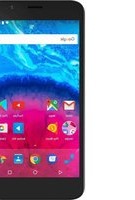
Your phone at a glance
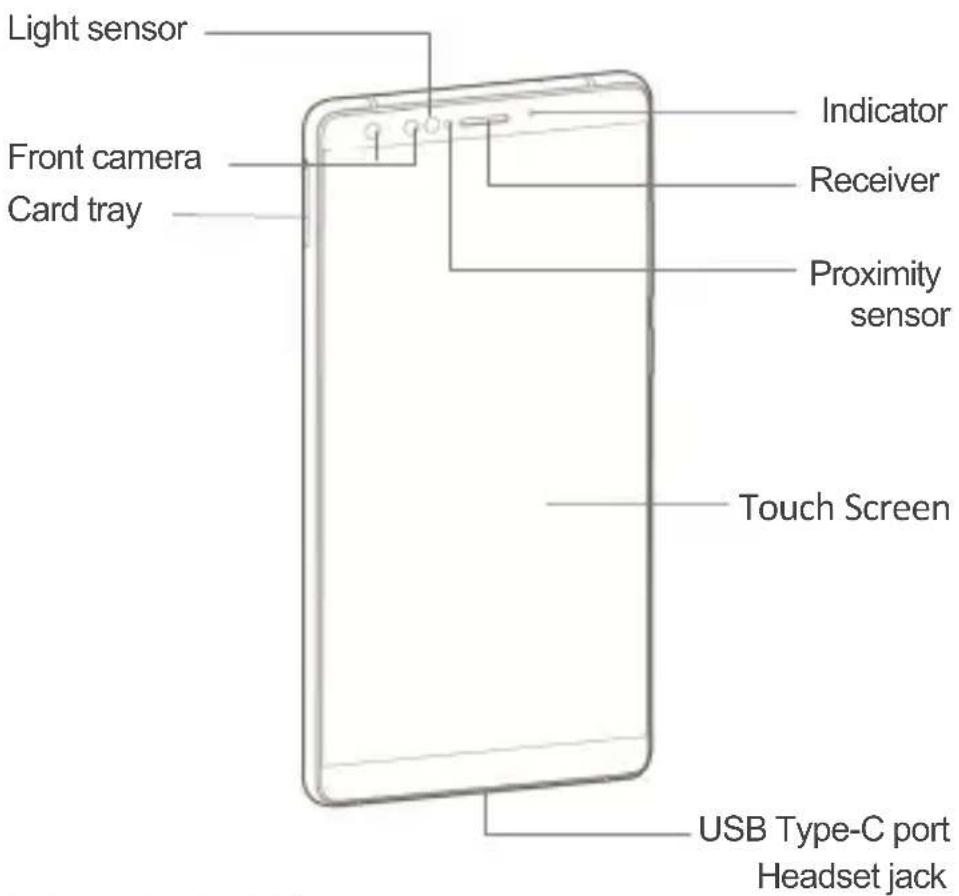
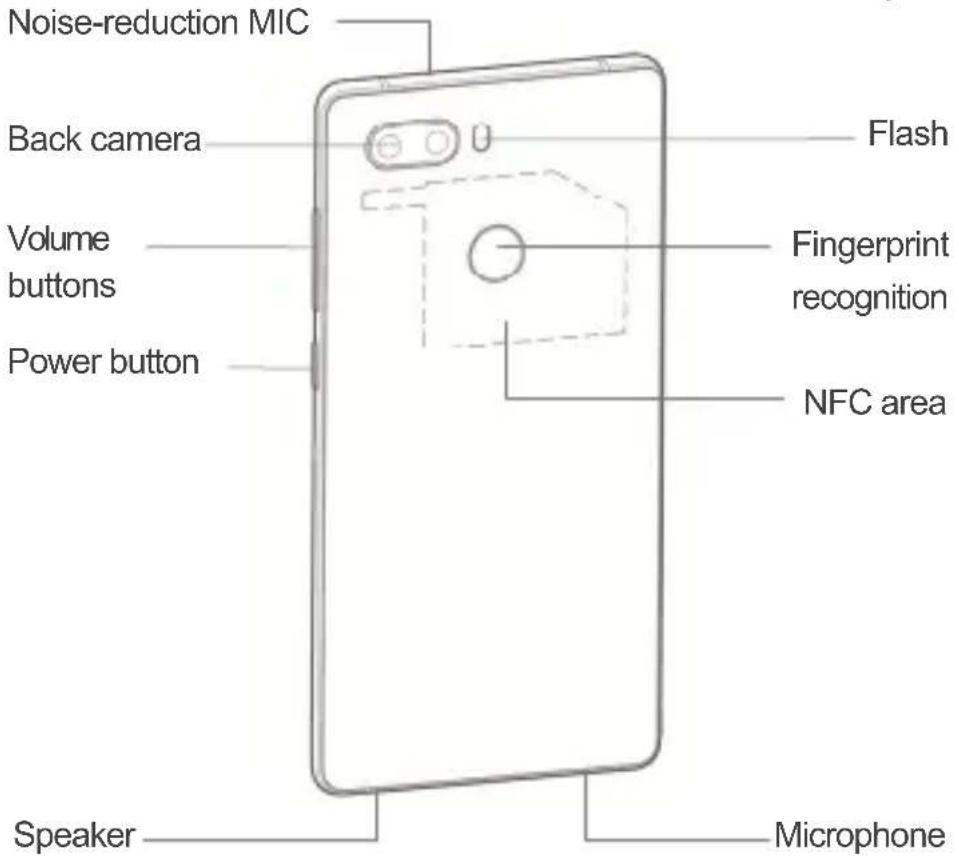
Inserting the SIM card
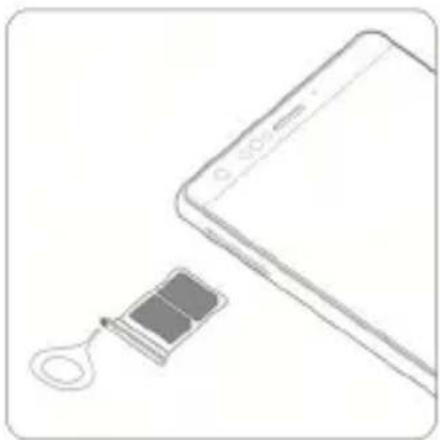
- Insert the end of the eject tool into the hole of the card tray and press firmly until the tray pops out.
- Put one or two nano-SIM cards into the tray.
- Push the card tray back into the phone.

Note
Dimensions of a nano-SIM card: 9mm x 12mm.
Charging the battery
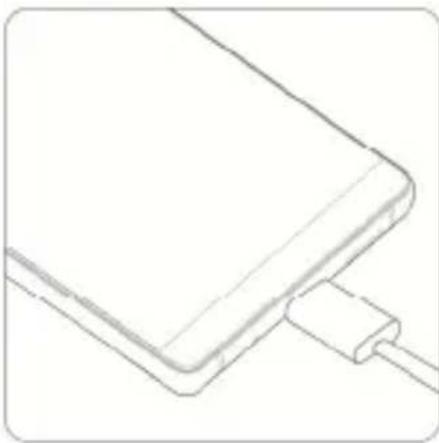
Connect the phone to the power outlet using the included USB cable and power adapter.

Note
- Your phone and power adapter might heat up while charging.
Using a different USB cable or power adapter may reduce
the lifespan of your phone or cause fire, explosion, and other hazards.
Disposal of your old phone
When the wheelie bin symbol is attached to a product, it means the product is covered by the European Directive 2012/19/EU.
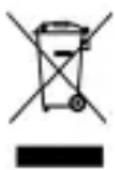
All electrical and electronic products should be disposed of separately from normal household waste via designated collection points provided by government or local authorities.
The correct disposal of electrical and electronic products will help protect the environment and human health.
Declaration of RoHS Compliance
We are determined to reduce our impact on the environment and take responsibility for the earth we live on. So this document allows us to formally declare that the AC57DIOM, manufactured by Nubia Technology Co., Ltd, fully complies with the European Parliament's RoHS (Restriction of Hazardous Substances) Directive 2011/65/EU, with respect to all the following substances:
(1) Lead (Pb) (2) Mercury (Hg) (3) Cadmium (Cd) (4) Hexavalent Chromium (Cr (VI)) (5) Polybrominated biphenyl (PBB) (6) Polybrominated diphenyl ether (PBDE)
Our compliance is witnessed by written declaration from our suppliers. This confirms that any potential trace contamination levels of the substances listed above are below the maximum level set by EU 2011/65/EU, or are exempt due to their application.
The AC57DIOM manufactured by Nubia Technology Co., Ltd meets all the requirements of EU 2011/65/EU.
Health and safety
The device meets international guidelines for exposure to radio waves.
Your device is a radio transmitter and receiver. It is designed not to exceed the limits for exposure to radio waves recommended by international guidelines. The guidelines were developed by the International Commission on Non-Ionizing Radiation Protection (ICNIRP), an independent technical standards body, and include margins designed to assure the safety of all persons, regardless of age and health. These guidelines use a unit of measurement known as Specific Absorption Rate (SAR). The SAR limit for mobile devices is 2.0 W/kg and the highest SAR value for this device when tested for use at the head was 1.41 W/kg and when tested for use at the body was 0.929 W/kg.
In SAR measurement, the separation distance between the phone and test device is 5 mm.
As SAR is measured when the device is on its highest transmitting power, the actual SAR of this device while operating normally is typically below the levels shown above. This is because the device automatically changes its power level to ensure it only uses the minimum level required to reach the network.
The World Health Organization has stated that present scientific information does not indicate the need for any special precautions for the use of mobile devices.
Important safety information
For your own health and safety, please follow the
radio frequency (RF) radiation exposure guidelines and keep your phone no less than 1.5 cm away from your body.
Failure to do this could mean that your RF exposure exceeds the guideline limits.
How to limit your radio frequency (RF) exposure
The World Health Organization (WHO) gives the following advice to people who want to limit their exposure to RF radiation...
Present scientific information does not indicate the need for any special precautions for the use of mobile phones. If individuals are concerned, they may choose to limit their own or their children's RF exposure by limiting the length of calls, or using ‘hands-free’ devices to keep mobile phones away from the head and body.
Further information on the subject can be obtained from the World Health Organization website at http://www.who.int/peh-emf WHO Fact sheet 193: June 2000.
Safety warning
- To prevent possible hearing damage when using a headset, do not use high volume for long period.
- Use the earphone carefully. Excessive sound pressure from headsets and headphones can cause hearing loss.
- Adapter shall be installed near the equipment and shall be easily accessible.
- The phone's normal operating temperature is -10°C to 45°C. In order to ensure the normal phone functions, do not use this phone outside the temperature range.
Technical Information
| Frequency band Max. output power (dBm) | |
| GSM850 | 33±2 |
| GSM900 | 33±2 |
| GSM1800 | 33±2 |
| GSM1900 | 33±2 |
| WCDMA Band I 24+1/-3 | |
| WCDMA Band II 24+1/-3 | |
| WCDMA Band V 24+1/-3 | |
| WCDMA Band VIII 24+1/-3 | |
| LTE Band 1 23+2.7/-2.7 | |
| LTE Band 3 23+2.7/-2.7 | |
| LTE Band 5 23+2.7/-2.7 | |
| LTE Band 7 23+2.7/-2.7 | |
| LTE Band 8 23+2.7/-2.7 | |
| LTE Band 20 23+2.7/-2.7 | |
| LTE Band 38 23+2.7/-2.7 | |
| LTE Band 39 23+2.7/-2.7 | |
| LTE Band 40 23+2.7/-2.7 | |
| LTE Band 41 23+2.7/-2.7 | |
| TDSCDMA 34 24+1/-3 | |
| TDSCDMA 39 24+1/-3 | |
| CDMA | 23~30 |
| EVDO | 23~30 |
| 802.11a (5G) | 18.43 |
| 802.11a (5.8G) | 9.65 |
| 802.11b | 15.7 |
| 802.11g | 14.85 |
| 802.11n 2.4G (HT20) | 15.05 |
| 802.11n 2.4G (HT40) | 13.45 |
| 802.11n (HT20) 5G | 16.81 |
| 802.11n (HT20) 5.8G | 9.81 |
| 802.11n (HT40) 5G | 15.91 |
| 802.11n (HT40) 5.8G | 9.21 |
| 802.11ac 5G 15.42 | |
| 802.11ac | 9.13 |
| BT DH1 8.5 | |
| BT 3-DH1 6.5 | |
| BT LE 2.19 | |
Firmware and software
- The certified firmware version of your phone is NX595J_V1MB_C.
- The certified software version of your phone is NX595J_ENCommon_V1.04.
EU Declaration of Conformity (DoC)
Hereby, ARCHOS company (contact address: ARCHOS SA 12 rue Ampère 91430 Igny France) declares that this device is in conformity with the Radio Equipment Directive: 2014 / 53 / EU.
For the declaration of conformity, visit https://www.archos.com/fr/products/conformity.html
| BE BG CZ | DK DE EE IE | ||||||
| EL | ES | FR | HR | IT | CY | LV | |
| LT | LU | HU | MT | NL | AT | PL | |
| PT | RO | SI | SK | FI | SE | UK | |
The Wi-Fi function for this device is restricted to indoor use only when operating in the 5150 to 5350 MHz frequency range.
Legal notice
Copyright Statement
Copyright © 2017 by Nubia Technology Co., Ltd.
All the copyrights of this document herein belong to Nubia Technology Co., Ltd. Without the written permission of copyright owner, no part of this publication may be excerpted, reproduced, translated by any person or entity in any form or by any means.
This document is subject to change without prior notice.
Nubia Technology Co., Ltd keeps the right to make the final explanation to this document.
Trademarks
Android is a trademark of Google, Inc.
For DTS patents, see http://patents.dts.com. Manufactured under license from DTS Licensing Limited. DTS, the Symbol, & DTS and the Symbol

together are registered trademarks, and DTS Sound is a trademark of DTS, Inc. © DTS, Inc. All Rights Reserved.
All other trademarks remain the property of their respective owners.
Statement of Third-party Applications
During the installation process of some third-party applications, the issues of repeated restart or abnormal use of software might be caused by incompatibility of the third-party applications, rather than the phone itself.
Please download your software upgrade packages from the reliable official website.
The installation of a third-party ROM or non-official operating system might bring safety risks and security threats. Nubia Technology Co., Ltd. shall not be liable for these risks and threats caused by upgrade of the operating system.

N.B.

N.B.

Note

Note
https://www.archos.com/de/products/conformity.html
available.

Note
Nano-SIM card dimensions: 9mm x 12mm.
Battery charging

Note

Note:
Note:


- YOUR PHONE AT A GLANCE
- INSERTING THE SIM CARD
- NOTE
- CHARGING THE BATTERY
- DISPOSAL OF YOUR OLD PHONE
- DECLARATION OF ROHS COMPLIANCE
- HEALTH AND SAFETY
- IMPORTANT SAFETY INFORMATION
- HOW TO LIMIT YOUR RADIO FREQUENCY (RF) EXPOSURE
- SAFETY WARNING
- FIRMWARE AND SOFTWARE
- EU DECLARATION OF CONFORMITY (DOC)
- LEGAL NOTICE
- COPYRIGHT STATEMENT
- TRADEMARKS
- STATEMENT OF THIRD-PARTY APPLICATIONS
- N.B
- BATTERY CHARGING
Brand : ARCHOS
Model : Diamond Omega
Category : Smartphone