
PXW-X500 - Camcorder SONY - Free user manual and instructions
Find the device manual for free PXW-X500 SONY in PDF.
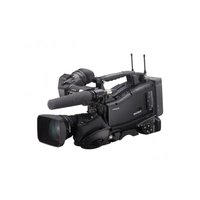


| Product Type | Professional Camcorder |
| Brand | Sony |
| Model | PXW-X500 |
| Imaging Sensor | 3x 2/3-inch Exmor CMOS |
| Recording Formats | XAVC, MPEG HD422, MPEG HD, DVCAM |
| Maximum Resolution | 1920 x 1080 (1080p/50, 59.94, 23.98; 1080i/50, 59.94) |
| Lens Mount | B4 (Bayonet) |
| Recording Media | SxS Pro+, SxS-1 (via adapter), SDHC/SDXC |
| Weight (body only) | Approx 4.8 kg (10.6 lb) |
| Dimensions (W x H x D) | 173 x 174 x 457 mm (6.8 x 6.9 x 18.0 in) |
| Power Supply | DC 12 V (11 to 17 V), Battery (BP-GL95 or compatible) |
| Power Consumption | Approx 30 W (with viewfinder) |
| Battery Type | BP-GL95 (14.4 V, 1.93 Ah) |
| Audio Input | 2x XLR (mic/line), AES/EBU digital input |
| Video Output | 3G-SDI (x2), HDMI, Composite |
| Network Connectivity | Wi-Fi (AP/Client), Ethernet, Modem (3G/4G) |
| Streaming Capabilities | MPEG-2 TS/UDP, up to 9 Mbps, 1280x720 |
| Operating Temperature | 0°C to 40°C (32°F to 104°F) |
| Storage Temperature | -20°C to 60°C (-4°F to 140°F) |
| Maintenance | Clean lens and body with soft cloth; avoid moisture and dust; periodic professional inspection recommended. |
| Safety Precautions | Do not operate near water; avoid dropping; disconnect power during cleaning; use only specified batteries and chargers. |
| Spare Parts & Repairability | Contact Sony service center for genuine parts; some components (battery, memory) user-replaceable; others require professional repair. |
Frequently Asked Questions - PXW-X500 SONY
User questions about PXW-X500 SONY
0 question about this device. Answer the ones you know or ask your own.
Ask a new question about this device
Download the instructions for your Camcorder in PDF format for free! Find your manual PXW-X500 - SONY and take your electronic device back in hand. On this page are published all the documents necessary for the use of your device. PXW-X500 by SONY.
USER MANUAL PXW-X500 SONY
OPERATION MANUAL German
1st Edition (Revised 7)
Table of Contents
Sony Creative Software, Software download page: http://www.sonycreativesoftware.com/download/software_for_sony_equipment
3 Display WARNING
| 50P 1080/50i, 576/50i |
| 29.97P 1080/59.94i, 480/59.94i |
| 25P 1080/50i, 576/50i |
| 23.98P 1080/23.98PsF |
Release button
Notes
Note
| Audio Status | ||||
| Level | Source | Ref | Wind Filter | |
| CH 1 | Front Mic | -40dB | On | |
| CH 2 | CH2 Line | +4dB | Off | |
| CH 3 | AES/EBU | --- | --- | |
| CH 4 | AES/EBU | --- | --- | |
| Network Status 1 | ||
| SettingOn | ||
| Wireless NetworkWi-Fi AP | Wireless NetworkModem | Wired LANEnable |
| Device NameIFU-WLM3 | Device NameXXXXXXXX | Device NameXXXXXXXX |
| IP Address(Wireless)192.168.1.1 | IP Address(Modem)192.168.3.131 | Wired LAN RemoteOff |
| MAC Addr(Wireless)a8:54:b2:97:8d:47 | IP Address(Wired)192.168.1.50 | |
| Network Status 2 | ||
| NW Client Mode Status Off | Streaming Type MPEG-2 TS/UDP | Number of Distribution 1 |
| CCM Name --- | Streaming Dest. Add, 43.0.134.23 | File Transfer 40% |
| Streaming Status Distributing | Streaming Dest. Port 1234 | Transfer to: Sony Ci |
| Streaming Size 1280x720 | ||
| Streaming Bit Rate 9Mbps | ||
Note
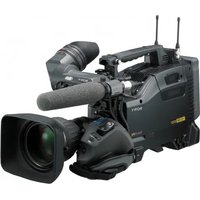
Brand : SONY
Model : PXW-X500
Category : Camcorder