
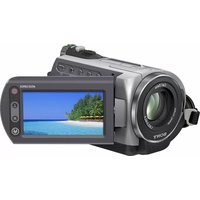
HDR-PJ710 - Camcorder SONY - Free user manual and instructions
Find the device manual for free HDR-PJ710 SONY in PDF.


Pick your language and provide your email: we'll send you a specifically translated version.
| Type of product | Camcorder |
| Brand | Sony |
| Model | HDR-PJ710 |
| Video Resolution | Full HD 1920 x 1080 |
| Optical Zoom | 10x |
| Digital Zoom | 120x |
| Sensor Type | 1/2.88" Exmor CMOS |
| Total Pixels | 12.9 megapixels |
| Internal Storage | 32 GB flash memory |
| Memory Card Slot | SD/SDHC/SDXC compatible |
| Built-in Projector | Yes, LED projector |
| LCD Display | 3.0" Xtra Fine LCD touchscreen |
| Dimensions (W x H x D) | 87 x 133 x 122 mm |
| Weight | Approx. 470 g (main body only) |
| Power Source | Rechargeable battery pack NP-FV50 |
| Battery Life (typical) | Approx. 120 minutes with viewfinder |
| Image Stabilization | Optical SteadyShot with Active Mode |
| Connectivity | Wi-Fi, HDMI mini, USB 2.0 |
| Other Key Features | GPS, built-in flash, Highlight Movie Maker |
| Maintenance & Cleaning | Wipe with dry soft cloth; avoid solvents. Use blower for lens. |
| Safety Precautions | Do not expose to rain or moisture; avoid direct sunlight; use genuine accessories. |
| Spare Parts & Repairability | Battery, remote control, AC adapter available as accessories. |
| General Information | Comes with remote commander, HDMI cable, USB cable, software CD. |
Frequently Asked Questions - HDR-PJ710 SONY
How do I activate the built-in projector on my Sony HDR-PJ710?
Press the PROJECTOR button on the side of the camcorder to turn on the projector. Use the focus ring to adjust sharpness and the projector volume keys for audio. Connect a source (playback or live video) to start projecting onto a flat surface.
What storage media can be used with this camcorder?
The HDR-PJ710 has 32 GB of internal memory and a slot for SD/SDHC/SDXC memory cards. For best performance, use Class 4 or higher cards and format them in the camcorder before first use.
How can I transfer videos to my computer?
Use the supplied USB cable to connect the camcorder to your computer, then set the USB mode to Mass Storage. Alternatively, use the Wi-Fi feature to send files via the built-in transfer function or use the included software PlayMemories Home.
What is the maximum recording time in Full HD?
With a fully charged battery (NP-FV50) in standard conditions, you can record about 120 minutes of Full HD video continuously. Actual time may vary with settings and usage.
Can I use the camcorder as a webcam?
Yes, you can use the HDR-PJ710 as a webcam by connecting it via HDMI or USB to your computer, but you'll need video capture software. The included PlayMemories Home software may support webcam streaming depending on your system.
How do I properly clean the lens and LCD screen?
Use a soft, dry microfiber cloth to gently wipe the lens and LCD. For stubborn dirt, use a small amount of lens cleaner applied to the cloth—never directly on the lens. Avoid pressing hard, and use an air blower to remove dust particles first.
What safety precautions should I follow?
Do not expose the camcorder to rain, moisture, or extreme temperatures. Avoid using it near water or heating appliances. Use only genuine Sony batteries and accessories. If the device becomes unusually hot, stop use immediately.
How can I extend battery life?
Lower the LCD brightness, reduce Wi-Fi usage, and turn off image stabilization when shooting on a tripod. Also, carry a spare NP-FV50 battery for long sessions.
What if the camcorder doesn't turn on?
Check if the battery is charged and properly inserted. Try connecting the AC adapter to power the unit directly. If it still doesn't turn on, reset the camcorder by removing the battery and AC adapter, waiting a minute, then reconnecting.
Can I view recordings on an external TV?
Yes, connect the camcorder to your TV using the supplied HDMI cable. Set the TV to the correct input source, and the camcorder will output video in Full HD automatically. You can also use the AV cable for older TVs.
User questions about HDR-PJ710 SONY
0 question about this device. Answer the ones you know or ask your own.
Ask a new question about this device
No questions yet. Be the first to ask one.
Download the instructions for your Camcorder in PDF format for free! Find your manual HDR-PJ710 - SONY and take your electronic device back in hand. On this page are published all the documents necessary for the use of your device. HDR-PJ710 by SONY.
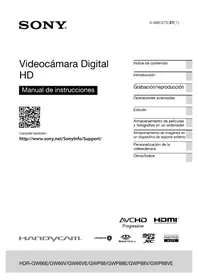
USER MANUAL HDR-PJ710 SONY
Manual assistant
Powered by Anthropic
Waiting for your message
Product information
Brand : SONY
Model : HDR-PJ710
Category : Camcorder