
Core C200 - Smartwatch LifeTrak - Free user manual and instructions
Find the device manual for free Core C200 LifeTrak in PDF.


| Product Type | Smartwatch / Activity Tracker |
| Battery | CR2032 lithium (replaceable) |
| Water Resistance | Up to 30 meters |
| Heart Rate Range | 30-240 BPM |
| Step Range | 0-99,999 steps |
| Calorie Range | 0-99,999 |
| Distance Range | 0-621.3 miles / 0-999.9 km |
| Memory | 7-day history |
| Band | Reversible, replaceable, available in multiple colors |
| Display | Backlit |
| Advanced Setup | Age (5-99), height (36-84 in / 100-220 cm), weight (44-440 lb / 20-200 kg) |
| Time Format | 12/24 hr, AM/PM, month, day, date (auto leap year) |
| Chronograph | 9 hr, 59 min, 59 sec |
| Cleaning | Soft cloth with mild soap and water; avoid chemicals |
| Warranty | Limited 1 year (materials and workmanship) |
| Patents | US 5,738,104 & 5,876,350; Europe EP 0861045B1 |
Frequently Asked Questions - Core C200 LifeTrak
User questions about Core C200 LifeTrak
0 question about this device. Answer the ones you know or ask your own.
Ask a new question about this device
Download the instructions for your Smartwatch in PDF format for free! Find your manual Core C200 - LifeTrak and take your electronic device back in hand. On this page are published all the documents necessary for the use of your device. Core C200 by LifeTrak.
USER MANUAL Core C200 LifeTrak
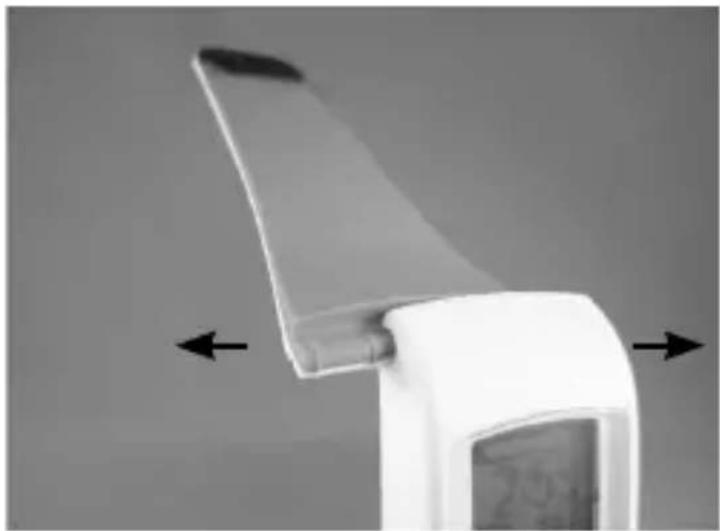
The bands of your C200 are reversible and replaceable:
- Carefully slide the bands off the Core. The bands can slide in either direction.
natural_image
Close-up of a white handheld device with a curved blade and directional arrows indicating movement or force (no text or symbols visible)C200 bands are available in a variety of colors.
Visit us at LifeTrakUSA.com
HOW TO CHANGE YOUR BANDS
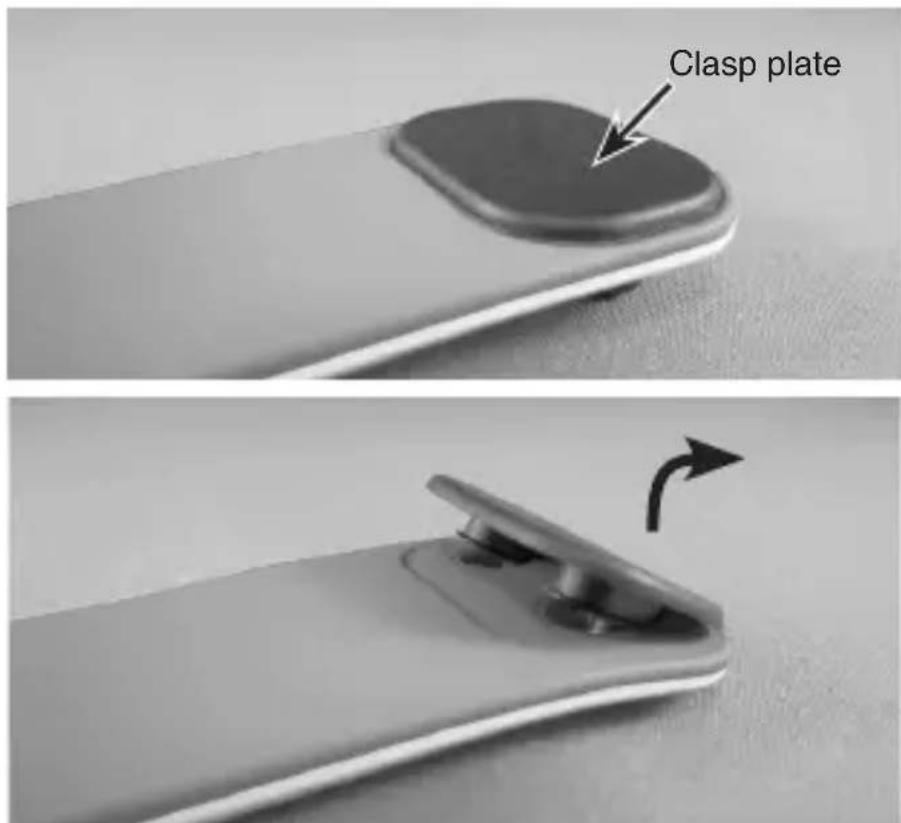
- On the short band (top band), remove the Clasp plate by pulling up and away from the band.
HOW TO CHANGE YOUR BANDS
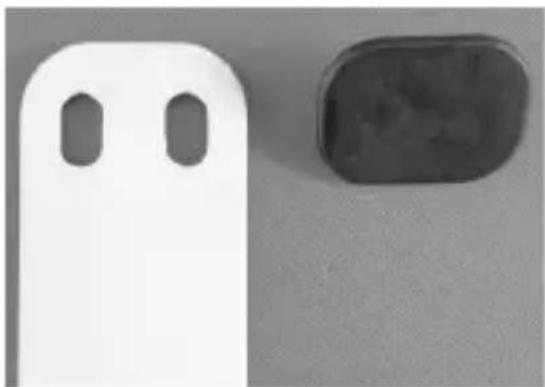
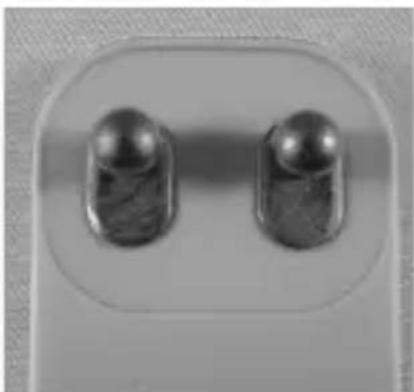
- Place the Clasp on the reverse side of the band into the two holes. Press firmly around the two holes to secure the Clasp. You may hear it snap in place.
Make sure the base of the Clasp pins are fully secured into the band (see image below).
natural_image
Two electronic components: a white plastic device with two oval holes and a black rounded rectangular block on a gray surface (no text or symbols visible)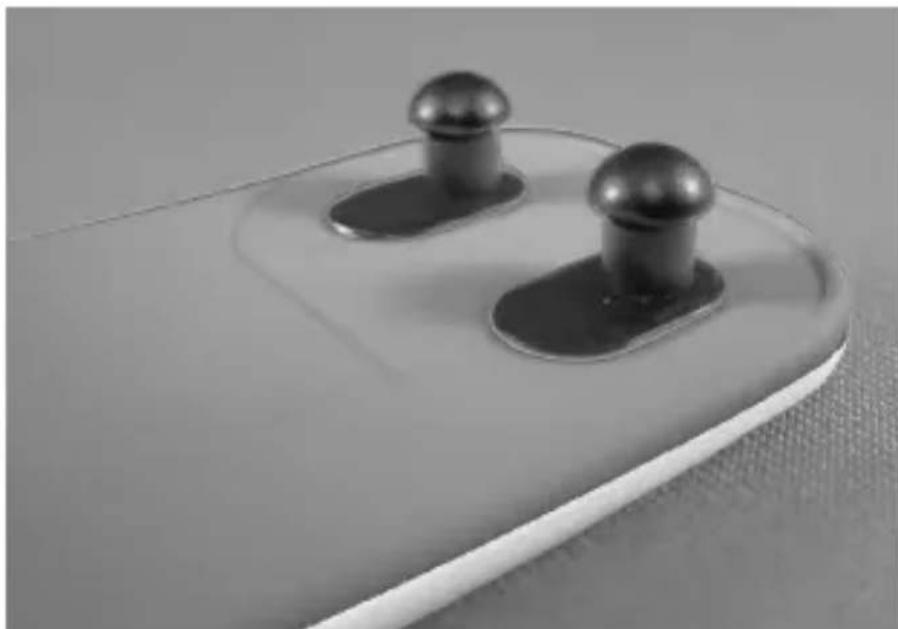
natural_image
Close-up of two pushpins on a white surface, no text or symbols visibleHOW TO CHANGE YOUR BANDS
-
For a more refined fit, the Clasp can be rotated before placing into the band.
-
Carefully slide the bands back onto the Core. The bands can slide in either direction.
natural_image
Close-up of two metallic USB flash drives on a light surface (no text or symbols visible)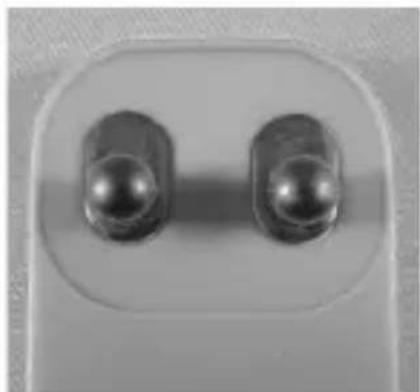
natural_image
Close-up of two metallic cylindrical electronic components with a central lens (no text or symbols visible)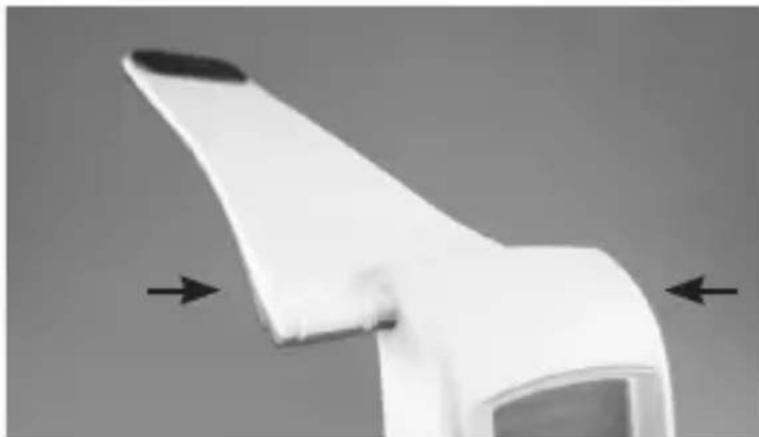
natural_image
Close-up of a white plastic or paper object with two black arrows pointing to its edges (no text or symbols visible)ALL-DAY CALORIE
Your C200 allows for a more comprehensive calorie count by factoring in calories burned simply through living, in addition to any exercise and activity. This is a great tool to compare against your daily calorie intake!
Your C200 will also provide a more accurate calorie count by calculating in your heart rate reading whenever it is taken. So remember to get your heart rate throughout the day and more frequently during your exercise.
HELPFUL HINTS: ALL-DAY CALORIE
-
Your body is always burning calories, even when sleeping or not in motion. Our All-Day Calorie meter accounts for these calories burned.
-
You will see calories burned even during periods of non-activity.
AUTO CALIBRATED DISTANCE
For a more accurate distance, your C200 adjusts your stride length based on how fast you are walking or running.
HELPFUL HINTS:
STEP COUNT
If you are having difficulty acquiring your steps, try the following:
- Take 30 - 40 steps before checking your step count.
- If your steps are being over or undercounted, try adjusting the sensitivity level (in Advanced Setup).
Step count is determined by actual steps. Arm motion can affect this count.
HELPFUL HINTS: HEART RATE
If you are having difficulty acquiring your heart rate, try the following:
- Make sure your C200 is snugly strapped to your wrist. A loose fit makes it more difficult to properly measure your heart rate.
- Upon putting your C200 on for the first time, allow one minute to warm up before trying to obtain your heart rate.
- When touching the heart sensor button (VIEW), make sure you are using the soft, flat pads of your fingers, not the tips of your fingers.
- Touch gently with enough pressure to activate the heart sensor button (VIEW). Pressing too hard can make it difficult to measure your heart rate.
HELPFUL HINTS: HEART RATE
-
Make sure the back metal plate of your C200 is laying flat on your skin.
-
Make sure your wrist and fingers are clean and free from dirt, oils, or lotions.
-
Clean the heart sensor button (VIEW) and back metal plate with a mild soap and water, or similar cleaning solution.
-
Moisten with water the pads of the fingers you are using to contact the heart sensor button (VIEW).
-
Moisten with water the surface between the back metal plate of your C200 and the skin on your wrist.
CARE & MAINTENANCE
- Your C200 buttons are not intended for use in or under water as this may cause water leakage.
- Avoid rough usage or severe impacts.
- Keep the heart sensor button (VIEW) and back metal plate free from dirt, oils, or other contaminants.
- Periodically clean your C200 using a soft cloth with mild soap and water, or similar cleaning solution.
- Keep your C200 out of extreme heat or cold.
- Do not expose Your C200 to intense direct sunlight for long periods of time.
- Do not expose your C200 to chemicals such as gasoline, alcohol, or solvents.
BATTERY
Battery replacement will be required from time to time, and should occur when:
- The display fades in part or completely
• The Heart Rate function will not activate
The battery life will vary depending on usage.
We recommend battery replacement be done by a watch repair service center to ensure the water seals are not compromised during the process.
Your C200 uses one (1) standard lithium replacement battery: CR2032
PATENT
Your C200 and S-Pulse™ technology are a result of, and protected by, the following patents:
US: 5,738,104 & 5,876,350
Europe: EPO 0861045B1
LIMITED
ONE (1)
YEAR
WARRANTY
Your C200 is warranted for a period of one (1) year from the date of purchase from an authorized retailer.
If defective, return it with the original receipt, or copy, to your original retailer or to LifeTrak for a replacement.
This warranty covers defects in materials and workmanship only. It does not cover the battery, damage due to abuse or misuse, accidents, or any commercial use.
LIMITATIONS
The warranty stated above is the only warranty applicable to this product. All other warranties, expressed or implied, including all implied warranties of merchantability or fitness for a particular purpose, are hereby disclaimed. No verbal or written information given by LifeTrak, its agents or employees shall create a guarantee or in any way increase the scope of this warranty.
Repair or replacement as provided under this warranty is the exclusive remedy of the consumer. LifeTrak shall not be liable for incidental or consequential damages resulting from the use of this product or arising out of any breach of any express or implied warranty on this product. Except to the extent prohibited by law, any implied warranty of merchantability or fitness for a particular purpose on this product is limited to the applicable warranty period set forth above. Consumer rights may vary from state to state.
DISCLAIMER
Your C200 is not a medical device, nor intended for use in medical or patient monitoring applications. It is not intended for use in any commercial application.
Always consult a physician before starting any physical activity.
The features and/or images of your C200 may vary slightly from those described in this guide. The information in this manual is intended to be for informational purposes only, and is subject to change without notice.
SPECIFICATIONS
Workout
Chronograph range: 9 hr, 59 min, 59 sec
Step range: 0-99,999 steps
Calorie range: 0-99,999
Distance range: 621.3 mi / 999.9 km
History
Memory: 7-day memory
Heart Rate
Heart rate range: 30-240
BPM
Time
AM, PM, hour, minute, seconds
12/24 hr format
Calendar: month, day, date
(w/auto leap year adjustment)
Advanced Setup
Age range: 5-99
Height range: 36-84 in /
100-220 cm
Weight range: 44-440 lb /
20-200 kg
Other
Backlight
Water resistant up to
30 meters
CONTACT
- Email: support@LifeTrakUSA.com
- Website: www.LifeTrakUSA.com
• Phone: 1-855-903-9030 - Mail:
LifeTrak
39962 Cedar Blvd, Ste 285
Newark, CA 94560
For additional band colors, accessories and other innovative products, visit us at LifeTrakUSA.com.
Copyright © 2013 LifeTrak™. All rights reserved. Duplication or copying of all or part of this manual without the express written consent of LifeTrak is prohibited.
- HOW TO CHANGE YOUR BANDS
- ALL-DAY CALORIE
- HELPFUL HINTS: ALL-DAY CALORIE
- AUTO CALIBRATED DISTANCE
- HELPFUL HINTS:
- STEP COUNT
- HELPFUL HINTS: HEART RATE
- CARE & MAINTENANCE
- BATTERY
- PATENT
- LIMITED
- ONE (1)
- YEAR
- WARRANTY
- LIMITATIONS
- DISCLAIMER
- SPECIFICATIONS
- Workout
- History
- Heart Rate
- Time
- Advanced Setup
- Other
- CONTACT
Brand : LifeTrak
Model : Core C200
Category : Smartwatch