Atlas AX17 - Pregnant Ikan - Free user manual and instructions
Find the device manual for free Atlas AX17 Ikan in PDF.


User questions about Atlas AX17 Ikan
0 question about this device. Answer the ones you know or ask your own.
Ask a new question about this device
Download the instructions for your Pregnant in PDF format for free! Find your manual Atlas AX17 - Ikan and take your electronic device back in hand. On this page are published all the documents necessary for the use of your device. Atlas AX17 by Ikan.
USER MANUAL Atlas AX17 Ikan
F1 - F5 Buttons: Functions can be mapped in the menu.
Menu Wheel/Button: Press to opens the menu options.
Configuration of Setting Menus
Display Settings
Brightness - 0-100
Contrast - 0-100
Saturation - 0-100
Hue - 0-100
Sharpness - 0 ; 2 ; 4
Backlight - 0-100
Color Temp - 9300K, 7500K, 6500K, 58000K, sRGB, User (Custom)
Gamma - Off, 1.8, 2.0, 2.2, 2.4
Functions
Center Mark – On, Off
Safe Area – Off, 95, 93, 90, 88, 85, 80 (Percent)
Display Ratio – Full, 16:9, 4:3, 5:4, 1:1, 1.85:1
Underscan – On, Off
Check Field – Off, Red, Green, Blue
Freeze – On, Off
Peaking Color – On, Off
Battery Information – On, Off
Display Mode
1P – Display single signal output
2P LR - Display two signal left and right
2P TB - Display two signal top and bottom
2P PIP – Display two signal picture in picture
4P - Display four signals
Display Functions
Display Rotate - 0, 90, 180, 270 (Degrees)
Freeze - On, Off
L/R Ratio – Adjust L/R display ratio
Swap - switch the two signals
Flip-H - Flips the image horizontally
Signal Source
SDI 1
SDI 2
SDI 3
SDI 4
HDMI 1
HDMI 2
Audio
Volume - 0-100
Audio Source – Analog, Digital
Mute – On, Off
System
Reset – reset to factory settings
OSD HPOS – Adjust horizontal location of menu
OSD VPOS – Adjust vertical location of menu
Language – English, Chinese
Rotate - 0, 90, 270 (Degree)
Border Width - 0-100
Border Color – Red, Green, Blue
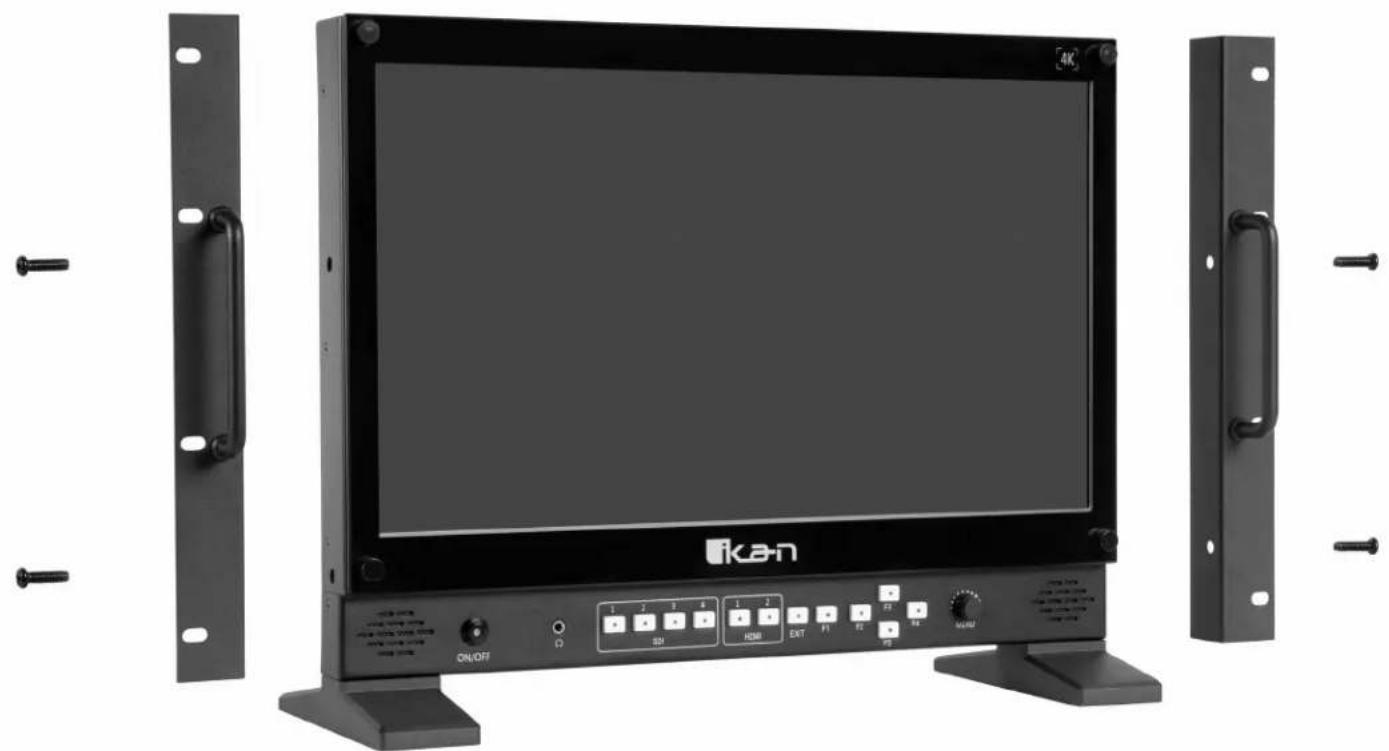
Rack Mount Installation
natural_image
Front view of a black Ikan TV monitor with control panel and external-mounted stand (no visible text or symbols on main body)Light Stand Mount Installation
text_image
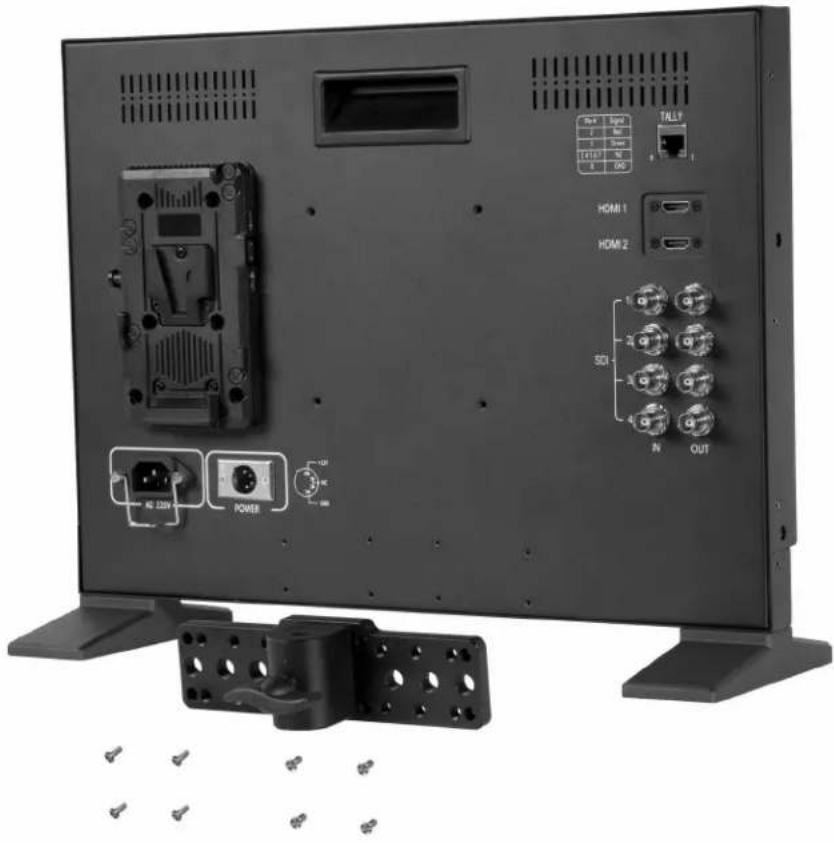
RSI Signal TALL1 HDMI 1 HDMI 2 SCL N OUT AS 220V POWERSpecifications
| Aspect Ratio 16:9 | |
| Display Size 17" | |
| Brightness 400 cd/m2 | |
| Contrast Ratio 1000:1 | |
| Inputs 2 x HDMI, 4 x 3G-SDI | |
| Outputs 4 x 3G-SDI | |
| Resolution 3840 x 2160 | |
| Shipping Dimensions 23.5 x 8.5 x 16 in. | |
| Shipping Weight 19 lb | |
| UPC Code 847983026005 | |
| Viewing Angle 178°(89°/89°) | |
Supported Video Signals Specifications
| HDMI 720x480i & 720x480p @ 59.94, 60 Hz720x576i & 720x576p @ 50 Hz1280x720p @ 50, 59.94, 60 Hz1920x1080i @ 50, 59.94, 60 Hz1920x1080psf @ 24, 25, 29.97, 30 Hz1920x1080p @ 23.97, 24, 25, 29.94, 30, 50, 59.94, 60 Hz3840x2160p @ 24, 25, 30 Hz4096x2160p @ 24 Hz |
| SDI 720x480i @ 59.94, 60 Hz720x576i & 720*576p @ 50 Hz1280x720p @ 50, 60 Hz1920x1080i @ 50, 59.94, 60 Hz1920x1080psf @ 24, 25, 29.97, 30 Hz1920x1080p @ 23.93, 24, 25, 29.97, 30, 50, 59.94, 60 Hz |
Optional Accessories
Some other products that work well with the AX17 available from Ikan include:
IB-HDL98S 98Wh Professional Battery (V-Mount)
C-2KIT-98S Dual Charger and 2x 98Wh Battery Kit (V-Mount)
Learn More
More dynamic information at official website: www.ikancorp.com
Support
Contact email: support@ikancorp.com
CONDITIONS OF WARRANTY SERVICE
- Free service for one year from the day of purchase if the problem is caused by manufacturing errors.
- The components and maintenance service fee will be charged if the warranty period is expired.
Free Service will not be provided in the following situations: (*Even if the product is still within the warranty period.)
- Damage caused by abuse or misuse, dismantling, or changes to the product not made by the company.
- Damage caused by natural disaster, abnormal voltage, and environmental factors, etc.
©2018 Ikan Corporation. All rights reserved