CVM-WS50C - Receiver Comica - Free user manual and instructions
Find the device manual for free CVM-WS50C Comica in PDF.


User questions about CVM-WS50C Comica
0 question about this device. Answer the ones you know or ask your own.
Ask a new question about this device
Download the instructions for your Receiver in PDF format for free! Find your manual CVM-WS50C - Comica and take your electronic device back in hand. On this page are published all the documents necessary for the use of your device. CVM-WS50C by Comica.
USER MANUAL CVM-WS50C Comica
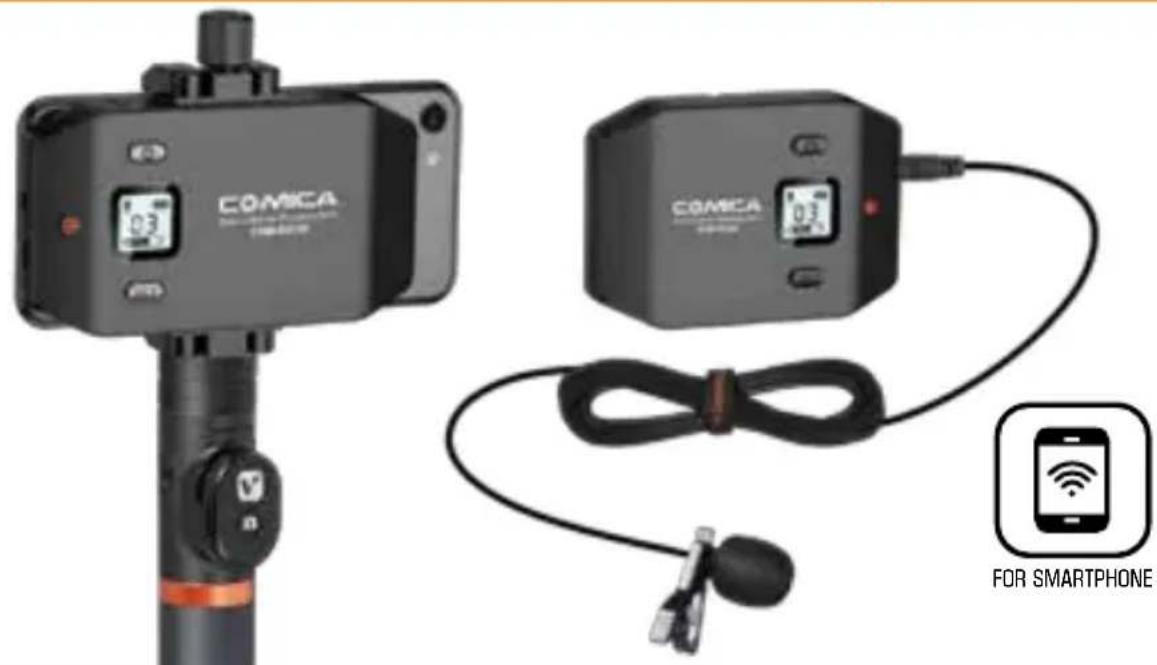
6-channels Smartphone Wireless Microphone
text_image
COMICA COMICA COMICA FOR SMARTPHONEUSER MANUAL
Foreword
Thank you for purchasing Comica WS50 6-channels smartphone wireless microphone.
WS50 is a creative wireless microphone for smartphone with built-in mobile phones holders. With built-in lithium polymer batteries, it uses UHF wireless technology and high-resolution LCD code screen, comes with six channels in total, stepless adjustable volume at receiving end, and integrated into power monitoring, audio dynamic display bar, real-time monitoring and other functions; the working distance is up to 60 meters (30 meters in barrier area), it can assist your phone for video recording and achieve professional sound effects.
To ensure the smooth use and safety of the products, please read this user manual carefully before using and properly assemble and operate.
Main Features
. 6 Channels, Working Distance Up to 60m (In Open Area, 30m in Barrier Area) ;
. Built-in Metal Material Smartphone Holder;
. LCD Screen for Displaying Channels and Audio Status;
. Stepless Volume Adjustment;
. Real-time Audio Monitor;
. Extendable for Connection with LED Light, Grip, Tripod, Cold-shoe, etc;
. Built-in Rechargeable Lithium Batteries;
. Portable and Light;
6 Channels Working Distance
Up to 60m

Built-in
Smartphone Holder
Stepless Volume Adjustment
Real-time
Audio Monitor
Lithium Batteries LCD Screen

WS50A Additional Features: Detachable Electronic Grip, Intelligent Video Operation;
WS50B Additional Features: Detachable Ordinary Grip
WS50C Additional Features: Can be used for live video on table for wireless audio transmission
Notice
. This product is compatible with both IOS and Android system, and when used with the iphone 7 or above, you need to use the original adapter cable;
. For smart phones with IOS system (Iphones), this Mic works well either in Audio or Video mode;
. For the smart phones with Android system, this Mic works well in audio mode, it may not be compatible with partial smart phones in video mode (Then we suggest you to try the 3rd party APP);
. To avoid signal interference during usage, please set the phone to flight mode;
. The working distance will be affected by the surrounding environment. In the process, please try to make sure the environment is barrier free and turn off the WIFI of your smart phone;
. During usage, the receiver should not be close to other UHF transmitters, radio stations and other devices which may cause interference;
. Please keep this product in dry environment;
. Do not expose the device in rain or humid environment, or there will be a danger of short circuit;
Packing List
Main Body:
natural_image
Exterior view of a black octagonal device with a small display screen (no visible text or symbols)Transmitter Receiver Ordinary Grip
natural_image
Close-up of a black industrial control device with a small display and indicator lights (no readable text or symbols)Electronic Grip (Only for WS50A)
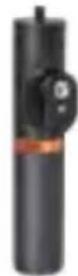
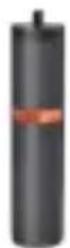
(Only for WS50B)
natural_image
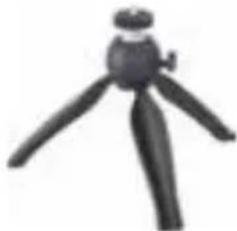
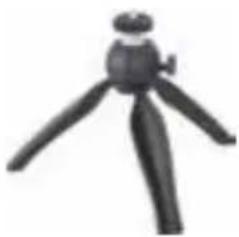
Black tripod toy with three legs and a small hat (no text or symbols visible)Tripod on Table (Only for WS50C)
Accessories:
- 3.5mm Audio Mic
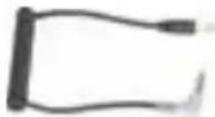
- TRRS Audio Output Cable
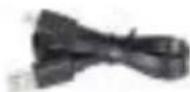
- USB Charging Cable
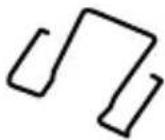
- Belt Clip
- Wind Muff
- Portable Case
- User Manual
- Warranty Card
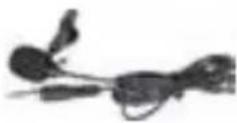
①234
O
O
O
⑤678
natural_image
Black rectangular electronic device with a gold strap, no visible text or symbolsO
O

O
Components and Instruction
Components
Transmitter
- Set Button for Channel Selection
- On-off/Muting Button
- Working Status Indicator Light
4.Mic Audio Input Socket/ Reset Hole - Micro USB Charging Socket
6.Belt Clip Hole
7.1/4 Thread at the Back

The function of reset hole: When function program of the product is disorganized and unable to make normal adjustment or even shutdown, you can use an appropriate taper tool to insert the reset hole to realize the function reset.

text_image
Technical diagram of a device casing with numbered components and labeled partsReceiver
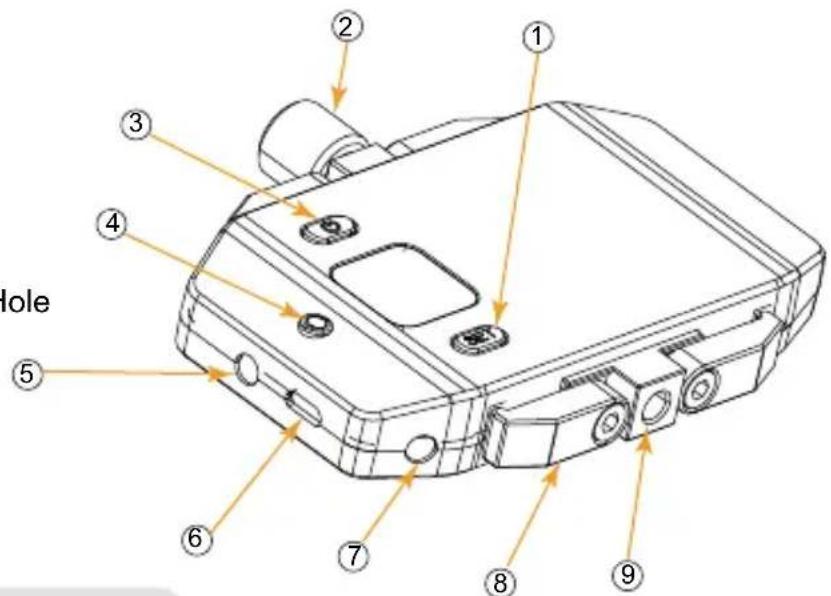
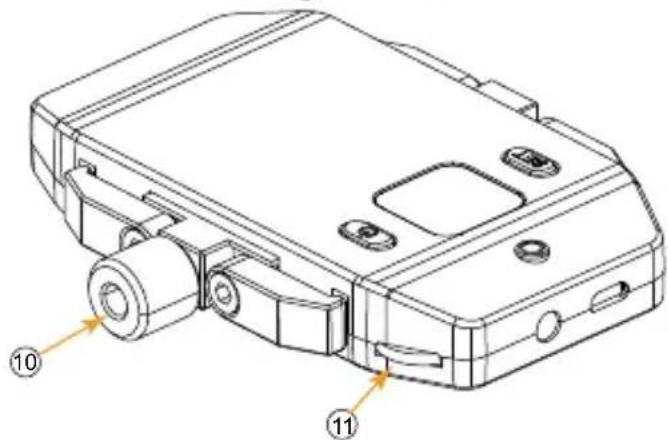
- Set Button for Channel Selection
- Adjusting Screw
- On/Off Button
- Working Status Indicator Light
5.3.5mm Audio Output Socket/ Reset Hole - Micro USB Charging Socket
7.3.5mm Monitoring Socket - Smartphone Clamp
9.1/4 Thread at the bottom
10.1/4 Thread at the top - Volume Adjusting Button
text_image
Dole ① ② ③ ④ ⑤ ⑥ ⑦ ⑧ ⑨
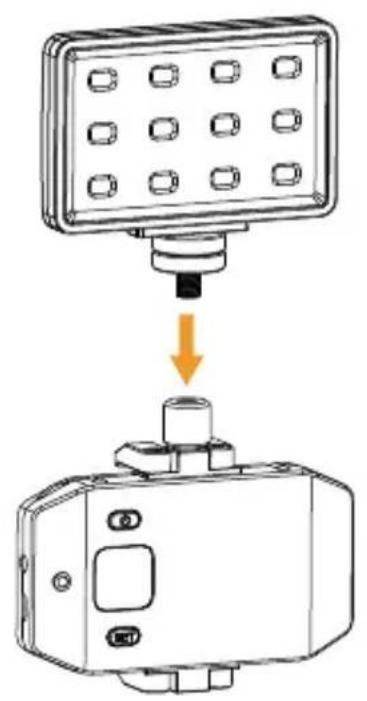
External light and other equipment can be used on 1/4 thread at the top; Grip can be used for 1/4 thread at the bottom.
The function of reset hole: When function program of the product is disorganized and unable to make normal adjustment or even shutdown, you can use an appropriate taper tool to insert the reset hole to realize the function reset.
text_image
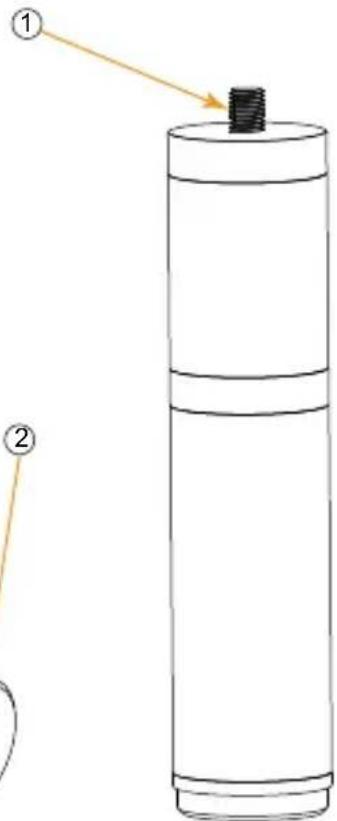
Technical diagram of a mechanical device with numbered annotations pointing to specific components.Ordinary Grip
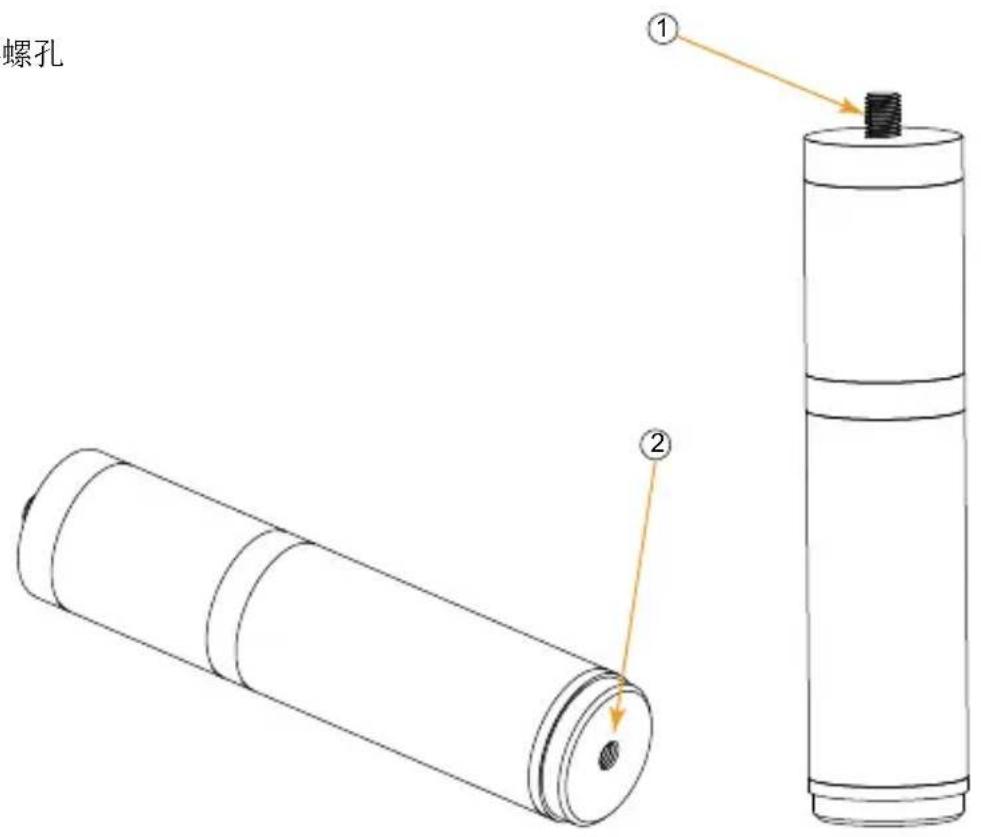
- 1/4 Screw Thread
- 1/4 Thread at the Bottom
rew Thread read at the Bottom
rew Thread read at the Bottom
text_image
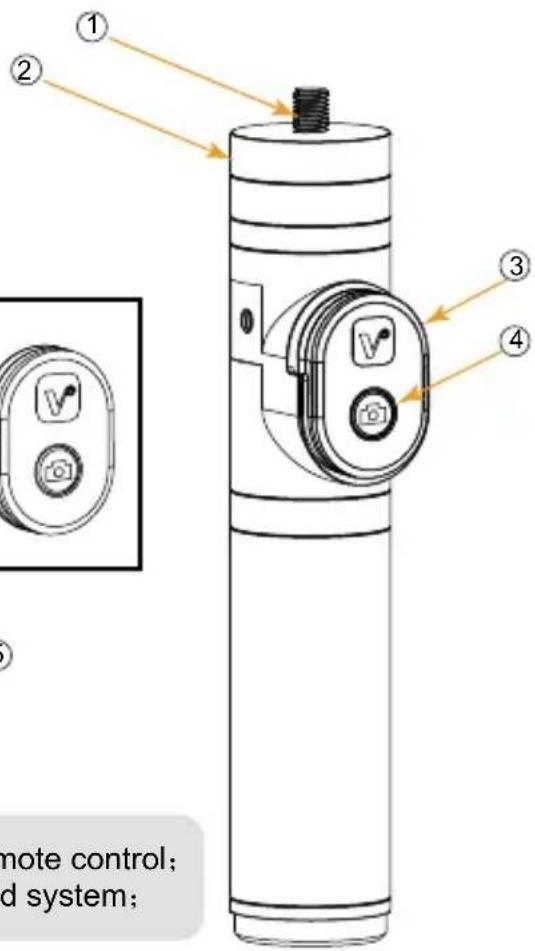
Diagram of a cylindrical device with labeled parts, showing a threaded component and an arrow pointing to part 1.Electronic Grip
- 1/4 Screw Thread
- Adjustable Screw
- 1/4 Thread at the Bottom
-
Bluetooth Remote Controller
-
On-off/Function Button of the Remote Controller

natural_image
Technical line drawing of a cylindrical mechanical component with an inset close-up showing a circular component and a labeled part (5), no text or symbols present.
The bluetooth remote controller can be taken down for remote control; Bluetooth remote controller supports both IOS and Android system;
text_image
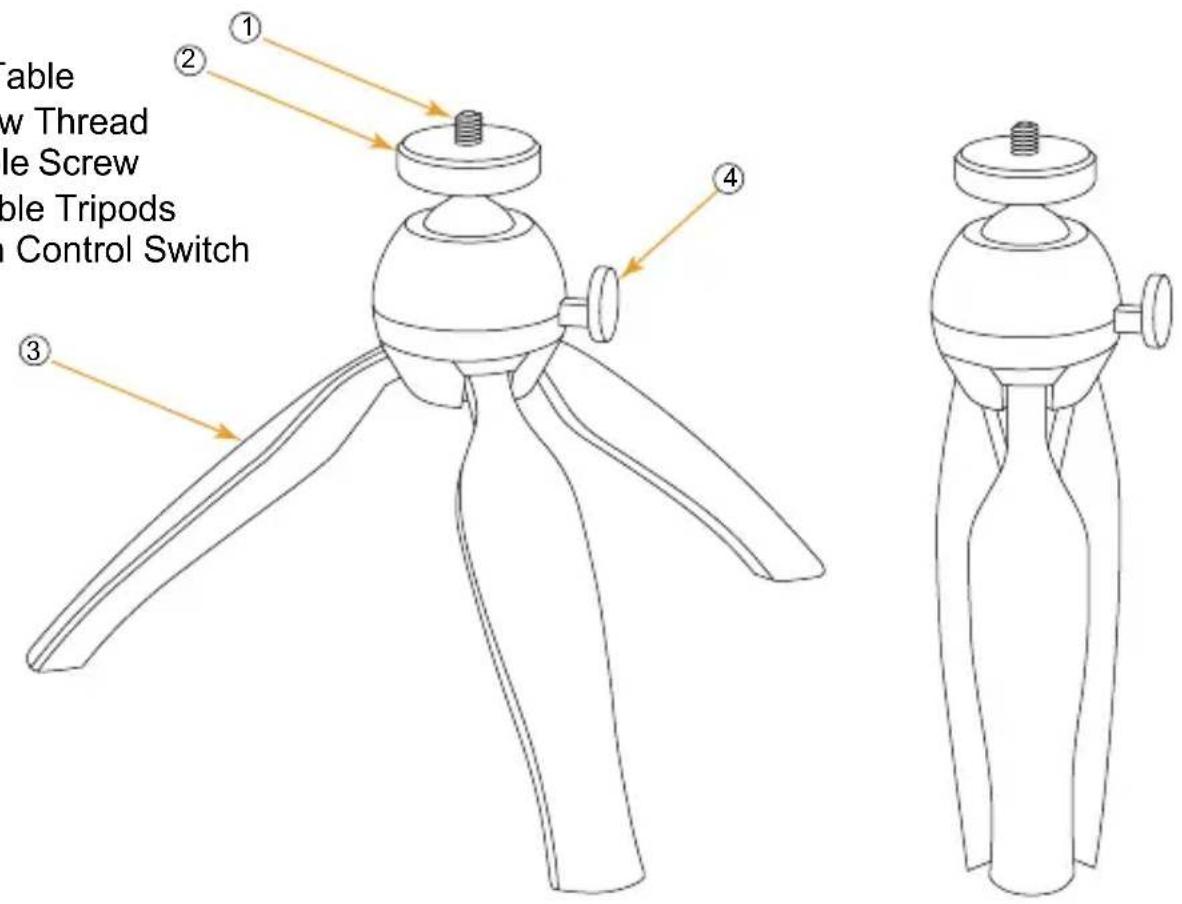
① ② ③ ④ remote control; d system;Tripod on Table
- 1/4 Screw Thread
- Adjustable Screw
- Stretchable Tripods
- Direction Control Switch
text_image
Table New Thread Screw Candle Tripods Control Switch ① ② ③ ④Screen Display Instruction
Transmitter:

Normal Recording

Muting

text_image
03Power Indication
Channel
Audio Dynamic Display Bar
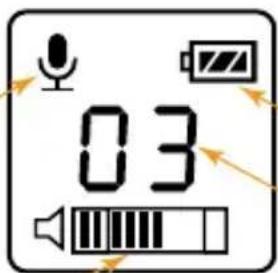
Receiver:
Normal recording
text_image
03Power Indication
Channel
Audio Dynamic Display Bar
Function Button Instruction
| Transmitter |  On-off//Muting Button On-off//Muting Button | Long Press | Power On/Off | |
| Short Press | Muting Mode (Take effect when the screen is lighted up) | |||
 Set Button Set Button | Short Press | Channel Selection (0~5 Channel)(Take effect when the screen is lighted up) | ||
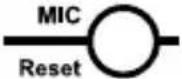 Mic Input / Reset Hole Mic Input / Reset Hole | Insert the Mic line / Insert a small object like a pin | Audio Recording / Reset | ||
| Receiver |  On-off Button On-off Button | Long Press | Power On/Off | |
 Set Button Set Button | Short Press | Channel Selection (0~5 Channel)(Take effect when the screen is lighted up) | ||
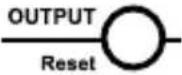 Audio Output / Reset Hole Audio Output / Reset Hole | Insert the Mic line / Insert a small object like a pin | Audio Output / Reset | ||
 Volume Adjustment Wheel Volume Adjustment Wheel | Dial the wheel to the left/right | Volume Adjustment | ||
| Electronic Grip |  On-off Button On-off Button | Long Press for 2 Seconds | Power On | |
| Short Press | In photo mode, press for photo shooting; In video recording mode, first press to start, press again to finish | |||
| Matched with the Smartphone | Long Press for 2 Seconds | Continuous Capture for 3 Seconds | ||
| Long Press for 6 Seconds | Reset to default, can be matched with different smartphone | |||
| No Operation | 10 minutes later | Auto Power-Off | ||
Indicator Light Instruction
| Transmitter | Green Light Keeps On | Normal Working Status |
| Red Light Keeps On | Muting Mode | |
| Red Light Flickers | Low-power reminder | |
| Receiver | Green Light Flickers | Channel doesn’t match with the transmitter |
| Green Light Keeps On | Channels matches | |
| Red Light Flickers | Low-power reminder | |
| Electronic Grip | Blue Light Flickers (After the grip turned on) | Grip doesn’t match with the smartphone |
| Green Light Flickers | Taking pictures/Video Recording |
Installation and Usage
Transmitter:
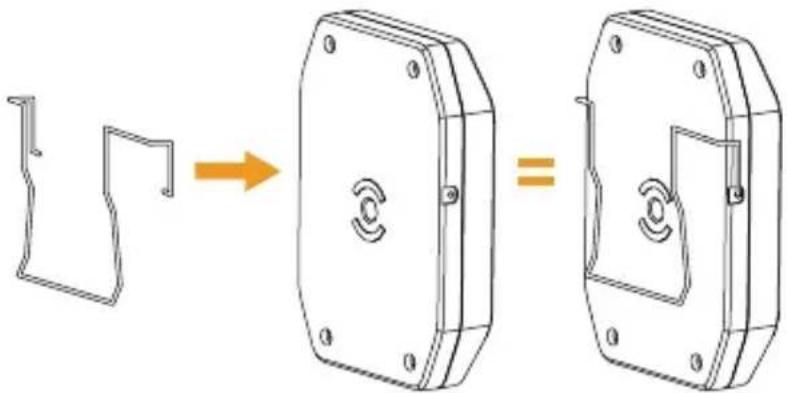
- Connect the belt clip to the connection hole
natural_image
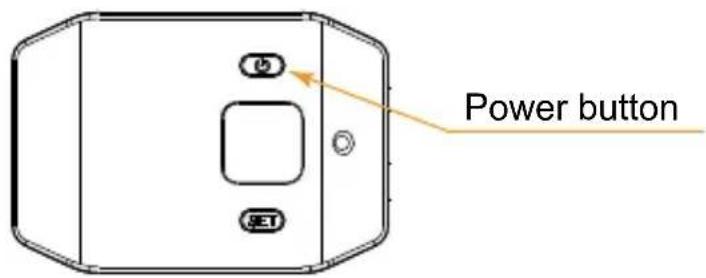
Diagram showing a mechanical component before and after assembly, with no visible text or symbols- Long press the power button to turn on the transmitter
text_image
Power button- Insert the 3.5mm audio input line into the "Mic" socket
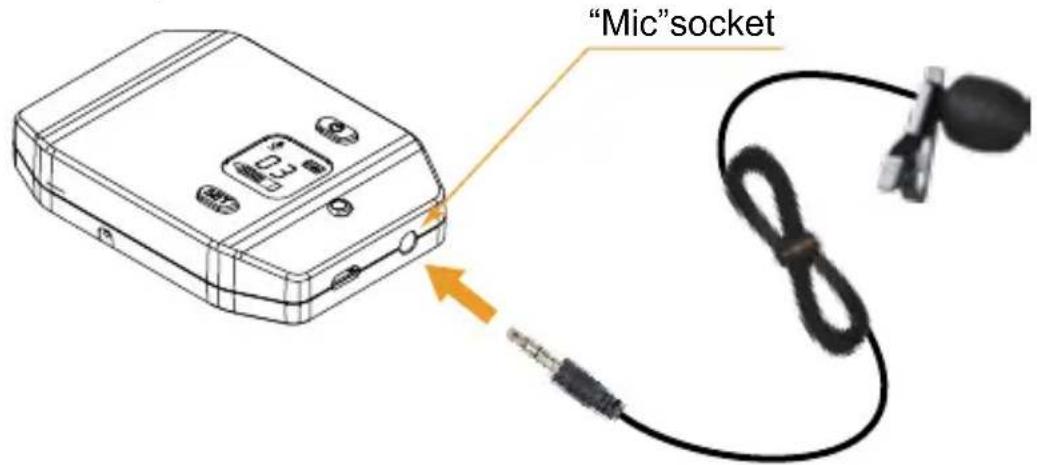
text_image
"Mic"socket- Target the Mic to the audio source and check whether the transmitter is working properly according to the audio display bar on the screen
Audio Dynamic Display Bar
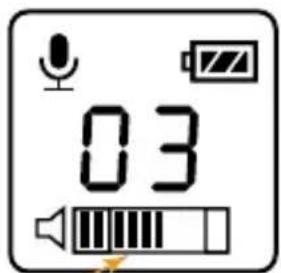
text_image
03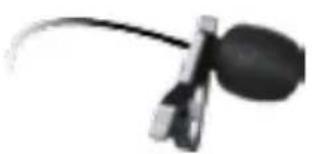
natural_image
Close-up of a magnifying glass with a curved handle and circular lens (no text or symbols visible)
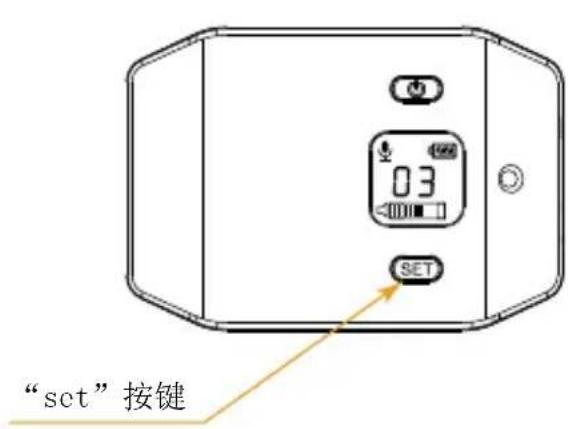
- Short press set button to select the channel
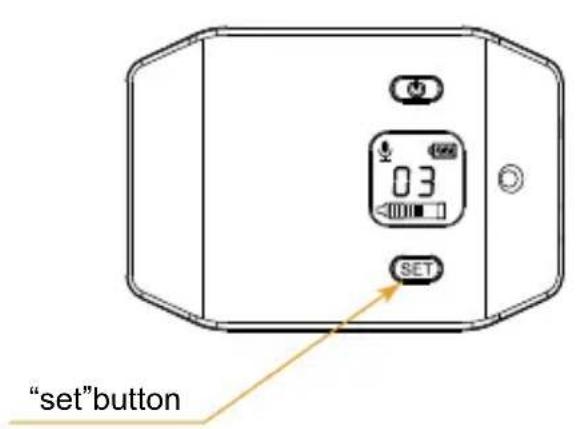
text_image
"set"button
text_image
03 ChannelReceiver:
- Rotate the four clamps, then adjust the screw to appropriate height, install the phone in the neutral position; connect one end (black) of the audio output line to OUTPUT socket, the other end (gray TRRS) to mobile phone audio input socket; A 3.5mm headset can be inserted in real-time monitoring socket according to the need.
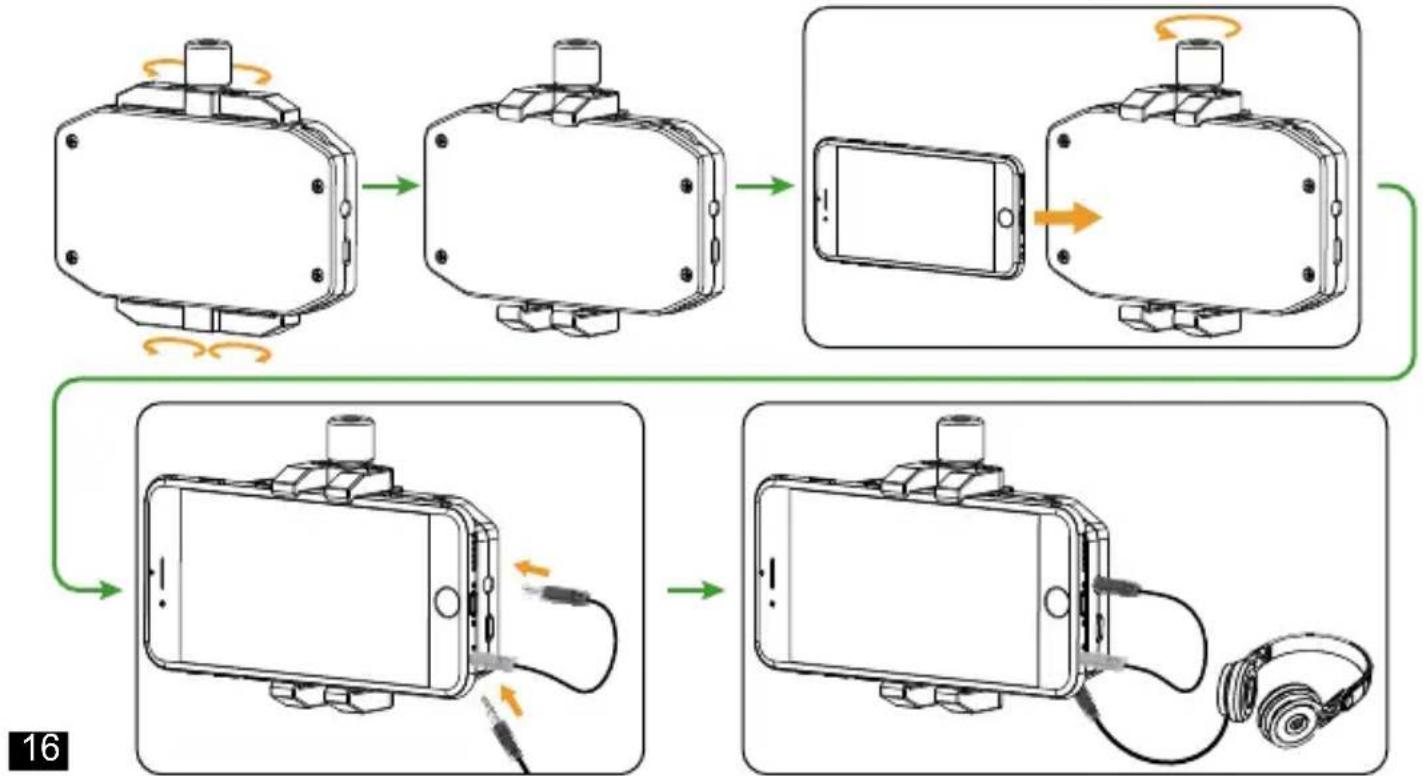
flowchart
graph TD
    A["Phone with sensor"] --> B["Device state"]
    B --> C["Device state with sensor"]
    C --> D["Device state with smartphone"]
    D --> E["Device state with earphone"]
    E --> F["Device state with earphone"]
    F --> G["Device state with earphone"]
- Long press the power button to turn on the receiver;
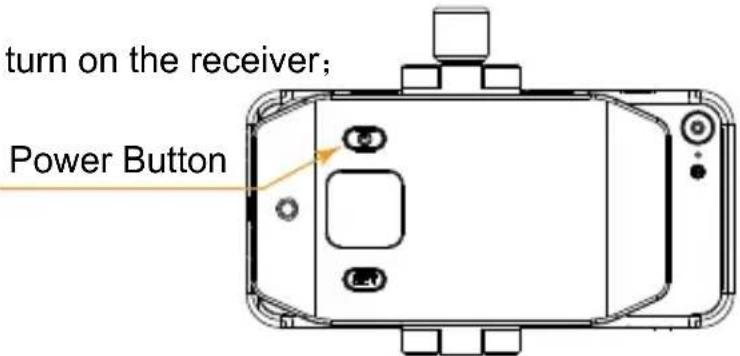
text_image
turn on the receiver; Power Button- Short press set button to make channel consistent with the transmitter, and adjust the volume to the optimal status through the volume adjusting wheel;
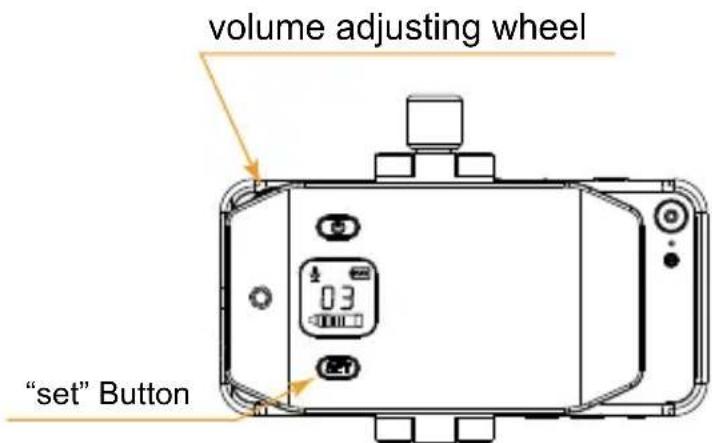
text_image
volume adjusting wheel "set" Button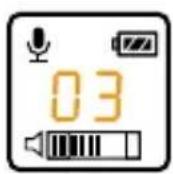
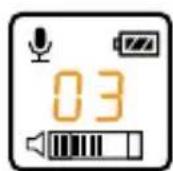
Receiver ChannelTransi

When the receiver channel matches the transmitter, the green light keeps on.
- Can be extendable for connection with LED light or other auxiliary equipment;
natural_image
Diagram showing a device with a grid-patterned top and a mechanical component below, no text or symbols present.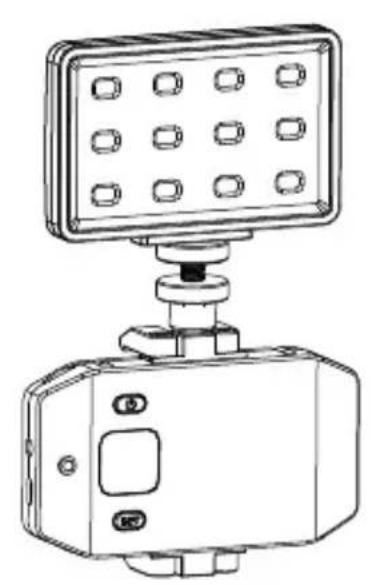
natural_image
Line drawing of a smart control device with a grid-mounted panel and base (no text or symbols)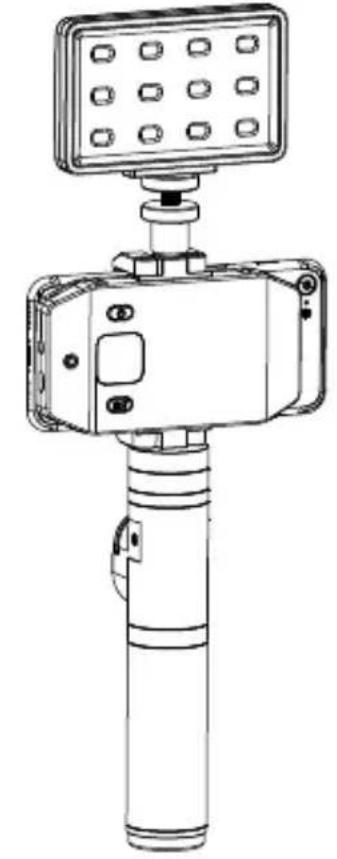
natural_image
Technical line drawing of a handheld device with a top-mounted sensor or sensor unit (no text or symbols visible)- Go for the normal audio recording;
Electronic Grip:
- Connect the 1/4 screw thread of the electronic grip to the 1/4 thread of the receiver, then fix the receiver through the adjusting screw;
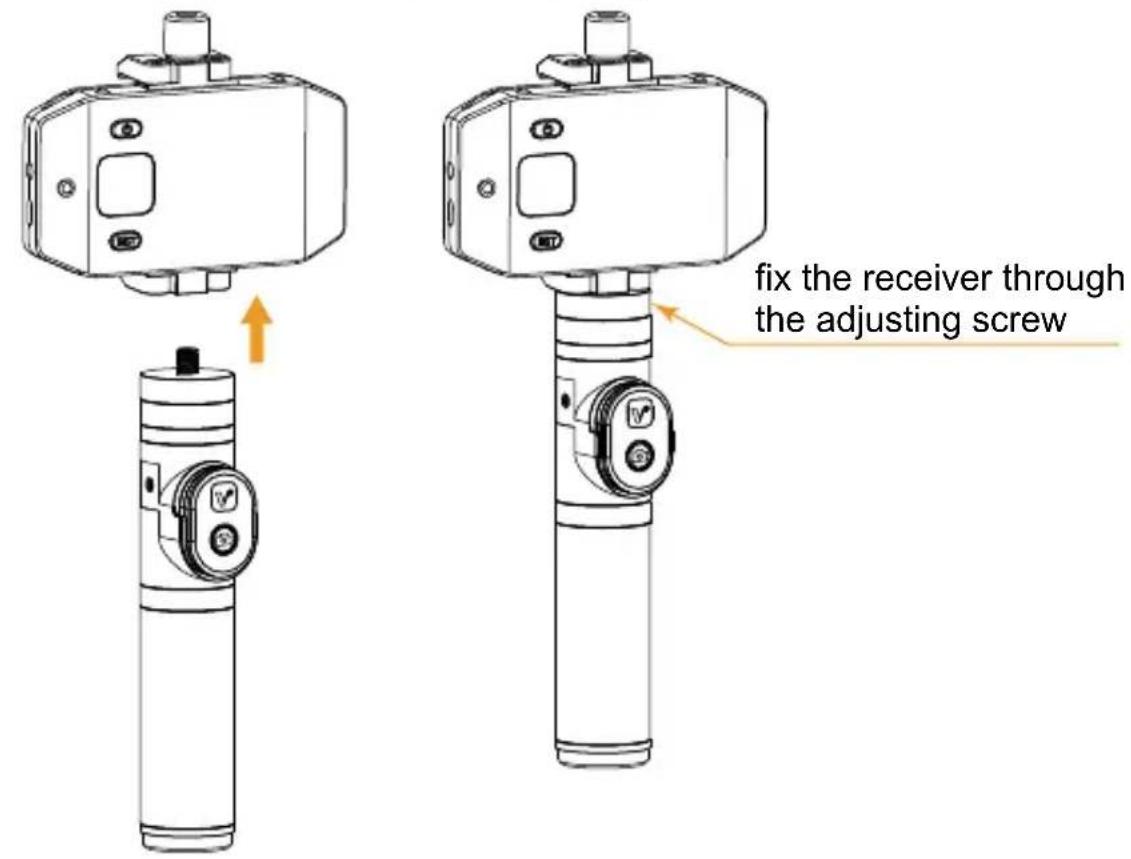
text_image
fix the receiver through the adjusting screw- Long press the power button to turn on the grip;
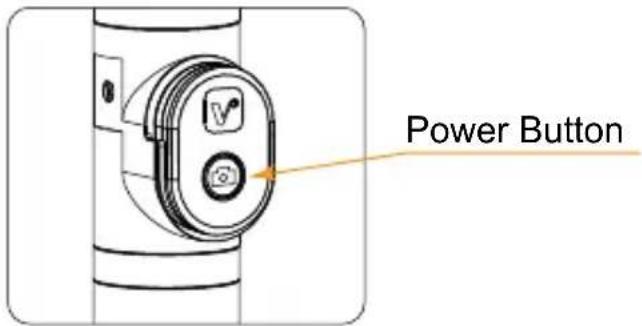
text_image
Power Button- Turn on the bluetooth of the phone, match with the bluetooth named 'Viewflex - H', then you can use your smartphone for recording.
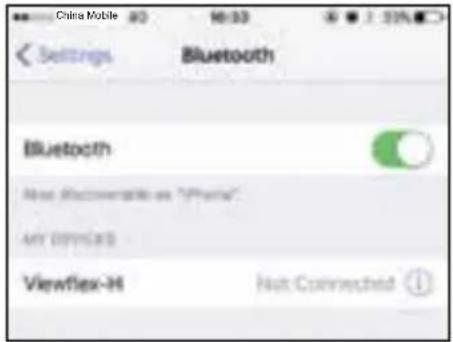
text_image
China Mobile 80 10:30 Settings Bluetooth Bluetooth New Discoverents as "Phone" My Devices ViewFlex-H Nut Connected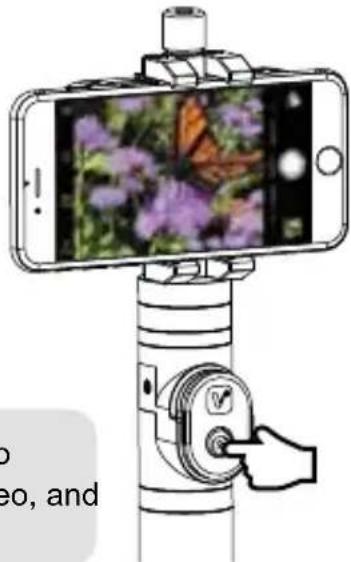
natural_image
Illustration of a smartphone mounted on a tripod stand with a butterfly photo, no text or symbols present
In photo shooting mode, press the remote controller for photo taking; In video mode, press the remote controller to start video, and press again to finish.
Tripod on Table:
- Connect the receiver with the tripod through the 1/4 screw thread, fix the receiver by adjusting the adjustable screw, press the direction control switch to adjust the direction;
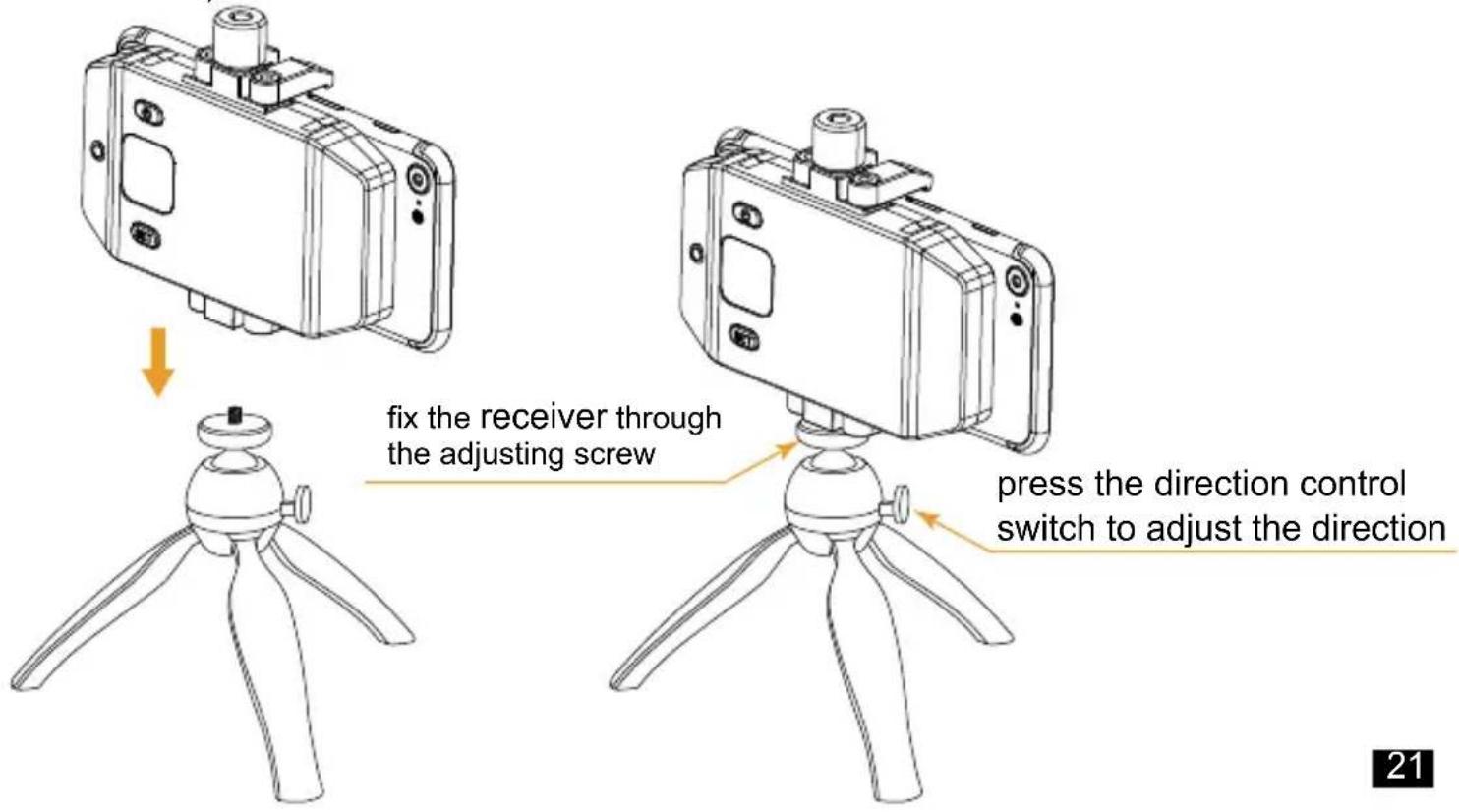
text_image
fix the receiver through the adjusting screw press the direction control switch to adjust the directionSpecification
Transmitter:
| Channels | 6 (0~5) |
| Wireless Frequency | 520.00MHz ~ 526.00MHz |
| Signal / Noise | >65dB |
| Antenna | 1/4 Wavelength Wire Antenna |
| Transmitting Power | 10dBm |
| Stray Radiation | <-60dBc |
| Sound Delay | <20ms |
| Audio Distortion | <0.5% |
| Audio Input Socket | 3.5mm socket |
| Batteries | Polymer Lithium Battery 3.7V 1150mAh |
| Endurance | 8 Hours |
| Charging Socket | Micro USB |
| Dimension ~ | 85 x 59 x 16.3 mm |
| Operating Temperature | 0°C ~ +50°C |
| Storage Temperature | -20°C ~ +60°C |
Receiver:
| Channels | 6 (0~5) |
| Wireless Frequency | 520.00MHz ~ 526.00MHz |
| Signal / Noise | >65dB |
| Antenna | 1/4Wavelength Wire Antenna |
| Receiving Sensitivity | -95dBm |
| Sound Delay | <20ms |
| Audio Distortion | <0.5% |
| Frequency Response | 20Hz ~ 18KHz |
| Audio Input Socket | 3.5mmSocket |
| Batteries | Polymer Lithium Battery 3.7V 1150mAh |
| Endurance | 8 Hours |
| Charging Socket | Micro USB |
| Dimension | 104 x 57.6 x 16.3mm |
| Charging Socket | 0°C ~ +50°C |
| Storage Temperature | -20°C ~ +60°C |
Bluetooth Electronic Grip:
| Bluetooth Version | 3.0 |
| Effective Distance | 10m |
| Battery | CR2032 x 1 |
| Auto power-off time with no operation | 10 minutes |
| Dimension | 35 x 25 x 8.4mm |
CVM-WS50
CVM-WS50 6频手机专用无线麦克风
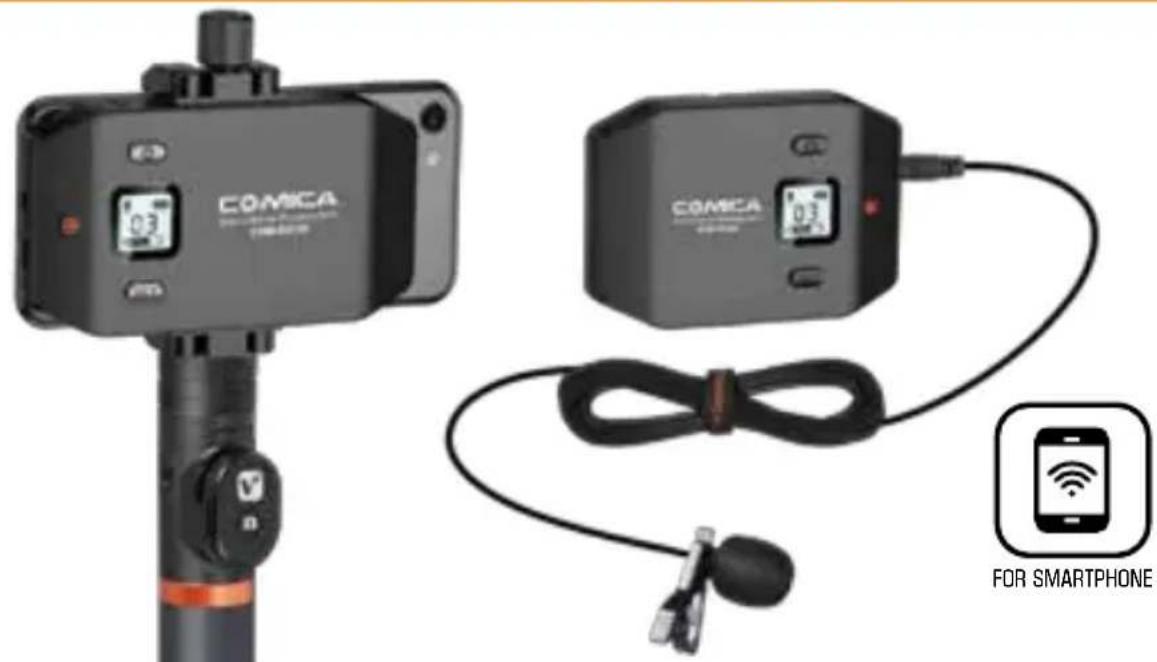
text_image
COMICA COMICA FOR SMARTPHONE用户使用说明书
前言
natural_image
Exterior view of a modern office building (no signage)发射器
natural_image
Close-up of a black industrial control device labeled 'CONCA' with no visible text or symbols on the body.接收器
普通手柄
电子手柄
(仅用于WS50A)
(仅用于WS50B)
natural_image
Black-and-white photo of a tripod propeller (no text or symbols visible)桌面三角架 (仅用于WS50C)
配件:
natural_image
Black rectangular electronic device with a gold strap, no visible text or symbolsO
O
O
部件介绍及说明
部件介绍
发射器
text_image
Technical diagram of a device casing with numbered components and labeled parts接收器
text_image
Technical diagram of a device with numbered components for identification
顶部1/4螺口可外接补光灯等其他设备;
底部1/4螺口可用来接手柄方便拍摄;
text_image
Technical diagram of a mechanical device with numbered annotations pointing to internal components.普通手柄
1.1/4螺牙
2. 底部1/4螺孔
text_image
螺孔 ① ②电子手柄
natural_image
Technical diagram showing a door mechanism and a control panel with icons (no text or labels)
natural_image
Technical line drawing of a cylindrical mechanical component with mounting holes and a numbered callout (no text or symbols)桌面三角架
natural_image
Simple line drawing of a microphone with sound waves, no text or symbols present音量动态显示条
5. 短按set按键选择频道
text_image
"set" 按键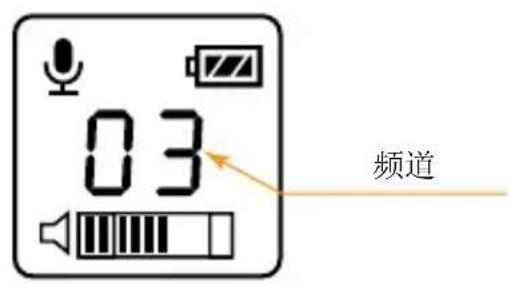
text_image
03 频道接收器:
natural_image
Top-down schematic of a vehicle or device casing with no visible text, numbers, or symbolsnatural_image
Diagram showing a sensor device with a grid panel and an orange arrow pointing to a component (no text or symbols present)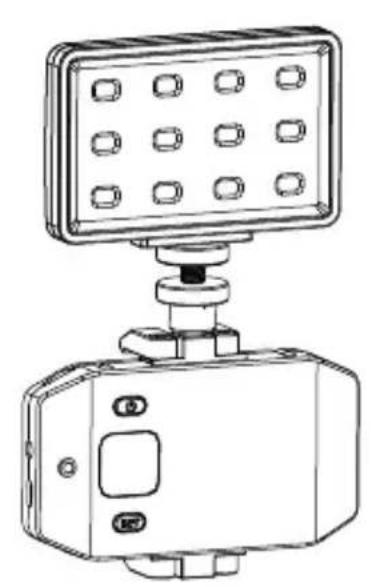
natural_image
Technical line drawing of a mounted device with a grid-patterned top panel and control knob (no text or symbols)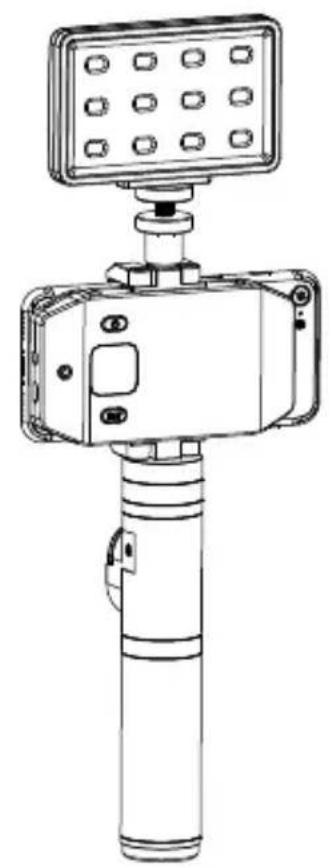
natural_image
Technical line drawing of a mechanical device with a top-mounted sensor or sensor unit (no text or symbols visible)- 进行视频拍摄中的音频录制;
电子手柄:
natural_image
Illustration of a smartphone mounted on a stand with a hand adjusting the button (no text or symbols)
text_image
QR code image containing encoded data, no visible human-readable textwww.comica-audio.com
The COMICA LOGO is trademark which is registered and owned by Comica Technology Co., Ltd. Email: support@comica-audio.com