
Perception live - Microphone AKG - Free user manual and instructions
Find the device manual for free Perception live AKG in PDF.


| Brand | AKG |
| Model | Perception live (P2, P4, P3S, P5/P5S) |
| Product Type | Dynamic Microphone |
| Polar Pattern | Cardioid (P2, P4, P3S) / Supercardioid (P5/P5S) |
| Frequency Range | P2: 20–16,000 Hz; P4: 40–18,000 Hz; P3S: 40–20,000 Hz; P5/P5S: 40–20,000 Hz |
| Sensitivity | 2.5 mV/Pa (all models) |
| Recommended Load Impedance | ≥2,000 ohms |
| Maximum Sound Pressure Level | P2: 157 dB SPL; P4: 152 dB SPL; P3S: 144 dB SPL; P5/P5S: 144 dB SPL |
| Power Supply | Passive (no battery required) |
| Connector | 3-pin XLR male (balanced output) |
| On/Off Switch | P3S and P5S have slide switch; P2 and P4 no switch |
| Included Accessories | Carrying case (all); SA 45 stand adapter (P3S, P5/P5S); H 440 bracket (P4) |
| Intended Use | P2: Kick drum, bass amps, wind instruments; P4: Toms, percussion, guitar amps, wind instruments; P3S: Instruments and backing vocals; P5/P5S: Solo vocals |
| Cleaning | Wipe body with damp cloth; wash internal windscreen in soap suds, dry overnight |
| Safety | Ensure connected equipment has ground lead per local regulations |
| Compliance | RoHS compliant; Declaration of Conformity available at www.akg.com |
| Spare Parts / Repairability | Internal windscreen replaceable; front grill removable for cleaning |
| Dimensions | Not specified in manual |
| Weight | Not specified in manual |
Frequently Asked Questions - Perception live AKG
User questions about Perception live AKG
0 question about this device. Answer the ones you know or ask your own.
Ask a new question about this device
Download the instructions for your Microphone in PDF format for free! Find your manual Perception live - AKG and take your electronic device back in hand. On this page are published all the documents necessary for the use of your device. Perception live by AKG.
USER MANUAL Perception live AKG
Please read the manual before using the equipment!
Inhaltsverzeichnis
P 2....8
P 4....8
P3S....8
P5/P5S....8
natural_image
Black handheld hairdryer with a black head and metallic grille (no visible text or symbols)P2
natural_image
Diagram showing a microphone connected to two cables, one with an arrow indicating direction (no text or symbols present)Connecting the microphone 14
Switching the microphone on/off.... 14
4 Cleaning.... 15
Microphone 15
Internal Windscreen.... 15
5 Specifications 16
P 2....16
P 4....16
P 3 S....16
P 5 / P 5 S....16
6 Troubleshooting.... 17
1 Safety

ATTENTION
Risk of damage
Please make sure that the piece of equipment your microphone will be connected to fulfills the safety regulations in force in your country and is fitted with a ground lead.
2 Description
Introduction
Thank you for purchasing an AKG product. This Manual contains important instructions for setting up and operating your equipment. Please take a few minutes to read the instructions below carefully before operating the equipment. Please keep the Manual for future reference. Have fun and impress your audience!
natural_image
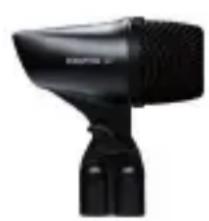
Black handheld hairdryer with a black head and metallic grille (no visible text or symbols)P2
• Dynamic instrument microphone
- Cardioid polar pattern
- Carrying case
- For kick drum, bass amps, wind instruments
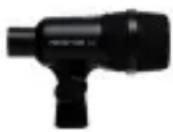
P4
• Dynamic instrument microphone
- Cardioid polar pattern
• H 440 bracket
- Carrying case
- For toms, percussion, guitar amps, wind instruments
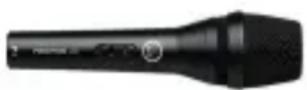
P3S
• Dynamic instrument microphone with on/off switch
- Cardioid polar pattern
- SA 45 stand adapter
- Carrying case
• For instruments and backing vocals
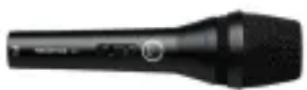
P5/P5S
• Dynamic vocal microphone with on/off switch
• Supercardioid polar pattern
• SA 45 stand adapter
- Carrying case
- For solo vocals
Optional Accessories
For optional accessories, refer to the current AKG catalog or folder, or visit www.akg.com. Your dealer will be glad to help.
3 Application
Connecting the microphone
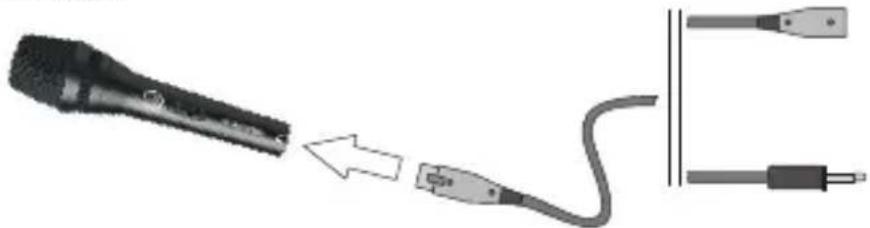
The microphone provides a balanced output on a 3-pin male XLR connector:
natural_image
Diagram showing a microphone connected to two cables, one with an arrow indicating connection (no text or symbols present)You can connect the microphone either to a balanced or an unbalanced microphone input.
- To connect the microphone to a balanced input (XLR connector), use a commercial XLR cable.
- To connect the microphone to an unbalanced microphone input (1/4" jack), use a cable with a female XLR connector and a 1/4" TS jack plug. Please note that unbalanced cables may pick up interference from stray magnetic fields near power or lighting cables, electric motors, etc. like an antenna. This may cause hum or similar noise when you use a cable that is longer than 16 feet (5 m).
Switching the microphone on/off
Microphones with name suffix "S" have an on/off switch.
1) To switch the microphone on, slide the on/off switch toward the front grill ("ON" position)
2) To switch the microphone off, slide the on/off switch toward the microphone cable ("OFF" position)
To prevent unwanted bursts of noise, be sure to switch the microphone off before connecting or disconnecting the microphone cable.
4 Cleaning
Microphone
- Use a soft cloth moistened with water to clean the surface of the microphone body.
Internal Windscreen
1) Unscrew the front grill from the microphone CCW.
2) Remove the windscreen from the grill and wash the windscreen in soap suds.
3) Allow the windscreen to dry overnight.
4) Replace the windscreen in the front grill and screw the front grill on the microphone CW.
5 Specifications
| P 2 | Polar pattern: cardioid | ||
| Frequency range: 20 to 16,000 Hz | |||
| Sensitivity: | 2.5 | mV/Pa | |
| Recommended load impedance: | ≥2,000 ohms | ||
| Max. sound pressure level: 157 dB SPL | |||
| P 4 | Polar pattern: cardioid | ||
| Frequency range: 40 to 18,000 Hz | |||
| Sensitivity: | 2.5 | mV/Pa | |
| Recommended load impedance: | ≥2,000 ohms | ||
| Max. sound pressure level: 152 dB SPL | |||
| P 3 S | Polar pattern: cardioid | ||
| Frequency range: 40 to 20,000 Hz | |||
| Sensitivity: | 2.5 | mV/Pa | |
| Recommended load impedance: | ≥2,000 ohms | ||
| Max. sound pressure level: 144 dB SPL | |||
| P 5 / P 5 S | Polar pattern: supercardioid | ||
| Frequency range: 40 to 20,000 Hz | |||
| Sensitivity: | 2.5 | mV/Pa | |
| Recommended load impedance: | ≥2,000 ohms | ||
| Max. sound pressure level: 144 dB SPL | |||
This product conforms to the standards listed in the Declaration of Conformity. To order a free copy of the Declaration of Conformity, visit http://www.akg.com or contact sales@akg.com.
6 Troubleshooting
| Problem Possible Cause Remedy | ||
| No sound | Channel or master fader on mixer, or volume control on amplifier is at zero. | Set channel or master fader on mixer or volume control on amplifier to desired level. |
| Microphone is not connected to mixer or amplifier. | Connect microphone to mixer or amplifier. | |
| Cable connectors are seated loosely. | Check cable connectors for secure seat. | |
| Cable is defective. Check cable and replace if damaged. | ||
| P 3 S, P 5 S: Switch in "OFF" position. | P 3 S, P 5 S: Set switch to "ON" position. | |
| Distortion | Gain control on mixer or transmitter module not set correctly. | Set gain control to stop distortion. |
| Microphone sounds dull | Internal or external windscreen attenuates high frequencies when soiled. | Clean internal or external windscreen. |
Mikrofone · Kopfhörer · Drahtlosmikrofone · Drahtloskopfhörer · Kopfsprechgarnituren · Akustische Komponenten Microphones · Headphones · Wireless Microphones · Wireless Headphones · Headsets · Electroacoustical Components Microphones · Casques HiFi · Microphones sans fil · Casques sans fil · Micros-casques · Composants acoustiques Microfoni · Cuffie HiFi · Microfoni senza filo · Cuffie senza filo · Cuffie-microfono · Componenti acustici Micrófonos · Auriculares · Micrófonos inalámbricos · Auriculares inalámbricos · Auriculares con micrófono · Componentes acústicos Microfones · Fones de ouvido · Microfones s/fios · Fones de ouvido s/fios · Microfones de cabeça · Componentes acústicos
AKG Acoustics GmbH
Lemböckgasse 21–25, A-1230 Vienna/AUSTRIA, phone: (+43-1) 86654-0*
e-mail: sales@akg.com
For other products and distributors worldwide visit www.akg.com or www.harman.com




ROHS OK

A Harman International Company
Technische Änderungen vorbehalten. Specifications subject to change without notice. Ces caractéristiques sont susceptibles de modifications. Ci riserviamo il diritto di effettuare modifiche tecniche. Nos reservamos el derecho de introducir modificaciones técnicas. Especificações sujeitas a mudanças sem aviso prévio.
Printed in China P.R.C. 09/09/9100 U 13040


Brand : AKG
Model : Perception live
Category : Microphone