
Highlander Hybrid (2021) - Automotive TOYOTA - Free user manual and instructions
Find the device manual for free Highlander Hybrid (2021) TOYOTA in PDF.


| Product Type | Automobile |
| Make | Toyota |
| Model | Highlander Hybrid (2021) |
| Category | SUV |
| Fuel Type | Unleaded gasoline + Electric (Hybrid) |
| Fuel Tank Capacity | 17.1 gal (65 L) |
| Engine | 2.5L 4-cylinder hybrid (Atkinson cycle) |
| Hybrid System Net Power | Approx. 243 hp |
| Transmission | Electronically controlled continuously variable transmission (e-CVT) |
| Drive System | Front-wheel drive (standard) / All-wheel drive (optional) |
| Seating Capacity | 7 or 8 passengers (depending on configuration) |
| Curb Weight (approx.) | 4,100 - 4,500 lbs (1,860 - 2,041 kg) |
| Towing Capacity | Up to 5,000 lbs (2,268 kg) when properly equipped |
| Tire Size (example) | 235/55R20 |
| Tire Inflation Pressure (cold) | Refer to driver’s door jamb label (approx. 33-36 psi) |
| Hybrid Battery | Nickel-metal hydride (Ni-MH) traction battery |
| Safety Systems | Toyota Safety Sense 2.5+ (Pre-Collision, Lane Tracing Assist, Dynamic Radar Cruise Control, Road Sign Assist, Automatic High Beam) |
| Airbags | SRS front, side, curtain, knee, seat cushion |
| Engine Oil Type | 0W-16 full synthetic (Toyota Genuine or equivalent) |
| Engine Oil Capacity (drain & refill) | Approx. 4.6 qt (4.4 L) |
| Maintenance Interval | Every 5,000 miles or 6 months (oil and filter) |
| Special Features | EV drive mode, regenerative braking, power back door, moon roof, heated seats, digital rearview mirror |
Frequently Asked Questions - Highlander Hybrid (2021) TOYOTA
User questions about Highlander Hybrid (2021) TOYOTA
0 question about this device. Answer the ones you know or ask your own.
Ask a new question about this device
Download the instructions for your Automotive in PDF format for free! Find your manual Highlander Hybrid (2021) - TOYOTA and take your electronic device back in hand. On this page are published all the documents necessary for the use of your device. Highlander Hybrid (2021) by TOYOTA.
USER MANUAL Highlander Hybrid (2021) TOYOTA
| Pictorial index | Search by illustration | |
| For safety and security | Make sure to read through them(Main topics: Child seat, theft deterrent system) | 1 |
| Vehicle status information and indicators | Reading driving-related information(Main topics: Meters, multi-information display) | 2 |
| Before driving | Opening and closing the doors and windows, adjustment before driving(Main topics: Keys, doors, seats) | 3 |
| Driving | Operations and advice which are necessary for driving(Main topics: Starting hybrid system, refueling) | 4 |
| Interior features | Usage of the interior features(Main topics: Air conditioner, storage features) | 5 |
| Maintenance and care | Caring for your vehicle and maintenance procedures(Main topics: Interior and exterior, light bulbs) | 6 |
| When trouble arises | What to do in case of malfunction and emergency(Main topics: 12-volt battery discharge, flat tire) | 7 |
| Vehicle specifications | Vehicle specifications, customizable features(Main topics: Fuel, oil, tire inflation pressure) | 8 |
| For owners | Reporting safety defects for U.S. owners, and seat belt, SRS airbag and headlight aim instructions for Canadian owners | 9 |
| Index | Search by symptom | |
| Search alphabetically |
For your information ....5
Reading this manual....10
How to search......11
Pictorial index 12

For safety and security
1-1. For safe use
Before driving....24
For safe driving 25
Seat belts....27
SRS airbags....34
Front passenger occupant classification system....43
Exhaust gas precautions.....48
1-2. Child safety
Riding with children......49
Child restraint systems......50
1-3. Emergency assistance
Safety Connect ......65
1-4. Hybrid system
Hybrid system features .....71
Hybrid system precautions....75
1-5. Theft deterrent system
Immobilizer system .....79
Alarm....81

Vehicle status information and indicators
2-1. Instrument cluster
Warning lights and indicators 84
Gauges and meters .....89
Multi-information display (4.2-inch display)....92
Multi-information display (7-inch display).... 101
Head-up display.... 112
Energy monitor/consumption screen 117
3 Before driving
3-1. Key information
Keys...... 128
3-2. Opening, closing and locking the doors
Side doors.... 131
Back door.... 135
Smart key system 146
3-3. Adjusting the seats
Front seats.... 153
Rear seats.... 154
Driving position memory .... 159
Head restraints.... 162
3-4. Adjusting the steering wheel and mirrors
Steering wheel 165
Inside rear view mirror ..... 166
Digital Rearview Mirror..... 167
Outside rear view mirrors... 177
3-5. Opening, closing the windows and moon roof
Power windows.... 179
Moon roof.... 182
Panoramic moon roof...... 185
4 Driving
4-1. Before driving
Driving the vehicle.... 190
Cargo and luggage 197
Vehicle load limits 200
Trailer towing.... 201
Dinghy towing 212
4-2. Driving procedures
Power (ignition) switch..... 213
EV drive mode 218
Hybrid transmission ...... 220
Turn signal lever.... 223
Parking brake.... 224
Brake Hold 227
4-3. Operating the lights and wipers
Headlight switch...... 229
Automatic High Beam ..... 232
Fog light switch 235
Windshield wipers and washer 235
Rear windshield wiper and washer 238
4-4. Refueling
Opening the fuel tank cap.. 240
4-5. Using the driving support systems
Toyota Safety Sense 2.5 + 243
PCS (Pre-Collision System) 249
LTA (Lane Tracing Assist)... 260
Dynamic radar cruise control with full-speed range...... 271
RSA (Road Sign Assist) ..... 283
BSM (Blind Spot Monitor)... 286
Intuitive parking assist..... 292
RCTA (Rear Cross Traffic Alert) function 300
PKSB (Parking Support Brake) 305
Parking Support Brake function (static objects).... 312
Parking Support Brake function (rear-crossing vehicles).... 318
Driving mode select switch 322
Trail Mode 323
Driving assist systems...... 325
4-6. Driving tips
Hybrid vehicle driving tips .. 331
Winter driving tips.... 333
Utility vehicle precautions... 336
5 Interior features
5-1. Toyota multi-operation touch
Toyota multi-operation touch 340
5-2. Using the air conditioning system and defogger
Front automatic air conditioning system 342
Rear automatic air conditioning system 354
Heated steering wheel/seat heaters/seat ventilators.... 358
5-3. Using the interior lights
Interior lights list...... 362
5-4. Using the storage features
List of storage features ..... 365
Luggage compartment features 370
5-5. Using the other interior features
Other interior features..... 374
Garage door opener...... 390
6 Maintenance and care
6-1. Maintenance and care
Cleaning and protecting the vehicle exterior...... 400
Cleaning and protecting the vehicle interior.... 403
6-2. Maintenance
Maintenance requirements 406
General maintenance...... 408
Emission inspection and maintenance (I/M) programs ..... 410
6-3. Do-it-yourself maintenance
Do-it-yourself service precautions 412
Hood 414
Positioning a floor jack..... 415
Engine compartment...... 416
12-volt battery 421
Tires 424
Tire inflation pressure...... 436
Wheels.... 438
Air conditioning filter...... 439
Cleaning the hybrid battery (traction battery) air intake vents and filter 441
Electronic key battery...... 444
Checking and replacing fuses 446
Headlight aim.... 448
Light bulbs.... 449
7 When trouble arises
7-1. Essential information
Emergency flashers ..... 458
If your vehicle has to be stopped in an emergency 458
If the vehicle is trapped in rising water 459
7-2. Steps to take in an emergency
If your vehicle needs to be towed 461
If you think something is wrong 464
If a warning light turns on or a warning buzzer sounds.... 466
If a warning message is displayed 476
If you have a flat tire...... 481
If the hybrid system will not start 493
If you lose your keys ..... 495
If the fuel filler door cannot be opened.... 495
If the electronic key does not operate properly.... 496
If the 12-volt battery is discharged.... 498
If your vehicle overheats.... 504
If the vehicle becomes stuck 507
8 Vehicle specifications
8-1. Specifications
Maintenance data (fuel, oil level, etc.).... 510
Fuel information 518
Tire information 520
8-2. Customization
Customizable features ..... 530
8-3. Initialization
Items to initialize 542
9 For owners
9-1. For owners
Reporting safety defects for U.S. owners 544
Seat belt instructions for Canadian owners (in French) ... 544
SRS airbag instructions for Canadian owners (in French) 546
Headlight aim instructions for Canadian owners (in French) 553
Index
What to do if... (Troubleshooting) 556
Alphabetical Index...... 559
For your information
Main Owner's Manual
Please note that this manual applies to explains all models and all equipment, including options. Therefore, you may find some explanations for equipment not installed on your vehicle.
All specifications provided in this manual are current at the time of printing. However, because of the Toyota policy of continual product improvement, we reserve the right to make changes at any time without notice.
Depending on specifications, the vehicle shown in the illustrations may differ from your vehicle in terms of color and equipment.
Noise from under vehicle after turning off the hybrid system
Approximately five hours after the hybrid system is turned off, you may hear sound coming from under the vehicle for several minutes. This is the sound of a fuel evaporation leakage check and, it does not indicate a malfunction.
Accessories, spare parts and modification of your Toyota
A wide variety of non-genuine spare parts and accessories for Toyota vehicles are currently available in the market. You should know that Toyota does not warrant these products and is not responsible for their performance, repair, or replacement, or for any damage they may cause to, or adverse effect they may have on, your Toyota vehicle.
This vehicle should not be modified with non-genuine Toyota products. Modification with non-genuine Toyota products could affect its performance, safety or durability, and may even violate governmental regulations. In addition, damage or performance problems resulting from the modification may not be covered under warranty.
Also, remodeling like this will have an effect on advanced safety equipment such as Toyota Safety Sense 2.5 + and there is a danger that it will not work properly or the danger that it may work in situations where it should not be working.
Installation of a mobile two-way radio system
The installation of a mobile two-way radio system in your vehicle could affect electronic systems such as:
- Hybrid system
- Multiport fuel injection system/sequential multiport fuel injection system
● Toyota Safety Sense 2.5 +
● Anti-lock brake system - SRS airbag system
- Seat belt pretensioner system
Be sure to check with your Toyota dealer for precautionary measures or special instructions regarding installation of a mobile two-way radio system.
High voltage parts and cables on the hybrid vehicles emit approximately the same amount of electromagnetic waves as the conventional gasoline powered vehicles or home electronic appliances despite of their electromagnetic shielding.
Unwanted noise may occur in the reception of the mobile two-way radio.
Vehicle data recording
The vehicle is equipped with sophisticated computers that will record certain data, such as:
• Engine speed/Electric motor speed (traction motor speed)
- Accelerator status
- Brake status
- Vehicle speed
• Operation status of the driving assist systems
- Images from the cameras
Your vehicle is equipped with cameras. Contact your Toyota dealer for the location of recording cameras.
The recorded data varies according to the vehicle grade level and options with which it is equipped.
These computers do not record conversations or sounds, and only record images outside of the vehicle in certain situations.
● Data Transmission
Your vehicle may transmit the data recorded in these computers to Toyota without notification to you.
- Data usage
Toyota may use the data recorded in this computer to diagnose malfunctions, conduct research and development, and improve quality.
Toyota will not disclose the recorded data to a third party except:
- With the consent of the vehicle owner or with the consent of the lessee if the vehicle is leased
• In response to an official request by the police, a court of law or a government agency - For use by Toyota in a lawsuit
• For research purposes where the
data is not tied to a specific vehicle or vehicle owner
- Recorded image information can be erased by your Toyota dealer.
The image recording function can be disabled. However, if the function is disabled, data from when the system operates will not be available.
- To learn more about the vehicle data collected, used and shared by Toyota, please visit www.toyota.com/privacyvts/.
Usage of data collected through Safety Connect (U.S. mainland only)
If your Toyota has Safety Connect and if you have subscribed to those services, please refer to the Safety Connect Telematics Subscription Service Agreement for information on data collected and its usage.
To learn more about the vehicle data collected, used and shared by Toyota, please visit www.toyota.com/privacyvts/.
Event data recorder
This vehicle is equipped with an event data recorder (EDR). The main purpose of an EDR is to record, in certain crash or near crash-like situations, such as an air bag deployment or hitting a road obstacle, data that will
assist in understanding how a vehicle's systems performed. The EDR is designed to record data related to vehicle dynamics and safety systems for a short period of time, typically 30 seconds or less.
The EDR in this vehicle is designed to record such data as:
• How various systems in your vehicle were operating;
- Whether or not the driver and passenger safety belts were buckled/fastened;
- How far (if at all) the driver was depressing the accelerator and/or brake pedal; and,
- How fast the vehicle was traveling.
These data can help provide a better understanding of the circumstances in which crashes and injuries occur.
NOTE: EDR data are recorded by your vehicle only if a non-trivial crash situation occurs; no data are recorded by the EDR under normal driving conditions and no personal data (e.g., name, gender, age, and crash location) are recorded. However, other parties, such as law enforcement, could combine the EDR data with the type of personally identifying data routinely acquired during a crash investigation.
To read data recorded by an
EDR, special equipment is required, and access to the vehicle or the EDR is needed. In addition to the vehicle manufacturer, other parties, such as law enforcement, that have the special equipment, can read the information if they have access to the vehicle or the EDR.
● Disclosure of the EDR data
Toyota will not disclose the data recorded in an EDR to a third party except when:
- An agreement from the vehicle's owner (or the lessee for a leased vehicle) is obtained
- In response to an official request by the police, a court of law or a government agency
- For use by Toyota in a lawsuit However, if necessary, Toyota may:
- Use the data for research on vehicle safety performance
- Disclose the data to a third party for research purposes without disclosing information about the specific vehicle or vehicle owner
Scrapping of your Toyota
The SRS airbag and seat belt pretensioner devices in your Toyota contain explosive chemicals. If the vehicle is scrapped with the airbags and seat belt pretensioners left as they are, this may cause an accident such as fire. Be sure to have the systems of the SRS airbag and seat belt pretensioner removed and disposed of by a qualified service shop or by your Toyota dealer before you scrap your vehicle.
Perchlorate Material
Special handling may apply, See www.dtsc.ca.gov/hazard-ouswaste/perchlorate.
Your vehicle has components that may contain perchlorate. These components may include airbag, seat belt pretensioners, and wireless remote control batteries.

WARNING
■General precautions while driving
Driving under the influence: Never drive your vehicle when under the influence of alcohol or drugs that have impaired your ability to operate your vehicle. Alcohol and certain drugs delay reaction time, impair judgment and reduce coordination, which could lead to an accident that could result in death or serious injury.
Defensive driving: Always drive defensively. Anticipate mistakes that other drivers or pedestrians might make and be ready to avoid accidents.
Driver distraction: Always give your full attention to driving. Anything that distracts the driver, such as adjusting controls, talking on a cellular phone or reading can result in a collision with resulting death or serious injury to you, your occupants or others.

WARNING
■General precaution regarding children's safety
Never leave children unattended in the vehicle, and never allow children to have or use the key.
Children may be able to start the vehicle or shift the vehicle into neutral. There is also a danger that children may injure themselves by playing with the windows, the moon roof or panoramic moon roof, or other features of the vehicle. In addition, heat build-up or extremely cold temperatures inside the vehicle can be fatal to children.
Reading this manual
Explains symbols used in this manual.
Symbols in this manual
| Symbols Meanings | |
 | WARNING:Explains something that, if not obeyed, could cause death or serious injury to people. |
 | NOTICE:Explains something that, if not obeyed, could cause damage to or a malfunction in the vehicle or its equipment. |
| 123... | Indicates operating or working procedures. Follow the steps in numerical order. |
| Symbols Meanings | |
 | Indicates the action (pushing, turning, etc.) used to operate switches and other devices. |
 | Indicates the outcome of an operation (e.g. a lid opens). |
| Symbols Meanings | |
| Indicates the component or position being explained. | |
| Means Do not, Do not do this, or Do not let this happen. | |
Symbols in illustrations
natural_image
Diagram of a car interior showing airflow or airflow direction with a pink arrow indicating direction (no text or symbols present)How to search
■Searching by name
● Alphabetical index: →P.559
■Searching by installation position
● Pictorial index: →P.12
natural_image
Line drawing of a person reading an open book with a lightbulb above it, no text or symbols present■Searching by symptom or sound
● What to do if... (Troubleshooting): →P.556
natural_image
Illustration of a person reading a book with a lightbulb and electric shock effect next to a car (no text or symbols)■Searching by title
● Table of contents: →P2
natural_image
Illustration of a person reading an open book with a lightbulb above, symbolizing knowledge or ideas (no text or symbols present)Pictorial index
Exterior
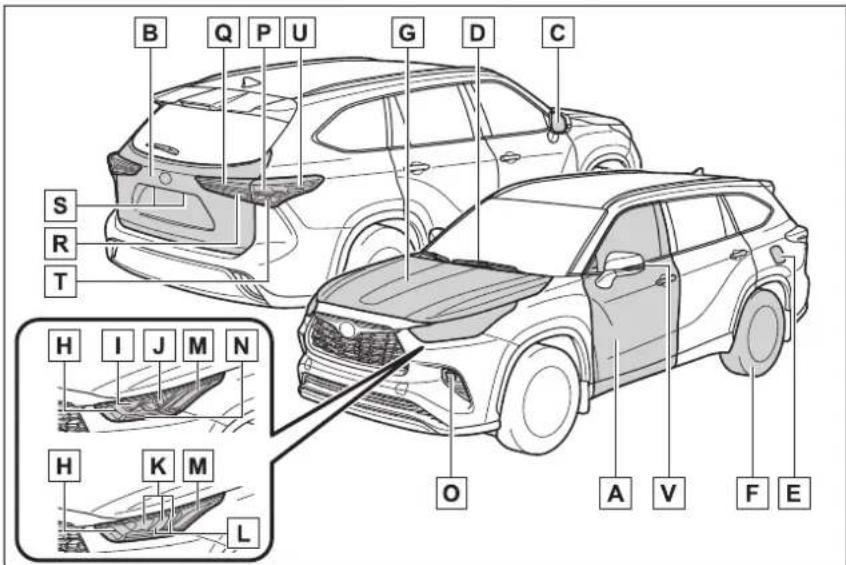
The shape of the lights may differ depending on the grade, etc.
A Side doors P.131
Locking/unlocking P.131
Opening/closing the side windows....P.179
Locking/unlocking by using the mechanical key ...... P.496
Warning lights/warning messages P.466, 476
B Back door P.135
Opening from inside the cabin ^* P.137
Opening from outside.... P.137
Warning lights/warning messages P.466, 476
C Outside rear view mirrors .....P.177
Adjusting the mirror angle....P.177
Folding the mirrors.....P.178
Driving position memory ^* P.159
Defogging the mirrors P.344
D Windshield wipers....P.235
Precautions for winter season....P.333
To prevent freezing (windshield wiper de-icer)....P.344
Precautions for car wash ^* P.401
Refueling method.... P.240
Fuel type/fuel tank capacity P.511
F Tires....P.424
Tire size/inflation pressure P.424, 515
Winter tires/tire chains ......P.333
Checking/rotation/tire pressure warning system P.424
Coping with flat tires.... P.481
G Hood....P.414
Opening P.414
Engine oil P.512
Coping with overheating P.504
Warning messages....P.476
Light bulbs of the exterior lights for driving
(Replacing method: P.449, Watts: P.516)
H Front turn signal lights/parking lights ^* P.223P.229
Parking lights ^* P.229
J Headlights/daytime running lights* P.229
K Headlights.... P.229
L Daytime running lights P.229
M Front side marker lights.... P.229
N Parking lights*/daytime running lights* P.229
Front fog lights.... P.235
P Stop/tail lights P.229
Q Tail lights....P.229
R Back-up lights
Shifting the shift lever to R....P.220
S License plate lights....P.229
T Rear turn signal lights....P.223
U Rear side marker lights P.229
V Side turn signal lights P.223
*: If equipped
Instrument panel
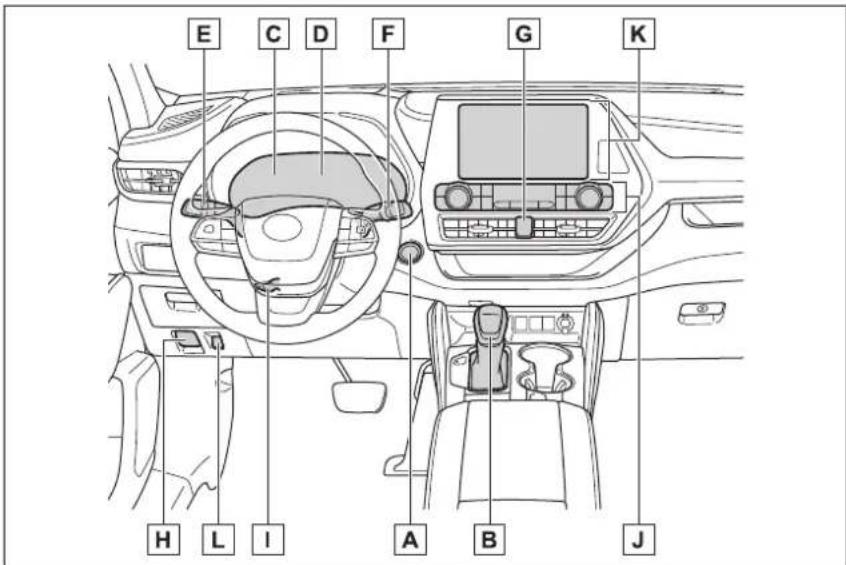
A Power switch.....P.213
Starting the hybrid system/changing the modes .....P.213
Emergency stop of the hybrid system.... P.458
When the hybrid system will not start P.493
Warning messages ......P.476
B Shift lever....P.220
Changing the shift position.... P.220
Precautions for towing P.461
When the shift lever does not move.... P.221
C Meters P.89
Reading the meters/adjusting the instrument panel light.P.89, 92
Warning lights/indicator lights P.84
When a warning light turns on....P.466
D Multi-information display P.92, 101
Display P.92, 101
Energy monitor.... P.117
When the warning messages are displayed....P.476
E Turn signal lever....P.223
Headlight switch P.229
Headlights/side marker lights/parking lights/tail lights/license plate lights/daytime running lights.... P.229
Front fog lights P.235
F Windshield wiper and washer switch.....P.235, 238
Usage.... P.235, 238
Adding washer fluid....P.420
Warning messages P.476
G Emergency flasher switch.....P.458
H Hood lock release lever....P.414
Tilt and telescopic steering lock release lever....P.165
Adjustment..... P.165
J Air conditioning system....P.342
Usage....P.342
Rear window defogger P.344
Windshield wiper de-icer ^*1 P.344
K Audio system ^4
L Fuel filler door opener switch....P.240
*1:If equipped
*2: Refer to "NAVIGATION AND MULTIMEDIA SYSTEM OWNER'S MANUAL".
Switches
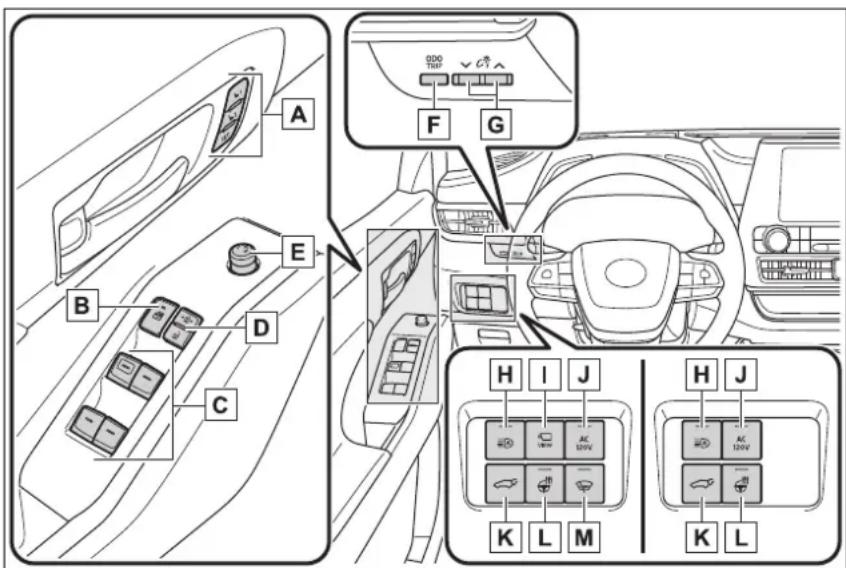
A Driving position memory switches ^1 P.159
B Window lock switch....P.181
C Power window switches....P.179
D Door lock switches P.134
E Outside rear view mirror switches .....P.177
F "ODO TRIP" switch.... P.91
G Instrument panel light control switches.....P.92
H Automatic High Beam switch P.232
Camera switch ^1,2
J AC 120V switch ^1 P.384
K Power back door switch....P.137
L Heated steering wheel switch ^1 P.359
M Windshield wiper de-icer ^1 P.352
*1: If equipped
*2:Refer to "NAVIGATION AND MULTIMEDIA SYSTEM OWNER'S MANUAL".
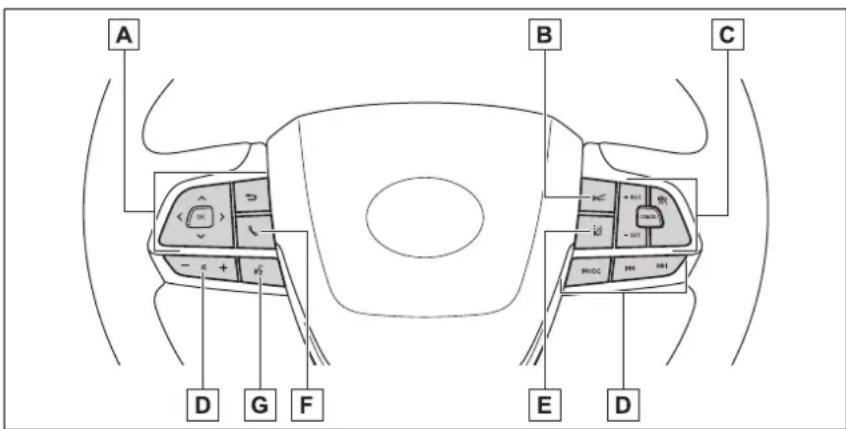
A Meter control switches.....P.93, 102
B Vehicle-to-vehicle distance switch....P.277
Cruise control switch
Dynamic radar cruise control with full-speed range .....P.271
D Audio remote control switches*
E LTA (Lane Tracing Assist) switch P.260
F Phone switch*
G Talk switch*
*: Refer to "NAVIGATION AND MULTIMEDIA SYSTEM OWNER'S MANUAL".
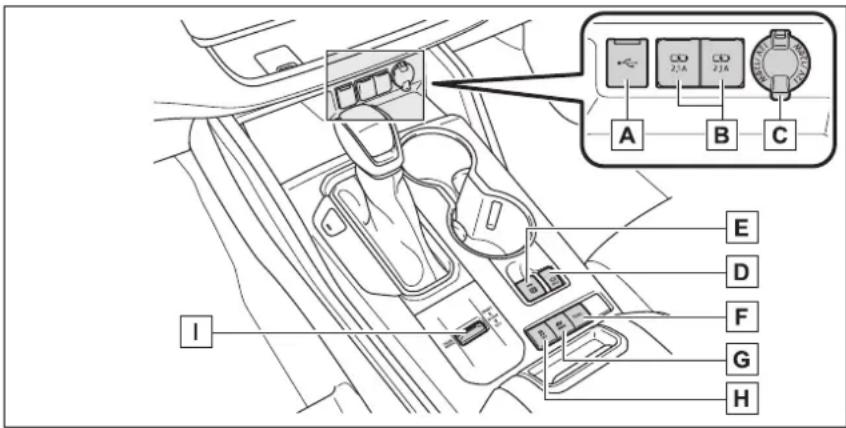
A USB port ^*1
B USB charging ports P.374
C Power outlet P.383
D Brake hold switch P.227
E Parking brake switch....P.224
Applying/releasing....P.224
Precautions against winter season P.333
Warning buzzer/light/message....P.466, 476
F Trail Mode switch ^2 P.323
G EV drive mode switch.... P.218
H VSC OFF switch P.326
Driving mode select switch.... P.322
*1: Refer to "NAVIGATION AND MULTIMEDIA SYSTEM OWNER'S MANUAL".
^*2 :If equipped
Interior
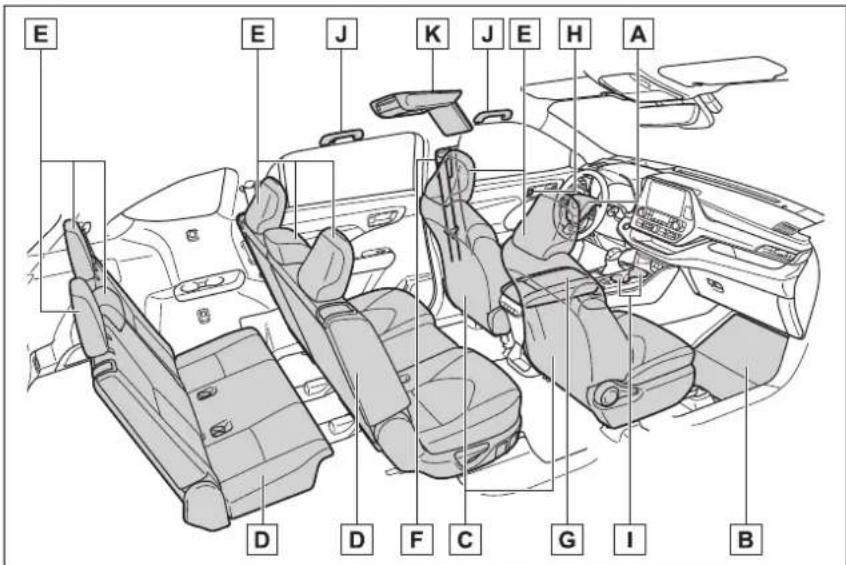
A SRS airbags.... P.34
B Floor mats....P.24
C Front seats....P.153
D Rear seats....P.154
E Head restraints....P.162
F Seat belts....P.27
G Console box P.366
H Inside lock buttons P.134
1 Cup holders....P.367
J Assist grips P.382
K Rear seat entertainment system ^*1,2
*1:If equipped
*2:Refer to "NAVIGATION AND MULTIMEDIA SYSTEM OWNER'S MANUAL".
Ceiling
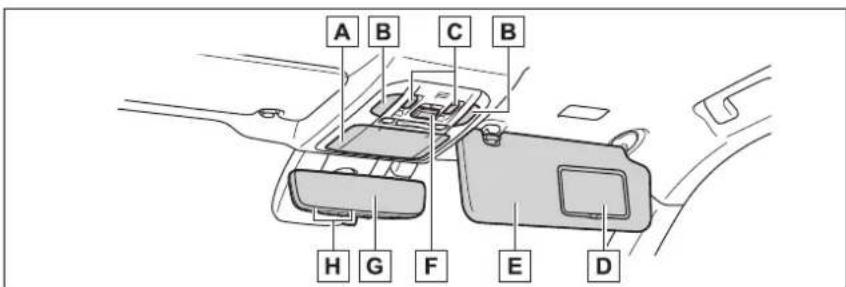
A Auxiliary box....P.368
Conversation mirror....P.389
B Interior light ^1 P.363
Personal lights ^1 P.363
C Moon roof switches ^2 P.182
Panoramic moon roof switches ^2 P.185
D Vanity mirrors....P.388
E Sun visors.... P.388
F "SOS" button ^2 P.65
G Inside rear view mirror ^2 .....P.166
Digital Rearview Mirror ^2 .....P.167
H Garage door opener switches ^2 ......P.390
^1 : The illustration shows the front, but they are also equipped in the rear. ^2 : If equipped
For safety and security
1
1-1. For safe use
Before driving....24
For safe driving .....25
Seat belts......27
SRS airbags....34
Front passenger occupant classification system ....43
Exhaust gas precautions 48
1-2. Child safety
Riding with children.....49
Child restraint systems...50
1-3. Emergency assistance
Safety Connect ......65
1-4. Hybrid system
Hybrid system features ..71
Hybrid system precautions 75
1-5. Theft deterrent system
Immobilizer system .....79
Alarm....81
Before driving
Observe the following before starting off in the vehicle to ensure safety of driving.
Installing floor mats
Use only floor mats designed specifically for vehicles of the same model and model year as your vehicle. Fix them securely in place onto the carpet.
1 Insert the retaining hooks (clips) into the floor mat eye-lets.
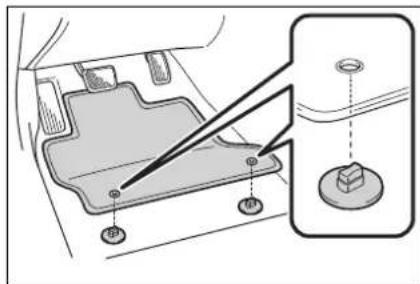
2 Turn the upper knob of each retaining hook (clip) to secure the floor mats in place.
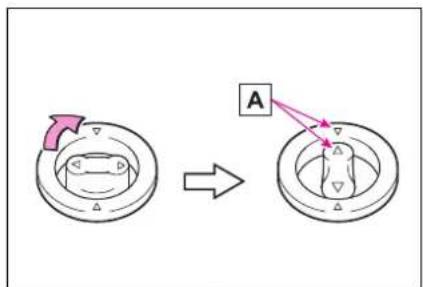
Always align the marks. A
The shape of the retaining hooks (clips) may differ from that shown in the illustration.

WARNING
Observe the following precautions.
Failure to do so may cause the driver's floor mat to slip, possibly interfering with the pedals while driving. An unexpectedly high speed may result or it may become difficult to stop the vehicle. This could lead to an accident, resulting in death or serious injury.
- When installing the driver's floor mat
- Do not use floor mats designed for other models or different model year vehicles, even if they are Toyota Genuine floor mats.
- Only use floor mats designed for the driver's seat.
● Always install the floor mat securely using the retaining hooks (clips) provided. - Do not use two or more floor mats on top of each other.
- Do not place the floor mat bottom-side up or upside-down.

WARNING
Before driving
- Check that the floor mat is securely fixed in the correct place with all the provided retaining hooks (clips). Be especially careful to perform this check after cleaning the floor.
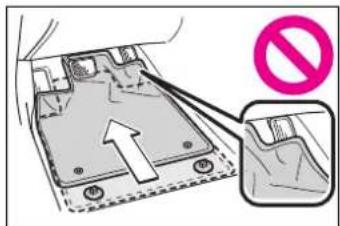
With the hybrid system stopped and the shift lever in P, fully depress each pedal to the floor to make sure it does not interfere with the floor mat.
For safe driving
For safe driving, adjust the seat and mirror to an appropriate position before driving.
Correct driving posture
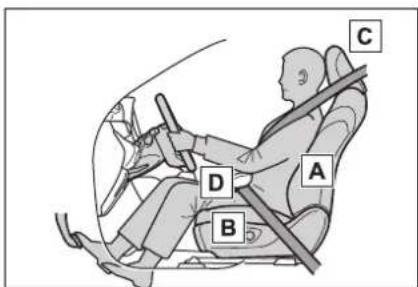
A Adjust the angle of the seat-back so that you are sitting straight up and so that you do not have to lean forward to steer. (→P.153)
B Adjust the seat so that you can depress the pedals fully and so that your arms bend slightly at the elbow when gripping the steering wheel. (→P.153)
C Lock the head restraint in place with the center of the head restraint closest to the top of your ears. (→P.162)
D Wear the seat belt correctly.
(→P.27)

WARNING
For safe driving
Observe the following precautions. Failure to do so may result in death or serious injury.
- Do not adjust the position of the driver's seat while driving. Doing so could cause the driver to lose control of the vehicle.
- Do not place a cushion between the driver or passenger and the seatback. A cushion may prevent correct posture from being achieved, and reduce the effectiveness of the seat belt and head restraint.
- Do not place anything under the front seats. Objects placed under the front seats may become jammed in the seat tracks and stop the seat from locking in place. This may lead to an accident and the adjustment mechanism may also be damaged.
●Always observe the legal speed limit when driving on public roads. - When driving over long distances, take regular breaks before you start to feel tired. Also, if you feel tired or sleepy while driving, do not force yourself to continue driving and take a break immediately.
Correct use of the seat belts
Make sure that all occupants are wearing their seat belts before driving the vehicle. ( P.27)
Use a child restraint system appropriate for the child until the child becomes large enough to
properly wear the vehicle's seat belt. (→P.50)
Adjusting the mirrors
Make sure that you can see backward clearly by adjusting the inside and outside rear view mirrors properly. ( P.166, 167, 177)
Seat belts
Make sure that all occupants are wearing their seat belts before driving the vehicle.

WARNING
Observe the following precautions to reduce the risk of injury in the event of sudden braking, sudden swerving or an accident. Failure to do so may cause death or serious injury.
■Wearing a seat belt
●Ensure that all passengers wear a seat belt.
●Always wear a seat belt properly.
● Each seat belt should be used by one person only. Do not use a seat belt for more than one person at once, including children.
Toyota recommends that children be seated in the rear seat and always use a seat belt and/or an appropriate child restraint system.
To achieve a proper seating position, do not recline the seat more than necessary. The seat belt is most effective when the occupants are sitting up straight and well back in the seats.
- Do not wear the shoulder belt under your arm.
●Always wear your seat belt low and snug across your hips.
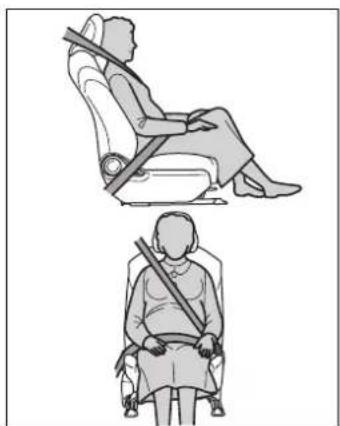
■ Pregnant women
natural_image
Illustration of two individuals seated in seat positions, one using a diagonal brace to lift the seat (no text or symbols)Obtain medical advice and wear the seat belt in the proper way. (→P28)
Women who are pregnant should position the lap belt as low as possible over the hips in the same manner as other occupants, extending the shoulder belt completely over the shoulder and avoiding belt contact with the rounding of the abdominal area.
If the seat belt is not worn properly, not only the pregnant woman, but also the fetus could suffer death or serious injury as a result of sudden braking or a collision.
■People suffering illness
Obtain medical advice and wear the seat belt in the proper way. (→P28)
■When children are in the vehicle
$$ \rightarrow \mathrm{P}. 5 9 $$
■Seat belt damage and wear
- Do not damage the seat belts by allowing the belt, plate, or buckle to be jammed in the door.

WARNING
● Inspect the seat belt system periodically. Check for cuts, fraying, and loose parts. Do not use a damaged seat belt until it is replaced. Damaged seat belts cannot protect an occupant from death or serious injury.
- Ensure that the belt and plate are locked and the belt is not twisted. If the seat belt does not function correctly, immediately contact your Toyota dealer.
- Replace the seat assembly, including the belts, if your vehicle has been involved in a serious accident, even if there is no obvious damage.
- Do not attempt to install, remove, modify, disassemble or dispose of the seat belts. Have any necessary repairs carried out by your Toyota dealer. Inappropriate handling may lead to incorrect operation.
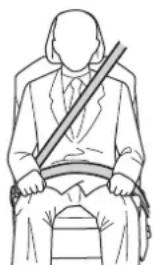
Correct use of the seat belts
natural_image
Line drawing of a person sitting on a chair wearing a suit and holding a horizontal bar (no text or symbols)- Extend the shoulder belt so that it comes fully over the shoulder, but does not come into contact with the neck or slide off the shoulder.
- Position the lap belt as low as
possible over the hips.
- Adjust the position of the seatback. Sit up straight and well back in the seat.
- Do not twist the seat belt.
Emergency locking retractor (ELR)
The retractor will lock the belt during a sudden stop or on impact. It may also lock if you lean forward too quickly. A slow, easy motion will allow the belt to extend so that you can move around fully.
■Automatic locking retractor (ALR)
When a passenger's shoulder belt is completely extended and then retracted even slightly, the belt is locked in that position and cannot be extended. This feature is used to hold the child restraint system (CRS) firmly. To free the belt again, fully retract the belt and then pull the belt out once more. (→P.50)
■Child seat belt usage
The seat belts of your vehicle were principally designed for persons of adult size.
- Use a child restraint system appropriate for the child, until the child becomes large enough to properly wear the vehicle's seat belt. (→P.50)
- When the child becomes large enough to properly wear the vehicle's seat belt, follow the instructions regarding seat belt usage. (→P.27)
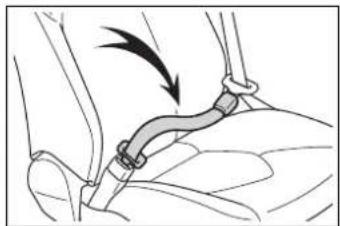
■Seat belt extender
If your seat belts cannot be fastened securely because they are not long enough, a personalized seat belt extender is available from your Toyota dealer free of charge.
natural_image
Illustration of a cable buckle being inserted into a seat (no text or symbols)
WARNING
■ Using a seat belt extender
Observe the following precautions to reduce the risk of injury in the event of sudden braking, sudden swerving or an accident. Failure to do so may cause death or serious injury.
- Do not wear the seat belt extender if you can fasten the seat belt without the extender.
- Do not use the seat belt extender when installing a child restraint system because the belt will not securely hold the child restraint system, increasing the risk of death or serious injury in the event of an accident.
The personalized extender may not be safe on another vehicle, when used by another person, or at a different seating position other than the one originally intended.

NOTICE
■When using a seat belt extender
When releasing the seat belt, press on the buckle release button on the extender, not on the seat belt. This helps prevent damage to the vehicle interior and the extender itself.
Fastening and releasing the seat belt (except for the third center seat)
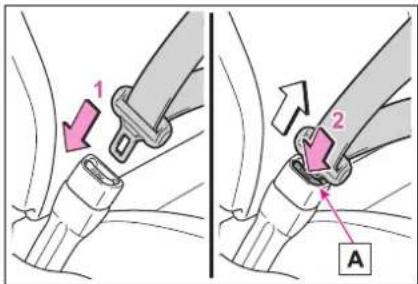
1 To fasten the seat belt, push the plate into the buckle until a click sound is heard.
2 To release the seat belt, press the release button A
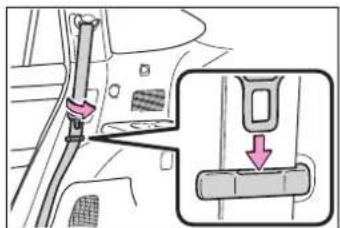
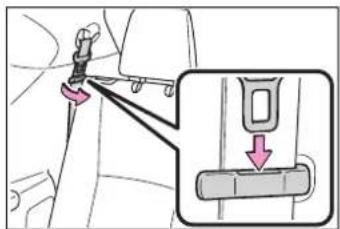
■When not using the rear seat belts
Pass the outer seat belts through the seat belt hangers and secure the seat belt plates to prevent the shoulder belts from being damaged.
Second seat belts
Third seat belts
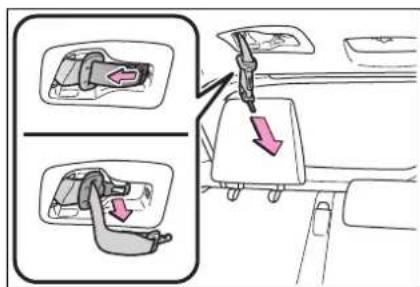
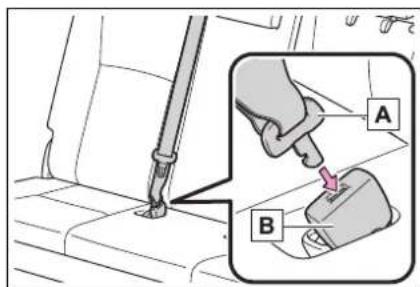
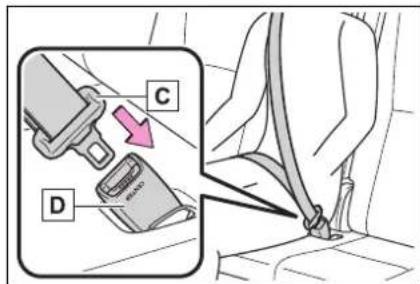
Fastening the seat belt (for the third center seat)
1 Take the plate out of the holder, and then pull down the seat belt.
2 Push plate into buckle B until a click sound is heard.
3 Push plate into buckle D until a click sound is heard.

WARNING
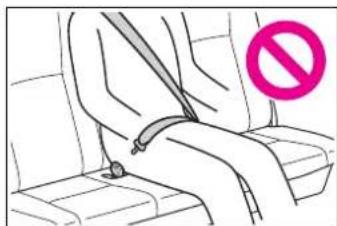
■When using the third center seat belt
natural_image
Line drawing of a person sitting on a seat with a pink prohibition symbol (no text or labels)Do not use the third center seat belt with either buckle released. Fastening only one of the buckles may result in death or serious injury in case of sudden braking, sudden swerving or a collision.
Fastening the seat belt (for the third center seat)
1 To release plate ,press the release button □on buckle □D.
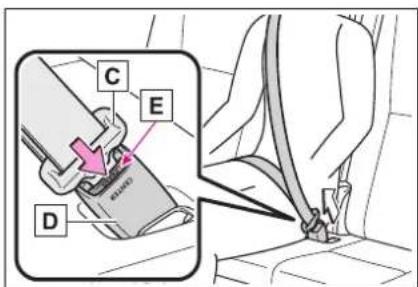
2 To release plate Insert the mechanical key (→P.128) or plate Into the hole on buckle B.
Retract the belt slowly when releas-
ing and stowing the seat belt.
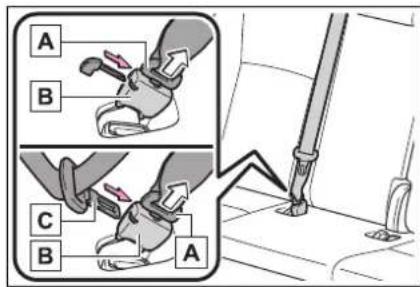
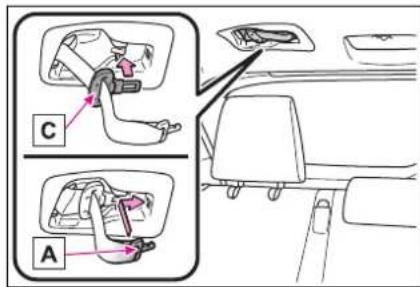
3 Stow the plate and in A the holder on the roof.
In order to securely stow them, firmly insert them as far as possible.
Adjusting the seat belt shoulder anchor height (front seats)
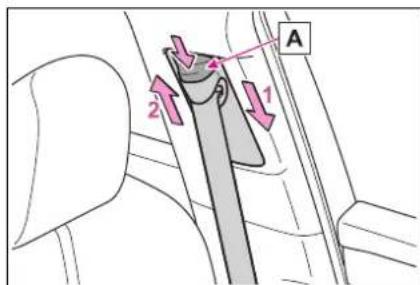
1 Push the seat belt shoulder anchor down while pressing the release button A
2 Push the seat belt shoulder
anchor up while pressing the release button A
Move the height adjuster up and down as needed until you hear a click.

WARNING
■Adjustable shoulder anchor
Always make sure the shoulder belt is positioned across the center of your shoulder. The belt should be kept away from your neck, but not falling off your shoulder. Failure to do so could reduce the amount of protection in an accident and cause death or serious injuries in the event of a sudden stop, sudden swerve or accident.
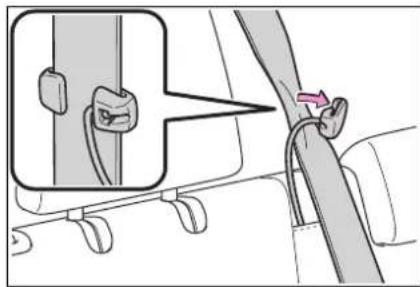
Seat belt comfort guide (for the third center seat)
If the shoulder belt sits close to a person's neck, use the seat belt comfort guide.
1 Pull the comfort guide from the pocket.
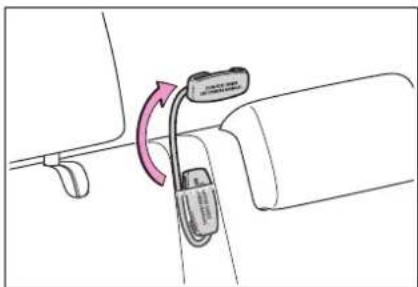
natural_image
Diagram showing a car seatbelt with a cable and attached connector, no text or symbols present2 Slide the belt past the slot of the guide.
The elastic cord must be behind the
seat belt.
natural_image
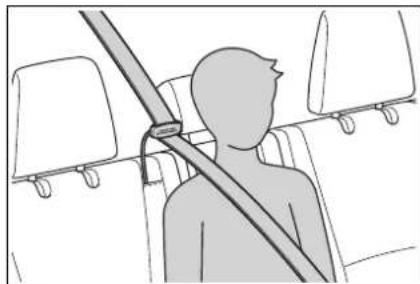
Diagram showing a car seatbelt buckle being adjusted to a seatbelt, with no text or symbols present.3 Buckle the seat belt and position it comfortably.
natural_image
Silhouette of a person seated in a vehicle seatbelt, with no visible text or symbols
WARNING
■ Using a seat belt comfort guide
Failure to observe the following precautions could reduce the effectiveness of the seat belt in an accident, causing death or serious injury.
Make sure the belt is not twisted and that it lies flat. The elastic cord must be behind the belt and the guide must be on the front.
To reduce the chance of injury in case of a sudden stop, sudden swerve or accident while driving, remove and store the comfort guide in its pocket when it is not in use.
● Always make sure the shoulder belt is positioned across the center of the shoulder. The belt should be kept away from the neck, and should not fall off the shoulder.
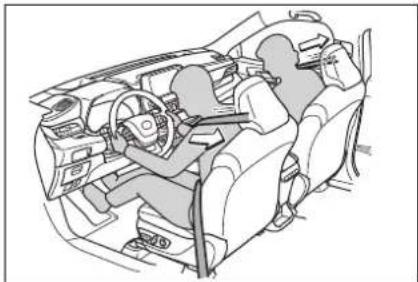
Seat belt pretensioners (front seats)
natural_image
Interior view of a car cockpit with driver and passenger (no text or symbols visible)The pretensioners help the seat belts to quickly restrain the occupants by retracting the seat belts when the vehicle is subjected to certain types of severe frontal or side collision or a vehicle rollover.
The pretensioners do not activate in the event of a minor frontal impact, a minor side impact or a rear impact.
■Replacing the belt after the pre-tensioner has been activated
If the vehicle is involved in multiple collisions, the pretensioner will activate for the first collision, but will not activate for the second or subsequent collisions.
■PCS-linked seat belt pretensioner control
If the PCS (Pre-Collision System) determines that the possibility of a collision with a vehicle is high, the seat belt pretensioners will be pre-
pared to operate.

WARNING
■Seat belt pretensioners
Observe the following precautions to reduce the risk of injury in the event of sudden braking, sudden swerving or an accident. Failure to do so may cause death or serious injury.
Do not place anything, such as a cushion, on the front passenger's seat. Doing so will disperse the passenger's weight, which prevents the sensor from detecting the passenger's weight properly. As a result, the seat belt pretensioner for the front passenger's seat may not activate in the event of a collision.
- If the pretensioner has activated, the SRS warning light will come on. In that case, the seat belt cannot be used again and must be replaced at your Toyota dealer.
SRS airbags
The SRS airbags inflate when the vehicle is subjected to certain types of severe impacts that may cause significant injury to the occupants. They work together with the seat belts to help reduce the risk of death or serious injury.
SRS airbag system
■ Location of the SRS airbags
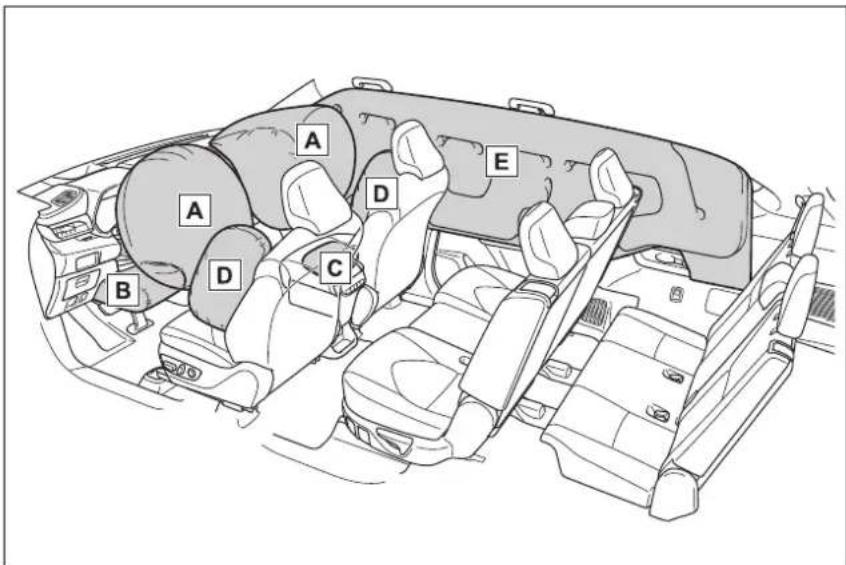
▶ SRS front airbags
A SRS driver airbag/front passenger airbag Can help protect the head and chest of the driver and front passenger from impact with interior components
B SRS knee airbag Can help provide driver protection
c SRS seat cushion airbag Can help restrain the front passenger
▶ SRS side and curtain shield airbags D SRS front side airbags
Can help protect the torso of the front seat occupants
E SRS curtain shield airbags
- Can help protect primarily the head of occupants in the outer seats
- Can help prevent the occupants from being thrown from the vehicle in the event of vehicle rollover
■SRS airbag system components
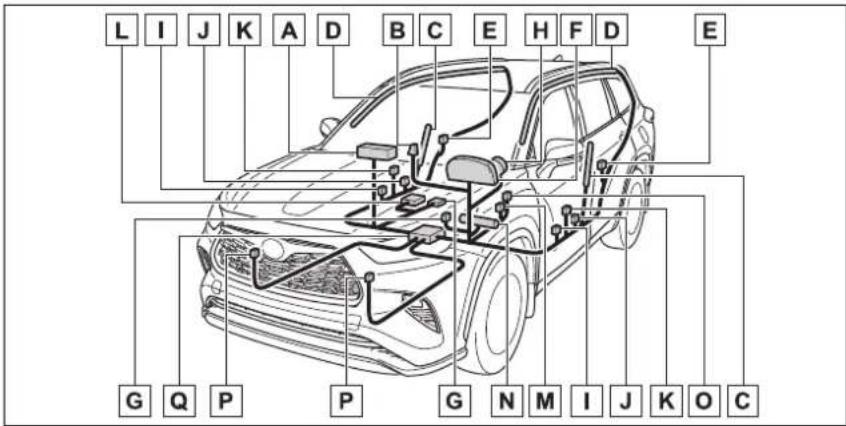
A Front passenger airbag
B "PASS AIR BAG ON" and "PASS AIR BAG OFF" indicator lights
c Front side airbags
D Curtain shield airbags
E Side impact sensors (rear)
F SRS warning light
G Front passenger occupant classification system (ECU and sensors)
H Driver airbag
☐ Side impact sensors (front door)
J Side impact sensors (front)
K Seat belt pretensioners and force limiters
L Seat cushion airbag
M Driver's seat position sensor
N Driver's knee airbag
Driver's seat belt buckle switch
P Front impact sensors
Airbag sensor assembly
Your vehicle is equipped with ADVANCED AIRBAGS designed based on the US motor vehicle safety standards (FMVSS208). The airbag sensor assembly (ECU) controls airbag deployment based on information obtained from the sensors etc. shown in the system components diagram above. This information includes crash severity and occupant information. As the airbags deploy, a chemical reaction in the inflators quickly fills the airbags with non-toxic gas to help restrain the motion of the occupants.
■If the SRS airbags deploy (inflate)
- Slight abrasions, burns, bruising etc., may be sustained from SRS airbags, due to the extremely high speed deployment (inflation) by hot gases.
●A loud noise and white powder will be emitted.
●Parts of the airbag module (steering wheel hub, airbag cover and inflator) as well as the front seats, parts of the front and rear pillars, and roof side rails, may be hot for several minutes. The airbag itself may also be hot.
●The windshield may crack.
●The hybrid system will be stopped and fuel supply to the engine will be stopped. (→P.78)
● All of the doors will be unlocked. (→P.132)
●The brakes and stop lights will be controlled automatically. (→P.326)
●The interior lights will turn on automatically. (→P.364)
●The emergency flashers will turn on automatically. (→P.458) - For Safety Connect subscribers, if any of the following situations occur, the system is designed to send an emergency call to the response center, notifying them of the vehicle's location (without needing to push the "SOS" button) and an agent will attempt to speak
with the occupants to ascertain the level of emergency and assistance required. If the occupants are unable to communicate, the agent automatically treats the call as an emergency and helps to dispatch the necessary emergency services. (→P.65)
- An SRS airbag is deployed.
- A seat belt pretensioner is activated.
- The vehicle is involved in a severe rear-end collision.
■ SRS airbag deployment conditions (SRS front airbags)
● The SRS front airbags will deploy in the event of an impact that exceeds the set threshold level (the level of force corresponding to an approximately 12 - 18 mph [20 - 30 km/h] frontal collision with a fixed wall that does not move or deform).
However, this threshold velocity will be considerably higher in the following situations:
- If the vehicle strikes an object, such as a parked vehicle or sign pole, which can move or deform on impact
- If the vehicle is involved in an underride collision, such as a collision in which the front of the vehicle "underrides", or goes under, the bed of a truck
● Depending on the type of collision, it is possible that only the seat belt pretensioners and SRS seat cush-
ion airbag will activate.
● The SRS front airbags for the front passenger will not activate if there is no passenger sitting in the front passenger seat. However, the SRS front airbags for the front passenger may deploy if luggage is put in the seat, even if the seat is unoccupied.
●The SRS seat cushion airbag on the front passenger seat will not operate if the occupant is not wearing a seat belt.
■ SRS airbag deployment conditions (SRS side and curtain shield airbags)
● The SRS side and curtain shield airbags will deploy in the event of an impact that exceeds the set threshold level (the level of force corresponding to the impact force produced by an approximately 3300 lb. [1500 kg] vehicle colliding with the vehicle cabin from a direction perpendicular to the vehicle orientation at an approximate speed of 12 - 18 mph [20 - 30 km/h]).
● Both SRS curtain shield airbags may deploy in the event of a severe side collision.
●Both SRS curtain shield airbags will deploy in the event of vehicle rollover.
●Both SRS curtain shield airbags may also deploy in the event of a severe frontal collision.
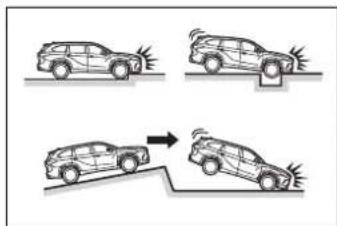
■Conditions under which the SRS airbags may deploy (inflate), other than a collision
The SRS front airbags and SRS curtain shield airbags may also deploy if a serious impact occurs to the underside of your vehicle. Some examples are shown in the illustration.
●Hitting a curb, edge of pavement or hard surface
●Falling into or jumping over a deep
hole
● Landing hard or falling
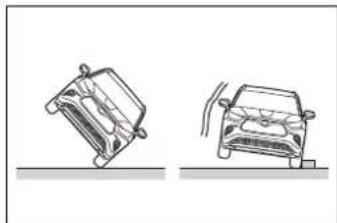
The SRS curtain shield airbags may also deploy under the situations shown in the illustration.
●The angle of vehicle tip-up is marginal.
●The vehicle skids and hits a curb stone.
natural_image
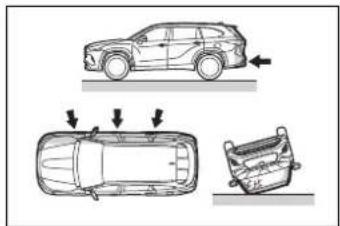
Two technical line drawings of a vehicle or mechanical component, shown from different angles (no text or symbols)■Types of collisions that may not deploy the SRS airbags (SRS front airbags)
The SRS front airbags do not generally inflate if the vehicle is involved in a side or rear collision, if it rolls over, or if it is involved in a low-speed frontal collision. But, whenever a collision of any type causes sufficient forward deceleration of the vehicle, deployment of the SRS front airbags may occur.
●Collision from the side
●Collision from the rear
● Vehicle rollover
natural_image
Diagram showing three views of a car: top-down, front-down, and rear-down (no text or symbols present)■Types of collisions that may not deploy the SRS airbags (SRS side and curtain shield airbags)
The SRS side and curtain shield airbags may not activate if the vehicle is subjected to a collision from the side at certain angles, or a collision to the side of the vehicle body other than the passenger compartment.
● Collision from the side to the vehicle body other than the passenger compartment
●Collision from the side at an angle
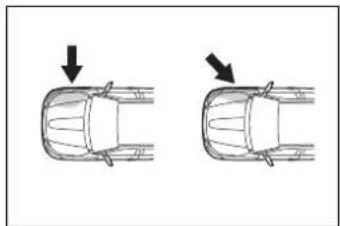
natural_image
Top-down diagram of a car showing two side-view angles with arrows indicating direction (no text or symbols)The SRS side airbags do not generally inflate if the vehicle is involved in a frontal or rear collision, if it rolls over, or if it is involved in a low-speed side collision.
●Collision from the front
●Collision from the rear
● Vehicle rollover
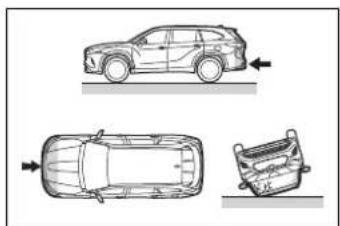
natural_image
Top-down line drawings of a car showing front, side, and rear views (no text or symbols)The SRS curtain shield airbags do not generally inflate if the vehicle is
involved in a rear collision, if it pitches end over end, or if it is involved in a low-speed side or low-speed frontal collision.
●Collision from the rear
● Pitching end over end
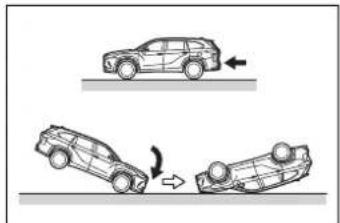
natural_image
Diagram showing three car collision scenarios: one moving upward, one moving downward with rotation arrow (no text or symbols)■When to contact your Toyota dealer
In the following cases, the vehicle will require inspection and/or repair. Contact your Toyota dealer as soon as possible.
● Any of the SRS airbags have been inflated.
●The front of the vehicle is damaged or deformed, or was involved in an accident that was not severe enough to cause the SRS front airbags to inflate.
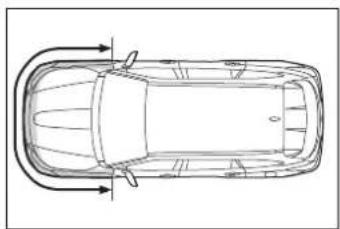
natural_image
Top-down line drawing of a car with curved roof and side-mounted sensors (no text or symbols)● A portion of a door or its surrounding area is damaged, deformed or has had a hole made in it, or the vehicle was involved in an accident that was not severe enough to cause the SRS side and curtain shield airbags to inflate.
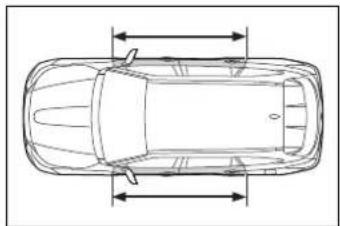
natural_image
Top-down line drawing of a car with horizontal and vertical dimension lines (no text or symbols)●The pad section of the steering wheel, dashboard near the front passenger airbag or lower portion of the instrument panel is scratched, cracked, or otherwise damaged.
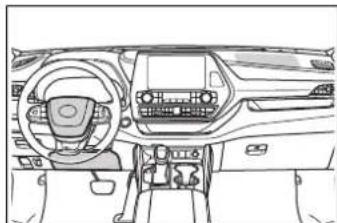
natural_image
Line drawing of a car interior showing dashboard, steering wheel, and dashboard controls (no text or symbols)The front passenger's seat cushion surface is scratched, cracked, or otherwise damaged.
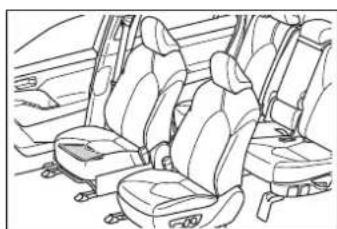
natural_image
Line drawing of a car interior showing three seats and seatbelt (no text or symbols)●The surface of the seats with the SRS side airbag is scratched, cracked, or otherwise damaged.
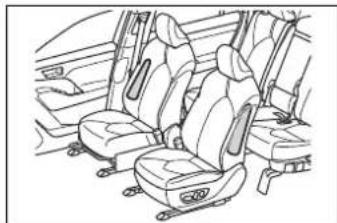
natural_image
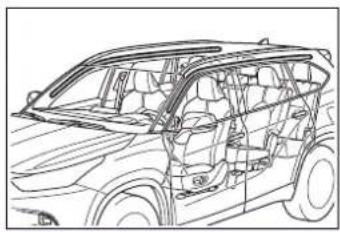
Line drawing of a car interior showing seats and seatbelt (no text or symbols)● The portion of the front pillars, rear pillars or roof side rail garnishes (padding) containing the SRS curtain shield airbags inside is
scratched, cracked, or otherwise damaged.
natural_image
Line drawing of a car interior frame showing structural components (no text or symbols)
WARNING
■SRS airbag precautions
Observe the following precautions regarding the SRS airbags. Failure to do so may cause death or serious injury.
● The driver and all passengers in the vehicle must wear their seat belts properly. The SRS airbags are supplemental devices to be used with the seat belts.
The SRS driver airbag deploys with considerable force, and can cause death or serious injury especially if the driver is very close to the airbag. The National Highway Traffic Safety Administration (NHTSA) advises: Since the risk zone for the driver's airbag is the first 2 - 3 in. (50 - 75 mm) of inflation, placing yourself 10 in. (250 mm) from your driver airbag provides you with a clear margin of safety. This distance is measured from the center of the steering wheel to your breast-bone. If you sit less than 10 in. (250 mm) away now, you can change your driving position in several ways:
- Move your seat to the rear as far as you can while still reaching the pedals comfortably.

WARNING
- Slightly recline the back of the seat. Although vehicle designs vary, many drivers can achieve the 10 in. (250 mm) distance, even with the driver seat all the way forward, simply by reclining the back of the seat somewhat. If reclining the back of your seat makes it hard to see the road, raise yourself by using a firm, non-slippery cushion, or raise the seat if your vehicle has that feature.
- If your steering wheel is adjustable, tilt it downward. This points the airbag toward your chest instead of your head and neck.
The seat should be adjusted as recommended by NHTSA above, while still maintaining control of the foot pedals, steering wheel, and your view of the instrument panel controls.
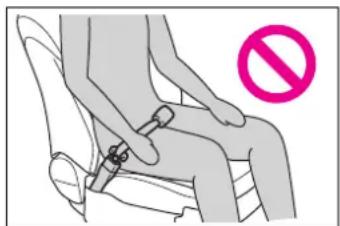
- If the seat belt extender has been connected to the front seat belt buckles but the seat belt extender has not also been fastened to the latch plate of the seat belt, the SRS front airbags will judge that the driver and front passenger are wearing the seat belt even though the seat belt has not been connected. In this case, the SRS front airbags may not activate correctly in a collision, resulting in death or serious injury in the event of a collision. Be sure to wear the seat belt with the seat belt extender.
natural_image
Illustration of a person sitting on a seat with a stopper, no text or symbols present● The SRS front passenger airbag also deploys with considerable force, and can cause death or serious injury especially if the front passenger is very close to the airbag. The front passenger seat should be as far from the airbag as possible with the seat-back adjusted, so the front passenger sits upright.

WARNING
Improperly seated and/or restrained infants and children can be killed or seriously injured by a deploying airbag. An infant or child who is too small to use a seat belt should be properly secured using a child restraint system. Toyota strongly recommends that all infants and children be placed in the rear seats of the vehicle and properly restrained. The rear seats are safer for infants and children than the front passenger seat. (→P50)
- Do not sit on the edge of the seat or lean against the dashboard.
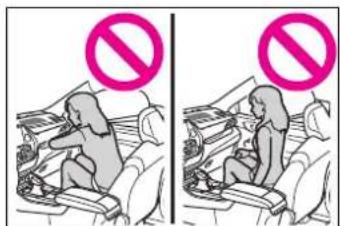
- Do not allow a child to stand in front of the SRS front passenger airbag unit or sit on the knees of a front passenger.
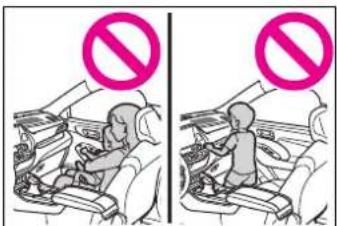
- Do not allow the front seat occupants to hold items on their knees.
- Do not lean against the door, the roof side rail or the front, side and rear pillars.
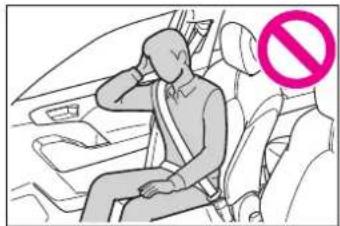
natural_image
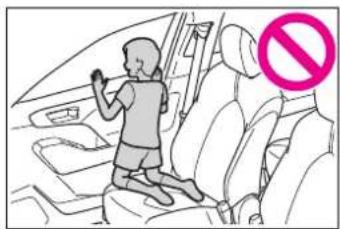
Illustration of a person sitting in a car seat with a pink prohibition symbol (no text or labels)- Do not allow anyone to kneel on the passenger seat toward the door or put their head or hands outside the vehicle.
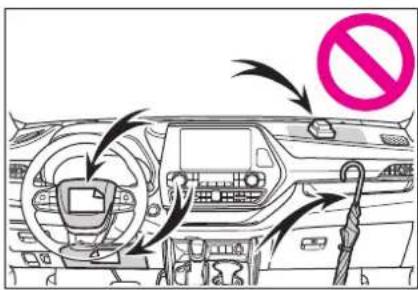
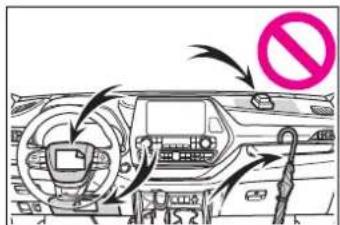
- Do not attach anything to or lean anything against areas such as the dashboard, steering wheel pad and lower portion of the instrument panel. These items can become projectiles when the SRS driver, front passenger and knee airbags deploy.

WARNING
- Do not attach anything to areas such as a door, windshield, side windows, front or rear pillar, roof side rail and assist grip.
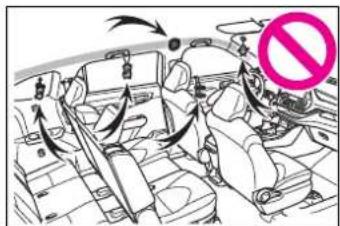
- Do not hang coat hangers or other hard objects on the coat hooks. All of these items could become projectiles and may cause death or serious injury, should the SRS curtain shield airbags deploy.
- If a vinyl cover is put on the area where the SRS knee airbag will deploy, be sure to remove it.
- Do not use seat accessories which cover the parts where the SRS side airbags and SRS seat cushion airbag inflate as they may interfere with inflation of the SRS airbags. Such accessories may prevent the side airbags and seat cushion airbag from activating correctly, disable the system or cause the side airbags and seat cushion airbag to inflate accidentally, resulting in death or serious injury.
- Do not strike or apply significant levels of force to the area of the SRS airbag components or the front doors. Doing so can cause the SRS airbags to malfunction.
-
Do not touch any of the component parts immediately after the SRS airbags have deployed (inflated) as they may be hot.
-
If breathing becomes difficult after the SRS airbags have deployed, open a door or window to allow fresh air in, or leave the vehicle if it is safe to do so. Wash off any residue as soon as possible to prevent skin irritation.
- If the areas where the SRS airbags are stored, such as the steering wheel pad and front and rear pillar garnishes, are damaged or cracked, have them replaced by your Toyota dealer.
Do not place anything, such as a cushion, on the front passenger's seat. Doing so will disperse the passenger's weight, which prevents the sensor from detecting the passenger's weight properly. As a result, the SRS front airbags for the front passenger may not deploy in the event of a collision.
■Modification and disposal of SRS airbag system components
Do not dispose of your vehicle or perform any of the following modifications without consulting your Toyota dealer. The SRS airbags may malfunction or deploy (inflate) accidentally, causing death or serious injury.
● Installation, removal, disassembly and repair of the SRS airbags
● Repairs, modifications, removal or replacement of the steering wheel, instrument panel, dashboard, seats or seat upholstery, front, side and rear pillars, roof side rails, front door panels, front door trims or front door speakers

WARNING
● Modifications to the front door panel (such as making a hole in it)
● Repairs or modifications of the front fender, front bumper, or side of the occupant compartment
● Installation of a grille guard (bull bars, kangaroo bar, etc.), snow plows, winches or roof luggage carrier
- Modifications to the vehicle's suspension system
● Installation of electronic devices such as mobile two-way radios and CD players
● Modifications to your vehicle for a person with a physical disability
Front passenger occupant classification system
Your vehicle is equipped with a front passenger occupant classification system. This system detects the conditions of the front passenger seat and activates or deactivates the front passenger airbag and seat cushion airbag.
System components
▶ Vehicles with a 8-inch display
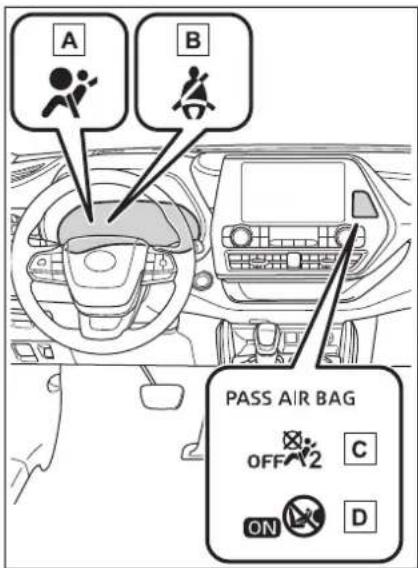
A SRS warning light
B Driver's and front passenger's seat belt reminder light
C "PASS AIR BAG OFF" indicator light
D "PASS AIR BAG ON" indicator light
▶ Vehicles with a 12.3-inch display
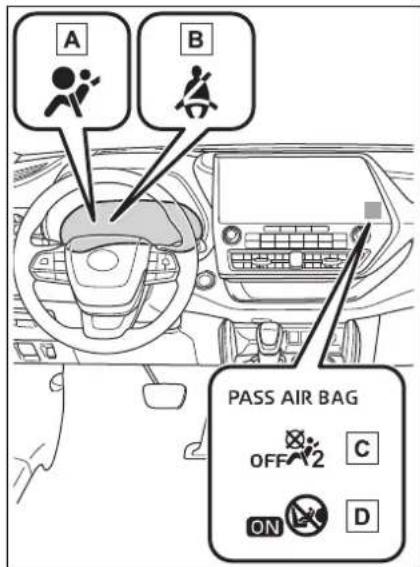
A SRS warning light
B Driver's and front passenger's seat belt reminder light
C "PASS AIR BAG OFF" indicator light
D "PASS AIR BAG ON" indicator light

WARNING
■Front passenger occupant classification system precautions
Observe the following precautions regarding the front passenger occupant classification system. Failure to do so may cause death or serious injury.
●Wear the seat belt properly.
Make sure the front passenger's seat belt plate has not been left inserted into the buckle before someone sits in the front passenger seat.
Make sure the "PASS AIR BAG OFF" indicator light is not illuminated when using the seat belt extender for the front passenger seat. If the "PASS AIR BAG OFF" indicator light is illuminated, disconnect the extender tongue from the seat belt buckle, and reconnect the seat belt. Reconnect the seat belt extender after making sure the "PASS AIR BAG ON" indicator light is illuminated. If you use the seat belt extender while the "PASS AIR BAG OFF" indicator light is illuminated, the SRS airbags for the front passenger will not activate, which could cause death or serious injury in the event of a collision.
- Do not apply a heavy load to the front passenger seat or equipment (e.g. seatback pocket).
- Do not put weight on the front passenger seat by putting your hands or feet on the front passenger seat seatback from the rear passenger seat.
- Do not let a rear passenger lift the front passenger seat with their feet or press on the seat-back with their legs.
- Do not put objects under the front passenger seat.

WARNING
- Do not recline the front passenger seatback so far that it touches a rear seat. This may cause the "PASS AIR BAG OFF" indicator light to be illuminated, which indicates that the SRS airbags for the front passenger will not activate in the event of a severe accident. If the seatback touches the rear seat, return the seatback to a position where it does not touch the rear seat. Keep the front passenger seatback as upright as possible when the vehicle is moving. Reclining the seatback excessively may lessen the effectiveness of the seat belt system.
- If an adult sits in the front passenger seat, the "PASS AIR BAG ON" indicator light is illuminated. If the "PASS AIR BAG OFF" indicator is illuminated, ask the passenger to sit up straight, well back in the seat, feet on the floor, and with the seat belt worn correctly. If the "PASS AIR BAG OFF" indicator still remains illuminated, either ask the passenger to move to the rear seat, or if that is not possible, move the front passenger seat fully rearward.
- When it is unavoidable to install a forward-facing child restraint system on the front passenger seat, install the child restraint system on the front passenger seat in the proper order. (→P52)
-
Do not modify or remove the front seats.
-
Do not kick the front passenger seat or subject it to severe impact. Otherwise, the SRS warning light may come on to indicate a malfunction of the front passenger occupant classification system. In this case, contact your Toyota dealer immediately.
●Child restraint systems installed on the rear seat should not contact the front seatbacks. - Do not use a seat accessory, such as a cushion and seat cover, that covers the seat cushion surface.
- Do not modify or replace the upholstery of the front seat.
Condition and operation in the front passenger occupant classification system
■Adult *1
| Indicator/warning light | “PASS AIR BAG ON” and “PASS AIR BAG OFF” indicator lights | “PASS AIR BAG ON” |
| SRS warning light Off | ||
| Driver's and front passenger's seat belt reminder light | Off^*2 or flashing^*3 | |
| Devices | Front passenger airbag Activated | |
| Front passenger seat cushion air-bag | Activated^*2 or deactivated^*3 | |
Child *4
| Indicator/warning light | “PASS AIR BAG ON” and “PASS AIR BAG OFF” indicator lights | “PASS AIR BAG OFF” or “PASS AIR BAG ON”*4 |
| SRS warning light Off | ||
| Driver's and front passenger's seat belt reminder light | Off*2 or flashing*3 | |
| Devices | Front passenger airbag | Deactivated or activated*4 |
| Front passenger seat cushion air-bag | Deactivated or activated*4, 2 |
■Child restraint system with infant *5
| Indicator/warning light | “PASS AIR BAG ON” and “PASS AIR BAG OFF” indicator lights | “PASS AIR BAG OFF”*6 |
| SRS warning light Off | ||
| Driver’s and front passenger’s seat belt reminder light | Off*2 or flashing*3 | |
| Devices | Front passenger airbag | Deactivated |
| Front passenger seat cushion air-bag |
Unoccupied
| Indicator/warning light | “PASS AIR BAG ON” and “PASS AIR BAG OFF” indicator lights | “PASS AIR BAG OFF” |
| SRS warning light | Off | |
| Driver's and front passenger's seat belt reminder light | ||
| Devices | Front passenger airbag | Deactivated |
| Seat cushion airbag in the front passenger side |
■There is a malfunction in the system
| Indicator/warning light | “PASS AIR BAG ON” and “PASS AIR BAG OFF” indicator lights | “PASS AIR BAG OFF” |
| SRS warning light On | ||
| Driver's and front passenger's seat belt reminder light | Off | |
| Devices | Front passenger airbag | Deactivated |
| Front passenger seat cushion air-bag |
*1: The system judges a person of adult size as an adult. When a smaller adult sits in the front passenger seat, the system may not recognize him/her as an adult depending on his/her physique and posture.
^*2 :In the event the front passenger is wearing a seat belt.
^*3 :In the event the front passenger does not wear a seat belt.
*4: For some children, child in seat, child in booster seat or child in convertible seat, the system may not recognize him/her as a child. Factors which may affect this can be the physique or posture.
^*5 :Never install a rear-facing child restraint system on the front passenger seat. A forward-facing child restraint system should only be installed on the front passenger seat when it is unavoidable. (→P.50)
^*6 : In case the indicator light is not illuminated, consult this manual on how to install the child restraint system properly. ( P.52)
Exhaust gas precautions
Harmful substance to the human body is included in exhaust gases if inhaled.

WARNING
Exhaust gases include harmful carbon monoxide (CO), which is colorless and odorless. Observe the following precautions.
Failure to do so may cause exhaust gases enter the vehicle and may lead to an accident caused by light-headedness, or may lead to death or a serious health hazard.
■ Important points while driving
- Keep the back door closed.
- If you smell exhaust gases in the vehicle even when the back door is closed, open the windows and have the vehicle inspected at your Toyota dealer as soon as possible.
When parking
- If the vehicle is in a poorly ventilated area or a closed area, such as a garage, stop the hybrid system.
- Do not leave the vehicle with the hybrid system on for a long time.
If such a situation cannot be avoided, park the vehicle in an open space and ensure that exhaust fumes do not enter the vehicle interior.
- Do not leave the hybrid system operating in an area with snow build-up, or where it is snowing. If snowbanks build up around the vehicle while the hybrid system is operating, exhaust gases may collect and enter the vehicle.
Exhaust pipe
The exhaust system needs to be checked periodically. If there is a hole or crack caused by corrosion, damage to a joint or abnormal exhaust noise, be sure to have the vehicle inspected and repaired by your Toyota dealer.
Riding with children
Observe the following precautions when children are in the vehicle.
Use a child restraint system appropriate for the child, until the child becomes large enough to properly wear the vehicle's seat belt.
- It is recommended that children sit in the rear seats to avoid accidental contact with the shift lever, wiper switch, etc.
- Use the rear door child-protector lock or the window lock switch to avoid children opening the door while driving or operating the power window accidentally. (→P.134, 181)
- Do not let small children operate equipment which may catch or pinch body parts, such as the power window, hood, back door, seats etc.

WARNING
■When children are in the vehicle
Never leave children unattended in the vehicle, and never allow children to have or use the key.
Children may be able to start the vehicle or shift the vehicle into neutral. There is also a danger that children may injure themselves by playing with the windows, the moon roof or panoramic moon roof, or other features of the vehicle. In addition, heat build-up or extremely cold temperatures inside the vehicle can be fatal to children.
Child restraint sys-tems
Before installing a child restraint system in the vehicle, there are precautions that need to be observed, different types of child restraint systems, as well as installation methods, etc., written in this manual.
Use a child restraint system when riding with a small child that cannot properly use a seat belt. For the child's safety, install the child restraint system to a second seat. Be sure to follow the installation method that is in the operation manual enclosed with the restraint system.
Table of contents
Points to remember: P.50
Child restraint system: P.52
When using a child restraint system: P.53
Child restraint system installation method
• Fixed with a seat belt: P.55
- Fixed with a child restraint LATCH anchor: P.60
- Using an anchor bracket (for top tether strap): P.62
Points to remember
The laws of all 50 states of the U.S.A. as well as Canada now require the use of child restraint systems.
- Prioritize and observe the warnings, as well as the laws and regulations for child restraint systems.
- Use a child restraint system until the child becomes large enough to properly wear the vehicle's seat belt.
- Choose a child restraint system that suits your vehicle and is appropriate to the age and size of the child.

WARNING
■When a child is riding
Observe the following precautions.
Failure to do so may result in death or serious injury.
For effective protection in automobile accidents and sudden stops, a child must be properly restrained, using a seat belt or child restraint system which is correctly installed. For installation details, refer to the operation manual enclosed with the child restraint system. General installation instruction is provided in this manual.

WARNING
Toyota strongly urges the use of a proper child restraint system that conforms to the weight and size of the child, installed on the second seat. According to accident statistics, the child is safer when properly restrained in the second seat than in the front seat.
- Holding a child in your or someone else's arms is not a substitute for a child restraint system. In an accident, the child can be crushed against the windshield or between the holder and the interior of the vehicle.
■Handling the child restraint system
If the child restraint system is not properly fixed in place, the child or other passengers may be seriously injured or even killed in the event of sudden braking, sudden swerving, or an accident.
- If the vehicle were to receive a strong impact from an accident, etc., it is possible that the child restraint system has damage that is not readily visible. In such cases, do not reuse the restraint system.
● Make sure you have complied with all installation instructions provided with the child restraint system manufacturer and that the system is properly secured.
- Keep the child restraint system properly secured on the seat even if it is not in use. Do not store the child restraint system unsecured in the passenger compartment.
- If it is necessary to detach the child restraint system, remove it from the vehicle or store it securely in the luggage compartment.
Child restraint system
■Types of child restraint system installation methods
Confirm with the operation manual enclosed with the child restraint system about the installation of the child restraint system.
| Installation method Page | ||
| Seat belt attachment P55 | 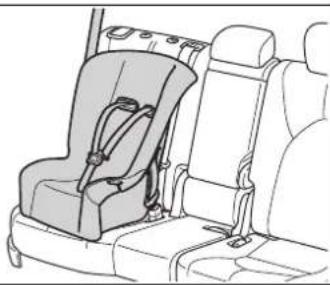 | |
| Child restraint LATCH anchors attachment | 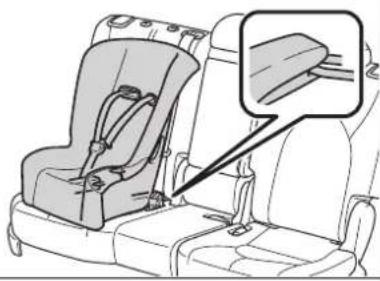 | P60 |
| Anchor brackets (for top tether strap) attachment | 8-seat models second seats: 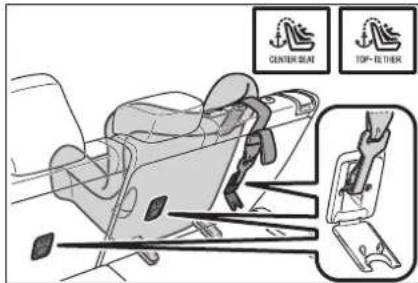 | P62 |
7-seat models second seats: 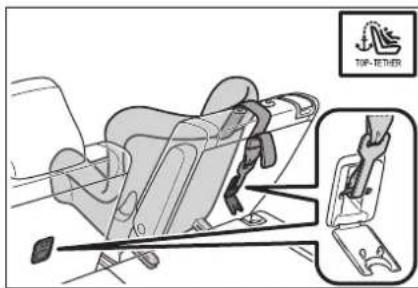 | ||
Third seats*: 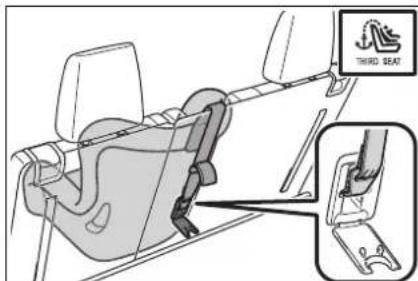 | ||
* : The third seats are not equipped with Child restraint LATCH anchors.
When using a child restraint system
■When installing a child restraint system to a front passenger seat
For the safety of a child, install child restraint systems to second seats. When installing child restraint system to a front passenger seat is unavoidable, adjust the seat as follows and install the child restraint system.
- Move the seat to the rearmost position
- Raise the seatback as much as possible
- If the head restraint interferes with the installation of the child restraint system, and the head restraint can be removed, remove the head restraint
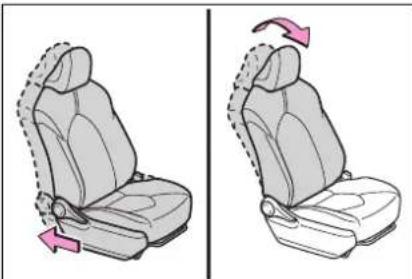
natural_image
Two side-by-side illustrations of a car seat with highlighted seat movement arrows (no text or symbols)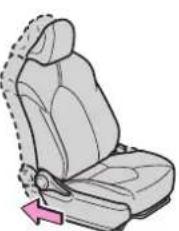
natural_image
Side view of a car seat with a highlighted arm and arrow indicating motion (no text or symbols)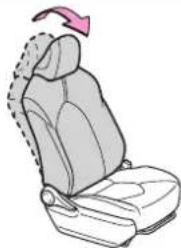
natural_image
Illustration of a car seat with a pink arrow indicating rotation (no text or symbols)
WARNING
■When using a child restraint system
Observe the following precautions.
Failure to do so may result in death or serious injury.
● Never install a rear-facing child restraint system on the front passenger seat even if the "PASS AIR BAG OFF" indicator light is illuminated. In the event of an accident, the force of the rapid inflation of the front passenger airbag can cause death or serious injury to the child if the rear-facing child restraint system is installed on the front passenger seat.
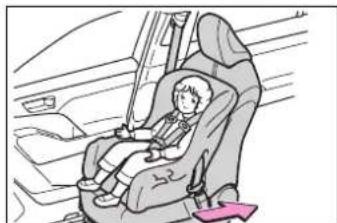
A forward-facing child restraint system may be installed on the front passenger seat only when it is unavoidable. A child restraint system that requires a top tether strap should not be used in the front passenger seat since there is no top tether strap anchor for the front passenger seat.
A forward-facing child restraint system may be installed on the front passenger seat only when it is unavoidable. When installing a forward-facing child restraint system on the front passenger seat, raise the seat-back as much as possible, and move the seat to the rearmost position, even if the "PASS AIR BAG OFF" indicator light is illuminated.
If the head restraint interferes with the installation of the child restraint system, and the head restraint can be removed, remove the head restraint.
If the head restraint cannot be removed, raise it to the uppermost position.
natural_image
Illustration of a child seated in a car seat, wearing a seatbelt, with no visible text or symbols.
WARNING
Do not allow the child to lean his/her head or any part of his/her body against the door or the area of the seat, front or rear pillars, or roof side rails from which the SRS side airbags or SRS curtain shield airbags deploy even if the child is seated in the child restraint system. It is dangerous if the SRS side airbags and curtain shield airbags inflate, and the impact could cause death or serious injury to the child.
natural_image
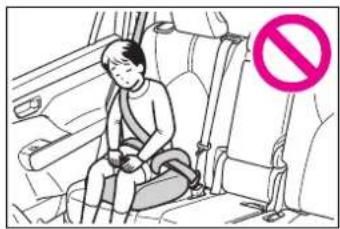
Illustration of a child sitting in a car seatbelt, with a no-smoking symbol (no text or labels present)When a booster seat is installed, always ensure that the shoulder belt is positioned across the center of the child's shoulder. The belt should be kept away from the child's neck, but not so that it could fall off the child's shoulder.
● Use child restraint system suitable to the age and size of the child and install it to the rear seat.
- If the driver's seat interferes with the child restraint system and prevents it from being attached correctly, attach the child restraint system to the right-hand rear seat.
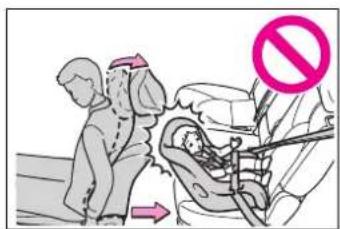
- Adjust the front passenger seat so that it does not interfere with the child restraint system.
Child restraint system fixed with a seat belt
A child restraint system for a small child or baby must itself be properly restrained on the seat with the lap portion of the lap/shoulder belt.
■Installing child restraint system using a seat belt (child restraint lock function belt)
Install the child restraint system in accordance to the operation manual enclosed with the child restraint system.
■Rear-facing — Infant seat/convertible seat
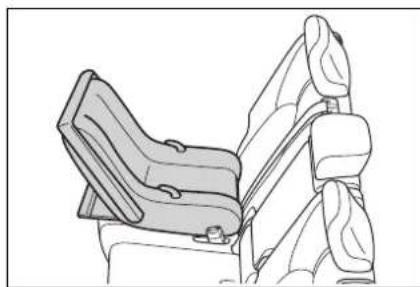
1 Adjust the rear seat
If there is a gap between the child seat and the seatback, adjust the seatback angle until good contact is achieved.
2 Place the child restraint system on the rear seat facing the rear of the vehicle.
natural_image
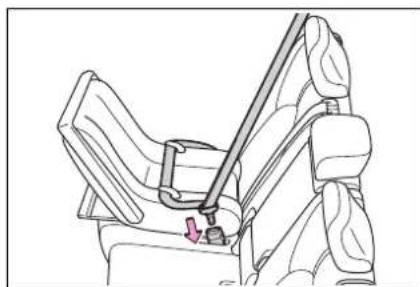
Line drawing of a car seat assembly (no text or symbols)3 Run the seat belt through the child restraint system and insert the plate into the buckle. Make sure that the belt is not twisted.
natural_image
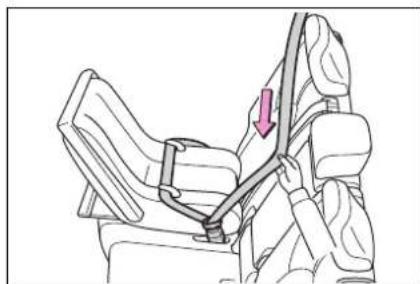
Line drawing of a car seatbelt buckle with a diagonal band and a red arrow indicating the seatbelt buckle (no text or symbols present)4 Fully extend the shoulder belt and allow it to retract to put it in lock mode. In lock mode, the belt cannot be extended.
natural_image
Line drawing of a person's seatbelt with a red arrow indicating the angle (no text or symbols present)5 While pushing the child restraint system down into
the rear seat, allow the shoulder belt to retract until the child restraint system is securely in place.
After the shoulder belt has retracted to a point where there is no slack in the belt, pull the belt to check that it cannot be extended.
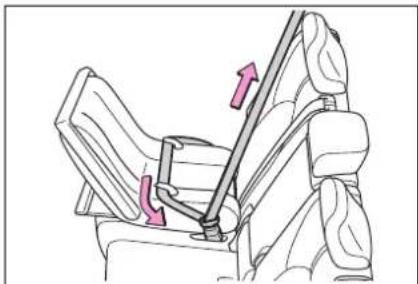
natural_image
Diagram of a car seatbelt with directional arrows indicating movement (no text or symbols)6 After installing the child restraint system, rock it back and forth to ensure that it is installed securely. (→P.59)
■ Forward-facing — Convert- ible seat
1 Adjust the seat
▶ When using the front passenger seat
If installing the child restraint system to the front passenger seat is unavoidable, refer to P.53 for the front passenger seat adjustment.
When using the rear seat If there is a gap between the child seat and the seatback, adjust the seatback angle until good contact is achieved.
2 Remove the head restraint if it interferes with your child restraint system. (→P.162)
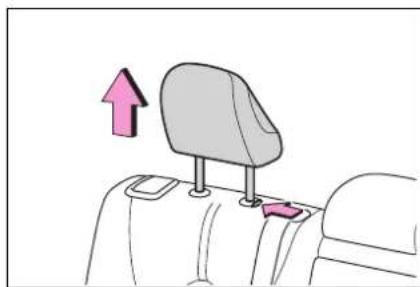
natural_image
Diagram of a car seat with a backrest seat and a pink upward arrow indicating direction (no text or symbols)3 Place the child restraint system on the seat facing the front of the vehicle.
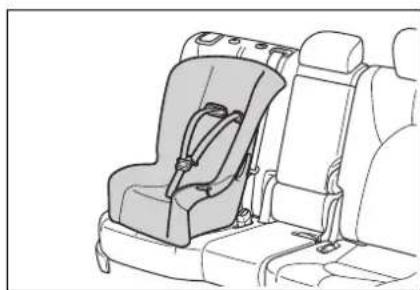
natural_image
Line drawing of a car seatbelt with seat, showing front and rear seats (no text or symbols)4 Run the seat belt through the child restraint system and insert the plate into the buckle. Make sure that the belt is not twisted.
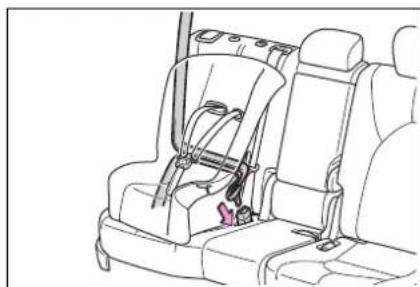
natural_image
Line drawing of a car seat assembly with visible seatbars and seatbelt (no text or symbols)5 Fully extend the shoulder belt and allow it to retract to put it
in lock mode. In lock mode, the belt cannot be extended.
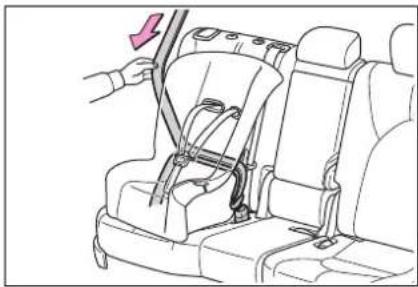
natural_image
Line drawing of a car seatbelt switch mechanism with a hand adjusting the seat (no text or symbols)6 While pushing the child restraint system into the rear seat, allow the shoulder belt to retract until the child restraint system is securely in place.
After the shoulder belt has retracted to a point where there is no slack in the belt, pull the belt to check that it cannot be extended.
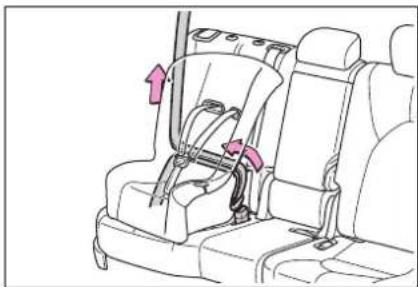
natural_image
Diagram of a car seatbelt assembly with arrows indicating direction (no text or symbols)7 If the child restraint has a top tether strap, follow the child restraint manufacturer's operation manual regarding the installation, using the top tether strap to latch onto the top tether strap anchor. (→P.62)
8 After installing the child restraint system, rock it back
and forth to ensure that it is installed securely. (→P.59)
■ Booster seat
1 If installing the child restraint system to the front passenger seat is unavoidable, refer to P.53 for the front passenger seat adjustment.
2 High back type: Remove the head restraint if it interferes with your child restraint system. (→P.162)
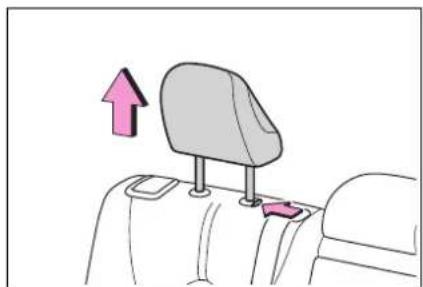
natural_image
Diagram of a car backrest seat with a pink upward arrow indicating direction (no text or symbols)3 Place the child restraint system on the seat facing the front of the vehicle.
▶ Booster type
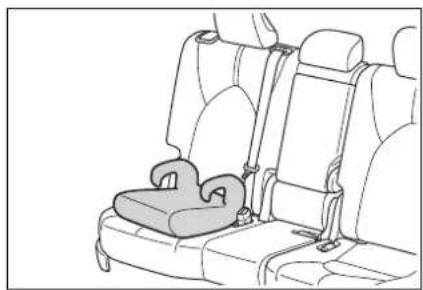
natural_image
Line drawing of a car seat with a seatbelt and seat, no text or symbols present▶ High back type
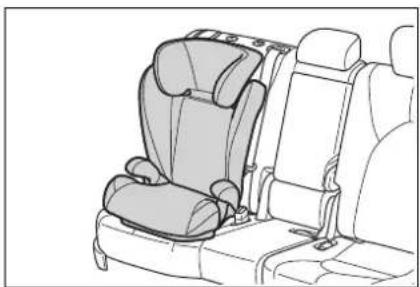
natural_image
Line drawing of a car seat assembly with rear seats and seatbelt (no text or symbols)4 Sit the child in the child restraint system. Fit the seat belt to the child restraint system according to the manufacturer's instructions and insert the plate into the buckle. Make sure that the belt is not twisted.
Check that the shoulder belt is correctly positioned over the child's shoulder and that the lap belt is as low as possible. (→P.27)
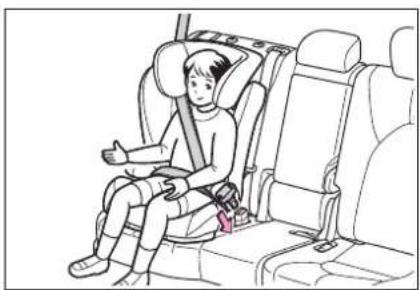
natural_image
Line drawing of a child sitting in a car seat, giving a thumbs-up gesture (no text or symbols present)■Removing a child restraint system installed with a seat belt
Press the buckle release button and fully retract the seat belt.
When releasing the buckle, the child restraint system may spring up due to the rebound of the seat cushion. Release the buckle while holding down the child restraint
system.
Since the seat belt automatically reels itself, slowly return it to the stowing position.
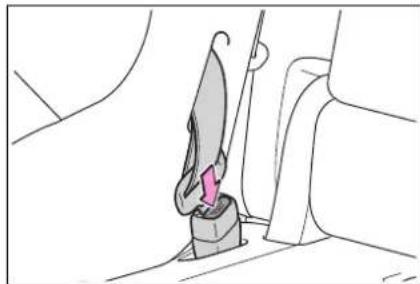
natural_image
Line drawing of a mechanical component with a knife inserted into a housing (no text or symbols)
WARNING
■When installing a child restraint system
Observe the following precautions.
Failure to do so may result in death or serious injury.
- Do not allow children to play with the seat belt. If the seat belt becomes twisted around a child's neck, it may lead to choking or other serious injuries that could result in death. If this occurs and the buckle cannot be unfastened, scissors should be used to cut the belt.
● Ensure that the belt and plate are securely locked and the seat belt is not twisted.
● Shake the child restraint system left and right, and forward and backward to ensure that it has been securely installed.
●After securing a child restraint system, never adjust the seat.
When a booster seat is installed, always ensure that the shoulder belt is positioned across the center of the child's shoulder. The belt should be kept away from the child's neck, but not so that it could fall off the child's shoulder.
● Follow all installation instructions provided by the child restraint system manufacturer.
- When securing some types of child restraint systems in rear seats, it may not be possible to properly use the seat belts in positions next to the child restraint without interfering with it or affecting seat belt effectiveness. Be sure your seat belt fits snugly across your shoulder and low on your hips. If it does not, or if it interferes with the child restraint, move to a different position. Failure to do so may result in death or serious injury.
■When installing a booster seat
To prevent the belt from going into ALR lock mode, do not fully extend the shoulder belt. ALR mode causes the belt to tighten only. This could cause injury or discomfort to the child. (→P.28)
■ Do not use a seat belt extender
If a seat belt extender is used when installing a child restraint system, the seat belt will not securely hold the child restraint system, which could cause death or serious injury to the child or other passengers in the event of sudden braking, sudden swerving or an accident.
Child restraint system fixed with a child restraint LATCH anchor
■Child restraint LATCH anchors
LATCH anchors are provided for the outboard second seats.
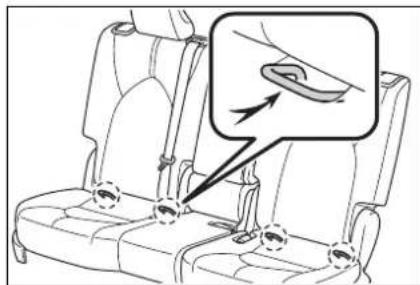
■When installing in the rear outboard seats
Install the child restraint system in accordance to the operation manual enclosed with the child restraint system.
1 Adjust the seat
If there is a gap between the child seat and the seatback, adjust the seatback angle until good contact is achieved.
2 Remove the head restraint if it interferes with your child restraint system. (→P.162)
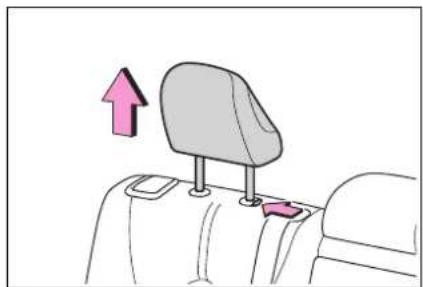
natural_image
Diagram of a car backrest seat with a pink upward arrow indicating direction (no text or symbols)3 Widen the gap between the seat cushion and seatback slightly.
▶ With flexible lower attachments
4 Latch the hooks of the lower attachments onto the LATCH anchors.
For owners in Canada: The symbol on a child restraint system indicates A the presence of a lower connector system.
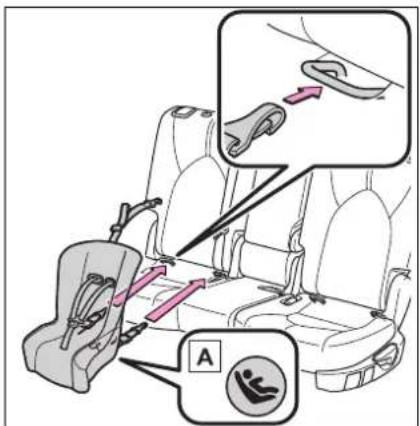
A Canada only
▶ With rigid lower attachments
4 Latch the buckles onto the LATCH anchors. For owners in Canada: The symbol on a child restraint system indicates A
the presence of a lower connector system.
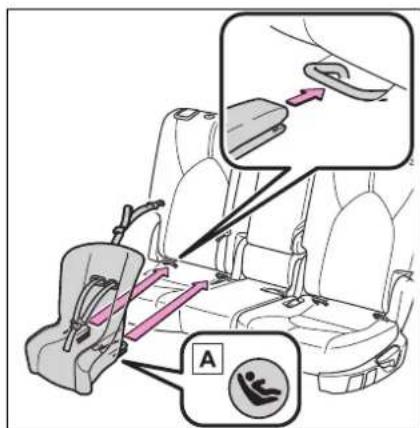
A Canada only
5 If the child restraint has a top tether strap, follow the child restraint manufacturer's operation manual regarding the installation, using the top tether strap to latch onto the top tether strap anchor. (→P.62)
6 After installing the child restraint system, rock it back and forth to ensure that it is installed securely. (→P.59)
■When installing in the second center seat (8-seat models)
There are no LATCH anchors behind the seceond center seat. However, the inboard LATCH anchors of the outboard seats, which are 18.6 in. (473 mm) apart, can be used if the child restraint system manufacturer's instructions permit use of those
anchors with the anchor spacing stated.
Child restraint systems with rigid lower attachments cannot be installed in the center seat. This type of child restraint system can only be installed in the outboard seat.
■Laws and regulations pertaining to anchors
The LATCH system conforms to FMVSS225 or CMVSS210.2. Child restraint systems conforming to FMVSS213 or CMVSS213 specifications can be used. This vehicle is designed to conform to SAE J1819.

WARNING
■When installing a child restraint system
Observe the following precautions. Failure to do so may result in death or serious injury.
- When using the LATCH anchors, be sure that there are no foreign objects around the anchors and that the seat belt is not caught behind the child restraint system.
● Follow all installation instructions provided by the child restraint system manufacturer.

WARNING
● Never attach two child restraint system attachments to the same anchor. In a collision, one anchor may not be strong enough to hold two child restraint system attachments and may break.
If the LATCH anchors are already in use, use the seat belt to install a child restraint system in the center seat.
- When securing some types of child restraint systems in rear seats, it may not be possible to properly use the seat belts in positions next to the child restraint without interfering with it or affecting seat belt effectiveness. Be sure your seat belt fits snugly across your shoulder and low on your hips. If it does not, or if it interferes with the child restraint, move to a different position. Failure to do so may result in death or serious injury.
- If the seat is adjusted, reconfirm the security of the child restraint system.
Using an anchor bracket (for top tether strap)
■ Anchor brackets (for top tether strap)
Anchor brackets are provided for the following seats:
Use anchor brackets when fixing the top tether strap.
▶ 8-seat models second seats
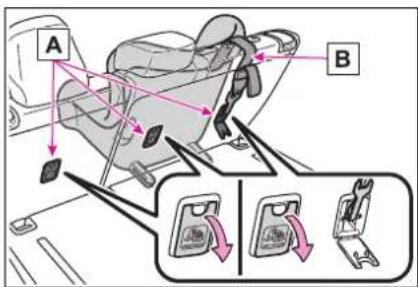
A Anchor brackets
B Top tether strap
7-seat models second seats
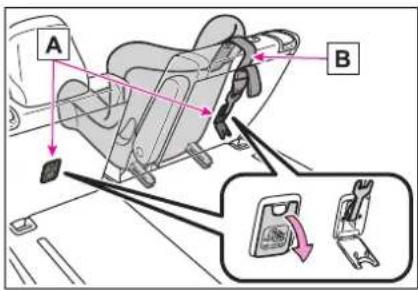
A Anchor brackets
B Top tether strap
Third center seat
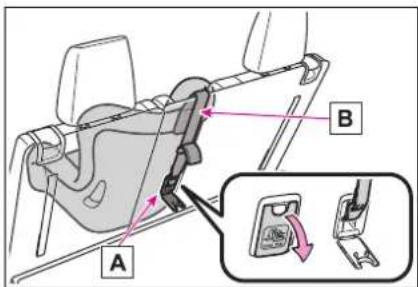
A Anchor brackets
B Top tether strap
*: The third seats are not equipped with Child restraint LATCH
anchors.
■Fixing the top tether strap to the anchor bracket (second seats)
Install the child restraint system in accordance to the operation manual enclosed with the child restraint system.
1 Remove the head restraint if it interferes with your child restraint system. (→P.162)
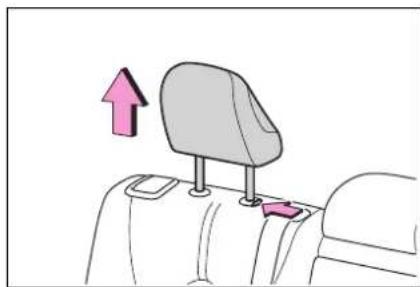
natural_image
Diagram of a car backrest seat with a pink upward arrow indicating direction (no text or symbols)2 Open the anchor bracket cover, latch the hook onto the anchor bracket and tighten the top tether strap.
Make sure the top tether strap is securely latched. (→P.59) When installing the child restraint system with the head restraint being raised, be sure to have the top tether strap pass underneath the head restraint.
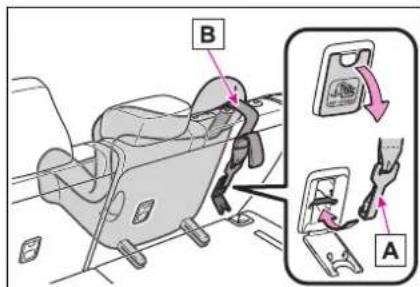
A Hook
B Top tether strap
■Fixing the top tether strap to the anchor bracket (third center seat)
Install the child restraint system in accordance to the operation manual enclosed with the child restraint system.
1 Remove the head restraint if it interferes with your child restraint system. (→P.162)
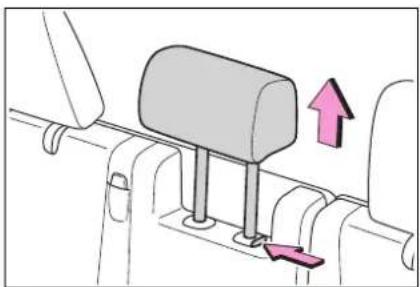
natural_image
Diagram of a mechanical component with a mounted bar and directional arrow (no text or symbols)2 Latch the hook onto the anchor bracket and tighten the top tether strap.
Make sure the top tether strap is securely latched. (→P.59) When installing the child restraint system with the head restraint being raised, be sure to have the top tether strap pass underneath the head restraint.
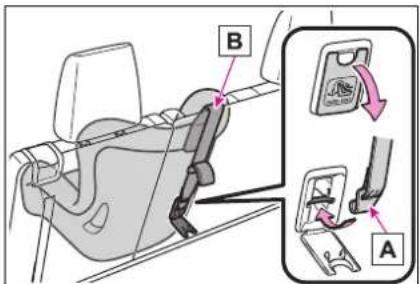
A Hook
B Top tether strap
■Laws and regulations pertaining to anchors
The LATCH system conforms to FMVSS225 or CMVSS210.2.
Child restraint systems conforming to FMVSS213 or CMVSS213 specifications can be used.
This vehicle is designed to conform to SAE J1819.

WARNING
■When installing a child restraint system
Observe the following precautions.
Failure to do so may result in death or serious injury.
● Firmly attach the top tether strap and make sure that the belt is not twisted.
- Do not attach the top strap to anything other than the anchor bracket of the seat the child restraint system is installed to.
● Follow all installation instructions provided by the child restraint system manufacturer.
- When installing a child restraint system in the center rear seat, adjust both seatbacks at the same angle. Otherwise, the child restraint system cannot be securely restrained and this may cause death or serious injuries in the event of sudden braking, sudden swerving or an accident.
- When installing the child restraint system with the head restraint being raised, after the head restraint has been raised and then the anchor bracket has been fixed, do not lower the head restraint.
- If the seat is adjusted, reconfirm the security of the child restraint system.

NOTICE
■Anchor brackets (for top tether strap)
When not in use, make certain to close the lid. If it remains open, the lid may be damaged.
Safety Connect
*: If equipped
Safety Connect is a subscription-based telematics service that uses Global Positioning System (GPS) data and embedded cellular technology to provide safety and security features to subscribers. Safety Connect is supported by Toyota's designated response center, which operates 24 hours per day, 7 days per week.
Safety Connect service is available by subscription on select, telematics hardware-equipped vehicles.
By using the Safety Connect service, you are agreeing to be bound by the Telematics Subscription Service Agreement and its Terms and Conditions, as in effect and amended from time to time, a current copy of which is available at Toyota.com in the United States, Toyotapr.com in Puerto Rico and Toyota.ca in Canada. All use of the Safety Connect service is subject to such then-applicable Terms and Conditions.
System components
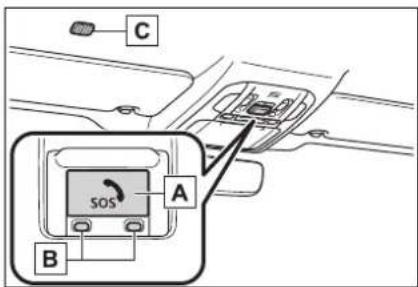
A "SOS" button
B LED light indicators
c Microphone
■Certification for Safety Connect
FCC ID: JOYDA39
IC: 574B-DA39
FCC/IC WARNING:
Changes or modifications not expressly approved by the manufacture could void the user's authority to operate the equipment.
This device complies with Part 15 of the FCC Rules and Industry Canada license-exempt RSS standards. Operation is subject to the following two conditions:
(1) this device may not cause harmful interference, and
(2) this device must accept any interference, including interference that may cause undesired operation of the device.
This equipment complies with IC RSS-102 radiation exposure limits set forth for uncontrolled environment.
The antennas used for this transmitter must be installed to provide a separation distance of least 20cm from all persons.
FCC/IC AVERTISSEMENT:
Subscribers have the following Safety Connect services available:
● Automatic Collision Notification*
Helps drivers receive necessary response from emergency service providers. (→P.68)
*: U.S. Patent No. 7,508,298 B2
● Stolen Vehicle Location
Helps drivers in the event of vehicle theft. (→P.68)
● Emergency Assistance Button ("SOS")
Connects drivers to response-center support. ( P.69)
● Enhanced Roadside Assistance
Provides drivers various on-road assistance. ( P.69)
Subscription
After you have signed the Telematics Subscription Service Agreement and are enrolled, you can begin receiving services.
A variety of subscription terms are available for purchase. Contact your Toyota dealer, call the following appropriate Customer Experience Center or push the "SOS" button in your vehicle for further subscription details.
The United States
1-800-331-4331
- Canada
1-888-869-6828
- Puerto Rico
1-877-855-8377
■Safety Connect Services Information
- Phone calls using the vehicle's Bluetooth® technology will not be
possible when Safety Connect is active and in use.
● Safety Connect is available beginning Fall 2009 on select Toyota models (in the contiguous United States only). Contact with the Safety Connect response center is dependent upon the telematics device being in operative condition, cellular connection availability, and GPS satellite signal reception, which can limit the ability to reach the response center or receive emergency service support. Enrollment and Telematics Subscription Service Agreement are required. A variety of subscription terms are available; charges vary by subscription term selected and location.
● Automatic Collision Notification, Emergency Assistance and Stolen Vehicle Location are available in the United States, including Hawaii and Alaska, Puerto Rico and Canada, and Enhanced Roadside Assistance are available in the United States, Puerto Rico and Canada.
● Automatic Collision Notification, Emergency Assistance, Stolen Vehicle and Enhanced Road Assistance are not available in the U.S. Virgin Islands. For vehicles first sold in the U.S. Virgin Islands, no Safety Connect services will function in or outside the U.S. Virgin Islands.
●Safety Connect services are not subject to section 255 of the Telecommunications Act and the device is not TTY compatible.
Languages
The Safety Connect response center will offer support in multiple languages. The Safety Connect system will offer voice prompts in English, Spanish, and French. Please indicate your language of choice when enrolling.
■When contacting the response center
You may be unable to contact the response center if the network is busy.
Safety Connect LED light Indicators
When the power switch is turned to ON, the red indicator light comes on for 2 seconds then turns off. Afterward, the green indicator light comes on, indicating that the service is active.
The following indicator light patterns indicate specific system usage conditions:
● Green indicator light on = Active service
● Green indicator light flashing = Safety Connect call in process
- Red indicator light (except at vehicle start-up) = System malfunction (contact your Toyota dealer)
● No indicator light (off) = Safety Connect service not active
Safety Connect services
■Automatic Collision Notification
In case of either airbag deployment or severe rear-end collision, the system is designed to automatically call the response center. The responding agent receives the vehicle's location and attempts to speak with the vehicle occupants to assess the level of emergency. If the occupants are unable to communicate, the agent automatically treats the call as an emergency, contacts the nearest emergency services provider to describe the situation, and requests that assistance be sent to the location.
■Stolen Vehicle Location
If your vehicle is stolen, Safety Connect can work with local authorities to assist them in locating and recovering the vehicle. After filing a police report, call the Customer Experience Center at 1-800-331-4331 in the United States, 1-877-855-8377 in Puerto Rico or 1-888-869-6828 in Canada, and follow the prompts for Safety Connect to initiate this service.
In addition to assisting law enforcement with recovery of a stolen vehicle, Safety-Connect-equipped vehicle location data may, under certain circumstances, be shared with third parties to locate your vehicle. Further information is available at Toyota.com in the United States, Toyotapr.com in Puerto Rico and Toyota.ca in Canada.
Emergency Assistance Button ("SOS")
In the event of an emergency on the road, push the "SOS" button to reach the Safety Connect response center. The answering agent will determine your vehicle's location, assess the emergency, and dispatch the necessary assistance required.
If you accidentally press the "SOS" button, tell the response-center agent that you are not experiencing an emergency.
■Enhanced Roadside Assistance
Enhanced Roadside Assistance adds GPS data to the already included warranty-based Toyota roadside service.
Subscribers can press the "SOS" button to reach a Safety Connect response-center agent, who can help with a wide range of needs, such as: towing, flat tire, fuel delivery, etc. For a description of the Enhanced Roadside Assistance services and their limitations, please see the Safety Connect Terms and Conditions, which are available at Toyota.com in the United States, Toyotapr.com in Puerto Rico and Toyota.ca in Canada.
Safety information for Safety Connect
Important! Read this information before using Safety Con- nect.
■Exposure to radio frequency signals
The Safety Connect system installed in your vehicle is a low-power radio transmitter and receiver. It receives and also sends out radio frequency (RF) signals.
In August 1996, the Federal Communications Commission (FCC) adopted RF exposure guidelines with safety levels for mobile wireless phones. Those guidelines are consistent with the safety standards previously set by the following U.S. and international standards bodies.
● ANSI (American National Standards Institute) C95.1 [1992]
● NCRP (National Council on Radiation Protection and Measurement) Report 86 [1986]
- ICNIRP (International Commission on Non-Ionizing Radiation Protection) [1996]
Those standards were based on comprehensive and periodic evaluations of the relevant scientific literature. Over 120 scientists, engineers, and physicians from universities, and government health agencies and industries reviewed the available body of research to
develop the ANSI Standard (C95.1).
The design of Safety Connect complies with the FCC guidelines in addition to those standards.
Hybrid system features
Your vehicle is a hybrid vehicle. It has characteristics different from conventional vehicles. Be sure you are closely familiar with the characteristics of your vehicle, and operate it with care.
The hybrid system combines the use of a gasoline engine and an electric motor (traction motor) according to driving conditions, improving fuel efficiency and reducing exhaust emissions.
System components
■System components
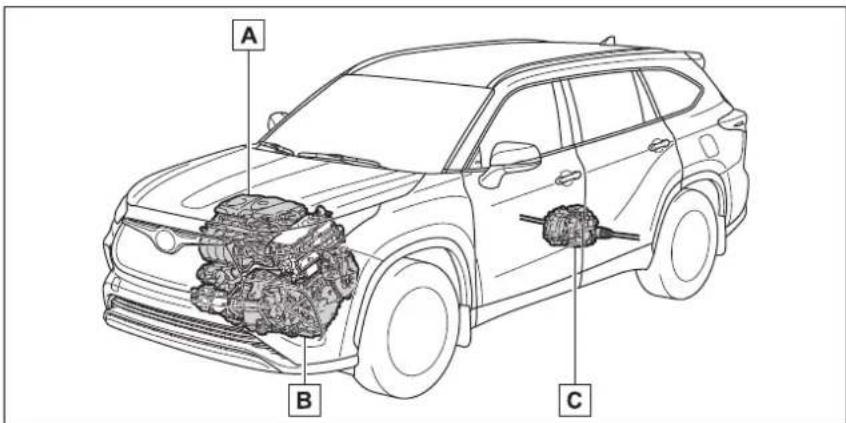
The illustration is an example for explanation and may differ from the actual item.
A Gasoline engine
B Front electric motor (traction motor)
C Rear electric motor (traction motor) ^*
*: AWD models only
■When stopped/during start off
The gasoline engine stops ^* when the vehicle is stopped.
During start off, the electric motor (traction motor) drives the vehicle. At slow speeds or when traveling down a gentle slope, the engine is stopped* and the
electric motor (traction motor) is used.
When the shift lever is in N, the hybrid battery (traction battery) is not being charged.
*: When the hybrid battery (traction battery) requires charging or the engine is warming up, etc., the gasoline engine will not automatically stop. (→P.72)
■During normal driving
The gasoline engine is predominantly used. The electric motor (traction motor) charges the hybrid battery (traction battery) as necessary.
■When accelerating sharply
When the accelerator pedal is depressed heavily, the power of the hybrid battery (traction battery) is added to that of the gasoline engine via the electric motor (traction motor).
■When braking (regenerative braking)
The wheels operate the electric motor (traction motor) as a power generator, and the hybrid battery (traction battery) is charged.
■ Regenerative braking
In the following situations, kinetic energy is converted to electric energy and deceleration force can be obtained in conjunction with the recharging of the hybrid battery (traction battery).
●The accelerator pedal is released while driving with the shift lever in
D or S.
●The brake pedal is depressed while driving with the shift lever in D or S.
■EV indicator
The EV indicator comes on when the vehicle is driven using only the electric motor (traction motor) or the gasoline engine is stopped.
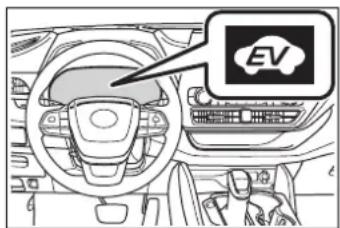
■ Conditions in which the gaso- line engine may not stop
The gasoline engine starts and stops automatically. However, it may not stop automatically in the following conditions:
●During gasoline engine warm-up
● During hybrid battery (traction battery) charging
- When the temperature of the hybrid battery (traction battery) is high or low
- When the heater is switched on Depending on the circumstances, the gasoline engine may also not stop automatically in other situations.
■ Charging the hybrid battery (traction battery)
As the gasoline engine charges the hybrid battery (traction battery), the battery does not need to be charged from an outside source. However, if the vehicle is left parked for a long time the hybrid battery (traction battery) will slowly discharge. For this reason, be sure to drive the vehicle at least once every few months for at least 30 minutes or 10 miles (16 km). If the hybrid battery (traction battery) becomes fully discharged
and you are unable to start the hybrid system, contact your Toyota dealer.
■ Charging the 12-volt battery →P.498
■ After the 12-volt battery has discharged or when the terminal has been removed and installed during exchange, etc.
The gasoline engine may not stop even if the vehicle is being driven by the hybrid battery (traction battery). If this continues for a few days, contact your Toyota dealer.
■ Sounds and vibrations specific to a hybrid vehicle
There may be no engine sound or vibration even though the vehicle is able to move with the "READY" indicator is illuminated. For safety, apply the parking brake and make sure to shift the shift lever to P when parked.
The following sounds or vibrations may occur when the hybrid system is operating and are not a malfunction:
●Motor sounds may be heard from the engine compartment.
● Sounds may be heard from the hybrid battery (traction battery) under the rear seats when the hybrid system starts or stops.
- Relay operating sounds such as a snap or soft clank will be emitted from the hybrid battery (traction battery), under the rear seats, when the hybrid system is started or stopped.
● Sounds from the hybrid system may be heard when the back door is open.
● Sounds may be heard from the transmission when the gasoline engine starts or stops, when driving at low speeds, or during idling.
●Engine sounds may be heard when accelerating sharply.
● Sounds may be heard due to regenerative braking when the brake pedal is depressed or as the accelerator pedal is released.
●Vibration may be felt when the gasoline engine starts or stops.
●Cooling fan sounds may be heard from the air intake vents under the rear seats.
■ Maintenance, repair, recycling, and disposal
Contact your Toyota dealer regarding maintenance, repair, recycling and disposal. Do not dispose of the vehicle yourself.
Acoustic vehicle alerting system
When driving with the gasoline engine stopped, a sound, which changes in accordance with the driving speed, will be played in order to warn people nearby of the vehicle's approach. The sound will stop when the vehicle speed exceeds approximately 22 mph (35 km/h).
■ Acoustic vehicle alerting system
In the following cases, the acoustic vehicle alerting system may be difficult for surrounding people to hear.
●In very noisy areas
●In the wind or the rain
Also, as the acoustic vehicle alerting system is installed on the front of the vehicle, it may be more difficult to hear from the rear of the vehicle compared to the front.
If "Proximity Notification System Malfunction Visit Your Dealer" is displayed on the multi-information display
The system may be malfunctioning. Have the vehicle inspected by your Toyota dealer.
Predictive efficient drive (vehicles with a navigation system) ^*
* : This function can only be used in the mainland U.S.A. It cannot be used in other states and territories, including Alaska and Hawaii.
This system operates based on the driving situation and traffic information to enhance fuel economy.
For details about Predictive efficient drive, refer to "NAVIGATION AND MULTIMEDIA SYSTEM OWNER'S MANUAL".
● The engine braking force will be increased according to the driving conditions to more efficiently charge the hybrid battery (traction battery) after the accelerator pedal is released.
■Predictive SOC control
The following types of control are performed based on data such as road and traffic information during route guidance by the navigation system to help ensure that the vehicle efficiently uses electricity.
- When there is a long downhill slope along the route, the system reduces the hybrid battery (traction battery) level before reaching the slope to help ensure charging capacity for regenerative braking while traveling downhill.
- When traffic congestion is predicted along the route, the system helps ensure a certain battery level before reaching congested roads to reduce the frequency of starting the engine to charge the hybrid battery (traction battery) due to low battery levels.
■Predictive deceleration support
- When the vehicle approaches to predictive deceleration support points registered in the navigation system, the zone of Eco acceleration (A) of the ECO Accelerator Guidance ( P.103) on the multi-information display will be turned off to encourage the driver to reduce excessive acceleration.
Example: 7-inch display
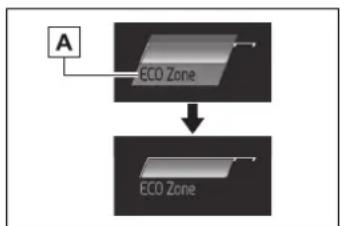
flowchart
graph TD
    A["A"] --> B["ECO Zone"]
    B --> C["ECO Zone"]
Hybrid system precautions
Take care when handling the hybrid system, as it is a high voltage system (about 650 V at maximum) as well as contains parts that become extremely hot when the hybrid system is operating. Obey the warning labels attached to the vehicle.
System components
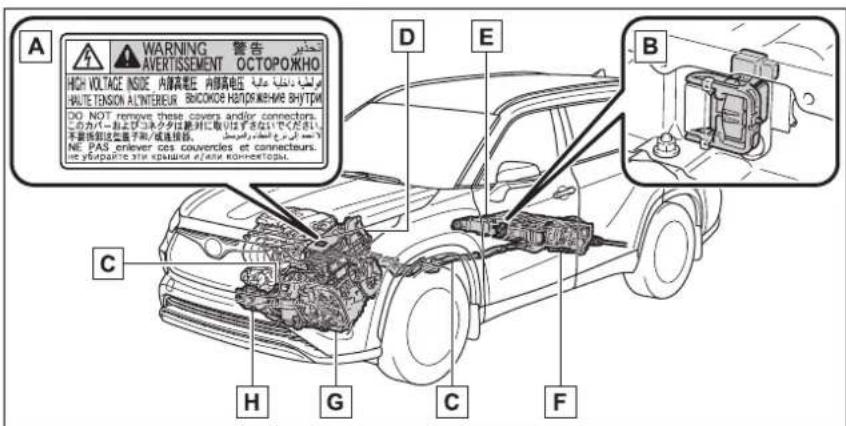
The illustration is an example for explanation and may differ from the actual item.
A Warning label
B Service plug
c High voltage cables (orange)
D Power control unit
E Hybrid battery (traction battery)
F Rear electric motor (traction motor)*
G Front electric motor (traction motor)
H Air conditioning compressor
*: AWD models only
■Running out of fuel
When the vehicle has run out of fuel and the hybrid system cannot be started, refuel the vehicle with at
least enough gasoline to make the low fuel level warning light ( P.469) go off. If there is only a small amount of fuel, the hybrid system may not be able to start. (The standard amount of fuel is about 2.9 gal.
[11.05 L, 2.4 Imp. gal.], when the vehicle is on a level surface. This value may vary when the vehicle is on a slope. Add extra fuel when the vehicle is inclined.)
Electromagnetic waves
●High voltage parts and cables on hybrid vehicles incorporate electromagnetic shielding, and therefore emit approximately the same amount of electromagnetic waves as conventional gasoline powered vehicles or home electronic appliances.
- Your vehicle may cause sound interference in some third party-produced radio parts.
■Hybrid battery (traction battery)
The hybrid battery (traction battery) has a limited service life. The lifespan of the hybrid battery (traction battery) can change in accordance with driving style and driving conditions.

WARNING
■High voltage precautions
This vehicle has high voltage DC and AC systems as well as a 12-volt system. DC and AC high voltage is very dangerous and can cause severe burns and electric shock that may result in death or serious injury.
●Never touch, disassemble, remove or replace the high voltage parts, cables or their connectors.
●The hybrid system will become hot after starting as the system uses high voltage. Be careful of both the high voltage and the high temperature, and always obey the warning labels attached to the vehicle.
● Never try to open the service plug access hole located under the rear seat. The service plug is used only when the vehicle is serviced and is subject to high voltage.
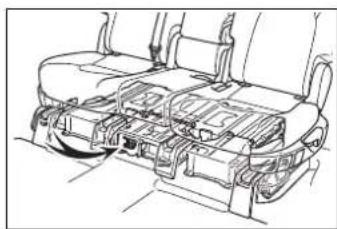
natural_image
Technical line drawing of a vehicle interior showing structural components (no text or symbols)Road accident cautions
Observe the following precautions to reduce the risk of death or serious injury:
●Pull your vehicle off the road, shift the shift lever to P, apply the parking brake, and turn the hybrid system off.
● Do not touch the high voltage parts, cables and connectors.
- If electric wires are exposed inside or outside your vehicle, an electric shock may occur. Never touch exposed electric wires.
If a fluid leak occurs, do not touch the fluid as it may be strong alkaline electrolyte from the hybrid battery (traction battery). If it comes into contact with your skin or eyes, wash it off immediately with a large amount of water or, if possible, boric acid solution. Seek immediate medical attention.
- If a fire occurs in the hybrid vehicle, leave the vehicle as soon as possible. Never use a fire extinguisher that is not meant for electric fires. Using even a small amount of water may be dangerous.

WARNING
- If your vehicle needs to be towed, do so with all four wheels raised. If the wheels connected to the electric motor (traction motor) are on the ground when towing, the motor may continue to generate electricity. This may cause a fire. ( P.461)
Carefully inspect the ground under the vehicle. If you find that liquid has leaked onto the ground, the fuel system may have been damaged. Leave the vehicle as soon as possible.
■ Hybrid battery (traction battery)
● Never resell, hand over or modify the hybrid battery. To prevent accidents, hybrid batteries that have been removed from a disposed vehicle are collected through your Toyota dealer. Do not dispose of the battery yourself.
Unless the battery is properly collected, the following may occur, resulting in death or serious injury:
- The hybrid battery may be illegally disposed of or dumped, and it is hazardous to the environment or someone may touch a high voltage part, resulting in an electric shock.
- The hybrid battery is intended to be used exclusively with your hybrid vehicle. If the hybrid battery is used outside of your vehicle or modified in any way, accidents such as electric shock, heat generation, smoke generation, an explosion and electrolyte leakage may occur.
When reselling or handing over your vehicle, the possibility of an accident is extremely high because the person receiving the vehicle may not be aware of these dangers.
- If your vehicle is disposed of without the hybrid battery having been removed, there is a danger of serious electric shock if high voltage parts, cables and their connectors are touched. In the event that your vehicle must be disposed of, the hybrid battery must be disposed of by your Toyota dealer or a qualified service shop. If the hybrid battery is not disposed of properly, it may cause electric shock that can result in death or serious injury.

NOTICE
■ Hybrid battery (traction battery) air intake vents
Do not carry large amounts of water such as water cooler bottles in the vehicle. If water spills onto the hybrid battery (traction battery), the battery may be damaged. Have the vehicle inspected by your Toyota dealer.
Hybrid battery (traction battery) air intake vent
There are air intake vents under each side of the rear seatback for the purpose of cooling the hybrid battery (traction battery). If the vent is blocked, charging/discharging of the hybrid battery (traction battery) may become limited.
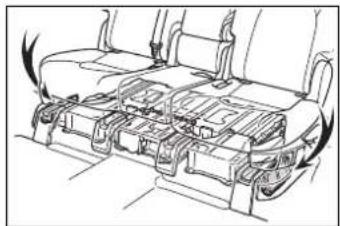
natural_image
Line drawing of a car interior showing internal compartments and exhaust airflow (no text or symbols)
NOTICE
■ Hybrid battery (traction battery) air intake vent
- Do not place objects that will block the air intake vents. The hybrid battery (traction battery) may become limited and be damaged.
● Clean the air intake/discharge vents regularly to prevent the hybrid battery (traction battery) to be limited.
- Do not allow liquid or foreign material to enter the air intake vent as this may cause a short circuit and damage the hybrid battery (traction battery).
A filter is installed to the air intake vent. When the filter remains noticeably dirty even after cleaning the air intake vent, filter cleaning or replacement is recommended. Refer to P.441 for details on how to clean the filters.
Emergency shut off sys- tem
When a certain level of impact is detected by the impact sensor, the emergency shut off system blocks the high voltage current and stops the fuel pump to minimize the risk of electrocution and fuel leakage. If the emergency shut off system activates,
your vehicle will not restart. To restart the hybrid system, contact your Toyota dealer.
Hybrid warning message
A message is automatically displayed when a malfunction occurs in the hybrid system or an improper operation is attempted.
If a warning message is shown on the multi-information display, read the message and follow the instructions. (→P.476)
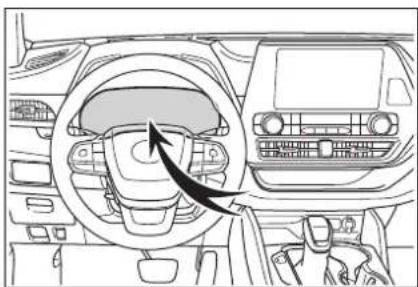
natural_image
Interior view of a car dashboard and infotainment system (no text or symbols visible)If a warning light comes on, a warning message is displayed, or the 12-volt battery is disconnected
The hybrid system may not start. In this case, try to start the system again. If the "READY" indicator does not come on, contact your Toyota dealer.
Immobilizer system
The vehicle's keys have built-in transponder chips that prevent the hybrid system from starting if a key has not been previously registered in the vehicle's on-board computer.
Never leave the keys inside the vehicle when you leave the vehicle.
This system is designed to help prevent vehicle theft but does not guarantee absolute security against all vehicle thefts.
Operating the system
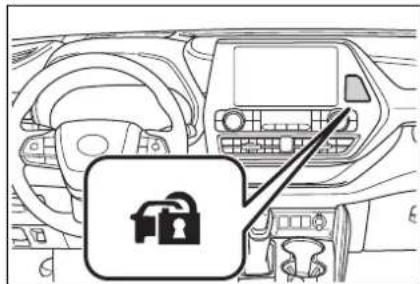
natural_image
Interior view of a car dashboard with steering wheel and dashboard console (no visible text or symbols)The indicator light flashes after the power switch has been turned off to indicate that the system is operating.
The indicator light stops flashing after the power switch has been turned to ACC or ON to indicate that the system has been canceled.
System maintenance
The vehicle has a maintenance-free type immobilizer system.
■Conditions that may cause the system to malfunction
- If the grip portion of the key is in contact with a metallic object
- If the key is in close proximity to or touching a key registered to the security system (key with a built-in transponder chip) of another vehicle
■Certification for the immobilizer system
▶ Except for vehicles sold in Canada
FCC ID:NI4TMIMB-3
This device complies with part 15 of the FCC Rules. Operation is subject to the following two conditions: (1) This device may not cause harmful interference, and (2) this device must accept any interference received, including interference that may cause undesired operation.
Changes or modifications not expressly approved by the party responsible for compliance could void the user's authority to operate the equipment.
For vehicles sold in Canada
This device complies with Industry Canada's licence-exempt RSSs. Operation is subject to the following two conditions: (1) This device may not cause interference; and (2) This device must accept any interference, including interference that may cause undesired operation of the device.
■To ensure the system operates correctly
Do not modify or remove the system. If modified or removed, the proper operation of the system cannot be guaranteed.
Alarm
*: If equipped
The alarm uses light and sound to give an alert when an intrusion is detected. The alarm is triggered in the following situations when the alarm is set:
- A locked door is unlocked or opened in any way other than using the entry function, wireless remote control or mechanical key. (The doors will lock again automatically.)
● The hood is opened.
Setting/canceling/stop- ping the alarm system
■Items to check before locking the vehicle
To prevent unexpected triggering of the alarm and vehicle theft, make sure of the following:
● Nobody is in the vehicle.
● The windows, moon roof (if equipped) and panoramic moon roof (if equipped) are closed before the alarm is set.
- No valuables or other personal items are left in the vehicle.
Setting
Close the doors and hood, and lock all the doors. The system
will be set automatically after 30 seconds.
The security indicator changes from being on to flashing when the system is set.
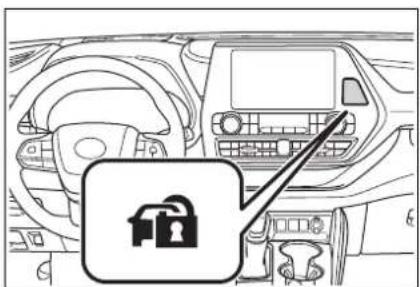
natural_image
Interior view of a car dashboard with steering wheel and dashboard (no visible text or symbols)■Canceling or stopping
Do one of the following to deactivate or stop the alarms:
- Unlock the doors.
- Turn the power switch to ACC or ON, or start the hybrid system. (The alarm will be deactivated or stopped after a few seconds.)
System maintenance
The vehicle has a maintenance-free type alarm system.
■Triggering of the alarm
The alarm may be triggered in the following situations: (Stopping the alarm deactivates the alarm system.)
● A person inside the vehicle opens a door or hood, or unlocks the vehicle.
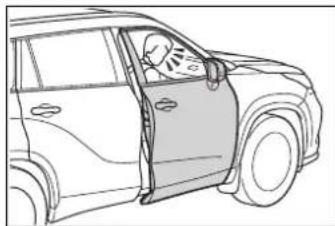
natural_image
Line drawing of a car showing the driver's seat and driver's hand, no text or symbols present●The 12-volt battery is recharged or replaced when the vehicle is locked. (→P.501)
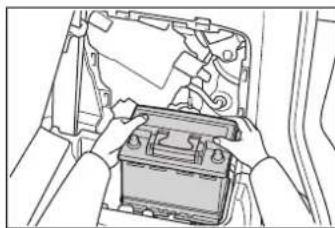
natural_image
Illustration of hands installing or adjusting a battery inside a vehicle (no text or symbols visible)■Alarm-operated door lock
In the following cases, depending on the situation, the door may automatically lock to prevent improper entry into the vehicle:
- When a person remaining in the vehicle unlocks the door and the alarm is activated.
●While the alarm is activated, a person remaining in the vehicle unlocks the door.
●When recharging or replacing the 12-volt battery

NOTICE
■To ensure the system operates correctly
Do not modify or remove the system. If modified or removed, the proper operation of the system cannot be guaranteed.
Vehicle status information and indicators
2
2-1. Instrument cluster
Warning lights and indicators....84
Gauges and meters .....89
Multi-information display (4.2-inch display)....92
Multi-information display (7-inch display)...... 101
Head-up display...... 112
Energy monitor/consumption screen.... 117
Warning lights and indicators
The warning lights and indicators on the instrument cluster, center panel and outside rear view mirrors inform the driver of the status of the vehicle's various systems.
Warning lights and indicators displayed on the instrument cluster
For the purpose of explanation, the following illustrations display all warning lights and indicators illuminated.
4.2-inch display
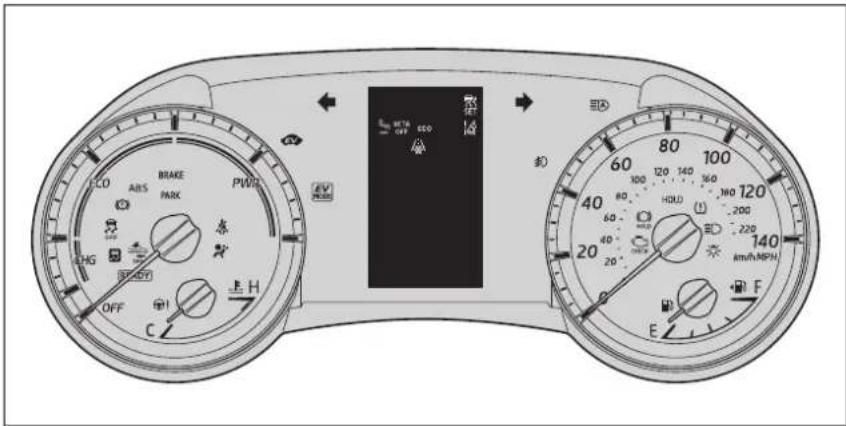
The units used on the meters and some indicators may differ depending on the target region.
7-inch display
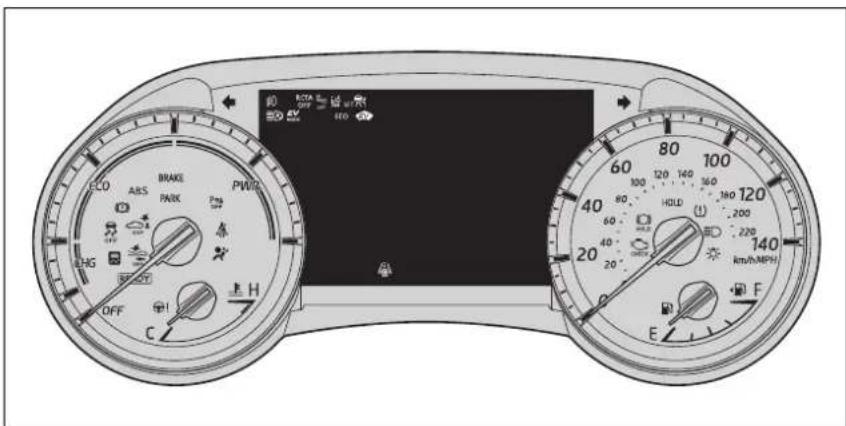
The units used on the meters and some indicators may differ depending on the target region.
Warning lights
Warning lights inform the driver of malfunctions in the indicated vehicle's systems.

Brake system warning light ^*1 ( P.466)
Brake system warning light ^*1 ( P.466)

Brake system warning light ^*1 (→P.466)

High coolant temperature warning light ^2 (→P.466) Hybrid system overheat warning light ^2 (→P.467) Charging system warning light ^*2 (→P.467)

Low engine oil pressure warning light ^2 (→P.467)

Malfunction indicator lamp ^*1 ( P.467)

Malfunction indicator lamp ^*1 ( P.467)

SRS warning light ^*1 (→P.468)

ABS warning light ^*1 (→P.468)

ABS warning light ^*1 (→P.468)

Brake Override System warning light/Drive-Start Control warning light ^2 (→P.468)
Electric power steering system warning light ( P.469)

Low fuel level warning light ^*1 (→P.469)

Driver's and front passenger's seat belt reminder light (→P.469)
Rear passengers' seat belt reminder light ^2 (→P.470)

Tire pressure warning light ^*1 ( P.470)

LTA indicator ^*2 (→P.470)

Intuitive parking assist OFF indicator ^*1,3,4 (if equipped) ( P.471)

RCTA OFF indicator ^2,3 (→P.471)

PKSB OFF indicator ^*1,3,4 (if equipped) ( P.471)
PCS warning light ^*1 (→P.472)

Slip indicator ^*1 ( P.472)
Parking brake indicator ^*1 (→P.473)
Parking brake indicator ^*1 (→P.473)

Brake hold operated indicator ^*1 (→P.473)
^*1 : These lights turn on when the power switch is turned to ON to indicate that a system check is being performed. They will turn off after the hybrid system is on,
or after a few seconds. There may be a malfunction in a system if a light does not come on, or turn off. Have the vehicle inspected by your Toyota dealer.
*2: This light illuminates on the multi-information display.
*3: This light comes on when the system is turned off.
*4:7-inch display only

WARNING
If a safety system warning light does not come on
Should a safety system light such as the ABS and SRS warning lights not come on when you start the hybrid system, this could mean that these systems are not available to help protect you in an accident, which could result in death or serious injury. Have the vehicle inspected by your Toyota dealer immediately if this occurs.
Indicators
The indicators inform the driver of the operating state of the vehicle's various systems.

Turn signal indicator ( P.223)

Headlight indicator ( P.229)

Tail light indicator ( P.229)

Headlight high beam indicator ( P.231) Automatic High Beam indicator ^*1 ( P.232)
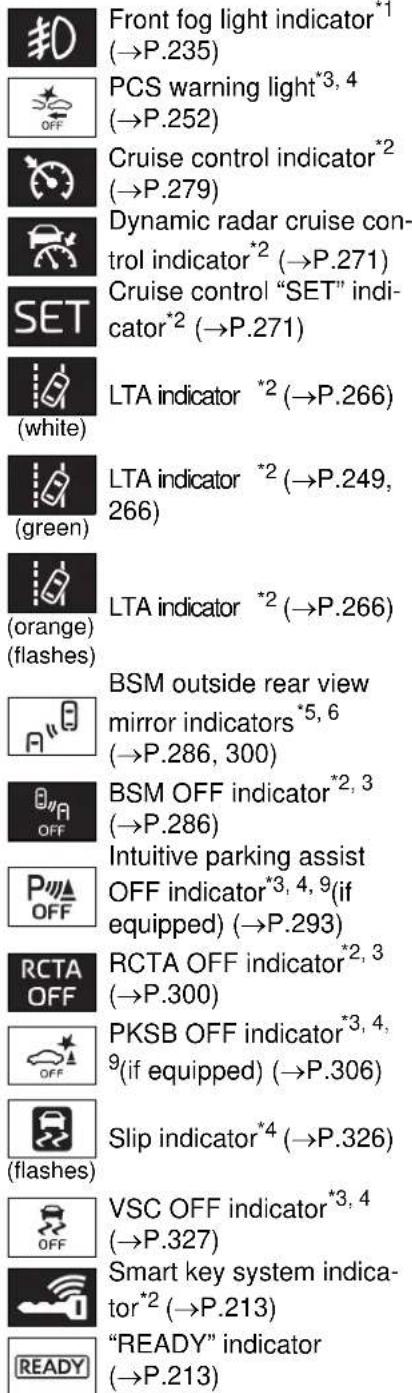
Front fog light indicator ^*1 (→P.235)
PCS warning light ^*3,4 (→P.252)
Cruise control indicator ^2 (→P.279)
Dynamic radar cruise control indicator ^*2 (→P.271)
Cruise control "SET" indicator ^2 (→P.271)
LTA indicator ^*2 (→P.266)
(white)
LTA indicator ^*2 ( P.249, 266)
(green)
LTA indicator ^*2 (→P.266)
(orange) (flashes)
BSM outside rear view mirror indicators ^*5,6 (→P.286, 300)
BSM OFF indicator ^*2,3 (→P.286)
Intuitive parking assist OFF indicator ^*3, 4, 9 (if equipped) ( P.293)
RCTA OFF indicator ^2,3 (→P.300)
PKSB OFF indicator ^*3,4 ^9 (if equipped) ( P.306)
Slip indicator ^*4 (→P.326)
(flashes)
VSC OFF indicator ^*3,4 (→P.327)
Smart key system indicator ^*2 (→P.213)
"READY" indicator (→P.213)
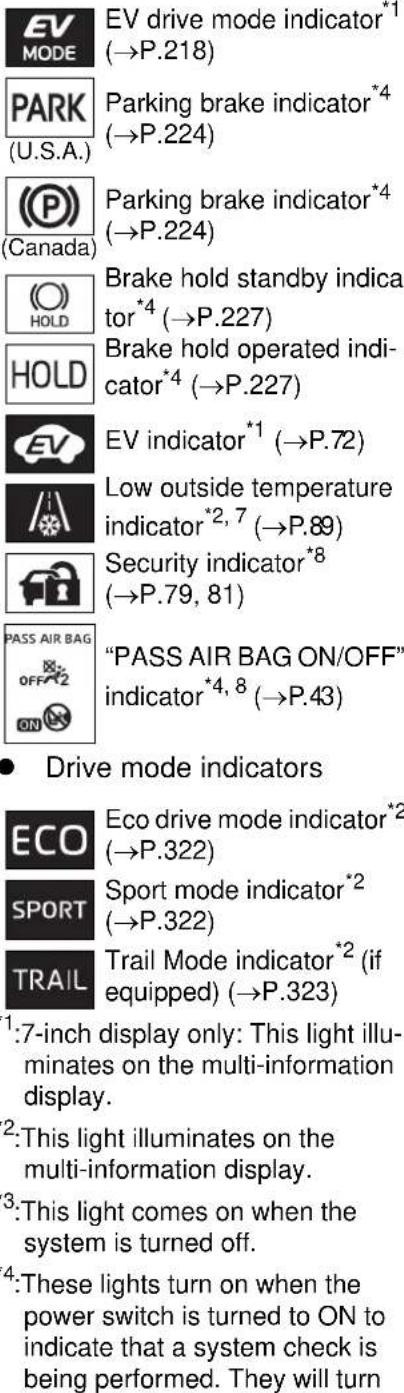
EV drive mode indicator ^*1 (→P.218)
Parking brake indicator ^4 (→P.224)
(U.S.A.)
Parking brake indicator ^4 (→P.224)
Canada
Brake hold standby indicator ^*4 (→P.227)
Brake hold operated indicator ^*4 (→P.227)
EV indicator ^*1 (→P.72)
Low outside temperature indicator ^*2,7 (→P.89)
Security indicator ^8 (→P.79, 81)
PASS AIR BAG
"PASS AIR BAG ON/OFF" indicator ^*4,8 (→P.43)
- Drive mode indicators
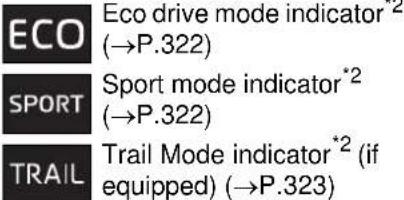
Eco drive mode indicator ^2 (→P.322)
Sport mode indicator ^2 (→P.322)
Trail Mode indicator ^*2 (if equipped) ( P.323)
^1 :7-inch display only: This light illuminates on the multi-information display.
^2 :This light illuminates on the multi-information display.
*3: This light comes on when the system is turned off.
*4: These lights turn on when the power switch is turned to ON to indicate that a system check is being performed. They will turn
off after the hybrid system is on, or after a few seconds. There may be a malfunction in a system if a light does not come on, or turn off. Have the vehicle inspected by your Toyota dealer.
^*5 : In order to confirm operation, the BSM outside rear view mirror indicators illuminate in the following situations:
- When the BSM function is enabled on the multi-information display, the power switch is turned to ON.
- When the power switch is in ON, the BSM function is enabled on 📋 of the multi-information display.
If the system is functioning correctly, the BSM outside rear view mirror indicators will turn off after a few seconds. If the BSM outside rear view mirror indicators do not illuminate or do not turn off, there may be a malfunction in the system. If this occurs, have the vehicle inspected by your Toyota dealer.
^*6 :This light illuminates on the outside rear view mirrors.
*7: When the outside temperature is approximately 37°F (3°C) or lower, this indicator will flash for approximately 10 seconds, then stay on.
*8: This light illuminates on the center panel.
*9:7-inch display only
Gauges and meters
Meter display
■Locations of gauges and meters
4.2-inch display
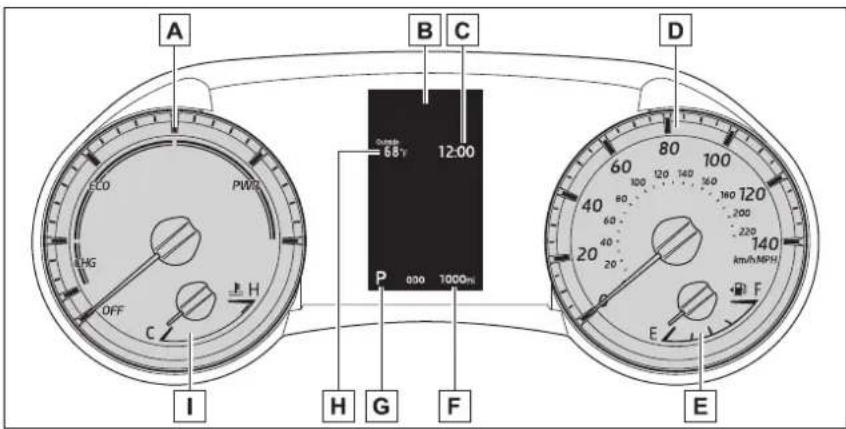
7-inch display
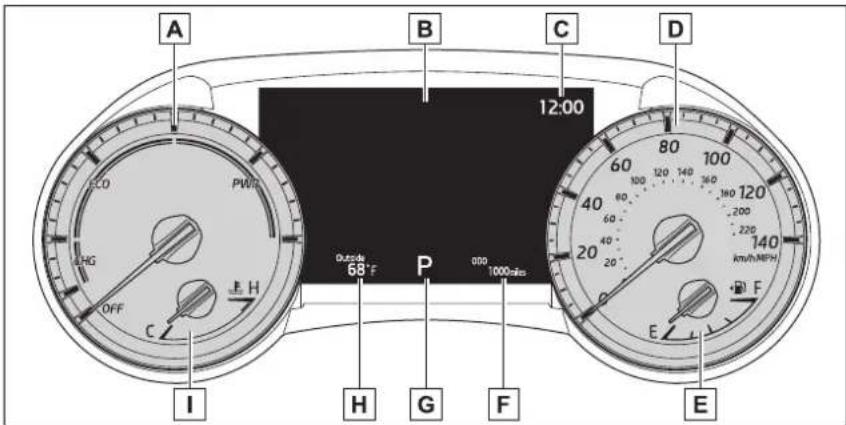
The units used on the meters may differ depending on the target region.
A Hybrid System Indicator
Displays hybrid system output or regeneration level ( P.90)
B Multi-information display
Presents the driver with a variety of vehicle data (→P.92, 101)
Displays warning messages in case of a malfunction (→P.476)
C Clock (→P.92)
D Speedometer
E Fuel gauge
Displays the quantity of fuel remaining in the tank
F Odometer and trip meter display ( P.91)
G Shift position display ( P.220)
H Outside temperature
Displays the outside temperature within the range of -40^ ( -40^ ) to 122^ ( 50^ ). Low outside temperature indicator comes on when the ambient temperature is 37^ ( 3^ ) or lower.
☐ Engine coolant temperature gauge
Displays the engine coolant temperature
■The meters and display illuminate when
The power switch is in ON.
Hybrid System Indicator
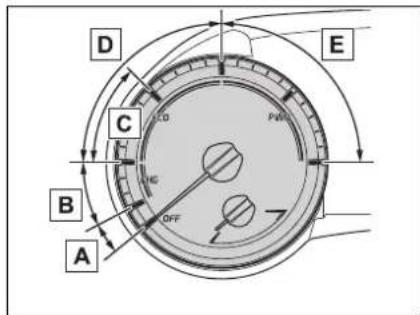
A READY OFF area
Shows that the hybrid system is not operating.
B Charge area
Shows regeneration ^* status.
Regenerated energy will be used to charge the hybrid battery (traction battery).
c Hybrid Eco area
Shows that gasoline engine power is not being used very often.
The gasoline engine will automatically stop and restart under various conditions.
D Eco area
Shows that the vehicle is being driven in an Eco-friendly manner.
By keeping the indicator needle within the Eco area, more Eco-friendly driving can be achieved.
E Power area
Shows that an Eco-friendly driving range is being exceeded (during full power driving etc.)
*: When used in this manual, regeneration refers to the conversion of energy created by the movement of the vehicle into electrical energy.
■Outside temperature display
● In the following situations, the correct outside temperature may not be displayed, or the display may take longer than normal to change:
- When stopped, or driving at low speeds (less than 12 mph [20 km/h])
- When the outside temperature has changed suddenly (at the entrance/exit of a garage, tunnel, etc.)
- When “--” or “E” is displayed, the system may be malfunctioning. Take your vehicle to your Toyota dealer.
■Liquid crystal display
Small spots or light spots may appear on the display. This phenomenon is characteristic of liquid crystal displays, and there is no problem continuing to use the display.
Customization
The meters can be customized on

of the multi-information display.
(→P.99, 109)

WARNING
■The information display at low temperatures
Allow the interior of the vehicle to warm up before using the liquid crystal information display. At extremely low temperatures, the information display monitor may respond slowly, and display changes may be delayed.
For example, there is a lag between the driver's shifting and the new gear number appearing on the display. This lag could cause the driver to downshift again, causing rapid and excessive engine braking and possibly an accident resulting in death or injury.

NOTICE
■To prevent damage to the engine and its components
- Do not let the indicator needle of the tachometer enter the red zone, which indicates the maximum engine speed.
●The engine may be overheating if the engine coolant temperature gauge is in the red zone (H). In this case, immediately stop the vehicle in a safe place, and check the engine after it has cooled completely. (→P.504)
Odometer and trip meter display
■Display items
- Odometer
Displays the total distance the vehicle has been driven. - Trip meter A/trip meter B
Displays the distance the vehicle has been driven since the meter was last reset. Trip meters A and B can be used to record and display different distances independently.
■Changing the display
Each time the “ODO TRIP” switch is pressed, the displayed item will be changed. When the trip meter is displayed, pressing and holding the switch will reset the trip meter.
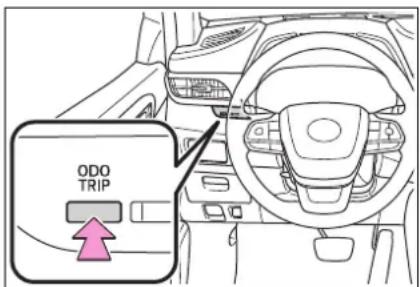
Changing the instrument panel light brightness
The brightness of the instrument panel lights can be adjusted.
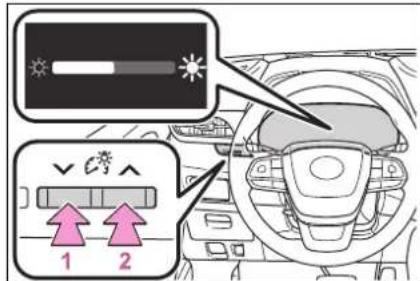
This image is for example only, and may differ from the actual vehicle.
1 Darker
2 Brighter
■Brightness of the meters (day mode and night mode)
The brightness of the meters is changed between day mode and night mode.
●Day mode: When the surrounding area is bright
●Night mode: When the surrounding area is dark
Adjusting the clock
The clocks can be adjusted on the audio system screen.
Refer to "NAVIGATION AND MULTIMEDIA SYSTEM OWNER'S MANUAL".
Multi-information display (4.2-inch display)
Display and menu icons
■Display
The multi-information display presents the driver with a variety of driving-related information.
Warning or suggestion/advice pop-up displays are also displayed in certain situations.
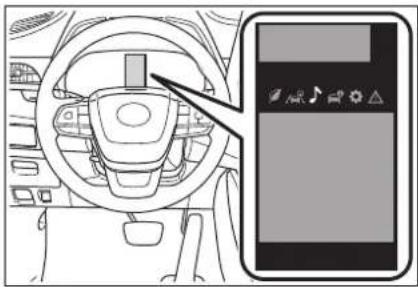
natural_image
Interior view of a car dashboard and smartphone (no text or symbols visible)■Menu icons
Select a menu icon to display its content.

Driving information display ( P.93)

Driving support system information display ( P.96)

Audio system-linked dis- play ( P.96)

Vehicle information display ( P.96)

Settings display ( P.97)

Warning message display ( P.101)
■Liquid crystal display
Small spots or light spots may appear on the display. This phenomenon is characteristic of liquid crystal displays, and there is no problem continuing to use the display.

WARNING
■Caution for use while driving
- When operating the multi-information display while driving, pay extra attention to the safety of the area around the vehicle.
- Do not look continuously at the multi-information display while driving as you may fail to see pedestrians, objects on the road, etc. ahead of the vehicle.
■The information display at low temperatures
→P.91
Changing the meter display
The multi-information display is operated using the meter control switches.
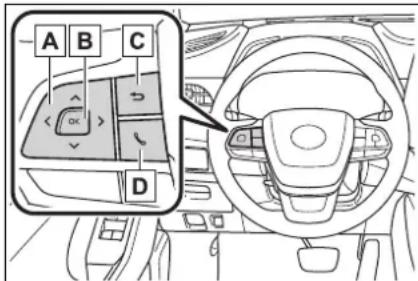
A Scroll screens ^ , change the displayed content ^ and move the cursor
B Press: Enter/Set
Press and hold: Reset/Display customizable items
c Return to the previous screen
D Call sending/receiving and history display
Linked with the hands-free system, sending or receiving call is displayed. For details regarding the hands-free system, refer to the "NAVIGATION AND MULTIMEDIA SYSTEM OWNER'S MANUAL".
*: On screens where the screen can be scrolled and the display can be switched, a scroll bar or a round icon that shows the number of registered screens is displayed.
Driving information display (O)
■Speedometer display/Driving range
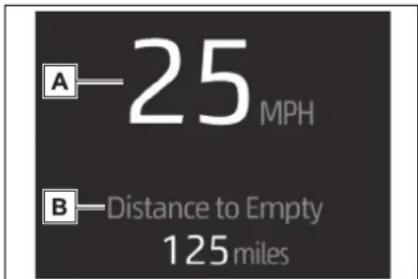
A Speedometer display
Displays the vehicle speed.
B Driving range
Displays driving range with remaining fuel. Use the displayed values as a reference only.
This distance is computed based on your average fuel consumption.
As a result, the actual distance that can be driven may differ from that displayed.
When only a small amount of fuel is added to the tank, the display may not be updated.
When refueling, turn the power switch off. If the vehicle is refueled without turning the power switch off, the display may not be updated.
When “Refuel” is displayed, the remaining fuel amount is low and the distance that can be driven with the remaining fuel cannot be calculated.
Refuel immediately.
■Fuel economy
Use the displayed values as a reference only.
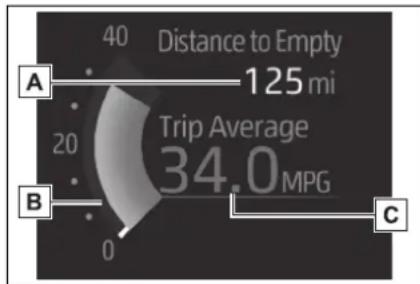
gauge
| Metric | Value | | :--- | :--- | | Distance to Empty | 125 mi | | Trip Average | 34.0 MPG | | Value | 0 | | Label | A | | Label | B | | Label | C |A Driving range
Displays driving range with remaining fuel.
This distance is computed based on your average fuel consumption. As a result, the actual distance that can be driven may differ from that displayed.
When only a small amount of fuel is added to the tank, the display may not be updated.
When refueling, turn the power switch off. If the vehicle is refueled without turning the power switch off,
the display may not be updated.
When “Refuel” is displayed, the remaining fuel amount is low and the distance that can be driven with the remaining fuel cannot be calculated.
Refuel immediately.
B Current fuel economy
Displays the instantaneous current fuel Economy.
c Average fuel economy
Displays the average fuel economy since the function was reset or the average fuel economy after starting or refueling. ^*1, 2, 3
The average fuel economy display can be changed in ⚙️ (→P.97)
^*1 :Use the displayed fuel consumption as a reference only.
*2: Average fuel economy since the function was reset can be reset by pressing and holding OK
*3: Average fuel economy after starting is reset each time the engine stops.
■ ECO Accelerator Guidance/Eco score
Displays a reference operation range for using the accelerator pedal according to driving conditions, and a score result that evaluates the current driving status.
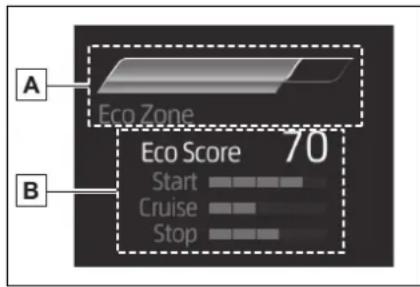
A ECO Accelerator Guidance
B Eco score
● ECO Accelerator Guidance
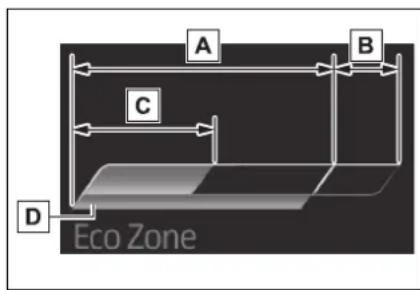
A Eco area
Indicates that the vehicle is being driven in an Eco-friendly manner.
B Power area
Indicates that the Eco-friendly driving range is being exceeded (during full power driving, etc.)
c Current accelerator pedal operation
Displayed as a green bar when within the Eco area.
Eco-friendly acceleration can be achieved by keeping the accelerator pedal operation display within the range indicated by the blue bar. ( P.191)
D Zone of Eco acceleration
Displayed as a blue bar, and represents an estimated suitable
accelerator pedal operation range for the current driving conditions, such as starting off or cruising.
This display changes according to situation, such as when starting off or cruising.
- Eco score
The following 3 Eco driving methods are evaluated in 5 levels: Smooth start-off acceleration, driving without sudden acceleration, and smooth stopping. When the vehicle is stopped, an Eco score out of 100 points will be displayed.
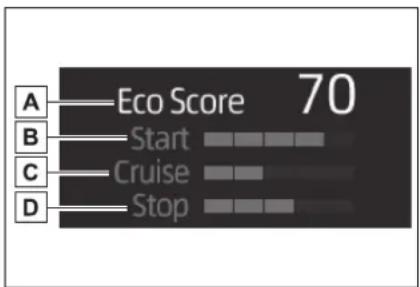
A Score result
B Eco start status
c Eco cruise status
D Eco stop status
How to read the bar display
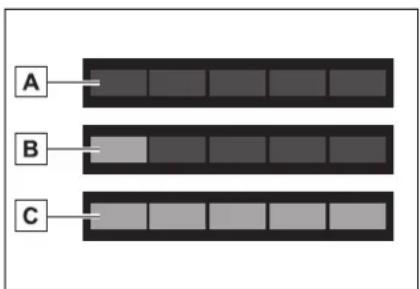
A Not yet evaluated
B Low
c High
• After the hybrid system is started, the Eco score will not be displayed until the vehicle speed exceeds approximately 12 mph (20 km/h).
- The Eco score will be reset each time the hybrid system is started.
- When the hybrid system is stopped, the total score of the current trip will be displayed.
■The ECO Accelerator Guidance/Eco score will not operate when
The ECO Accelerator Guidance/Eco score will not operate in the following situations:
●The Hybrid System Indicator is not operating.
●The vehicle is being driven using the dynamic radar cruise control with full-speed range.
Driving support system information display (
■Driving support system information
Select to display the operational status of the following systems:
● LTA (Lane Tracing Assist) ( P.260)
● RSA (Road Sign Assist) (if equipped) ( P.283)
● Dynamic radar cruise control with full-speed range ( P.271)
Audio system-linked display (♪)
Select to enable selection of an audio source or track on the meter using the meter control switches.
This menu icon can be set to be displayed/not displayed in
Vehicle information display (60)
■Drive information
2 items that are selected using the "Drive Info Items" setting (average speed, distance and total time) can be displayed vertically.
The displayed information changes according to the “Drive Info Type” setting (since the system was started or between resets). (→P.97)
Use the displayed information as a reference only.
Following items will be displayed.
- "Trip"
- "Average Speed": Displays the average vehicle speed since hybrid system start*
- "Distance": Displays the distance driven since hybrid system start*
- “Total Time”: Displays the elapsed time since hybrid system start*
*: These items are reset each time
the engine stops.
• "Total"
- "Average Speed": Displays the average vehicle speed since the display was reset*
- "Distance": Displays the distance driven since the display was reset*
- "Total Time": Displays the elapsed time since the display was reset*
*: To reset, display the desired item and press and hold OK
■Energy monitor
→P.117
■Tire pressure
→P.426
■AWD Control (if equipped)
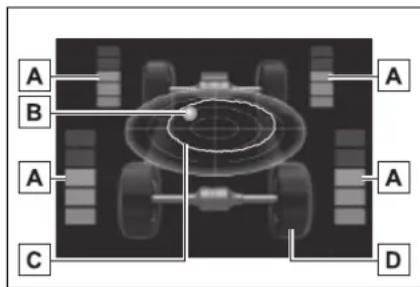
A Torque distribution display Displays the drive status of each wheel in 6 steps from 0 to 5.
B G-force display*
Displays the size and direction of the G-force applied to the vehicle via changes to the position of the ball on the display.
c Maximum G-force course*
This item is linked with the G-force display and the course of the past
movement of the ball is displayed.
Press and hold to reset the record.
D Wheel spin display
When a tire is spinning, its icon on the display changes its color and blinks.
*: This item is displayed only when driving mode is set to sport mode.
Tire pressure
- It may take a few minutes to display the tire inflation pressure after the power switch is turned to ON. It may also take a few minutes to display the tire inflation pressure after inflation pressure has been adjusted.
- “---” may be displayed if the tire position information cannot be determined due to unfavorable radio wave conditions.
- Tire inflation pressure changes with temperature. The displayed values may also be different from the values measured using a tire pressure gauge.
Settings display

■Changing settings
Use the meter control switches on the steering wheel to change settings.
1 Press or of the meter control switch to select

2 Press or of the meter control switch to select the desired item to be customized.
3 Press or press and hold

The available settings will differ depending on if is pressed or pressed and held. Follow the instructions on the display.
Setting items
- LTA (Lane Tracing Assist) (→P.260)
Press and hold to change the settings of the following items:
- "Lane Center"
Select to enable/disable the lane centering function.
- "Sensitivity"
Select to set the warning sensitivity.
- “Sway Warning”
Select to enable/disable the vehicle sway warning.
- "Sway Sensitivity"
Select to set the vehicle sway warning sensitivity.
● PCS (Pre-Collision System) (→P.249)
Press to enable/disable the pre-collision system.
• PCS (Pre-Collision System) on/off
Select to enable/disable the pre-collision system.
Press and hold to change the settings of the following item:
- "Sensitivity"
Select to change the pre-collision warning timing.
● DRCC (Dynamic Radar Cruise Control with full-speed range) (→P.271)
Press and hold to change the settings of the following items:
- "Curve Speed Reduction" (→P.278)
Select to set the curve speed reduction function strength.
● BSM (Blind Spot Monitor) (→P.286)
Press to enable/disable the Blind Spot Monitor function.
- BSM (Blind Spot Monitor) on/off Select to enable/disable the Blind Spot Monitor function.
Press and hold to change the settings of the following items:
- "Brightness"
Select to switch the brightness of the outside rear view mirror indicators. ( P.286)
- "Sensitivity"
Select to change the alert timing for an approaching vehicle.
● RCTA RCTA (Rear Cross Traffic Alert) (→P.300)
Press to enable/disable the Rear Cross Traffic Alert function.
- RCTA (Rear Cross Traffic Alert) on/off
Select to enable/disable the Rear Cross Traffic Alert function.
Press and hold to change the settings of the following item:
• “ Volume ”
Select to change the volume of the RCTA buzzer.
● RSA (Road Sign Assist) (if equipped) (→P.283)
Press to enable/disable the Road Sign Assist.
- RSA (Road Sign Assist) on/off Select to enable/disable the Road Sign Assist.
Press and hold to change the settings of the following items:
- "Notification Method"
Select to change each notification method used to notify the driver when the system recognizes excess speed and no-entry sign.
- "Notification Level"
Select to change each notification level used to notify the driver when the system recognizes a speed limit sign.
■ Vehicle settings
Press and hold to change the settings of the following items:
● PBD (Power Back Door) (→P.135)
- "System Settings"
Select to enable/disable the power back door system.
- "Opening Adjustment"
Select the open position when power back door is fully open.
• “ Volume ”
Select to set the volume of the buzzer which sounds when the power back door system operates.
- "TPWS" (Tire Pressure Warn-
ing System) ( P.426)
- "Set Pressure" (tire pressure warning system initialization)
Select to initialize the tire pressure warning system.
- "Change Wheel" (register tire pressure warning system sensor ID codes)
Select to register the ID codes of the tire pressure sensors to the tire pressure warning system.
● "Rear Seat Reminder" (→P.133)
Select to enable/disable the rear seat reminder.
- “Scheduled Maintenance” (→P.407)
Select to reset the scheduled maintenance information (maintenance required message and distance until maintenance necessary) after all maintenance is performed.
■ Meter settings
Press and hold to change the settings of the following items:
- Language
Select to change the language displayed.
- Units
Select to change the units of measure displayed.
● EV indicator (→P.218)
Select to enable/disable the EV indicator.
•
Select to change the displayed content of the following:
- Hybrid system indicator
Select to display/not display the Eco Accelerator Guidance. ( P. 90)
- Fuel economy display
Select to change the average fuel consumption display between after start/after reset. (→P.9 4)

Select to display/not display the audio system linked display.

Select to change the displayed content of the following:
- Display contents
Select to display/not display the AWD control (if equipped) and energy monitor. ( P.97, 117)
- Drive information type
Select to change the drive information type display between after start/after reset.
- Drive information items
Select to set the first and second items of the drive information display to any of the following: average vehicle speed/distance/elapsed time.
- Trip Summary
Select to turn the display of a trip summary display.
- Pop-up display
Select to enable/disable pop-up displays for each relevant system.
● Multi-information display off
Displays a blank screen.
- Default setting
Select to reset the meter display settings to the default setting.
■Vehicle functions and settings that can be changed
→P.530
■ Suspension of the settings display
Some settings cannot be changed while driving. When changing settings, park the vehicle in a safe place.
- If a warning message is displayed, operation of the settings display will be suspended.
■Pop-up displays
Depending on the pop-up display, the currently displayed item in the message display area may be temporarily not displayed. The item will be displayed after the pop-up display is no longer displayed.

WARNING
■ Cautions during setting up the display
As the hybrid system needs to be operating during setting up the display, ensure that the vehicle is parked in a place with adequate ventilation. In a closed area such as a garage, exhaust gases including harmful carbon monoxide (CO) may collect and enter the vehicle. This may lead to death or a serious health hazard.

NOTICE
■During setting up the display
To prevent 12-volt battery discharge, ensure that the hybrid system is operating while setting up the display features.
Warning message display (▲)
Select to display warning messages and measures to be taken if a malfunction is detected. (→P.476)
Suggestion function
Displays suggestions to the driver in the following situations. To select a response to a displayed suggestion, use the meter control switches.
■Suggestion to turn off the headlights
If the headlights are left on for a certain amount of time after the power switch has been turned off, if the headlight switch is in the "AUTO" position, a suggestion message will be displayed asking if you wish to turn the headlights off.
To turn the headlights off, select "Yes".
If the driver's door is opened after the power switch is turned off, this suggestion message will not be displayed.
Customization
Some functions can be customized. (→P.530)
Multi-information display (7-inch display)
Display and menu icons
■Display
The multi-information display presents the driver with a variety of driving-related information.
Warning or suggestion/advice pop-up displays are also displayed in certain situations.
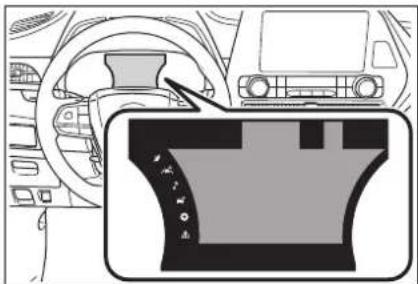
natural_image
Interior view of a car dashboard and steering wheel (no text or symbols visible)■Menu icons
Select a menu icon to display its content.

Driving information display ( P.102)

Driving support system information display ( P.105)

Audio system-linked dis- play ( P.106)

Vehicle information dis- play ( P.106)

Settings display ( P.107)

Warning message display ( P.110)
Liquid crystal display
Small spots or light spots may appear on the display. This phenomenon is characteristic of liquid crystal displays, and there is no problem continuing to use the display.

WARNING
■Caution for use while driving
■The information display at low temperatures
- When operating the multi-information display while driving, pay extra attention to the safety of the area around the vehicle.
Do not look continuously at the multi-information display while driving as you may fail to see pedestrians, objects on the road, etc. ahead of the vehicle.
→P.91
Changing the meter dis- play
The multi-information display is operated using the meter control switches.
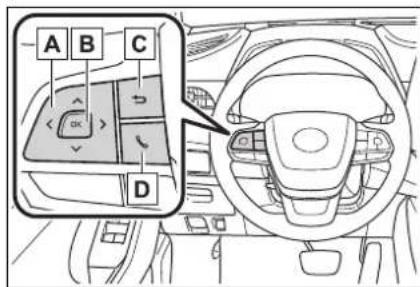
A Scroll screens*, change the displayed content* and move the cursor
B Press: Enter/Set
Press and hold: Reset/Display customizable items
c Return to the previous screen
D Call sending/receiving and history display
Linked with the hands-free system, sending or receiving call is displayed. For details regarding the hands-free system, refer to the "NAVIGATION AND MULTIMEDIA SYSTEM OWNER'S MANUAL".
*: On screens where the screen can be scrolled and the display can be switched, a scroll bar or a round icon that shows the number of registered screens is displayed.
Driving information display (6)
Fuel economy
Use the displayed values as a reference only.
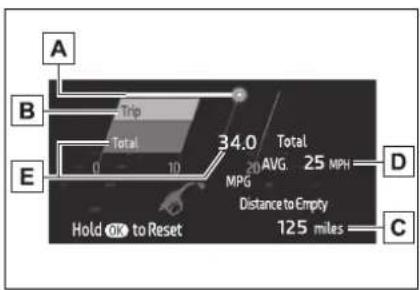
A Current fuel consumption
Displays the instantaneous current fuel consumption.
B Average fuel economy (after start)
Displays the average fuel consumption since hybrid system
start. ^*1
C Driving range
Displays the driving range with remaining fuel.
This distance is computed based on your average fuel consumption. As a result, the actual distance that can be driven may differ from that displayed.
When only a small amount of fuel is added to the tank, the display may not be updated.
When refueling, turn the power switch off. If the vehicle is refueled without turning the power switch off, the display may not be updated.
When “Refuel” is displayed, the remaining fuel amount is low and the distance that can be driven with the remaining fuel cannot be calculated.
Refuel immediately.
D Gadget ^*2
The following items can be displayed by changing the settings for gadget content and fuel economy
type on ⚙(→P.107)
- Other
Blank: No item
• Average vehicle speed
After start: Displays average vehicle speed since hybrid system start
After reset: Displays average vehicle speed since the display was reset ^4
- Distance
After start: Displays the distance driven since vehicle start.
After reset: Displays the distance driven since the display was reset ^*3
- Elapsed time
After start: Displays elapsed time since hybrid system start
After reset: Displays elapsed time since the display was reset ^3
E Average fuel economy
Displayed item (listed below) can be changed on the fuel economy type screen of ⬤→P.107)
● Total (after reset)
Displays the average fuel consumption since the display was reset. ^*1, 3
- Tank (after refuel)
Displays the average fuel consumption since the vehicle was refueled. ^*1
When only a small amount of fuel is added to the tank, the display may not be updated.
When refueling, turn the power switch off. If the vehicle is refueled without turning the power switch off, the display may not be updated.
*1: Use the displayed fuel consumption as a reference only.
*2: The default setting is no display.
*3: This display can be reset by pressing and holding ☐ while it is displayed.
■ ECO Accelerator Guidance/Eco score
Displays a reference operation range for using the accelerator pedal according to driving conditions, and a score result that evaluates the current driving
status.
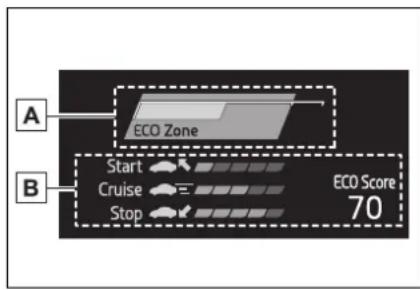
A ECO Accelerator Guidance
B Eco score
- ECO Accelerator Guidance
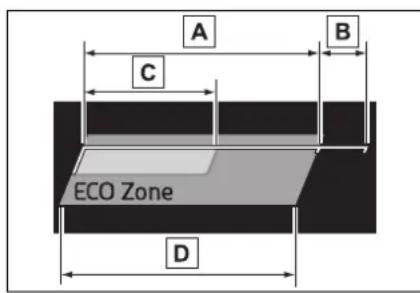
A Eco area
Indicates that the vehicle is being driven in an Eco-friendly manner.
B Power area
Indicates that the Eco-friendly driving range is being exceeded (during full power driving, etc.)
c Current accelerator pedal operation
Displayed as a green bar when within the Eco area.
Eco-friendly acceleration can be achieved by keeping the accelerator pedal operation display within the range indicated by the blue bar. ( P.191)
D Zone of Eco acceleration
Displayed as a blue bar, and represents an estimated suitable accelerator pedal operation range for the current driving conditions, such as starting off or cruising.
This display changes according to situation, such as when starting off or cruising.
- Eco score
The following 3 Eco driving methods are evaluated in 5 levels: Smooth start-off acceleration, driving without sudden acceleration, and smooth stopping. When the vehicle is stopped, an Eco score out of 100 points will be displayed.
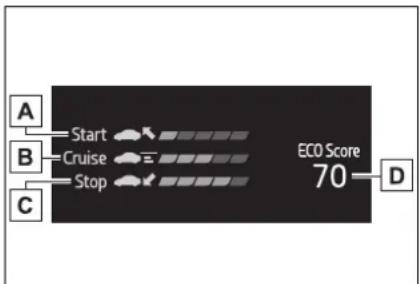
A Eco start status
B Eco cruise status
c Eco stop status
D Score result
How to read the bar display
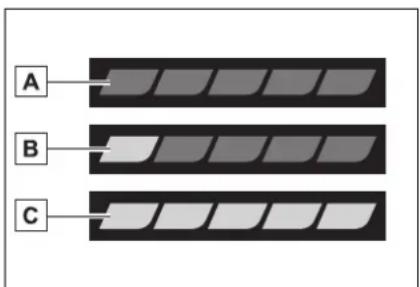
A Not yet evaluated
B Low
c High
- After the hybrid system is started, the Eco score will not be displayed until the vehicle speed exceeds approximately 12 mph (20 km/h).
- The Eco score will be reset each time the hybrid system is started.
- When the hybrid system is stopped, the total score of the current trip will be displayed.
■Speedometer display (digital speed)/Driving range
● Speedometer display (digital speed)
→P.109
- Driving range
Displays driving range with remaining fuel. Use the displayed values as a reference only.
This distance is computed based on your average fuel consumption. As a result, the actual distance that can be driven may differ from that displayed.
When only a small amount of fuel is added to the tank, the display may not be updated.
When refueling, turn the power switch off. If the vehicle is refueled without turning the power switch off, the display may not be updated.
When “Refuel” is displayed, the remaining fuel amount is low and the distance that can be driven with the remaining fuel cannot be calculated.
Refuel immediately.
■The ECO Accelerator Guidance/Eco score will not operate when
The ECO Accelerator Guidance/Eco score will not operate in the following situations:
●The Hybrid System Indicator is not operating.
●The vehicle is being driven using the dynamic radar cruise control with full-speed range.
Driving support system information display (A)
■Driving support system information
Select to display the operational status of the following systems:
● LTA (Lane Tracing Assist) ( P.260)
● RSA (Road Sign Assist) (if equipped) ( P.283)
● Dynamic radar cruise control with full-speed range ( P.271)
■Navigation system-linked display (if equipped)
Select to display the following navigation system-linked information:
- Route guidance to destination
- Compass display (head-ing-up display)
■Route guidance to destination display
When the route guidance to destination display is enabled on the head-up display, it will not be dis-
played on the multi-information display. ( P.114)
Audio system-linked display (♪)
Select to enable selection of an audio source or track on the meter using the meter control switches.
This menu icon can be set to be displayed/not displayed in
Vehicle information display (0)
■Energy monitor
$$ \rightarrow \mathrm{P}. 1 1 7 $$
Tire pressure
$$ \rightarrow \mathrm{P}. 4 2 6 $$
■AWD Control (if equipped)
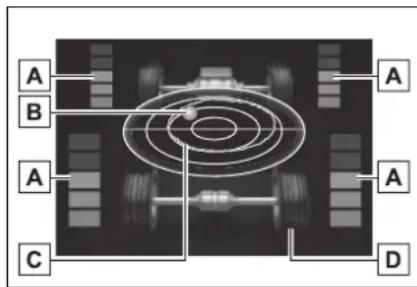
A Torque distribution display Displays the drive status of each wheel in 6 steps from 0 to 5.
B G-force display*
Displays the size and direction of the G-force applied to the vehicle via changes to the position of the ball on the display.
c Maximum G-force course*
This item is linked with the G-force display and the course of the past movement of the ball is displayed.
Press and hold to reset the record.
D Wheel spin display
When a tire is spinning, its icon on the display changes its color and blinks.
^* : This item is displayed only when driving mode is set to sport mode.
■Safety system status
Enable/Disable the following systems:
● PCS (Pre-Collision system) ( P.249)
- Intuitive parking assist (if equipped) (→P.292)
● BSM (Blind Spot Monitor) ( P.286)
● RCTA (Rear Cross Traffic Alert) ( P.300)
Tire pressure
- It may take a few minutes to display the tire inflation pressure after the power switch is turned to ON. It may also take a few minutes to display the tire inflation pressure after inflation pressure has been adjusted.
- “---” may be displayed if the tire position information cannot be determined due to unfavorable radio wave conditions.
- Tire inflation pressure changes with temperature. The displayed values may also be different from the values measured using a tire pressure gauge.
Settings display (
■Changing settings
Use the meter control switches on the steering wheel to change settings.
1 Press or of the meter control switch to select
2 Press or of the meter control switch to select the desired item to be customized.
3 Press or press and hold OK
The available settings will differ depending on if is pressed or pressed and held. Follow the instructions on the display.
Setting items
● LTA (Lane Tracing Assist) (→P.260)
Press and hold to change the settings of the following items:
- "Lane Center"
Select to enable/disable the lane centering function.
- "Sensitivity"
Select to set the warning sensitivity.
- “Sway Warning”
Select to enable/disable the vehicle sway warning.
- "Sway Sensitivity"
Select to set the vehicle sway warning sensitivity.
● PCS (Pre-Collision System) (→P.249)
Press to enable/disable the pre-collision system.
• PCS (Pre-Collision System) on/off
Select to enable/disable the pre-collision system.
Press and hold to change the settings of the following item:
- "Sensitivity"
Select to change the pre-collision warning timing.
● DRCC (Dynamic Radar Cruise Control with full-speed range) (→P.271)
Press and hold to change the settings of the following items:
- "Curve Speed Reduction" (→P.278)
Select to set the curve speed reduction function strength.
● BSM (Blind Spot Monitor) (→P.286)
Press to enable/disable the Blind Spot Monitor function.
- BSM (Blind Spot Monitor) on/off Select to enable/disable the Blind Spot Monitor function.
Press and hold to change the settings of the following items:
- "Brightness"
Select to switch the brightness of the outside rear view mirror indicators. ( P.286)
- "Sensitivity"
Select to change the alert timing for an approaching vehicle.
● Pvt intuitive parking assist (if equipped) (→P.292)
Press to enable/disable the Intuitive parking assist.
- Intuitive parking assist on/off Select to enable/disable the Intuitive parking assist.
Press and hold to change the settings of the following item:
• “ Volume ”
Select to set the volume of the buzzer which sounds when the Intuitive parking assist is operated.
● RCTA RCTA (Rear Cross Traffic Alert) (→P.300)
Press to enable/disable the Rear Cross Traffic Alert function.
- RCTA (Rear Cross Traffic Alert) on/off
Select to enable/disable the Rear Cross Traffic Alert function.
Press and hold to change the settings of the following item:
• “ Volume ”
Select to change the volume of the RCTA buzzer.
● PKSB (Parking Support Brake) (if equipped) (→P.305)
Press to enable/disable the Parking Support Brake function.
- HUD (Head-up display) (if equipped) (→P.112)
Press to enable/disable the head-up display.
- HUD (Head-up display) on/off Select to enable/disable the head-up display.
Press and hold to change the settings of the following items:
- "HUD Brightness/Position"
Select to adjust the brightness/position of the head-up display.
- "HUD Driving Support"
Select to change the displayed head-up display driving support item.
- "HUD Rotation"
Select to adjust the angle of the head-up display.
● RSA (Road Sign Assist) (if equipped) ( P.283)
Press to enable/disable the Road Sign Assist.
- RSA (Road Sign Assist) on/off Select to enable/disable the Road Sign Assist.
Press and hold to change the settings of the following items:
- "Notification Method"
Select to change each notification method used to notify the driver when the system recognizes excess speed and no-entry sign.
- "Notification Level"
Select to change each notification level used to notify the driver when the system recognizes a speed limit sign.
■ Vehicle settings
Press and hold to change
the settings of the following items:
● PBD (Power Back Door)
(→P.135)
- "System Settings"
Select to enable/disable the power back door system.
- "Kick Sensor" *
Select to enable/disable the kick sensor. - "Opening Adjustment"
Select the open position when power back door is fully open.
• “ Volume ”
Select to set the volume of the buzzer which sounds when the power back door system operates.
* : Vehicles with a hands free power back door
- "TPWS" (Tire Pressure Warning System) ( P.426)
- "Set Pressure" (tire pressure warning system initialization)
Select to initialize the tire pressure warning system.
- "Change Wheel" (register tire pressure warning system sensor ID codes)
Select to register the ID codes of the tire pressure sensors to the tire pressure warning system.
● "Rear Seat Reminder" (→P.133)
Select to enable/disable the rear seat reminder.
● "Scheduled Maintenance" (→P.407)
Select to reset the scheduled maintenance information (maintenance required message and distance until maintenance necessary) after all maintenance is performed.
■ Meter settings
Press and hold to change the settings of the following items:
- Language
Select to change the language displayed.
- Units
Select to change the units of measure displayed.
● EV indicator (→P.218)
Select to enable/disable the EV indicator.
● Speedometer display (digital speed)
Select to enable/disable the speedometer display.
- Gadget content
Select to turn the display of a gadget.
- Fuel economy type
Select to change the average fuel consumption display and an item to be displayed as gadget.
- Pop-up display
Select to enable/disable pop-up displays for each relevant system.
- Multi-information display off Displays a blank screen.
- Default setting
Select to reset the meter display
settings to the default setting.
■Vehicle functions and settings that can be changed
→P.530
■Background color of the indicator/shift position display area
The background color of the indicator/shift position display area is changed according to the driving mode as follows ( P.322):
Eco drive mode: Blue
●Sport mode: Red
■ Suspension of the settings display
● Some settings cannot be changed while driving. When changing settings, park the vehicle in a safe place.
- If a warning message is displayed, operation of the settings display will be suspended.
■Pop-up displays
Depending on the pop-up display, the currently displayed item in the message display area may be temporarily not displayed. The item will be displayed after the pop-up display is no longer displayed.

WARNING
■ Cautions during setting up the display
As the hybrid system needs to be operating during setting up the display, ensure that the vehicle is parked in a place with adequate ventilation. In a closed area such as a garage, exhaust gases including harmful carbon monoxide (CO) may collect and enter the vehicle. This may lead to death or a serious health hazard.

NOTICE
■During setting up the display
To prevent 12-volt battery discharge, ensure that the hybrid system is operating while setting up the display features.
Warning message display

Select to display warning messages and measures to be taken if a malfunction is detected. (→P.476)
Suggestion function
Displays suggestions to the driver in the following situations.
To select a response to a dis- played suggestion, use the meter control switches.
■Suggestion to turn off the headlights
If the headlights are left on for a certain amount of time after the power switch has been turned off, if the headlight switch is in the "AUTO" position, a suggestion message will be displayed asking if you wish to turn the headlights off.
To turn the headlights off, select "Yes".
If the driver's door is opened after the power switch is turned off, this suggestion message will not be displayed.
Customization
Some functions can be customized.
(→P.530)
Head-up display\*
*: If equipped
The head-up display is linked to the meters and navigation system (if equipped) and projects a variety of information in front of the driver, such as the current vehicle speed and route guidance to a set destination.
System components
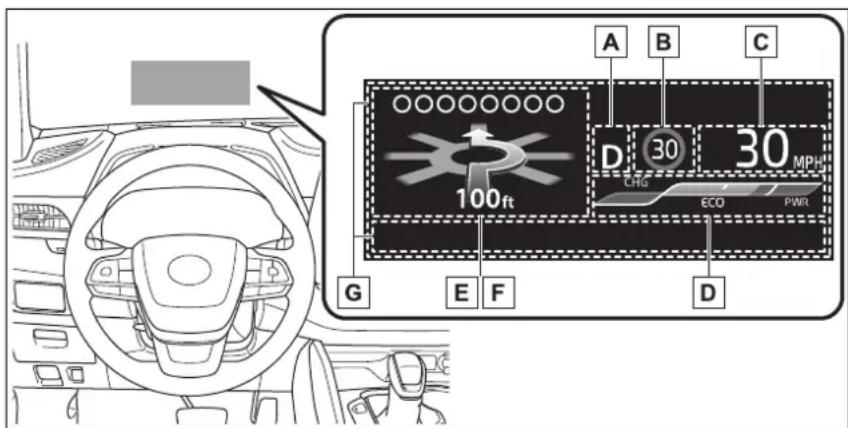
Illustrations used in this text are intended as examples, and may differ from the image that is actually displayed by the head-up display.
A Shift position display ( P.220)
B Speed limit/RSA (Road Sign Assist) display area
Displays the following items:
- Speed limit of the current road (linked to the navigation system) (U.S.A. only)
- RSA (Road Sign Assist) display (if equipped) ( P.283)
c Vehicle speed display area
D Hybrid System Indicator/Tachometer/Outside temperature ( P.115)
E Navigation system-linked display area (if equipped) ( P.115)
Displays the following items, which are linked to the navigation system:
- Route guidance to destination
- Street name
- Compass (heading-up display)
F Driving assist system status display area ( P.116)
G Message display area ( P.116)
The following pop-up displays will be displayed in certain situations:
- Warning/message
- Hands-free system status
• Audio system operation status
■Head-up display will operate when
The power switch is in ON.
■When using the head-up display
The head-up display may seem dark or hard to see when viewed through sunglasses, especially polarized sunglasses. Adjust the brightness of the head-up display or remove your sunglasses.
■ Outside temperature display
If the outside temperature becomes approximately 37^ F ( 3^ C) or lower, the low outside temperature indicator will flash for 10 seconds then the low outside temperature indicator and outside temperature display will turn off. The low outside temperature indicator will operate again if the outside temperature becomes approximately 41^ F ( 5^ C) or more and then decreases to 37^ F ( 3^ C) or lower.

WARNING
■Before using the head-up display
- Check that the position and brightness of the head-up display image does not interfere with safe driving. Incorrect adjustment of the image's position or brightness may obstruct the driver's view and lead to an accident, resulting in death or serious injury.
- Do not continuously look at the head-up display while driving as you may fail to see pedestrians, objects on the road, etc. ahead of the vehicle.

NOTICE
■To prevent damage to components
- Do not place any drinks near the head-up display projector. If the projector gets wet, electrical malfunctions may result.
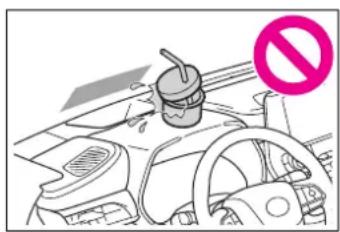
natural_image
Interior view of a car showing dashboard, steering wheel, and no-smoking symbol (no text or labels)- Do not place anything on or put stickers onto the head-up display projector. Doing so could interrupt head-up display indications.
- Do not touch the inside of the head-up display projector or thrust sharp edges or the like into the projector. Doing so could cause mechanical malfunctions.
Using the head-up display
■Changing settings of the head-up display
Select 📂 on the multi-information display (→P.530) and then

■Enabling/disabling the head-up display
Press ☐ to enable/disable the head-up display.
■Changing the head-up display settings
Press and hold to display the following settings.
● "HUD Brightness/Position"
Select to adjust the brightness and vertical position of the head-up display.
- "HUD Driving Support"
- Tachometer Settings
Blank/Hybrid System/Tachometer
Select to change the display to blank (no display)/Hybrid System Indicator/tachometer.
Select to enable/disable the following items:
- Navigation (if equipped)
- Driving Assist
- Compass (if equipped)
- Audio
- "HUD Rotation"
Select to adjust the angle of the head-up display.
Press the or switch to
adjust the angle of the head-up display.
■Enabling/disabling of the head-up display
If the head-up display is disabled, it will remain disabled when the power switch is turned off then back to ON.
■Display brightness
The brightness of the head-up display can be adjusted on ☐ the multi-information display. Also, it is automatically adjusted according to the ambient brightness.
■Automatic adjustment of the head-up display position (vehicles with driving position memory)
A desired head-up display position can be entered to memory and recalled automatically by the driving position memory system. ( P.159)
■When the 12-volt battery is disconnected
The customize settings of the head-up display will be reset.
Customization
Some functions can be customized. ( P.530)

WARNING
■Caution for changing settings of the head-up display
As the hybrid system needs to be operating while changing the settings of the head-up display, ensure that the vehicle is parked in a place with adequate ventilation. In a closed area such as a garage, exhaust gases including harmful carbon monoxide (CO) may collect and enter the vehicle. This may lead to death or a serious health hazard.

NOTICE
■When changing the settings of the head-up display
To prevent 12-volt battery discharge, ensure that the hybrid system is operating while the changing the settings of the head-up display.
Hybrid System Indicator/Tachometer/Outside temperature
Hybrid System Indicator
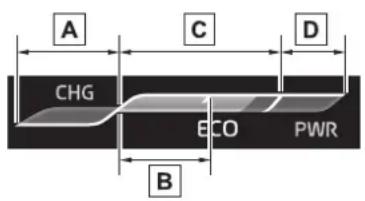
A Charge area
B Hybrid Eco area
c Eco area
D Power area
Displayed content is the same as that displayed on the meter (Hybrid System Indicator). For details, refer to P.90.
Tachometer
Displays the engine speed in revolutions per minute.
■Outside temperature
Displayed in the following situations:
- When the power switch is turned to ON (Displayed for
approximately 10 seconds)
- When the low outside temperature indicator is flashing Displayed content is the same as that displayed on the multi-information display. For details, refer to the explanation of the outside temperature display on the multi-information display. (→P.90)
Navigation system-linked display area (if equipped)
Displays the following navigation system linked items:
(Refer to "NAVIGATION AND MULTIMEDIA SYSTEM OWNER'S MANUAL".)
■Route guidance to destination
Displayed when the navigation system is performing route guidance. When approaching an intersection, an arrow indicating the suggested direction of travel will be displayed.
■Street name
Depending on the situation, the names of the streets of an approaching intersection will be displayed.
■ Compass (heading-up display)
Displays the direction of travel.
■ Street name display (vehicles with a navigation system)
Depending on the situation, such as when no information is available in map data, etc., the street names of an intersection may not be displayed.
Driving assist system status display area
Displays the operational status of the following systems:
● LTA (Lane Tracing Assist) ( P.260)
● Dynamic radar cruise control with full-speed range ( P.271)
● PCS (Pre-Collision System) ( P.249)
- Parking Support Brake function (for static objects) (if equipped) (→P.312)
- Intuitive parking assist (if equipped) (→P.292)
● Drive-Start Control ( P.191)
● Brake Override System ( P.191)
Displayed content is the same as that displayed on the multi-information display. For details, refer to the explanations of each system.
警告 / i c o n s
Displays the following multi-information display linked icons and a message:
: Master warning icon
Displayed when a warning message is displayed on the multi-information display. (→P.476)
i: Information icon
Displayed when a suggestion/advice pop-up display is displayed on the multi-information display. (→P.101, 110)
Message display area
Depending on the situation, the following will be displayed:
■Warning/Message
Depending on the situation, a warning message or other message will be displayed.
- Warning messages
Certain warning messages can be displayed.
- Pop-up displays
When the driving assist system operates, some of the information displayed on the multi-information display will be displayed on the head-up display as a pop-up display.
■Hands-free system status
Displayed when the hands-free system is operated.
(Refer to "NAVIGATION AND MULTIMEDIA SYSTEM OWNER'S MANUAL".)
■Audio system operation status
Displayed when the audio sys-
tem is operated.
(Refer to "NAVIGATION AND MULTIMEDIA SYSTEM OWNER'S MANUAL".)
■Pop-up displays
Depending on the pop-up display, the currently displayed item in the message display area may be temporarily not displayed. The item will be displayed after the pop-up display is no longer displayed.
Energy monitor/con- sumption screen
The state of the hybrid system can be viewed on the multi-information display and audio system display.
Vehicles with a 12.3-inch display: The energy monitor or consumption screen can be displayed and operated on the Toyota multi-operation touch.
System components
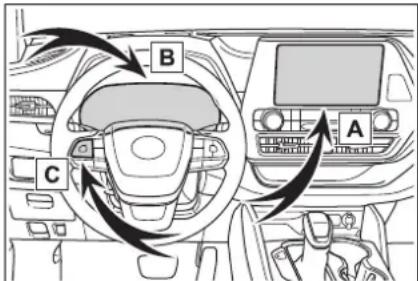
A Audio system screen
B Multi-information display
c Meter control switches
Energy monitor
■Audio system screen
▶ Audio or Audio Plus (vehicles without Data Communication Module)
1 Press the "MENU" button.
2 Select "Info" on the "Menu" screen.
If a screen other than "Energy Monitor" is displayed, select "Energy".
▶ Audio Plus (vehicles with Data Communication Module) or Premium Audio
1 Press the "MENU" button.
2 Select "Info" on the "Menu" screen.
3 Select "ECO" on the "Information" screen.
If a screen other than "Energy Monitor" is displayed, select "Energy".
12.3-inch display
1 Select 📁 Toyota multi-operation touch (→P.340).
2 Select "Energy".
The screen position can also be changed by select a desired information in full screen.
When the vehicle is powered by the electric motor (traction motor) (Example: 8-inch display)
2WD/AWD models AWD models only
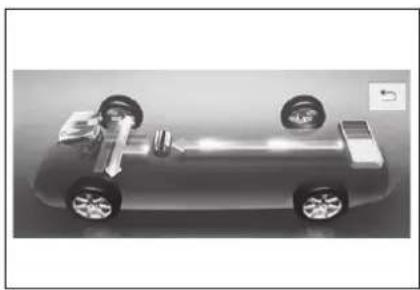
natural_image
Top-down cutaway view of a car showing engine, wheels, and suspension components (no text or symbols)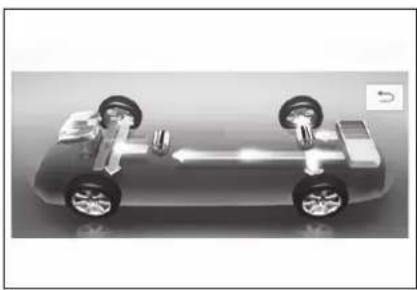
natural_image
3D rendering of a car's front suspension system showing battery, wheels, and battery (no text or symbols)When the vehicle is powered by both the gasoline engine and the electric motor (traction motor) (Example: 8-inch display)
2WD/AWD models AWD models only
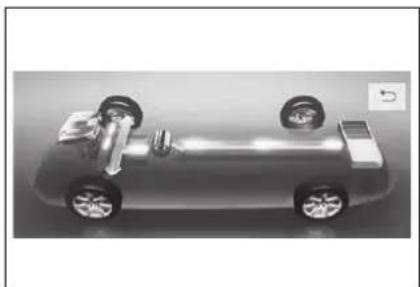
natural_image
Top-down cutaway view of a car showing internal components and suspension (no text or symbols)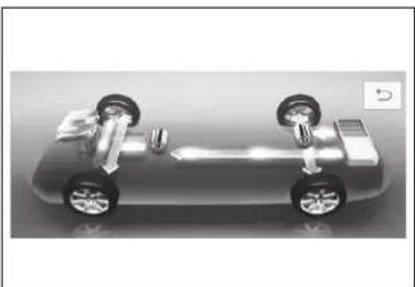
natural_image
3D rendering of a car chassis with wheels and suspension components (no text or symbols visible)When the vehicle is powered by the gasoline engine (Example: 8-inch display)
2WD/AWD models
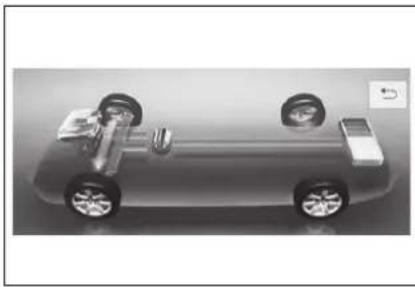
natural_image
Top-down view of a car's internal battery pack and suspension components (no text or symbols visible)2
Vehicle status information and indicators
When the vehicle is charging the hybrid battery (traction battery) (Example: 8-inch display)
2WD/AWD models
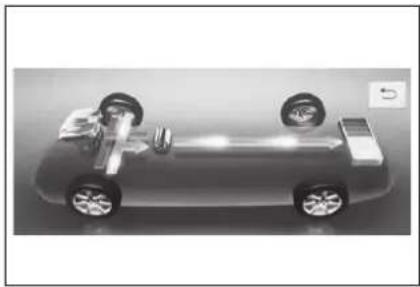
natural_image
Top-down cutaway view of a car showing engine, wheels, and suspension components (no text or symbols)AWD models only
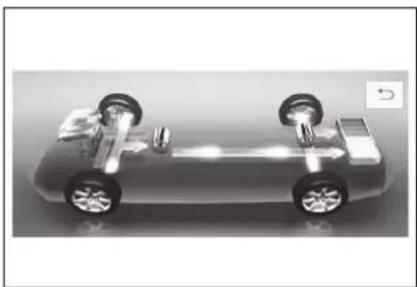
natural_image
3D rendering of a car's front suspension system showing battery, wheels, and suspension components (no text or symbols)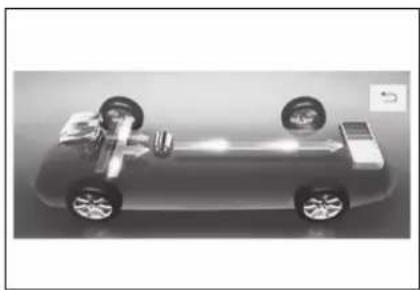
natural_image
Top-down cutaway view of a car showing engine, wheels, and exhaust air (no text or symbols)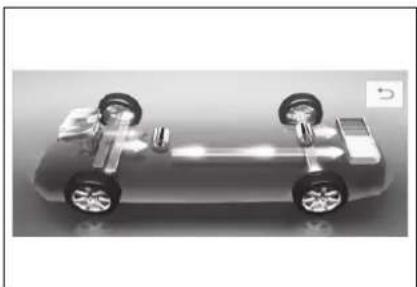
natural_image
3D rendering of a car's front suspension system showing battery, wheels, and suspension components (no text or symbols)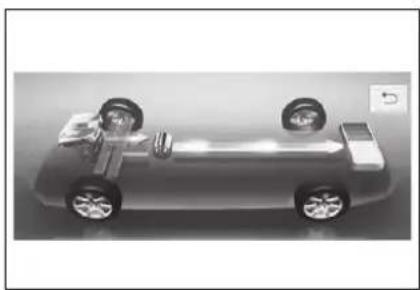
natural_image
Top-down view of a car with visible wheels and suspension (no text or symbols)When there is no energy flow (Example: 8-inch display)
2WD/AWD models
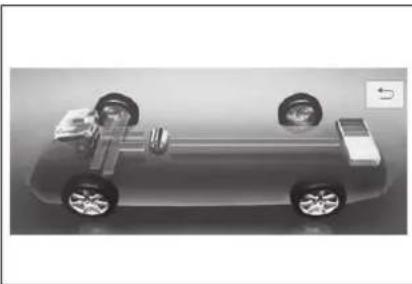
natural_image
Top-down cutaway view of a car showing battery pack, wheels, and suspension components (no text or symbols)These images are examples only, and may vary slightly from actual conditions.
▶ Hybrid battery (traction battery) status (Example: 8-inch display)
2 Press or of the meter control switch to select the energy monitor display.
7-inch display
1 Press or of the meter control switch to select
2 Press or of the meter control switch to select the energy monitor display.
A Low
B High
These images are examples only, and may vary slightly from actual conditions.
■Multi-information display
4.2-inch display
1 Press or of the meter control switch to select
When the vehicle is powered by the electric motor (traction motor) (Example: 7-inch display)
2WD/AWD models AWD models only
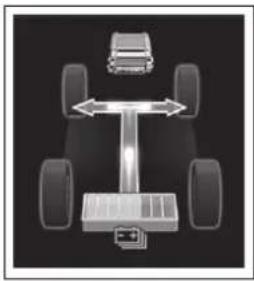
natural_image
Diagram of a vehicle chassis with four wheels and a car, showing bidirectional collision between wheels (no text or symbols)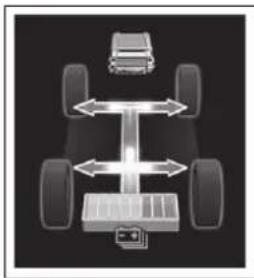
natural_image
Diagram of a vehicle chassis with four wheels and bidirectional arrows indicating movement or force (no text or symbols)When the vehicle is powered by both the gasoline engine and the electric motor (traction motor) (Example: 7-inch display)
2WD/AWD models AWD models only
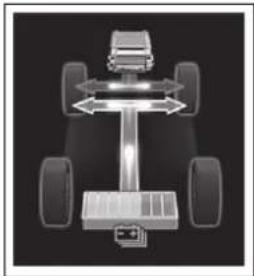
natural_image
Top-down view of a vehicle chassis with four wheels and a central suspension (no text or symbols visible)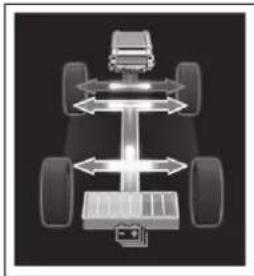
natural_image
Diagram of a vehicle chassis with four wheels and directional arrows indicating motion or force (no text or symbols)When the vehicle is powered by the gasoline engine (Example: 7-inch display)
2WD/AWD models
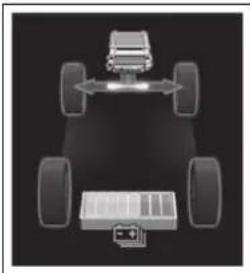
natural_image
Top-down diagram of a vehicle chassis with four wheels and battery pack, no text or symbols presentWhen the vehicle is charging the hybrid battery (traction battery) (Example: 7-inch display)
2WD/AWD models
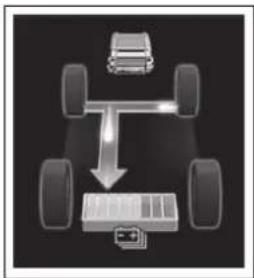
flowchart
graph TD
    A["Car"] --> B["Battery Unit"]
    C["Wheel 1"] --> B
    D["Wheel 2"] --> B
    E["Wheel 3"] --> B
AWD models only
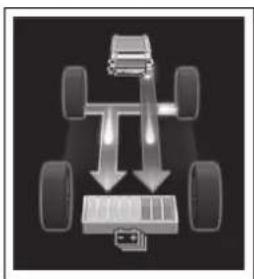
natural_image
Diagram of a vehicle chassis with four wheels and two downward arrows indicating motion or force (no text or symbols)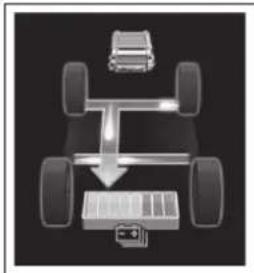
natural_image
Top-down diagram of a vehicle chassis with battery and car, no text or symbols present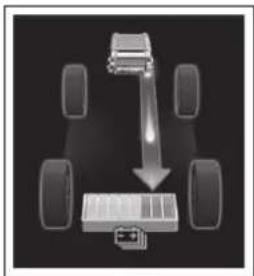
flowchart
graph TD
    A["Car Wheel"] --> B["Load"]
    C["Car Wheel"] --> B
    D["Car Wheel"] --> B
    E["Car Wheel"] --> B
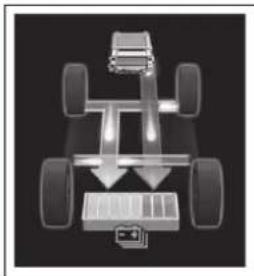
natural_image
Top-down view of a vehicle chassis with four wheels and a battery, showing no text or symbols.When there is no energy flow (Example: 7-inch display)
2WD/AWD models
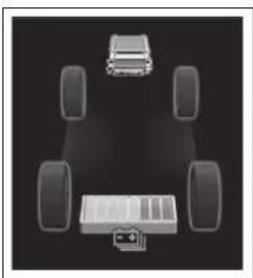
natural_image
Diagram of a vehicle chassis with four wheels and a battery, no text or symbols presentThese images are examples only, and may vary slightly from actual conditions.
▶ Hybrid battery (traction battery) status (Example: 7-inch display)
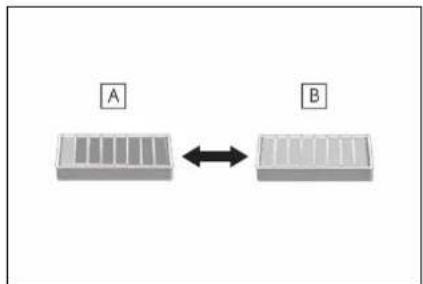
flowchart
graph LR
    A["Component A"] <--> B["Component B"]
A Low
B High
These images are examples only, and may vary slightly from actual conditions.
Consumption
■Trip information
▶ Audio or Audio Plus (vehicles without Data Communication Module)
1 Press the "MENU" button.
2 Select "Info" on the "Menu" screen.
If a screen other than "Trip Information" is displayed, select "Trip Information".
▶ Audio Plus (vehicles with Data Communication Module) or Premium Audio
1 Press the "MENU" button.
2 Select "Info" on the "Menu" screen.
3 Select "ECO" on the "Information" screen.
If a screen other than "Trip Information" is displayed, select "Trip Information".
12.3-inch display
1 Select 📁 Toyota multi-operation touch (→P.340).
2 Select "TripInfo.".
The screen position can also be changed by select a desired information in full screen.
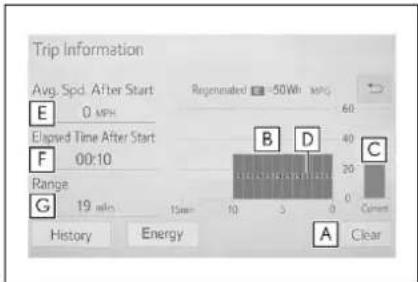
A Resetting the consumption data
B Fuel consumption in the past 15 minutes
c Current fuel consumption
D Regenerated energy in the past 15 minutes
One symbol indicates 50 Wh. Up to 5 symbols are shown.
E Average vehicle speed since the hybrid system was started.
F Elapsed time since the hybrid system was started.
G Cruising range
The average fuel consumption history is divided by color into past averages and the average fuel consumption since the last updated. Use the displayed average fuel consumption as a reference.
The image is an example only, and may vary slightly from actual conditions.
History
▶ Audio or Audio Plus (vehicles without Data Communication Module)
1 Press the "MENU" button.
2 Select "Info" on the "Menu" screen.
If a screen other than "History" is displayed, select "History".
▶ Audio Plus (vehicles with Data Communication Module) or Premium Audio
1 Press the "MENU" button.
2 Select "Info" on the "Menu" screen.
3 Select "ECO" on the "Information" screen.
If a screen other than "History" is displayed, select "History".
12.3-inch display
1 Select Toyota multi-operation touch (→P.340).
2 Select "History".
The screen position can also be changed by select a desired information in full screen.
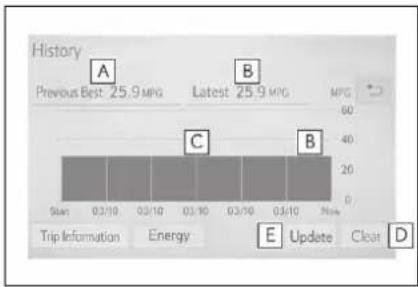
A Best recorded fuel consumption
B Latest fuel consumption
c Previous fuel consumption record
D Resetting the history data
E Updating the latest fuel consumption data
The average fuel consumption history is divided by color into past averages and the average fuel consumption since the last updated. Use the displayed average fuel consumption as a reference.
The image is an example only, and may vary slightly from actual conditions.
■Updating the history data
Update the latest fuel consumption by selecting "Update" to measure the current fuel consumption again.
Resetting the data
The fuel consumption data can be deleted by selecting "Clear".
Cruising range
Displays the estimated maximum distance that can be driven with the quantity of fuel remaining.
This distance is computed based on
your average fuel consumption. As a result, the actual distance that can be driven may differ from that displayed.
Using the Toyota multi-operation touch (vehicles with a 12.3-inch display)
Display the vehicle information on the Toyota multi-operation touch ( P.340), and then select the button to display the desired screen.
The image is an example only, and may vary slightly from actual conditions.
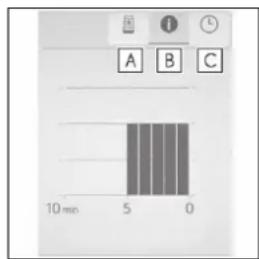
A Energy monitor
B Trip information
c History
■Energy monitor
Displays the hybrid system operation and energy recovery states.
Displayed content is the same as that displayed on the multi-information display.
(→P.93, 102)
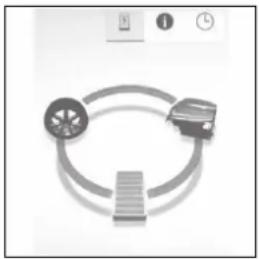
natural_image
Diagram of a circular mechanical or electrical component with three components, no visible text or symbols■Trip information
Displays the average fuel consumption and regenerated energy for the past 10 minutes in 1 minute intervals, as well as the cruising range.
bar
| Time (min) | Value | |---|---| | 0 | 10 | | 5 | 5 | | 10 | 10 |Use the displayed average fuel consumption as a reference.
History
Displays the average fuel consumption and highest fuel consumption.
Use the displayed average fuel consumption as a reference.
Before driving
3
3-1. Key information
Keys...... 128
3-2. Opening, closing and locking the doors
Side doors.... 131
Back door.... 135
Smart key system ..... 146
3-3. Adjusting the seats
Front seats.... 153
Rear seats.... 154
Driving position memory 159
Head restraints...... 162
3-4. Adjusting the steering wheel and mirrors
Steering wheel 165
Inside rear view mirror 166
Digital Rearview Mirror 167
Outside rear view mirrors 177
3-5. Opening, closing the windows and moon roof
Power windows...... 179
Moon roof...... 182
Panoramic moon roof.. 185
Keys
The keys
The following keys are provided with the vehicle.
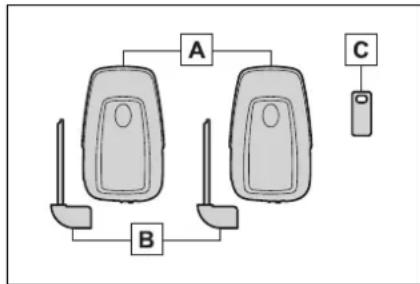
flowchart
graph TD
    A["Car Lot 1"] --> B["Parking Seat"]
    B --> C["Parking Seat"]
    A -->|A| C
    B -->|B| C
A Electronic keys
- Operating the smart key system (→P.146)
- Operating the wireless remote control function (→P.129)
B Mechanical keys
c Key number plate
■When riding in an aircraft
When bringing an electronic key onto an aircraft, make sure you do not press any buttons on the electronic key while inside the aircraft cabin. If you are carrying an electronic key in your bag, etc., ensure that the buttons are not likely to be pressed accidentally. Pressing a button may cause the electronic key to emit radio waves that could interfere with the operation of the aircraft.
■Electronic key battery depletion
●The standard battery life is 1 to 2 years.
- If the battery becomes low, an alarm will sound in the cabin when the hybrid system is stopped.
●To reduce key battery depletion
when the electronic key is to not be used for long periods of time, set the electronic key to the battery-saving mode. (→P.147)
● As the electronic key always receives radio waves, the battery will become depleted even if the electronic key is not used. The following symptoms indicate that the electronic key battery may be depleted. Replace the battery when necessary.
- The smart key system or the wireless remote control does not operate.
- The detection area becomes smaller.
- The LED indicator on the key surface does not turn on.
● To avoid serious deterioration, do not leave the electronic key within 3 ft. (1 m) of the following electrical appliances that produce a magnetic field:
• TVs
- Personal computers
- Cellular phones, cordless phones and battery chargers
- Recharging cellular phones or cordless phones
- Table lamps
- Induction cookers
■Replacing the battery
→P.444
■ Confirmation of the registered key number
The number of keys already registered to the vehicle can be confirmed. Ask your Toyota dealer for details.
If “A New Key has been Registered Contact Your Dealer for Details” is shown on the multi-information display
This message will be displayed each time the driver's door is opened when the doors are unlocked from the outside for approximately 10 days after a new electronic key has been registered.
If this message is displayed but you have not had a new electronic key registered, ask your Toyota dealer to check if an unknown electronic key (other than those in your possession) has been registered.

NOTICE
■To prevent key damage
- Do not drop the keys, subject them to strong shocks or bend them.
- Do not expose the keys to high temperatures for long periods of time.
- Do not get the keys wet or wash them in an ultrasonic washer, etc.
- Do not attach metallic or magnetic materials to the keys or place the keys close to such materials.
- Do not disassemble the keys.
- Do not attach a sticker or anything else to the surface of the electronic key.
- Do not place the keys near objects that produce magnetic fields, such as TVs, audio systems and induction cookers.
- Do not place the keys near medical electrical equipment such as low-frequency therapy equipment or microwave therapy equipment, and do not receive medical attention with the keys on your person.
■Carrying the electronic key on your person
Carry the electronic key 3.9 in. (10 cm) or more away from electric appliances that are turned on. Radio waves emitted from electric appliances within 3.9 in. (10 cm) of the electronic key may interfere with the key, causing the key to not function properly.
In case of a smart key system malfunction or other key-related problems
$$ \rightarrow \mathrm{P}. 4 9 6 $$
■When an electronic key is lost →P.495
Wireless remote control
The electronic keys are equipped with the following wireless remote control:
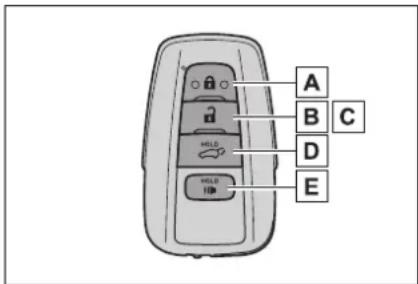
A Locks the doors ( P.131)
B Unlocks the doors (→P.131)
C Opens the windows ^1 and moon roof ^1,2 ( P.131)
D Opens and closes the power back door ( P.137)
E Sounds the alarm
*1: These settings must be customized at your Toyota dealer.
^*2 :If equipped
■Theft deterrent panic mode
When (is)pressed for longer than about one second, an alarm will sound intermittently and the vehicle lights will flash to deter any person from trying to break into or damage your vehicle.
To stop the alarm, press any button on the electronic key.
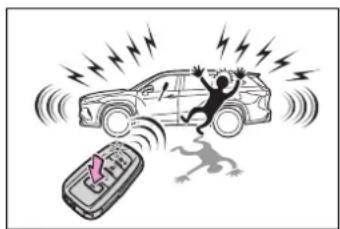
natural_image
Illustration of a person falling into a car with lightning bolts and a phone emitting smoke (no text or symbols)Using the mechanical key
To take out the mechanical key, slide the release button and take the key out.
The mechanical key can only be inserted in one direction, as the key only has grooves on one side. If the key cannot be inserted in a lock cylinder, turn it over and re-attempt to insert it.
After using the mechanical key, store it in the electronic key. Carry the mechanical key together with the electronic key. If the electronic key battery is depleted or the entry function does not operate properly, you will need the mechanical key. (→P.496)
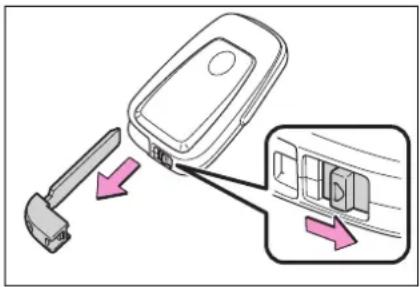
- When required to leave the vehicle’s key with a parking attendant
Lock the glove box as circumstances demand. ( P.366) Remove the mechanical key for your own use and provide the attendant with the electronic key only.
■If you lose your mechanical keys
→P.495
If a wrong key is used
The key cylinder rotates freely, isolated from the internal mechanism.
Side doors
The vehicle can be locked and unlocked using the entry function, wireless remote control or door lock switches.
Unlocking and locking the doors from the outside
Smart key system
Carry the electronic key to enable this function.
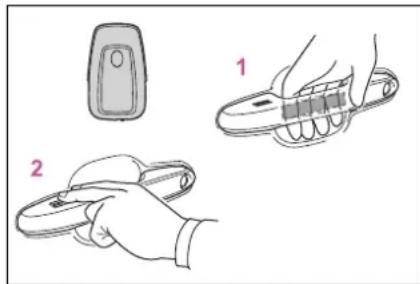
natural_image
Illustration of two hand tools: a remote control device and a handheld tool, with no text or symbols present.1 Grip the driver's door handle to unlock the door. Holding the driver's door handle for approximately 2 seconds unlocks all the doors. Grip the front passenger's door handle to unlock all the doors.*
Make sure to touch the sensor on the back of the handle.
The doors cannot be unlocked for 3 seconds after the doors are locked.
*: The door unlock settings can be changed. (→P.131, 530)
2 Touch the lock sensor (the indentation on the upper part
of the front door handle) to lock all the doors.
Check that the door is securely locked.
■Wireless remote control
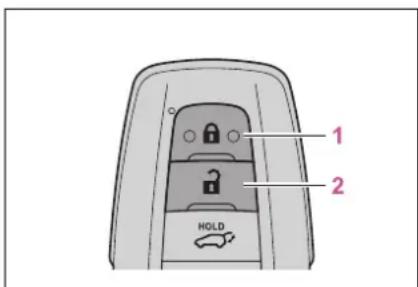
1 Locks all the doors
Check that the door is securely locked.
2 Unlocks all the doors
Pressing the button unlocks the driver's door. Pressing the button again within 5 seconds unlocks the other doors.
Press and hold to open the windows ^1 and moon roof ^1,2
^*1 :This setting must be customized at your Toyota dealer.
*2:If equipped
■ Switching the door unlock function
It is possible to set which doors the entry function unlocks using the wireless remote control.
1 Turn the power switch off.
2 When the indicator light on the key surface is not on, press and
hold


approximately 5 seconds while pressing and holding 🔒
The setting changes each time an operation is performed, as shown below. (When changing the setting
continuously, release the buttons, wait for at least 5 seconds, and repeat step 2.)
| Multi-information display/Beep | Unlocking function |
 Exterior: Beeps 3 timesInterior: Pings once Exterior: Beeps 3 timesInterior: Pings once | Holding the driver's door handle unlocks only the driver's door. |
| Holding the front passenger's door handle unlocks all the doors. | |
 Exterior: Beeps twiceInterior: Pings once Exterior: Beeps twiceInterior: Pings once | Holding either front door handle unlocks all the doors. |
For vehicles with an alarm: To prevent unintended triggering of the alarm, unlock the doors using the wireless remote control and open and close a door once after the settings have been changed. (If a door is not opened within 60 seconds
after is pressed, the doors will be locked again and the alarm will automatically be set.)
In case that the alarm is triggered, immediately stop the alarm. ( P.81)
■Impact detection door lock release system
In the event that the vehicle is subject to a strong impact, all the doors are unlocked. Depending on the force of the impact or the type of accident, however, the system may not operate.
Operation signals
A buzzer sounds and the emergency flashers flash to indicate that the doors have been locked/unlocked. (Locked: Once; Unlocked: Twice)
A buzzer sounds to indicate that the windows and the moon roof ^ or panoramic moon roof ^ are operating.
*: If equipped
■Security feature
If a door is not opened within approximately 60 seconds after the vehicle is unlocked, the security feature automatically locks the vehicle again.
■When the door cannot be locked by the lock sensor on the surface of the front door handle
If the door will not lock even when the topside sensor area is touched, try touching both the topside and underside sensor areas at the same time.
When gloves are being worn, remove the gloves.
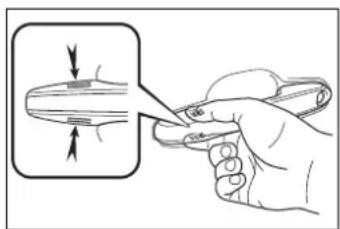
natural_image
Illustration of a hand using scissors to cut a circular object with directional arrows (no text or symbols)■Door lock buzzer
If an attempt to lock the doors using the smart key system is made when a door is not fully closed, a buzzer will sound continuously for 5 seconds. Fully close the door to stop the buzzer, and lock the doors again.
■Setting the alarm (if equipped)
Locking the doors will set the alarm system. ( P.81)
■Conditions affecting the operation of the smart key system or wireless remote control
→P.147
If the smart key system or the wireless remote control does not operate properly
Use the mechanical key to lock and unlock the doors. (→P.496)
Replace the key battery with a new one if it is depleted. (→P.444)
■If the 12-volt battery is discharged
The doors cannot be locked and unlocked using the smart key system or wireless remote control. Lock or unlock the doors using the mechanical key. ( P.496)
■Rear seat reminder function
In order to remind you not to forget luggage, etc. in the rear seat, when the power switch is turned off after any of the following conditions are met, a buzzer will sound and a message will be displayed on the multi-information display for approximately 6 seconds.
●The hybrid system is started within 10 minutes after opening and closing a rear door.
●A rear door has been opened and closed after the hybrid system was started.
However, if a rear door is opened and then closed within approximately 2 seconds, the rear seat reminder function may not operate.
The rear seat reminder function determines that luggage, etc. has been placed in a rear seat based on opening and closing of a rear door. Therefore, depending on the situation, the rear seat reminder function may not operate and you may still forget luggage, etc. in the rear seat, or it may operate unnecessarily.
The rear seat reminder function can be enabled/disabled. ( P.530)
Customization
Some functions can be customized. ( P.530)

WARNING
■To prevent an accident
Observe the following precautions while driving the vehicle. Failure to do so may result in a door opening and an occupant falling out, resulting in death or serious injury.
- Ensure that all doors are properly closed and locked.
- Do not pull the inside handle of the doors while driving.
Be especially careful for the front doors, as the doors may be opened even if the inside lock buttons are in locked position.
- Set the rear door child-protector locks when children are seated in the rear seats.
■When opening or closing a door
Check the surroundings of the vehicle such as whether the vehicle is on an incline, whether there is enough space for a door to open and whether a strong wind is blowing. When opening or closing the door, hold the door handle tightly to prepare for any unpredictable movement.
Unlocking and locking the doors from the inside
■Door lock switches
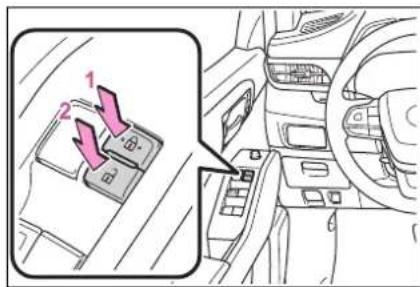
1 Locks all the doors
2 Unlocks all the doors
■Inside lock buttons
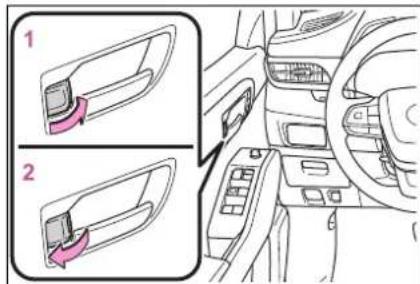
The front doors can be opened by pulling the inside handle even if the lock buttons are in the lock position.
■Locking the front doors from the outside without a key
1 Move the inside lock button to the lock position.
2 Close the door.
The door cannot be locked if the power switch is in ACC or ON, or the electronic key is left inside the vehicle.
The key may not be detected correctly and the door may be locked.
■Open door warning buzzer
If a door or the hood is not fully closed, a buzzer will sound when the vehicle speed reaches 3 mph (5 km/h).
The open door(s) or hood is displayed on the multi-information display.
Rear door child-protector lock
The door cannot be opened from inside the vehicle when the lock is set.
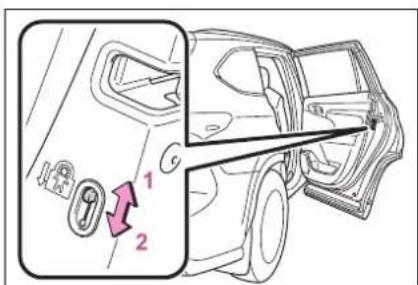
1 Unlock
2 Lock
These locks can be set to prevent children from opening the rear doors. Push down on each rear door switch to lock both rear doors.
Automatic door locking and unlocking systems
The following functions can be set or canceled:
For instructions on customizing, refer to P.530.
| Function Operation | |
| Speed linked door locking function | All doors are automatically locked when vehicle speed is approximately 12 mph (20 km/h) or higher. |
| Shift position linked door locking function | All doors are automatically locked when shifting the shift lever out of P. |
| Shift position linked door unlocking function | All doors are automatically unlocked when shifting the shift lever to P. |
| Driver's door linked door unlocking function | All doors are automatically unlocked when driver's door is opened. |
Back door
The back door can be locked/unlocked and opened/closed by the following procedures.

WARNING
Observe the following precautions. Failure to do so may result in death or serious injury.
■Before driving the vehicle
Before driving the vehicle, make sure that the back door is fully closed. If the back door is not fully closed, it may open unexpectedly while driving, causing an accident.
■Caution while driving
- Keep the back door closed while driving.
If the back door is left open, it may hit near-by objects while driving or luggage may be unexpectedly thrown out, causing an accident.
In addition, exhaust gases may enter the vehicle, causing death or a serious health hazard. Make sure to close the back door before driving.
● Never let anyone sit in the luggage compartment. In the event of sudden braking, sudden swerving or a collision, they are susceptible to death or serious injury.
■When children are in the vehicle
- Do not allow children to play in the luggage compartment.
If a child is accidentally locked in the luggage compartment, they could have heat exhaustion or other injuries.

WARNING
- Do not allow a child to open or close the back door.
Doing so may cause the back door to move unexpectedly, or cause the child's hands, arms, head, or neck to be caught by the closing back door.
■Operating the back door
Observe the following precautions. Failure to do so may cause parts of the body to be caught, resulting in death or serious injury.
- Remove any heavy loads, such as snow and ice, from the back door before opening it. Failure to do so may cause the back door to suddenly shut again after it is opened.
- When opening or closing the back door, thoroughly check to make sure the surrounding area is safe.
- If anyone is in the vicinity, make sure they are safe and let them know that the back door is about to open or close.
● Use caution when opening or closing the back door in windy weather as it may move abruptly in strong wind.
●The back door may suddenly shut if it is not opened fully while on a steep incline. Make sure that the back door is secured before using the luggage compartment.
- When closing the back door, take extra care to prevent your fingers, etc., from being caught.
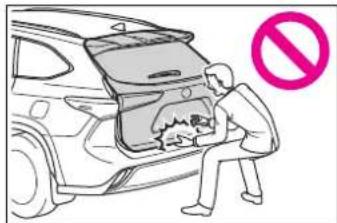
- When closing the back door, make sure to press it lightly on its outer surface. If the back door handle is used to fully close the back door, it may result in hands or arms being caught.
- Do not pull on the back door spindle (→P.143) to close the power back door, and do not hang on the back door spindle.
Doing so may cause hands to be caught or the back door spindle to break, causing an accident.
If a heavy object is attached to the back door, it may suddenly shut again after being opened, causing someone's hands, arms, head or neck to be caught and injured. Do not attach any accessories other than genuine Toyota parts to the back door.
Unlocking and locking the back door from the outside
Smart key system
Carry the electronic key to enable this function.
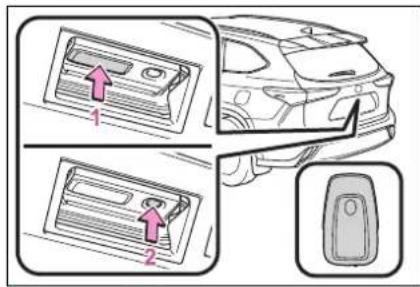
1 Unlocks all the doors
The doors cannot be unlocked for 3 seconds after the doors are locked.
2 Locks all the doors
Check that the door is securely locked.
■ Wireless remote control
→P.131
Operation signals
→P.132
Unlocking and locking the back door from the inside
■Door lock switches
→P.134
Opening/closing the back door
■ Opening/closing the back door using the wireless remote control
Press and hold the switch.
Pressing the switch while the back door is opening/closing will stop the operation. Pressing and holding the switch again will operate the back door in the opposite direction.
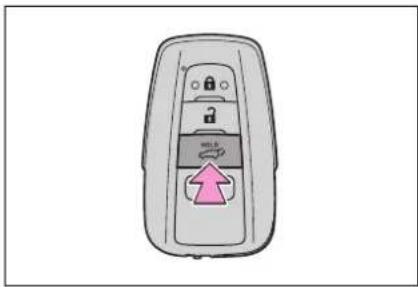
■ Opening/closing the back door using the power back door switch on the instrument panel
Press and hold the switch.
Unlock the back door before operating.
Pressing the switch while the back door is opening/closing will stop the operation. Pressing and holding the switch again will operate the back door in the opposite direction.
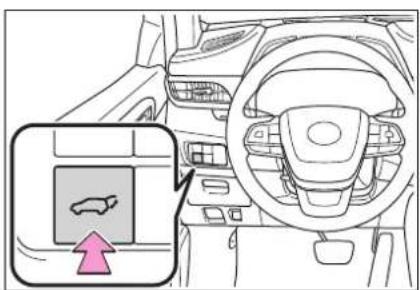
■ Opening the back door using the back door opener switch
When the back door is unlocked: Press the back door opener switch.
When the back door is locked: While carrying the electronic key on your person, press the back door opener switch.
Pressing the switch while the back door is opening/closing will stop the operation. Pressing the switch again will open the back door.
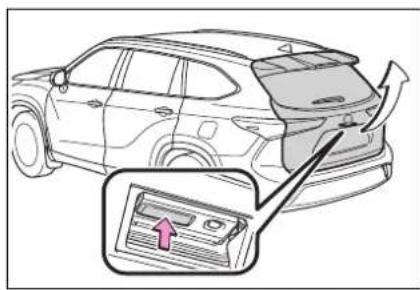
■ Opening/closing the back door using the power back door switch on the back door
Press the switch.
Pressing the switch while the back door is opening/closing will stop the operation. Pressing the switch again will operate the back door in the opposite direction.
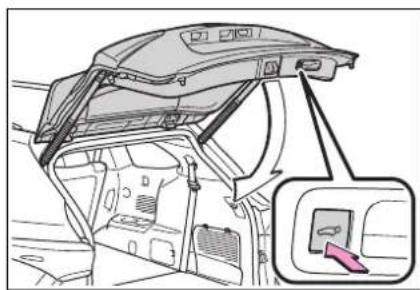
natural_image
Diagram of a car interior showing the dashboard and seatbelt mechanism, with an inset view of the seatbelt (no text or symbols present)■ Closing the back door using the back door handle
Lower the back door using the back door handle, then a buzzer sounds and the back door automatically closes.
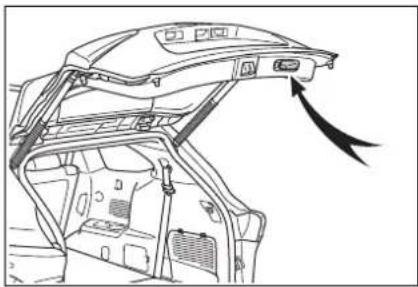
natural_image
Line drawing of a car interior showing the dashboard and seat area with an arrow indicating direction (no text or symbols present)■ Opening/closing the back door using the kick sensor (vehicles with a Hands Free Power Back Door)
▶ Vehicles without tow hitch The Hands Free Power Back Door enables automatic opening and closing of the power back door by putting your foot near the lower center part of the rear bumper and moving it away from the rear bumper.
▶ Vehicles with tow hitch The Hands Free Power Back Door enables automatic opening and closing of the power back door by putting your foot near the lower left side of the rear bumper and moving it away from the rear bumper.
The center of the Hands Free Power Back Door sensor is indicated by the mark.
1 While carrying an electronic key, stand within the smart key system operation range, approximately 13.8 to 21.7 in. (35 to 55 cm) from the rear bumper.
▶ Vehicles without tow hitch
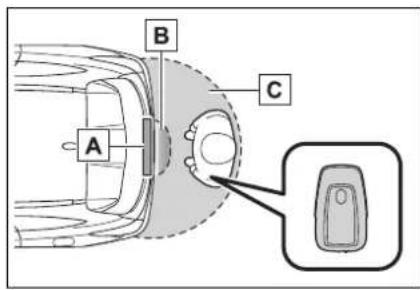
A Kick sensor
B Hands Free Power Back Door operation detection area
c Smart key system operation detection area ( P.146)
▶ Vehicles with tow hitch
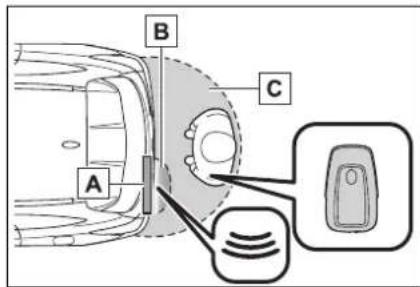
A Kick sensor
B Hands Free Power Back Door operation detection area
C Smart key system operation detection area ( P.146)
2 Perform a kick operation by moving your foot to within approximately 3.9 in. (10 cm) of the rear bumper and then pulling it back.
• Perform the entire kick operation within 1 second.
- The back door will not start operating while a foot is detected under the rear bumper.
- Operate the Hands Free Power Back Door without contacting the rear bumper with your foot.
- If another electronic key is in the cabin or luggage compartment, it may take slightly longer than normal for the operation to occur.
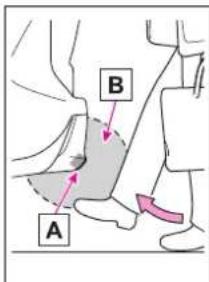
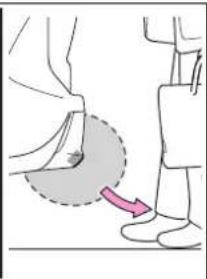
natural_image
Illustration of a person's foot and leg with a curved arrow indicating motion (no text or symbols)A Kick sensor
B Hands Free Power Back Door operation detection area
3 When the kick sensor detects that your foot is pulled back, a buzzer will sound and the back door will automatically fully open/close.
If kick operation is performed while the back door is opening/closing, the back door will stop the operation. Perform a kick operation again will operate the back door in the opposite direction.
■Back door closer
In the event that the back door is left slightly open, the back door closer
will automatically close it to the fully closed position.
●The back door closer can function when the power switch is in any mode.
●The back door can be opened using the back door opener switch even if the back door closer is operating.
■Power back door operating conditions
If the following conditions are met, the power back door can be opened and closed automatically.
●When the power back door system is enabled. (→P.530)
- When the power switch is in ON, one of the following conditions must be met in addition to the above conditions:
• The parking brake is engaged.
• The brake pedal is depressed.
• The shift lever is in P.
■Operation of the power back door
- When the power back door begins to operate, the emergency flashers will flash twice and a buzzer will sound.
- When the power back door is disabled, the power back door will not operate but can be opened and closed manually.
- When the power back door is opening/closing, if the power back door becomes obstructed, operation will stop.
Jam protection function
Sensors are installed on the right and left sides of the power back door. When the door is automatically closing and the sensors are pushed due to an object being clamped, etc., the jam protection function operates.
From that position the door automatically moves a little in the opposite direction and then the function
stops.
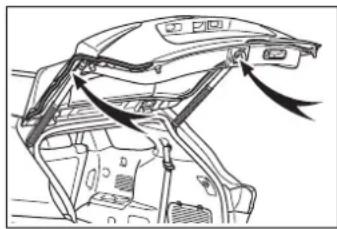
natural_image
Technical line drawing of a car interior frame with arrows indicating movement or force (no text or symbols)■Back door reserve lock function
This function reserves the locking of the power back door when the power back door is open. If the following operations are performed, all of the doors except the power back door will lock and then the power back door will lock when it is completely closed.
1 Close all of the doors, except the back door.
2 Perform an automatic closing operation of the power back door and lock the doors using the wireless remote control ( P.131) or smart key system ( P.131) while the power back door is closing.
A buzzer sounds and the emergency flashers flash to indicate that all the doors have been closed and locked.
- If the electronic key is placed inside the vehicle after starting a close operation via the door reserve lock function, the electronic key may become locked inside the vehicle.
- If the back door does not fully close due to the operation of the jam protection function, etc., while the back door is automatically closing after a door reserve lock operation is performed, the door reserve lock function is canceled and all the doors will unlock.
● Before leaving the vehicle, make sure that all the doors are closed and locked.
■Kick sensor operating conditions (vehicles with a Hands Free Power Back Door)
- When the kick sensor operation setting is turned on (→P.530) and the power switch is turned off.
- When an electronic key is carried within the operation detection area.
■ Situations in which the Hands Free Power Back Door may not operate properly (if equipped)
In the following situations, the Hands Free Power Back Door may not operate properly:
- When a foot remains under the rear bumper.
- If the rear bumper is strongly hit with a foot or is touched for a while.
If the rear bumper has been touched for a while, wait for a short time before attempting to operate the Hands Free Power Back Door again.
- When standing excessively close to the rear bumper.
- When an external radio wave source interferes with the communication between the electronic key and the vehicle. (→P.147)
- When the vehicle is parked near an electrical noise source which affects the sensitivity of the Hands Free Power Back Door, such as a pay parking spot, gas station, electrically heated road, or fluorescent light.
- When the vehicle is near a TV tower, electric power plant, radio station, large display, airport or other facility that generates strong radio waves or electrical noise.
- When a large amount of water is applied to the rear bumper, such as when the vehicle is being washed or in heavy rain.
-
When mud, snow, ice, etc. is attached to the rear bumper.
-
When the vehicle has been parked for a while near objects that may move and contact the rear bumper, such as plants.
- When an accessory is installed to the rear bumper.
If an accessory has been installed, turn the kick sensor operation setting off. ( P.530)
■Preventing unintentional operation of the Hands Free Power Back Door (if equipped)
When an electronic key is in the operation detection area, the Hands Free Power Back Door may operate unintentionally, so be careful in the following situations:
- When a large amount of water is applied to the rear bumper, such as when the vehicle is being washed or in heavy rain.
- When dirt is wiped off the rear bumper.
- When a small animal or small object, such as a ball, moves under the rear bumper.
- When an object is moved from under the rear bumper.
- If someone is swinging their legs while sitting on the rear bumper.
- If the legs or another part of someone's body contacts the rear bumper while passing by the vehicle.
- When the vehicle is parked near an electrical noise source which affects the sensitivity of the Hands Free Power Back Door, such as a pay parking spot, gas station, electrically heated road, or fluorescent light.
- When the vehicle is near a TV tower, electric power plant, radio station, large display, airport or other facility that generates strong radio waves or electrical noise.
-
When the vehicle is parked in a place where objects such as plants are near the rear bumper.
-
When luggage, etc. is set in or removed from the luggage compartment from outside of the vehicle.
- If accessories or a vehicle cover is installed/removed near the rear bumper.
- When snow attached to the inner side of the rear bumper melts.
To prevent unintentional operation, turn the kick sensor operation setting off. ( P.530)
■When reconnecting the 12-volt battery
To enable the power back door to operate properly, close the back door manually.
Customization
Some functions can be customized. (→P.530)

WARNING
■Back door closer
In the event that the back door is left slightly open, the back door closer will automatically close it to the fully closed position. It takes several seconds before the back door closer begins to operate. Be careful not to get fingers caught or anything else in the back door, as this may cause bone fractures or other serious injuries.
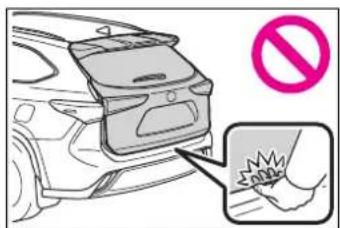
● Use caution when using the back door closer as it still operates when the power back door system is disabled.
Power back door
Observe the following precautions when operating the power back door. Failure to do so may cause death or serious injury.
- Check the safety of the surrounding area to make sure there are no obstacles or anything that could cause any of your belongings to get caught.
- If anyone is in the vicinity, make sure they are safe and let them know that the back door is about to open or close.
- If the power back door system is disabled while the power back door is operating, the back door will stop operating. The back door must then be operated manually. Take extra care in this situation, as the back door may open or close suddenly.
- If the operating conditions of the power back door (→P.140) are no longer met, a buzzer may sound and the back door may stop opening or closing. The back door must then be operated manually. Take extra care on an incline in this situation, as the back door may move suddenly.
● On an incline, the back door may suddenly shut after it opens. Make sure the back door is fully open and secure.
In the following situations, the power back door may detect an abnormality and automatic operation may be stopped. In this case, the back door must then be operated manually. Take extra care in this situation, as the stopped back door may suddenly open or close, causing an accident. - When the back door contacts an obstacle

WARNING
- When the 12-volt battery voltage suddenly drops, such as when the power switch is turned to ON or the hybrid system is started during automatic operation
If a heavy object is attached to the back door, the back door may not operate, causing a malfunction, or the back door may suddenly shut again after being opened, causing someone's hands, arms, head or neck to be caught and injured. Do not attach any accessories other than genuine Toyota parts to the back door.
Jam protection function
Observe the following precautions. Failure to do so may cause death or serious injury.
● Never use any part of your body to intentionally activate the jam protection function.
The jam protection function may not work if something gets caught just before the back door fully closes. Be careful not to get fingers caught or anything else.
The jam protection function may not work depending on the shape of the object that is caught. Be careful not to catch fingers or anything else.
■Hands Free Power Back Door (if equipped)
Observe the following precautions when operating the Hands Free Power Back Door. Failure to do so may cause death or serious injury.
- Check the safety of the surrounding area to make sure there are no obstacles or anything that could cause any of your belongings to get caught.
● Exhaust gasses cause the exhaust pipes to become quite hot. When operating the Hands Free Power Back Door, be careful not to touch the exhaust pipe.
- Do not operate the Hands Free Power Back Door if there is little space under the rear bumper.

NOTICE
■Back door spindles
The back door is equipped with spindles that hold the back door in place.
Observe the following precautions. Failure to do so may cause damage to the back door spindle, resulting in malfunction.
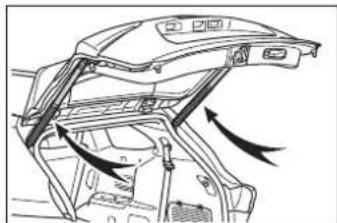
natural_image
Technical line drawing of a car interior frame with directional arrows indicating movement (no text or symbols)- Do not attach any foreign objects, such as stickers, plastic sheets, or adhesives to the spindle rod.
- Do not attach any accessories other than genuine Toyota parts to the back door.
- Do not place your hand on the spindle or apply lateral forces to it.

NOTICE
■To prevent back door closer malfunction
Do not apply excessive force to the back door while the back door closer is operating. Applying excessive force may cause the back door closer to malfunction.
■To prevent malfunction of the power back door
● Make sure that there is no ice between the back door and frame that would prevent movement of the back door. Operating the power back door when excessive load is present on the back door may cause a malfunction.
- Do not apply excessive force to the power back door while the back door is operating.
Take care not to damage the sensors (installed on the right and left edges of the power back door) with a knife or other sharp object. If a sensor is disconnected, the power back door will not close automatically.
■Hands Free Power Back Door precautions (if equipped)
The kick sensor is located behind lower center part of the rear bumper. Observe the following to ensure that the Hands Free Power Back Door function operates properly:
- Keep the lower center part of the rear bumper clean at all times.
If the lower center part of the rear bumper is dirty or covered with snow, the kick sensor may not operate. In this situation, clean off the dirt or snow, move the vehicle from the current position and then check if the kick sensor operates. If it does not operate, have the vehicle inspected by your Toyota dealer.
- Do not apply coatings that have a rain clearing (hydrophilic) effect, or other coatings, to the lower center part of the rear bumper.
- Do not park the vehicle near objects that may move and contact the lower center part of the rear bumper, such as grass or trees.
If the vehicle has been parked for a while near objects that may move and contact the lower center part of the rear bumper, such as grass or trees, the kick sensor may not operate. In this situation, move the vehicle from the current position and then check if the kick sensor operates. If it does not operate, have the vehicle inspected by your Toyota dealer.
● Do not subject the kick sensor or its surrounding area to a strong impact.
If the kick sensor or its surrounding area has been subjected to a strong impact, the kick sensor may not operate properly.
If the kick sensor does not operate in the following situations, have the vehicle inspected by your Toyota dealer.
- The kick sensor or its surrounding area has been subjected to a strong impact.

NOTICE
• The lower center part of the rear bumper is scratched or damaged.
- Do not disassemble the rear bumper.
- Do not attach stickers to the rear bumper.
- Do not paint the rear bumper.
- If a heavy object is attached to the power back door, disable the kick sensor.
Adjusting the open position of the back door
The open position of the power back door can be adjusted.
1 Stop the power back door at the desired position.
(→P.137)
2 Press and hold the power back door switch on the back door for approximately 2 seconds.
- When setting is complete, a buzzer will sound 4 times.
- The next time the power back door is opened, it will stop at that position.
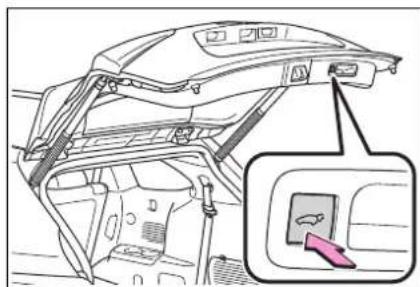
■ Returning the power back door opening position to the default setting
Press and hold the power back door switch on the back door for approximately 7 seconds.
A buzzer will sound 4 times, pause, and then sound 2 more times. The next time the power back door is opened, it will stop at the default position.
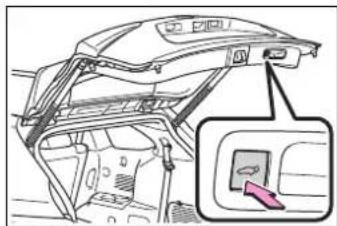
■When setting the open position of the back door by the multi-information display
The open position of the power back door can be adjusted using the multi-information display. (→P.530)
When opened, the power back door will open to the last position set using the power back door switch on the back door or on the multi-information display.
Smart key system
The following operations can be performed simply by carrying the electronic key on your person, for example in your pocket. The driver should always carry the electronic key.
- Locks and unlocks the doors (→P.131)
- Locks and unlocks the back door (→P.136)
- Starts and stops the hybrid system (→P.213)
Antenna location
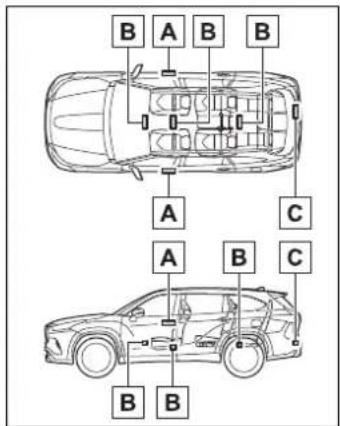
A Antennas outside the cabin
B Antennas inside the cabin
C Antenna outside the luggage compartment
■Effective range (areas within which the electronic key is detected)
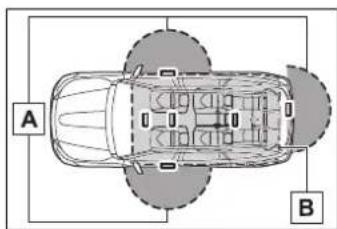
A When locking or unlocking the doors
The system can be operated when the electronic key is within about 2.3 ft. (0.7 m) of an outside front door handle and back door. (Only the doors detecting the key can be operated.)
B When starting the hybrid system or changing power switch modes
The system can be operated when the electronic key is inside the vehicle.
■Alarms and warning messages
A combination of exterior and interior alarms as well as warning messages shown on the multi-information display are used to prevent theft of the vehicle and accidents resulting from erroneous operation. Take appropriate measures in response to any warning message on the multi-information display. (→P.476)
When only an alarm sounds, circumstances and correction procedures are as follows.
- When an exterior alarm sounds once for 5 seconds
| Situation | Correction procedure |
| An attempt was made to lock the vehicle while a door was open. | Close all of the doors and lock the doors again. |
- When an interior alarm sounds continuously
| Situation | Correction procedure |
| The power switch was turned to ACC while the driver's door was open (or the driver's door was opened while the power switch was in ACC). | Turn the power switch off and close the driver's door. |
| The power switch was turned off while the driver's door was open. | Close the driver's door. |
■Battery-saving function
The battery-saving function will be activated in order to prevent the electronic key battery and the 12-volt battery from being discharged while the vehicle is not operated for a long time.
●In the following situations, the smart key system may take some time to unlock the doors.
- The electronic key has been left in an area of approximately 6 ft. (2 m) of the outside of the vehicle for 10 minutes or longer.
- The smart key system has not been used for 5 days or longer.
- If the smart key system has not been used for 14 days or longer, the doors cannot be unlocked at any doors except the driver's door. In this case, take hold of the driver's door handle, or use the
wireless remote control or the mechanical key, to unlock the doors.
■Turning an electronic key to battery-saving mode
When battery-saving mode is set, battery depletion is minimized by stopping the electronic key from receiving radio waves.
Press twice while pressing and holding Confirm that the electronic key indicator flashes 4 times.
While the battery-saving mode is set, the smart key system cannot be used. To cancel the function, press any of the electronic key buttons.
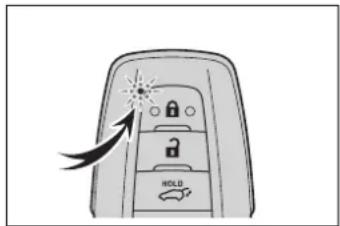
■Conditions affecting operation
The smart key system uses weak radio waves. In the following situations, the communication between the electronic key and the vehicle may be affected, preventing the smart key system, wireless remote control and immobilizer system from operating properly. (Ways of coping:→P.496)
- When the electronic key battery is depleted
●Near a TV tower, electric power plant, gas station, radio station, large display, airport or other facility that generates strong radio waves or electrical noise - When the electronic key is in contact with, or is covered by the following metallic objects
- Cards to which aluminum foil is attached
• Cigarette boxes that have aluminum foil inside
• Metallic wallets or bags
- Coins
- Hand warmers made of metal
• Media such as CDs and DVDs
- When other wireless keys (that emit radio waves) are being used nearby
- When carrying the electronic key together with the following devices that emit radio waves
- Portable radio, cellular phone, cordless phone or other wireless communication devices
- Another electronic key or a wireless key that emits radio waves
• Personal computers or personal digital assistants (PDAs)
• Digital audio players
- Portable game systems
- If window tint with a metallic content or metallic objects are attached to the rear window
- When the electronic key is placed near a battery charger or electronic devices
- When the vehicle is parked in a pay parking spot where radio waves are emitted
■Note for the entry function
● Even when the electronic key is within the effective range (detection areas), the system may not operate properly in the following cases:
- The electronic key is too close to the window or outside door handle, near the ground, or in a high place when the doors are locked or unlocked.
- The electronic key is on the instrument panel, luggage compartment, floor, or in the door pockets or glove box when the hybrid system is started or power switch modes are changed.
- Do not leave the electronic key on top of the instrument panel or near the door pockets when exiting the vehicle. Depending on the radio wave reception conditions, it may be detected by the antenna out-
side the cabin and the door will become lockable from the outside, possibly trapping the electronic key inside the vehicle.
● As long as the electronic key is within the effective range, the doors may be locked or unlocked by anyone. However, only the doors detecting the electronic key can be used to unlock the vehicle.
● Even if the electronic key is not inside the vehicle, it may be possible to start the hybrid system if the electronic key is near the window.
●The doors may unlock or lock if a large amount of water splashes on the door handle, such as in the rain or in a car wash when the electronic key is within the effective range. (The doors will automatically be locked after approximately 60 seconds if the doors are not opened and closed.)
- If the wireless remote control is used to lock the doors when the electronic key is near the vehicle, there is a possibility that the door may not be unlocked by the entry function. (Use the wireless remote control to unlock the doors.)
●Touching the door lock or unlock sensor while wearing gloves may prevent lock or unlock operation.
- When the lock operation is performed using the lock sensor, recognition signals will be shown up to two consecutive times. After this, no recognition signals will be given.
- If the door handle becomes wet while the electronic key is within the effective range, the door may lock and unlock repeatedly. In that case, follow the following correction procedures to wash the vehicle:
- Place the electronic key in a location 6 ft. (2 m) or more away from the vehicle. (Take care to ensure that the key is not stolen.)
- Set the electronic key to bat-
tery-saving mode to disable the smart key system. ( P.147)
- If the electronic key is inside the vehicle and a door handle becomes wet during a car wash, a message may be shown on the multi-information display and a buzzer will sound outside the vehicle. To turn off the alarm, lock all the doors.
● The lock sensor may not work properly if it comes into contact with ice, snow, mud, etc. Clean the lock sensor and attempt to operate it again, or use the lock sensor on the lower part of the door handle.
● A sudden handle operation or a handle operation immediately after entering the effective range may prevent the doors from being unlocked. Touch the door unlock sensor and check that the doors are unlocked before pulling the door handle again. - If there is another electronic key in the detection area, it may take slightly longer to unlock the doors after the door handle is gripped.
■When the vehicle is not driven for extended periods
● To prevent theft of the vehicle, do not leave the electronic key within 6 ft. (2 m) of the vehicle.
●The smart key system can be deactivated in advance. (→P.530)
- Setting the electronic key to battery-saving mode helps to reduce key battery depletion. (→P.147)
■To operate the system properly
Make sure to carry the electronic key when operating the system. Do not get the electronic key too close to the vehicle when operating the system from the outside of the vehicle.
Depending on the position and holding condition of the electronic key, the key may not be detected correctly and the system may not operate properly. (The alarm may go off accidentally, or the door lock prevention may not operate.)
■If the smart key system does not operate properly
If the doors cannot be locked/unlocked using the smart key system, lock/unlock the doors by performing any of the following:
●Bring the electronic key close to either front door handle and operate the entry function.
- Operate the wireless remote control.
If the doors cannot be locked/unlocked using the above methods, use the mechanical key. (→P.496)
If the hybrid system cannot be started using the smart key system, refer to P.497.
Customization
Some functions can be customized. ( P.530)
If the smart key system has been deactivated in a customized setting
- Locking and unlocking the doors: Use the wireless remote control or mechanical key. (→P.131, 496)
● Starting the hybrid system and changing power switch modes: →P497
●Stopping the hybrid system: →P215
■Certification for the smart key system
For vehicles sold in the U.S.A.
FCC ID: NI4TMLF15-1
This device complies with part 15 of the FCC Rules. Operation is subject to the following two conditions: (1) This device may not cause harmful interference, and (2) this device must accept any interference received, including interference that may cause undesired operation.
Changes or modifications not expressly approved by the party responsible for compliance could void the user's authority to operate the equipment.
FCC ID:HYQ14FBC
NOTE:
This device complies with part 15 of the FCC Rules. Operation is subject to the following two conditions: (1) This device may not cause harmful interference, and (2) this device must accept any interference received, including interference that may cause undesired operation.
FCC WARNING:
Changes or modifications not expressly approved by the party responsible for compliance could void the user's authority to operate the equipment.
For vehicles sold in Canada
This device complies with Industry Canada's licence-exempt RSSs. Operation is subject to the following two conditions: (1) This device may not cause interference; and (2) This device must accept any interference, including interference that may cause undesired operation of the device.
This device complies with Industry Canada's licence-exempt RSSs. Operation is subject to the following two conditions:
(1) This device may not cause interference; and
(2) This device must accept any interference, including interference that may cause undesired operation of the device.
NOTE:
■Caution regarding interference with electronic devices
● People with implantable cardiac pacemakers, cardiac resynchronization therapy-pacemakers or implantable cardioverter defibrillators should keep away from the smart key system antennas. (→P.146) The radio waves may affect the operation of such devices. If necessary, the entry function can be disabled. Ask your Toyota dealer for details, such as the frequency of radio waves and timing of the emitted radio waves. Then, consult your doctor to see if you should disable the entry function.
- Users of any electrical medical device other than implantable cardiac pacemakers, cardiac resynchronization therapy-pacemakers or implantable cardioverter defibrillators should consult the manufacturer of the device for information about its operation under the influence of radio waves. Radio waves could have unexpected effects on the operation of such medical devices.
Ask your Toyota dealer for details on disabling the entry function.
Front seats
Adjustment procedure
▶ Manual seat
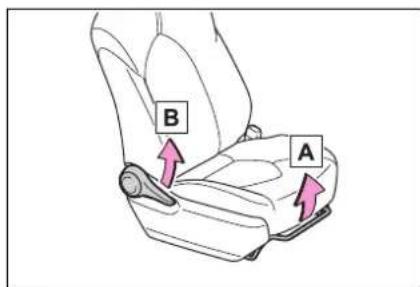
A Seat position adjustment lever
B Seatback angle adjustment lever
Power seat
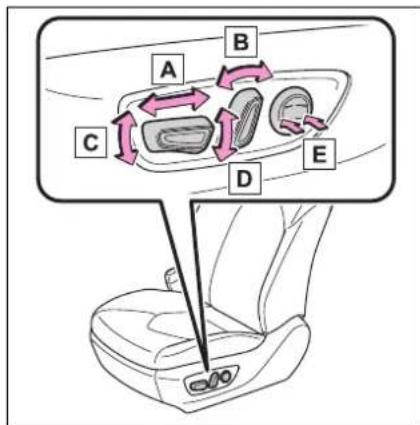
A Seat position adjustment switch
B Seatback angle adjustment switch
C Seat cushion (front) angle adjustment switch (driver's side only)
D Vertical height adjustment switch (driver's side only)
E Lumbar support adjustment switch (driver's side only)
■When adjusting the seat
Take care when adjusting the seat so that the head restraint does not touch the ceiling.

WARNING
■When adjusting the seat position
●Take care when adjusting the seat position to ensure that other passengers are not injured by the moving seat.
- Do not put your hands under the seat or near the moving parts to avoid injury. Fingers or hands may become jammed in the seat mechanism.
Make sure to leave enough space around the feet so they do not get stuck.
■Seat adjustment
● Be careful that the seat does not hit passengers or luggage.
● To reduce the risk of sliding under the lap belt during a collision, do not recline the seat more than necessary.
If the seat is too reclined, the lap belt may slide past the hips and apply restraint forces directly to the abdomen, or your neck may contact the shoulder belt, increasing the risk of death or serious injury in the event of an accident.
Adjustments should not be made while driving as the seat may unexpectedly move and cause the driver to lose control of the vehicle.

WARNING
●Manual seat only: After adjusting the seat, make sure that the seat is locked in position.
Rear seats
The seat position and seat-back angle can be adjusted, and the seatback can be folded by operating a seat-back angle adjustment lever.

WARNING
■Seat adjustment
● To reduce the risk of sliding under the lap belt during a collision, do not recline the seat more than necessary.
If the seat is too reclined, the lap belt may slide past the hips and apply restraint forces directly to the abdomen, or your neck may contact the shoulder belt, increasing the risk of death or serious injury in the event of an accident.
Adjustments should not be made while driving as the seat may unexpectedly move and cause the driver to lose control of the vehicle.
● Be careful that the seat does not hit passengers or luggage.
● Be careful not to get your hands or feet caught in the seat.
■After adjusting or returning the seats
Observe the following precautions. Failure to do so may result in death or serious injury.
● Make sure that the seat and seatback are securely locked in position by lightly rocking them back and forth.
- Check that the seat belts are not twisted or caught in the seatback.

WARNING
■When folding the rear seat-backs down
Observe the following precautions. Failure to do so may result in death or serious injury.
- Do not fold the seatbacks down while driving.
- Stop the vehicle on level ground, set the parking brake and shift the shift lever to P.
- Do not allow anyone to sit on a folded seatback or in the luggage compartment while driving.
- Do not allow children to enter the luggage compartment.
- Do not fold down a rear seat-back when there are passengers sitting in the rear seats or when there is luggage placed on the rear seats.
● Be careful not to catch your hand when folding the rear seat-backs.
Adjustment procedure
■Second seats
8-seat models
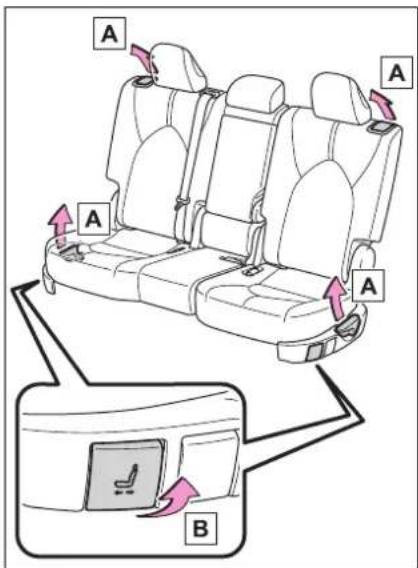
A Seatback angle adjustment lever
B Seat position adjustment lever
7-seat models
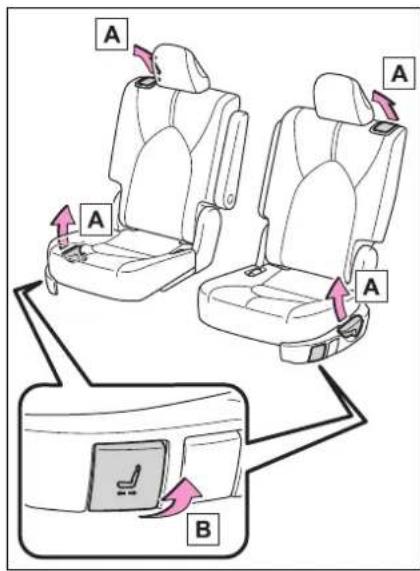
A Seatback angle adjustment lever
B Seat position adjustment lever
Third seats
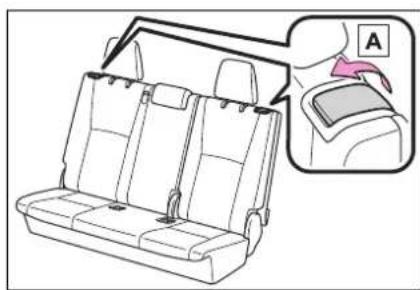
natural_image
Line drawing of a car backseat with seat covers and a side panel showing a seatbelt (no text or symbols)A Seatback angle adjustment lever
Moving a second seat for third seat access
■When entering/exiting the vehicle
Pull the seatback angle adjustment lever Aor tilt the seatback forward and then slide the seat forward.
Make sure that the second seat is free of passengers and obstructions before operating the lever.
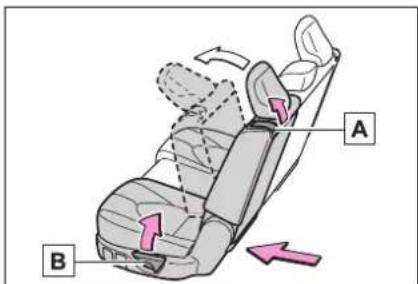
■After passengers have entered/exited the vehicle
Lift up the seatback and slide the seat backward until it locks.
Folding down the second seats
■Before folding down the second seats
1 Stow the armrest. ( P.382)
2 Stow the second seat belt buckles.
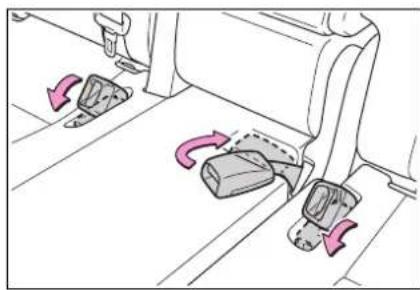
natural_image
Diagram of a car seatbelt mechanism with directional arrows indicating movement (no text or symbols)3 Pass the outer seat belts through the seat belt hangers and secure the seat belt plates.
This prevents the shoulder belts from being damaged.
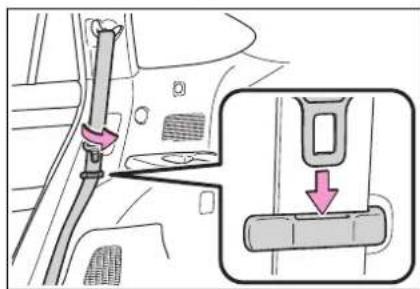
4 Lower the head restraints to the lowest position. ( P.162)
■Folding down the second seats
1 Pull the seatback angle adjustment lever A or tB tilt the seatback forward.
Each seatback may be folded sep-
arately.
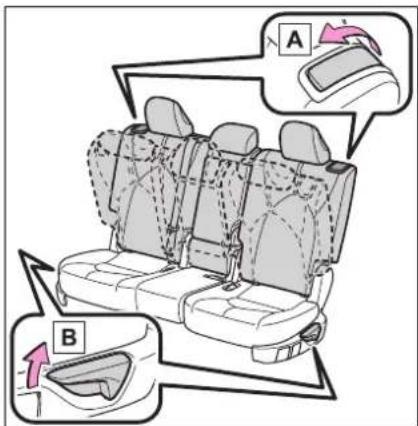
2 Pull the seatback folding lever to unlock the seatback. The seatback will be folded down.
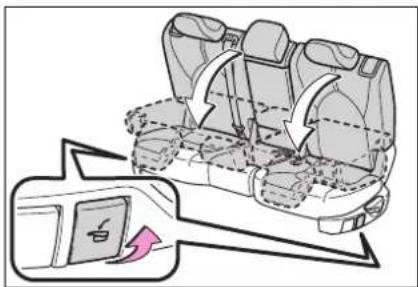
natural_image
Diagram of a car seat assembly with a highlighted seatbelt (no text or symbols)■After folding down the second seats
Slide the folded second seats backward until they lock.
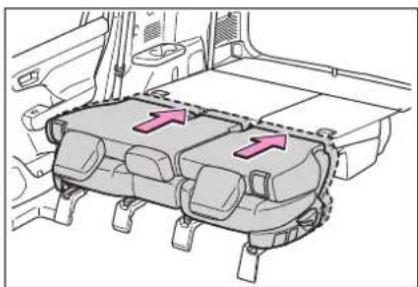
natural_image
Diagram of a vehicle engine compartment with two directional arrows indicating flow or movement (no text or symbols present)■Returning the second seats
Lift up the seatbacks until they lock.
Remove the secured seat belts from the seat belt hangers before using them.
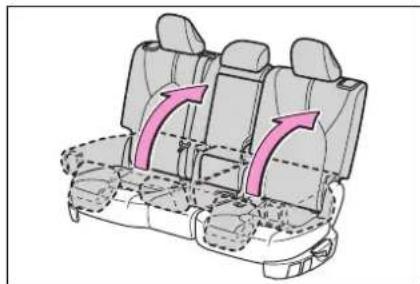
natural_image
Diagram of a car seat assembly with two rows and two columns, showing directional arrows (no text or labels)Folding down the third seats
■Before folding down the third seats
1 Stow the third seat belt buckles.
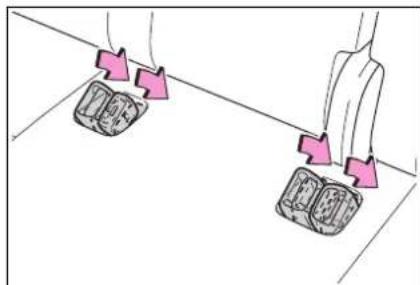
natural_image
Diagram showing two identical mechanical components with pink directional arrows indicating motion or force (no text or symbols)2 Pass the outer seat belts through the seat belt hangers and secure the seat belt plates.
This prevents the shoulder belts
from being damaged.
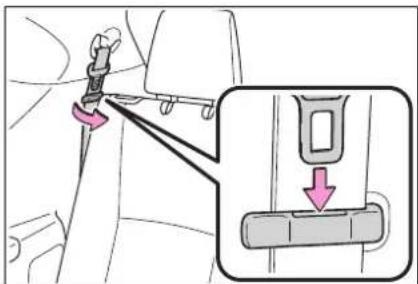
3 Lower the center head restraint to the lowest position. (→P.162)
■Folding down the third seats
While pulling the the seatback angle adjustment lever, fold down the seatbacks.
The outer head restraints will fold forward.
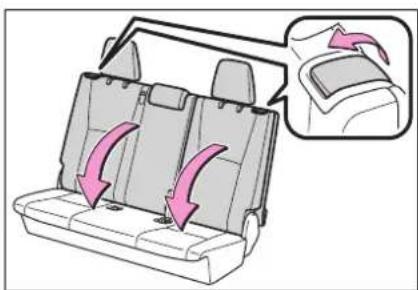
natural_image
Diagram of a car backrest with arrows indicating seat movement, showing no text or symbols■Returning the third seats
1 Returning the seatbacks
From inside
Lift up the seatbacks until they lock.
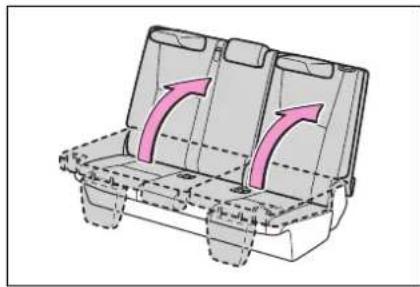
natural_image
3D diagram of a vehicle chassis with two compartments and directional arrows indicating movement (no text or symbols)From outside
Pull the straps and raise the seat-backs until they lock.
After using either strap, use the velcro on the strap to attach it to the seatback.
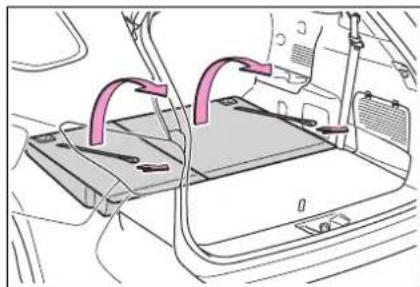
natural_image
Diagram of a car interior showing a laptop with two pink cable connectors and wiring (no text or symbols)2 Returning the outer head restraints.
Remove the secured seat belts from the seat belt hangers before using them.
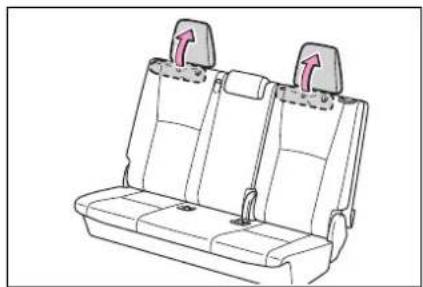
natural_image
Line drawing of a car seat with two seats and two side seats, no text or symbols presentDriving position memory\*
*: If equipped
This feature automatically adjusts the driver's seat, outside rear view mirrors and head-up display (if equipped) to suit your preferences.
Two different driving positions can be recorded into memory.
Each electronic key can be registered to recall your preferred driving position.
Recording a driving position into memory
1 Check that the shift lever is in P.
2 Turn the power switch to ON.
3 Adjust the driver's seat, outside rear view mirrors and head-up display (if equipped) to the desired positions.
4 While pressing the "SET" button, or within 3 seconds after the "SET" button is pressed, press button "1" or "2" until the buzzer sounds.
If the selected button has already been preset, the previously recorded position will be overwrit-
ten.
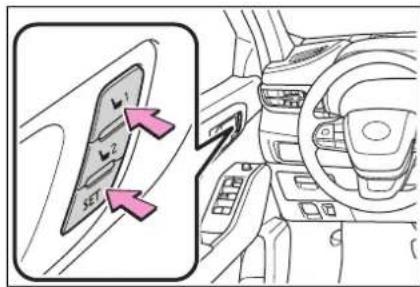
■Seat positions that can be memorized
The adjusted positions other than the position adjusted by lumbar support switch can be recorded.
In order to correctly use the driving position memory function
If a seat position is already in the furthest possible position and the seat is operated in the same direction, the recorded position may be slightly different when it is recalled.

WARNING
■Seat adjustment caution
Take care during seat adjustment so that the seat does not strike the rear passenger or squeeze your body against the steering wheel.
Recalling a driving position
1 Check that the shift lever is in P.
2 Turn the power switch to ON.
3 Press one of the buttons for the driving position you want
to recall until the buzzer sounds.
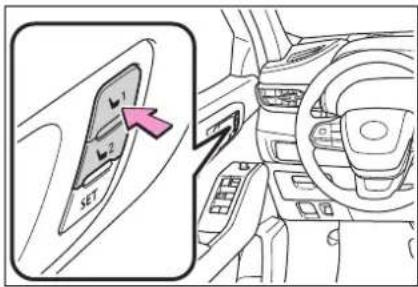
■To stop the position recall operation part-way through
Perform any of the following operations:
- Press the "SET" button.
- Press button "1" or "2".
- Operate any of the seat adjustment switches (only cancels seat position recall).
■Operating the driving position memory after turning the power switch off
Recorded seat positions can be activated up to 180 seconds after the driver's door is opened and another 60 seconds after it is closed again.
■When the recorded seat position cannot be recalled
The seat position may not be recalled in some situations when the seat position is recorded in a certain range. For details, contact your Toyota dealer.
Registering/cancel- ing/recall a driving posi- tion to an electronic key (memory recall function)
■Registering procedure Record your driving position to
button "1" or "2" before performing the following:
Carry only the key you want to register, and then close the driver's door.
If 2 or more keys are in the vehicle, the driving position cannot be recorded properly.
1 Check that the shift lever is in P.
2 Turn the power switch to ON.
3 Recall the driving position that you want to record.
4 While pressing the recalled button, press and hold the door lock switch (either lock or unlock) until the buzzer sounds.
If the button could not be registered, the buzzer sounds continuously for approximately 3 seconds.
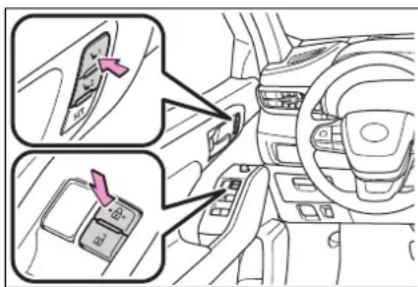
■Cancelation procedure
Carry only the key you want to cancel and then close the driver's door.
If 2 or more keys are in the vehicle, the driving position cannot be canceled properly.
1 Turn the power switch to ON.
2 While pressing the "SET" button, press and hold the door lock switch (either lock or unlock) until the buzzer sounds twice.
If the button could not be canceled, the buzzer sounds continuously for approximately 3 seconds.
■Recall procedure
Make sure that the doors are locked before recalling the driving position. Carry the electronic key that has been registered to the driving position, and then unlock and open the driver's door using the smart key system or wireless remote control.
The driving position will move to the recorded position.
If the driving position is in a position that has already been recorded, the seat and outside rear view mirrors will not move.
■Recalling the driving position using the memory recall function
● Different driving positions can be registered for each electronic key. Therefore, the driving position that is recalled may be different depending on the key being carried.
- If a door other than the driver's door is unlocked with the smart key system, the driving position cannot be recalled. In this case, press the driving position button which has been set.
Customization
Some functions can be customized. ( P.530)
Head restraints
Head restraints are provided for all seats.

WARNING
■Head restraint precautions
Observe the following precautions regarding the head restraints. Failure to do so may result in death or serious injury.
● Use the head restraints designed for each respective seat.
- Adjust the head restraints to the correct position at all times.
●After adjusting the head restraints, push down on them and make sure they are locked in position.
- Do not drive with the head restraints removed.
Adjusting a head restraint
Front seats
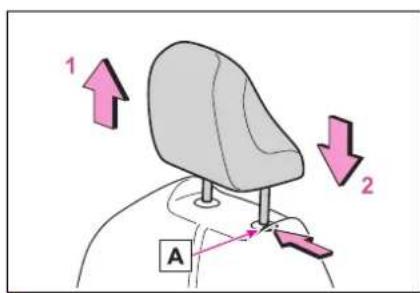
1 Up
Pull the head restraints up.
2 Down
Push the head restraint down while pressing the lock release button A
Second seats
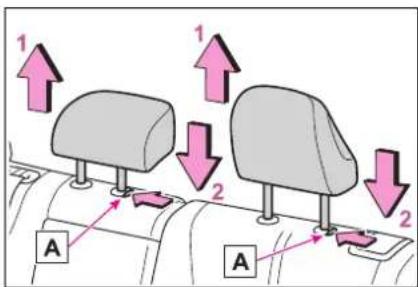
1 Up
Pull the head restraints up.
2 Down
Push the head restraint down while pressing the lock release button A
Third center seat
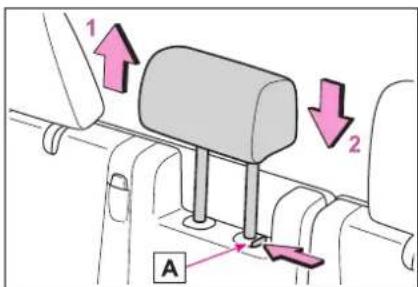
1 Up
Pull the head restraints up.
2 Down
Push the head restraint down while pressing the lock release button A
■Adjusting the height of the head restraints
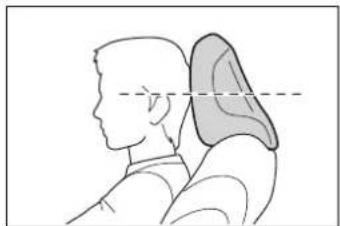
natural_image
Side profile illustration of a person with head and shoulder, showing anatomical alignment (no text or symbols)Make sure that the head restraints are adjusted so that the center of the head restraint is closest to the top of your ears.
■Adjusting the third center seat head restraint
Always raise the head restraint one level from the stowed position when using.
■When using the outboard third seats
If a head restraint is folded forward, make sure to return it to the upright position. (→P.158)
Removing the head restraints
Pull the head restraint up while pressing the lock release button A.
If the head restraint touches the ceiling, making the removal difficult, change the seat height or angle. (→P.153, 154)
Front seats
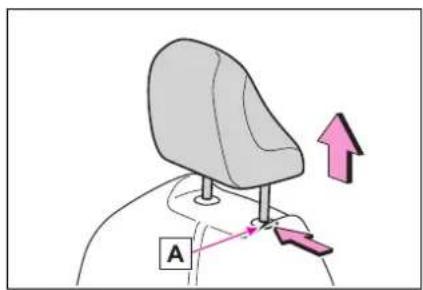
Second seats
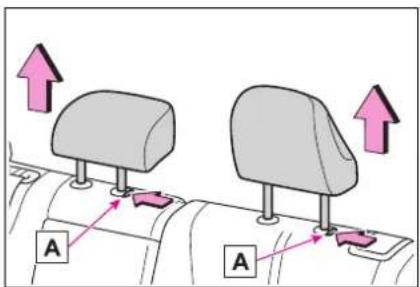
Third center seat
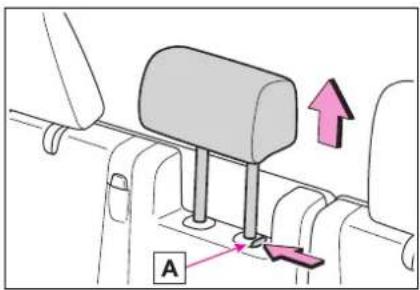
Installing the head restraints
Align the head restraint with the installation holes and push it down to the lock position.
Press and hold the lock release button ☐ when lowering the head restraint.
Front seats
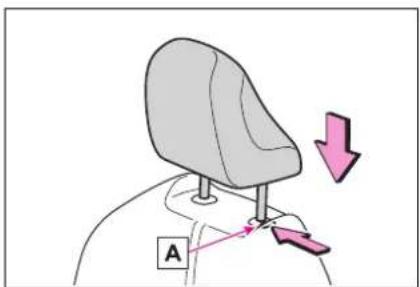
Second seats
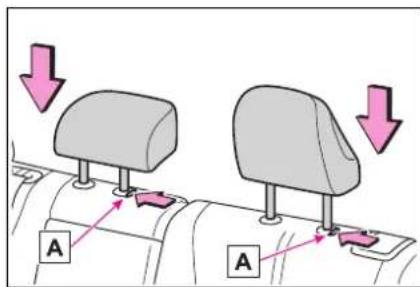
Third center seat
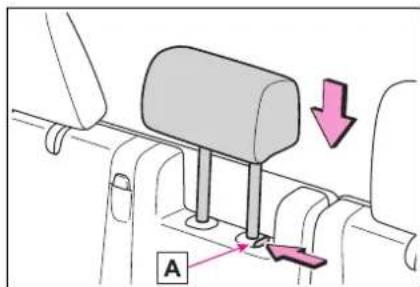
Steering wheel
Adjustment procedure
1 Hold the steering wheel and push the lever down.
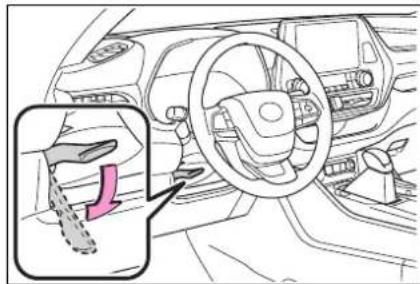
2 Adjust to the ideal position by moving the steering wheel horizontally and vertically.
After adjustment, pull the lever up to secure the steering wheel.
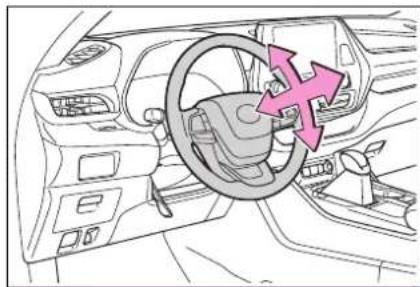
natural_image
Interior view of a car dashboard with steering wheel and directional arrows indicating motion (no text or symbols)
WARNING
■Caution while driving
Do not adjust the steering wheel while driving.
Doing so may cause the driver to mishandle the vehicle and cause an accident, resulting in death or serious injury.
■After adjusting the steering wheel
Make sure that the steering wheel is securely locked.
Otherwise, the steering wheel may move suddenly, possibly causing an accident, and resulting in death or serious injury. Also, the horn may not sound if the steering wheel is not securely locked.
Sounding the horn
Press on or close to the mark.

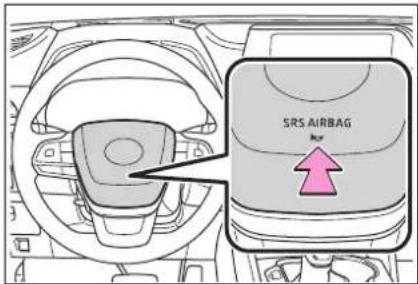
Inside rear view mir- ror\*
*: If equipped
The rear view mirror's position can be adjusted to enable sufficient confirmation of the rear view.
Adjusting the height of rear view mirror
The height of the rear view mirror can be adjusted to suit your driving posture.
Adjust the height of the rear view mirror by moving it up and down.
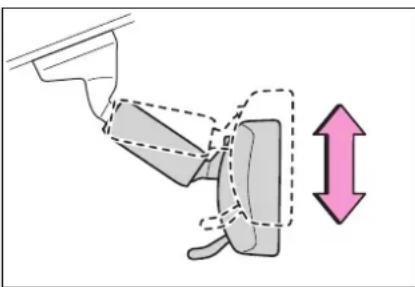
natural_image
Diagram of a mechanical device with a double-headed arrow indicating vertical displacement (no text or symbols present)
WARNING
■Caution while driving
Do not adjust the position of the mirror while driving. Doing so may lead to mishandling of the vehicle and cause an accident, resulting in death or serious injury.
Anti-glare function
▶ Manual anti-glare inside rear view mirror
Reflected light from the head-lights of vehicles behind can be reduced by operating the lever.
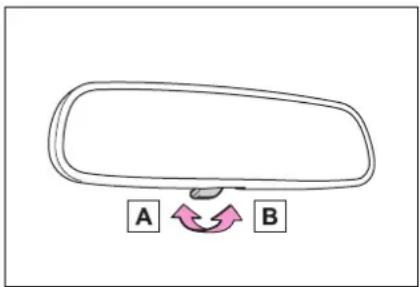
A Normal position
B Anti-glare position
▶ Auto anti-glare inside rear view mirror
Responding to the level of brightness of the headlights of vehicles behind, the reflected light is automatically reduced.
Turn the automatic anti-glare function mode on/off
When the automatic anti-glare function is in ON mode, the indicator A illuminates. The function will set to ON mode each time the power switch is turned to ON.
Pressing the button turns the function to OFF mode. (The indicator
A also turns off.)
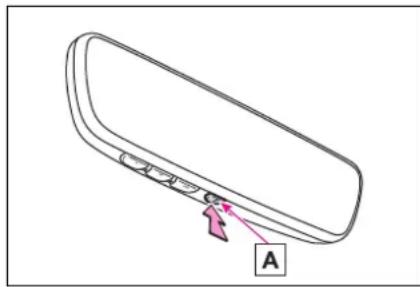
natural_image
Line drawing of a device rear panel with labeled component A (no text or symbols beyond label)■To prevent sensor error (vehicles with auto anti-glare inside rear view mirror)
To ensure that the sensors operate properly, do not touch or cover them.
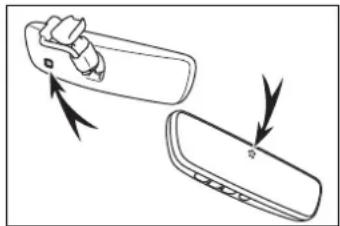
natural_image
Diagram showing two views of a device with arrows indicating direction (no text or symbols)Digital Rearview Mirror\*
*: If equipped
The Digital Rearview Mirror is a system that uses the camera on the rear of the vehicle and displays its image on the display of the Digital Rearview Mirror.
The Digital Rearview Mirror can be changed between optical mirror mode and digital mirror mode by operating the lever.
The Digital Rearview Mirror allows the driver to see the rear view despite obstructions, such as the head restraints or luggage, ensuring rear visibility. Also, the rear seats are not displayed and privacy of the passengers is enhanced.

WARNING
Observe the following precautions.
Failure to do so may result in death or serious injury.
■Before using the Digital Rear-view Mirror
● Make sure to adjust the mirror before driving. (→P.169)
- Change to optical mirror mode and adjust the position of the Digital Rearview Mirror so that the area behind your vehicle can be viewed properly.

WARNING
- Change to digital mirror mode and adjust the display settings.
As the range of the image displayed by the Digital Rearview Mirror is different from that of the optical mirror, make sure to check this difference before driving.
System components
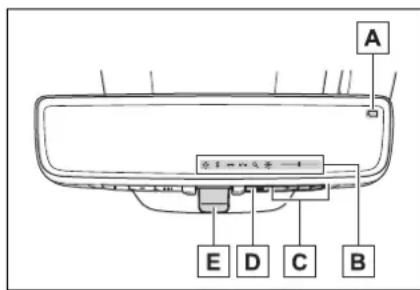
A Camera indicator
Indicates that the camera is operating normally.
B Icon display area
Displays icons, adjusting gauge, etc. ( P.169)
c Select button
Press to change the setting of the item you want to adjust.
D Menu button
Press to display the icon display area and select the item you want to adjust.
E Lever
Operate to change between digital mirror mode and optical mirror mode.
Changing modes
Operate the lever to change between digital mirror mode and optical mirror mode.
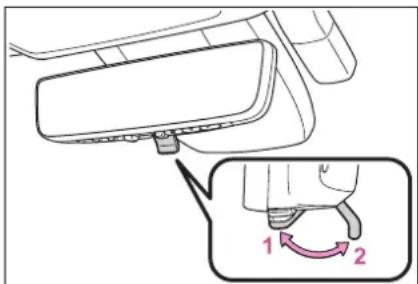
1 Digital mirror mode
Displays an image of the area behind the vehicle.
will illuminate in this mode.
2 Optical mirror mode
Turns off the display of the Digital Rearview Mirror allows it to be used as an optical mirror.
■Digital mirror mode operating condition
The power switch is turned to ON. When the power switch is changed from ON to OFF or ACC, the image will disappear after several seconds.
■When using the Digital Rear-view Mirror in digital mirror mode
- If it is difficult to see the displayed image due to light reflected off the Digital Rearview Mirror, the camera being dirty, or if lights of a vehicle behind your vehicle or the displayed image are bothering you, change to optical mirror mode.
- When the back door is open, the Digital Rearview Mirror image may not display properly. Before driving, make sure the back door is
closed.
- If the display is difficult to see due to reflected light, close the sunshade for the moon roof or the electronic sunshade for the panoramic moon roof.
● Any of the following conditions may occur when driving in the dark, such as at night. None of them indicates that a malfunction has occurred. - Colors of objects in the displayed image may differ from their actual color.
- Depending on the height of the lights of the vehicle behind, the area around the vehicle may appear white and blurry.
• Automatic image adjustment for brighter surrounding image may cause flickering.
If it is difficult to see the displayed image or flickering bothers you, change to optical mirror mode.
●The Digital Rearview Mirror may become hot while it is in digital mirror mode.
This is not a malfunction.
● Depending on your physical condition or age, it may take longer than usual to focus on the displayed image. In this case, change to optical mirror mode.
- Do not let passengers stare at the displayed image when the vehicle is being driven, as doing so may cause motion sickness.
■When the system malfunctions
If the symbol shown in the illustration is displayed when using the Digital Rearview Mirror in digital mirror mode, the system may be malfunctioning. The symbol will disappear in a few seconds. Operate the lever, change to optical mirror mode and have the vehicle inspected by your Toyota dealer.
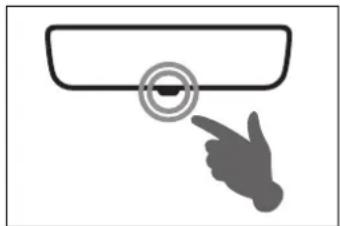
natural_image
Simple line drawing of a hand pressing a button on a screen (no text or symbols)Adjusting the mirror
■Adjusting the mirror height
The height of the rear view mirror can be adjusted to suit your driving posture.
Change to optical mirror mode, adjusting the height of the rear view mirror by moving it up and down.
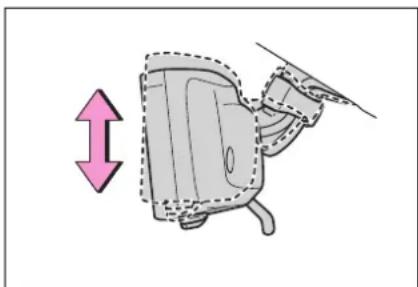
natural_image
Diagram of a car seat with a directional arrow indicating left motion (no text or symbols)■Display settings (digital mirror mode)
Settings of the display in the digital mirror mode, on/off operation of the automatic anti-glare function, etc. can be changed.
1 Press the menu button.
The icons will be displayed.
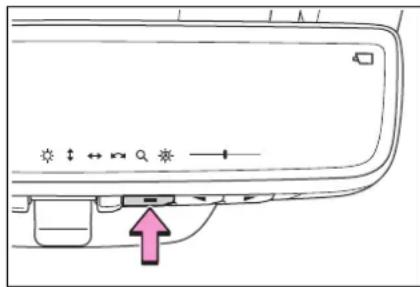
2 Press the menu button repeatedly and select the item you want to adjust.
3 Press or change the setting.
The icons will disappear if a button is not operated for approximately 5 seconds or more.
| Icons | Settings |
| Select to adjust the brightness of the display. | |
| Select to adjust the area displayed up/down. | |
| Select to adjust the area displayed to the left/right. | |
| Select to adjust the angle of the displayed image. |
| Icons | Settings |
| Select to zoom in/out the displayed image. | |
| Select to enable/disable the automatic anti-glare function.*Responding to the brightness of the headlights of vehicles behind, the reflected light is automatically adjusted.The automatic anti-glare function is enabled each time the power switch is changed to ON. |
^* : This is a function for the optical mirror mode, however, the setting can also be changed while using the digital mirror mode.
■Enabling/disabling the automatic anti-glare function (optical mirror mode)
The automatic anti-glare function in the optical mirror mode can be enabled/disabled. The setting can be changed in both the digital mirror mode and the optical mirror mode.
▶ When using the digital mirror mode
→P.169
▶ When using the optical mirror mode
1 Press the menu button.
The icons will be displayed.
2 Press the menu button repeatedly and select 🔒
The setting display will be displayed.
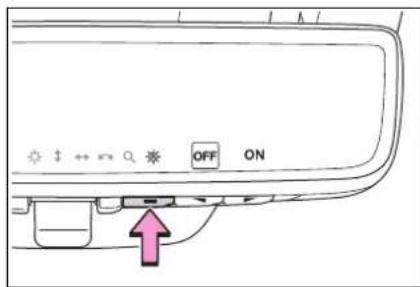
3 Press or to
enable ("ON")/disable ("OFF") the automatic anti-glare function.
The icons will disappear if a button is not operated for approximately 5 seconds or more.
■Adjusting the display (digital mirror mode)
- If the displayed image is adjusted, it may appear distorted. This is not a malfunction.
- If the brightness of the Digital Rearview Mirror is set too high, it may cause eye strain. Adjust the Digital Rearview Mirror to an appropriate brightness. If your eyes become tired, change to optical mirror mode.
●The brightness of the Digital Rearview Mirror will change automatically according to the brightness of the area in front of your vehicle.
■To prevent the light sensors from malfunctioning
To prevent the light sensors from malfunctioning, do not touch or cover them.
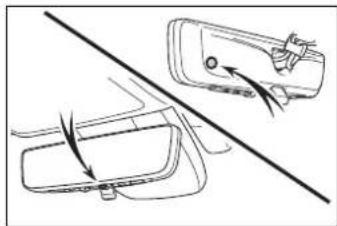
natural_image
Diagram showing a car interior with a vehicle and directional arrows indicating motion (no text or symbols)WARNING
Observe the following precautions.
Failure to do so may result in death or serious injury.
■While driving
- Do not adjust the position of the Digital Rearview Mirror or adjust the display settings while driving.
Stop the vehicle and operate the Digital Rearview Mirror control switches.
Failure to do so may cause a steering wheel operation error, resulting in an unexpected accident.
●Always pay attention to the vehicle's surroundings.
The size of the vehicles and other objects may look different when in digital mirror mode and optical mirror mode.
When backing up, make sure to directly check the safety of the area around your vehicle, especially behind the vehicle.
Additionally, if a vehicle approaches from the rear in the dark, such as at night, the surrounding area may appear dim.
■To prevent causes of fire
If the driver continues using the Digital Rearview Mirror while smoke or odor comes from the mirror, it may result in fire. Stop using the system immediately and contact your Toyota dealer.
Cleaning the Digital Rear-view Mirror
■Cleaning the mirror surface
If the mirror surface is dirty, the image on the display may be difficult to see.
Clean the mirror surface gently using a soft dry cloth.
■Cleaning the camera
If the camera lens is dirty or covered with foreign matter, such as water droplets, snow, mud, etc., the displayed image may not be clear. In this case, rinse the camera lens with a large quantity of water and then wipe it clean with a soft cloth dampened with water.
Dirt on the camera lens can be cleaned by operating the dedicated camera cleaning washer. ( P.238)
The camera
The camera for the Digital Rearview Mirror is located as shown.
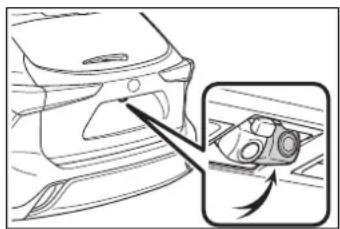
natural_image
Line drawing of a car interior with a magnified inset showing the exterior view (no text or symbols)
NOTICE
■To prevent the Digital Rear-view Mirror from malfunctioning
- Do not use detergents, such as thinner, benzine, and alcohol to clean the mirror. They may discolor, deteriorate or damage the mirror surface.
- Do not smoke, use matches, use cigarette lighters or allow open flames near the mirror. It may damage the mirror or cause a fire.
- Do not remove, disassemble or modify the mirror.
■To prevent the camera from malfunctioning
- Observe the following precautions, otherwise the Digital Rearview Mirror may not operate properly.
- Do not strike or hit the camera or subject it to a strong impact, as the camera installation position and angle may be changed.
- Do not remove, disassemble or modify the camera.
- When washing the camera, rinse it with a large quantity of water and then wipe it clean with a soft cloth dampened with water.
Do not strongly rub the camera lens, as it may be scratched and will not be able to transmit a clear image.
- Do not allow organic solvent, car wax, window cleaner or glass coat to adhere to the camera cover. If this happens, wipe it off as soon as possible.

NOTICE
- Do not apply hot water to the camera in cold weather, as the sudden change of temperature may cause the camera to not operate properly.
- When using a high pressure washer to wash the vehicle, do not directly spray the camera and its surrounding area, as doing so may cause the camera to not operate properly.
- Do not subject the camera to a strong impact as this could cause a malfunction. If this happens, have the vehicle inspected by your Toyota dealer as soon as possible.
If you notice any symptoms
If you notice any of the following symptoms, refer to the following table for the likely cause and the solution.
If the symptom is not resolved by the solution, have the vehicle inspected by your Toyota dealer.
| Symptom Likely cause Solution | ||
| The image is difficult to see. | The mirror surface is dirty. | Clean the mirror surface gently, using a soft dry cloth. |
| Sunlight or headlights are shining directly into the Digital Rearview Mirror. | Change to optical mirror mode.(If the light is coming through the moon roof or panoramic moon roof, close the sunshade or electronic sunshade.) | |
| The vehicle is in a dark area.The vehicle is near a TV tower, broadcasting station, electric power plant, or other location where strong radio waves or electrical noise may be present.The temperature around the camera is extremely high/low.The ambient temperature is extremely low.It is raining or humid.Sunlight or headlights are shining directly into the camera lens.The vehicle is under fluorescent lights, sodium lights, mercury lights, etc.Exhaust gas is obstructing the camera. | Change to optical mirror mode.(Change back to digital mirror mode when the conditions have improved.) | |
| Symptom Likely | cause Solution | |
| The image is difficult to see. | Foreign matters (such as water droplets, snow, mud, etc.) is on the camera lens. | Operate the dedicated camera cleaning washer and clean the camera lens. ( P.238)Change to optical mirror mode.Rinse the camera with a large quantity of water, wipe it clean with a soft cloth dampened with water, and then change back to digital mirror mode. |
| The image is out of alignment. | The back door is not fully closed. | Fully close the back door. |
| The camera or its surrounding area has received a strong impact. | Change to optical mirror mode and have the vehicle inspected by your Toyota dealer. | |
| The display is dim and is displayed. | The system may be malfunctioning. | Change to optical mirror mode and have the vehicle inspected by your Toyota dealer. |
| goes off. | ||
| Symptom Likely cause Solution | ||
| is displayed. | The Digital Rearview Mirror is extremely hot.(The display will gradually become more dim. If the temperature continues to increase, the Digital Rearview Mirror will turn off.) | Reducing the cabin temperature is recommended to reduce the temperature of the mirror.(Will disappear when the mirror becomes cool.)If does not disappear even though the mirror is cool, have the vehicle inspected by your Toyota dealer. |
| The lever cannot be operated properly. | The lever may be malfunctioning. | Change to optical mirror mode and have the vehicle inspected by your Toyota dealer.(To change to optical mirror mode, press and hold the menu button for approximately 10 seconds.) |
Outside rear view mir- rors
The rear view mirror's position can be adjusted to enable sufficient confirmation of the rear view.

WARNING
■ Important points while driving
Observe the following precautions while driving.
Failing to do so may result in loss of control of the vehicle and cause an accident, resulting in death or serious injury.
- Do not adjust the mirrors while driving.
- Do not drive with the mirrors folded.
● Both the driver and passenger side mirrors must be extended and properly adjusted before driving.
Adjustment procedure
1 To select a mirror to adjust, turn the switch.
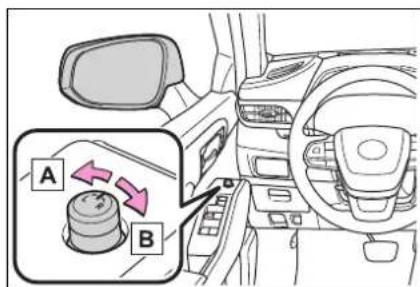
A Left
B Right
2 To adjust the mirror, operate the switch.
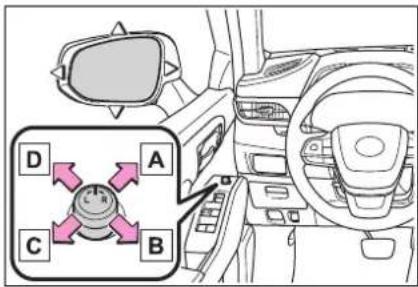
A Up
B Right
c Down
D Left
■Mirror angle can be adjusted when
The power switch is in ACC or ON.
■When the mirrors are fogged up
The outside rear view mirrors can be cleared using the mirror defoggers. Turn on the rear window defogger to turn on the outside rear view mirror defoggers. (→P.344)
■Automatic adjustment of the mirror angle (if equipped)
A desired mirror face angle can be entered to memory and recalled automatically by the driving position memory. (→P.159)
■Linked mirror function when reversing (if equipped)
When either "L" or "R" of the mirror select switch is selected, the outside rear view mirrors will automatically angle downwards when the vehicle is reversing in order to give a better view of the ground.
To disable this function, select neither "L" nor "R".
To set the mirror angle used when the vehicle is reversing, adjust the
mirror angle at a desired position with the shift lever in R.
The adjusted angle will be memorized and the mirror will automatically tilt to the memorized angle whenever the shift lever is shifted to R from next time.
The memorized downward tilt position of the mirror is linked to the normal position (angle adjusted with the shift lever in other than R). Therefore, if the normal position is changed after adjustment, the tilt position will also change.
When the normal position is changed, readjust the angle in reversing.

WARNING
■When the mirror defoggers are operating
Do not touch the rear view mirror surfaces, as they can become very hot and burn you.
Folding the mirrors
Push the mirror back in the direction of the vehicle's rear.
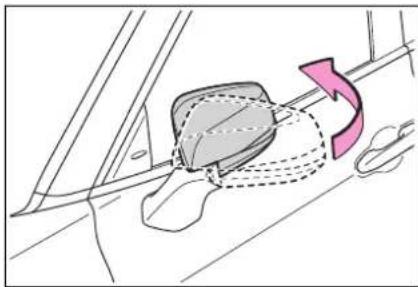
natural_image
Diagram of a car seatbelt mechanism with directional arrow indicating rotation (no text or symbols)Power windows
Opening and closing the power windows
The power windows can be opened and closed using the switches.
Operating the switch moves the windows as follows:
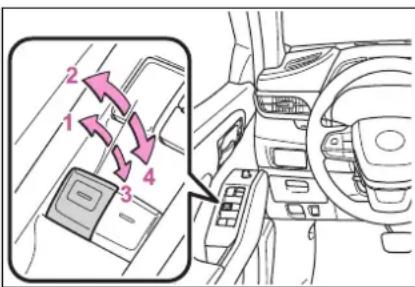
1 Closing
2 One-touch closing *
3 Opening
4 One-touch opening *
*: To stop the window partway, operate the switch in the opposite direction.
■The power windows can be operated when
The power switch is in ON.
■Operating the power windows after turning the hybrid system off
The power windows can be operated for approximately 45 seconds even after the power switch is turned to ACC or turned off. They cannot, however, be operated once either front door is opened.
Jam protection function
If an object becomes jammed
between the window and the window frame while the window is closing, window movement is stopped and the window is opened slightly.
■ Catch protection function
If an object becomes caught between the door and window while the window is opening, window movement is stopped.
■When the window cannot be opened or closed
When the jam protection function or catch protection function operates unusually and the door window cannot be opened or closed, perform the following operations with the power window switch of that door.
- Stop the vehicle. With the power switch in ON, within 4 seconds of the jam protection function or catch protection function activating, continuously operate the power window switch in the one-touch closing direction or one-touch opening direction so that the door window can be opened and closed.
- If the door window cannot be opened and closed even when performing the above operations, perform the following procedure for function initialization.
1 Turn the power switch to ON.
2 Pull and hold the power window switch in the one-touch closing direction and completely close the door window.
3 Release the power window switch for a moment, resume pulling the switch in the one-touch closing direction, and hold it there for approximately 6 seconds or more.
4 Press and hold the power window switch in the one-touch opening direction. After the door window is completely opened, continue holding the switch for an additional 1 second or more.
5 Release the power window switch for a moment, resume pushing the switch in the one-touch opening direction, and hold it there for approximately 4 seconds or more.
6 Pull and hold the power window switch in the one-touch closing direction again. After the door window is completely closed, continue holding the switch for a further 1 second or more.
If you release the switch while the window is moving, start again from the beginning.
If the window reverses and cannot be fully closed or opened, have the vehicle inspected by your Toyota dealer.
■ Door lock linked window operation
- The power windows can be opened and closed using the mechanical key. ^* (→P.497)
- The power windows can be opened using the wireless remote control. ^* (→P.131)
*: These settings must be customized at your Toyota dealer.
■ Power windows open warning buzzer
A buzzer sounds and a message is shown on the multi-information display when the power switch is turned off and the driver's door is opened with the power windows open.
- Customization
Some functions can be customized. (→P.530)

WARNING
Observe the following precautions.
Failing to do so may result in death or serious injury.
■ Closing the windows
- The driver is responsible for all the power window operations, including the operation for the passengers. In order to prevent accidental operation, especially by a child, do not let a child operate the power windows. It is possible for children and other passengers to have body parts caught in the power window. Also, when riding with a child, it is recommended to use the window lock switch. (→P.181)
- Check to make sure that all passengers do not have any part of their body in a position where it could be caught when a window is being operated.
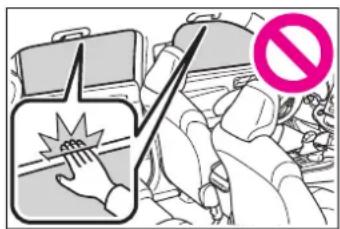
- When using the wireless remote control or mechanical key and operating the power windows, operate the power window after checking to make sure that there is no possibility of any passenger having any of their body parts caught in the window. Also do not let a child operate window by the wireless remote control or mechanical key. It is possible for children and other passengers to get caught in the power window.
- When exiting the vehicle, turn the power switch off, carry the key and exit the vehicle along with the child. There may be accidental operation, due to mischief, etc., that may possibly lead to an accident.

WARNING
Jam protection function
●Never use any part of your body to intentionally activate the jam protection function.
The jam protection function may not work if something gets jammed just before the window is fully closed. Be careful not to get any part of your body jammed in the window.
■ Catch protection function
●Never use any part of your body or clothing to intentionally activate the catch protection function.
The catch protection function may not work if something gets caught just before the window is fully opened. Be careful not to get any part of your body or clothing caught in the window.
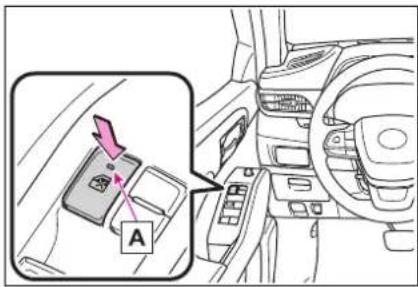
■The power windows can be operated when
The power switch is in ON.
■When the 12-volt battery is disconnected
The window lock switch is disabled. If necessary, press the window lock switch after reconnecting the 12-volt battery.
Preventing accidental operation (window lock switch)
This function can be used to prevent children from accidentally opening or closing a passenger window.
Press the switch.
The indicator A will come on and the passenger windows will be locked.
The passenger windows can still be opened and closed using the driver's switch even if the lock switch is on.
Moon roof
*: If equipped
Use the overhead switches to open and close the moon roof and tilt it up and down.
Operating the moon roof
■Opening and closing
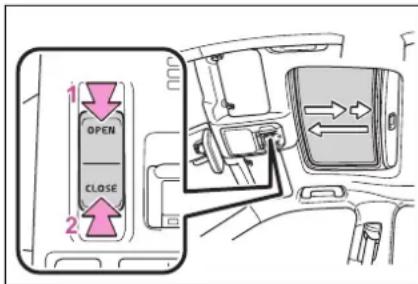
1 Opens the moon roof *
The moon roof stops slightly before the fully open position to reduce wind noise. Press the switch again to fully open the moon roof.
2 Closes the moon roof *
*: Lightly press either side of the moon roof switch to stop the moon roof partway.
■Tilting up and down
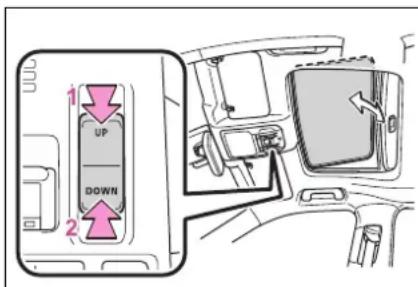
1 Tilts the moon roof up *
2 Tilts the moon roof down *
*: Lightly press either side of the moon roof switch to stop the moon roof partway.
■The moon roof can be operated when
The power switch is in ON.
■Operating the moon roof after turning the hybrid system off
The moon roof can be operated for approximately 45 seconds after the power switch is turned to ACC or turned off. It cannot, however, be operated once either front door is opened.
Jam protection function
If an object is detected between the moon roof and the frame while the moon roof is closing or tilting down, travel is stopped and the moon roof opens slightly.
Sunshade
The sunshade can be opened and closed manually. However, the sunshade will open automatically when the moon roof is opened.
■Door lock linked moon roof operation
●The moon roof can be opened and closed using the mechanical key. ^* ( P.497)
●The moon roof can be opened using the wireless remote control. ^* (→P.131)
*: These settings must be customized at your Toyota dealer.
■When the moon roof does not close normally
Perform the following procedure:
- If the moon roof closes but then re-opens slightly
1 Stop the vehicle.
2 Press and hold the "CLOSE" switch. ^*1
The moon roof will close, reopen and pause for approximately 10 seconds. ^*2 Then it will close again, tilt up and pause for approximately 1 second. Finally, it will tilt down, open and close.
3 Check to make sure that the moon roof is completely closed and then release the switch.
- If the moon roof tilts down but then tilts back up
1 Stop the vehicle.
2 Press and hold the "UP" switch *1 until the moon roof moves into the tilt up position and stops.
3 Release the "UP" switch once and then press and hold the "UP" switch again. ^1
The moon roof will pause for approximately 10 seconds in the tilt up position. ^2 Then it will adjust slightly and pause for approximately 1 second. Finally, it will tilt down, open and close.
4 Check to make sure that the moon roof is completely closed and then release the switch.
*1: If the switch is released at the incorrect time, the procedure will have to be performed again from the beginning.
*2: If the switch is released after the above mentioned 10 second pause, automatic operation will be disabled. In that case, press and hold the "CLOSE" or "UP" switch, and the moon roof will tilt up and pause for approximately 1 second. Then it will tilt down, open and close. Check to make sure that the moon roof is completely closed and then release the switch.
If the moon roof does not fully close
even after performing the above procedure correctly, have the vehicle inspected by your Toyota dealer.
■Moon roof open warning buzzer
A buzzer sounds and a message is shown on the multi-information display when the power switch is turned off and the driver's door is opened with the moon roof open.
Customization
Some functions can be customized. ( P.530)

WARNING
Observe the following precautions.
Failing to do so may cause death or serious injury.
■ Opening the moon roof
- Do not allow any passengers to put their hands or heads outside the vehicle while it is moving.
- Do not sit on top of the moon roof.
■ Opening and closing the moon roof
●The driver is responsible for moon roof opening and closing operations.
In order to prevent accidental operation, especially by a child, do not let a child operate the moon roof. It is possible for children and other passengers to have body parts caught in the moon roof.

WARNING
- Check to make sure that all passengers do not have any part of their body in a position where it could be caught when the moon roof is being operated.
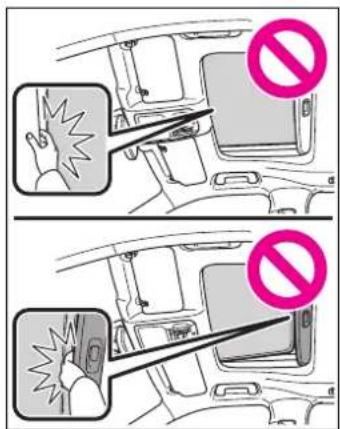
The jam protection function may not work if something gets caught just before the moon roof is fully closed. Also, the jam protection function is not designed to operate while the switch is being pressed. Take care so that your fingers, etc. do not get caught.
- When using the wireless remote control or mechanical key and operating the moon roof, operate the moon roof after checking to make sure that there is no possibility of any passenger having any of their body parts caught in the moon roof. Also, do not let a child operate moon roof by the wireless remote control or mechanical key. It is possible for children and other passengers to get caught in the moon roof.
- When exiting the vehicle, turn the power switch off, carry the key and exit the vehicle along with the child. There may be accidental operation, due to mischief, etc., that may possibly lead to an accident.
■Jam protection function
●Never use any part of your body to intentionally activate the jam protection function.
Panoramic moon roof
*: If equipped
Use the overhead switches to operate the panoramic moon roof and electronic sunshade.
Operating the panoramic moon roof
■ Opening and closing the electronic sunshade
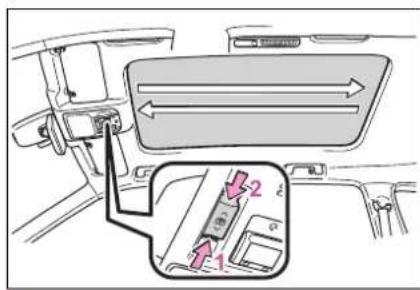
1 Opens the electronic sun-shade*
2 Closes the electronic sun-shade*
*: Lightly press either side of the sunshade switch to stop the electronic sunshade partway.
■Tilting the panoramic moon roof up and down
Tilt up (press) ^*
If the panoramic moon roof is open, pressing the switch closes it up to the tilt-up position.
If the shade is closed past the half-open position when the switch is pressed, it will open up to the
half-open position.
To stop operation partway, quickly slide and release the switch again.
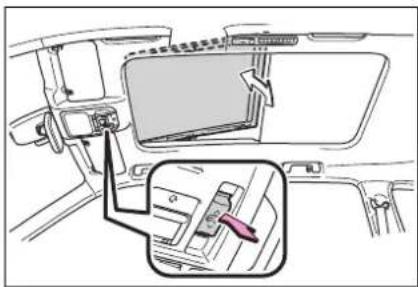
Tilt down (press and hold)
The panoramic moon roof can be tilted down only when it is in the tilt-up position.
■ Opening and closing the panoramic moon roof
Open (slide backward) ^*
To stop operation partway, quickly slide and release the switch again.
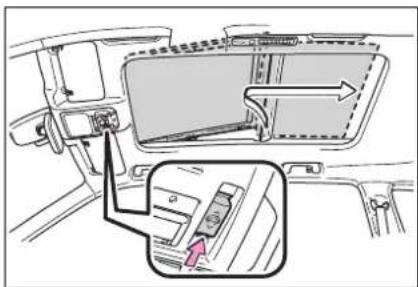
Close (slide forward) ^*
The panoramic moon roof stops at the tilt-up position.
Slide and hold the switch again to fully close the panoramic moon roof.
To stop operation partway, quickly slide and release the switch again.
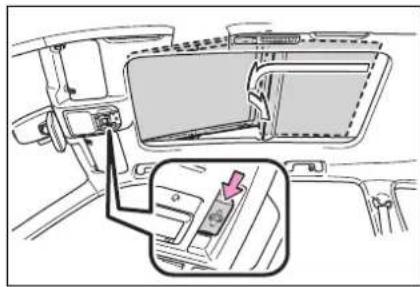
natural_image
Diagram of a car interior showing a seatbelt switch and a highlighted door panel (no text or symbols)■The panoramic moon roof can be operated when
The power switch is in ON.
■Operating the panoramic moon roof after turning the hybrid system off
The panoramic moon roof and electronic sunshade can be operated for approximately 45 seconds after the power switch is turned to ACC or turned off. It cannot, however, be operated once either front door is opened.
■ Closing the shade when the panoramic moon roof is open
1 Slide the shade switch forward.
The shade closes up to its half-closed position and then the panoramic moon roof closes up to the tilt-up position.
2 Slide and hold the shade switch again.
The panoramic moon roof closes as long as the switch is being held. After the panoramic moon roof is fully closed, the shade will fully close automatically.
Jam protection function
If an object is detected between the panoramic moon roof and the frame in the following situations, travel is stopped and the panoramic moon roof opens slightly:
●The panoramic moon roof is closing or tilting down.
●The electronic sunshade is closing.
■When the panoramic moon roof does not close normally
Perform the following procedure:
● If the panoramic moon roof closes but then re-opens slightly
1 Stop the vehicle.
2 Slide the panoramic moon roof switch forward and hold it.*
The panoramic moon roof will close then reopen and pause for approximately 10 seconds. Then it will close up to the tilt-up position.
3 Release the switch and then slide it forward and hold it again.
The panoramic moon roof will close as long as the switch is being held.
4 Check to make sure that the panoramic moon roof is completely closed and then release the switch.
- If the panoramic moon roof tilts down but then tilts back up
1 Stop the vehicle.
2 Slide the panoramic moon roof switch forward and hold it.*
The panoramic moon roof will tilt down then tilt up and pause for approximately 10 seconds. Then it will close.
3 Check to make sure that the panoramic moon roof is completely closed and then release the switch.
*: If the switch is released at the incorrect time, the procedure will have to be performed again from the beginning.
If the panoramic moon roof does not fully close even after performing the above procedure correctly, have the vehicle inspected by your Toyota dealer.
■When the shade does not close normally
Perform the following procedure:
1 Stop the vehicle.
2 Close the panoramic moon roof.
3 Slide the shade switch forward and hold it.*
The shade will close then reopen and pause for approximately 10 seconds. Then it will close.
4 Check to make sure that the shade is completely closed and then release the switch.
*: If the switch is released at the incorrect time, the procedure will have to be performed again from the beginning.
If the shade continues to close but then reopens slightly even after performing the above procedure correctly, have the vehicle inspected by your Toyota dealer.
■Panoramic moon roof open warning buzzer
A buzzer sounds and a message is shown on the multi-information display when the power switch is turned off and the driver's door is opened with the panoramic moon roof open.

WARNING
Observe the following precautions.
Failing to do so may cause death or serious injury.
■ Opening and closing the electronic sunshade
- Check to make sure that all passengers do not have any part of their body in a position where it could be caught when the electronic sunshade is being operated.
- Do not let a child operate the electronic sunshade. Closing the electronic sunshade on someone can cause death or serious injury.
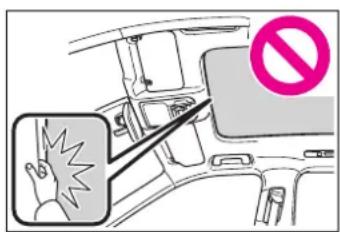
■ Opening the panoramic moon roof
●Do not allow any passengers to put their hands or heads outside the vehicle while it is moving.
- Do not sit on top of the panoramic moon roof.
■ Opening and closing the panoramic moon roof
● The driver is responsible for panoramic moon roof opening and closing operations. In order to prevent accidental operation, especially by a child, do not let a child operate the panoramic moon roof. It is possible for children and other passengers to have body parts caught in the panoramic moon roof.

WARNING
- Check to make sure that all passengers do not have any part of their body in a position where it could be caught when the panoramic moon roof is being operated.
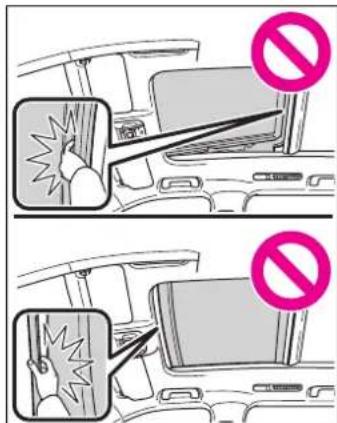
- When exiting the vehicle, turn the power switch off, carry the key and exit the vehicle along with the child. There may be accidental operation, due to mischief, etc., that may possibly lead to an accident.
■Jam protection function
●Never use any part of your body to intentionally activate the jam protection function.
The jam protection function may not work if something gets caught just before the panoramic moon roof or electronic sunshade is fully closed. Also, the jam protection function is not designed to operate while the switch is being pressed. Take care so that your fingers, etc. do not get caught.
■To prevent burns or injuries
Do not touch the area between the underside of the panoramic moon roof and the electronic sun-shade. Your hand may get caught and you could injure yourself. Also, if the vehicle is left in direct sunlight for a long time, the underside of the panoramic moon roof could become very hot and could cause burns.

NOTICE
■To prevent damage to the panoramic moon roof
Before opening the panoramic moon roof, make sure that there are no foreign objects, such as stones or ice, around the opening.
- Do not hit the surface or edge of the panoramic moon roof with hard objects.
■After the vehicle has been washed or rained on
Before opening the panoramic moon roof, wipe any water off the panoramic moon roof. Otherwise, water may enter the cabin when the panoramic moon roof is opened.
Driving
4
4-1. Before driving
Driving the vehicle..... 190
Cargo and luggage ..... 197
Vehicle load limits ..... 200
Trailer towing.... 201
Dinghy towing 212
4-2. Driving procedures
Power (ignition) switch 213
EV drive mode 218
Hybrid transmission .... 220
Turn signal lever...... 223
Parking brake...... 224
Brake Hold 227
4-3. Operating the lights and wipers
Headlight switch...... 229
Automatic High Beam.232
Fog light switch 235
Windshield wipers and washer.... 235
Rear windshield wiper and washer.... 238
4-4. Refueling
Opening the fuel tank cap 240
4-5. Using the driving support systems
Toyota Safety Sense 2.5 + 243
PCS (Pre-Collision System) 249
LTA (Lane Tracing Assist) 260
Dynamic radar cruise control with full-speed range 271
RSA (Road Sign Assist) 283
BSM (Blind Spot Monitor) 286
Intuitive parking assist. 292
RCTA (Rear Cross Traffic Alert) function.... 300
PKSB (Parking Support Brake).... 305
Parking Support Brake function (static objects) .... 312
Parking Support Brake function (rear-crossing vehicles).... 318
Driving mode select switch 322
Trail Mode 323
Driving assist systems 325
4-6. Driving tips
Hybrid vehicle driving tips 331
Winter driving tips...... 333
Utility vehicle precautions 336
Driving the vehicle
The following procedures should be observed to ensure safe driving:
Driving procedure
■Starting the hybrid system
→P213
Driving
1 With the brake pedal depressed, shift the shift lever to D. ( P.220)
2 Release the parking brake.
(→P.224)
If the parking brake is in automatic mode, the parking brake is released automatically when shifting the shift lever to any position other than P. (→P.224)
3 Gradually release the brake pedal and gently depress the accelerator pedal to accelerate the vehicle.
■Stopping
1 With the shift lever in D, depress the brake pedal.
2 If necessary, set the parking brake. (→P.224)
If the vehicle is to be stopped for an extended period of time, shift the shift lever to P or N. ( P.220)
■Parking the vehicle
1 With the shift lever in D, depress the brake pedal.
2 Set the parking brake ( P.224), and shift the shift lever to P ( P.220).
3 Press the power switch to stop the hybrid system.
4 Lock the door, making sure that you have the electronic key on your person.
If parking on a hill, block the wheels as needed.
■Starting off on a steep uphill
1 With the brake pedal depressed, shift the shift lever to D. (→P.220)
2 Pull the parking brake switch and parking brake is set manually. (→P.224)
3 Release the brake pedal and gently depress the accelerator pedal to accelerate the vehicle.
4 Push the parking brake switch and parking brake is released manually.
■When starting off on a uphill
The hill-start assist control will activate. ( P.325)
■For fuel-efficient driving
Keep in mind that hybrid vehicles are similar to conventional vehicles, and it is necessary to refrain from activities such as sudden acceleration. ( P.331)
- Driving in the rain
●Drive carefully when it is raining, because visibility will be reduced, the windows may become fogged-up, and the road will be
slippery.
●Drive carefully when it starts to rain, because the road surface will be especially slippery.
●Refrain from high speeds when driving on an expressway in the rain, because there may be a layer of water between the tires and the road surface, preventing the steering and brakes from operating properly.
■ ECO Accelerator Guidance (→P.94, 103)
It is easier to drive in an Eco-friendly manner by driving while referring to the ECO Accelerator Guidance display. Also, by using the ECO Accelerator Guidance it is easier to increase the “Eco Score” evaluation.
- When starting off: While staying within the ECO Accelerator Guidance range, gradually depress the accelerator pedal and accelerate to the desired speed. If excessive acceleration is avoided, the "Start" score will increase.
- When driving: After accelerating to the desired speed, release the accelerator pedal and drive at a stable speed within the ECO Accelerator Guidance range. By keeping the vehicle within the ECO Accelerator Guidance range, the “Cruise” score will increase.
- When stopping: When stopping the vehicle, early releasing the accelerator pedal will cause the "Stop" score to increase.
■Restraining the hybrid system output (Brake Override System)
- When the accelerator and brake pedals are depressed at the same time, the hybrid system output may be restrained.
●A warning message is displayed on the multi-information display and head-up display (if equipped)
while the system is operating.
■Restraining sudden start (Drive-Start Control)
- When the following unusual operation is performed, the hybrid system output may be restrained.
- When the shift lever is shifted from R to D, D to R, N to R, P to D, or P to R (D includes S) with the accelerator pedal depressed, a warning message appears on the multi-information display and head-up display (if equipped). If a warning message is shown on the multi-information display and head-up display (if equipped), read the message and follow the instructions.
- When the accelerator pedal is depressed too much while the vehicle is in reverse.
● While Drive-Start Control is being activated, your vehicle may have trouble escaping from the mud or fresh snow. In such case, deactivate TRAC (→P.326) to cancel Drive-Start Control so that the vehicle may become able to escape from the mud or fresh snow.
●AWD models: Drive-Start Control does not work when Trail Mode is turned on.
■Breaking in your new Toyota
To extend the life of the vehicle, observing the following precautions is recommended:
●For the first 200 miles (300 km): Avoid sudden stops.
●For the first 500 miles (800 km): Do not tow a trailer.
●For the first 600 miles (1000 km):
- Do not drive at extremely high speeds.
- Avoid sudden acceleration.
- Do not drive continuously in low gears.
- Do not drive at a constant speed for extended periods.
■ Operating your vehicle in a foreign country
Comply with the relevant vehicle registration laws and confirm the availability of the correct fuel. (→P.511)
■ Eco-friendly driving
→P.90

WARNING
Observe the following precautions.
Failure to do so may result in death or serious injury.
■When starting the vehicle
Always keep your foot on the brake pedal while stopped with the "READY" indicator is illuminated. This prevents the vehicle from creeping.
■When driving the vehicle
- Do not drive if you are unfamiliar with the location of the brake and accelerator pedals to avoid depressing the wrong pedal.
- Accidentally depressing the accelerator pedal instead of the brake pedal will result in sudden acceleration that may lead to an accident.
- When backing up, you may twist your body around, leading to a difficulty in operating the pedals. Make sure to operate the pedals properly.
- Make sure to keep a correct driving posture even when moving the vehicle only slightly. This allows you to depress the brake and accelerator pedals properly.
- Depress the brake pedal using your right foot. Depressing the brake pedal using your left foot may delay response in an emergency, resulting in an accident.
The driver should pay extra attention to pedestrians when the vehicle is powered only by the electric motor (traction motor). As there is no engine noise, the pedestrians may mis-judge the vehicle's movement. Even though the vehicle is equipped with the acoustic vehicle alerting system, drive with care as pedestrians in the vicinity may still not notice the vehicle if the surrounding area is noisy.
- Do not drive the vehicle over or stop the vehicle near flammable materials.
The exhaust system and exhaust gases can be extremely hot. These hot parts may cause a fire if there is any flammable material nearby.
During normal driving, do not turn off the hybrid system. Turning the hybrid system off while driving will not cause loss of steering or braking control, however, power assist to the steering will be lost. This will make it more difficult to steer smoothly, so you should pull over and stop the vehicle as soon as it is safe to do so.
In the event of an emergency, such as if it becomes impossible to stop the vehicle in the normal way: →P458
- Use engine braking (downshift) to maintain a safe speed when driving down a steep hill. Using the brakes continuously may cause the brakes to overheat and lose effectiveness. (→P.220)
- Do not adjust the positions of the steering wheel, the seat, or the inside or outside rear view mirrors while driving. Doing so may result in a loss of vehicle control.

WARNING
●Always check that all passengers' arms, heads or other parts of their body are not outside the vehicle.
- AWD models: Do not drive the vehicle off-road.
This is not an AWD vehicle designed for off-road driving. Proceed with all due caution if it becomes unavoidable to drive off-road.
- Do not drive across a river or through other bodies of water. This may cause electric/electronic components to short circuit, damage the hybrid system or cause other serious damage to the vehicle.
- Do not drive in excess of the speed limit. Even if the legal speed limit permits it, do not drive over 85 mph (140 km/h) unless your vehicle has high-speed capability tires. Driving over 85 mph (140 km/h) may result in tire failure, loss of control and possible injury. Be sure to consult a tire dealer to determine whether the tires on your vehicle are high-speed capability tires or not before driving at such speeds.
■When driving on slippery road surfaces
● Sudden braking, acceleration and steering may cause tire slippage and reduce your ability to control the vehicle.
● Sudden acceleration, engine braking due to shifting, or changes in engine speed could cause the vehicle to skid.
● After driving through a puddle, lightly depress the brake pedal to make sure that the brakes are functioning properly. Wet brake pads may prevent the brakes from functioning properly. If the brakes on only one side are wet and not functioning properly, steering control may be affected.
■When shifting the shift lever
- Do not let the vehicle roll backward while a forward driving position is selected, or roll forward while the shift lever is in R. Doing so may result in an accident or damage to the vehicle.
- Do not shift the shift lever to P while the vehicle is moving. Doing so can damage the transmission and may result in a loss of vehicle control.
- Do not shift the shift lever to R while the vehicle is moving forward.
Doing so can damage the transmission and may result in a loss of vehicle control.
- Do not shift the shift lever to a driving position while the vehicle is moving backward. Doing so can damage the transmission and may result in a loss of vehicle control.
● Shifting the shift lever to N while the vehicle is moving will disengage the hybrid system. Engine braking is not available when N is selected.
● Be careful not to shift the shift lever with the accelerator pedal depressed. Shifting the shift lever to any position other than P or N may lead to unexpected rapid acceleration of the vehicle that may cause an accident and result in death or serious injury.

WARNING
■If you hear a squealing or scraping noise (brake pad wear limit indicators)
Have the brake pads checked and replaced by your Toyota dealer as soon as possible.
Rotor damage may result if the pads are not replaced when needed.
It is dangerous to drive the vehicle when the wear limits of the brake pads and/or those of the brake discs are exceeded.
■When the vehicle is stopped
- Do not depress the accelerator pedal unnecessarily.
If the shift lever is in any position other than P or N, the vehicle may accelerate suddenly and unexpectedly, causing an accident.
In order to prevent accidents due to the vehicle rolling away, always keep depressing the brake pedal while stopped with the "READY" indicator is illuminated, and apply the parking brake as necessary. - If the vehicle is stopped on an incline, in order to prevent accidents caused by the vehicle rolling forward or backward, always depress the brake pedal and securely apply the parking brake as needed.
● Avoid revving or racing the engine. Running the engine at high speed while the vehicle is stopped may cause the exhaust system to overheat, which could result in a fire if combustible material is nearby.
■When the vehicle is parked
- Do not leave glasses, cigarette lighters, spray cans, or soft drink cans in the vehicle when it is in the sun. Doing so may result in the following:
- Gas may leak from a cigarette lighter or spray can, and may lead to a fire.
- The temperature inside the vehicle may cause the plastic lenses and plastic material of glasses to deform or crack.
- Soft drink cans may fracture, causing the contents to spray over the interior of the vehicle, and may also cause a short circuit in the vehicle's electrical components.
- Do not leave cigarette lighters in the vehicle. If a cigarette lighter is in a place such as the glove box or on the floor, it may be lit accidentally when luggage is loaded or the seat is adjusted, causing a fire.
- Do not attach adhesive discs to the windshield or windows. Do not place containers such as air fresheners on the instrument panel or dashboard. Adhesive discs or containers may act as lenses, causing a fire in the vehicle.
- Do not leave a door or window open if the curved glass is coated with a metallized film such as a silver-colored one. Reflected sunlight may cause the glass to act as a lens, causing a fire.

WARNING
●Always apply the parking brake, shift the shift lever to P, stop the hybrid system and lock the vehicle.
Do not leave the vehicle unattended while the "READY" indicator is illuminated. If the vehicle is parked with the shift lever in P but the parking brake is not set, the vehicle may start to move, possibly leading to an accident.
- Do not touch the exhaust pipes while the "READY" indicator is illuminated or immediately after turning the hybrid system off. Doing so may cause burns.
■When taking a nap in the vehicle
Always turn the hybrid system off. Otherwise, if you accidentally move the shift lever or depress the accelerator pedal, this could cause an accident or fire due to hybrid system overheating. Additionally, if the vehicle is parked in a poorly ventilated area, exhaust gases may collect and enter the vehicle, leading to death or a serious health hazard.
When braking
- When the brakes are wet, drive more cautiously. Braking distance increases when the brakes are wet, and this may cause one side of the vehicle to brake differently than the other side. Also, the parking brake may not securely hold the vehicle.
- If the electronically controlled brake system does not operate, do not follow other vehicles closely and avoid hills or sharp turns that require braking. In this case, braking is still possible, but the brake pedal should be depressed more firmly than usual. Also, the braking distance will increase. Have your brakes fixed immediately.
●The brake system consists of 2 or more individual hydraulic systems; if one of the systems fails, the other(s) will still operate. In this case, the brake pedal should be depressed more firmly than usual and the braking distance will increase. Have your brakes fixed immediately.
■If the vehicle becomes stuck (AWD models)
Do not spin the wheels excessively when any of the tires is up in the air, or the vehicle is stuck in sand, mud, etc. This may damage the driveline components or propel the vehicle forward or backward, causing an accident.

NOTICE
■When driving the vehicle
- Do not depress the accelerator and brake pedals at the same time while driving, as this may restrain the hybrid system output.
- Do not use the accelerator pedal or depress the accelerator and brake pedals at the same time to hold the vehicle on a hill.

NOTICE
■When parking the vehicle
Always set the parking brake and shift the shift lever to P. Failure to do so may cause the vehicle to move or the vehicle may accelerate suddenly if the accelerator pedal is accidentally depressed.
■Avoiding damage to vehicle parts
- Do not turn the steering wheel fully in either direction and hold it there for an extended period of time.
Doing so may damage the power steering motor.
- When driving over bumps on the road, drive as slowly as possible to avoid damaging the wheels, underside of the vehicle, etc.
■If you get a flat tire while driving
A flat or damaged tire may cause the following situations. Hold the steering wheel firmly and gradually depress the brake pedal to slow down the vehicle.
- It may be difficult to control your vehicle.
●The vehicle will make abnormal sounds or vibrations.
●The vehicle will lean abnormally.
Information on what to do in case of a flat tire ( P.481)
■When encountering flooded roads
Do not drive on a road that has flooded after heavy rain etc. Doing so may cause the following serious damage to the vehicle:
Engine stalling
●Short in electrical components
●Engine damage caused by water immersion
In the event that you drive on a flooded road and the vehicle is flooded, be sure to have your Toyota dealer check the following:
●Brake function
●Changes in quantity and quality of oil and fluid used for the engine, hybrid transaxle (front and rear [AWD models]), etc.
● Lubricant condition for bearings and suspension joints (where possible), and the function of all joints, bearings, etc.
Cargo and luggage
Take notice of the following information about storage precautions, cargo capacity and load.
Capacity and distribution
Cargo capacity depends on the total weight of the occupants.
(Cargo capacity) = (Total load capacity) — (Total weight of occupants)
Steps for Determining Correct Load Limit —
(1) Locate the statement "The combined weight of occupants and cargo should never exceed XXX kg or XXX lbs." on your vehicle's placard.
(2) Determine the combined weight of the driver and passengers that will be riding in your vehicle.
(3) Subtract the combined weight of the driver and passengers from XXX kg or XXX lbs.
(4) The resulting figure equals the available amount of cargo and luggage load capacity.
For example, if the "XXX" amount equals 1400 lbs. and there will be five 150 lb passengers in your vehicle, the amount of available cargo and luggage load capacity is 650 lbs. (1400 -
(5) Determine the combined weight of luggage and cargo being loaded on the vehicle. That weight may not safely exceed the available cargo and luggage load capacity calculated in Step 4.
(6) If your vehicle will be towing a trailer, load from your trailer will be transferred to your vehicle. Consult this manual to determine how this reduces the available cargo and luggage load capacity of your vehicle. (→P.200)
Calculation formula for your vehicle
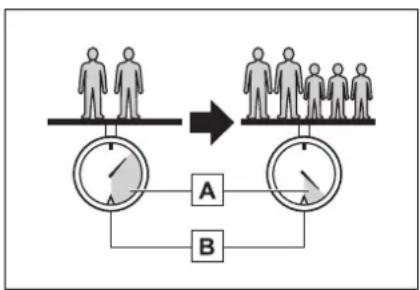
flowchart
graph TD
    A["Human figures"] --> B["Group of people"]
    B --> C["Two circular gauges labeled A and B"]
    C --> D["Arrow indicating transformation or equivalence"]
A Cargo capacity
B Total load capacity (vehicle capacity weight) ( P.510)
When 2 people with the combined weight of A lb. (kg) are riding in your vehicle, which has a total load capacity (vehicle capacity weight) of B lb. (kg), the available amount of cargo and luggage load capacity will
be C lb. (kg) as follows:
B^2 lb. (kg) - A^1 lb. (kg) = C^*3 lb. (kg)
^*1 :A =Weight of people
^*2 :B =Total load capacity
^*3 :C = Available cargo and luggage load
In this condition, if 3 more passengers with the combined weight of D lb. (kg) get on, the available cargo and luggage load will be reduced E lb. (kg) as follows:
C lb. (kg) - D ^4 lb. (kg) = E ^5 lb. (kg)
*4:D = Additional weight of people
^*5 :E = Available cargo and luggage load
As shown in the example above, if the number of occupants increases, the cargo and luggage load will be reduced by an amount that equals the increased weight due to the additional occupants. In other words, if an increase in the number of occupants causes an excess of the total load capacity (combined weight of occupants plus cargo and luggage load), you must reduce the cargo and luggage on your vehicle.

WARNING
■Things that must not be carried in the luggage compartment
The following things may cause a fire if loaded in the luggage compartment:
●Receptacles containing gasoline
Aerosol cans
■Storage precautions
Observe the following precautions.
Failure to do so may prevent the pedals from being depressed properly, may block the driver's vision, or may result in items hitting the driver or passengers, possibly causing an accident.
● Stow cargo and luggage in the luggage compartment whenever possible.
- Do not stack cargo and luggage in the luggage compartment higher than the seatbacks.
- When you fold down the rear seats, long items should not be placed directly behind the front seats.
● Never allow anyone to ride in the luggage compartment. It is not designed for passengers. They should ride in their seats with their seat belts properly fastened.
- Do not place cargo or luggage in or on the following locations.
- At the feet of the driver
- On the front passenger or rear seats (when stacking items)
- On the luggage cover
- On the instrument panel
- On the dashboard
- Secure all items in the occupant compartment.
■Capacity and distribution
- Do not exceed the maximum axle weight rating or the total vehicle weight rating.

WARNING
Even if the total load of occupant's weight and the cargo load is less than the total load capacity, do not apply the load unevenly. Improper loading may cause deterioration of steering or braking control which may cause death or serious injury.
■When using a roof luggage carrier (vehicles with roof rails)
Observe the following precautions:
- Place the cargo so that its weight is distributed evenly between the front and rear axles.
- If loading long or wide cargo, never exceed the vehicle overall length or width. (→P.510)
● Before driving, make sure the cargo is securely fastened on the roof luggage carrier. - Loading cargo on the roof luggage carrier will make the center of gravity of the vehicle higher. Avoid high speeds, sudden starts, sharp turns, sudden braking or abrupt maneuvers, otherwise it may result in loss of control or vehicle rollover due to failure to operate this vehicle correctly and result in death or serious injury.
- If driving for a long distance, on rough roads, or at high speeds, stop the vehicle now and then during the trip to make sure the cargo remains in its place.
- Do not exceed 165 lb. (75 kg) cargo weight on the roof luggage carrier.

NOTICE
■When loading cargo
Be careful not to scratch the surface of the moon roof or panoramic moon roof.
Vehicle load limits
Vehicle load limits include total load capacity, seating capacity, trailer weight rating and cargo capacity.
● Total load capacity (vehicle capacity weight): →P.510
Total load capacity means the combined weight of occupants, cargo and luggage.
- Seating capacity: →P.510
Seating capacity means the maximum number of occupants whose estimated average weight is 150 lb. (68 kg) per person.
● TWR (Trailer Weight Rating): →P.206, 510
TWR means the maximum gross trailer weight (trailer weight plus its cargo weight) that your vehicle is able to tow.
- Cargo capacity
Cargo capacity may increase or decrease depending on the weight and the number of occupants.
■ Total load capacity and seating capacity
These details are also described on the tire and loading information label. (→P.436)

WARNING
■Overloading the vehicle
Do not overload the vehicle. It may not only cause damage to the tires, but also degrade steering and braking ability, resulting in an accident.
Trailer towing
Your vehicle is designed primarily as a passenger-and-load-carrying vehicle. Towing a trailer can have an adverse impact on handling, performance, braking, durability, and fuel consumption. For your safety and the safety of others, you must not overload your vehicle or trailer. You must also ensure that you are using appropriate towing equipment, that the towing equipment has been installed correctly and used properly, and that you employ the requisite driving habits.
Vehicle-trailer stability and braking performance are affected by trailer stability, brake performance and setting, trailer brakes, the hitch and hitch systems (if equipped).
To tow a trailer safely, use extreme care and drive the vehicle in accordance with your trailer's characteristics and operating conditions.
Toyota warranties do not apply to damage or malfunction caused by towing a trailer for commercial purposes.
Contact your Toyota dealer for further information about additional requirements such as a towing kit, etc.
■ Matching trailer ball height to trailer coupler height
No matter which class of tow hitch applies, for a more safe trailer hookup, the trailer ball setup must be the proper height for the coupler on the trailer.
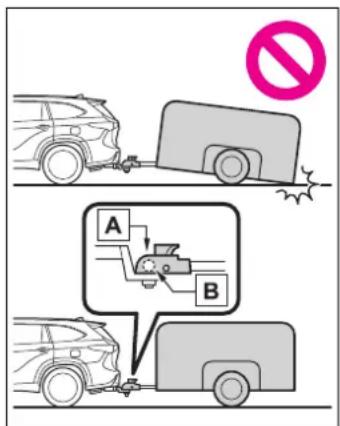

Coupler

Trailer ball
Before towing
Check that the following conditions are met:
- Ensure that your vehicle's tires are properly inflated. (→P.515)
- Trailer tires are inflated according to the trailer manufacturer's recommendation.
● All trailer lights work as required by law.
● All lights work each time you connect them.
●The trailer ball is set at the proper height for the coupler on the trailer.
●The trailer is level when it is hitched.
Do not drive if the trailer is not level, and check for improper tongue weight, overloading, worn suspension, or other possible causes.
●The trailer cargo is securely loaded.
●The rear view mirrors conform to all applicable federal, state/provincial or local regulations. If they do not, install rear view mirrors appropriate for towing purposes.
■Break-in schedule
If your vehicle is new or equipped with any new power train components (such as an engine, hybrid transmission, rear differential or wheel bearing), Toyota recommends that you do not tow a trailer until the vehicle has been driven for over 500 miles (800 km).
After the vehicle has been driven for over 500 miles (800 km), you can start towing. However, for the next 500 miles (800 km), drive the vehicle at a speed of less than 50 mph (80 km/h) when towing a trailer, and avoid full throttle acceleration.
Maintenance
- If you tow a trailer, your vehicle will require more frequent maintenance due to the additional load. (See “Scheduled Maintenance Guide” or “Owner’s Manual Supplement”.)
- Retighten the fixing bolts of the towing ball and bracket after approximately 600 miles (1000 km) of trailer towing.
■If trailer sway occurs
One or more factors (crosswinds, passing vehicles, rough roads, etc.) can adversely affect handling of your vehicle and trailer, causing instability.
- If trailer swaying occurs:
- Firmly grip the steering wheel. Steer straight ahead. Do not try to control trailer swaying by turning the steering wheel.
- Begin releasing the accelerator pedal immediately but very gradually to reduce speed. Do not increase speed. Do not apply vehicle brakes.
If you make no extreme correction with the steering or brakes, your vehicle and trailer should stabilize. (if enabled, Trailer Sway Control can also help to stabilize the vehicle and trailer.)
●After the trailer swaying has stopped:
- Stop in a safe place. Get all occupants out of the vehicle.
- Check the tires of the vehicle and the trailer.
- Check the load in the trailer. Make sure the load has not shifted. Make sure the tongue weight is appropriate, if possible.
- Check the load in the vehicle. Make sure the vehicle is not overloaded after occupants get in.
If you cannot find any problems, the speed at which trailer swaying occurred is beyond the limit of your particular vehicle-trailer combination. Drive at a lower speed to prevent instability. Remember that swaying of the towing vehicle-trailer increases as speed increases.

WARNING
■Trailer towing precautions
To tow a trailer safely, use extreme care and drive the vehicle in accordance with the trailer's characteristics and operating conditions. Failure to do so could cause an accident resulting in death or serious injury. Vehicle stability and braking performance are affected by trailer stability, brake setting and performance, and the hitch. Your vehicle will handle differently when towing a trailer.
■To avoid accident or injury
● Do not exceed the TWR, unbraked TWR, GCWR, GVWR or GAWR.
- If the gross trailer weight is over 2000 lb. (900 kg), a sway control device with sufficient capacity is required.
●Adjust the tongue weight within the appropriate range. Place heavier loads as close to the trailer axle as possible.
- Do not exceed 65 mph (104 km/h), the posted towing speed limit or the speed limit for your trailer as set forth in your trailer owner's manual, whichever is lowest. Slow down sufficiently before making a turn, in cross winds, on wet or slippery surface, etc. to help avoid an accident. If you experience a vehicle-trailer instability from reducing a certain speed, slow down and make sure you keep your vehicle speed under the speed of which you experience the instability.
- Do not make jerky, abrupt or sharp turns.
- Do not apply the brakes suddenly as you may skid, resulting in jackknifing and loss of vehicle control. This is especially true on wet or slippery surfaces.
- Do not exceed the trailer hitch assembly weight, gross vehicle weight, gross axle weight and trailer tongue weight capacities.
- Do not use the following systems when trailer towing.
• Dynamic radar cruise control with full-speed range
• LTA (Lane Tracing Assist)
• PCS (Pre-Collision System)
• BSM (Blind Spot Monitor)
● Slow down and downshift before descending steep or long downhill grades. Do not make sudden downshifts while descending steep or long downhill grades.
● Vehicle-trailer instability is more likely on steep long downhills. Before descending steep or long downhill grades, slow down and downshift. Do not make sudden downshifts when descending steep or long downhill grades. Avoid holding the brake pedal down too long or applying the brakes too frequently. This could cause the brakes to overheat and result in reduced braking efficiency.
- Do not tow a trailer when the compact spare tire is installed on your vehicle.
■When towing a trailer
Toyota recommends trailers with brakes that conform to any applicable federal and state/provincial regulations.

WARNING
- If the gross trailer weight exceeds unbraked TWR, trailer brakes are required. Toyota recommends trailers with brakes that conform to all applicable federal and state/provincial regulations.
- Never tap into your vehicle's hydraulic system, as this will lower the vehicle's braking effectiveness.
● Never tow a trailer without using a safety chain securely attached to both the trailer and the vehicle. If damage occurs to the coupling unit or hitch ball, there is danger of the trailer wandering into another lane.
Towing related terms
■GCWR (Gross Combination Weight Rating)
The maximum allowable gross combination weight. The gross combination weight is the sum of the total vehicle weight (including the occupants, cargo and any optional equipment installed on the vehicle) and the weight of the trailer being towed (including the cargo in the trailer).
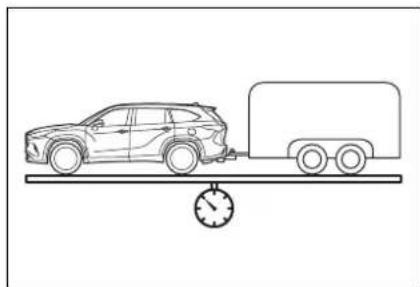
natural_image
Line drawing of a car on a platform with a speedometer, no text or symbols present■GVWR (Gross Vehicle Weight Rating)
The maximum allowable gross vehicle weight. The gross vehicle weight is the total weight of the vehicle. When towing a trailer, it is the sum of the vehicle weight (including the occupants, cargo and any optional equipment installed on the vehicle) and the tongue weight.
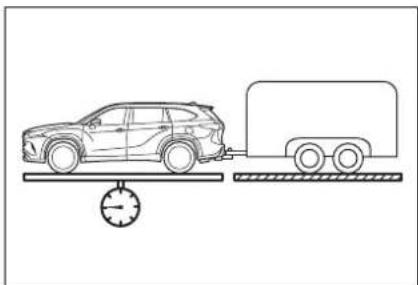
natural_image
Line drawing of a car on a balance scale with a truck nearby (no text or symbols)■ GAWR (Gross Axle Weight Rating)
The maximum allowable gross axle weight. The gross axle weight is the load placed on each axle (front and rear).
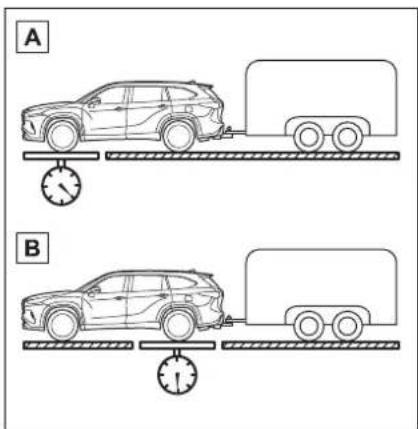
A Front GAWR
B Rear GAWR
■TWR (Trailer Weight Rating)
The maximum allowable gross trailer weight. The gross trailer weight is the sum of the trailer weight and the weight of the cargo in the trailer.
TWR is calculated assuming base vehicle with one driver, one front passenger, towing package (if available), hitch and hitch systems (if required).
Additional optional equipment, passengers and cargo in the vehicle will reduce the trailer weight rating so as not to exceed GCWR, GVWR and GAWR.
If the gross trailer weight exceeds 3000 lb. (1360 kg), it is recommended to use a trailer with 2 or more axles.
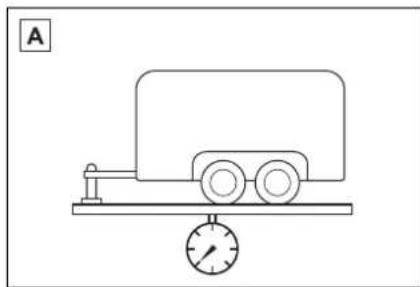
natural_image
Simple line drawing of a cart on a platform with a pressure gauge, no text or symbols presentA With brakes
■ Unbraked TWR (Unbraked Trailer Weight Rating)
The trailer weight rating for towing a trailer without a trailer service brake system.
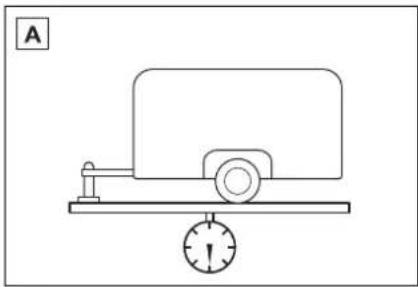
natural_image
Simple line drawing of a mechanical device with a scale and pointer, no text or symbols presentA Without brakes
■Tongue Weight
The load placed on the trailer hitch ball. (→P.206)
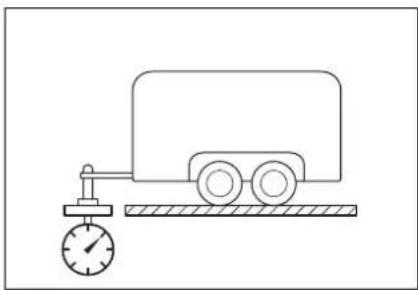
natural_image
Simple line drawing of a cart connected to a pressure gauge (no text or symbols)Weight limits
- The gross trailer weight must never exceed the TWR described in the table. (→P.206)
- The gross combination weight must never exceed the GCWR described in the table. (→P.206)
- The gross vehicle weight must never exceed the GVWR indicated on the Certification Label. (→P.510)
● The gross axle weight on each axle must never exceed the GAWR indicated on the
Certification Label. ( P.510)
- If the gross trailer weight is over the unbraked TWR, trailer service brakes are required.
- If the gross trailer weight is over 2000 lb. (900 kg), a sway control device with sufficient capacity is required.
GCWR, TWR and Unbraked TWR
Confirm that the gross trailer weight, gross combination weight, gross vehicle weight, gross axle weight and tongue weight are all within the limits.
■GCWR ^*1 and TWR ^*1
| Model code*2 | Engine | Driving system | GCWR TWR | |
| AXUH70L-ARXNHAAXUH70L-ARXMHAAXUH70L-ARXGHA | 2.5L L4 (A25A-FXS) engine | 2WD | 9460 lb.(4290 kg) | 3500 lb.(1590 kg) |
| AXUH78L-ARXNHAAXUH78L-ARXMHAAXUH78L-ARXGHA*2 | AWD | 9500 lb.(4310 kg) | ||
| AXUH78L-ARXGHA*4 | 9565 lb.(4340 kg) |
■Unbraked TWR \*1
1000 lb. (450 kg)
^1 : These models meet the tow-vehicle trailering requirement of SAE International per SAE J2807.
^2 : The model code is indicated on the Certification Label. ( P.510)
^*3 :For 7-seat models
*4: For 8-seat models
Trailer Tongue Weight
● A recommended tongue weight varies in accordance with the types of trailers or towing as described below.
- To ensure the recommended values shown below, the trailer must be loaded by referring to the following instructions.
- Tongue Weight
The gross trailer weight should be distributed so that the tongue weight is 9% to 11%.
(Tongue weight/Gross trailer weight x 100 = 9% to 11%)
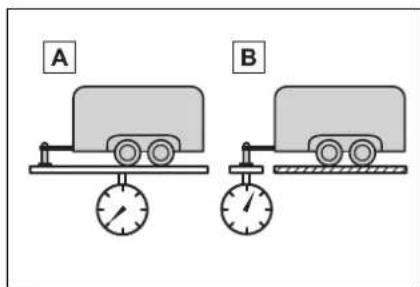
A Gross trailer weight
B Tongue weight
The gross trailer weight, gross axle weight and tongue weight can be measured with platform scales found at a highway weighing station, building supply company, trucking company, junk yard, etc.
Hitch
Trailer hitch assemblies have different weight capacities. Toyota recommends the use of Toyota hitch/bracket for your vehicle. For details, contact your Toyota dealer.
- If you wish to install a trailer hitch, contact your Toyota dealer.
- Use only a hitch that conforms to the gross trailer weight requirement of your vehicle.
- Follow the directions supplied by the hitch manufacturer.
● Lubricate the hitch ball with a light coating of grease.
- Remove the hitch ball whenever you are not towing a trailer. Remove the trailer hitch if you do not need it.
After removing the hitch, seal any mounting hole in the vehicle body to prevent entry of any substances into the vehicle.

WARNING
Hitch
Trailer hitch assemblies have different weight capacities established by the hitch manufacturer. Even though the vehicle may be physically capable of towing a higher weight, the operator must determine the maximum weight rating of the particular hitch assembly and never exceed the maximum weight rating specified for the trailer-hitch. Exceeding the maximum weight rating set by the trailer-hitch manufacturer can cause an accident resulting in death or serious personal injuries.

NOTICE
■When installing a trailer hitch
Use only the position recommended by your Toyota dealer. Do not install the trailer hitch on the bumper; this may cause body damage.
Selecting trailer ball
Use the correct trailer ball for your application.
| Trailer class | Typical trailer ball size |
| IV 2 5/16 in. | |
| II and III 2 in. | |
| I 1 7/8 in. |
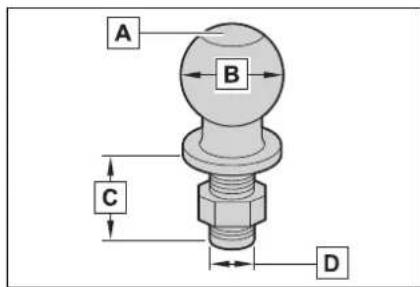
A Trailer ball load rating
Matches or exceeds the gross
trailer weight rating of the trailer.
B Ball diameter
Matches the size of the trailer coupler. Most couplers are stamped with the required trailer ball size.
C Shank length
Protrudes beyond the bottom of the lock washer and nut at least 2 threads.
D Shank diameter
Matches the ball mount hole diameter size.
Positions for towing hitch ball
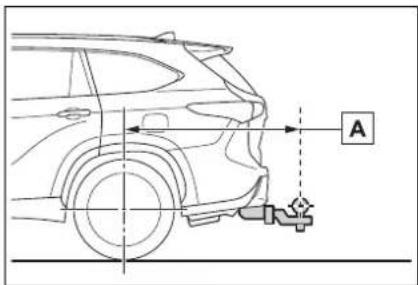
A Weight carrying ball position: 50.7 in. (1289 mm)
Connecting trailer lights
Use the wire harness stored in the rear end under body.
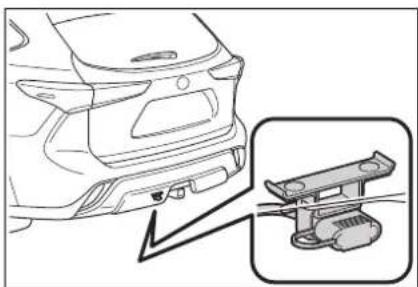
natural_image
Line drawing of a car rear bumper with an inset showing a mechanical component (no text or symbols)Please consult your dealer when installing trailer lights, as incorrect installation may cause damage to the vehicle's lights. Please take care to comply with your state's laws when installing trailer lights.
■Auto current cut-off function
In case of over current, the auto cut-off function stops the power flowing to the trailer lights to prevent damage to the vehicle's electrical system.
This function is activated when the rated current of any of the following trailer light circuit components is exceeded:
●Tail lights: maximum 4.5 A
- Stop/turn signal light (right): maximum 7.8 A
- Stop/turn signal light (left): maximum 4.5 A
■When the auto current cut function is activated
If a trailer light does not come on due to the activation of the auto current cut function, the light system will need to be reset.
Follow the reset procedure shown below.
- If a tail light does not come on, turn off the headlight switch.
- If the right-side stop/turn signal light does not come on, put the turn signal in the off position or remove foot from the brake pedal.
- If the left-side stop/turn signal light does not come on, put the turn signal in the off position or remove foot from the brake pedal.
If the emergency flashers do not operate, press the emergency flasher switch to turn them off.
After the light system is reset, operate the light switches again to see if the lights operate normally.
If the lights do not operate normally, have the vehicle inspected by your Toyota dealer.

NOTICE
■ Do not directly splice trailer lights
Do not directly splice trailer lights. Directly splicing trailer lights may damage your vehicle's electrical system and cause a malfunction.
Trailer towing tips
Your vehicle will handle differently when towing a trailer. Help to avoid an accident, death or serious injury, keep the following in mind when towing:
● Speed limits for towing a trailer vary by state or province. Do not exceed the posted towing speed limit.
- Toyota recommends that the vehicle-trailer speed limit is 65 mph (104 km/h) on a flat, straight, dry road. Do not exceed this limit, the posted towing speed limit or the speed limit for your trailer as set forth in your trailer owner's manual, whichever is lowest. Instability of the towing vehicle-trailer combination (trailer sway) increases as speed increases. Exceeding speed limits may cause loss of control.
- Before starting out, check the trailer lights, tires and the vehicle-trailer connections. Recheck after driving a short distance.
● Practice turning, stopping and reversing with the trailer attached in an area away from traffic until you become accustomed to the feel of the vehicle-trailer combination.
● Reversing with a trailer attached is difficult and
requires practice. Grip the bottom of the steering wheel and move your hand to the left to move the trailer to the left. Move your hand to the right to move the trailer to right. (This is generally opposite to reversing without a trailer attached.) Avoid sharp or prolonged turning. Have someone guide you when reversing to reduce the risk of an accident.
- As stopping distance is increased when towing a trailer, vehicle-to vehicle distance should be increased. For each 10 mph (16 km/h) of speed, allow at least one vehicle and trailer length.
- Avoid sudden braking as you may skid, resulting in the trailer jackknifing and a loss of vehicle control. This is especially true on wet or slippery surfaces.
- Avoid jerky starts or sudden acceleration.
- Avoid jerky steering and sharp turns, and slow down before making turn.
- Note that when making a turn, the trailer wheels will be closer than the vehicle wheels to the inside of the turn. Compensate by making a wider than normal turning radius.
- Slow down before making a
turn, in cross winds, on wet or slippery surfaces, etc. Increasing vehicle speed can destabilize the trailer.
● Take care when passing other vehicles. Passing requires considerable distance. After passing a vehicle, do not forget the length of your trailer, and be sure you have plenty of room before changing lanes.
- To maintain engine braking efficiency and charging system performance when using engine braking, do not put the transmission in D. If in the S mode, the hybrid transmission shift range position must be in 5 or lower. (→P.220)
- Instability happens more frequently when descending steep or long downhill grades. Before descending, slow down and downshift. Do not make sudden downshifts while descending steep or long downhill grades.
- Avoid holding the brake pedal down too long or applying the brakes too frequently. This could cause the brakes to overheat and result in reduced braking efficiency.
- Due to the added load of the trailer, your vehicle's engine may overheat on hot days (at temperatures over 85^ [30^] ) when driving up a long
or steep grade. If the engine coolant temperature gauge indicates overheating, immediately turn off the air conditioning (if in use), pull your vehicle off the road and stop in a safe spot. ( P.504)
- Always place wheel blocks under both the vehicle's and the trailer's wheels when parking. Put the transmission in P and apply the parking brake. Avoid parking on a slope, but if unavoidable, do so only after performing the following:
1 Apply the brakes and keep them applied.
2 Have someone place wheel blocks under both the vehicle's and trailer's wheels.
3 When the wheel blocks are in place, release the brakes slowly until the blocks absorb the load.
4 Shift into P and apply the parking brake.
5 Turn off the hybrid system.
- When restarting after parking on a slope:
1 With the transmission in P, start the hybrid system. Be sure to keep the brake pedal depressed.
2 Shift into a forward gear. If reversing, shift into R.
3 If the parking brake is in manual mode, release the parking brake. (→P.224)
4 Release the brake pedal, and slowly pull or back away from the wheel blocks. Stop and apply the brakes.
5 Have someone retrieve the blocks.
Dinghy towing
Your vehicle is not designed to be dinghy towed (with 4 wheels on the ground) behind a motor home.

NOTICE
■To avoid serious damage to your vehicle
Do not tow your vehicle with the 4 wheels on the ground.
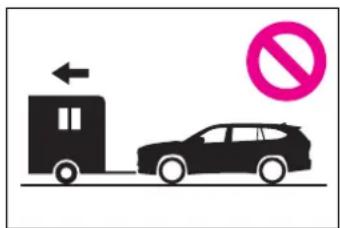
■To prevent causing serious damage to the hybrid transmission and Hybrid AWD system
Never tow this vehicle with any of the wheels on the ground. This may cause serious damage to the hybrid transmission and Hybrid AWD system.
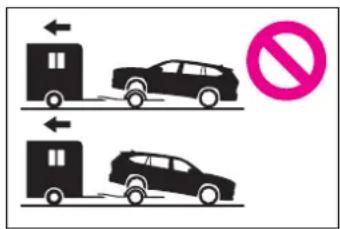
Power (ignition) switch
Performing the following operations when carrying the electronic key on your person starts the hybrid system or changes power switch modes.
Starting the hybrid sys- tem
1 Check that the parking brake is set.
2 Check that the shift lever is in P.
3 Firmly depress the brake pedal.

and a message will be displayed on the multi-information display.
If it is not displayed, the hybrid system cannot be started.
4 Press the power switch shortly and firmly.
When operating the power switch, one short, firm press is enough. It is not necessary to press and hold the switch.
If the "READY" indicator turns on, the hybrid system will operate normally.
Continue depressing the brake pedal until the "READY" indicator is illuminated.
The hybrid system can be started
from any power switch mode.
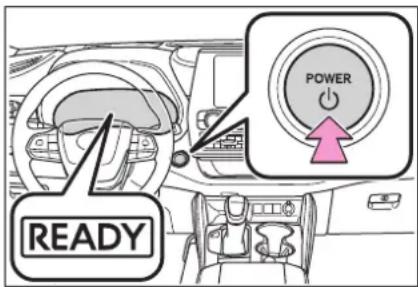
5 Check that the "READY" indicator is illuminated.
The vehicle will not move when the "READY" indicator is off.
■If the hybrid system does not start
●The immobilizer system may not have been deactivated. (→P.79) Contact your Toyota dealer.
- If a message related to start-up is shown on the multi-information display, read the message and follow the instructions.
■When the ambient temperature is low, such as during winter driving conditions
When starting the hybrid system, the flashing time of the "READY" indicator may be long. Leave the vehicle as it is until the "READY" indicator is steady on, as steady means the vehicle is able to move.
■Sounds and vibrations specific to a hybrid vehicle
$$ \rightarrow \mathrm{P}. 7 3 $$
If the 12-volt battery is discharged
The hybrid system cannot be started using the smart key system. Refer to P.498to restart the hybrid system.
Electronic key battery depletion
$$ \rightarrow \mathrm{P}. 1 2 8 $$
■Conditions affecting operation
→P.147
■Note for the entry function
→P.148
■Steering lock function
● After turning the power switch off and opening and closing the doors, the steering wheel will be locked due to the steering lock function. Operating the power switch again automatically cancels the steering lock.
- When the steering lock cannot be released, "Push Power Switch while Turning Steering Wheel in Either Direction" will be displayed on the multi-information display. Check that the shift lever is in P. Press the power switch shortly and firmly while turning the steering wheel left and right.
● To prevent the steering lock motor from overheating, operation of the motor may be suspended if the hybrid system is turned on and off repeatedly in a short period of time. In this case, refrain from operating the hybrid system. After about 10 seconds, the steering lock motor will resume functioning.
If the "READY" indicator does not come on
In the event that the "READY" indicator does not come on even after performing the proper procedures for starting the vehicle, contact your Toyota dealer immediately.
■If the hybrid system is malfunctioning
→P.78
Electronic key battery
→P.444
Operation of the power switch
- If the switch is not pressed shortly and firmly, the power switch mode may not change or the hybrid system may not start.
- If attempting to restart the hybrid system immediately after turning the power switch off, the hybrid system may not start in some cases. After turning the power switch off, please wait a few seconds before restarting the hybrid system.
Customization
If the smart key system has been deactivated in a customized setting, refer to P.496.

WARNING
■When starting the hybrid system
Always start the hybrid system while sitting in the driver's seat. Do not depress the accelerator pedal while starting the hybrid system under any circumstances. Doing so may cause an accident resulting in death or serious injury.
■Caution while driving
If hybrid system failure occurs while the vehicle is moving, do not lock or open the doors until the vehicle reaches a safe and complete stop. Activation of the steering lock in this circumstance may lead to an accident, resulting in death or serious injury.

NOTICE
■When starting the hybrid system
If the hybrid system becomes difficult to start, have your vehicle checked by your Toyota dealer immediately.
■Symptoms indicating a malfunction with the power switch
If the power switch seems to be operating somewhat differently than usual, such as the switch sticking slightly, there may be a malfunction. Contact your Toyota dealer immediately.
Stopping the hybrid sys- tem
1 Stop the vehicle completely.
2 Set the parking brake ( P.224), and shift the shift lever to P.
Check the parking brake indicator is illuminated.
3 Press the power switch.
The hybrid system will stop, and the meter display will be extinguished.
4 Release the brake pedal and check that "ACCESSORY" or "IGNITION ON" is not shown on the multi-information display.
■Automatic hybrid system shut off feature
●The vehicle is equipped with a feature that automatically shuts off the hybrid system when the shift lever is in P with the hybrid system operating for an extended period.
●The hybrid system will automati-
cally shut off after approximately 1 hour if it has been left running while the shift lever is in P.
● The timer for the automatic hybrid system shut off feature will reset if the brake pedal is depressed or if the shift lever is in a position other than P.
After the vehicle is parked, if the door is locked with the door lock switch (→P.134) from the inside or the mechanical key from the outside, the automatic hybrid system shut off feature will be disabled. The timer for the automatic hybrid system shut off feature will be re-enabled if the driver's door is opened.

WARNING
■ Stopping the hybrid system in an emergency
- If you want to stop the hybrid system in an emergency while driving the vehicle, press and hold the power switch for more than 2 seconds, or press it briefly 3 times or more in succession. (→P.458) However, do not touch the power switch while driving except in an emergency. Turning the hybrid system off while driving will not cause loss of steering or braking control, however, power assist to the steering will be lost. This will make it more difficult to steer smoothly, so you should pull over and stop the vehicle as soon as it is safe to do so.
- If the power switch is operated while the vehicle is running, a warning message will be shown on the multi-information display and a buzzer sounds.

WARNING
● To restart the hybrid system after performing an emergency shutdown, shift the shift lever to N and then press the power switch.
When parking
Exhaust gases include harmful carbon monoxide (CO), which is colorless and odorless. Observe the following precautions.
Failure to do so may cause exhaust gases to enter the vehicle and may lead to an accident caused by light-headedness, or may lead to death or a serious health hazard.
- If the vehicle is in a poorly ventilated area or a closed area, such as a garage, stop the hybrid system.
- Do not leave the vehicle with the hybrid system operating for a long time. If such a situation cannot be avoided, park the vehicle in an open space and ensure that exhaust fumes do not enter the vehicle interior.
- Do not leave the hybrid system operating in an area with snow build-up, or where it is snowing. If snowbanks build up around the vehicle while the hybrid system is operating, exhaust gases may collect and enter the vehicle.
Changing power switch modes
Modes can be changed by pressing the power switch with brake pedal released. (The mode changes each time the switch is pressed.)
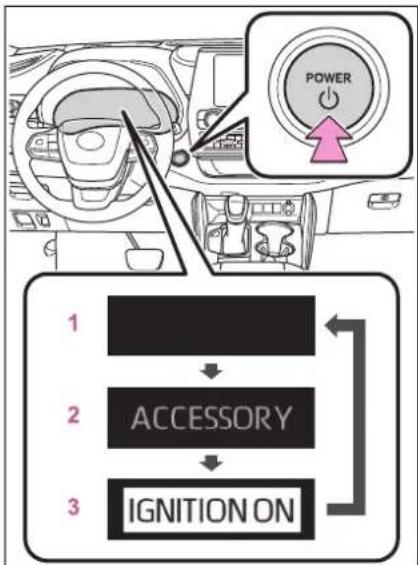
flowchart
graph TD
    A["Driver"] --> B["Power Switch"]
    B --> C["1: Accessory"]
    B --> D["2: IGNITION ON"]
    B --> E["3: Power Switch"]
1 OFF\*
The emergency flashers can be used.
2 ACC
Some electrical components such as the audio system can be used.
"ACCESSORY" will be displayed on the multi-information display.
3 ON
All electrical components can be used.
"IGNITION ON" will be displayed on the multi-information display.
*: If the shift lever is in a position other than P when turning off the hybrid system, the power switch will be turned to ACC, not to OFF.
■Auto power off function
If the vehicle is left in ACC for more than 20 minutes or ON (the hybrid system is not operating) for more than an hour with the shift lever in P, the power switch will automatically turn off. However, this function can-
not entirely prevent 12-volt battery discharge. Do not leave the vehicle with the power switch in ACC or ON for long periods of time when the hybrid system is not operating.

NOTICE
■To prevent 12-volt battery discharge
- Do not leave the power switch in ACC or ON for long periods of time without the hybrid system on.
- If "ACCESSORY" or "IGNITION ON" is displayed on the multi-information display, the power switch is not off. Exit the vehicle after turning the power switch off.
When stopping the hybrid system with the shift lever in a position other than P
If the hybrid system is stopped with the shift lever in a position other than P, the power switch will not be turned off but instead be turned to ACC. Perform the following procedure to turn the switch off:
1 Check that the parking brake is set.
2 Shift the shift lever to P.
3 Check that "ACCESSORY" is displayed on the multi-information display and press the power switch shortly and firmly.
4 Check that "ACCESSORY" or "IGNITION ON" on the
multi-information display are off.

NOTICE
■To prevent 12-volt battery discharge
Do not stop the hybrid system when the shift lever is in a position other than P. If the hybrid system is stopped in another shift lever position, the power switch will not be turned off but instead be turned to ACC. If the vehicle is left in ACC, 12-volt battery discharge may occur.
EV drive mode
In EV drive mode, electric power is supplied by the hybrid battery (traction battery), and only the electric motor (traction motor) is used to drive the vehicle.
This mode allows you to drive in residential areas early in the morning and late at night, or in indoor parking lots, etc., without concern for noises and gas emissions.
However, when the Acoustic Vehicle Alerting System is active, the vehicle may produce sound.
Operating instructions
Turns EV drive mode on/off
When EV drive mode is turned on, the EV drive mode indicator will come on. Pressing the switch when in EV drive mode will return the vehicle to normal driving (using the gasoline engine and electric motor [traction motor]).
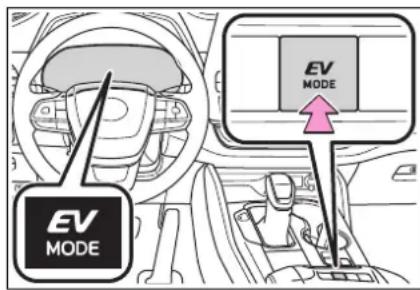
■ Situations in which EV drive mode cannot be turned on
It may not be possible to turn EV drive mode on in the following situations. If it cannot be turned on, a buzzer will sound and a message will be shown on the multi-information display.
● The temperature of the hybrid system is high.
The vehicle has been left in the sun, driven on a hill, driven at high speeds, etc.
● The temperature of the hybrid system is low.
The vehicle has been left in temperatures lower than about 32^ F ( 0^ C) for a long period of time, etc.
●The gasoline engine is warming up.
● The hybrid battery (traction battery) is low.
The remaining battery level indicated in the energy monitor display is low. (→P.117)
● Vehicle speed is high.
●The accelerator pedal is depressed firmly or the vehicle is on a hill, etc.
●The windshield defogger is in use.
■Switching to EV drive mode when the gasoline engine is cold
If the hybrid system is started while the gasoline engine is cold, the gasoline engine will start automatically after a short period of time in order to warm up. In this case, you will become unable to switch to EV drive mode.
After the hybrid system has started and the "READY" indicator has illuminated, press the EV drive mode switch before the gasoline engine starts to switch to EV drive mode.
■Automatic cancelation of EV drive mode
When driving in EV drive mode, the gasoline engine may automatically restart in the following situations. When EV drive mode is canceled, a buzzer will sound, the EV drive mode indicator will go off after flashing, and a message is displayed on the multi-information display.
● The hybrid battery (traction battery) becomes low. The remaining battery level indicated in the energy monitor display is low. (→P. 117)
● Vehicle speed is high.
●The accelerator pedal is depressed firmly or the vehicle is on a hill, etc.
■Possible driving distance when driving in EV drive mode
EV drive mode's possible driving distance ranges from a few hundred meters to approximately 0.6 mile (1 km). However, depending on vehicle conditions, there are situations when EV drive mode cannot be used.
(The distance that is possible depends on the hybrid battery [traction battery] level and driving conditions.)
Fuel economy
The hybrid system is designed to achieve the best possible fuel economy during normal driving (using the gasoline engine and electric motor [traction motor]). Driving in EV drive mode more than necessary may lower fuel economy.
If "EV Mode Unavailable" is shown on the multi-information display
The EV drive mode is not available. The reason the EV drive mode is not available (the vehicle is idling, battery charge is low, vehicle speed is higher than the EV drive mode operating speed range or accelerator pedal is depressed too much)
may be displayed. Use the EV drive mode when it becomes available.
If "EV Mode Deactivated" is shown on the multi-information display
The EV drive mode has been automatically canceled. The reason the EV drive mode is not available (the battery charge is low, vehicle speed is higher than the EV drive mode operating speed range or accelerator pedal is depressed too much) may be displayed. Drive the vehicle for a while before attempting to turn on the EV drive mode again.

WARNING
■Caution while driving
When driving in EV drive mode, pay special attention to the area around the vehicle. Because there is no engine noise, pedestrians, people riding bicycles or other people and vehicles in the area may not be aware of the vehicle starting off or approaching them, so take extra care while driving. Therefore, take extra care while driving even if the acoustic vehicle alerting system is active.
Hybrid transmission
Select the shift position depending on your purpose and situation.
Shift position purpose and functions
| Shift position | Objective or function |
| P | Parking the vehicle/starting the hybrid system |
| R Reversing | |
| N Neutral | |
| D | Normal driving*1 |
| S | S mode driving*2(→P.222) |
^*1 :To improve fuel efficiency and reduce noise, shift the shift lever to D for normal driving.
^*2 :By selecting shift ranges using S mode, you can control accelerating force and engine braking force.
■When driving with dynamic radar cruise control with full-speed range activated
Even when switching the driving mode to sport mode with the intent of enabling engine braking, engine braking will not activate because dynamic radar cruise control with full-speed range will not be canceled.
■ Restraining sudden start (Drive-Start Control)
→P.191

WARNING
■When driving on slippery road surfaces
Be careful of downshifting and sudden acceleration, as this could result in the vehicle skidding to the side or spinning.

NOTICE
■ Hybrid battery (traction battery) charge
If the shift lever is in N, the hybrid battery (traction battery) will not be charged even when the engine is running. Therefore, if the vehicle is left with the shift lever in N for a long period of time, the hybrid battery (traction battery) will discharge, and this may result in the vehicle not being able to start.
Shifting the shift lever
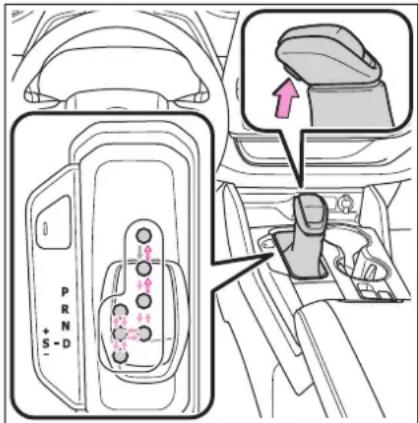
←: While the power switch is in ON and the brake pedal depressed*, shift the shift lever while pushing the shift release button on the shift knob.
←: Shift the shift lever while
pushing the shift release button on the shift knob.
←: Shift the shift lever normally.
When shifting the shift lever between P and D, make sure that the vehicle is completely stopped and the brake pedal is depressed.
*: For the vehicle to be able to be shifted from P, the brake pedal must be depressed before the shift release button is pushed. If the shift release button is pushed first, the shift lock will not be released.
Shift lock system
The shift lock system is a system to prevent accidental operation of the shift lever in starting.
The shift lever can be shifted from P only when the power switch is in ON and the brake pedal is being depressed.
■If the shift lever cannot be shifted from P
First, check whether the brake pedal is being depressed.
If the shift lever cannot be shifted with your foot on the brake pedal, there may be a problem with the shift lock system. Have the vehicle inspected by your Toyota dealer immediately.
The following steps may be used as an emergency measure to ensure that the shift lever can be shifted.
Releasing the shift lock:
1 Turn the power switch to ON and check that the parking brake is set. (→P.216, 224)
2 Turn the power switch to off.
3 Depress the brake pedal.
4 Pry the cover up with a flathead screwdriver or equivalent tool.
To prevent damage to the cover,
cover the tip of the screwdriver with a rag.
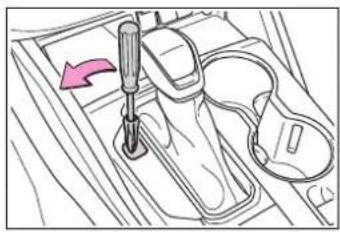
natural_image
Line drawing of a sewing machine needle stitching fabric, with no text or symbols present5 Press and hold the shift lock override button.
The shift lever can be shifted while both buttons are pressed.
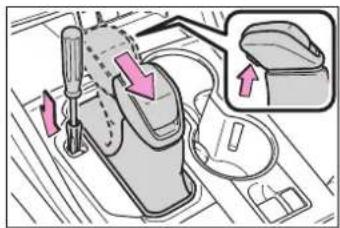

WARNING
■To prevent an accident when releasing the shift lock
Before pressing the shift lock override button, make sure to set the parking brake and depress the brake pedal.
If the accelerator pedal is accidentally depressed instead of the brake pedal when the shift lock override button is pressed and the shift lever is shifted out of P, the vehicle may suddenly start, possibly leading to an accident resulting in death or serious injury.
Selecting the driving mode
→P.322
Changing shift ranges in S mode
When the shift lever is in the S position, the shift lever can be operated as follows:
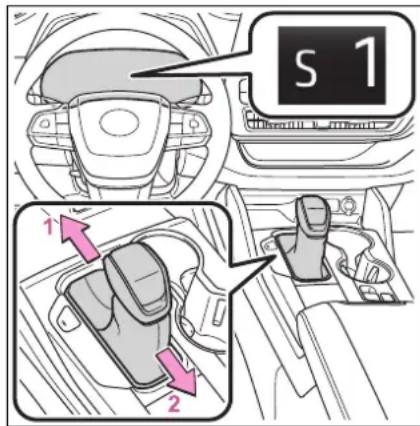
1 Upshifting
2 Downshifting
The selected shift range, from S1 to S6, will be displayed on the multi-information display.
The initial shift range in S mode is set automatically to S4 or S5 according to vehicle speed.
S mode
●You can choose from 6 levels of accelerating force and engine braking force.
● A lower shift range will provide greater accelerating force and engine braking force than a higher shift range, and the engine revolutions will also increase.
● To prevent the engine from over-revving, upshifting may automatically occur when the shift range is 4 or lower.
- When the shift range is 4 or lower, holding the shift lever toward “+”
sets the shift range to 6.
■Downshifting restrictions warning buzzer
To help ensure safety and driving performance, downshifting operation may sometimes be restricted. In some circumstances, downshifting may not be possible even when the shift lever is operated. (A buzzer will sound twice.)
If the S indicator does not come on or the D indicator is displayed even after shifting the shift lever to S
This may indicate a malfunction in the hybrid transmission system. Have the vehicle inspected by your Toyota dealer immediately. (In this situation, the hybrid transmission will operate in the same manner as when the shift lever is in D.)
Turn signal lever
Operating instructions
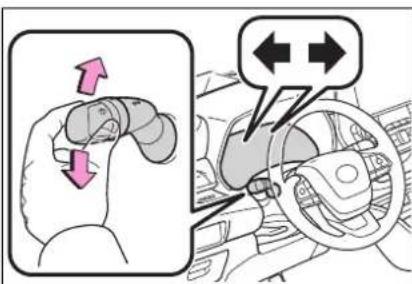
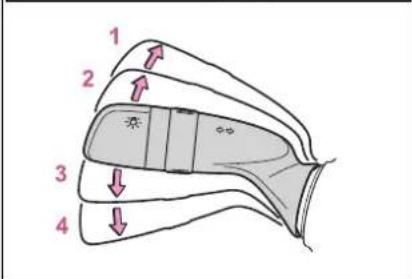
1 Right turn
2 Lane change to the right (move the lever partway and release it)
The right hand signals will flash 3 times.
3 Lane change to the left (move the lever partway and release it)
The left hand signals will flash 3 times.
4 Left turn
■Turn signals can be operated when
The power switch is in ON.
If the indicator flashes faster than usual
Check that a light bulb in the front or rear turn signal lights has not
burned out.
Parking brake
The parking brake can be set or released automatically or manually.
In automatic mode, the parking brake can be set or released automatically according to the shift lever operation. Also, even in automatic mode, the parking brake can be set or released manually.
Operating instructions
■Using the manual mode
The parking brake can be set and released manually.
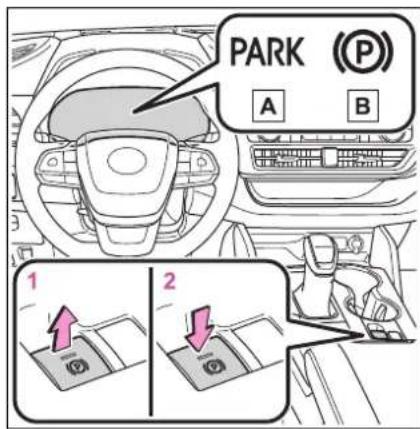
A U.S.A.
B Canada
1 Pull the switch to set the parking brake
The parking brake indicator light and parking brake light will turn on.
Pull and hold the parking brake switch if an emergency occurs and it is necessary to operate the parking brake while driving.
2 Push the switch to release the parking brake
- Operate the parking brake switch while depressing the brake pedal.
- Parking brake automatic release function (→P.225)
Make sure that the parking brake indicator light and parking brake light turn off.
If the parking brake indicator light and parking brake light flashes, operate the switch again. (→P.473)
■Turns automatic mode on
While the vehicle is stopped, pull and hold the parking brake switch until a "EPB Shift Interlock Function Activated" is shown on the multi-information display.
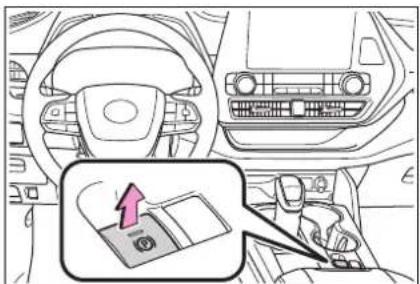
natural_image
Interior view of a car dashboard and steering wheel, showing steering wheel, dashboard, and seatbelt (no text or symbols)When the automatic mode is turned on, the parking brake operates as follows.
- When the shift lever is moved out of P, the parking brake will be released, and the parking brake indicator light and parking brake light turn off.
- When the shift lever is moved into P, the parking brake will be set, and the parking brake indicator light and parking brake light turn on.
Operate the shift lever with the brake pedal depressed.
■Turns automatic mode off
While the vehicle is stopped, press and hold the parking brake switch until a "EPB Shift Interlock Function Deactivated" is shown on the multi-information display.
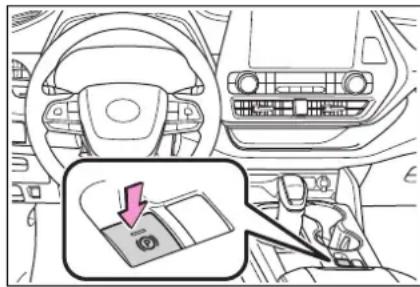
■Parking brake operation
- When the power switch is not in ON, the parking brake cannot be released using the parking brake switch.
- When the power switch is not in ON, automatic mode (automatic brake setting and releasing) is not available.
■ Parking brake automatic release function
The parking brake will be released automatically when the accelerator pedal is slowly depressed under the following conditions:
●The driver's door is closed
●The driver is wearing the seat belt
●The shift lever is in a forward or
reverse position.
●The malfunction indicator lamp or brake system warning light is not illuminated
If the automatic release function does not operate, release the parking brake manually.
If "Parking Brake Temporarily Unavailable" is displayed on the multi-information display
If the parking brake is operated repeatedly over a short period of time, the system may restrict operation to prevent overheating. If this happens, refrain from operating the parking brake. Normal operation will return after about 1 minute.
If "Parking Brake Unavailable" is displayed on the multi-information display
Operate the parking brake switch. If the message does not disappear after operating the switch several times, the system may be malfunctioning. Have the vehicle inspected by your Toyota dealer immediately.
■Parking brake operation sound
When the parking brake operates, a motor sound (whirring sound) may be heard. This does not indicate a malfunction.
■Parking brake indicator light and parking brake light
● Depending on the power switch mode, the parking brake indicator light and parking brake light will turn on and stay on as described below:
ON: Comes on until the parking brake is released. Not in ON: Stays on for approximately 15 seconds.
- When the power switch is turned off with the parking brake set, the parking brake indicator light and parking brake light will stay on for about 15 seconds. This does not indicate a malfunction.
■When the parking brake switch malfunctions
Automatic mode (automatic brake setting and releasing) will be turned on automatically.
Parking the vehicle
→P.190
■ Parking brake engaged warning buzzer
A buzzer will sound if the vehicle is driven with the parking brake engaged. "Parking Brake ON" is displayed on the multi-information display.
■Warning messages and buzzers
Warning messages and buzzers are used to indicate a system malfunction or to inform the driver of the need for caution. If a warning message is shown on the multi-information display, read the message and follow the instructions.
■If the brake system warning light comes on
→P.466
■Usage in winter time
→P.333

WARNING
■When parking the vehicle
Do not leave a child in the vehicle alone. The parking brake may be released unintentionally and there is the danger of the vehicle moving that may lead to an accident resulting in death or serious injury.
Parking brake switch
Do not set any objects near the parking brake switch. Objects may interfere with the switch and may lead the parking brake to unexpectedly operate.

NOTICE
■When parking the vehicle
Before you leave the vehicle, shift the shift lever to P, set the parking brake and make sure that the vehicle does not move.
■When the system malfunctions
Stop the vehicle in a safe place and check the warning messages.
■When the parking brake cannot be released due to a malfunction
Driving the vehicle with the parking brake set will lead to brake components overheating, which may affect braking performance and increase brake wear.
Have the vehicle inspected by your Toyota dealer immediately if this occurs.
Brake Hold
The brake hold system keeps the brake applied when the shift lever is in D, S or N with the system on and the brake pedal has been depressed to stop the vehicle. The system releases the brake when the accelerator pedal is depressed with the shift lever in D or S to allow smooth start off.
Enabling the system
Turns the brake hold system on The brake hold standby indicator (green) ☐ comes on. While the system is holding the brake, the brake hold operated indicator (yellow) ☐ comes on.
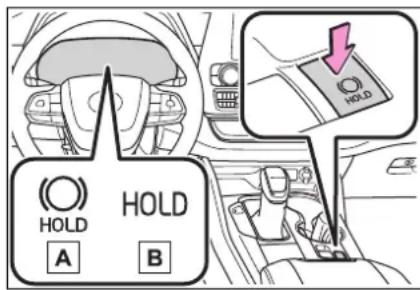
■ Brake hold system operating conditions
The brake hold system cannot be turned on in the following conditions:
- The driver's door is not closed.
●The driver is not wearing the seat belt.
●The parking brake is engaged. If any of the conditions above are detected when the brake hold system is enabled, the system will turn off and the brake hold standby indicator light will go off. In addition, if any of the conditions are detected while the system is holding the brake, a warning buzzer will sound and a message will be shown on the multi-information display. The parking brake will then be set automatically.
■Brake hold function
- If the brake pedal is left released for a period of about 3 minutes after the system has started holding the brake, the parking brake will be set automatically. In this case, a warning buzzer sounds and a message is shown on the multi-information display.
● To turn the system off while the system is holding the brake, firmly depress the brake pedal and press the button again.
● The brake hold function may not hold the vehicle when the vehicle is on a steep incline. In this situation, it may be necessary for the driver to apply the brakes. A warning buzzer will sound and the multi-information display will inform the driver of this situation. If a warning message is shown on the multi-information display, read the message and follow the instructions.
■When the parking brake is set automatically while the system is holding the brakes
Perform any of the following operations to release the parking brake.
●Depress the accelerator pedal. (The parking brake will not be released automatically if the seat belt is not fastened.)
●Operate the parking brake switch with the brake pedal depressed.
Make sure that the parking brake
indicator light goes off. (→P.224)
■When an inspection at your Toyota dealer is necessary
When the brake hold standby indicator (green) does not illuminate even when the brake hold switch is pressed with the brake hold system operating conditions met, the system may be malfunctioning. Have the vehicle inspected at your Toyota dealer.
If “Brake Hold Malfunction Press Brake to Deactivate Visit Your Dealer” or “Brake Hold Malfunction Visit Your Dealer” is displayed on the multi-information display
The system may be malfunctioning. Have the vehicle inspected by your Toyota dealer.
■Warning messages and buzzers
Warning messages and buzzers are used to indicate a system malfunction or to inform the driver of the need for caution. If a warning message is shown on the multi-information display, read the message and follow the instructions.
■If the brake hold operated indicator flashes
→P.473

WARNING
■When the vehicle is on a steep incline
When using the brake hold system on a steep incline, exercise caution. The brake hold function may not hold the vehicle in such a situation.
■When stopped on a slippery road
The system cannot stop the vehicle when the gripping ability of the tires has been exceeded. Do not use the system when stopped on a slippery road.

NOTICE
■When parking the vehicle
The brake hold system is not designed for use when parking the vehicle for a long period of time. Turning the power switch off while the system is holding the brake may release the brake, which would cause the vehicle to move. When operating the power switch, depress the brake pedal, shift the shift lever to P and set the parking brake.
Headlight switch
The headlights can be operated manually or automatically.
Operating instructions
Operating the switch turns on the lights as follows:
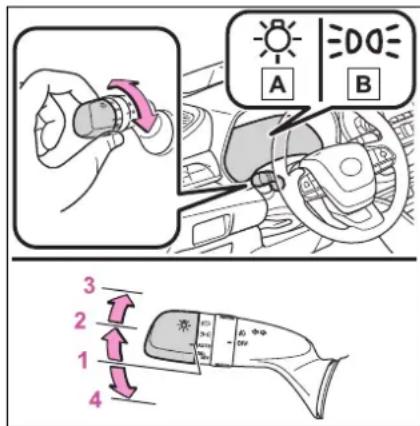
A U.S.A.
B Canada
1 The headlights, daytime running lights ( P.229) and all the lights listed below turn on and off automatically. (When the power switch is in ON.)
2 The side marker, parking, tail, license plate, instrument panel lights, and daytime running lights ( P.229) turn on.
3 The headlights and all
lights listed above (except daytime running lights) turn on.
4 (U.S.A.) Off
■Daytime running light system
● Vehicles without projector headlights: The daytime running lights illuminate using the same lights as the low beam headlights and illuminate dimmer than the low beam headlights.
● Vehicles with projector headlights: The daytime running lights illuminate using the same lights as the parking lights and illuminate brighter than the parking lights.
● To make your vehicle more visible to other drivers during daytime driving, the daytime running lights turn on automatically when all of the following conditions are met. (The daytime running lights are not designed for use at night.)
• The hybrid system is started
• The parking brake is released
- The headlight switch is in the ≥slant000 or AUTO * position
*: When the surroundings are bright
The daytime running lights remain on after they illuminate, even if the parking brake is set again.
●For the U.S.A.: Daytime running lights can be turned off by operating the switch.
- Compared to turning on the headlights, the daytime running light system offers greater durability and consumes less electricity, so it can help improve fuel economy.
■Headlight control sensor
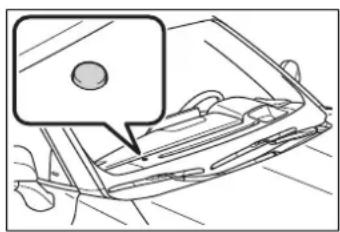
natural_image
Line drawing of a car's front panel with a speech bubble (no text or symbols)The sensor may not function properly if an object is placed on the sensor, or anything that blocks the sensor is affixed to the windshield. Doing so interferes with the sensor detecting the level of ambient light and may cause the automatic headlight system to malfunction.
■Automatic light off system
- When the headlights are on: The headlights and tail lights turn off 30 seconds after a door is opened and closed if the power switch is turned to ACC or OFF. (The lights turn off immediately if 📄 in the key is pressed after all the doors are closed.)
- When only the tail lights are on: The tail lights turn off automatically if the power switch is turned to ACC or OFF and the driver's door is opened.
Except for Canada: To turn the lights on again, turn the power switch to ON, or turn the light switch off once
and then back to 30f . 3D
For Canada: To turn the lights on again, turn the power switch to ON, or turn the light switch to AD/once
and then back to 304.
■ Automatic headlight leveling system (if equipped)
The level of the headlights is automatically adjusted according to the number of passengers and the loading condition of the vehicle to ensure that the headlights do not
interfere with other road users.
Light reminder buzzer
A buzzer sounds when the power switch is turned off or turned to ACC and the driver's door is opened while the lights are turned on.
■Welcome lighting
The parking lights and tail lights automatically turn on at night when the doors are unlocked using the entry function or wireless remote control if the light switch is in the
AUTO position.
■Windshield wiper linked head-light illumination
When driving during daytime with the headlight switch turned to _u to the windshield wipers are used, the headlights will turn on automatically after several seconds to help enhance the visibility of your vehicle.
■12-volt battery-saving function
In order to prevent the 12-volt battery of the vehicle from discharging, if the headlights and/or tail lights are on when the power switch is turned off the 12-volt battery-saving function will operate and automatically turn off all the lights after approximately 20 minutes. When the power switch is turned to ON, the 12-volt battery-saving function will be disabled.
When any of the following are performed, the 12-volt battery-saving function is canceled once and then reactivated. All the lights will turn off automatically 20 minutes after the 12-volt battery-saving function has been reactivated:
- When the headlight switch is operated
●When a door is opened or closed
Customization
Some functions can be customized. ( P.530)

NOTICE
■To prevent 12-volt battery discharge
Do not leave the lights on longer than necessary when the hybrid system is off.
Turning on the high beam headlights
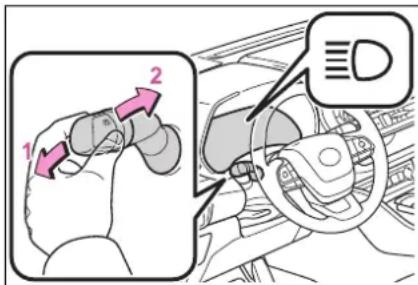
1 With the headlights on, push the lever away from you to turn on the high beams.
Pull the lever toward you to the center position to turn the high beams off.
2 Pull the lever toward you and release it to flash the high beams once.
You can flash the high beams with the headlights on or off.
AFS (Adaptive Front-lighting System) (if equipped)
AFS (Adaptive Front-lighting System) secures excellent visibility at intersections and on curves by automatically adjusting the direction of the light axis of the headlights according to vehicle speed and the degree of
the tire's angle as controlled by steering input.
AFS operates at speeds of 6 mph (10 km/h) or higher.
Customization
Some functions can be customized. ( P.530)
Automatic High Beam
The Automatic High Beam uses a camera sensor located behind the upper portion of the windshield to assess the brightness of the lights of vehicles ahead, streetlights, etc., and automatically turns the high beams on or off as necessary.

WARNING
■Limitations of the Automatic High Beam
Do not overly rely on the Automatic High Beam. Always drive safely, taking care to observe your surroundings and turning the high beams on or off manually if necessary.
■To prevent incorrect operation of the Automatic High Beam system
Do not overload the vehicle.
Activating the Automatic High Beam
1 Press the Automatic High Beam switch.
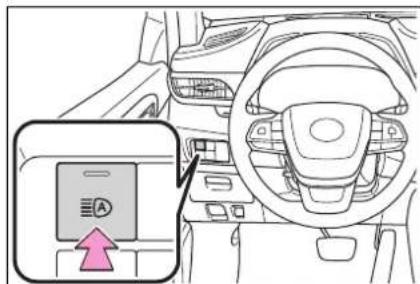
2 Push the lever away from you with the headlight switch in the Alop position.
The Automatic High Beam indicator will come on when the system is operating.
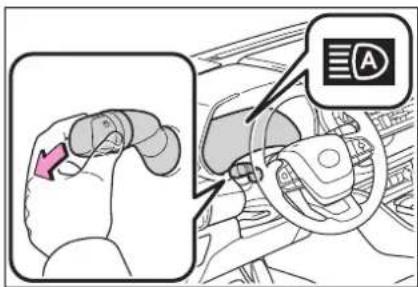
■ Conditions to turn the high beams on/off automatically
- When all of the following conditions are met, the high beams will be turned on automatically (after approximately 1 second):
- The vehicle speed is approximately 21 mph (34 km/h) or more.
- The area ahead of the vehicle is dark.
• There are no vehicles ahead with headlights or tail lights turned on.
• There are few streetlights on the road ahead.
- If any of the following conditions is met, the high beams will turn off automatically:
• The vehicle speed is below approximately 17 mph (27 km/h).
• The area ahead of the vehicle is not dark.
• Vehicles ahead have their headlights or tail lights turned on.
• There are many streetlights on the road ahead.
■ Camera sensor detection information
●The high beams may not be automatically turned off in the following situations:
- When a vehicle suddenly appears
from around a curve
- When the vehicle is cut in front of by another vehicle
- When vehicles ahead cannot be detected due to repeated curves, road dividers or roadside trees
- When vehicles ahead appear in a faraway lane on a wide road
- When the lights of vehicles ahead are not on
●The high beams may be turned off if a vehicle ahead that is using fog lights without its headlights turned on is detected.
● House lights, street lights, traffic signals, and illuminated billboards or signs and other reflective objects may cause the high beams to change to the low beams, or the low beams to remain on.
●The following factors may affect the amount of time taken for the high beams to turn on or off:
- The brightness of the headlights, fog lights, and tail lights of vehicles ahead
• The movement and direction of vehicles ahead
- When a vehicle ahead only has operational lights on one side
- When a vehicle ahead is a two-wheeled vehicle
- The condition of the road (gradient, curve, condition of the road surface, etc.)
• The number of passengers and amount of luggage in the vehicle
●The high beams may turn on or off unexpectedly.
●Bicycles or similar vehicles may not be detected.
In the following situations the system may not be able to correctly detect the surrounding brightness level. This may cause the low beams to remain on or the high beams to flash or dazzle pedestrians or vehicles ahead. In such a case, it is necessary to manually switch between the high and low beams.
- When driving in inclement weather (heavy rain, snow, fog, sandstorms, etc.)
- When the windshield is obscured by fog, mist, ice, dirt, etc.
- When the windshield is cracked or damaged
- When the camera sensor is deformed or dirty
- When the temperature of the camera sensor is extremely high
- When the surrounding brightness level is equal to that of headlights, tail lights or fog lights
- When headlights or tail lights of vehicles ahead are turned off, dirty, changing color, or not aimed properly
- When the vehicle is hit by water, snow, dust, etc. from a preceding vehicle
- When driving through an area of intermittently changing brightness and darkness
- When frequently and repeatedly driving ascending/descending roads, or roads with rough, bumpy or uneven surfaces (such as stone-paved roads, gravel roads, etc.)
- When frequently and repeatedly taking curves or driving on a winding road
- When there is a highly reflective object ahead of the vehicle, such as a sign or mirror
- When the back of a preceding vehicle is highly reflective, such as a container on a truck
- When the vehicle's headlights are damaged or dirty, or are not aimed properly
- When the vehicle is listing or titling due to a flat tire, a trailer being towed, etc.
- When the headlights are changed between the high beams and low beams repeatedly in an abnormal manner
- When the driver believes that the high beams may be flashing or dazzling pedestrians or other drivers
■ Temporarily lowering sensor sensitivity
The sensitivity of the sensor can be temporarily lowered.
1 Turn the power switch off while the following conditions are met.
●The headlight switch is in AOTO

● The headlight switch lever is in high beam position.
●Automatic High Beam switch is on.
2 Turn the power switch to ON.
3 Within 60 seconds after step 2, repeat pulling the headlight switch lever to the original position then pushing it to the high beam position quickly 10 times, then leave the lever in high beam position.
4 If the sensitivity is changed, the Automatic High Beam indicator is turn on and off 3 times.
Automatic High Beam (headlights) may turn on even when the vehicle is stopped.
Turning the high beams on/off manually
■Switching to the low beams
Pull the lever to its original position.
The Automatic High Beam indicator will turn off.
Push the lever away from you to activate the Automatic High Beam system again.
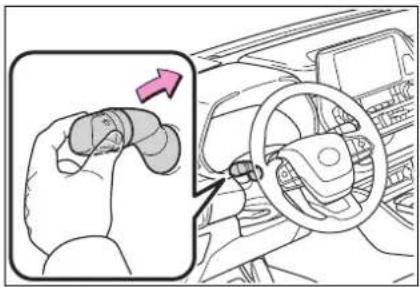
■Switching to the high beams
Press the Automatic High Beam switch.
The Automatic High Beam indicator will turn off and the high beam indicator will turn on.
Press the switch to activate the Automatic High Beam system again.
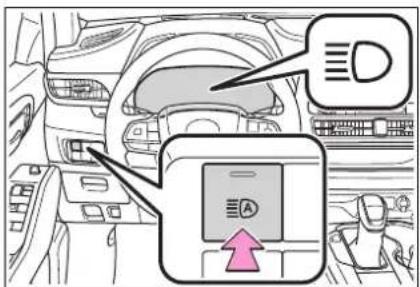
Fog light switch
The fog lights secure excellent visibility in difficult driving conditions, such as in rain and fog.
Operating instructions
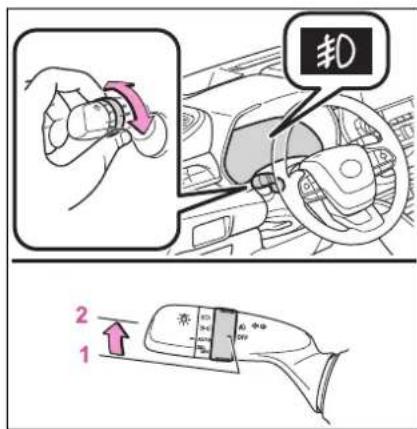
1 (UFS.A.) or (Canada)
Turns the fog lights off
2 Turns the fog lights on
■Fog lights can be used when
The headlights are on in low beam.
Windshield wipers and washer
Operating the lever can switch between automatic operation and manual operation, or can use the washer.
NOTICE
■When the windshield is dry
Do not use the wipers, as they may damage the windshield.
Operating the wiper lever
Operate the lever operates the wipers or washer as follows.
▶ Intermittent windshield wipers with interval adjuster
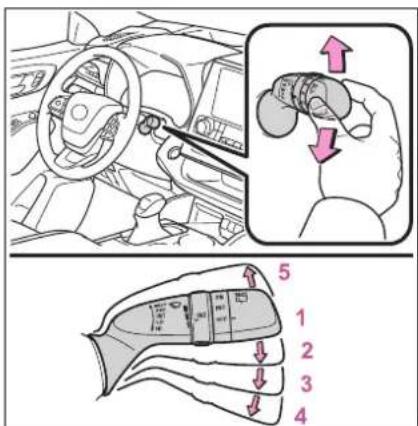
1 (U.S.A.) or (Canada) Off
2 (NTS.A.) or (Canada) Intermittent operation
3 (US.A.) or (Canada) Low speed operation
4 (HIS.A.) or (Canada) High speed operation
5 (U.S.A.) or (Canada) Temporary operation
Wiper intervals can be adjusted when intermittent operation is selected.
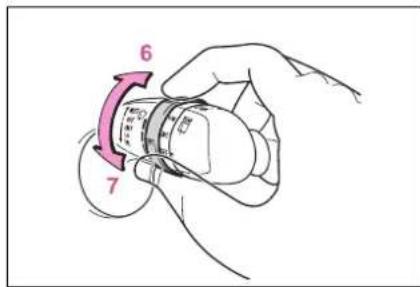
6 Increases the intermittent windshield wiper frequency
7 Decreases the intermittent windshield wiper frequency
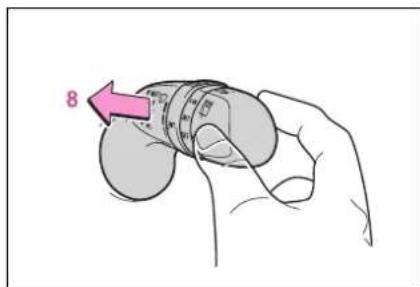
8 Washer/wiper dual operation
Pulling the lever operates the wipers and washer.
Wipers will automatically operate a couple of times after the washer squirts.
▶ Rain-sensing windshield wipers
When "AUTO" is selected, the wipers will operate automatically when the sensor detects falling rain. The system automatically adjusts wiper timing in accordance with rain volume and vehicle speed.
The sensor sensitivity can be adjusted when "AUTO" is selected.
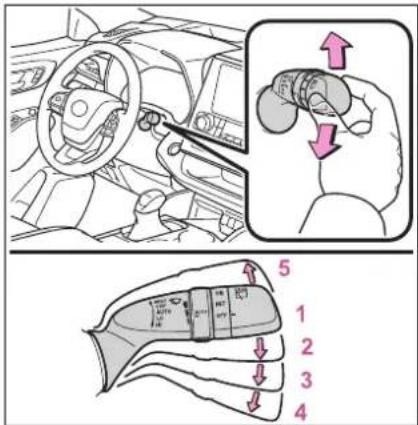
1 (U.S.A.) or (Canada) Off
2 Rain-sensing wiper operation
3 (LOS.A.) or (Canada) Low speed operation
4 (U.S.A.) or (Canada) High speed operation
5 (U.S.A.) or (Canada) Temporary operation
When AUTO mode is selected,
the sensor sensitivity can be adjusted by turning the switch ring.
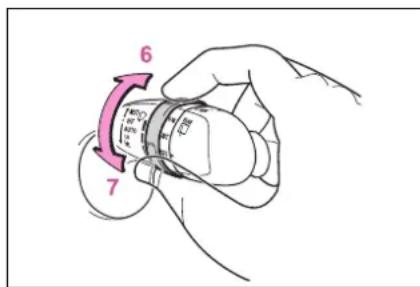
6 Increases the sensitivity
7 Decreases the sensitivity
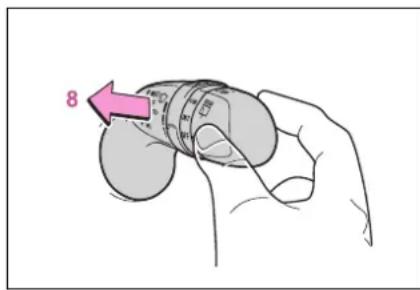
8 Washer/wiper dual operation
Pulling the lever operates the wipers and washer.
The wipers will automatically operate a couple of times after the washer squirts.
■The windshield wipers and washer can be operated when
The power switch is in ON.
■Dripping prevention wiper sweep
After washing and wiping operation several times, the wipers operate one more time after a short delay to prevent dripping. However, this function will not operate while driving.
■Effects of vehicle speed on wiper operation
Vehicle speed affects the intermittent wiper interval.
■ Raindrop sensor (vehicles with rain-sensing windshield wipers)
● The raindrop sensor judges the amount of raindrops.
An optical sensor is adopted. It may not operate properly when sunlight from the rising or setting of the sun intermittently strikes the windshield, or if bugs, etc. are present on the windshield
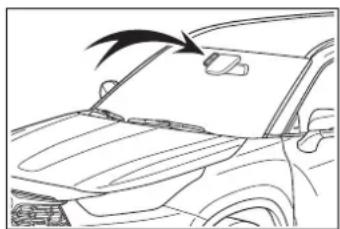
natural_image
Line drawing of a car's front window with a black arrow pointing to the nose (no text or symbols)- If the wiper switch is turned to the "AUTO" position while the power switch is in ON, the wipers will operate once to show that AUTO mode is activated.
- When the sensor sensitivity ring is turned toward high while in "AUTO" position, the wipers will operate once to indicate that the sensor sensitivity is enhanced.
- If the temperature of the raindrop sensor is 185°F (85°C) or higher, or 5°F (-15°C) or lower, automatic operation may not occur. In this case, operate the wipers in any mode other than AUTO mode.
■If no windshield washer fluid sprays
Check that the washer nozzles are not blocked, if there is washer fluid in the washer fluid tank.
■Front door opening linked windshield wiper stop function (vehicles with rain-sensing windshield wipers)
When "AUTO" is selected and the
windshield wipers are operating, if a front door is opened, the operation of the windshield wipers will be stopped to prevent anyone entering/exiting the vehicle from being sprayed by water from the wipers, provided the vehicle is stopped with the parking brake applied or the shift lever in P. When the front door is closed, wiper operation will resume.

WARNING
■ Caution regarding the use of windshield wipers in AUTO mode (vehicles with rain-sensing windshield wipers)
The windshield wipers may operate unexpectedly if the sensor is touched or the windshield is subject to vibration in AUTO mode. Take care that your fingers, etc. do not become caught in the windshield wipers.
■Caution regarding the use of washer fluid
When it is cold, do not use the washer fluid until the windshield becomes warm. The fluid may freeze on the windshield and cause low visibility. This may lead to an accident, resulting in death or serious injury.

NOTICE
■When the washer fluid tank is empty
Do not operate the switch continually as the washer fluid pump may overheat.
■When a nozzle becomes blocked
In this case, contact your Toyota dealer. Do not try to clear it with a pin or other object. The nozzle will be damaged.
Rear windshield wiper and washer

NOTICE
■When the rear window is dry Do not use the wiper, as it may damage the rear window.
Operating the wiper lever
Operating the switch operates the rear wiper as follows.
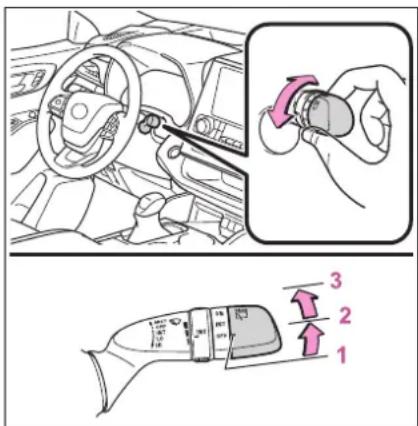
1 (U.S.A.) or (Canada) Off
2 (NTS.A.) or (Canada) Intermittent operation
3 (US.A.) or (Canada) Normal operation
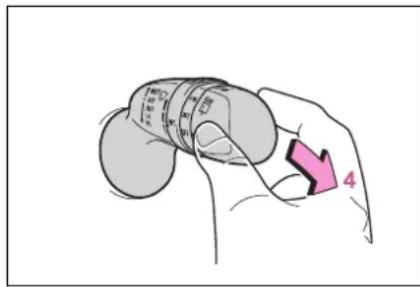
4 Washer/wiper dual operation
Pushing the lever operates the wiper and washer.
The wiper will automatically operate a couple of times after the washer squirts.
The washer will automatically operate and clean the camera for the Digital Rearview Mirror ^1 ( P.172) and rear camera ^2 .
*1: If equipped
*2: Refer to "NAVIGATION AND MULTIMEDIA SYSTEM OWNER'S MANUAL".
■The rear window wiper and washer can be operated when
The power switch is in ON.
■If no washer fluid sprays
Check that the washer nozzle is not blocked if there is washer fluid in the washer fluid tank.
■Reverse-linked rear window wiper function
When the shift lever is shifted to R when the front wipers are operating, the rear window wiper will operate once.
Customization
Setting of the reverse-linked function can be changed. ( P.530)
NOTICE
■When the washer fluid tank is empty
Do not operate the switch continually as the washer fluid pump may overheat.
Opening the fuel tank cap
The fuel tank of your vehicle has a special structure, which requires a reduction in fuel tank pressure before refueling. After the opener switch has been pressed, it will take several seconds until the vehicle is ready for refueling.
Before refueling the vehicle
- Close all the doors and windows, and turn the power switch off.
- Confirm the type of fuel.
Fuel types
→P.518
■Fuel tank opening for unleaded gasoline
To help prevent incorrect fueling, your vehicle has a fuel tank opening that only accommodates the special nozzle on unleaded fuel pumps.

WARNING
■When refueling the vehicle
Observe the following precautions while refueling the vehicle. Failure to do so may result in death or serious injury.
● After exiting the vehicle and before opening the fuel door, touch an unpainted metal surface to discharge any static electricity. It is important to discharge static electricity before refueling because sparks resulting from static electricity can cause fuel vapors to ignite while refueling.
● Always hold the grips on the fuel tank cap and turn it slowly to remove it. A whooshing sound may be heard when the fuel tank cap is loosened. Wait until the sound cannot be heard before fully removing the cap. In hot weather, pressurized fuel may spray out of the filler neck and cause injury.
- Do not allow anyone that has not discharged static electricity from their body to come close to an open fuel tank.
- Do not inhale vaporized fuel. Fuel contains substances that are harmful if inhaled.
- Do not smoke while refueling the vehicle. Doing so may cause the fuel to ignite and cause a fire.
- Do not return to the vehicle or touch any person or object that is statically charged. This may cause static electricity to build up, resulting in a possible ignition hazard.
When refueling
Observe the following precautions to prevent fuel overflowing from the fuel tank:
- Securely insert the fuel nozzle into the fuel filler neck.
- Stop filling the tank after the fuel nozzle automatically clicks off.

WARNING
- Do not top off the fuel tank.

NOTICE
Refueling
Finish refueling within 30 minutes. If more than 30 minutes passes, the internal valve closes. In this condition, fuel may spill out if you continue to refuel the vehicle. About 5 minutes after the valve is closed, a message "Close Fuel Lid" will appear on the multi-information display. To refuel the vehicle again, tighten the fuel tank cap and close the fuel filler door, and then press the opener switch again.
- Do not spill fuel during refueling. Doing so may damage the vehicle, such as causing the emission control system to operate abnormally or damaging fuel system components or the vehicle's painted surface.
Opening the fuel tank cap
1 Press the switch to open the fuel filler door.
The fuel filler door will open within about 10 seconds of the switch being pressed. Before refueling is possible, a message will be shown on the multi-information display to indicate the progress of the fuel
filler door opener.
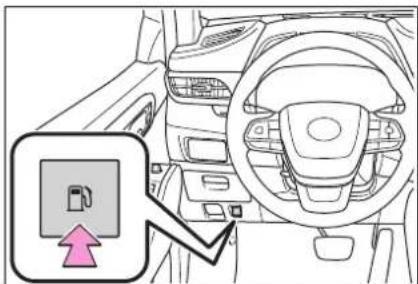
natural_image
Interior view of a car showing dashboard, steering wheel, and gear (no text or symbols visible)2 Turn the fuel tank cap slowly to remove it and hang it on the back of the fuel filler door.
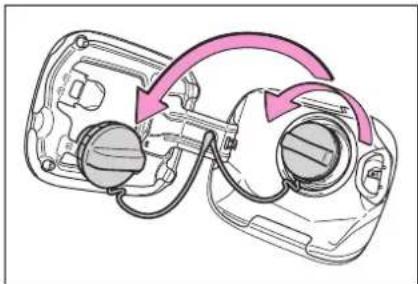
natural_image
Diagram of a device with highlighted components and curved arrows indicating motion or flow (no text or symbols)■If the fuel filler door cannot be opened
→P.495

NOTICE
When refueling
When refueling your vehicle, make sure that the fuel filler door lock is not pushed by the fuel nozzle boot, etc., as this may cause a valve to close, possibly resulting in a fuel spill.
If the fuel filler door lock has been pushed, operate the fuel filler door opener switch in the vehicle before continuing to refuel.
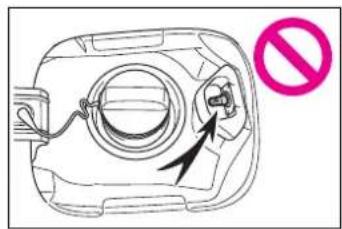
natural_image
Diagram of a device casing with a circular component and an arrow indicating a directional change, accompanied by a pink prohibition symbol (no text or labels present)Closing the fuel tank cap
After refueling, turn the fuel tank cap until you hear a click. Once the cap is released, it will turn slightly in the opposite direction.
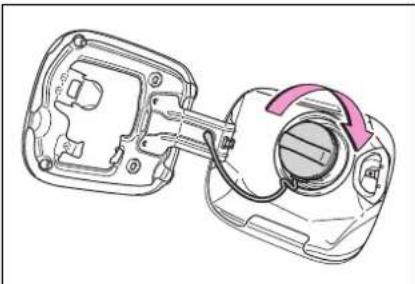
natural_image
Technical line drawing of a mechanical component with a highlighted section and arrow indicating rotation (no text or symbols)
WARNING
■When replacing the fuel tank cap
Do not use anything but a genuine Toyota fuel tank cap designed for your vehicle. Doing so may cause a fire or other incident which may result in death or serious injury.
Toyota Safety Sense 2.5 +
The Toyota Safety Sense 2.5 + consists of the following drive assist systems and contributes to a safe and comfortable driving experience:
Driving assist system
■PCS (Pre-Collision System)
$$ \rightarrow \mathrm{P}. 2 4 9 $$
■LTA (Lane Tracing Assist)
$$ \rightarrow \mathrm{P}. 2 6 0 $$
■AHB (Automatic High Beam)
$$ \rightarrow \mathrm{P}. 2 3 2 $$
■RSA (Road Sign Assist) *
$$ \rightarrow \mathrm{P}. 2 8 3 $$
*: If equipped
■ Dynamic radar cruise control with full-speed range
$$ \rightarrow \mathrm{P}. 2 7 1 $$

WARNING
Toyota Safety Sense 2.5 +
The Toyota Safety Sense 2.5 + is designed to operate under the assumption that the driver will drive safely, and is designed to help reduce the impact to the occupants and the vehicle in the case of a collision or assist the driver in normal driving conditions.
As there is a limit to the degree of recognition accuracy and control performance that this system can provide, do not overly rely on this system. The driver is always responsible for paying attention to the vehicle's surroundings and driving safely.
Sensors
Two types of sensors, located behind the front grille and wind-shield, detect information necessary to operate the drive assist systems.
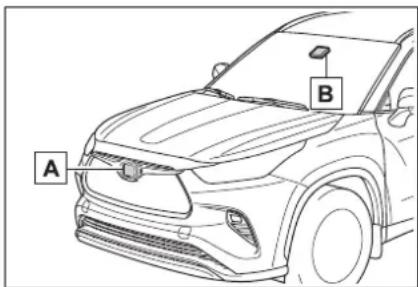
A Radar sensor
B Front camera

WARNING
■To avoid malfunction of the radar sensor
Observe the following precautions.
Otherwise, the radar sensor may not operate properly, possibly leading to an accident resulting in death or serious injury.
- Keep the radar sensor and the radar sensor cover clean at all times.
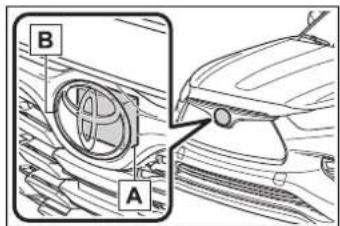

Radar sensor

Radar sensor cover
If the front of the radar sensor or the front or back of the radar sensor cover is dirty or covered with water droplets, snow, etc., clean it.
Clean the radar sensor and radar sensor cover with a soft cloth to avoid damaging them.
- Do not attach accessories, stickers (including transparent stickers) or other items to the radar sensor, radar sensor cover or surrounding area.
- Do not subject the radar sensor or its surrounding area to a strong impact. If the radar sensor, front grille, or front bumper has been subjected to a strong impact, have the vehicle inspected by your Toyota dealer.
- Do not disassemble the radar sensor.
- Do not modify or paint the radar sensor or radar sensor cover.
In the following cases, the radar sensor must be recalibrated. Contact your Toyota dealer for details. - When the radar sensor or front grille are removed and installed, or replaced
- When the front bumper is replaced
■To avoid malfunction of the front camera
Observe the following precautions.
Otherwise, the front camera may not operate properly, possibly leading to an accident resulting in death or serious injury.
- Keep the windshield clean at all times.
- If the windshield is dirty or covered with an oily film, water droplets, snow, etc., clean the windshield.
- If a glass coating agent is applied to the windshield, it will still be necessary to use the windshield wipers to remove water droplets, etc. from the area of the windshield in front of the front camera.
- If the inner side of the wind-shield where the front camera is installed is dirty, contact your Toyota dealer.

WARNING
- Do not attach objects, such as stickers, transparent stickers, etc., to the outer side of the windshield in front of the front camera (shaded area in the illustration).
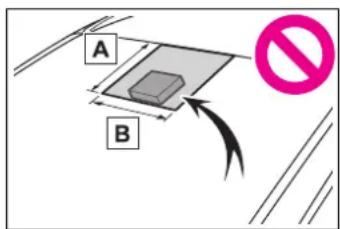
A From the top of the windshield to approximately 0.4 in. (1 cm) below the bottom of the front camera
B Approximately 7.9 in. (20 cm) (Approximately 4.0 in. [10 cm] to the right and left from the center of the front camera)
- If the part of the windshield in front of the front camera is fogged up or covered with condensation or ice, use the windshield defogger to remove the fog, condensation or ice. (→P.344)
- If water droplets cannot be properly removed from the area of the windshield in front of the front camera by the windshield wipers, replace the wiper insert or wiper blade.
- Do not attach window tint to the windshield.
- Replace the windshield if it is damaged or cracked. After replacing the windshield, the front camera must be recalibrated. Contact your Toyota dealer for details.
- Do not allow liquids to contact the front camera.
- Do not allow bright lights to shine into the front camera.
- Do not dirty or damage the front camera.
When cleaning the inside of the windshield, do not allow glass cleaner to contact the lens of the front camera. Also, do not touch the lens.
If the lens is dirty or damaged, contact your Toyota dealer.
- Do not subject the front camera to a strong impact.
- Do not change the installation position or direction of the front camera or remove it.
- Do not disassemble the front camera.
- Do not modify any components of the vehicle around the front camera (inside rear view mirror, etc.) or ceiling.
- Do not attach any accessories to the hood, front grille or front bumper that may obstruct the front camera. Contact your Toyota dealer for details.
- If a surfboard or other long object is to be mounted on the roof, make sure that it will not obstruct the front camera.
- Do not modify the headlights or other lights.
Certification
▶ Except for vehicles sold in Canada
FCC ID: HYQDNMWR009
NOTE:
This device complies with part 15 of the FCC Rules. Operation is subject to the following two conditions: (1) This device may not cause harmful interference, and (2) this device must accept any interference received, including interference that may cause undesired operation.
FCC WARNING:
Changes or modifications not expressly approved by the party responsible for compliance could void the user's authority to operate the equipment.
Radiofrequency radiation exposure Information:
This equipment complies with FCC radiation exposure limits set forth for an uncontrolled environment. This equipment should be installed and operated with minimum distance of 20 cm between the radiator (antenna) and your body. This transmitter must not be co-located or operating in conjunction with any other antenna or transmitter.
For vehicles sold in Canada
NOTE:
This device contains licence-exempt transmitter(s)/receiver(s) that comply with Innovation, Science and Economic Development Canada's licence-exempt RSS(s). Operation is subject to the following two conditions:
(1) This device may not cause interference.
(2) This device must accept any interference, including interference that may cause undesired operation of the device.
This equipment complies with ISED radiation exposure limits set forth for an uncontrolled environment and meets RSS-102 of the ISED radio frequency (RF) Exposure rules. This equipment should be installed and operated keeping the radiator at least 20 cm or more away from person's body.
NOTE:
A system may be temporarily unavailable or there may be a malfunction in the system.
- In the following situations, perform the actions specified in the table. When the normal operating conditions are detected, the message will disappear and the system will become operational.
If the message does not disappear, contact your Toyota dealer.
| Situation Actions | |
| When the area around a camera is covered with dirt, moisture (fogged up, covered with condensation, ice, etc.), or other foreign matter | Using the wiper and A/C function, remove the dirt and other attached matter ( P.344). |
| When the temperature around the front camera is outside of the operational range, such as when the vehicle is in the sun or in an extremely cold environment | If the front camera is hot, such as after the vehicle had been parked in the sun, use the air conditioning system to decrease the temperature around the front camera.If a sunshade was used when the vehicle was parked, depending on its type, the sunlight reflected from the surface of the sunshade may cause the temperature of the front camera to become excessively high. |
| If the front camera is cold, such after the vehicle is parked in an extremely cold environment, use the air conditioning system to increase the temperature around the front camera. | |
| The area in front of the front camera is obstructed, such as when the hood is open or a sticker is attached to the part of the windshield in front of the front camera. | Close the hood, remove the sticker, etc. to clear the obstruction. |
| When “Pre-Collision System Radar In Self Calibration Unavailable See Owner's Manual” is displayed. | Check whether there is attached materials on the radar sensor and radar sensor cover, and if there is, remove it. |
- In the following situations, if the situation has changed (or the vehicle has been driven for some time) and the normal operating conditions are detected, the message will disappear and the system will become operational.
If the message does not disappear, contact your Toyota dealer.
- When the temperature around the radar sensor is outside of the operational range, such as when the vehicle is in the sun or in an extremely cold environment
- When the front camera cannot detect objects in front of the vehicle, such as when driving in the dark, snow, or fog, or when bright lights are shining into the front camera
- Depending on the conditions in the vicinity of the vehicle, the radar may judge the surrounding environment can not be properly recognized. In that case, "Pre-Collision System Unavailable See Owner's Manual" is displayed.
PCS (Pre-Collision System)
The pre-collision system uses a radar sensor and front camera to detect objects ( P.249) in front of the vehicle. When the system determines that the possibility of a frontal collision with an object is high, a warning operates to urge the driver to take evasive action and the potential brake pressure is increased to help the driver avoid the collision. If the system determines that the possibility of a frontal collision with an object is extremely high, the brakes are automatically applied to help avoid the collision or help reduce the impact of the collision.
The pre-collision system can be disabled/enabled and the warning timing can be changed. (→P.252)
Detectable objects
The system can detect the following (The detectable objects differs depending on the function.):
- Vehicles
- Bicyclists
- Pedestrians
System functions
■Pre-collision warning
When the system determines that the possibility of a frontal collision is high, a buzzer will sound and a warning message will be displayed on the multi-information display to urge the driver to take evasive action.
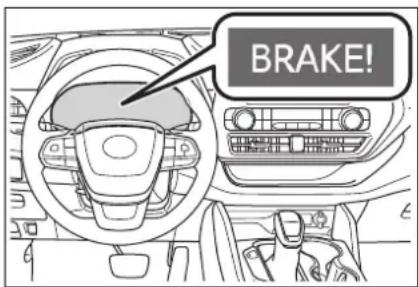
■Pre-collision brake assist
When the system determines that the possibility of a frontal collision is high, the system applies greater braking force in relation to how strongly the brake pedal is depressed.
■Pre-collision braking
If the system determines that the possibility of a frontal collision is extremely high, the brakes are automatically applied to help avoid the collision or reduce the impact of the collision.
Emergency steering assist
If the system determines that the possibility of a frontal colli-
sion is high and that there is sufficient space for the vehicle to be steered into within its lane, and the driver has begun evasive maneuver or steering, emergency steering assist will assist the steering movements to help enhance the vehicle stability and for lane departure prevention. During operation, the indicator will illuminate in green.
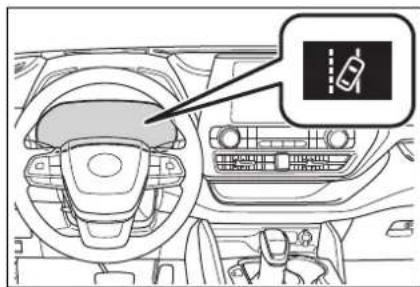
natural_image
Interior view of a car dashboard and steering wheel (no visible text or symbols)■Intersection right/left turn assistance
If the system determines that there is a high possibility of a collision in the following situations, it will assist with Pre-collision warning and, if necessary Pre-collision braking.
Depending on the configuration of the intersection, it may not be possible to support.
- When you turn right/left at an intersection and cross the path of an oncoming vehicle
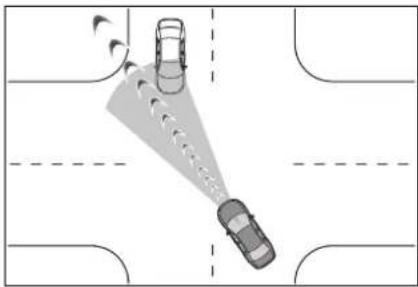
natural_image
Top-down diagram of a car with two cars approaching each other on a road, no text or symbols present- When you turn right/left, pedestrian is detected in the forward direction and estimated to enter your vehicle's path (bicyclists are not detected.)
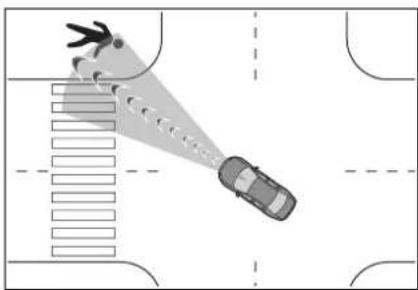
natural_image
Top-down diagram of a car on a road with a person walking, showing a spotlight and lane markings (no text or symbols)
WARNING
■Limitations of the pre-collision system
The driver is solely responsible for safe driving. Always drive safely, taking care to observe your surroundings. Do not use the pre-collision system instead of normal braking operations under any circumstances. This system will not prevent collisions or lessen collision damage or injury in every situation. Do not overly rely on this system. Failure to do so may lead to an accident, resulting in death or serious injury.

WARNING
Although this system is designed to help avoid a collision or help reduce the impact of the collision, its effectiveness may change according to various conditions, therefore the system may not always be able to achieve the same level of performance.
Read the following conditions carefully. Do not overly rely on this system and always drive carefully.
- Conditions under which the system may operate even if there is no possibility of a collision:
→P.256
- Conditions under which the system may not operate properly: P.257
- Do not attempt to test the operation of the pre-collision system yourself.
Depending on the objects used for testing (dummies, cardboard objects imitating detectable objects, etc.), the system may not operate properly, possibly leading to an accident.
■Pre-collision braking
- When the pre-collision braking function is operating, a large amount of braking force will be applied.
- If the vehicle is stopped by the operation of the pre-collision braking function, the pre-collision braking function operation will be canceled after approximately 2 seconds. Depress the brake pedal as necessary.
● The pre-collision braking function may not operate if certain operations are performed by the driver. If the accelerator pedal is being depressed strongly or the steering wheel is being turned, the system may determine that the driver is taking evasive action and possibly prevent the pre-collision braking function from operating.
In some situations, while the pre-collision braking function is operating, operation of the function may be canceled if the accelerator pedal is depressed strongly or the steering wheel is turned and the system determines that the driver is taking evasive action.
- If the brake pedal is being depressed, the system may determine that the driver is taking evasive action and possibly delay the operation timing of the pre-collision braking function.
Emergency steering assist
● As emergency steering assist operation will be canceled when the system determines that lane departure prevention function has been completed.
Emergency steering assist may not operate or may be cancel in the following cases as the system may determine the driver is taking actions.
- If the accelerator pedal is being depressed strongly, the steering wheel is being operated sharply, the brake pedal is being depressed or the turn signal lever is being operated. In this case, the system may determine that the driver is taking evasive action and the emergency steering assist may not operate.

WARNING
- In some situations, while the emergency steering assist is operating, operation of the function may be canceled if the accelerator pedal is depressed strongly, the steering wheel is operated sharply or the brake pedal is being depressed and the system determines that the driver is taking evasive action.
- When the emergency steering assist is operating, if the steering wheel is held firmly or is operated in the opposite direction to that which the system is generating torque, the function may be canceled.
■When to disable the pre-collision system
In the following situations, disable the system, as it may not operate properly, possibly leading to an accident resulting in death or serious injury:
●When the vehicle is being towed - When your vehicle is towing another vehicle
- When transporting the vehicle via truck, boat, train or similar means of transportation
- When the vehicle is raised on a lift with the hybrid system on and the tires are allowed to rotate freely
- When inspecting the vehicle using a drum tester such as a chassis dynamometer or speedometer tester, or when using an on vehicle wheel balancer
-
When a strong impact is applied to the front bumper or front grille, due to an accident or other reasons
-
If the vehicle cannot be driven in a stable manner, such as when the vehicle has been in an accident or is malfunctioning
- When the vehicle is driven in a sporty manner or off-road
- When the tires are not properly inflated
- When the tires are very worn
- When tires of a size other than specified are installed
●When tire chains are installed - When a compact spare tire or an emergency tire puncture repair kit is used
- If equipment (snow plow, etc.) that may obstruct the radar sensor or front camera is temporarily installed to the vehicle
Changing settings of the pre-collision system
■Enabling/disabling the pre-collision system
The pre-collision system can be enabled/disabled on P.97, 107) of the multi-information display.
The system is automatically enabled each time the power switch is turned to ON.
If the system is disabled, the PCS warning light will turn on and a message will be displayed on the multi-information display.
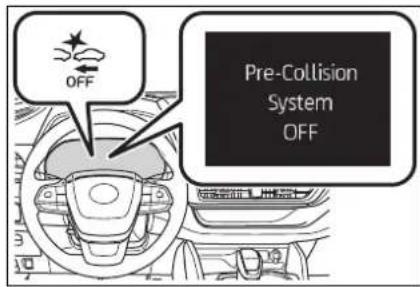
■Changing the pre-collision warning timing
The pre-collision warning timing can be changed on 📁→P.97, 107) of the multi-information display.
The warning timing setting is retained when the power switch is turned OFF. However, if the pre-collision system is disabled and re-enabled, the operation timing will return to the default setting (middle).
If the pre-collision warning timing is changed, emergency
steering assist timing will also be changed accordingly. If late is selected, emergency steering assist would not operate in case of an emergency.
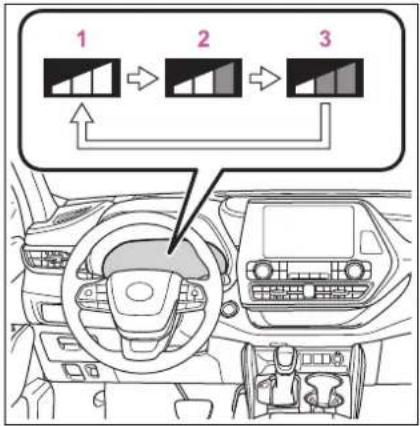
1 Early
2 Middle
This is the default setting.
3 Late
■Operational conditions for each pre-collision function
The pre-collision system is enabled and the system determines that the possibility of a frontal collision with a detected object is high.
The system may not operate in the following situations:
- If a 12-volt battery terminal has been disconnected and reconnected and then the vehicle has not been driven for a certain amount of time
- If the shift lever is in R
The operation speeds and operation cancellation for each function is listed below.
●Pre-collision warning
| Detectable objects Vehicle speed | Relative speed between your vehicle and object | |
| preceding and stopped vehicles | Approx. 7 to 110 mph (10 to 180 km/h) | Approx. 7 to 110 mph (10 to 180 km/h) |
| Oncoming vehicles | Approx. 7 to 110 mph (10 to 180 km/h) | Approx. 13 to 110 mph (20 to 180 km/h) |
| Bicyclists and pedestrians | Approx. 7 to 50 mph (10 to 80 km/h) | Approx. 7 to 50 mph (10 to 80 km/h) |
While the pre-collision warning function is operating, if the steering wheel is operated heavily or suddenly, the pre-collision warning may be cancelled.
●Pre-collision brake assist
| Detectable objects Vehicle speed | Relative speed between your vehicle and object | |
| Preceding and stopped vehicles | Approx. 20 to 110 mph (30 to 180 km/h) | Approx. 20 to 110 mph (30 to 180 km/h) |
| Bicyclists and pedestrians | Approx. 20 to 50 mph (30 to 80 km/h) | Approx. 20 to 50 mph (30 to 80 km/h) |
●Pre-collision braking
| Detectable objects Vehicle speed | Relative speed between your vehicle and object | |
| Preceding and stopped vehicles | Approx. 7 to 110 mph (10 to 180 km/h) | Approx. 7 to 110 mph (10 to 180 km/h) |
| Oncoming vehicles | Approx. 7 to 110 mph (10 to 180 km/h) | Approx. 13 to 110 mph (20 to 180 km/h) |
| Bicyclists and pedestrians | Approx. 7 to 50 mph (10 to 80 km/h) | Approx. 7 to 50 mph (10 to 80 km/h) |
If either of the following occur while the pre-collision braking function is operating, it will be canceled:
- The accelerator pedal is depressed strongly.
- The steering wheel is turned sharply or abruptly.
●Emergency steering assist
When the turn signal lights are flashing, emergency steering assist will not operate in case of an emergency.
| Detectable objects Vehicle speed | Relative speed between your vehicle and object | |
| Preceding and stopped vehicles, bicyclists and pedestrians | Approx. 25 to 50 mph (40 to 80 km/h) | Approx. 25 to 50 mph (40 to 80 km/h) |
If any of the following occur while the emergency steering assist function is operating, it will be canceled:
- The accelerator pedal is depressed strongly.
- The steering wheel is turned sharply or abruptly.
• The brake pedal is depressed.
●Intersection right/left turn assistance (pre-collision warning)
When the turn signal lights are not flashing, support for turning left or right at an intersection which targets oncoming vehicles does not work.
| Detectable objects | Vehicle speed | Oncoming vehicle speed | Relative speed between your vehicle and object |
| Oncoming vehicles | Approx. 7 to 15 mph (10 to 25 km/h) | Approx. 20 to 35 mph (30 to 55 km/h) | Approx. 25 to 50 mph (40 to 80 km/h) |
| Pedestrians | Approx. 7 to 15 mph (10 to 25 km/h) | — | Approx. 7 to 15 mph (10 to 25 km/h) |
● Intersection right/left turn assistance (pre-collision braking)
When the turn signal lights are not flashing, support for turning left or right at an intersection which targets oncoming vehicles does not work.
| Detectable objects | Vehicle speed | Oncoming vehicle speed | Relative speed between your vehicle and object |
| Oncoming vehicles | Approx. 10 to 15 mph (15 to 25 km/h) | Approx. 20 to 28 mph (30 to 45 km/h) | Approx. 28 to 43 mph (45 to 70 km/h) |
| Pedestrians | Approx. 7 to 15 mph (10 to 25 km/h) | — | Approx. 7 to 15 mph (10 to 25 km/h) |
■Object detection function
The system detects objects based on their size, profile, motion, etc. However, an object may not be detected depending on the sur-
rounding brightness and the motion, posture, and angle of the detected object, preventing the system from operating properly. ( P.257)
The illustration shows an image of
detectable objects.
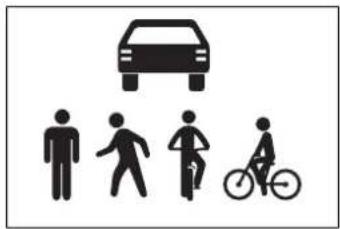
natural_image
Silhouette icons showing a car, human figures, cyclists, and a bicycle (no text or symbols)■Conditions under which the system may operate even if there is no possibility of a collision
In some situations such as the following, the system may determine that there is a possibility of a frontal collision and operate.
- When passing a detectable object, etc.
- When changing lanes while overtaking a detectable object, etc.
- When approaching a detectable object in an adjacent lane or on the roadside, such as when changing the course of travel or driving on a winding road
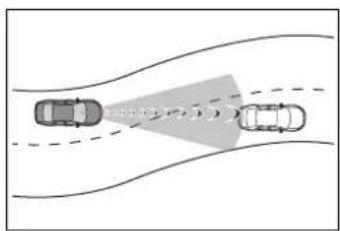
- When rapidly closing on a detectable object, etc.
- When approaching objects on the roadside, such as detectable objects, guardrails, utility poles, trees, or walls
- When there is a detectable object or other object by the roadside at the entrance of a curve
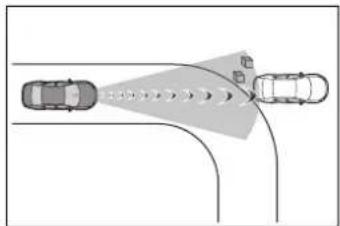
natural_image
Diagram showing two cars on a curved road with directional arrows indicating traffic or movement (no text or symbols)- When there are patterns or paint in front of your vehicle that may be mistaken for a detectable object
- When the front of your vehicle is hit by water, snow, dust, etc.
- When overtaking a detectable object that is changing lanes or making a right/left turn
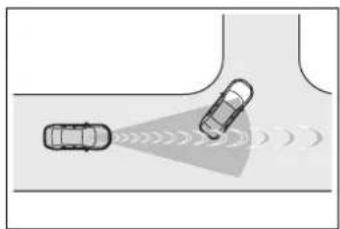
natural_image
Diagram showing two cars on a road with sound waves indicating sound or vibration (no text or symbols)- When passing a detectable object in an oncoming lane that is stopped to make a right/left turn
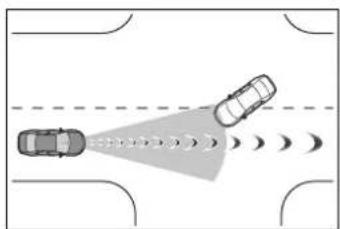
natural_image
Top-down diagram of two cars on a road with sound waves, no text or symbols present- When a detectable object approaches very close and then stops before entering the path of your vehicle
- If the front of your vehicle is raised or lowered, such as when on an uneven or undulating road surface
- When driving on a road surrounded by a structure, such as in a tunnel or on an iron bridge
- When there is a metal object (manhole cover, steel plate, etc.), steps, or a protrusion in front of your vehicle
- When passing under an object
(road sign, billboard, etc.)
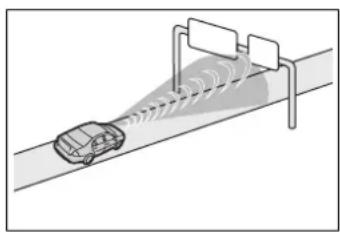
natural_image
Diagram of a car driving on a road with sensor waves projecting onto a barrier (no text or symbols)- When approaching an electric toll gate barrier, parking area barrier, or other barrier that opens and closes
- When using an automatic car wash
- When driving through or under objects that may contact your vehicle, such as thick grass, tree branches, or a banner
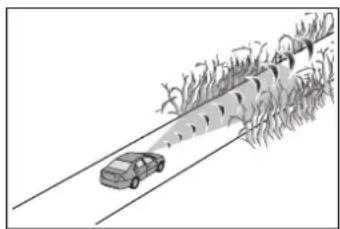
natural_image
Illustration of a car driving on a road with trees and a vehicle in motion (no text or symbols)- When driving through steam or smoke
- When driving near an object that reflects radio waves, such as a large truck or guardrail
- When driving near a TV tower, broadcasting station, electric power plant, radar equipped vehicles, etc., or other location where strong radio waves or electrical noise may be present
- When there are many things which can reflect the radio waves of the radar in the vicinity (tunnels, truss bridges, gravel roads, snow covered road that have tracks, etc.)
- While making a right/left turn, when an oncoming vehicle or a crossing pedestrian has already exited the path of your vehicle
-
While making a right/left turn, closely in front of an oncoming vehicle or a crossing pedestrian.
-
While making a right/left turn, when an oncoming vehicle or a crossing pedestrian stops before entering the path of your vehicle
- While making a right/left turn, when an oncoming vehicle turns right/left in front of your vehicle
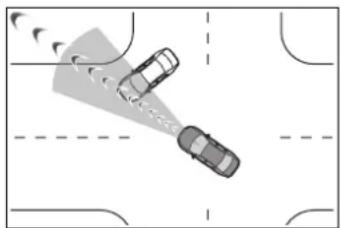
natural_image
Top-down view of two cars on a road with directional arrows indicating motion (no text or symbols)- While steering into the direction of oncoming traffic
■ Situations in which the system may not operate properly
● In some situations such as the following, an object may not be detected by the radar sensor and front camera, preventing the system from operating properly:
- When a detectable object is approaching your vehicle
- When your vehicle or a detectable object is wobbling
- If a detectable object makes an abrupt maneuver (such as sudden swerving, acceleration or deceleration)
- When your vehicle approaches a detectable object rapidly
- When a detectable object is not directly in front of your vehicle
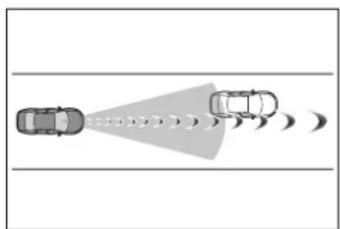
natural_image
Diagram showing two cars approaching a target with motion lines, no text or symbols present- When a detectable object is near a wall, fence, guardrail, manhole cover, vehicle, steel plate on the road, etc.
-
When a detectable object is under a structure
-
When part of a detectable object is hidden by an object, such as large baggage, an umbrella, or guardrail
- When there are many things which can reflect the radio waves of the radar in the vicinity (tunnels, truss bridges, gravel roads, snow covered road that have tracks, etc.)
- When there is an effect on the radio waves to the radar that is installed on another vehicle
- When multiple detectable objects are close together
- If the sun or other light is shining directly on a detectable object
- When a detectable object is a shade of white and looks extremely bright
- When a detectable object appears to be nearly the same color or brightness as its surroundings
- If a detectable object cuts or suddenly emerges in front of your vehicle
- When the front of your vehicle is hit by water, snow, dust, etc.
- When a very bright light ahead, such as the sun or the headlights of oncoming traffic, shines directly into the front camera
- When approaching the side or front of a vehicle ahead
- If a vehicle ahead is a motorcycle
- If a vehicle ahead is narrow, such as a personal mobility vehicle
- If a preceding vehicle has a small rear end, such as an unloaded truck
- If a preceding vehicle has a low rear end, such as a low bed trailer
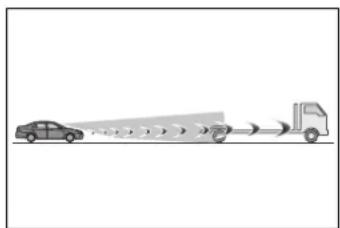
natural_image
Diagram showing a car approaching a truck with signal waves (no text or symbols)- If a vehicle ahead has extremely high ground clearance
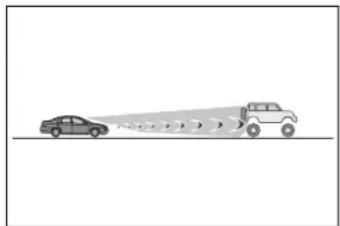
natural_image
Diagram showing a car approaching a truck with motion lines (no text or symbols)- If a vehicle ahead is carrying a load which protrudes past its rear bumper
- If a vehicle ahead is irregularly shaped, such as a tractor or side car
- If a vehicle ahead is a child sized bicycle, a bicycle that is carrying a large load, a bicycle ridden by more than one person, or a uniquely shaped bicycle (bicycle with a child seat, tandem bicycle, etc.)
- If a pedestrian/or the riding height of a bicyclist ahead is shorter than approximately 3.2 ft. (1 m) or taller than approximately 6.5 ft. (2 m)
- If a pedestrian/bicyclist is wearing oversized clothing (a rain coat, long skirt, etc.), making their silhouette obscure
- If a pedestrian is bending forward or squatting or bicyclist is bending forward
- If a pedestrian/bicyclist is moving fast
- If a pedestrian is pushing a stroller, wheelchair, bicycle or other vehicle
- When driving in inclement weather such as heavy rain, fog, snow or a sandstorm
- When driving through steam or smoke
- When the surrounding area is dim, such as at dawn or dusk, or while at night or in a tunnel, making a detectable object appear to be nearly the same color as its surroundings
- When driving in a place where the surrounding brightness changes suddenly, such as at the entrance or exit of a tunnel
• After the hybrid system has
started the vehicle has not been driven for a certain amount of time
- While making a left/right turn and for a few seconds after making a left/right turn
- While driving on a curve and for a few seconds after driving on a curve
• If your vehicle is skidding - If the front of the vehicle is raised or lowered
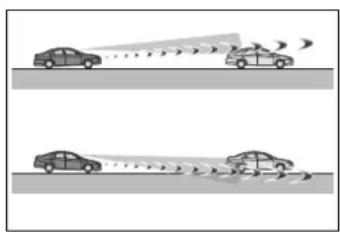
natural_image
Two cars on a road with visible sound waves, no text or symbols present- If the wheels are misaligned
- If a wiper blade is blocking the front camera
• The vehicle is being driven at extremely high speeds - When driving on a hill
- If the radar sensor or front camera is misaligned
- When driving in a traffic lane separated by more than one lane where oncoming vehicles are driving while making a right/left turn
- When largely out of place with the opposite facing targeted oncoming vehicle during a right/left turn
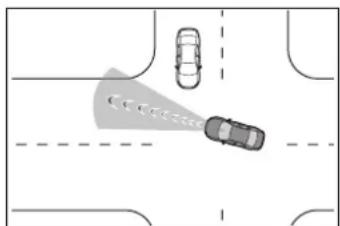
natural_image
Top-down diagram of a road intersection with two cars and a shaded traffic cone (no text or symbols)- While making a right/left turn, when a pedestrian approaches from behind or side of your vehicle
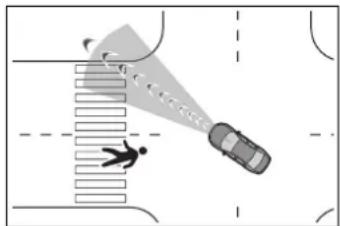
- In addition to the above, in some situations, such as the following, the emergency steering assist may not operate.
- When the white (yellow) lane lines are difficult to see, such as when they are faint, diverging/merging, or a shadow is cast upon them
- When the lane is wider or narrower than normal
- When there is a light and dark pattern on the road surface, such as due to road repairs
- When the target is too close
- When there is insufficient safe or unobstructed space for the vehicle to be steered into
- If oncoming vehicle is present
• If VSC function is operating - In some situations such as the following, sufficient braking force or steering force may not be obtained, preventing the system from performing properly:
- If the braking functions cannot operate to their full extent, such as when the brake parts are extremely cold, extremely hot, or wet
- If the vehicle is not properly maintained (brakes or tires are excessively worn, improper tire inflation pressure, etc.)
- When the vehicle is being driven on a gravel road or other slippery surface
- When the road surface has deep wheel tracks
- When driving on a hill road
- When driving on a road that has inclines to the left or right
If VSC is disabled
● If VSC is disabled (→P.327), the
pre-collision brake assist and pre-collision braking functions are also disabled.
●The PCS warning light will turn on and "VSC Turned OFF Pre-Collision Brake System Unavailable" will be displayed on the multi-information display.
LTA (Lane Tracing Assist)
While driving on a road with clear white (yellow) lane lines, the LTA system warns the driver if the vehicle may deviate from the current lane or course*, and also can slightly operate the steering wheel to help avoid deviation from the lane or course*. Also, while the dynamic radar cruise control with full-speed range ( P.271) is operating, this system will operate the steering wheel to maintain the vehicle's lane position.
The LTA system recognizes white (yellow) lane lines or a course* using the front camera. Additionally, it detects preceding vehicles using the front camera and radar.
*: Boundary between asphalt and the side of the road, such as grass, soil, or a curb
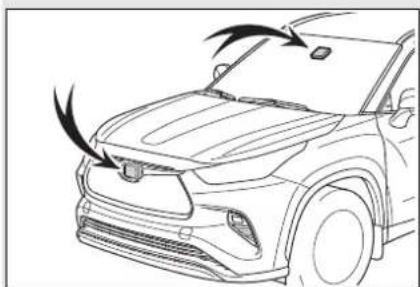
natural_image
Line drawing of a car's front bumper with exhaust airflow arrows (no text or symbols)
WARNING
■Before using LTA system
- Do not rely solely upon the LTA system. The LTA system does not automatically drive the vehicle or reduce the amount of attention that must be paid to the area in front of the vehicle. The driver must always assume full responsibility for driving safely by paying careful attention to the surrounding conditions and operating the steering wheel to correct the path of the vehicle. Also, the driver must take adequate breaks when fatigued, such as from driving for a long period of time.
●Failure to perform appropriate driving operations and pay careful attention may lead to an accident, resulting in death or serious injury.
■ Situations unsuitable for LTA system
In the following situations, use the LTA switch to turn the system off. Failure to do so may lead to an accident, resulting in death or serious injury.
● Vehicle is driven on a road surface which is slippery due to rainy weather, fallen snow, freezing, etc.
● Vehicle is driven on a snow-covered road.
● White (yellow) lines are difficult to see due to rain, snow, fog, dust, etc.
● Vehicle is driven in a temporary lane or restricted lane due to construction work.
● Vehicle is driven in a construction zone.
● A spare tire, tire chains, etc. are equipped.
- When the tires have been excessively worn, or when the tire inflation pressure is low.
- When your vehicle is towing a trailer or during emergency towing.
- Do not modify the headlights or place stickers, etc. on the surface of the lights.
- Do not modify the suspension etc. If the suspension etc. needs to be replaced, contact your Toyota dealer.
- Do not install or place anything on the hood or grille. Also, do not install a grille guard (bull bars, kangaroo bar, etc.).
- If your windshield needs repairs, contact your Toyota dealer.
■Preventing LTA system malfunctions and operations performed by mistake
■ Conditions in which functions may not operate properly
In the following situations, the functions may not operate properly and the vehicle may depart from its lane. Drive safely by always paying careful attention to your surroundings and operate the steering wheel to correct the path of the vehicle without relying solely on the functions.

WARNING
- When the follow-up cruising display is displayed (→P.266) and the preceding vehicle changes lanes. (Your vehicle may follow the preceding vehicle and also change lanes.)
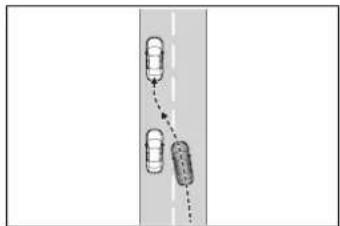
natural_image
Diagram showing two cars on a road with a dashed line and arrow indicating direction (no text or symbols)- When the follow-up cruising display is displayed (→P.266) and the preceding vehicle is swaying. (Your vehicle may sway accordingly and depart from the lane.)
- When the follow-up cruising display is displayed (→P.266) and the preceding vehicle departs from its lane. (Your vehicle may follow the preceding vehicle and depart from the lane.)
- When the follow-up cruising display is displayed (→P.266) and the preceding vehicle is being driven extremely close to the left/right lane line. (Your vehicle may follow the preceding vehicle and depart from the lane.)
● Vehicle is being driven around a sharp curve.
- Objects or patterns that could be mistaken for white (yellow) lines are present on the side of the road (guardrails, reflective poles, etc.).
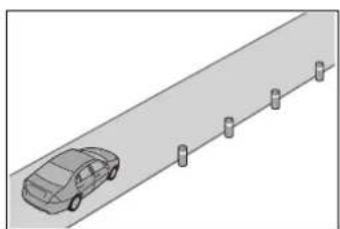
natural_image
Side view of a car driving on a paved road with four parking blocks (no text or symbols visible)● Vehicle is driven where the road diverges, merges, etc.
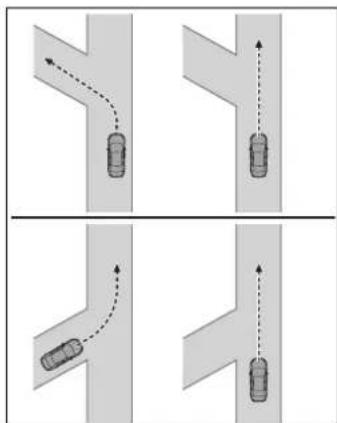
flowchart
graph TD
    A["Top Left Road"] --> B["Left Road"]
    B --> C["Right Road"]
    C --> D["Bottom Right Road"]
    D --> E["Left Road"]
    style A fill:#f9f,stroke:#333
    style B fill:#ccf,stroke:#333
    style C fill:#cfc,stroke:#333
    style D fill:#fcc,stroke:#333
    style E fill:#cff,stroke:#333
●Repair marks of asphalt, white (yellow) lines, etc. are present due to road repair.
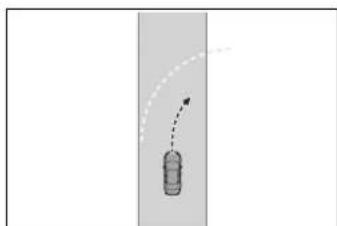
natural_image
Simple line drawing of a bottle with a curved arrow indicating motion or direction (no text or symbols)There are shadows on the road that run parallel with, or cover, the white (yellow) lines.

WARNING
● The vehicle is driven in an area without white (yellow) lines, such as in front of a tollgate or checkpoint, or at an intersection, etc.
●The white (yellow) lines are cracked, “Botts’ dots”, “Raised pavement marker” or stones are present.
●The white (yellow) lines cannot be seen or are difficult to see due to sand, etc.
●The vehicle is driven on a road surface that is wet due to rain, puddles, etc.
●The traffic lines are yellow (which may be more difficult to recognize than lines that are white).
●The white (yellow) lines cross over a curb, etc.
●The vehicle is driven on a bright surface, such as concrete.
● If the edge of the road is not clear or straight.
●The vehicle is driven on a surface that is bright due to reflected light, etc.
The vehicle is driven in an area where the brightness changes suddenly, such as at the entrances and exits of tunnels, etc.
●Light from the headlights of an oncoming vehicle, the sun, etc. enters the camera.
●The vehicle is driven on a slope.
●The vehicle is driven on a road which tilts left or right, or a winding road.
●The vehicle is driven on an unpaved or rough road.
●The traffic lane is excessively narrow or wide.
●The vehicle is extremely tilted due to carrying heavy luggage or having improper tire pressure.
●The distance to the preceding vehicle is extremely short.
●The vehicle is moving up and down a large amount due to road conditions during driving (poor roads or road seams).
- When driving in a tunnel or at night with the headlights off or when a headlight is dim due to its lens being dirty or it being misaligned.
●The vehicle is struck by a cross-wind.
●The vehicle is affected by wind from a vehicle driven in a nearby lane.
●The vehicle has just changed lanes or crossed an intersection.
● Tires which differ by structure, manufacturer, brand or tread pattern are used.
- When tires of a size other than specified are installed.
●Snow tires, etc. are equipped.
●The vehicle is being driven at extremely high speeds.
Functions included in LTA system
When the system determines that the vehicle might depart from its lane or course ^* , a warning is displayed on the multi-information display, and a warning buzzer will sound to alert the driver.
When the warning buzzer sounds, check the area around your vehicle and carefully operate the steering wheel to move the vehicle back to the center of the lane.
When the system determines that the vehicle might depart from its lane and that the possibility of a collision with an overtaking vehicle in the adjacent lane is high, the lane departure alert will operate even if the turn signals are operating.
*: Boundary between asphalt and the side of the road, such as grass, soil, or a curb
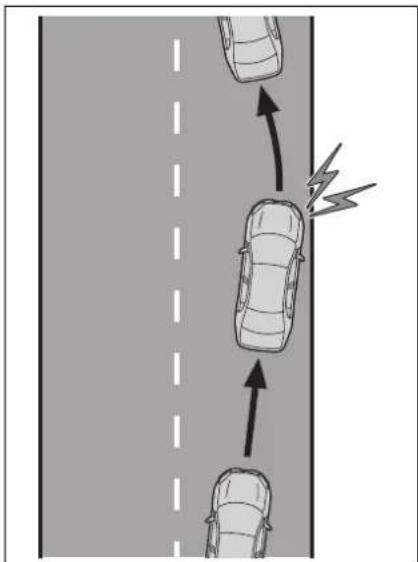
natural_image
Diagram showing three cars on a road with directional arrows indicating traffic flow (no text or symbols)■Steering assist function
When the system determines that the vehicle might depart from its lane or course*, the system provides assistance as necessary by operating the steering wheel in small amounts for a short period of time to keep the vehicle in its lane.
When the system determines that the vehicle might depart from its lane and that the possibility of a collision with an overtaking vehicle in the adjacent lane is high, the steering assist function will operate even if the turn signals are operating.
*: Boundary between asphalt and the side of the road, such as grass, soil, or a curb
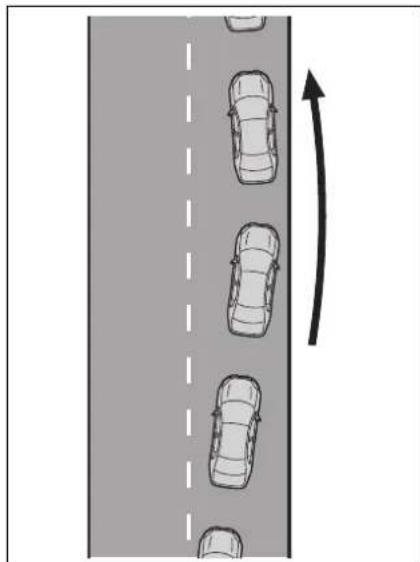
natural_image
Diagram showing a road with multiple cars and an upward arrow indicating direction (no text or symbols)■ Vehicle sway warning func- tion
When the vehicle is swaying within a lane, the warning buzzer will sound and a message will be displayed on the multi-information display to alert the driver.
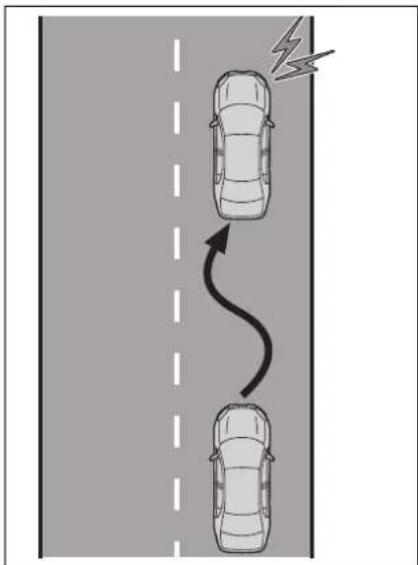
natural_image
Diagram showing two cars driving on a road with a lightning bolt symbol indicating speed (no text or labels)■Lane centering function
This function is linked with dynamic radar cruise control with full-speed range and provides the required assistance by operating the steering wheel to keep the vehicle in its current lane.
When dynamic radar cruise control with full-speed range is not operating, the lane centering function does not operate.
In situations where the white (yellow) lane lines are difficult to see or are not visible, such as when in a traffic jam, this function will operate to help follow a preceding vehicle by monitoring the position of the preceding vehicle.
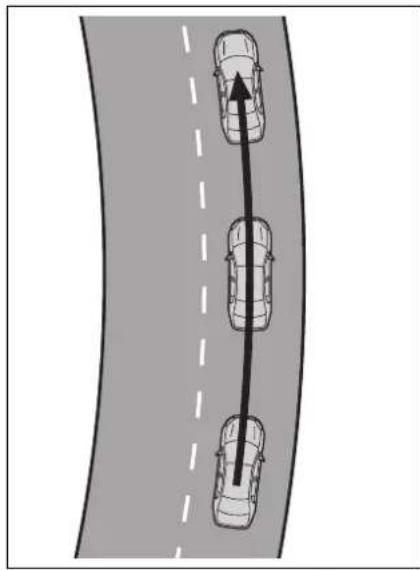
natural_image
Diagram showing three cars driving on a curved road with a dashed lane and an upward arrow indicating direction (no text or symbols)LTA system setting
■Turning the LTA system on
Press the LTA switch.
The LTA indicator illuminates and a message is displayed on the multi-information display.
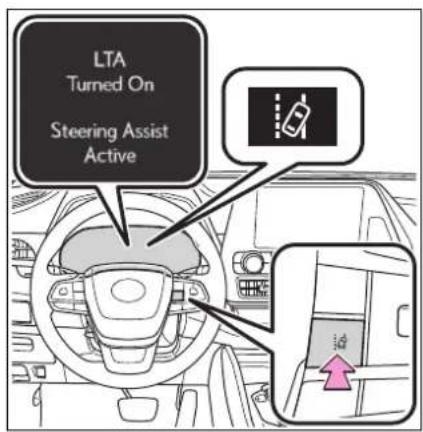
■Turning the lane centering function ON/OFF
Press the LTA switch.
The lane centering function will change between ON/OFF each time the switch is pressed.
The current setting will be displayed on the multi-information display.
■Turning the LTA system off
Press and hold the LTA switch.
The LTA indicator light turns off when the LTA is turned OFF.
Press the switch again to turn the system on.
When the LTA system is turned on or off, operation of the LTA system continues in the same condition the next time the hybrid system is started.
Indications on multi-information display
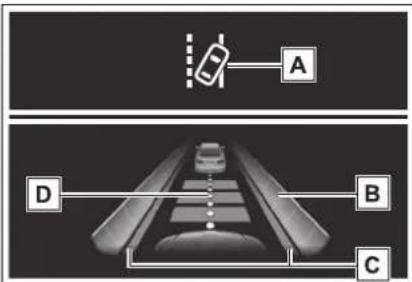
A LTA indicator
The illumination condition of the indicator informs the driver of the system operation status.
Illuminated in white: LTA system is operating.
Illuminated in green: Steering wheel
assistance of the steering assist function or lane centering function is operating.
Flashing in orange: Lane departure alert function is operating.
B Operation display of steering wheel operation support
Displayed when the multi-information display is switched to the driving support system information display.
Indicates that steering wheel assistance of the steering assist function or lane centering function is operating.
Both outer sides of the lane are displayed: Indicates that steering wheel assist of the lane centering function is operating.
One outer side of the lane is displayed: Indicates that steering wheel assist of the steering assist function is operating.
Both outer sides of the lane are flashing: Alerts the driver that their input is necessary to stay in the center of the lane (lane centering function).
C Lane departure alert function display
Displayed when the multi-information display is switched to the driving support system information display.
▶ Inside of displayed lines is white
natural_image
Black-and-white photo of a planet with two bright triangular light streaks against a dark background (no text or symbols)Indicates that the system is recognizing white (yellow) lines or a course ^* . When the vehicle departs from its lane, the white line displayed on the side the vehicle departs from flashes orange.
▶ Inside of displayed lines is black
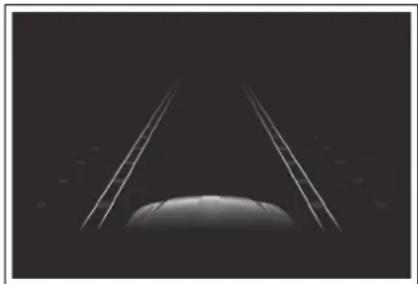
natural_image
Monochrome image of a planet with two parallel bright streaks against a dark background (no text or symbols)Indicates that the system is not able to recognize white (yellow) lines or a course ^* or is temporarily canceled.
*: Boundary between asphalt and the side of the road, such as grass, soil, or a curb
D Follow-up cruising display Displayed when the multi-information display is switched to the driving support system information
display.
Indicates that steering assist of the lane centering function is operating by monitoring the position of a preceding vehicle.
When the follow-up cruising display is displayed, if the preceding vehicle moves, your vehicle may move in the same way. Always pay careful attention to your surroundings and operate the steering wheel as necessary to correct the path of the vehicle and ensure safety.
■Operation conditions of each function
●Lane departure alert function
This function operates when all of the following conditions are met.
• LTA is turned on.
- Vehicle speed is approximately 32 mph (50 km/h) or more. ^*1
- System recognizes white (yellow) lane lines or a course ^2 . (When a white [yellow] line or course ^2 is recognized on only one side, the system will operate only for the recognized side.)
- Width of traffic lane is approximately 9.8 ft. (3 m) or more.
- Turn signal lever is not operated. (Except when another vehicle is in the lane on the side where the turn signal was operated)
- Vehicle is not being driven around a sharp curve.
- No system malfunctions are detected. (→P.270)
*1: The function operates even if the vehicle speed is less than approximately 32 mph (50 km/h) when the lane centering function is operating.
^*2 :Boundary between asphalt and the side of the road, such as grass, soil, or a curb
●Steering assist function
This function operates when all of the following conditions are met in addition to the operation conditions for the lane departure alert function.
- Vehicle is not accelerated or decelerated by a fixed amount or more.
- Steering wheel is not operated with a steering force level suitable for changing lanes.
• ABS, VSC, TRAC and PCS are not operating. - TRAC or VSC is not turned off.
●Vehicle sway warning function
This function operates when all of the following conditions are met.
- Setting for "Sway Warning" in of the multi-information display is set to "ON". (→P.97, 107)
- Vehicle speed is approximately 32 mph (50 km/h) or more.
- Width of traffic lane is approximately 9.8 ft. (3 m) or more.
- No system malfunctions are detected. (→P.270)
●Lane centering function
This function operates when all of the following conditions are met.
- LTA is turned on.
- Setting for "Lane Center" in the multi-information display are set to "ON". (→P.97, 107)
- This function recognizes white (yellow) lane lines or the position of a preceding vehicle (except when the preceding vehicle is small, such as a motorcycle).
- The dynamic radar cruise control with full-speed range is operating in vehicle-to-vehicle distance control mode.
- Width of traffic lane is approximately 10 to 13 ft. (3 to 4 m).
- Turn signal lever is not operated.
- Vehicle is not being driven around a sharp curve.
- No system malfunctions are detected. (→P.270)
- Vehicle does not accelerate or decelerate by a fixed amount or
more.
• Steering wheel is not operated with a steering force level suitable for changing lanes.
• ABS, VSC, TRAC and PCS are not operating.
- TRAC or VSC is not turned off.
- Hands off steering wheel warning is not displayed. (→P.269)
- The vehicle is being driven in the center of a lane.
- Steering assist function is not operating.
■ Temporary cancelation of functions
- When operation conditions are no longer met, a function may be temporarily canceled. However, when the operation conditions are met again, operation of the function is automatically restored. (→P.268)
- If the operation conditions (→P.268) are no longer met while the lane centering function is operating, the buzzer may sound to indicate that the function has been temporarily canceled.
■ Steering assist function/lane centering function
● Depending on the vehicle speed, lane departure situation, road conditions, etc., the driver may not feel the function is operating or the function may not operate at all.
- The steering control of the function is overridden by the driver's steering wheel operation.
- Do not attempt to test the operation of the steering assist function.
■Lane departure alert function
●The warning buzzer may be difficult to hear due to external noise, audio playback, etc.
- If the edge of the course ^* is not clear or straight, the lane departure alert function may not operate.
- It may not be possible for the system to determine if there is a danger of a collision with a vehicle in an adjacent lane.
- Do not attempt to test the operation of the lane departure alert function.
*: Boundary between asphalt and the side of the road, such as grass, soil, or a curb
■Hands off steering wheel warning
In the following situations, a warning message urging the driver to hold the steering wheel and the symbol shown in the illustration are displayed on the multi-information display to warn the driver. The warning stops when the system determines that the driver holds the steering wheel. Always keep your hands on the steering wheel when using this system, regardless of warnings.
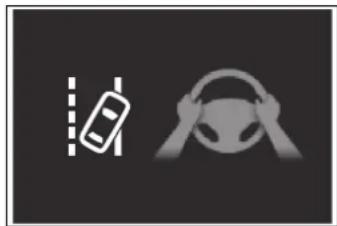
natural_image
Two icons: a car with lane markings and a steering wheel, both on dark background (no text or symbols)- When the system determines the driver is not holding the steering wheel while the lane centering function is operating.
If the driver continues to keep their hands off of the steering wheel, the buzzer sounds, the driver is warned and the function is temporarily canceled. This warning also operates in the same way when the driver continuously operates the steering wheel only a small amount.
- When the system determines that the vehicle may deviate from the lane while driving around a curve while the lane centering function is operating.
Depending on the vehicle condition and road conditions, the warning may not operate. Also, if the system determines that the vehicle is driving around a curve, warnings will occur earlier than during straight-lane driving.
- When the system determines that the driver is driving without holding the steering wheel while the steering wheel assist of the steering assist function is operating.
If the driver continues to keep their hands off of the steering wheel and the steering wheel assist is operating, the buzzer sounds and the driver is warned. Each time the buzzer sounds, the continuing time of the buzzer becomes longer.
■ Vehicle sway warning function
When the system determines that the vehicle is swaying while the vehicle sway warning function is operating, a buzzer sounds and a warning message urging the driver to rest and the symbol shown in the illustration are simultaneously displayed on the multi-information display.
natural_image
Simple line icon of a steaming coffee cup on a saucer, no text or symbols present.Depending on the vehicle and road conditions, the warning may not operate.
■Warning message
If the following warning message is displayed on the multi-information display and the LTA indicator illuminates in orange, follow the appropriate troubleshooting procedure. Also, if a different warning message is displayed, follow the instructions displayed on the screen.
●“LTA Malfunction Visit Your Dealer”
The system may not be operating properly. Have the vehicle inspected by your Toyota dealer.
●“LTA Unavailable”
The system is temporarily canceled due to a malfunction in a sensor other than the front camera. Turn the LTA system off, wait for a little while, and then turn the LTA system back on.
●“LTA Unavailable at Current Speed”
The function cannot be used as the vehicle speed exceeds the LTA operation range. Drive slower.
Customization
Function settings can be changed. (Customizable features:→P.530)
Dynamic radar cruise control with full-speed range
In vehicle-to-vehicle distance control mode, the vehicle automatically accelerates, decelerates and stops to match the speed changes of the preceding vehicle even if the accelerator pedal is not depressed. In constant speed control mode, the vehicle runs at a fixed speed.
Use the dynamic radar cruise control with full-speed range on freeways and highways.
● Vehicle-to-vehicle distance control mode ( P.274)
- Constant speed control mode (→P.279)
System Components
■Meter display
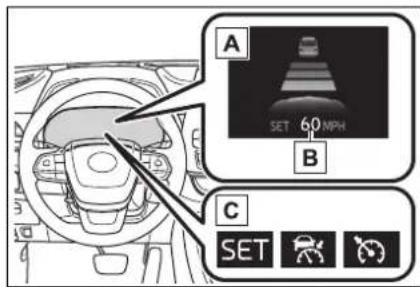
A Multi-information display
B Set speed
c Indicators
Operation switches
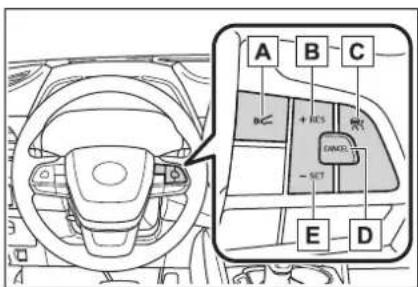
A Vehicle-to-vehicle distance switch
B " +RES" switch
Cruise control main switch
D Cancel switch
E"-SET" switch
WARNING
■Before using dynamic radar cruise control with full-speed range
● Driving safely is the sole responsibility of the driver. Do not rely solely on the system, and drive safely by always paying careful attention to your surroundings.
The dynamic radar cruise control with full-speed range provides driving assistance to reduce the driver's burden. However, there are limitations to the assistance provided. Read the following conditions carefully. Do not overly rely on this system and always drive carefully.
- When the sensor may not be correctly detecting the vehicle ahead: →P281

WARNING
- Conditions under which the vehicle-to-vehicle distance control mode may not function correctly: P282
- Set the speed appropriately depending on the speed limit, traffic flow, road conditions, weather conditions, etc. The driver is responsible for checking the set speed.
● Even when the system is functioning normally, the condition of the preceding vehicle as detected by the system may differ from the condition observed by the driver. Therefore, the driver must always remain alert, assess the danger of each situation and drive safely. Relying solely on this system or assuming the system ensures safety while driving can lead to an accident, resulting in death or serious injury. - Switch the dynamic radar cruise control with full-speed range setting to off, using the cruise control main switch when not in use.
■ Cautions regarding the driving assist systems
Observe the following precautions, as there are limitations to the assistance provided by the system. Failure to do so may cause an accident resulting in death or serious injury.
● Assisting the driver to measure following distance
The dynamic radar cruise control with full-speed range is only intended to help the driver in determining the following distance between the driver's own vehicle and a designated vehicle traveling ahead. It is not a mechanism that allows careless or inattentive driving, and it is not a system that can assist the driver in low-visibility conditions.
It is still necessary for driver to pay close attention to the vehicle's surroundings.
●Assisting the driver to judge proper following distance
The dynamic radar cruise control with full-speed range determines whether the following distance between the driver's own vehicle and a designated vehicle traveling ahead is within a set range. It is not capable of making any other type of judgement. Therefore, it is absolutely necessary for the driver to remain vigilant and to determine whether or not there is a possibility of danger in any given situation.
●Assisting the driver to operate the vehicle
The dynamic radar cruise control with full-speed range does not include functions which will prevent or avoid collisions with vehicles ahead of your vehicle. Therefore, if there is ever any possibility of danger, the driver must take immediate and direct control of the vehicle and act appropriately in order to ensure the safety of all involved.

WARNING
■Situations unsuitable for dynamic radar cruise control with full-speed range
Do not use dynamic radar cruise control with full-speed range in any of the following situations. Doing so may result in inappropriate speed control and could cause an accident resulting in death or serious injury.
●Roads where there are pedestrians, cyclists, etc.
In heavy traffic
● On roads with sharp bends
●On winding roads
● On slippery roads, such as those covered with rain, ice or snow
- On steep downhills, or where there are sudden changes between sharp up and down gradients
Vehicle speed may exceed the set speed when driving down a steep hill.
● At entrances to freeways and highways
- When weather conditions are bad enough that they may prevent the sensors from detecting correctly (fog, snow, sandstorm, heavy rain, etc.)
- When there is rain, snow, etc. on the front surface of the radar or front camera
● In traffic conditions that require frequent repeated acceleration and deceleration
- When your vehicle is towing a trailer or during emergency towing
- When an approach warning buzzer is heard often
Driving in vehicle-to-vehicle distance control mode
This mode employs a radar to detect the presence of vehicles up to approximately 328 ft. (100 m) ahead, determines the current vehicle-to-vehicle following distance, and operates to maintain a suitable following distance from the vehicle ahead. The desired vehicle-to-vehicle distance can also be set by operating the vehicle-to-vehicle distance switch.
When driving on downhill slopes, the vehicle-to-vehicle distance may become shorter.
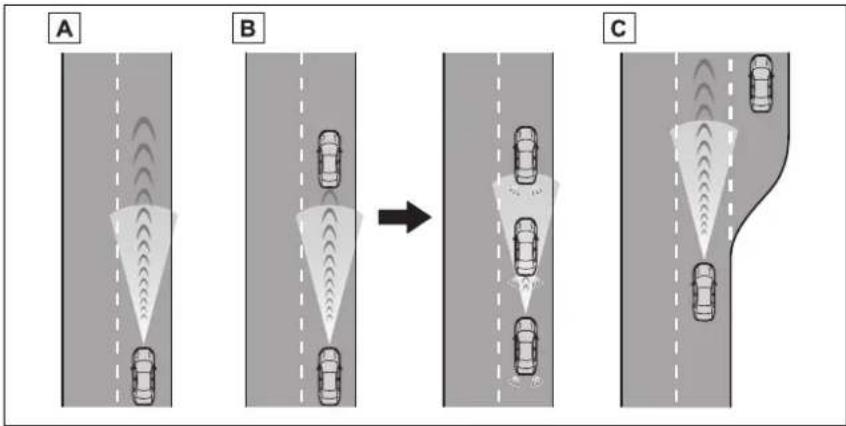
flowchart
graph TD
    A[" Lane A"] -->|Signal Flow| B[" Lane B"]
    B -->|Signal Flow| C[" Lane C"]
    style A fill:#f9f,stroke:#333
    style B fill:#f9f,stroke:#333
    style C fill:#f9f,stroke:#333
A Example of constant speed cruising When there are no vehicles ahead
The vehicle travels at the speed set by the driver.
B Example of deceleration cruising and follow-up cruising When a preceding vehicle driving slower than the set speed appears
When a vehicle is detected running ahead of you, the system automatically decelerates your vehicle. When a greater reduction in vehicle speed is necessary, the system applies the brakes (the stop lights will come on at this time). The system will respond to changes in the speed of the vehicle ahead in order to maintain the vehicle-to-vehicle distance set by the driver. Approach warning warns you when the system cannot decelerate sufficiently to prevent your vehicle from closing in on the vehicle ahead.
When the vehicle ahead of you stops, your vehicle will also stop (vehicle is stopped by system control). After the vehicle ahead starts off, pressing the “+RES” switch or depressing the accelerator pedal (start-off operation) will resume follow-up cruising. If the start-off operation is not performed, system control continues to keep your vehicle stopped.
When the turn signal lever is operated and your vehicle moves to an over-taking lane while driving at 50 mph (80 km/h) or more, the vehicle will accelerate to help to overtake a passing vehicle.
The system's identification of what is an overtaking lane may be determined solely based on the location of the steering wheel in the vehicle (left side driver position versus right side driver position.) If the vehicle is driven to a region where the overtaking lane is on a different side from where the vehicle is normally driven, the vehicle may accelerate when the turn signal lever is operated in the opposite direction to the overtaking lane (e.g., if the driver normally operates the vehicle in a region where the overtaking lane is to the right but then drives to a region where the overtaking lane is to the left, the vehicle may accelerate when the right turn signal is activated).
c Example of acceleration
When there are no longer any preceding vehicles driving slower than the set speed
The system accelerates until the set speed is reached. The system then returns to constant speed cruising.
Setting the vehicle speed (vehicle-to-vehicle distance control mode)
1 Press the cruise control main switch to activate the cruise control.
Dynamic radar cruise control indicator will come on and a message will be displayed on the multi-information display. Press the switch again to deactivate the cruise control.
If the cruise control main switch is pressed and held for 1.5 seconds or more, the system turns on in constant speed control mode.
(→P.279)
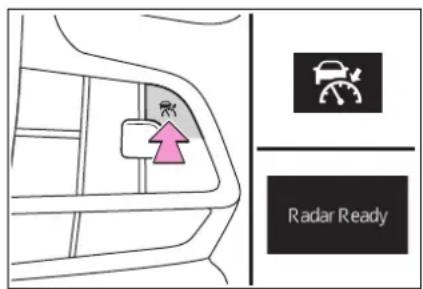
2 Accelerate or decelerate, with accelerator pedal operation, to the desired vehicle speed (at or above approximately 20 mph [30 km/h]) and press the "-SET" switch to set the speed.
Cruise control "SET" indicator will come on.
The vehicle speed at the moment the switch is released becomes the
set speed.
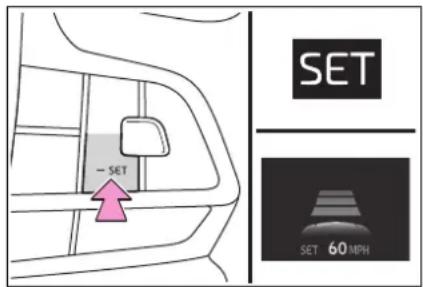
Adjusting the set speed
- Adjusting the set speed by the switch
To change the set speed, press the “+RES” or “-SET” switch until the desired set speed is displayed.
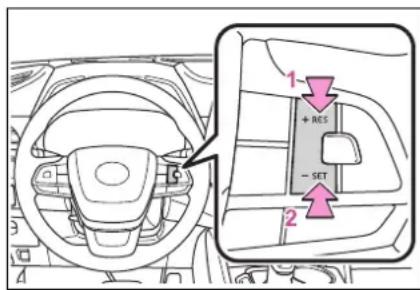
1 Increases the speed (Except when the vehicle has been stopped by system control in vehicle-to-vehicle distance control mode)
2 Decreases the speed
Fine adjustment: Press the switch.
Large adjustment: Press and hold the switch to change the speed, and release when the desired speed is reached.
In the vehicle-to-vehicle distance control mode, the set
speed will be increased or decreased as follows:
For the U.S. mainland and Hawaii
Fine adjustment: By 1 mph (1.6 km/h) ^1 or 1 km/h (0.6 mph) ^2 each time the switch is pressed Large adjustment: Increases or decreases in 1 mph (1.6 km/h) ^1 or 1 km/h (0.6 mph) ^2 increments for as long as the switch is held
For Canada and Puerto Rico
Fine adjustment: By 1 mph (1.6 km/h) ^1 or 1 km/h (0.6 mph) ^2 each time the switch is pressed Large adjustment: Increases or decreases in 5 mph (8 km/h) ^1 or 5 km/h (3.1 mph) ^2 increments for as long as the switch is held
In the constant speed control mode ( P.279), the set speed will be increased or decreased as follows:
Fine adjustment: By 1 mph (1.6 km/h) ^1 or 1 km/h (0.6 mph) ^2 each time the switch is pressed
Large adjustment: The speed will continue to change while the switch is held.
*1: When the set speed is shown in "MPH"
*2: When the set speed is shown in "km/h"
● Increasing the set speed by the accelerator pedal
1 Accelerate with accelerator pedal operation to the desired vehicle speed
2 Press the "-SET" switch
Changing the vehicle-to-vehicle distance (vehicle-to-vehicle distance control mode)
Pressing the switch changes the vehicle-to-vehicle distance as follows:
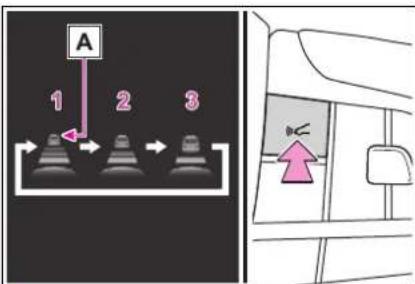
1 Long
2 Medium
3 Short
If a vehicle is running ahead of you, the preceding vehicle mark ▶will also be displayed.
Vehicle-to-vehicle distance settings (vehicle-to-vehicle distance control mode)
Select a distance from the table below. Note that the distances shown correspond to a vehicle speed of 50 mph (80 km/h). Vehicle-to-vehicle distance increases/decreases in accordance with vehicle speed. When the vehicle is stopped by system control, the vehicle stops at a
certain vehicle-to-vehicle distance depending on the situation.
| Distance options | Vehicle-to-vehicle distance |
| Long | Approximately 160 ft.(50 m) |
| Medium | Approximately 130 ft.(40 m) |
| Short | Approximately 100 ft.(30 m) |
Resuming follow-up cruising when the vehicle has been stopped by sys- tem control (vehi- cle-to-vehicle distance control mode)
After the vehicle ahead of you starts off, press the "+RES" switch.
Your vehicle will also resume follow-up cruising if the accelerator pedal is depressed after the vehicle ahead of you starts off.
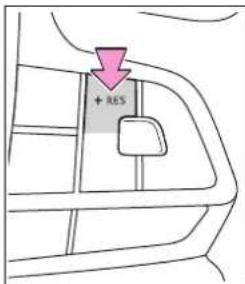
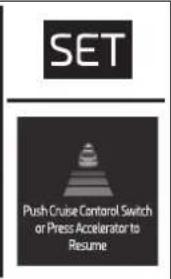
Canceling and resuming the speed control
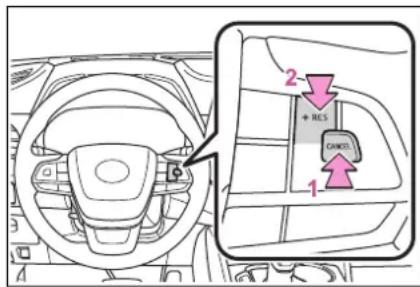
1 Pressing the cancel switch cancels the speed control.
The speed control is also canceled when the brake pedal is depressed. (When the vehicle has been stopped by system control, depressing the brake pedal does not cancel the setting.)
2 Pressing the “+RES” switch resumes the cruise control and returns vehicle speed to the set speed.
Approach warning (vehicle-to-vehicle distance control mode)
When your vehicle is too close to a vehicle ahead, and sufficient automatic deceleration via the cruise control is not possible, the display will flash and the buzzer will sound to alert the driver. An example of this would be if another driver cuts in front of you while you are following a vehicle. Depress the brake pedal to ensure an appropriate vehicle-to-vehicle distance.
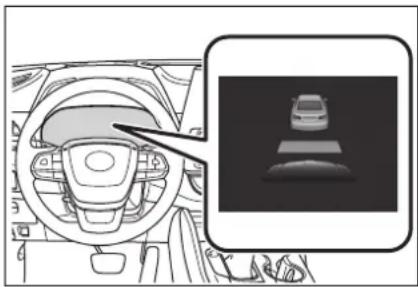
natural_image
Interior view of a car dashboard and steering wheel with a close-up inset showing a car silhouette (no text or symbols)■Warnings may not occur when
In the following instances, warnings may not occur even when the vehicle-to-vehicle distance is small.
- When the speed of the preceding vehicle matches or exceeds your vehicle speed
- When the preceding vehicle is traveling at an extremely slow speed
- Immediately after the cruise control speed was set
- When depressing the accelerator pedal
Curve speed reduction function
While driving in vehicle-to-vehicle distance control mode, this function will reduce the vehicle speed, if it is determined to be necessary.
■Function operation
When the steering wheel begins to be turned, the vehicle speed will begin being reduced. When
the steering wheel is returned to the center position, the vehicle speed reduction will end.
Depending on the situation, the vehicle speed will then return to the vehicle-to-vehicle distance control mode set speed.
In situations where vehicle-to-vehicle distance control needs to operate, such as when a preceding vehicle cuts in front of your vehicle, the curve speed reduction function will be canceled.
Operation display
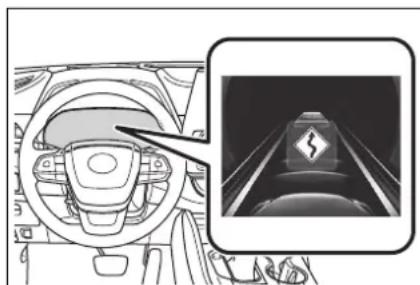
natural_image
Interior view of a car dashboard and illuminated tunnel (no text or symbols visible)Displayed when the vehicle speed is being reduced.
When the vehicle speed reduction ends, the display will disappear.
■Changing the settings of the curve speed reduction function
The curve speed reduction function can be enabled/disabled and the vehicle speed reduction strength can be adjusted.
4.2-inch display
Press the or meter control switch to select press or
√ to select "Curve Speed Reduction" and then press OK.
7-inch display
Press the or meter control switch to select press or
to select "Curve Speed Reduction" and then press OK.
The setting will change each time the meter control switch is pressed.
Selecting constant speed control mode
When constant speed control mode is selected, your vehicle will maintain a set speed without controlling the vehicle-to-vehicle distance. Select this mode only when vehicle-to-vehicle distance control mode does not function correctly due to a dirty radar, etc.
1 With the cruise control off, press and hold the cruise control main switch for 1.5 seconds or more.
Immediately after the switch is pressed, the dynamic radar cruise control indicator will come on. Afterwards, it switches to the cruise control indicator.
Switching to constant speed control mode is only possible when operating the switch with the cruise con-
trol off.
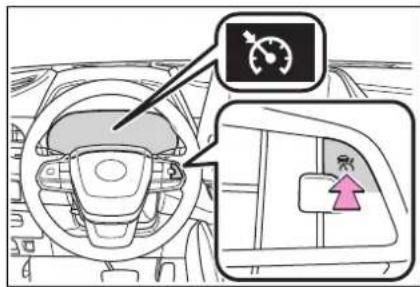
2 Accelerate or decelerate, with accelerator pedal operation, to the desired vehicle speed (at or above approximately 20 mph [30 km/h]) and press the "-SET" switch to set the speed.
Cruise control "SET" indicator will come on.
The vehicle speed at the moment the switch is released becomes the set speed.
Adjusting the speed setting: →P.276
Canceling and resuming the speed setting: →P278
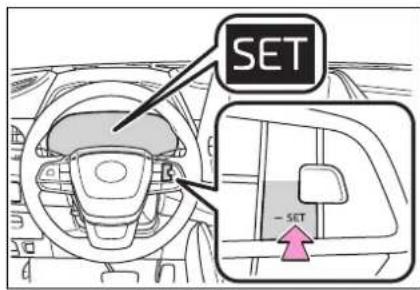
■ Dynamic radar cruise control with full-speed range can be set when
●The shift lever is in D.
●The desired set speed can be set when the vehicle speed is approximately 20 mph (30 km/h) or more.
(However, when the vehicle speed is set while driving at below approximately 20 mph [30 km/h], the set speed will be set to approximately 20 mph [30 km/h].)
■Accelerating after setting the vehicle speed
The vehicle can accelerate by operating the accelerator pedal. After accelerating, the set speed resumes. However, during vehicle-to-vehicle distance control mode, the vehicle speed may decrease below the set speed in order to maintain the distance to the preceding vehicle.
■When the vehicle stops while follow-up cruising
- Pressing the “+RES” switch while the vehicle ahead stops will resume follow-up cruising if the vehicle ahead starts off within approximately 3 seconds after the switch is pressed.
- If the vehicle ahead starts off within 3 seconds after your vehicle stops, follow-up cruising will be resumed.
■Automatic cancelation of vehicle-to-vehicle distance control mode
Vehicle-to-vehicle distance control mode is automatically canceled in the following situations.
●VSC is activated.
●TRAC is activated for a period of time.
- When the VSC or TRAC system is turned off.
●The sensor cannot detect correctly because it is covered in some way.
●Pre-collision braking is activated.
●The parking brake is operated.
●The vehicle is stopped by system control on a steep incline.
●The following are detected when the vehicle has been stopped by
system control:
- The driver is not wearing a seat belt.
- The driver's door is opened.
• The vehicle has been stopped for about 3 minutes
If vehicle-to-vehicle distance control mode is automatically canceled for any reasons other than the above, there may be a malfunction in the system. Contact your Toyota dealer.
■ Automatic cancelation of constant speed control mode
Constant speed control mode is automatically canceled in the following situations:
●Actual vehicle speed is more than approximately 10 mph (16 km/h) below the set vehicle speed.
●Actual vehicle speed falls below approximately 20 mph (30 km/h).
●VSC is activated.
●TRAC is activated for a period of time.
- When the VSC or TRAC system is turned off.
●Pre-collision braking is activated.
●The parking brake is operated.
If constant speed control mode is automatically canceled for any reasons other than the above, there may be a malfunction in the system. Contact your Toyota dealer.
■Situations in which the curve speed reduction function may not operate
In situations such as the following, the curve speed reduction function may not operate:
●When the vehicle is being driven around a gentle curve
- When the accelerator pedal is being depressed
- When the vehicle is being driven around an extremely short curve
Brake operation
A brake operation sound may be heard and the brake pedal response may change, but these are not malfunctions.
■Warning messages and buzzers for dynamic radar cruise control with full-speed range
Warning messages and buzzers are used to indicate a system malfunction or to inform the driver of the need for caution while driving. If a warning message is shown on the multi-information display, read the message and follow the instructions. (→P.247, 476)
■When the sensor may not be correctly detecting the vehicle ahead
In the case of the following and depending on the conditions, operate the brake pedal when deceleration of the system is insufficient or operate the accelerator pedal when acceleration is required.
As the sensor may not be able to correctly detect these types of vehicles, the approach warning ( P.278) may not be activated.
● Vehicles that cut in suddenly
● Vehicles traveling at low speeds
● Vehicles that are not moving in the same lane
● Vehicles with small rear ends (trailers with no load on board, etc.)
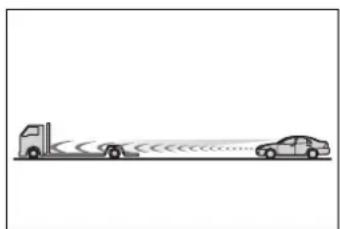
natural_image
Simple line drawing of a truck and two cars on a road with motion lines (no text or symbols)●Motorcycles traveling in the same lane
- When water or snow thrown up by the surrounding vehicles hinders
the detecting of the sensor
- When your vehicle is pointing upwards (caused by a heavy load in the luggage compartment, etc.)
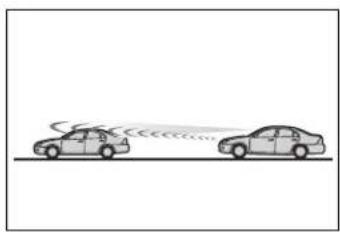
natural_image
Two cars on a road with sound waves, no text or symbols present●Preceding vehicle has an extremely high ground clearance
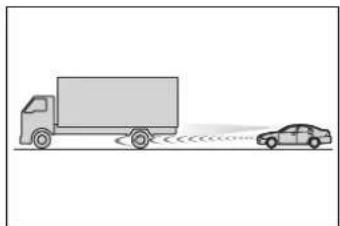
natural_image
Simple line drawing of a truck and car on a road with sound waves (no text or symbols)■ Conditions under which the vehicle-to-vehicle distance control mode may not function correctly
In the case of the following conditions, operate the brake pedal (or accelerator pedal, depending on the situation) as necessary.
As the sensor may not be able to correctly detect vehicles ahead, the system may not operate properly.
●When the road curves or when the lanes are narrow
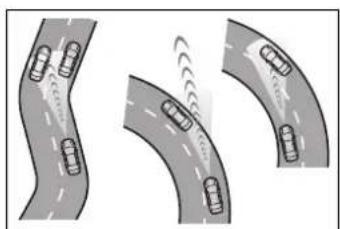
natural_image
Three curved road scenarios showing traffic flow with cars, no text or symbols present- When steering wheel operation or your position in the lane is unstable
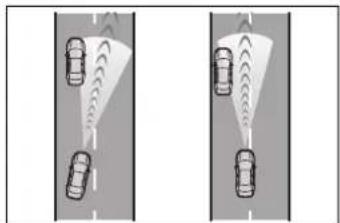
natural_image
Two identical road scenarios showing cars on a road with visible traffic lights (no text or symbols)●When the vehicle ahead of you decelerates suddenly
- When driving on a road surrounded by a structure, such as in a tunnel or on a bridge
■Situations in which the curve speed reduction function may not operate properly
In situations such as the following, the curve speed reduction function may not operate properly:
- When the vehicle is being driven around a curve on an incline/decline
- When the course of the vehicle differs from the shape of the curve
●When the vehicle speed is excessively high when entering a curve - When the steering wheel is suddenly operated
RSA (Road Sign Assist) ^*
*: If equipped
The RSA system recognizes specific road signs using the front camera and/or navigation system (when speed limit information is available) to provide information to the driver via the display.
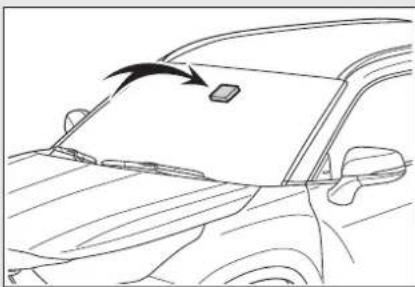
natural_image
Line drawing of a car's front window with an arrow pointing to the top panel (no text or symbols)If the system judges that the vehicle is being driven over the speed limit, performing prohibited actions, etc. according to the recognized road signs, it notifies the driver through a visual notification and notification buzzer.

WARNING
■Before using the RSA
Do not rely solely upon the RSA system. RSA is a system which supports the driver by providing information, but it is not a replacement for a driver's own vision and awareness. Drive safely by always paying careful attention to the traffic rules.
Indication on the multi-information display
When the front camera recognizes a sign and/or information of a sign is available from the navigation system, the sign will be displayed on the multi-information display.
- When the driving support system information is selected, a maximum of 3 signs can be displayed. (→P.92, 101)
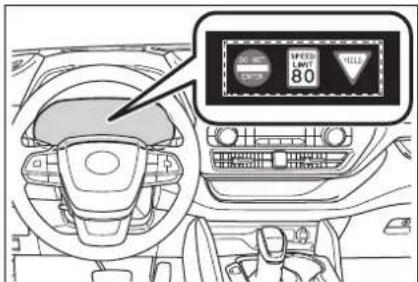
- When a tab other than the driving support system information is selected, the following types of road signs will be displayed. (→P.92, 101)
- Speed limit sign
- Do Not Enter sign (when notification is necessary)
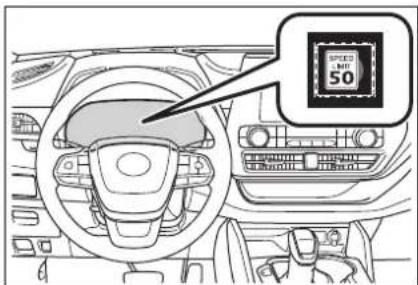
If signs other than speed limit signs
are recognized, they will be displayed in an overlapping stack under the current speed limit sign.
Supported types of road signs
The following types of road signs, including electronic signs and blinking signs, are recognized.
A non-official or a recently introduced traffic sign may not be recognized.

Speed limit

Do Not Enter

Stop

Yield
Notification function
In the following situations, the RSA system will notify the driver.
- When the vehicle speed exceeds the speed notification threshold of the speed limit sign displayed, the sign display will be emphasized and a buzzer will sound.
- When the RSA system recognizes a do not enter sign and
determines that your vehicle has entered a no-entry area, the displayed sign will flash and a buzzer will sound.
Depending on the situation, a notification function may not operate properly.
Setting procedure
4.2-inch display
1 Press < or of the meter control switches and select
2 Press or of the meter control switches and select then press
7-inch display
1 Press ∧ or of the meter control switches and select ⏰
2 Press < or of the meter control switches and select then press OK
■Automatic turn-off of RSA sign display
In the following situations, a displayed speed limit sign and/or do not enter sign will stop being displayed automatically:
●No sign has been recognized for a certain distance.
●The road changes due to a left or right turn, etc.
In the following situations, stop and yield signs will stop being displayed automatically:
●The system determines that your vehicle has passed the sign.
●The road changes due to a left or right turn, etc.
■ Conditions in which the function may not operate or detect correctly
In the following situations, RSA does not operate normally and may not recognize signs, display the incorrect sign, etc. However, this does not indicate a malfunction.
●The front camera is misaligned due to a strong impact being applied to the sensor, etc.
●Dirt, snow, stickers, etc. are on the windshield near the front camera.
● In inclement weather such as heavy rain, fog, snow or sand storms.
●Light from an oncoming vehicle, the sun, etc. enters the front camera.
●The sign is dirty, faded, tilted or bent.
●The contrast of electronic sign is low.
● All or part of the sign is hidden by the leaves of a tree, a pole, etc.
●The sign is only visible to the front camera for a short amount of time.
●The driving scene (turning, lane change, etc.) is judged incorrectly.
- If a sign not appropriate for the currently traveled lane, but the sign exists directly after a freeway branches, or in an adjacent lane just before merging.
● Stickers are attached to the rear of the preceding vehicle.
●A sign resembling a system compatible sign is recognized.
- Side road speed signs may be detected and displayed (if positioned in sight of the front camera) while the vehicle is traveling on the main road.
● Roundabout exit road speed signs may be detected and displayed (if positioned in sight of the front camera) while traveling on a roundabout.
●The front of the vehicle is raised or lowered due to the carried load.
●The surrounding brightness is not sufficient or changes suddenly.
- When a sign intended for trucks, etc. is recognized.
●The navigation system map data is outdated.
●The navigation system is not operating.
● The speed information displayed on the meter and on the navigation system may be different due to the navigation system using map data.
■Speed limit sign display
If the power switch was last turned off while a speed limit sign was displayed on the multi-information display, the same sign displays again when the power switch is turned to ON.
If "RSA Malfunction Visit Your Dealer" is shown
The system may be malfunctioning. Have the vehicle inspected by your Toyota dealer.
Customization
Some functions can be customized. (Customizable features:→P.530)
BSM (Blind Spot Monitor)
The Blind Spot Monitor is a system that uses rear side radar sensors installed on the inner side of the rear bumper on the left and right side to assist the driver in confirming safety when changing lanes.

WARNING
■ Cautions regarding the use of the system
The driver is solely responsible for safe driving. Always drive safely, taking care to observe your surroundings.
The Blind Spot Monitor is a supplementary function which alerts the driver that a vehicle is in a blind spot of the outside rear view mirrors or is approaching rapidly from behind into a blind spot. Do not overly rely on the Blind Spot Monitor. As the function cannot judge if it is safe to change lanes, over reliance could lead to an accident resulting in death or serious injury.
As the system may not function correctly under certain conditions, the driver's own visual confirmation of safety is necessary.
System components
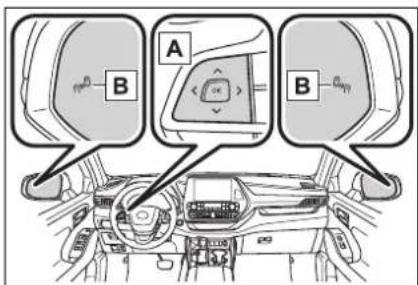
A Meter control switches
Turning the Blind Spot Monitor on/off.
When the BSM function is disabled, the BSM OFF indicator illuminates.
B Outside rear view mirror indicators
When a vehicle is detected in a blind spot of the outside rear view mirrors or approaching rapidly from behind into a blind spot, the outside rear view mirror indicator on the detected side will illuminate. If the turn signal lever is operated toward the detected side, the outside rear view mirror indicator flashes.
■ Outside rear view mirror indicator visibility
In strong sunlight, the outside rear view mirror indicator may be difficult to see.
When “Blind Spot Monitor Unavailable” is shown on the multi-information display
Ice, snow, mud, etc., may be attached to the rear bumper around the sensors. (→P.288) The system should return to normal operation after removing the ice, snow, mud, etc. from the rear bumper. Additionally, the sensors may not operate normally when driving in extremely
hot or cold environments.
■When "Blind Spot Monitor Mal-function Visit Your Dealer" is shown on the multi-information display
There may be a sensor malfunction
Certification
For vehicles sold in the U.S.A.
FCC ID: HYQDNSRR004
of misaligned. Have the vehicle inspected by your Toyota dealer.
Customization
Some functions can be customized. (→P.530)
NOTE:
This device complies with part 15 of the FCC Rules. Operation is subject to the following two conditions: (1) This device may not cause harmful interference, and (2) this device must accept any interference received, including interference that may cause undesired operation.
FCC WARNING:
Changes or modifications not expressly approved by the party responsible for compliance could void the user's authority to operate the equipment.
For vehicles sold in Canada
NOTE:
This device contains licence-exempt transmitter(s)/receiver(s) that comply with Innovation, Science and Economic Development Canada's licence-exempt RSS(s). Operation is subject to the following two conditions:
(1) This device may not cause interference.
(2) This device must accept any interference, including interference that may cause undesired operation of the device.
This equipment complies with ISED radiation exposure limits set forth for an uncontrolled environment and meets RSS-102 of the ISED radio frequency (RF) Exposure rules. This equipment should be installed and operated keeping the radiator at least 20 cm or more away from person's body.
NOTE:
■Handling the rear side radar sensor
Blind Spot Monitor sensors are installed behind the left and right sides of the rear bumper respectively. Observe the following to ensure the Blind Spot Monitor can operate correctly.
- Keep the sensors and the surrounding areas on the rear bumper clean at all times.
If a sensor or its surrounding area on the rear bumper is dirty or covered with snow, the Blind Spot Monitor may not operate and a warning message ( P.286) will be displayed. In this situation, clear off the dirt or snow and drive the vehicle with the operation conditions of the BSM function ( P.290) satisfied for approximately 10 minutes. If the warning message does not disappear, have the vehicle inspected by your Toyota dealer.
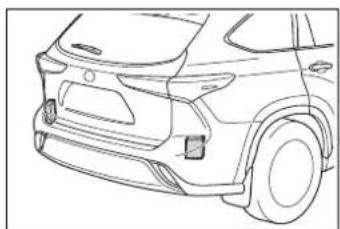
natural_image
Line drawing of a car's rear side profile showing dashboard, front wheel, and side panel (no text or symbols)- Do not attach stickers to the sensor or surrounding area on the rear bumper.

WARNING
- Do not subject a sensor or its surrounding area on the rear bumper to a strong impact. If a sensor is moved even slightly off position, the system may malfunction and vehicles may not be detected correctly. In the following situations, have your vehicle inspected by your Toyota dealer.
- A sensor or its surrounding area is subject to a strong impact.
- If the surrounding area of a sensor is scratched or dented, or part of them has become disconnected.
- Do not disassemble the sensor.
- Do not modify the sensor or surrounding area on the rear bumper.
- If a sensor or the rear bumper needs to be removed/installed or replaced, contact your Toyota dealer.
●Do not paint the rear bumper any color other than an official Toyota color.
Turning the Blind Spot Monitor on/off
Use the meter control switches to turn on/off the function.
4.2-inch display
1 Press or of the meter control switches and select

2 Press or of the meter control switches to select and then press OK
7-inch display
1 Press or of the meter control switches and select

2 Press or of the meter control switches to select and then press OK
Blind Spot Monitor operation
■Vehicles that can be detected by the Blind Spot Monitor
The Blind Spot Monitor uses rear side radar sensors to detect the following vehicles traveling in adjacent lanes and advises the driver of the presence of such vehicles via the indicators on the outside rear view mirrors.
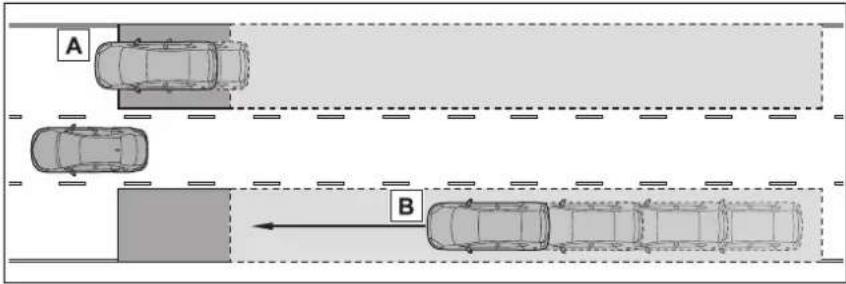
A Vehicles that are traveling in areas that are not visible using the outside rear view mirrors (the blind spots)
B Vehicles that are approaching rapidly from behind in areas that are not visible using the outside rear view mirrors (the blind spots)
■The Blind Spot Monitor detection areas
The areas that vehicles can be detected in are outlined below.
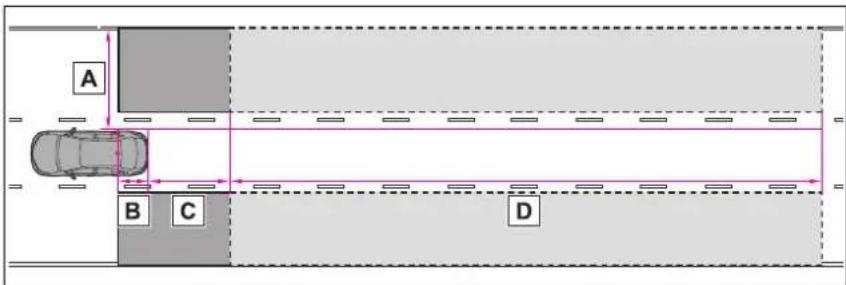
The range of each detection area is:
A Approximately 1.6 ft. (0.5 m) to 11.5 ft. (3.5 m) from either side of the vehicle ^*1
B Approximately 3.3 ft. (1 m) forward of the rear bumper
C Approximately 9.8 ft. (3 m) from the rear bumper
D Approximately 9.8 ft. (3 m) to 197 ft. (60 m) from the rear bumper ^2
*1: The area between the side of the vehicle and 1.6 ft. (0.5 m) from the side of the vehicle cannot be detected.
^*2 :The greater the difference in speed between your vehicle and the detected vehicle is, the farther away the vehicle will be detected, causing the outside rear view mirror indicator to illuminate or flash.
■The Blind Spot Monitor is oper-
ational when
The Blind Spot Monitor is opera-
tional when all of the following conditions are met:
●The Blind Spot Monitor is on.
●The shift lever is in a position other than R.
●The vehicle speed is greater than approximately 10 mph (16 km/h).
■The Blind Spot Monitor will detect a vehicle when
The Blind Spot Monitor will detect a vehicle present in the detection area in the following situations:
●A vehicle in an adjacent lane overtakes your vehicle.
- You overtake a vehicle in an adjacent lane slowly.
●Another vehicle enters the detection area when it changes lanes.
■Conditions under which the Blind Spot Monitor will not detect a vehicle
The Blind Spot Monitor is not designed to detect the following types of vehicles and/or objects:
● Small motorcycles, bicycles, pedestrians, etc.*
● Vehicles traveling in the opposite direction
●Guardrails, walls, signs, parked vehicles and similar stationary objects*
- Following vehicles that are in the same lane*
● Vehicles traveling 2 lanes away from your vehicle*
● Vehicles which are being over-taken rapidly by your vehicle*
*: Depending on the conditions, detection of a vehicle and/or object may occur.
■Conditions under which the Blind Spot Monitor may not function correctly
●The Blind Spot Monitor may not
detect vehicles correctly in the following situations:
- When the sensor is misaligned due to a strong impact to the sensor or its surrounding area
- When mud, snow, ice, a sticker, etc. is covering the sensor or surrounding area on the rear bumper
- When driving on a road surface that is wet with standing water during bad weather, such as heavy rain, snow, or fog
- When multiple vehicles are approaching with only a small gap between each vehicle
- When the distance between your vehicle and a following vehicle is short
- When there is a significant difference in speed between your vehicle and the vehicle that enters the detection area
- When the difference in speed between your vehicle and another vehicle is changing
- When a vehicle enters a detection area traveling at about the same speed as your vehicle
- As your vehicle starts from a stop, a vehicle remains in the detection area
- When driving up and down consecutive steep inclines, such as hills, dips in the road, etc.
- When driving on roads with sharp bends, consecutive curves, or uneven surfaces
- When vehicle lanes are wide, or when driving on the edge of a lane, and the vehicle in an adjacent lane is far away from your vehicle
- When towing a trailer
- When an accessory (such as a bicycle carrier) is installed to the rear of the vehicle
- When there is a significant difference in height between your vehicle and the vehicle that enters the detection area
- Immediately after the Blind Spot Monitor is turned on
- Instances of the Blind Spot Monitor unnecessarily detecting a vehi-
cle and/or object may increase in the following situations:
- When the sensor is misaligned due to a strong impact to the sensor or its surrounding area
- When the distance between your vehicle and a guardrail, wall, etc. that enters the detection area is short
- When driving up and down consecutive steep inclines, such as hills, dips in the road, etc.
- When vehicle lanes are narrow, or when driving on the edge of a lane, and a vehicle traveling in a lane other than the adjacent lanes enters the detection area
- When driving on roads with sharp bends, consecutive curves, or uneven surfaces
- When the tires are slipping or spinning
- When the distance between your vehicle and a following vehicle is short
- When an accessory (such as a bicycle carrier) is installed to the rear of the vehicle
Intuitive parking assist\*
*: If equipped
The distance from your vehicle to objects, such as a wall, when parallel parking or maneuvering into a garage is measured by the sensors and communicated via the multi-information display, head-up display (if equipped), audio system screen and a buzzer. Always check the surrounding area when using this system.
System components
■Types of sensors
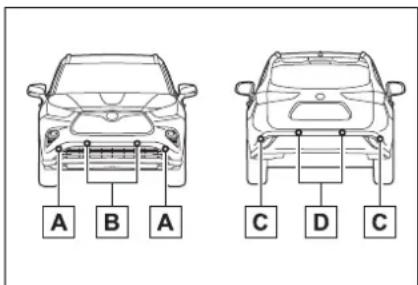
A Front corner sensors
B Front center sensors
c Rear corner sensors
D Rear center sensors
■Display
When the sensors detect an object, such as a wall, a graphic is shown on the multi-information display, head-up display (if
equipped) and audio system screen depending on the position and distance to the object.
● Multi-information display and head-up display
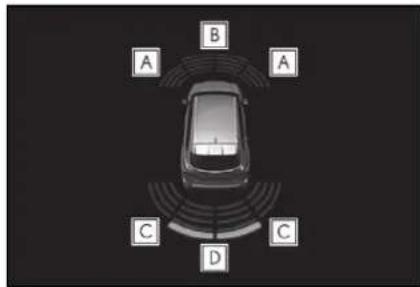
A Front corner sensor detection
B Front center sensor detection
c Rear corner sensor detection
D Rear center sensor detection
● Audio system screen (vehicles with a Toyota parking assist monitor)
When the R shift lever is selected, a simplified image is displayed on the audio system screen.
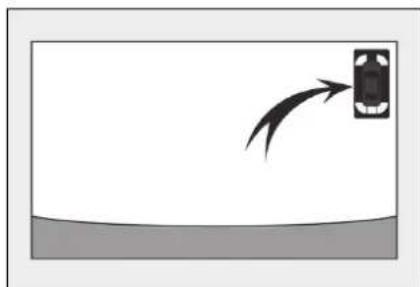
natural_image
Simple diagram showing a car with a curved arrow pointing to it, above a flat surface (no text or symbols)● Audio system screen (vehicles with a Panoramic view monitor)
A graphic will be displayed on the audio system screen.
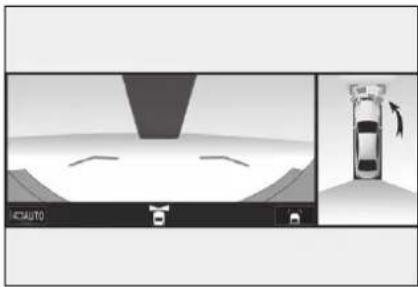
natural_image
Diagram showing a mechanical assembly with a cutting tool and a vehicle component, no text or symbols present.Turning intuitive parking assist on/off
Use the meter control switches to enable/disable the intuitive parking assist. ( P.107)
1 Press ∧ or
to select4
2 Press < o>
to Pselect
and then press
Driving
When the intuitive parking assist function is disabled, the intuitive parking assist OFF indicator ( P.86) illuminates.
To re-enable the system, select
on the multi-information display, select P and turn it on. If the system is disabled, it will remain off even if the power switch is turned to ON after the power switch has been turned off.

WARNING
■When using the intuitive parking assist
Observe the following precautions.
Failing to do so may result in the vehicle being unable to be driven safely and possibly cause an accident.
- Do not use the sensor at speeds in excess of 6 mph (10 km/h).
The sensors' detection areas and reaction times are limited. When moving forward or reversing, check the areas surrounding the vehicle (especially the sides of the vehicle) for safety, and drive slowly, using the brake to control the vehicle's speed. - Do not install accessories within the sensors' detection areas.
●The area directly under the bumpers is not detected. Thin posts or objects lower than the sensor may not be detected when approached, even if they have been detected once.
■When to disable the function
In the following situations, disable the function as it may operate even though there is no possibility of a collision.
●The vehicle is equipped with a fender pole, wireless antenna or fog lights.
●The front or rear bumper or a sensor receives a strong impact.
● A non-genuine Toyota suspension (lowered suspension, etc.) is installed.
● Towing eyelets are installed.
● A backlit licence plate is installed.
■When using intuitive parking assist
In the following situations, the system may not function correctly due to a sensor malfunction, etc. Have the vehicle checked by your Toyota dealer.
●The intuitive parking assist operation display flashes or shows continuously, and a buzzer sounds when no objects are detected.
- If the area around a sensor collides with something, or is subjected to strong impact.
- If the bumper or grille collides with something.
- If the display flashes or is displayed continuously and a buzzer does not sound, except when the mute function has been turned on.
- If a display error occurs, first check the sensor.
If the error occurs even when there is no ice, snow or mud on the sensor, it is likely that the sensor is malfunctioning.
■Notes when washing the vehicle
Do not apply intensive bursts of water or steam to the sensor area.
Doing so may result in the sensor malfunctioning.
- When using a high pressure washer to wash the vehicle, do not spray the sensors directly, as doing so may cause a sensor to malfunction.

WARNING
- When using steam to clean the vehicle, do not direct steam too close to the sensors as doing so may cause a sensor to malfunction.
■The system can be operated when
●The power switch is in ON.
- Intuitive parking assist function is on.
●The vehicle speed is less than about 6 mph (10 km/h).
●A shift lever other than P.
If "Parking Assist Unavailable" is displayed on the multi-information display
●Water may be continuously flowing over the sensor surface, such as in a heavy rain. When the system determines that it is normal, the system will return to normal.
● Initialization may not have been performed after a battery terminal was disconnected and reconnected. Initialize the system. (→P.295) If this message continues to be displayed even after initialization, have the vehicle inspected by your Toyota dealer.
If "Parking Assist Unavailable Clean Parking Assist Sensor" is displayed on the multi-information display
A sensor may be covered with ice, snow, dirt, etc. Remove the ice, snow, dirt, etc., from the sensor to return the system to normal.
Also, due to ice forming on a sensor at low temperatures, a warning message may be displayed or the sensor may not be able to detect an object. Once the ice melts, the system will return to normal.
If a 12-volt battery terminal has been disconnected and reconnected
The system needs to be initialized. To initialize the system, drive the vehicle straight ahead for 5 seconds or more at a speed of approximately 22 mph (35 km/h) or more.
■Sensor detection information
●The following situations may occur during use.
- The sensor's detection areas are limited to the areas around the vehicle front and rear bumpers.
- Depending on the shape of the object and other factors, the detection distance may shorten, or detection may be impossible.
- If an object is extremely close to a sensor, it may not be detected.
- There will be a short delay between object detection and display. Even at low speeds, there is a possibility that the object will come within the sensor's detection areas before the display is shown and the warning beep sounds.
- It might be difficult to hear the buzzer due to the volume of the audio system or air flow noise of the air conditioning system.
- It may be difficult to hear the buzzer if buzzers for other systems are sounding.
■ Conditions under which the function may not function correctly
Certain vehicle conditions and the surrounding environment may affect the ability of a sensor to correctly detect objects. Particular instances where this may occur are listed below.
- There is dirt, snow or ice on a sensor. (Cleaning the sensors will resolve this problem.)
●A sensor is frozen. (Thawing the area will resolve this problem.) In especially cold weather, if a sensor is frozen the sensor dis-
play may be displayed abnormally, or objects, such as a wall, may not be detected.
●A sensor is covered in any way.
- When a sensor or the area around a sensor is extremely hot or cold.
● On an extremely bumpy road, on an incline, on gravel, or on grass.
● The vicinity of the vehicle is noisy due to vehicle horns, motorcycle engines, air brakes of large vehicles, or other loud noises producing ultrasonic waves.
●There is another vehicle equipped with parking assist sensors in the vicinity.
●A sensor is coated with a sheet of spray or heavy rain.
- If a sensor is hit by a large amount of water, such as when driving on a flooded road.
●If the vehicle is significantly tilted.
●The vehicle is approaching a tall or curved curb.
- If objects draw too close to the sensor.
■ Objects which may not be properly detected
The shape of the object may prevent the sensor from detecting it. Pay particular attention to the following objects:
●Wires, fences, ropes, etc.
●Cotton, snow and other materials that absorb sound waves
● Sharply-angled objects
●Low objects
● Tall objects with upper sections projecting outwards in the direction of your vehicle
People may not be detected if they are wearing certain types of clothing.
Setting the buzzer volume
■Adjusting the buzzer volume
The buzzer volume can be adjusted on the multi-information display.
Use the meter control switches to change settings. ( P.107)
1 Press ∧ or to ●select
2 Press or to select and then press and hold OK
3 Select the volume and then press 🔊.
Each time the switch is pressed, the volume level will change between 1, 2, and 3.
■Muting a buzzer temporarily
A mute button will be displayed on the multi-information display when an object is detected. To mute the buzzer, press OK
Mute will be canceled automatically in the following situations:
- When the shift lever is changed.
- When the vehicle speed exceeds a certain speed.
- When there is malfunction in a sensor or the system is temporarily unavailable.
- When the operating function is disabled manually.
- When the power switch is turned off.
Sensor detection display, object distance
■ Detection range of the sensors
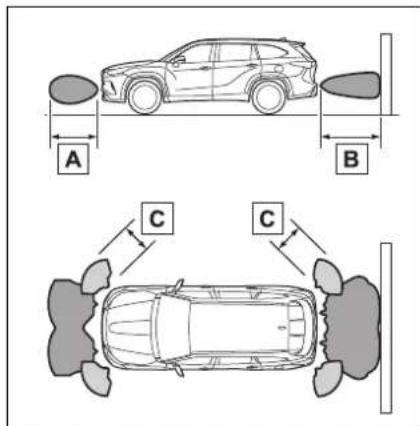
A Approximately 3.3 ft. (100 cm)
B Approximately 4.9 ft. (150 cm)
C Approximately 2.0 ft. (60 cm) The diagram shows the detection range of the sensors. Note that the sensors cannot detect objects that are extremely close to the vehicle. The range of the sensors may change depending on the shape of the object, etc.
■Multi-information display, head-up display (if equipped) and audio system screen
When an object is detected by a sensor, the approximate distance to the object will be displayed on the multi-information display, audio system screen, and head-up display (if equipped). (As the distance to the object becomes short, the distance segments may blink.)
- Approximate distance to object: 4.9 ft. (150 cm) to 2.0 ft. (60 cm) ^* (Rear center sensor)
| Multi-information display | Audio system screen Head-up display | |
 |  |  |
*: Automatic buzzer mute function is enabled. (→P.299)
- Approximate distance to object: 3.3 ft. (100 cm) to 2.0 ft. (60 cm ^* ) (Front center sensor)
| Multi-information display | Audio system screen Head-up display | |
 |  |  |
^* : Automatic buzzer mute function is enabled. ( P.299)
● Approximate distance to object: 2.0 ft. (60 cm) to 1.5 ft. (45 cm)
| Multi-information display | Audio system screen Head-up display | |
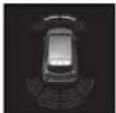 | 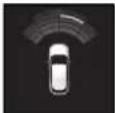 | 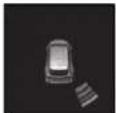 |
^* : Automatic buzzer mute function is enabled. ( P.299)
● Approximate distance to object: 1.5 ft. (45 cm) to 1.0 ft. (30 cm)
| Multi-information display | Audio system screen Head-up display | |
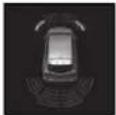 | [DWWW] |  |
^* : Automatic buzzer mute function is enabled. ( P.299)
- Approximate distance to object: 1.0 ft. (30 cm) to 0.5 ft. (15 cm ^2 )
| Multi-information display*2 | Audio system screen*2 | Head-up display |
 |  |  |
^*1 :Automatic buzzer mute function is disabled. ( P.299)
^*2 :The distance segments will blink slowly.
- Approximate distance to object: Less than 0.5 ft. (15 cm ^2 )
| Multi-information display*2 | Audio system screen*2 | Head-up display |
 |  |  |
^*1 :Automatic buzzer mute function is disabled. ( P.299)
*2: The distance segments will blink rapidly.
■Buzzer operation and distance to an object
A buzzer sounds when the sensors are operating.
● The buzzer beeps faster as the vehicle approaches an object. When the vehicle comes within approximately 1.0 ft. (30 cm) of the object, the buzzer sounds continuously.
- When 2 or more objects are detected simultaneously, the buzzer sounds for the nearest object. If one or more objects come within approximately 1.0 ft. (30 cm) of the vehicle, the buzzer will repeat a long tone, followed by fast beeps.
● Automatic buzzer mute function: After a buzzer begins sounding, if the distance between the vehicle and the detected object does not become shorter, the buzzer will be muted automatically. (However, if the distance between the vehicle and object is 1.0 ft. (30 cm) or less, this function will not
operate.)
The buzzer sounds volume can be adjusted. (→P.296)
RCTA (Rear Cross Traffic Alert) function
The RCTA function uses the BSM rear side radar sensors installed behind the rear bumper. This function is intended to assist the driver in checking areas that are not easily visible when backing up.
System components
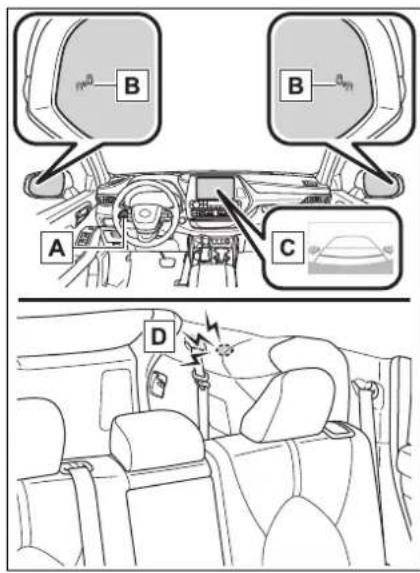
A Meter control switches Turning the RCTA function on/off. When the RCTA function is disabled, the RCTA OFF indicator illuminates.
B Outside rear view mirror indicators
When a vehicle approaching from the right or left at the rear of the
vehicle is detected, both outside rear view mirror indicators will flash.
c Audio system screen
If a vehicle approaching from the right or left at the rear of the vehicle is detected, the RCTA icon ( P.302) for the detected side will be displayed on the audio system screen. This illustration shows an example of a vehicle approaching from both sides of the vehicle.
D RCTA buzzer
If a vehicle approaching from the right or left at the rear of the vehicle is detected, a buzzer will sound.
Turning the RCTA function on/off
4.2-inch display
Use the meter control switches to enable/disable the RCTA function. (→P.97)
1 Press



2 Press


"RCTA" and then press OK
7-inch display
Use the meter control switches to enable/disable the RCTA function. (→P.107)
1 Press



2 Press


"RCTA" and then press OK
When the RCTA function is disabled, the RCTA OFF indicator ( P.86) illuminates on the multi-information display. (Each
time the power switch is turned off then changed to ON, the RCTA function will be enabled automatically.)

WARNING
■ Cautions regarding the use of the function
The driver is solely responsible for safe driving. Always drive safely, taking care to observe your surroundings.
The RCTA function is only a supplementary function which alerts the driver that a vehicle is approaching from the right or left at the rear of the vehicle. As the RCTA function may not function correctly under certain conditions, the driver's own visual confirmation of safety is necessary. Over reliance on this function may lead to an accident resulting death or serious injury.

NOTICE
■Before using the RCTA function
Do not place objects near the sensors.
■Outside rear view mirror indicator visibility
In strong sunlight, the outside rear view mirror indicator may be difficult to see.
■Hearing the RCTA buzzer
The RCTA buzzer may be difficult to hear over loud noises, such as if the audio system volume is high.
When "Rear Cross Traffic Alert Unavailable" is shown on the multi-information display
Water, ice, snow, mud, etc., may be attached to the rear bumper around the sensors. ( P.288) Removing
the water, ice, snow, mud, etc., from the attached to the rear bumper around the sensors to return the function to normal.
Additionally, the function may not operate normally when driving in extremely hot or cold environments.
■Rear side radar sensors
→P.288
Setting the buzzer volume (vehicles with a Intuitive parking assist)
■Adjusting the buzzer volume
The buzzer volume can be adjusted on the multi-information display.
4.2-inch display
Use the meter control switches to change settings. ( P.97)
1 Press


to

2 Press or to select "RCTA" and then press and hold OK.
3 Select the volume and then press 📄.
Each time the switch is pressed, the volume level will change between 1, 2, and 3.
7-inch display
Use the meter control switches to change settings. ( P.107)
1 Press


to

2 Press or to select and "RCTA" then press and hold OK.
3 Select the volume and then press OK.
Each time the switch is pressed, the volume level will change between 1, 2, and 3.
■Muting a buzzer temporarily
A mute button will be displayed on the multi-information display when an object is detected. To mute the buzzer, press 📄
Mute will be canceled automatically in the following situations:
- When the shift lever is changed.
- When the vehicle speed exceeds a certain speed.
- When the operating function is temporarily canceled.
- When the operating function is disabled manually.
- When the power switch is turned off.
RCTA function
■Operation of the RCTA function
The RCTA function uses rear side radar sensors to detect vehicles approaching from the right or left at the rear of the vehicle and alerts the driver of the presence of such vehicles by flashing the outside rear view mirror indicators and sounding a buzzer.
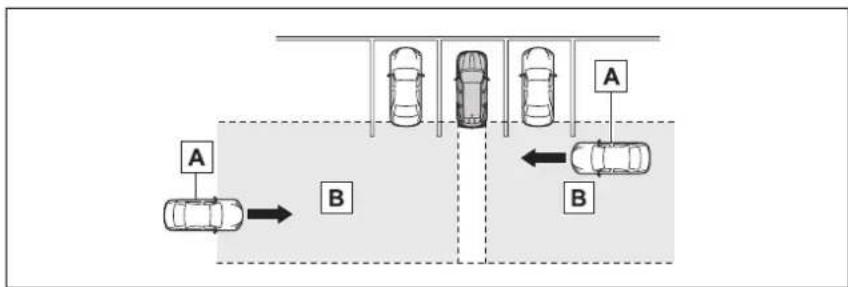
flowchart
graph TD
    A1[" cars "] --> B1[" B "]
    B1 --> C1[" car "]
    C1 --> D1[" car "]
    D1 --> E1[" car "]
    E1 --> F1[" car "]
    F1 --> G1[" car "]
    G1 --> H1[" car "]
    H1 --> I1[" car "]
    I1 --> J1[" car "]
    J1 --> K1[" car "]
    K1 --> L1[" car "]
    L1 --> M1[" car "]
    M1 --> N1[" car "]
    N1 --> O1[" car "]
    O1 --> P1[" car "]
    P1 --> Q1[" car "]
    Q1 --> R1[" car "]
    R1 --> S1[" car "]
    S1 --> T1[" car "]
    T1 --> U1[" car "]
    U1 --> V1[" car "]
    V1 --> W1[" car "]
    W1 --> X1[" car "]
    X1 --> Y1[" car "]
    Y1 --> Z1[" car "]
    Z1 --> A2[" A "]
    style A2 fill:#f9f,stroke:#333
    style B2 fill:#ccf,stroke:#333
    style C2 fill:#cfc,stroke:#333
    style D2 fill:#fcc,stroke:#333
    style E2 fill:#cff,stroke:#333
    style F2 fill:#ffc,stroke:#333
    style G2 fill:#cfc,stroke:#333
    style H2 fill:#fcc,stroke:#333
    style I2 fill:#ffc,stroke:#333
    style J2 fill:#cfc,stroke:#333
    style K2 fill:#fcc,stroke:#333
    style L2 fill:#ffc,stroke:#333
A Approaching vehicles
B Detection areas of approaching vehicles
■RCTA icon display
When a vehicle approaching from the right or left at the rear of the vehicle is detected, the following will be displayed on the audio system screen.
• Example (Toyota parking
assist monitor) (if equipped): Vehicles are approaching from both sides of the vehicle
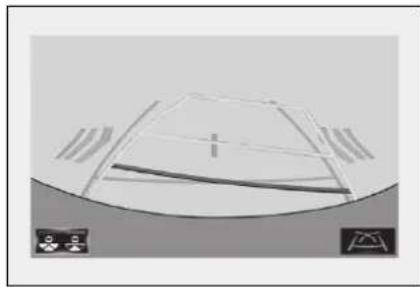
natural_image
Simple line drawing of a dome-shaped structure with horizontal supports and a curved base, no text or symbols present.● Example (Panoramic view monitor) (if equipped): Vehi-
cles are approaching from both sides of the vehicle
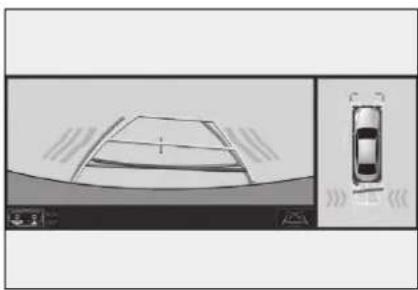
natural_image
Top-down view of a car with visible sensor or sensor overlay (no text or symbols)■RCTA function detection areas
The areas that vehicles can be detected in are outlined below.
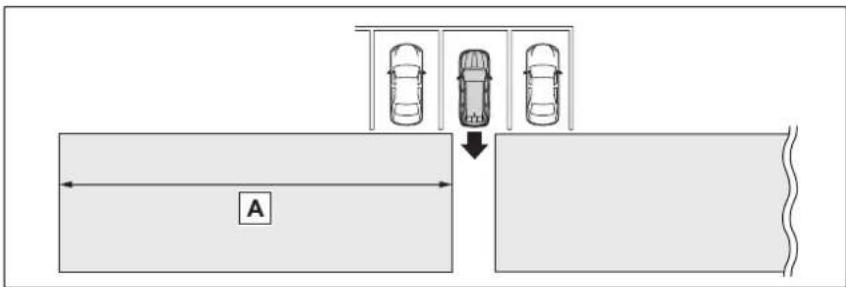
The buzzer can alert the driver of faster vehicles approaching from farther away.
Example:
| Approaching vehicle speed | A Approximate alert distance |
| 18 mph (28 km/h) (fast) | 65 ft. (20 m) |
| 5 mph (8 km/h) (slow) | 18 ft. (5.5 m) |
■The RCTA function is operational when
The RCTA function operates when all of the following conditions are met:
●The power switch is in ON.
●The RCTA function is on.
●The shift lever is in R.
●The vehicle speed is less than approximately 5 mph (8 km/h).
●The approaching vehicle speed is between approximately 5 mph (8 km/h) and 18 mph (28 km/h).
■ Conditions under which the RCTA function will not detect a vehicle
The RCTA function is not designed to detect the following types of vehicles and/or objects:
● Vehicles approaching from directly behind
● Vehicles backing up in a parking space next to your vehicle
● Vehicles that the sensors cannot detect due to obstructions
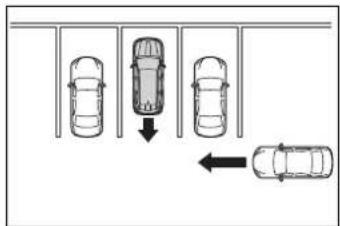
●Guardrails, walls, signs, parked vehicles and similar stationary objects*
● Small motorcycles, bicycles, pedestrians, etc.*
● Vehicles moving away from your vehicle
● Vehicles approaching from the parking spaces next to your vehicle*
* : Depending on the conditions, detection of a vehicle and/or object may occur.
■ Conditions under which the RCTA function may not function correctly
●The RCTA function may not detect vehicles correctly in the following situations:
- When a sensor is misaligned due to a strong impact to the sensor or its surrounding area
- When mud, snow, ice, a sticker, etc. is covering a sensor or its surrounding area on the rear bumper
- When driving on a road surface that is wet with standing water during bad weather, such as heavy rain, snow, or fog
- When multiple vehicles are approaching with only a small gap between each vehicle
• If a vehicle is approaching the rear of your vehicle rapidly
- When a towing eyelet is installed to the rear of the vehicle.
- When backing up on a slope with a sharp change in grade
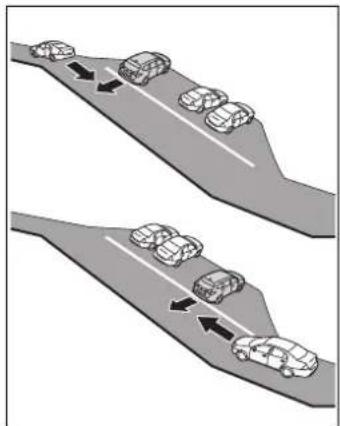
natural_image
Diagram showing two vehicles moving on a road with directional arrows indicating movement (no text or symbols)- When backing out of a shallow angle parking spot
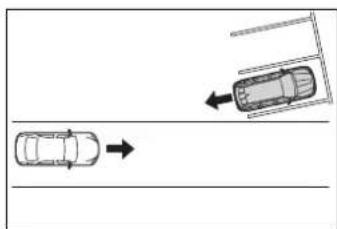
natural_image
Top-down diagram showing a car moving rightward toward a ramp and a vehicle on a road (no text or symbols)- Immediately after the RCTA function is turned on
- Immediately after the hybrid system is started with the RCTA function on
- When the sensors cannot detect a vehicle due to obstructions
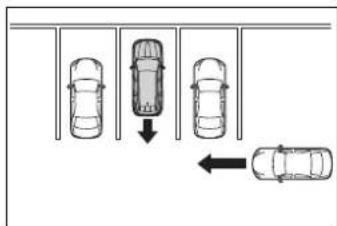
●Instances of the RCTA function unnecessarily detecting a vehicle and/or object may increase in the following situations:
- When a vehicle passes by the side of your vehicle
- When the parking space faces a street and vehicles are being driven on the street
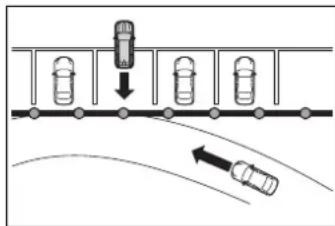
- When the distance between your vehicle and metal objects, such as a guardrail, wall, sign, or parked vehicle, which may reflect electrical waves toward the rear of the vehicle, is short
- When a towing eyelet is installed to the rear of the vehicle
PKSB (Parking Support Brake) ^*
*: If equipped
The Parking Support Brake system consists of the following functions that operate when driving at a low speed or backing up, such as when parking. When the system determines that the possibility of a collision with a detected object is high, a warning operates to urge the driver to take evasive action. If the system determines that the possibility of a collision with a detected object is extremely high, the brakes are automatically applied to help avoid the collision or help reduce the impact of the collision.
PKSB (Parking Support Brake) system
■Parking Support Brake function (static objects) (if equipped)
Ultrasonic sensors are used to detect static objects, such as a wall, in the detection area when driving at a low speed or backing up. ( P.312)
■Parking Support Brake function (rear-crossing vehicles) (if equipped)
Rear radar sensors are used to detect approaching vehicles in the detection area behind the vehicle when backing up. (→P.318)

WARNING
■Limitations of the Parking Support Brake system
Do not overly rely on the system, as doing so may lead to an accident.
The driver is solely responsible for safe driving. Always drive carefully, taking care to observe your surroundings. The Parking Support Brake system is designed to provide support to lessen the severity of collisions. However, it may not operate in some situations.
●The Parking Support Brake system is not designed to stop the vehicle completely. Additionally, even if the system has stopped the vehicle, it is necessary to depress the brake pedal immediately as brake control will be canceled after approximately 2 seconds.

NOTICE
If "PKSB Unavailable" is displayed on the multi-information display and the PKSB OFF indicator is flashing
If this message is displayed immediately after the power switch is changed to ON, operate the vehicle carefully, paying attention to your surroundings. It may be necessary to drive the vehicle for a certain amount of time before the system returns to normal. (If the system is not return to normal after driving for a while, clean the sensors and their surrounding area on the bumpers.)
Enabling/Disabling the Parking Support Brake
The Parking Support Brake can be enabled/disabled on the multi-information display. All of the Parking Support Brake functions (static objects and rear-crossing vehicles) are enabled/disabled simultaneously.
Use the meter control switches to enable/disable the parking support brake. ( P.107)
1 Press


to

elect
2 Press


to

elect
and then press OK
When the Parking Support Brake is disabled, the PKSB OFF indicator ( P.86) illuminates on the instrument cluster.
To re-enable the system when it was disabled, select 📄 on the
multi-information display, select

and turn it on. If the system is disabled, it will remain off even if the power switch is turned to ON after the power switch has been turned off.
Displays and buzzers for hybrid system output restriction control and brake control
If the hybrid system output restriction control or brake control operates, a buzzer will sound and a message will be displayed on the audio system screen and multi-information display, to alert the driver.
Depending on the situation, hybrid system output restriction control will operate to either limit acceleration or restrict output as much as possible.
● Hybrid system output restriction control is operating (acceleration restriction)
Acceleration greater than a certain amount is restricted by the system.
Audio system screen (Panoramic view monitor) (if equipped): No warning displayed
Multi-information display: "Object Detected Acceleration Reduced"
PKSB OFF indicator: Not illuminated
Buzzer: Does not sound
● Hybrid system output restriction control is operating (output restricted as much as possible)
The system has determined that
stronger-than-normal brake operation is necessary.
Audio system screen (Panoramic view monitor) (if equipped): "BRAKE!"
Multi-information display/Head-up display (if equipped): "BRAKE!"
PKSB OFF indicator: Not illuminated
Buzzer: Short beep
● Brake control is operating
The system determined that emergency braking is necessary.
Audio system screen (Panoramic view monitor) (if equipped): "BRAKE!"
Multi-information display/Head-up display (if equipped): "BRAKE!"
PKSB OFF indicator: Not illuminated
Buzzer: Short beep
● Vehicle stopped by system operation
The vehicle has been stopped by brake control operation.
Audio system screen (Panoramic view monitor) (if equipped): "Press Brake Pedal"
Multi-information display/Head-up display (if equipped): "Switch to Brake" (If the accelerator pedal is not depressed, "Press Brake Pedal" will be displayed.)
PKSB OFF indicator: Illuminated
Buzzer: Short beep
System overview
If the Parking Support Brake determines that a collision with a detected object is possible, the hybrid system output will be restricted to restrain any increase in the vehicle speed. (Hybrid system output restriction control: See figure 2.)
Additionally, if the accelerator pedal continues to be depressed, the brakes will be applied automatically to reduce the vehicle speed. (Brake control: See figure 3.)
● Figure 1 When the PKSB (Parking Support Brake) is disabled
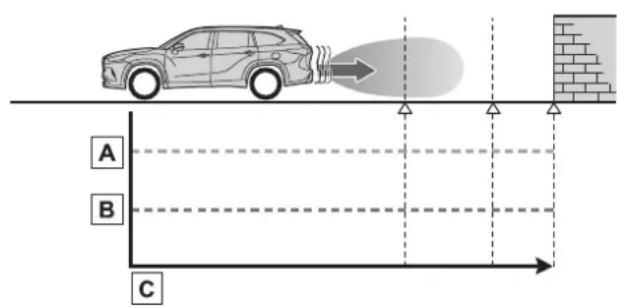
A Hybrid system output
B Braking force
c Time
● Figure 2 When hybrid system output restriction control operates
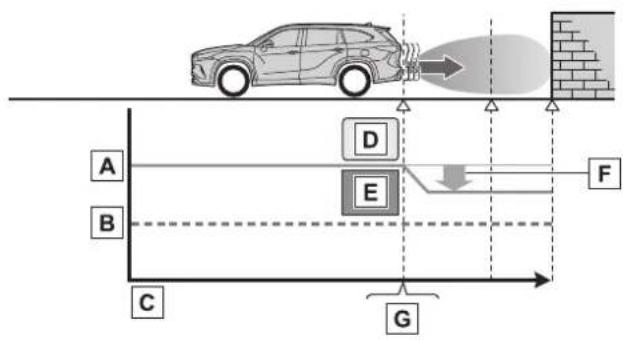
flowchart
graph TD
    A["Car with flame"] --> B["Fire"]
    B --> C["Ground"]
    D["Vehicle Position A"] --> E["Fire"]
    E --> F["Ground"]
    G["Vehicle Position B"] --> H["Fire"]
    H --> I["Ground"]
    J["Vehicle Position C"] --> K["Fire"]
    K --> L["Ground"]
    M["Vehicle Position D"] --> N["Fire"]
    N --> O["Ground"]
A Hybrid system output
B Braking force
c Time
D Hybrid system output restriction control begins operating
E System determines that possibility of collision with detected object is high
F Hybrid system output reduced
Example: Multi-information display: "BRAKE!"
● Figure 3 When brake control operates
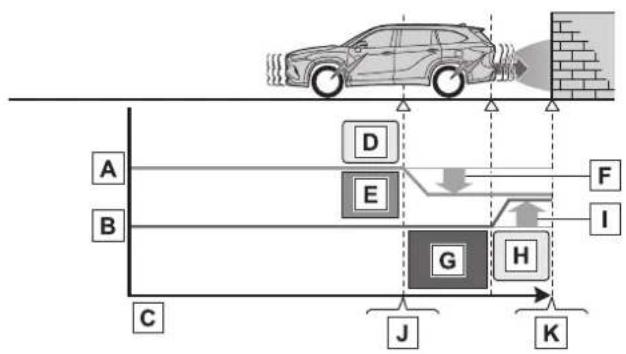
flowchart
graph TD
    A["Car Detection"] --> B["Zone A"]
    B --> C["Zone B"]
    C --> D["Zone D"]
    D --> E["Zone E"]
    E --> F["Zone F"]
    F --> G["Zone G"]
    G --> H["Zone H"]
    H --> I["Zone I"]
    I --> J["Zone J"]
    J --> K["Zone K"]
    style A fill:#f9f,stroke:#333
    style B fill:#f9f,stroke:#333
    style C fill:#f9f,stroke:#333
    style D fill:#ccf,stroke:#333
    style E fill:#ccf,stroke:#333
    style F fill:#ccf,stroke:#333
    style G fill:#cfc,stroke:#333
    style H fill:#cfc,stroke:#333
    style I fill:#fcc,stroke:#333
    style J fill:#fcc,stroke:#333
    style K fill:#fcc,stroke:#333
A Hybrid system output
B Braking force
c Time
D Hybrid system output restriction control begins operating
E System determines that possibility of collision with detected object is high
F Hybrid system output reduced
G System determines that possibility of collision with detected object is extremely high
H Brake control begins operating
☐ Brake control strength increased
J Example: Multi-information display: "BRAKE!"
K Example: Multi-information display: "Switch to Brake"
■If the Parking Support Brake has operated
If the vehicle is stopped due to operation of the Parking Support Brake, the Parking Support Brake will be disabled and the PKSB OFF indicator will illuminate. If the Parking Support Brake operates unnecessarily, brake control can be canceled by depressing the brake pedal or waiting for approximately 2 seconds for it to automatically be canceled. Then, the vehicle can be operated by depressing the accelerator pedal.
■Re-enabling the Parking Support Brake
To re-enable the Parking Support Brake when it has been disabled due to system operation perform any of the following operations.
At this time, the PKSB OFF indicator will turn off. ( P.86)
●Turn the PKSB (Parking Support Brake) on (→P.306)
●The shift lever is in P.
●Drive with no operation targets in the traveling direction of the vehicle
●Change the traveling direction of the vehicle
If "PKSB Unavailable" is displayed on the multi-information display and the PKSB OFF indicator is flashing
- If this message is displayed only when the shift lever is in any position other than R, a sensor on the front or rear bumper may be dirty. Clean the sensors and their surrounding area on the bumpers.
● Initialization may not have been performed after a 12-volt battery terminal was disconnected and reconnected. Initialize the system. (→P.311) If this message continues to be displayed even after initialization, have the vehicle inspected by your Toyota dealer.
If "PKSB Unavailable" and "Parking Support Brake Unavailable Remove the Dirt of Rear Camera" is displayed on the multi-information display and the PKSB OFF indicator is flashing
● A sensor may be covered with ice, snow, dirt, etc. Remove the ice, snow, dirt, etc., from the sensor to return the system to normal. If this message is shown even after removing dirt from the sensor, or shown when the sensor was not dirty to begin with, have the vehicle inspected by your Toy-
ota dealer.
● A sensor may be frozen. Once the ice melts, the system will return to normal.
●Water may be continuously flowing over the sensor surface, such as in a heavy rain. When the system determines that it is normal, the system will return to normal.
If a 12-volt battery terminal has been disconnected and reconnected
The system needs to be initialized. To initialize the system, drive the vehicle straight ahead for 5 seconds or more at a speed of approximately 22 mph (35 km/h) or more.
Parking Support Brake function (static objects)
*: If equipped
If the sensors detect a static object, such as a wall, in the travelling direction of the vehicle and the system determines that a collision may occur due to the vehicle suddenly moving forward due to an accidental accelerator pedal operation, the vehicle moving the unintended direction due to the wrong shift lever position, or while parking or traveling at low speeds, the system will operate to lessen the impact with the detected static object and reduce the resulting damage.
Examples of function operation
This function will operate in situations such as the following if an object is detected in the traveling direction of the vehicle.
■When traveling at a low speed and the brake pedal is not depressed, or is depressed late
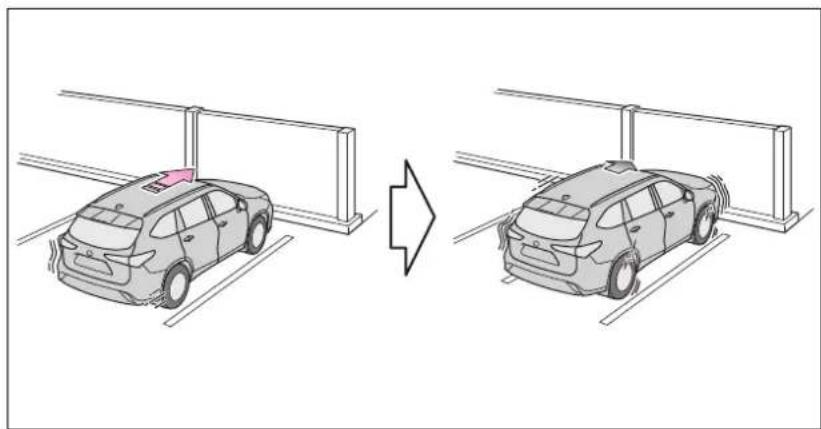
natural_image
Diagram showing two cars parking at gates, one with a red sign on the roof and the other with a gray car (no text or symbols present)■When the accelerator pedal is depressed excessively
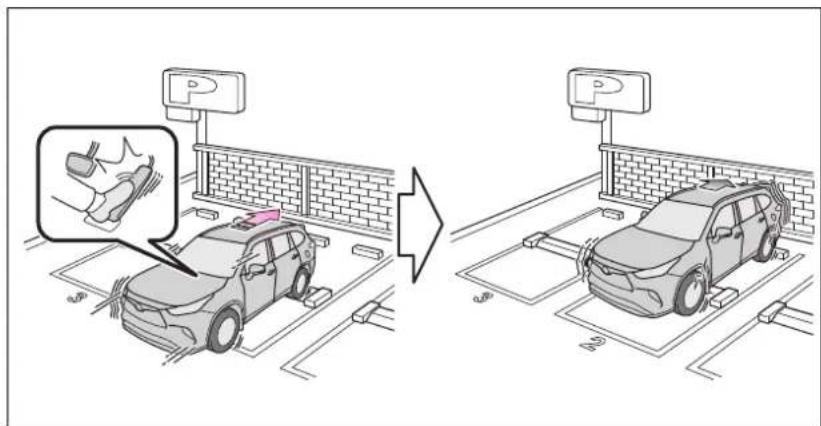
■When the vehicle moves in the unintended direction due to the wrong shift lever position
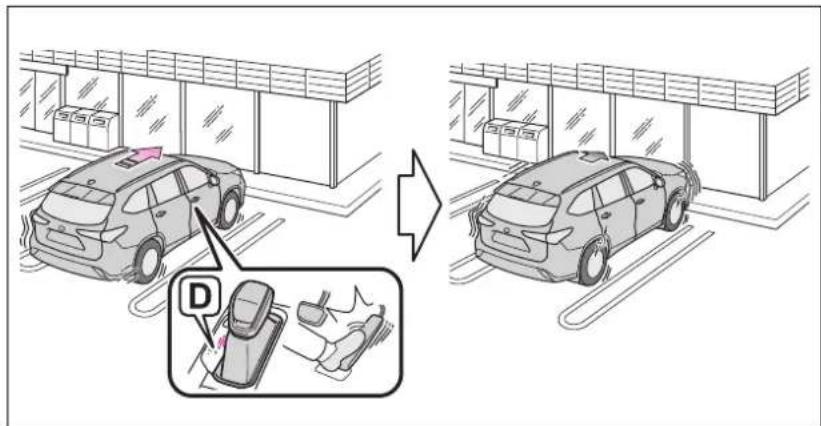
Types of sensors
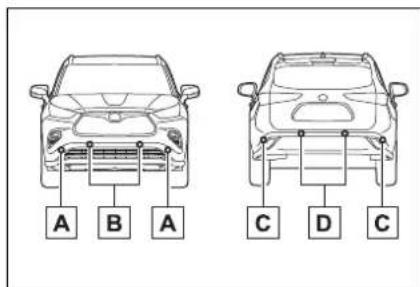
A Front corner sensors
B Front center sensors
c Rear corner sensors
D Rear center sensors

WARNING
■To ensure the Parking Support Brake can operate properly
Observe the following precautions regarding the sensors ( P.292). Failure to do so may cause a sensor to not operate properly, and may cause an accident.
- Do not modify, disassemble or paint the sensors.
- Do not replace a sensor with a part other than a genuine part.
- Do not subject a sensor or its surrounding area to a strong impact.
- Do not damage the sensors, and always keep them clean.
- If the area around a radar sensor is subjected to an impact, the system may not operate properly due to a sensor malfunction. Have the vehicle inspected by your Toyota dealer.
■Handling the suspension
Do not modify the suspension, as changes to the height or inclination of the vehicle may prevent the sensors from detecting objects correctly or cause the system to not operate or operate unnecessarily.
If the Parking Support Brake function (static objects) operates unnecessarily, such as at a railroad crossing
In the event that the Parking Support Brake function (static objects) operates unnecessarily, such as at a railroad crossing, brake control will be canceled after approximately 2 seconds, allowing you to proceed forward and leave the area, brake control can also be canceled by depressing the brake pedal. Depressing the accelerator pedal after brake control is canceled will allow you to proceed forward and leave the area.
■Notes when washing the vehicle
Do not apply intensive bursts of water or steam to the sensor area.
Doing so may result in the sensor malfunctioning.
- When using a high pressure washer to wash the vehicle, do not spray the sensors directly, as doing so may cause a sensor to malfunction.
- When using steam to clean the vehicle, do not direct steam too close to the sensors as doing so may cause a sensor to malfunction.
■When to disable the Parking Support Brake
In the following situations, disable the Parking Support Brake as the system may operate even though there is no possibility of a collision.
- When inspecting the vehicle using a chassis roller, chassis dynamo or free roller
- When loading the vehicle onto a boat, truck or other transport vessel

WARNING
● If the suspension has been modified or tires of a size other than specified are installed
● If the front of the vehicle is raised or lowered due to the carried load
- When equipment that may obstruct a sensor is installed, such as a towing eyelet, bumper protector (an additional trim strip, etc.), bicycle carrier, or snow plow
- When using an automatic car wash
■The Parking Support Brake function (static object) will operate when
The function will operate when the PKSB OFF indicator is not illuminated or flashing ( P.85, 86) and all of the following conditions are met:
● Hybrid system output restriction control
- The Parking Support Brake is enabled.
• The vehicle speed is 9 mph (15 km/h) or less.
- There is a static object in the traveling direction of the vehicle and 6 to 13 ft. (2 to 4 m) away.
- The Parking Support Brake determines that a stronger-than-normal brake operation is necessary to avoid a collision.
●Brake control
- Hybrid system output restriction control is operating.
- The Parking Support Brake determines that an immediate brake operation is necessary to avoid a collision.
■The Parking Support Brake function (static objects) will stop operating when
The function will stop operating if any of the following conditions are met:
● Hybrid system output restriction control
- The Parking Support Brake is disabled.
- The system determines that the collision has become avoidable with normal brake operation.
- The static object is no longer 6 to 13 ft. (2 to 4 m) away from the vehicle or in the traveling direction of the vehicle.
●Brake control
- The Parking Support Brake is disabled.
- Approximately 2 seconds have elapsed since the vehicle was stopped by brake control.
- The brake pedal is depressed after the vehicle is stopped by brake control.
- The static object is no longer 6 to 13 ft. (2 to 4 m) away from the vehicle or in the traveling direction of the vehicle.
■Re-enabling the Parking Support Brake function (static objects)
→P.310
■ Detection range of the Parking Support Brake function (static objects)
The detection range of the Parking Support Brake function (static objects) differs from the detection range of the intuitive parking assist. ( P.297) Therefore, even if the intuitive parking assist detects an object and provides a warning, the Parking Support Brake function (static objects) may not start operating.
■ Objects that the Parking Support Brake function (static objects) may not detect
The sensors may not be able to detect certain objects, such as the following:
Pedestrian
● Cotton cloth, snow, and other
materials that are poor reflectors of ultrasonic waves
- Objects which are not perpendicular to the ground, are not perpendicular to the traveling direction of the vehicle, are uneven or are waving
●Low objects
● Thin objects such as wires, fences, ropes and signposts
● Objects that are extremely close to the bumper
● Sharply-angled objects
● Tall objects with upper sections projecting outwards in the direction of your vehicle
■Situation in which the Parking Support Brake function (static objects) may not operate
When driving with the shift lever in N.
■Intuitive parking assist buzzer
Regardless of whether the intuitive parking assist system is enabled or not ( P.293), if the Parking Support Brake function (static objects) is enabled ( P.306), the front or rear sensors detect an object and brake control is performed, the intuitive parking assist buzzer will sound to notify the driver of the approximate distance to the object.
■ Situations in which the Parking Support Brake function (static objects) may operate even if there is no possibility of a collision
In some situations, such as the following, the Parking Support Brake function (static objects) may operate even though there is no possibility of a collision.
● Vehicle surroundings
- When driving on a narrow road
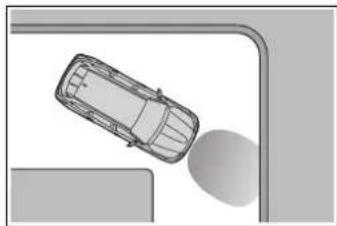
natural_image
Top-down view of a car on a curved road with a shadow, no text or symbols visible- When driving on a gravel road or in an area with tall grass
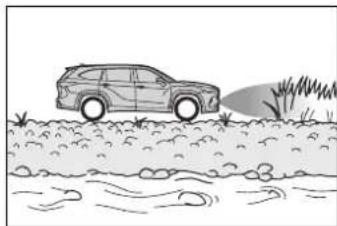
natural_image
Line drawing of a car driving on a riverbank with grass and rocks (no text or symbols)- When driving toward a banner, flag, low-hanging branch or boom barrier (such as those used at railroad crossings, toll gates and parking lots)
- When driving on a narrow path surrounded by a structure, such as in a tunnel or on an iron bridge
- When parallel parking
- When there is a rut or hole in the surface of the road
- When driving on a metal cover (grating), such as those used for drainage ditches
- When driving on a steep slope
- If a sensor is hit by a large amount of water, such as when driving on a flooded road
●Weather
- If a sensor is covered with ice, snow, dirt, etc. (when cleared, the system will return to normal)
- If heavy rain or water strikes a sensor
- When driving in inclement weather such as fog, snow or a sandstorm
- When strong winds are blowing
●Other ultrasonic wave sources
- When vehicle horns, vehicle detectors, motorcycle engines, air brakes of large vehicles, the clearance sonar of other vehicles or
other devices which produce ultrasonic waves are near the vehicle
- If a sticker or an electronic component, such as a backlit license plate (especially fluorescent type), fog lights, fender pole or wireless antenna is installed near a sensor
●Changes in the vehicle posture
• If the vehicle is significantly tilted - If the front of the vehicle is raised or lowered due to the carried load
- If the orientation of a sensor has been changed due to a collision or other impact
- If a sensor has been painted or covered with a sticker, etc.
■ Situations in which the Parking Support Brake function (static objects) may not operate properly
In some situations, such as the following, this function may not operate properly.
●Weather
- When a sensor or the area around a sensor is extremely hot or cold
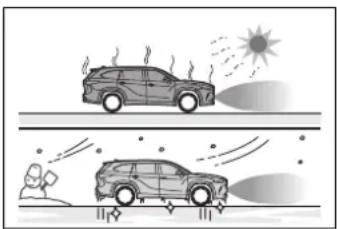
natural_image
Illustration of two cars emitting exhaust under a sun, with a person observing from the ground (no text or symbols)- When strong winds are blowing
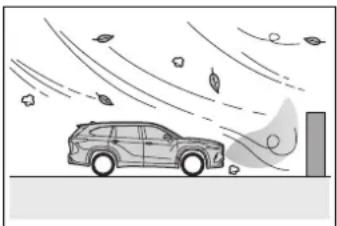
natural_image
Illustration of a car driving under falling leaves and wind, with no text or symbols present.- If a sensor is covered with ice, snow, dirt, etc. (when cleared, the system will return to normal)
- If heavy rain or water strikes a sensor
- When driving in inclement weather
such as fog, snow or a sandstorm
-
When the sensor is frozen (Once the sensor thaws, the system will return to normal)
●Vehicle surroundings -
When an object that cannot be detected is between the vehicle and a detected object
- If an object such as a vehicle, motorcycle, bicycle or pedestrian cuts in front of the vehicle or runs out from the side of the vehicle
- The vehicle is approaching a tall or curved curb.
- On an extremely bumpy road, on an incline, on gravel, or on grass.
- If objects draw too close to the sensor.
●Other ultrasonic waves sources
- When vehicle horns, vehicle detectors, motorcycle engines, air brakes of large vehicles, the clearance sonar of other vehicles or other devices which produce ultrasonic waves are near the vehicle
- If a sticker or an electronic component, such as a backlit license plate (especially fluorescent type), fog lights, fender pole or wireless antenna is installed near a sensor
●Changes in the vehicle posture
- If the vehicle is significantly tilted
- If the front of the vehicle is raised or lowered due to the carried load
- If the orientation of a sensor has been changed due to a collision or other impact
- When equipment that may obstruct a sensor is installed, such as a bumper protector (an additional trim strip, etc.), bicycle carrier, or snow plow
- If the suspension has been modified or tires of a size other than specified are installed
- If a sensor has been painted or covered with a sticker, etc.
Parking Support Brake function (rear-crossing vehicles) \*
*: If equipped
If a rear radar sensor detects a vehicle approaching from the right or left at the rear of the vehicle and the system determines that the possibility of a collision is high, this function will perform brake control to reduce the likelihood of an impact with the approaching vehicle.
Example of function operation
This function will operate in situation such as the following if a vehicle is detected in the traveling direction of the vehicle.
■When reversing, a vehicle is approaching and the brake pedal is not depressed, or is depressed late
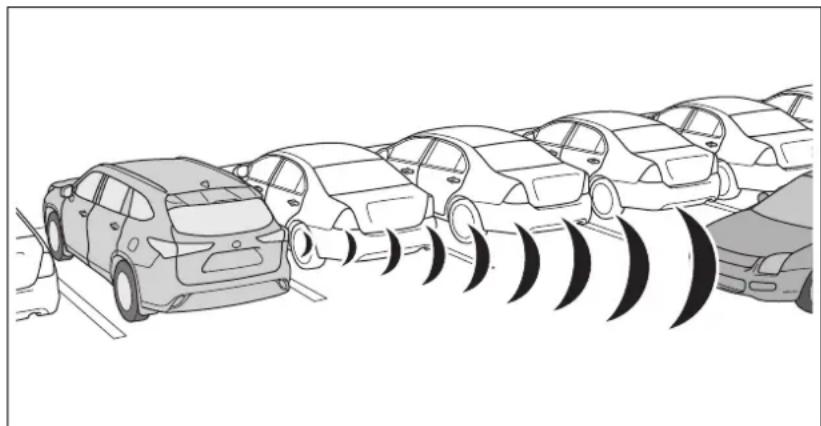
natural_image
Illustration of a row of cars with sound waves, no text or symbols presentTypes of sensors
→P.288

WARNING
■To ensure the Parking Support Brake function (rear-crossing vehicles) can operate properly
Observe the following precautions regarding the rear radar sensors ( P.288). Failure to do so may cause a sensor to not operate properly, and may cause an accident.

WARNING
- Do not modify, disassemble or paint the sensors.
- Do not replace a rear radar sensor with a part other than a genuine part.
- Do not damage the rear radar sensors, and always keep the radar sensors and their surrounding area on the bumper clean.
- If the area around a rear radar sensor is subjected to an impact, the system may not operate properly due to a sensor malfunction. Have the vehicle inspected by your Toyota dealer.
- Observe the rear radar sensor handling precautions. (→P.288)
■The Parking Support Brake function (rear-crossing vehicles) will operate when
The function will operate when the PKSB OFF indicator is not illuminated or flashing ( P.85, 86) and all of the following conditions are met:
● Hybrid system output restriction control
- The Parking Support Brake is enabled.
- The vehicle speed is 9 mph (15 km/h) or less.
• Vehicles which are approaching from the right or left at the rear of the vehicle at a traveling speed of less than approximately 5 mph (8 km/h)
• The shift lever is in R.
- The Parking Support Brake determines that a stronger than normal brake operation is necessary to avoid a collision with an approaching vehicle.
●Brake control
• Hybrid system output restriction
control is operating.
- The Parking Support Brake determines that an emergency brake operation is necessary to avoid a collision with an approaching vehicle.
■The Parking Support Brake function (rear-crossing vehicles) will stop operating when
The function will stop operating if any of the following conditions are met:
● Hybrid system output restriction control
- The Parking Support Brake is disabled.
- The collision becomes avoidable with normal brake operation.
- A vehicle is no longer approaching from the right or left at the rear of the vehicle.
●Brake control
- The Parking Support Brake is disabled.
- Approximately 2 seconds have elapsed since the vehicle was stopped by brake control.
- The brake pedal is depressed after the vehicle is stopped by brake control.
- A vehicle is no longer approaching from the right or left at the rear of the vehicle.
■Re-enabling the Parking Support Brake function (rear-crossing vehicles)
→P.310
■ Detection area of the Parking Support Brake function (rear-crossing vehicles)
The detection area of the Parking Support Brake function (rear-crossing vehicles) differs from the detection area of the RCTA function ( P.303). Therefore, even if the RCTA function detects a vehicle and provides an alert, the Parking Support Brake function (rear-crossing vehicles) may not start operating.
■Conditions under which the Parking Support Brake function (rear-crossing vehicles) will not detect a vehicle
The Parking Support Brake function (rear-crossing vehicles) is not designed to detect the following types of vehicles and/or objects:
● Vehicles approaching from directly behind
● Vehicles backing up in a parking space next to your vehicle
● Vehicles that the sensors cannot detect due to obstructions
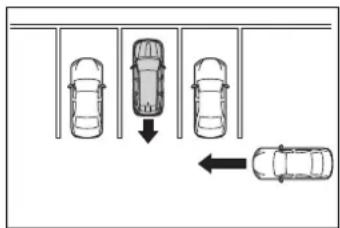
● Vehicles which suddenly accelerate or decelerate near your vehicle
●Guardrails, walls, signs, parked vehicles and similar stationary objects
● Small motorcycles, bicycles, pedestrians, etc.*
● Vehicles moving away from your vehicle
● Vehicles approaching from the parking spaces next to your vehicle*
- Objects which are extremely close to a radar sensor
● Vehicles which are approaching from the right or left at the rear of the vehicle at a traveling speed of less than approximately 5 mph (8 km/h)
● Vehicles which are approaching from the right or left at the rear of the vehicle at a traveling speed of more than approximately 15 mph (24 km/h)
*: Depending on the conditions, detection of a vehicle and/or object may occur.
■PKSB buzzer
If the Parking Support Brake is enabled and brake control is performed, a buzzer will sound to notify the driver.
■ Situations in which the system may operate even though there is no possibility of a collision
In some situations such as the following, the Parking Support Brake function (rear-crossing vehicles) may operate even though there is no possibility of a collision.
- When the parking space faces a street and vehicles are being driven on the street
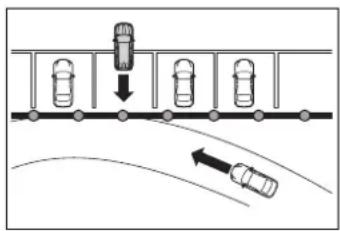
- When a detected vehicle turns while approaching the vehicle
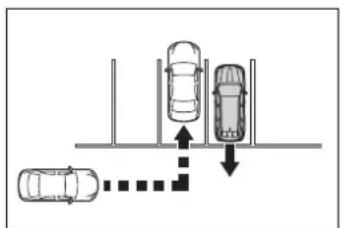
- When a vehicle passes by the side of your vehicle
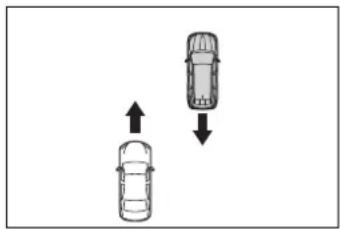
natural_image
Two cars with opposing directional arrows indicating movement or change (no text or symbols)- When the distance between your vehicle and metal objects, such as a guardrail, wall, sign, or parked vehicle, which may reflect electrical waves toward the rear of the vehicle, is short
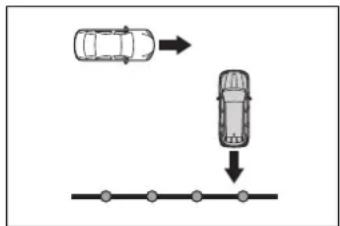
flowchart
graph TD
    A["Top: Car with directional arrow"] --> B["Bottom: Car with downward arrow"]
    B --> C["Bottom: Dot at endpoint"]
- When there are spinning objects near your vehicle such as the fan of an air conditioning unit
- When water is splashed or sprayed toward the rear bumper, such as from a sprinkler
■ Situations in which the Parking Support Brake function (rear-crossing vehicles) may not operate properly
In some situations, such as the following, the radar sensors may not detect an object and this function may not operate properly
●Stationary objects
- When a sensor or the area around a sensor is extremely hot or cold
- If the rear bumper is covered with ice, snow, dirt, etc.
- If a sensor has been painted or covered with a sticker, etc.
- When it is raining heavily or water strikes the vehicle
●If the vehicle is significantly tilted
- When equipment that may obstruct a sensor is installed, such as a towing eyelet, bumper protector (an additional trim strip, etc.), bicycle carrier, or snow plow
- If the suspension has been modified or tires of a size other than specified are installed
- If the front of the vehicle is raised
or lowered due to the carried load
- If an electronic component, such as a backlit license plate (especially fluorescent type), fog lights, fender pole or wireless antenna is installed near a radar sensor
●If the orientation of a radar sensor has been changed - When multiple vehicles are approaching with only a small gap between each vehicle
● If a vehicle is approaching the rear of your vehicle rapidly
● Situations in which the radar sensor may not detect a vehicle - When a vehicle approaches from the right or left at the rear of the vehicle while you are turning while backing up
- When turning while backing up
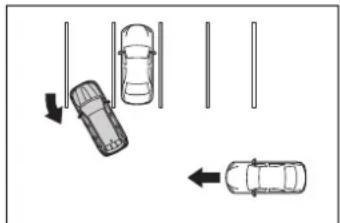
natural_image
Diagram showing two cars on a road with directional arrows indicating movement or flow (no text or symbols)- When backing out of a shallow angle parking spot
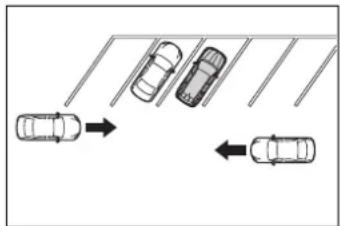
flowchart
graph TD
    A["Top Left Car"] --> B["Right Arrow"]
    C["Top Right Car"] --> D["Left Arrow"]
    E["Bottom Left Car"] --> F["Right Arrow"]
    G["Bottom Right Car"] --> H["Left Arrow"]
- When backing up on a slope with a sharp change in grade
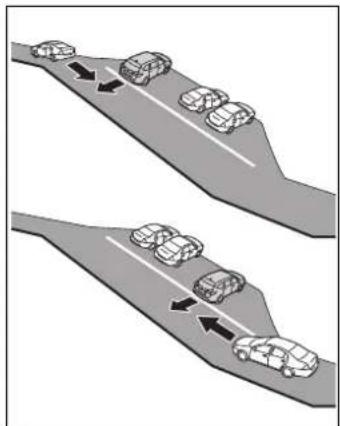
natural_image
Diagram showing two identical road scenarios with cars moving along a curved road, indicated by arrows (no text or symbols)- When a vehicle turns into the detection area
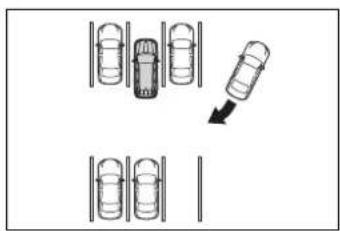
flowchart
graph TD
    A["Top Row Vehicle"] --> B["Top Row Vehicle"]
    B --> C["Top Row Vehicle"]
    C --> D["Bottom Row Vehicle"]
    D --> E["Bottom Row Vehicle"]
    style A fill:#f9f,stroke:#333
    style B fill:#ccf,stroke:#333
    style C fill:#cfc,stroke:#333
    style D fill:#fcc,stroke:#333
    style E fill:#ffc,stroke:#333
Driving mode select switch
The driving modes can be selected to suit the driving and usage conditions.
Selecting a driving mode
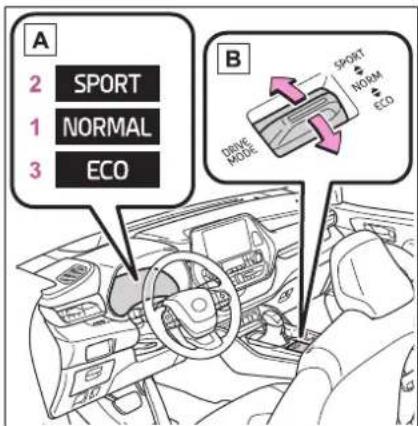
A Multi-information display
B Driving mode select switch
Operate the driving mode select switch forward or backward to select the desired driving mode on the multi-information display.
1 Normal mode Provides an optimal balance of fuel economy, quietness, and dynamic performance. Suitable for normal driving.
2 Sport mode Controls the hybrid system to provide quick, powerful acceleration. This mode also changes the steering feel, making it suitable for when agile driving response is desired, such as when driving on roads with
many curves.
When Sport mode is selected, Sport mode indicator comes on.
3 Eco drive mode
Helps the driver accelerate in an eco-friendly manner and improve fuel economy through moderate throttle characteristics and by controlling the operation of the air conditioning system (heating/cooling). When Eco drive mode is selected, Eco drive mode indicator comes on.
■ Air conditioning system operation in Eco drive mode
In Eco drive mode, heating/cooling operations and the fan speed is controlled to improve fuel efficiency. Perform the following procedures to increase the air conditioning performance.
● Vehicle with a 12.3-inch display: Turn eco air conditioning mode off ( P.350)
- Adjust the fan speed (→P.343)
- Cancel Eco drive mode
■ Canceling a driving mode
●Sport mode is automatically canceled and the driving mode returns to normal mode when the power switch is off.
● Normal mode and Eco drive mode are not canceled until another driving mode is selected. (Even if the power switch is off, normal mode and Eco drive mode will not be automatically canceled.)
Trail Mode (AWD vehicles)
Trail Mode is a system that performs integrated control for the AWD, brake and drive force control systems to assist the drive power on bumpy roads, etc.

WARNING
■Before using Trail Mode
Make sure to observe the following precautions. Failure to observe these precautions may result in an unexpected accident.
- Check that the Trail Mode indicator is illuminated before driving. Trail Mode will not operate when the indicator is off.
● Trail Mode is not intended to expand the limits of the vehicle. Thoroughly check the road conditions and drive with caution.
● Thoroughly check the road conditions before driving. As Trail Mode is suitable for driving on bumpy roads, there is a chance that Trail Mode may not be the most appropriate in terms of other road conditions.
Turning Trail Mode on
Press the Trail Mode switch
When the switch is pressed, Trail Mode turns on and the Trail Mode indicator illuminates on the multi-information display.
When the switch is pressed again, the Trail Mode indicator turns off.
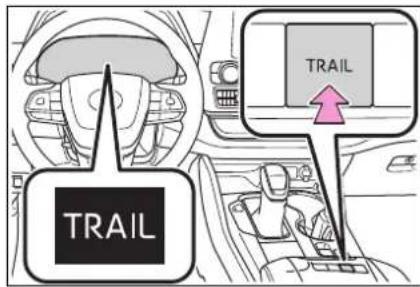
tem may be malfunctioning. Have the vehicle inspected by your Toyota dealer immediately.
- When the slip indicator illuminates while Trail Mode is on
- When the Trail Mode indicator does not illuminate even though the Trail Mode switch is pressed
Trail Mode
● Trail Mode is intended for use when driving on bumpy roads. Do not turn the switch on in other situations.
● Trail Mode controls the vehicle so that it can use the maximum amount of drive force when driving on bumpy roads. As a result, fuel efficiency may diminish when compared to driving with Trail Mode off.
- If Trail Mode is continuously used for a long period of time, the load on related parts increases and the system may be unable to operate effectively.
■When Trail Mode is canceled
In the following situations, Trail Mode is automatically canceled even if it is turned on.
- When the driving mode is changed (→P.322)
●When the power switch is turned off
■During Trail Mode operation
The following types of situations may occur, but they are not malfunctions.
● Vibrations may be felt throughout the vehicle or steering wheel
●Operating noise may be heard from the engine compartment
■When an inspection at your Toyota dealer is necessary
In the following situations, the sys-
Driving assist systems
To keep driving safety and performance, the following systems operate automatically in response to various driving situations. Be aware, however, that these systems are supplementary and should not be relied upon too heavily when operating the vehicle.
Summary of the driving assist systems
■ ECB (Electronically Controlled Brake System)
The electronically controlled system generates braking force corresponding to the brake operation
■ABS (Anti-lock Brake System)
Helps to prevent wheel lock when the brakes are applied suddenly, or if the brakes are applied while driving on a slippery road surface
Brake assist
Generates an increased level of braking force after the brake pedal is depressed when the system detects a panic stop situation
■VSC (Vehicle Stability Control)
Helps the driver to control skidding when swerving suddenly or turning on slippery road surfaces
■Enhanced VSC (Enhanced Vehicle Stability Control)
Provides cooperative control of the ABS, TRAC, VSC and EPS. Helps to maintain directional stability when swerving on slippery road surfaces by controlling steering performance.
■Trailer Sway Control
Helps the driver to control trailer sway by selectively applying brake pressure for individual wheels and reducing driving torque when trailer sway is detected.
■TRAC (Traction Control)
Helps to maintain drive power and prevent the drive wheels from spinning when starting the vehicle or accelerating on slippery roads
■Active Cornering Assist (ACA)
Helps to prevent the vehicle from drifting to the outer side by performing inner wheel brake control when attempting to accelerate while turning
■Hill-start assist control
Helps to reduce the backward movement of the vehicle when
starting on an uphill
■EPS (Electric Power Steering)
Employs an electric motor to reduce the amount of effort needed to turn the steering wheel
E-Four
Electronic On-Demand AWD system. Automatically switches from front-wheel drive to all-wheel drive (AWD) according to the driving conditions, helping to ensure reliable handling and stability. Examples of conditions where the system will switch to AWD are when cornering, going uphill, starting off or accelerating, and when the road surface is slippery due to snow, rain, etc.
■VDIM (Vehicle Dynamics Integrated Management)
Provides integrated control of the ABS, brake assist, TRAC, VSC, hill-start assist control and EPS systems
Helps to maintain vehicle stability when swerving on slippery road surfaces by controlling the brakes, hybrid system output and steering assist.
■The Secondary Collision Brake
When the SRS airbag sensor detects a collision and the system operates, the brakes and brake lights are automatically controlled to reduce the vehicle
speed and help reduce the possibility of further damage due to a secondary collision.
When the
TRAC/VSC/ABS/Trailer Sway Control systems are operating
The slip indicator light will flash while the TRAC/VSC/ABS/Trailer Sway Control systems are operating.
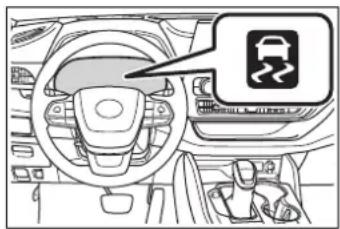
natural_image
Interior view of a car dashboard and steering wheel (no text or symbols visible)■Disabling the TRAC system
If the vehicle gets stuck in mud, dirt or snow, the TRAC system may reduce power from the hybrid system to the wheels. Pressing the switch to turn the system off may make it easier for you to rock the vehicle in order to free it.
To turn the TRAC system off, quickly press and release the switch.
The "Traction Control Turned OFF" will be shown on the multi-information display.
Press the OFF switch again to turn the system back on.
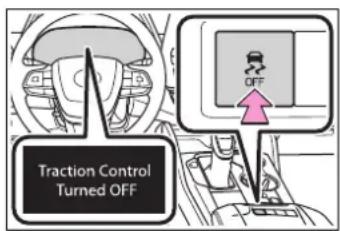
■Turning off both TRAC, VSC and Trailer Sway Control systems
To turn the TRAC, VSC and Trailer Sway Control systems off, press and hold the switch for more than 3 seconds while the vehicle is stopped.
The VSC OFF indicator light will come on and the “Traction Control Turned OFF” will be shown on the multi-information display. ^*
Press the switch again to turn the system back on.
*: On vehicles with PCS (Pre-Collision System), PCS will also be disabled (only Pre-Collision warning is available). The PCS warning light will come on and a message will be displayed on the multi-information display. (→P.249)
When the message is displayed on the multi-information display showing that TRAC has been disabled even if the switch has not been pressed
TRAC is temporary deactivated. If the information continues to show, contact your Toyota dealer.
■ Operating conditions of hill-start assist control
When the following four conditions are met, the hill-start assist control will operate:
●The shift lever is in a position other than P or N (when starting off forward/backward on an upward incline)
●The vehicle is stopped
●The accelerator pedal is not depressed
●The parking brake is not engaged
■Automatic system cancelation of hill-start assist control
The hill-start assist control will turn off in any of the following situations:
●The shift lever is shifted to P or N
●The accelerator pedal is depressed
●The parking brake is engaged
●2 seconds at maximum elapsed after the brake pedal is released
■ Sounds and vibrations caused by the ABS, brake assist, VSC, Trailer Sway Control, TRAC and hill-start assist control systems
● A sound may be heard from the engine compartment when the brake pedal is depressed repeatedly, when the hybrid system is started or just after the vehicle begins to move. This sound does not indicate that a malfunction has occurred in any of these systems.
● Any of the following conditions may occur when the above systems are operating. None of these indicates that a malfunction has occurred.
- Vibrations may be felt through the vehicle body and steering.
- A motor sound may be heard also after the vehicle comes to a stop.
■ ECB operating sound
ECB operating sound may be heard in the following cases, but it does not indicate that a malfunction has occurred.
● Operating sound heard from the engine compartment when the brake pedal is operated.
- Motor sound of the brake system heard from the front part of the vehicle when the driver's door is opened.
- Operating sound heard from the engine compartment when one or two minutes passed after the stop of the hybrid system.
■Active Cornering Assist operation sounds and vibrations
When the Active Cornering Assist is operated, operation sounds and vibrations may be generated from the brake system, but this is not a malfunction.
EPS operation sound
When the steering wheel is operated, a motor sound (whirring sound) may be heard. This does not indicate a malfunction.
■Reduced effectiveness of the EPS system
The effectiveness of the EPS system is reduced to prevent the system from overheating when there is frequent steering input over an extended period of time. The steering wheel may feel heavy as a result. Should this occur, refrain from excessive steering input or stop the vehicle and turn the hybrid system off. The EPS system should return to normal within 10 minutes.
■Automatic reactivation of TRAC, Trailer Sway Control and VSC systems
After turning the TRAC, Trailer Sway Control and VSC systems off, the systems will be automatically re-enabled in the following situations:
●When the power switch is turned OFF
- If only the TRAC system is turned off, the TRAC will turn on when vehicle speed increases. If both the TRAC and VSC systems are turned off, automatic re-enabling will not occur when vehicle speed increases.
■ Operating conditions of Active Cornering Assist
The system operates when the following occurs.
●TRAC/VSC can operate
●The driver is attempting to accel-
erate while turning
●The system detects that the vehicle is drifting to the outer side
●The brake pedal is released
■Secondary Collision Brake operating conditions
The system operates when the SRS airbag sensor detects a collision while the vehicle is in motion. However, the system does not operate in any of the following situations.
●The vehicle speed is below 6 mph (10 km/h)
Components are damaged
■Secondary Collision Brake automatic cancellation
The system is automatically canceled in any of the following situations.
●The vehicle speed drops below approximately 6 mph (10 km/h)
●A certain amount of time elapses during operation
●The accelerator pedal is depressed a large amount

WARNING
■The ABS does not operate effectively when
●The limits of tire gripping performance have been exceeded (such as excessively worn tires on a snow covered road).
●The vehicle hydroplanes while driving at high speed on wet or slick roads.
■Stopping distance when the ABS is operating may exceed that of normal conditions
The ABS is not designed to shorten the vehicle's stopping distance. Always maintain a safe distance from the vehicle in front of you, especially in the following situations:

WARNING
●When driving on dirt, gravel or snow-covered roads
●When driving with tire chains
- When driving over bumps in the road
- When driving over roads with potholes or uneven surfaces
■TRAC/VSC may not operate effectively when
Directional control and power may not be achievable while driving on slippery road surfaces, even if the TRAC/VSC system is operating. Drive the vehicle carefully in conditions where stability and power may be lost.
■Active Cornering Assist does not operate effectively when
- Do not overly rely on Active Cornering Assist. Active Cornering Assist may not operate effectively when accelerating down slopes or driving on slippery road surfaces.
- When Active Cornering Assist frequently operates, Active Cornering Assist may temporarily stop operating to ensure proper operation of the brakes, TRAC and VSC.
■Hill-start assist control does not operate effectively when
- Do not overly rely on hill-start assist control. Hill-start assist control may not operate effectively on steep inclines and roads covered with ice.
● Unlike the parking brake, hill-start assist control is not intended to hold the vehicle stationary for an extended period of time. Do not attempt to use hill-start assist control to hold the vehicle on an incline, as doing so may lead to an accident.
■When the TRAC/ABS/VSC/Trailer Sway Control is activated
The slip indicator light flashes. Always drive carefully. Reckless driving may cause an accident. Exercise particular care when the indicator light flashes.
■When the TRAC/VSC/Trailer Sway Control systems are turned off
●Be especially careful and drive at a speed appropriate to the road conditions. As these are the systems to help ensure vehicle stability and driving force, do not turn the TRAC/VSC/Trailer Sway Control systems off unless necessary.
● Trailer Sway Control is part of the VSC system and will not operate if VSC is turned off or experiences a malfunction.
■Replacing tires
Make sure that all tires are of the specified size, brand, tread pattern and total load capacity. In addition, make sure that the tires are inflated to the recommended tire inflation pressure level.
The ABS, TRAC, Trailer Sway Control and VSC systems will not function correctly if different tires are installed on the vehicle. Contact your Toyota dealer for further information when replacing tires or wheels.

WARNING
■Handling of tires and the sus-pension
Using tires with any kind of problem or modifying the suspension will affect the driving assist systems, and may cause a system to malfunction.
■Trailer Sway Control precaution
The Trailer Sway Control system is not able to reduce trailer sway in all situations. Depending on many factors such as the conditions of the vehicle, trailer, road surface and driving environment, the Trailer Sway Control system may not be effective. Refer to your trailer owner's manual for information on how to tow your trailer properly.
■If trailer sway occurs
Observe the following precautions. Failing to do so may cause death or serious injury.
● Firmly grip the steering wheel. Steer straight ahead. Do not try to control trailer sway by turning the steering wheel.
Begin releasing the accelerator pedal immediately but very gradually to reduce speed. Do not increase speed. Do not apply vehicle brakes.
If you make no extreme correction with the steering or brakes, your vehicle and trailer should stabilize. (→P.202)
■Secondary Collision Brake
Do not rely solely upon the Secondary Collision Brake. This system is designed to help reduce the possibility of further damage due to a secondary collision, however, that effect changes according to various conditions. Overly relying on the system may result in death or serious injury.
Hybrid vehicle driving tips
For economical and ecological driving, pay attention to the following points:
Using Eco drive mode
When using Eco drive mode, the torque corresponding to the accelerator pedal depression amount can be generated more smoothly than it is in normal conditions. In addition, the operation of the air conditioning system (heating/cooling) will be minimized, improving the fuel economy. (→P.322)
Use of Hybrid System Indicator
Eco-friendly driving is possible by keeping the Hybrid System Indicator within the Eco area. ( P.90)
Shift lever operation
Shift the shift lever to D when stopped at a traffic light, or driving in heavy traffic, etc. Shift the shift lever to P when parking. When using N, there is no positive effect on fuel consumption. In N, the gasoline engine operates but electricity cannot be generated. Also, when using the air conditioning system, etc., the hybrid battery (traction battery) power is consumed.
Accelerator pedal/brake pedal operation
- Drive your vehicle smoothly. Avoid abrupt acceleration and deceleration. Gradual acceleration and deceleration will make more effective use of the electric motor (traction motor) without having to use gasoline engine power.
- Avoid repeated acceleration. Repeated acceleration consumes hybrid battery (traction battery) power, resulting in poor fuel consumption. Battery power can be restored by driving with the accelerator pedal slightly released.
When braking
Make sure to operate the brakes gently and in a timely manner. A greater amount of electrical energy can be regenerated when slowing down.
Delays
Repeated acceleration and deceleration, as well as long waits at traffic lights, will lead to bad fuel economy. Check traffic reports before leaving and avoid delays as much as possible. When driving in a traffic jam,
gently release the brake pedal to allow the vehicle to move forward slightly while avoiding overuse of the accelerator pedal. Doing so can help control excessive gasoline consumption.
Highway driving
Control and maintain the vehicle at a constant speed. Before stopping at a toll booth or similar, allow plenty of time to release the accelerator and gently apply the brakes. A greater amount of electrical energy can be regenerated when slowing down.
Air conditioning
Use the air conditioning only when necessary. Doing so can help reduce excessive gasoline consumption.
In summer: When the ambient temperature is high, use the recirculated air mode. Doing so will help to reduce the burden on the air conditioning system and reduce fuel consumption as well.
In winter: Because the gasoline engine will not automatically cut out until it and the interior of the vehicle are warm, it will consume fuel. Also, fuel consumption can be improved by avoiding overuse of the heater.
Checking tire inflation pressure
Make sure to check the tire inflation pressure frequently. Improper tire inflation pressure can cause poor fuel economy. Also, as snow tires can cause large amounts of friction, their use on dry roads can lead to poor fuel economy. Use tires that are appropriate for the season.
Luggage
Carrying heavy luggage will lead to poor fuel economy. Avoid carrying unnecessary luggage. Installing a large roof rack will also cause poor fuel economy.
Warming up before driving
Since the gasoline engine starts up and cuts out automatically when cold, warming up the engine is unnecessary. Moreover, frequently driving short distances will cause the engine to repeatedly warm up, which can lead to excess fuel consumption.
Winter driving tips
Carry out the necessary preparations and inspections before driving the vehicle in winter. Always drive the vehicle in a manner appropriate to the prevailing weather conditions.
Pre-winter preparations
- Use fluids that are appropriate to the prevailing outside temperatures.
- Engine oil
• Engine/power control unit coolant - Washer fluid
● Have a service technician inspect the condition of the 12-volt battery.
● Have the vehicle fitted with four snow tires or purchase a set of tire chains for the front tires.
Ensure that all tires are the same size and brand, and that chains match the size of the tires.

WARNING
■Driving with snow tires
Observe the following precautions to reduce the risk of accidents. Failure to do so may result in a loss of vehicle control and cause death or serious injury.
- Use tires of the specified size.
●Maintain the recommended level of air pressure.
- Do not drive in excess of 75 mph (120 km/h), regardless of the type of snow tires being used.
- Use snow tires on all, not just some wheels.
■Driving with tire chains
Observe the following precautions to reduce the risk of accidents. Failure to do so may result in the vehicle being unable to be driven safely, and may cause death or serious injury.
- Do not drive in excess of the speed limit specified for the tire chains being used, or 30 mph (50 km/h), whichever is lower.
● Avoid driving on bumpy road surfaces or over potholes.
● Avoid sudden acceleration, abrupt steering, sudden braking and shifting operations that cause sudden engine braking.
● Slow down sufficiently before entering a curve to ensure that vehicle control is maintained.
- Do not use the LTA (Lane Tracing Assist) system.

NOTICE
■Repairing or replacing snow tires
Request repairs or replacement of snow tires from Toyota dealers or legitimate tire retailers.
This is because the removal and attachment of snow tires affects the operation of the tire pressure warning valves and transmitters.
Before driving the vehicle
Perform the following according to the driving conditions:
Do not try to forcibly open a window or move a wiper that is frozen. Pour warm water over the frozen area to melt the ice. Wipe away the water immediately to prevent it from freezing.
To ensure proper operation of the climate control system fan, remove any snow that has accumulated on the air inlet vents in front of the windshield.
Check for and remove any excess ice or snow that may have accumulated on the exterior lights, vehicle's roof, chassis, around the tires or on the brakes.
Remove any snow or mud from the bottom of your shoes before getting in the vehicle.
When driving the vehicle
Accelerate the vehicle slowly, keep a safe distance between you and the vehicle ahead, and drive at a reduced speed suitable to road conditions.
When parking the vehicle
Park the vehicle and move the shift lever to P without setting the parking brake. The parking brake may freeze up, preventing it from being released. If the vehicle is
parked without setting the parking brake, make sure to block the wheels. Failure to do so may be dangerous because it may cause the vehicle to move unexpectedly, possibly leading to an accident.
When the parking brake is in automatic mode, release the parking brake after shifting the shift lever to P. (P.224)
If the vehicle is parked without setting the parking brake, confirm that the shift lever cannot be moved out of P *.
*: The shift lever will be locked if it is attempted to be shifted from P to any other position without depressing the brake pedal. If the shift lever can be shifted from P, there may be a problem with the shift lock system. Have the vehicle inspected by your Toyota dealer immediately.
Selecting tire chains
Use the correct tire chain size when mounting the tire chains. Chain size is regulated for each tire size.
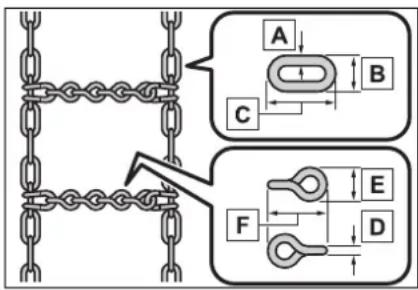
A Side chain (0.12 in. [3 mm] in diameter)
B Side chain (0.39 in. [10 mm] in width)
C Side chain (1.18 in. [30 mm] in length)
D Cross chain (0.16 in. [4 mm] in diameter)
E Cross chain (0.55 in. [14 mm] in width)
F Cross chain (0.98 in. [25 mm] in length)
Regulations on the use of tire chains
Regulations regarding the use of tire chains vary depending on location and type of road.
Always check local regulations before installing chains.
■Tire chain installation
Observe the following precautions when installing and removing chains:
● Install and remove tire chains in a safe location.
● Install tire chains on the front tires only. Do not install tire chains on the rear tires.
● Install tire chains on front tires as tightly as possible. Retighten chains after driving 1/4—1/2 mile (0.5—1.0 km).
● Install tire chains following the instructions provided with the tire chains.
NOTICE
■Fitting tire chains
The tire pressure warning valves and transmitters may not function correctly when tire chains are fitted.
Utility vehicle precautions
This vehicle belongs to the utility vehicle class, which has higher ground clearance and narrower tread in relation to the height of its center of gravity.
Utility vehicle feature
- Specific design characteristics give it a higher center of gravity than ordinary passenger cars. This vehicle design feature causes this type of vehicle to be more likely to rollover. And, utility vehicles have a significantly higher rollover rate than other types of vehicles.
● An advantage of the higher ground clearance is a better view of the road allowing you to anticipate problems. - It is not designed for cornering at the same speeds as ordinary passenger cars any more than low-slung sports cars are designed to perform satisfactorily under off-road conditions. Therefore, sharp turns at excessive speeds may cause the vehicle to roll-over.

WARNING
■ Utility vehicle precautions
Always observe the following precautions to minimize the risk of death, serious injury or damage to your vehicle:
In a rollover crash, an unbelted person is significantly more likely to die than a person wearing a seat belt. Therefore, the driver and all passengers should always fasten their seat belts.
● Avoid sharp turns or abrupt maneuvers, if at all possible. Failure to operate this vehicle correctly may result in loss of control or vehicle rollover causing death or serious injury.
- Loading cargo on the roof luggage carrier (if equipped) will make the center of the vehicle gravity higher. Avoid high speeds, sudden starts, sharp turns, sudden braking or abrupt maneuvers, otherwise it may result in loss of control or vehicle rollover due to failure to operate this vehicle correctly.
● Always slow down in gusty crosswinds. Because of its profile and higher center of gravity, your vehicle is more sensitive to side winds than an ordinary passenger car. Slowing down will allow you to have better control.
- Do not drive horizontally across steep slopes. Driving straight up or straight down is preferred. Your vehicle (or any similar off-road vehicle) can tip over sideways much more easily than forward or backward.
Off-road driving
Your vehicle is not designed to be driven off-road. However, in the event that off-road driving cannot be avoided, please observe the following precautions to help avoid the areas prohibited to vehicles.
● Drive your vehicle only in areas where off-road vehicles are permitted to travel.
- Respect private property. Get owner's permission before entering private property.
- Do not enter areas that are closed. Honor gates, barriers and signs that restrict travel.
- Stay on established roads. When conditions are wet, driving techniques should be changed or travel delayed to prevent damage to roads.
■Additional information for off-road driving
For owners in U.S. mainland, Hawaii and Puerto Rico:
To obtain additional information pertaining to driving your vehicle off-road, consult the following organizations.
●State and Local Parks and Recreation Departments
●State Motor Vehicle Bureau
●Recreational Vehicle Clubs
● U.S. Forest Service and Bureau of Land Management

WARNING
■Off-road driving precautions
Always observe the following precautions to minimize the risk of death, serious injury or damage to your vehicle:
●Drive carefully when off the road. Do not take unnecessary risks by driving in dangerous places.
- Do not grip the steering wheel spokes when driving off-road. A bad bump could jerk the wheel and injure your hands. Keep both hands and especially your thumbs on the outside of the rim.
●Always check your brakes for effectiveness immediately after driving in sand, mud, water or snow.
After driving through tall grass, mud, rock, sand, rivers, etc., check that there is no grass, bush, paper, rags, stone, sand, etc. adhering or trapped on the underbody. Clear off any such matter from the underbody. If the vehicle is used with these materials trapped or adhering to the underbody, a breakdown or fire could occur.
- When driving off-road or in rugged terrain, do not drive at excessive speeds, jump, make sharp turns, strike objects, etc. This may cause loss of control or vehicle rollover causing death or serious injury. You are also risking expensive damage to your vehicle's suspension and chassis.

NOTICE
■To prevent water damage
Take all necessary safety measures to ensure that water damage to the hybrid battery (traction battery), hybrid system or other components does not occur.
● Water entering the engine compartment may cause severe damage to the hybrid system. Water entering the interior may cause the hybrid battery (traction battery) stowed under the rear seats to short circuit.
● Water entering the hybrid transmission will cause deterioration in transmission quality. The malfunction indicator may come on, and the vehicle may not be drivable.
Water can wash the grease from wheel bearings, causing rusting and premature failure, and may also enter the hybrid transmission case, reducing the gear oil's lubricating qualities.
■When you drive through water
If driving through water, such as when crossing shallow streams, first check the depth of the water and the bottom of the riverbed for firmness. Drive slowly and avoid deep water.
■Inspection after off-road driving
●Sand and mud that has accumulated in brake drums and around brake discs may affect braking efficiency and may damage brake system components.
● Always perform a maintenance inspection after each day of off-road driving that has taken you through rough terrain, sand, mud, or water. For scheduled maintenance information, refer to the “Scheduled Maintenance Guide” or “Owner’s Manual Supplement”.
Interior features
5
5-1. Toyota multi-operation touch
Toyota multi-operation touch 340
5-2. Using the air conditioning system and defogger
Front automatic air conditioning system...... 342
Rear automatic air conditioning system.... 354
Heated steering wheel/seat heaters/seat ventilators 358
5-3. Using the interior lights
Interior lights list...... 362
5-4. Using the storage features
List of storage features 365
Luggage compartment features.... 370
5-5. Using the other interior features
Other interior features . 374
Toyota multi-operation touch\*
^* : Vehicle with the 12.3-inch display
The Toyota multi-operation touch allows a screen, such as the air conditioning control screen, and the navigation screen to be displayed and operated simultaneously.
Toyota multi-operation touch overview
The following functions can be displayed and operated on the toyota multi-operation touch.
Operate a switch to change the displayed function screen.
The displayed function can also be changed by performing an up or down flick operation on the Toyota multi-operation touch.
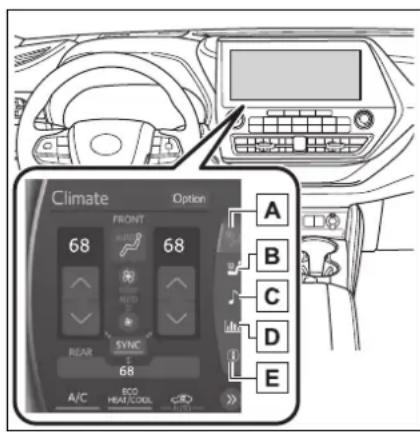
A Select to display the air conditioning control screen. (→P.349, 356)
B Select to display the seats climate screen. (→P.359, 361)
c Select to display the audio control screen.*
D Select to display the energy monitor/fuel consumption screen. (→P.117)
E 2WD models: Select to display the setting screen.
(→P.341)
AWD models: Select to display the vehicle information screen. (→P.97)
*: Refer to the "NAVIGATION AND MULTIMEDIA SYSTEM OWNER'S MANUAL".
Toyota multi-operation touch operation
■ Moving screens on the Toyota multi-operation touch
Selecting
The screen position can also be changed by perform a left or right flick operation on a screen.
■Displaying a screen in full screen
Selecting for the energy monitor/consumption screen or vehicle information screen will display that screen in full screen.
Select or to return to the
split-screen display.
Toyota multi-operation touch settings
AWD models: Select "Setting" on the vehicle information screen to display the setting screen.
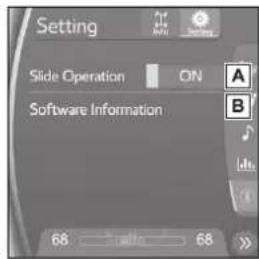
A Select slide operation on/off
B Display the software information
Copyright
©1982-2013, QNX Software Systems Limited. All rights reserved.
Front automatic air conditioning system
Air outlets and fan speed are automatically adjusted according to the temperature setting.
Vehicles with a 12.3-inch display: The air conditioning system can be displayed and operated on the toyota multi-operation touch.
Air conditioning controls (vehicle with a 8-inch display)
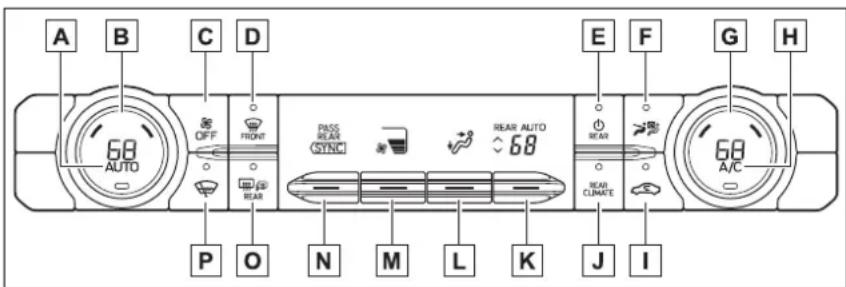
A Automatic mode switch ( P.351)
B Left-hand side temperature control switch
c "OFF" switch
D Windshield defogger switch
E Rear air conditioning system on/off switch ( P.355)
F S-FLOW mode switch ( P.351)
G Right-hand side temperature control switch
H "A/C" switch
Outside/recirculated air mode switch
J "REAR CLIMATE" switch ( P.355)
K Rear seat temperature contorl knob ( P.355)
L Airflow mode control knob
M Fan speed control knob
N "SYNC" control knob
☐ Rear window defogger and outside rear view mirror defoggers switch
P Windshield wiper de-icer switch
■Adjusting the temperature setting
Turn driver's side temperature control switch clockwise to increases the temperature and turn the switch counterclockwise to decreases the temperature.
If "A/C" switch is not pressed, the system will blow ambient temperature air or heated air.
The temperature for the driver, front passenger and rear seats can be adjusted separately when:
- "SYNC" control knob is moved upward or downward. (The "PASS" and "REAR" displays disappear)
- The passenger's side temperature control switch is turned. (The "PASS" display disappears)
- The rear seat temperature contorl knob is moved upward or downward. (The "REAR" display disappears)
To the air conditioning system switches between individual and simultaneous modes move "SYNC" control knob upward or downward.
To set the fan speed, move the fan speed control knob upward or downward.
Upward: Increases the fan speed Downward: Decreases the fan
speed
Pressing the "OFF" switch to turns off the fan.
■Change the airflow mode
To change the airflow mode, move the airflow mode control knob upward or downward.
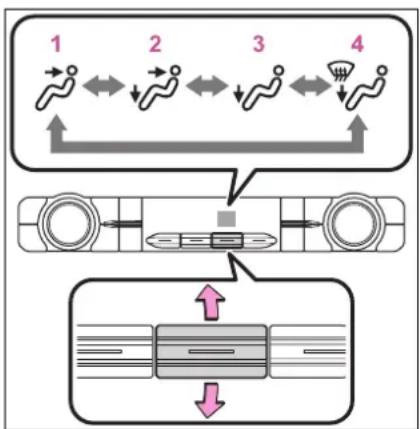
flowchart
graph TD
    A["1: Car with motion arrow"] --> B["2: Car with motion arrow"]
    B --> C["3: Car with motion arrow"]
    C --> D["4: Car with motion arrow"]
    D --> E["End: Horizontal bar with downward arrow"]
    style A fill:#f9f,stroke:#333
    style B fill:#f9f,stroke:#333
    style C fill:#f9f,stroke:#333
    style D fill:#f9f,stroke:#333
    style E fill:#ccf,stroke:#333
1 Upper body
2 Upper body and feet
3 Feet
4 Feet and the windshield defogger operates
■ Switching between outside air and recirculated air modes
Press the outside/recirculated air mode switch.
The mode switches between outside air mode and recirculated air mode each time the switch is operated.
When recirculated air mode is selected, the indicator illuminates on the outside/recirculated air
mode switch.
■Set cooling and dehumidification function
Press the "A/C" switch.
When the function is on, the indicator illuminates on the "A/C" switch.
■Defogging the windshield
Defoggers are used to defog the windshield and front side windows.
Press the windshield defogger switch.
Set the outside/recirculated air mode switch to outside air mode if the recirculated air mode is used. (It may switch automatically.)
To defog the windshield and the side windows quickly, turn the air flow and temperature up.
To return to the previous mode, press the windshield defogger switch again when the windshield is defogged.
When the windshield defogger switch is on, the indicator illuminates on the windshield defogger switch.
■Defogging the rear window and outside rear view mirrors
Defoggers are used to defog the rear window and to remove raindrops, dew and frost from the outside rear view mirrors.
Press the rear window defogger and outside rear view mirror defoggers switch.
When the rear window defogger
and outside rear view mirror defoggers switch is on, the indicator illuminates on the rear window defogger and outside rear view mirror defoggers switch.
The defoggers will automatically turn off after a while.
■Windshield wiper de-icer
This feature is used to prevent ice from building up on the wind-shield and wiper blades.
Press the windshield wiper de-icer switch.
When the windshield wiper de-icer switch is on, the indicator illuminates on the windshield wiper de-icer switch.
The windshield wiper de-icer will automatically turn off after a period of time.
■When the outside temperature exceeds 75°F (24°C) and the air conditioning system is on
- In order to reduce the air conditioning power consumption, the air conditioning system may switch to recirculated air mode automatically. This may also reduce fuel consumption.
● Recirculated air mode is selected as a default mode when the power switch is turned to ON.
- It is possible to switch to outside air mode at any time by pressing the outside air mode switch.
■Fogging up of the windows
●The windows will easily fog up when the humidity in the vehicle is high. Turning “A/C” on will dehumidify the air from the outlets and defog the windshield effectively.
- If you turn "A/C" off, the windows may fog up more easily.
●The windows may fog up if the recirculated air mode is used.
■When driving on dusty roads
Close all windows. If dust thrown up by the vehicle is still drawn into the vehicle after closing the windows, it is recommended that the air intake mode be set to outside air mode and the fan speed to any setting except off.
■ Outside/recirculated air mode
- Setting to the recirculated air mode temporarily is recommended in preventing dirty air from entering the vehicle interior and helping to cool the vehicle when the outside air temperature is high.
● Outside/recirculated air mode may automatically switch depending on the temperature setting or the inside temperature.
Operation of the air conditioning system in Eco drive mode
● In Eco drive mode, the air conditioning system is controlled as follows to prioritize fuel efficiency:
• Engine speed and compressor operation controlled to restrict heating/cooling capacity
- Fan speed restricted when automatic mode is selected
●To improve air conditioning performance, perform the following operations:
- Turn off Eco drive mode (→P.322)
■When the outside temperature is low
The dehumidification function may not operate even when the "A/C" switch is pressed.
■ Ventilation and air conditioning odors
● To let fresh air in, set the air conditioning system to the outside air mode.
●During use, various odors from
inside and outside the vehicle may enter into and accumulate in the air conditioning system. This may then cause odor to be emitted from the vents.
● To reduce potential odors from occurring:
- It is recommended that the air conditioning system be set to outside air mode prior to turning the vehicle off.
- The start timing of the blower may be delayed for a short period of time immediately after the air conditioning system is started in automatic mode.
- When parking, the system automatically switches to outside air mode to encourage better air circulation throughout the vehicle, helping to reduce odors that occur when starting the vehicle.
■Air conditioning filter
→P.439
■ Air conditioning system refrigerant
● A label regarding the refrigerant of the air conditioning system is attached to the hood at the location shown in the following illustration.
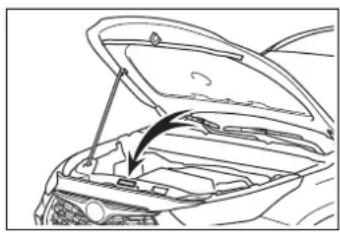
natural_image
Line drawing of a car hood open showing internal compartments and a handle (no text or symbols)●The meaning of each symbol on the label are as follows:
| Caution | |
| Air conditioning system | |
 | Air conditioning sys-tem lubricant type |
 | Requires registered technician to service air conditioning sys-tem |
 | Flammable refrigerant |
Customization
Some functions can be customized. ( P.530)

WARNING
■To prevent the windshield from fogging up
Do not use the windshield defogger switch during cool air operation in extremely humid weather. The difference between the temperature of the outside air and that of the windshield can cause the outer surface of the windshield to fog up, blocking your vision.
■When the outside rear view mirror defoggers are operating
Do not touch the rear view mirror surfaces when the outside rear view mirror defoggers are on.
■When the windshield wiper de-icer is operating
Do not touch the glass at lower part of the windshield or to the side of the front pillars when the windshield wiper de-icer is on.

NOTICE
■To prevent 12-volt battery discharge
Do not leave the air conditioning system on longer than necessary when the hybrid system is off.
■When repairing/replacing parts of the air conditioning system
Have repair/replacement performed by your Toyota dealer. When a part of the air conditioning system, such as the evaporator, is to be replaced, it must be replaced with a new one.
Air conditioning controls (vehicle with a 12.3-inch display)
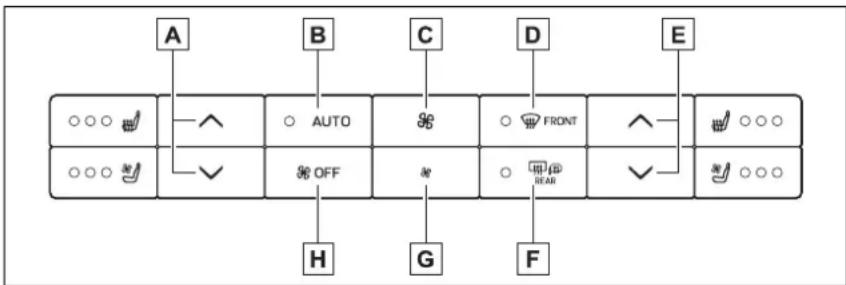
flowchart
graph TD
    A["○○○"] --> B["○ AUTO"]
    B --> C["○ FRONT"]
    C --> D["○ SEAR"]
    D --> E["○○○"]
    F["○○○"] --> G["○ OFF"]
    G --> H["H"]
    G --> I["G"]
    G --> J["F"]
    K["A"] --> B
    L["B"] --> B
    M["C"] --> C
    N["D"] --> C
    O["E"] --> D
    P["F"] --> J
A Left-hand side temperature control switch
B Automatic mode switch ( P.351)
c Fan speed increase switch
D Windshield defogger switch
E Right-hand side temperature control switch
F Rear window defogger and outside rear view mirror defoggers switch
G Fan speed decrease switch
H "OFF" switch
■Adjusting the temperature setting
Press to increase the
temperature and to decrease the temperature.
If "A/C" switch is not pressed, the system will blow ambient temperature air or heated air.
Operate the switch to increase the fan speed and the
* switch to decrease the fan speed.
Pressing the "OFF" switch to turns off the fan.
■Defogging the windshield
Defoggers are used to defog the windshield and front side windows.
Press the windshield defogger switch.
Set the outside/recirculated air mode switch to outside air mode if the recirculated air mode is used. (It may switch automatically.)
To defog the windshield and the side windows quickly, turn the air flow and temperature up.
To return to the previous mode, press the windshield defogger switch again when the windshield is defogged.
When the windshield defogger switch is on, the indicator illuminates on the windshield defogger switch.
■Defogging the rear window and outside rear view mirrors
Defoggers are used to defog the rear window and to remove rain-drops, dew and frost from the outside rear view mirrors.
Press the rear window defogger and outside rear view mirror defoggers switch.
When the rear window defogger and outside rear view mirror defoggers switch is on, the indicator illuminates on the rear window defogger and outside rear view mirror defoggers switch.
The defoggers will automatically turn off after a while.
Air conditioning filter
→P.439
■ Air conditioning system refrigerant
● A label regarding the refrigerant of the air conditioning system is attached to the hood at the location shown in the following illustration.
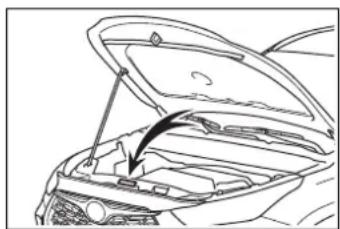
natural_image
Line drawing of an open car hood with a handle and vent, showing internal compartments and structural components (no text or symbols)●The meaning of each symbol on the label are as follows:
 | Caution |
 | Air conditioning sys-tem |
 | Air conditioning sys-tem lubricant type |
 | Requires registered technician to service air conditioning sys-tem |
| [08T6] | Flammable refrigerant |
Customization
Some functions can be customized. (→P.530)

WARNING
■To prevent the windshield from fogging up
Do not use the windshield defogger switch during cool air operation in extremely humid weather. The difference between the temperature of the outside air and that of the windshield can cause the outer surface of the windshield to fog up, blocking your vision.
■When the outside rear view mirror defoggers are operating
Do not touch the rear view mirror surfaces when the outside rear view mirror defoggers are on.

NOTICE
■To prevent 12-volt battery discharge
Do not leave the air conditioning system on longer than necessary when the hybrid system is off.

NOTICE
■When repairing/replacing parts of the air conditioning system
Have repair/replacement performed by your Toyota dealer. When a part of the air conditioning system, such as the evaporator, is to be replaced, it must be replaced with a new one.
Front air conditioning control screen (vehicle with a 12.3-inch display)
■Main control screen
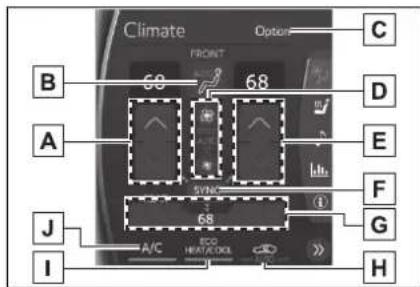
A Adjust the left side seat temperature setting
B Select the air flow mode
→ : Air flows to the upper body
Air flows to the upper body and feet
↓: Air flows to the feet
Air flows to the feet and the windshield defogger operates
c Display the option control screen.
D Adjust the fan speed setting
E Adjust the right side seat temperature setting
F "SYNC" switch
If the indicator on the "SYNC" switch is off, the temperature for the driver, passenger and rear seats can be adjusted separately.
G Display the rear air conditioning control screen ( P.356)
H Select the outside air and recirculated air modes
☐ Set eco air conditioning mode
The air conditioning is controlled with low fuel consumption prioritized such as reducing fan speed, etc.
J Set cooling and dehumidification function
If "A/C" switch is not pressed, the system will blow ambient temperature air or heated air.
■Option control screen
Select "Option" to display the option control screen.
The functions can be switched on and off.
When the function is on, the indicator illuminates on the screen.
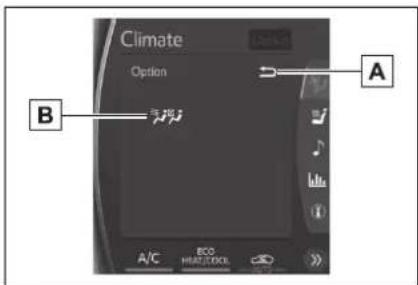
A Select to display the previous screen.
B Select front seat concentrated airflow mode (S-FLOW) (→P.351)
■When the outside temperature exceeds 75°F (24°C) and the air conditioning system is on
- In order to reduce the air conditioning power consumption, the air conditioning system may switch to recirculated air mode automatically. This may also reduce fuel consumption.
● Recirculated air mode is selected as a default mode when the power switch is turned to ON.
- It is possible to switch to outside air mode at any time by pressing the outside air mode switch.
■Fogging up of the windows
● The windows will easily fog up when the humidity in the vehicle is high. Turning “A/C” on will dehumidify the air from the outlets and defog the windshield effectively.
- If you turn "A/C" off, the windows may fog up more easily.
●The windows may fog up if the recirculated air mode is used.
■When driving on dusty roads
Close all windows. If dust thrown up by the vehicle is still drawn into the vehicle after closing the windows, it is recommended that the air intake mode be set to outside air mode and the fan speed to any setting except off.
■Outside/recirculated air mode
- Setting to the recirculated air mode temporarily is recommended in preventing dirty air from entering the vehicle interior and helping to cool the vehicle when the outside air temperature is high.
●Outside/recirculated air mode may automatically switch depending on
the temperature setting or the inside temperature.
■ Eco air conditioning mode
When Eco drive mode is selected using the driving mode select switch, eco air conditioning mode turns on.
When a drive mode other than Eco drive mode is selected, eco air conditioning mode may turn off.
Operation of the air conditioning system in Eco drive mode
● In Eco drive mode, the air conditioning system is controlled as follows to prioritize fuel efficiency:
• Engine speed and compressor operation controlled to restrict heating/cooling capacity
- Fan speed restricted when automatic mode is selected
● To improve air conditioning performance, perform the following operations:
- Turn off Eco drive mode (→P.322)
- Turn off Eco air conditioning mode
- When the driving mode is set to Eco driving mode, the air conditioning eco mode will be turned on automatically. Even in this case, the air conditioning eco mode can be turned off by pressing the Eco air conditioning mode switch.
■When the outside temperature is low
The dehumidification function may not operate even when "A/C" is pressed.
■ Ventilation and air conditioning odors
● To let fresh air in, set the air conditioning system to the outside air mode.
● During use, various odors from inside and outside the vehicle may enter into and accumulate in the air conditioning system. This may then cause odor to be emitted from the vents.
● To reduce potential odors from occurring:
- It is recommended that the air conditioning system be set to outside air mode prior to turning the vehicle off.
- The start timing of the blower may be delayed for a short period of time immediately after the air conditioning system is started in automatic mode.
- When parking, the system automatically switches to outside air mode to encourage better air circulation throughout the vehicle, helping to reduce odors that occur when starting the vehicle.
Using automatic mode
1 Press the automatic mode switch.
The dehumidification function begins to operate. Air outlets and fan speed are automatically adjusted according to the temperature setting and humidity.
2 Adjust the temperature setting.
3 To stop the operation, press the "OFF" switch.
If the fan speed setting or air flow modes are operated, the automatic mode indicator goes off. However, automatic mode for functions other than that operated is maintained.
■ Using automatic mode
Fan speed is adjusted automatically according to the temperature setting and the ambient conditions.
Therefore, the fan may stop for a while until warm or cool air is ready to flow immediately after the automatic mode switch is pressed.

NOTICE
■Humidity sensor
In order to detect fog on the windshield, a sensor which monitors the temperature of the windshield, the surround humidity, etc. is installed.
Follow these points to avoid damaging the sensor:
●Do not disassemble the sensor
- Do not spray glass cleaner on the sensor or subject it to strong impacts
- Do not stick anything on the sensor
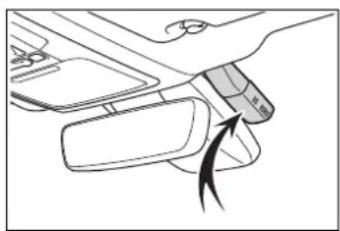
natural_image
Diagram of a car interior showing hand placement and directional arrow (no text or symbols)Front seat concentrated airflow mode (S-FLOW)
This function automatically controls the air conditioning airflow so that priority is given to the front seats. When the front passenger seat is not occupied, airflow may switch to only the driver's seat. Unnecessary air conditioning is suppressed, contributing to increased fuel efficiency.
Front seat concentrated airflow mode operates in the following situations.
- No passengers are detected
in the rear seats
● The windshield defogger is not operating
While operating, the indicator illuminates on the S-FLOW mode switch.
■Manually turning front seat concentrated airflow mode on/off
In front seat concentrated airflow mode, directing airflow to the front seats only and to all seats can be switched via switch operation. When the mode has been switched manually, automatic airflow control stops operating.
Select in the option control screen or press the S-FLOW mode switch on the air conditioning operation panel and switch the airflow.
● Indicator illuminated: Airflow to the front seats only
● Indicator off: Airflow to all the seats
■ Operation of automatic airflow control
- In order to maintain a comfortable interior, airflow may be directed to seats without passengers immediately after the hybrid system is started and at other times depending on the outside temperature.
● After the hybrid system is started, if passengers move around inside or enter/exit the vehicle, the system cannot accurately detect the presence of passengers and automatic airflow control will not operate.
■ Operation of manual airflow control
Even if the function is manually switched to directing airflow to only the front seats, when a rear seat is occupied, it may automatically direct airflow to all seats.
■To return to automatic airflow control
1 With the indicator off, turn the power switch off.
2 After 60 minutes or more elapse, turn the power switch to ON.
Windshield wiper de-icer (vehicle with a 12.3-inch display)
This feature is used to prevent ice from building up on the windshield and wiper blades.
Press the switch to turn the system on/off.
The indicator comes on when the system is on.
The windshield wiper de-icer will automatically turn off after a period of time.
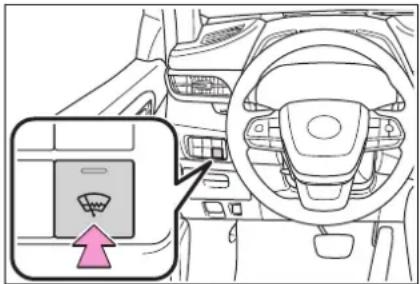
natural_image
Interior view of a car dashboard with steering wheel and dashboard (no text or symbols visible)
WARNING
■When the windshield wiper de-icer is operating
Do not touch the glass at lower part of the windshield or to the side of the front pillars when the windshield wiper deicer is on.
Air outlet layout and operations
■ Location of air outlets
The air outlets and air volume change according to the selected air flow mode.
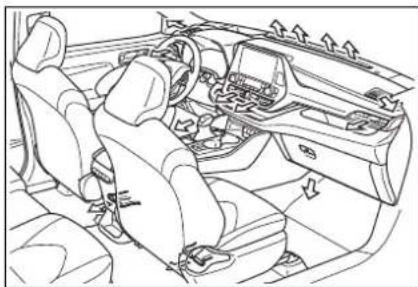
natural_image
Line drawing of a car interior showing steering wheel, dashboard, and seatbelt (no text or symbols)■Adjusting the air flow direction and opening/closing the air outlets
Front center outlets
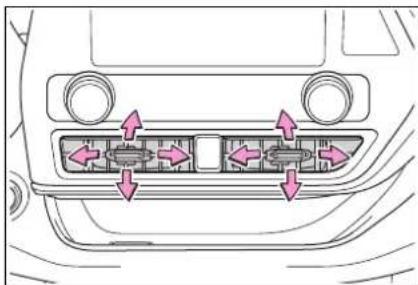
natural_image
Diagram of a car's front panel showing internal components with arrows indicating flow or movement (no text or symbols)Direct air flow to the left or right, up or down
Front side outlets
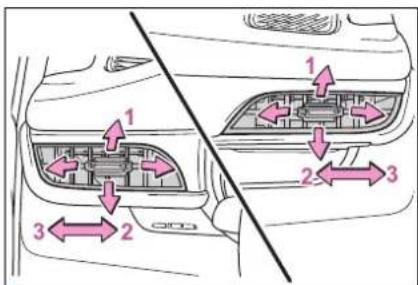
1 Direct air flow to the left or right, up or down
2 Open the vent
3 Close the vent

WARNING
■To not interrupt the wind-shield defogger from operating
Do not place anything on the instrument panel which may cover the air outlets. Otherwise, air flow may be obstructed, preventing the windshield defoggers from defogging.
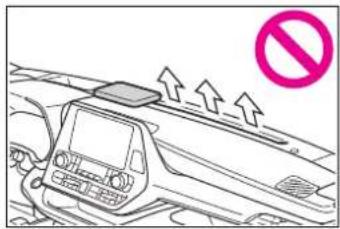
Rear automatic air conditioning system
The air outlets and fan speed are automatically adjusted according to the temperature setting.
Vehicles with a 8-inch display: The rear air conditioning system can be operated using the front air conditioning control panel and rear air conditioning control panel. Press the "REAR CLIMATE" switch on the front air conditioning control panel to change the rear air conditioning control mode.
Vehicles with a 12.3-inch display: The rear air conditioning system can be operated using the toyota multi-operation touch and rear air conditioning control panel. Select “REAR” on the front air conditioning control screen to display the rear air conditioning control screen.
Rear air conditioning control operation
■Rear air conditioning control panel
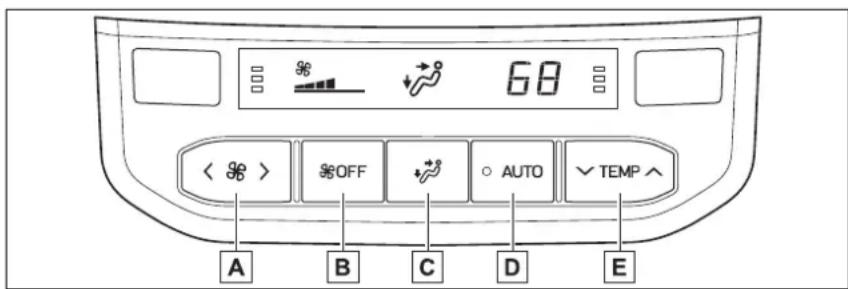
A Adjust the rear seats fan speed setting
Press to increase the fan speed and to decrease the fan speed.
B "OFF" switch
Pressing the "OFF" switch to turns off the fan.
c Air flow mode control switch
D Automatic mode switch
When the function is on, the indicator illuminates on the control screen.
E Adjust the rear seats temperature setting
Press to increase the temperature and to decrease the tem-
perature.
■Front air conditioning control panel (vehicle with a 8-inch display)
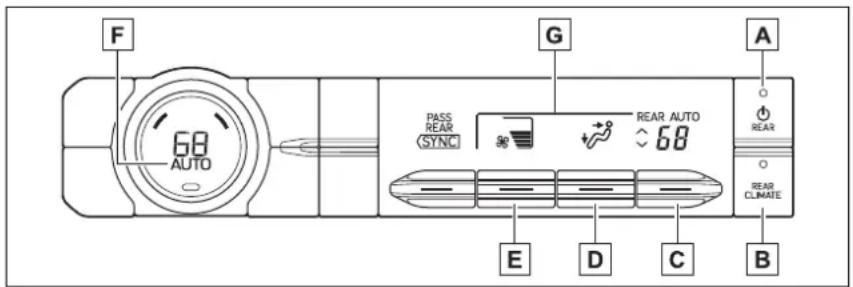
A Rear air conditioning system on/off switch
B "REAR CLIMATE" switch
The mode switches between the rear air conditioning control mode and front air conditioning control mode each time the “REAR CLIMATE” switch is pressed.
C Rear seat temperature contorl knob
To set temperature, move the rear seat temperature control knob upward or downward.
Upward: Increases the temperature
Downward: Decreases the temperature
D Airflow mode control knob
The airflow mode control knob can be operated while the rear air conditioning control indicator is appeared.
E Adjust the rear seats fan speed setting
Rear seats fan speed setting can be adjusted while the rear air conditioning control indicator is appeared.
To set the fan speed, move the fan speed control knob upward or downward.
Upward: Increases the fan speed
Downward: Decreases the fan speed
F Automatic mode switch ( P.357)
The automatic mode switch can be operated when the rear air conditioning control indicator is displayed.
G Rear air conditioning control indicator
When the "REAR CLIMATE" switch is pressed, the rear air conditioning control indicator is displayed for several seconds.
■Rear air conditioning control screen (vehicle with a 12.3-inch display)
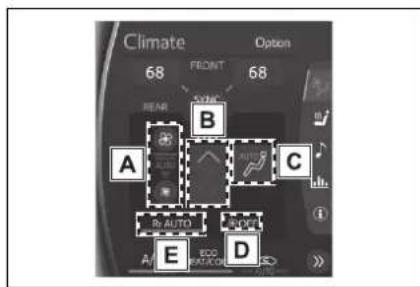
A Adjust the rear seats fan speed setting
B Adjust the rear seats temperature setting
c Air flow mode control switch
D "OFF" switch
Pressing the "OFF" switch to turns off the fan.
E Automatic mode switch
Change the airflow mode
■Rear air conditioning control panel
To change the airflow mode, press the airflow mode control switch.
The air outlets used are switched each time the switch is pressed.
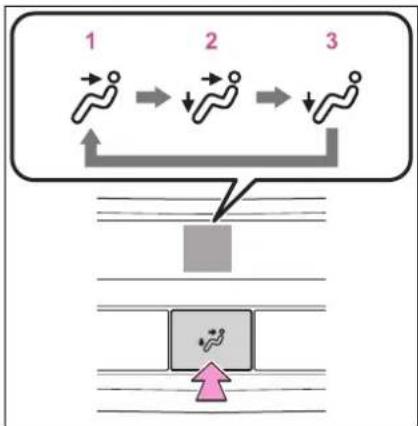
flowchart
graph TD
    A["Step 1: Linear motion"] --> B["Step 2: Downward movement"]
    B --> C["Step 3: Downward movement"]
1 Upper body
2 Upper body and feet
3 Feet
■Front air conditioning control panel (vehicle with a 8-inch display)
To change the airflow mode, move the airflow mode control knob upward or downward.
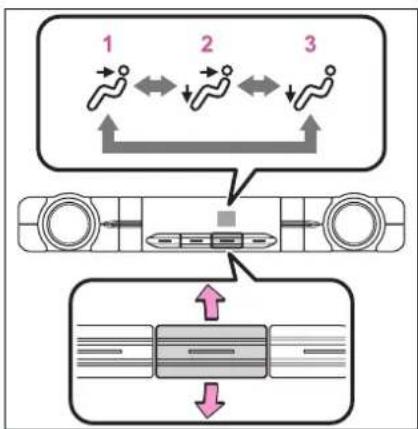
flowchart
graph TD
    A["Step 1: ↑"] --> B["Step 2: ←"]
    B --> C["Step 3: ←"]
    C --> D["Step 4: ↑"]
    D --> E["End"]
    F["Bottom: Horizontal Bar with Downward Arrow"] --> G["Bottom: Vertical Line with Downward Arrow"]
1 Upper body
2 Upper body and feet
3 Feet
■Rear air conditioning control screen (vehicle with a 12.3-inch display)
To change the airflow mode, select the airflow mode control switch.
The air outlets used are switched each time the switch is selected.
→ : Air flows to the upper body
Air flows to the upper body and feet
: Air flows to the feet
Using automatic mode
1 Press the automatic mode switch.
2 Adjust the temperature setting.
3 To stop the operation, press the "OFF" switch.
If the fan speed setting or air flow modes are operated, the automatic mode indicator goes off. However, automatic mode for functions other than that operated is maintained.
■ Using automatic mode
Fan speed is adjusted automatically according to the temperature setting and the ambient conditions.
Therefore, the fan may stop for a while until warm or cool air is ready to flow immediately after the automatic mode switch is pressed.
Air outlets
■ Location of air outlets
The air outlets and air volume changes according to the selected air flow mode.
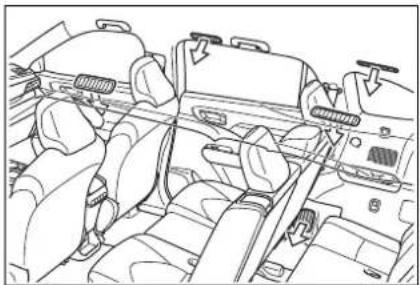
natural_image
Line drawing of a car interior showing dashboard, seats, and steering wheel (no text or symbols)■Adjusting the position of and opening and closing the air outlets
Adjusting the position of and opening and closing the air outlets
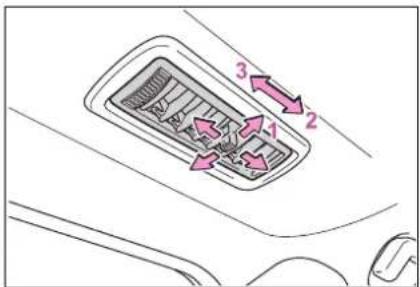
1 Direct air flow to the left or right, up or down
2 Open the vent
3 Close the vent

NOTICE
■To prevent 12-volt battery discharge
Do not leave the air conditioning system on longer than necessary when the hybrid system is off.
Heated steering wheel\*/seat heat-ers\*/seat ventilators\*
*: If equipped
● Heated steering wheel
Warms up the grip of the steering wheel
- Seat heaters
Warm up the seat upholstery
- Seat ventilators
Maintain good ventilation using a fan built into the seat

WARNING
■To prevent minor burn injuries
Care should be taken if anyone in the following categories comes in contact with the steering wheel or seats when the heater is on:
●Babies, small children, the elderly, the sick and the physically challenged
●Persons with sensitive skin
●Persons who are fatigued
●Persons who have taken alcohol or drugs that induce sleep (sleeping drugs, cold remedies, etc.)

NOTICE
■To prevent damage to the seat heaters
Do not put heavy objects that have an uneven surface on the seat and do not stick sharp objects (needles, nails, etc.) into the seat.

NOTICE
■To prevent 12-volt battery discharge
Do not use the functions when the hybrid system is off.
Heated steering wheel
Turns the heated steering wheel on/off
The indicator light comes on when the heated steering wheel is operating.
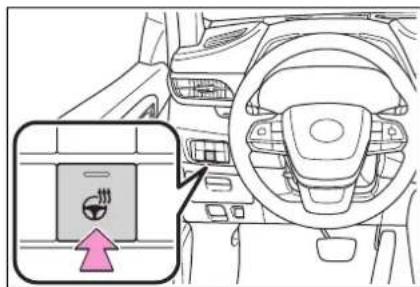
Operation condition
The power switch is in ON.
Timer function
The heated steering wheel will automatically turn off after a period of time.
Seat heaters
■Front (Front air conditioning control panel)
Each time the switch is pressed, the operation condition changes as follows.
Hi (3 segments lit)→Mid (2 segments lit)→Lo (1 segment lit)→Off
The level indicator (amber) A lights up during operation.
▶ Vehicle with a 12.3-inch display
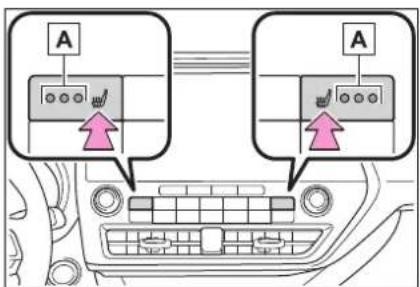
▶ Vehicle with a 8-inch display
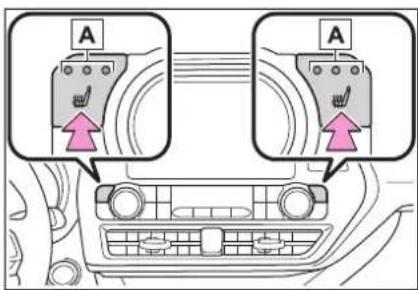
■Front (Toyota multi-operation touch: Vehicle with a 12.3-inch display)
Select 📊 to display the seats climate screen.
Each time the switch is selected, the operation condition changes as follows.
Hi (3 segments lit)→Mid (2 segments lit)→Lo (1 segment lit)→Off
The level indicator (red) Aights up during operation.
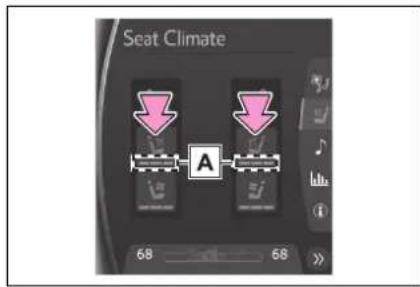
Rear
Each time the switch is pressed, the operation condition changes as follows.
Hi (3 segments lit)→Mid (2 segments lit)→Lo (1 segment lit)→Off
The level indicator (amber) A lights up during operation.
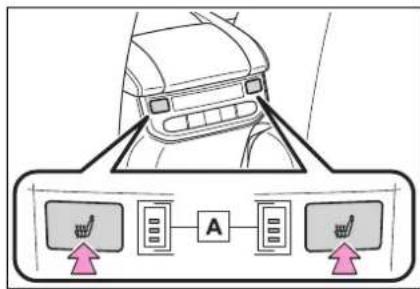
Operation condition
The power switch is in ON.

WARNING
■To prevent overheating and minor burn injuries Observe the following precautions when using the seat heaters.
- Do not cover the seat with a blanket or cushion when using the seat heater.
- Do not use seat heater more than necessary.
Seat ventilators
■Front air condioning control panel
Each time the switch is pressed, the operation condition changes as follows.
Hi (3 segments lit)→Mid (2 segments lit)→Lo (1 segment lit)→Off
The level indicator (green) lights up during operation.
▶ Vehicle with a 12.3-inch display
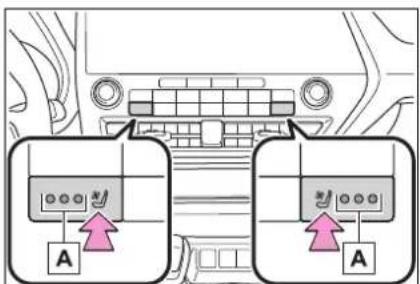
▶ Vehicle with a 8-inch display
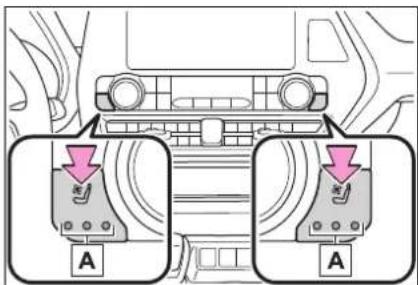
■Toyota multi-operation touch (Vehicle with a 12.3-inch display)
Select 📋 to display the seat climate screen.
Each time the switch is selected, the operation condition changes as follows.
Hi (3 segments lit)→Mid (2 segments lit)→Lo (1 segment lit)→Off
The level indicator (blue) Aights up during operation.
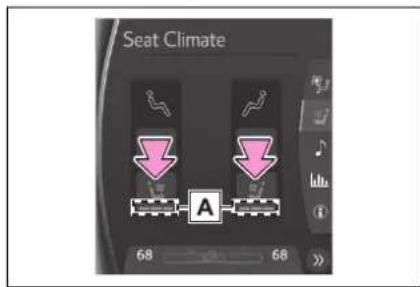
■Operation condition The power switch is in ON.
Interior lights list
Location of the interior lights
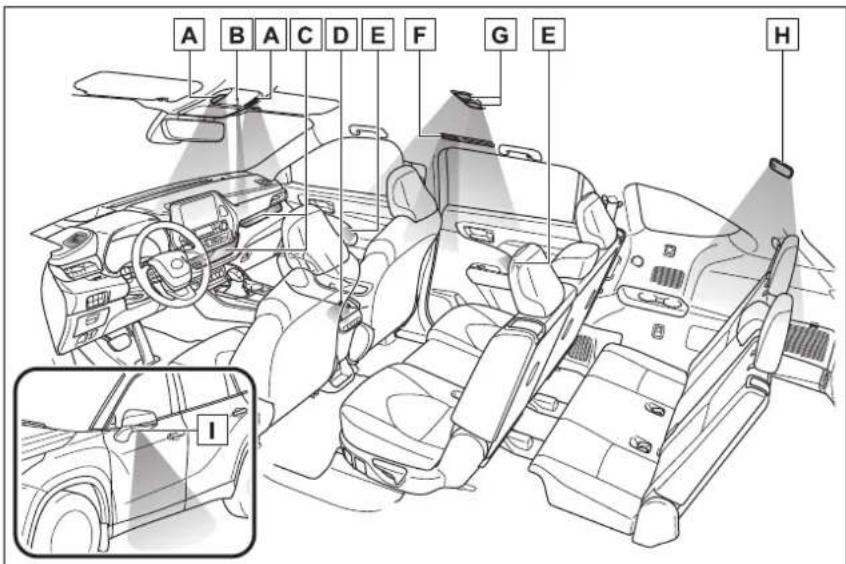
A Front personal lights ( P.363)
Front interior lights ( P.363)
B Shift lever light
C Open tray lights (if equipped)
D Door courtesy lights
E Ambient lights (if equipped)
F Rear personal lights (if equipped) ( P.363)
G Rear personal lights (if equipped) (→P.363)
H Rear interior light (→P.363)
☐ Outer foot lights (if equipped)
Operating the interior lights
■Front interior lights
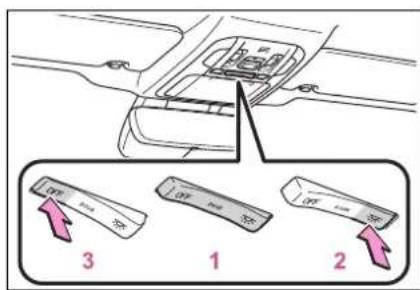
1 Turns the lights on/off linked to door positions
2 Turns the lights on
3 Turns the lights off
■Rear interior lights
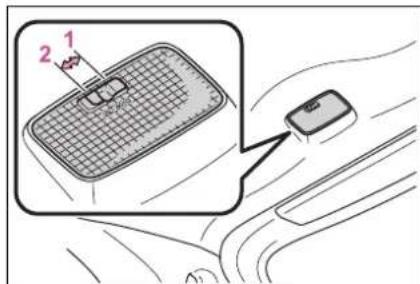
1 Turns the door position on The rear interior light turns on/off together the front interior lights. When a door is opened while the front and rear interior light door position is on, the lights turn on.
2 Turns the light on
Operating the personal lights
■Front personal lights
Turns the lights on/off
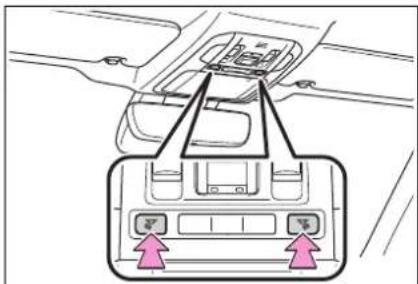
■Rear personal lights
Turns the lights on/off
▶ Vehicles without panoramic moon roof
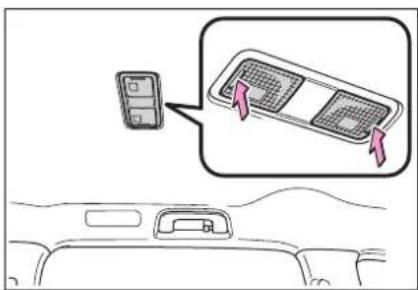
▶ Vehicles with panoramic moon roof
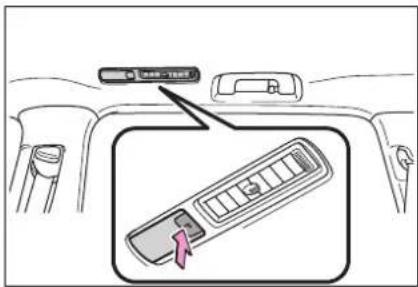
■Illuminated entry system
The lights automatically turn on/off according to the power switch mode, the presence of the electronic key, whether the doors are locked/unlocked, and whether the doors are opened/closed.
■To prevent the 12-volt battery from being discharged
If the interior lights remain on when the power switch is turned off, the lights will go off automatically after 20 minutes.
■The interior lights may turn on automatically when
If any of the SRS airbags deploy (inflate) or in the event of a strong rear impact, the interior lights will turn on automatically.
The interior lights will turn off automatically after approximately 20 minutes.
The interior lights can be turned off manually. However, in order to help prevent further collisions, it is recommended that they be left on until safety can be ensured.
(The interior lights may not turn on automatically depending on the force of the impact and conditions of the collision.)
Customization
Some functions can be customized. (→P.530)

NOTICE
■To prevent 12-volt battery discharge
Do not leave the lights on longer than necessary when the hybrid system is off.
List of storage features
Location of the storage features
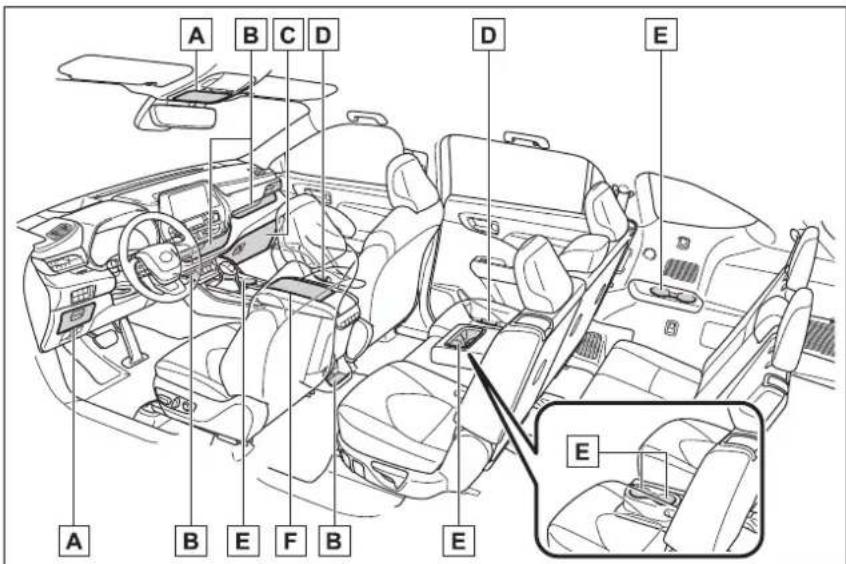
A Auxiliary boxes ( P.368)
B Open tray (if equipped) (→P.368)
c Glove box (→P.366)
D Bottle holders ( P.367)
E Cup holders ( P.367)
F Console box (→P.366)

WARNING
■Items that should not be left in the storage spaces
Do not leave glasses, lighters or spray cans in the storage spaces, as this may cause the following when cabin temperature becomes high:
● Glasses may be deformed by heat or cracked if they come into contact with other stored items.
●Lighters or spray cans may explode. If they come into contact with other stored items, the lighter may catch fire or the spray can may release gas, causing a fire hazard.

WARNING
■When storage compartments are not in use
When driving or when the storage compartments are not in use, keep the lids closed.
In the event of sudden braking or sudden swerving, an accident may occur due to an occupant being struck by an open lid or the items stored inside.
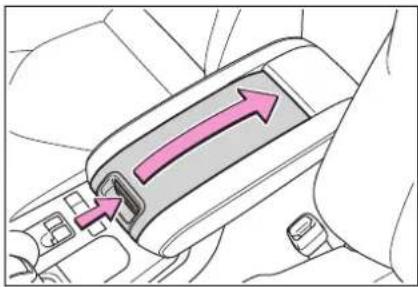
natural_image
Diagram of a car seatbelt with directional arrows indicating movement (no text or symbols)2 Vehicles with wireless charge: Lift the wireless charger.
Glove box
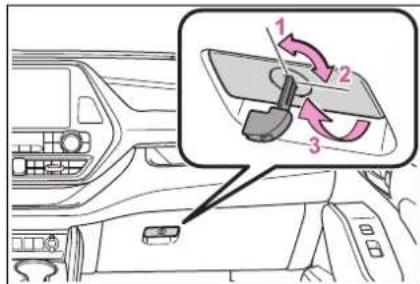
1 Unlock with the mechanical key
2 Lock with the mechanical key
3 Open (pull lever)
Glove box light
The glove box light turns on when the tail lights are on.
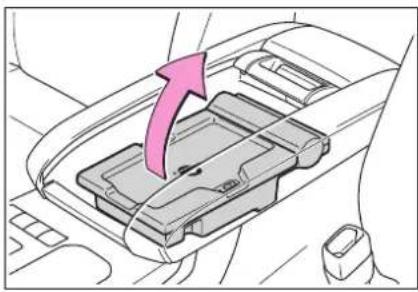
natural_image
Interior view of a car gear shift lever with a pink arrow indicating direction (no text or symbols)■Tray inside console box
The tray can be slid forward/backward.
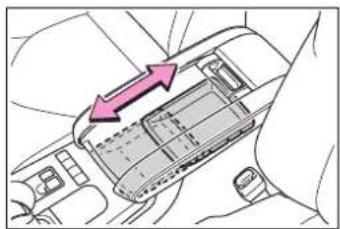
natural_image
Diagram showing a hand holding a device with arrows indicating upward motion (no text or symbols present)Console box
1 Push the tab and slide the console box lid.
Cup holders
Front seats
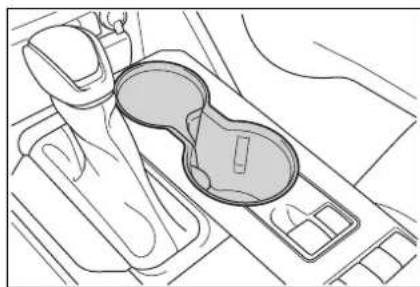
natural_image
Top-down line drawing of a car gear shift lever and intake manifold (no text or symbols)▶ Second seats (8-seat models) Pull the armrest down.
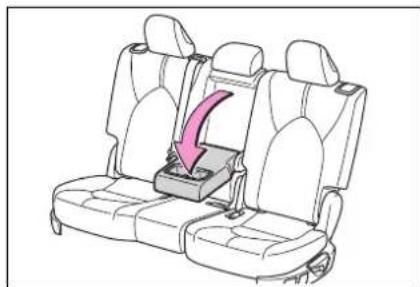
natural_image
Line drawing of a car seatbelt with a pink arrow indicating compression or lifting (no text or symbols)▶ Second seats (7-seat models)
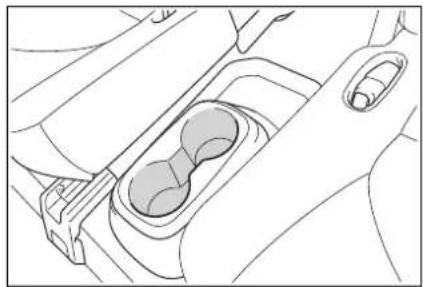
natural_image
Line drawing of a car interior showing the dashboard and seat area (no text or symbols)Third seats
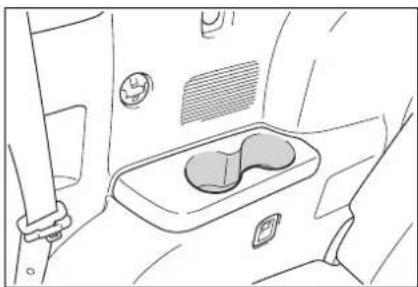
natural_image
Line drawing of a car interior showing the seat and dashboard (no text or symbols)
WARNING
■Items unsuitable for the cup holder
Do not place anything other than cups, aluminum cans, or water bottles in the cup holders. Other items may be thrown out of the holders in the event of an accident or sudden braking, possibly causing injury. If possible, cover hot drinks to prevent burns.
Bottle holders
Front doors
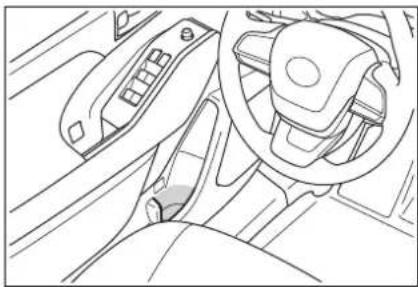
natural_image
Interior view of a car dashboard and steering wheel (no text or symbols visible)▶ Rear doors
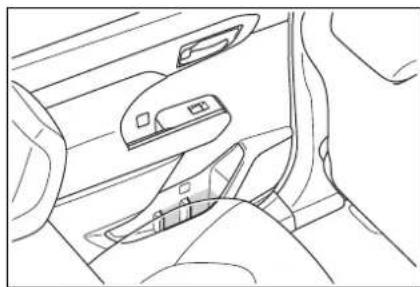
natural_image
Line drawing of a car interior showing dashboard, seatbelt, and dashboard lock (no text or symbols)Bottle holders
- When storing a bottle, close the cap.
●The bottle may not be stored depending on its size or shape.

NOTICE
■Items unsuitable for the bottle holders
Do not place open bottle, glass or paper cups containing liquid in the bottle holders. Otherwise, contained liquid may be spilled. Glass cups may break if used in the bottle holders.
Auxiliary boxes
▶ Overhead Push the lid.
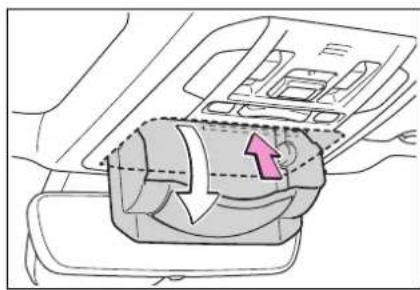
natural_image
Diagram of a car interior showing airflow or fluid flow around a vehicle (no text or symbols)Driver's side instrument panel Pull the tab to open.
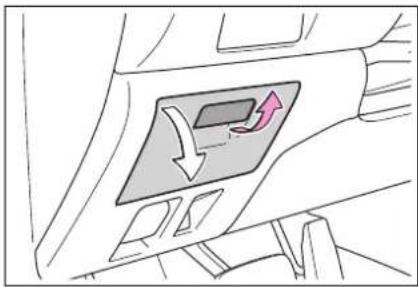
natural_image
Diagram of a car interior showing directional arrows and a highlighted panel (no text or symbols)
WARNING
■Items unsuitable for storing (Overhead)
Do not store items heavier than 0.44 lb. (200 g).
Doing so may cause the auxiliary box to open and the items inside may fall out, resulting in an accident.
■Caution while driving (Driver's side instrument panel)
Keep the auxiliary box closed while driving. Injuries may result in the event of an accident or sudden braking.
Open tray
Instrument panel
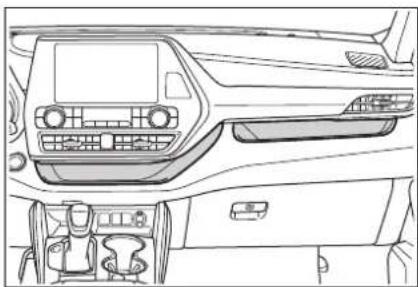
natural_image
Interior view of a car dashboard and infotainment system (no text or symbols visible)Front of console
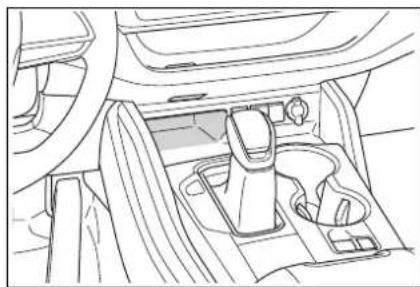
natural_image
Line drawing of a car interior showing the dashboard, seatbelt, and dashboard (no text or symbols)▶ Rear of console box (if equipped)
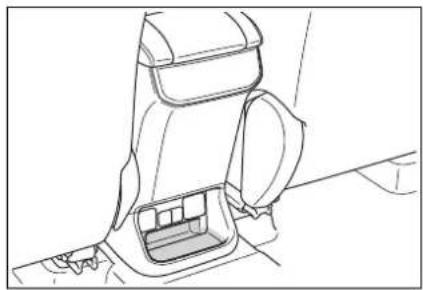
natural_image
Line drawing of a car interior seat and side panel (no text or symbols)■ Cable pass through (Instrument panel)
The open tray is provided with a hole that allows cables to be passed through the tray from the USB port, USB charging ports or power outlet. Remove the cover.
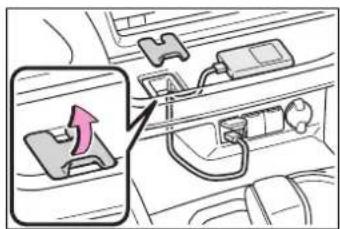
WARNING
■Items unsuitable for the open tray
Observe the following precautions when putting items in the open tray. Failure to do so may cause items to be thrown out of the tray in the event of sudden braking or steering. In these cases, the items may interfere with pedal operation or cause driver distraction, resulting in an accident.
- Do not store items in the tray that can easily shift or roll out.
- Do not stack items in the tray higher than the tray's edge.
- Do not put items in the tray that may protrude over the tray's edge.
Luggage compartment features
Cargo hooks
Pull down the hook to use.
The cargo hooks are provided for securing loose items.
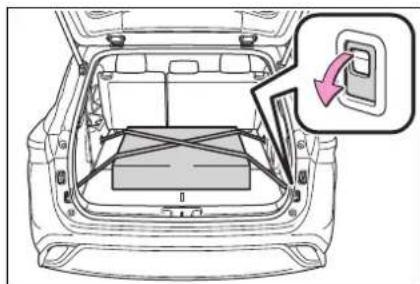
natural_image
Top-down line drawing of a car backrest with a highlighted switch and battery compartment (no text or symbols)
WARNING
■When cargo hooks are not in use
To avoid injury, always return the hooks to their stowed positions when not in use.
Cargo net hooks
To hang the cargo net, use the cargo net hooks and cargo hooks.
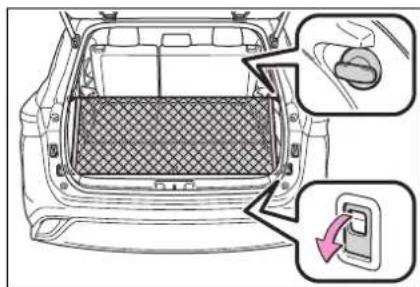

WARNING
■When the cargo net is not in use
To avoid injury, always return the hooks to their stowed positions when not in use.
Grocery bag hooks
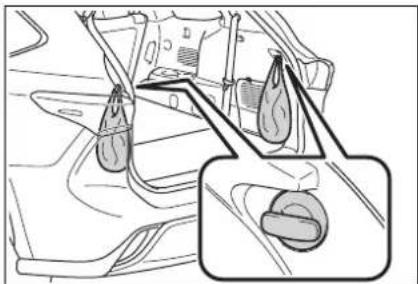
natural_image
Technical line drawing of a mechanical component with two inset views showing internal features (no text or symbols)
NOTICE
■To prevent damage to the gro- cery bag hooks
Do not hang any object heavier than 6.6 lb. (3 kg) on the grocery bag hooks.
Luggage cover (if equipped)
■Removing the luggage cover unit (vehicles without side deck board)
1 Fold down the third seats. (→P.158)
2 Remove the center deck board ( P.484) and take out the luggage cover unit.
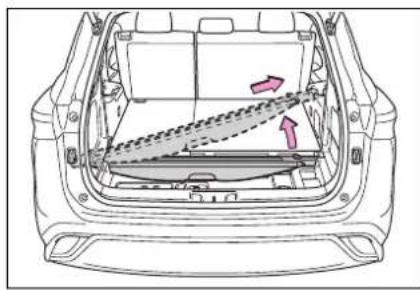
natural_image
Top-down schematic of a car showing internal components and airflow direction (no text or symbols)■Removing the luggage cover unit (vehicles with side deck board)
1 Fold down the third seats. (→P.158)
2 Remove the center deck board ( P.484) and side deck board ( P.373) and take out the luggage cover unit.
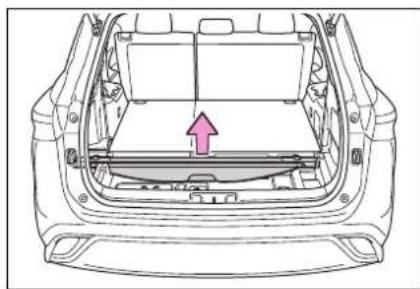
natural_image
Top-down line drawing of a car rear bumper with a pink arrow indicating the component (no text or symbols)■Installing the luggage cover
1 Fold down the third seats. (→P.158)
2 Press the lock release buttons to extend the ends of the luggage cover unit.
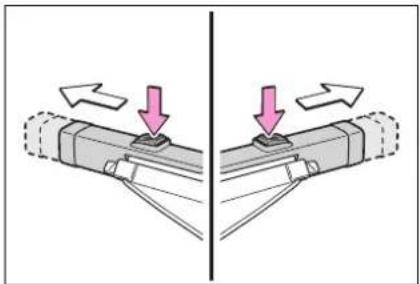
natural_image
Diagram showing two mechanical components with arrows indicating movement or force direction (no text or symbols)3 To install the luggage cover unit, with the lock release buttons facing upward, insert one end into the recess, then compress the other end and insert it into the other recess.
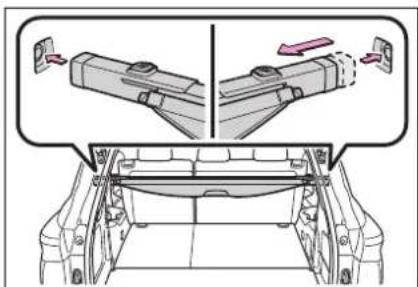
4 Pull out the luggage cover and hook it onto the anchors.
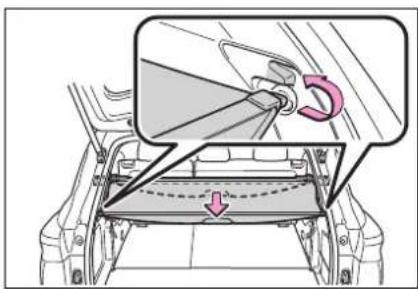
■Removing the luggage cover
1 Release the cover from the left and right anchors and allow it to retract.
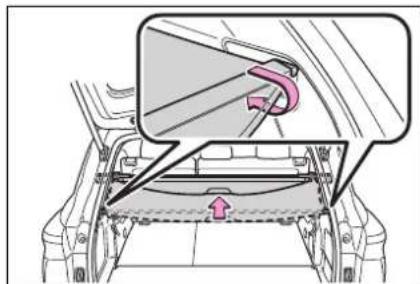
2 Compress the end of the luggage cover and lift the luggage cover up.
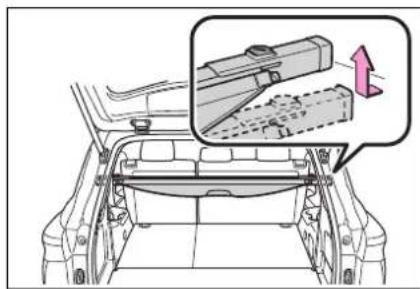
■Stowing the luggage cover (vehicles without side deck board)
1 Remove the center deck board. ( P.484)
2 To store the luggage cover unit, compress both ends until they lock.
Store the unit with the lock release buttons facing up and the cover portion facing the rear of the vehi-
cle.
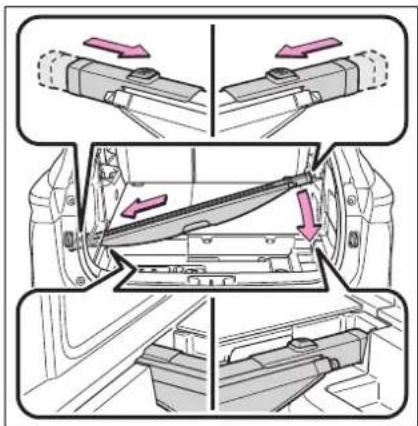
■ Stowing the luggage cover (vehicles with side deck board)
1 Remove the center deck board ( P.484) and the side deck board. ( P.373)
2 To store the luggage cover unit, compress both ends until they lock.
Store the unit with the lock release buttons facing up and the cover portion facing the rear of the vehicle.
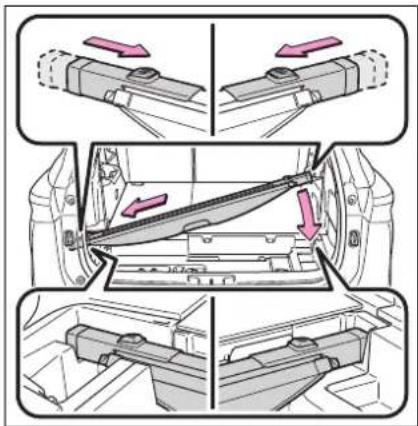

WARNING
Luggage cover
- When installing/stowing the luggage cover, make sure that the luggage cover is securely installed/stowed. Failure to do so may result in serious injury in the event of sudden braking or a collision.
Do not place anything on the luggage cover. In the event of sudden braking or turning, the item may go flying and strike an occupant. This could lead to an unexpected accident, resulting in death or serious injury. - Do not allow children to climb on the luggage cover. Climbing on the luggage cover could result in damage to the luggage cover, possibly causing death or serious injury to the child.
- Do not point the luggage cover unit at your face or body, as doing so may cause injuries if the cover ends extend suddenly.

NOTICE
■When using the luggage cover
- Do not put heavy items on the luggage cover.
● Install the cover unit in the correct direction so that the lock release button faces upward.
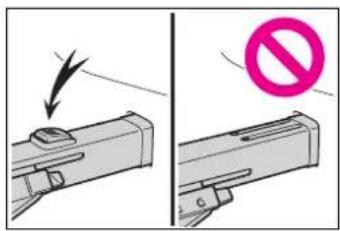
Auxiliary boxes
▶ Center deck under tray
Pull the strap upwards to open the center deck board.
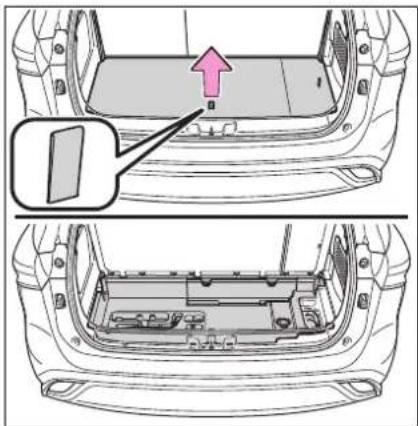
natural_image
Technical diagram of a car's rear panel showing internal components and a highlighted section (no text or symbols)▶ Deck side box (if equipped)
Pull the strap upwards to open the side deck board.
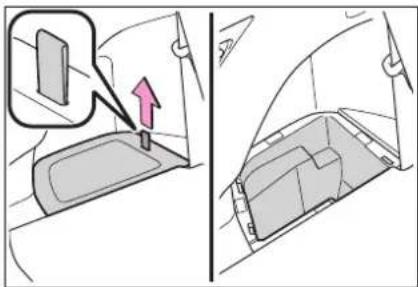
natural_image
Diagram showing a car interior with a highlighted seat and directional arrow (no text or symbols)
WARNING
■Caution while driving
Keep the deck board closed. In the event of sudden braking, an accident may occur due to an occupant being struck by the deck board or the items stored under the deck board.
Other interior features
USB charging ports
The USB charging ports are used to supply 2.1 A of electricity at 5 V to external devices.
The USB charging ports are for charging only. They are not designed for data transfer or other purposes.
Depending on the external device, it may not charge properly. Refer to the manual included with the device before using a USB charging port.
■ Using the USB charging ports
▶ On the instrument panel Open the lid.
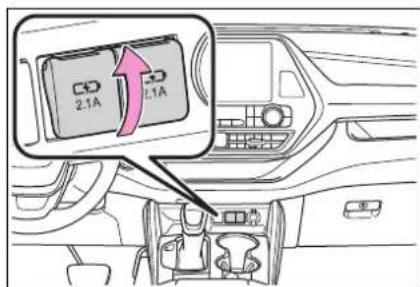
▶ Rear of console box Open the lid.
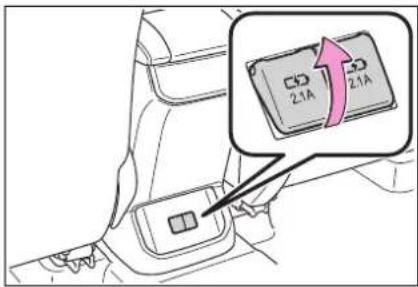
■The USB charging ports can be used when
The power switch is in ACC or ON.
■Situations in which the USB charging ports may not operate correctly
● If a device which consumes more than 2.1 A at 5 V is connected
- If a device designed to communicate with a personal computer, such as a USB memory device, is connected
● If the connected external device is turned off (depending on device)
- If the temperature inside the vehicle is high, such as after the vehicle has been parked in the sun
■ About connected external devices
Depending on the connected external device, charging may occasionally be suspended and then start again. This is not a malfunction.

NOTICE
■To prevent damage to the USB charging ports
- Do not insert foreign objects into the ports.
- Do not spill water or other liquids into the ports.
- When the USB charging ports are not in use, close the lids. If a foreign object or liquid enters a port may cause a short circuit.

NOTICE
- Do not apply excessive force to or impact the USB charging ports.
- Do not disassemble or modify the USB charging ports.
■To prevent damage to external devices - Do not leave external devices in the vehicle. The temperature inside the vehicle may become high, resulting in damage to an external device.
- Do not push down on or apply unnecessary force to an external device or the cable of an external device while it is connected.
■To prevent 12-volt battery discharge
Do not use the USB charging ports for a long period of time with the hybrid system stopped.
Wireless charger (if equipped)
A portable device, such as a smartphone or mobile battery, can be charged by just placing it on the charging area, provided the device is compatible with the Qi wireless charging standard created by the Wireless Power Consortium.
The wireless charger cannot be used with a portable device that is larger than the charging area. Additionally, depending on the portable device, the wireless charger may not operate properly. Refer to the operation manual of the portable device.
■The "Qi" symbol
The “Qi” symbol is a trademark of the Wireless Power Consortium.

Name for all parts
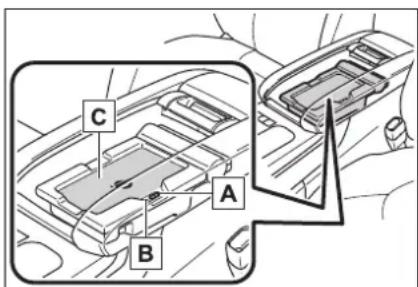
A Power supply switch
B Operation indicator light
c Charge area
■Using the wireless charger
1 Push the tab and slide the console box lid. ( P.366)
2 Press the power supply switch of the wireless charger.
Pressing the switch again turns the wireless charger off.
When turned on, the operation indicator light (green) comes on.
When the power switch is turned off, the on/off state of the wireless
charger will be memorized.
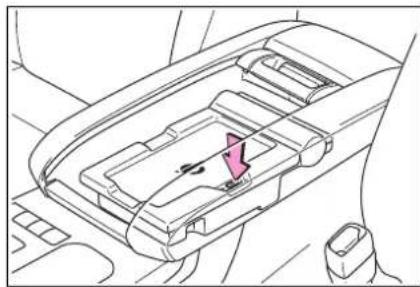
natural_image
Interior view of a car headrest frame showing the dashboard and seat area (no text or symbols)3 Place a portable device on the charging area with its charging surface facing down.
While charging, the operation indicator light (orange) will be illuminated.
If charging does not begin, move the portable device as close to the center of the charging area as possible.
When charging is complete, the operation indicator light (green) will illuminate.
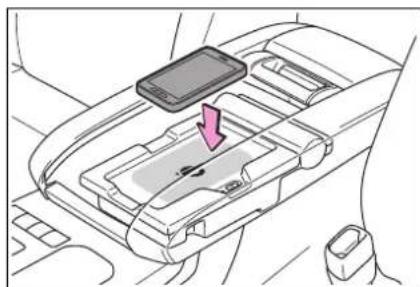
natural_image
Interior view of a car gear shift register with a smartphone mounted on top (no text or symbols visible)■Recharging function
- If a certain amount of time has elapsed since charging completed and the portable device has not been moved, the wireless charger will restart charging.
- If the portable device is moved within the charging
area, charging will stop temporarily then restart.
■Operation indicator light status
| Operation indicator light | State |
| Off | The Wireless charger is off |
| Green (illuminated) | Standby (charging is possible) |
| Charging is complete* | |
| Orange (illuminated) | A portable device has been placed on the charging area (identifying the portable device) |
| Charging in progress |
*: Depending on the portable device, the operation indicator light may stay illuminated (orange) after charging has completed.
■If the operation indicator light blinks
If an error is detected, the operation indicator light will blink (orange). Take the appropriate measures according to the table below.
- Blinks (orange) at a one second interval continuously
| Suspected causes | Measure |
| Vehicle to charger communication failure. | Contact your Toyota dealer. |
- Blinks (orange) 3 times repeatedly
| Suspected causes | Measure |
| A foreign object exists between the portable device and charging area. | Remove the foreign object. |
| Portable device is not positioned properly on the charging area. | Move the portable device toward the center of the charging area. |
- Blinks (orange) 4 times repeatedly
| Suspected causes | Measure |
| The temperature of the wireless charger is excessively high. | Stop charging immediately and continue charging after a while. |
■The wireless charger can be operated when
The power switch is in ACC or ON.
■Portable devices that can be charged
- Portable devices compatible with the Qi wireless charging standard can be charged by the wireless
charger. However, compatibility with all devices which meet the Qi wireless charging standard is not guaranteed.
● The wireless charger is designed to supply low power electricity (5 W or less) to a cellular phone, smartphone, or other portable device.
If a cover or accessory is attached to the portable device
Do not charge a portable device if a cover or accessory which is not Qi compatible is attached. Depending on the type of cover and/or accessory attached, it may not be possible to charge the portable device. If the portable device is placed on the charging area and does not charge, remove the cover and/or accessories.
■If interference is heard in AM radio broadcasts while charging
Turn off the wireless charger and check if the noise is reduced. If noise is reduced, press and hold the power supply switch of the wireless charger for 2 seconds. The frequency of the wireless charger is changed and noise may be reduced. When the frequency is changed, the operation indicator light will blink (orange) 2 times.
Charging precautions
- If the electronic key cannot be detected in the cabin, charging cannot be performed. When a door is opened and closed, charging may be temporarily suspended.
● While charging, the wireless charger and the portable device will become warm. This is not a malfunction. If a portable device becomes warm while charging and charging stops due to the protection function of the portable device, wait until the portable device cools down and charge it
again.
■Sound generated during operation
When the power supply switch is turned on or while a portable device
is being identified, operation sounds may be heard. This is not a malfunction.
■Cleaning the wireless charger →P.403
■Certification for the wireless charger
FCC Provided Information:
This equipment has been tested and found to comply with Part 18 of the FCC Rules. These limits are designed to provide reasonable protection against harmful interference in a residential installation. Any changes or modifications not expressly approved by the party responsible for compliance could void the user's authority to operate this equipment.
This device complies with Part 18 of the FCC Rules. Operation is subject to the following two conditions:
(1) This device may not cause harmful interference, and (2) this device must accept any interference received, including interference that may cause undesired operation.
Declaration of Conformity
Trade Name:
Panasonic
Model Numbers:
AT1701 contains CA-QS03J1AJ
Responsible Party:
Panasonic Corporation of North America
Support Contact:
Two Riverfront Plaza, Newark, NJ 07102-5490
http://shop.panasonic.com/support/
Panasonic
PRODUCT SAFETY AND COMPLIANCE DEPARTMENT. PANASONIC CORPORATION OF NORTH AMERICA. TWO RIVERFRONT PLAZA, 9TH FLOOR, NEMARK, NJ 07102-6480
FCC Declaration of Conformity Summary
| Product Name | In-Vehicle Wireless Charger | |
| Model Number | AT1701 | |
| Brand Name | Panasonic | |
| Size and Mass | 245mm (w), 136mm (l) and 48mm (h) and mass is 515grams | |
| Purpose Updated DoC | Added similarity variant model/ AT1701 contains CA-QS03J1AJ | |
| Compliance Information | 47 CFR, FCC Part 18, Subpart C for ISM EquipmentFCC's KDB 680106 D01 RF Exposure Wireless Charging Apps v02Industry Canada RSS-216, Issue 1, dated August 2014For Wireless Power Transfer Devices (Wireless Chargers) | |
| Responsible Applicant | Panasonic CorporationAutomotive & Industrial Systems CompanyAutomotive Infotainment Systems Business Division4261, Ikonobe -cho, Tsuzuki-ku, Yokohama-shi, 224-8520, Japan | |
| Responsible Factories | Panasonic Corporation, Automotive & Industrial Systems CompanyAutomotive Infotainment / Systems Business DivisionGlobal Manufacturing Innovation Center, Matsumoto Factory5652 Sasaga, Matsumoto city, Nagano 399-8730, JapanPanasonic Automotive Systems Czech, s.r.o.U Panasonicu 266, 530 06 Pardubice-Stare Civice, Czech RepublicPanasonic Automotive Systems Asia Pacific (Thailand) Co.,Ltd.101 Moo 2 Teparak Road, T.Bangsaothong Ging A.BangsaothongSamutprakarn 10540 ThailandPanasonic Automotive Systems Dalian Co., Ltd.No.300, HongGang Road, GanJingZi District, Dalian,Liaoning Province, 116033 China | |
| Responsible Sales Company | Panasonic Consumer Electronics CompanyDivision of Panasonic Corporation of North AmericaTwo Riverfront Plaza, Newark, NJ 07102-5490General Contact: http://shop.panasonic.com/support | |
| Special Conditions For Compliance | In-Vehicle Wireless Charger will be installed and used exclusively within transportation vehicle and as such, it is exempt from the following requirements: (1) Part 15 digital device technical rules in accordance with §15.103(a); and (2) §15.105(b) full text information to user to appear in User Manual in accordance with §18.213. | |
| EMI Test Report | TCB | UL Japan |
| Test Report | 10120384-R2 | |
| Model Tested | AT1701 contains CA-QS03J1AJ | |
| Date Issued | 12/14/2015 | |
| Methodology | FCC-OET MP-4 | |
Panasonic
PRODUCT SAFETY AND COMPLIANCE DEPARTMENT. PANASONIC CORPORATION OF NORTH AMERICA. TWO RIVERFRONT PLAZA, 8^TH FLOOR, NEARKY, NJ 07102-6490
Panasonic
PRODUCT SAFETY AND COMPLIANCE DEPARTMENT. PANASONIC CORPORATION OF NORTH AMERICA. TWO RIVERFRONT PLAZA, 9TH FLOOR, NEARK, NJ 07102-6480
FCC Declaration of Conformity
Summary
| RF Exposure Evaluation | TCB | UL Japan |
| MPE Test Report | 10197157S-E-R1 | |
| Model Tested | AT1701 contains CA-QS03J1AJ | |
| Date Issued | 12/14/2015 | |
| Methodology | KDB 680106 D01 RF Exposure Wireless Charging Apps v02 | |
| Importation | The subject In-Vehicle Wireless Charger can be imported on behalf of Panasonic affiliated sales companies by PNA's Logistics Import Customs, or their authored brokers, by electrically filing FCC Form 740 while declaring Box 2 with no reference to any FCC ID. | |
This DoC is granted for the subject In-Vehicle Wireless Charger on the basis of the manufacturer's attested compliance with the above described conditions and in accordance with FCC Part 18 and FCC's KDB 0680106 D01 RF Exposure Wireless Charging Apps v02.
Certificate Number: DoC 2014-008C
Applicant Ref No.: PAS-16-F001
Buchid Mullen
Issued by: Richard Mullen
Issue Date: January 14, 2016
PRODUCT SAFETY AND COMPLIANCE DEPARTMENT. PANASONIC CORPORATION OF NORTH AMERICA. TWO RIVERFRONT PLAZA, 9 ^TH FLOOR, NEARK, NJ 07102-6480

WARNING
■Caution while driving
When charging a portable device while driving, for safety reasons, the driver should not operate the portable device.

WARNING
■Caution regarding interference with electronic devices
People with implantable cardiac pacemakers, cardiac resynchronization therapy pacemakers or implantable cardioverter defibrillators, as well as any other electrical medical device, should consult their physician about the usage of the wireless charger.
Operations of the wireless charger may have an affect on medical devices.
■To prevent damage or burns
Observe the following precautions.
Failure to do so may result in the possibility of fire, equipment failure or damage, or burns due to heat.
- Do not put any metallic objects between the charging area and the portable device while charging.
- Do not attach metallic objects, such as aluminum stickers, to the charging area.
- Do not cover the wireless charger with a cloth or other object while charging.
- Do not attempt to charge portable devices which are not compatible with the Qi wireless charging standard.
- Do not disassemble, modify or remove the wireless charger.
- Do not apply force or impact to the wireless charger.

NOTICE
■Conditions in which the wireless charger may not operate correctly
In the following situations, the wireless charger may not operate correctly:
- When a portable device is fully charged
- When there is a foreign object between the charging area and portable device
- When a portable device becomes hot while charging
- When a portable device is placed on the wireless area with its charging surface facing up
- When a portable device is not centered on the charging area
- When the vehicle is near a TV tower, electric power plant, gas station, radio station, large display, airport or other facility that generates strong radio waves or electrical noise
- When the portable device is in contact with, or is covered by any of the following metallic objects:
- Cards to which aluminum foil is attached
- Cigarette boxes that have aluminum foil inside
- Metallic wallets or bags
- Coins
- Metal hand warmers
• Media such as CDs and DVDs - When wireless keys (that emit radio waves) other than those of your vehicle are being used nearby.

NOTICE
If in situations other than above the wireless charger does not operate properly or the operation indicator light is blinking, the wireless charger may be malfunctioning. Contact your Toyota dealer.
■To prevent failure or damage to data
Do not bring magnetic cards, such as a credit card, or magnetic recording media, close to the wireless charger while charging. Otherwise, data may be erased due to the influence of magnetism. Additionally, do not bring precision instruments such as wrist watches, close to the wireless charger, as such objects may malfunction.
- Do not leave portable devices in the cabin. The temperature inside the cabin may become high when parked in the sun, and cause damage to the device.
■To prevent 12-volt battery discharge
Do not use the wireless charger for a long period of time with the hybrid system is stopped.
Armrest
▶ Second seats (8-seat models) Pull the armrest down for use.
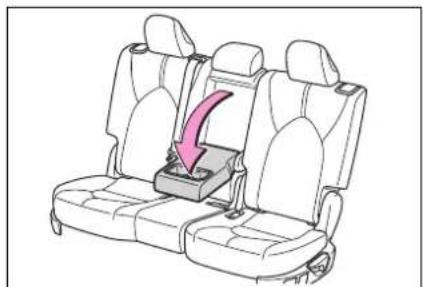
natural_image
Line drawing of a car seatbelt seat with a pink arrow indicating the seatbelt cover (no text or symbols present)▶ Second seats (7-seat models) Pull the armrest down for use.
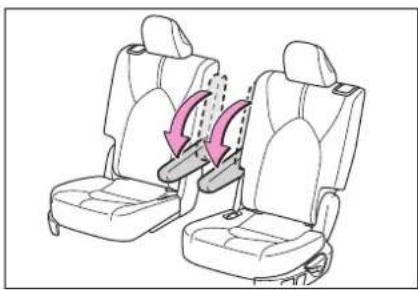
natural_image
Line drawing of two car seats with seatbelt buckle, showing seatbelt insertion mechanism (no text or symbols)
NOTICE
■To prevent damage to the armrest Do not apply too much load on the armrest.
Assist grips
An assist grip installed on the ceiling can be used to support your body while sitting on the seat.
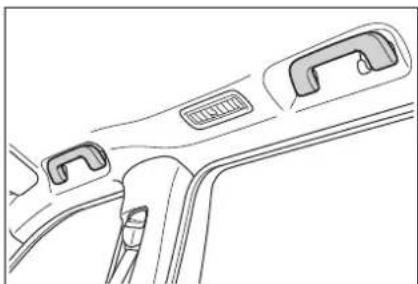
natural_image
Line drawing of a car seatbelt with handle and seat (no text or symbols)
WARNING
■Assist grip
Do not use the assist grip when getting in or out of the vehicle or rising from your seat.

NOTICE
■To prevent damage to the assist grip
Do not hang any heavy object or put a heavy load on the assist grip.
Coat hooks
The coat hooks are provided with the rear assist grips.
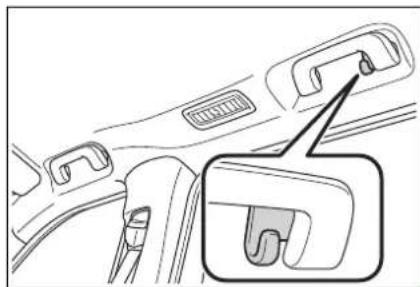
natural_image
Line drawing of a car seatbelt buckle with a magnified inset showing the internal structure (no text or symbols)
WARNING
■Items that must not be hung on the hook
Do not hang coat hangers or other hard or sharp objects on the hook. If the SRS curtain shield airbags deploy, these items may become projectiles, causing death or serious injury.
Power outlets (12 VDC)
Please use as a power supply for electronic goods that use less than 12 VDC/10 A (power consumption of 120 W).
When using electronic goods, make sure that the power consumption of all the connected power outlets is less than 120 W.
▶ On the instrument panel Open the lid.
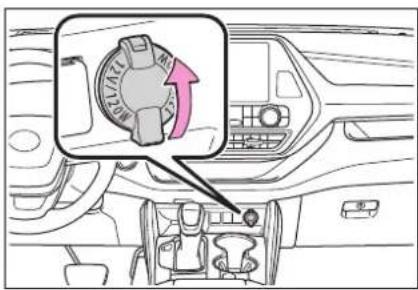
▶ Inside the console box Open the lid.
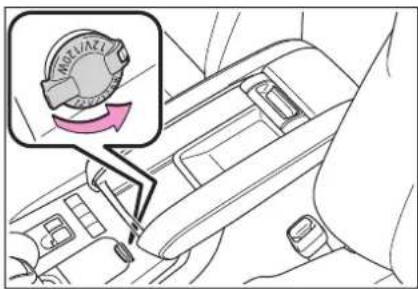
■The power outlet can be used when
The power switch is in ACC or ON.
■When stopping the hybrid system
Disconnect electrical devices with charging functions, such as mobile battery packs. If such devices are left connected, the hybrid system may not stop normally.

NOTICE
■To avoid damaging the power outlet
Close the power outlet lid when the power outlet is not in use. Foreign objects or liquids that enter the power outlet may cause a short circuit.

NOTICE
■To prevent 12-volt battery discharge
Do not use the power outlet longer than necessary when the hybrid system is not running.
Power outlets (120 VAC) (if equipped)
Please use as a power supply for electronic devices that use less than 120 VAC (power consumption of 1500 W).
■ Using the power outlets
▶ On the console box Open the lid.
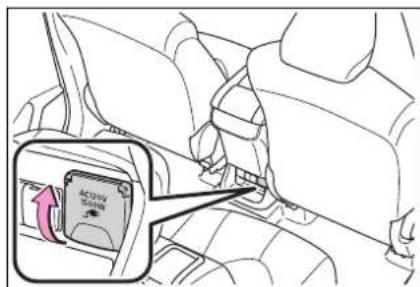
▶ In the luggage compartment Open the lid.
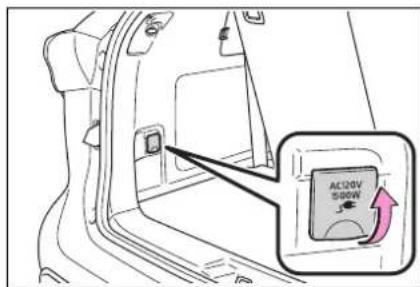
■When turning the power outlets on
1 Check that the parking brake is engaged, securely depress the brake pedal and press the power switch.
2 Check that the READY indicator is illuminated, and press the AC120V switch.
The power outlets can be used when the indicator on the AC120V switch is illuminated.
The power outlets are turned off/on each time the AC120V switch is pressed.
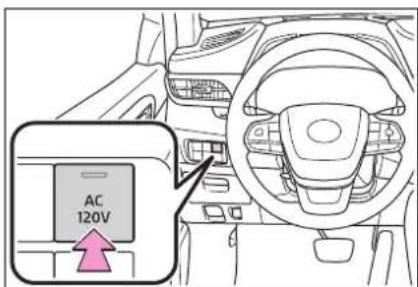
■When connecting a device
Open the lid, and fully and securely insert the plug of the device into the power outlet.
▶ Rear of console box
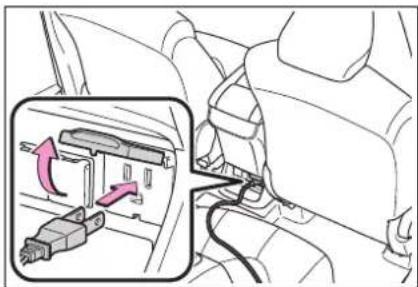
natural_image
Diagram of a car interior showing a vehicle seatbelt switch and a highlighted lever mechanism (no text or symbols present)▶ Luggage compartment
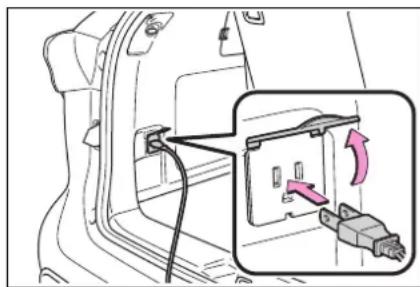
natural_image
Diagram of a car door panel with an attached plug and cable, showing a close-up view of the plug (no text or symbols present)■When turning the power outlets off
1 Turn the connected devices off.
2 Press the AC120V switch to turn the power outlets off.
3 Disconnect each plug from the power outlets.
4 Close the lid of each power outlet.
■The power outlet can be used when
The READY indicator is illuminated.
■Rules/regulations regarding idling stop
The engine will start automatically to charge the hybrid battery (traction battery) if its charge becomes low. In some municipalities, if the engine starts while the vehicle is parked or stopped, it may violate local rules or regulations regarding idling stop and you may be penalized. Make sure to check the local rules and regulations before using the power outlets while the vehicle is parked or stopped.
Power outlets
- When connecting a device, make sure that the total power consumption of all devices connected to the 120 VAC power outlets is
less than 1500 W. If a device is connected and the power consumption is exceeded, a protection circuit will cut the power supply and the power outlets will not be able to be used.
● Depending on the device to be used, the current flow may be high and the initial peak wattage may exceed 1500 W.
In this case, the protection circuit may operate, and the power outlets may not be able to be used.
● Depending on the connected device, it may cause interference with TV and radio broadcasts.
● The voltage of the power outlets cannot be measured with a commercially available electrical tester. If it is necessary to check the voltage, have the vehicle inspected by your Toyota dealer.
●While a power outlet is being used, a cooling fan sound may be heard from near a rear seat. This does not indicate a malfunction.
■ Devices which may not operate correctly
The following 120 VAC devices may not operate properly even if their power consumption is less than 1500 W:
● Devices with high initial peak wattage
● Measuring devices that process precise data
● Devices that require an extremely stable power supply
● Devices that require a constant power supply from the power outlet, such as a device with a timer.
■When the 120 VAC power outlets cannot be used
If the AC120V switch is pressed but the switch indicator does not illuminate, the protection circuit may have operated.
In this case, perform the appropriate procedures as follows.
● Disconnect the plug of each device from the power outlets, check that the total power consumption of all devices to be connected to the power outlets is less than 1500 W, reconnect the devices and then press the AC120V switch again.
● Disconnect the plug of each device from the power outlets, check that the devices are not malfunctioning, reconnect the devices and then press the AC120V switch again.
- Check the charge of the hybrid battery (traction battery) ( P.117) . If the charge is low, shift the shift lever to P , allow the engine to run to charge the hybrid battery (traction battery), and then press the AC120V switch again.
- If the temperature inside the vehicle is high, such as after the vehicle has been parked in the sun, use the air conditioning system to sufficiently ventilate or cool the interior, and then press the AC120V switch again.
- If the vehicle has been stopped in a cold area, to protect the hybrid battery (traction battery), the power outlets may not be able to be used. In this case, drive the vehicle for a while to warm up the hybrid battery (traction battery), and then press the AC120V switch again.
If the power outlets cannot be used even after performing the appropriate procedures above, have the vehicle inspected by your Toyota dealer.

WARNING
For safe use
Observe the following precautions.
Failure to do so may lead to an accident, resulting in death or serious injury.
- Do not use devices such as the following when driving:
• Devices which cannot be properly secured within the vehicle.
• Devices which may distract the driver and be a hindrance to safe driving, such as a TV, DVD player, etc. - Unsecured devices which generate heat, such as a toaster, microwave, electric heater, electric kettle, coffee maker, etc., as they may cause burns or a fire in the case of sudden braking or an accident.
• Devices which may fall under the pedals and prevent the brake pedal from being depressed. - Do not use devices which produce steam while the windows are closed. Doing so may cause the windows to fog up, reducing visibility and making it difficult to drive safely. Also, the steam may damage or negatively affect other devices.
- Do not connect a malfunctioning device to a power outlet, as doing so may cause the power outlets to become inoperable.
- Do not disconnect the plug of a device while your hands are wet or insert a pin or other object into the power outlet. Also, if a liquid or snow is on the power outlet, dry the outlet before using it.
- Do not attempt to modify, disassemble or repair a power outlet. Also, do not replace the 120 VAC inverter with a commercially available one. For information on repairs, contact your Toyota dealer.

WARNING
- Do not let children touch the power outlets.
- Keep the power outlets free of dust and foreign matter.
- If the plug of a device fits loosely in a power outlet, even though it is fully inserted, replace the power outlet. For information on replacement, contact your Toyota dealer.
■ Using the power outlets while parked or stopped
Observe the following precautions.
Failure to do so may lead to an accident, possibly resulting in death or serious injury.
● Make sure to engage the parking brake and shift the shift lever to P.
- Do not leave the vehicle unattended while the READY indicator is illuminated and a device is connected to a power outlet.
Make sure that the hood is closed. As the engine will start automatically depending on the condition of the vehicle, make sure that nothing is left near or contacting the exhaust pipes. Also, do not put your head or hands anywhere inside the engine compartment, as the cooling fan may operate suddenly. Keep hands and clothing (especially a tie, scarf, etc.) away from the fan as they may get caught in a fan.
- Do not use the power outlets in an area with poor ventilation or an enclosed area, such as a garage without a ventilation or exhaust system, or in an area where the vehicle may become surrounded by snow, as the exhaust gasses may accumulate, causing a lack of oxygen.
- Do not use the power outlets if the vehicle has a vehicle cover installed.
- Do not sleep in the vehicle while using devices such as an electric heater.
■ Devices to be connected
Make sure to read any instruction manual which came with a device and observe any warnings on the device. Do not connect a device to a power outlet if the device is malfunctioning or its plug is damaged.
Do not use power outlets for medical devices, as the output of the power outlet may be cut, depending on the condition of the vehicle.

NOTICE
Observe the following precautions. Failure to do so may lead to the power outlets not operating correctly or damage to the vehicle or a connected device.
■To avoid short circuit or malfunction
- Do not set a device which generates heat near the interior components or on a seat. Heat may cause these parts to melt or burn.

NOTICE
- Do not use devices which are sensitive to vibration or heat in the vehicle. These devices may malfunction due to vibration while driving or heat while the vehicle is parked in the sun.
- When not using a power outlet, make sure to close the cover. If foreign matter or a liquid enters the power outlet, it may cause a malfunction or short circuit.
- Do not use a multi-point outlet adapter as doing so may overload the power outlet.
■When the ambient temperature is high
If the temperature inside the vehicle is high, such as after the vehicle has been parked in the sun, the power outlets may not be able to be used. Sufficiently ventilate the interior or use the air conditioning system to cool the interior before attempting to use the power outlets.
■When the ambient temperature is low
If the vehicle has been stopped in a cold area, to protect the hybrid battery (traction battery), the power outlets may not be able to be used. In this case, drive the vehicle for a while to warm up the hybrid battery (traction battery).
Sun visors
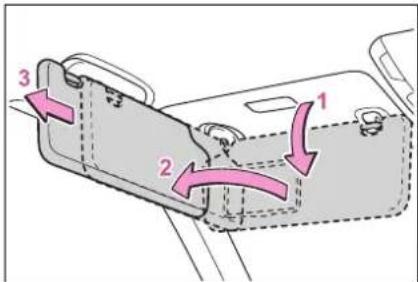
1 To set the visor in the forward position, flip it down.
2 To set the visor in the side position, flip down, unhook, and swing it to the side.
3 To use the side extender, place the visor in the side position, then slide it backward.
Vanity mirrors
Open the cover.
The light turns on when the cover is opened.
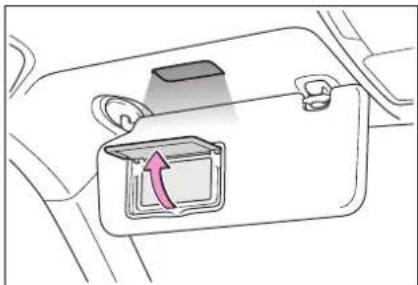
natural_image
Diagram of a car interior showing a highlighted compartment with an arrow indicating rotation (no text or symbols present)■To prevent 12-volt battery discharge
If the vanity lights remain on when the power switch is turned off, the lights will go off automatically after 20 minutes.

NOTICE
■To prevent the 12-volt battery from being discharged
Do not leave the vanity lights on for extended periods while the hybrid system is off.
Conversation mirror
1 Push the lid.
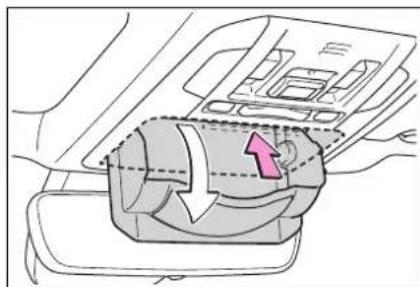
natural_image
Diagram of a car interior showing airflow or fluid flow through a fan or vent (no text or symbols)2 Push the lid back up half way.
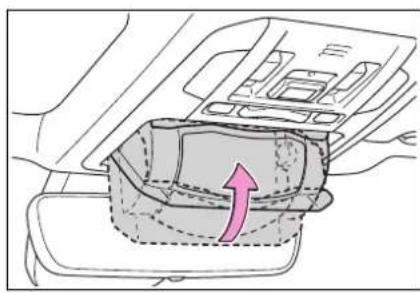
natural_image
Diagram of a car interior showing a highlighted seat with an arrow indicating direction (no text or symbols present)■To use the overhead console from the conversation mirror state
Fully close the lid, then open it again. (→P.368)
Rear door sunshades (if equipped)
1 Pull the tab up.
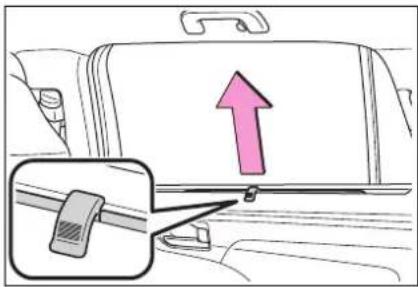
2 Hook the sunshade on to the anchors.
To lower the sunshade, pull the tab up slightly to unhook the shade from the anchors, and lower it slowly.
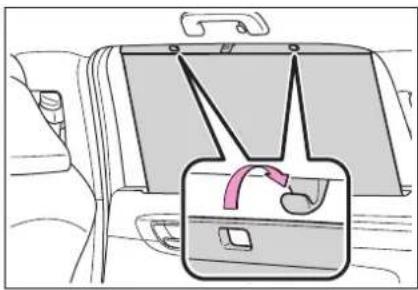
natural_image
Interior view of a car showing the rear seat, dashboard, and seatbelt (no text or symbols visible)
NOTICE
■To ensure normal operation of the sunshades
- Do not put anything in an area where it may interfere with the operation of a rear door sun-shade.
To prevent damage to the rear door sunshades, do not apply excessive load or attach items to the rear door sunshades.
Garage door opener
*: If equipped
The garage door opener can be programmed using the HomeLink® to operate garage doors, gates, entry doors, door locks, home lighting systems, security systems, and other devices.
System components
The HomeLink ^® wireless control system in your vehicle has 3 buttons which can be programmed to operate 3 different devices. Refer to the programming methods on the following pages to determine the method which is appropriate for the device.
▶ Vehicles with auto anti-glare inside rear view mirror
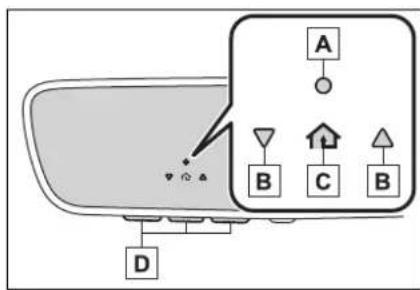
A HomeLink® indicator light
B Garage door operation indicators
C HomeLink® icon
Illuminates while HomeLink ^® is
operating.
D Buttons
▶ Vehicles with Digital Rearview Mirror
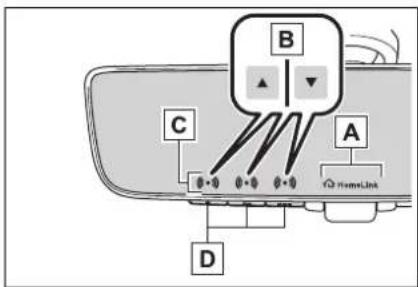
flowchart
graph TD
    A["HomeLink"] --> B["Component B"]
    B --> C["Component C"]
    B --> D["Component D"]
    C --> E["External Connection"]
    D --> E
A HomeLink® logo
Appears while HomeLink ^® is operating. When the menu button (→P.167) is pressed, the logo disappears even while the HomeLink ^® is operating.
B Garage door operation indicators
C HomeLink® indicator light Illuminates above each button selected.
D Buttons
■Codes stored in the Home-Link® memory
●The registered codes are not erased even if the 12-volt battery cable is disconnected.
- If learning failed when registering a different code to a HomeLink® button that already has a code registered to it, the already registered code will not be erased.
■Certification for the garage door opener
This device complies with FCC rules part 15 and Innovation, Science, and Economic Development Canada RSS-210. Operation is subject to the following two conditions: (1) This device may not cause harmful interference, and (2) This device must accept any interference that may be received including interference that may cause undesired operation. WARNING: The transmitter has been tested and complies with FCC and ISED rules. Changes or modifications not expressly approved by the party responsible for compliance could void the user's authority to operate the device.
This equipment complies with FCC and ISED radiation exposure limits set forth for an uncontrolled environment. End Users must follow the specific operating instructions for satisfying RF exposure compliance. This transmitter must be at least 20 cm from the user and must not be co-located or operating in conjunction with any other antenna or transmitter.
This device complies with FCC rules part 15 and Innovation, Science, and Economic Development Canada RSS-210. Operation is subject to the following two conditions: (1) This device may not cause harmful interference, and (2) This device must accept any interference that may be received including interference that may cause undesired operation. WARNING: The transmitter has been tested and complies with FCC and ISED rules. Changes or modifications not expressly approved by the party responsible for compliance could void the user's authority to operate the device.
This equipment complies with FCC and ISED radiation exposure limits set forth for an uncontrolled environment. End Users must follow the specific operating instructions for satisfying RF exposure compliance. This transmitter must be at least 20 cm from the user and must not be co-located or operating in conjunction with any other antenna or transmitter.
■When support is necessary
Visit on the web at www.homelink.com/toyota or call 1-800-355-3515.

WARNING
■When programming a garage door or other remote control device
The garage door or other device may operate, so ensure people and objects are out of danger to prevent potential harm.
■ Conforming to federal safety standards
Do not use the HomeLink® compatible transceiver with any garage door opener or device that lacks safety stop and reverse features as required by federal safety standards.
This includes any garage door that cannot detect an interfering object. A door or device without these features increases the risk of death or serious injury.
■When operating or programming HomeLink®
Never allow a child to operate or play with the HomeLink® buttons.
Programming the Home-Link®
■Before programming Home-Link®
- During programming, it is possible that garage doors, gates, or other devices may operate. For this reason, make sure that people and objects are clear of the garage door or other devices to prevent injury or other potential harm.
- It is recommended that a new battery be placed in the remote control transmitter for more accurate programming.
- Garage door opener motors manufactured after 1995 may be equipped with rolling code protection. If this is the case, you may need a stepladder or other sturdy, safe device to reach the “Learn” or “Smart” button on the garage door opener motor.
■Programming HomeLink®
Steps 1 through 3 must be performed within 60 seconds, otherwise the HomeLink® indicator light will stop flashing and programming will not be successfully completed.
1 Press and release the Home-Link® button you want to program and check that the
HomeLink ^® indicator light flashes (orange).
2 Point the remote control transmitter for the device at the rear view mirror, 1 to 3 in. (25 to 75 mm) from the HomeLink® buttons.
Keep the HomeLink ^® indicator light in view while programming.
▶ Vehicles with auto anti-glare inside rear view mirror
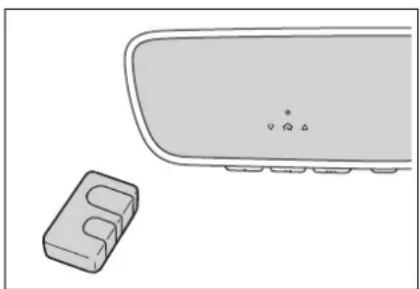
natural_image
Simple line drawing of a computer monitor and a small electronic device (no text or symbols)▶ Vehicles with Digital Rearview Mirror
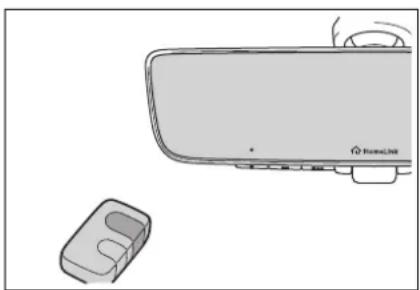
natural_image
Illustration of a remote control device and a small electronic component (no text or symbols)3 Program a device.
▶ Vehicles with auto anti-glare inside rear view mirror
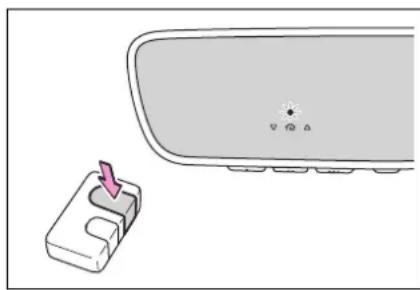
natural_image
Diagram showing a device with a pink arrow pointing to a component, next to a rounded rectangular object (no text or symbols)▶ Vehicles with Digital Rearview Mirror
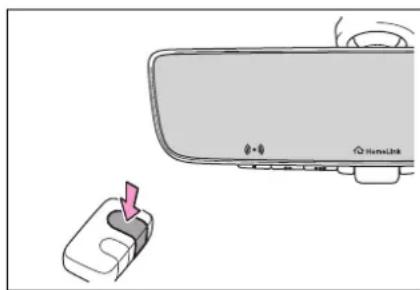
natural_image
Diagram showing a car interior with a hand inserting a plug into the lower portion of the door (no text or symbols present)▶ Programming a device other than an entry gate (for U.S.A. owners)
Press and hold the remote control transmitter button until the HomeLink® indicator light changes from slowly flashing orange to rapidly flashing green (rolling code) or continuously lit green (fixed code), then release the button.
▶ Programming an entry gate (for U.S.A. owners)/Programming a device in the Canadian market
Press and release the remote control transmitter button at 2
second intervals, repeatedly, until the HomeLink® indicator light changes from slowly flashing (orange) to rapidly flashing (green) (rolling code) or continuously lit (green) (fixed code).
4 Test the HomeLink ^® operation by pressing the newly programmed button and observing the indicator light:
- HomeLink® indicator light illuminates: Programming of a fixed code device has completed. The garage door or other device should operate when a HomeLink® button is pressed and released.
- HomeLink® indicator light flashes rapidly: The garage door opener motor or other device is equipped with a rolling code. To complete programming, firmly press and hold the HomeLink® button for 2 seconds then release it.
- If the garage door or other device does not operate, proceed to "Programming a rolling code system".
5 Repeat the steps above to program another device for any of the remaining Home-Link® buttons.
■Programming a rolling code system
Two or more people may be necessary to complete rolling
code programming.
1 Locate the "Learn" or "Smart" button on the garage door opener motor in the garage.
This button can usually be found where the hanging antenna wire is attached to the unit. The name and color of the button may vary by manufacturer. Refer to the owner's manual supplied with the garage door opener motor for details.
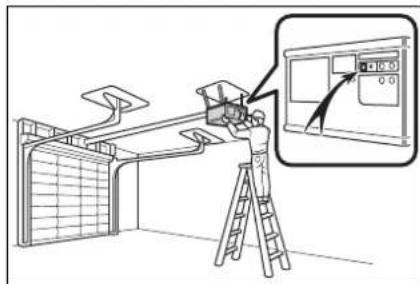
2 Press and release the "Learn" or "Smart" button.
Perform 3 within 30 seconds after performing 2.
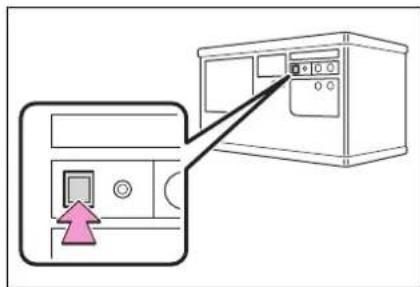
3 Press and hold the desired HomeLink® button (inside the vehicle) for 2 seconds and release it. Repeat this sequence (press/hold/release) up to 3 times to complete programming. If the garage door opener
motor operates when the HomeLink® button is pressed, the garage door opener motor recognizes the HomeLink® signal.
▶ Vehicles with auto anti-glare inside rear view mirror
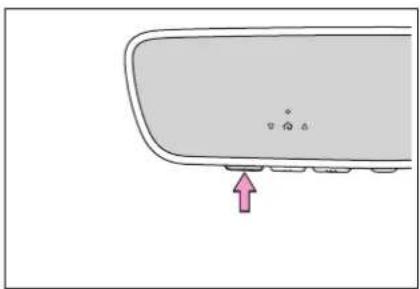
natural_image
Simple line drawing of a curved object with a pink arrow pointing to a small dot (no text or symbols)▶ Vehicles with Digital Rearview Mirror
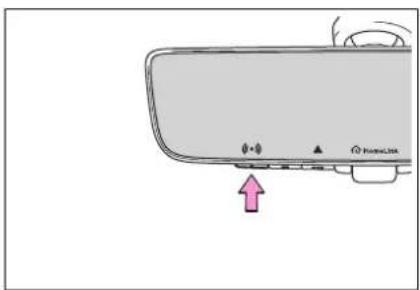
natural_image
Diagram of a remote control panel with indicator lights and a pink arrow pointing to the button (no text or symbols present)■Enabling 2-way communication with a garage door (only available for compatible devices)
When enabled, 2-way communication allows you to check the status of the opening and closing of a garage door through indicators in your vehicle.
2-way communication is only available if the garage door opener motor used is a compati-
ble device. (To check device compatibility, refer to www.homelink.com.)
1 Within 5 seconds after programming the garage door opener has been completed, if the garage door opener motor is trained to Home-Link ^® , both garage door operation indicators will flash rapidly (green) and the light on the garage door opener motor will blink twice, indicating that 2-way communication is enabled.
If the indicators do not flash, perform 2 and 3 within the first 10 presses of the HomeLink® button after programming has been completed.
2 Press a programmed Home-Link® button to operate a garage door.
3 Within 1 minute of pressing the HomeLink® button, after the garage door operation has stopped, press the "Learn" or "Smart" button on the garage door opener motor. Within 5 seconds of the establishment of 2-way communication with the garage door opener, both garage door operation indicators in the vehicle will flash rapidly (green) and the light on the garage door opener motor will blink twice, indicat-
ing that 2-way communication is enabled.
■Reprogramming a single HomeLink® button
When the following procedure is performed, buttons which already have devices registered to them can be overwritten:
1 Press and hold the desired HomeLink® button.
2 When the HomeLink ^® indicator starts flashing orange, release the HomeLink ^® button and perform “Programming HomeLink ^® ” 1 (it takes 20 seconds for the HomeLink ^® indicator to start flashing).
■Before programming
● Install a new battery in the transmitter.
●The battery side of the transmitter must be pointed away from the HomeLink® buttons.
Operating HomeLink®
Press the appropriate Home-Link® button. The HomeLink® indicator light should turn on.
The status of the opening and closing of a garage door is shown by the garage door opener indicators.
▶ Vehicles with auto anti-glare inside rear view mirror
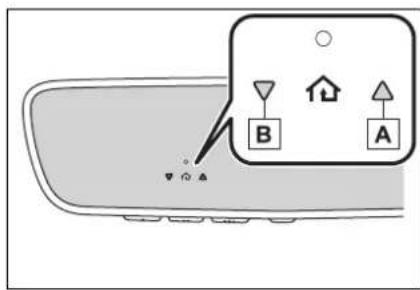
A Opening
B Closing
▶ Vehicles with Digital Rearview Mirror
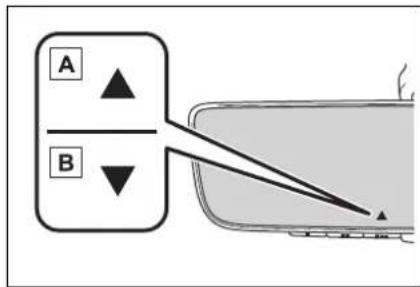
flowchart
graph TD
    A["A"] --> B["B"]
    B --> C["Output Box"]
A Opening
B Closing
This function is only available if the garage door opener motor used is a compatible device. (To check device compatibility, refer to www.homelink.com.)
| Color Status | |
| Orange (flash-ing) | Currently open-ing/closing |
| Color Status | |
| Green | Opening/closing has completed |
| Red (flashing) | Feedback signals cannot be received |
The indicators can operate within approximately 820 ft. (250 m) of the garage door. However, if there are obstructions between the garage door and the vehicle, such as houses and trees, feedback signals from the garage door may not be received.
To recall the previous door operation status, press and release either HomeLink® buttons 📋
and or and (vehicles with auto anti-glare inside rear view mirror), and
or and (vehicles with Digital Rearview Mirror), simultaneously. The last recorded status will be displayed for 3 seconds.
Erasing the entire Home-Link® memory (all three codes)
Press and hold the 2 outside buttons for 10 seconds until the HomeLink® indicator light changes from continuously lit (orange) to rapidly flashing (green).
If you sell your vehicle, be sure to erase the programs stored in the HomeLink® memory.
▶ Vehicles with auto anti-glare inside rear view mirror
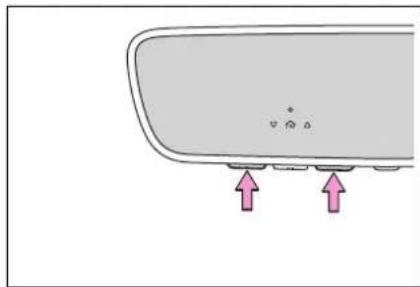
natural_image
Simple diagram of a computer monitor with two pink arrows pointing to the screen area (no text or symbols)▶ Vehicles with Digital Rearview Mirror
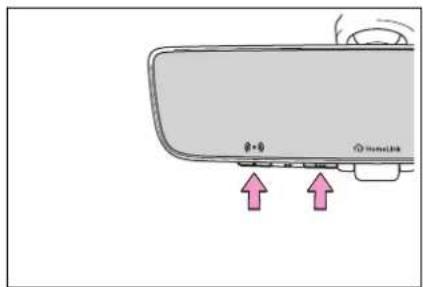
Maintenance and care
6
6-1. Maintenance and care
Cleaning and protecting the vehicle exterior...... 400
Cleaning and protecting the vehicle interior...... 403
6-2. Maintenance
Maintenance requirements 406
General maintenance.. 408
Emission inspection and maintenance (I/M) programs.... 410
6-3. Do-it-yourself maintenance
Do-it-yourself service precautions.... 412
Hood 414
Positioning a floor jack 415
Engine compartment... 416
12-volt battery 421
Tires 424
Tire inflation pressure.. 436
Wheels...... 438
Air conditioning filter.... 439
Cleaning the hybrid battery (traction battery) air intake vents and filter...... 441
Electronic key battery.. 444
Checking and replacing fuses.... 446
Headlight aim.... 448
Light bulbs.... 449
Cleaning and protecting the vehicle exterior
Perform cleaning in a manner appropriate to each component and its material.
Cleaning instructions
● Working from top to bottom, liberally apply water to the vehicle body, wheel wells and underside of the vehicle to remove any dirt and dust.
- Wash the vehicle body using a sponge or soft cloth, such as a chamois.
- For hard-to-remove marks, use car wash soap and rinse thoroughly with water.
- Wipe away any water.
● Wax the vehicle when the waterproof coating deteriorates.
If water does not bead on a clean surface, apply wax when the vehicle body is cool.
■Automatic car washes
●Before washing the vehicle:
- Fold the mirrors
- Turn off the power back door
Start washing from the front of the vehicle. Extend the mirrors before driving.
- Brushes used in automatic car washes may scratch the vehicle surface, parts (wheel, etc.) and harm your vehicle's paint.
●Rear spoiler may not be washable in some automatic car washes. There may also be an increased risk of damage to vehicle.
■High pressure car washes
As water may enter the cabin, do not bring the nozzle tip near the gaps around the doors or perimeter of the windows, or spray these areas continuously.
■When using a car wash
If the door handle becomes wet while the electronic key is within the effective range, the door may lock and unlock repeatedly. In that case, follow the following correction procedures to wash the vehicle:
● Place the key in a position 6 ft. (2 m) or more separate from the vehicle while the vehicle is being washed. (Take care to ensure that the key is not stolen.)
- Set the electronic key to battery-saving mode to disable the smart key system. (→P.147)
■Wheels and wheel ornaments
- Remove any dirt immediately by using a neutral detergent.
●Wash detergent off with water immediately after use.
● To protect the paint from damage, make sure to observe the following precautions. - Do not use acidic, alkaline or abrasive detergent
- Do not use hard brushes
- Do not use detergent on the wheels when they are hot, such as after driving or parking in hot weather
Bumpers
Do not scrub with abrasive cleaners.
Plated portions
If dirt cannot be removed, clean the parts as follows:
● Use a soft cloth dampened with an approximately 5% solution of neu-
tral detergent and water to clean the dirt off.
● Wipe the surface with a dry, soft cloth to remove any remaining moisture.
● To remove oily deposits, use alcohol wet wipes or a similar product.

WARNING
■When washing the vehicle
Do not apply water to the inside of the engine compartment. Doing so may cause the electrical components, etc. to catch fire.
■When cleaning the windshield (vehicles with rain-sensing windshield wipers)
Set the wiper switch to off. If the switch is in "AUTO", the wipers may operate unexpectedly in the following situations, and may result in hands being caught or other serious injuries and cause damage to the wiper blades.
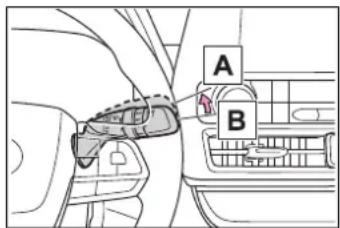

Off

AUTO
- When the upper part of the windshield where the raindrop sensor is located is touched by hand
- When a wet rag or similar is held close to the raindrop sensor
●If something bumps against the windshield
- If you directly touch the raindrop sensor body or if something bumps into the raindrop sensor
■Precautions regarding the exhaust pipe
Exhaust gasses cause the exhaust pipe to become quite hot. When washing the vehicle, be careful not to touch the pipe until it has cooled sufficiently, as touching a hot exhaust pipe can cause burns.
■Precaution regarding the rear bumper with Blind Spot Monitor
If the paint of the rear bumper is chipped or scratched, the system may malfunction. If this occurs, consult your Toyota dealer.

NOTICE
■To prevent paint deterioration and corrosion on the body and components (aluminum wheels, etc.)
●Wash the vehicle immediately in the following cases:
• After driving near the sea coast
• After driving on salted roads
- If coal tar or tree sap is present on the paint surface
- If dead insects, insect droppings or bird droppings are present on the paint surface
• After driving in an area contaminated with soot, oily smoke, mine dust, iron powder or chemical substances
- If the vehicle becomes heavily soiled with dust or mud
- If liquids such as benzene and gasoline are spilled on the paint surface

NOTICE
- If the paint is chipped or scratched, have it repaired immediately.
● To prevent the wheels from corroding, remove any dirt and store in a place with low humidity when storing the wheels.
■Cleaning the exterior lights
● Wash carefully. Do not use organic substances or scrub with a hard brush. This may damage the surfaces of the lights. - Do not apply wax to the surfaces of the lights.
Wax may cause damage to the lenses.
■When using an automatic car wash (vehicles with rain-sensing windshield wipers)
Set the wiper switch to the off position. If the wiper switch is in "AUTO", the wipers may operate and the wiper blades may be damaged.
■When using a high pressure car wash - When washing the vehicle, do not spray the camera or its surrounding area directly with a high pressure washer. Shock applied from high pressure water may cause the device to not operate normally.
-
Do not spray water directly on the radar which is equipped behind the emblem. Otherwise it may cause the device to be damaged.
-
Do not bring the nozzle tip close to boots (rubber or resin manufactured cover), connectors or the following parts. The parts may be damaged if they come into contact with high-pressure water.
- Traction related parts
- Steering parts
- Suspension parts
- Brake parts
- Keep the cleaning nozzle at least 11.9 in. (30 cm) away from the vehicle body. Otherwise resin section, such as moldings and bumpers, may be deformed and damaged.
Also, do not continuously hold the nozzle in the same place. - Do not spray the lower part of the windshield continuously.
If water enters the air conditioning system intake located near the lower part of the windshield, the air conditioning system may not operate correctly. - Do not wash the underside of the vehicle using a high pressure car washer.
Cleaning and protecting the vehicle interior
Perform cleaning in a manner appropriate to each component and its material.
Protecting the vehicle interior
- Remove dirt and dust using a vacuum cleaner. Wipe dirty surfaces with a cloth dampened with lukewarm water.
- If dirt cannot be removed, wipe it off with a soft cloth dampened with neutral detergent diluted to approximately 1%.
Wring out any excess water from the cloth and thoroughly wipe off remaining traces of detergent and water.
■Shampooing the carpets
There are several commercial foaming-type cleaners available. Use a sponge or brush to apply the foam. Rub in overlapping circles. Do not use water. Wipe dirty surfaces and let them dry. Excellent results are obtained by keeping the carpet as dry as possible.
■Handling the seat belts
Clean with mild soap and lukewarm water using a cloth or sponge. Also check the belts periodically for excessive wear, fraying or cuts.

WARNING
Water in the vehicle
- Do not splash or spill liquid in the vehicle, such as on the floor, in the hybrid battery (traction battery) air vents, and in the luggage compartment.
Doing so may cause the hybrid battery, electrical components, etc. to malfunction or catch fire.
- Do not get any of the SRS components or wiring in the vehicle interior wet. (→P.34)
An electrical malfunction may cause the airbags to deploy or not function properly, resulting in death or serious injury.
● Vehicles with wireless charger: Do not let the wireless charger ( P.375) get wet. Failure to do so may cause the charger to become hot and cause burns or could cause electric shock resulting in death or serious injury.
■Cleaning the interior (especially instrument panel)
Do not use polish wax or polish cleaner. The instrument panel may reflect off the windshield, obstructing the driver's view and leading to an accident, resulting in death or serious injury.

NOTICE
■Cleaning detergents
- Do not use the following types of detergent, as they may discolor the vehicle interior or cause streaks or damage to painted surfaces:
• Non-seat portions: Organic substances such as benzene or gasoline, alkaline or acidic solutions, dye, and bleach

NOTICE
- Seats: Alkaline or acidic solutions, such as thinner, benzene, and alcohol
- Do not use polish wax or polish cleaner. The instrument panel's or other interior part's painted surface may be damaged.
■Preventing damage to leather surfaces
Observe the following precautions to avoid damage to and deterioration of leather surfaces:
- Remove any dust or dirt from leather surfaces immediately.
- Do not expose the vehicle to direct sunlight for extended periods of time. Park the vehicle in the shade, especially during summer.
- Do not place items made of vinyl, plastic, or containing wax on the upholstery, as they may stick to the leather surface if the vehicle interior heats up significantly.
Water on the floor
Do not wash the vehicle floor with water.
Vehicle systems such as the audio system may be damaged if water comes into contact with electrical components such as the audio system above or under the floor of the vehicle. Water may also cause the body to rust.
■When cleaning the inside of the windshield
Do not allow glass cleaner to contact the lens. Also, do not touch the lens. ( P.243)
■Cleaning the inside of the rear window
- Do not use glass cleaner to clean the rear window, as this may cause damage to the rear window defogger heater wires or antenna. Use a cloth dampened with lukewarm water to gently wipe the window clean. Wipe the window in strokes running parallel to the heater wires or antenna.
● Be careful not to scratch or damage the heater wires or antenna.
Cleaning the leather areas
- Remove dirt and dust using a vacuum cleaner.
- Wipe off any excess dirt and dust with a soft cloth dampened with diluted detergent.
Use a diluted water solution of approximately 5% neutral wool detergent.
- Wring out any excess water from the cloth and thoroughly wipe off all remaining traces of detergent.
- Wipe the surface with a dry, soft cloth to remove any remaining moisture. Allow the leather to dry in a shaded and ventilated area.
Caring for leather areas
Toyota recommends cleaning the interior of the vehicle at least twice a year to maintain the quality of the vehicle's interior.
Cleaning the synthetic leather areas
- Remove dirt and dust using a vacuum cleaner.
- Wipe it off with a soft cloth dampened with neutral detergent diluted to approximately 1%.
- Wring out any excess water from the cloth and thoroughly wipe off remaining traces of detergent and water.
Maintenance requirements
To ensure safe and economical driving, day-to-day care and regular maintenance are essential. It is the owner's responsibility to perform regular checks. Toyota recommends the following maintenance:
■Repair and replacement
It is recommended that genuine Toyota parts be used for repairs to ensure performance of each system. If non-Toyota parts are used in replacement or if a repair shop other than a Toyota dealer performs repairs, confirm the warranty coverage.
■Allow inspection and repairs to be performed by a Toyota dealer
●Toyota technicians are well-trained specialists and are kept up to date with the latest service information. They are well informed about the operation of all systems on your vehicle.
- Keep a copy of the repair order. It proves that the maintenance that has been performed is under warranty coverage. If any problem should arise while your vehicle is under warranty, your Toyota dealer will promptly take care of it.

WARNING
■If your vehicle is not properly maintained
Improper maintenance could result in serious damage to the vehicle and possible death or serious injury.
■Handling of the 12-volt battery
●Engine exhaust, some of its constituents, and a wide variety of automobile components contain or emit chemicals known to the State of California to cause cancer and birth defects and other reproductive harm. Work in a well ventilated area.
●Oils, fuels and fluids contained in vehicles as well as waste produced by component wear contain or emit chemicals known to the State of California to cause cancer and birth defects or other reproductive harm. Avoid exposure and wash any affected area immediately.
●12-volt battery posts, terminals and related accessories contain lead and lead compounds which are known to cause brain damage. Wash your hands after handling. (→P.421)
General maintenance
General maintenance should be performed on a daily basis. This can be done by yourself or by a Toyota dealer.
Scheduled maintenance
Scheduled maintenance should be performed at specified intervals according to the maintenance schedule.
For details about maintenance items and schedules, refer to the "Scheduled Maintenance Guide" or "Owner's Manual Supplement".
■ Resetting the message indicating maintenance is required
After the required maintenance is preformed according to the maintenance schedule, please reset the message. To reset the message, follow the procedures described below:
4.2-inch display

1 Press or of the meter control switch to select
2 Press or of the meter control switch, select and then press and hold OK
3 Press on of the meter control switch, select "Scheduled Maintenance" and then press OK.
4 Select "Yes" and press OK
5 A message will be displayed on the multi-information display when the reset procedure has been completed.
7-inch display
1 Press or of the meter control switch to select

2 Press or of the meter control switch, select and then press and hold OK
3 Press on of the meter control switch, select "Scheduled Maintenance" and then press OK.
4 Select "Yes" and press OK
5 A message will be displayed on the multi-information display when the reset procedure has been completed.
Do-it-yourself maintenance
You can perform some maintenance procedures by yourself. Please be aware that do-it-yourself maintenance may affect warranty coverage.
The use of Toyota Repair Manuals is recommended.
For details about warranty coverage, refer to the separate "Owner's Warranty Information Booklet" or "Owner's Manual Supplement".
General maintenance
Listed below are the general maintenance items that should be performed at the intervals specified in the "Owner's Warranty Information Booklet" or "Owner's Manual Supplement/Scheduled Maintenance Guide". It is recommended that any problem you notice should be brought to the attention of your Toyota dealer or qualified service shop for advice.

WARNING
■If the hybrid system is operating
Turn the hybrid system off and ensure that there is adequate ventilation before performing maintenance checks.
Engine compartment
| Items Check points | |
| Brake fluid | Is the brake fluid at the correct level? (→P.420) |
| Engine/power control unit coolant | Is the engine/power con-trol unit coolant at the correct level? (→P.418) |
| Engine oil | Is the engine oil at the correct level? (→P.416) |
| Items Check points | |
| Exhaust system | There should not be any fumes or strange sounds. |
| Radiator/condenser | The radiator and condenser should be free from foreign objects.(→P.419) |
| Washer fluid | Is there sufficient washer fluid?(→P.420) |
Luggage compartment
| Items Check points | |
| 12-volt battery | Check the connections. (→P.421) |
Vehicle interior
| Items Check points | |
| Accelerator pedal | The accelerator pedal should move smoothly (without uneven pedal effort or catching). |
| Hybrid transmission “Park” mechanism | When parked on a slope and the shift lever is in P, is the vehicle securely stopped? |
| Brake pedal | Does the brake pedal move smoothly?Does the brake pedal have appropriate clearance from the floor?(→P.515)Does the brake pedal have the correct amount of free play?(→P.515) |
| Brakes | The vehicle should not pull to one side when the brakes are applied.The brakes should work effectively.The brake pedal should not feel spongy.The brake pedal should not get too close to the floor when the brakes are applied. |
| Head restraints | Do the head restraints move smoothly and lock securely? |
| Horn • Works properly? | |
| Indicators/buzzers | Do the indicators and buzzers function properly? |
| Items Check points | |
| Lights | Do all the lights come on?Are the headlights aimed correctly? (→P.448) |
| Parking brake | Does the parking brake switch operate normally?When parked on a slope and the parking brake is on, is the vehicle securely stopped? |
| Seat belts | Do the seat belts operate smoothly?The seat belts should not be damaged. |
| Seats | Do the seat controls operate properly? |
| Steering wheel | Does the steering wheel rotate smoothly?Does the steering wheel have the correct amount of free play?There should not be any strange sounds coming from the steering wheel. |
Vehicle exterior
| Items Check points | |
| Doors | · Do the doors operate smoothly? |
| Engine hood | · Does the engine hood lock system work properly? |
| Fluid leaks | · There should not be any signs of fluid leakage after the vehicle has been parked. |
| Tires | · Is the tire inflation pressure correct? · The tires should not be damaged or excessively worn. · Have the tires been rotated according to the maintenance schedule? · The wheel nuts should not be loose. |
| Windshield wipers/rear window wiper | · The wiper blades should not show any signs of cracking, splitting, wear, contamination or deformation. · The wiper blades should clear the windshield/rear window without streaking or skipping. |
Emission inspection and maintenance (I/M) programs
Some states have vehicle emission inspection programs which include OBD (On Board Diagnostics) checks. The OBD system monitors the operation of the emission control system.
If the malfunction indicator lamp comes on
The OBD system determines that a problem exists somewhere in the emission control system. Your vehicle may not pass the I/M test and may need to be repaired. Contact your Toyota dealer to service the vehicle.
Your vehicle may not pass the I/M test in the following situations:
- When the 12-volt battery is disconnected or discharged
Readiness codes that are set during ordinary driving are erased.
Also, depending on your driving habits, the readiness codes may not be completely set. - When the fuel tank cap is loose
The malfunction indicator lamp comes on indicating a temporary malfunction and your vehicle may not pass the I/M test.
When the malfunction indicator lamp still remains on after several driving trips
The error code in the OBD system will not be cleared unless the vehicle is driven 40 or more times.
If your vehicle does not pass the I/M test
Contact your Toyota dealer to prepare the vehicle for re-testing.
Do-it-yourself service precautions
If you perform maintenance by yourself, be sure to follow the correct procedure as given in these sections.
Maintenance
| Items Parts and tools | |
| 12-volt battery condition (→P.421) | GreaseConventional wrench (for terminal clamp bolts) |
| Brake fluid level (→P.420) | FMVSS No.116 DOT 3 or SAE J1703 brake fluidRag or paper towelFunnel (used only for adding brake fluid) |
| Items Parts and tools | |
| Engine/power control unit coolant level (→P.418) | • “Toyota Super Long Life Cool-ant” or a similar high quality ethylene gly-col-based non-silicate, non-amine, non-nitrite and non-borate cool-ant with long-life hybrid organic acid technology For the U.S.A.: “Toyota Super Long Life Cool-ant” is pre-mixed with 50% cool-ant and 50% deionized water. For Canada: “Toyota Super Long Life Cool-ant” is pre-mixed with 55% cool-ant and 45% deionized water.• Funnel (used only for adding coolant) |
| Engine oil level (→P.416) | • “Toyota Genuine Motor Oil” or equivalent• Rag or paper towel• Funnel (used only for adding engine oil) |
| Fuses (→P.446) | • Fuse with same amperage rating as original |
| Items | Parts and tools |
| Hybrid battery (traction bat-tery) air intake vent (→P.441) | Vacuum cleaner, etc.Phillips screw-driver |
| Headlight aim (→P.448) | Phillips-head screwdriver |
| Light bulbs (→P.449) | Bulb with same number and wattage rating as originalPhillips-head screwdriverFlathead screw-driverWrench |
| Radiator and condenser (→P.419) | — |
| Tire inflation pressure (→P.436) | Tire pressure gaugeCompressed air source |
| Washer fluid (→P.420) | Water or washer fluid containing antifreeze (for winter use)Funnel (used only for adding water or washer fluid) |

WARNING
The engine compartment contains many mechanisms and fluids that may move suddenly, become hot, or become electrically energized. To avoid death or serious injury, observe the following precautions.
■ When working on the engine compartment
● Make sure that the “ACCESSORY” or “IGNITION ON” on the multi-information display and the “READY” indicator are both off.
● Be careful not to touch the engine, power control unit, radiator, exhaust manifold, etc. right after driving as they may be hot. Oil and other fluids may also be hot.
- Do not leave anything that may burn easily, such as paper and rags, in the engine compartment.
- Do not smoke, cause sparks or expose an open flame to fuel. Fuel fumes are flammable.
■When working near the electric cooling fan or radiator grille
Be sure the power switch is off. With the power switch in ON, the electric cooling fan may automatically start to run if the air conditioning is on and/or the coolant temperature is high. ( P.419)
■Safety glasses
Wear safety glasses to prevent flying or falling material, fluid spray, etc. from getting in your eyes.

NOTICE
■If you remove the air cleaner filter
Driving with the air cleaner filter removed may cause excessive engine wear due to dirt in the air.
Hood
Opening the hood
1 Pull the hood lock release lever.
The hood will pop up slightly.
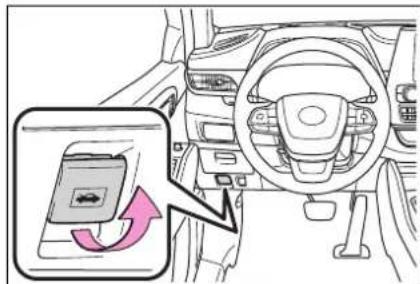
2 Pull up the auxiliary catch lever and lift the hood.
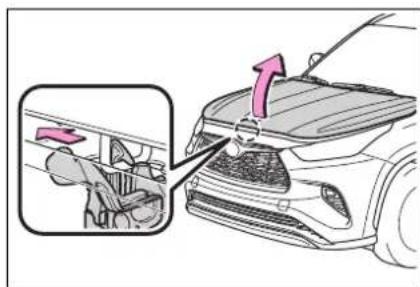
3 Hold the hood open by inserting the support rod into the slot.
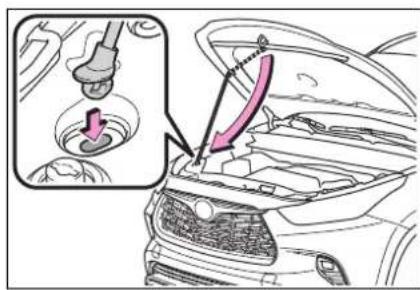

WARNING
■Pre-driving check
Check that the hood is fully closed and locked.
If the hood is not locked properly, it may open while the vehicle is in motion and cause an accident, which may result in death or serious injury.
■After installing the support rod into the slot
Make sure the rod supports the hood securely preventing it from falling down onto your head or body.

NOTICE
■When closing the hood
Be sure to return the support rod to its clip before closing the hood. Closing the hood with the support rod not clipped could cause the hood to bend.
Positioning a floor jack
When using a floor jack, follow the instructions in the manual provided with the jack and perform the operation safely.
When raising your vehicle with a floor jack, position the jack correctly. Improper placement may damage your vehicle or cause injury.
Location of the jack point
Front
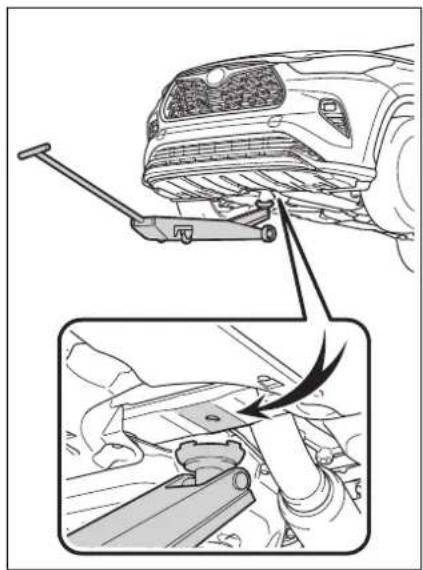
Rear
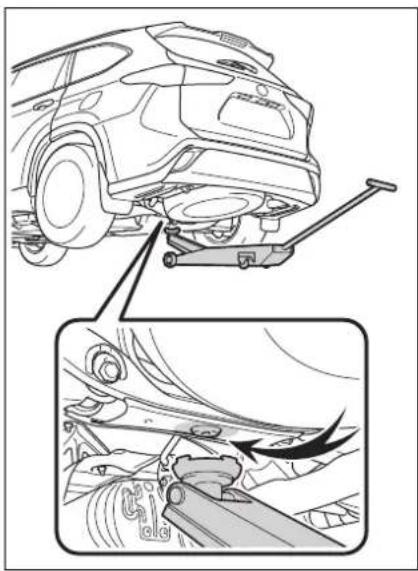
natural_image
Technical line drawing of a car undercarriage with suspension bracket and mechanical components (no text or symbols)Engine compartment
Components
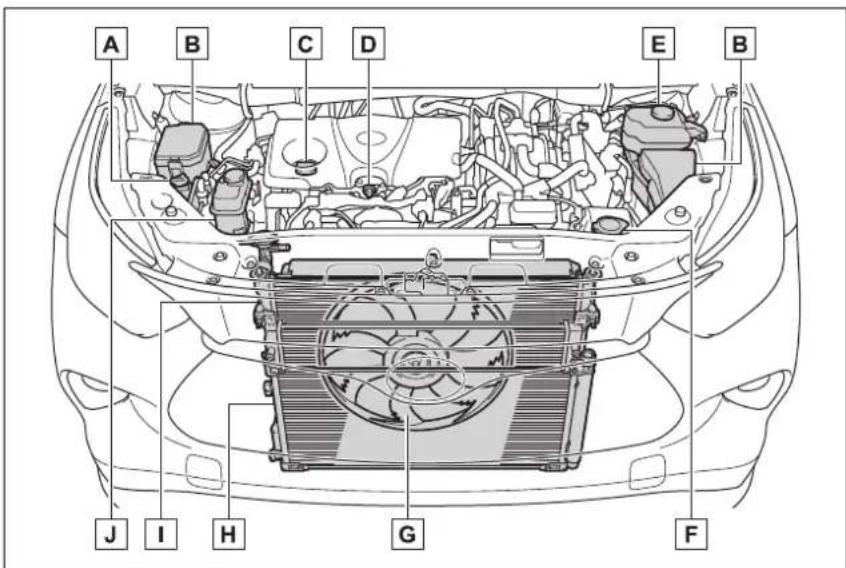
A Engine coolant reservoir ( P.418)
B Fuse boxes ( P.446)
c Engine oil filler cap (→P.417)
D Engine oil level dipstick ( P.417)
E Brake fluid reservoir (→P.420)
F Washer fluid tank (→P.420)
G Electric cooling fan
H Condenser ( P.419)
I Radiator ( P.419)
J Power control unit coolant reservoir (→P.419)
■12-volt battery
→P.421
Checking and adding the engine oil
With the engine at operating temperature and turned off, check the oil level on the dip-
stick.
■ Checking the engine oil
1 Park the vehicle on level ground. After warming up the engine and turning off the hybrid system, wait more than 5 minutes for the oil to drain back into the bottom of the engine.
2 Holding a rag under the end, pull the dipstick out.
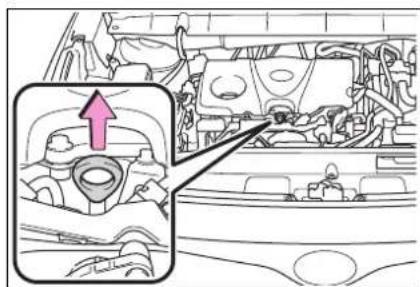
natural_image
Interior view of a car showing engine compartment and dashboard (no text or symbols visible)3 Wipe the dipstick clean.
4 Reinsert the dipstick fully.
5 Holding a rag under the end, pull the dipstick out and check the oil level.
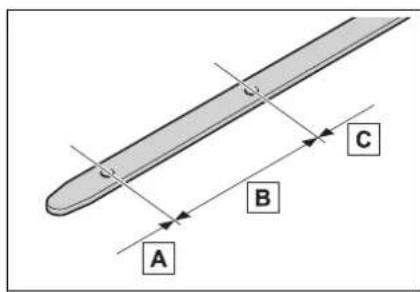
A Low
B Normal
c Excessive
The shape of the dipstick may differ
depending on the type of vehicle or engine.
6 Wipe the dipstick and reinsert it fully.
■ Checking the oil type and preparing the item needed
Make sure to check the oil type and prepare the items needed before adding oil.
- Engine oil selection →P.512
● Oil quantity (Low → Full) 1.6 qt. (1.5 L, 1.3 Imp. qt.) - Item Clean funnel
■Adding engine oil
If the oil level is below or near the low level mark, add engine oil of the same type as that already in the engine.
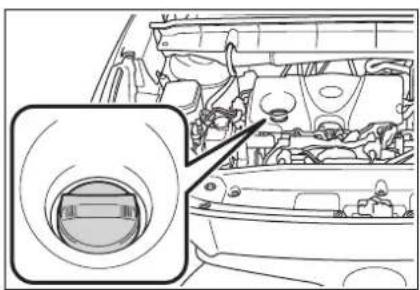
natural_image
Interior view of a car showing dashboard and engine compartment with no visible text or symbols1 Remove the oil filler cap by turning it counterclockwise.
2 Add engine oil slowly, checking the dipstick.
3 Install the oil filler cap by turning it clockwise.
■Engine oil consumption
A certain amount of engine oil will
be consumed while driving. In the following situations, oil consumption may increase, and engine oil may need to be refilled in between oil maintenance intervals.
- When the engine is new, for example directly after purchasing the vehicle or after replacing the engine
- If low quality oil or oil of an inappropriate viscosity is used
- When driving at high engine speeds or with a heavy load, when towing, or when driving while accelerating or decelerating frequently
- When leaving the engine idling for a long time, or when driving frequently through heavy traffic

WARNING
■Used engine oil
Used engine oil contains potentially harmful contaminants which may cause skin disorders such as inflammation and skin cancer, so care should be taken to avoid prolonged and repeated contact. To remove used engine oil from your skin, wash thoroughly with soap and water.
● Dispose of used oil and filters only in a safe and acceptable manner. Do not dispose of used oil and filters in household trash, in sewers or onto the ground. Call your Toyota dealer, service station or auto parts store for information concerning recycling or disposal.
- Do not leave used engine oil within the reach of children.

NOTICE
■To prevent serious engine damage Check the oil level on a regular basis.
■When replacing the engine oil
- Be careful not to spill engine oil on the vehicle components.
● Avoid overfilling, or the engine could be damaged.
- Check the oil level on the dipstick every time you refill the vehicle.
- Be sure the engine oil filler cap is properly tightened.
■If oil is spilled on the engine cover
To prevent the engine cover from being damaged, remove any engine oil from the engine cover as soon as possible using a neutral detergent. Do not use an organic solvent such as brake cleaner.
Checking the coolant
■Engine coolant reservoir The coolant level is satisfactory if it is between the "FULL" and "LOW" lines on the reservoir when the engine is cold.
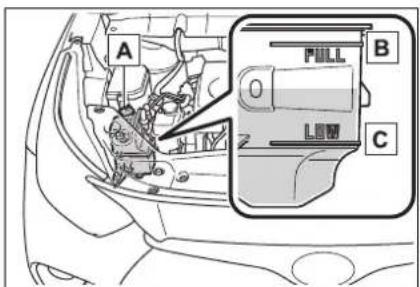
A Reservoir cap
B "FULL" line
c "LOW" line
If the level is on or below the "LOW" line, add coolant up to the "FULL" line. (→P.504)
■Power control unit coolant reservoir
The coolant level is satisfactory if it is between the "FULL" and "LOW" lines on the reservoir when the hybrid system is cold.
"Toyota Super Long Life Coolant" is a mixture of 55% coolant and 45% deionized water. (Minimum temperature: -44°F [-42°C])
For more details about coolant, contact your Toyota dealer.
If the coolant level drops within a short time of replenishing
Visually check the radiator, hoses, engine/power control unit coolant reservoir caps, drain cock and water pump.
If you cannot find a leak, have your Toyota dealer test the cap and check for leaks in the cooling system.
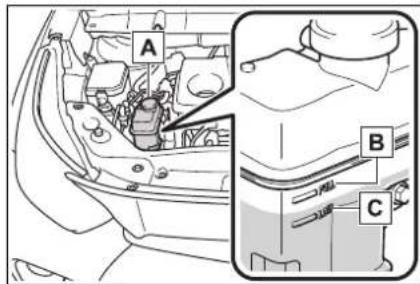
A Reservoir cap
B "FULL" line
c "LOW" line
If the level is on or below the "LOW" line, add coolant up to the "FULL" line. (→P.504)
Coolant selection
Only use "Toyota Super Long Life Coolant" or a similar high quality ethylene glycol based non-silicate, non-amine, non-nitrite, and non-borate coolant with long-life hybrid organic acid technology.
U.S.A.:
"Toyota Super Long Life Coolant" is a mixture of 50% coolant and 50% deionized water. (Minimum temperature: -31°F [-35°C])
Canada:

WARNING
■When the hybrid system is hot
Do not remove the engine/power control unit coolant reservoir caps and radiator cap.
The cooling system may be under pressure and may spray hot coolant if the cap is removed, causing serious injuries, such as burns.

NOTICE
■When adding coolant
Coolant is neither plain water nor straight antifreeze. The correct mixture of water and antifreeze must be used to provide proper lubrication, corrosion protection and cooling. Be sure to read the antifreeze or coolant label.
If you spill coolant
Be sure to wash it off with water to prevent it from damaging parts or paint.
Checking the radiator and condenser
Check the radiator and con-
denser and clear away any foreign objects. If either of the above parts is extremely dirty or you are not sure of their condition, have your vehicle inspected by your Toyota dealer.

WARNING
■When the hybrid system is hot
Do not touch the radiator or condenser as they may be hot and cause serious injuries, such as burns.
Checking and adding the brake fluid
- Checking fluid level
The brake fluid level should be between the "MAX" and "MIN" lines on the tank.
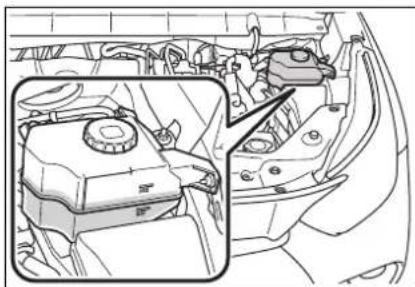
natural_image
Interior view of a car showing engine compartment and dashboard (no text or symbols visible)■Adding fluid
Make sure to check the fluid type and prepare the necessary item.
- Fluid type
SAE J1703 or FMVSS No.116 DOT 3 brake fluid
SAE J1704 or FMVSS No.116 DOT 4 brake fluid
- Item
Clean funnel
■ Brake fluid can absorb moisture from the air
Excess moisture in the brake fluid can cause a dangerous loss of braking efficiency. Use only newly opened brake fluid.

WARNING
■When filling the reservoir
Take care as brake fluid can harm your hands and eyes and damage painted surfaces.
If fluid gets on your hands or in your eyes, flush the affected area with clean water immediately.
If you still experience discomfort, see a doctor.

NOTICE
If the fluid level is low or high
It is normal for the brake fluid level to go down slightly as the brake pads wear out or when the fluid level in the accumulator is high. If the reservoir needs frequent refilling, there may be a serious problem.
Washer fluid
If any washer does not work or the warning message appears on the multi-information display, the washer tank may be empty. Add washer fluid.
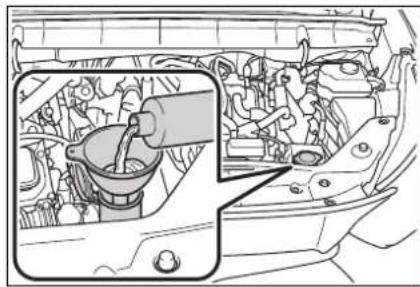
natural_image
Interior view of a car showing engine compartment with intake manifold and valve (no text or symbols visible)
WARNING
■When adding washer fluid
Do not add washer fluid when the hybrid system is hot or operating as washer fluid contains alcohol and may catch fire if spilled on the engine, etc.

NOTICE
■ Do not use any fluid other than washer fluid
Do not use soapy water or engine antifreeze instead of washer fluid.
Doing so may cause streaking on the vehicle's painted surfaces, as well as damaging the pump leading to problems of the washer fluid not spraying.
Diluting washer fluid
Dilute washer fluid with water as necessary.
Refer to the freezing temperatures listed on the label of the washer fluid bottle.
12-volt battery
Location
The 12-volt battery is located in the right-hand side of luggage compartment.
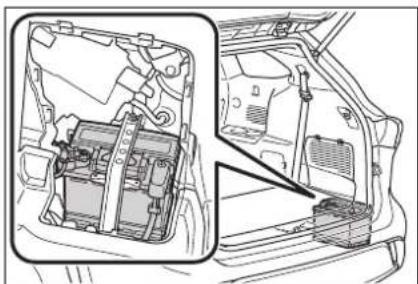
natural_image
Technical line drawing of a vehicle's internal components, showing structural parts without any text or symbolsBefore removing the 12-volt battery cover
Open the deck board.
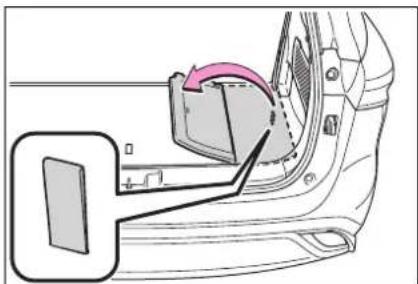
natural_image
Diagram of a car door seat assembly with a highlighted component and directional arrow (no text or symbols)Removing the 12-volt battery cover
Disengage the 8 claws and pull the side deck board to remove it.
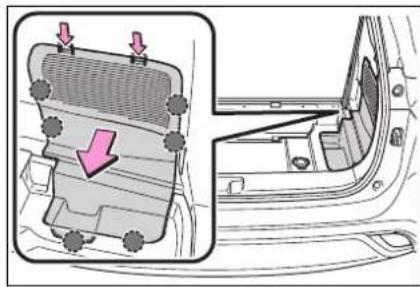
natural_image
Diagram of a car interior showing a vent, grille, and door frame with arrows indicating airflow or movement (no text or symbols)Exterior
Make sure that the 12-volt battery terminals are not corroded and that there are no loose connections, cracks, or loose clamps.
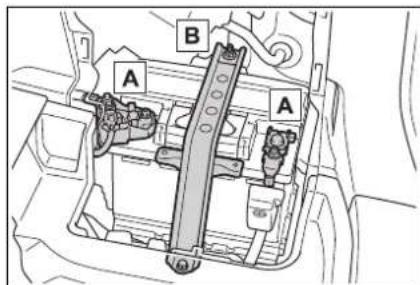
A Terminals
B Hold-down clamp
Before recharging
When recharging, the 12-volt battery produces hydrogen gas which is flammable and explosive. Therefore, observe the following precautions before recharging:
- If recharging with the 12-volt battery installed on the vehicle, be sure to disconnect the ground cable.
● Make sure the power switch on the charger is off when connecting and disconnecting the charger cables to the 12-volt battery.
■ After recharging/reconnecting the 12-volt battery
The hybrid system may not start. Follow the procedure below to initialize the system.
1 Shift the shift lever to P.
2 Open and close any of the doors.
3 Restart the hybrid system.
● Unlocking the doors using the smart key system may not be possible immediately after reconnecting the 12-volt battery. If this happens, use the wireless remote control or the mechanical key to lock/unlock the doors.
- Start the hybrid system with the power switch in ACC. The hybrid system may not start with the power switch turned off. However, the hybrid system will operate normally from the second attempt.
The power switch mode is recorded by the vehicle. If the 12-volt battery is reconnected, the vehicle will return the power switch mode to the status it was in before the 12-volt battery was disconnected. Make sure to turn off the power before disconnect the 12-volt battery. Take extra care when connecting the 12-volt battery if the power switch mode prior to discharge is unknown.
If the system will not start even after multiple attempts at all the methods above, contact your Toyota dealer.

WARNING
■ Chemicals in the 12-volt battery
The 12-volt battery contains poisonous and corrosive sulfuric acid and may produce hydrogen gas which is flammable and explosive. To reduce the risk of death or serious injury, take the following precautions while working on or near the 12-volt battery:

WARNING
- Do not cause sparks by touching the 12-volt battery terminals with tools.
- Do not smoke or light a match near the 12-volt battery.
● Avoid contact with eyes, skin and clothes.
● Never inhale or swallow electrolyte.
● Wear protective safety glasses when working near the 12-volt battery. - Keep children away from the 12-volt battery.
■Where to safely charge the 12-volt battery
Always charge the 12-volt battery in an open area. Do not charge the 12-volt battery in a garage or closed room where there is insufficient ventilation.
■How to recharge the 12-volt battery
Only perform a slow charge (5 A or less). The 12-volt battery may explode if charged at a quicker rate.
Emergency measures regarding electrolyte
- If electrolyte gets in your eyes Flush your eyes with clean water for at least 15 minutes and get immediate medical attention. If possible, continue to apply water with a sponge or cloth while traveling to the nearest medical facility.
- If electrolyte gets on your skin Wash the affected area thoroughly. If you feel pain or burning, get medical attention immediately.
- If electrolyte gets on your clothes
It can soak through clothing on to your skin. Immediately take off the clothing and follow the procedure above if necessary. - If you accidentally swallow electrolyte Drink a large quantity of water or milk. Get emergency medical attention immediately.
■When replacing the 12-volt battery
Use a 12-volt battery designed for this vehicle. Failure to do so may cause gas (hydrogen) to enter the passenger compartment, causing a fire or explosion.
For replacement of the 12-volt battery, contact your Toyota dealer.
■When handling the 12-volt battery
→P.502

NOTICE
■When recharging the 12-volt battery
Never recharge the 12-volt battery while the hybrid system is operating. Also, be sure all accessories are turned off.
Tires
Replace or rotate tires in accordance with maintenance schedules and treadwear.
Checking tires
Check if the treadwear indicators are showing on the tires. Also check the tires for uneven wear, such as excessive wear on one side of the tread.
Check the spare tire condition and pressure if not rotated.
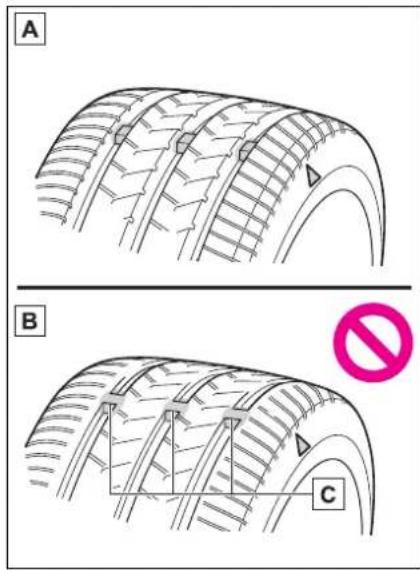
A New tread
B Worn tread
c Treadwear indicator
The location of treadwear indicators is shown by a "TWI" or " ”mark,
etc., molded into the sidewall of each tire.
Replace the tires if the treadwear indicators are showing on a tire.
■When to replace your vehicle's tires
Tires should be replaced if:
●The treadwear indicators are showing on a tire.
●You have tire damage such as cuts, splits, cracks deep enough to expose the fabric, and bulges indicating internal damage.
● A tire goes flat repeatedly or cannot be properly repaired due to the size or location of a cut or other damage.
If you are not sure, consult with your Toyota dealer.
Tire life
Any tire over 6 years old must be checked by a qualified technician even if it has seldom or never been used or damage is not obvious.
■Proper storage of the spare tire
As an improperly stored spare tire may cause damage to the wire cable that holds it, check that the spare tire is stored properly on a daily basis.
- If the stored spare tire appears to be slanted or rattles while driving, the spare tire may not be properly stored. Store the spare tire again by performing the following tire change procedure correctly:
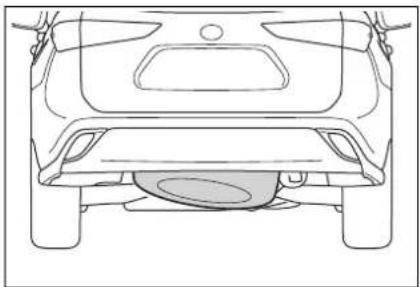
natural_image
Top-down line drawing of a car's rear view showing the roof, rear wheels, and exhaust plume (no text or symbols)1 If the spare tire is slanted, the hoist assembly may be stuck in the wheel opening. If the spare tire rattles while driving, it may not be fully raised. Lower the spare tire to the ground and make sure that the hoist assembly is perpendicular to the wheel opening.
2 Raise the tire slowly and steadily until a click is heard and the jack handle skips.
If the spare tire cannot be lowered, the wire cable may be severed. Have the vehicle inspected at your Toyota dealer.
■Maximum load of tire
Check that the number given by dividing the maximum load by 1.10 of the replacement tire is greater than 1/2 of the Gross Axle Weight Ratings (GAWR) of either the front axle or the rear axle, whichever is greater.
For the GAWR, see the Certification Label.
For the maximum load of the tire, see the load limit at maximum cold tire inflation pressure mentioned on the sidewall of the tire. ( P.520)
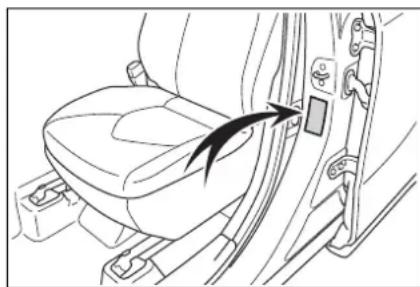
natural_image
Line drawing of a car seatbelt with a black arrow pointing to the seatbelt (no text or symbols present)Tire types
●Summer tires
Summer tires are high-speed performance tires best suited to highway driving under dry conditions. Since summer tires do not have the same traction performance as snow tires, summer tires are inadequate for
driving on snow-covered or icy roads. For driving on snow-covered roads or icy roads, the use of snow tires is recommended. When installing snow tires, be sure to replace all four tires.
All season tires
All season tires are designed to provide better traction in snow and to be adequate for driving in most winter conditions as well as for use year-round. All season tires, however, do not have adequate traction performance compared with snow tires in heavy or loose snow. Also, all season tires fall short in acceleration and handling performance compared with summer tires in highway driving.
●Snow tires
For driving on snow-covered roads or icy roads, we recommend using snow tires. If you need snow tires, select tires of the same size, construction and load capacity as the originally installed tires. Since your vehicle has radial tires as original equipment, make sure your snow tires also have radial construction. Do not install studded tires without first checking local regulations for possible restrictions. Snow tires should be installed on all wheels. (→P.333)
■If the tread on snow tires wears down below 0.16 in. (4 mm)
The effectiveness of the tires as snow tires is lost.

WARNING
■When inspecting or replacing tires
Observe the following precautions to prevent accidents. Failure to do so may cause damage to parts of the drive train as well as dangerous handling characteristics, which may lead to an accident resulting in death or serious injury.
- Do not mix tires of different makes, models or tread patterns. Also, do not mix tires of remarkably different treadwear.
- Do not use tire sizes other than those recommended by Toyota.
- Do not mix differently constructed tires (radial, bias-belted or bias-ply tires).
- Do not mix summer, all season and snow tires.
- Do not use tires that have been used on another vehicle. Do not use tires if you do not know how they were used previously.
- Do not tow if your vehicle has a compact spare tire installed.

NOTICE
■Driving on rough roads
Take particular care when driving on roads with loose surfaces or potholes.
These conditions may cause losses in tire inflation pressure, reducing the cushioning ability of the tires. In addition, driving on rough roads may cause damage to the tires themselves, as well as the vehicle's wheels and body.
■If tire inflation pressure of each tire becomes low while driving
Do not continue driving, or your tires and/or wheels may be ruined.
Tire rotation
Rotate the tires in the order shown.
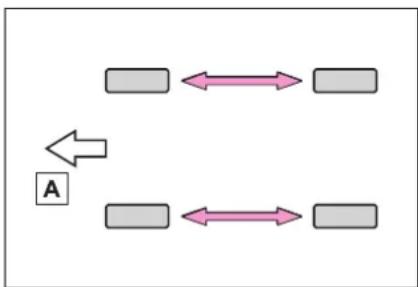
flowchart
graph TD
    A[" "] <--> B[" "]
    C[" "] <--> D[" "]
    E["A"] --> A
A Front
To equalize tire wear and extend tire life, Toyota recommends that tire rotation is carried out at the same interval as tire inspection.
Do not fail to initialize the tire pressure warning system after tire rotation.
Tire pressure warning system
Your vehicle is equipped with a tire pressure warning system that uses tire pressure warning valves and transmitters to detect low tire inflation pressure before serious problems arise.
- The tire pressure detected by the tire pressure warning system can be displayed on the
multi-information display. (→P.92, 101)
The illustration used is intended as an example, and may differ from the image that is actually displayed on the multi-information display.
4.2-inch display
![36 36 36 36 [psi]](/content/2026/05/810576/images/6728a521495aa0a4f59b8c7336ec1de798e03d42a73eac9b9f607bf6583133d3.jpg)
7-inch display
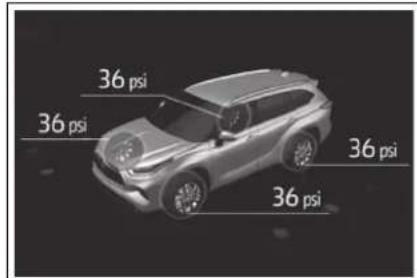
- If the tire pressure drops below a predetermined level, the driver is warned by a screen display and a warning light. (→P.470)
The illustration used is intended as an example, and may differ from the image that is actually displayed on the multi-information display.
4.2-inch display
![36 36 25 36 [05]](/content/2026/05/810576/images/7abd49dfea06bdb6bff2f523d6e8fb758229f5e686a1cb2d289ebc011e87f3db.jpg)
7-inch display
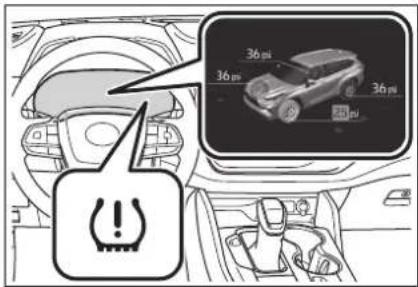
■Routine tire inflation pressure checks
The tire pressure warning system does not replace routine tire inflation pressure checks. Make sure to check tire inflation pressure as part of your routine of daily vehicle checks.
■ Situations in which the tire pressure warning system may not operate properly
● In the following cases, the tire pressure warning system may not operate properly.
- If non-genuine Toyota wheels are used.
- A tire has been replaced with a tire that is not an OE (Original Equipment) tire.
• A tire has been replaced with a tire that is not of the specified size.
- Tire chains, etc. are equipped.
- An auxiliary-supported run-flat tire is equipped.
- If a window tint that affects the radio wave signals is installed.
• If there is a lot of snow or ice on
the vehicle, particularly around the wheels or wheel housings.
- If the tire inflation pressure is extremely higher than the specified level.
- If wheel without the tire pressure warning valve and transmitter is used.
- If the ID code on the tire pressure warning valves and transmitters is not registered in the tire pressure warning computer.
●Performance may be affected in the following situations. - Near a TV tower, electric power plant, gas station, radio station, large display, airport or other facility that generates strong radio waves or electrical noise
- When carrying a portable radio, cellular phone, cordless phone or other wireless communication device
- If tire position information is not correctly displayed due to the radio wave conditions, the display may be corrected by driving and changing the radio wave conditions.
- When the vehicle is parked, the time taken for the warning to start or go off could be extended.
- When tire inflation pressure declines rapidly for example when a tire has burst, the warning may not function.
■ Warning performance of the tire pressure warning system
The warning of the tire pressure warning system will change in accordance with the conditions under which it was initialized. For this reason, the system may give a warning even if the tire pressure does not reach a low enough level, or if the pressure is higher than the pressure that was adjusted to when the system was initialized.
■Tire pressure warning system certification
BCS Access Systems
TPM Sensor
Model: 338130 / 335098
FCC ID: GQ4-75T / GQ4-72T
IC: 1470A-56T / 1470A-53T
MADE IN U.S.A.
This device complies with Part 15 of the FCC Rules and with RSS Standards of Industry Canada.
Operation is subject to the following two conditions:
(1) This device may not cause harmful interference, and
(2) This device must accept any interference received, including interference that
may cause undesired operation.
WARNING: Changes or modifications not expressly approved by BCS Access Systems U.S. LLC could void the user's authority to operate the equipment.
The term "IC:" before the radio certification number only signifies that Industry Canada technical specifications were met.
(About Battery of TPM Sensor)
CR Coin Lithium Battery contains Perchlorate Material - special handling may apply.
See www.dtsc.ca.gov/hazardouswaste/perchlorate.
BCS Access Systems
TPMS/SMART Integrated Receiver
Model: 338721
FCC ID: GQ4-51R
CAN RSS-GEN/CNR-GEN
MADE IN U.S.A.
This device complies with Part 15 of the FCC Rules and with Canada license-exempt
RSS standard(s). Operation is subject to the following two conditions:
(1) This device may not cause harmful interference, and
(2) This device must accept any interference received, including interference that may cause undesired operation.
Le present appareil est conforme aux CNR d'Industrie Canada applicable aux appareils radio exempts de licence.
WARNING: Changes or modifications not expressly approved by BCS Access Systems US, LLC could void the user's authority to operate the equipment.
Installing tire pressure warning valves and transmitters
When replacing tires or wheels, tire pressure warning valves and transmitters must also be installed.
When new tire pressure warning valves and transmitters are installed, new ID codes must be registered in the tire pressure warning computer and the tire pressure warning system must be initialized. Have tire pressure warning valves and transmitter ID codes registered by your Toyota dealer. (→P.433)
■Replacing tires and wheels
If the ID code of the tire pressure warning valve and transmitter is not registered, the tire pressure warning system will not work properly. After driving for about 20 minutes, the tire pressure warning light blinks for 1 minute and stays on to indicate a system malfunction.

NOTICE
■Repairing or replacing tires, wheels, tire pressure warning valves, transmitters and tire valve caps
- When removing or fitting the wheels, tires or the tire pressure warning valves and transmitters, contact your Toyota dealer as the tire pressure warning valves and transmitters may be damaged if not handled correctly.
● Make sure to install the tire valve caps. If the tire valve caps are not installed, water could enter the tire pressure warning valves and the tire pressure warning valves could be bound.
- When replacing tire valve caps, do not use tire valve caps other than those specified. The cap may become stuck.
■To avoid damage to the tire pressure warning valves and transmitters
When a tire is repaired with liquid sealants, the tire pressure warning valve and transmitter may not operate properly. If a liquid sealant is used, contact your Toyota dealer or other qualified service shop as soon as possible. Make sure to replace the tire pressure warning valve and transmitter when replacing the tire. (→P.429)
Initializing the tire pressure warning system
■The tire pressure warning system must be initialized in the following circumstances:
- When the tire inflation pressure is changed such as when changing traveling speed.
- When the tire inflation pressure is changed such as when the tire size is changed.
- When rotating the tires.
● After registering the ID codes. (→P.433)
When the tire pressure warning system is initialized, the current tire inflation pressure is set as the benchmark pressure.
■How to initialize the tire pressure warning system
4.2-inch display
1 Park the vehicle in a safe place and turn the power switch off.
Initialization cannot be performed while the vehicle is moving.
2 Adjust the tire inflation pressure to the specified cold tire inflation pressure level. (→P.515)
Make sure to adjust the tire pressure to the specified cold tire inflation pressure level. The tire pressure warning system will operate based on this pressure level.
3 Turn the power switch to ON.
4 Press or of the meter control switch to select
5 Press OK of the meter control switch, select 📄 and then press and hold OK
6 Press or of the meter control switch, select "TPWS" and then press
7 Press ok of the meter control switch, select "Set Pressure" and then press and hold
7-inch display
1 Park the vehicle in a safe place and turn the power switch off.
Initialization cannot be performed while the vehicle is moving.
2 Adjust the tire inflation pressure to the specified cold tire inflation pressure level. (→P.515)
Make sure to adjust the tire pressure to the specified cold tire inflation pressure level. The tire pressure warning system will operate based on this pressure level.
3 Turn the power switch to ON.
4 Press or of the meter control switch to select
5 Press or of the meter control switch, select and then press and hold
6 Press or of the meter control switch, select "TPWS" and then press
7 Press or of the meter control switch, select "Set Pressure" and then press and hold
"Setting Tire Pressure Warning System" will be displayed on the multi-information display and the tire pressure warning light will blink 3 times.
When the message disappears, initialization is complete.
A message is displayed on the multi-information display. Also, “--” is displayed for inflation pressure of each tire on the multi-information display while the tire pressure warning system determines the position.
Drive the vehicle at approximately 25 mph (40 km/h) or more for approximately 10 to 30 minutes until the inflation pressure of each tire is displayed on the multi-information display.
When initialization is complete, the inflation pressure of each tire will be displayed on the multi-information display.
Even if the vehicle is not driven at approximately 25 mph (40 km/h) or more, initialization can be completed by driving for a long time. However, if initialization does not complete after driving for 1 hour or more, park the vehicle in a safe place for approximately 20 minutes and then drive the vehicle again.
■Initializing the tire pressure warning system
Initialize the system with the tire inflation pressure adjusted to the specified level.
■ Initialization procedure
● Make sure to carry out initialization after adjusting the tire inflation pressure. Also, make sure the tires are cold before carrying out initialization or tire inflation pressure adjustment.
- If you have accidentally turned the power switch off during initialization, it is not necessary to restart the initialization again as initialization will restart automatically when the power switch has been turned to ON for the next time.
- If you accidentally restart the initialization when initialization is not necessary, adjust the tire inflation pressure to the specified level
when the tires are cold, and conduct initialization again.
●While the position of each tire is being determined and the inflation pressures are not being displayed on the multi-information display, if the inflation pressure of a tire drops, the tire pressure warning light will come on.
■When initialization of the tire pressure warning system has failed
Initialization may take longer to complete if the vehicle is driven on an unpaved road. When performing initialization, drive on a paved road if possible. Depending on the driving environment and condition of the tires, initialization will be completed in approximately 10 to 30 minutes. If initialization is not complete after driving approximately 10 to 30 minutes, continue driving for a while.
If the inflation pressure of each tire is not displayed after driving for approximately 1 hour, perform the following procedure.
●Park the vehicle in a safe place for approximately 20 minutes. Then drive straight (with occasional left and right turns) at approximately 25 mph (40 km/h) or more for approximately 10 to 30 minutes.
However, in the following situations, the tire inflation pressure will not be recorded and the system will not operate properly. Perform initialization again.
- If the vehicle is reversed during initialization, the data up to that point is reset, so perform the initialization procedure again from the beginning.
- When operating the tire pressure warning reset switch, the tire pressure warning light does not blink 3 times.
● After performing initialization, the tire pressure warning light blinks for 1 minute then stays on while
driving.
If the inflation pressure of each tire is still not displayed, have the vehicle inspected by your Toyota dealer.

WARNING
■When initializing the tire pressure warning system
Do not initializing tire inflation pressure without first adjusting the tire inflation pressure to the specified level. Otherwise, the tire pressure warning light may not come on even if the tire inflation pressure is low, or it may come on when the tire inflation pressure is actually normal.
Registering ID codes
Every tire pressure warning valve and transmitter has a unique ID code. When replacing a tire pressure warning valve and transmitter, it is necessary to register the ID code. When registering the ID codes, perform the following procedure.
4.2-inch display
1 Park the vehicle in a safe place and turn the power switch off.
Initialization cannot be performed while the vehicle is moving.
2 Adjust the tire inflation pressure to the specified cold tire inflation pressure level. (→P.515)
Make sure to adjust the tire pressure to the specified cold tire inflation pressure level. The tire pressure warning system will operate based on this pressure level.
3 Turn the power switch to ON.
4 Press or of the meter control switch to select
5 Press or of the meter control switch, select and then press and hold OK
6 Press or of the meter control switch, select "TPWS" and then press OK
7 Press or of the meter control switch, select "Change Wheel" and then press until the tire pressure warning light starts slowly blinking 3 times.
The change wheel set mode is activated and registration is started.
Then a message will be displayed on the multi-information display. When registration is being performed, the tire pressure warning light will blink for approximately 1 minute then illuminate and “--” will be displayed for the inflation pressure of each tire on the multi-information display.
8 Drive the vehicle at approximately 25 mph (40 km/h) or more for approximately 10 to 30 minutes.
When registration is completed, the tire pressure warning light will go off and the inflation pressure of each tire will be displayed on the multi-information display.
Even if the vehicle is not driven at approximately 25 mph (40 km/h) or more, registration can be completed by driving for a long time. However, if registration does not
complete after driving for 1 hour or more, perform the procedure again from the beginning.
9 Initialize the tire pressure warning system. (→P.431)
7-inch display
1 Park the vehicle in a safe place and turn the power switch off.
Initialization cannot be performed while the vehicle is moving.
2 Adjust the tire inflation pressure to the specified cold tire inflation pressure level. (→P.515)
Make sure to adjust the tire pressure to the specified cold tire inflation pressure level. The tire pressure warning system will operate based on this pressure level.
3 Turn the power switch to ON.
4 Press or of the meter control switch to select
5 Press or of the meter control switch, select and then press and hold OK
6 Press OK of the meter control switch, select "TPWS" and then press OK
7 Press or of the meter control switch, select "Change Wheel" and then press until the tire pressure warning light starts slowly blinking 3 times.
The change wheel set mode is activated and registration is started.
Then a message will be displayed on the multi-information display. When registration is being performed, the tire pressure warning light will blink for approximately 1 minute then illuminate and “--” will be displayed for the inflation pressure of each tire on the multi-information display.
8 Drive the vehicle at approximately 25 mph (40 km/h) or more for approximately 10 to 30 minutes.
When registration is completed, the tire pressure warning light will go off and the inflation pressure of each tire will be displayed on the multi-information display.
Even if the vehicle is not driven at approximately 25 mph (40 km/h) or more, registration can be completed by driving for a long time. However, if registration does not complete after driving for 1 hour or more, perform the procedure again from the beginning.
9 Initialize the tire pressure warning system. (→P.431)
■When registering ID codes
● ID code registration is performed while driving at a vehicle speed of approximately 25 mph (40 km/h) or more.
● Before performing ID code registration, make sure that no wheels with tire pressure warning valve and transmitters installed are near the vehicle.
● Make sure to initialize the tire pressure warning system after registering the ID codes. If the system is initialized before registering the ID codes, the initialized values will be invalid.
●ID codes can be registered by yourself, but depending on the driving conditions and driving
environment, registration may take some time to complete.
■Canceling ID code registration
● To cancel ID code registration after it has been started, turn the power switch off before driving the vehicle. If the vehicle is driven after ID code registration is started, to cancel registration, perform the ID code registration start procedure again and turn the power switch off before driving.
- If ID code registration has been canceled, the tire pressure warning light will blink for approximately 1 minute when the power switch is turned to ON and then illuminate. The tire pressure warning system will be operational when the tire pressure warning light turns off.
- If the warning light does not turn off even after several minutes have elapsed, ID code registration may not have been canceled correctly. To cancel registration, perform the ID code registration start procedure again and then turn the power switch off before driving.
■If ID codes are not registered properly
In the following situations, ID code registration may take longer than usual to be completed or may not be possible. Normally, registration completes within approximately 30 minutes.
● Vehicle is not parked for approximately 20 minutes or more before driving
● Vehicle is not driven at approximately 25 mph (40 km/h) or more
● Vehicle is driven on unpaved roads
● Vehicle is driven near other vehicles and system cannot recognize tire pressure warning valve and transmitters of your vehicle over those of other vehicles
Wheel with tire pressure warning valve and transmitter installed is inside or near the vehicle
If registration does not complete after driving for 1 hour or more, perform the ID code registration procedure again from the beginning.
- If the vehicle is reversed during registration, the data up to that point is reset, so perform the registration procedure again from the beginning.
● In the following situations, ID code registration will not be started or was not completed properly and the system will not operate properly. Perform the ID code registration procedure again. - If, when attempting to start ID code registration, the tire pressure warning light does not blink slowly 3 times.
- If, when the vehicle has been driven for about 20 minutes after performing ID code registration, the tire pressure warning light blinks for approximately 1 minute and then illuminates.
If the ID codes cannot be registered even when performing the above procedure, contact your Toyota dealer.
Tire inflation pressure
Checking the specified tire inflation pressure
The recommended cold tire inflation pressure and tire size are displayed on the tire and loading information label. (→P.515)
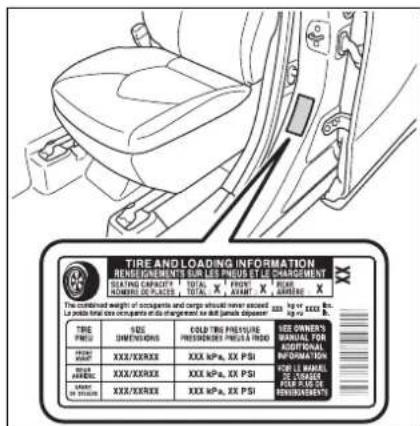
Inspection and adjustment procedure
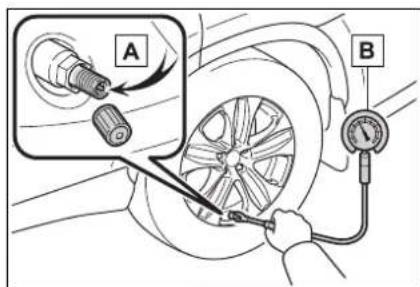
A Tire valve
B Tire pressure gauge
1 Remove the tire valve cap.
2 Press the tip of the tire pressure gauge onto the tire valve.
3 Read the pressure using the gauge gradations.
4 If the tire inflation pressure is not at the recommended level, adjust the pressure. If you add too much air, press the center of the valve to deflate.
5 After completing the tire inflation pressure measurement and adjustment, apply soapy water to the valve and check for leakage.
6 Put the tire valve cap back on.
■Tire inflation pressure check interval
You should check tire inflation pressure every two weeks, or at least once a month. Do not forget to check the spare.
■Effects of incorrect tire inflation pressure
Driving with incorrect tire inflation pressure may result in the following:
●Reduced fuel economy
●Reduced driving comfort and poor handling
●Reduced tire life due to wear
●Reduced safety
●Damage to the drive train
If a tire needs frequent inflating, have it checked by your Toyota dealer.
■ Instructions for checking tire inflation pressure
When checking tire inflation pres-
sure, observe the following:
- Check only when the tires are cold.
If your vehicle has been parked for at least 3 hours or has not been driven for more than 1 mile or 1.5 km, you will get an accurate cold tire inflation pressure reading.
●Always use a tire pressure gauge. It is difficult to judge if a tire is properly inflated based only on its appearance. - It is normal for the tire inflation pressure to be higher after driving as heat is generated in the tire. Do not reduce tire inflation pressure after driving.
●Never exceed the vehicle capacity weight. Passengers and luggage weight should be placed so that the vehicle is balanced.

WARNING
■Proper inflation is critical to save tire performance
Keep your tires properly inflated. If the tires are not properly inflated, the following conditions may occur which could lead to an accident resulting in death or serious injury:
Excessive wear
Uneven wear
Poor handling
● Possibility of blowouts resulting from overheated tires
●Air leaking from between tire and wheel
● Wheel deformation and/or tire damage
● Greater possibility of tire damage while driving (due to road hazards, expansion joints, sharp edges in the road, etc.)

NOTICE
■When inspecting and adjusting tire inflation pressure
Be sure to put the tire valve caps back on. If a valve cap is not installed, dirt or moisture may get into the valve and cause an air leak, resulting in decreased tire inflation pressure.
Wheels
If a wheel is bent, cracked or heavily corroded, it should be replaced. Otherwise, the tire may separate from the wheel or cause a loss of handling control.
Wheel selection
When replacing wheels, care should be taken to ensure that they are equivalent to those removed in load capacity, diameter, rim width and inset ^* .
Replacement wheels are available at your Toyota dealer.
*: Conventionally referred to as offset.
Toyota does not recommend using the following:
● Wheels of different sizes or types
- Used wheels
● Bent wheels that have been straightened
■When replacing wheels
The wheels of your vehicle are equipped with tire pressure warning valves and transmitters that allow the tire pressure warning system to provide advance warning in the event of a loss in tire inflation pressure. Whenever wheels are replaced, tire pressure warning valves and transmitters must be installed. (→P.429)

WARNING
■When replacing wheels
- Do not use wheels that are a different size from those recommended in the Owner's Manual, as this may result in a loss of handling control.
● Never use an inner tube in a leaking wheel which is designed for a tubeless tire. Doing so may result in an accident, causing death or serious injury.
■When installing the wheel nuts
Never use oil or grease on the wheel bolts or wheel nuts. Oil and grease may cause the wheel nuts to be excessively tightened, leading to bolt or disc wheel damage. In addition, the oil or grease can cause the wheel nuts to loosen and the wheel may fall off, causing an accident and resulting in death or serious injury. Remove any oil or grease from the wheel bolts or wheel nuts.
■Use of defective wheels prohibited
Do not use cracked or deformed wheels. Doing so could cause the tire to leak air during driving, possibly causing an accident.

NOTICE
■Replacing tire pressure warning valves and transmitters
●Because tire repair or replacement may affect the tire pressure warning valves and transmitters, make sure to have tires serviced by your Toyota dealer or other qualified service shop. In addition, make sure to purchase your tire pressure warning valves and transmitters at your Toyota dealer.

NOTICE
- Ensure that only genuine Toyota wheels are used on your vehicle. Tire pressure warning valves and transmitters may not work properly with non-genuine wheels.
Aluminum wheel precautions
- Use only Toyota wheel nuts and wrenches designed for use with your aluminum wheels.
- When rotating, repairing or changing your tires, check that the wheel nuts are still tight after driving 1000 miles (1600 km).
- Be careful not to damage the aluminum wheels when using tire chains.
- Use only Toyota genuine balance weights or equivalent and a plastic or rubber hammer when balancing your wheels.
Air conditioning filter
The air conditioning filter must be changed regularly to maintain air conditioning efficiency.
Removing the air conditioning filter
1 Turn the power switch off.
2 Open the glove box. Slide off the damper.
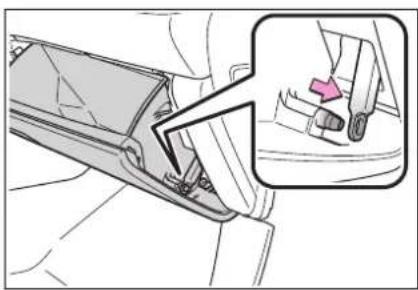
natural_image
Mechanical assembly diagram showing a belt buckle adjustment mechanism with an inset view of the component (no text or symbols present)3 Push in the glove box on the vehicle's outer side to disconnect the claws. Then pull out the glove box and disconnect the lower claws.
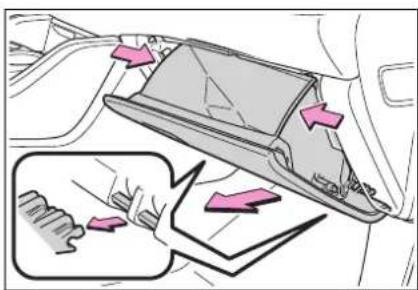
4 Unlock the filter cover (A) pull the filter cover out of the
claws (B) and remove the filter cover.
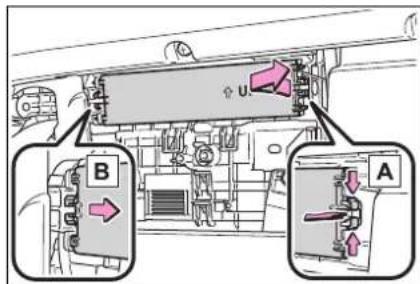
5 Remove the filter case.
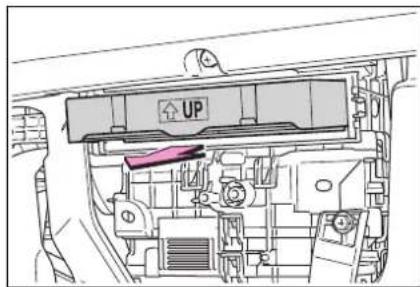
6 Remove the air conditioning filter from the filter case and replace it with a new one.
The "UP" marks shown on the filter and the filter case should be pointing up.
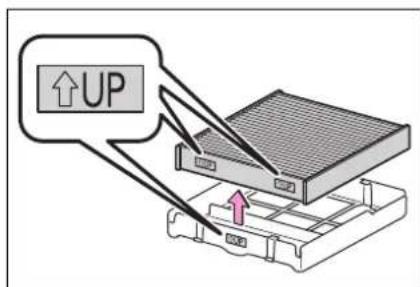
- Checking interval
Inspect and replace the air conditioning filter according to the maintenance schedule. In dusty areas or areas with heavy traffic flow, early
replacement may be required. (For scheduled maintenance information, please refer to the "Owner's Manual Supplement" or "Scheduled Maintenance Guide".)
■If air flow from the vents decreases dramatically
The filter may be clogged. Check the filter and replace if necessary.

NOTICE
■When using the air conditioning system
Make sure that a filter is always installed. Using the air conditioning system without a filter may cause damage to the system.
Cleaning the hybrid battery (traction battery) air intake vents and filter
To prevent the fuel economy from being affected, visually inspect the hybrid battery (traction battery) air intake vents periodically for dust and clogs. If it is dusty or clogged or if “Maintenance Required for Traction Battery Cooling Parts See Owner’s Manual” is shown on the multi-information display, clean the air intake vent using the following procedures:
Cleaning the air intake vents
Remove the dust from the air intake vent with a vacuum cleaner, etc.
Make sure to only use a vacuum to suck out dust and clogs. Attempting to blow out dust and clogs using an airgun, etc. may push it into the air intake vent. (→P.443)
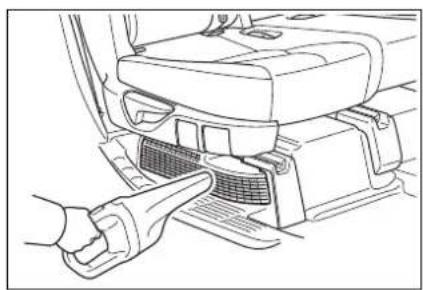
natural_image
Line drawing of a car interior showing a hand inserting a component into the seat area (no text or symbols)If dust and clogs cannot be completely removed
If dust and clogs cannot be completely removed with the air intake vent cover installed, remove the cover and clean the filter.
1 Turn the power switch off.
2 Remove the air intake vent cover.
Pull the cover as shown in the illustration to disengage the 6 claws, starting from the claw in the upper right corner and pull the cover toward the front of the vehicle to remove it.
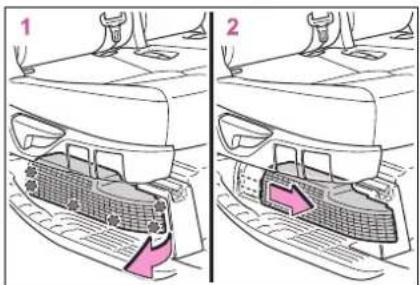
3 Remove the air intake vent filter.
Disengage the claw to remove the filter from the rear scuff plate.
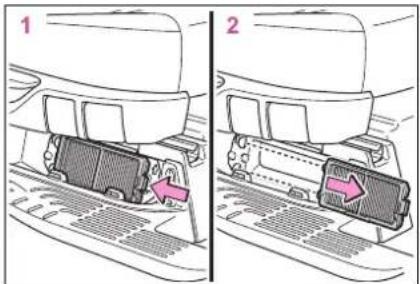
4 Remove the dust and clogs from the filter using a vacuum cleaner, etc.
Make sure to also remove the dust and clogs from the inside of the air intake vent cover.
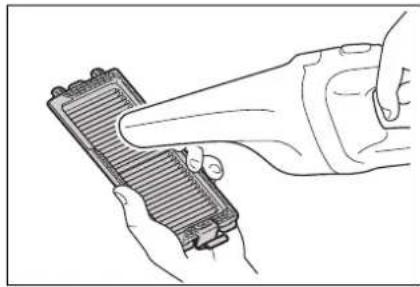
natural_image
Line drawing of hands holding a device with a handle, no text or symbols present5 Reinstall the filter to the cover.
Engage the 3 claw to install the filter.
Make sure that the filter is not crooked or deformed when installing it.
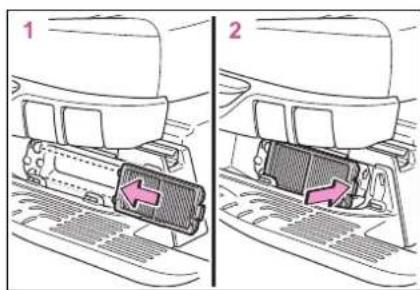
6 Install the air intake vent cover.
Insert the tab of the cover as shown in the illustration and push the
cover to engage the 6 claws.
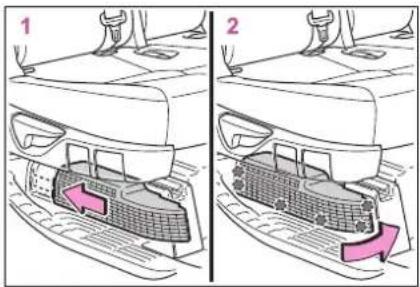
■Scheduled maintenance of the air intake vent is necessary when
In some situations such as when the vehicle is used frequently or in heavy traffic or dusty areas, the air intake vent may need to be cleaned more regularly. For details, refer to "Scheduled Maintenance Guide".
■Cleaning the air intake vent
● Dust in the air intake vent may interfere with the cooling of the hybrid battery (traction battery). If charging/discharging of the hybrid battery (traction battery) becomes limited, the distance that the vehicle can be driven using the electric motor (traction motor) may be reduced and the fuel economy may be reduced. Inspect and clean the air intake vent periodically.
- Improper handling of the air intake vent cover and filter may result in damage to them. If you have any concerns about cleaning the filter, contact your Toyota dealer.
If "Maintenance Required for Traction Battery Cooling Parts See Owner's Manual" is shown on the multi-information display
- If this warning message is shown on the multi-information display, remove the air intake vent cover and clean the filter. (→P.441)
● After cleaning the air intake vent, start the hybrid system and check
that the warning message is no longer shown. It may take approximately 20 minutes after the hybrid system is started until the warning message disappears. If the warning message does not disappear, have the vehicle inspected by your Toyota dealer.

WARNING
■When cleaning the air intake vent
- Do not use water or other liquids to clean the air intake vent. If water is applied to the hybrid battery (traction battery) or other components, a malfunction or fire may occur.
● Before cleaning the air intake vents, make sure to turn the power switch off to stop the hybrid system.

NOTICE
■When cleaning the air intake vent
When cleaning the air intake vent, make sure to only use a vacuum to suck out dust and clogs. If a compressed air blow gun, etc. is used to blow out dust and clogs, the dust or clogs may be pushed into the air intake vent, which may affect the performance of the hybrid battery (traction battery) and cause a malfunction.
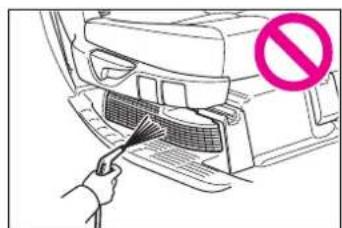
■To prevent damage to the vehicle
- Do not allow water or foreign matter to enter the air intake vent when the cover is removed.
Carefully handle the removed filter so that it will not be damaged. If the filter is damaged, have it replaced with a new filter by your Toyota dealer.
● Make sure to reinstall the filter and cover to their original positions after cleaning.
- Do not install anything to the air intake vent other than the exclusive filter for this vehicle or use the vehicle without the filter installed.
If "Maintenance Required for Traction Battery Cooling Parts See Owner's Manual" is shown on the multi-information display
If the vehicle is continuously driven with the warning message (indicating that charging/discharging of the hybrid battery (traction battery) may become limited) displayed, the hybrid battery (traction battery) may malfunction. If the warning message is displayed, clean the air intake vent immediately.
Electronic key battery
Replace the battery with a new one if it is depleted.
■If the electronic key battery is depleted
The following symptoms may occur:
●The smart key system and wireless remote control will not function properly.
●The operational range will be reduced.
You will need the following items:
- Flathead screwdriver
● Small flathead screwdriver
● Lithium battery CR2032
■Use a CR2032 lithium battery
●Batteries can be purchased at your Toyota dealer, local electrical appliance shops or camera stores.
- Replace only with the same or equivalent type recommended by the manufacturer.
● Dispose of used batteries according to the local laws.
Replacing the battery
1 Release the lock and remove the mechanical key.
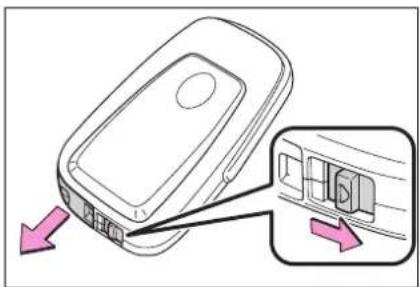
2 Remove the key cover.
To prevent damage to the key, cover the tip of the flathead screw-driver with a rag.
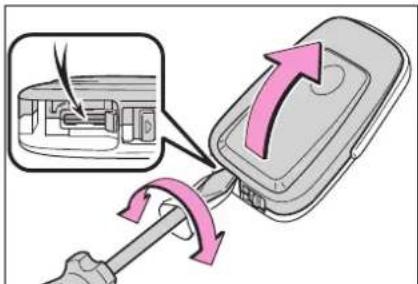
3 Remove the depleted battery.
When removing the cover, the electronic key module may stick to the cover and the battery may not be visible. In this case, remove the electronic key module in order to remove the battery.
When removing the battery, use a screwdriver of an appropriate size. Insert a new battery with the "+" ter-
minal facing up.
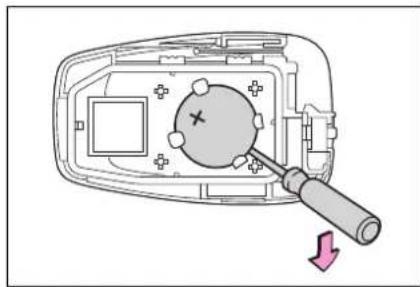
natural_image
Diagram of a device interior with a screwdriver and a circular component, showing no text or symbols
WARNING
Battery precautions
Observe the following precautions. Failure to do so may result in death or serious injury.
- Do not swallow the battery. Doing so may cause chemical burns.
● A coin battery or button battery is used in the electronic key. If a battery is swallowed, it may cause severe chemical burns in as little as 2 hours and may result in death or serious injury. - Keep away new and removed batteries from children.
- If the cover cannot be firmly closed, stop using the electronic key and stow the key in the place where children cannot reach, and then contact your Toyota dealer.
- If you accidentally swallow a battery or put a battery into a part of your body, get emergency medical attention immediately.
■To prevent battery explosion or leakage of flammable liquid or gas -
Replace the battery with a new battery of the same type. If a wrong type of battery is used, it may explode.
-
Do not expose batteries to extremely low pressure due to high altitude or extremely high temperatures.
- Do not burn, break or cut a battery.

NOTICE
■For normal operation after replacing the battery
Observe the following precautions to prevent accidents:
●Always work with dry hands. Moisture may cause the battery to rust.
- Do not touch or move any other component inside the remote control.
- Do not bend either of the battery terminals.
Checking and replacing fuses
If any of the electrical components do not operate, a fuse may have blown. If this happens, check and replace the fuses as necessary.
Checking and replacing fuses
1 Turn the power switch off.
2 Open the fuse box cover.
▶ Engine compartment: type A fuse box (if equipped)
Push the tab in and lift the lid off.
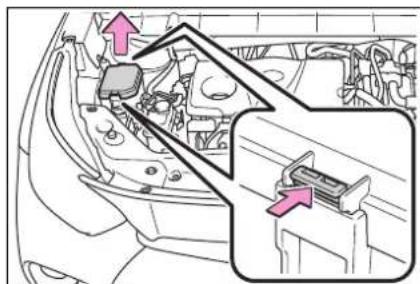
▶ Engine compartment: type B fuse box
Push the tab in and lift the lid off.
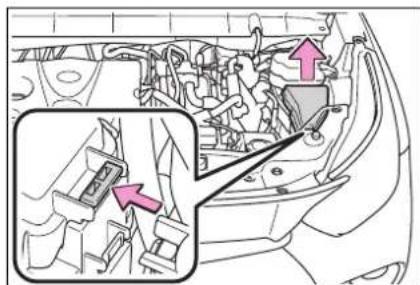
Under the driver's side instrument panel
Remove the lid.
Make sure to push the claw when removing/installing the lid.
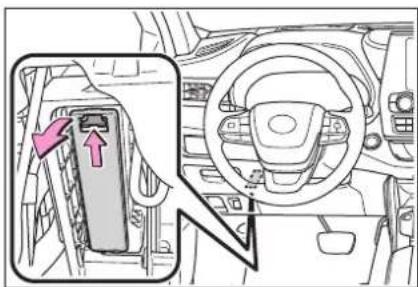
▶ Right side luggage compartment
Folding down the third seats. (→P.158)
Disengage the claw and open the cover.
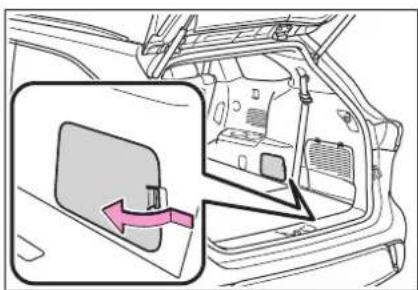
3 Remove the fuse.
Only type A fuse can be removed using the pullout tool.
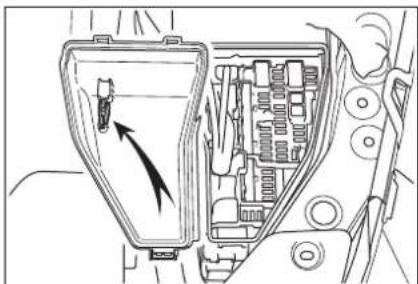
natural_image
Diagram of a vehicle's internal components, showing a handle with an arrow indicating direction (no text or labels present)4 Check if the fuse is blown.
Replace the blown fuse with a new fuse of an appropriate amperage rating. The amperage rating can be found on the fuse box lid.
▶ Type A
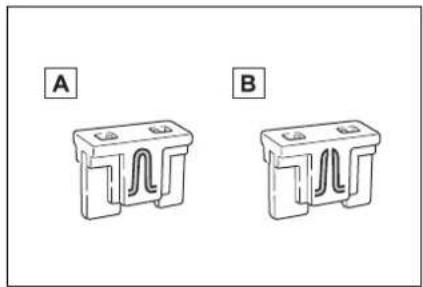
natural_image
Two identical 3D component diagrams labeled A and B, showing internal wavy structures (no text or symbols beyond labels)A Normal fuse
B Blown fuse
▶ Type B
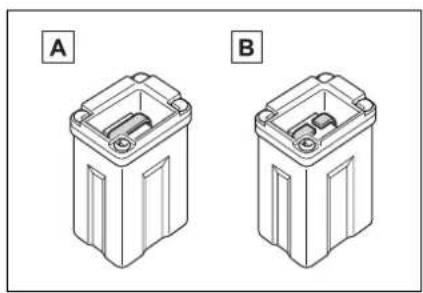
natural_image
Two technical line drawings of battery casing components labeled A and B (no text or symbols on the diagrams themselves)A Normal fuse
B Blown fuse
▶ Type C
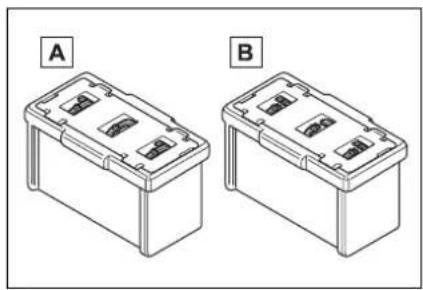
natural_image
Two identical line drawings of battery compartments labeled A and B, with no text or symbols on the diagrams themselves.A Normal fuse
B Blown fuse
■After a fuse is replaced
- If the lights do not turn on even after the fuse has been replaced, a bulb may need replacement. (→P.449)
- If the replaced fuse blows again, have the vehicle inspected by your Toyota dealer.
If there is an overload in a circuit
The fuses are designed to blow, protecting the wiring harness from damage.
■When replacing light bulbs
Toyota recommends that you use genuine Toyota products designed for this vehicle. Because certain bulbs are connected to circuits designed to prevent overload, non-genuine parts or parts not designed for this vehicle may be unusable.
WARNING
■To prevent system break- downs and vehicle fire
Observe the following precautions.
Failure to do so may cause damage to the vehicle, and possibly a fire or injury.
●Never use a fuse of a higher amperage rating than that indicated, or use any other object in place of a fuse.
●Always use a genuine Toyota fuse or equivalent. Never replace a fuse with a wire, even as a temporary fix.
- Do not modify the fuses or fuse boxes.

WARNING
■Fuse box near the power control unit
Never check or replace the fuses as there are high voltage parts and wiring near the fuse box.
Doing so may cause electric shock, resulting in death or serious injury.

NOTICE
■Before replacing fuses
Have the cause of electrical overload determined and repaired by your Toyota dealer as soon as possible.
Headlight aim
Vertical movement adjusting bolts
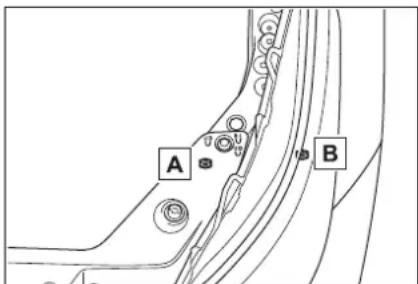
A Adjustment bolt A
B Adjustment bolt B
Before checking the head-light aim
● Make sure the vehicle has a full tank of gasoline and the area around the headlight is not deformed.
● Park the vehicle on level ground.
● Make sure the tire inflation pressure is at the specified level.
- Have someone sit in the driver's seat.
- Bounce the vehicle several times.
Adjusting the headlight aim
1 Using a Phillips-head screw-driver, turn bolt A in either direction.
Remember the turning direction and the number of turns.
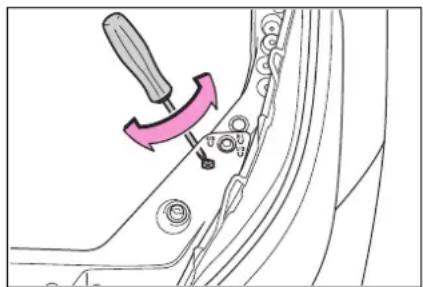
2 Turn bolt B the same number of turns and in the same direction as step 1.
If the headlight cannot be adjusted using this procedure, take the vehicle to your Toyota dealer to adjust the headlight aim.
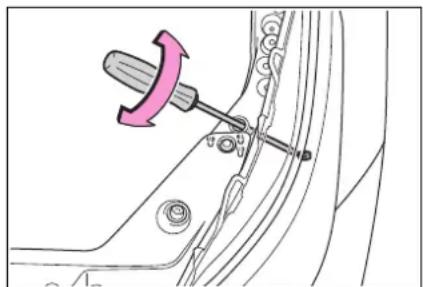
natural_image
Technical diagram showing a hammer tool inserted into a car body with a pink arrow indicating the direction (no text or symbols present)Light bulbs
You may replace the following bulbs by yourself. The difficulty level of replacement varies depending on the bulb. If necessary bulb replacement seems difficult to perform, contact your Toyota dealer.
For more information about replacing other light bulbs, contact your Toyota dealer.
Preparing for light bulb replacement
Check the wattage of the light bulb to be replaced. (→P.516)
Turning off the power back door main switch
→P.535
Bulb locations
Front (type A)
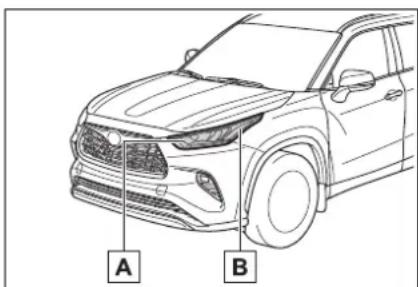
A Front turn signal lights/parking lights
B Front side marker lights
Front (type B)
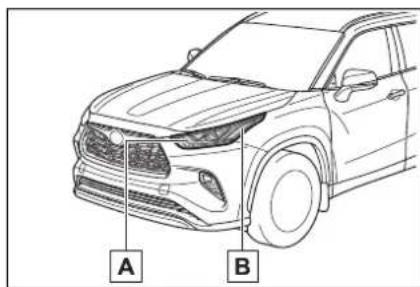
A Front turn signal lights
B Front side marker lights
Front (type C)
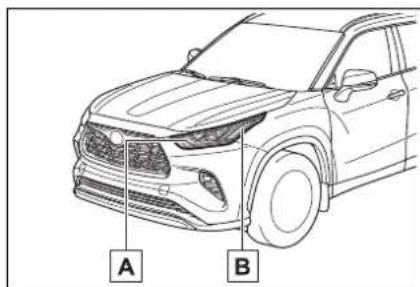
A Front turn signal lights/parking lights
B Front side marker lights
Rear
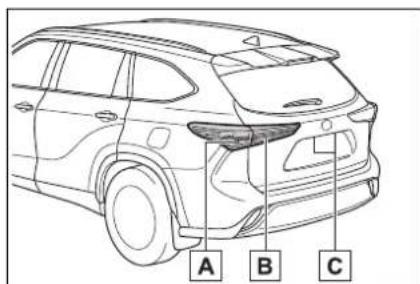
A Rear turn signal lights
B Back-up lights
c License plate lights
■Lights that need to be replaced by your Toyota dealer
● Headlight low beams
● Headlight high beams
● Daytime running lights (types A and C)
● Daytime running lights/parking lights (type B)
- Front fog lights
- Side turn signal lights
- Tail lights/stop lights
- Rear side marker lights
- Tail lights
● High mounted stoplight
● Outer foot lights (if equipped)
LED lights
The lights other than the following lights each consist of a number of LEDs. If any of the LEDs burn out, take your vehicle to your Toyota dealer to have the light replaced.
●Front turn signal lights/parking lights (types A and C)
●Front turn signal lights (type B)
●Front side marker lights
●Rear turn signal lights
●Back-up lights
●License plate lights
■Condensation build-up on the inside of the lens
Temporary condensation build-up on the inside of the light lens does not indicate a malfunction. Contact your Toyota dealer for more information in the following situations:
● Large drops of water have built up
on the inside of the lens.
●Water has built up inside the light.
■When replacing light bulbs →P.447
Replacing light bulbs
■Front turn signal lights/parking lights (types A and C) and front turn signal lights (type B)
1 Turn the bulb base counterclockwise and remove it.
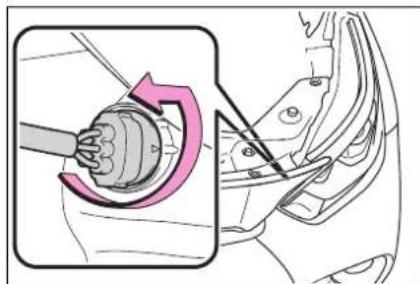
natural_image
Mechanical assembly diagram showing a rotating component with a curved arrow indicating rotation (no text or symbols present)2 Remove the light bulb.
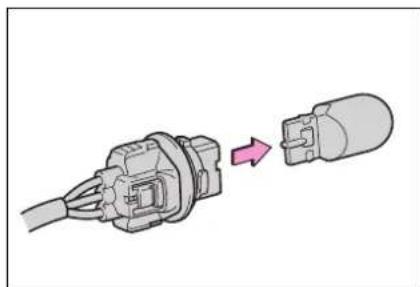
natural_image
Diagram of a cable connector being inserted into a plug, showing the connector's internal structure and color change (no text or symbols)3 Install a new light bulb, and then install the bulb base to the light unit by inserting it and turning the bulb base clockwise.
After installing the bulb base, wiggle it lightly to make sure it is securely installed and turn the lights and turn signal lights on to visually
check that there is no light leaking from between the bulb base and light unit.
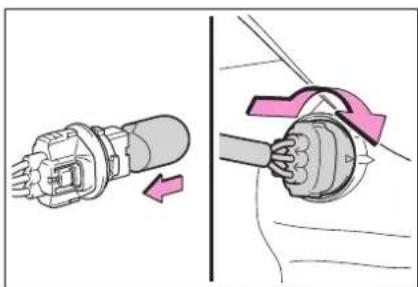
natural_image
Diagram showing a connector being inserted into a cable, with no text or symbols present.■Front side marker lights
1 Turn the bulb base counterclockwise and remove it.
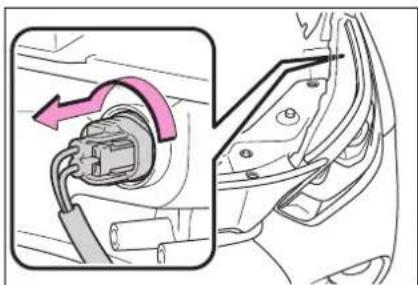
natural_image
Diagram showing a car plug inserted into a car body, with an arrow indicating the direction of insertion (no text or symbols present)2 Remove the light bulb.
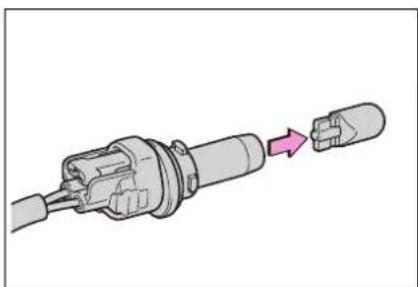
natural_image
Diagram of a connector with a pink arrow indicating insertion or transformation (no text or symbols present)3 Install a new light bulb, and then install the bulb base to the light unit by inserting it and turning the bulb base clockwise.
After installing the bulb base, wiggle it lightly to make sure it is securely installed and turn the lights
on to visually check that there is no light leaking from between the bulb base and light unit.
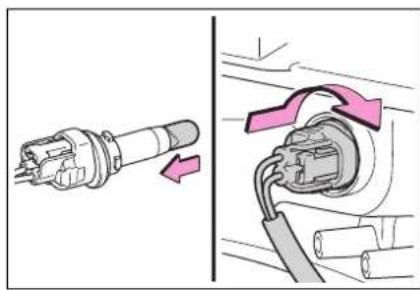
natural_image
Diagram showing two connected electrical connectors with arrows indicating connection direction (no text or symbols)■Rear turn signal lights
1 Open the back door and using a flathead screwdriver, remove the cover.
To prevent damage to the vehicle, wrap the tip of the flathead screw-driver with tape, etc.
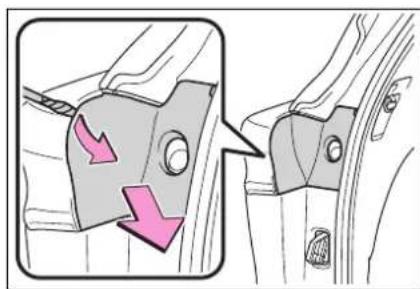
2 Remove the securing 2 screws and light unit.
Remove the light unit by pulling it straight back from the rear of the vehicle.
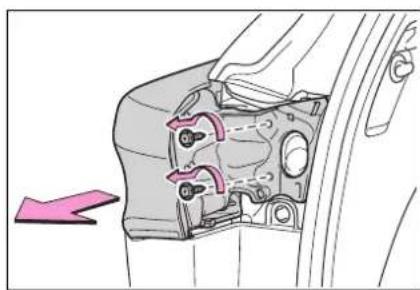
natural_image
Technical diagram of a mechanical component with no visible text or symbols3 Disconnect the wire harness.
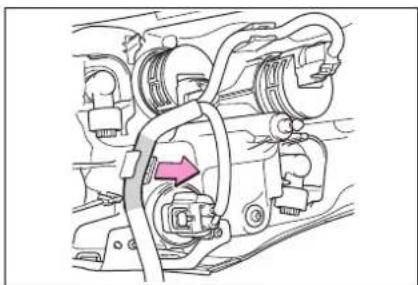
natural_image
Mechanical assembly diagram showing hoses and connectors with a pink arrow indicating a specific component (no text or labels present)4 Turn the bulb base counterclockwise and remove it.
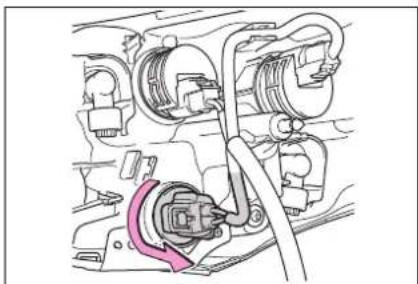
natural_image
Technical diagram of an engine compartment showing hoses and a central connector (no text or labels)5 Remove the light bulb.
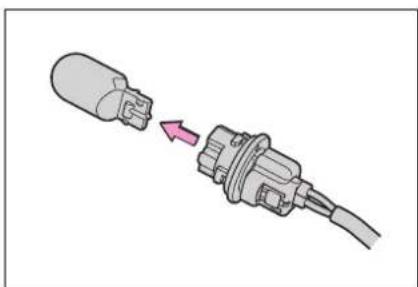
natural_image
Diagram of a plug with a cable, showing a connector and directional arrow (no text or symbols)6 Install a new light bulb, and then install the bulb base to the light unit by inserting it and turning it clockwise.
After installing the bulb base, wiggle it lightly to make sure it is securely installed and turn on the turn signal lights to visually check that there is no light leaking from between the bulb base and light
unit.
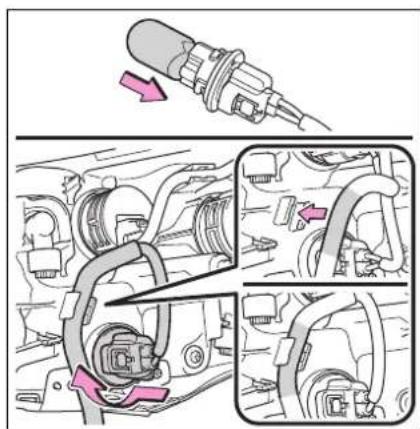
7 Install the light unit.
Align the 2 guides and push the light unit toward the front of the vehicle to install it.
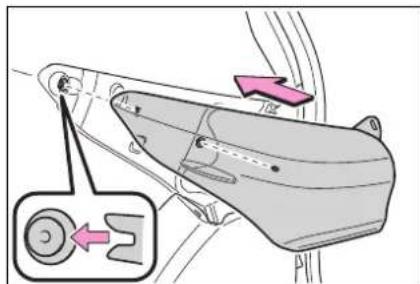
8 Install the 2 screws.
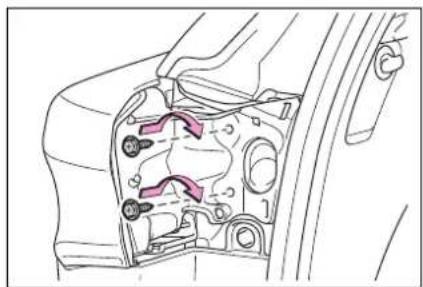
natural_image
Technical line drawing of a mechanical component with internal parts and mounting holes (no text or symbols)9 Install the cover.
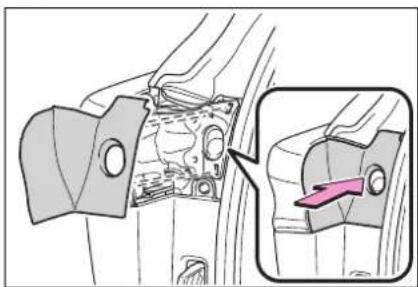
natural_image
Mechanical component diagram showing a bracket with internal parts and an inset view of a highlighted section (no text or symbols)■Back-up lights
1 Open the back door and remove the cover.
Using a flathead screwdriver, remove the cover.
To prevent damage to the vehicle, wrap the tip of the flathead screw-driver with tape, etc.
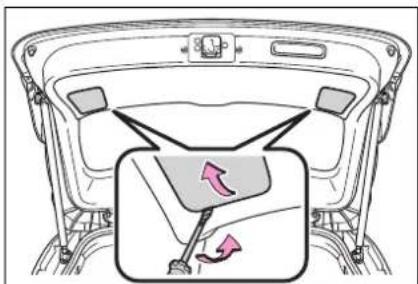
2 Turn the bulb base counterclockwise and remove it.
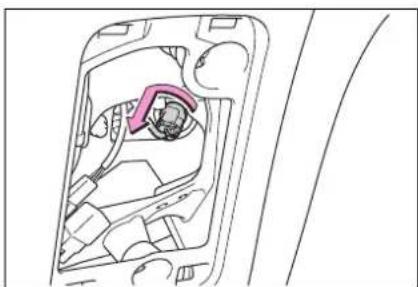
natural_image
Technical line drawing of a car interior showing internal components and a highlighted section (no text or symbols)3 Remove the light bulb.
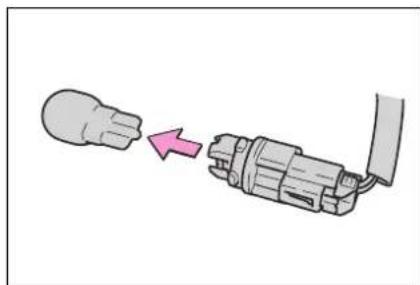
natural_image
Diagram showing a plug being inserted into a socket (no text or symbols present)4 Install a new light bulb, and then install the bulb base to the light unit by inserting it and turning it clockwise.
After installing the bulb base, wiggle it lightly to make sure it is securely installed and turn on the back-up lights to visually check that there is no light leaking from between the bulb base and light unit.
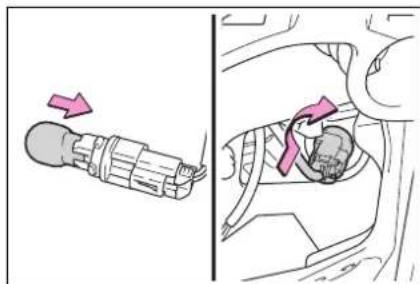
5 Install the cover.
Align the tabs of the cover with the grooves and install the cover.
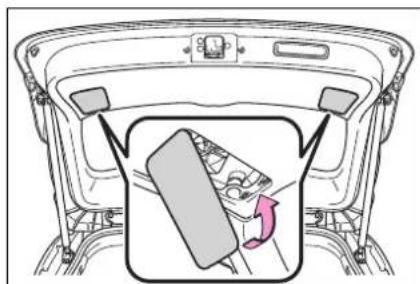
natural_image
Diagram of a car rearview showing the dashboard and seat area with a gear shift indicator (no text or symbols)■License plate lights
1 Remove the cover.
Using a flathead screwdriver, remove the cover.
To prevent damage to the vehicle, wrap the tip of the flathead screw-driver with tape, etc.
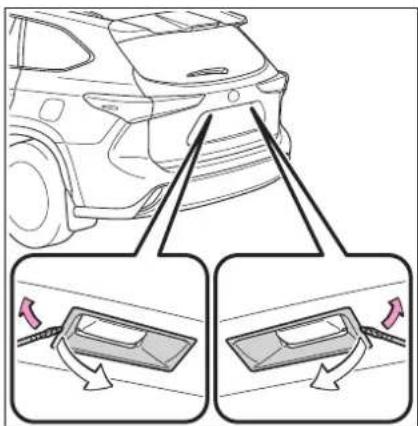
2 Remove the lens.
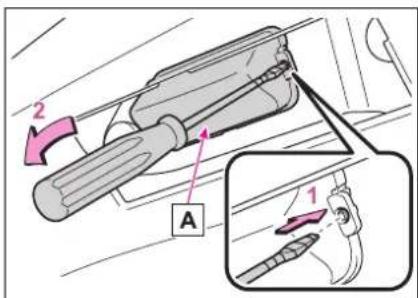
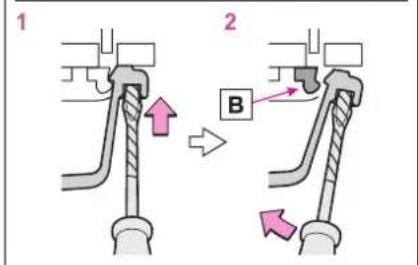
A Lens
B Hook
1 Insert a small flathead screw-driver, etc. into either the right or left hole of the lens.
2 Push the screwdriver sideways in the direction of the arrow shown in the illustration, disengage the hook, and then remove the lens.
To prevent damage to the vehicle, wrap the tip of the screwdriver with tape, etc.
3 Remove the light bulb.
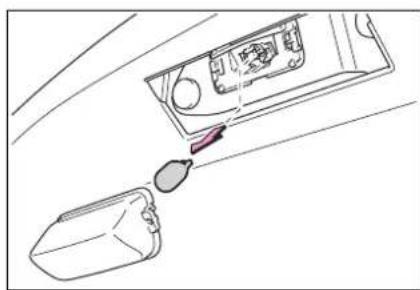
natural_image
Line drawing of a device with a container and a droplet, no text or symbols present4 Install a new light bulb.
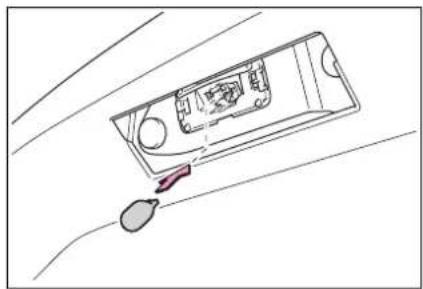
natural_image
Line drawing of a vehicle interior with a highlighted seat and roof, no text or symbols present5 Install the lens.
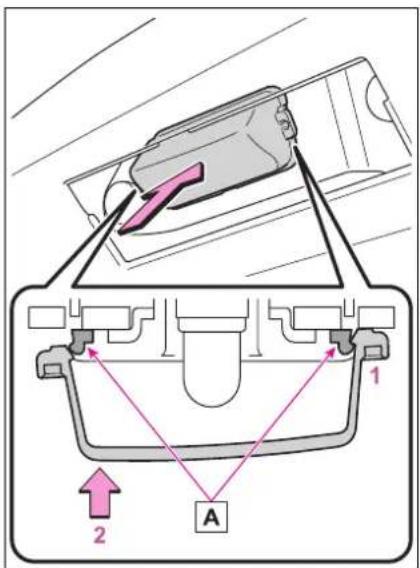
A Hooks
1 Fit the lens into either the right or left hooks.
2 Push the lens into place.
After installation, confirm that the lens is properly installed by gently pulling it.
6 Install the cover.
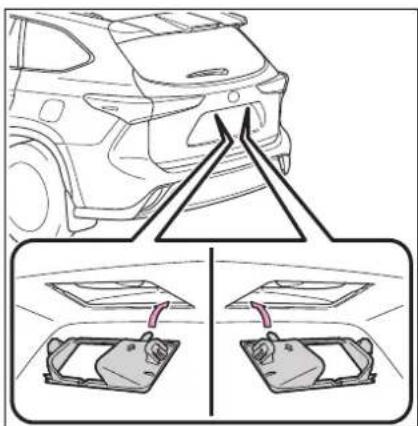

WARNING
■To prevent injury
Before performing any light bulb replacement procedure, be sure to turn the power switch off. Failure to do so may result in burns from hot components or a part of your body may get caught on an operating component, possibly causing serious injury.
■Replacing light bulbs
●Turn off the lights. Do not attempt to replace the bulb immediately after turning off the lights. The bulbs become very hot and may cause burns.
- Do not touch the glass portion of the light bulb with bare hands. When it is unavoidable to hold the glass portion, use and hold with a clean dry cloth to avoid getting moisture and oils on the bulb. Also, if the bulb is scratched or dropped, it may blow out or crack.
● Fully install light bulbs and any parts used to secure them. Failure to do so may result in heat damage, fire, or water entering the light unit. This may damage the lights or cause condensation to build up on the lens.
- Do not attempt to repair or disassemble light bulbs, connectors, electric circuits or component parts. Doing so may result in death or serious injury due to electric shock.
● Make sure bulbs are fully seated and locked.
- Check the wattage of the bulb before installing to prevent heat damage.
■To prevent damage or fire
When trouble arises
7
7-1. Essential information
Emergency flashers .... 458
If your vehicle has to be stopped in an emergency 458
If the vehicle is trapped in rising water.... 459
7-2. Steps to take in an emergency
If your vehicle needs to be towed.... 461
If you think something is wrong 464
If a warning light turns on or a warning buzzer sounds 466
If a warning message is displayed.... 476
If you have a flat tire.... 481
If the hybrid system will not start.... 493
If you lose your keys ... 495
If the fuel filler door cannot be opened.... 495
If the electronic key does not operate properly.. 496
If the 12-volt battery is discharged.... 498
If your vehicle overheats 504
If the vehicle becomes stuck 507
Emergency flashers
The emergency flashers are used to warn other drivers when the vehicle has to be stopped on the road due to a breakdown, etc.
Operating instructions
Press the switch.
All the turn signal lights will flash. To turn them off, press the switch once again.
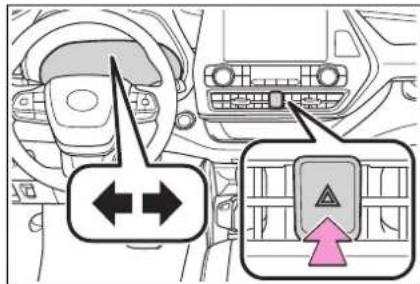
Emergency flashers
- If the emergency flashers are used for a long time while the hybrid system is not operating (while the "READY" indicator is not illuminated), the 12-volt battery may discharge.
- If any of the SRS airbags deploy (inflate) or in the event of a strong rear impact, the emergency flashers will turn on automatically. The emergency flashers will turn off automatically after operating for approximately 20 minutes. To manually turn the emergency flashers off, press the switch twice. (The emergency flashers may not turn on automatically depending on the force of the impact and conditions of the collision.)
If your vehicle has to be stopped in an emergency
Only in an emergency, such as if it becomes impossible to stop the vehicle in the normal way, stop the vehicle using the following procedure:
Stopping the vehicle
1 Steadily step on the brake pedal with both feet and firmly depress it.
Do not pump the brake pedal repeatedly as this will increase the effort required to slow the vehicle.
2 Shift the shift lever to N.
▶ If the shift lever is shifted to N
3 After slowing down, stop the vehicle in a safe place by the road.
4 Stop the hybrid system.
▶ If the shift lever cannot be shifted to N
3 Keep depressing the brake pedal with both feet to reduce vehicle speed as much as possible.
4 To stop the hybrid system, press and hold the power switch for 2 consecutive seconds or more, or press it
briefly 3 times or more in succession.
5 Stop the vehicle in a safe place by the road.

WARNING
■If the hybrid system has to be turned off while driving
Power assist for the steering wheel will be lost, making the steering wheel heavier to turn. Decelerate as much as possible before turning off the hybrid system.
If the vehicle is trapped in rising water
In the event the vehicle is submerged in water, remain calm and perform the following.
- Remove the seat belt first.
- If the door can be opened, open the door and exit the vehicle.
- If the door can not be opened, open the window using the power window switch and exit the vehicle through the window.
- If the window can not be opened using the power window switch, remain calm, wait until the water level inside the vehicle rises to the point that the water pressure inside of the vehicle equals the water pressure outside of the vehicle, and then open the door and exit the vehicle.

WARNING
■Using an emergency hammer*1 for emergency escape
The rear side windows and rear window of this vehicle can be shattered by an emergency hammer ^1 used for emergency escape, however, since the windshield and front side windows ^2 are laminated glass they can not be shattered by an emergency hammer ^*1 .
*1: Contact your Toyota dealer or aftermarket accessory manufacturer for further information about an emergency hammer.
*2: Vehicles with laminated glass
■ Escaping the vehicle from the window
There are cases where escaping the vehicle from the window is not possible due to seating position, passenger body type, etc. When using an emergency hammer, consider your seat location and the size of the window opening to ensure that the opening is accessible and large enough to escape.
■How to distinguish laminated glass
When looking from the cross-sectional view point, laminated glass is two sheets of glass pasted together.
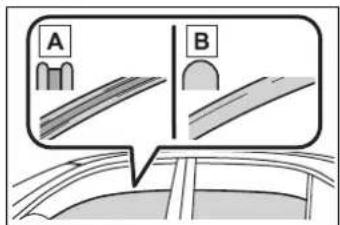
A Laminated glass
B Tempered glass
If your vehicle needs to be towed
If towing is necessary, we recommend having your vehicle towed by your Toyota dealer or commercial towing service, using a wheel-lift type truck or flat-bed truck.
Use a safety chain system for all towing, and abide by all state/provincial and local laws.
If towing your vehicle with a wheel-lift type truck from the front, the vehicle's rear wheels and axles must be in good conditions. (→P.463)
If they are damaged, use a towing dolly or flatbed truck.

WARNING
Observe the following precautions.
Failure to do so may result in death or serious injury.
■When towing the vehicle
2WD models
Be sure to transport the vehicle with the front wheels raised or with all four wheels raised off the ground. If the vehicle is towed with the front wheels contacting the ground, the drivetrain and related parts may be damaged or electricity generated by the operation of the motor may cause a fire to occur depending on the nature of the damage or malfunction.
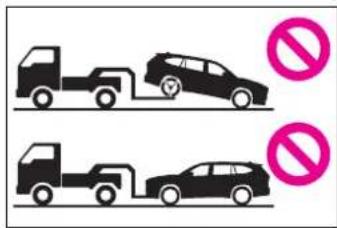
AWD models
Be sure to transport the vehicle with all four wheels raised off the ground. If the vehicle is towed with the tires contacting the ground, the drivetrain or related parts may be damaged, the vehicle may fly off the truck, or electricity generated by the operation of the motor may cause a fire to occur depending on the nature of the damage or malfunction.
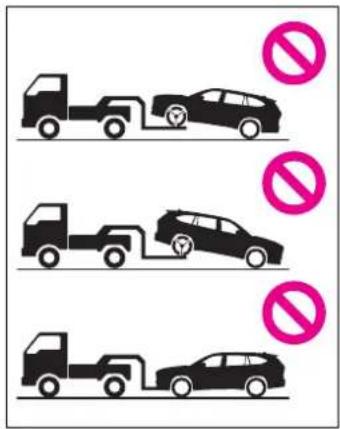

WARNING
■While towing
- When towing using cables or chains, avoid sudden starts, etc. which place excessive stress on the towing eyelets, cables or chains. The towing eyelets, cables or chains may become damaged, broken debris may hit people, and cause serious damage.
- Do not turn the power switch off. There is a possibility that the steering wheel is locked and cannot be operated.
■Recreational towing (behind motor home, etc.)
Never dinghy tow your vehicle to prevent causing serious damage to the Hybrid AWD system (AWD models) and transmission. (→P.212)
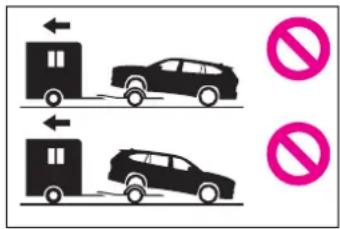

NOTICE
■To prevent damage to the vehicle when towing using a wheel-lift type truck
- Do not tow the vehicle from the rear when the power switch is off. The steering lock mechanism is not strong enough to hold the front wheels straight.
- When raising the vehicle, ensure adequate ground clearance for towing at the opposite end of the raised vehicle. Without adequate clearance, the vehicle could be damaged while being towed.
■To prevent damage to the vehicle when towing with a sling-type truck
Do not tow with a sling-type truck, either from the front or rear.
■To prevent damage to the vehicle during emergency towing
Do not secure cables or chains to the suspension components.
Situations when it is necessary to contact dealers before towing
The following may indicate a problem with your transmission. Contact your Toyota dealer or commercial towing service before towing.
● The hybrid system warning message is shown on the multi-information display and the vehicle does not move.
● The vehicle makes an abnormal sound.
Towing with a wheel-lift type truck
From the front (2WD models)
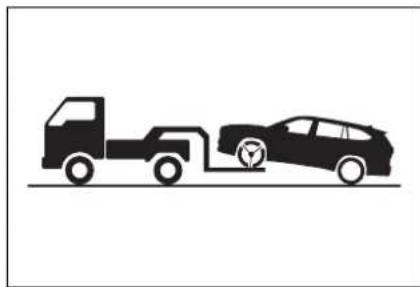
natural_image
Silhouette illustration of a truck and a car with wheels, no text or symbols presentRelease the parking brake.
Turn automatic mode off. (→P.225)
▶ From the front (AWD models)
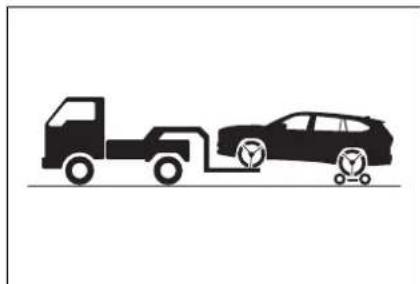
natural_image
Silhouette illustration of a truck and a car on a road, no text or symbols presentUse a towing dolly under the rear wheels.
From the rear
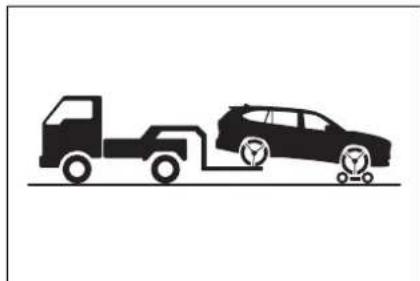
natural_image
Silhouette illustration of a truck and car on a road, no text or symbols presentUse a towing dolly under the front wheels.
NOTICE
■Towing with a sling-type truck
Do not tow with a sling-type truck to prevent body damage.
2WD models
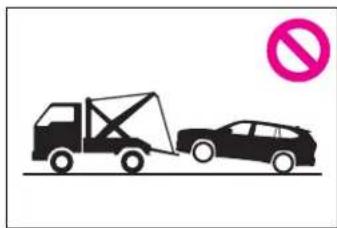
natural_image
Illustration of a tow truck and a car with a no-smoking symbol (no text or labels)AWD models
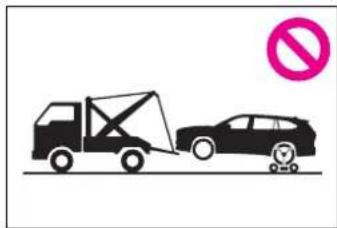
natural_image
Illustration of a car being towed by a crane, with a no-smoking symbol (no text or labels)Using a flatbed truck
When using a flat-bed truck to transport the vehicle, use tire strapping belts. Refer to the owner's manual of the flat-bed truck for the tire strapping method.
In order to suppress vehicle movement during transportation, set the parking brake and turn the power switch off.
Emergency towing
A driver must be in the vehicle to steer and operate the brakes.
The vehicle's wheels, drive train, axles, steering and brakes must
be in good condition.
If you think something is wrong
If you notice any of the following symptoms, your vehicle probably needs adjustment or repair. Contact your Toyota dealer as soon as possible.
Visible symptoms
- Fluid leaks under the vehicle (Water dripping from the air conditioning after use is normal.)
- Flat-looking tires or uneven tire wear
● Engine coolant temperature gauge needle continually points higher than normal
Audible symptoms
● Changes in exhaust sound
● Excessive tire squeal when cornering
● Strange noises related to the suspension system
● Pinging or other noises related to the hybrid system
Operational symptoms
● Engine missing, stumbling or running roughly
● Appreciable loss of power
● Vehicle pulls heavily to one
side when braking
● Vehicle pulls heavily to one side when driving on a level road
- Loss of brake effectiveness, spongy feeling, pedal almost touches the floor
If a warning light turns on or a warning buzzer sounds
Calmly perform the following actions if any of the warning lights comes on or flashes. If a light comes on or flashes, but then goes off, this does not necessarily indicate a malfunction in the system. However, if this continues to occur, have the vehicle inspected by your Toyota dealer.
Actions to the warning lights or warning buzzers
■Brake system warning light
| Warning light | Details/Actions |
 (U.S.A.)or (U.S.A.)or (red)(Canada) (red)(Canada) | Indicates that:● The brake fluid level is low; or● The brake system is malfunctioning→ Immediately stop the vehicle in a safe place and contact your Toyota dealer. Continuing to drive the vehicle may be dangerous. |
■Brake system warning light
| Warning light | Details/Actions |
 (yellow) (yellow) | Indicates a malfunction in:● The regenerative braking system;● The electronically controlled brake system; or● The electric parking brake→ Have the vehicle inspected by your Toyota dealer immediately. |
■High coolant temperature warning light ^* (warning buzzer)
| Warning light | Details/Actions |
 | Indicates that the engine coolant temperature is too high → Immediately stop the vehicle in a safe place. Handling method (→P.504) |
* : This light illuminates on the multi-information display.
■Hybrid system overheat warning light \* (warning buzzer)
| Warning light Details/Actions | |
 | Indicates the hybrid system has overheated → Stop the vehicle in a safe place. Handling method (→P.505) |
*: This light illuminates on the multi-information display.
■Charging system warning light \*
| Warning light | Details/Actions |
 | Indicates a malfunction in the vehicle's charging system → Immediately stop the vehicle in a safe place and contact your Toyota dealer. |
* : This light illuminates on the multi-information display.
■Low engine oil pressure warning light ^* (warning buzzer)
| Warning light | Details/Actions |
 | Indicates that the engine oil pressure is too low→ Immediately stop the vehicle in a safe place and contact your Toyota dealer. |
*: This light illuminates on the multi-information display.
■Malfunction indicator lamp
| Warning light Details/Actions | |
 (U.S.A.)or (U.S.A.)or (Canada) (Canada) | Indicates a malfunction in:● The hybrid system;● The electronic engine control system; or● The electronic throttle control system;→ Immediately stop the vehicle in a safe place and contact your Toyota dealer. |
■SRS warning light
| Warning light | Details/Actions |
 | Indicates a malfunction in:● The SRS airbag system;● The front passenger occupant classification system; or● The seat belt pretensioner system→ Have the vehicle inspected by your Toyota dealer immediately. |
■ABS warning light
| Warning light Details/Actions | |
 (U.S.A.)or (U.S.A.)or (Canada) (Canada) | Indicates a malfunction in:● The ABS; or● The brake assist system→ Have the vehicle inspected by your Toyota dealer immediately. |
■Brake Override System warning light/Drive-Start Control warning light\* (warning buzzer)
| Warning light | Details/Actions |
 | When a buzzer sounds:● Brake Override System is malfunctioning;● Drive-Start Control is operating;● Drive-Start Control is malfunctioning; or● Parking Support Brake function (for static objects) (if equipped) is operating→Follow the instructions displayed on the multi-information display.When a buzzer does not sound:Brake Override System is operating→Release the accelerator pedal and depress the brake pedal. |
*: This light illuminates on the multi-information display.
■Electric power steering system warning light (warning buzzer)
| Warning light | Details/Actions |
 (red/yellow) (red/yellow) | Indicates a malfunction in the EPS (Electric Power Steering) system→ Have the vehicle inspected by your Toyota dealer immediately. |
■Low fuel level warning light
| Warning light Details/Actions | |
 | Indicates that remaining fuel is approximately 2.6 gal. (9.7 L, 2.1 Imp. gal.) or less→ Refuel the vehicle. |
Driver's and front passenger's seat belt reminder light (warning buzzer)\*
| Warning light Details/Actions | |
 | Warns the driver and/or front passenger to fasten their seat belts→ Fasten the seat belt.If the front passenger's seat is occupied, the front passenger's seat belt also needs to be fastened to make the warning light (warning buzzer) turn off. |
*: Driver's seat belt warning buzzer:
The driver's seat belt warning buzzer sounds to alert the driver that his or her seat belt is not fastened. Once the power switch is turned to ON, the buzzer sounds. If the seat belt is still unfastened, the buzzer sounds intermittently for a certain period of time after the vehicle reaches a certain speed.
Front passenger's seat belt warning buzzer:
The front passenger's seat belt warning buzzer sounds to alert the front passenger that his or her seat belt is not fastened. If the seat belt is unfastened, the buzzer sounds intermittently for a certain period of time after the vehicle reaches a certain speed.
■Rear passengers' seat belt reminder light ^1 (warning buzzer) ^2
| Warning light Details/Actions | |
 | Warns the second and/or third seat passengers to fasten their seat belts. An indicator corresponding to an unfas-tened second or third seat seat belt will illuminate.→ Fasten the seat belt. |
^1 :This light illuminates on the multi-information display.
^2 :Rear passengers' seat belt warning buzzer:
The rear passengers' seat belt warning buzzer sounds to alert the rear passenger that his or her seat belt is not fastened. If the seat belt is unfastened, the buzzer sounds intermittently for a certain period of time, after the seat belt is fastened and unfastened and the vehicle reaches a certain speed.
■Tire pressure warning light
| Warning light Details/Actions | |
 | When the light comes on after blinking for approximately 1 minute:Malfunction in the tire pressure warning system→ Have the system checked by your Toyota dealer.When the light comes on:Low tire inflation pressure such as● Natural causes● Flat tire→ Immediately stop the vehicle in a safe place. Handling method (→P.474) |
■LTA indicator ^* (warning buzzer)
| Warning light Details/Actions | |
 (orange) (orange) | Indicates a malfunction in the LTA (Lane Tracing Assist)→Follow the instructions displayed on the multi-information display. (→P.270) |
*: This light illuminates on the multi-information display.
■Intuitive parking assist OFF indicator (warning buzzer)
| Warning light Details/Actions | |
 (flashes)(if equipped) (flashes)(if equipped) | Indicates a malfunction in the intuitive parking assist function→ Have the vehicle inspected by your Toyota dealer immediately.Indicates that the system is temporarily unavailable, possibly due to a sensor being dirty or covered with ice, etc.→Follow the instructions displayed on the multi-information display. (→P.295) |
■RCTA OFF indicator ^* (warning buzzer)
| Warning light Details/Actions | |
 (flashes) (flashes) | When a buzzer sounds:Indicates a malfunction in the RCTA (Rear Cross Traffic Alert) function→ Have the vehicle inspected by your Toyota dealer immediately.When a buzzer does not sound:Indicates that the rear bumper around the radar sensor is covered with dirt, etc. (→P.288)→Follow the instructions displayed on the multi-information display. (→P.301) |
* : This light illuminates on the multi-information display.
■PKSB OFF indicator (warning buzzer)
| Warning light Details/Actions | |
 (flashes)(if equipped) (flashes)(if equipped) | When a buzzer sounds:Indicates a malfunction in the PKSB (Parking Support Brake) system→ Have the vehicle inspected by your Toyota dealer immediately.When a buzzer does not sound:Indicates that the system is temporarily unavailable, possibly due to a sensor being dirty or covered with ice, etc.→Follow the instructions displayed on the multi-information display. (→P.310, 476) |
■PCS warning light
| Warning light | Details/Actions |
 (flashes or illuminates) (flashes or illuminates) | When a buzzer sounds simultaneously:Indicates a malfunction has occurred in the PCS (Pre-Collision System).→ Have the vehicle inspected by your Toyota dealer immediately.When a buzzer does not sound:The PCS (Pre-Collision System) has become temporarily unavailable, corrective action may be necessary.→ Follow the instructions displayed on the multi-information display. (→P.243, 479)If the PCS (Pre-Collision System) or VSC (Vehicle Stability Control) system is disabled, the PCS warning light will illu-minate.→ P.259 |
Slip indicator
| Warning light | Details/Actions |
 | When the warning light is illuminated:Indicates a malfunction in:The VSC system;The TRAC system;The Trailer Sway Control; orThe hill-start assist control system; Have the vehicle inspected by your Toyota dealer immediately.When the warning light flashes:Indicates that the ABS, VSC, TRAC or Trailer Sway Control system is operating |
■Parking brake indicator (warning buzzer) \*
| Warning light Details/Actions | |
 | It is possible that the parking brake is not fully engaged or released→ Operate the parking brake switch once again. This light comes on when the parking brake is not released. If the light turns off after the parking brake is fully released, the system is operating normally. |
 | |
 | |
| or | |
 | |
| (flashes) | |
| (Canada) | |
*: A buzzer will sound if the vehicle is driven at a speed of approximately 3 mph (5 km/h) or more.
■Brake hold operated indicator
| Warning light Details/Actions | |
 (flashes) (flashes) | Indicates a malfunction in the brake hold system→ Have the vehicle inspected by your Toyota dealer immediately. |
■Warning buzzer
In some cases, the buzzer may not be heard due to being in a noisy location or audio sound.
■Front passenger detection sensor, seat belt reminder and warning buzzer
- If luggage is placed on the front passenger seat, the front passenger detection sensor may cause the warning light to flash and the warning buzzer to sound even if a passenger is not sitting in the seat.
- If a cushion is placed on the seat, the sensor may not detect a passenger, and the warning light may not operate properly.
■ SRS warning light
This warning light system monitors the airbag sensor assembly, front impact sensors, side impact sensors (front), side impact sensors (front
door), side impact sensors (rear), driver's seat position sensor, driver's seat belt buckle switch, front passenger occupant classification system (ECU and sensors), "PASS AIR BAG ON" indicator light, "PASS AIR BAG OFF" indicator light, front passenger's seat belt buckle switch, driver's seat belt pretensioner, front passenger's seat belt pretensioner and force limiter, airbags, interconnecting wiring and power sources. (→P.34)
■If the malfunction indicator lamp comes on while driving
First check the following:
●Is the fuel tank empty? If it is, fill the fuel tank immediately.
●Is the fuel tank cap loose? If it is, tighten it securely.
The light will go off after several driving trips.
If the light does not go off even after several trips, contact your Toyota
dealer as soon as possible.
Electric power steering system warning light (warning buzzer)
When the 12-volt battery charge becomes insufficient or the voltage temporarily drops, the electric power steering system warning light may come on and the warning buzzer may sound.
■When the tire pressure warning light comes on
Inspect the tires to check if a tire is punctured.
If a tire is punctured: →P.481
If none of the tires are punctured: Turn the power switch off then turn it to ON. Check if the tire pressure warning light comes on or blinks.
▶ If the tire pressure warning light blinks for 1 minute then stays on
There may be a malfunction in the tire pressure warning system. Have the vehicle inspected by your Toyota dealer immediately.
▶ If the tire pressure warning light comes on
1 After the temperature of the tires has lowered sufficiently, check the inflation pressure of each tire and adjust them to the specified level.
2 If the warning light does not turn off even after several minutes have elapsed, check that the inflation pressure of each tire is at the specified level and perform initialization. (→P.431)
If the warning light does not turn off several minutes after the initialization has been performed, have the vehicle inspected by your Toyota dealer immediately.
■The tire pressure warning light may come on due to natural causes
The tire pressure warning light may come on due to natural causes such as natural air leaks and tire inflation
pressure changes caused by temperature. In this case, adjusting the tire inflation pressure will turn off the warning light (after a few minutes).
■When a tire is replaced with a spare tire
The compact spare tire is not equipped with a tire pressure warning valve and transmitter. If a tire goes flat, the tire pressure warning light will not turn off even though the flat tire has been replaced with the spare tire. Replace the spare tire with the repaired tire and adjust the tire inflation pressure. The tire pressure warning light will go off after a few minutes.
■Conditions that the tire pressure warning system may not function properly
$$ \rightarrow \mathrm{P}. 4 2 7 $$

WARNING
If both the ABS and the brake system warning lights remain on
Stop your vehicle in a safe place immediately and contact your Toyota dealer.
The vehicle will become extremely unstable during braking, and the ABS system may fail, which could cause an accident resulting in death or serious injury.

WARNING
■When the electric power steering system warning light comes on
When the light comes on yellow, the assist to the power steering is restricted. When the light comes on red, the assist to the power steering is lost and handling operations of the steering wheel become extremely heavy. When steering wheel operations are heavier than usual, grip the steering wheel firmly and operate it using more force than usual.
■If the tire pressure warning light comes on
Be sure to observe the following precautions.
Failure to do so could cause a loss of vehicle control and result in death or serious injury.
- Stop your vehicle in a safe place as soon as possible. Adjust the tire inflation pressure immediately.
- If the tire pressure warning light comes on even after tire inflation pressure adjustment, it is probable that you have a flat tire. Check the tires. If a tire is flat, change it with the spare tire and have the flat tire repaired by the nearest Toyota dealer.
● Avoid abrupt maneuvering and braking. If the vehicle tires deteriorate, you could lose control of the steering wheel or the brakes.
If a blowout or sudden air leakage should occur
The tire pressure warning system may not activate immediately.
■Maintenance of the tires
Each tire, including the spare (if provided), should be checked monthly when cold and inflated to the inflation pressure recommended by the vehicle manufacturer on the vehicle placard or tire inflation pressure label (tire and load information label). (If your vehicle has tires of a different size than the size indicated on the vehicle placard or tire inflation pressure label [tire and load information label], you should determine the proper tire inflation pressure for those tires.)
As an added safety feature, your vehicle has been equipped with a tire pressure monitoring system (TPMS-tire pressure warning system) that illuminates a low tire pressure telltale (tire pressure warning light) when one or more of your tires is significantly under-inflated. Accordingly, when the low tire pressure telltale (tire pressure warning light) illuminates, you should stop and check your tires as soon as possible, and inflate them to the proper pressure. Driving on a significantly under-inflated tire causes the tire to overheat and can lead to tire failure. Under-inflation also reduces fuel efficiency and tire tread life, and may affect the vehicle's handling and stopping ability.
Please note that the TPMS (tire pressure warning system) is not a substitute for proper tire maintenance, and it is the driver's responsibility to maintain correct tire pressure, even if under-inflation has not reached the level to trigger illumination of the TPMS low tire pressure telltale (tire pressure warning light).

WARNING
Your vehicle has also been equipped with a TPMS (tire pressure warning system) malfunction indicator to indicate when the system is not operating properly. The TPMS (tire pressure warning system) malfunction indicator is combined with the low tire pressure telltale (tire pressure warning light). When the system detects a malfunction, the telltale will flash for approximately one minute and then remain continuously illuminated. This sequence will continue upon subsequent vehicle start-ups as long as the malfunction exists. When the malfunction indicator is illuminated, the system may not be able to detect or signal low tire pressure as intended.
TPMS (tire pressure warning system) malfunctions may occur for a variety of reasons, including the installation of replacement or alternate tires or wheels on the vehicle that prevent the TPMS (tire pressure warning system) from functioning properly. Always check the TPMS (tire pressure warning system) malfunction tell-tale after replacing one or more tires or wheels on your vehicle to ensure that the replacement or alternate tires and wheels allow the TPMS (tire pressure warning system) to continue to function properly.

NOTICE
■To ensure the tire pressure warning system operates properly
Do not install tires with different specifications or makers, as the tire pressure warning system may not operate properly.
If a warning message is displayed
The multi-information display shows warnings of system malfunctions, incorrectly performed operations, and messages that indicate a need for maintenance. When a message is shown, perform the correction procedure appropriate to the message.
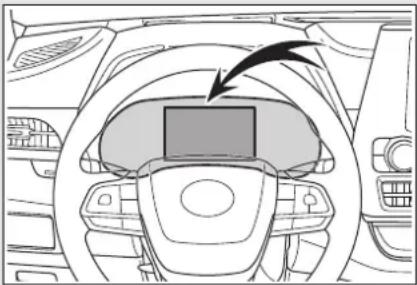
natural_image
Interior view of a car dashboard with steering wheel and dashboard (no text or symbols visible)Additionally, if a warning light comes on or flashes at the same time that a warning message is displayed, take the appropriate corrective action for the warning light. ( P.466)
If a warning message is displayed again after the appropriate actions have been performed, contact your Toyota dealer.
Messages and warnings
The warning lights and warning buzzers operate as follows depending on the content of the message. If a message indicates the need for inspection by a dealer, have the vehicle inspected by your Toyota dealer immediately.
| Warning light | Warning buzzer* | Warning |
| - Sounds | Indicates an important situation, such as when a system related to driving is malfunctioning or that danger may result if the correction procedure is not performedIndicates a situation, such as when damage to the vehicle or danger may result | |
| Comes on or flashes | Sounds | Indicates an important situation, such as when the systems shown on the multi-information display may be malfunctioning |
| - | Does not sound | Indicates a condition, such as malfunction of electrical components, their condition, or indicates the need for maintenanceIndicates a situation, such as when an operation has been performed incorrectly, or indicates how to perform an operation correctly |
* : A buzzer sounds the first time a message is shown on the multi-information display.
■Warning messages
The warning messages explained below may differ from the actual messages according to operation conditions and vehicle specifications.
■Warning buzzer
In some cases, the buzzer may not be heard due to being in a noisy location or audio sound.
If "Engine Oil Level Low Add or Replace" is displayed
The engine oil level is low. Check the level of the engine oil, and add if necessary.
This message may appear if the vehicle is stopped on a slope. Move the vehicle to a level surface and check to see if the message disappears.
If "Hybrid System Stopped Steering Power Low" is displayed
This message is displayed if the hybrid system is stopped while driving.
When steering wheel operations are heavier than usual, grip the steering wheel firmly and operate it using more force than usual.
If "Hybrid System Overheated Output Power Reduced" is displayed
This message may be displayed when driving under severe operating conditions. (For example, when driving up a long steep hill.) Handling method: →P504
If "Traction Battery Needs to be Protected Refrain from the Use of N Position" is displayed
This message may be displayed when the shift lever is in N.
As the hybrid battery (traction battery) cannot be charged when the shift lever is in N, shift the shift lever to P when the vehicle is stopped.
If "Traction Battery Needs to be Protected Shift into P to Restart" is displayed
This message is displayed when the hybrid battery (traction battery) charge has become extremely low because the shift lever has been left in N for a certain amount of time.
When operating the vehicle, shift to P and restart the hybrid system.
If "Shift to P Before Exiting Vehicle" or "Shift to P when Parked" is displayed
This message is displayed when the driver's door is opened without turning the power switch off with the shift lever in any position other than P. Change the shift lever to P.
If "Shift is in N Release Accelerator Before Shifting" is displayed
The accelerator pedal has been depressed when the shift lever is in N.
Release the accelerator pedal and shift the shift lever to D, S or R.
If "Press Brake when Vehicle is Stopped Hybrid System may Overheat" is displayed
The message may be displayed when the accelerator pedal is depressed to hold the vehicle while the vehicle is stopped on an incline, etc. The hybrid system may overheat. Release the accelerator pedal and depress the brake pedal.
If "Auto Power OFF to Conserve Battery" is displayed
Power was cut off due to the automatic power off function. Next time when starting the hybrid system, operate the hybrid system for approximately 5 minutes to recharge the 12-volt battery.
If "Headlight System Malfunction Visit Your Dealer" is displayed
The following systems may be malfunctioning. Have the vehicle inspected by your Toyota dealer immediately.
●The LED headlight system (if AFS [Adaptive Front-lighting System] equipped)
●AFS (Adaptive Front-lighting System) (if equipped)
●The automatic headlight leveling system (if equipped)
●Automatic High Beam
If "Radar Cruise Control Unavailable" is displayed
The dynamic radar cruise control with full-speed range system cannot be used temporarily. Use the system when it becomes available again.
If a message that indicates the malfunction of front camera is displayed
The following systems may be suspended until the problem shown in the message is resolved. (→P.247, 472)
●PCS (Pre-Collision system)
●LTA (Lane Tracing Assist)
●Automatic High Beam
●RSA (Road Sign Assist) (if equipped)
● Dynamic radar cruise control with full-speed range
If a message that indicates the malfunction of radar sensor is displayed
The following systems may be suspended until the problem shown in the message is resolved. ( P.247, 472)
●PCS (Pre-Collision system)
●LTA (Lane Tracing Assist)
● Dynamic radar cruise control with full-speed range
If “AWD System Overheated Switching to 2WD Mode” or “AWD System Overheated 2WD Mode Engaged” is displayed (AWD models)
This message may be displayed when driving under extremely high load conditions.
Drive the vehicle at low speeds and stop the vehicle in a safe place with the hybrid system operating until the message is cleared.
If the message is not cleared, have the vehicle inspected by your Toyota dealer.
If "Check Fuel Cap" is displayed
The fuel tank cap is not properly installed. Correctly install the fuel tank cap.
If "Maintenance Required Soon" is displayed
Indicates that all maintenance according to the driven distance on the maintenance schedule* should be performed soon.
Comes on approximately 4500 miles (7200 km) after the message has been reset. If necessary, perform maintenance. Please reset the message after the maintenance is performed. (→P.407)
*: Refer to the separate "Scheduled Maintenance Guide" or "Owner's Manual Supplement" for the maintenance interval applicable to your vehicle.
If "Maintenance Required Visit Your Dealer" is displayed
Indicates that all maintenance is required to correspond to the driven distance on the maintenance schedule*.
Comes on approximately 5000 miles (8000 km) after the message has been reset. (The indicator will not work properly unless the message has been reset.) Perform the necessary maintenance. Please reset the message after the maintenance is performed. (→P.407)
*: Refer to the separate "Scheduled Maintenance Guide" or "Owner's Manual Supplement" for the maintenance interval applicable to your vehicle.
If a message that indicates the need for visiting your Toyota dealer is displayed
The system or part shown on the multi-information display is malfunctioning. Have the vehicle inspected by your Toyota dealer immediately.
If a message that indicates the need for referring to Owner's Manual is displayed
- If any of the following messages
are shown on the multi-information display, it may indicate a malfunction. Immediately stop the vehicle and contact your Toyota dealer.
- "Braking Power Low Stop in a Safe Place See Owner's Manual"
- "Oil Pressure Low Stop in a Safe Place See Owner's Manual"
- "Charging System Malfunction Stop in a Safe Place See Owner's Manual"
- "Stop in a Safe Place See Owner's Manual"
- "Shift to P See Owner's Manual"
- If any of the following messages are shown on the multi-information display, the vehicle may have run out of fuel. Stop the vehicle in a safe place and, if the fuel level is low, refuel the vehicle.
- "Hybrid System Stopped"
- "Engine Stopped"
- If any of the following messages are shown on the multi-information display, it may indicate a malfunction. Have the vehicle inspected by your Toyota dealer immediately.
- "Hybrid System Malfunction"
- "Check Engine"
- "Hybrid Battery System Malfunction"
- "Accelerator System Malfunction"
- "Smart Key System Malfunction See Owner's Manual"
- If any of the following messages are shown on the multi-information display, follow the instructions.
- “Engine Coolant Temp High Stop in a Safe Place See Owner's Manual” (→P.504)
- "Maintenance Required for Traction Battery Cooling Parts See Owner's Manual" (→P.441)

NOTICE
If "High Power Consumption Partial Limit on AC/Heater Operation" is displayed frequently
There is a possible malfunction relating to the charging system or the 12-volt battery may be deteriorating. Have the vehicle inspected by your Toyota dealer.
If you have a flat tire
Your vehicle is equipped with a spare tire. The flat tire can be replaced with the spare tire.
For details about tires:
→P.424

WARNING
If you have a flat tire
Do not continue driving with a flat tire.
Driving even a short distance with a flat tire can damage the tire and the wheel beyond repair, which could result in an accident.
Before jacking up the vehicle
- Stop the vehicle in a safe place on a hard, flat surface.
- Set the parking brake.
- Shift the shift lever to P.
- Stop the hybrid system.
- Turn on the emergency flashers. (→P.458)
- Turn off the power back door system. (→P.530)
Location of the spare tire, jack and tools
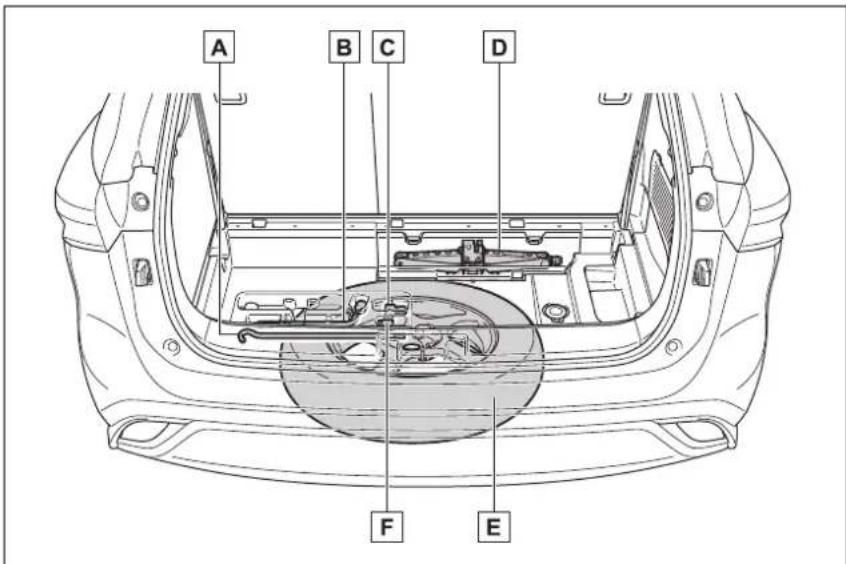
A Jack handle
B Wheel nut wrench
c Adapter socket
D Jack
E Spare tire
F Wheel lock key (if equipped)

WARNING
■Using the tire jack
Observe the following precautions.
Improper use of the tire jack may cause the vehicle to suddenly fall off the jack, leading to death or serious injury.
- Do not use the tire jack for any purpose other than replacing tires or installing and removing tire chains.
● Only use the tire jack that comes with this vehicle for replacing a flat tire. Do not use it on other vehicles, and do not use other tire jacks for replacing tires on this vehicle.

WARNING
● Put the jack properly in its jack point.
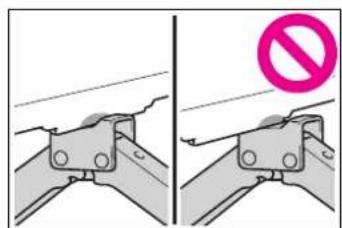
natural_image
Two-panel diagram showing a mechanical bracket with a no-smoking symbol (no text or labels present)●Do not put any part of your body under the vehicle while it is supported by the jack.
- Do not start the hybrid system or drive the vehicle while the vehicle is supported by the jack.
- Do not raise the vehicle while someone is inside.
- When raising the vehicle, do not put an object on or under the jack.
- Do not raise the vehicle to a height greater than that required to replace the tire.
- Use a jack stand if it is necessary to get under the vehicle.
- When lowering the vehicle, make sure that there is no-one near the vehicle. If there are people nearby, warn them vocally before lowering.
Wheel lock nut (if equipped)
When replacing tires on a vehicle with wheel lock nuts, use the following procedures to remove and install the wheel lock nuts. The wheel lock key is stored in the tray inside the luggage com-
partment. Always return the wheel lock key to its original position after use, so that it does not get lost. (→P.482)
Removal
For ease of removal, the wheel lock nut should always be the first one loosened.
1 Place the wheel lock key on top of the wheel lock nut, turning until the wheel lock key and wheel lock nut patterns engage.
2 Place the wheel nut wrench on the wheel lock key, and while applying pressure on the wheel lock key, loosen the wheel lock nut.
Installation
For ease of installation, the wheel lock nut should always be the last one tightened.
1 By hand, install a wheel lock nut on each wheel.
2 Place the wheel lock key on top of the wheel lock nut, turning until the wheel lock key and wheel lock nut patterns engage.
3 Place the wheel nut wrench on the wheel lock key, and while applying pressure on the wheel lock key, tighten the wheel lock nut to the recommended torque.

NOTICE
■When using a wheel lock key (if equipped)
Do not use an impact wrench. Using an impact wrench may cause permanent damage to wheel lock nut and wheel lock key. If in doubt about wheel lock application, contact your Toyota dealer.
Taking out the jack
1 Pull the strap upwards and open the center deck board.
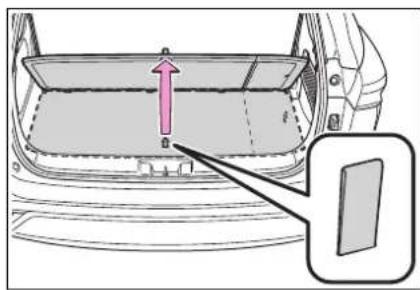
2 Remove the center deck board.
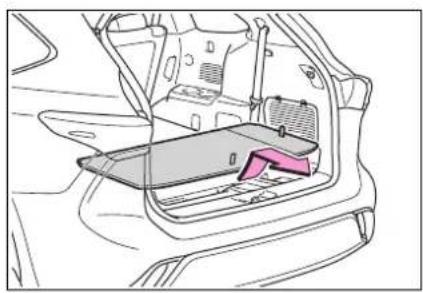
natural_image
Line drawing of a car interior showing the dashboard and seat area (no text or symbols)3 Remove the jack cover.
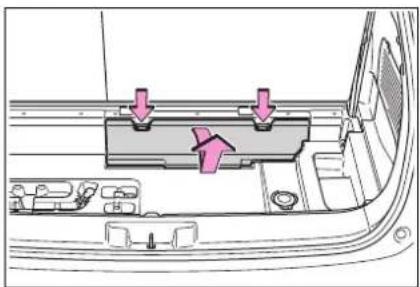
natural_image
Interior view of a car showing a vehicle's rear compartment with arrows pointing to the door panel (no text or symbols present)4 Remove the jack after removing the hook.
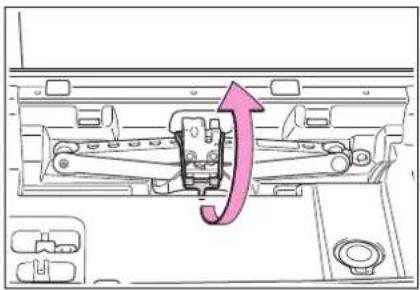
natural_image
Diagram of a mechanical device with an arrow indicating direction, no text or symbols presentTaking out the spare tire
1 Pull the strap upwards and open the center deck board.
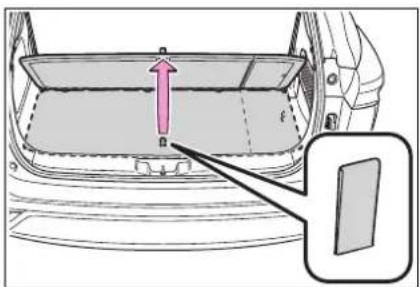
natural_image
Diagram of a car back panel with an arrow indicating upward movement, and a close-up inset showing a door (no text or symbols)2 Remove the center deck board.
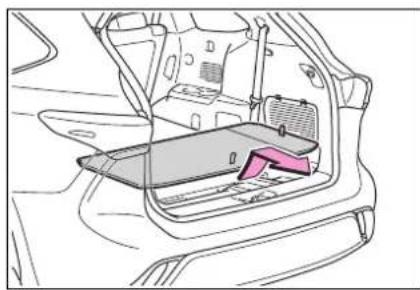
natural_image
Line drawing of a car interior showing the rearrest frame and internal compartments (no text or symbols)3 Remove the cover.
If it is difficult to remove the cover, you can use your key.
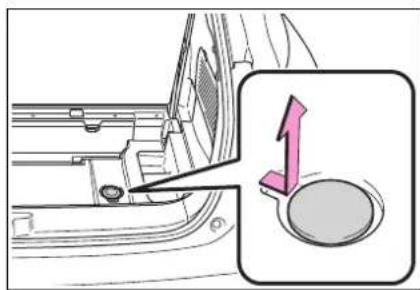
4 Attach the adapter socket to the spare tire clamp bolt.
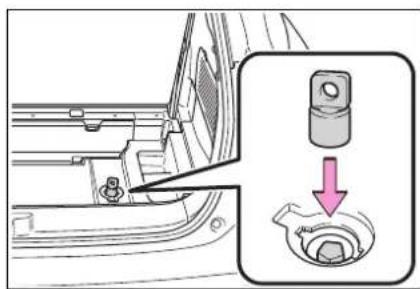
5 Connect the jack handle extension to the jack handle.
Check that the extension is locked
in place by the button.
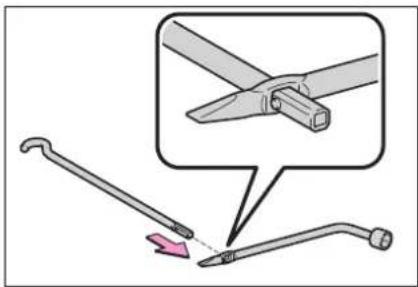
6 Connect the jack handle to the adapter socket. Turn the jack handle counterclockwise.
The tire will be lowered completely to the ground.
Turn the jack handle slowly to lower the spare tire. If the handle is turned quickly, the wire cable may slip off of the shaft inside the unit and the tire may not be lowered.
If the spare tire cannot be lowered: →P.487
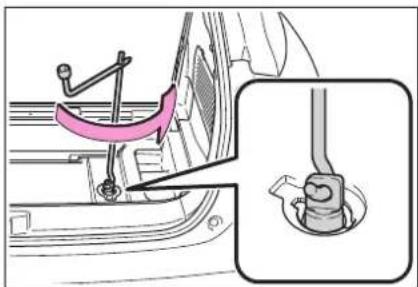
7 Pull out the spare tire and stand it against the bumper.
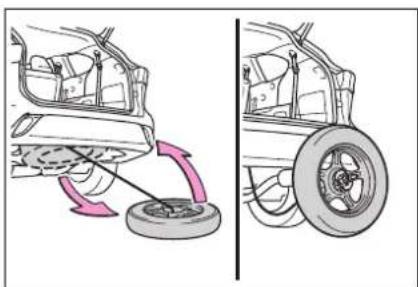
natural_image
Diagram showing car wheel and wheel assembly with rotation arrows (no text or symbols)8 Fully depress the secondary latch and remove the holding bracket from the hoist assembly C
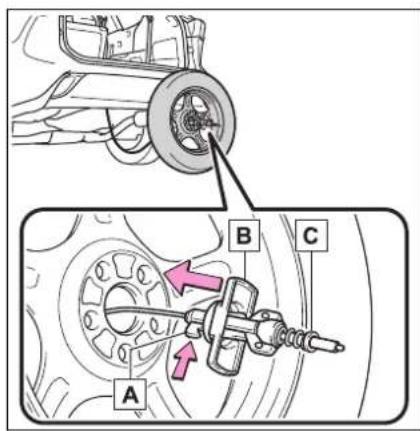
9 Tilt the bracket and pass it through the wheel opening. Then remove the hoist assembly C.
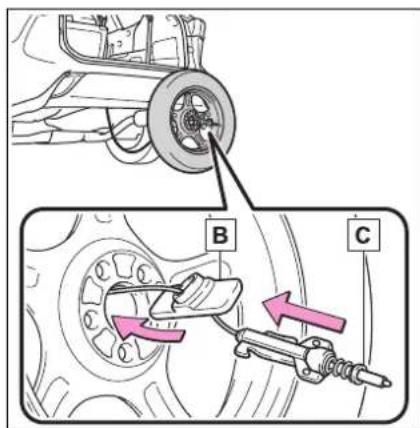

WARNING
When storing the spare tire Be careful not to catch fingers of other body parts between the spare tire and the body of the vehicle.
Replacing a flat tire
1 Chock the tires.
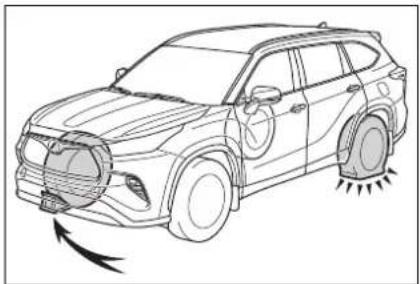
natural_image
Line drawing of a car with visible headlights and motion blur, no text or symbols present| Flat tire | Wheel chock positions |
| Front left-hand side | Behind the rear right-hand side tire |
| Front right-hand side | Behind the rear left-hand side tire |
| Rear left-hand side | In front of the front right-hand side tire |
| Rear right-hand side | In front of the front left-hand side tire |
2 Slightly loosen the wheel nuts (one turn).
Vehicles with wheel locks: Use the wheel lock key to loosen the wheel lock.
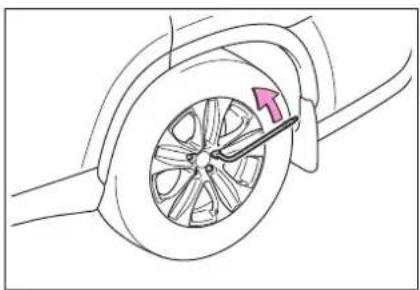
natural_image
Diagram of a car wheel with a highlighted arrow indicating direction (no text or symbols present)3 Turn the tire jack portion A by hand until the notch of the jack is in contact with the jack point.
The jack point guides are located under the rocker panel. They indicate the jack point positions.
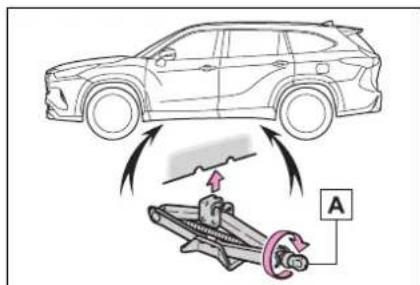
4 Raise the vehicle until the tire is slightly raised off the ground.
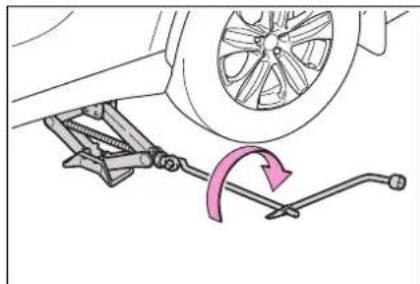
natural_image
Diagram of a car suspension system with a wheel and lever mechanism (no text or labels)5 Remove all the wheel nuts and the tire.
When resting the tire on the ground, place the tire so that the wheel design faces up to avoid
scratching the wheel surface.
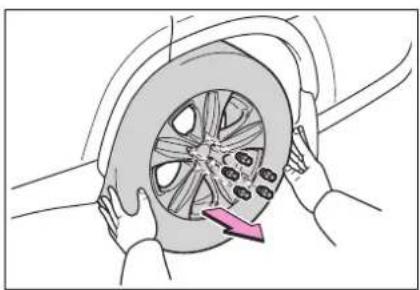
natural_image
Illustration of hands installing a car wheel rim with a pink arrow indicating the wheel rim (no text or symbols present)■If the spare tire cannot be lowered
If the spare tire cannot be lowered, it may not have been stowed properly. Perform the following procedure:
1 Fully tighten the spare tire clamp bolt by turning the jack handle clockwise until two clicks are heard and the jack handle skips.
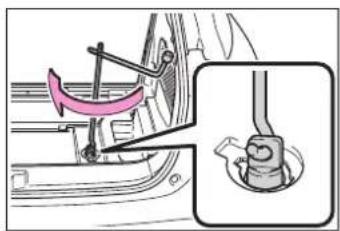
2 Turn the jack handle counterclockwise to lower the spare tire.
If the spare tire still cannot be lowered, attempt to fully tighten the spare tire clamp bolt again by turning the jack handle clockwise. Then turn it counterclockwise at least 2 turns to lower the spare tire.
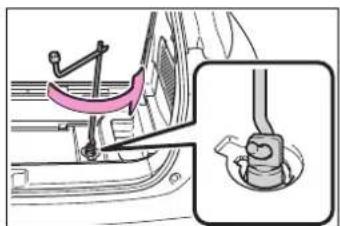
natural_image
Mechanical assembly diagram showing a lever mechanism and a close-up of a component (no text or symbols present)If the spare tire still cannot be lowered, the wire cable may be severed. Have the vehicle inspected by
your Toyota dealer.

WARNING
■Replacing a flat tire
- Do not touch the disc wheels or the area around the brakes immediately after the vehicle has been driven. After the vehicle has been driven the disc wheels and the area around the brakes will be extremely hot. Touching these areas with hands, feet or other body parts while changing a tire, etc. may result in burns.
●Failure to follow these precautions could cause the wheel nuts to loosen and the tire to fall off, resulting in death or serious injury. - Never use oil or grease on the wheel bolts or wheel nuts. Oil and grease may cause the wheel nuts to be excessively tightened, leading to bolt or disc wheel damage. In addition, the oil or grease can cause the wheel nuts to loosen and the wheel may fall off, causing an accident and resulting in death or serious injury. Remove any oil or grease from the wheel bolts or wheel nuts.
- Have the wheel nuts tightened with a torque wrench to 76 ft·lbf (103 N·m, 10.5 kgf·m) as soon as possible after changing wheels.
- When installing a tire, only use wheel nuts that have been specifically designed for that wheel.
- If there are any cracks or deformations in the bolt screws, nut threads or bolt holes of the wheel, have the vehicle inspected by your Toyota dealer.
- Do not attach a heavily damaged wheel ornament, as it may fly off the wheel while the vehicle is moving.
- Observe the following precautions. Failure to do so may result in serious injury:
- Do not try to remove the wheel ornament by hand. Take due care in handling the ornament to avoid unexpected personal injury.
- Lower the spare tire completely to the ground before removing it from under the vehicle.
■Replacing a flat tire for vehicles with power back door
In cases such as when replacing tires, make sure to turn off the power back door main switch ( P.530). Failure to do so may cause the back door to operate unintentionally if the power back door switch is accidentally touched, resulting in hands and fingers being caught and injured.
Installing the spare tire
1 Remove any dirt or foreign matter from the wheel contact surface.
If foreign matter is on the wheel contact surface, the wheel nuts may loosen while the vehicle is in
motion, causing the tire to come off.
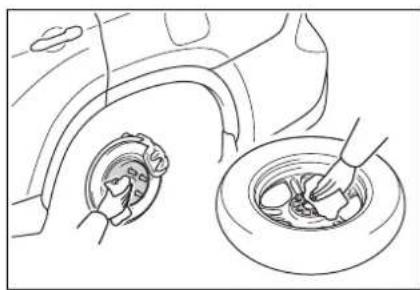
natural_image
Line drawing of a car wheel and dashboard with hands holding the dashboard (no text or symbols)2 Install the spare tire and loosely tighten each wheel nut by hand by approximately the same amount.
Turn the wheel nuts until the washers come into contact with the disc wheel.
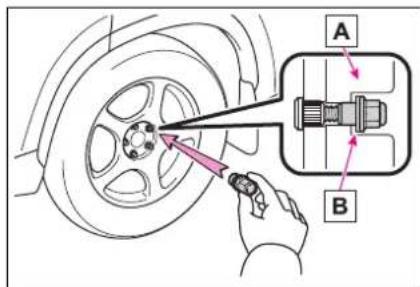
A Disc wheel
B Washer
3 Lower the vehicle.
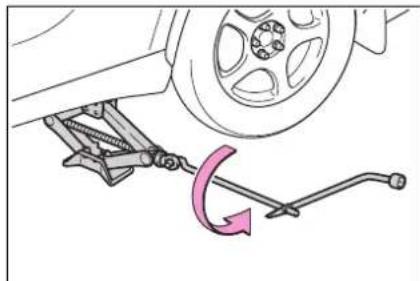
natural_image
Diagram of a car suspension system with a wheel and lever mechanism (no text or symbols)4 Firmly tighten each wheel nut two or three times in the
order shown in the illustration.
Vehicles with wheel locks: Tighten the wheel lock using the wheel lock key after tightening the other wheel nuts.
Tightening torque: 76 ft·lbf (103 N·m, 10.5 kgf·m)
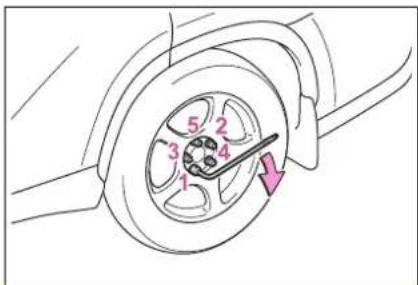

WARNING
■ Stowing the flat tire
Failure to follow steps listed under stowing the tire may result in damage to the spare tire carrier and loss of the tire, which could result in serious injury or death.
Stowing the flat tire, jack and all tools
1 Remove the center wheel ornament by pushing from the reverse side.
Be careful not to lose the wheel ornament.
2 Stand the tire against the bumper with the inner surface facing toward you. Pass the hoist assembly cand
holding bracket through the wheel opening.
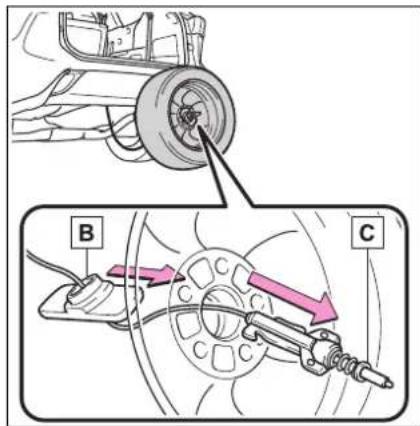
3 Fully depress the secondary latch and install the bracket to the hoist assembly C.
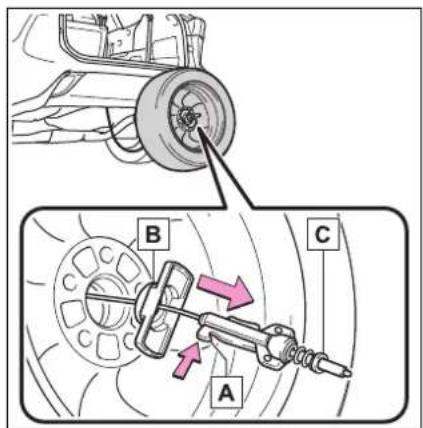
4 Lay the tire on the ground with the outer surface (valve stem) facing up.
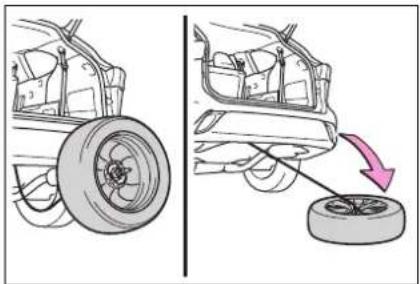
natural_image
Diagram showing car wheel assembly and tire alignment (no text or symbols)5 Before raising the tire, make sure that the hoist assembly is perpendicular to the wheel opening. (Try to place the tire directly beneath the vehicle, near where the wire cable is hanging from.)
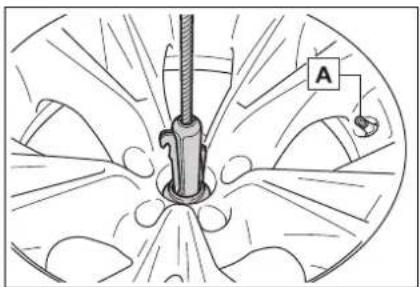
natural_image
Medical illustration showing a surgical instrument inserted into a circular anatomical structure, with no visible text or symbols.A Valve stem
6 Using the jack handle and adapter socket, tighten the tire clamp bolt by turning it clockwise until the tire is in the correct position and two clicks are heard as the jack handle skips.
7 Confirm it is not loose after tightening:
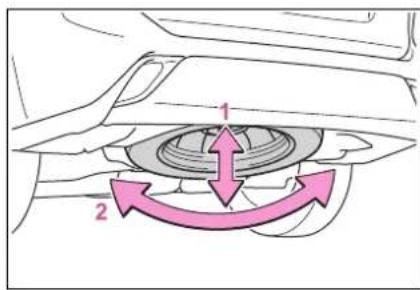
1 Push and pull the tire
2 Try rotating
Visually check to ensure tire is not hung on surrounding parts. If looseness or misassembly exists, repeat steps 2 to 7.
8 Repeat step 7, any time the tire is lowered or disturbed.
9 Stow the jack and all tools.
■The compact spare tire
●The compact spare tire is identified by the label "TEMPORARY USE ONLY" on the tire sidewall. Use the compact spare tire temporarily, and only in an emergency.
● Make sure to check the tire inflation pressure of the compact spare tire. (→P.515)
■When using the compact spare tire
As the compact spare tire is not equipped with a tire pressure warning valve and transmitter, low inflation pressure of the spare tire will not be indicated by the tire pressure warning system. Also, if you replace the compact spare tire after the tire pressure warning light comes on, the light remains on.
■When the compact spare tire is equipped
When driving with the compact
spare tire installed, the vehicle height will be different than when driving with standard tires.
If you have a flat front tire on a road covered with snow or ice
Install the compact spare tire on one of the rear wheels of the vehicle. Perform the following steps and fit tire chains to the front tires:
1 Replace a rear tire with the compact spare tire.
2 Replace the flat front tire with the tire removed from the rear of the vehicle.
3 Fit tire chains to the front tires.

WARNING
■When using the compact spare tire
Remember that the compact spare tire provided is specifically designed for use with your vehicle. Do not use your compact spare tire on another vehicle.
- Do not use more than one compact spare tire simultaneously.
- Replace the compact spare tire with a standard tire as soon as possible.
● Avoid sudden acceleration, abrupt steering, sudden braking and shifting operations that cause sudden engine braking.
■When the compact spare tire is attached
The vehicle speed may not be correctly detected, and the following systems may not operate correctly:
• ABS & Brake assist
• VSC
- TRAC
• EPS

WARNING
• VDIM
• Dynamic radar cruise control with full-speed range
• PCS (Pre-Collision System)
• LTA (Lane Tracing Assist)
• RSA (Road Sign Assist) (if equipped)
• Automatic High Beam
• AFS (Adaptive Front-lighting System) (if equipped)
- Tire pressure warning system
- Intuitive parking assist (if equipped)
- PKSB (Parking Support Brake) (if equipped)
• Toyota parking assist monitor (if equipped)
- Panoramic view monitor (if equipped)
• BSM (Blind Spot Monitor)
- Navigation system (if equipped)
Also, not only can the following system not be utilized fully, but it may even negatively affect the drive-train components:
• E-Four (AWD models)
■Speed limit when using the compact spare tire
Do not drive at speeds in excess of 50 mph (80 km/h) when a compact spare tire is installed on the vehicle.
The compact spare tire is not designed for driving at high speeds. Failure to observe this precaution may lead to an accident causing death or serious injury.
■After using the tools and jack
Before driving, make sure all the tools and jack are securely in place in their storage location to reduce the possibility of personal injury during a collision or sudden braking.

NOTICE
■Be careful when driving over bumps with the compact spare tire installed on the vehicle
The vehicle becomes lower when driving with the compact spare tire compared to when driving with standard tires. Be careful when driving over uneven road surfaces.
■Driving with tire chains and the compact spare tire
Do not fit tire chains to the compact spare tire. Tire chains may damage the vehicle body and adversely affect driving performance.
■When replacing the tires
When removing or fitting the wheels, tires or the tire pressure warning valve and transmitter, contact your Toyota dealer as the tire pressure warning valve and transmitter may be damaged if not handled correctly.
■When stowing the flat tire
● Ensure that there is no object caught between the tire and the vehicle underbody.

NOTICE
- Securely tighten the spare tire clamp bolt to hold the spare wheel carrier by the hook.
● Stow the flat tire in the spare tire location. Failure to do so may cause damage to the spare tire carrier. Proper storage reduces the possibility of injury in a collision or during sudden braking.
●Have the flat tire repaired and the spare tire replaced with it as soon as possible.
■Proper storage of the spare tire - If the hoist assembly is slanted when stowing a tire, the hoist assembly may become stuck in the wheel opening and the tire may not be raised properly, causing damage to the wheel or the wire cable.
- Do not attempt to turn the spare tire clamp bolt without a tire on the hoist assembly, as doing so may cause the wire cable to slip off of the shaft inside the unit and the wire cable may not be able to be raised or lowered. If the spare tire clamp bolt has been turned without a tire on the hoist assembly and the wire cable cannot be raised or lowered, contact your Toyota dealer.
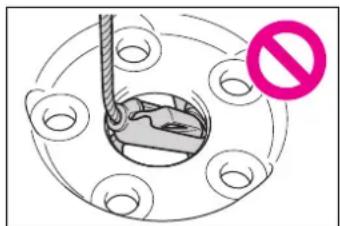
If the hybrid system will not start
Reasons for the hybrid system not starting vary depending on the situation. Check the following and perform the appropriate procedure:
The hybrid system will not start even though the correct starting procedure is being followed. (→P.213)
One of the following may be the cause of the problem:
- The electronic key may not be functioning properly. (→P.496)
- There may not be sufficient fuel in the vehicle's tank. Refuel the vehicle.
- There may be a malfunction in the immobilizer system. (→P.79)
● There may be a malfunction in the steering lock system. - The hybrid system may be malfunctioning due to an electrical problem such as electronic key battery depletion or a blown fuse. However, depending on the type of malfunction, an interim measure is available to start the hybrid system. (→P.494)
The interior lights and headlights are dim, or the horn does not sound or sounds at a low volume.
One of the following may be the cause of the problem:
● The 12-volt battery may be discharged. ( P.498)
● The 12-volt battery terminal connections may be loose or corroded. ( P.421)
The interior lights and headlights do not turn on, or the horn does not sound.
One of the following may be the cause of the problem:
● One or both of the 12-volt battery terminals may be disconnected. (→P.421)
● The 12-volt battery may be discharged. (→P.498)
Contact your Toyota dealer if the problem cannot be repaired, or if repair procedures are unknown.
Starting the hybrid sys- tem in an emergency
When the hybrid system does not start, the following steps can be used as an interim measure to start the hybrid system if the power switch is functioning normally.
Do not use this starting proce-
dure except in cases of emergency.
1 Pull the parking brake switch to check that the parking brake is set. (→P.224)
Parking brake indicator will come on.
2 Shift the shift lever to P.
3 Turn the power switch to ACC.
4 Press and hold the power switch for about 15 seconds while depressing the brake pedal firmly.
Even if the hybrid system can be started using the above steps, the system may be malfunctioning. Have the vehicle inspected by your Toyota dealer.
If you lose your keys
New genuine mechanical keys can be made by your Toyota dealer using another mechanical key and the key number stamped on your key number plate.
Keep the plate in a safe place such as your wallet, not in the vehicle.

NOTICE
■When an electronic key is lost
If the electronic key remains lost, the risk of vehicle theft increases significantly. Visit your Toyota dealer immediately with all remaining electronic keys that were provided with your vehicle.
If the fuel filler door cannot be opened
If the fuel filler door opener switch cannot be operated, contact your Toyota dealer to service the vehicle. In case where refueling is urgently necessary, the following procedure can be used to open the fuel filler door.
Opening the fuel filler door
- If the fuel filler door opener switch cannot be operated, remove the cover inside the luggage compartment and pull the lever to open the fuel filler door.
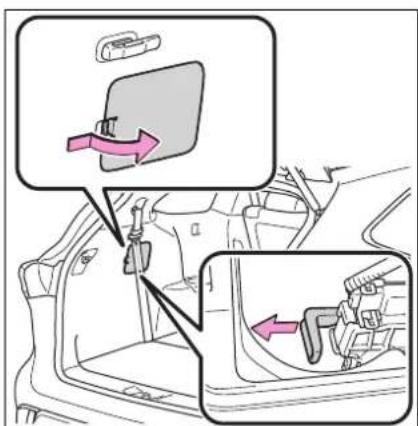
- Using the lever to open the fuel filler door may not allow for an adequate reduction in fuel tank pressure before refueling. To prevent fuel from
spilling out, turn the cap slowly when removing it. During refueling, fuel may spill out from the filler opening due to air being discharged from inside the fuel tank. Therefore, fill the fuel tank carefully and slowly.
If the electronic key does not operate properly
If communication between the electronic key and vehicle is interrupted ( P.147) or the electronic key cannot be used because the battery is depleted, the smart key system and wireless remote control cannot be used. In such cases, the doors can be opened and the hybrid system can be started by following the procedure below.
■When the electronic key does not work properly
● Make sure that the smart key system has not been deactivated in the customization setting. If it is off, turn the function on. (Customizable features: →P.530)
- Check if battery-saving mode is set. If it is set, cancel the function. (→P.147)
Locking and unlocking the doors
■ Unlocking the door
Use the mechanical key ( P.130) in order to perform the following operations:
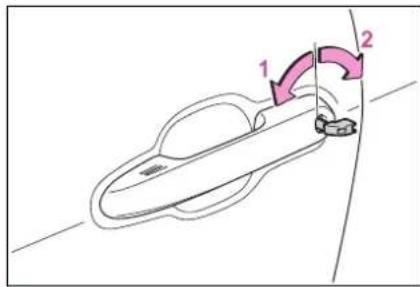
1 Locks all the doors
2 Unlocks all the doors
Turning the key unlocks the driver's door. Turning the key again unlocks the other doors.
■Key linked functions
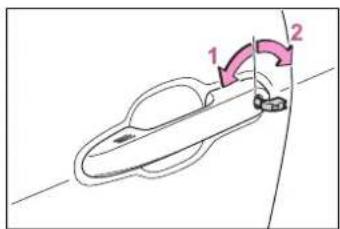
1 Closes the windows and the moon roof* (turn and hold)
2 Opens the windows and the moon roof* (turn and hold)
These settings must be customized at your Toyota dealer.
*: If equipped

WARNING
■When using the mechanical key and operating the power windows or moon roof (if equipped)
Operate the power window or moon roof after checking to make sure that there is no possibility of any passenger having any of their body parts caught in the window or moon roof. Also, do not allow children to operate the mechanical key. It is possible for children and other passengers to get caught in the power window or moon roof.
Starting the hybrid sys- tem
1 Ensure that the shift lever is in P and depress the brake pedal.
2 Touch the Toyota emblem side of the electronic key to the power switch.
When the electronic key is detected, a buzzer sounds and the power switch will turn to ON.
When the smart key system is deactivated in customization setting, the power switch will turn to ACC.
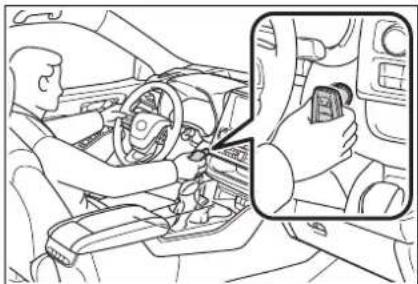
natural_image
Line drawing of a car interior showing a driver's seatbelt and dashboard, with a close-up inset of hands adjusting the seatbelt (no text or symbols present)3 Firmly depress the brake
pedal and check that

shown on the multi-information display.
4 Press the power switch shortly and firmly.
In the event that the hybrid system still cannot be started, contact your Toyota dealer.
■Stopping the hybrid system
Shift the shift lever to P, set the parking brake, and press the power switch as you normally do when stopping the hybrid system.
■Replacing the key battery
As the above procedure is a temporary measure, it is recommended that the electronic key battery be replaced immediately when the battery is depleted. ( P.444)
■Changing power switch modes
Release the brake pedal and press the power switch in step 3 above. The hybrid system does not start and modes will be changed each time the switch is pressed. ( P.216)
If the 12-volt battery is discharged
The following procedures may be used to start the hybrid system if the vehicle's 12-volt battery is discharged.
You can also call your Toyota dealer or a qualified repair shop.
Restarting the hybrid sys- tem
If you have a set of jumper (or booster) cables and a second vehicle with a 12-volt battery, you can jump start your vehicle by following the steps below.
1 Confirm that the electronic key is being carried.
Vehicles with an alarm: When connecting the jumper (or booster) cables, depending on the situation, the alarm may activate and doors locked. (→P.82)
2 Open the hood (→P.414) and fuse box cover.
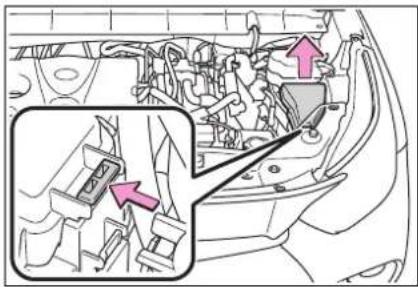
natural_image
Interior view of a car showing engine compartment with highlighted parts and directional arrows (no text or symbols)3 Open the exclusive jump starting terminal cover.
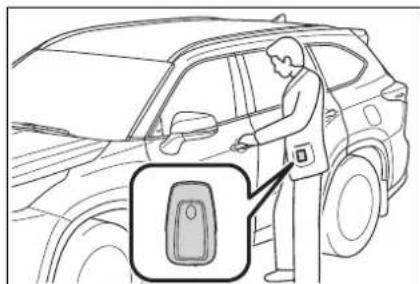
natural_image
Line drawing of a person using a car to clean or install a parking lot (no text or symbols present)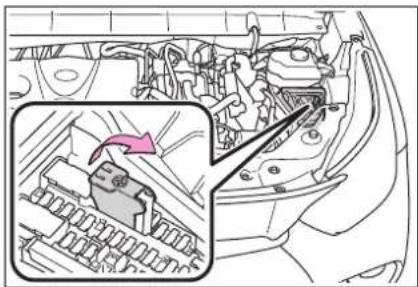
natural_image
Interior view of a car showing engine compartment with a highlighted component (no text or symbols visible)4 Connect a positive jumper cable clamp to A on your vehicle and connect the clamp on the other end of the positive cable to B on the second vehicle. Then, connect a negative cable clamp to C
on the second vehicle and connect the clamp at the other end of the negative cable to D
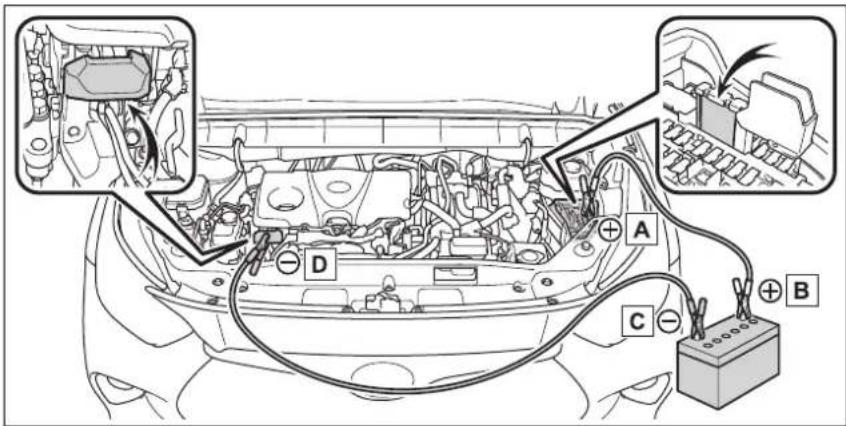
A Exclusive jump starting terminal (your vehicle)
B Positive (+) battery terminal (second vehicle)
c Negative (-) battery terminal (second vehicle)
D Solid, stationary, unpainted metallic point away from the exclusive jump starting terminal and any moving parts as shown in the illustration
5 Start the engine of the second vehicle. Increase the engine speed slightly and maintain at that level for approximately 5 minutes to recharge the 12-volt battery of your vehicle.
6 Open and close any of the doors of your vehicle with the power switch OFF.
7 Maintain the engine speed of the second vehicle and start the hybrid system of your vehicle by turning the power switch to ON.
8 Make sure the "READY" indicator comes on. If the indica-
tor light does not come on, contact your Toyota dealer.
9 Once the hybrid system has started, remove the jumper cables in the exact reverse order from which they were connected.
10 Close the exclusive jump starting terminal cover, and reinstall the fuse box cover to its original position.
Once the hybrid system starts, have the vehicle inspected at your Toyota dealer as soon as possible.
■ Starting the hybrid system when the 12-volt battery is discharged
The hybrid system cannot be started by push-starting.
■ To prevent 12-volt battery discharge
●Turn off the headlights and the audio system while the hybrid system is off.
●Turn off any unnecessary electrical components when the vehicle is running at a low speed for an extended period, such as in heavy traffic.
■When the 12-volt battery is removed or discharged
●Information stored in the ECU is cleared. When the 12-volt battery is depleted, have the vehicle inspected at your Toyota dealer.
Some systems may require initialization. (→P.542)
■When removing the 12-volt battery terminals
When the 12-volt battery terminals are removed, the information stored in the ECU is cleared. Before removing the 12-volt battery terminals, contact your Toyota dealer.
■Charging the 12-volt battery
The electricity stored in the 12-volt battery will discharge gradually even when the vehicle is not in use, due to natural discharge and the draining effects of certain electrical appliances. If the vehicle is left for a long time, the 12-volt battery may discharge, and the hybrid system may be unable to start. (The 12-volt battery recharges automatically while the hybrid system is operating.)
■ When recharging or replacing the 12-volt battery
● In some cases, it may not be possible to unlock the doors using the smart key system when the
12-volt battery is discharged. Use the wireless remote control or the mechanical key to lock or unlock the doors.
●The hybrid system may not start on the first attempt after the 12-volt battery has recharged but will start normally after the second attempt. This is not a malfunction.
●The power switch mode is memorized by the vehicle. When the 12-volt battery is reconnected, the system will return to the mode it was in before the 12-volt battery was discharged. Before disconnecting the 12-volt battery, turn the power switch off. If you are unsure what mode the power switch was in before the 12-volt battery discharged, be especially careful when reconnecting the 12-volt battery.
●The power back door must be initialized. (→P.142)
■When replacing the 12-volt battery
- Use a Central Degassing type 12-volt battery (European Regulations).
- Use a 12-volt battery that the case size is same as the previous one (LN2), 20 hour rate capacity (20HR) is equivalent (55Ah) or greater, and performance rating (CCA) is equivalent (345A) or greater.
- If the sizes differ, the 12-volt battery cannot be properly secured.
- If the 20 hour rate capacity is low, even if the time period where the vehicle is not used is a short time, the 12-volt battery may discharge and the hybrid system may not be able to start.
- Use a 12-volt battery with a handle. If a 12-volt battery without a handle is used, removal is more difficult.
● After replacing, firmly attach the following items to the exhaust hole of the 12-volt battery.
- Use the exhaust hose that was attached to the 12-volt battery before replacing and confirm that it is firmly connected to the hole section of the vehicle.
- Use the exhaust hole plug included with the 12-volt battery replaced or the one installed on the 12-volt battery prior to the replacement. (Depending on the 12-volt battery to be replaced, the exhaust hole may be plugged.)
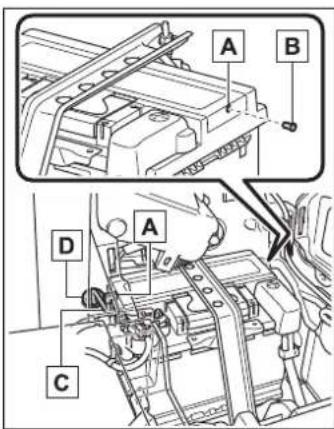
A Exhaust hole
B Exhaust hole plug
c Exhaust hose
D Hole section of the vehicle
For details, consult your Toyota dealer.

WARNING
■When removing the 12-volt battery terminals
Always remove the negative (-) terminal first. If the positive (+) terminal contacts any metal in the surrounding area when the positive (+) terminal is removed, a spark may occur, leading to a fire in addition to electrical shocks and death or serious injury.
■When disconnecting the 12-volt battery
Do not disconnect the negative (-) terminal on the body side. The disconnected negative (-) terminal may touch the positive (+) terminal, which may cause a short and result in death or serious injury.
■ Avoiding 12-volt battery fires or explosions
Observe the following precautions to prevent accidentally igniting the flammable gas that may be emitted from the 12-volt battery:
● Make sure each jumper cable is connected to the correct terminal and that it is not unintentionally in contact with any other than the intended terminal.
- Do not allow the other end of the jumper cable connected to the “+” terminal to come into contact with any other parts or metal surfaces in the area, such as brackets or unpainted metal.
- Do not allow the + and - clamps of the jumper cables to come into contact with each other.
- Do not smoke, use matches, cigarette lighters or allow open flame near the 12-volt battery.
■12-volt battery precautions
The 12-volt battery contains poisonous and corrosive acidic electrolyte, while related parts contain lead and lead compounds. Observe the following precautions when handling the 12-volt battery:
- When working with the 12-volt battery, always wear safety glasses and take care not to allow any battery fluids (acid) to come into contact with skin, clothing or the vehicle body.
- Do not lean over the 12-volt battery.

WARNING
In the event that battery fluid comes into contact with the skin or eyes, immediately wash the affected area with water and seek medical attention. Place a wet sponge or cloth over the affected area until medical attention can be received.
●Always wash your hands after handling the 12-volt battery support, terminals, and other battery-related parts.
- Do not allow children near the 12-volt battery.
■After recharging the 12-volt battery
Have the 12-volt battery inspected at your Toyota dealer as soon as possible.
If the 12-volt battery is deteriorating, continued use may cause the 12-volt battery to emit a malodorous gas, which may be detrimental to the health of passengers.
■When replacing the 12-volt battery
- When the vent plug and indicator are close to the hold down clamp, the battery fluid (sulfuric acid) may leak.
For information regarding 12-volt battery replacement, contact your Toyota dealer.
● After replacing, securely attach the exhaust hose and exhaust hole plug to the exhaust hole of the replaced 12-volt battery. If not properly installed, gases (hydrogen) may leak into the vehicle interior, and there is the possible danger of the gas igniting and exploding.

NOTICE
■When handling jumper cables
When connecting the jumper cables, ensure that they do not become entangled in the cooling fan or belt.
■To prevent damaging the vehicle
The exclusive jump starting terminal is to be used when charging the 12-volt battery from another vehicle in an emergency. It cannot be used to jump start another vehicle.
If your vehicle overheats
The following may indicate that your vehicle is over-heating.
- The needle of the engine coolant temperature gauge (→P.89) enters the red zone or a loss of hybrid system power is experienced. (For example, the vehicle speed does not increase.)
- "Engine Coolant Temp High Stop in a Safe Place See Owner's Manual" or "Hybrid System Overheated Output Power Reduced" is shown on the multi-information display.
- Steam comes out from under the hood.
Correction procedures
If the engine coolant temperature gauge enters the red zone or "Engine Coolant Temp High Stop in a Safe Place See Owner's Manual" is shown on the multi-information display
1 Stop the vehicle in a safe place and turn off the air conditioning system, and then stop the hybrid system.
2 If you see steam:
Carefully lift the hood after
the steam subsides.
If you do not see steam:
Carefully lift the hood.
3 After the hybrid system has cooled down sufficiently, inspect the hoses and radiator core (radiator) for any leaks.
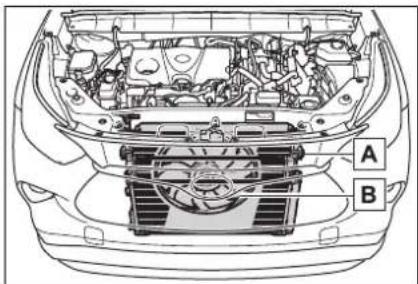
If a large amount of coolant leaks, immediately contact your Toyota dealer.
4 The coolant level is satisfactory if it is between the "FULL" and "LOW" lines on the reservoir.
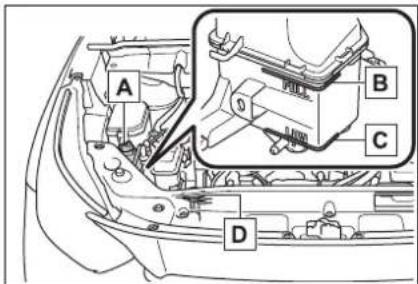
A Reservoir
B "FULL" line
C "LOW" line
D Radiator cap
5 Add coolant if necessary.
Water can be used in an emergency if coolant is unavailable.
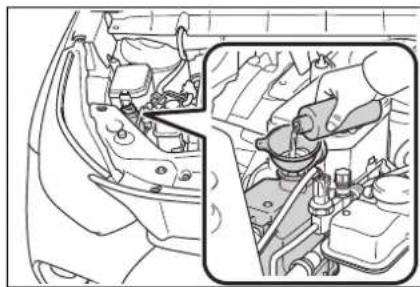
natural_image
Interior view of a car showing engine compartment and dashboard (no text or symbols visible)6 Start the hybrid system and turn the air conditioning system on to check that the radiator cooling fan operates and to check for coolant leaks from the radiator or hoses.
The fan operates when the air conditioning system is turned on immediately after a cold start. Confirm that the fan is operating by checking the fan sound and air flow. If it is difficult to check these, turn the air conditioning system on and off repeatedly. (The fan may not operate in freezing temperatures.)
7 If the fan is not operating: Stop the hybrid system immediately and contact your Toyota dealer. If the fan is operating: Have the vehicle inspected at the nearest Toyota dealer.
8 Check if "Engine Coolant Temp High Stop in a Safe Place See Owner's Manual" is shown on the multi-information display.
If the message does not disappear: Stop the hybrid system and contact
your Toyota dealer. If the message is not displayed: Have the vehicle inspected at the nearest Toyota dealer.
If "Hybrid System Overheated Output Power Reduced" is shown on the multi-information display
1 Stop the vehicle in a safe place.
2 Stop the hybrid system and carefully lift the hood.
3 After the hybrid system has cooled down, inspect the hoses and radiator core (radiator) for any leaks.
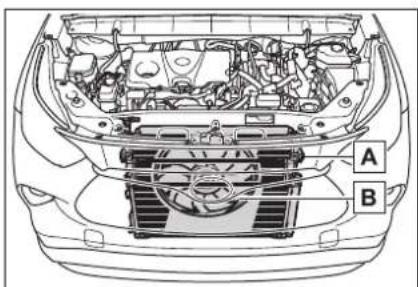
If a large amount of coolant leaks, immediately contact your Toyota dealer.
4 The coolant level is satisfactory if it is between the
“FULL” and “LOW” lines on the reservoir.
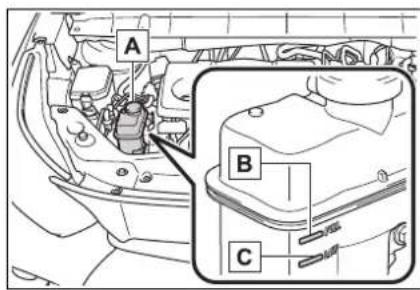
A Reservoir
B "FULL" line
c "LOW" line
5 Add coolant if necessary.
Water can be used in an emergency if coolant is unavailable.
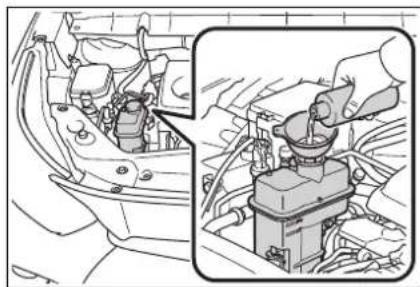
natural_image
Diagram showing engine compartment with internal components and a close-up of the engine's handle (no text or symbols)6 After stopping the hybrid system and waiting for 5 minutes or more, start the hybrid system again and check if "Hybrid System Overheated Output Power Reduced" is shown on the for the multi-information display.
If the message does not disappear: Stop the hybrid system and contact your Toyota dealer.
If the message is not displayed: The hybrid system temperature has dropped and the vehicle may be driven normally.
However, if the message appears again frequently, contact your Toyota dealer.

WARNING
■When inspecting under the hood of your vehicle
Observe the following precautions.
Failure to do so may result in serious injury such as burns.
- If steam is seen coming from under the hood, do not open the hood until the steam has sub-sided. The engine compartment may be very hot.
After the hybrid system has been turned off, check that the "READY" indicator is off. When the hybrid system is operating, the gasoline engine may automatically start, or the cooling fan may suddenly operate even if the gasoline engine stops. Do not touch or approach rotating parts such as the fan, which may lead to fingers or clothing (especially a tie, a scarf or a muffler) getting caught, resulting in serious injury.
- Do not loosen the radiator cap and the coolant reservoir caps while the hybrid system and radiator are hot. High temperature steam or coolant could spray out.

NOTICE
■When adding engine/power control unit coolant
Add coolant slowly after the hybrid system has cooled down sufficiently. Adding cool coolant to a hot hybrid system too quickly can cause damage to the hybrid system.

NOTICE
■To prevent damage to the cooling system
Observe the following precautions:
● Avoid contaminating the coolant with foreign matter (such as sand or dust, etc.).
- Do not use any coolant additive.
If the vehicle becomes stuck
Carry out the following procedures if the tires spin or the vehicle becomes stuck in mud, dirt or snow:
Recovering procedure
1 Stop the hybrid system. Shift the shift lever to P and set the parking brake.
2 Remove the mud, snow or sand from around the front wheels.
3 Place wood, stones or some other material under the front wheels to help provide traction.
4 Restart the hybrid system.
5 Shift the shift lever to D or R and release the parking brake. Then, while exercising caution, depress the accelerator pedal.
■When it is difficult to free the vehicle
Press to turn off TRAC.
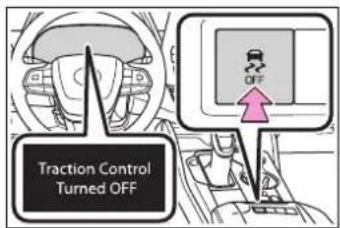

WARNING
■When attempting to free a stuck vehicle
If you choose to push the vehicle back and forth to free it, make sure the surrounding area is clear to avoid striking other vehicles, objects or people. The vehicle may also lunge forward or lunge back suddenly as it becomes free. Use extreme caution.
■When shifting the shift lever
Be careful not to shift the shift lever with the accelerator pedal depressed.
This may lead to unexpected rapid acceleration of the vehicle that may cause an accident resulting in death or serious injury.

NOTICE
■To avoid damage to the hybrid transmission and other components
● Avoid spinning the front wheels and depressing the accelerator pedal more than necessary.
- If the vehicle remains stuck even after these procedures are performed, the vehicle may require towing to be freed.
Vehicle specifications
8
8-1. Specifications
Maintenance data (fuel, oil level, etc.).... 510
Fuel information ..... 518
Tire information ..... 520
8-2. Customization
Customizable features 530
8-3. Initialization
Items to initialize ..... 542
Maintenance data (fuel, oil level, etc.)
Dimensions and weight
| Overall length 194.9 in. (4950 mm) | ||
| Overall width 76 in. (1930 mm) | ||
| Overall height*1 | 68.1 in. (1730 mm) | |
| Wheelbase 112.2 in. (2850 mm) | ||
| Tread | Front 65.3 in. (1659 mm) | |
| Rear 65.4 in. (1662 mm) | ||
| Vehicle capacity weight(Occupants + luggage) | 1225 lb. (555 kg)*21330 lb. (605 kg)*3,41390 lb. (630 kg)*3,5 | |
| Trailer Weight Rating(Trailer weight + cargo weight) | 3500 lb. (1590 kg) | |
*1:Unladen vehicle
^*2 :For 7-seat models
*3: For 8-seat models
*4:For AXUH70L-ARXGHA, AXUH78L-ARXMHA, AXUH78L-ARXGHA models*6
*5: For AXUH70L-ARXNHA, AXUH70L-ARXMHA, AXUH78L-ARXNHA models*6
*6: The model code is indicated on the Certification Label. (→P.510)
Seating capacity
| Seating capacity | 7-seat models 8-seat models |
| 7 (Front 2, Rear 5) 8 (Front 2, Rear 6) |
Vehicle identification
■Vehicle identification number
The vehicle identification num-
ber (VIN) is the legal identifier for your vehicle. This is the primary identification number for
your Toyota. It is used in registering the ownership of your vehicle.
▶ Top left of the instrument panel
The vehicle identification number is stamped.
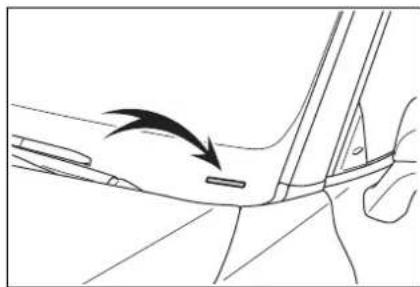
natural_image
Line drawing of a car's side profile showing a hand holding a small object, with no text or symbols present.▶ Left-hand side center pillar
This number is also on the Certification Label.
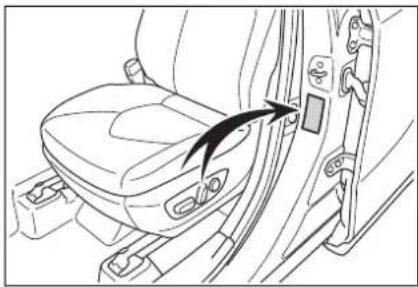
natural_image
Line drawing of a car seatbelt with a black arrow pointing to the seat (no text or symbols)■Engine number
The engine number is stamped on the engine block as shown.
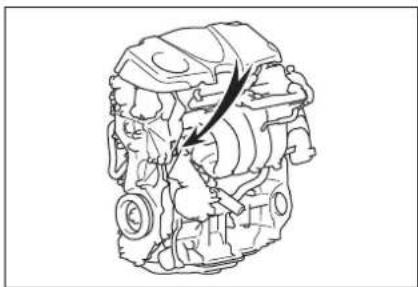
natural_image
Technical line drawing of a mechanical assembly with no visible text or symbolsEngine
| Model A25A-FXS | |
| Type 4-cylinder in line, 4-cycle, gasoline | |
| Bore and stroke | 3.44 × 4.07 in. (87.5 × 103.48 mm) |
| Displacement | 151.8 cu. in. (2487 cm ^3 ) |
| Valve clearance (engine cold) Automatic adjustment | |
Fuel
| Fuel type Unleaded gasoline only | |
| Octane Rating | 87 (Research Octane Number 91) or higher |
| Fuel tank capacity (Reference) | 17.1 gal. (65 L, 14.2 Imp. gal.) |
Electric motor (traction motor)
Front
| Type | Permanent magnet synchronous motor |
| Maximum output 134 kW | |
| Maximum torque 199 ft•lbf (270 N•m, | 27.5 kgf•m) |
▶ Rear
| Type | Permanent magnet synchronous motor |
| Maximum output 40 kW | |
| Maximum torque 89 ft•lbf (121 N•m, 1 | 2.3 kgf•m) |
Hybrid battery (traction battery)
| Type Nickel-Metal hydride battery | |
| Voltage 7.2 V/module | |
| Capacity 6.5 Ah (3HR) | |
| Quantity 40 modules | |
| Nominal voltage 288 V |
Lubrication system
■Oil capacity (Drain and refill—reference*)
| With filter | 4.8 qt. (4.5 L, 4.0 Imp. qt.) |
| Without filter | 4.4 qt. (4.2 L, 3.7 Imp. qt.) |
*: The engine oil capacity is a reference quantity to be used when changing the engine oil. Warm up the engine and turn off the hybrid system, wait more than 5 minutes, and check the oil level on
the dipstick.
■Engine oil selection
"Toyota Genuine Motor Oil" is used in your Toyota vehicle. Use Toyota approved "Toyota Genuine Motor Oil" or equivalent to satisfy the following grade and viscosity.
Oil grade: API SN/RC multi-grade engine oil Recommended viscosity: SAE 0W-16
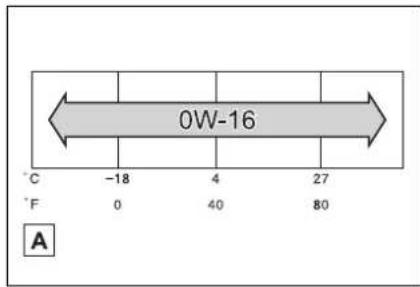
A Outside temperature
SAE 0W-16 is the best choice for good fuel economy and good starting in cold weather.
If SAE 0W-16 is not available, SAE 0W-20 oil may be used.
However, it must be replaced with SAE 0W-16 at the next oil change.
Oil viscosity (0W-16 is explained here as an example):
• The 0W in 0W-16 indicates the characteristic of the oil which allows cold startability. Oils with a lower value before
the W allow for easier starting of the engine in cold weather.
- The 16 in 0W-16 indicates the viscosity characteristic of the oil when the oil is at high temperature. An oil with a higher viscosity (one with a higher value) may be better suited if the vehicle is operated at high speeds, or under extreme load conditions.
How to read oil container label: API registered mark is added to some oil containers to help you select the oil you should use.
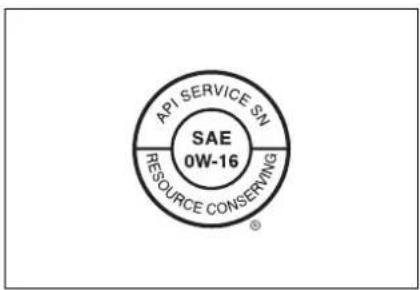
Cooling system
| Capacity | Gasoline engine | 10.5 qt. (9.9 L, 8.7 Imp. qt.) |
| Power control unit | 2.0 qt. (1.9 L, 1.7 Imp. qt.) | |
| Coolant type | Use either of the following:“Toyota Super Long Life Coolant”Similar high-quality ethylene glycol-based non-silicate, non-amine, non-nitrite, and non-borate coolant with long-life hybrid organic acid technologyDo not use plain water alone. | |
Ignition system (spark plug)
| Make DENSO FC16HR-Q8 | |
| Gap 0.031 in. (0.8 mm) |

NOTICE
■Iridium-tipped spark plugs
Use only iridium-tipped spark plugs. Do not adjust the spark plug gap.
Electrical system (12-volt battery)
| Open voltage at 68°F (20°C):Charging rates 5 A max. | 12.0 V or higher(Turn the power switch off and turn on the high beam headlights for 30 seconds.) |
Hybrid transmission
| Fluid capacity* | 4.6 qt. (4.4 L, 3.9 Imp. qt.) |
| Fluid type Toyota Genuine ATF | WS |
* : The fluid capacity is a reference quantity.
If replacement is necessary, contact your Toyota dealer.

NOTICE
■Hybrid transmission fluid type
Using transmission fluid other than the above type may cause abnormal noise or vibration, or ultimately damage the transmission of your vehicle.
Rear differential (rear electric motor)
| Fluid capacity* | 1.8 qt. (1.7 L, 1.5 Imp. qt.) |
| Fluid type Toyota Genuine ATF | WS |
*: The fluid capacity is a reference quantity.
If replacement is necessary, contact your Toyota dealer.

NOTICE
■Transmission fluid type
Using transmission fluid other than the above type may cause abnormal noise or vibration, or ultimately damage the transmission of your vehicle.
Brakes
| Pedal clearance* | 3.6 in. (91 mm) Min. |
| Pedal free play | 0.04 — 0.24 in. (1 — 6 mm) |
| Brake pad wear limit 0.04 in. (1 mm) | |
| Fluid type | SAE J1703 or FMVSS No. 116 DOT 3SAE J1704 or FMVSS No. 116 DOT 4 |
* : Minimum pedal clearance when depressed with a force of 67.4 lbf (300 N, 30.6 kgf) while the engine is running.
Steering
Free play Less than 1.2 in. (30 mm)
Tires and wheels
▶ Type A
| Tire size 235/65R18 106V, T165/90D18 107M (spare) | |
| Tire inflation pressure(Recommended cold tireinflation pressure) | ► Front36 psi (250 kPa, 2.5 kgf/cm2or bar)► Rear36 psi (250 kPa, 2.5 kgf/cm2or bar)► Spare60 psi (420 kPa, 4.2 kgf/cm2or bar)Driving at high speeds (above 100 mph [160km/h]) (in countries where such speeds are per-mitted by law)Add 4 psi (30 kPa, 0.3 kgf/cm2or bar) to the frontand rear tires. Never exceed the maximum coldtire inflation pressure indicated on the tire side-wall. |
| Wheel size | 18 × 8 J, 18 × 4T (spare) |
| Wheel nut torque 76 ft·lbf | (103 N·m, 10.5 kgf·m) |
▶ Type B
| Tire size 235/55R20 102V, T165/90D18 107M (spare) | |
| Tire inflation pressure(Recommended cold tireinflation pressure) | ► Front36 psi (250 kPa, 2.5 kgf/cm2 or bar)► Rear36 psi (250 kPa, 2.5 kgf/cm2 or bar)► Spare60 psi (420 kPa, 4.2 kgf/cm2 or bar)Driving at high speeds (above 100 mph [160km/h]) (in countries where such speeds are per-mitted by law)Add 4 psi (30 kPa, 0.3 kgf/cm2 or bar) to the frontand rear tires. Never exceed the maximum coldtire inflation pressure indicated on the tire side-wall. |
| Wheel size | 20 × 8 J, 18 × 4T (spare) |
| Wheel nut torque 76 ft·lbf | (103 N·m, 10.5 kgf·m) |
Light bulbs
| Light bulbs Bulb No. W Type | ||||
| Exterior | Front side marker lights — 5 B | |||
| Front turn signal lights 7444NA 28 A | ||||
| Rear turn signal lights | — | 21 | A | |
| Back-up lights | — | 16 | B | |
| License plate lights | — 5 B | |||
| Parking lights | 7444NA | 8 | A | |
| Interior | Door courtesy lights | 168 | 5 | B |
| Vanity lights | — 8 B | |||
| Rear personal light | — 8 B | |||
| Rear interior light | — | 8 | C | |
A: Wedge base bulbs (amber)
B: Wedge base bulbs (clear)
C: Double end bulbs (clear)
Fuel information
You must only use unleaded gasoline.
Select octane rating 87 (Research Octane Number 91) or higher. Use of unleaded gasoline with an octane rating lower than 87 may result in engine knocking. Persistent knocking can lead to engine damage.
At minimum, the gasoline you use should meet the specifications of ASTM D4814 in the U.S.A.
Gasoline quality
In very few cases, driveability problems may be caused by the brand of gasoline you are using. If driveability problems persist, try changing the brand of gasoline. If this does not correct the problem, consult your Toyota dealer.
■ Recommendation of the use of gasoline containing detergent additives
●Toyota recommends the use of gasoline that contains detergent additives to avoid the build-up of engine deposits.
- All gasoline sold in the U.S.A. contains minimum detergent additives to clean and/or keep clean intake systems, per EPA's lowest additives concentration program.
●Toyota strongly recommends the use of Top Tier Detergent Gasoline. For more information on Top Tier Detergent Gasoline and a list of marketers, please go to the official website www.toptiergas.com.
■ Recommendation of the use of low emissions gasoline
Gasolines containing oxygenates such as ethers and ethanol, as well as reformulated gasolines, are available in some cities. These fuels are typically acceptable for use, providing they meet other fuel requirements.
Toyota recommends these fuels, since the formulations allow for reduced vehicle emissions.
■Use of ethanol blended gaso-
line in a gasoline engine
- Use only gasoline containing up to 15% ethanol.
DO NOT use any flex-fuel or gasoline that could contain more than 15% ethanol, including from any pump labeled E30 (30% ethanol [A] E50 (50% ethanol []), E85 (85% ethanol [D] (which are only some examples of fuel containing more than 15% ethanol).
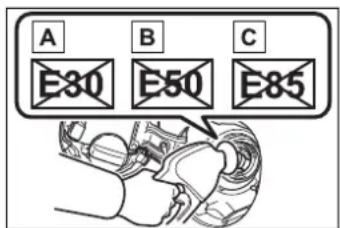
- If you use gasohol in your vehicle, be sure that it has an octane rating no lower than 87.
●Toyota does not recommend the use of gasoline containing methanol.
■Non-recommendation of the use of gasoline containing MMT
Some gasoline contains an octane enhancing additive called MMT (Methylcyclopentadienyl Manganese Tricarbonyl).
Toyota does not recommend the use of gasoline that contains MMT. If fuel containing MMT is used, your emission control system may be
adversely affected.
The malfunction indicator lamp on the instrument cluster may come on. If this happens, contact your Toyota dealer for service.
■If your engine knocks
- Consult your Toyota dealer.
● You may occasionally notice light knocking for a short time while accelerating or driving uphill. This is normal and there is no need for concern.

NOTICE
■Notice on fuel quality
- Do not use improper fuels. If improper fuels are used, the engine will be damaged.
- Do not use leaded gasoline. Leaded gasoline can cause damage to your vehicle's three-way catalytic converters causing the emission control system to malfunction.
- Do not use gasohol other than the type previously stated. Other gasohol may cause fuel system damage or vehicle performance problems.
● Using unleaded gasoline with an octane number or rating lower than the level previously stated may cause persistent heavy knocking. At worst, this may lead to engine damage and will void the vehicle warranty.
■When refueling with gasohol
Take care not to spill gasohol. It can damage your vehicle's paint.
■Fuel-related poor driveability
If poor driveability (poor hot starting, vaporization, engine knocking, etc.) is encountered after using a different type of fuel, discontinue the use of that type of fuel.
Tire information
Typical tire symbols
Full-size tire
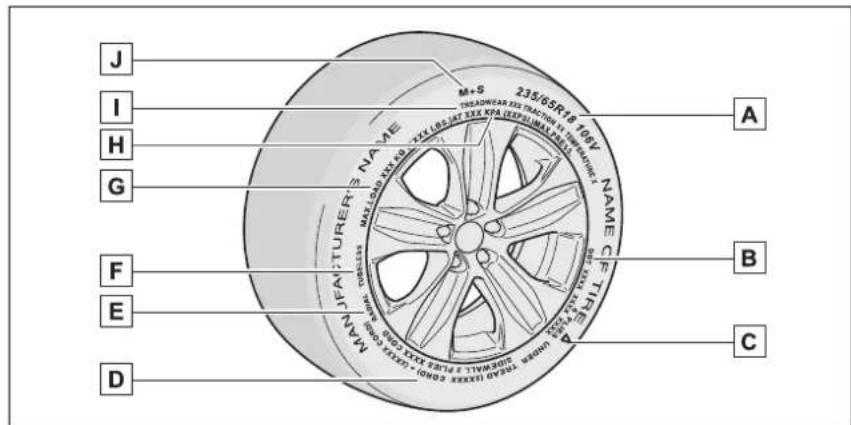
▶ Compact spare tire
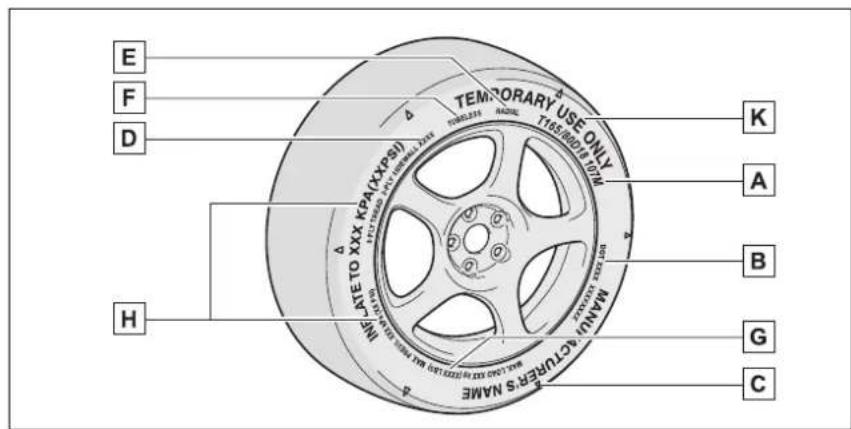
A Tire size ( P.522)
B DOT and Tire Identification Number (TIN) (→P.521)
C Location of treadwear indicators (→P.424)
D Tire ply composition and materials
Plies are layers of rubber-coated parallel cords. Cords are the strands which form the plies in a tire.
E Radial tires or bias-ply tires
A radial tire has "RADIAL" on the sidewall. A tire not marked "RADIAL" is a bias-ply tire.
F TUBELESS or TUBE TYPE
A tubeless tire does not have a tube and air is directly put into the tire. A tube type tire has a tube inside the tire and the tube maintains the air pressure.
G Load limit at maximum cold tire inflation pressure ( P.425)
H Maximum cold tire inflation pressure ( P.515)
This means the pressure to which a tire may be inflated.
Uniform tire quality grading
For details, see "Uniform Tire Quality Grading" that follows.
J Summer tires or all season tires ( P.425)
An all season tire has "M+S" on the sidewall. A tire not marked "M+S" is a summer tire.
K "TEMPORARY USE ONLY"
A compact spare tire is identified by the phrase "TEMPORARY USE ONLY" molded on its sidewall. This tire is designed for temporary emergency use only.
Typical DOT and Tire Identification Number (TIN)
▶ Type A
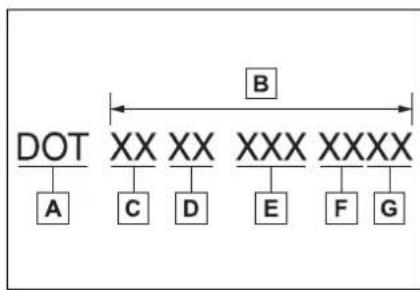
flowchart
graph TD
    A["DOT"] --> B["A"]
    B --> C["C"]
    C --> D["D"]
    D --> E["E"]
    E --> F["F"]
    F --> G["G"]
    B --> H["B"]
    H --> I["XX"]
    I --> J["XX"]
    J --> K["XXX"]
    K --> L["XXXX"]
A DOT symbol*
B Tire Identification Number (TIN)
C Tire manufacturer's identification mark
D Tire size code
E Manufacturer's optional tire type code (3 or 4 letters)
F Manufacturing week
G Manufacturing year
*: The DOT symbol certifies that the tire conforms to applicable Federal Motor Vehicle Safety Standards.
▶ Type B
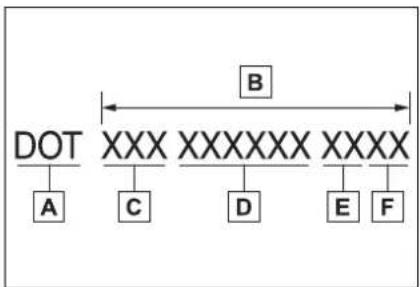
flowchart
graph TD
    A["DOT"] --> B["A"]
    B --> C["C"]
    C --> D["D"]
    D --> E["E"]
    E --> F["F"]
    style A fill:#f9f,stroke:#333
    style B fill:#ccf,stroke:#333
    style C fill:#cfc,stroke:#333
    style D fill:#fcc,stroke:#333
    style E fill:#cff,stroke:#333
    style F fill:#ffc,stroke:#333
A DOT symbol*
B Tire Identification Number (TIN)
C Tire manufacturer's identification mark
D Manufacturer's code
E Manufacturing week
F Manufacturing year
*: The DOT symbol certifies that the tire conforms to applicable Federal Motor Vehicle Safety Standards.
Tire size
■Typical tire size information
The illustration indicates typical tire size.
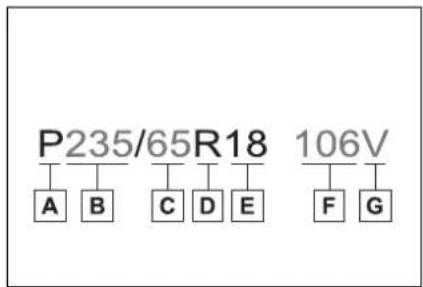
A Tire use (P = Passenger car, T = Temporary use)
B Section width (millimeters)
C Aspect ratio (tire height to section width)
D Tire construction code (R = Radial, D = Diagonal)
E Wheel diameter (inches)
F Load index (2 digits or 3 digits)
G Speed symbol (alphabet with one letter)
■Tire dimensions
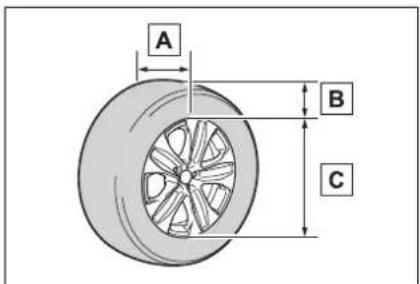
A Section width
B Tire height
c Wheel diameter
Tire section names
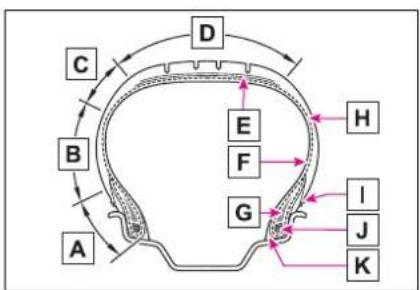
A Bead
B Sidewall
c Shoulder
D Tread
E Belt
F Inner liner
G Reinforcing rubber
H Carcass
I Rim lines
J Bead wires
K Chafer
Uniform Tire Quality Grading
This information has been prepared in accordance with regulations issued by the National Highway Traffic Safety Administration of the U.S. Department of Transportation.
It provides the purchasers and/or prospective purchasers of Toyota vehicles with information on uniform tire quality grading.
Your Toyota dealer will help answer any questions you may have as you read this information.
■DOT quality grades
All passenger vehicle tires must conform to Federal Safety Requirements in addition to these grades. Quality grades can be found where applicable on the tire sidewall between tread shoulder and maximum section width.
For example: Treadwear 200 Traction AA Temperature A
Treadwear
The treadwear grade is a comparative rating based on the wear rate of the tire when tested under controlled conditions on a specified government test course.
For example, a tire graded 150
would wear one and a half (1 - 1/2) times as well on the government course as a tire graded 100.
The relative performance of tires depends upon the actual conditions of their use. Performance may differ significantly from the norm due to variations in driving habits, service practices and differences in road characteristics and climate.
■Traction AA, A, B, C
The traction grades, from highest to lowest, are AA, A, B and C, and they represent the tire's ability to stop on wet pavement as measured under controlled conditions on specified government test surfaces of asphalt and concrete.
A tire marked C may have poor traction performance.
Warning: The traction grade assigned to this tire is based on braking (straight ahead) traction tests and does not include cornering (turning) traction.
■Temperature A, B, C
The temperature grades are A (the highest), B, and C, representing the tire's resistance to the generation of heat and its ability to dissipate heat when tested under controlled conditions on a specified indoor laboratory test wheel.
Sustained high temperature can cause the material of the tire to degenerate and reduce tire life, and excessive temperature can lead to sudden tire failure.
Grade C corresponds to a level of performance which all passenger car tires must meet under the Federal Motor Vehicle Safety Standard No. 109.
Grades B and A represent higher levels of performance on the laboratory test wheel than the minimum required by law.
Warning: The temperature grades of a tire assume that it is properly inflated and not overloaded.
Excessive speed, underinflation, or excessive loading, either separately or in combination, can cause heat buildup and possible tire failure.
Glossary of tire terminology
| Tire related term Meaning | |
| Cold tire inflation pressure | Tire pressure when the vehicle has been parked for three hours or more, or has not been driven more than 1 mile or 1.5 km under that condition |
| Maximum inflation pressure | The maximum cold inflated pressure to which a tire may be inflated, shown on the sidewall of the tire |
| Recommended inflation pressure | Cold tire inflation pressure recommended by a manufacturer |
| Accessory weight | The combined weight (in excess of those standard items which may be replaced) of hybrid transmission, power steering, power brakes, power windows, power seats, radio and heater, to the extent that these items are available as factory-installed equipment (whether installed or not) |
| Curb weight | The weight of a motor vehicle with standard equipment, including the maximum capacity of fuel, oil and coolant, and if so equipped, air conditioning and additional weight optional engine |
| Maximum loaded vehicle weight | The sum of:(a) Curb weight(b) Accessory weight(c) Vehicle capacity weight(d) Production options weight |
| Normal occupant weight | 150 lb. (68 kg) times the number of occupants specified in the second column of Table 1* that follows |
| Occupant distribution | Distribution of occupants in a vehicle as specified in the third column of Table 1* below |
| Production options weight | The combined weight of installed regular production options weighing over 5 lb. (2.3 kg) in excess of the standard items which they replace, not previously considered in curb weight or accessory weight, including heavy duty brakes, ride levelers, roof rack, heavy duty 12-volt battery, and special trim |
| Rim | A metal support for a tire or a tire and tube assembly upon which the tire beads are seated |
| Rim diameter (Wheel diameter) | Nominal diameter of the bead seat |
| Rim size designation Rim diameter and width | |
| Rim type designation | The industry manufacturer's designation for a rim by style or code |
| Rim width Nominal distance between rim flanges | |
| Vehicle capacity weight (Total load capacity) | The rated cargo and luggage load plus 150 lb. (68 kg) times the vehicle's designated seating capacity |
| Vehicle maximum load on the tire | The load on an individual tire that is determined by distributing to each axle its share of the maximum loaded vehicle weight, and dividing by two |
| Vehicle normal load on the tire | The load on an individual tire that is determined by distributing to each axle its share of curb weight, accessory weight, and normal occupant weight (distributed in accordance with Table 1* below), and dividing by two |
| Weather side | The surface area of the rim not covered by the inflated tire |
| Bead | The part of the tire that is made of steel wires, wrapped or reinforced by ply cords and that is shaped to fit the rim |
| Bead separation | A breakdown of the bond between components in the bead |
| Bias ply tire | A pneumatic tire in which the ply cords that extend to the beads are laid at alternate angles substantially less than 90 degrees to the centerline of the tread |
| Carcass | The tire structure, except tread and sidewall rubber which, when inflated, bears the load |
| Chunking | The breaking away of pieces of the tread or sidewall |
| Cord The strands forming the plies in the tire | |
| Cord separation | The parting of cords from adjacent rubber compounds |
| Cracking | Any parting within the tread, sidewall, or innerliner of the tire extending to cord material |
| CT | A pneumatic tire with an inverted flange tire and rim system in which the rim is designed with rim flanges pointed radially inward and the tire is designed to fit on the underside of the rim in a manner that encloses the rim flanges inside the air cavity of the tire |
| Extra load tire | A tire designed to operate at higher loads and at higher inflation pressures than the corresponding standard tire |
| Groove The space between two | adjacent tread ribs |
| Innerliner | The layer(s) forming the inside surface of a tubeless tire that contains the inflating medium within the tire |
| Innerliner separation | The parting of the innerliner from cord material in the carcass |
| Intended outboard sidewall | (a) The sidewall that contains a whitewall, bears white lettering, or bears manufacturer, brand, and/or model name molding that is higher or deeper than the same molding on the other sidewall of the tire, or (b) The outward facing sidewall of an asymmetrical tire that has a particular side that must always face outward when mounted on a vehicle |
| Light truck (LT) tire | A tire designated by its manufacturer as primarily intended for use on lightweight trucks or multipurpose passenger vehicles |
| Load rating | The maximum load that a tire is rated to carry for a given inflation pressure |
| Maximum load rating | The load rating for a tire at the maximum permissible inflation pressure for that tire |
| Maximum permissible inflation pressure | The maximum cold inflation pressure to which a tire may be inflated |
| Measuring rim | The rim on which a tire is fitted for physical dimension requirements |
| Open splice | Any parting at any junction of tread, sidewall, or innerliner that extends to cord material |
| Outer diameter The overall diameter of an inflated new tire | |
| Overall width | The linear distance between the exteriors of the sidewalls of an inflated tire, including elevations due to labeling, decorations, or protective bands or ribs |
| Passenger car tire | A tire intended for use on passenger cars, multipurpose passenger vehicles, and trucks, that have a gross vehicle weight rating (GVWR) of 10,000 lb. or less. |
| Ply A layer of rubber-coated parallel cords | |
| Ply separation | A parting of rubber compound between adjacent plies |
| Pneumatic tire | A mechanical device made of rubber, chemicals, fabric and steel or other materials, that, when mounted on an automotive wheel, provides the traction and contains the gas or fluid that sustains the load |
| Radial ply tire | A pneumatic tire in which the ply cords that extend to the beads are laid at substantially 90 degrees to the centerline of the tread |
| Reinforced tire | A tire designed to operate at higher loads and at higher inflation pressures than the corresponding standard tire |
| Section width | The linear distance between the exteriors of the sidewalls of an inflated tire, excluding elevations due to labeling, decoration, or protective bands |
| Sidewall | That portion of a tire between the tread and bead |
| Sidewall separation | The parting of the rubber compound from the cord material in the sidewall |
| Snow tire | A tire that attains a traction index equal to or greater than 110, compared to the ASTM E-1136 Standard Reference Test Tire, when using the snow traction test as described in ASTM F-1805-00, Standard Test Method for Single Wheel Driving Traction in a Straight Line on Snow-and Ice-Covered Surfaces, and which is marked with an Alpine Symbol ( ) on at least one sidewall |
| Test rim | The rim on which a tire is fitted for testing, and may be any rim listed as appropriate for use with that tire |
| Tread | That portion of a tire that comes into contact with the road |
| Tread rib | A tread section running circumferentially around a tire |
| Tread separation | Pulling away of the tread from the tire carcass |
| Treadwear indicators (TWI) | The projections within the principal grooves designed to give a visual indication of the degrees of wear of the tread |
| Wheel-holding fixture | The fixture used to hold the wheel and tire assembly securely during testing |
: Table 1 -Occupant loading and distribution for vehicle normal load for various designated seating capacities
| Designated seating capacity, Number of occupants | Vehicle normal load, Number of occupants | Occupant distribution in a normally loaded vehicle |
| 2 through 4 2 2 in front | ||
| 5 through 10 3 | 2 in front, 1 in second seat | |
| 11 through 15 5 | 2 in front, 1 in second seat, 1 in third seat, 1 in fourth seat | |
| 16 through 20 7 | 2 in front, 2 in second seat, 2 in third seat, 1 in fourth seat |
Customizable features
Your vehicle includes a variety of electronic features that can be personalized to suit your preferences. The settings of these features can be changed using the multi-information display, the navigation/multimedia system, or at your Toyota dealer.
Customizing vehicle fea- tures
■Changing by using the navigation/multimedia system
1 Press the "MENU" button.
2 Select "Setup" on the "Menu" screen.
3 Select "General" or "Vehicle" on the "Setup" screen.
Various setting can be changed. Refer to the list of settings that can be changed for details.
■Changing by using the meter control switches
4.2-inch display
1 Press or of the meter control switch to select
2 Press or of the meter control switch to select the desired item to be customized.
3 Press or press and hold
The available settings will differ depending on if is pressed or pressed and held. Follow the instructions on the display.
7-inch display
1 Press or of the meter control switch to select
2 Press or of the meter control switch to select the desired item to be customized.
3 Press or press and hold
The available settings will differ depending on if is pressed or pressed and held. Follow the instructions on the display.
■When customizing using the navigation/multimedia system
Stop the vehicle in a safe place, apply the parking brake, and shift the shift lever to P. Also, to prevent 12-volt battery discharge, leave the hybrid system operating while customizing the features.

WARNING
During customization
As the hybrid system needs to be operating during customization, ensure that the vehicle is parked in a place with adequate ventilation. In a closed area such as a garage, exhaust gases including harmful carbon monoxide (CO) may collect and enter the vehicle. This may lead to death or a serious health hazard.

NOTICE
During customization
To prevent 12-volt battery discharge, ensure that the hybrid system is operating while customizing features.
Some function settings are changed simultaneously with other functions being customized. Contact your Toyota dealer for further details.
A Settings that can be changed using the navigation/multimedia system screen
B Settings that can be changed using the meter control switches
C Settings that can be changed by your Toyota dealer
Definition of symbols: O = Available, — = Not available
■Predictive efficient drive ^*1 ( P.74)
| Function Default | setting Customized setting | A | B | C | |
| Predictive efficient drive | On Off O — — | ||||
^1 :Vehicles with navigation system ^2
*2: This function can only be used in the mainland U.S.A. It cannot be used in other states and territories, including Alaska and Hawaii.
■ Gauges, meters and multi-information display ( P.84, 89, 92, 101)
| Function*1 | Default setting | Customized setting | A | B | C |
| Language English | French | O O — | |||
| Spanish | |||||
| Units*2 | miles (MPG) | km (km/L) | O O — | ||
| km (L/100 km) | |||||
| miles (MPG Imperial) | |||||
| EV indicator On Off | — O — | ||||
| Function^*1 | Default setting | Customized setting | A | B | C |
| Eco Accelerator Guidance *3 | On Off — | O — | |||
| Fuel economy display *3 | Total average (Average fuel consumption [after reset]) | Trip average (Average fuel consumption [after start]) | — | O — | |
| Tank average (Average fuel consumption [after refuel]) | |||||
| Audio system linked display *3 | On Off — | O — | |||
| Energy monitor *3 | On Off — | O — | |||
| AWD system display *3, 4 | On Off — | O — | |||
| Drive information type *3 | After start After reset — O — | ||||
| Drive information items (First item) *3 | Distance | Average vehicle speed | — | O — | |
| Elapsed time | |||||
| Drive information items (Second item) *3 | Elapsed time | Average vehicle speed | — | O — | |
| Distance | |||||
| Current trip result display *3 | Eco score Drive information — O | — | |||
| Speedometer display *5 | On Off — | O — | |||
| Gadget content *5 | Off | Average vehicle speed | — | O — | |
| Distance | |||||
| Elapsed time | |||||
| Fuel economy type *5 | Trip (after reset) | Total (after start) *6 | — | O — | |
| Tank (after refuel) *7 | |||||
| Pop-up display On Off — | O — | ||||
| Rear seat reminder function | On Off — | O — | |||
| Suggestion function On | On (when the vehicle is stopped) | O — O | |||
| Off | |||||
*1: For details about each function: →P.99, 109
^2 :The default setting varies according to country.
*3:4.2-inch display
*4:AWD models
*5:7-inch display
^6 :Selecting this item will only change the gadget.
^*7 :Selecting this item will turn the display of the gadget off.
■Head-up Display ^* (→P.112)
| Function Default | setting Customized setting | A | B | C | |
| Head-up display On Off — O — | |||||
| Gauge information | Hybrid System Indicator | Tachometer | — | O — | |
| No content | |||||
| Route guidance to destination/street name | On Off — | O — | |||
| Driving support system display | On Off — | O — | |||
| Compass On Off — O — | |||||
| Audio system operation status | On Off — | O — | |||
*: If equipped
■ Door lock (→P.131, 496)
| Function Default | setting Customized setting | A | B | C | |
| Unlocking using a mechanical key | Driver's door unlocked in one step, all doors unlocked in two step | All doors unlocked in one step | — | — | O |
| Automatic door locking function | Shift position linked door locking operation | Off | O | — | O |
| Speed linked door locking operation | |||||
| Automatic door unlocking function | Shift position linked door unlocking operation | Off | O | — | O |
| Driver's door linked door unlocking operation | |||||
■ Smart key system and wireless remote control ( P.131, 146)
| Function Default | setting Customized setting | A | B | C | |
| Operation buzzer volume | 5 | Off | O | — O | |
| 1 to 7 | |||||
| Operation signal (emergency flashers) | On Off O | — O | |||
| Time elapsed before automatic door lock function is activated if door is not opened after being unlocked | 60 seconds | Off | O | — O | |
| 30 seconds | |||||
| 120 seconds | |||||
| Open door reminder buzzer (when locking the vehicle) | On Off — | — O | |||
■ Smart key system ( P.131, 146)
| Function Default | setting Customized setting | A | B | C | |
| Smart key system On Off | — — O | ||||
| Smart door unlocking | Driver's door | All the doors | O | — | O |
| Number of consecutive door lock operations | 2 times | As many as desired | — | — | O |
| Time elapsed before unlocking all the door when gripping and holding the driver's door handle* | 2 seconds | Off | — | — | O |
| 1.5 seconds | |||||
| 2.5 seconds | |||||
: This setting can be changed when the smart door unlocking setting is set to driver's door.
■ Wireless remote control ( P.129, 131, 135)
| Function Default | setting Customized setting | A | B | C | |
| Wireless remote control | On Off — — O | ||||
| Unlocking operation | Driver's door unlocked in one step, all doors unlocked in two step | All doors unlocked in one step | O — O | ||
| Theft deterrent panic mode | On Off — — O | ||||
| Locking operation when door opened | On Off O — O | ||||
■ Power back door ( P.135)
| Function Default | setting Customized setting | A | B | C | |
| Power back door On Off | — O — | ||||
| Kick sensor*1 | On Off — | O — | |||
| Power back door opening position | 5 | 1 to 4 | — | O — | |
| User setting*2 | |||||
| Buzzer volume Level 3 | Level 1 | — | O — | ||
| Level 2 | |||||
| Opening/closing of the back door using the power back door switch on the instrument panel | Press and hold | One short press — | — O | ||
| Opening/closing of the power back door using the switch of the wireless remote control | Press and hold | One short press | — | — O | |
| Push twice | |||||
| Off | |||||
| Operation buzzer while the back door is operating *3 | Off On — | — O | |||
| Power back door open operation when the back door opener switch is pressed | On Off — | — O | |||
^1 :If equipped
^2 : The open position is set by the power back door switch. ( P.99, 108)
*3: The operation buzzer that sounds when the back door begins to operate cannot be turned off.
■Driving position memory ^* (→P.159)
| Function Default | setting Customized setting | A | B | C | ||
| Selecting doors linked to the memory recall function | Driver's door All doors — — O | |||||
*: If equipped
■Power windows and moon roof ^* (→P.179, 182)
| Function Default | setting Customized setting | A | B | C | |
| Mechanical key linked operation | Off On — | — O | |||
| Wireless remote control linked operation | Off On (open only) — — O | ||||
| Wireless remote control linked operation signal (buzzer) | On Off — — O | ||||
*: If equipped
■Moon roof ^* (→P.182)
| Function Default | setting Customized setting | A | B | C | |
| Linked operation of components when mechanical key is used (open only) | Slide only Tilt only — — O | ||||
| Linked operation of components when wireless remote control is used | Slide only Tilt only — — O | ||||
*: If equipped
■ Automatic light control system ( P.229)
| Function Default | setting Customized setting | A | B | C | |
| Light sensor sensitivity | Standard | -2 to 2 | O | — | O |
| Time elapsed before headlights automatically turn off after doors are closed | 30 seconds | Off | O | — O | |
| 60 seconds | |||||
| 90 seconds | |||||
| Windshield wiper linked headlight illumination | On Off — | — O | |||
■Lights (→P.229)
| Function Default | setting Customized setting | A | B | C | |
| Daytime running lights | On | Off^*1 | O | — O | |
| Welcome lighting | On Off — | — O | |||
| AFS (Adaptive Front-lighting System) ^*2 | On Off — | — O | |||
*1: Except for Canada
^*2 :If equipped
■ Rear window wiper ( P.238)
| Function Default | setting Customized setting | A | B | C | |
| Back door opening linked rear window wiper stop function | Off On — | — O | |||
| Washer linked rear window wiper operation | On Off — | — O | |||
| Shift position linked rear window wiper operation (→P.239) | Only once | Off | — | — O | |
| Continuous | |||||
■ PCS (Pre-Collision System) (→P.249)
| Function Default | setting Customized setting | A | B | C | |
| PCS (Pre-Collision System) | On Off — | O — | |||
| Adjust alert timing Middle | Early | — | O — | ||
| Late | |||||
■ LTA (Lane Tracing Assist) (→P.260)
| Function Default | setting Customized setting | A | B | C | |
| Lane centering function On Off — O — | |||||
| Alert sensitivity | High | Standard | — | O | — |
| Vehicle sway warning function | On Off — O — | ||||
| Vehicle sway warning sensitivity | Standard | High | — | O — | |
| Low | |||||
■RSA (Road Sign Assist) * (→P.283)
| Function Default | setting Customized setting | A | B | C | |
| RSA (Road Sign Assist) | On Off — | O — | |||
| Excess speed notification method | Display only | No notification | — | O — | |
| Display and buzzer | |||||
| Excess speed notification level | 1 mph (2 km/h) | 3 mph (5 km/h) | — | O — | |
| 5 mph (10 km/h) | |||||
| Other notifications method (no-entry notification) | Display only | No notification | — | O — | |
| Display and buzzer | |||||
*: If equipped
■ Dynamic radar cruise control with full-speed range ( P.271)
| Function Default | setting Customized setting | A | B | C | |
| Curve speed reduction function strength | High | Low | — | O — | |
| Off | |||||
■ BSM (Blind Spot Monitor) (→P.286)
| Function Default | setting Customized setting | A | B | C | |
| BSM (Blind Spot Monitor) | On Off — | O — | |||
| Outside rear view mirror indicator brightness | Bright Dim | — O — | |||
| Alert timing for presence of approaching vehicle (sensitivity) | Intermediate | Early | — O — | ||
| Late | |||||
| Only when vehicle detected in blind spot | |||||
■Intuitive parking assist * (→P.292)
| Function Default | setting Customized setting | A | B | C | |
| Intuitive parking assist On | Off — O — | ||||
| Buzzer volume Level 2 | Level 1 | — | O — | ||
| Level 3 | |||||
*: If equipped
■ RCTA (Rear Cross Traffic Alert) function ( P.300)
| Function Default | setting Customized setting | A | B | C | |
| RCTA (Rear Cross Traffic Alert) function | On Off — | O — | |||
| Buzzer volume Level 2 | Level 1 | — | O — | ||
| Level 3 | |||||
■PKSB (Parking Support Brake) * (→P.305)
| Function Default | setting Customized setting | A | B | C | |
| PKSB (Parking Support Brake) function | On Off — | O — | |||
*: If equipped
■ Front automatic air conditioning system ( P.342)
| Function Default | setting Customized setting | A | B | C | |
| A/C auto switch operation | On Off O | — O | |||
■ Illumination ( P.362)
| Function Default | setting Customized setting | A | B | C | |
| Time elapsed before the interior lights turn off | 15 seconds | Off | O | O7.5 seconds | |
| 30 seconds | |||||
| Operation after the power switch is turned off | On Off — | — O | |||
| Operation when the doors are unlocked | On Off — | — O | |||
| Operation when you approach the vehicle with the electronic key on your person | On Off — | — O | |||
| Instrument panel ornament light* and door trim ornament lights* | On Off — | — O | |||
| Time elapsed before the outer foot lights* turn off | 15 seconds | Off | O — | O7.5 seconds | |
| 30 seconds | |||||
| Operation of the outer foot lights* when you approach the vehicle with the electronic key on your person | On Off — | — O | |||
| Operation of the outer foot lights* when the doors are unlocked with the power door lock switch | On Off — | — O | |||
*: If equipped
■ Vehicle customization
- When the smart key system is off, smart door unlocking cannot be customized.
- When the doors remain closed after unlocking the doors and the timer activated automatic door lock function activates, signals will be generated in accordance with the operation buzzer volume and operational signal (emergency flashers) function settings.
Items to initialize
The following items must be initialized for normal system operation after such cases as the 12-volt battery being reconnected, or maintenance being performed on the vehicle:
List of items to initialize
| Item When to initialize Reference | ||
| Power back door | After reconnecting or changing the 12-volt battery | P.142 |
| Intuitive parking assist* | After reconnecting or changing the 12-volt battery | P295 |
| PKSB (Parking Support Brake)* | After reconnecting or changing the 12-volt battery | P311 |
| Message indicating maintenance is required (U.S.A. only) | After the maintenance is performed | P.407 |
| Tire pressure warning system | When the tire inflation pressure is changed such as when changing traveling speedWhen the tire inflation pressure is changed such as when the tire size is changedWhen rotating the tiresAfter registering the ID codes | P.430 |
*: If equipped



For owners
9
9-1. For owners
Reporting safety defects for U.S. owners.... 544
Seat belt instructions for Canadian owners (in French).... 544
SRS airbag instructions for Canadian owners (in French).... 546
Headlight aim instructions for Canadian owners (in French).... 553
Reporting safety defects for U.S. owners
If you believe that your vehicle has a defect which could cause a crash or could cause injury or death, you should immediately inform the National Highway Traffic Safety Administration (NHTSA) in addition to notifying Toyota Motor Sales, U.S.A., Inc. (Toll-free: 1-800-331-4331).
If NHTSA receives similar complaints, it may open an investigation, and if it finds that a safety defect exists in a group of vehicles, it may order a recall and remedy campaign. However, NHTSA cannot become involved in individual problems between you, your dealer, or Toyota Motor Sales, U.S.A., Inc.
To contact NHTSA, you may call the Vehicle Safety Hotline toll-free at 1-888-327-4236 (TTY: 1-800-424-9153); go to http://www.safercar.gov; or write to: Administrator, NHTSA, 1200 New Jersey Ave. SE., Washington, DC 20590. You can also obtain other information about motor vehicle safety from http://www.safercar.gov.
Seat belt instructions for Canadian owners (in French)
The following is a French explanation of seat belt instructions extracted from the seat belt section in this manual.
See the seat belt section for more detailed seat belt instructions in English.
natural_image
Line drawing of a person sitting on a chair wearing a seatbelt and holding a bandage (no text or symbols)SRS airbag instructions for Canadian owners (in French)
The following is a French explanation of SRS airbag instructions extracted from the SRS airbag section in this manual.
See the SRS airbag section for more detailed SRS airbag instructions in English.
▶ Coussins gonflables frontaux SRS
natural_image
Illustration of a person sitting on a chair with a hand adjusting the seatbelt, no text or symbols present.natural_image
Illustration of a person sitting in a car with a pink prohibition symbol overlay (no text or symbols on the diagram itself)natural_image
Illustration of a person sitting in a car seat with a no-smoking symbol (no text or labels)
AVERTISSEMENT
Headlight aim instructions for Canadian owners (in French)
The following is a French explanation of headlight aim instructions from the head-light aim section in this manual.
natural_image
Technical diagram showing a screwdriver inserted into a mechanical component with no visible text or symbolsnatural_image
Mechanical diagram showing a hammer and screwdriver inserted into a car body (no text or symbols)Index
What to do if... (Trouble-shooting) 556
Alphabetical Index...... 559
What to do if... (Troubleshooting)
If you have a problem, check the following before contacting your Toyota dealer.
The doors cannot be locked, unlocked, opened or closed

You lose your keys
- If you lose your mechanical keys, new genuine mechanical keys can be made by your Toyota dealer. (→P.495)
- If you lose your electronic keys, the risk of vehicle theft increases significantly. Contact your Toyota dealer immediately. (→P.495)

The doors cannot be locked or unlocked
- Is the electronic key battery weak or depleted? (→P.444)
- Is the power switch in ON?
When locking the doors, turn the power switch off. ( P.215) - Is the electronic key left inside the vehicle?
When locking the doors, make sure that you have the electronic key on your person.
● The function may not operate
properly due to the condition of the radio wave. ( P.147)

The rear door cannot be opened
● Is the child-protector lock set?
The rear door cannot be opened from inside the vehicle when the lock is set. Open the rear door from outside and then unlock the child-protector lock. ( P.134)
If you think something is wrong

The hybrid system does not start
- Did you press the power switch while firmly depressing the brake pedal? (→P.213)
- Is the shift lever in P? ( P.213)
- Is the electronic key anywhere detectable inside the vehicle? (→P.146)
- Is the steering wheel unlocked? (→P.214)
- Is the electronic key battery weak or depleted?
In this case, the hybrid system can be started in a temporary way. (→P.497) - Is the 12-volt battery discharged? (→P.498)

The shift lever cannot be shifted from P even if you depress the brake pedal
- Is the power switch in ON?
If you cannot release the shift lever by depressing the brake pedal with the power switch in ON ( P.221)

The steering wheel can- not be turned after the hybrid system is stopped
- It is locked automatically to prevent theft of the vehicle. (→P.214)

The windows do not open or close by operating the power window switches
- Is the window lock switch pressed?
The power window except for the one at the driver's seat cannot be operated if the window lock switch is pressed. (→P.181)

The power switch is turned off automatically
- The auto power off function will be operated if the vehicle is left in ACC or ON (the hybrid system is not operating) for a period of time. ( P.216)

A warning buzzer sounds during driving
● The seat belt reminder light is
flashing
Are the driver and the passengers wearing the seat belts? (→P.469)
● The parking brake indicator is on
Is the parking brake released? (→P.224)
Depending on the situation, other types of warning buzzer may also sound. (→P.466, 476)

An alarm is activated and the horn sounds (vehicles with an alarm)
- Did anyone inside the vehicle open a door during setting the alarm?
The sensor detects it and the alarm sounds. (→P.81)
Do one of the following to stop the alarms:
- Unlock the doors.
- Turn the power switch to ACC or ON, or start the hybrid system.

A warning buzzer sounds when leaving the vehicle
- Is the message displayed on the multi-information display?
Check the message on the multi-information display. (→P.476)

A warning light turns on or a warning message is displayed
- When a warning light turns on or a warning message is displayed, refer to P.466, 476.
When a problem has occurred

If you have a flat tire
- Stop the vehicle in a safe place and replace the flat tire with the spare tire. (→P.481)

The vehicle becomes stuck
- Try the procedure for when the vehicle becomes stuck in mud, dirt, or snow. (→P.507)
Alphabetical Index
A
A/C....342
Air conditioning filter......439
Automatic air conditioning system 342
Eco air conditioning mode....349
Front seat concentrated airflow mode (S-FLOW)....351
Rear automatic air conditioning system....354
ABS (Anti-lock Brake System) 325
Warning light 468
ACA (Active Cornering Assist) 325
Active Cornering Assist (ACA) 325
Adaptive Front-lighting System (AFS)....231
AFS (Adaptive Front-lighting System) 231
AHB (Automatic High Beam).232
Air conditioning filter......439
Air conditioning system ....342 Air conditioning filter....439
Automatic air conditioning system 342
Eco air conditioning mode....349
Front seat concentrated airflow mode (S-FLOW)....351
Rear automatic air conditioning system....354
Airbags
Airbag operating conditions....36
Airbag precautions for your child 39
Correct driving posture......25
Curtain shield airbag operating conditions....37
Curtain shield airbag precautions 39
Front passenger occupant classification system....43
General airbag precautions....39
Locations of airbags ....34
Modification and disposal of air-bags....42
Side airbag operating conditions ....37
Side airbag precautions......39
Side and curtain shield airbags operating conditions .....37
Side and curtain shield airbags precautions....39
SRS airbags ....34
SRS warning light......468
Alarm ....81 Warning buzzer ....466
Anchor brackets .....52, 62
Antennas (smart key system)146
Anti-lock Brake System (ABS) 325
Warning light......468
Approach warning......278
Armrest....382
Assist grips....382
Audio system-linked display.96, 106
Automatic air conditioning system....342
Eco air conditioning mode....349
Automatic headlight leveling system....230
Automatic High Beam ......232
Automatic light control system 230
Auxiliary boxes......368, 373
Average fuel economy .....94, 102
Average vehicle speed.....96, 106
AWD Control 97, 106
B
Back door....135
Back-up lights
Replacing light bulbs......449
Battery (12-volt battery)
Battery checking......421
If the 12-volt battery is discharged ....498
Preparing and checking before winter....333
Replacing ....501
Warning light 467
Battery (traction battery) .....75
Blind Spot Monitor (BSM).....286
Brake
Brake hold....227
Fluid 420,515
Parking brake....224
Regenerative braking....72
Warning light 466
Brake assist ....325
Break-in tips ......191
Brightness control
Instrument panel light control.92
BSM (Blind Spot Monitor).....286
Buzzer
Hands off steering wheel warning (LTA)....269
C
Care
Exterior......400
Interior......403
Seat belts 403
Wheels and wheel ornaments 400
Cargo capacity ......200
Cargo net hooks......370
Chains 334
Child restraint system
Fixed with a LATCH system ...60
Fixed with a seat belt .....55
Front passenger occupant classification system....43
Points to remember .....50
Riding with children .....49
Types of child restraint system installation method ....52
Using an anchor bracket .....62
Child safety
12-volt battery precautions.422, 502
Airbag precautions ....39
Back door precautions......135
Child restraint system......52
Heated steering wheel and seat heater precautions....358
How your child should wear the seat belt....28
Moon roof precautions......183
Panoramic moon roof precautions....187
Power window lock switch....181
Power window precautions...180
Rear door child-protectors....134
Seat belt extender precautions 29
Seat belt precautions......49
Child-protectors......134
Cleaning
Exterior......400
Interior 403
Radar sensor....244
Seat belts 403
Wheels and wheel ornaments 400
Clock....89, 92
Coat hooks....383
Condenser....419
Console box....366
Conversation mirror......389
Cooling system......418
Engine overheating ....504
Hybrid system overheating...505
Cruise control
Dynamic radar cruise control with full-speed range.....271
Cup holders 367
Current fuel consumption94, 102
Curtain shield airbags ....34
Customizable features......530
D
Daytime running light system229
Replacing light bulbs......449
Defogger
Outside rear view mirrors...344, 348
Rear window ......344, 348
Windshield....344, 347
Differential
Rear differential oil ....514
Digital Rearview Mirror .....167
Dimension....510
Dinghy towing 212
Display
Dynamic radar cruise control with full-speed range.....271
Energy monitor......117
Head-up display 112
Intuitive parking assist......292
LTA (Lane Tracing Assist).....266
Multi-information display 92, 101
RCTA....300
Toyota Multi-operation touch 340
Warning message ....476
Distance until next engine oil change....91
Do-it-yourself maintenance...407
Door courtesy lights ....362
Door lock
Back door....135
Side doors....131
Smart key system......146
Wireless remote control .....129
Doors
Automatic door locking and
unlocking system......134
Back door 135
Door glasses 179
Door lock 135
Open door warning buzzer.132, 134
Outside rear view mirrors .....177
Rear door child-protectors....134
Drive distance....96, 106
Drive information......96, 106
Driver's seat position memory
Driving position memory......159
Memory recall function .....161
Drive-start control .....191
Driving
Break-in tips ......191
Correct driving posture......25
Driving mode select switch...322
Hybrid vehicle driving tips.....331
Procedures....190
Winter drive tips....333
Driving information display...93, 102
Driving mode select switch...322
Driving position memory .....159
Memory recall function .....161
Driving range .....94, 102
Driving support system information display....96, 105
Dynamic radar cruise control with full-speed range......271
Warning message......281
E
ECB (Electronically Controlled Brake System)....32
ECO Accelerator Guidance....94, 103
Eco drive mode....322
Eco score 94, 103
EDR (Event data recorder)......7
E-Four....326
Elapsed time .....96, 106
Electric motor (traction motor)71
Electric Power Steering (EPS) 326 Warning light 469
Electronic key......128
Battery-saving function......147
If the electronic key does not operate properly....496 Replacing the battery ....444
Electronic roof sunshade Jam protection function.....186 Operation .....185
Electronically Controlled Brake System (ECB) 325
Emergency flashers .....458
Emergency, in case of If a warning buzzer sounds ..466 If a warning light turns on.....466 If a warning message is dis- played.....476
If the 12-volt battery is discharged ....498
If the electronic key does not operate properly....496
If the fuel filler door cannot be opened ....495
If the hybrid system will not start 493
If the vehicle is trapped in rising water ....459
If you have a flat tire......481
If you lose your keys .....495
If you think something is wrong 464
If your vehicle becomes stuck 507
If your vehicle has to be stopped in an emergency....458
If your vehicle needs to be towed 461
If your vehicle overheats .....504
Energy monitor......117
Engine
ACCESSORY mode......216
Compartment......416
Engine switch 213
Hood....414
How to start the hybrid system 213
Identification number......511
If the hybrid system will not start 493
If your vehicle has to be stopped in an emergency....458
Ignition switch (power switch) 213
Overheating....504
Power switch 213
Tachometer....89
Engine coolant
Capacity 513
Checking 418
Preparing and checking before winter....333
Engine coolant temperature gauge....89
Engine oil
Capacity 512
Checking 416
Preparing and checking before winter....333
Warning light....467
Engine switch (power switch)213
If your vehicle has to be stopped in an emergency....458
EPS (Electric Power Steering) 326
Warning light....469
EV drive mode......218
EV indicator....72
Event data recorder (EDR)......7
F
Flat tire
Tire pressure warning system 426
Vehicles with a spare tire .....481
Floor mats....24
Fluid
Brake....515
Hybrid transmission......514
Washer....420
Fog lights
Switch......235
Footwell light....362
Front passenger occupant classification system....43
Front seats
Adjustment 153
Cleaning......403
Correct driving posture......25
Driving position memory......159
Head restraints....162
Memory recall function......161
Seat heaters....358
Seat position memory .....159
Seat ventilators ....358
Front side marker light
Light switch .....229
Front side marker lights
Replacing light bulbs......449
Front turn signal lights
Replacing light bulbs......449
Turn signal lever......223
Fuel
Capacity 511
Fuel gauge 89
Information 518
Refueling....240
Type 511
Warning light 469
Fuel consumption
Average fuel economy....94, 102
Current fuel consumption94, 102
Fuel economy 94, 102
Fuel filler door
If the fuel filler door cannot be opened ....495
Refueling 240
Fuel gauge....89
Fuses 446
G
Garage door opener ....390
Gauges 89
Glove box 366
Glove box light....366
H
Head restraints ....162
Headlight aim....448
Headlights
Adaptive Front-lighting System (AFS)....231
Automatic High Beam system 232
Light switch....229
Replacing light bulbs .....449
Head-up display......112
Driving information display area 112
Hybrid System Indicator .....115
Navigation system-linked display 115
Settings ......114
Heated steering wheel......358
Heaters
Automatic air conditioning system 342
Heated steering wheel......358
Outside rear view mirrors ...344, 348
Rear automatic air conditioning system....354
Seat heaters......358
High mounted stoplight
Replacing light bulbs......449
High-voltage components .....75
Hill-start assist control .....325
Hood
Open 414
Hooks
Cargo net hooks......370
Coat hooks....383
Retaining hooks (floor mat)....24
Horn....165
Hybrid battery (traction battery)
Location....75
Specification....512
Warning message ....78
Hybrid battery (traction battery) air vents ....7
Hybrid system ....71
Acoustic vehicle alerting system 73
Emergency shut off system....78
Energy monitor/consumption screen 117
EV drive mode......218
High voltage components.....75
Hybrid system precautions.....75
If the hybrid system will not start 493
Overheating....505
Power (ignition) switch .....213
Regenerative braking....72
Starting the hybrid system....213
Hybrid System Indicator..90, 115
Hybrid transmission .....220
S mode....222
Hybrid vehicle driving tips ....331
|
I/M test....410
Identification
Engine 511
Vehicle....510
Ignition switch (power switch)
213
Auto power off function......216
Changing the power switch modes....216
If your vehicle has to be stopped in an emergency....458
Immobilizer system .....79
Indicators 86
Initialization
Items to initialize....542
Maintenance....407
Power windows ......179
Tire pressure warning system 430
Inside rear view mirror...166, 167
Instrument panel light control.92
Interior lights....362
Front interior light 362
Rear interior light....362
Intuitive parking assist
Function......292
Warning message....295
J
Jack
Positioning a floor jack .....415
Vehicle-equipped jack .....482
Jack handle......482
Jam protection function
Electronic roof sunshade.....186
Moon roof 182
Panoramic moon roof......186
Power back door 140
Power windows ......179
K
Keyless entry
Smart key system......146
Wireless remote control .....129
Keys
Battery-saving function......147
Electronic key......128
If the electronic key does not operate properly....496
If you lose your keys ......495
Key number plate......128
Keyless entry......131, 136, 146
Mechanical key 128
Power switch......213
Replacing the battery .....444
Warning buzzer 146
Wireless remote control .....129
Knee airbags....34
L
Lane Tracing Assist (LTA)
Operation 260
Warning messages......270
Language (multi-information display)....97, 107
LATCH anchors ....60
Lever
Auxiliary catch lever .....414
Hood lock release lever......414
Shift lever 220
Turn signal lever....223
Wiper lever......235, 238
License plate lights
Light switch 229
Replacing light bulbs......449
Light bulbs
Replacing 449
Lights
Automatic High Beam system 232
Fog light switch .....235
Front interior lights......363
Front personal lights......363
Headlight switch 229
Interior lights....362
Interior lights list ......362
Rear interior lights 363
Rear personal lights 363
Replacing light bulbs .....449
Turn signal lever....223
Vanity lights 388
Welcome light illumination control 230
Lock steering column .....214
LTA (Lane Tracing Assist)
Operation....260
Warning messages......270
Luggage cover......370
M
Maintenance
Do-it-yourself maintenance ..412
General maintenance......408
Maintenance data......510
Maintenance requirements...406
Malfunction indicator lamp....467
Menu icons....92, 101
Meter
Clock 89, 92
Hybrid System Indicator .....90
Indicators......86
Instrument panel light control .92
Meter control switches....93, 102
Meters 89
Multi-information display.92, 101
Settings 97, 107
Warning lights......466
Warning message......476
Mirrors
Digital Rearview Mirror......167
Inside rear view mirror......166
Outside rear view mirror defoggers ....344, 348
Outside rear view mirrors.....177
Vanity mirrors ....388
Moon roof
Door lock linked moon roof operation 182
Jam protection function......182
Operation 182
Multi-information display.92, 101
Audio system-linked display.96, 106
AWD Control 97, 106
Driving information display...93, 102
Driving support system......106
Driving support system information display ....96, 105
Dynamic radar cruise control with full-speed range.....271
ECO Accelerator Guidance..94, 103
Eco score 94, 103
Energy monitor.....97, 106, 117
Fuel economy....94, 102
LTA (Lane Tracing Assist).....266
Menu icons....92, 101
Meter control switches ...93, 102
Navigation system-linked display 96, 105
Pop-up display .....92, 101
Settings 97, 107
Suggestion function..... 101, 110
Tire pressure .....97, 106, 426
Vehicle information display...96, 106
Warning message 101, 110, 476
N
Navigation system-linked display 96, 105, 115
Noise from under vehicle .....5
Normal mode ....322
0
"ODO TRIP" switch .....91
Odometer....91
Odometer and trip meter display
Display items 91
"ODO TRIP" switch.....91
Oil
Engine oil....512
Rear differential oil....514
Opener
Back door 137
Fuel filler door......240
Hood....414
Outer foot lights
Replacing light bulbs .....449
Outside rear view mirrors
Adjustment ......177
BSM (Blind Sport Monitor)....286
Linked mirror function when reversing....177
Mirror position memory......159
Outside rear view mirror defoggers ....344, 348
RCTA function....300
Outside temperature .....89
Overheating....504
P
Panic mode ....130
Panoramic moon roof
Jam protection function .....186
Operation....185
Parking assist sensors (intuitive parking assist) .....292
Parking brake
Operation....224
Parking brake engaged warning buzzer....226
Warning light......473
Warning message......226
Parking lights
Light switch 229
Replacing light bulbs......449
Parking Support Brake function
(for rear-crossing vehicles).318
Function 318
Parking Support Brake function
(static objects)......312
Function 312
PCS (Pre-Collision System)
Function 249
PCS OFF switch.....252
Warning light 472
Personal lights ....362
PKSB (Parking Support Brake)
305
Warning message ....310
Power control unit....75
Power control unit coolant
Capacity 513
Checking 418
Preparing and checking before winter....333
Power outlets......383, 384
Power steering (Electric power
steering system)......326
Warning light 469
Power switch 213
Auto power off function .....216
Changing the power switch modes ....216
Power switch (engine switch)
If your vehicle has to be stopped in an emergency....458
Power windows
Door lock linked window operation ....180
Jam protection function......179
Operation 179
Window lock switch.....181
Pre-Collision System (PCS)
Function 249
PCS OFF switch.....252
Warning light....472
Predictive deceleration support
74
Predictive SOC control .....74
R
Radar cruise control (dynamic radar cruise control with
full-speed range)......271
Radiator......419
RCTA
Function....300
Warning message....301
RCTA function....302
Rear automatic air conditioning system....354
Rear Cross Traffic Alert (RCTA)
300
Rear door sunshades......389
Rear seats 154
Head restraints....162
Seat heaters....358
Rear side marker lights
Light switch....229
Replacing light bulbs .....449
Rear turn signal lights
Replacing light bulbs .....449
Turn signal lever....223
Rear view mirror
Digital Rearview Mirror......167
Inside rear view mirror......166
Outside rear view mirrors .....177
Rear window defogger...344, 348
Refueling
Capacity 511
Fuel types....511
If the fuel filler door cannot be opened ....495
Opening the fuel tank cap ....240
Regenerative braking....72
Replacing
Electronic key battery......444
Fuses 446
Light bulbs....449
Tires 481
Reporting safety defects for U.S. owners....544
Resetting the message indicating maintenance is required407
Road Sign Assist......283
RSA (Road Sign Assist)......283
S
Safety Connect ....65
Seat belt reminder light .469, 470
Seat belts ......27
Automatic Locking Retractor..28
Child restraint system installation 52
Cleaning and maintaining the seat belt....403
Emergency Locking Retractor 28
How to wear your seat belt.....28
How your child should wear the seat belt....28
Pregnant women, proper seat belt use....27
Reminder light and buzzer .469, 470
Seat belt extender......28
Seat belt pretensioners .....32
SRS warning light......468
Seat heaters....358
Seat position memory......159
Seat ventilators ....358
Seating capacity......200
Seats
Adjustment 153
Adjustment precautions......153
Child seats/child restraint system installation 50
Cleaning......403
Driving position memory.....159
Head restraints....162
Properly sitting in the seat .....25
Seat heaters....358
Seat position memory......159
Seat ventilators....358
Sensor
Automatic headlight system .230
Automatic High Beam system 232
Digital Rearview Mirror......171
Inside rear view mirror......167
Intuitive parking assist......292
LTA (Lane Tracing Assist).....260
Parking Support Brake function (rear-crossing vehicles).....318
Parking Support Brake function (static objects) ....313
Radar sensor....243, 288
Rain-sensing windshield wipers 237
RCTA....301
Service plug 75
Service reminder message....407
Shift lever
Hybrid transmission......220
If the shift lever cannot be shifted from P....221
Shift lever light....362
Shift lock system.....221
Shopping bag hooks......370
Side airbags ....34
Side doors
Door lock 131
Side marker lights
Light switch....229
Replacing light bulbs .....449
Side mirrors
Adjustment 177
BSM (Blind Sport Monitor)....286
Heaters....344, 348
Linked mirror function when reversing 177
Mirror position memory .....159
RCTA function 300
Side turn signal lights
Replacing light bulbs......449
Turn signal lever......223
Side windows ......179
Smart key system
Antenna location .....146
Entry functions .....131, 136
Starting the hybrid system....213
Snow tires 333
Spare tire....481
Storage location 482
Spark plug....514
Specifications......510
Speedometer 89
Sport mode ....322
Steering lock
Column lock release......214
Steering lock system warning message....214
Steering wheel
Adjustment 165
Heated steering wheel .....358
Meter control switches ...93, 102
Stop lights
Replacing light bulbs......449
Storage features......365
Stuck
If the vehicle becomes stuck 507
Suggestion function......101, 110
Sun visors......388
Sunshade
Roof....182
Switches
Activating the Automatic High Beam....232
Automatic High Beam system 232
Brake Hold switch 227
Digital Rearview Mirror control switches....167
Door lock switches .....134
Driving mode select switch...322
Driving position memory switches....159
Dynamic radar cruise control with full-speed range switch271
Electronic roof sunshade switches....185
Emergency flashers switch...458
EV drive mode switch.....218
Fog light switch....235
Garage door opener switches 390
Heated steering wheel switch 358
Ignition switch......213
Instrument panel light control switches....92
Intuitive parking assist switch293
Light switches......229
LTA (Lane Tracing Assist) switch 266
Meter control switches....93, 102
Moon roof switches .....182
"ODO TRIP" switch.....91
Outside rear view mirror switches....177
Panoramic moon roof switches 185
Parking brake switch .....224
PCS OFF switch.....252
PKSB (Parking Support Brake) switch 306
Power door lock switch.....134
Power switch 213
Power window switches .....179
RCTA switch 300
Rear window and outside rear view mirror defoggers switch ....344, 348
Seat heater switches......358
Seat ventilator switches .....358
"SOS" button 65
Tilt and telescopic steering control switch ....165
Tire pressure warning reset switch 431
Vehicle-to-vehicle distance switch 271
VSC OFF switch....326
Window lock switch.....181
Windshield defogger switch344, 347
Windshield wiper and washer switch 235, 238
Windshield wiper de-icer switch 344, 352
T
Tachometer 89
Tail lights
Light switch 229
Replacing light bulbs......449
The Secondary Collision Brake 326
Theft deterrent system
Alarm....81
Immobilizer system .....79
Tire inflation pressure
Maintenance data....515
Tire inflation pressure display function....426
Warning light 470
Tire information....520
Glossary....524
Size 522
Tire identification number.....521
Uniform Tire Quality Grading523
Tire pressure display .....426
Tire pressure warning system
Function 426
Initializing 430
Installing tire pressure warning valves and transmitters .....429
Registering ID codes......433
Warning light....470
Tires
Chains 334
Checking 424
If you have a flat tire......481
Inflation pressure......436
Information 520
Replacing 481
Rotating tires 426
Size 515
Snow tires....333
Spare tire....481
Tire inflation pressure display function....426
Tire pressure warning system 426
Warning light....470
Tools 482
Top tether strap 62
Total load capacity ....510
Towing
Dinghy towing....212
Emergency towing......461
Trailer towing....201
Toyota Multi-operation touch 340
Toyota Safety Sense 2.5 +
Automatic High Beam......232
Dynamic radar cruise control with full-speed range .....271
LTA (Lane Tracing Assist).....260
PCS (Pre-Collision System) .249
RSA (Road Sign Assist).....283
TRAC (Traction Control) .....325
Traction battery (hybrid battery)
Hybrid battery (traction battery) air vents....77
Location....75
Specification....512
Warning message....78
Traction Control (TRAC)......325
Traction motor (electric motor)71
Trail Mode ....323
Trailer Sway Control ....325
Trailer towing....201
Transmission
Driving mode select switch...322
Hybrid transmission......220
If the shift lever cannot be shifted
from P....221
S mode....222
Trip meters....91
Turn signal lights
Replacing light bulbs......449
Turn signal lever....223
U
USB charging ports......374
V
Vanity lights....388
Vanity mirrors......388
VDIM (Vehicle Dynamics Integrated Management)......326
Vehicle data recording......6
Vehicle Dynamics Integrated Management (VDIM)....326
Vehicle identification number510
Vehicle information display...96, 106
Vehicle Stability Control (VSC) 325
Ventilators (seat ventilators) .358
VSC (Vehicle Stability Control) 325
W
Warning buzzers
ABS....468
Airbags......468
Approach warning .....278
Brake hold 473
Brake Override System .....468
Brake system......466
Charging system 467
Downshifting......222
Drive-Start Control......468
Electric power steering.....469
Engine 467
Hands off steering wheel warning (LTA) 269
High coolant temperature.....466
Hybrid system......467
Hybrid system overheat.....467
Intuitive parking assist.296, 299, 471
Low engine oil pressure .....467
LTA (Lane Tracing Assist)...260, 264, 470
Open door 132, 134
PKSB (Parking Support Brake) 471
Pre-collision braking......251
RCTA (Rear Cross Traffic Alert) 471
RCTA function....301
Seat belt 469, 470
Warning label....75
Warning lights....466
ABS 468
Brake hold operated indicator 473
Brake Override System .....468
Brake system......466
Charging system 467
Drive-Start Control.....468
Electric power steering.....469
High coolant temperature.....466
Hybrid system overheat warning light....467
Intuitive parking assist OFF indicator 471
Low engine oil pressure .....467
Low fuel level 469
LTA indicator......470
Malfunction indicator lamp ...467
Parking brake indicator .....473
PKSB OFF indicator......471
Pre-collision system .....472
RCTA OFF indicator .....471
Seat belt reminder light 469, 470
Slip indicator......472
SRS....468
Tire pressure 470
Warning message...... 101, 110
Warning messages......476
Washer
Adding......420
Preparing and checking before
winter....333
Switch......235, 238
Washing and waxing......400
Weight
Cargo capacity ....200
Load limits....200
Weight......510
Wheels....438
Size 515
Window lock switch .....181
Windows
Power windows 179
Rear window defogger .344, 348
Washer....235, 238
Windshield defogger.....344, 347
Windshield wiper de-icer344, 352
Windshield wipers
Rain-sensing windshield wipers
235, 238
Winter driving tips....333
Wireless charger ....375
Wireless remote control
Battery-Saving Function.....147
Locking/Unlocking......129
Replacing the battery .....444
For information regarding the equipment listed below, refer to the "NAVIGATION AND MULTIMEDIA SYSTEM OWNER'S MANUAL".
- Navigation system
· Audio/visual system
- Rear seat entertainment system
- Rear view monitor system
· Toyota parking assist monitor
· Panoramic view monitor
GAS STATION INFORMATION
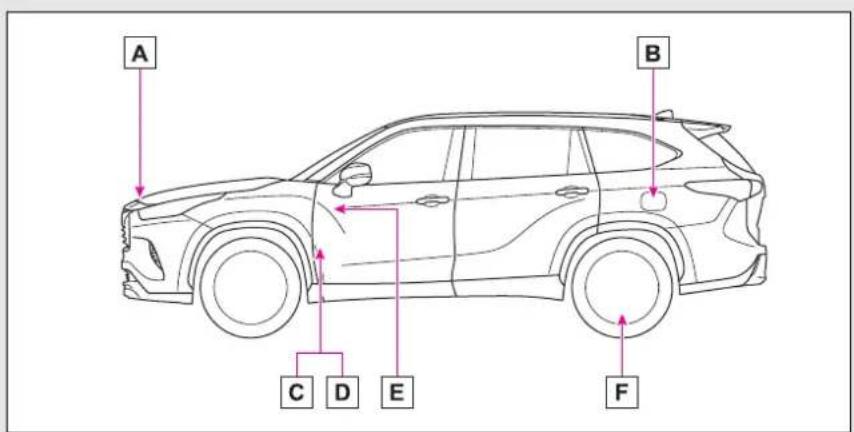
A Auxiliary catch lever ( P.414)
| Fuel tank capacity (Reference) | 17.1 gal. (65 L, 14.2 Imp. gal.) |
| Fuel type Unleaded gasoline only P.511 | |
| Cold tire inflation pressure | P.515 |
| Engine oil capacity (Drain and refill — reference) | P.512 |
| Engine oil type P.512 | |

- For safety and security
- 1-1. For safe use
- 1-2. Child safety
- 1-3. Emergency assistance
- 1-4. Hybrid system
- 1-5. Theft deterrent system
- Vehicle status information and indicators
- 2-1. Instrument cluster
- Before driving
- 3-1. Key information
- 3-2. Opening, closing and locking the doors
- 3-3. Adjusting the seats
- 3-4. Adjusting the steering wheel and mirrors
- 3-5. Opening, closing the windows and moon roof
- Driving
- 4-1. Before driving
- 4-2. Driving procedures
- 4-3. Operating the lights and wipers
- 4-4. Refueling
- 4-5. Using the driving support systems
- 4-6. Driving tips
- Interior features
- 5-1. Toyota multi-operation touch
- 5-2. Using the air conditioning system and defogger
- 5-3. Using the interior lights
- 5-4. Using the storage features
- 5-5. Using the other interior features
- Maintenance and care
- 6-1. Maintenance and care
- 6-2. Maintenance
- 6-3. Do-it-yourself maintenance
- When trouble arises
- 7-1. Essential information
- 7-2. Steps to take in an emergency
- Vehicle specifications
- 8-1. Specifications
- 8-2. Customization
- 8-3. Initialization
- For owners
- 9-1. For owners
- Index
- For your information
- Main Owner's Manual
- Noise from under vehicle after turning off the hybrid system
- Accessories, spare parts and modification of your Toyota
- Installation of a mobile two-way radio system
- Vehicle data recording
- Usage of data collected through Safety Connect (U.S. mainland only)
- Event data recorder
- Scrapping of your Toyota
- Perchlorate Material
- WARNING
- ■General precaution regarding children's safety
- Reading this manual
- Symbols in illustrations
- How to search
- ■Searching by name
- ■Searching by installation position
- ■Searching by symptom or sound
- ■Searching by title
- Pictorial index
- Exterior
- Light bulbs of the exterior lights for driving
- Instrument panel
- Switches
- Interior
- Ceiling
- 1
- Before driving
- Installing floor mats
- For safe driving
- Correct driving posture
- Correct use of the seat belts
- Adjusting the mirrors
- Seat belts
- ■Wearing a seat belt
- ■People suffering illness
- ■When children are in the vehicle
- ■Seat belt damage and wear
- Emergency locking retractor (ELR)
- ■Automatic locking retractor (ALR)
- ■Child seat belt usage
- ■Seat belt extender
- ■ Using a seat belt extender
- NOTICE
- ■When using a seat belt extender
- Fastening and releasing the seat belt (except for the third center seat)
- ■When not using the rear seat belts
- Fastening the seat belt (for the third center seat)
- ■Adjustable shoulder anchor
- Seat belt comfort guide (for the third center seat)
- Seat belt pretensioners (front seats)
- ■Seat belt pretensioners
- SRS airbags
- SRS airbag system
- ■SRS airbag system components
- ■If the SRS airbags deploy (inflate)
- ■ SRS airbag deployment conditions (SRS front airbags)
- ■Types of collisions that may not deploy the SRS airbags (SRS side and curtain shield airbags)
- ■When to contact your Toyota dealer
- ■SRS airbag precautions
- Front passenger occupant classification system
- System components
- Condition and operation in the front passenger occupant classification system
- Exhaust gas precautions
- Riding with children
- Child restraint sys-tems
- Table of contents
- Points to remember
- Child restraint system
- ■Types of child restraint system installation methods
- When using a child restraint system
- Child restraint system fixed with a seat belt
- ■Installing child restraint system using a seat belt (child restraint lock function belt)
- ■Rear-facing — Infant seat/convertible seat
- Adjust the rear seat
- ■ Forward-facing — Convert- ible seat
- ■ Booster seat
- ■When installing a child restraint system
- ■When installing a booster seat
- ■ Do not use a seat belt extender
- Child restraint system fixed with a child restraint LATCH anchor
- ■Child restraint LATCH anchors
- ■When installing in the rear outboard seats
- A Canada only
- Using an anchor bracket (for top tether strap)
- ■ Anchor brackets (for top tether strap)
- ■Fixing the top tether strap to the anchor bracket (second seats)
- ■Fixing the top tether strap to the anchor bracket (third center seat)
- ■Laws and regulations pertaining to anchors
- ■Anchor brackets (for top tether strap)
- Safety Connect
- ■Certification for Safety Connect
- FCC/IC WARNING:
- FCC/IC AVERTISSEMENT:
- Subscription
- ■Safety Connect Services Information
- Languages
- ■When contacting the response center
- Safety Connect LED light Indicators
- Safety Connect services
- ■Automatic Collision Notification
- ■Stolen Vehicle Location
- Emergency Assistance Button ("SOS")
- ■Enhanced Roadside Assistance
- Safety information for Safety Connect
- ■Exposure to radio frequency signals
- Hybrid system features
- ■During normal driving
- ■When accelerating sharply
- ■When braking (regenerative braking)
- ■ Regenerative braking
- ■EV indicator
- ■ Conditions in which the gaso- line engine may not stop
- ■ Charging the hybrid battery (traction battery)
- Acoustic vehicle alerting system
- Predictive efficient drive (vehicles with a navigation system) *
- Hybrid system precautions
- ■Running out of fuel
- Electromagnetic waves
- ■Hybrid battery (traction battery)
- ■High voltage precautions
- Road accident cautions
- Hybrid battery (traction battery) air intake vent
- Emergency shut off sys- tem
- Hybrid warning message
- Immobilizer system
- Operating the system
- System maintenance
- ■Conditions that may cause the system to malfunction
- ■Certification for the immobilizer system
- ■To ensure the system operates correctly
- Alarm
- Setting/canceling/stop- ping the alarm system
- ■Items to check before locking the vehicle
- Setting
- ■Canceling or stopping
- ■Triggering of the alarm
- ■Alarm-operated door lock
- 2
- Warning lights and indicators
- Warning lights and indicators displayed on the instrument cluster
- Warning lights
- If a safety system warning light does not come on
- Indicators
- Gauges and meters
- Meter display
- ■Locations of gauges and meters
- ■Liquid crystal display
- Customization
- ■The information display at low temperatures
- ■To prevent damage to the engine and its components
- Odometer and trip meter display
- ■Display items
- ■Changing the display
- Changing the instrument panel light brightness
- ■Brightness of the meters (day mode and night mode)
- Adjusting the clock
- Multi-information display (4.2-inch display)
- Display and menu icons
- ■Display
- ■Menu icons
- Changing the meter display
- Driving information display (O)
- ■Fuel economy
- A Driving range
- ■ ECO Accelerator Guidance/Eco score
- c High
- ■The ECO Accelerator Guidance/Eco score will not operate when
- Driving support system information display (
- ■Driving support system information
- Audio system-linked display (♪)
- Vehicle information display (60)
- ■Drive information
- Tire pressure
- Settings display
- ■Changing settings
- Setting items
- Warning message display (▲)
- Suggestion function
- ■Suggestion to turn off the headlights
- Multi-information display (7-inch display)
- Liquid crystal display
- ■Caution for use while driving
- Changing the meter dis- play
- Driving information display (6)
- Fuel economy
- ■Speedometer display (digital speed)/Driving range
- Driving support system information display (A)
- ■Navigation system-linked display (if equipped)
- ■Route guidance to destination display
- Vehicle information display (0)
- ■Safety system status
- Settings display (
- ■ Meter settings
- Head-up display\*
- ■Head-up display will operate when
- ■When using the head-up display
- ■ Outside temperature display
- Using the head-up display
- ■Changing settings of the head-up display
- ■Enabling/disabling the head-up display
- ■Changing the head-up display settings
- ■Enabling/disabling of the head-up display
- ■Display brightness
- ■Automatic adjustment of the head-up display position (vehicles with driving position memory)
- ■When the 12-volt battery is disconnected
- ■Caution for changing settings of the head-up display
- ■When changing the settings of the head-up display
- Hybrid System Indicator/Tachometer/Outside temperature
- Hybrid System Indicator
- Tachometer
- ■Outside temperature
- Navigation system-linked display area (if equipped)
- ■Route guidance to destination
- ■Street name
- ■ Compass (heading-up display)
- ■ Street name display (vehicles with a navigation system)
- Driving assist system status display area
- 警告 / i c o n s
- : Master warning icon
- i: Information icon
- Message display area
- ■Warning/Message
- ■Hands-free system status
- ■Audio system operation status
- ■Pop-up displays
- Energy monitor/con- sumption screen
- Energy monitor
- ■Audio system screen
- ■Multi-information display
- Consumption
- ■Trip information
- History
- ■Updating the history data
- Resetting the data
- Cruising range
- Using the Toyota multi-operation touch (vehicles with a 12.3-inch display)
- ■Energy monitor
- 3
- Keys
- The keys
- ■When riding in an aircraft
- ■Electronic key battery depletion
- ■Replacing the battery
- ■ Confirmation of the registered key number
- If “A New Key has been Registered Contact Your Dealer for Details” is shown on the multi-information display
- Wireless remote control
- ■Theft deterrent panic mode
- Using the mechanical key
- - When required to leave the vehicle’s key with a parking attendant
- ■If you lose your mechanical keys
- If a wrong key is used
- Side doors
- Unlocking and locking the doors from the outside
- Smart key system
- ■Wireless remote control
- ■ Switching the door unlock function
- ■Impact detection door lock release system
- Operation signals
- ■Security feature
- ■When the door cannot be locked by the lock sensor on the surface of the front door handle
- ■Door lock buzzer
- ■Setting the alarm (if equipped)
- Unlocking and locking the doors from the inside
- ■Locking the front doors from the outside without a key
- ■Open door warning buzzer
- Rear door child-protector lock
- Automatic door locking and unlocking systems
- Back door
- ■Before driving the vehicle
- ■Caution while driving
- Unlocking and locking the back door from the outside
- Unlocking and locking the back door from the inside
- Opening/closing the back door
- ■ Opening/closing the back door using the power back door switch on the back door
- ■ Closing the back door using the back door handle
- ■ Opening/closing the back door using the kick sensor (vehicles with a Hands Free Power Back Door)
- ■Back door closer
- ■When reconnecting the 12-volt battery
- Power back door
- Jam protection function
- ■Hands Free Power Back Door (if equipped)
- ■Back door spindles
- ■To prevent back door closer malfunction
- ■To prevent malfunction of the power back door
- ■Hands Free Power Back Door precautions (if equipped)
- Adjusting the open position of the back door
- ■ Returning the power back door opening position to the default setting
- ■When setting the open position of the back door by the multi-information display
- ■Battery-saving function
- ■Turning an electronic key to battery-saving mode
- ■Conditions affecting operation
- ■Note for the entry function
- ■When the vehicle is not driven for extended periods
- ■To operate the system properly
- ■If the smart key system does not operate properly
- If the smart key system has been deactivated in a customized setting
- ■Certification for the smart key system
- NOTE:
- FCC WARNING:
- Front seats
- Adjustment procedure
- ■When adjusting the seat
- ■Seat adjustment
- Rear seats
- ■After adjusting or returning the seats
- Moving a second seat for third seat access
- ■When entering/exiting the vehicle
- ■After passengers have entered/exited the vehicle
- Folding down the second seats
- ■Before folding down the second seats
- ■Folding down the second seats
- ■After folding down the second seats
- ■Returning the second seats
- Folding down the third seats
- ■Before folding down the third seats
- ■Folding down the third seats
- ■Returning the third seats
- Driving position memory\*
- Recording a driving position into memory
- ■Seat positions that can be memorized
- In order to correctly use the driving position memory function
- ■Seat adjustment caution
- Recalling a driving position
- ■To stop the position recall operation part-way through
- ■Operating the driving position memory after turning the power switch off
- ■When the recorded seat position cannot be recalled
- Registering/cancel- ing/recall a driving posi- tion to an electronic key (memory recall function)
- ■Cancelation procedure
- ■Recall procedure
- ■Recalling the driving position using the memory recall function
- Head restraints
- Adjusting a head restraint
- Second seats
- Third center seat
- ■Adjusting the height of the head restraints
- ■Adjusting the third center seat head restraint
- ■When using the outboard third seats
- Removing the head restraints
- Installing the head restraints
- Steering wheel
- ■After adjusting the steering wheel
- Sounding the horn
- Inside rear view mir- ror\*
- Adjusting the height of rear view mirror
- Anti-glare function
- Digital Rearview Mirror\*
- Changing modes
- ■When the system malfunctions
- Adjusting the mirror
- ■Adjusting the mirror height
- ■Display settings (digital mirror mode)
- ■Adjusting the display (digital mirror mode)
- ■To prevent the light sensors from malfunctioning
- ■While driving
- ■To prevent causes of fire
- Cleaning the Digital Rear-view Mirror
- ■Cleaning the mirror surface
- ■Cleaning the camera
- The camera
- If you notice any symptoms
- Outside rear view mir- rors
- ■When the mirror defoggers are operating
- Folding the mirrors
- Power windows
- Opening and closing the power windows
- ■The power windows can be operated when
- ■Operating the power windows after turning the hybrid system off
- ■ Catch protection function
- ■When the window cannot be opened or closed
- Preventing accidental operation (window lock switch)
- Moon roof
- Operating the moon roof
- ■Opening and closing
- ■Tilting up and down
- ■Moon roof open warning buzzer
- ■ Opening the moon roof
- ■ Opening and closing the moon roof
- Panoramic moon roof
- Operating the panoramic moon roof
- ■The panoramic moon roof can be operated when
- ■Operating the panoramic moon roof after turning the hybrid system off
- ■ Closing the shade when the panoramic moon roof is open
- ■When the panoramic moon roof does not close normally
- ■When the shade does not close normally
- Driving
- 4
- Driving the vehicle
- The following procedures should be observed to ensure safe driving:
- Driving procedure
- ■Starting the hybrid system
- ■Stopping
- ■Parking the vehicle
- ■Starting off on a steep uphill
- ■When starting off on a uphill
- ■For fuel-efficient driving
- - Driving in the rain
- ■ ECO Accelerator Guidance (→P.94, 103)
- ■Restraining the hybrid system output (Brake Override System)
- ■Restraining sudden start (Drive-Start Control)
- ■Breaking in your new Toyota
- ■ Operating your vehicle in a foreign country
- ■ Eco-friendly driving
- ■When starting the vehicle
- ■When driving the vehicle
- ■When parking the vehicle
- ■Avoiding damage to vehicle parts
- ■If you get a flat tire while driving
- ■When encountering flooded roads
- Cargo and luggage
- Capacity and distribution
- Vehicle load limits
- Vehicle load limits include total load capacity, seating capacity, trailer weight rating and cargo capacity.
- ■ Total load capacity and seating capacity
- ■Overloading the vehicle
- Trailer towing
- ■Break-in schedule
- Maintenance
- ■If trailer sway occurs
- ■Trailer towing precautions
- ■To avoid accident or injury
- ■When towing a trailer
- Towing related terms
- ■GCWR (Gross Combination Weight Rating)
- ■GVWR (Gross Vehicle Weight Rating)
- ■ GAWR (Gross Axle Weight Rating)
- ■TWR (Trailer Weight Rating)
- ■ Unbraked TWR (Unbraked Trailer Weight Rating)
- ■Tongue Weight
- Weight limits
- GCWR, TWR and Unbraked TWR
- ■GCWR *1 and TWR *1
- ■Unbraked TWR \*1
- Trailer Tongue Weight
- Hitch
- ■When installing a trailer hitch
- Selecting trailer ball
- Positions for towing hitch ball
- Connecting trailer lights
- ■Auto current cut-off function
- ■When the auto current cut function is activated
- ■ Do not directly splice trailer lights
- Trailer towing tips
- Dinghy towing
- Power (ignition) switch
- Starting the hybrid sys- tem
- Stopping the hybrid sys- tem
- When parking
- Changing power switch modes
- OFF\*
- ACC
- ON
- ■Auto power off function
- When stopping the hybrid system with the shift lever in a position other than P
- EV drive mode
- Operating instructions
- ■Automatic cancelation of EV drive mode
- ■Possible driving distance when driving in EV drive mode
- If "EV Mode Unavailable" is shown on the multi-information display
- If "EV Mode Deactivated" is shown on the multi-information display
- Hybrid transmission
- ■When driving with dynamic radar cruise control with full-speed range activated
- ■ Restraining sudden start (Drive-Start Control)
- ■When driving on slippery road surfaces
- ■ Hybrid battery (traction battery) charge
- Shift lock system
- ■If the shift lever cannot be shifted from P
- ■To prevent an accident when releasing the shift lock
- Selecting the driving mode
- Changing shift ranges in S mode
- S mode
- Turn signal lever
- ■Turn signals can be operated when
- If the indicator flashes faster than usual
- Parking brake
- ■Turns automatic mode off
- ■Parking brake operation
- ■ Parking brake automatic release function
- If "Parking Brake Temporarily Unavailable" is displayed on the multi-information display
- If "Parking Brake Unavailable" is displayed on the multi-information display
- ■Parking brake operation sound
- ■Parking brake indicator light and parking brake light
- Brake Hold
- Enabling the system
- ■ Brake hold system operating conditions
- ■Brake hold function
- ■When the parking brake is set automatically while the system is holding the brakes
- ■When an inspection at your Toyota dealer is necessary
- If “Brake Hold Malfunction Press Brake to Deactivate Visit Your Dealer” or “Brake Hold Malfunction Visit Your Dealer” is displayed on the multi-information display
- ■Warning messages and buzzers
- ■If the brake hold operated indicator flashes
- ■When the vehicle is on a steep incline
- ■When stopped on a slippery road
- Headlight switch
- ■Daytime running light system
- ■Headlight control sensor
- ■Automatic light off system
- ■ Automatic headlight leveling system (if equipped)
- Light reminder buzzer
- ■Welcome lighting
- ■Windshield wiper linked head-light illumination
- ■12-volt battery-saving function
- ■To prevent 12-volt battery discharge
- Turning on the high beam headlights
- AFS (Adaptive Front-lighting System) (if equipped)
- Automatic High Beam
- Activating the Automatic High Beam
- ■ Temporarily lowering sensor sensitivity
- Turning the high beams on/off manually
- ■Switching to the low beams
- ■Switching to the high beams
- Fog light switch
- Windshield wipers and washer
- Operating the wiper lever
- Rear windshield wiper and washer
- Washer/wiper dual operation
- ■The rear window wiper and washer can be operated when
- ■If no washer fluid sprays
- ■Reverse-linked rear window wiper function
- ■When the washer fluid tank is empty
- Opening the fuel tank cap
- Before refueling the vehicle
- Fuel types
- ■Fuel tank opening for unleaded gasoline
- ■When refueling the vehicle
- When refueling
- Refueling
- Closing the fuel tank cap
- ■When replacing the fuel tank cap
- Toyota Safety Sense 2.5 +
- Driving assist system
- Sensors
- ■To avoid malfunction of the radar sensor
- ■To avoid malfunction of the front camera
- Certification
- FCC ID: HYQDNMWR009
- PCS (Pre-Collision System)
- Detectable objects
- System functions
- ■Pre-collision warning
- ■Pre-collision brake assist
- ■Pre-collision braking
- Emergency steering assist
- ■Intersection right/left turn assistance
- Changing settings of the pre-collision system
- ■Enabling/disabling the pre-collision system
- ■Changing the pre-collision warning timing
- ■Operational conditions for each pre-collision function
- ■Object detection function
- ■ Situations in which the system may not operate properly
- If VSC is disabled
- LTA (Lane Tracing Assist)
- ■Before using LTA system
- ■ Situations unsuitable for LTA system
- ■Preventing LTA system malfunctions and operations performed by mistake
- ■ Conditions in which functions may not operate properly
- Functions included in LTA system
- ■Steering assist function
- LTA system setting
- ■Turning the LTA system on
- ■Turning the lane centering function ON/OFF
- ■Turning the LTA system off
- Indications on multi-information display
- A LTA indicator
- ■Operation conditions of each function
- ■ Temporary cancelation of functions
- ■ Steering assist function/lane centering function
- ■Lane departure alert function
- ■Hands off steering wheel warning
- ■ Vehicle sway warning function
- ■Warning message
- Dynamic radar cruise control with full-speed range
- Driving in vehicle-to-vehicle distance control mode
- c Example of acceleration
- Setting the vehicle speed (vehicle-to-vehicle distance control mode)
- Adjusting the set speed
- Changing the vehicle-to-vehicle distance (vehicle-to-vehicle distance control mode)
- Vehicle-to-vehicle distance settings (vehicle-to-vehicle distance control mode)
- Resuming follow-up cruising when the vehicle has been stopped by sys- tem control (vehi- cle-to-vehicle distance control mode)
- Canceling and resuming the speed control
- Approach warning (vehicle-to-vehicle distance control mode)
- Curve speed reduction function
- ■Changing the settings of the curve speed reduction function
- Selecting constant speed control mode
- ■ Automatic cancelation of constant speed control mode
- ■Situations in which the curve speed reduction function may not operate
- Brake operation
- ■Warning messages and buzzers for dynamic radar cruise control with full-speed range
- ■When the sensor may not be correctly detecting the vehicle ahead
- RSA (Road Sign Assist) *
- Indication on the multi-information display
- Supported types of road signs
- Notification function
- Setting procedure
- ■Automatic turn-off of RSA sign display
- ■ Conditions in which the function may not operate or detect correctly
- ■Speed limit sign display
- If "RSA Malfunction Visit Your Dealer" is shown
- BSM (Blind Spot Monitor)
- ■Handling the rear side radar sensor
- Turning the Blind Spot Monitor on/off
- Blind Spot Monitor operation
- ■Vehicles that can be detected by the Blind Spot Monitor
- ■The Blind Spot Monitor detection areas
- ational when
- ■The Blind Spot Monitor will detect a vehicle when
- ■Conditions under which the Blind Spot Monitor will not detect a vehicle
- ■Conditions under which the Blind Spot Monitor may not function correctly
- Intuitive parking assist\*
- Turning intuitive parking assist on/off
- ■The system can be operated when
- If "Parking Assist Unavailable" is displayed on the multi-information display
- If "Parking Assist Unavailable Clean Parking Assist Sensor" is displayed on the multi-information display
- If a 12-volt battery terminal has been disconnected and reconnected
- ■Sensor detection information
- ■ Conditions under which the function may not function correctly
- Setting the buzzer volume
- ■Adjusting the buzzer volume
- ■Muting a buzzer temporarily
- Sensor detection display, object distance
- ■ Detection range of the sensors
- ■Multi-information display, head-up display (if equipped) and audio system screen
- ■Buzzer operation and distance to an object
- RCTA (Rear Cross Traffic Alert) function
- Turning the RCTA function on/off
- ■ Cautions regarding the use of the function
- ■Before using the RCTA function
- ■Outside rear view mirror indicator visibility
- ■Hearing the RCTA buzzer
- When "Rear Cross Traffic Alert Unavailable" is shown on the multi-information display
- ■Rear side radar sensors
- Setting the buzzer volume (vehicles with a Intuitive parking assist)
- RCTA function
- ■Operation of the RCTA function
- ■RCTA icon display
- ■RCTA function detection areas
- ■The RCTA function is operational when
- ■ Conditions under which the RCTA function will not detect a vehicle
- PKSB (Parking Support Brake) *
- PKSB (Parking Support Brake) system
- ■Parking Support Brake function (rear-crossing vehicles) (if equipped)
- ■Limitations of the Parking Support Brake system
- If "PKSB Unavailable" is displayed on the multi-information display and the PKSB OFF indicator is flashing
- Enabling/Disabling the Parking Support Brake
- Displays and buzzers for hybrid system output restriction control and brake control
- System overview
- ■If the Parking Support Brake has operated
- ■Re-enabling the Parking Support Brake
- Parking Support Brake function (static objects)
- Examples of function operation
- ■When the accelerator pedal is depressed excessively
- ■When the vehicle moves in the unintended direction due to the wrong shift lever position
- ■The Parking Support Brake function (static object) will operate when
- ■The Parking Support Brake function (static objects) will stop operating when
- ■Re-enabling the Parking Support Brake function (static objects)
- ■ Detection range of the Parking Support Brake function (static objects)
- ■ Objects that the Parking Support Brake function (static objects) may not detect
- Parking Support Brake function (rear-crossing vehicles) \*
- Example of function operation
- Types of sensors
- ■The Parking Support Brake function (rear-crossing vehicles) will operate when
- ■The Parking Support Brake function (rear-crossing vehicles) will stop operating when
- ■Re-enabling the Parking Support Brake function (rear-crossing vehicles)
- ■ Detection area of the Parking Support Brake function (rear-crossing vehicles)
- Driving mode select switch
- Selecting a driving mode
- Eco drive mode
- ■ Air conditioning system operation in Eco drive mode
- ■ Canceling a driving mode
- Trail Mode (AWD vehicles)
- ■Before using Trail Mode
- Turning Trail Mode on
- Trail Mode
- ■When Trail Mode is canceled
- ■During Trail Mode operation
- Driving assist systems
- Summary of the driving assist systems
- ■ ECB (Electronically Controlled Brake System)
- ■ABS (Anti-lock Brake System)
- Brake assist
- ■VSC (Vehicle Stability Control)
- ■Enhanced VSC (Enhanced Vehicle Stability Control)
- ■Trailer Sway Control
- ■TRAC (Traction Control)
- ■Active Cornering Assist (ACA)
- ■Hill-start assist control
- ■EPS (Electric Power Steering)
- E-Four
- ■VDIM (Vehicle Dynamics Integrated Management)
- ■The Secondary Collision Brake
- When the
- TRAC/VSC/ABS/Trailer Sway Control systems are operating
- ■Disabling the TRAC system
- ■Turning off both TRAC, VSC and Trailer Sway Control systems
- When the message is displayed on the multi-information display showing that TRAC has been disabled even if the switch has not been pressed
- ■ Operating conditions of hill-start assist control
- ■Automatic system cancelation of hill-start assist control
- ■ Sounds and vibrations caused by the ABS, brake assist, VSC, Trailer Sway Control, TRAC and hill-start assist control systems
- ■ ECB operating sound
- ■Active Cornering Assist operation sounds and vibrations
- EPS operation sound
- ■Reduced effectiveness of the EPS system
- ■Automatic reactivation of TRAC, Trailer Sway Control and VSC systems
- ■ Operating conditions of Active Cornering Assist
- ■Secondary Collision Brake operating conditions
- ■Secondary Collision Brake automatic cancellation
- ■The ABS does not operate effectively when
- ■Stopping distance when the ABS is operating may exceed that of normal conditions
- Hybrid vehicle driving tips
- For economical and ecological driving, pay attention to the following points:
- Using Eco drive mode
- Use of Hybrid System Indicator
- Shift lever operation
- Accelerator pedal/brake pedal operation
- When braking
- Delays
- Highway driving
- Air conditioning
- Checking tire inflation pressure
- Luggage
- Warming up before driving
- Winter driving tips
- Pre-winter preparations
- Before driving the vehicle
- When driving the vehicle
- When parking the vehicle
- Selecting tire chains
- Regulations on the use of tire chains
- ■Tire chain installation
- ■Fitting tire chains
- Utility vehicle precautions
- Utility vehicle feature
- ■ Utility vehicle precautions
- Off-road driving
- ■Additional information for off-road driving
- ■Off-road driving precautions
- ■To prevent water damage
- ■When you drive through water
- ■Inspection after off-road driving
- Interior features
- 5
- Toyota multi-operation touch\*
- Toyota multi-operation touch overview
- Toyota multi-operation touch operation
- ■ Moving screens on the Toyota multi-operation touch
- ■Displaying a screen in full screen
- Toyota multi-operation touch settings
- Copyright
- Front automatic air conditioning system
- ■Adjusting the temperature setting
- ■Change the airflow mode
- ■ Switching between outside air and recirculated air modes
- ■Set cooling and dehumidification function
- ■Defogging the windshield
- ■Defogging the rear window and outside rear view mirrors
- ■Windshield wiper de-icer
- ■When driving on dusty roads
- ■ Outside/recirculated air mode
- Operation of the air conditioning system in Eco drive mode
- ■When the outside temperature is low
- ■ Ventilation and air conditioning odors
- ■Air conditioning filter
- ■ Air conditioning system refrigerant
- ■To prevent the windshield from fogging up
- ■When the outside rear view mirror defoggers are operating
- ■When the windshield wiper de-icer is operating
- ■When repairing/replacing parts of the air conditioning system
- Air conditioning controls (vehicle with a 12.3-inch display)
- Air conditioning filter
- Front air conditioning control screen (vehicle with a 12.3-inch display)
- ■Option control screen
- Using automatic mode
- ■ Using automatic mode
- ■Humidity sensor
- Front seat concentrated airflow mode (S-FLOW)
- ■Manually turning front seat concentrated airflow mode on/off
- ■ Operation of automatic airflow control
- ■ Operation of manual airflow control
- ■To return to automatic airflow control
- Windshield wiper de-icer (vehicle with a 12.3-inch display)
- Air outlet layout and operations
- Rear automatic air conditioning system
- Rear air conditioning control operation
- Change the airflow mode
- ■Rear air conditioning control screen (vehicle with a 12.3-inch display)
- Air outlets
- ■ Location of air outlets
- ■Adjusting the position of and opening and closing the air outlets
- Heated steering wheel\*/seat heat-ers\*/seat ventilators\*
- ■To prevent minor burn injuries
- ■To prevent damage to the seat heaters
- Heated steering wheel
- Operation condition
- Timer function
- Seat heaters
- ■Front (Front air conditioning control panel)
- Rear
- Seat ventilators
- ■Front air condioning control panel
- ■Toyota multi-operation touch (Vehicle with a 12.3-inch display)
- Interior lights list
- Location of the interior lights
- Operating the interior lights
- Operating the personal lights
- ■Front personal lights
- ■Rear personal lights
- ■Illuminated entry system
- ■To prevent the 12-volt battery from being discharged
- ■The interior lights may turn on automatically when
- List of storage features
- Location of the storage features
- ■When storage compartments are not in use
- Glove box
- Glove box light
- ■Tray inside console box
- Console box
- Cup holders
- Bottle holders
- ■Items unsuitable for the bottle holders
- Auxiliary boxes
- ■Items unsuitable for storing (Overhead)
- ■Caution while driving (Driver's side instrument panel)
- Open tray
- ■ Cable pass through (Instrument panel)
- Luggage compartment features
- Cargo hooks
- Cargo net hooks
- Grocery bag hooks
- Luggage cover (if equipped)
- ■Removing the luggage cover unit (vehicles with side deck board)
- ■Installing the luggage cover
- ■Removing the luggage cover
- ■Stowing the luggage cover (vehicles without side deck board)
- ■ Stowing the luggage cover (vehicles with side deck board)
- Luggage cover
- ■When using the luggage cover
- Other interior features
- USB charging ports
- ■ Using the USB charging ports
- ■The USB charging ports can be used when
- ■Situations in which the USB charging ports may not operate correctly
- ■ About connected external devices
- ■To prevent damage to the USB charging ports
- Wireless charger (if equipped)
- ■Recharging function
- ■Operation indicator light status
- ■If the operation indicator light blinks
- Panasonic
- FCC Declaration of Conformity
- Summary
- Armrest
- Assist grips
- ■To prevent damage to the assist grip
- Coat hooks
- ■Items that must not be hung on the hook
- Power outlets (12 VDC)
- ■The power outlet can be used when
- ■When stopping the hybrid system
- ■To avoid damaging the power outlet
- Power outlets (120 VAC) (if equipped)
- ■ Using the power outlets
- ■When turning the power outlets on
- ■When connecting a device
- ■When turning the power outlets off
- ■Rules/regulations regarding idling stop
- Power outlets
- ■ Devices which may not operate correctly
- ■When the 120 VAC power outlets cannot be used
- For safe use
- Sun visors
- Vanity mirrors
- Conversation mirror
- ■To use the overhead console from the conversation mirror state
- Rear door sunshades (if equipped)
- ■To ensure normal operation of the sunshades
- Garage door opener
- ■Certification for the garage door opener
- ■When support is necessary
- ■When programming a garage door or other remote control device
- ■ Conforming to federal safety standards
- ■When operating or programming HomeLink®
- Programming the Home-Link®
- ■Before programming Home-Link®
- ■Programming HomeLink®
- ■Reprogramming a single HomeLink® button
- ■Before programming
- Operating HomeLink®
- Erasing the entire Home-Link® memory (all three codes)
- Maintenance and care
- 6
- Cleaning and protecting the vehicle exterior
- Perform cleaning in a manner appropriate to each component and its material.
- Cleaning instructions
- ■Automatic car washes
- ■High pressure car washes
- ■When using a car wash
- ■Wheels and wheel ornaments
- Bumpers
- Plated portions
- ■When washing the vehicle
- ■When cleaning the windshield (vehicles with rain-sensing windshield wipers)
- ■Precautions regarding the exhaust pipe
- ■Precaution regarding the rear bumper with Blind Spot Monitor
- ■To prevent paint deterioration and corrosion on the body and components (aluminum wheels, etc.)
- Cleaning and protecting the vehicle interior
- Protecting the vehicle interior
- ■Shampooing the carpets
- ■Handling the seat belts
- Water in the vehicle
- ■Cleaning the interior (especially instrument panel)
- ■Cleaning detergents
- Cleaning the leather areas
- Caring for leather areas
- Cleaning the synthetic leather areas
- Maintenance requirements
- ■Repair and replacement
- ■Allow inspection and repairs to be performed by a Toyota dealer
- ■If your vehicle is not properly maintained
- ■Handling of the 12-volt battery
- General maintenance
- Scheduled maintenance
- ■ Resetting the message indicating maintenance is required
- Do-it-yourself maintenance
- Emission inspection and maintenance (I/M) programs
- If the malfunction indicator lamp comes on
- Your vehicle may not pass the I/M test in the following situations:
- When the malfunction indicator lamp still remains on after several driving trips
- If your vehicle does not pass the I/M test
- Do-it-yourself service precautions
- Hood
- Opening the hood
- Positioning a floor jack
- Location of the jack point
- Engine compartment
- Components
- Checking and adding the engine oil
- ■ Checking the engine oil
- ■ Checking the oil type and preparing the item needed
- ■Adding engine oil
- ■Engine oil consumption
- ■Used engine oil
- Checking the coolant
- ■Power control unit coolant reservoir
- If the coolant level drops within a short time of replenishing
- Coolant selection
- ■When the hybrid system is hot
- ■When adding coolant
- If you spill coolant
- Checking the radiator and condenser
- Checking and adding the brake fluid
- Washer fluid
- ■When adding washer fluid
- ■ Do not use any fluid other than washer fluid
- Diluting washer fluid
- 12-volt battery
- Location
- Before removing the 12-volt battery cover
- Removing the 12-volt battery cover
- Before recharging
- ■ After recharging/reconnecting the 12-volt battery
- ■ Chemicals in the 12-volt battery
- Tires
- Checking tires
- ■When to replace your vehicle's tires
- Tire life
- ■Proper storage of the spare tire
- ■Maximum load of tire
- Tire types
- ■If the tread on snow tires wears down below 0.16 in. (4 mm)
- Tire rotation
- Tire pressure warning system
- ■Tire pressure warning system certification
- Installing tire pressure warning valves and transmitters
- ■Replacing tires and wheels
- Initializing the tire pressure warning system
- ■How to initialize the tire pressure warning system
- ■Initializing the tire pressure warning system
- ■ Initialization procedure
- ■When initialization of the tire pressure warning system has failed
- ■When initializing the tire pressure warning system
- Registering ID codes
- ■When registering ID codes
- ■Canceling ID code registration
- ■If ID codes are not registered properly
- Tire inflation pressure
- Checking the specified tire inflation pressure
- Inspection and adjustment procedure
- Wheels
- Wheel selection
- ■When replacing wheels
- Aluminum wheel precautions
- Removing the air conditioning filter
- - Checking interval
- ■If air flow from the vents decreases dramatically
- ■When using the air conditioning system
- Cleaning the hybrid battery (traction battery) air intake vents and filter
- Cleaning the air intake vents
- If dust and clogs cannot be completely removed
- Electronic key battery
- Replace the battery with a new one if it is depleted.
- ■If the electronic key battery is depleted
- You will need the following items:
- ■Use a CR2032 lithium battery
- Replacing the battery
- Checking and replacing fuses
- Headlight aim
- Vertical movement adjusting bolts
- Before checking the head-light aim
- Adjusting the headlight aim
- Light bulbs
- Preparing for light bulb replacement
- Turning off the power back door main switch
- Bulb locations
- LED lights
- Replacing light bulbs
- ■Rear turn signal lights
- ■Back-up lights
- ■License plate lights
- A Hooks
- ■To prevent injury
- ■Replacing light bulbs
- ■To prevent damage or fire
- When trouble arises
- 7
- Emergency flashers
- Stopping the vehicle
- If the vehicle is trapped in rising water
- If your vehicle needs to be towed
- ■When towing the vehicle
- ■While towing
- ■Recreational towing (behind motor home, etc.)
- Situations when it is necessary to contact dealers before towing
- Towing with a wheel-lift type truck
- ■Towing with a sling-type truck
- Using a flatbed truck
- Emergency towing
- If you think something is wrong
- Visible symptoms
- Audible symptoms
- Operational symptoms
- If a warning light turns on or a warning buzzer sounds
- Actions to the warning lights or warning buzzers
- ■Brake system warning light
- ■High coolant temperature warning light * (warning buzzer)
- ■Hybrid system overheat warning light \* (warning buzzer)
- ■Charging system warning light \*
- ■Low engine oil pressure warning light * (warning buzzer)
- ■Malfunction indicator lamp
- ■SRS warning light
- ■ABS warning light
- ■Brake Override System warning light/Drive-Start Control warning light\* (warning buzzer)
- ■Electric power steering system warning light (warning buzzer)
- ■Low fuel level warning light
- Driver's and front passenger's seat belt reminder light (warning buzzer)\*
- ■Parking brake indicator (warning buzzer) \*
- ■Brake hold operated indicator
- ■Warning buzzer
- ■Front passenger detection sensor, seat belt reminder and warning buzzer
- ■ SRS warning light
- ■If the malfunction indicator lamp comes on while driving
- Electric power steering system warning light (warning buzzer)
- ■When the tire pressure warning light comes on
- ■The tire pressure warning light may come on due to natural causes
- ■When a tire is replaced with a spare tire
- ■Conditions that the tire pressure warning system may not function properly
- If both the ABS and the brake system warning lights remain on
- If a warning message is displayed
- Messages and warnings
- ■Warning messages
- If "Engine Oil Level Low Add or Replace" is displayed
- If a message that indicates the malfunction of front camera is displayed
- If a message that indicates the malfunction of radar sensor is displayed
- If “AWD System Overheated Switching to 2WD Mode” or “AWD System Overheated 2WD Mode Engaged” is displayed (AWD models)
- If "Check Fuel Cap" is displayed
- If "Maintenance Required Soon" is displayed
- If "Maintenance Required Visit Your Dealer" is displayed
- If a message that indicates the need for visiting your Toyota dealer is displayed
- If a message that indicates the need for referring to Owner's Manual is displayed
- If you have a flat tire
- Before jacking up the vehicle
- Location of the spare tire, jack and tools
- ■Using the tire jack
- Wheel lock nut (if equipped)
- Removal
- Installation
- ■When using a wheel lock key (if equipped)
- Taking out the jack
- Taking out the spare tire
- Replacing a flat tire
- ■Replacing a flat tire
- ■Replacing a flat tire for vehicles with power back door
- Installing the spare tire
- ■ Stowing the flat tire
- Stowing the flat tire, jack and all tools
- ■Speed limit when using the compact spare tire
- ■After using the tools and jack
- ■Be careful when driving over bumps with the compact spare tire installed on the vehicle
- ■Driving with tire chains and the compact spare tire
- ■When replacing the tires
- ■When stowing the flat tire
- If the hybrid system will not start
- The hybrid system will not start even though the correct starting procedure is being followed. (→P.213)
- The interior lights and headlights are dim, or the horn does not sound or sounds at a low volume.
- The interior lights and headlights do not turn on, or the horn does not sound.
- Starting the hybrid sys- tem in an emergency
- If you lose your keys
- ■When an electronic key is lost
- If the fuel filler door cannot be opened
- Opening the fuel filler door
- ■Stopping the hybrid system
- ■Replacing the key battery
- ■Changing power switch modes
- If the 12-volt battery is discharged
- Restarting the hybrid sys- tem
- ■When removing the 12-volt battery terminals
- ■When disconnecting the 12-volt battery
- ■ Avoiding 12-volt battery fires or explosions
- ■12-volt battery precautions
- If your vehicle overheats
- The following may indicate that your vehicle is over-heating.
- Correction procedures
- ■When inspecting under the hood of your vehicle
- ■When adding engine/power control unit coolant
- If the vehicle becomes stuck
- Recovering procedure
- ■When attempting to free a stuck vehicle
- ■When shifting the shift lever
- ■To avoid damage to the hybrid transmission and other components
- Vehicle specifications
- 8
- Maintenance data (fuel, oil level, etc.)
- Vehicle identification
- ■Vehicle identification number
- Electric motor (traction motor)
- Hybrid battery (traction battery)
- Lubrication system
- ■Iridium-tipped spark plugs
- ■Hybrid transmission fluid type
- ■Transmission fluid type
- Steering
- Tires and wheels
- Fuel information
- Gasoline quality
- ■If your engine knocks
- ■Notice on fuel quality
- ■When refueling with gasohol
- ■Fuel-related poor driveability
- Tire information
- Typical tire symbols
- Typical DOT and Tire Identification Number (TIN)
- Tire size
- ■Typical tire size information
- ■Tire dimensions
- Tire section names
- Uniform Tire Quality Grading
- ■DOT quality grades
- Treadwear
- ■Traction AA, A, B, C
- ■Temperature A, B, C
- Customizable features
- Customizing vehicle fea- tures
- During customization
- ■ Vehicle customization
- Items to initialize
- For owners
- 9
- Reporting safety defects for U.S. owners
- Seat belt instructions for Canadian owners (in French)
- SRS airbag instructions for Canadian owners (in French)
- AVERTISSEMENT
- Headlight aim instructions for Canadian owners (in French)
- What to do if... (Troubleshooting)
- You lose your keys
- The doors cannot be locked or unlocked
- The rear door cannot be opened
- The hybrid system does not start
- The shift lever cannot be shifted from P even if you depress the brake pedal
- The steering wheel can- not be turned after the hybrid system is stopped
- The windows do not open or close by operating the power window switches
- The power switch is turned off automatically
- A warning buzzer sounds during driving
- flashing
- An alarm is activated and the horn sounds (vehicles with an alarm)
- A warning buzzer sounds when leaving the vehicle
- A warning light turns on or a warning message is displayed
- When a problem has occurred
- The vehicle becomes stuck
- Alphabetical Index
- A
- Airbags
- B
- Back-up lights
- Battery (12-volt battery)
- Battery (traction battery) .....75
- Blind Spot Monitor (BSM).....286
- Brake
- Brake assist ....325
- Break-in tips ......191
- Brightness control
- BSM (Blind Spot Monitor).....286
- Buzzer
- C
- Care
- Cargo capacity ......200
- Cargo net hooks......370
- Chains 334
- Child safety
- Child-protectors......134
- Cleaning
- Clock....89, 92
- Coat hooks....383
- Condenser....419
- Console box....366
- Conversation mirror......389
- Cooling system......418
- Cruise control
- D
- Daytime running light system229
- Defogger
- Differential
- Display
- Distance until next engine oil change....91
- Door lock
- Doors
- E
- Event data recorder (EDR)......7
- F
- Flat tire
- Floor mats....24
- Fluid
- Fog lights
- Footwell light....362
- Front passenger occupant classification system....43
- Front side marker light
- Front side marker lights
- Front turn signal lights
- Fuel
- Fuel consumption
- Fuel economy 94, 102
- Fuel filler door
- Fuel gauge....89
- Fuses 446
- G
- Garage door opener ....390
- Gauges 89
- Glove box 366
- Glove box light....366
- H
- Head restraints ....162
- Headlight aim....448
- Headlights
- Head-up display......112
- Heated steering wheel......358
- Heaters
- High mounted stoplight
- High-voltage components .....75
- Hill-start assist control .....325
- Hooks
- Horn....165
- Hybrid battery (traction battery) air vents ....7
- Hybrid system ....71
- Hybrid System Indicator..90, 115
- Hybrid transmission .....220
- Hybrid vehicle driving tips ....331
- |
- Identification
- Ignition switch (power switch)
- Immobilizer system .....79
- Indicators 86
- Initialization
- Inside rear view mirror...166, 167
- Instrument panel light control.92
- Interior lights....362
- Intuitive parking assist
- J
- Jack
- Jack handle......482
- K
- Keyless entry
- L
- Lane Tracing Assist (LTA)
- Language (multi-information display)....97, 107
- Lever
- License plate lights
- Lights
- M
- Malfunction indicator lamp....467
- Meter
- Mirrors
- Multi-information display.92, 101
- N
- 0
- Oil
- Opener
- Outer foot lights
- Outside rear view mirrors
- Outside temperature .....89
- P
- Parking assist sensors (intuitive parking assist) .....292
- Parking lights
- Parking Support Brake function
- Personal lights ....362
- PKSB (Parking Support Brake)
- Power control unit....75
- Power control unit coolant
- Power outlets......383, 384
- Power steering (Electric power
- Power switch 213
- Power switch (engine switch)
- Pre-Collision System (PCS)
- Predictive deceleration support
- Predictive SOC control .....74
- R
- Radar cruise control (dynamic radar cruise control with
- Radiator......419
- RCTA
- RCTA function....302
- Rear automatic air conditioning system....354
- Rear Cross Traffic Alert (RCTA)
- Rear door sunshades......389
- Rear seats 154
- Rear side marker lights
- Rear turn signal lights
- Rear view mirror
- Rear window defogger...344, 348
- Regenerative braking....72
- Replacing
- S
- Seats
- Sensor
- Shift lever
- Side marker lights
- Side mirrors
- Side turn signal lights
- Side windows ......179
- Snow tires 333
- Spare tire....481
- Spark plug....514
- Specifications......510
- Speedometer 89
- Sport mode ....322
- Steering lock
- Stop lights
- Storage features......365
- Stuck
- Suggestion function......101, 110
- Sun visors......388
- Sunshade
- T
- U
- V
- W
- Washer
- Weight
- Windows
- Windshield wipers
- For information regarding the equipment listed below, refer to the "NAVIGATION AND MULTIMEDIA SYSTEM OWNER'S MANUAL".
Brand : TOYOTA
Model : Highlander Hybrid (2021)
Category : Automotive