ELAX-2812DPTZ - Security Camera Monacor - Free user manual and instructions
Find the device manual for free ELAX-2812DPTZ Monacor in PDF.


| Product Type | Security Camera (PTZ) |
| Brand | Monacor |
| Model | ELAX-2812DPTZ |
| Image Sensor | 1/2.9" CMOS, 2.1 MP |
| Video Format | 1080P @ 25/30fps |
| Lens | 2.8-8mm optical zoom (3x) |
| IR Distance | 20 m |
| Day & Night | Auto / Day / Night (ICR) |
| Focus | Auto / Manual |
| Video Output | AHD / CVI / TVI / CVBS (4-in-1) |
| Pan Range | 350° horizontal |
| Tilt Range | 0-90° vertical |
| Pan Speed | 80°/sec |
| PTZ Control | Coaxial (via DVR) or video line control |
| Power Supply | DC 12V, 0.8A (adapter optional) |
| Protection Grade | IP66 (weatherproof, not submersible) |
| Operating Temperature | -10°C to +50°C |
| Material | Aluminum alloy (ADC), white with black decoration |
| Dimensions | Ø105 x 75 mm (camera body) |
| Weight | Approx. 350 g |
| Mounting | Ceiling or wall (bracket included; optional wall mount ELH-700) |
| Cleaning | Use damp cloth only; avoid chemicals on dome |
| Safety | Do not disassemble, avoid direct sun, use regulated DC 12V |
Frequently Asked Questions - ELAX-2812DPTZ Monacor
User questions about ELAX-2812DPTZ Monacor
0 question about this device. Answer the ones you know or ask your own.
Ask a new question about this device
Download the instructions for your Security Camera in PDF format for free! Find your manual ELAX-2812DPTZ - Monacor and take your electronic device back in hand. On this page are published all the documents necessary for the use of your device. ELAX-2812DPTZ by Monacor.
USER MANUAL ELAX-2812DPTZ Monacor
natural_image
Close-up of a white and black security camera with a spherical dome (no text or symbols visible)INSTRUCTION MANUAL
SAFETY INSTRUCTIONS
- Read this guide carefully and keep it for future reference.
- Follow all instructions for safe use of the product and handle with care.
- Camera is rated for outdoor use and is weatherproof using included wall mount only. for indoor installations, camera may be directly attached to a ceiling.
- Camera is not intended for submersion in water. Installation under a sheltered environment is recommended.
• Do not disassemble the camera. - Do not point the camera directly towards the sun or a source of intense light.
- Use only the DC12V power supply. Use of a non-regulated, non-conforming power supply can damage this product and voids the warranty.
- Make sure to install the camera in a location tha can support the camera weight.
• Make sure there are no live electrical cables in the area where you plan to mount the camera. - Periodic cleaning may be required. Use a damp cloth only. Do not use anything other than water to clean the dome cover, as chemicals such as acetone can permanently damage the plastic.
FEATURES>>
mage sensor1/2.9" CMOS i
Effective Pixels 1920(H) x1080 (V)
Video Format 1080P/25fps; 1080P/30fps
About 2.1MP
2.8-8mm optical zoom lens
20M IR distance
350 horizontal rotation, 90° ° vertical range
Horizontal speed 80 /sec°
Support AHD/CVI/TVI/CVBS 4 In output
Coaxial control PTZ, Video line control PTZ
Protection grade IP66
White (black decoration) aluminum alloy (ADC)
PRODUCT & ACCESSORIES
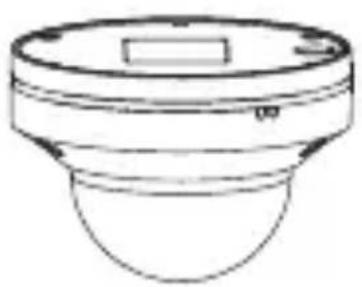
natural_image
Line drawing of a mechanical component with a circular top and rounded base (no text or symbols)Camera
text_image
User ManualManual
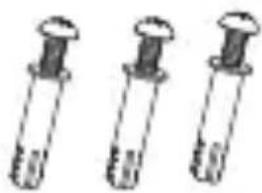
natural_image
Three identical test tubes with caps, arranged horizontally (no text or symbols visible)Screw Pack
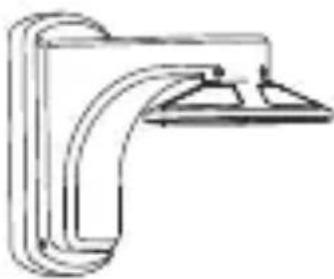
natural_image
Pure mechanical bracket diagram without any text, numbers, or symbolsWall Mount Bracket
(ELH-700;
optional accessory)
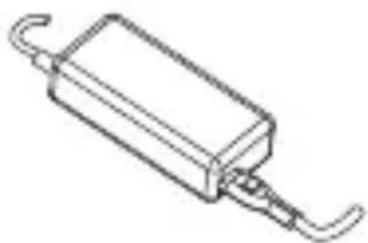
natural_image
Line drawing of a rectangular electronic component with curved leads (no text or symbols)Adapter DC-12V/2A
(e.g. PSS-1230DC;
optional accessory)
Ceiling installation
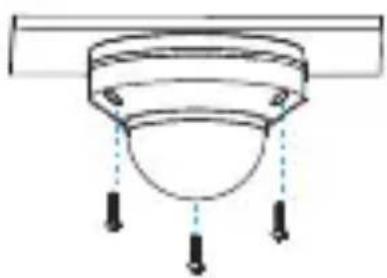
natural_image
Simple line drawing of a ceiling lamp with three tassels (no text or symbols)Fix shell with screws to the ceiling. Detach protection vinyl from dome cover.
Wall installation
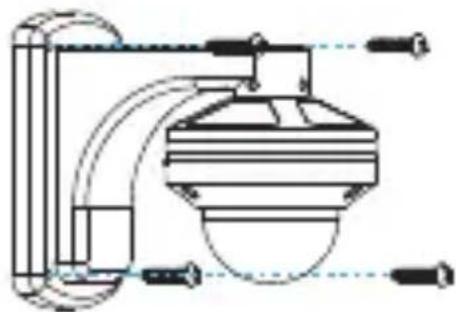
natural_image
Pure technical diagram of a mechanical or fluidic device with no visible text, numbers, or symbols.Use the screws (provided) to secure the wall mount bracket to the wall.
- Before power is applied, please check the cables carefully.
• DVR need to have PTZ coaxial control function,
Use of coaxial control camera.
SYSTEM SWITCH METHOD
- Video line control keys can be PTZ operation, camera settings, AHD/CVT/TVI/CVBS output mode switching.

natural_image
Line drawing of a device with an 'UP' label and circular button, no readable text or symbols beyond the label.
Up
Left SET Right
Down
- Press SET button after 3s as flow: Pan/Tilt、Zoom、Camera
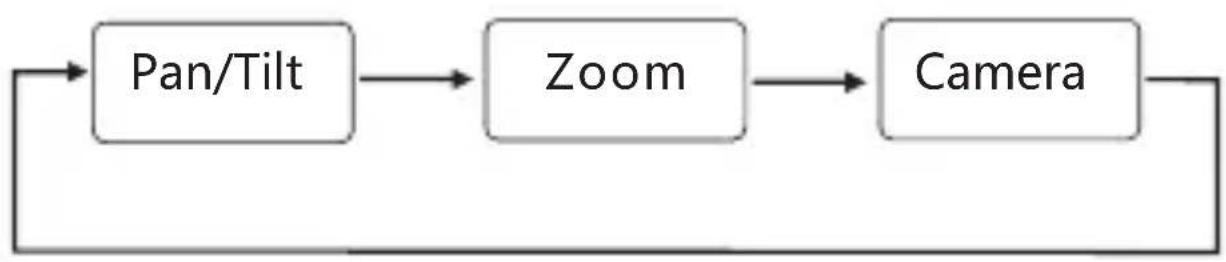
flowchart
graph LR
    A["Pan/Tilt"] --> B["Zoom"]
    B --> C["Camera"]
    C --> A
Pan/Tilt
• Press Up Down Left Right to control Pan/Tilt
ZOOM
- Press Up Down Left Right to control lens zoom and focus
Camera
• In camera mode:
Press SET enter camera manu
Press Up button after 5s release is AHD
Press Down button after 5s release is CVI
Press Left button after 5s release is TVI
Press Right button after 5s release is CVBS
| Parameters | Specifications | |
| Camera | Sensor | 1/2.9" CMOS |
| Pixels | 1920(H)×1080(V) 2.1MP | |
| Video Format | 1080P/25fps; 1080P/30fps | |
| Zoom | 3x Optical Zoom | |
| Focal length | 2.8~8mm | |
| IR Distance | 20M | |
| Day & Night | Auto / Day / Night (ICR) | |
| Focus | Auto / Manual | |
| DNR | low / middle /high/off | |
| Video output | CVBS/CVI/TVI/AHD 4 in 1 output | |
| Pan/Tilt | Horizontal range | 350° Horizontal rotation |
| Horizontal speed | 80°/ sec | |
| Vertical range | 0-90° | |
| General | Communication | COAX |
| OSD | Multi-language support | |
| Rated Power | DC 12V /Current: 0.8A(MAX) | |
| Operating Temperature | -10°C~+50°C | |
| Protection grade | IP66 | |
| Appearance /material | White ,aluminum alloy (ADC) | |
| Size | ∅ 105X 75 mm | |
| Weight | about 350g | |
*. Specifications of this product can be subjected to change without notice.
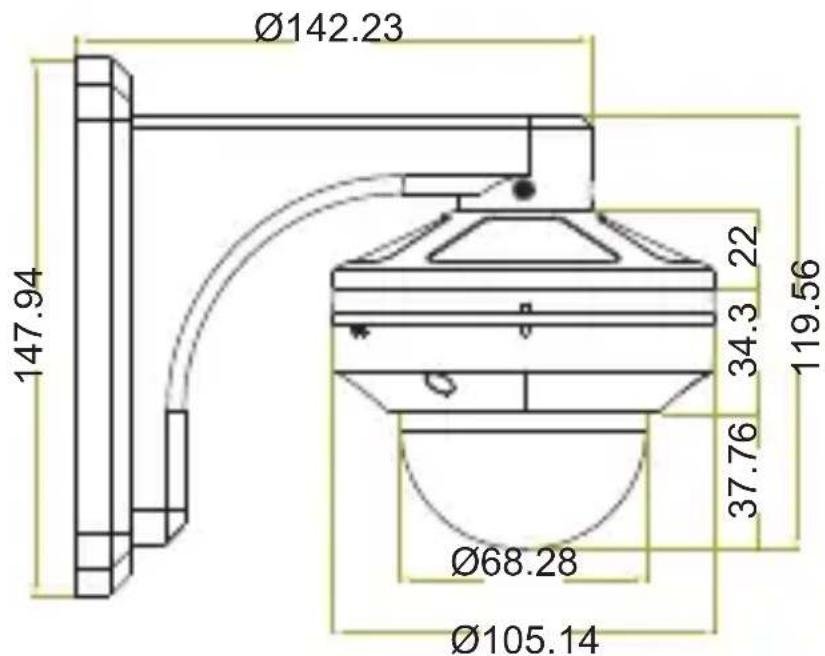
Unit (mm)
Ceiling installation dimensions
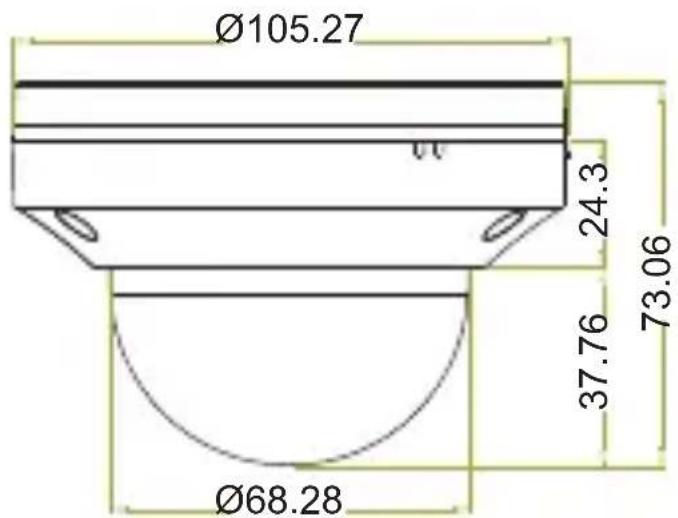
text_image
Ø105.27 24.3 73.06 37.76 Ø68.28Wall installation dimensions