
KY-B617AF - Cooker PANASONIC - Free user manual and instructions
Find the device manual for free KY-B617AF PANASONIC in PDF.
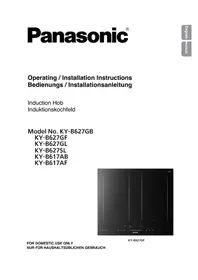


| Product Type | Induction Hob |
| Model | KY-B617AF |
| Brand | Panasonic |
| Number of Cooking Zones | 4 |
| Heating Technology | Induction (IH) |
| Flex Cooking Zones | Double Flex (left) and Single Flex (right) |
| Cooking Zone Diameters | 1 x ø 21 cm, 1 x ø 15 cm, 2 x flex (19.1 cm x 20 cm each) |
| Dimensions (W x D x H) | 590 mm x 520 mm x 58 mm |
| Uncrated Weight | Approx. 13.0 kg |
| Power Supply | 220-240 V ~ 50 Hz (single-phase) or 380-415 V 2N~ 50 Hz (three-phase) |
| Total Power Consumption | 7200 W |
| Maximum Power per Zone | Left front: 2800 W, Right front: 3300 W, Left rear: 2800 W, Right rear: 1800 W, Flex: 3600 W |
| Power Level Adjustment | 18 levels (1 - b) via Slider Bar |
| Boost Function | Yes, boosts to maximum for 10 minutes |
| Autoboil Mode | Yes, for sensor+ zones |
| Low Temperature Cooking Mode | Yes, 65 °C to 120 °C (12 levels) on sensor+ zones |
| Pan Frying Mode | Yes, 140 °C to 230 °C (10 levels) on sensor+ and sensor zones |
| Deep/Shallow Frying Mode | Yes, 140 °C to 200 °C (7 levels) on sensor+ and sensor zones |
| Timers | Cooking Timer (up to 9h) and Kitchen Timer (up to 9h) |
| Child Lock / Control Panel Lock | Yes, touch and hold for 3 seconds |
| Pause Function | Yes, reduces all zones to level 1 for 30 minutes |
| Safety Features | Auto Switch-Off, Overheating Prevention, Hot Surface Warning, Residual Heat Indicator |
| Cookware Compatibility | Ferrous materials (iron, enamelled iron, magnetic stainless steel). Minimum base diameter 12 cm for small zones, 14.5 cm for large zones. |
| Cleaning | Damp cloth, mild detergent, non-abrasive cream cleaner for heavy stains. Do not use steam cleaner. |
| Installation | Flush fit possible on heat-resistant worktops. Requires min. 40A circuit and earth leakage breaker. |
| Accessories Included | 2 clamps for fixing |
Frequently Asked Questions - KY-B617AF PANASONIC
User questions about KY-B617AF PANASONIC
0 question about this device. Answer the ones you know or ask your own.
Ask a new question about this device
Download the instructions for your Cooker in PDF format for free! Find your manual KY-B617AF - PANASONIC and take your electronic device back in hand. On this page are published all the documents necessary for the use of your device. KY-B617AF by PANASONIC.
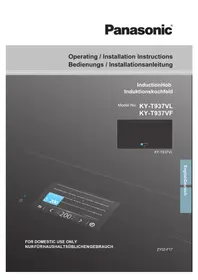
USER MANUAL KY-B617AF PANASONIC
IMPORTANT SAFETY INSTRUCTIONS: Before operating this appliance, please read these instructions carefully and keep for future reference.
Before the installation: Before installing this appliance, write down the information below from the rating plate. The rating plate is on the bottom of the appliance.
Operating Instructions ...... 1-40
IH Cooking Mechanism ....1
Safety Instructions 2-5
General Precautions 6
Disposal of Waste Products ...... 6
Genius Sensor Technology......7
Energy Saving Tips......7
Features and Functions - Double Flex 8
Features and Functions - Single Flex ......9
General Controls ....10-12
Cooking Zones 13-14
Suitable Cookware 15-16
IH Cooking 16-28
- Operation Overview......16
- Safety Features ...... 17
- Selecting the Power Level......18-19
- Autoboil Mode....20-21
- Low Temperature Cooking Mode ....22-23
- Pan Frying Mode....24
- Deep/Shallow Frying Mode .....25-26
- Timer 27-28
Power Level Guidelines 29
Genius Sensor Cooking Chart .... 30-33
Cleaning 34
Troubleshooting 35-38
Error Codes 39-40
Installation Instructions......41-53
Installation and Connection ....41
Safety Instructions....41-43
Installation Location......44
Accessories 44
Dimensions 45-48
Flush fitting 49
Electrical Work....50-51
Installing the Appliance ....52
Post-installation Checklist ....53
Specifications 54
Operating Instructions
IH Cooking Mechanism
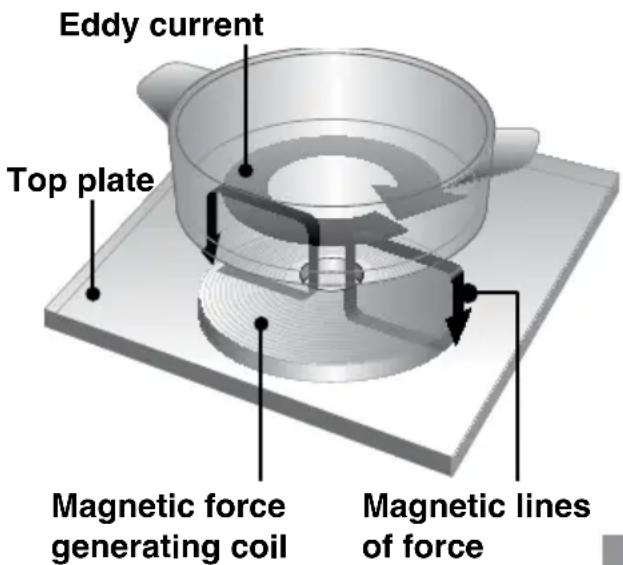
IH (Induction Heating) refers to electromagnetic induction heating.
When electricity flows in the magnetic coils underneath the top plate, magnetic lines of force are produced.
The magnetic lines of force pass through metallic cookware when an eddy current is induced. The heat that is generated by the electrical resistance of the cookware is used for heating.
Safety Instructions
This appliance can be used by children aged from 8 years and above and persons with reduced physical, sensory or mental capabilities or lack of experience and knowledge if they have been given supervision or instruction concerning use of the appliance in a safe way and understand the hazards involved. Children shall not play with the appliance. Cleaning and user maintenance shall not be made by children without supervision.
Do not place combustible materials near the appliance. They may cause a fire. Do not overheat the pan when preheating for stir frying and pan frying.
Warning: In case of malfunction or breakdown, immediately stop using the appliance. Turn off the main power switch and the circuit breaker, and then contact the service centre. Failure to do this may cause smoke, burns, and electric shock.
If the power cord is damaged, it must be replaced by a service technician authorised by the manufacturer in order to avoid a hazard. Stir liquids before heating. Otherwise, liquids may splatter and cause burns or injuries.
Safety Instructions
Do not apply excessive pressure or drop objects on the top plate. This may crack or damage the top plate. Do not place portable gas burners, steel cylinders and canned goods on or near the appliance. If they are heated, they may explode. Metal objects such as knives, forks, spoons and lids should not be placed on the hob surface as they can become hot. After use, switch off the hob element by its control and do not rely on the pan detector. Do not disassemble, repair, or modify the appliance. For repairs, contact the dealer where you purchased the appliance.
Warning: This appliance must be earthed to prevent electric shock or fire.
Warning: The appliance and its accessible parts may become hot during use. Care should be taken to avoid touching heating elements. Children less than 8 years of age shall be kept away unless continuously supervised. Warning: Unattended cooking on a hob with fat or oil can be dangerous and may result in fire. Never try to extinguish a fire with water, but switch off the appliance and then cover flame with a lid or a fire blanket.
Safety Instructions
Warning: Danger of fire: do not store items on the cooking surfaces. Warning: If the surface is cracked, switch off the appliance to avoid the possibility of electric shock. Warning: Hob guards have not been designed for use with this appliance and should not be fitted under any circumstances.
■ If the oil smokes, immediately turn off the main power switch. Otherwise, it may catch fire. ■ Take care with hot oil as it may cause burns. ■ Take care when preheating the pan with small amounts of oil. The pan may overheat and cause damage. ■ Do not heat empty cookware or overheat ingredients. The ingredients may burn and the cookware may be damaged. ■ Do not use the appliance for purposes other than cooking. This may cause overheating or malfunction resulting in a fire. ■ If you are wearing a medical device (such as a pacemaker), consult your doctor. The operation of the appliance may affect a medical device.
Safety Instructions
■ Do not use a steam cleaner. Water may get into the electrical components and cause damage. ■ The appliance is not intended to be operated by means of an external timer or separate remote control system. ■ Do not place paper or dishcloths under the cookware. They may get scorched due to the heat of the cookware.
Warning: The manufacturer cannot be held liable for damage to persons or items caused by failure to observe the above instructions, by interference with any part of the appliance or by the use of non-original spare parts.
General Precautions
■ The appliance emits magnetic lines of force. Do not place anything affected by magnetism close to the appliance.
- Radios, TVs, hearing aids may be liable to noise interference.
- Cards with magnetic strips such as store or bank cards, may be erased or damaged.
■ Do not use other IH cooking appliances, such as IH rice cooker or portable IH cooktop, on the top plate. Electromagnetic waves generated by these may damage the appliance. ■ Do not place foods in the cabinet below the appliance. They may be spoiled by the exhaust heat. If acidic foods such as vinegar, jam, or lemon juice are spilt on the top plate, wipe off immediately. Otherwise, the top plate may become discoloured. ■ Do not pour water on or place anything on the control panel. The control panel keys may malfunction. ■ Do not block the intake or exhaust vent. The appliance may become hot and heating may stop automatically.
Disposal of Waste Products
Information on Disposal for Users of Waste Electrical & Electronic Equipment (private households)
This symbol on the products and/or accompanying documents means that used electrical and electronic products should not be mixed with general household waste.
For proper treatment, recovery and recycling, please take these products to designated collection points, where they will be accepted on a free of charge basis. Alternatively, in some countries you may be able to return your products to your local retailer upon the purchase of an equivalent new product.
Disposing of this product correctly will help to save valuable resources and prevent any potential negative effects on human health and the environment which could otherwise arise from inappropriate waste handling. Please contact your local authority for further details of your nearest designated collection point.
Penalties may be applicable for incorrect disposal of this waste, in accordance with national legislation.
Information on Disposal in other Countries outside the European Union
This symbol is only valid in the European Union.
If you wish to discard this product, please contact your local authority or dealer and ask for the correct method of disposal.
Genius Sensor Technology
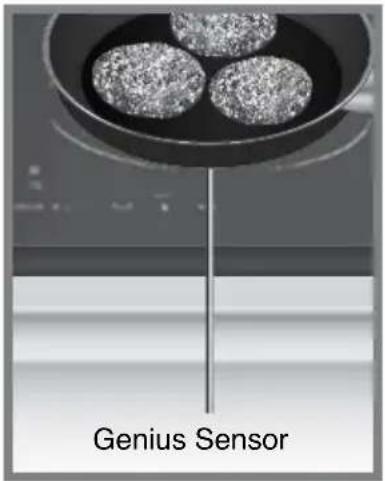
Genius Sensor regulates the set temperature by quickly detecting the temperature on the base of the cookware. This is suitable for the following cooking modes:
sensor+
■ Autoboil Mode ■ Low Temperature Cooking Mode ■ Pan Frying Mode ■ Deep/Shallow Frying Mode
sensor
■ Pan Frying Mode ■ Deep/Shallow Frying Mode

Caution
Do not use oil preheated by other appliances. Genius Sensor will not work efficiently and the oil could ignite.
Energy Saving Tips
■ Always place the correct lids on pans to keep the heat in. ■ Use the correct size of pan for the amount of food you are cooking. ■ Use the right size of pan for the diameter of the cooking zone. If the diameter of the pan is not the same as the cooking zone it is preferable to use a pan with a base that is larger in diameter than the cooking zone. ■ Put just enough water in the pan to cover vegetables. This will save energy.
■ Turn down the power level of the cooking zone once the cooking temperature is reached; simmer food rather than boiling it.
Use a steamer to cook vegetables, that way you can layer a number of vegetables on top of each other and still use one cooking zone. Alternatively, a pan with a divider can be used.
Features and Functions - Double Flex
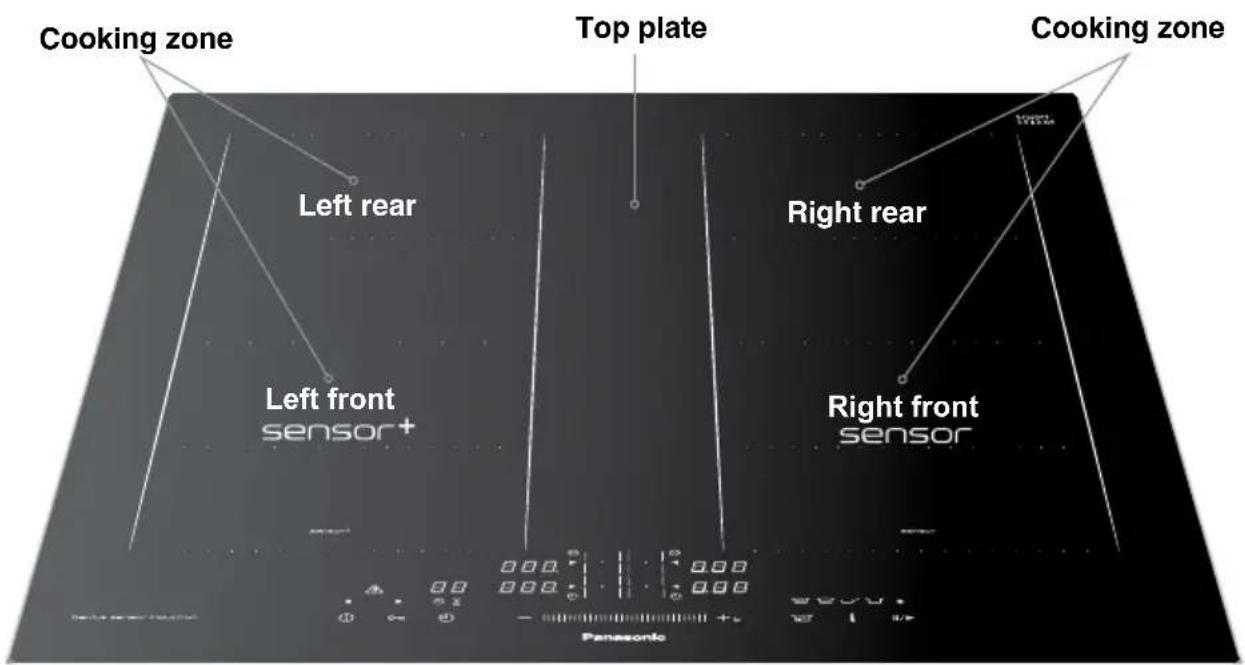
Control Panel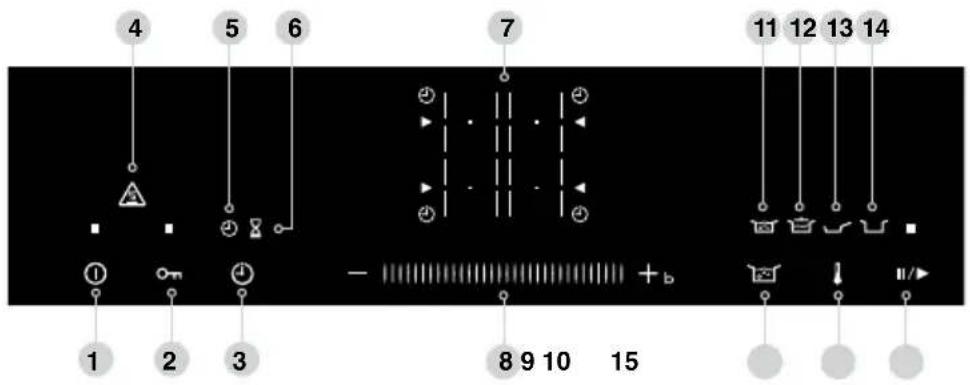
- Main Power (See page 10)
- Child Lock / Control Panel Lock key (See page 10)
- Timer key (See pages 10, 27-28)
- Hot Surface Warning (See page 12)
- Cooking Timer display (See page 27)
- Kitchen Timer display (See page 28)
- Cooking Zone selectors (See pages 18-26)
- Slider Bar and Boost Function (See pages 10-11)
- Autoboil key (See page 11)
- Sensor Option key (See page 11)
- Autoboil display (See pages 20-21)
- Low Temperature Cooking Mode display (See pages 22-23)
- Pan Frying Mode display (See page 24)
- Deep/Shallow Frying Mode display (See pages 25-26)
- Pause key (See page 12)
Features and Functions - Single Flex
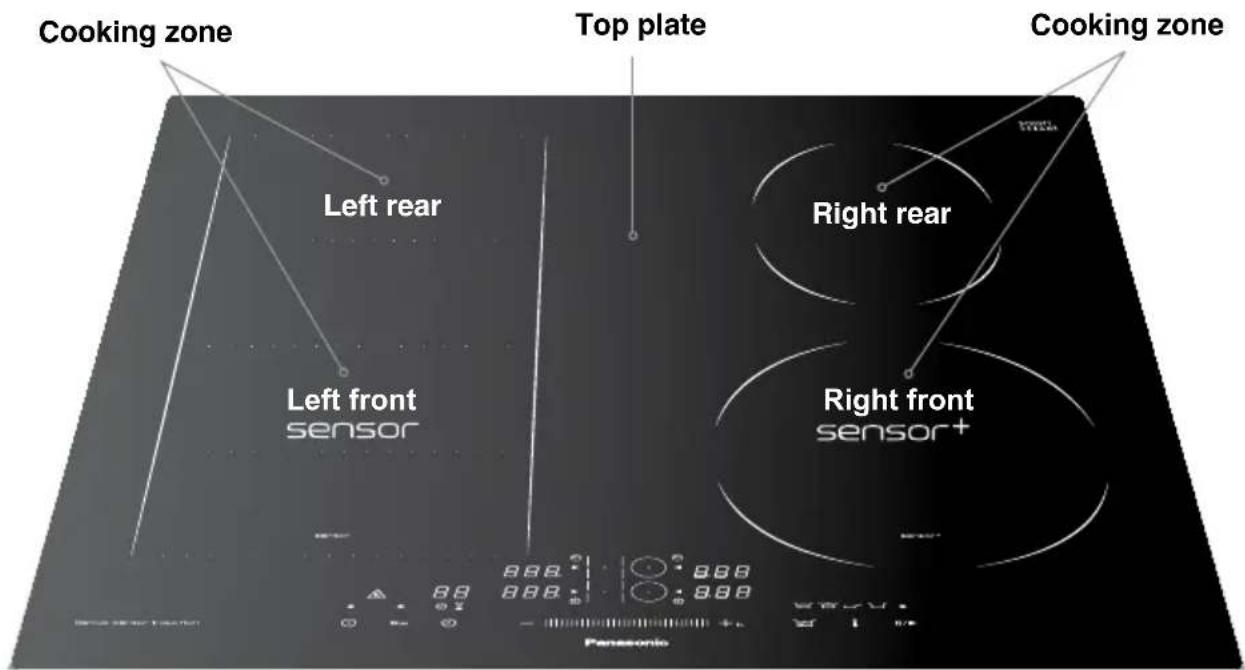
Control Panel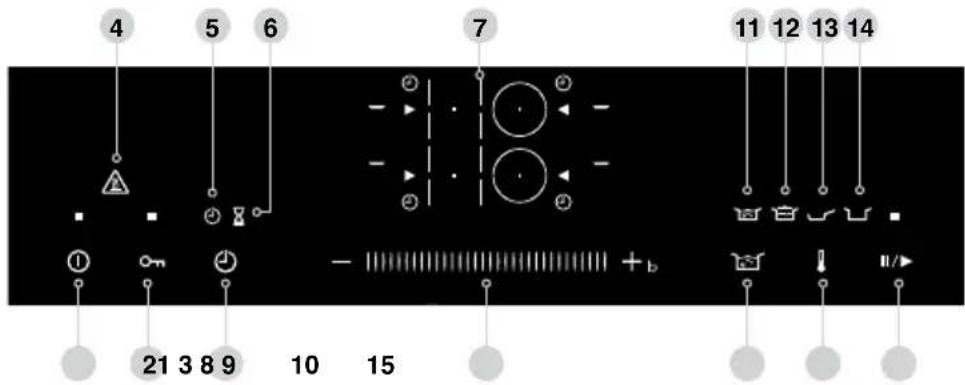
- Main Power (See page 10)
- Child Lock / Control Panel Lock key (See page 10)
- Timer key (See pages 10, 27-28)
- Hot Surface Warning (See page 12)
- Cooking Timer display (See page 27)
- Kitchen Timer display (See page 28)
- Cooking Zone selectors (See pages 18-26)
- Slider Bar and Boost Function (See pages 10-11)
- Autoboil key (See page 11)
- Sensor Option key (See page 11)
- Autoboil display (See pages 20-21)
- Low Temperature Cooking Mode display (See pages 22-23)
- Pan Frying Mode display (See page 24)
- Deep/Shallow Frying Mode display (See pages 25-26)
- Pause key (See page 12)
General Controls

Main Power
The main power light illuminates when the main power is turned on. If 1 minute has elapsed without any operation, the main power automatically turns off.

Child Lock
Lock the control panel to prevent misuse of the appliance. With the main power off, touch and hold for 3 seconds. A light will indicate that Child Lock is on. This will turn off after 10 seconds and will reactivate to show light when any key is touched. To deactivate, touch and hold again for 3 seconds.

Control Panel Lock
■ Lock the control panel enabling cleaning of small spills in that area. ■ Touch with the main power on. This will disable the control panel for 20 seconds. ■ To deactivate within 20 seconds, touch again.

Timer
■ There are two types of timers: - Cooking Timer which counts down from a set time and switches off the zone when it reaches zero. Available for all cooking zones. Kitchen Timer which counts down from a set time and sounds an alarm when it reaches zero. Kitchen Timer does not turn off the cooking zones. ■ For more details on how to set the timers, see pages 27-28.


Slider Bar
■ Change the power level and time by using the slider for all cooking zones. ■ Set the temperature for the cooking zones with Genius Sensor.
Slider Bar operation
There are three ways of using the Slider Bar.
■ Slide to the desired setting quickly. ■ Tap the +/- keys to adjust the setting precisely. ■ Touch and hold the +/- keys to change the setting in succession.

Boost Function
■ With a cooking zone power level set to 9, touching +b boosts the power of the selected zone. After 10 minutes the power level will return to 9.

Autoboil key
■ Brings a pan of water to the boil. (See pages 20-21)

Sensor Option key
Select Genius Sensor cooking modes listed below. (See pages 22-26)


Low Pan Deep/Shallow Temperature Frying Mode Frying Mode Cooking Mode
Option key for
sensor+

Low Temperature Cooking Mode
keeps a low, stable temperature ranging from 65 °C -120 °C in 5 °C steps. (See pages 22-23)

Pan Frying Mode maintains an optimum temperature ranging from 140 °C - 230 °C in 10 °C steps. (See page 24)

Deep/Shallow Frying Mode controls the temperature of the oil ranging from 140 °C - 200 °C in 10 °C steps. (See pages 25-26)
Option key for
sensor

Pan Frying Mode maintains an optimum temperature ranging from 140 °C - 230 °C in 10 °C steps. (See page 24)

Deep/Shallow Frying Mode controls the temperature of the oil ranging from 140 °C - 200 °C in 10 °C steps. (See pages 25-26)

Pause key
■ Touch and hold for 1 second to reduce all active cooking zones to level 1 for 30 minutes (after 30 minutes the appliance will switch off). Timer is paused. ■ Touch and hold again to revert the cooking zones to their original settings. Timer will continue countdown. ■ Pause function cannot be used if Genius Sensor cooking modes are being used on any of the cooking zones.
Silent Mode
■ Turn on the main power, touch and hold both simultaneously for 3 seconds to turn off the key sound. 1 is displayed to show Silent Mode is ON. 0 is displayed to show Silent Mode is OFF. ■ The beep sound for the main power switch, Child Lock, timer and error notification remain ON. All other key touch sounds are eliminated.

Restart Mode
In case of accidental power switch off, when the main power is switched back on within 10 seconds, touch Pause key and the last settings will be restored. To cancel previous settings touch any zone and the appliance will reset.
Hot Surface Warning
Illuminates when any area of the top plate is hot along with Residual Heat Indicator (see below) which will illuminate a specific area.


Residual Heat Indicator
When H flashes on the display, the corresponding cooking zones are hot. Take care not to touch cooking zones that are indicated to be hot.
Double Flex Single Flex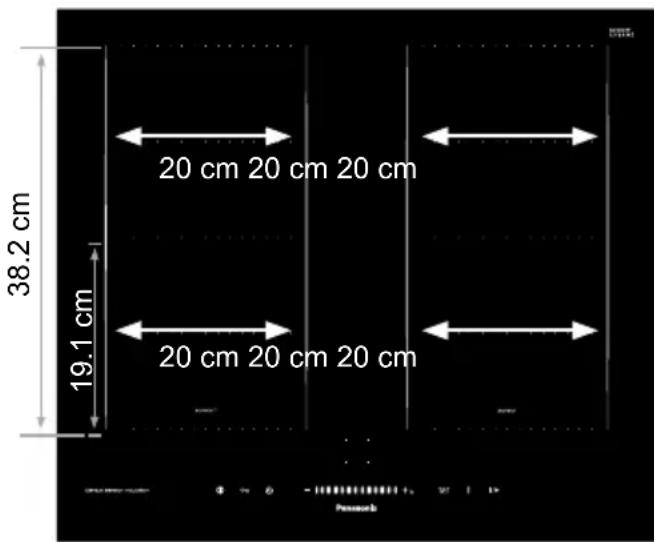
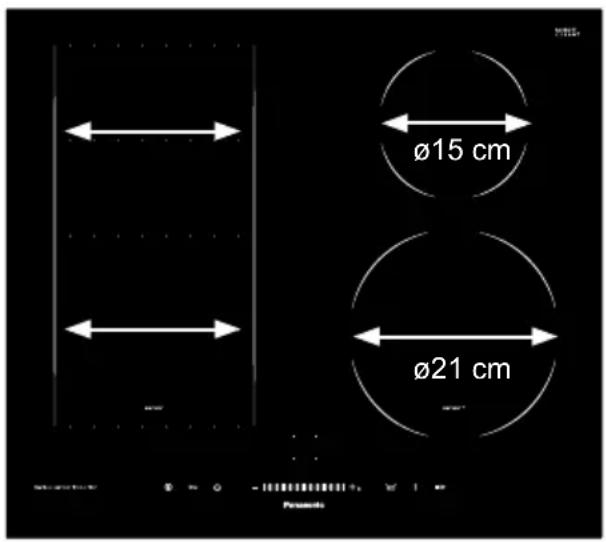
Double Flex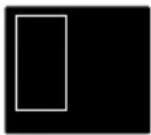
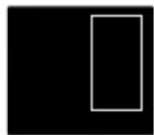
Single Flex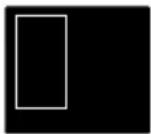
Left cooking zone group Right cooking zone group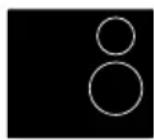
Cooking zone groups
The cooking zones are grouped into two, i.e. front and rear on the left and front and rear on the right. When the two cooking zones within the same group are used simultaneously, the heating power is regulated so that the overall power consumption does not exceed the limit.
e.g. When Power Level 9 is selected for left front cooking zone, the maximum power available for left rear cooking zone is power level 8.
Flex Cooking Zone
The flex cooking zone consists of several independently-controlled inductors. When cookware is detected, only sections that are in contact with the cookware will be activated, all others will remain switched off.
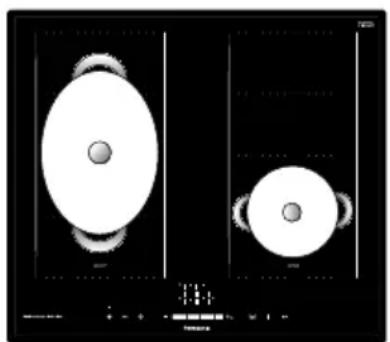
To ensure that the cookware is detected and heat is distributed evenly, centre the cookware as shown below:
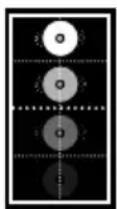
Pans with a diameter less than 13 cm
For smaller pans, place the cookware in one of the four positions shown.
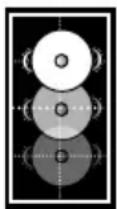
Pans with a diameter of 13 cm or more
For larger pans, place the cookware in one of the three positions shown.
Cooking Zones
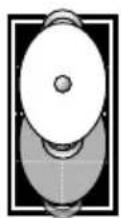
Larger cookware
Place it at the top or bottom edge of the flex cooking zone.
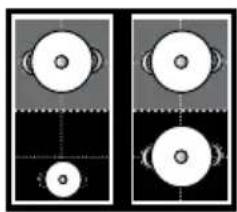
Two independent cooking zones
The front and rear areas of a flex cooking zone can be used independently of each other by selecting the necessary power for each one.
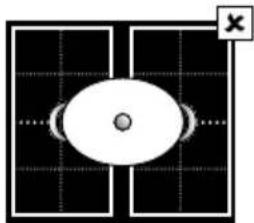
Do not place cookware over multiple flex cooking zones.
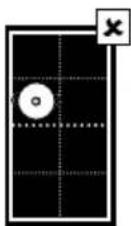
Do not place the cookware in an off-centre position. The sensor may not function properly and could cause a fire.

Warning
Failure to follow these instructions may cause serious injury.
Genius Sensor Cooking
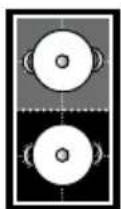
Pans with a diameter of 13 cm or more
For Genius Sensor cooking, use either the upper or lower two sections of the flex cooking zone.
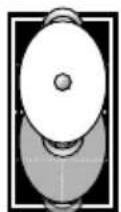
Larger cookware
Place it at the top or bottom edge of the flex cooking zone.
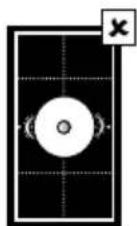
While cooking with the Genius Sensor, do not place the pan on the middle two sections of the flex cooking zone.
Material
Compatible cookware
■ Iron/Cast iron ■ Enamelled iron ■ Magnetic stainless steel
Incompatible cookware
■ Aluminium/Copper ■ Heat-resistant glass ■ Ceramic and earthenware
The heating power may not be as strong for some stainless steel cookware.
Shape of the Base
Round-based cookware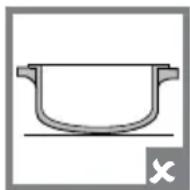
Cookware with feet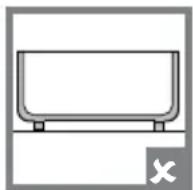
Thin-based cookware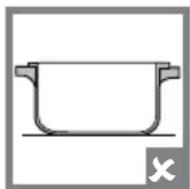
Curved-based cookware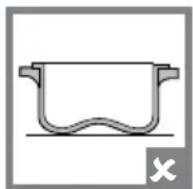
Compatible cookware
■ The base needs to be flat and sit evenly on the top plate (failure to ensure this could result in injuries or burns)
Incompatible cookware
■ Round-based cookware ■ Cookware with feet ■ Thin-based cookware ■ Curved-based cookware
Do not use curved-based cookware with a 3 mm or over curve, as the safety features may not be activated, heating power may be diminished, or the cookware may not be heated.
Size (base diameter)
Compatible cookware
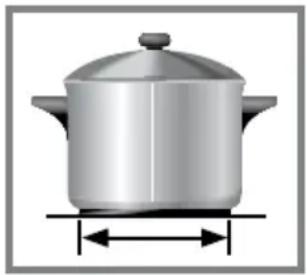
The minimum size of pans to be used on each cooking zone are:
| Cooking zone Minimum size pan | |
| ø 21 cm 14.5 cm | |
| ø 15 cm 12 cm | |
Ensure the cookware fits the cooking zone. For the flex cooking zone, see pages 13-14 for the recommended cookware sizes and placement.

Caution
■ The cooking zone and base of the pan must be kept dry. If there is liquid between them, it can cause steam pressure and the pan may move.
- Do not heat up empty enamel cookware. Do not allow enamel cookware to scorch during cooking. Enamel coating may melt and damage the top plate. ■ Do not use ceramic and earthenware cookware even if it is made for induction heating.
Checking Cookware Compatibility
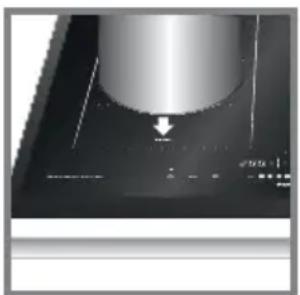

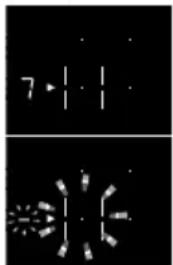
- Fill cookware with 1 cup of water and place on a cooking zone.
- Touch and hold the main power key to turn on the power.
- Touch the key of the cooking zone to be used and set the power level using the slider.
■ If the cookware is compatible, the power indicator and the cooking zone selector will stay illuminated. ■ If the cookware is incompatible, an error will appear and the cooking zone selector will flash.
- Touch and hold the key of the cooking zone or set the power level to "0" to turn off.
IH Cooking
Operation Overview

- Touch and hold the main power key to turn on the power.
If 1 minute has elapsed without any operation, the main power automatically turns off.
If this happens, turn on the main power again.
- Perform the desired operation.
■ Selecting the Power Level b-
(See pages 18-19)
sensor+
■ Autoboil Mode (See pages 20-21)
■ Low Temperature Cooking Mode (See pages 22-23)
■ Pan Frying Mode (See page 24)
■ Deep/Shallow Frying Mode
(See pages 25-26)
sensor
■ Pan Frying Mode (See page 24)
■ Deep/Shallow Frying Mode
(See pages 25-26)
- Touch and hold the key of the cooking zone or set the power level to "0" or "OFF" to turn off.
Safety Features
Auto Switch Off
■ The appliance is automatically turned off when an abnormality is detected: - Cookware not detected (See page 39) - Small object on the cooking zone (See page 39) - Empty pan on the cooking zone (See page 39) - Long cooking time (See page 35)

Note
The appliance may not switch off automatically when an abnormality is present. Low power level and the type of cookware can impact detection.
■ The main power is automatically turned off if 1 minute has elapsed without any operation.
Overheating Prevention Function
■ The heating power is automatically reduced to prevent the pan overheating. (See page 36)
Hot Surface Warning
■ Illuminates when the top plate is hot. (See page 12)
Residual Heat Indicator
■ H flashes when the top plate is hot. (See page 12)
Child Lock
■ The control panel can be locked to prevent misuse of the appliance. (See page 10)
Selecting the Power Level

Warning
■ Stir liquids before heating. Otherwise, ingredients may suddenly splatter or cookware may move, and you may get burned or injured.
■ Do not overheat the pan when preheating for stir frying and pan frying.

Caution
Take care when preheating the pan with a small amount of oil. The pan may overheat and become damaged.


- Touch and hold the main power key to turn on the power.
- Select a cooking zone, e.g., left front.
- Touch the slider to set the power level.
The cooking zone selector will stay illuminated when the corresponding cooking zone is in operation.
Power level adjustable range: 1 - b (18 levels).
For slider bar operation, see page 10. See Power Level Guidelines on page 29.
Boost Function
With a cooking zone power level set to 9, touching
+b boosts the power to the selected zone. After 10 minutes, the power level will return to 9.
- Touch and hold the key of the cooking zone or set the power level to "0" to turn off.

Note
If no key is touched for a fixed period of time when a cooking zone is in operation, a beep will sound and the cooking zone is turned off automatically. See Auto switch off time table on page 35. ■ When the front and rear cooking zones are used simultaneously, the heating power is regulated so that the overall power consumption does not exceed the limit. For cooking zone groups and their effects, see page 13.
Selecting the Power Level
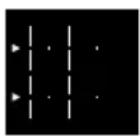
Using the flex cooking zones as one

- Touch and hold the main power key to turn on the power.
- Select the cooking zones by touching the cooking zone selector twice to choose the whole flex cooking zone, e.g., left flex cooking zone.
The whole flex cooking zone can be selected by touching either front or rear cooking zone selector twice.

- Touch slider to set the power level.
Cooking zone selector will stay illuminated when the corresponding cooking zone is in operation.
Power level adjustable range: 1 - b (18 levels).
For Slider Bar operation, see page 10. See Power Level Guidelines on page 29.
Boost Function
With a cooking zone power level set to 9, touching +b boosts the power to the selected zone. After 10 minutes, the power level will return to 9.
- Touch and hold the key of the cooking zone or set the power level to "0" to turn off.

Note
■ For the recommended cookware sizes and placement, see pages 13-16. ■ Illumination of the cooking zone selector bars may not match with the cooking zone covered by cookware depending on the size or material of the pan used.
Autoboil Mode

sensor+
Available on the cooking zone with sensor+.

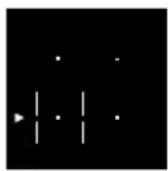
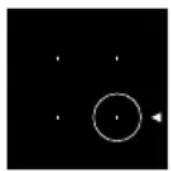

- Touch and hold the main power key to turn on the power.
- Select the cooking zone with sensor+. For large cookware, the whole flex cooking zone can also be selected by touching either front or rear cooking zone selector twice.
- Touch Autoboil key. The appliance beeps 5 times when the water reaches boiling point and maintains a rolling boil. After beeping add ingredients and adjust the temperature with the slider as required.

Note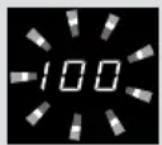
Temperature '100' will flash in the display until the boiling temperature is reached. After the water is boiled, the appliance automatically defaults the temperature to '95'. Increase or decrease the temperature between '65-100' as required in 5 °C steps.
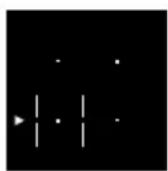
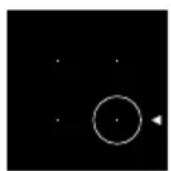
- Touch and hold the key of the cooking zone or set the temperature to "OFF" to turn off.

Note
■ The cookware size and material (e.g. non-stick coating) and the volume of water may affect the sensor detection. If the water has not boiled after beeping or it has boiled but the appliance does not beep, select a temperature as required.
■ Cooking Timer can be used with Autoboil Mode. (See page 27)
Autoboil Mode

sensor+
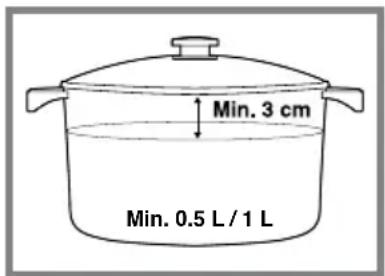
Autoboil Mode is developed for boiling water only.
To achieve the optimum performance, the following is recommended.
■ Use a lid until boiling. ■ Use a minimum of 0.5 L of water. If a larger pan that covers 3 or more areas of flex cooking zone, use a minimum of 1 L of water. ■ Minimum 1 cm of depth when flex cooking zone is used.
In order to prevent water boiling over from the pan, the following is recommended.
■ No more than 70% pan capacity should be used. ■ There should be a minimum gap of 3 cm between the lid and the water surface.
Low Temperature Cooking Mode

Available on the cooking zone with sensor+

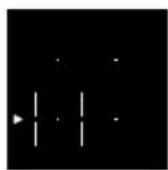
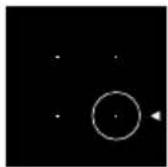

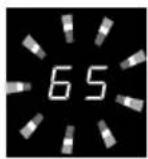
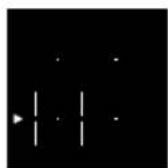
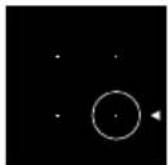
- Touch and hold the main power key to turn on the power.
- Select the cooking zone with sensor+. For large cookware, the whole flex cooking zone can also be selected by touching either front or rear cooking zone selector twice.
- Touch Sensor Option key once to select Low Temperature Cooking.
- Touch slider to set the required temperature. Temperature adjustable range: 65°C to 120°C. See Genius Sensor Cooking Chart on page 30-31.
- When the set temperature is reached, the temperature display stops flashing and the appliance beeps 5 times.
- When Low Temperature Cooking Mode is used after cooking with high power, the temperature display stops flashing when the set temperature is reached but the appliance does not beep.
- Touch and hold the key of the cooking zone or set the temperature to "OFF" to turn off.

Note
■ Due to the variety of food types and pans, the actual temperature of food may be different from the set temperature. Increase or decrease the setting until the required food temperature is achieved.
■ Cookware with a non-stick coating may affect the sensor detection. Adjust the set temperature until the required temperature is achieved. ■ To achieve the optimum performance, it is recommended that the following minimum amount is heated at any one time with Low Temperature Cooking Mode.
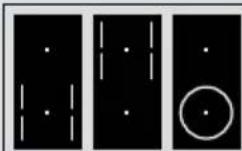
■ Water/milk: 200 g ■ Any other food types: 400 g
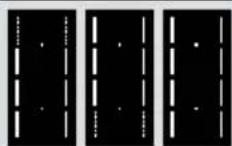
■ All liquid and food types: 400 g
Low Temperature Cooking Mode

sensor+

Note
■ Minimum 1 cm of depth when flex cooking zone is used. ■ Due to the consistency of milk it is recommended to stir continuously when heating, to prevent the milk from sticking to the bottom of the pan and burning. ■ Cooking Timer can be used with Low Temperature Cooking Mode. (See page 27)
Pan Frying Mode

sensor+
sensor
Available on the cooking zones with sensor+ and sensor.

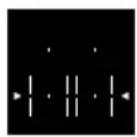
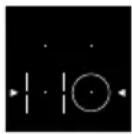
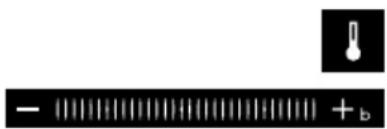
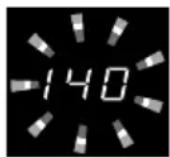
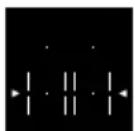
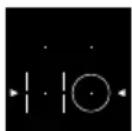
- Touch and hold the main power key to turn on the power.
- Place the pan with the required amount of oil on the cooking zone.
- Select the cooking zone required. For large cookware, the whole flex cooking zone can also be selected by touching either front or rear cooking zone selector twice.
- Touch Sensor Option key until √ is shown.
- Touch slider to set the required temperature. Temperature adjustable range: 140°C to 230°C. See Genius Sensor Cooking Chart on page 32.
- When the set temperature is reached, the temperature display stops flashing and the appliance beeps 5 times. Add ingredients.
- Touch and hold the key of the cooking zone or set the temperature to "OFF" to turn off.

Note
■ Cooking Timer can be used with Pan Frying Mode. (See page 27) ■ The actual temperature at the base of the pan may vary from the set temperature depending on the type of cookware. Adjust the temperature if required. ■ Ensure that the cookware is dry inside and out before heating up.
Deep/Shallow Frying Mode
sensor+
sensor
Available on the cooking zones with and sensor.
sensor+

Warning
When deep/shallow frying, use Deep/Shallow Frying Mode (Lurth minimum 200 g oil at least 1 cm deep.
Failure to observe this warning may cause oil to overheat resulting in a fire.

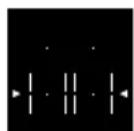
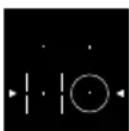

- Touch and hold the main power key to turn on the power.
- Place the pan with the required amount of oil on the cooking zone.
- Select the cooking zone required.
- Touch the sensor option key until it is shown.

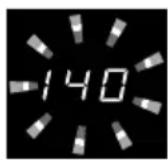
- Touch the slider to set the required temperature. Temperature adjustable range: 140°C to 200°C. See Genius Sensor Cooking Chart on page 33.
- When the set temperature is reached, the temperature display stops flashing and the appliance beeps 5 times. Add ingredients.
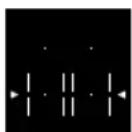
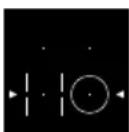
- Touch and hold the key of the cooking zone or set the temperature to "OFF" to turn off the cooking zone.

Note
■ Cooking Timer cannot be used with Deep/Shallow Frying Mode. Only Kitchen Timer can be used. (See page 28) ■ The whole flex cooking zone cannot be used with Deep/Shallow Frying Mode. ■ The actual oil temperature may vary from the set temperature depending on the cookware. Adjust the temperature if required.
Deep/Shallow Frying Mode
sensor+
sensor
Observe the following to keep Genius Sensor functioning efficiently.
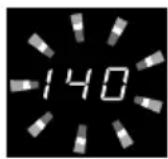
■ Follow instructions for quantity of oil. Amount: 200 g to 800 g (0.22 L to 0.9 L) Depth: minimum 1 cm ■ Place the pan in the centre of the cooking zone. ■ Do not use hot oil, brown-coloured oil, cloudy oil, or oil with food sediment. ■ Observe the recommendations for suitable cookware. (See pages 15-16) ■ Ensure the top plate and bottom of the pan are dry and clean. ■ Do not add ingredients before the temperature display stops flashing. Heating may stop due to an abnormality detected. ■ Once preheating has started, do not add oil or move the pan to another cooking zone.
Timer
Using Cooking Timer
Used to switch a cooking zone off automatically.
Cooking Timer can be set for multiple cooking zones.

- Touch and hold the main power key to turn on the power.
- Perform the desired operation.
(See pages 18-24)

- Touch Timer key once to select Cooking Timer.
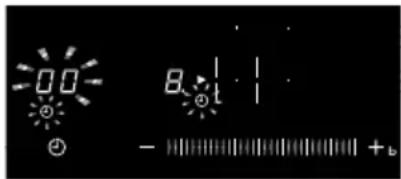
Cooking Timer symbol flashes when the corresponding cooking zone is selected and until the timer is set.

- Touch slider to set the desired cooking time.
■ Timer can be set while the timer display is flashing.
Cooking Timer setting range: 1 minute to 9 hours.
■ Slide to 90 minutes. Then touch ‘+’ to increase in hours. - Keep holding either ‘+’ or ‘-’ will increase or decrease hours or minutes rapidly.
Cancelling Cooking Timer:
Set the timer to "0".
Adjusting countdown time
Once countdown has started, the timer can be adjusted. Select cooking zone, press timer and adjust with the slider.
5. When the timer reaches "0", the appliance beeps 5 times and turns off the cooking zone.

Note
Cooking Timer cannot be set for Deep/Shallow Frying Mode.
Timer
Using Kitchen Timer
Used independently from all other cooking functions. It counts down from a set time.
Touch and hold the main power key to turn on the power.


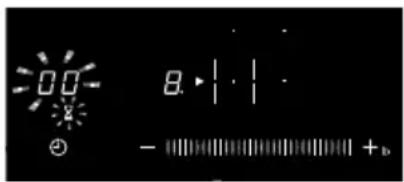

- Touch and hold the main power key to turn on the power.
- Touch Timer key to select Kitchen Timer. Kitchen Timer is selected automatically if the appliance is not in operation. Touch Timer key twice if the appliance is in operation.
Kitchen Timer symbol flashes until the time is set.
- Touch slider to set time.
Kitchen Timer setting range: 1 minute to 9 hours.
■ Slide to 90 minutes. Then touch '+' to increase in hours. - Keep holding either '+' or '-' will increase or decrease hours or minutes rapidly.
Cancelling Kitchen Timer:
■ Set the timer to "0".
Adjusting countdown time:
■ Once countdown has started, the timer can be adjusted. Select Kitchen Timer and adjust with the slider.
4. When the timer reaches "0", the appliance beeps 5 times.

Note
■ Kitchen Timer does not switch off the cooking zone. ■ Cooking Timer and Kitchen Timer can be set together.
Power Level Guidelines
| Menus Power Level | |
| Melting | |
| Chocolate 1 - 1. | |
| Butter 1.- 2. | |
| Honey 2 - 2. | |
| Heating | |
| Soup (e.g. lentil) 1.- 2. | |
| Milk 4 - 5. | |
| Frankfurters 5 - 6 | |
| Simmering | |
| Stew 4 - 5 | |
| Pasta sauce 4 - 5 | |
| Rice pudding 4 - 5 | |
| Fish fillets 4.- 5. | |
| White sauce 5 - 6. | |
| Pan frying | |
| Pre-heat pan 8 - 9 | |
| Stir-fry dish 8.- 9 | |
| Fried eggs 7 - 7. | |
| Pancakes (thin) /Crêpes | 6 - 7. |
| Omelette | 6 - 7. |
| Steak, Bacon, Chops | 6.- 7 |
| Fish fillets | 6 - 7 |
| Meatballs 4 - 5 | |
| Boiling | |
| Pasta, Water | 8.- b |
| Vegetables | 7 - 8. |
| Rice | 4 - 5 |

Note
The heat values may vary depending on cookware used.
Check and adjust the power levels as required.
Genius Sensor Cooking Chart
Low Temperature Cooking Mode
(12 levels)
sensor+
| Menus | Temperature Setting | Cooking Time after beeping (mins) |
| Heating *1 | ||
| Milk 65-75 - | ||
| Canned foods 70-80 - | ||
| Poaching | ||
| Fish 75-85 15-30 | ||
| Egg 80-90 4-6 | ||
| Chicken breast 90-100 50-60 | ||
| Boiling | ||
| Beef 80-90 60-120 | ||
| Egg 90-100 5-10 | ||
| Rice 90-100 15-20 | ||
| Potato dumplings 90-100 15-25 | ||
| Potatoes 95-105 30-45 | ||
| Steaming | ||
| Fish 90-100 15-30 | ||
| Shellfish 90-100 15-30 | ||
| Vegetables | 90-100 10-40 | |
| Potatoes | 100-105 | 30-40 |
| Chicken breast | 105-115 | 25-35 |
| Bain- marie *2 | ||
| Sauce (e.g. Hollandaise) | 90-95 15-20 | |
| Chocolate, melting | 90-100 | - |
*1 Stir the ingredients while heating.
*2 Heat the water until the set temperature is reached. After beeping, place the bowl above hot water. Stir the ingredients while heating.
Low Temperature Cooking Mode
(12 levels)
sensor+
| Menus | Temperature Setting | Cooking Time after changing to Low Temperature Cooking Mode (mins) |
| Simmering *3 | ||
| Soup, clear 90-100 60-120 | ||
| Soup, cream 95-105 20-30 | ||
| Curry 95-100 60-90 | ||
| Eintopf (German stew) 95-105 30-40 | ||
| Irish stew 105-115 50-60 | ||
| Goulash 95-105 60-90 | ||
| Casserole 95-105 60-90 | ||
| Pot roast 90-100 60-120 | ||
| Meat roulade 95-105 60-90 | ||
| Bolognese sauce | 95-105 30-90 | |
| Tomato sauce | 95-105 30-90 | |
| Compote | 95-100 10-30 | |
| Jam | 105-115 20-30 | |
*3 Simmering
- The temperatures and times recommended are for simmering only. These recipes require to cook food items (e.g. meat, vegetables etc.) with high power before moving onto simmering stage. In such cases, cook the food items by selecting the appropriate power level, then change to Low Temperature Cooking Mode. (See page 22)
- If Low Temperature Cooking Mode is used after cooking with a high power, the appliance stops flashing but does not beep when the set temperature is reached.

Note
The heat values may vary depending on cookware used.
Check and adjust the Genius Sensor level as required.
Genius Sensor Cooking Chart
Pan Frying Mode (10 levels)
sensor+
sensor
| Menus | Temperature Setting | Cooking Time after beeping (mins) |
| Pancakes, American 160-180 4-8 | ||
| Pancakes (thin) / Crêpes 230 2-3 | ||
| Potato pancakes 180 4-10 | ||
| Kaiserschmarrn (shredded pancakes) | 180 10-12 | |
| Croque monsieur 160-180 5-10 | ||
| French toast 160-180 6-8 | ||
| Croutons 200 4-6 | ||
| Egg, fried 160-180 5-10 | ||
| Egg, scrambled 160 1-2 | ||
| Omelette 160-180 3-6 | ||
| Bacon | 180 2-8 | |
| Sausages | 180 10-15 | |
| Burgers | 160 10-20 | |
| Schnitzel 180-200 5-10 | ||
| Chicken breast | 180-230 | 10-20 |
| Duck breast | 140-180 | 10-20 |
| Beef fillet (3 cm thick) | 160-200 6-12 | |
| Steak, rare (3 cm thick) | 200-230 6-8 | |
| Steak, medium, well-done (3 cm thick) | 180-200 8-12 | |
| Pork | 180-230 6-10 | |
| Pork chops | 180-230 8-12 | |
| Lamb chops | 180-230 6-10 | |
| Fish fillet (plain) | 200-230 5-15 | |
| Fish fillet (breaded) | 180-200 5-15 | |
| Scallops | 180-230 2-4 | |
| Prawn /Scampi | 180-230 | 4-6 |
| Potatoes, sautéed | 180-200 | 15-25 |
| Stir-fry dish 230 3-10 |
Genius Sensor Cooking Chart
Deep/Shallow Frying Mode
(7 levels)
sensor+
sensor
| Menus | Temperature Setting | Cooking Time after beeping (mins) |
| Chips, homemade 150-160 5-10 | ||
| Mushrooms, battered 150-160 4-8 | ||
| Chicken 160-170 5-10 | ||
| Doughnuts 170-180 5-10 | ||
| Vegetables, battered 170-180 4-8 | ||
| Fish, battered 170-190 5-10 | ||
| Frozen food items 170-190 5-10 |

Note
The heat values may vary depending on the cookware used.
Check and adjust the Genius Sensor level as required.
Cleaning

Caution
■ Before cleaning, turn off the main power switch. Allow to cool before cleaning the top plate. ■ Do not use a steam cleaner. Water may get into the electrical components and cause damage.
Always keep the appliance in a clean condition. Spilled food or oil scorched on the appliance may become difficult to clean.
Top Plate and Control Panel
Light stains
■ Wipe off with a damp cloth.
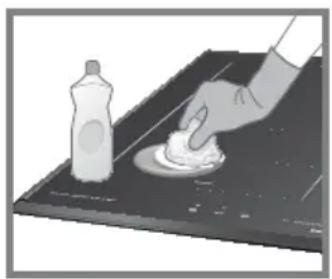
Oil stains
■ Wipe off with a cloth dampened in mild detergent. ■ Do not use strong acidic or alkaline detergents, such as bleach or synthetic detergents. They may cause discolouration.
Heavy stains
■ Apply non-abrasive cream cleaner to the top plate or control panel and wipe with a cloth.

Note
Ensure there are no stains on the base of the cookware.
Metal Frame
(KY-B627GF & KY-B617AF only)
In case of spillage, wipe from the metal frame immediately. Otherwise the stains will be difficult to remove.
Troubleshooting
■ During the warranty period, any repairs may only be performed by service technicians authorised by the appliance manufacturer. ■ Unauthorised repairs may cause electric shock and short circuit; do not attempt this yourself. Consult an authorised service technician. In case of minor faults or problems with the appliance operation, check the following instructions to see whether the causes can be eliminated.

Note
A visit by a service technician during the warranty period will be charged if the appliance is not functioning because of improper use. Store these instructions in a place where they are always readily accessible; if passing the appliance on to another person, the instructions should also be included.
Troubleshooting
Check the following for some advice on rectifying some common problems before calling the service centre.
Power Source
| Symptom Possible cause | |
| The appliance cannot be turned ON. | ■ The main power switch has not been turned ON.→ Touch the main power switch a little longer.■ Child Lock has been activated. (See page 10) |
| Auto switch offIf 1 minute has elapsed without any operation after switching on, the main power automatically turns off.→ Turn on the main power switch again. | |
| The cooking zone turned itself off while in operation. | Long cooking timeIf no key is touched for a set time (see table below) when a cooking zone is in operation, a beep will sound and the cooking zone is turned off automatically.→ Set the appliance again as required.It is recommended to use the cooking timer when simmering for a long period of time. (See page 27) |
| Power Level | ||||||||||||||||||
| Low Medium High | ||||||||||||||||||
| 1 | 1. | 2 | 2. | 3 | 3. | 4 | 4. | 5 | 5. | 6 | 6. | 7 | 7. | 8 | 8. | 9 | b | |
| Auto switch off time (hours) | 9 | 8 | 7 | 6 | 5 | 4 | 3 | 2 | 1 | |||||||||
Control Panel
| Symptom Possible cause | |
| Key operation is disabled. | ■ Your fingertips are covered. Touch with bare finger.■ Control Panel Lock is activated. (See page 10)■ You performed the operation while holding the cookware handle.■ The control panel is dirty.→ Turn off the main power switch and ensure the area is clean and dry. Turn on the main power switch again. |
| Keys react when the surrounding area is touched. | Water or other liquids may be on or around the keys.→ Ensure the area is clean and dry. |
Troubleshooting
Sounds and Noises
| Symptom Possible cause | |
| Noise is heard during heating. | Various sounds may be heard depending on the type of cookware. You may feel a small vibration when you hold the handle and the cookware may move slightly.→ This is not a malfunction. Moving the cookware slightly or replacing it may eliminate the sound. |
| If the cookware is removed during heating, a short metallic sound may be heard. | |
| The level of the noise from the appliance increases and decreases. | It is the sound of the cooling fan inside the appliance. The level of noise changes according to the power level and the material of the cookware. When the power level is increased, the fan will operate at high speed and generate more noise. |
| After the main power switch is turned off, sound from the fan can still be heard. | While the inside of the appliance is still hot, the cooling fan operates. When the appliance cools down, it will automatically stop. |
| Clicking noise is heard at the start of flex cooking operation. | This is not a malfunction. This is a part of induction heating technology. The noise is eliminated during operation. |
Heat Power
| Symptom Possible cause | |
| The heating power is weaker. | Overheating Prevention FunctionIf the base of the cookware overheats, the heating power will automatically reduce. The power indication will remain the same. The power returns to normal after the cookware cools down. |
| Unsuitable cookware, e.g. ceramic and earthenware pans, are used.→ Do not use ceramic and earthenware pans even if they are for induction heating as they are not efficient. (See pages 15-16) | |
| When multiple cooking zones are used together,■ The heating power its own. Even after touching the decreases.■ The power indicator automatically decreases.■ The power level can not be increased. | The power level is automatically regulated so that overall power consumption does not exceed the limit.The power indicator for a cooking zone may decrease on |
| – 🐎 slider to adjust power level, it may not increase the power level and the appliance will beep. For cooking zone groups and its effects, see page 13. | |
Troubleshooting
Autoboil Mode
| Symptom Possible cause | |
| Heating time takes too long. | ■ The base of the pan or top plate is dirty.■ A lid has not been used.■ Water was added to the pan during Autoboil Mode.■ The lid is removed or the pan is moved during Autoboil Mode.■ Cookware with a non-stick coating may affect the sensor detection. If the water is not boiled after the beep, continue heating up as required. |
| ■ Water has not boiled after beeping.■ Water has boiled but does not beep. | ■ The cookware size and material (e.g. non-stick coating) and the volume of water may affect the sensor detection.→ Select temperature as required. |
| No power - heating does not start. | The top plate is too hot for Autoboil Mode. Autoboil Mode will start automatically when the top plate has cooled down. |
Low Temperature Cooking Mode
■ Preheating time takes too long. ■ The actual temperature is different from the set temperature.
■ The pan has been moved away from Genius Sensor. ■ The base of the pan or top plate is dirty. ■ Water, oil, or food was added during preheating. ■ The temperature on the base of the pan may vary from the set temperature depending on the type of cookware. → Adjust the temperature as required with

slider.
Deep/Shallow Frying Mode
Symptom Possible cause
■ Preheating time takes too long. ■ The actual temperature is different from the set temperature.
■ The pan has been moved away from Genius Sensor. ■ The base of the pan or top plate is dirty. ■ More than 800 g of oil has been added. ■ Hot oil, brown-coloured oil, cloudy oil, or oil with food sediment is used. ■ The oil temperature may vary from the set temperature or the preheating time may take longer depending on the type, material, shape and size of the base of the pan. → Adjust the temperature as required with

slider.
Error Codes
Heating can be resumed after the causes of the following errors are eliminated.
| Indication Possible cause | |
| U 16 | ■ There is water or objects on or around the control panel.■ Key is held longer than required. |
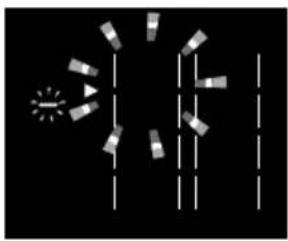 | Cookware not detected■ No pan placed on the cooking zone.■ The pan has been removed.■ The pan is not in the correct position. (See pages 13-14)■ An incompatible pan is used. (See pages 15-16)Small object on the cooking zone■ Small metal objects (e.g. cutlery, utensils) are placed on the cooking zone.If the above conditions are not rectified,the display and the main power will turn off. |
The following errors can be cleared by pressing the key of the applicable cooking zone.
| Indication Possible cause | |
| U04 | The intake or exhaust vent are blocked (See pages 45-47)→ Remove any blockages. |
| U13 | Empty pan on the cooking zone■ An empty pan has been heated.■ When deep/shallow frying, oil was preheated by selecting the power level instead of Deep/ Shallow Frying Mode.→ Use Deep/Shallow Frying Mode for heating up a large amount of oil. |
| U71 | |
| U33 | ■ Incompatible cookware is used for Deep/ Shallow Frying Mode. (See pages 15-16)■ The pan is not in the correct position. (See pages 13-14)■ More than 800 g of oil has been heated up.■ Ingredients were added while preheating. |
| U34 |
Error Codes
If you cannot resolve the problems, or any service centre.
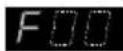
error appears, contact the
→ Turn off the main power switch and the circuit breaker. Contact the dealer you purchased the appliance from or the service centre for assistance.

Note
■ Warranty claims that resulted from improper connection or use of the appliance is not covered by the warranty. In such cases, the costs of repair are borne by the user. ■ For the list of service centres, refer to the guarantee booklet.
Installation and Connection
Please fully observe the following safety precautions.

Important
■ Unpack the appliance, remove all packing material, and examine for any damage. If the appliance is damaged, do not install and notify your dealer immediately. ■ Install the appliance in accordance with the Installation Instructions. Otherwise, the performance of the appliance may be affected. ■ After installation, perform a test run and explain to the customer how to operate the appliance. ■ Correct installation is the responsibility of the installer. Any malfunction or accident resulting from the failure to follow Installation Instructions is not covered by the warranty.
Safety Instructions
■ When performing the installation, follow these instructions completely. Improper installation may cause an electric leakage or fire. ■ Install a 220-240 V / 40 A dedicated single-phase (or three-phase at 380-415V 2N) circuit with the earth leakage circuit breaker for the power supply. The electrical wiring may abnormally overheat if the dedicated circuit is not properly connected. ■ Electrical work must be performed by a legally qualified electrician. Improper wire connections may cause electric leakages or fires.
Safety Instructions
■ This appliance must be properly earthed following the electric laws. The earth line must not be connected to gas pipe, water pipe, earth of a lightning rod, or telephone. Otherwise, it may cause electric shock in case of appliance breakdown or insulation breakdown. ■ Have a qualified electrician earth the appliance. Improper earthing may cause an electric shock. ■ Before performing the installation, turn off the circuit breaker. This can prevent electric shock. ■ If the power cord is damaged, it must be replaced by a service technician authorized by the appliance manufacturer in order to avoid a hazard. ■ Do not disassemble, repair, or modify the appliance (e.g., the top plate). Doing so may cause the appliance to operate abnormally and may be dangerous. ■ Do not step on the appliance, or drop heavy items on top of it. Cracks in the top plate may cause overheating, malfunctions, or electric shocks.
Safety Instructions
■ Do not touch high temperature parts, such as the top plate after use. ■ The power cord must be accurately connected to ensure the integrity of the connection. Improper wire connections may cause electric leakages or fires. ■ Use heat resistant materials for the countertop. However, do not use varnished materials as they may become discolored. The material of the countertop should have heat resistance equal to or exceeding that of laminated thermosetting high-pressure decorative sheets. If the materials are not heat resistant, they may get deformed or cause a fire. ■ Warning: The manufacturer cannot be held liable for damage to persons or items caused by failure to observe the safety instructions, by interference with any part of the appliance, or by the use of non-original spare parts.
Installation Location
Installation of the Appliance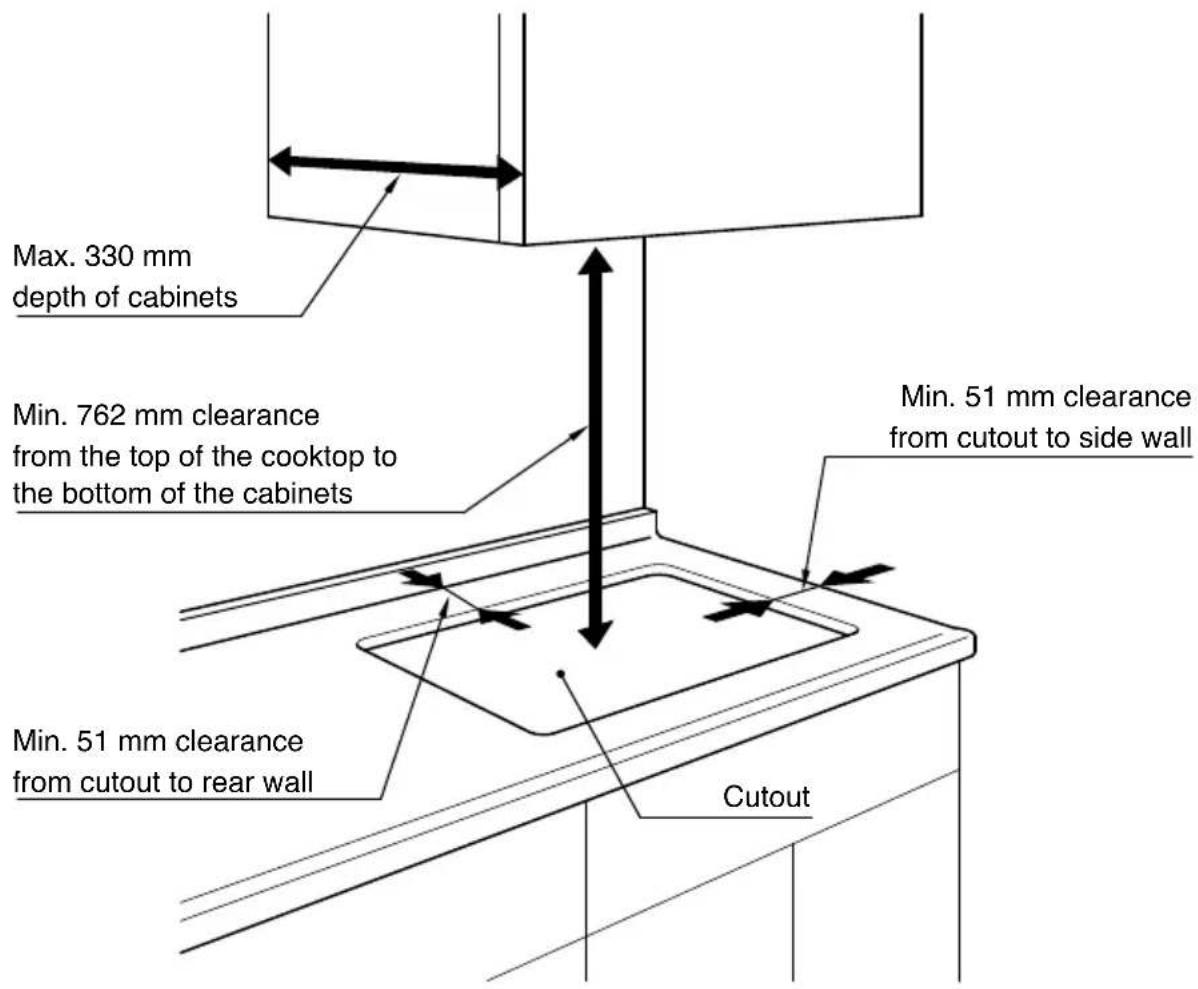
For more details on cutout, see page 48.
Accessories
Clamp (2 pieces) See page 52.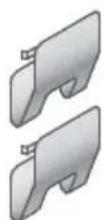
Top View
(measurement: mm)
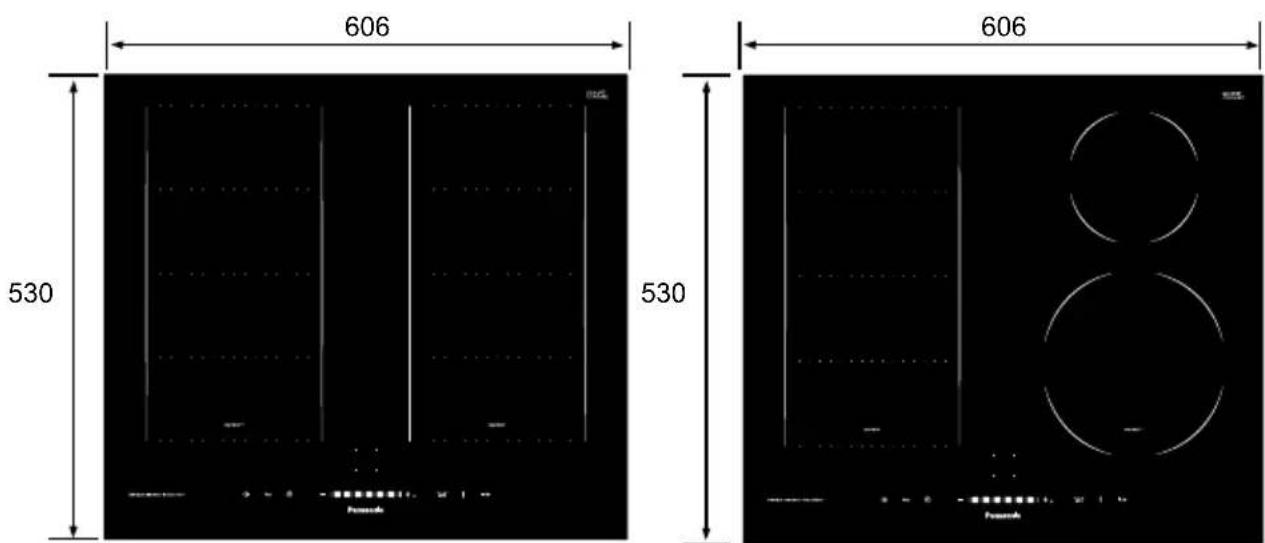
KY-B627GF KY-B617AF
Front View

Side View
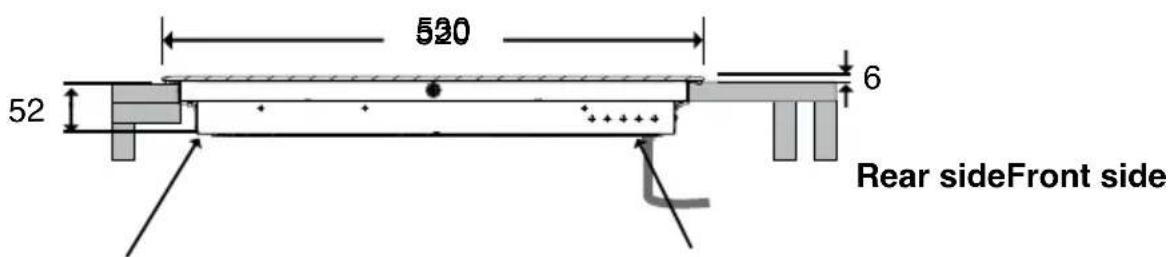
Intake vent Exhaust vent
Power cord length: approx. 1.2 m (Sheath length: approx. 1.1 m)
Dimensions
Top View (measurement: mm)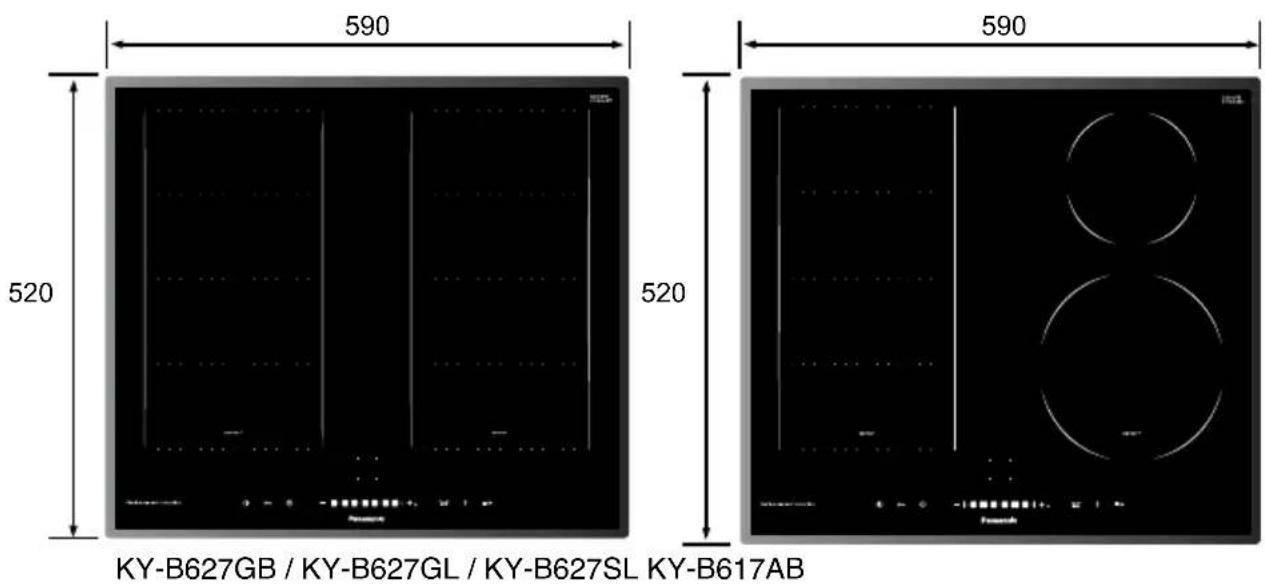
Front View
Side View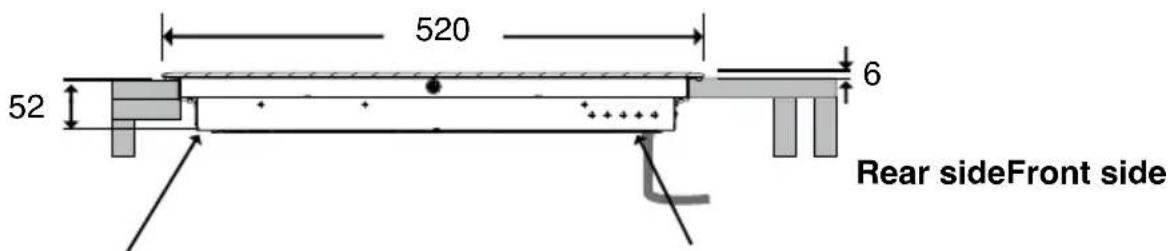
Intake vent Exhaust vent
Power cord length: approx. 1.2 m (Sheath length: approx. 1.1 m)
Dimensions
Side View
(measurement: mm)
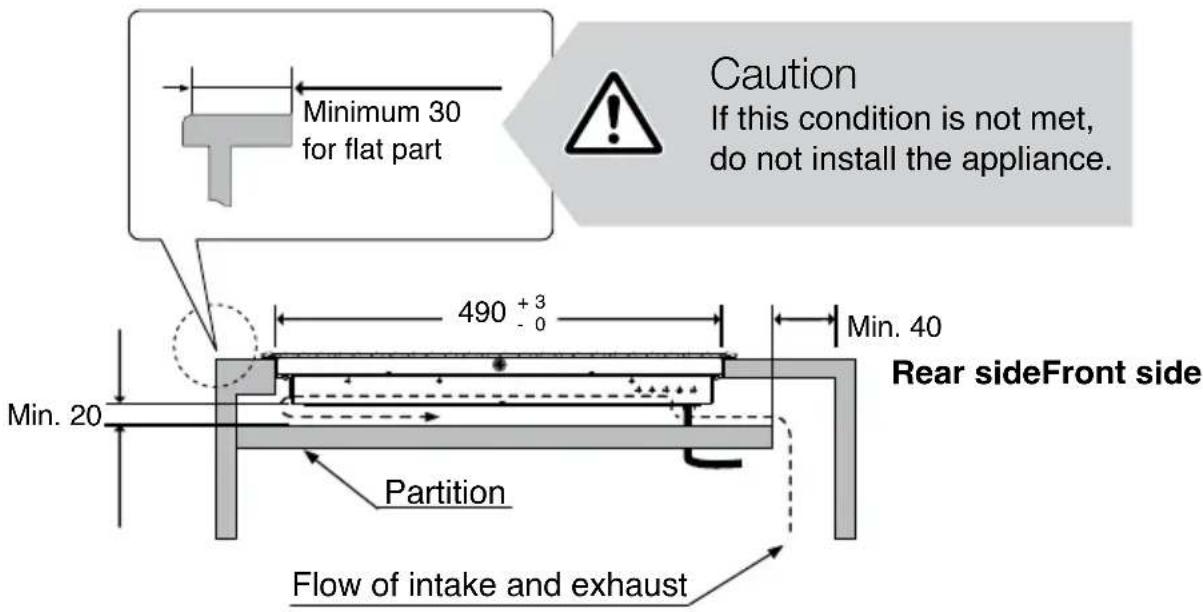
When Installing a Partition Inside the Cabinet
- Allow for a minimum of 20 mm extra space underneath the bottom of the appliance for air circulation. ■ Allow for a minimum of 40 mm extra space in rear of the partition.
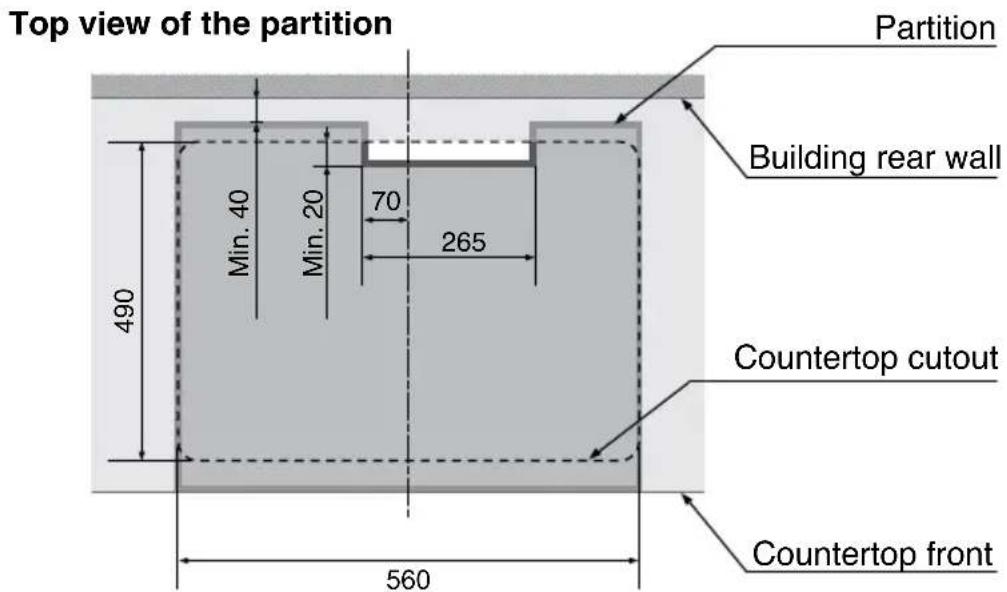
Dimensions
When Installing Above an Oven
(measurement: mm)
■ The appliance may only be installed over a Panasonic oven. ■ Allow for extra spaces for air circulation as shown below.
Side View with an Oven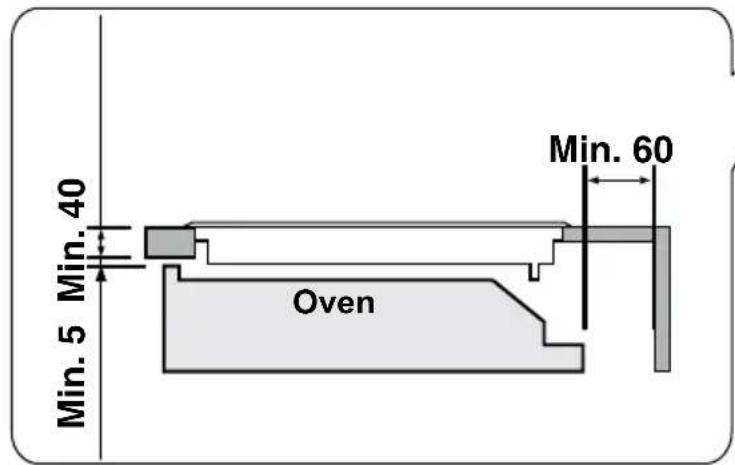
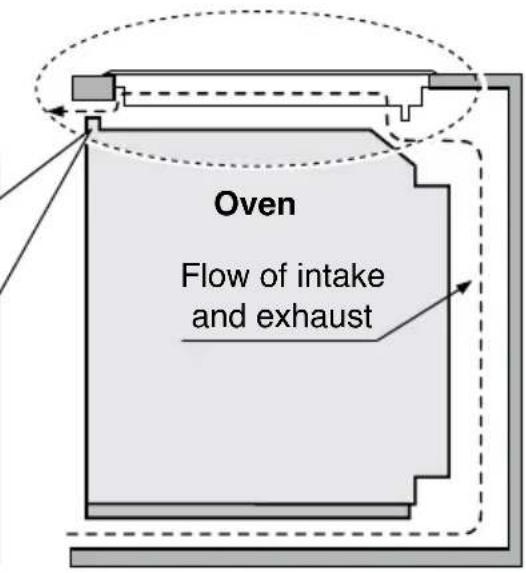
Dimensions of Countertop Cutout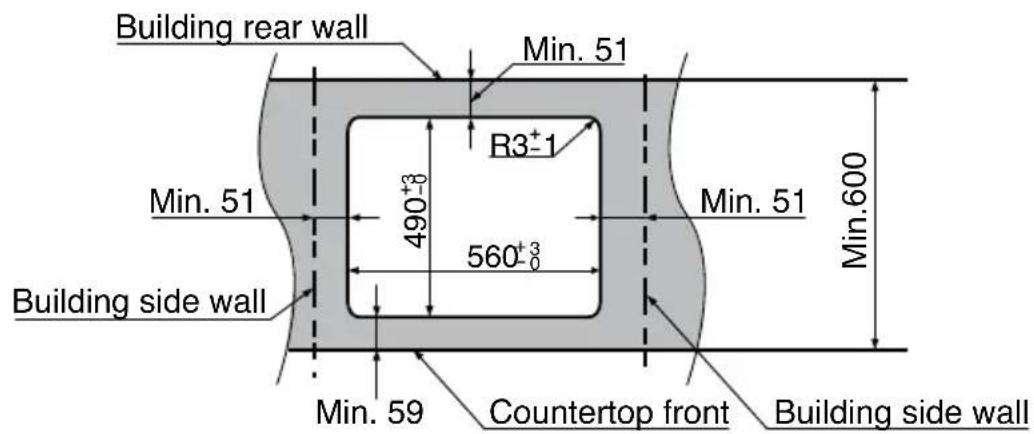
(measurement: mm)
KY-B627SL / KY-B627GL can be fitted flush when installing.
Installing the appliance as flush-fitting
■ Only suitable for installation on heat and water resistant worktops such as marble, natural stone, solid wood (if cut out edges are sealed). ■ Mount onto other types of worktops only with the recommendation of the worktop manufacturer. ■ Remove the cushion from the underside of the appliance before flush fitting. ■ The internal width of the base unit must be at least as wide as the internal cut-out width for the hob. This is to ensure that the casing can be easily removed for maintenance. ■ Before sealing in, test that the appliance works. Grout the perimeter using a heat resistant silicone. Smooth the seal with a suitable finishing product. Follow the silicone instructions and do not turn on the appliance until the silicone is completely dry.
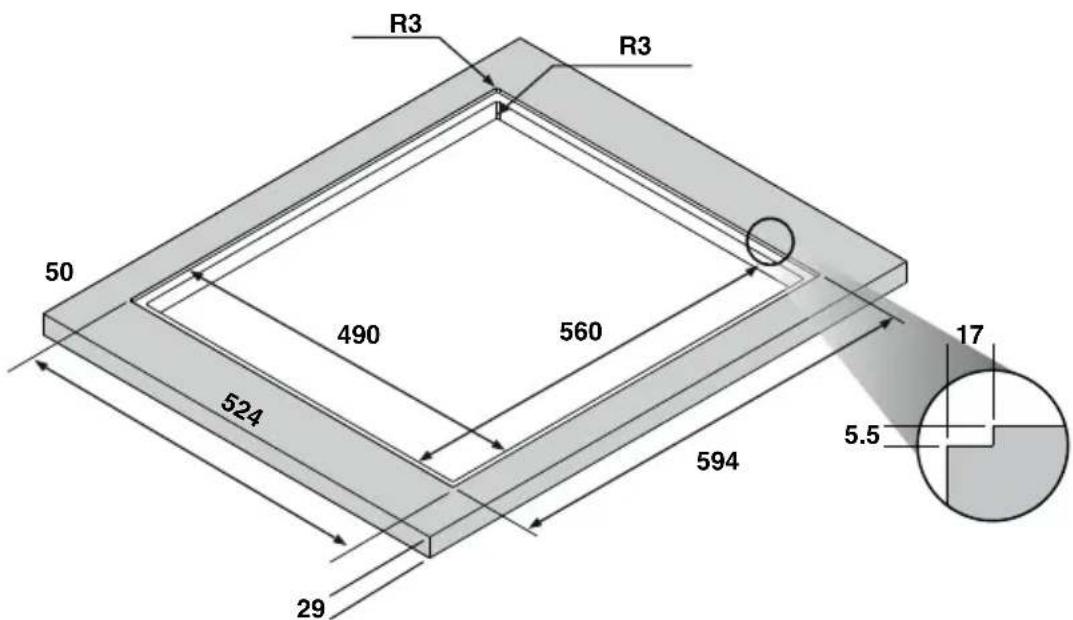

Caution
■ Please observe the diagrams for the cut-out dimensions in granite and marble worktops. ■ Using unsuitable silicone may cause permanent colour changes to marble worktops
Uninstalling the appliance as flush-fitting
■ Disconnect the appliance from the mains. ■ Remove the silicone seal from the perimeter with a suitable tool. ■ Push the appliance upwards from below to remove it.

Caution
■ Do not try to remove the appliance by prying it out from above.

Warning
Electrical work must be performed by a legally qualified electrician.
Electrical Requirements
■ This appliance must be supplied with the proper voltage and frequency, and connected to an individual, properly earthed branch circuit, protected by a circuit breaker or fuse. (The rating plate is on the bottom of the appliance.) ■ This appliance is not fitted with other means for disconnection from the supply mains having a contact separation in all poles that provide full disconnection under overvoltage category III conditions. Means for disconnection must be incorporated in the fixed wiring in accordance with the wiring rules. ■ Single-phase A.C. 220-240 V, 40 A, 50 Hz electrical system must be used. (It is also possible to use a three-phase electrical system.) If connecting to aluminium wiring, use connectors approved for use with aluminium wiring. - Check with the local utilities for electrical codes applied in the area. Failure to wire the appliance according to governing codes may result in a hazardous condition. ■ After installation, show the customer where the breaker for the appliance is located.
Installation of the Earth Leakage Circuit Breaker
In accordance with the electrical wiring rules, incorporate the earth leakage circuit breaker in the home electrical wire. ■ Follow the specification of the earth leakage circuit breaker as follows. Rated current: 40 A, rated sensitivity current: 30 mA
Electrical Connections
1. Turn off power.
Turn off power at the circuit breaker or remove fuses to the appliance branch circuit.
2. Connect the power cord.
Connect the power cord in accordance with all governing codes and ordinances.
■ Single-phase connection (220-240 V ~ 50 Hz)
Connect the wires in accordance with the instructions given in the following table and diagram:
| Electrical cable Wire connection | |
| : Yellow / Green(Connect to the earth terminal)N: Grey and Blue togetherL: Black and Brown together(Connect to the live terminal) | |
■ Three-phase connection (380-415 V 2N~50 Hz)
Separate the L wires and connect them in accordance with the instructions given in the following table and diagram:
| Electrical cable Wire connection | |
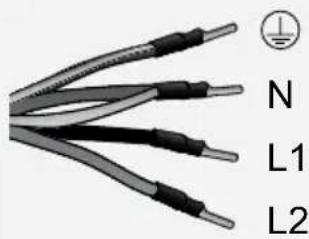 | : Yellow / Green(Connect to the earth terminal)N: Grey and Blue togetherL1: BlackL2: Brown(Connect to the live terminal) |
Installing the Appliance

Warning
Do not disassemble the top plate. Connected wire may become loose and cause a malfunction.
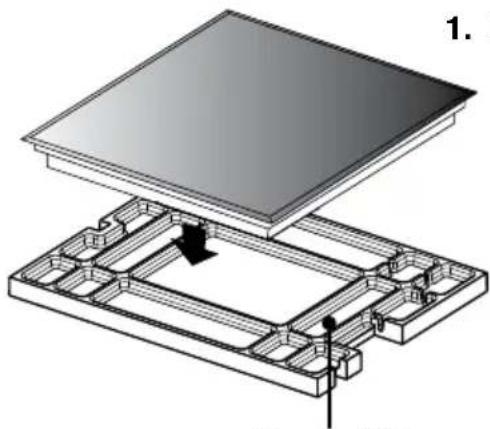
Upper Filler
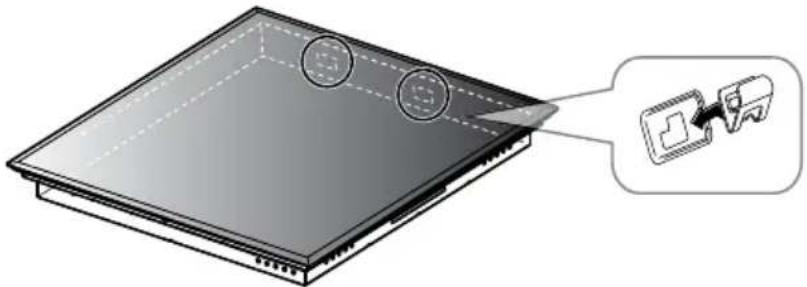
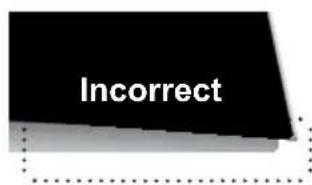
- Fasten the clamps to the appliance (2 places at rear).
■ Place the appliance on the packaging upper filler when fitting clamps to prevent damage to the countertop. ■ Match the clamp grips with the holes on the sides of the appliance, then slide the clamp from the right to the left to fasten them to the appliance.
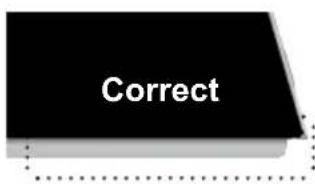
- Embed the appliance in the countertop cutout while keeping it as level as possible.
■ Do not drop the appliance on the countertop. ■ Press down on top of the appliance to make sure that it rests on the countertop. ■ Make sure that the spaces between the countertop and the under surface of the appliance are even in the front, rear, left and right.
3. Connect the power cord
■ See page 51.

Caution
If the cabinet does not have an opening in the front, the wiring needs to be connected before the appliance is embedded into the countertop.
Post-installation Checklist
Upon completing installation, check and mark off the following items.
| Checklist Checked | ||
| Appearance | ■ Ensure that the appliance is not tilted.■ Is the top plate clean? | |
| Electrical work | ■ Is the power supply a single-phase (220-240 V ~), or a three-phase (380-415 V 2N~)? | |
| ■ Has the earth been installed?■ Has the earth leakage circuit breaker been installed? | ||
| Electrical testing | 1. Touch Ⓐ to turn on the main power.■ Does the main power light illuminate?2. Touch the following keys to check function of each cooking zone:■ Left front cooking zon [BADW]■ Left rear cooking zon [BADW]■ Right front cooking zo■ Right rear cooking zo [BADW]Do “-” and cooking zone selector flash? |
■ Make sure to turn off each cooking zone and the main power switch after performing electrical testing.
■ Hand the Operating / Installation Instructions to the customer.
I hereby certify that installation has been completed.
Specifications
| Manufacturer Panasonic | |||||
| Model identification KY-B627GFEPG KY-B617AFEPG | KY-B627SLEPGKY-B627GLEPGKY-B627GBEPG | KY-B617ABEPG | |||
| Type of hob Electric | |||||
| Number of cooking zones and/or areas | 4 4 4 4 | ||||
| Heating technology Induction | |||||
| Diameter of useful surface area (circular) | n/a | 1 x ø 21.0 cm1 x ø 15.0 cm | n/a | 1 x ø 21.0 cm1 x ø 15.0 cm | |
| Length and width of useful surface area (non-circular) | 4 xL 19.1 cmW 20.0 cm | 2 xL 19.1 cmW 20.0 cm | 4 xL 19.1 cmW 20.0 cm | 2 xL 19.1 cmW 20.0 cm | |
| Energy consumption per cooking zone or area calculated per kg (ECelectric cooking) | Left front | 187.4 Wh/kg | 190.0 Wh/kg | 187.4 Wh/kg | 190.0 Wh/kg |
| Left middle | 170.3 Wh/kg | 174.5 Wh/kg | 170.3 Wh/kg | 174.5 Wh/kg | |
| Left rear | 177.2 Wh/kg | 176.9 Wh/kg | 177.2 Wh/kg | 176.9 Wh/kg | |
| Right front | 189.3 Wh/kg | 175.4 Wh/kg | 189.3 Wh/kg | 175.4 Wh/kg | |
| Right middle | 183.0 Wh/kg | - | 183.0 Wh/kg | - | |
| Right rear | 183.8 Wh/kg | 183.9 Wh/kg | 183.8 Wh/kg | 183.9 Wh/kg | |
| Energy consumption for the hob calculated per kg (ECelectric hob) | 181.8 Wh/kg | 180.1 Wh/kg | 181.8 Wh/kg | 180.1 Wh/kg | |
| Power supply | Single-phase: 220-240 V ~ 50 HzThree-phase: 380-415 V 2N~ 50 Hz | ||||
| Power consumption | 7200 W | ||||
| Dimensions (approx.) | 606 mm (W) 530 mm (D)58 mm (H) | 590 mm (W) 520 mm (D)58 mm (H) | |||
| Display colour | Blue | ||||
| Maximum power consumption by cooking zone | Left front | 2800 W | 2800 W | 2800 W | 2800 W |
| Right front | 2800 W | 3300 W | 2800 W | 3300 W | |
| Left rear | 2800 W | 2800 W | 2800 W | 2800 W | |
| Right rear | 2800 W | 1800 W | 2800 W | 1800 W | |
| Flex cooking zone | 3600 W | 3600 W | 3600 W | 3600 W | |
| Uncrated weight (approx.) | 14.5 kg | 13.0 kg | 14.0 kg | 13.0 kg | |
Equipment complying with IEC 61000-3-12
This product complies with the requirements of EN 60350-2:2013
(Methods for Measuring Performance - Hobs)
Manufactured by: Panasonic Manufacturing U.K. Ltd.
Wyncliffe Road, Pentwyn Industrial Estate, Cardiff, S.Glam. CF23 7XB U.K.
REP. EU: Panasonic Testing Centre
Winsbergring 15, 22525 Hamburg, Germany
Inhalt
Installation location ......48
Accessories 48
Dimensions 49-52

KY-B627GB / KY-B627GL / KY-B627SL KY-B617AB
Front view
Side view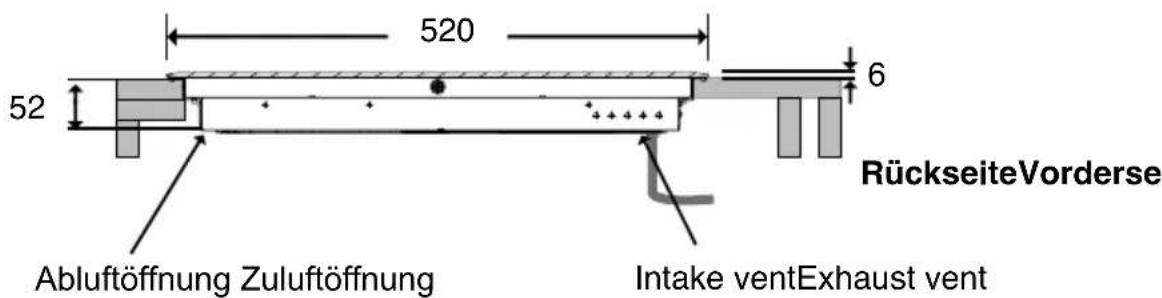
© Panasonic Corporation 2017
EZY02F670KEP
EC0317-0037
Printed in U.K.


- OPERATING INSTRUCTIONS
- INSTALLATION INSTRUCTIONS
- IH COOKING MECHANISM
- SAFETY INSTRUCTIONS
- GENERAL PRECAUTIONS
- DISPOSAL OF WASTE PRODUCTS
- GENIUS SENSOR TECHNOLOGY
- SENSOR
- CAUTION
- ENERGY SAVING TIPS
- FEATURES AND FUNCTIONS - DOUBLE FLEX
- FEATURES AND FUNCTIONS - SINGLE FLEX
- GENERAL CONTROLS
- MAIN POWER
- CHILD LOCK
- CONTROL PANEL LOCK
- TIMER
- SLIDER BAR
- SLIDER BAR OPERATION
- BOOST FUNCTION
- AUTOBOIL KEY
- SENSOR OPTION KEY
- OPTION KEY FOR
- LOW TEMPERATURE COOKING MODE
- PAUSE KEY
- SILENT MODE
- RESTART MODE
- HOT SURFACE WARNING
- RESIDUAL HEAT INDICATOR
- COOKING ZONE GROUPS
- FLEX COOKING ZONE
- PANS WITH A DIAMETER LESS THAN 13 CM
- PANS WITH A DIAMETER OF 13 CM OR MORE
- COOKING ZONES
- LARGER COOKWARE
- TWO INDEPENDENT COOKING ZONES
- WARNING
- GENIUS SENSOR COOKING
- MATERIAL
- COMPATIBLE COOKWARE
- INCOMPATIBLE COOKWARE
- SHAPE OF THE BASE
- SIZE (BASE DIAMETER)
- CHECKING COOKWARE COMPATIBILITY
- IH COOKING
- OPERATION OVERVIEW
- SAFETY FEATURES
- AUTO SWITCH OFF
- NOTE
- OVERHEATING PREVENTION FUNCTION
- SELECTING THE POWER LEVEL
- USING THE FLEX COOKING ZONES AS ONE
- AUTOBOIL MODE
- AVAILABLE ON THE COOKING ZONE WITH SENSOR
- AUTOBOIL MODE IS DEVELOPED FOR BOILING WATER ONLY
- PAN FRYING MODE
- DEEP/SHALLOW FRYING MODE
- OBSERVE THE FOLLOWING TO KEEP GENIUS SENSOR FUNCTIONING EFFICIENTLY
- USING COOKING TIMER
- USED TO SWITCH A COOKING ZONE OFF AUTOMATICALLY
- COOKING TIMER SETTING RANGE: 1 MINUTE TO 9 HOURS
- CANCELLING COOKING TIMER
- ADJUSTING COUNTDOWN TIME
- WHEN THE TIMER REACHES "0", THE APPLIANCE BEEPS 5 TIMES AND TURNS OFF THE COOKING ZONE
- USING KITCHEN TIMER
- USED INDEPENDENTLY FROM ALL OTHER COOKING FUNCTIONS. IT COUNTS DOWN FROM A SET TIME
- TOUCH AND HOLD THE MAIN POWER KEY TO TURN ON THE POWER
- KITCHEN TIMER SETTING RANGE: 1 MINUTE TO 9 HOURS
- CANCELLING KITCHEN TIMER
- WHEN THE TIMER REACHES "0", THE APPLIANCE BEEPS 5 TIMES
- GENIUS SENSOR COOKING CHART
- (12 LEVELS)
- SIMMERING
- (7 LEVELS)
- CLEANING
- TOP PLATE AND CONTROL PANEL
- LIGHT STAINS
- OIL STAINS
- HEAVY STAINS
- METAL FRAME
- TROUBLESHOOTING
- POWER SOURCE
- CONTROL PANEL
- SYMPTOM POSSIBLE CAUSE
- ERROR CODES
- INSTALLATION AND CONNECTION
- IMPORTANT
- INSTALLATION LOCATION
- ACCESSORIES
- TOP VIEW
- FRONT VIEW
- SIDE VIEW
- DIMENSIONS
- WHEN INSTALLING A PARTITION INSIDE THE CABINET
- WHEN INSTALLING ABOVE AN OVEN
- INSTALLING THE APPLIANCE AS FLUSH-FITTING
- UNINSTALLING THE APPLIANCE AS FLUSH-FITTING
- ELECTRICAL REQUIREMENTS
- INSTALLATION OF THE EARTH LEAKAGE CIRCUIT BREAKER
- ELECTRICAL CONNECTIONS
- TURN OFF POWER
- CONNECT THE POWER CORD
- SINGLE-PHASE CONNECTION (220-240 V ~ 50 HZ)
- THREE-PHASE CONNECTION (380-415 V 2N~50 HZ)
- INSTALLING THE APPLIANCE
- POST-INSTALLATION CHECKLIST
- INHALT
Brand : PANASONIC
Model : KY-B617AF
Category : Cooker