9000 - Air-conditioner Just Fire - Free user manual and instructions
Find the device manual for free 9000 Just Fire in PDF.


User questions about 9000 Just Fire
0 question about this device. Answer the ones you know or ask your own.
Ask a new question about this device
Download the instructions for your Air-conditioner in PDF format for free! Find your manual 9000 - Just Fire and take your electronic device back in hand. On this page are published all the documents necessary for the use of your device. 9000 by Just Fire.
USER MANUAL 9000 Just Fire
natural_image
Exterior view of a white and black industrial air purifier unit (no visible text or symbols)PORTABLE AIR-CONDITIONER
MODEL: AIRCO9000
Owner's Manual
Please read this manual carefully before operating your set.
Content
User Instructions
Precautions....1
Important Safety Tips....3
Special Remindings....6
Product Presentation
Name of Main Components 7
Control Panel and Remote Controller 8
Product Usage
Placement and Installation....9
Operation Method 14
Cleaning and Maintenance
Drainage Method....15
Maintenance....15
Common Failure and their Diagnostics
Intelligent Failure Detection....18
Breakdown Maintenance.... 18
Part of the Technical Parameters of the Machine
Fuse Parameters....18
Machine Dimensions....19
User Instructions
The meaning of the icons used in this manual is as follows:
 | For you and your family’s health and safety, such actions are prohibited. |
 | For you and your family’s health and safety, please be sure to do the following items |
Precautions
This machine is intended for household. Do not use for others
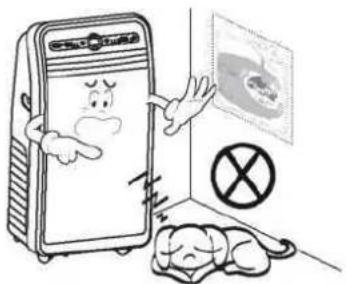
Use the machine in rooms, and place it in a dry environment, and do not use it outdoors.
natural_image
Cartoon illustration of a distressed refrigerator with a sad face and a sleeping person, next to a wall showing a medical scan (no text or symbols)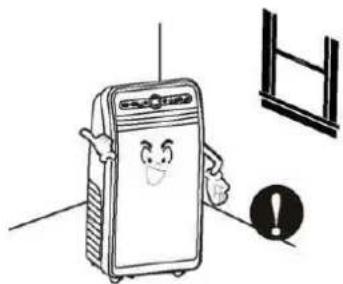
natural_image
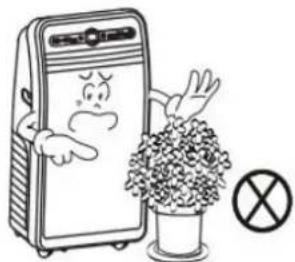
Cartoon illustration of a smiling refrigerator with an exclamation mark and window symbol (no text or symbols present)Do not pile items around the machine, to avoid obstructing the machine to exchange air.
Do no place heavy objects on the machine, so as to avoid damages to the machine.
natural_image
Cartoon illustration of a distressed refrigerator with a potted plant and a crossed-out symbol (no text or labels)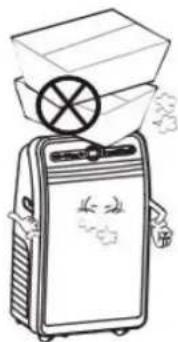
natural_image
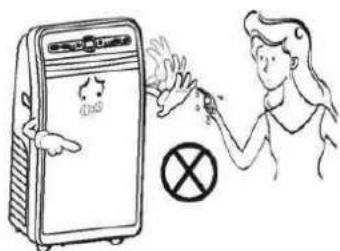
Illustration of a portable device emitting exhaust smoke from a box (no text or symbols)Do not operate the machine with wet hands or in damp environment.
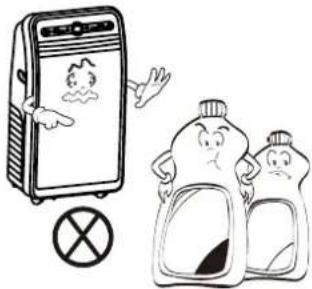
Wipe the machine with a soft cloth, and do not use wax, thinner or irritating detergents.
text_image
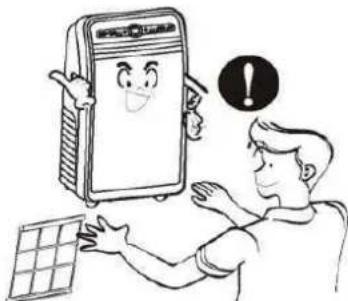
Illustration showing a person using a device to clean a refrigerator with a crossed-out symbol nearbyClean the air filter regularly. Once every two weeks is recommended.
natural_image
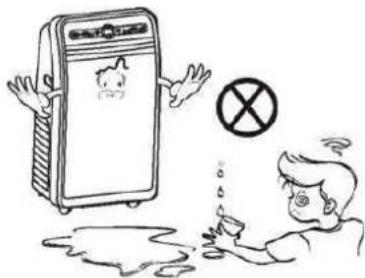
Cartoon illustration of a refrigerator with a child waving, and two anthropomorphic containers with steam rising (no text or symbols)For your health, do not drink the condensed water the machine discharged.
natural_image
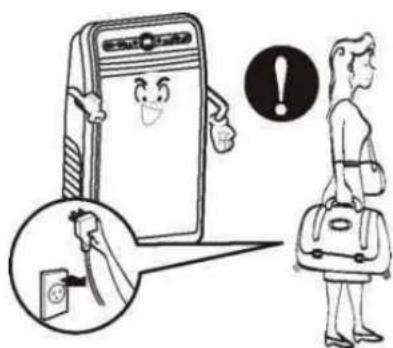
Cartoon illustration of a person interacting with a smiling notebook and tablet, with a warning symbol above (no text or symbols present)If you don't use the machine for a long time, unplug the power cord.
text_image
Cartoon illustration showing a distressed person reacting to a device with a 'X' symbol, while another person is falling into water.Non-professionals do not disassemble or repair the machine without authorization.
text_image
Illustration showing a smiling notebook character, a magnifying glass with a phone icon, and a person carrying a backpack with an exclamation mark.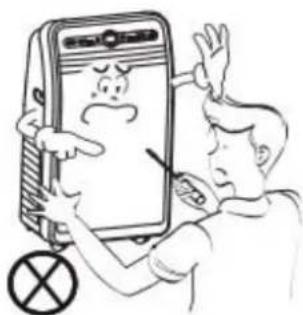
text_image
Cartoon illustration showing a person interacting with a smartphone displaying a sad face, with a crossed-out symbol nearby.Important Safety Tips
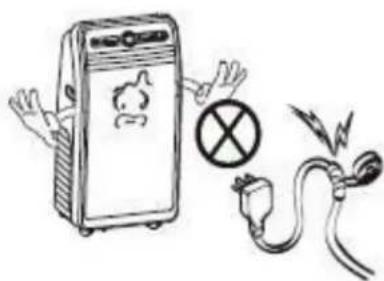
Do not use damaged power cord or power plug. Do not plug the power cord into loose outlets.
Do not damage or use damaged power cord or power cord with unknown type. Before using, ensure the voltage used to meet the requirements.
natural_image
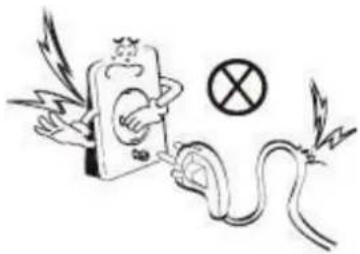
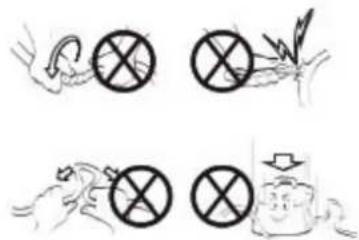
Illustration of a cartoon character with wings and a snake, accompanied by a crossed-out symbol (no text or labels)Do not attempt to modify or extend the power cord.
text_image
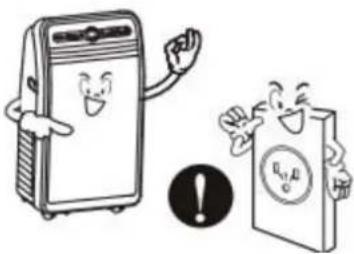
Hand-drawn illustrations showing prohibition symbols with accompanying text, likely representing environmental or social restrictions.Use grounding receptacle when operating the machine.
natural_image
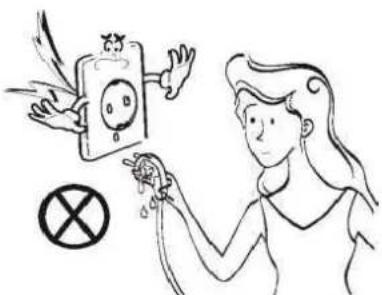
Illustration of an electric shock absorber with a warning symbol and plug, no text presentDo not handle the plug with wet hands. This operation may cause an electric shock.
natural_image
Illustration of two cartoon characters: one standing beside a refrigerator with a smiling face, the other holding a document with a warning symbol (no text or labels present)When unplugging the power cord, hold the plug and then operate, and never pull the cord.
text_image
Illustration showing a person interacting with a device and a prohibition symbol, likely depicting a social or religious context.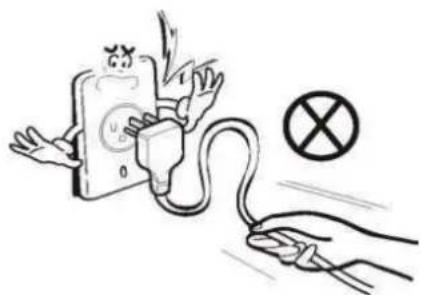
natural_image
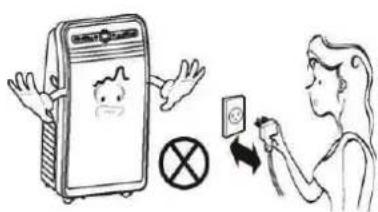
Illustration of a hand connecting a plug to an open socket with a warning symbol (no text or labels)Do not control the machine on and off state by plugging and unplugging power cord.
text_image
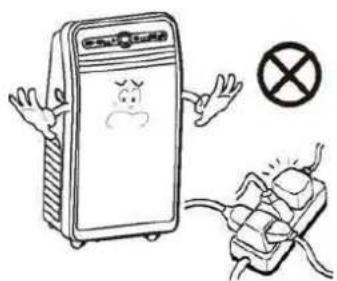
Illustration showing a person using a smartphone to interact with a device, with a crossed-out symbol and a smiling face on the phone.Do not share an outlet with multiple high electrical appliances.
natural_image
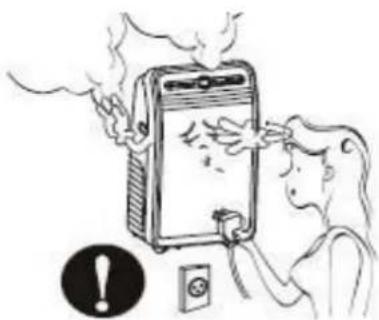
Cartoon illustration of a refrigerator with angry expression and a crossed-out electrical plug (no text or symbols)If the machine sends a strong noise, odor or smoke, switch it off, disconnect the plug and contact the service centre.
natural_image
Illustration of a person using a fire extinguisher to smoke or burn, with an exclamation mark and electrical outlet nearby (no text or symbols on main elements)Turn off the machine before unplugging.
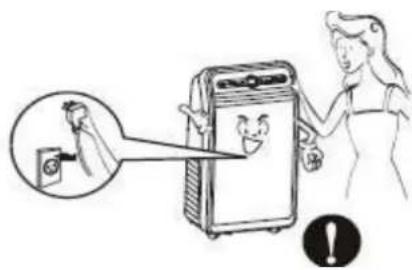
text_image
Illustration showing a person using a washing machine to interact with a device, with an inset magnifying the device's screen.Keep the machine away from heat sources and avoid direct sunlight.
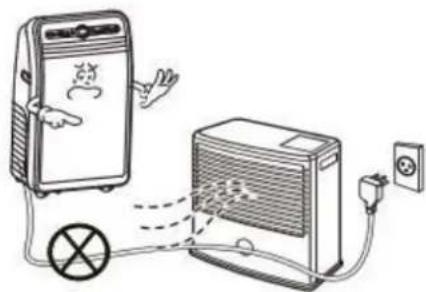
natural_image
Illustration of a portable air conditioner connected to a power outlet via a circuit breaker (no text or symbols present)Do not place heavy objects on the power cord to avoid it being crushed and causing electric shock.
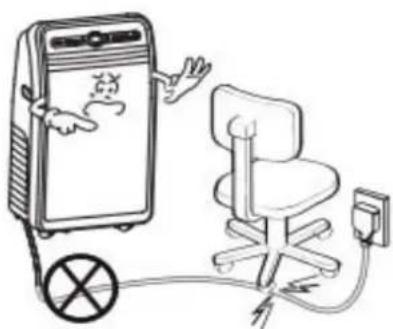
natural_image
Illustration of a cartoon-style office chair connected to a large electronic device with a scroll, no text or symbols present.Do not put your fingers or hard objects into the air outlet.
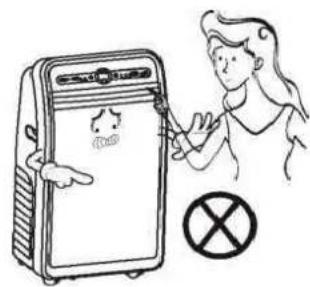
text_image
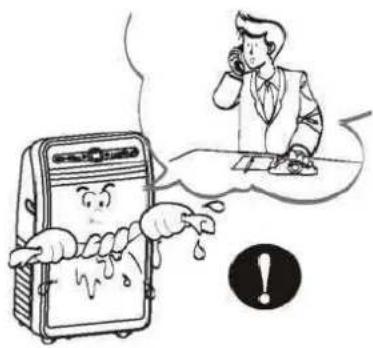
Illustration showing a person using a device to clean a device with a 'No' symbol and a cross symbol below.If there is water inside the machine, turn it off and disconnect its plug immediately, and then contact qualified service personnel for servicing.
text_image
Cartoon illustration showing a person talking on the phone while a distressed device is being pulled by hands, with an exclamation mark nearby.When a gas leak occurs, please open windows to ensure air circulation and then run the machine.

natural_image
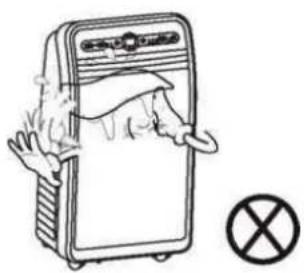
Illustration of a portable air conditioner emitting exhaust smoke next to a gas stove with a crossed-out symbol (no text or labels)Do not allow water to enter the machines electrical parts.
natural_image
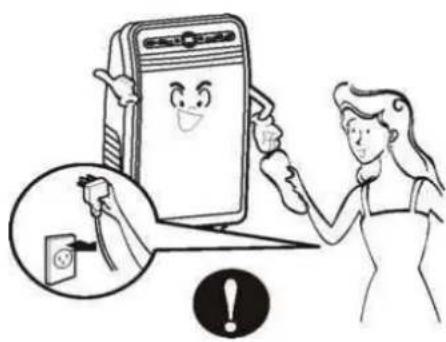
Illustration of a hand opening a device with a cross symbol nearby (no text or labels)If it needs wiping, cleaning, moving or replacement of machine parts, turn it off and unplug it.
natural_image
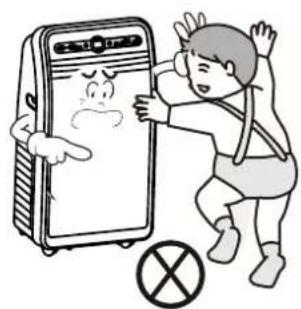
Illustration of a woman holding a smiling phone next to an electrical plug, with an exclamation mark symbol (no text or labels present)Do not allow children or other special people touching the machine, in order to avoid harm. If it needs, the operation must be carried out under the supervision of adults.
natural_image
Cartoon illustration of a person reacting to a phone screen with a sad face, next to a crossed-out prohibition symbol (no text or labels)Special Remindings
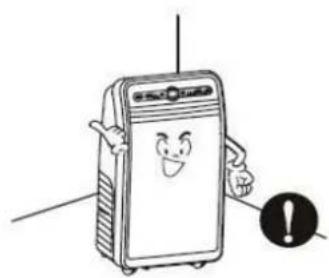
Place the air conditioner on flat ground and keep it placed vertically to ensure the normal operation of its compressor.
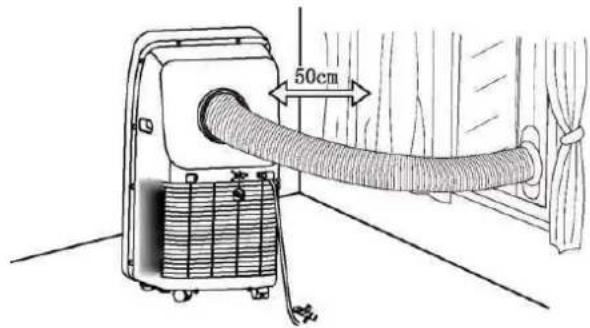
The space between the air conditioner and its surrounding objects shall be ensured to be 50cm at least, and its air inlet or outlet shall be kept unobstructed.
natural_image
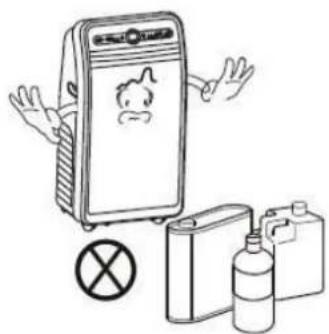
Cartoon illustration of a smiling device with arms and a warning symbol (no text or labels)Do not use the machine near gasoline or other flammable liquids.
natural_image
Illustration of a portable refrigerator with a sad face, accompanied by plastic bottles and a crossed-out symbol (no text or labels)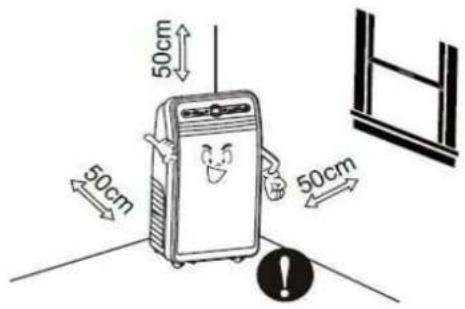
text_image
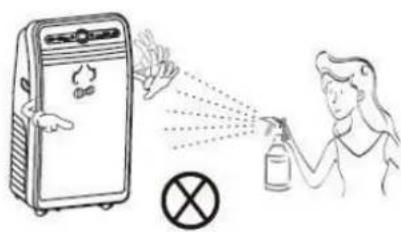
50cm 50cm 50cm 50cmDo not use aerosol sprays and other solvents near the machine, or it may cause plastic deformation, or even damage the electrical components of the machine.
text_image
Illustration showing a person spraying a spray bottle near a refrigerator with smoke and a crossed-out symbol nearby.Product Presentation
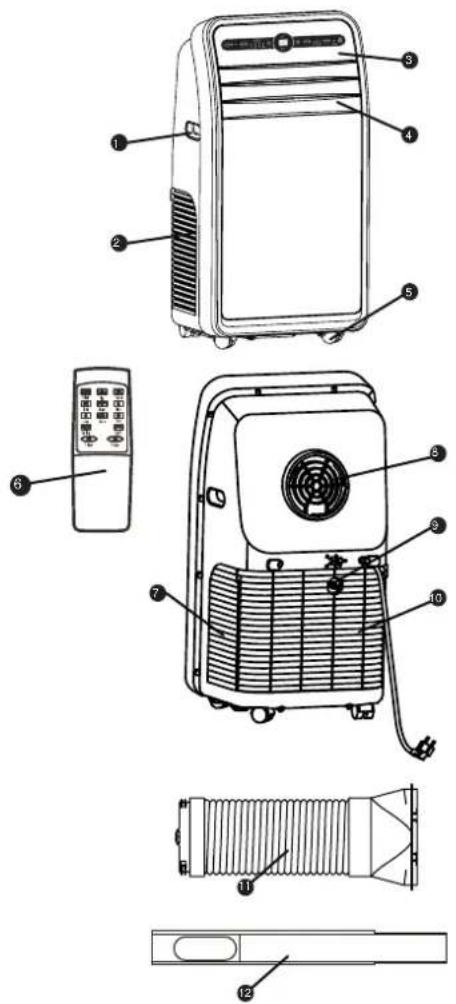
Name of Main Components
- Handle
- Air inlet (left)
- Control panel
- Air guide bar
- Truckle
- Remote controller
- Air inlet (right)
- Air outlet
- Outfall
-
Inlet grille
-
Exhaust pipe assembly
-
Window seal plate assembly
text_image
Technical diagram of an air conditioner unit with numbered parts and labeled control panelControl Panel and Remote Controller

text_image
TIMES MUSIC SPEED SAMS 1 2 3 4 5 6 7 8Single refrigeration Cold and heat producing
text_image
TIMER MINDI SPEED SPRING MINING 1 2 3 4 5 6 7 8
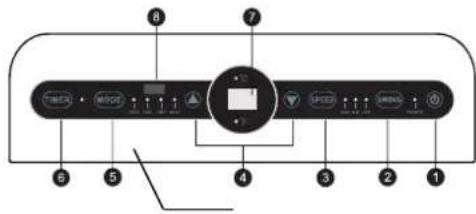
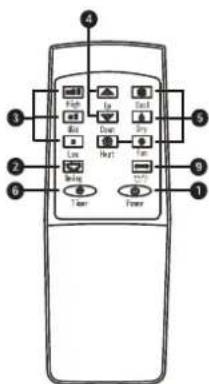
- Power Button
Press the button to turn on/off air conditioner
- Automatic Wind Swinging Button
In any mode after startup, pressing the button to operate swing.
- Wind Speed Selection Button
Press the button to select high, medium and low wind speed.
- Temperature/Time Up-and-down Adjustment Button
When it operates in cooling mode, press up or down to set temperature; in timing mode, presses these buttons to adjust timed on/off time. Pressing up and down buttons at the same time can display the conversion between fahrenheit and celsius temperature.
- Mode Selection Button
Press the button to select refrigeration, fan only, dehumidification and automation.
- Timing Function Button
In standby mode, press the button to set timed start time; In startup state, press the button to set timed shutdown time.
- Temperature/Time Display Window
This window displays the adjust temperature and time.
- Remote Control Receiver Window
This window is used to receive signals transmitted by remote controllers
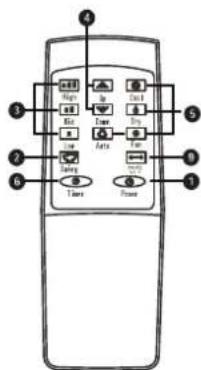
- Fahrenheit and Celsius Conversion Button
Press the button to realize the display conversion between
Temperatures.
text_image
Diagram of a remote control with labeled buttons and ports for navigation or system functionsSingle refrigeration type
text_image
Diagram of a remote control with labeled buttons and ports for function, input, output, and power functions.Cold and heat producing type
Product Usage
Placement and Installation
Placement
- Place the machine on flat floor near a window;
• To maintain a good air circulation and obtain an optimum machine performance, it shall leave a 50cm space around;
text_image
50cmInstallation
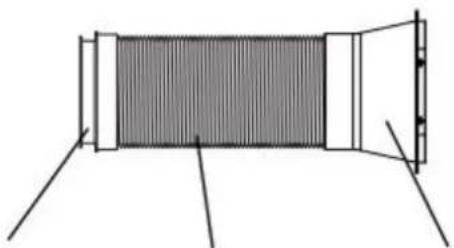
Exhaust pipe assembly
natural_image
Diagram of a cylindrical object with internal structure and two protruding legs, no text or symbols presentExhaust joint Exhaust pipe Exhaust flat-mouth
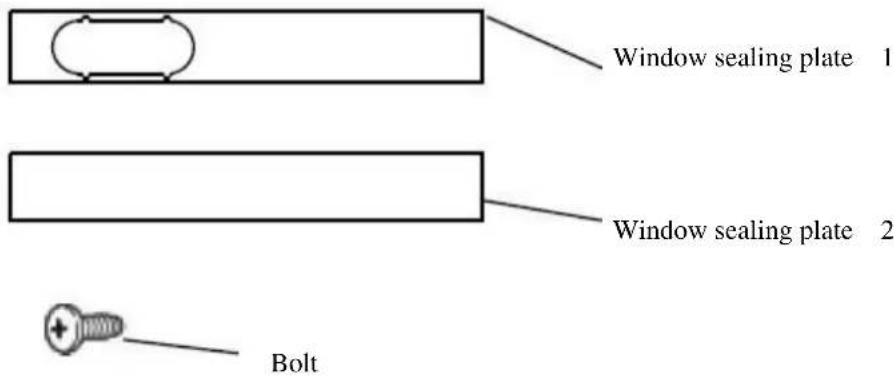
Window seal plate assembly
text_image
Window sealing plate 1 Window sealing plate 2 Bolt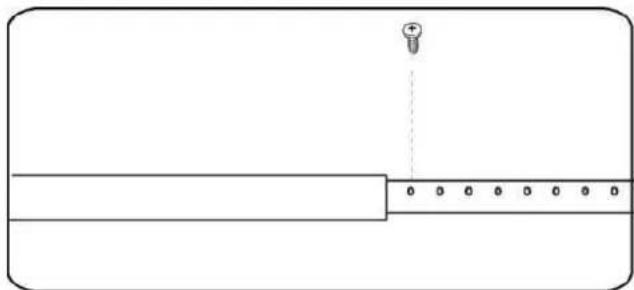
natural_image
Simple line drawing of a rectangular object with a vertical line and a small plus symbol at the top (no text or labels)Step 1:
(1) Measure window size:
(2) Adjust the length of the window sealing plate, making it to fit the size of the window;
(3) After the length of window sealing plate is determined, fix it length dimension with screws.
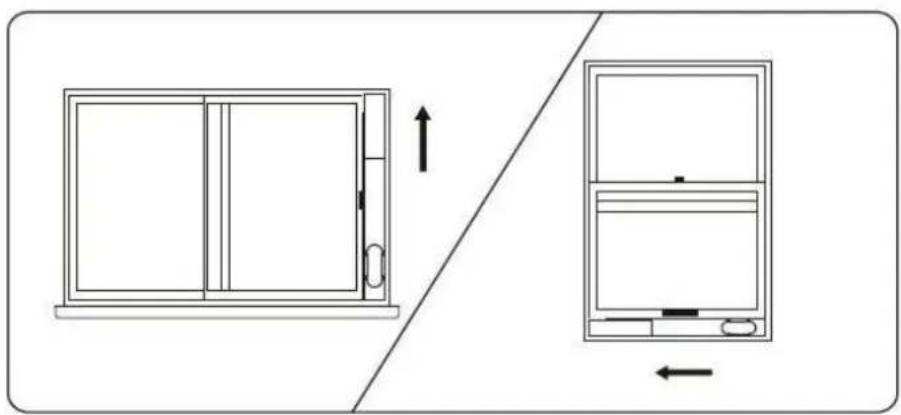
natural_image
Diagram showing a window with an open door and a separate view of a device with a left arrow indicating direction (no text or symbols)Step 2:
Install the fixed window sealing plate on the window.
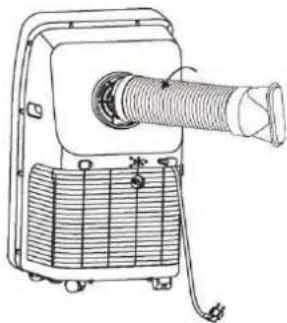
natural_image
Line drawing of a mechanical device with a coiled hose and base panel (no text or symbols)Step 3:
Screw the exhaust pipe assembly (exhaust joint end) into the rear panel exhaust port (counter clockwise).
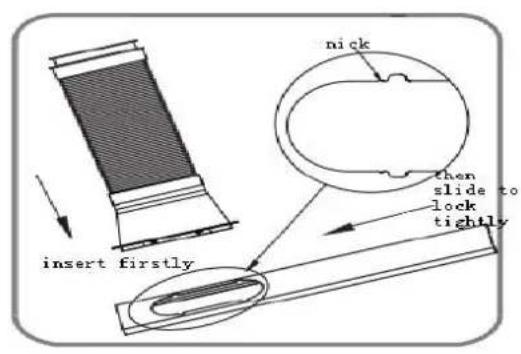
text_image
insert firstly nick then slide to lock tightly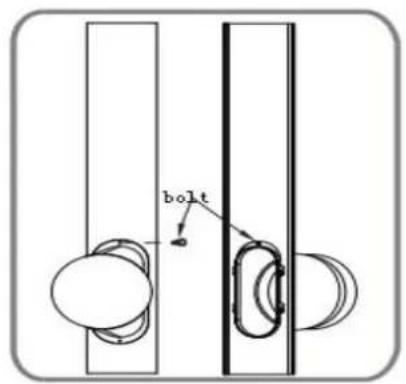
text_image
boltStep 4:
Place the exhaust pipe assembly (exhaust flat port) into the window sealing plate assembly and fix it with screws.
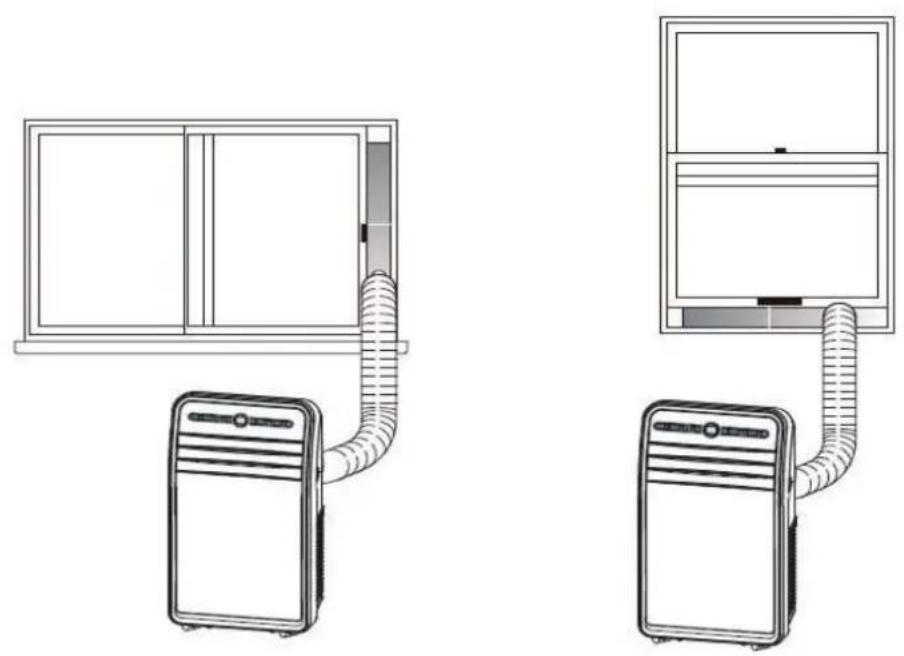
natural_image
Diagram showing two household air conditioner units connected by coiled tubing, one with a window frame and the other with a front panel (no text or symbols)Overall Rendering Picture after Assembly
Incorrect installation
- The smoothness of exhaust pipe is very important. Incorrect installation will affect the operation of air conditioners;
- In installation, avoid the exhaust pipe bending substantially;
- Ensure the air flow smoothly inside the pipe.
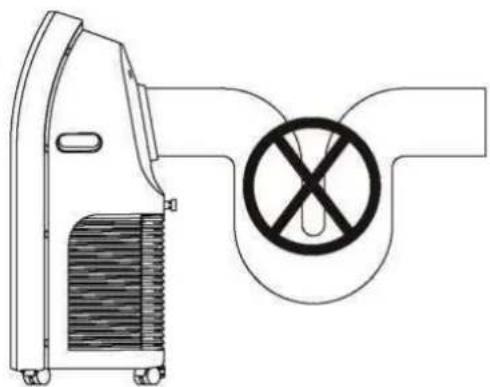
natural_image
Line drawing of a portable air conditioner unit with a prohibition symbol (no text or labels)Warning:
The exhaust pipe length is specially designed for this model, do not arbitrarily replace or extend it, or it will lead to failure easily.
Note:
The maximum developed length of exhaust pipe is 1500mm. shorten its length as far as possible in use. It's recommended to keep it in level in installation.
Remote Controller
Before using the remote controller, please install batteries correctly. Specific steps are as follows:
- Slide the battery cover on the back of the remote controller to open;
-
Insert 2 new AAA Batteries. When inserted, their terminals shall be ensured to be installed correctly;
-
Put the battery cover into place.
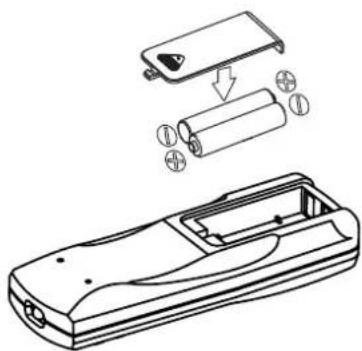
natural_image
Technical line drawing of a handheld device with internal components and battery assembly (no text or symbols)Note:
- The remote controller only uses AAA batteries. Do not use rechargeable or other types of batteries;
- When replacing the batteries, replace both. Do not mix old and new batteries in use:
- If the air conditioner is not used for a long time, remove the batteries from the remote controller.
Warning:
-
If there is battery leakage, do not the battery;
-
Chemicals inside the battery may cause burns or other health hazards; if their liquid flows to the skin or clothing, rinse with water immediately; if eating it accidentally, gargle with water immediately, and then go to a hospital and see a doctor for further examination.
natural_image
Illustration of hands washing a pipe with a faucet, and pouring liquid from a rolled paper (no text or symbols)Operation Method
Refrigeration mode
- After being powered and turned on, its refrigeration mode by default or pressing mode button to select refrigeration mode, and the refrigeration indicator light is on.
- Press the up or down button to adjust the set temperature (17°C--30°C).
- Press the wind speed button to select high, medium or low wind speed.
Fan only mode
- Press the mode button or via the remote controller to select fan only mode, and fan only indicator light is on.
- Press the wind speed button to select high, medium or low wind speed. Temperature cannot be set.
Dehumidification mode
- Select dehumidification mode by pressing mode button or via remote controller, and the dehumidification indicator light is on.
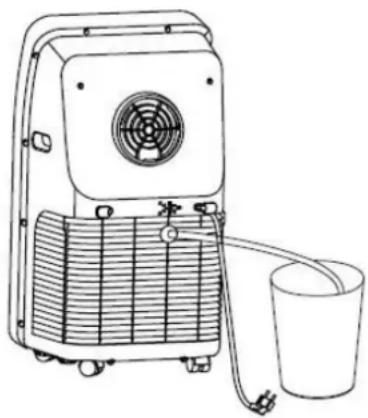
- As shown in the picture below, remove the plug of drainage cap, insert the aqueduct, and put another end of the aqueduct into water containers or drain channels.
- When entering dehumidification mode, if the room temperature is ≥slant 15^ (or 59^ ), the compressor will start to work. Then control according to the following rules: when room temperature is ≤slant 13^ (or 55^ ), compressor stops; when the temperature rises back to ≥slant 15^ , the compressor restarts
(the restart of compressor shall meet the 3-minute delay protection function).
- In dehumidification mode, the fan run in low speed by default, and the wind speed are not adjustable.
• Temperature cannot be set.
(Usage tip: when the dehumidification function is in use, the exhaust pipe assembly shall be removed; otherwise it will lead to not obvious dehumidification effect or display “FL” water full alarm.)
Automatic mode (only for single refrigeration type)
- select automatic mode by pressing mode button or via remote controller, and automation indicator light is on.
- after selecting the automatic mode, it decides running state based on ambient temperature: When the ambient temperature is higher than 25^ , the running mode is the refrigeration mode; When the ambient temperature is lower than 25^ , the running mode is the fan only mode.
natural_image
Line drawing of a portable air purifier with fan and bucket (no text or symbols)Time mode
- In standby mode, press time button to set time start. Press the up-and-down button to the time of start (0\~24 hours), and time indicator light is on.
- In startup mode, press time button to set time switch-off. Press the up-and-down button to the time of switch-off (0\~24 hours), and time indicator light is on.
Cleaning and Maintenance
Drainage Method
The product has an automatic water evaporation system. The circulation of condensed water cools the condenser. This not only increase refrigeration efficiency but save energy.
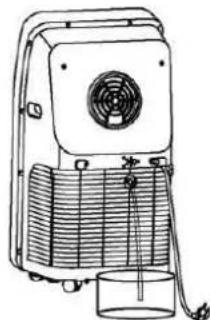
If the machine's water container is full, the display screen will present "FL" accompanied by audible alarm, and the compressor will stop working automatically. At this point, we need to discharge the water. Discharging steps are follows:
-
Unplug the power cord and remove the exhaust pipe assembly;
-
Move the unit to an appropriate place;
-
Disconnect the plug in drainage cap to drain the water inside the machine:
-
Re-plug the drainage cap well;
-
Reinstall the exhaust pipe assembly and start the machine.
natural_image
Line drawing of a vintage portable air conditioner unit with fan, cooling fins, and a cup (no text or symbols)Maintenance
Note: to avoid electrical shock, turn off the conditioner and pull it plug out before conducting maintenance and repair.
Frame cleaning
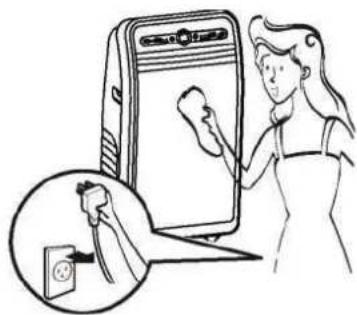
- Pull the plug before cleaning.
- Wipe with a soft cloth. Do not use chemicals, such as benzene, alcohol, gasoline, etc. otherwise, its surface or even the machine will be damaged.
- Do not let water splash into the machine.
natural_image
Illustration of a woman cleaning a washing machine with an electrical outlet (no text or symbols)Filter screen
It's recommended to cleaning the filter screen once every two weeks, if the indoor air quality is poor, cleaning frequency shall be raised. Since the filter becomes clogged with dust, the machine cooling effect will be reduced. Specific cleaning steps are as follows:
-
Remove the intake grille and then filter screen in the direction shown in the following picture below;
-
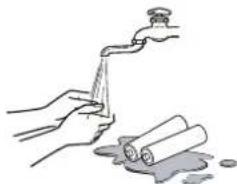
Put the filter screen into neutral detergent water or warm water (about 40^ C) to clean, and then place in shade for drying;
-
Reinstall the cleaned filter screen;
-
Restart the machine, and it can run normally.
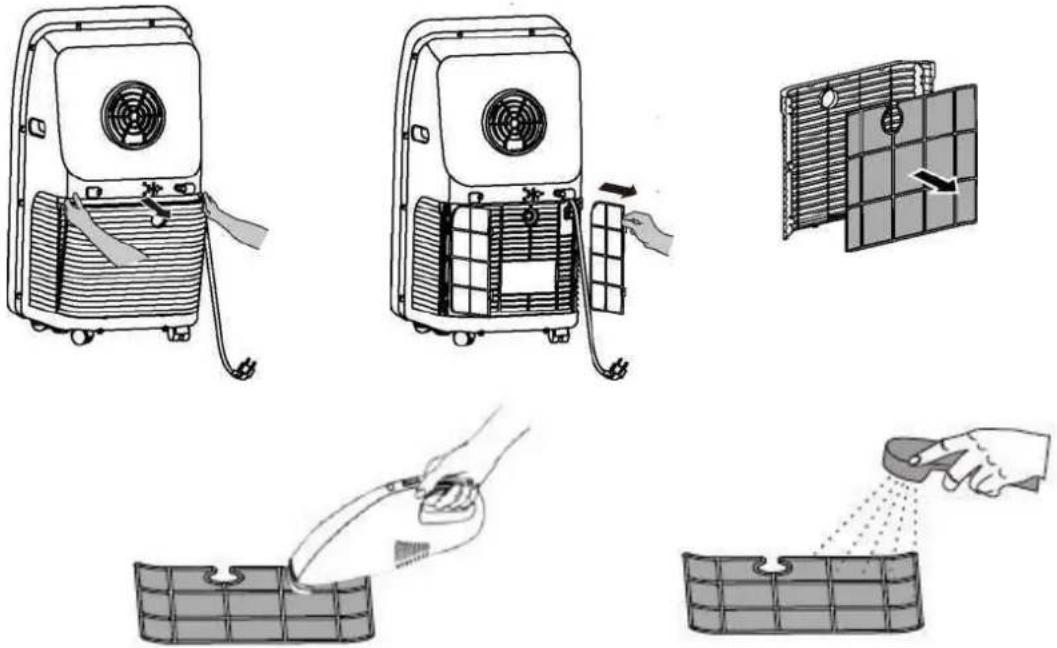
If the filter screen is not too dirty, just use a vacuum cleaner to suck the dust.
If the filter screen is not too dirty, clean it with water or warm water. The water temperature is about 40^ C.
Note:
-
Do not use high temperature water (optimum temperature is around 40^ C) or harsh detergents (such as alcohol, petrol, benzene, etc.) to clean the filter screen.
-
In order to avoid filter screen deformation keep the keep filter screen away from heat, and put in dry air for drying naturally;
-
Do not operate the machine whose filter has not been installed.
Seasonal Maintenance
If the machine will be not in use for a long time, its maintenance follows the steps below:
- Pull out the drainage cap to drain off water;
- Keep the machine working 2 hours in the air distribution mode until its inside becomes dry;
- Turn it off and pull the plug out;
- Clean its filter screen and reinstall back;
- Remove its exhaust pipe and accessories, and keep them safely;
- Remove the batteries from remote controller;
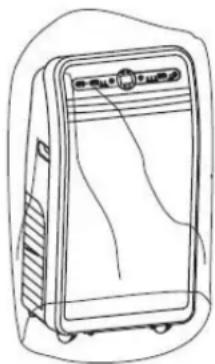
- Put the conditioner into a plastic bag and place it in a cool and dry place.
natural_image
Line drawing of a refrigerator with lid and front panel (no text or symbols)If it's not used for a long time, note the following when re-use it:
- Confirm whether water plug and filter screen are installed.
- Check whether power cord is intact. If there is breakage, do not use the machine.
- Reinstall the remote controller batteries.
- Reinstall other parts following installation instructions.
Common Failure and their Diagnostics
Intelligent Failure Detection
| Detecting code | Multi-function testing |
| E1 Coil | temperature sensor failure |
| E2 Indoor | or temperature sensor failure |
| E4 | Anti-freeze protection: when the coil temperature is below 0°C, the whole machine will stop. When the coil temperature rose to 8°C or more, the protection will leave, and it will restore to its original work state. |
Breakdown Maintenance
The following table lists the common failures and maintenance methods of the series of portable air conditioners. When the machine run abnormally, the following table can be a simple diagnose and repair prescription. If it still cannot be solved, contact the service centre.
| Problem | Possible cause | Solution |
| Conditioner does not work | No power | Power on |
| Screen displays “FL” | Re-start and put back to normal after power-cut and drainage | |
| Off-timer function is activated | Restart after it being turned off 3 minutes | |
| The refrigeration effect of the conditioner is not good | Direct sunlight | Pull curtains |
| Doors and windows are open, or heat source. | Close the doors and windows, and remove the heat source | |
| Dirty filter screen | Clean or replace the filter screen | |
| Air inlet or outlet is blocked | Remove the blockage | |
| The conditioner’ noise is too big | The machine is not placed flat | Place on a flat and solid surface, and try avoid shaking |
| Compressor does not work | Compressor delay protection has been activated | Wait 3 minutes, and restart the machine when its temperature is reduced |
Part of the Technical Parameters of the Machine
Fuse Parameters
Specification: 50mm
Voltage: 250VAC
Current: 3.15A
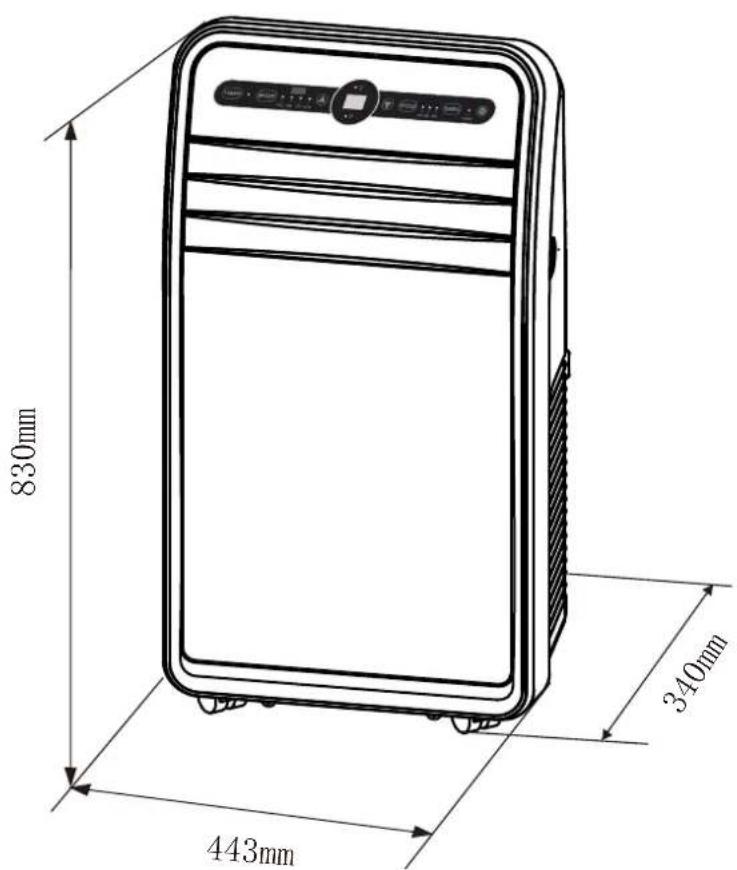
Machine Dimensions
text_image
830mm 340mm 443mmCB Warning for Baby:
The appliance is not to be used by persons (including children) with reduced physical, sensory or mental
capabilities, or lack of experience and knowledge, unless they have been given supervision or
instruction. children being supervised not to play with the appliance.
CE/GS Warning for Baby:
This appliance can be used by children aged from 8 years and above and persons with reduced physical, sensory or mental ca pabilities or lack of experience and knowledge if they have been given supervision or instruction concerning use of the appliance in a safe way and understand the hazards involved. children shall not play with the appliance. cleaning and user maintenance shall not be made by children without supervision.
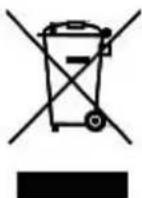
Meaning of crossed- out wheeled dustbin:
Do not dispose of electrical appliances as unsorted municipal waste, use separate collection facilities. Contact you local government for information regarding the collect ion systems available. If electrical appliances are disposed of in landfills or dumps, hazardous substances can leak into the groundwater and get into the food chain, damaging your health and well being. When replacing old appliances with new ones, the retailer is legally obligated to take back your old appliance for disposals at least free of charge.