SHARP UX-B30 - Fax machine

UX-B30 - Fax machine SHARP - Free user manual and instructions

Find the device manual for free UX-B30 SHARP in PDF.
📄 108 pages English EN Download 💬 AI Question 10 questions ⚙️ Specs
Notice SHARP UX-B30 - page 104
View the manual : Français FR English EN
Pick your language and provide your email: we'll send you a specifically translated version.
Type Fax machine
Brand SHARP
Model UX-B30
Dimensions (W x D x H) 354 x 247 x 138 mm
Weight 3.2 kg
Power supply 220-230 V AC, 50 Hz
Standby power consumption 5.3 W
Maximum power consumption 35 W
Printing technology Inkjet
Print resolution 600 x 600 dpi
Compatible cartridge SHARP UX-C70B
Paper tray capacity 100 sheets A4 (60-80 g/m²)
Memory 448 KB (approx. 24 pages)
Modem 14.4 Kbps with automatic fallback
Automatic dialing 30 numbers
Reception modes TEL/FAX, TEL, FAX, REP.
Copy function Yes (up to 99 copies, sorted or unsorted)
Compatibility G3, MR, MH, MMR
Display LCD 16 characters
Operating temperature 15-32°C
Operating humidity 25-80% RH
Maintenance Cleaning of the scanning glass, nozzles, and contacts
Safety Unplug the power cord for complete circuit disconnection; do not disassemble
Main spare part SHARP UX-C70B ink cartridge

Frequently Asked Questions - UX-B30 SHARP

How to install an ink cartridge?
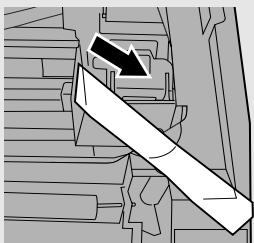
Press the INK key to move the holder to replacement position. Open the control panel and the print compartment cover. Remove the blue tape from the new cartridge. Insert it into the holder, close the holder cover and the panel. Press INK again to return the holder to its initial position. Select NEW if it is new, or OLD if it has been used before.
How to set the date and time?
Press FUNCTION, then 2 times on the up arrow. Press once on the right arrow to select SET DATE+TIME. Press right arrow and enter the day (01-31), month (01-12), and year (4 digits). Then enter the hour (00-23) and minutes (00-59). Press START/MEMORY to start the clock, then STOP to return.
How to send a fax?
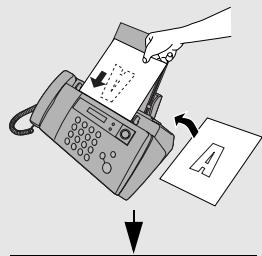
Load the document face down in the feeder (up to 10 pages). Pick up the handset or press SPEAKER. Dial the recipient's number. Wait for the fax tone (or speak and ask them to press Start). Press START/MEMORY and hang up.
How to receive a fax automatically?
Set the reception mode to FAX by pressing RESOLUTION/TYPE RESPONSE until the arrow points to FAX. The fax machine will answer automatically after two rings and receive the fax.
What to do if paper is jammed?
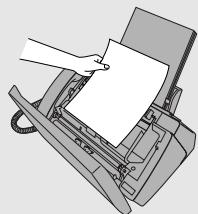
If the original document is jammed, open the control panel and remove it gently. If the print paper is jammed, carefully remove it without tearing. Press STOP to clear the error message.
How to connect an answering machine?
Plug the answering machine into the wall phone jack via a splitter adapter (the TEL SET jack is not used in France). Set the reception mode to REP. and activate the answering machine's automatic answer. The greeting message should tell callers to press Start to send a fax.
Why does the screen display 'MEMORY FULL'?
This message appears when the memory is full during memory reception, deferred transmission, or copying. Resolve the issue (add paper, replace the cartridge, clear a jam) so that the document prints automatically. If you are copying, only the scanned pages will be copied; start over for remaining pages.
How to activate quality mode?
Press FUNCTION, then twice on the up arrow to access PRINT SETTINGS. Press right arrow, then twice on the down arrow to select QUALITY MODE. Press right arrow, then 1 to enable or 2 to disable. Press STOP to return.
How to clean the scanning glass?
Open the control panel. Clean the scanning glass with a damp cloth (water only) and wipe with a dry cloth. Refer to the Maintenance section of the manual for cleaning the nozzles and contacts if necessary.
What to do in case of line error?
Try the transaction again. If the error persists, check that the telephone cord is correctly plugged into the TEL. LINE jack, that the telephone line is working, and that no modem is on the same line. Contact your correspondent to check their fax machine. If necessary, have the line checked by your operator.

User questions about UX-B30 SHARP

0 question about this device. Answer the ones you know or ask your own.

Ask a new question about this device

The email remains private: it is only used to notify you if someone responds to your question.

No questions yet. Be the first to ask one.

Download the instructions for your Fax machine in PDF format for free! Find your manual UX-B30 - SHARP and take your electronic device back in hand. On this page are published all the documents necessary for the use of your device. UX-B30 by SHARP.

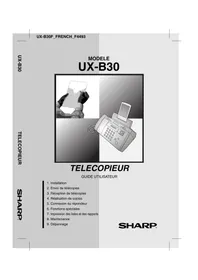
USER MANUAL UX-B30 SHARP

natural_image Illustration of a person holding a phone and a digital fax machine (no text or symbols visible)

TELECOPIEUR

GUIDE UTILISATEUR

For a complete electrical disconnection pull out the mains plug.

VORSICHT:

"The mains outlet (socket-outlet) shall be installed near the equipment and shall be easily accessible."

This equipment complies with the requirements of Directive 1999/5/EC.

This is a facsimile product operating in French analogue public switched telephone network which follows the TBR21 Standard.

The Declaration of Conformity can be viewed at the following URL address.

natural_image Cartoon illustration of a smiling travel suit character with arms and legs (no text or symbols)
natural_image Cartoon illustration of a gray cat with a collar and raised arm (no text or symbols)

SHARP UX-B30 - VORSICHT: - 1

natural_image Cartoon illustration of a smiling suitcase character with arms and legs raised (no text or symbols)
natural_image Simple 3D illustration of a rectangular device with a recessed top and base (no text or symbols)

SHARP UX-B30 - VORSICHT: - 2

natural_image 3D rendering of a gray plastic enclosure or housing component with mounting holes and internal slots (no text or symbols)

SHARP UX-B30 - VORSICHT: - 3

SHARP UX-B30 - VORSICHT: - 4

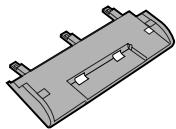
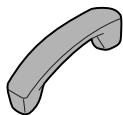
Cordon du combiné

natural_image Illustration of a USB connector with coiled cable (no text or symbols)

SHARP UX-B30 - VORSICHT: - 5

natural_image Isometric illustration of a rectangular block with a central slot and 'SHARP' label on top (no other text or symbols)

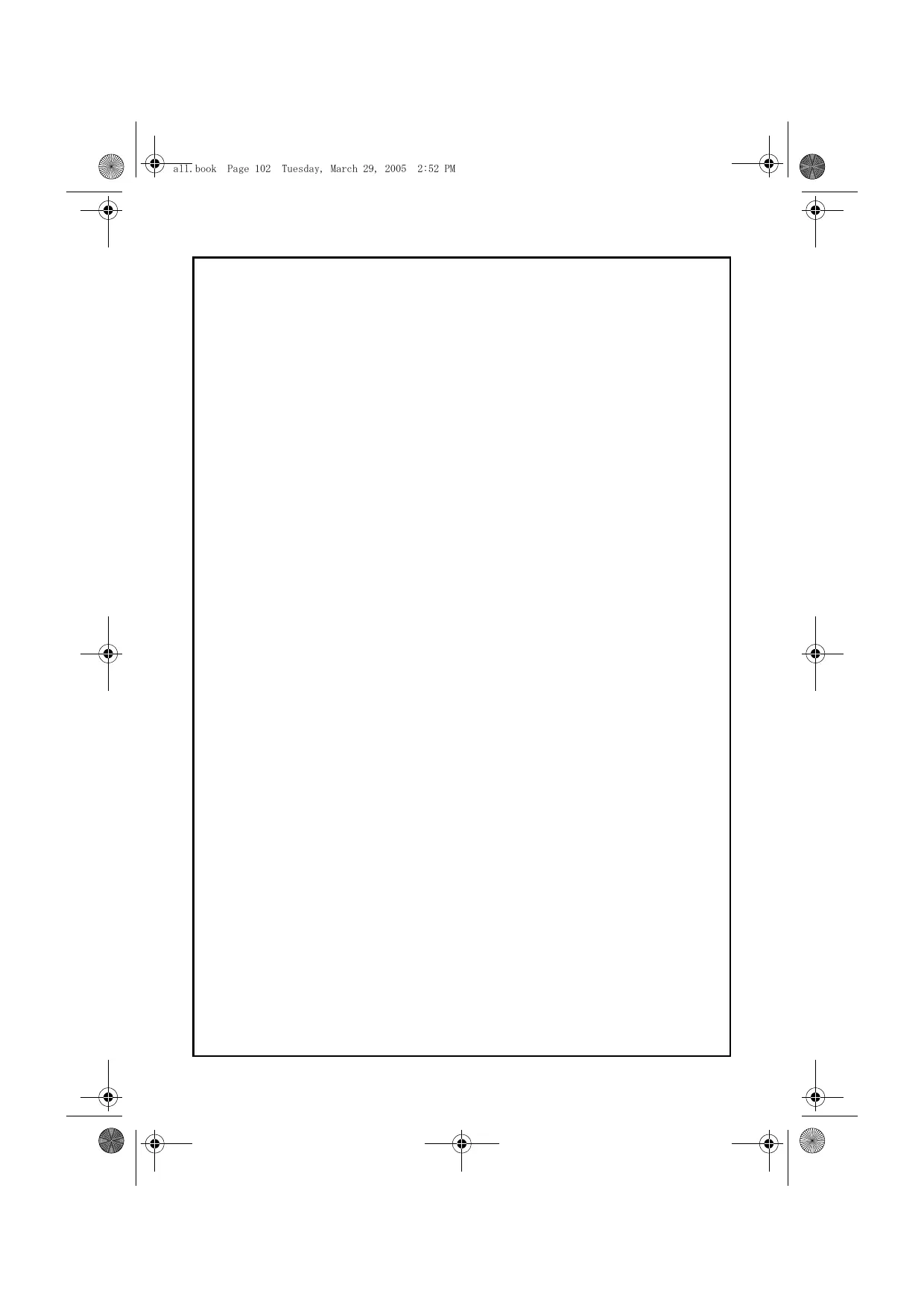
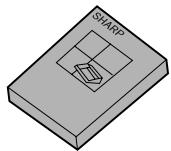
Accessoires

natural_image Illustration of a suitcase with a window and a cross symbol (no text or labels)
natural_image Illustration of a steaming cylindrical object and a portable device with a cross symbol (no text or labels)
natural_image Illustration of a broom with a paintbrush and a cross symbol, no text or symbols present
natural_image Illustration of a cartoon-style trash bin with a face on its side, surrounded by stacked papers and a cross symbol (no text or symbols present)
natural_image Illustration of a hand pressing down on a printer's front panel (no text or symbols visible)
natural_image Illustration of a hand inserting a device into a printer case, showing internal components and a curved arrow indicating rotation (no text or symbols present)

3 Retirez la bande.

SHARP UX-B30 - Retirez la bande. - 1

natural_image Pure mechanical component diagram without any text, numbers, or symbols
natural_image Technical line drawing of a printer with a scroll wheel and control panel (no text or symbols)
natural_image Illustration of a classic office telephone with a close-up view of its side panel (no text or symbols present)
text_image Diagram illustrating a device operation with labeled parts and directional arrows indicating sequence.
text_image Diagram showing a printer or printer with a close-up view of the printer's internal structure, marked with an 'X' symbol indicating no change.
natural_image Line drawing of two hands holding a folded paper or card (no text or symbols)
natural_image Diagram of a printer with cable and power outlet, showing connection to a wall-mounted panel (no text or symbols)
natural_image Cartoon illustration of a gray dog standing upright, no text or symbols present
natural_image Illustration of a hand operating a vintage telephone receiver with a keypad (no text or symbols visible)
natural_image Illustration of a printer being inserted into a slot, showing the blade and paper (no text or symbols present)
natural_image Illustration of a hand holding a device with three different states marked by X symbols (no text or labels present)
natural_image 3D mechanical component diagram showing internal structure with directional arrow (no text or symbols)
natural_image Technical line drawing of a mechanical component with no visible text or symbols
natural_image Diagram of a hand gripping a mechanical component with a curved arrow indicating rotation (no text or symbols present)
natural_image Technical line drawing of a printer with internal components (no text or symbols)
natural_image Illustration of a classic printer with control panel and paper airplane (no text or symbols)

Affichage :

SHARP UX-B30 - Retirez la bande. - 2

flowchart
graph TD
    A["CHANGER CART. &"] --> B["APP. SUR ENCRE"]
    B --> A
flowchart
graph TD
    A["CHANG. CARTOUCHE"] --> B["1=NOUV., 2=ANC."]
flowchart
graph TD
    A["NOUV. CART. OK ?"] --> B["SI OK, DEPART"]
    B --> A

12 Appuyez sur

DEPART/MEMOIRE

SHARP UX-B30 - Appuyez sur - 1

natural_image Diagram of a telephone handset connected to an open refrigerator via cable, showing wiring and connection points (no text or symbols)

$$ J = 5 _ {J K L} $$

$$ \mathbf {K} = \boxed {5 _ {\mathrm{KL}}} \boxed {5 _ {\mathrm{KL}}} $$

$$ \mathsf {L} = \boxed {5 _ {\mathrm{KL}}} \boxed {5 _ {\mathrm{JL}}} \boxed {5 _ {\mathrm{JL}}} $$

$$ \mathbf {M} = 6 _ {\mathrm{MNO}} $$

$$ \mathsf {N} = \textcircled {6} _ {\mathsf {M N O}} \textcircled {6} _ {\mathsf {M N O}} $$

$$ \mathbf {O} = \textcircled {6} _ {\mathrm{MNO}} \textcircled {6} _ {\mathrm{MNO}} \textcircled {6} _ {\mathrm{MNO}} $$

$$ \mathsf {P} = \bigcirc 7 _ {\text { PGRS }} $$

$$ \mathbf {Q} = \boxed {7 _ {\mathrm{PQRS}}} \boxed {7 _ {\mathrm{PQRS}}} $$

$$ R = 7 _ {P Q R S} 7 _ {P Q R S} 7 _ {P Q R S} $$

$$ \mathsf {S} = \boxed {7 _ {\text {PCRS}}} \boxed {7 _ {\text {PCRS}}} \boxed {7 _ {\text {PCRS}}} \boxed {7 _ {\text {PCRS}}} $$

$$ T = 8 _ {t u v} $$

$$ \mathsf {U} = \boxed {8 _ {\mathrm{TUV}}} \boxed {8 _ {\mathrm{TUV}}} $$

$$ \mathbf {V} = \boxed {8 _ {\mathrm{TUV}}} \boxed {8 _ {\mathrm{TUV}}} \boxed {8 _ {\mathrm{TUV}}} $$

$$ \mathbf {W} = 9 _ {\mathrm{wxy2}} $$

$$ \mathbf {X} = 9 _ {\text { wxyz }} 9 _ {\text { wxyz }} $$

$$ \mathbf {Y} = 9 _ {\text {wrrz}} 9 _ {\text {wrrz}} 9 _ {\text {wrrz}} $$

$$ Z = 9 _ {W X Z} 9 _ {W X Y Z} 9 _ {W X Y Z} 9 _ {W X Y Z} $$

natural_image Illustration of a hand inserting a card into a lathe machine (no text or symbols visible)
text_image Illustration of a hand printing a document into a file, with an arrow indicating the process and a small letter 'A' visible.
natural_image Illustration of a printer with a paper being placed on it, showing the printer's handle and control panel (no text or symbols present)

2 Retirez le document.

SHARP UX-B30 - Appuyez sur - 2

natural_image Illustration of a hand pressing down on a printer with paper (no text or symbols visible)
natural_image Illustration of hands operating a laptop with a keypad (no text or symbols visible)
natural_image Cartoon illustration of a gray cat in a jumping pose (no text or symbols)
natural_image Cartoon illustration of a smiling open-top device with arms raised (no text or symbols)
text_image Illustration of a hand printing a document using a file, with an arrow indicating the process and a small letter 'A' visible.

RESOLUTION/TYPE RESPONSE

SHARP UX-B30 - Appuyez sur - 3

SHARP UX-B30 - Appuyez sur - 4

text_image Diagram illustrating the process of printing a document using a file, showing an arrow indicating the process.

ENVOI PRET

$$ \mathbf {E S P A C E} = 1 $$

$$ \mathbf {G} = 4 _ {\mathrm{GHI}} $$

$$ N = 6 _ {M N O} 6 _ {M N O} $$

$$ \mathsf {U} = \textcircled {8} _ {\mathrm{TUV}} \textcircled {8} _ {\mathrm{TUV}} $$

$$ \mathbf {A} = 2 _ {\mathrm{ABC}} $$

$$ \mathsf {H} = \boxed {4 _ {\mathrm{GH}}} \boxed {4 _ {\mathrm{GH}}} $$

$$ \mathbf {O} = \textcircled {6} _ {\mathrm{MNO}} \textcircled {6} _ {\mathrm{MNO}} \textcircled {6} _ {\mathrm{MNO}} $$

$$ \mathbf {V} = \boxed {8 _ {\mathrm{TUV}}} \boxed {8 _ {\mathrm{TUV}}} \boxed {8 _ {\mathrm{TUV}}} $$

$$ \mathbf {B} = \textcircled {2} _ {\mathrm{ABC}} \textcircled {2} _ {\mathrm{ABC}} $$

$$ I = 4 _ {G H} 4 _ {G H} 4 _ {G H} $$

$$ P = 7 _ {P Q R S} $$

$$ \mathbf {W} = 9 _ {\mathrm{vxx2}} $$

$$ \mathbf {C} = \boxed {2 _ {\mathrm{ABC}}} \boxed {2 _ {\mathrm{ABC}}} \boxed {2 _ {\mathrm{ABC}}} $$

$$ J = 5 _ {J K L} $$

$$ \mathbf {Q} = \bigcirc 7 _ {\mathrm{PQRS}} \bigcirc 7 _ {\mathrm{PQRS}} $$

$$ \mathbf {X} = ⑨ _ {\mathrm{xxx}} ⓩ _ {\mathrm{xxx}} $$

$$ D = 3 _ {\text { DEF }} $$

$$ \mathbf {K} = \boxed {5 _ {\mathrm{JKL}}} \boxed {5 _ {\mathrm{JKL}}} $$

$$ R = 7 _ {P Q R S} 7 _ {P Q R S} 7 _ {P Q R S} $$

$$ \mathbf {Y} = \textcircled {9} _ {\mathrm{wzx2}} \textcircled {9} _ {\mathrm{wzx2}} \textcircled {9} _ {\mathrm{wzx2}} $$

$$ E = 3 _ {\text { DEF }} \quad 3 _ {\text { DEF }} $$

$$ \mathsf {L} = \boxed {5 _ {\mathrm{JKL}}} \boxed {5 _ {\mathrm{JKL}}} \boxed {5 _ {\mathrm{JKL}}} $$

$$ \mathsf {S} = \boxed {7 _ {\mathrm{PQRS}}} \boxed {7 _ {\mathrm{PQRS}}} \boxed {7 _ {\mathrm{PQRS}}} \boxed {7 _ {\mathrm{PQRS}}} $$

$$ Z = \boxed {9 _ {w x y z}} \boxed {9 _ {w x y z}} \boxed {9 _ {w x y z}} \boxed {9 _ {w x y z}} $$

$$ \mathsf {F} = \boxed {3 _ {\text { DEF }}} \boxed {3 _ {\text { DEF }}} \boxed {3 _ {\text { DEF }}} $$

$$ \mathbf {M} = 6 _ {\mathrm{MNO}} $$

$$ T = 8 _ {T U V} $$

text_image Illustration of a hand printing a document using a lathe machine, with an arrow indicating the process and a small icon on the page.

RESOLUTION/ TYPE RESPONSE

flowchart
graph TD
    A["DEPART/MEMOIRE"] --> B["RECEPTION"]
    C["Hand with wrench"] --> D["Arrow to Right"]
text_image Illustration of a hand printing a document using a lathe machine, with an arrow indicating the process and a small diagram symbol.

ENVOI PRET

text_image RESOLUTION/ TYPE RESPONSE TEL FAX ↓ TEL/FAX REP.
natural_image Illustration of a hand operating a landline telephone with control panel (no text or symbols visible)
text_image Diagram illustrating a mechanical assembly process with labeled steps and directional arrows indicating motion.
text_image Diagram showing a telephone handset with labeled parts and zoomed-in insets for detail or insertion.
natural_image Line drawing of a hand operating a printer with a handle (no text or symbols)
text_image Diagram showing a mechanical assembly with labeled parts and directional arrows indicating motion or assembly steps.
text_image Diagram illustrating a mechanical device operation with labeled parts and directional arrows indicating motion.
natural_image Illustration of hands operating a digital fax machine with a scroll wheel (no text or symbols visible)
natural_image Illustration of hands holding a smartphone with a right-hand arrow indicating action (no text or symbols present)
natural_image Illustration of a hand holding a small electronic device (no text or symbols visible)
natural_image Technical line drawing of a mechanical housing or enclosure with no visible text or symbols
natural_image Illustration of a person using a handheld calligraphy machine (no text or symbols visible)
natural_image Line drawing of a hand inserting a paper into a printer into a receipt (no text or symbols present)
natural_image Illustration of hands typing on a digital printer with a scroll wheel (no text or symbols visible)
natural_image Illustration of a printer with paper feed and paper roll, no text or symbols present
text_image Illustration of a hand printing a document using a digital fax, with an arrow indicating the process.
natural_image Symbol of a trash bin crossed out by two diagonal lines (no text or numbers present)
Table of contents Click a title to access it
Manual assistant
Powered by Anthropic
Waiting for your message
Product information

Brand : SHARP

Model : UX-B30

Category : Fax machine