
FST 200 - Humidifier OLYMPIA - Free user manual and instructions
Find the device manual for free FST 200 OLYMPIA in PDF.


| Type of product | Temperature sensor for alarm systems |
| Model | FST 200 |
| Brand | Olympia |
| Dimensions (W x H x D) | 65 x 71.5 x 21 mm |
| Weight | Approx. 86 g |
| Power supply | 1 x AAA battery (included) |
| Frequency | 868.5 MHz |
| Measurement range | -50 °C to +70 °C (-58 °F to +158 °F) |
| Measurement accuracy | +/- 1 °C (+/- 1.8 °F) |
| External sensor cable length | Approx. 1.5 m |
| Permissible ambient conditions | -10 °C to +40 °C, 30% to 75% relative humidity |
| Functions | Room/Fridge temperature display, min/max memory, alarm mode, °C/°F selection |
| Alarm integration | Compatible with Protect Series alarm systems |
| Mounting options | Stand on base, hang with hook, or attach to magnetic surface |
| Temperature memory | Stores highest and lowest measured temperatures |
| Package contents | Temperature sensor, external sensor with cable, AAA battery, operating manual |
| Cleaning | Wipe housing with soft, lint-free cloth; do not use solvents or cleaning agents |
| Maintenance | Function test monthly; change battery annually |
| Safety features | Battery safety warnings, intended use only with alarm system |
| Warranty | Return device with receipt and original packaging to point-of-sale |
| Disposal | Dispose at recycling center; batteries separately |
Frequently Asked Questions - FST 200 OLYMPIA
User questions about FST 200 OLYMPIA
0 question about this device. Answer the ones you know or ask your own.
Ask a new question about this device
Download the instructions for your Humidifier in PDF format for free! Find your manual FST 200 - OLYMPIA and take your electronic device back in hand. On this page are published all the documents necessary for the use of your device. FST 200 by OLYMPIA.
USER MANUAL FST 200 OLYMPIA
Safety Instructions 24
Intended Use 25
Package Contents 25
Putting the Temperature Sensor into Operation . . . 26
Switching On Alarm Mode 34
Disposal 35
Declaration of Conformity 36
Care Instructions 36
Guarantee 36
Technical Data 37

Übersicht
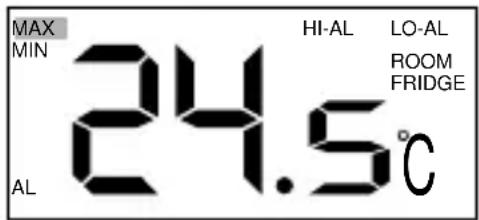
Service Center Hattingen
Zum Kraftwerk 1
45527 Hattingen
Technische Daten
Gewicht ca. 86 g
Abmessungen (B x H x T) 65 x 71,5 x 21 mm
Frequenz 868,5 MHz
The illustrations show the temperature sensor in detail.
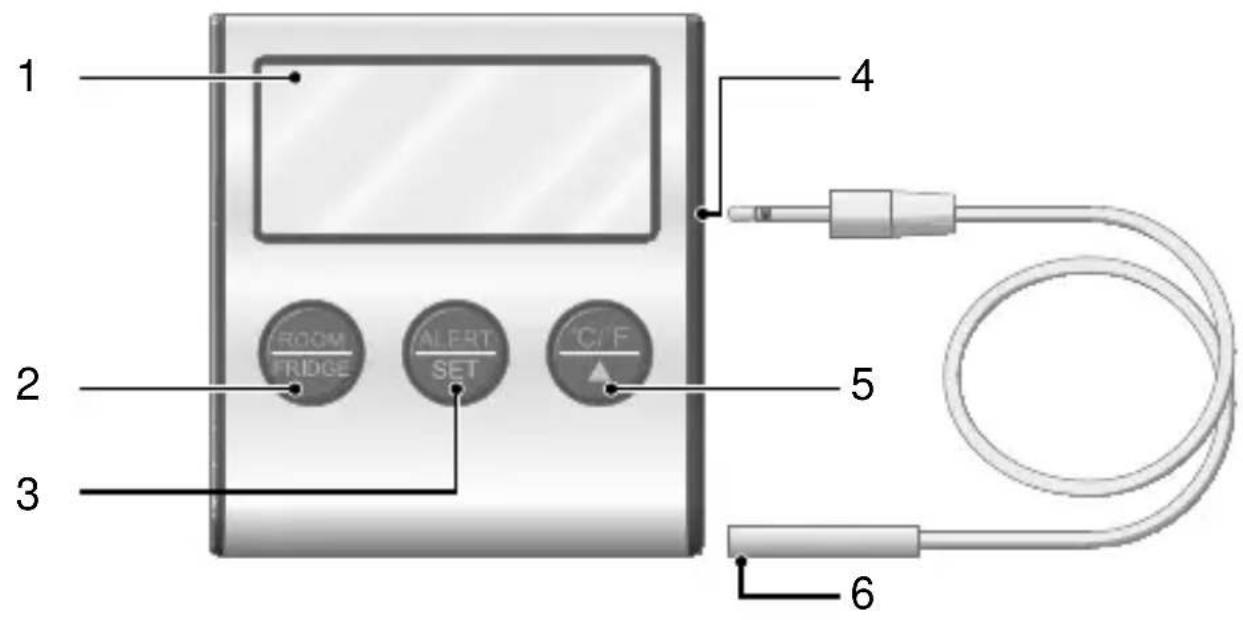
1 Display 4 External sensor with connection cable
2 Room / FRIDGE button 5 Port for connection cable
3 ALERT / SET button 6 °C / °F / ▲ button
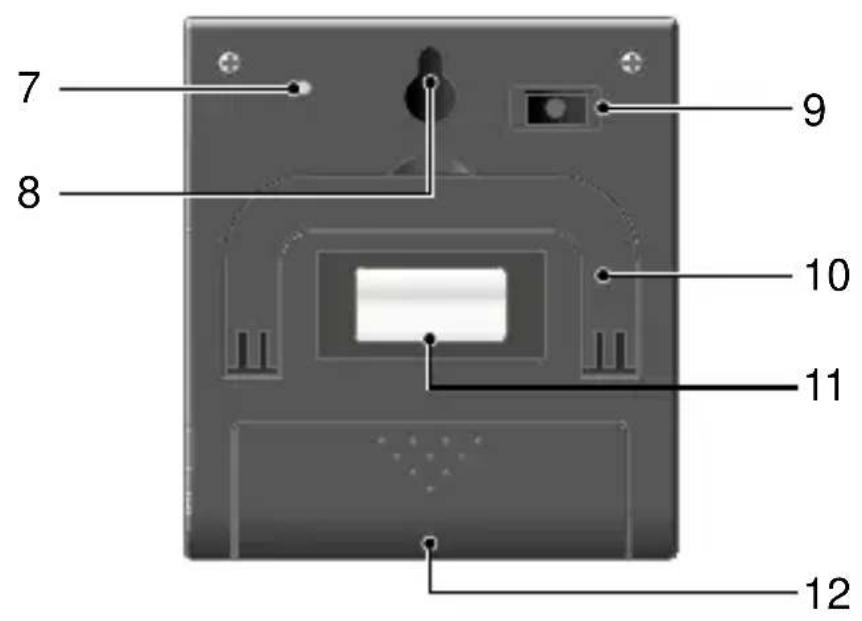
7 Temperature sensor 10 Base
8 Mounting hook 11 Magnet
9 Temperature memory button (Min. / Max.)
12 Battery compartment
Safety Instructions
Avoid any personal injury by paying attention to the following information!

WARNING! Risk of suffocation and damage to health through batteries! Children can swallow small parts, packaging and protective foils. Keep the product and packaging out of reach of children! Keep batteries out of reach of children. Do not swallow batteries. If any type of battery is swallowed, seek medical attention immediately.

CAUTION! Risk of damage to health and environmental pollution through batteries!
Improper handling of batteries can put your health and the environment at risk.
Never open, damage or swallow batteries or allow them to pollute the environment. Batteries may contain toxic, ecologically hazardous heavy metals.
Intended Use
The temperature sensor serves to display and monitor the temperature. The temperature sensor is designed for use together with an alarm system from the Protect Series. A condition for complying with the intended use is that the equipment is installed correctly and the information in the manual is observed and maintained.
Any use other than that described in Section “Intended Use” is considered unintended use. Unauthorised modifications or reconstructions are not permitted and could cause damage to the temperature sensor.
Package Contents
Check the package contents of the temperature sensor carefully before putting the temperature sensor into operation. If anything is missing or damaged, please contact our Service department.
Temperature sensor
External sensor with connection cable
AAA cell battery
Operating manual
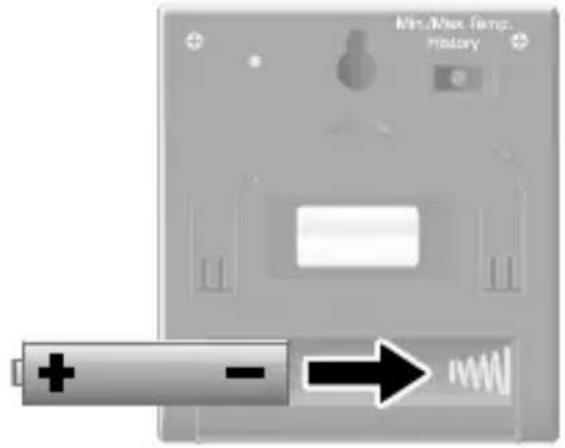
Putting the Temperature Sensor into Operation Inserting the Battery
The temperature sensor can only work properly when an appropriate AAA cell battery has been correctly installed.
- Open the battery compartment on the rear side of the temperature sensors.
-
Insert an AAA cell battery in the battery compartment. Pay attention that the battery is inserted the right way around.
-
Close the battery compartment on the rear side of the temperature sensor.
Positioning or Mounting the Temperature Sensor
You can stand or mount the temperature sensor anywhere. You can either stand it on its base, hang it using the mounting hook or use the magnetic surface on the rear.
-
Pivot the base on the rear of the temperature sensor down carefully
or hang the temperature sensor up using the mounting hook on the rear or set the temperature sensor on a magnetic surface. -
Connect the connection cable of the external sensor to the port on the side of the temperature sensor.
-
Position the temperature sensor and temperature probe at the location where the temperature should be measured or monitored. Pay attention that the connection cable is not crushed. Damage to the connection cable could lead to malfunction of the temperature sensor.
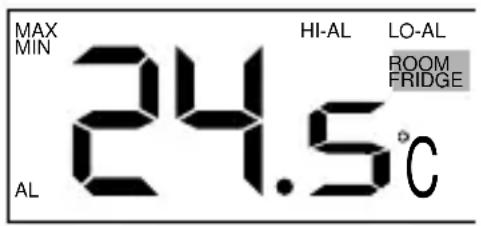
Selecting the Temperature (ROOM / FRIDGE)
Select the temperature you wish to be shown in the display.
The FRIDGE temperature is measured by the external sensor. The ROOM temperature is measured by the temperature probe on the temperature sensor.
- Press the Room / FRIDGE button to switch between the display of the temperatures from the temperature sensor and external sensor.
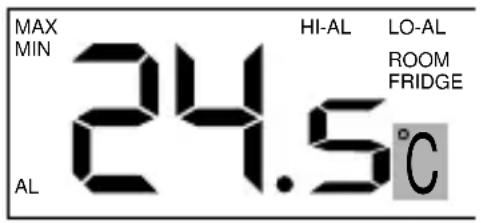
Selecting the Measuring Unit (°C / °F)
You can display the temperature either in degrees Celsius (centigrade) or degrees Fahrenheit.
- Press the °C / °F button. The temperature is displayed in degrees Celsius.
- Press the °C / °F button again. The temperature is displayed in degrees Fahrenheit.
Opening the Temperature Memory
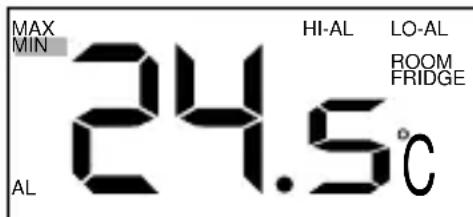
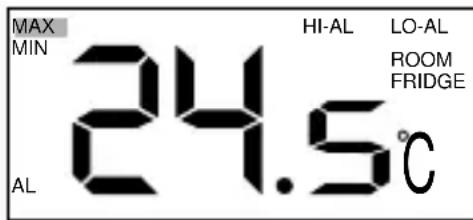
The temperature memory stores the highest and lowest temperature measured. This means that you can monitor temperature fluctuations within a specific period of time, for example.
-
Press the MAX./MIN. TEMPERATURE button on the rear of the temperature sensor. The lowest temperature measured by the external sensor is displayed.
-
Press the MAX./MIN. TEMPERATURE button on the rear of the temperature sensor again. The highest temperature measured by the external sensor is displayed.
-
Press the MAX./MIN. TEMPERATURE button on the rear of the temperature sensor once again. The temperature currently measured returns to the display.
Registering the Temperature Sensor on the Alarm System
The temperature sensor can be registered on an alarm system from the Protect Series. This means you can monitor an area which is sensitive to a temperature change (such as an aquarium, terrarium or freezer). If so required, you can be alerted by the alarm system in cases where temperatures exceed or drop below a defined temperature range.
- Open the battery compartment on the rear side of the temperature sensors.
- Remove the battery from the battery compartment.
Please note that the maximum and minimum temperatures you have set are deleted when the battery is removed from the temperature sensor. Please note that the temperature memory is deleted when the battery is removed from the temperature sensor.
-
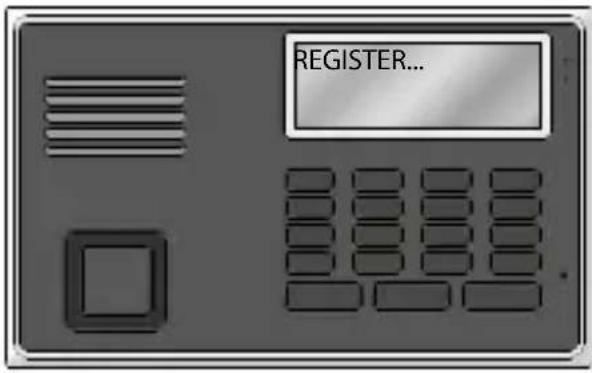
Select the REGISTER menu option on the alarm system according to the corresponding operating manual.
-
Replace the battery in the battery compartment. Pay attention that the battery is inserted the right way around.
-
When the message ALARM
SENS. followed by a number appears in the alarm system
display, registration of the temperature sensor on the alarm system was successful.
- Close the battery compartment on the rear side of the temperature sensors.
Setting the Maximum and Minimum Temperatures (for the External Sensor)
If you want to monitor the temperature, you must first set the maximum and minimum temperatures. The temperature to be monitored (FRIDGE) is measured by the external sensor.
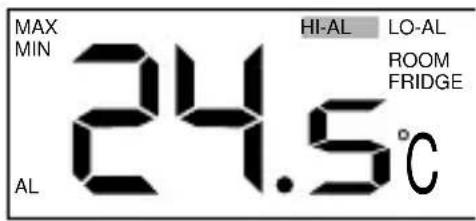
Setting the maximum temperature
-
Press and hold the ALERT / SET button.
-
Press the °C / °F / ▲ button to set the maximum temperature in increments. Press and hold the °C/°F / ▲ button to speed up adjustment of the maximum temperature.
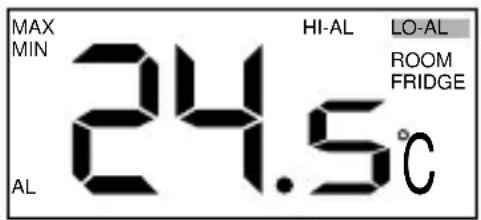
Setting the minimum temperature
- Press the ALERT / SET button.
- Press the °C / °F / ▲ button to set the minimum temperature in increments. Press and hold the °C/°F / ▲ button to speed up adjustment of the minimum temperature.
Saving the maximum and minimum temperatures
- Press the ALERT / SET button. The maximum and minimum temperature set is stored.
Switching On Alarm Mode
If you want to be alerted by the alarm system if the temperature exceeds or drops below the set temperature range, activate Alarm mode on the temperature sensor.
- Press the ALERT / SET button. Alarm mode is switched on.
- Register the temperature sensor on your alarm system.
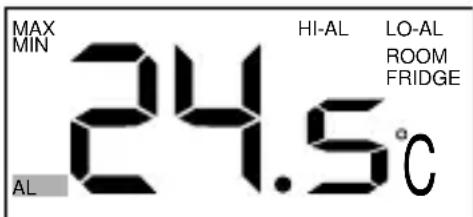
If your temperature sensor measures a temperature outside the set maximum and minimum temperature range, the temperature sensor sends a signal to the alarm system. The message AL disappears from the display and only returns when the temperature measured by the temperature probe is again within the range defined by the maximum and minimum temperatures. If the temperature sensor is not connected to an alarm system you are alerted to temperatures moving outside the set temperature range by successive acoustic signals.
Disposal


In order to dispose of your device, take it to a collection point provided by your local public waste authorities (e.g. recycling centre). According to laws on the disposal of electronic and electrical devices, owners are obliged to dispose of old electronic and electrical devices in a separate waste container. The symbol indicates that the device must not be disposed of in normal domestic waste!
Risks to health and the environment from batteries!
Never open, damage or swallow batteries or allow them to pollute the environment. They may contain toxic, ecologically hazardous heavy metals. You are legally obliged to dispose of batteries at shops which sell batteries or at collection points provided by the public waste authorities. Disposal is free of charge. The symbols indicate that the batteries must not be disposed of in normal domestic waste and that they must be brought to collection points provided by local public waste authorities.

Packaging materials must be disposed of according to local regulations.
Declaration of Conformity
CE Olympia Business Systems Vertriebs GmbH, Zum Kraftwerk 1, 45527 Hattingen hereby declares that this device fulfils the requirements and complies with the regulations stipulated in the Directive 1999/5/EC. The CE Mark on the devices confirms conformity. The Declaration of Conformity for this product is available at www.olympia-vertrieb.de
Care Instructions
- Clean the surface of the housing with a soft, lint-free cloth. Do not use and solvents or cleaning agents.
- Complete a function test once a month and after changing the battery.
- Change the battery once a year.
Guarantee
Dear Customer,
we are pleased that you have chosen this equipment.
In the case of a defect, please return the device together with the receipt and original packing material to the point-of-sale.
Technical Data
Weight Approx. 86 g
Dimensions (W x H x D) 65 x 71.5 x 21 mm
Frequency 868.5 MHz
Battery 1 x AAA battery
Measurement range - 50 °C to +70 °C
- 58 °F to +158 °F
Measurement accuracy + / - 1 °C
+ / - 1.8 °F
Cable length, external sensor Approx. 1.5 m
Permissible
-10 °C to +40 °C at
ambient conditions
30% to 75% rel. humidity
- Übersicht
- Technische Daten
- Safety Instructions
- Intended Use
- Package Contents
- Putting the Temperature Sensor into Operation Inserting the Battery
- Positioning or Mounting the Temperature Sensor
- Selecting the Temperature (ROOM / FRIDGE)
- Selecting the Measuring Unit (°C / °F)
- Opening the Temperature Memory
- Registering the Temperature Sensor on the Alarm System
- Setting the Maximum and Minimum Temperatures (for the External Sensor)
- Setting the maximum temperature
- Setting the minimum temperature
- Switching On Alarm Mode
- Disposal
- Declaration of Conformity
- Care Instructions
- Guarantee
- Technical Data
Brand : OLYMPIA
Model : FST 200
Category : Humidifier