8268825 - Uncategorized Raspberry Pi - Free user manual and instructions
Find the device manual for free 8268825 Raspberry Pi in PDF.


User questions about 8268825 Raspberry Pi
0 question about this device. Answer the ones you know or ask your own.
Ask a new question about this device
Download the instructions for your Uncategorized in PDF format for free! Find your manual 8268825 - Raspberry Pi and take your electronic device back in hand. On this page are published all the documents necessary for the use of your device. 8268825 by Raspberry Pi.
USER MANUAL 8268825 Raspberry Pi
Posted by Andrew Back on Tue, Apr 08 2014 13:25:00
natural_image
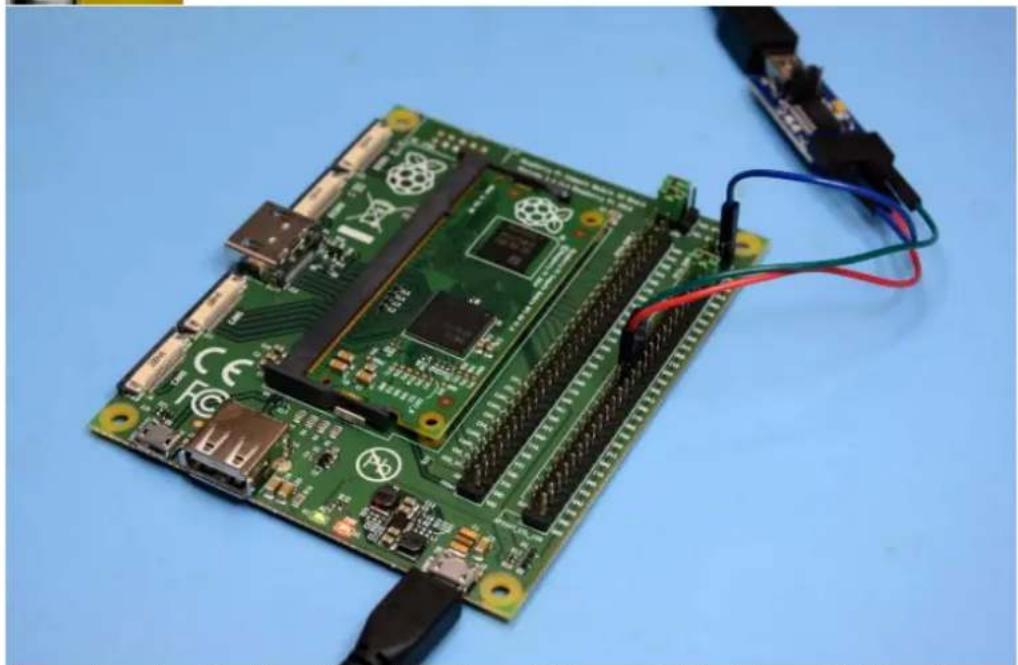
Green Raspberry Pi board with connected circuitry and wires, no visible text or symbolsA sneak peek at the brand new Raspberry Pi Compute Module and IO Board.
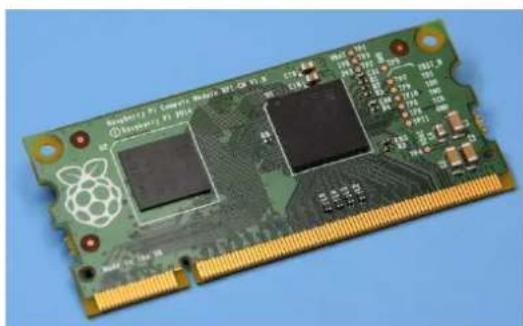
Yesterday the Raspberry Pi Foundation announced a new addition to their hardware family, the Compute Module, which is targeted at business and industrial users. Designed from the outset to be incorporated into larger designs, this is packaged in an extremely compact SO-DIMM form factor.
The Compute Module dispenses with ports, leaving their specification down to those who design the mainboard into which it will be inserted. It also dispenses with an Ethernet controller, since not every application will have a need for this. However, one thing that it does include, aside from obviously the Broadcom SoC, is 4GB of flash storage — after all, it wouldn't be much use if it couldn't boot.
The SO-DIMM connector is great for production use, but it's clearly not the most convenient of hardware interfaces for bench prototyping, hence why the module launched with a companion IO board that packs a healthy selection of connectors and 0.1" pitch breakout.
natural_image
Close-up of a Raspberry Pi 10.5 microcontroller with visible circuitry and gold contacts (no text or symbols on the chip itself)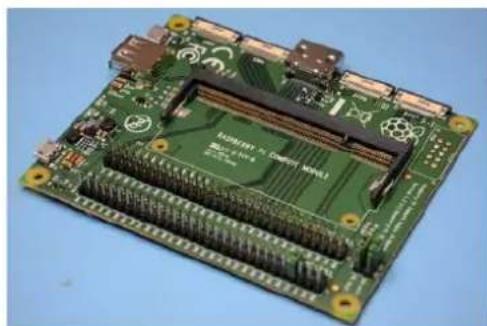
natural_image
Close-up of a green Raspberry Pi 8 circuit board with visible internal components and gold contacts (no text or symbols)Setting up
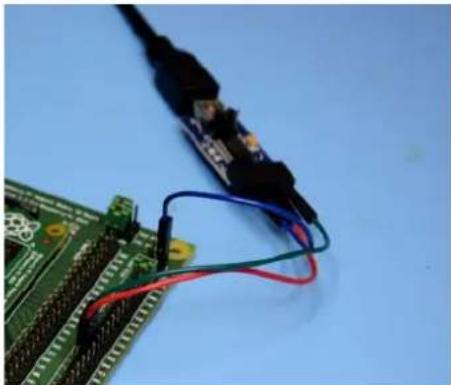
The IO board provides HDMI and USB host ports for hooking up a display and input devices. However, my preferred hardware console is a trusty serial connection, and so with the Compute Module inserted into the SO-DIMM socket on the IO board, I connected up a USB UART.
Power was then supplied via the Micro USB connector labelled Power In.
natural_image
Close-up of a green circuit board with wires and a black electronic component against a blue background (no visible text or symbols)Resources
text_image
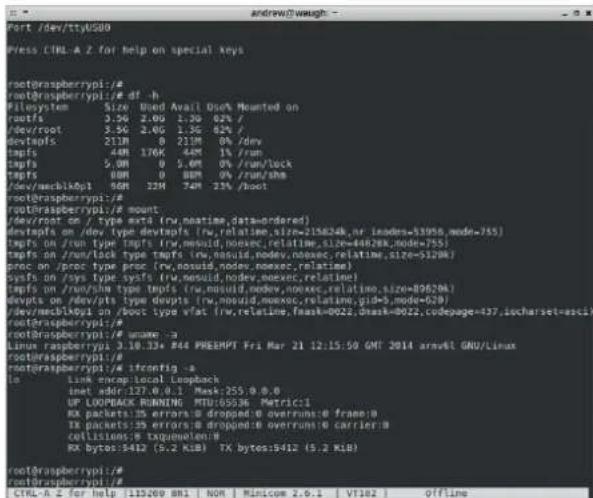
root@raspberrypi:# root@raspberrypi:# Filesystem Size Used Avail Use% Mounted on rootfs 3.50 2.00 1.30 02% / dev/root 3.50 2.00 1.30 62% / devtps 210M 0 210M 0% /dev tmpfs 44M 176K 44M 1% /run tmpfs 5.0M 0 5.0M 0% /run/lock tmpfs 60M 0 60M 0% /run/sha /dev/mecblk0p1 90M 32M 74M 23% /boot root@raspberrypi:# root@raspberrypi:/# mount dev/root on / type extra (ru,neatime,data=ordered) devtps on /dev type devtps (ru,relatine,size=215824B,nr.inodes=53956,mode=755) tmpfs on /run type tmpfs (ru,mesuid,noexec,relatino,size=44828K,mode=755) tmpfs on /run/lock type tmpfs (ru,mesuid,noexec,relatino,size=5120K) proc on /poc type pocs (ru,mesuid,noexec,noexec,relatino) sysfs on /sys type sysfs (ru,mesuid,noexec,noexec,relatino) tmpfs on /run/shm type tmpfs (ru,mesuid,noexec,noexec,relatino,size=80620K) devtps on /dev/pts type devtps (ru,mesuid,noexec,noexec,relatino,gid=5,mode=629) dev/mecblk0p1 on /boot type wfat (ru,relatine,mask=0022,dmask=0022,codepage=437,locharset=nasci1 root@raspberrypi:# root@raspberrypi:/# unname :a Linux raspberry:3 10.33+ #44 PREEHPT Fri Mar 21 12:15:59 GMT 2014 arm&t GNU/Linux root@raspberrypi:# root@raspberrypi:/# ifconfig :a to Link enamp.local Loopback innet order:127.0.0.1 Max:255.0.0.0 UP LOOPBACK RUNNING MTU:65536 Metric1 RX packets:35 errors:0 dropped:0 overruns:0 frame:0 TX packets:35 errors:0 dropped:0 overruns:0 carrier:0 cellisions:9 txquenolen:# RX bytes:5412 (5.2 KB) TX bytes:5412 (5.2 KB) root@raspberrypi:# root@raspberrypi:# CTRL-H z for help :119269 881 NOM Minlicome 2.6.1 VT182 OfflineThe Compute Module boots in just the same way as the Raspberry Pi Model A or B, with the difference being that the boot device is on-board flash storage rather than an SD card.
Logging in and executing a few familiar commands we see that we have a root filesystem of 3.5GB and that the only network interface is loopback.
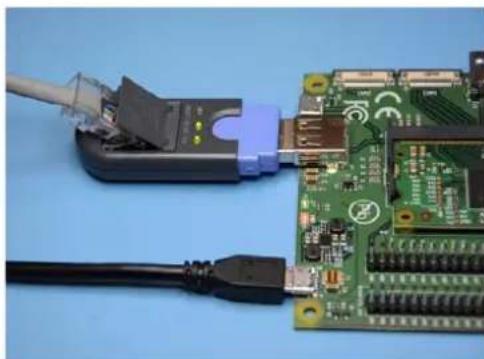
I decided to connect a USB Ethernet adapter to see if this would provide a new network interface.
However, while the Ethernet adapter powered up and was detected by Linux, it wasn't supported by the kernel or a loadable module. So it looks as though adding support for peripherals will require copying a new kernel or modules onto the on-board flash — which should be simple enough to do.
natural_image
Close-up of electronic components including a USB cable, connector, and green circuit board with connectors (no visible text or symbols)Hello World
natural_image
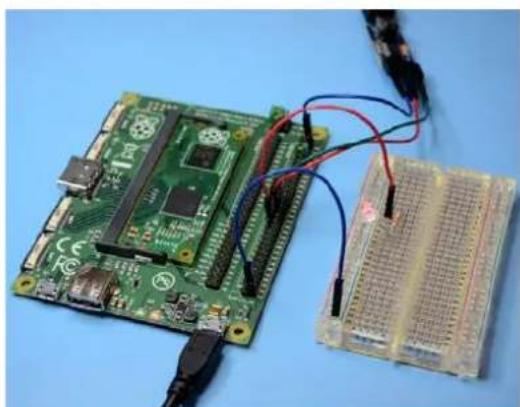
Electronic components including a green Raspberry Pi board and a blue breadboard with wires, placed on a blue surface (no visible text or symbols)As mentioned previously the IO board provides plenty of 0.1" breakout, and just to confirm that the GPIO pins functioned as expected I hooked up an LED and attempted to toggle the pin from the bash prompt. Sure enough, upon exporting the pin, setting its direction to output and value to 1, the LED illuminated. No surprises here!
Bountiful prototyping
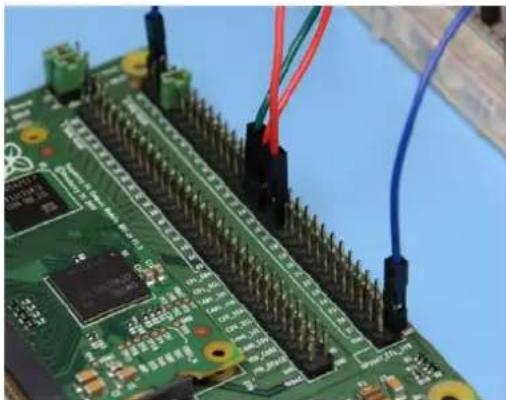
The IO board provides access to 46 pins of GPIO, which is a good deal more than you get with a Raspberry Pi Model A or B. In addition to which the 0.1" pitch headers also provide plenty of GND, 1v8, 3v3 and 5v power pins. And just above the two long rows of headers are jumpers which allow you to set the logic levels for pins 0-27 and 28-45 respectively, to either 1v8 or 3v3.
Interestingly, the J15 Micro USB connector is labelled "USB BOOT". From notes in the schematic it appears that this is used to boot the module from a USB connected host, and once booted access is provided to the on-board flash.
Presumably this is how you would load an O/S and applications.
natural_image
Close-up of a green printed circuit board with multiple electronic components and wires (no visible text or symbols)The board also provides CSI and DSI ports for serial cameras and displays — double the number in fact, with two of each.

natural_image
Close-up of a green printed circuit board with visible traces and connectors, no readable text or symbols present.Although the connectors used for these ports are higher density than those used with a Model A or B, and so at the very least new flex cables will be required. My guess is that the current Raspberry Pi cameras will be supported via a new cable — but that remains to be seen.
Conclusion
There is no shortage of embedded solutions for industrial applications, but how many of them give you a moderately powerful Linux system with all that I/O and such a vibrant ecosystem, for a price tag of around only \$30 (at quantity 100) ? And for those who have already been using or looking at using the Raspberry Pi in such applications, their prayers have been answered.
Strategically it's an interesting move for the Raspberry Pi Foundation and easy to see how industry adoption will lead to opportunities in both directions, not to mention providing a new source of revenue that will enable the Foundation to do even more to promote the study of computer science.
While the Compute Module and IO Board may be targeted at business and industrial uses, I'd be amazed if the maker community don't incorporate them into some fantastic projects. Also together these may now be regarded as the new "premium option" for those who like to have as much I/O as possible. And in time I fully expect to see some exciting third party "mainboards" which accommodate a — or multiple — Compute Modules and integrate interesting peripherals.
— Andrew Back
Resources: Raspberry Pi Compute Module Hardware Guide
Read this article on DesignSpark
For more Raspberry Pi Resources, visit our Raspberry Pi Design Centre
DESIGNSPARK