
BC-TS-Sw-Pl - Uncategorized EQ-3 - Free user manual and instructions
Find the device manual for free BC-TS-Sw-Pl EQ-3 in PDF.


| Product Type | Smart Home Switch / Plug |
| Dimensions | Approx. 50 x 50 x 25 mm |
| Weight | Approx. 50 g |
| Power Supply | AC 230V, 50 Hz |
| Max Load | 16 A (resistive), 3600 W |
| Wireless Protocol | Zigbee (compatible with EQ-3 and other smart hubs) |
| Range | Up to 30 m indoor |
| Main Functions | Remote on/off, scheduling, energy monitoring, integration with smart home systems |
| Operating Temperature | 0°C to 40°C |
| Humidity | 5% to 85% non-condensing |
| Installation | Plug directly into a wall socket; no wiring required |
| Compatibility | Works with EQ-3 smart home controller, Amazon Alexa, Google Assistant |
| Maintenance and Cleaning | Wipe with a dry cloth; do not use liquids or abrasive materials |
| Safety | Overload protection, fire-resistant plastic, CE certified |
| Spare Parts | None user-serviceable; contact EQ-3 for replacements |
| Repair | Do not open; seek professional repair |
| General Information | Model BC-TS-Sw-Pl, Brand EQ-3, Origine Germany |
Frequently Asked Questions - BC-TS-Sw-Pl EQ-3
User questions about BC-TS-Sw-Pl EQ-3
0 question about this device. Answer the ones you know or ask your own.
Ask a new question about this device
Download the instructions for your Uncategorized in PDF format for free! Find your manual BC-TS-Sw-Pl - EQ-3 and take your electronic device back in hand. On this page are published all the documents necessary for the use of your device. BC-TS-Sw-Pl by EQ-3.
USER MANUAL BC-TS-Sw-Pl EQ-3
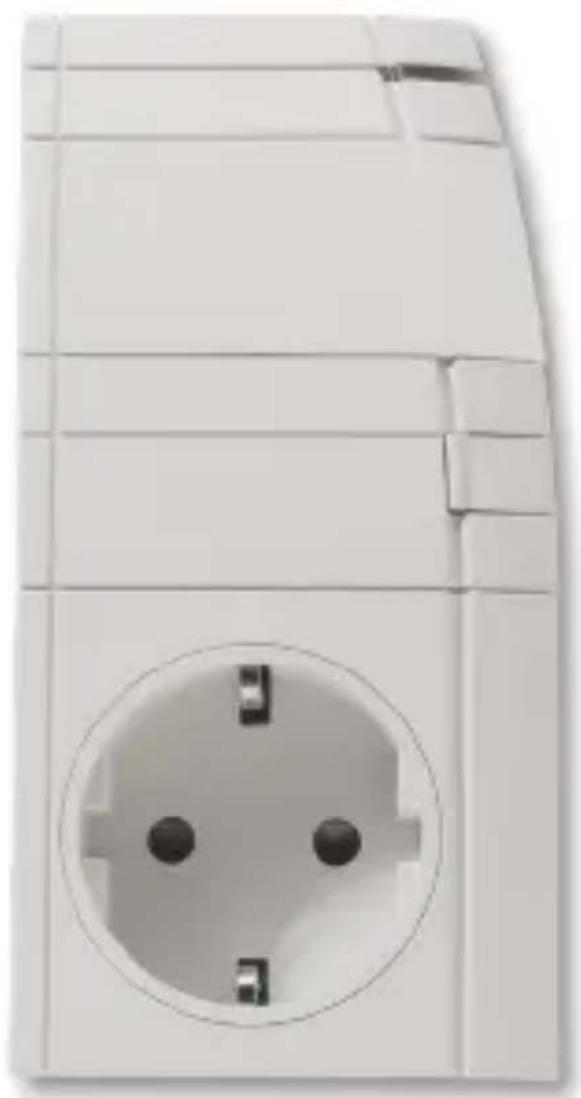
MAX! Plug Adapter Wireless switching actuator 1-channel, plug adapter-thermostat (p. 17)
natural_image
White electrical socket with four black screw holes, no visible text or symbolsInhaltsverzeichnis
natural_image
Technical line drawing of a rectangular electronic component with a circular socket and mounting holes (no text or symbols)natural_image
Symbol of a trash bin with crossed lines and a blank rectangular base (no text or numbers)- Intended use .... 18
- Overview....19
- Safety instructions ....20
- Instructions for disposal ....21
- Initial operation / Teach-in 22
5.1 Electric radiator control.... 22
5.2 Boiler/circulation pump control....25 - Reset....28
- LED flashing sequences....28
- Behavior after power restoration....29
- Information about radio operation....29
- Technical characteristics 30
Read this manual carefully before starting to use the device. Keep the manual so you can refer to it at a later date should you need to. Translation of original manual.
1 ^st English edition 10/2012 Documentation © 2013 eQ-3 Ltd., Hong Kong. All rights reserved. BC-TS-Sw-PI, V1.1, 130307
1. Intended use
With the MAX! Plug Adapter, electric radiators and boilers/circulation pumps can be controlled via radio.
Electric radiators
With the MAX! Plug Adapter, electric radiators can be controlled comfortably via the MAX! Software.
Individually configured temperature settings and week programmes are sent via the MAX! Software to the MAX! Wall Thermostat.
The MAX! Wall Thermostat measures the actual temperature in the room and - depending on the desired setpoint temperature - switches the MAX! Plug Adapter on and off.
Boilers/circulation pumps
In addition, with the MAX! Plug Adapter boilers/circulation pumps can be switched on and off via the MAX! Software.
The MAX! Plug Adapter can be installed quickly and without tools. After plugging in the device, it is immediately ready to use.
Communication between MAX! components is bi-directional. This ensures that the information sent reaches the recipient.
- Overview
text_image
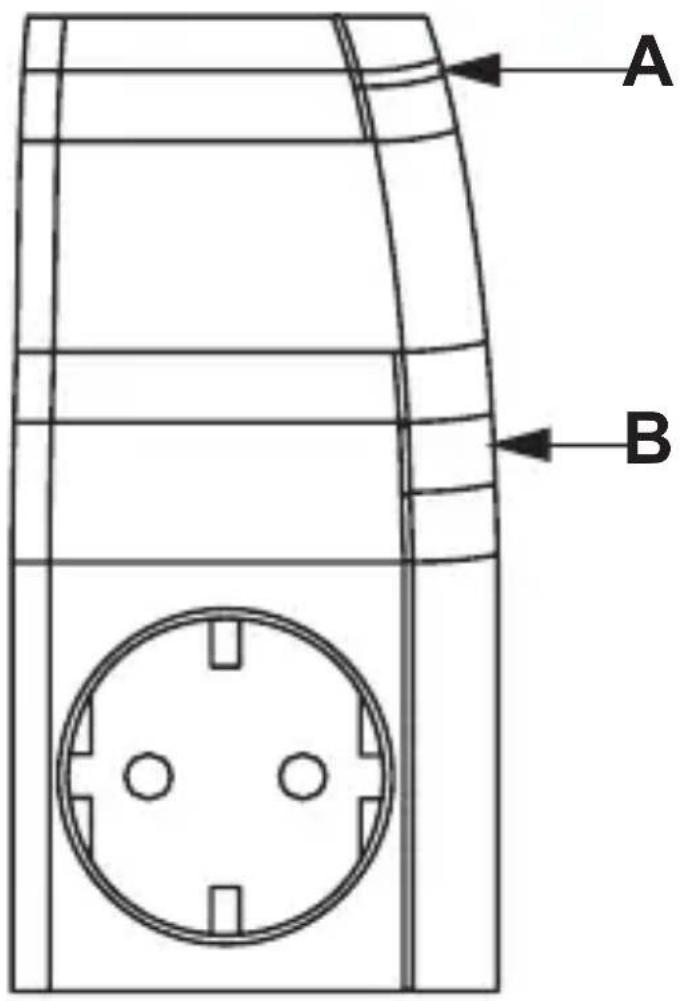
A B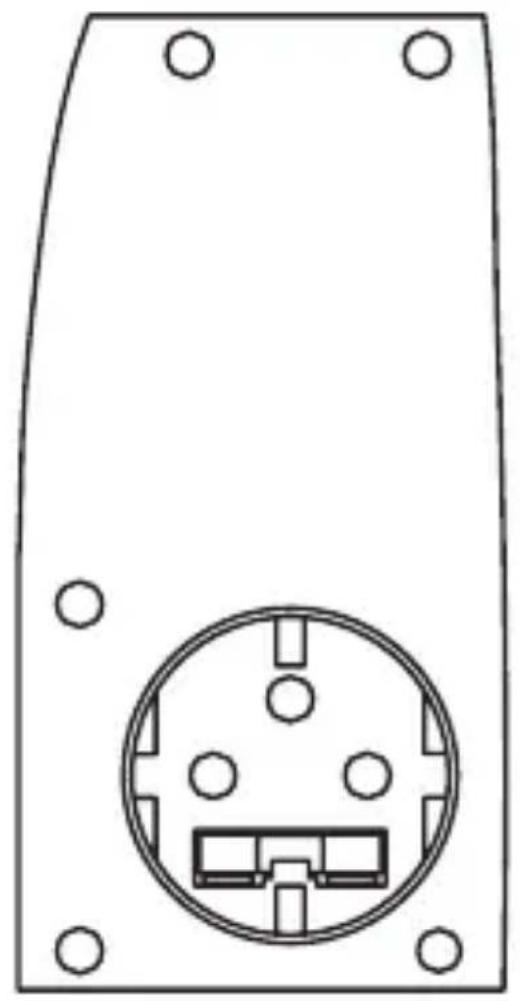
natural_image
Technical line drawing of a rectangular electronic component with a circular socket and four mounting holes (no text or symbols)A Device LED
B Teach-in button
3. Safety instructions

This device is not a toy; do not allow children to play with it. Do not leave packaging material lying around, as it can be dangerous in the hands of a child.

Do not open the device: it does not contain any components that need to be serviced by the user. In the event of an error, please return the device to our service department.

Do not exceed the capacity specified for the device. Exceeding this capacity could lead to the destruction of the device, to a fire or to an electrical accident.

For permanent load of up to 2800 watt; transient load up to 3600 watt / 16 A (up to 10s).

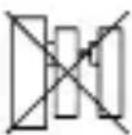
Do not insert MAX! Plug Adapters into each other.

Relevant standards and guidelines do not allow un-attended use of non-stationary radiators.

The electric radiator connected to the MAX! Plug Adapter has to dispose of a safety shut-off.

Temperature controls respectively thermal fuses of the connected device (e.g. electric radiator) must not be disabled.

Please also note the security instructions of the operating manual of your electric radiator or boiler/circulation pump.

The device may only be operated indoors and must be protected from the effects of damp and dust, as well as solar or heat radiation. Using this device for any purpose other than that described in this operating manual does not fall within the scope of intended use and shall invalidate any warranty or liability. This also applies to any conversion or modification work. This device is intended for private use only.
4. Instructions for disposal
Do not dispose of the device with regular domestic waste!

natural_image
Symbol of a trash bin with crossed lines and a solid black rectangle below (no text or labels)Electronic equipment must be disposed of at local collection points for waste electronic equipment in compliance with the Waste Electrical and Electronic Equipment Directive.

The CE Marking is simply an official symbol relating to the free movement of a product; it does not warrant a product's characteristics.
5. Initial operation / Teach-in
After plugging in the MAX! Plug Adapter, it is immediately ready to use.
You can use the device to
• control electric radiators or
- switch on and off boilers/circulation pumps.
5.1 Electric radiator control
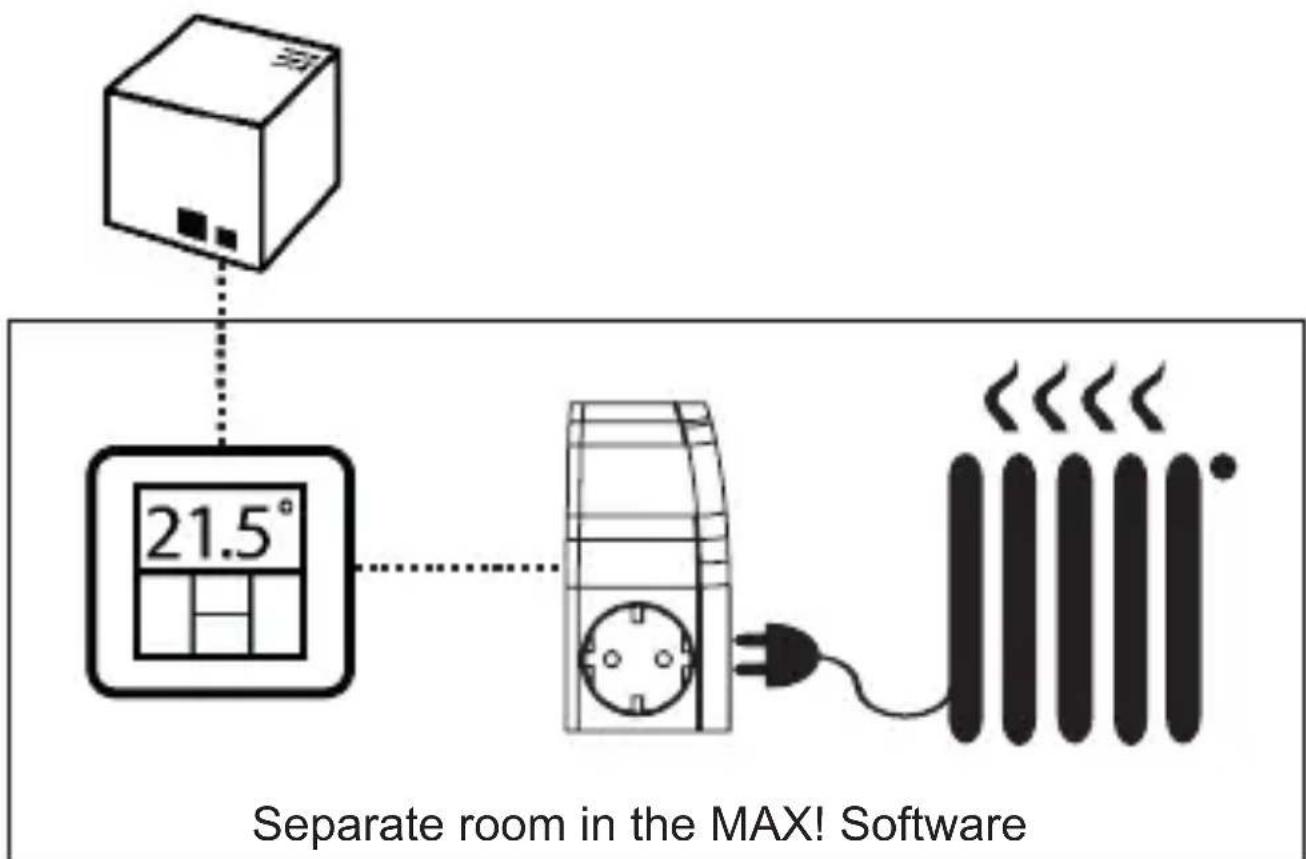
In connection with the MAX! Wall Thermostat, the MAX! Plug Adapter can comfortably control stationary electric radiators that are connected to a plug via the MAX! Software.
The MAX! Wall Thermostat measures the actual temperature in the room and - depending on the desired setpoint temperature - switches the MAX! Plug Adapter on and off.
The configuration of operating modes and week programmes is made via the MAX! Software.
For the initial operation of your MAX! Plug Adapter in connection with an electric radiator, please proceed as follows:
text_image
Separate room in the MAX! Software- Plug in the MAX! Plug Adapter into a power socket.
- Plug in your electric radiator into the MAX! Plug Adapter.
- First, teach-in the MAX! Wall Thermostat to the Cube via the MAX! Software. Therefore, activate the teach-in mode of the MAX! Wall Thermostat. Press and hold down the OK button for at least 3 seconds. Click on „New device“ in the MAX! Software.
- In the software, please add a new name to the MAX! Wall Thermostat. Create a new room or add the MAX! Wall Thermostat to an existing room afterwards.
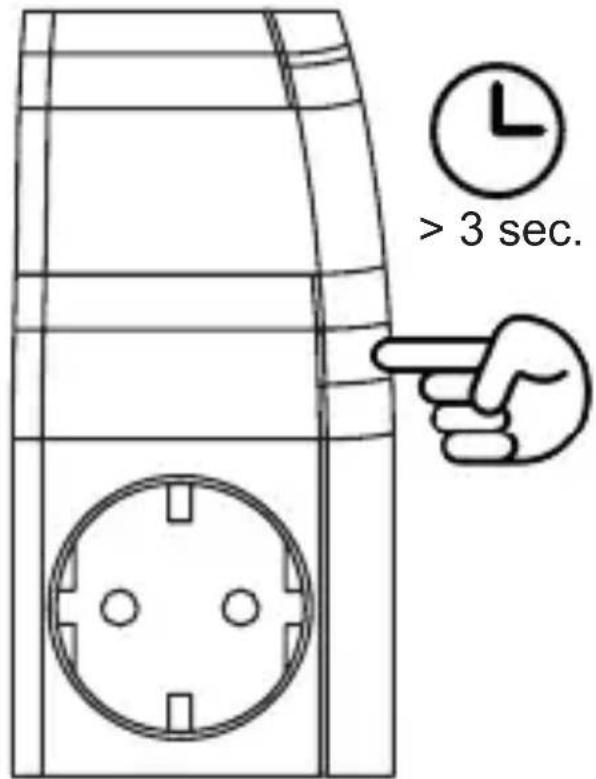
- Now teach-in the MAX! Plug Adapter to the MAX! Cube via the software. Therefore, press and hold down the teach-in button (B) for at least 3 seconds. The device LED (A) starts to flash. The teach-in time is 30 seconds.
text_image
> 3 sec.- Click on „New device“ in the MAX! Software.
- If teach-in has been successful, the device LED (A) starts to flash for 1 sec. and the MAX! Plug Adapter will appear in the software.
- Now add a name to the MAX! Plug Adapter in the software.
- Add the MAX! Plug Adapter to the same room as the MAX! Wall Thermostat previously. The teach-in procedure has successfully been completed.
Via the MAX! Software, you can now control and regulate your electric radiator.

To be able to control your electric radiator, the MAX! Plug Adapter and the MAX! Wall Thermostat have to be allocated to the same room in the MAX! Software.

It is not possible the control conventional radiators and electric radiators in one room. If you wish to control conventional radiators via the MAX! Radiator Thermostat and electric radiators via the MAX! Plug Adapter in one system, the devices have to be allocated to separate rooms in the MAX! Software.
5.2 Boiler/circulation pump control
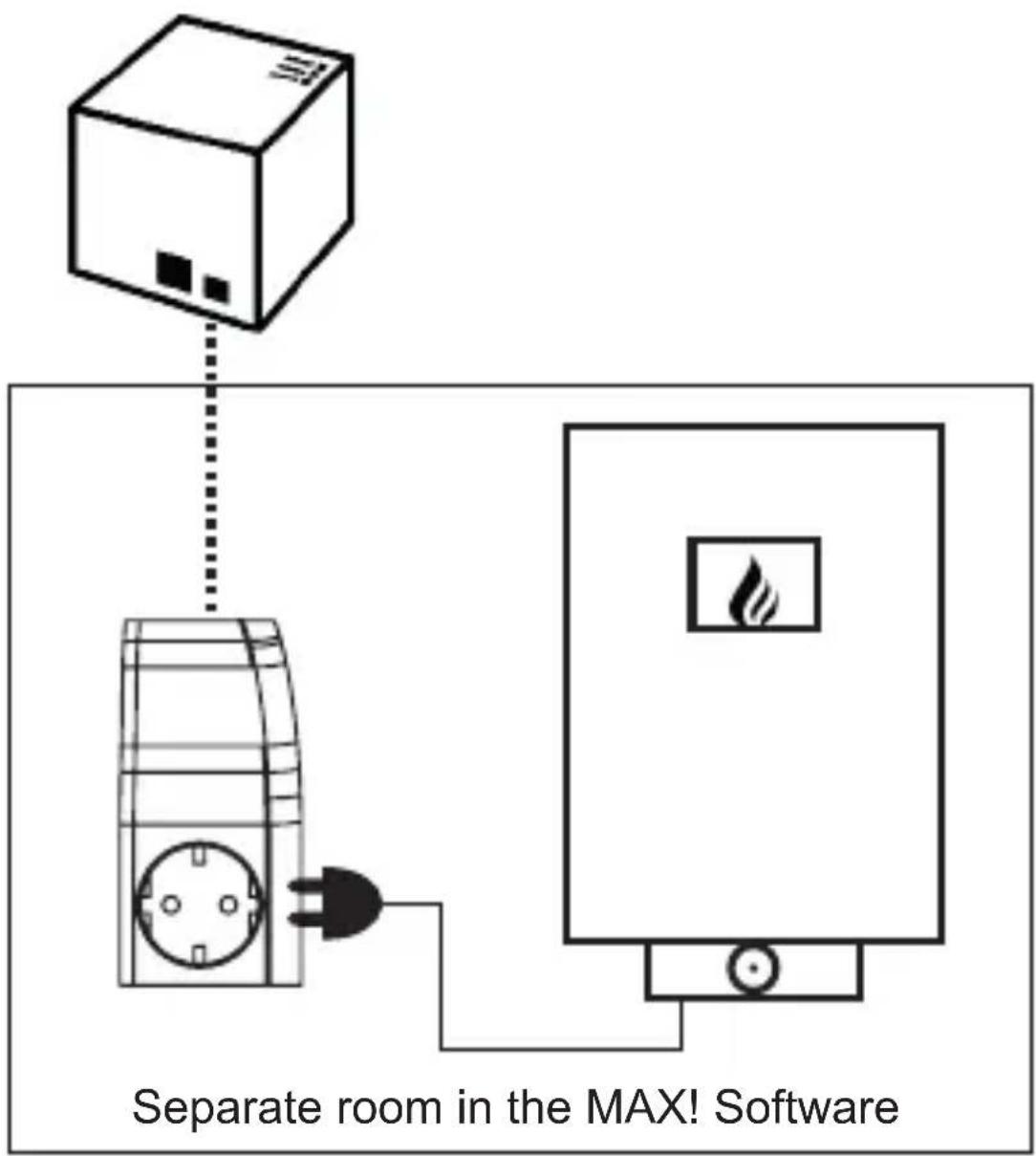
You can use the MAX! Plug Adapter to switch on and off electric boilers/circulation pumps that are connected to a plug. Via the MAX! Software you can set individual time programmes for switching the boiler/circulation pump on and off.
For the initial operation of your MAX! Plug Adapter in connection with an electric boiler, please proceed as follows:
text_image
Separate room in the MAX! Software- Plug in the MAX! Plug Adapter into a power socket.
- Plug in your boiler/circulation pump into the MAX! Plug Adapter.
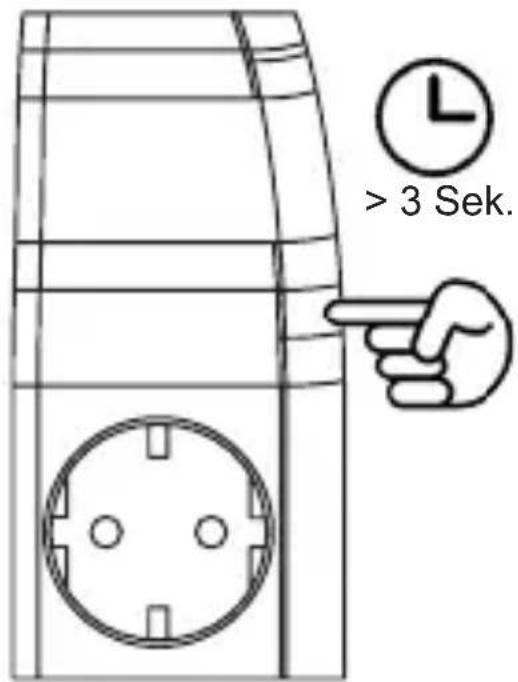
- Teach-in the MAX! Plug Adapter to the MAX! Cube via the software. Therefore, press and hold down the teach-in button (B) for at least 3 seconds. The device LED (A) starts to flash. The teach-in time is 30 seconds.
text_image
> 3 Sek.- Click on „New device“ in the MAX! Software.
- If teach-in has been successful, the device LED (A) starts to flash for 1 sec. and the MAX! Plug Adapter will appear in the software.
- Now add a name to the MAX! Plug Adapter in the software.
- Add a new room only for the MAX! Plug Adapter (e.g. „Boiler“) in the software. Only add the MAX! Plug Adapter into the room and no other devices.
- The teach-in procedure has successfully been completed.
Via the MAX! Software, you can now switch the boiler/circulation pump on and off and create individual time programmes.

You can also switch the boiler/circulation pump on and off directly at the device by pressing the teach-in button (B) shortly.
6. Reset
The MAX! Plug Adapter can be reset to the initial state manually. Restoring the initial state deletes all settings and information about taught-in devices.

Before resetting the MAX! Plug Adapter, please first delete the device from the MAX! Software.
- Unplug the MAX! Plug Adapter from the socket.
- Press and hold down the teach-in button (B) and at the same time plug in the MAX! Plug Adapter to the socket again. Release the teach-in button (B), as soon as the LED changes from shining to flashing.
- The device LED flashes 3 times shortly and 1 time long.
- The initial state of the MAX! Plug Adapter has now successfully been restored.
7. LED flashing sequences
The LED's flashing sequences have different meanings:
| Flashing sequence Meaning | |
| Fast flashing Device in teach-in mode | |
| 3x short, 1x long Device is being reset | |
| LED on during operation Relay closed | |
| LED off during operation Relay open |
8. Behavior after power restoration
Note for operation with electric boiler/circulation pump:
If the MAX! Plug Adapter is used in connection with an electric boiler/circulation pump in auto mode and the power supply is disconnected, the device will change into menu mode. You can change the mode via the MAX! Software afterwards.
9. Information about radio operation
Radio transmission is performed on a non-exclusive transmission path, which means that there is a possibility of interference occurring. Interference can also be caused by switching operations, electrical motors or defective electrical devices.
The range of transmission within buildings can differ greatly from that available in the open air. Besides the transmitting power and the reception characteristics of the receiver, environmental factors such as humidity in the vicinity have an important role to play, as do on-site structural/screening conditions.
eQ-3 Entwicklung GmbH hereby declares that this device complies with the essential requirements and other relevant regulations of Directive 1999/5/EC. You can find the full declaration of conformity at www.eQ-3.de.
10. Technical characteristics
Short description: BC-TS-Sw-PI
Power supply: 230 V / 50 Hz
Max. current consumption: permanent load up to 2800 W;
<10 s to 16 A
Load type: ohmic load, cos ≥ 0,95
Power consumption: 3.5 mA standby
Relay: make-contact,
Switch type: independently mounted switch
Operating mode: S1
Construction type: free-standing control device
Method of operation: type 1C
Degree of pollution: 2
Impulse withstand voltage: 2500 V
Protection type: IP 20
Ambient temperature: 0 °C to 35 °C
Dimensions (WxHxD): 62 x 124 x 40 mm
Weight: 190 g
Radio frequency: 868.3 MHz
Receiver class: SRD Class 2
Typ. range of transmission: 100 m
DutyCycle: < 1 % pro h
Trigger temperature: 20 °C
Max. number of Plug Adapters:
per installation: max. 4
per room:
electr. radiator control: max. 2
electr. boiler control: max. 1
Subject to technical changes.

text_image
e.Q3eQ-3 AG
Maiburger Straße 29
D-26789 Leer
www.eQ-3.de