HRS 8559 - Receiver XORO - Free user manual and instructions
Find the device manual for free HRS 8559 XORO in PDF.


Pick your language and provide your email: we'll send you a specifically translated version.
| Product Type | Digital Satellite Receiver |
| Model | HRS 8559 |
| Brand | Xoro |
| Dimensions (W x H x D) | Approx. 30 x 5 x 20 cm |
| Weight | Approx. 1.0 kg |
| Power Supply | 100-240V AC, 50/60 Hz |
| Power Consumption | Max. 15 W (typical) |
| Signal Input | F-type connector, 950-2150 MHz |
| Video Output | HDMI, SCART, Composite (RCA) |
| Audio Output | HDMI, Digital Optical, Analog RCA |
| Channel Memory | Up to 4000 channels |
| Supported Satellite | Astra, Hotbird, and other DVB-S/S2 |
| Recording | USB recording (PVR) to external drive |
| USB Ports | 1x USB 2.0 for media playback and recording |
| Ethernet | 10/100 Mbps for IPTV and updates |
| Remote Control | IR remote included (batteries: 2x AAA) |
| Display | LED front panel display |
| Languages | Multi-language OSD (EN, DE, FR, etc.) |
| Maintenance | Wipe with a soft, dry cloth. Do not use liquids. |
| Safety | Read manual before use. Do not expose to moisture. |
| Spare Parts & Repairability | Contact Xoro support for spare parts. Repairs by qualified personnel only. |
| General Information | Designed for European satellite TV reception. RoHS compliant. |
Frequently Asked Questions - HRS 8559 XORO
How do I connect the Xoro HRS 8559 receiver?
Connect the satellite cable to the LNB IN port on the receiver. Use an HDMI cable to connect to your TV. Plug the power supply into a wall outlet and turn on the receiver.
How do I perform a channel search?
Press the MENU button on the remote. Go to Installation > Auto Scan. Select your satellite (e.g., Astra 19.2°E) and start the scan. Channels will be stored automatically.
Why are some channels missing?
Ensure your dish is correctly aligned and the LNB is set to the right frequency (e.g., 9750/10600 MHz). Perform a new Auto Scan or a Manual Scan with the correct transponder parameters.
How do I set up the remote control?
Insert two AAA batteries (not included) into the remote. Point it at the receiver and press the POWER button. If it doesn't work, check the batteries or replace them.
Can I record TV programs?
Yes, connect a USB flash drive or external hard drive (formatted in FAT32 or NTFS) to the USB port. Press REC on the remote to start recording. Use Timeshift for live pause.
How do I update the software?
Download the latest firmware from the Xoro website. Copy the file to a USB stick (FAT32). Insert it into the receiver, then go to Menu > Tools > Software Update and follow the instructions.
What do the front panel lights mean?
The LED display shows the current channel number. A red light means standby; green means active. Flashing indicates a remote command or recording activity.
How do I reset the receiver to factory settings?
Go to Menu > Installation > Factory Reset. Enter the default PIN (usually 0000) and confirm. All channels and settings will be erased.
Why is there no picture or sound?
Check that the TV is on the correct HDMI/SCART input. Ensure the satellite cable is securely connected. Verify the LNB is powered (look for LNB Power setting in the menu, set to On).
Is the receiver compatible with CI/CA modules?
Yes, the Xoro HRS 8559 has a Common Interface (CI) slot for conditional access modules (e.g., Sky, Viaccess). Insert the module and a valid smart card to watch encrypted channels.
User questions about HRS 8559 XORO
0 question about this device. Answer the ones you know or ask your own.
Ask a new question about this device
No questions yet. Be the first to ask one.
Download the instructions for your Receiver in PDF format for free! Find your manual HRS 8559 - XORO and take your electronic device back in hand. On this page are published all the documents necessary for the use of your device. HRS 8559 by XORO.
USER MANUAL HRS 8559 XORO
FREE TO CHOOSE INNOVATIONS
XORO®
HR5 8559
HR5 8560
HR 8564
natural_image
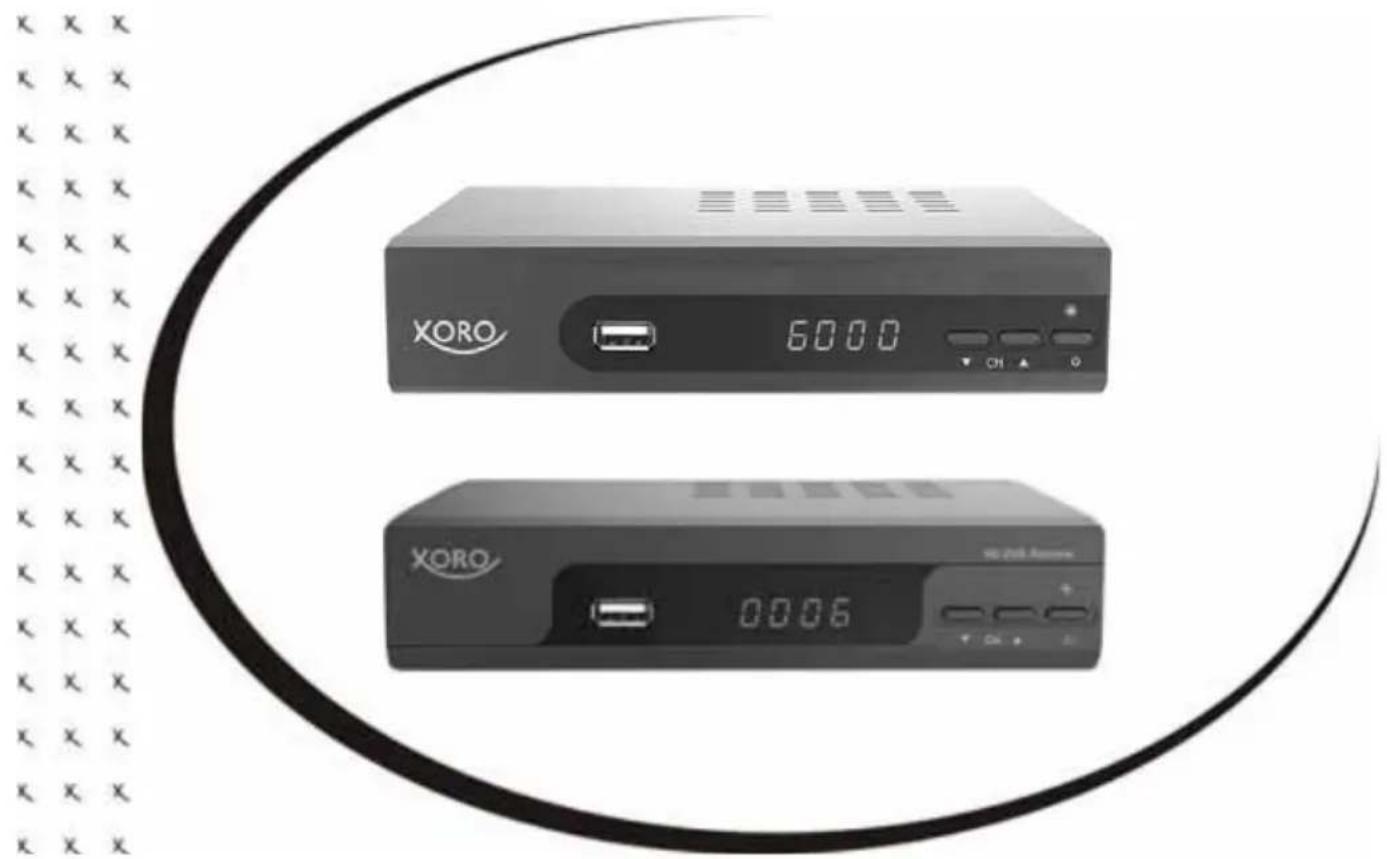
Exterior view of two XORO audio equipment units with display and control buttons (no readable text or symbols)Bedienungsanleitung
User Manual
natural_image
Symbol of a trash bin crossed with no text or labels, accompanied by a black rectangular block below (no readable text or symbols)natural_image
Recycling symbol with three arrows forming a triangle (no text or labels)natural_image
Abstract circular logo with two opposing curved arrows, no text or symbols present.Batterien
natural_image
Two diagrams showing a left-hand and right-hand recycling bins with cross symbols (no text or labels)Konformität


Table of contents
Click a title to access it
Manual assistant
Powered by Anthropic
Waiting for your message
Product information
Brand : XORO
Model : HRS 8559
Category : Receiver