
HRS 8564 - Receiver XORO - Free user manual and instructions
Find the device manual for free HRS 8564 XORO in PDF.


Pick your language and provide your email: we'll send you a specifically translated version.
| Product Type | Satellite Receiver |
| Model | HRS 8564 |
| Brand | Xoro |
| Dimensions (W x D x H) | 260 x 160 x 50 mm |
| Weight | 1.2 kg |
| Power Supply | 12V DC, 1.5A |
| Power Consumption | 15 W (max) |
| Tuner Type | DVB-S2 |
| Number of Tuners | 1 |
| Supported Video Resolutions | 576p, 720p, 1080i |
| Audio Decoding | MPEG-1/2, Dolby Digital |
| Connectivity | HDMI, SCART, USB, Ethernet |
| USB Playback | Yes (MP3, JPEG, MPEG-4) |
| Electronic Program Guide | Yes (7 days) |
| Parental Control | Yes |
| Remote Control Included | Yes |
| Languages | Multi-language menu (EN, DE, FR, etc.) |
| Operating Temperature | 0°C to 40°C |
| Storage Temperature | -20°C to 60°C |
| Humidity | 20% to 80% (non-condensing) |
| Safety Certifications | CE, RoHS |
| Standby Power Consumption | <1 W |
| Reparability Index | 5.5 / 10 |
Frequently Asked Questions - HRS 8564 XORO
How do I connect the Xoro HRS 8564 to my TV?
Use an HDMI cable for best quality. Alternatively, you can use a SCART cable if your TV does not have HDMI. Connect the cable from the receiver to the TV, then select the correct input source on your TV.
Why is there no signal on my receiver?
Check that your satellite dish is properly aligned and that the LNB cable is securely connected to the receiver. Also ensure that the correct satellite is selected in the menu settings.
Can I record programs with the HRS 8564?
This receiver does not have a built-in hard drive, but it may support USB recording. Connect a USB flash drive or external HDD (formatted to FAT32) to the USB port and use the PVR function if available.
How do I update the firmware?
Download the latest firmware from the Xoro website to a USB stick. Insert the USB into the receiver, go to Settings > Upgrade, and follow the on-screen instructions. Do not turn off the receiver during update.
What remote control codes work with this receiver?
The remote uses standard IR codes. For universal remotes, try codes for Xoro or generic satellite receivers (e.g., code 1234). You can also use the auto-search function on your remote.
How to reset the receiver to factory settings?
Go to Settings > Factory Reset or Default. Confirm the reset. This will erase all stored channels and personal settings. Use this if you encounter persistent issues.
The receiver freezes or crashes frequently. What should I do?
First, power cycle the receiver (unplug for 30 seconds). If problem persists, check for overheating (ensure ventilation slots are clear). Also try factory reset or updating firmware.
Can I watch channels from multiple satellites?
The HRS 8564 supports DiSEqC 1.0/1.2 for switching between multiple LNBs. Connect your dish with a DiSEqC switch and configure the antenna settings in the menu to assign each LNB to a port.
How do I set up parental control?
Go to Settings > Parental Lock. Enter a 4-digit PIN (default is usually 0000 or 1234). You can then lock specific channels or set a rating limit. Remember to change the PIN after setup.
What file formats are supported via USB?
The receiver supports MP3 for audio, JPEG for images, and MPEG-4 (AVI, MKV) for video. For best compatibility, use FAT32 formatted drives and file names without special characters.
User questions about HRS 8564 XORO
0 question about this device. Answer the ones you know or ask your own.
Ask a new question about this device
No questions yet. Be the first to ask one.
Download the instructions for your Receiver in PDF format for free! Find your manual HRS 8564 - XORO and take your electronic device back in hand. On this page are published all the documents necessary for the use of your device. HRS 8564 by XORO.
USER MANUAL HRS 8564 XORO
FREE TO CHOOSE INNOVATIONS
XORO®
HR5 8559
HR 8560
HR 8564
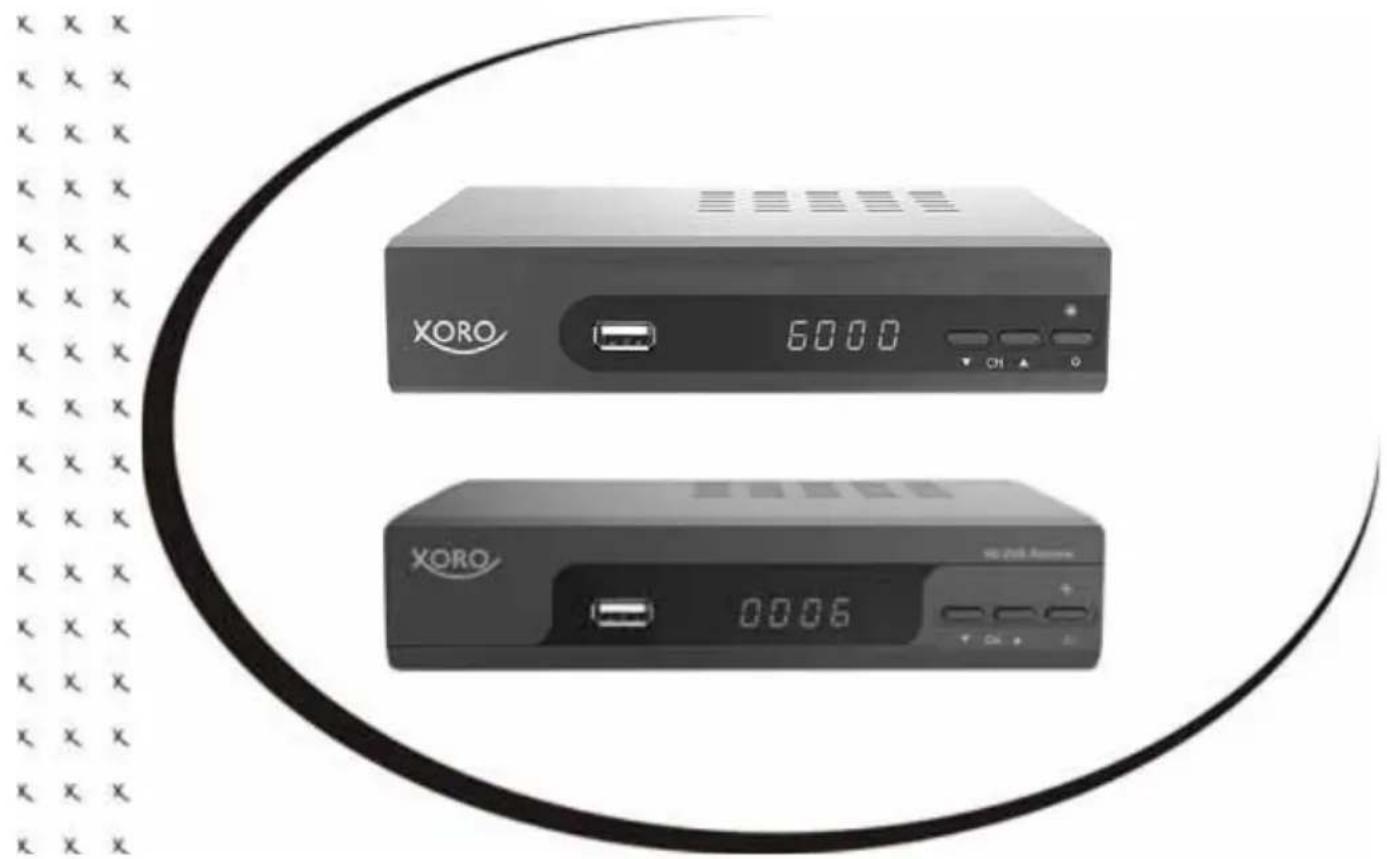
natural_image
Exterior view of two XORO audio equipment units with digital display and control buttons (no readable text or symbols)Bedienungsanleitung
User Manual
natural_image
Symbol of a trash bin crossed with a diagonal line and a black rectangular block below (no text or labels)natural_image
Recycling symbol with three arrows forming a triangle (no text or labels)natural_image
Abstract circular logo with two opposing curved arrows, no text or symbols present.Batterien
natural_image
Two diagrams showing a left-hand and right-hand recycling bins with cross symbols (no text or labels)Konformität


Table of contents
Click a title to access it
Manual assistant
Powered by Anthropic
Waiting for your message
Product information
Brand : XORO
Model : HRS 8564
Category : Receiver