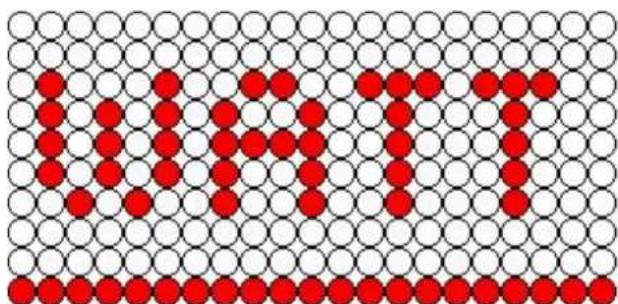
Maximum B22 3452 - Exercise bike Finnlo - Free user manual and instructions
Find the device manual for free Maximum B22 3452 Finnlo in PDF.


| Product Type | Upright Exercise Bike |
| Model | Maximum B22 3452 |
| Brand | Finnlo |
| Resistance System | Magnetic, 40 levels |
| Max Wattage | 400 W at 60 RPM |
| Display | LED windows showing Work Level, RPM, Distance, Watt, Speed, Time, Calories, Heart Rate, HR light, Program |
| Training Programs | Manual, P1 (Profile), P2 (Interval), HRC (Heart Rate Control), Watt Control, Goal (Time/Distance/Calories), Fitness Test |
| Heart Rate Monitoring | Wireless pulse receiver (chest strap) and hand grip pulse sensors |
| Fan | Built-in fan with on/off control via key |
| Quick Start Key | Yes, for immediate manual mode |
| Resistance Adjustment | Via LEVEL ▲/▼ keys or numeric keys (0-9) during workout |
| User Profiles | Not specified; weight and age can be set per session |
| Power Supply | AC mains (power wire included, model not specified) |
| Dimensions (approx) | Not specified in manual; typical upright bike: 120 x 60 x 130 cm |
| Weight (approx) | Not specified; approximately 40-50 kg |
| Maximum User Weight | Not specified; typically 130-150 kg |
| Pedals | Standard with toe cages or straps (not detailed) |
| Seat Adjustment | Vertical and horizontal (manual assembly steps show seat tube insertion) |
| Handlebar Adjustment | Vertical via control tube (assembly steps) |
| Transport Wheels | Yes (indicated by wheels in drawing) |
| Bottle Holder | Yes, included (flask holder J) |
| Assembly Required | Yes, with included tools (L-shaped wrench + screwdriver) |
| Maintenance | Keep clean, tighten screws periodically, check wires |
| Safety | Auto sleep mode after inactivity; pause if no RPM; emergency stop via STOP key |
| Spare Parts | Frame, seat, control tube, handlebar tube, computer, decorative covers, screw bag (listed in manual) |
Frequently Asked Questions - Maximum B22 3452 Finnlo
User questions about Maximum B22 3452 Finnlo
0 question about this device. Answer the ones you know or ask your own.
Ask a new question about this device
Download the instructions for your Exercise bike in PDF format for free! Find your manual Maximum B22 3452 - Finnlo and take your electronic device back in hand. On this page are published all the documents necessary for the use of your device. Maximum B22 3452 by Finnlo.
USER MANUAL Maximum B22 3452 Finnlo
natural_image
Line drawing of a stationary exercise bike with adjustable arms and wheels (no text or symbols)Upright Bike B22
Item No.: 3452
1. PART LIST
| ITME | Description | Qty | ITEM | Description | ||
| A | frame | 1 | H | Stuff | ||
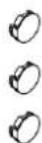
| B seat 1 I Lower computer decorative cover | 1 | |||||
| C Control tube 1 J Flask holder | ||||||
| D | Handle bar tube | 1 | K | Screw head cover | 3 | |
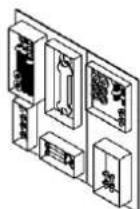
| E | computer | 1 | L | Screw bag | 1 | |
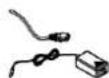
| F | Control tube decorative cover | 1 | M | Power wire | 1 | |
| G | Computer decorative cover front | 1 | ||||
A.
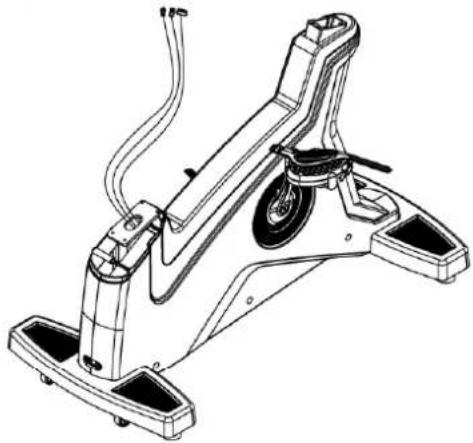
natural_image
Technical line drawing of a stationary exercise chair with levers and wheels (no text or symbols)B.
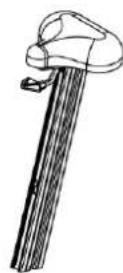
C.
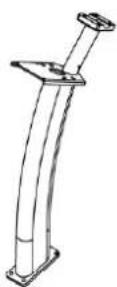
D.
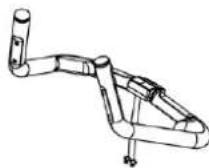
E.
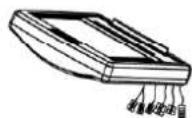
F.
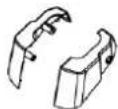
G.
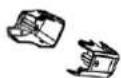
H.


J.

K.
L.
M.
2. SCREW BAG
| ITME | Description | Qty | ITEM | Description | ||
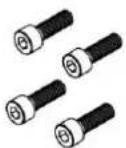
| K01 | Cks hex screw M8xP1.25x25 4 K08 | Truss cross self-tapping screw Φ4x10 | 2 | |||
| K02 | Spring washer M8 4 K09 | Truss cross self-tapping screw Φ4x12 | 1 | |||
| K03 | Flat washer Φ8xΦ12x1.0t | 4 K | 10 Truss cross screw M4xP0.7x12 2 | |||
| K04 | Cks hex screwM8XP1.25X20 4 K11 | Truss cross self-tapping screw Φ4x15 | 3 | |||
| K05 | Spring washer M8 | 4 | K12 | CABLE transferring head | 1 | |
| K06 | Truss cross screw M5xP0.8x10 4 K13 | L shaped | wrench+cross screwdriver6x40x120mm | 1 | ||
| K07 | Truss cross screw M5xP0.8x12 | 4 | ||||
K01.
K02.

K03.
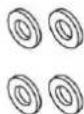
K04.
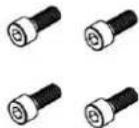
K05.

K06.
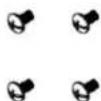
K07.

K08.

K09.

K10.

K11.
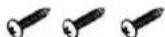
K12.

K13.

3. ASSEMBLE STEPS
■ STEP 1 ASSEMBLE FRAME AND SEAT
Insert seat(B) into frame(A) as the arrow showing and fix them.

text_image
Technical diagram of a stationary exercise machine with labeled parts A and B, showing mechanical components and motion direction.■STEP 2 ASSEMBLE FRAME AND CONTROL TUBE
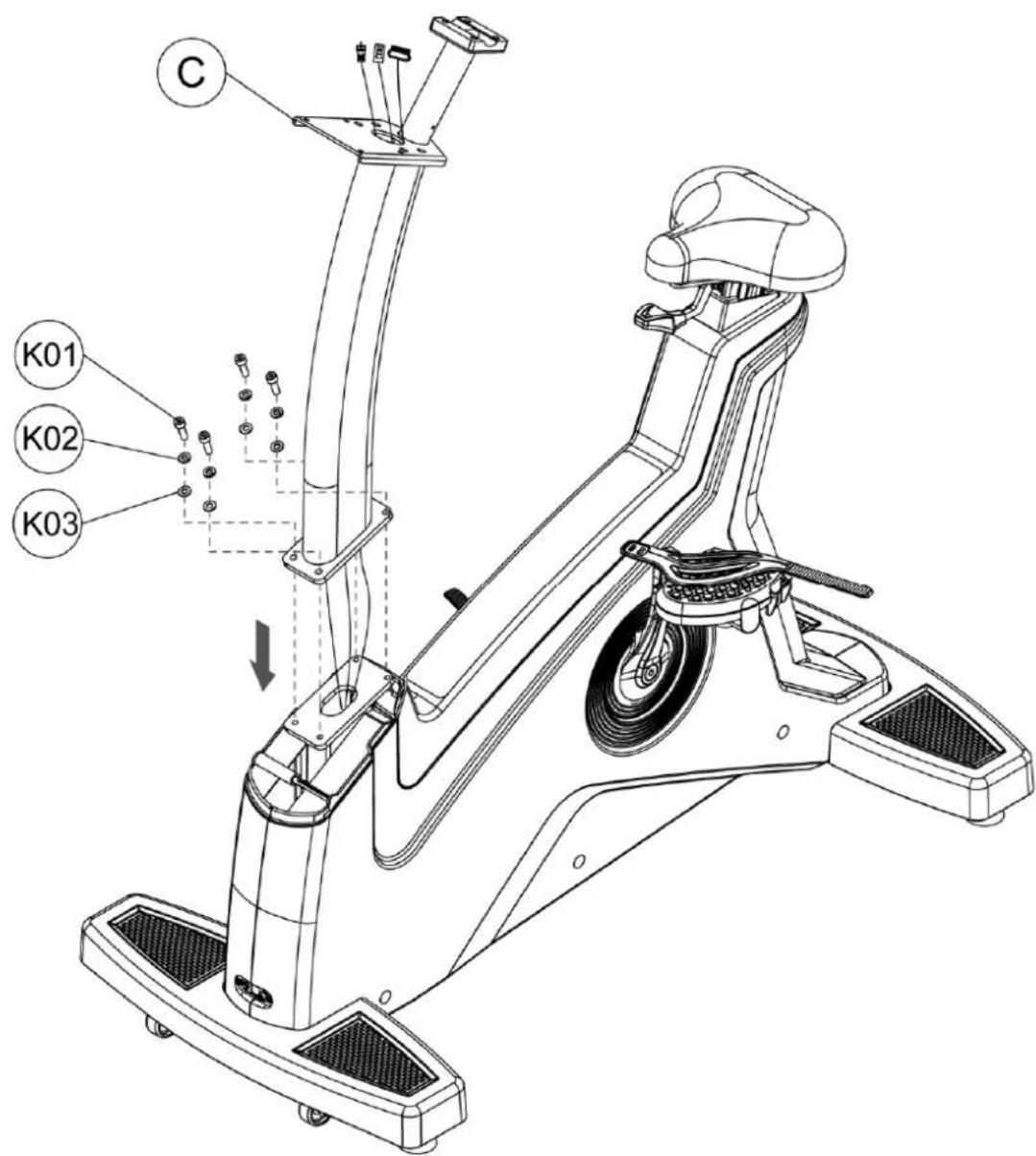
Make the control wire of frame through control tube, then tighten control tube(C) on frame(A) with hex screw(K01), spring washer(K02) and flat washer(K02) as the figure showing.
text_image
C K01 K02 K03■STEP 3 ASSEMBLE CONTROL TUBE AND CONTROL TUBE DECORATIVE COVER
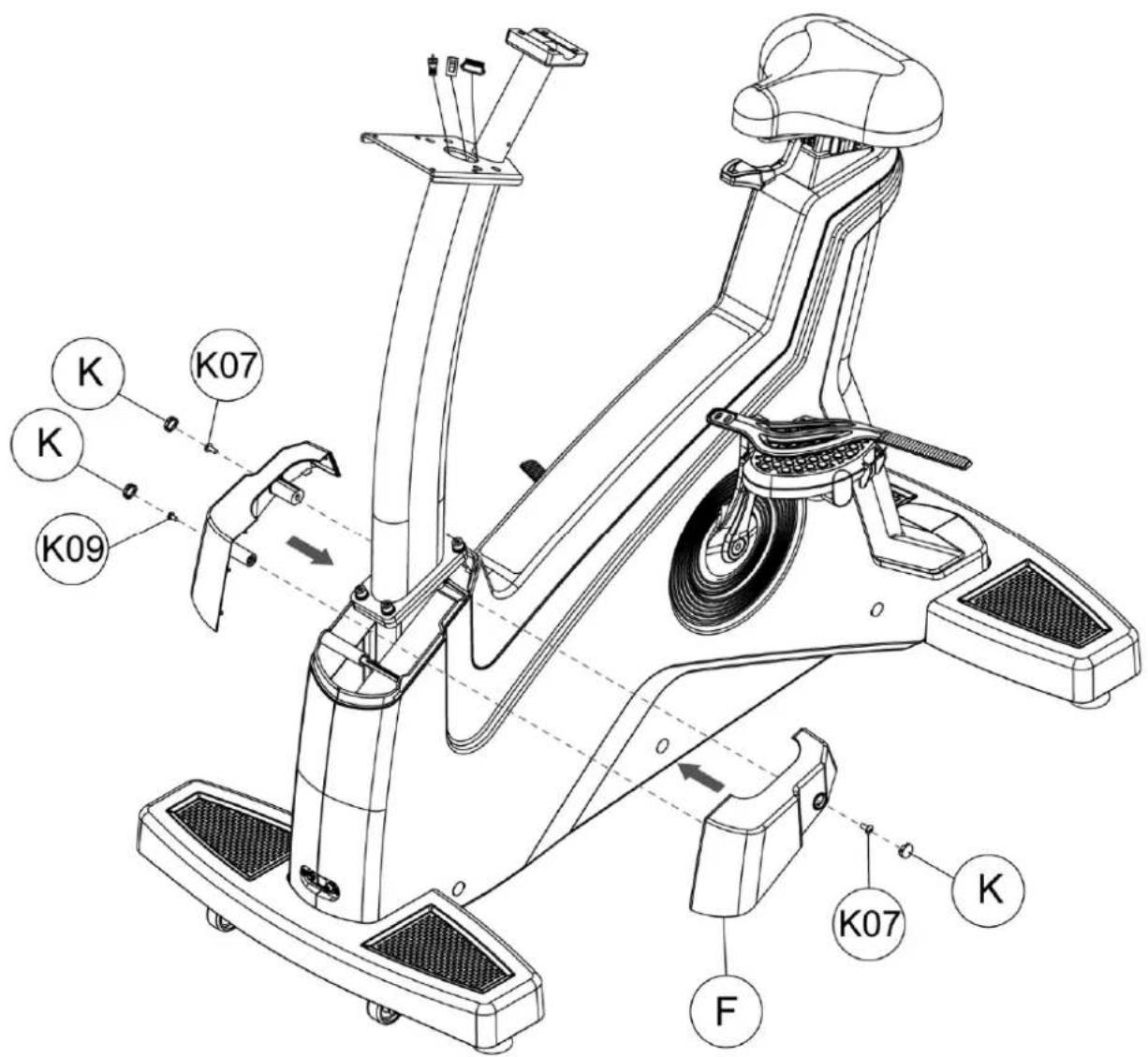
Tighten control tube decorative cover(F) with truss cross screw(K07) & truss cross self-tapping screw(K09) as figure showing, then cover the screw head cover(K).
text_image
K K K07 K K09 F K07 K■STEP 4 ASSEMBLE CONTROL TUBE AND HANDLE BAR TUBE
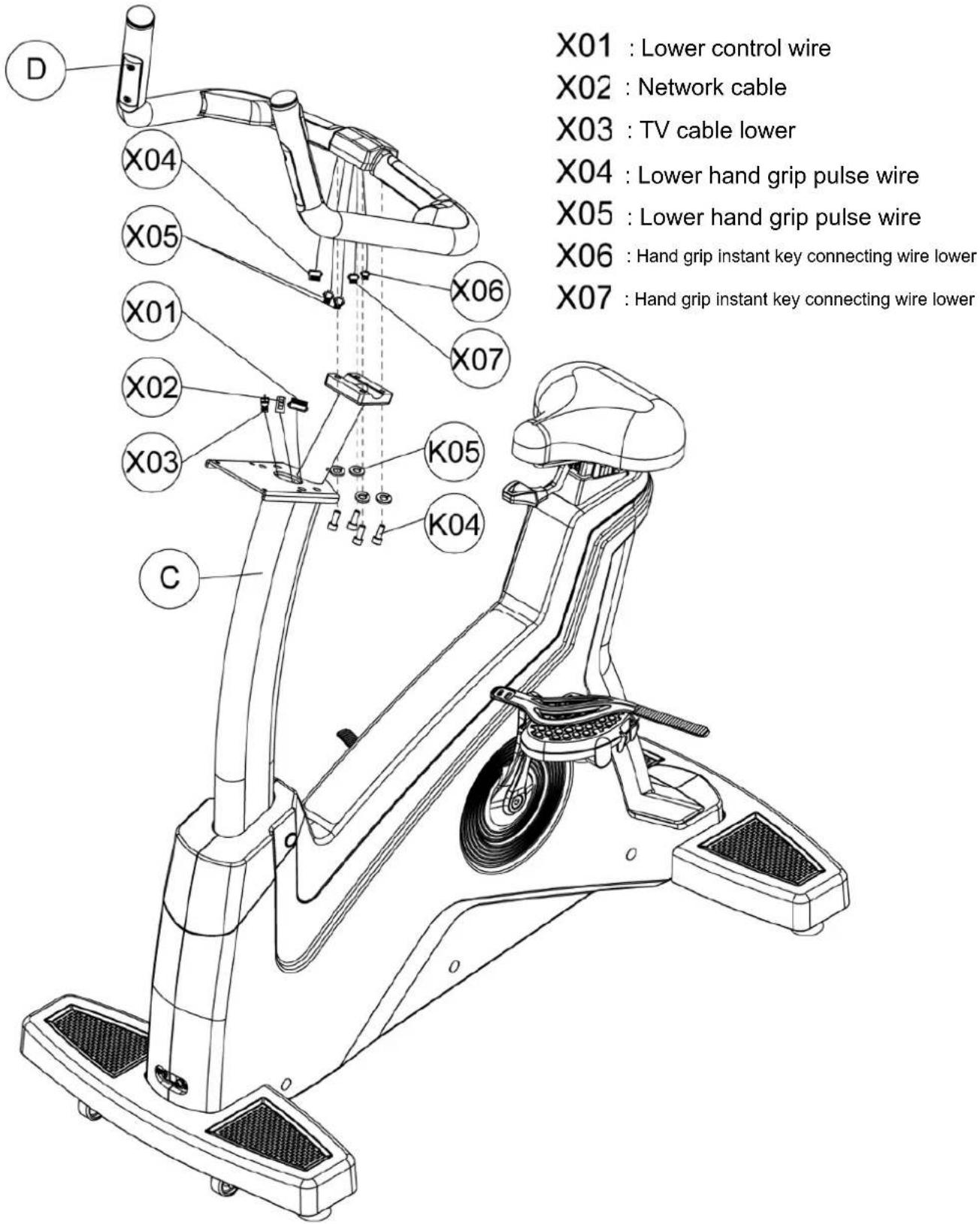
Pull out the wires in handle bar tube(D) and make it through control tube(C), then tighten handle bar tube(D) on control tube(C) with hex screw(K04), spring washer(K05).
text_image
X01 : Lower control wire X02 : Network cable X03 : TV cable lower X04 : Lower hand grip pulse wire X05 : Lower hand grip pulse wire X06 : Hand grip instant key connecting wire lower X07 : Hand grip instant key connecting wire lower■ STEP 5 ASSEMBLE COMPUTER AND CONTROL TUBE
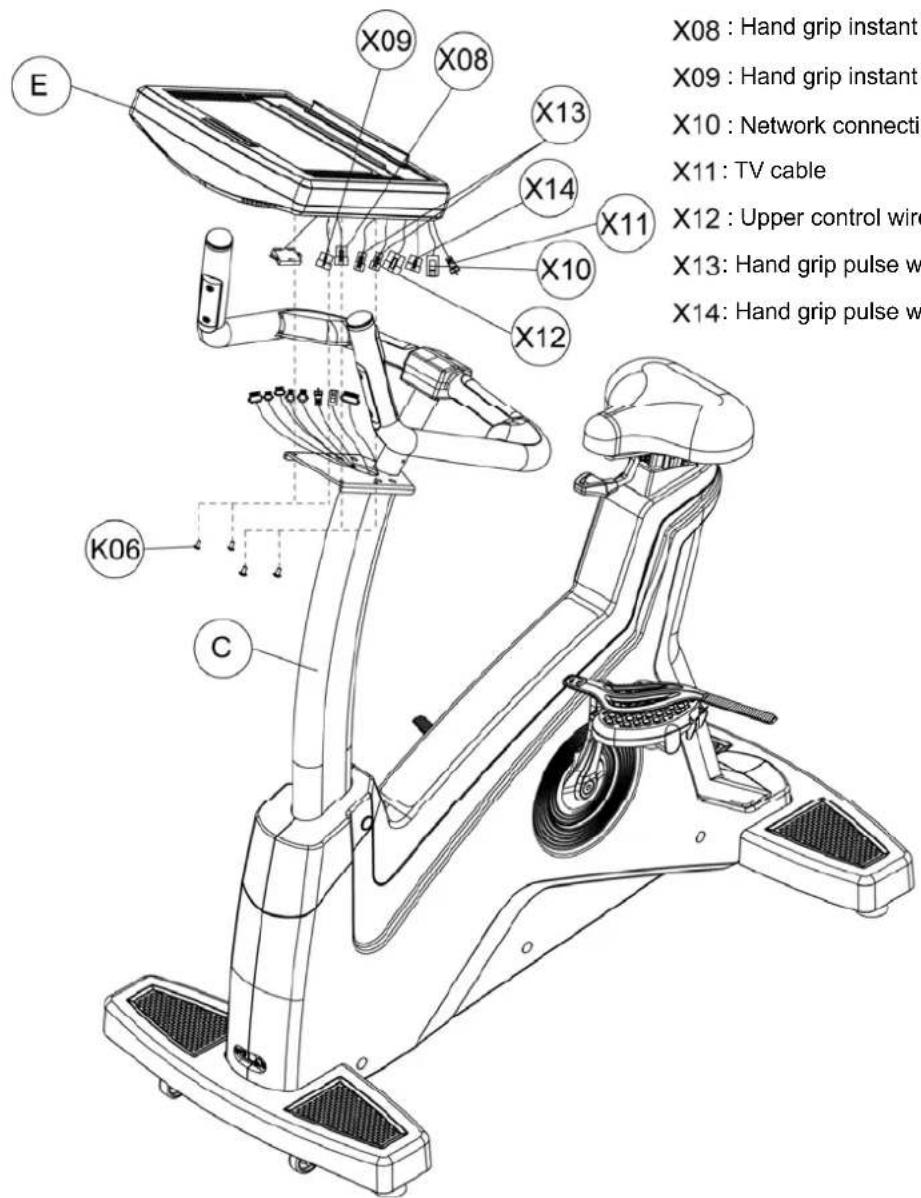
Connecting wires of computer(E) and the wires outing from control tube(C), then tighten computer(E) on control tube(C) with truss cross screw(K06).
text_image
X08 : Hand grip instant X09 : Hand grip instant X10 : Network connecti X11 : TV cable X12 : Upper control wire X13 : Hand grip pulse w X14 : Hand grip pulse w E X09 X08 X13 X14 X10 X12 K06 CX08 : Hand grip instant key connecting wire upper
X09 : Hand grip instant key connecting wire upper
X10 : Network connecting cable upper
X11: TV cable
X12: Upper control wire
X13: Hand grip pulse wire upper
X14: Hand grip pulse wire upper
■STEP 6 ASSEMBLE COMPUTER DECORATIVE COVER, FLASK HOLDER AND COMPUTER CONTROL TUBE
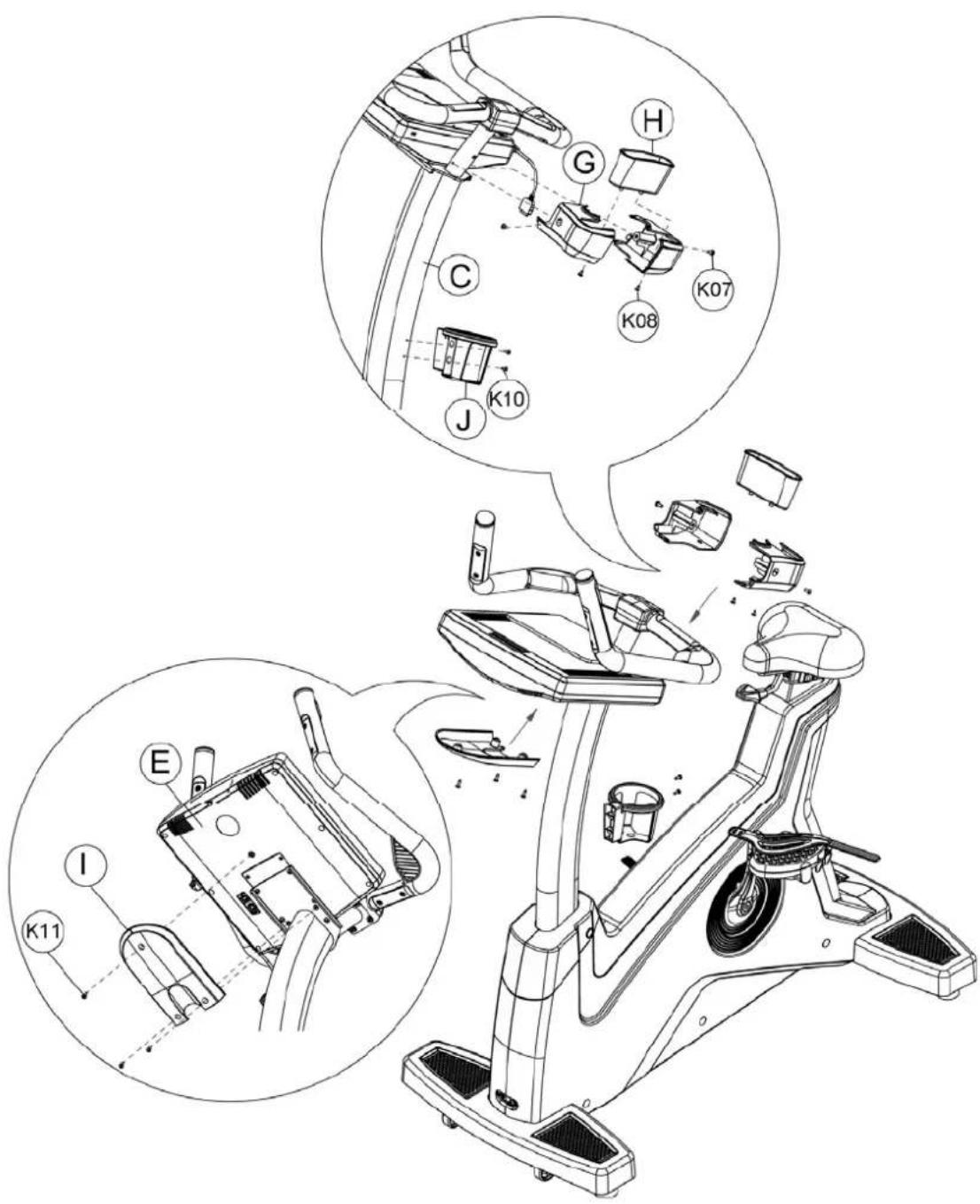
Tighten computer decorative cover front(G) on control tube(C) with truss cross screw(K07), and fix stuff holder(H) with truss cross self-tapping screw(K08). Then tighten flask holder(J) on control tube(C) with truss cross screw(K10). At last, fix lower computer decorative cover(I) on computer(E) with truss cross self-tapping screw(K11).
text_image
Technical diagram of a stationary bike with labeled components and exploded views4.1. WINDOWS INSTRUCTION
This computer is LED windows, display function as WORKLEVEL, RPM, DISTANCE, WATT, PEED(KMH/MLH), TIME, CALORIES, HEART RATE and HR light, PROGRAM figure.
-
Resistance LEVEL is 40 levels, when at 60RPM, the max WATT value is 400W.
-
Fan:
-
During program working, enter PAUSE Mode and resistance will auto-adjust to the min value, fan will auto-turn off. If there is no action within 20 seconds, it will enter Sleep Mode and all data will disappear.
- Under PAUSE Mode, make the RPM value over 40 by the way of stepping can start program and go on working.
4.2. WINDOWS DISPLAY AND START FOR POWER ON
Under POWER ON condition, data windows will show software versions date" and then enter start/steady windows after 1s.
- Start/steady mode:
- After showing the versions, program windows will show figure『---』 and data windows will show words『SELECT PROGRAM OR QUICK START』. The word will be different by the different languages.
-
Sleep Mode :
-
Under start/steady condition: if there is no RPM signal input within 30 seconds before enter Sleep Mode, program windows will light 21 lights and if you do not step the pedal, the light will turn off 1 per second as clockwise. After the 21 lights of program windows turn off and it will auto enter Sleep Mode.(this function only can be started under POWER=OFF condition in program)
● Under fitness condition, if there is no RPM signal input within 20 seconds, it will enter Sleep Mode and LED of computer will all auto turn off. - When user steps the pedal and RPM is over 25 or use press any key of computer, computer will be auto lighted and back to start/steady windows.
4.3. Key Functions
- QUICK START: press QUICK START KEY, computer will start as MANUAL MODE and account all function value as positive number.
-
STOP : when computer works, press STOP KEY once can pause all function's accounting, press the TOP KEY twice can stop the program.
-
LEVEL ▲: this key can be used for PEOFILE function selecting and during program working, it can be used for resistance increasing function.
- LEVEL ▼: this key can be used for PEOFILE function selecting and during program working, it can be used for resistance decreasing function.
- FAN ON/OFF: power switch of fan.
- LOCK : when computer works, this key is the switch of data windows.
- GOAL : this key is program control's instant key, press this key can enter GOAL program windows directly.
- HRC : this key is program control's instant key, press this key can enter HRC program windows directly.
- WATT : this key is program control's instant key, press this key can enter WATT program windows directly.
- TEST : this key is program control's instant key, press this key can enter TEST program windows directly.
- P1 : this key is program control's instant key, press this key can enter P1 program windows directly.
- P2 : this key is program control's instant key, press this key can enter P2 program windows directly.
- ENTER : press this key enter data setting and it also can be used for confirming modify the set or value.
- CLEAR : clear the parameter that input before.
- 0\~9 NUMBER KEYS : total 10 KEY. You can input PROGRAM parameter as age, weight, training time and so on. During program working, you can adjust the level of resistance by pressing number key.
4.4. PROGRAM CONTROLLING FUNCTION
4.4.1. General mode
- Select Manual Mode, program control windows will show figure『---』, data windows will show words『SELECT PROGRAM OR QUICK START』. Press Quick Start Key and all
value start accounting, default resistance is Level 1 and it will change once per minute. When RPM is not enough, program windows will show figure『RPM↑』 and then it will enter PAUSE mode after 5 seconds.
-
During program works, data windows will show below information:
-
metric『KMH』: show『LEVEL』,『RPM』,『DIST』,『WAT』1s first and show value 10 seconds. Then windows show『LEVEL』,『KMH』,『TIME』,『CAL』1s and show value 10 seconds.
-
Imperial 『MLH』: show『LEVEL』,『RPM』,『DIST』,『WAT』1s and show value 10 seconds, then show『LEVEL』,『MLH』,『TIME』,『CAL』1s and show value 10 seconds.
-
When program finish, data windows will show below information :
Metric『KMH』:
for 3 PROGRAMS, when USER selects the PROGRAM and press ENTER to go on setting weight.
- Weight set: data windows moves left and show words『ENTER WEIGHT <30-199>KG』
(or show words『ENTER WEIGHT <70-440>LBS』), USER can input weight by pressing number 0\~9. Program windows will flash and its default value is 30, input the value. If you press number key for modify and you must input 2\~3 numbers(range is 30 \~ 199). For the unreasonable value, systems will auto show max or min value. Press the reasonable value and press ENTER to store the value and go to set the fitness time.
- Fitness time setting : program windows will flash and show time default value 10 mins,
data windows will show words『ENTER TIME <10-60>MINUTES』.(range is 10 \~ 60).
User can input training time by pressing number 0\~9, then press Enter key store and start the program. If you want to modify the set value, please press CLEAR key.
-
During program working, user can press LEVEL▲, LEVEL▼ key to change WORKOUT LEVEL, total 4 levels for selecting.
-
When program finishing or working, press STOP Key and program windows will auto show original Profile figure, data windows will show below training accounting items for 2 seconds by turns for twice, then program will back to start/steady condition.
-
During program working, data windows will show below information :
- metric『KMH』:
Show『LEVEL』、『RPM』、『DIST』、『WAT』 first for 1s and show value for 10 seconds, then show『LEVEL』、『KMH』、『TIME』、『CAL』 first for 1s and show value for 10 seconds.
- imperial『MLH』:
Show『LEVEL』、『RPM』、『DIST』、『WAT』 first for 1s and show value for 10 seconds, then show『LEVEL』、『MLH』、『TIME』、『CAL』 first for 1s and show value for 10 seconds.
- When program finished, data windows will show below information :
- metric『KMH』:
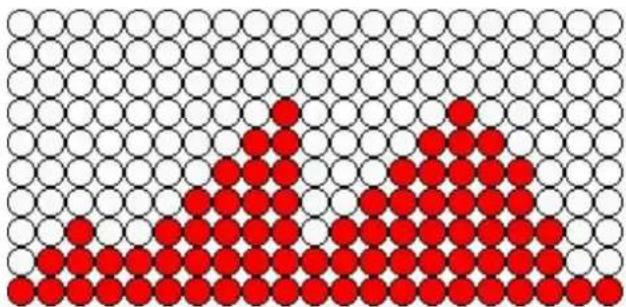
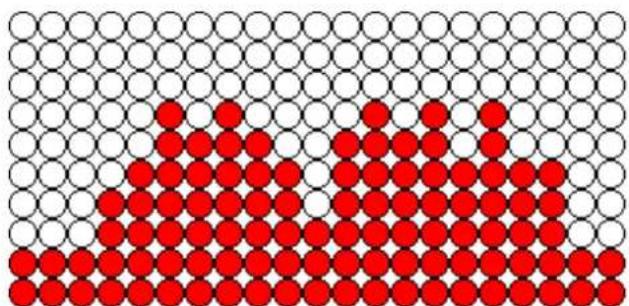
4.4.3. P 2 MODE : it is INTERVALS MODE
-
Under start/steady windows, press P2 key, program windows will show figure 『INTERVAL 1』. Data windows moves left and show『PRESS THE ARROWS TO SELECT PROGRAM』 and『PRESS ENTER TO BEGIN PROFILE..』 2 kinds of words.
-
User can use LEVEL▲, LEVEL▼ to select INTERVAL 1, INTERVAL 2, INTERVAL 3 of 3 INTERVALS. When USER selects PROGRAM and press ENTER, then go to weight setting.
-
Weight setting : data windows will move left and show words『ENTER WEIGHT <30-199>KG』(or show『ENTER WEIGHT <70-440>LBS』words).USER can use number key 0\~9 to input weight, program windows will flash and show default value 30. Press number key for modify must input 2\~3 number(range is 30 \~ 199). For the unreasonable value, systems will auto show max or min value. Press the reasonable number, then press ENTER to store it and go to set fitness time.
-
Fitness time set : program windows will flash and show time default value10 mins, data windows will show words 『ENTER TIME <10-60>MINUTES』.(range is 10 \~ 60), USER can input 0\~9 number for training time, then press Enter to store it and start program. If you want to modify the set value, please press CLEAR key.
-
During program working, user can press LEVEL▲, LEVEL▼ key to change WORKOUT LEVEL, total 4 levels for selecting.
-
When program finishing or working, press STOP Key and program windows will auto
show original Profile figure, data windows will show below training accounting items for 2 seconds by turns for twice, then program will back to start/steady condition.
- During program working, data windows will show below information :
- metric『KMH』:
show『LEVEL』、『RPM』、『DIST』、『WAT』 first for 1s and show value for 10 seconds, then show『LEVEL』、『KMH』、『TIME』、『CAL』 first for 1s and show value for 10 seconds.
- imperial『MLH』:
show『LEVEL』、『RPM』、『DIST』、『WAT』 first for 1s and show value for 10 seconds, then show『LEVEL』、『MLH』、『TIME』、『CAL』 first for 1s and show value for 10 seconds.
- When program finished, data windows will show below information :
- metric『KMH』:
will show『AGE=10』 and windows will flash the min value to remind user input again.
If the input age is more than 99, data windows will show『AGE=99』 and windows will flash the min value to remind user input again. The age range is 10\~99 years. After finishing the age input, press ENTER to store the value and program windows will show "OK" and it will start program after 1s. When the time is clockwise for 10 seconds, the default resistance value is level 1. When RPM is not enough, program windows will show figure『RPM↑』 and enter PAUSE mode after 5 seconds.
- During program working, program windows information as : default figure is Level 1.
User can't press Up, Down Key for modify. The working way as WATT control mode, the only one different point is default value for male is 150W and for female is 100W.
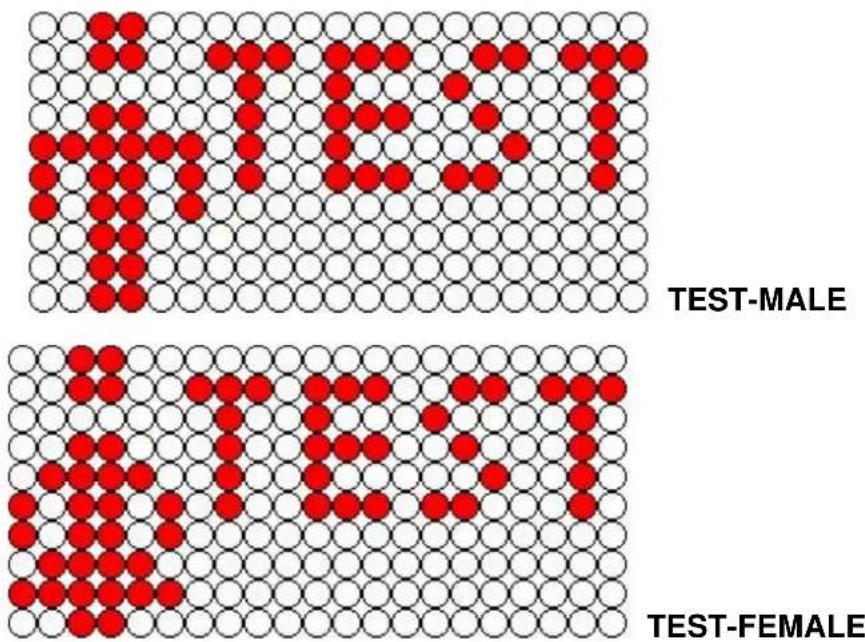
- TEST MODE contrast table : if Distance is 0 and the accounting value will be 0. If there is no HR, the accounting value also will be 0.
TEST MODE LIST
| MALE | |||||
| AGE | HEART | RATE | |||
| <35 | >=186 | >=170 | >=139 | >=129 | <129 |
| <45 | >=183 | >=165 | >=124 | >=112 | <112 |
| <55 | >=186 | >=167 | >=127 | >=100 | <100 |
| >=55 | >=188 | >=165 | >=129 | >=107 | <107 |
| RESULT | 1 | 2 | 3 | 4 | 5 |
| FEMALE | |||||
| AGE | HEART | RATE | |||
| <35 | >=197 | >=181 | >=150 | >=140 | <140 |
| <45 | >=212 | >=197 | >=161 | >=150 | <150 |
| <55 | >=228 | >=212 | >=181 | >=169 | <169 |
| >=55 | >=238 | >=223 | >=197 | >=181 | <181 |
| RESULT | 1 | 2 | 3 | 4 | 5 |
- During program working, data windows will show below information :
- metric『KMH』:
show『LEVEL』、『RPM』、『DIST』、『WAT』 first for 1s and show value for 10 seconds, then show『LEVEL』、『KMH』、『TIME』、『CAL』 first for 1s and show value for 10 seconds.
- imperial『MLH』:
show『LEVEL』、『RPM』、『DIST』、『WAT』 first for 1s and show value for 10 seconds, then show『LEVEL』、『MLH』、『TIME』、『CAL』 first for 1s and show value for 10 seconds.
- When program finished, data windows will show below information :
- metric『KMH』:
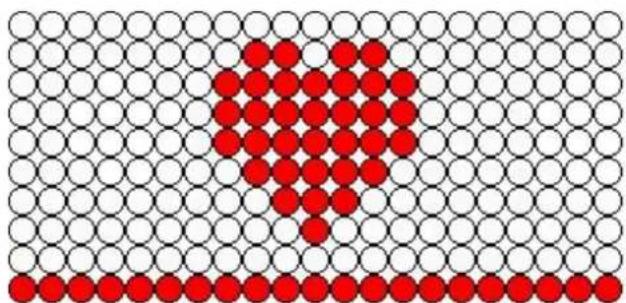
4.4.5. HRC MODE : it is HRC MODE
-
Under start/steady windows, press HRC key, program windows will show figure『HR FIGURE』. Data windows moves left and show words『PRESS ENTER TO BEGIN PROFILE』.
-
Press ENTER key, program windows will flash and show "60%", data windows will
move left and show words『PRESS LEVEL UP/DOWN TO SELECT PROFILE』. Then press LEVEL ▲ or LEVEL ▼ to select other PROFILE of HRC. HRC total has 60%、65%、70%、75%、80%、85% of 6 kinds HRC mode.
- When you select the HR program value, program windows will show the value and flash, press ENTER to enter age setting steps.
- Age setting steps: at this time, program windows will flash and show default value"30", data windows will show『ENTER AGE<10-99>』. User can input number 0\~9 to input your age. When the value input is lower than 10, computer will not accept and will show the min value 10 in program windows. When the value input is more than 99, computer will also not accept and will show the max value 99 in program windows. Ages setting range is 10\~99 years. When finished age setting, press ENTER for storing and go to training time setting.
- HR set value accounting formula=(220-AGE)*HR program controlling value
- Training time set : at this time, program windows will flash and show training time's default value "10", data windows will show『ENTER TIME <10-60>MINUTES』. USER can input number 0\~9 to set training time. When the input training time is lower than 10, computer will not accept and will show the min value 10 in program windows. When the value input is more than 60, computer will also not accept and will show the max value 60 in program windows. Training time's range is 10\~60 mins. After finishing the training time setting, press ENTER key, program windows will flash and show "THR" for 2 seconds, then start program.
- When program finishing or working, press STOP Key and program windows will auto show original Profile figure, data windows will show below training accounting items for 2 seconds by turns for twice, then program will back to start/steady condition.
-
During program working, data windows will show below information :
-
metric『KMH』: show『LEVEL』、『RPM』、『DIST』、『WAT』 first for 1s and show value for 10 seconds, then show『LEVEL』、『KMH』、『TIME』、『CAL』 first for 1s and show value for 10 seconds.
- imperial『MLH』: show『LEVEL』、『RPM』、『DIST』、『WAT』 first for 1s and show
value for 10 seconds, then show『LEVEL』、『MLH』、『TIME』、『CAL』 first for 1s and show value for 10 seconds.
- When program finished, data windows will show below information :
- metric『KMH』:
- HR CONTROL MODE : default HR control mode is 50W, when computer detected the HR and will judge the HR value per 10 seconds.
● Under fitness condition, program will contrast the actual HR value with the set HR value, the judge method as below:
When actual HR value ≤ set HR value for 15, WATT will auto increase 20, it can up to 400WATT.
When actual HR value ≤ set HR value for 5, WATT will auto increase 10, it can up to 400WATT.
If actual HR value ≥ set HT value for 5, WATT will auto decrease 20, it can down to 50WATT.
If actual HR value ≥ set HT value for 15, WATT will auto decrease 20, it can down to 50WATT.
If actual HR value ≥ set HT value for 30, program will decrease the WATT to 50WATT. Till the actual HR value ≤ set HT value for 5 and program will go on working.
- During fitness, if there is no wireless signal detected, windows will show "NO PULSE" words. If the time is up to 60 seconds, it will enter PAUSE mode.
- When PRM is lower than 40, program windows will show figure『RPM↑』 and enter PAUSE mode after 5 seconds.
● HR CONTROL mode only can be used with wireless pulse and the hand grip pulse
is no function under this mode.
- During program working, data windows will show below information : default figure is Level 1, press Up、Down Key can't modify it.
4.4.6. WATT MODE : it is WATT CONTROL MODE
-
Under start/steady window, press WATT, program windows will show『WATT』, Data windows moves left and show words『PRESS ENTER TO BEGIN PROFILE.』
-
Press ENTER to modify Target WATT. Data windows moves left and show words 『ENTER WATT <25-400>』, USER can input number 0\~9 to input Target WATT, Data windows will show『WATTS= xxx』 and flash the input value. Press the number key for modify must be 2\~3 numbers(range is 25 \~ 400). Unreasonable value will auto change to show min or max value, input the reasonable value and press ENTER to confirm and store it.
-
Press ENTER for time modify, data windows will show words『ENTER TIME <10 - 60 > MINUTOS』, (range is 10 \~ 60). Program windows show default value『10』 and flash the value. Press number 0\~9 for modify and you must input 2 numbers(range is 10 \~ 60). Unreasonable value will auto display default value, input the reasonable value and press ENTER to confirm the value and start program.
-
After finishing the set of last item's time, press Enter Key and all value start accounting. The default resistance value is Level 1 and it will change once per minute. When PRM is lower than 40, program windows will show figure『RPM↑』 and enter PAUSE mode after 5 seconds.
-
When program finishing or working, press STOP Key and program windows will auto show original Profile figure, data windows will show below training accounting items for 2 seconds by turns for twice, then program will back to start/steady condition.
-
During program working, data windows will show below information :
- metric『KMH』: show『LEVEL』、『RPM』、『DIST』、『WAT』 first for 1s and show value for 10 seconds, then show『LEVEL』、『KMH』、『TIME』、『CAL』 first for 1s
and show value for 10 seconds.
- imperial『MLH』: show『LEVEL』、『RPM』、『DIST』、『WAT』 first for 1s and show value for 10 seconds, then show『LEVEL』、『MLH』、『TIME』、『CAL』 first for 1s and show value for 10 seconds.
7. When program finished, data windows will show below information :
metric『KMH』:
● Under fitness condition, when WATT value is lower than 25W, program windows
will show figure 『RPM ↑』.
- Under fitness condition, when WATT value is more than 400W, program windows will show figure『RPM ↓』.
- Under fitness condition, if the LEVEL is up to 40 and WATT value can't up to target value, program windows will show『RPM↑』.
- After fitness mode starting, program will judge the WATT value per 10 seconds. Under fitness condition, program will contrast the actual WATT value and target WATT value, the judge method as below:
If target WATT value :『actual WATT ≧ target WATT for 75』, during fitness and LEVEL will auto increase 3, the max value can up to LEVEL 40.
If target WATT value :『actual WATT≤target WATT for 50』, during fitness and LEVEL will auto increase 2, the max value can up to LEVEL 40.
If target WATT value :『actual WATT≤target WATT for15』, during fitness and LEVEL will auto increase 1, the max value can up to LEVEL 40.
If target WATT value :『actual WATT≥target WATT for 15』, during fitness and LEVEL will auto decrease 1, the max value can down to LEVEL 1.
If target WATT value :『actual WATT≥target WATT for 50』, during fitness and LEVEL will auto decrease 2, the max value can down to LEVEL 1.
If target WATT value :『actual WATT≥target WATT for 75』, during fitness and LEVEL will auto decrease 3, the max value can down to LEVEL 1.
4.4.7. GOAL MODE : it is clockwise mode
-
Under start/steady windows, press GOAL key can enter MANUAL MODE clockwise mode, data windows moves left and show words 『1.TIME 2.DISTANCE
3.CALORICES』. -
Use number key(1\~3key) to select clockwise item and press ENTER to go to age setting steps.
-
Age setting steps: at this time, program windows will flash and show default value "30",
data windows will show『ENTER AGE<10-99>』. USER can press 0\~9 number key to input your age. When the input age is lower than 10, computer will not accept and will show the min value 10 in program windows. When the value input is more than 99, computer will also not accept and will show the max value 99 in program windows. Ages setting range is 10\~99 years. When finished age setting, press ENTER for storing and go to weight setting. -
Weight set: data windows moves left and show words『ENTER WEIGHT <30-199>KG』
(or show words『ENTER WEIGHT <70- 440>LBS』), USER can input weight by pressing number 0\~9. Program windows will flash and its default value is 30, input the value. If you press number key for modify and you must input 2\~3 numbers(range is 30 \~ 199). For the unreasonable value, systems will auto show max or min value. Press the reasonable value and press ENTER to store the value and go to set the clockwise items.
- Clockwise item is below 3 kinds, program will work as the item you enter GOAL selected.
TIME SET : program windows will show time default value 10 mins, data windows will show words『ENTER TIME <10-60>MINUTES』,(range is10 \~ 60). User can press number 0\~9 to input training time. After finishing the set, press ENTER key to start this program.
- DISTANCE SET : program windows will show distance default value 10 KMH, data windows will show reminding words『ENTER DISTANCE <1.0-99.9>KM』.USER can press number 0\~9 to input training distance. After finishing the set, press ENTER key to start this program. Training distance set range is 1.0\~99.9 KMH.
- CALORIE SET : program windows will show calories default value, data windows will show reminding words『ENTER CALORIES <1-999>KCAL』. USER can press number 0\~9 to input training calories. After finishing the set, press ENTER key to start this program. Training distance set range is 1\~999 Kcal.
-
During program working, user can press LEVEL▲, LEVEL▼ key to change WORKOUT LEVEL, total L1\~L40 levels for selecting.
-
When program finishing or working, press STOP Key and program windows will auto show original Profile figure, data windows will show below training accounting items for 2 seconds by turns for twice, then program will back to start/steady condition.
-
During program working, data windows will show below information :
- metric『KMH』:
show『LEVEL』、『RPM』、『DIST』、『WAT』 first for 1s and show value for 10 seconds, then show『LEVEL』、『KMH』、『TIME』、『CAL』 first for 1s and show value for 10 seconds.
- imperial『MLH』:
show『LEVEL』、『RPM』、『DIST』、『WAT』 first for 1s and show value for 10 seconds, then show『LEVEL』、『MLH』、『TIME』、『CAL』 first for 1s and show value for 10 seconds.
- When program finished, data windows will show below information :
- metric『KMH』:
natural_image
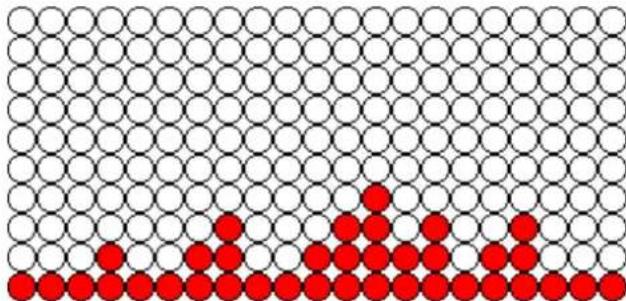
Grid pattern with black and red circles, no text or symbols presentPROGRAM 2 PROFILE
natural_image
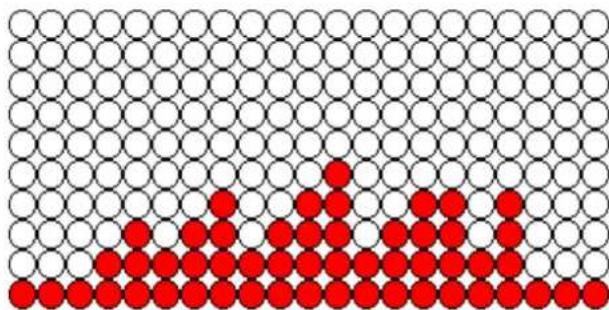
Grid of white circles with red dots at the bottom, no text or symbols presentPROGRAM 3 PROFILE
natural_image
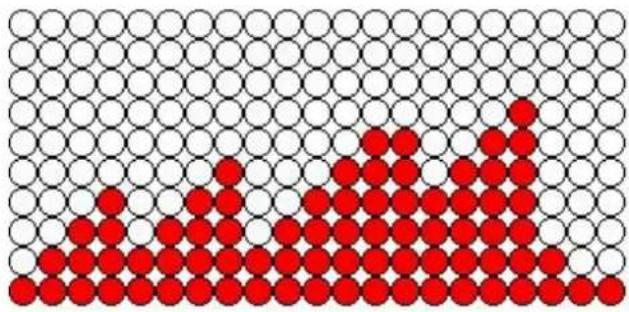
Grid of black and red circles forming a pattern (no text or symbols)5.2. P 2 FIGURE:
INTERVAL 1 PROGRAM :
natural_image
Grid pattern with red dots forming a rising shape from bottom-left to top-right (no text or symbols)INTERVAL 2 PROGRAM :
natural_image
Grid pattern with red dots forming a triangular formation (no text or symbols)INTERVAL 3 PROGRAM :
natural_image
Grid pattern with red and white circles forming a pattern (no text or symbols)5.3. TEST FIGURE:
FITNESS TEST :
text_image
TEST-MALE TEST-FEMALE5.4. HRC FIGURE:
HRC :
natural_image
Grid pattern with red and black dots forming a symmetrical pattern (no text or symbols)5.5. WATT FIGURE:
WATT CONTROL :