MM338 - Sports camera Manta - Free user manual and instructions
Find the device manual for free MM338 Manta in PDF.


| Product Type | Full HD Action Camera (Sports Camera) |
| Model | MM338 |
| Brand | Manta |
| Video Resolution | Full HD 1440x1080P 30fps / 720P 1280x720P 50fps (AVI) |
| Photo Resolution | 15 Megapixel (4480x3360) JPEG |
| Lens | 142° wide-angle, 5MP CMOS sensor |
| Battery Life (Video) | Approximately 3 hours (180 minutes) |
| Flashlight Function | Up to 15 hours continuous use |
| LED Lights | High brightness LEDs for night activities and flashlight |
| Storage | Micro SD card up to 32GB (Class 10 recommended) |
| Connectivity | USB 2.0 (charging and data transfer) |
| Webcam Mode | Yes (requires removing Micro SD card) |
| Mounting | Handheld or bracket mount (bicycle/helmet) |
| Power Supply | Built-in rechargeable Li-ion battery, USB charging (4 hours charge time) |
| File Format | Video: AVI; Photo: JPEG |
| Auto File Save | Every 10 minutes during video recording |
| Auto Shutdown | After 3 minutes in standby |
| Reset Method | Press and hold Power button for 10 seconds to force restart |
| Compatible OS | Windows, Mac (via VLC player recommended) |
| Notes | Specifications subject to change without notice. |
Frequently Asked Questions - MM338 Manta
User questions about MM338 Manta
0 question about this device. Answer the ones you know or ask your own.
Ask a new question about this device
Download the instructions for your Sports camera in PDF format for free! Find your manual MM338 - Manta and take your electronic device back in hand. On this page are published all the documents necessary for the use of your device. MM338 by Manta.
USER MANUAL MM338 Manta
natural_image
Abstract black-and-white circular logo with interlocking curved shapes (no text or symbols)MANTA
natural_image
Close-up of a person wearing a sportswear with a camera lens (no visible text or symbols)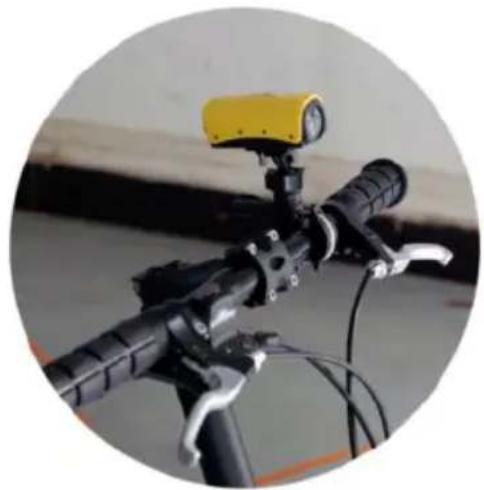
natural_image
Close-up of a bicycle's front-mounted sensor with a yellow headlamp and black lever handle (no visible text or symbols)
LIGHT
INTEGRATED

RESOLUTION

CAMERA, PHOTO, LIGHT (LED)
WIDE ANGLE
LENS
BATTERY LIFE: VIDEO
Instrukcja obsługi
User's Manual
IP 833MM
natural_image
Two electronic devices: a circular device with red rim and a black-and-yellow handheld device (no visible text or symbols)natural_image
Two identical black and yellow handheld devices with attached connectors, shown against a white background (no text or symbols visible)natural_image
Five-panel image showing a black brake switch assembly, a hand adjusting a red card, a yellow clip, and a close-up of a red racing helmet (no text or symbols visible)Działanie i funkcje
Uruchomienie
Before using product, please read this users guide carefully and keep it properly for future reference.
Thank you for purchasing the new Full HD Action CAM, 1080P HD Digital video camera. Compact and lightweight. With a 1080P high definition and with a wide angle of 142° that can increase the field of view and helps to catch the “target”. It can be used under all kinds of outdoor conditions except under water due to its aerodynamic design.
Product Features
* Ideal for outdoor activities.
* 5 Mega pixel CMOS Lens
* 142 degree wide-angle.
* Video resolution: Full HD 1440*1080P 30fps AVI (optional: 720P 1280*720P 50fps AVI)
* 15M Pixel photo resolution, JPG format
* Built-in high capacity Li-battery lasting video recording for 3 hours
* High brightness LED lights for night activities
* Flashlight function for 15 hours
* Support Micro SD card up to 32GB (Class 10 is recommended)
* USB 2.0
* Support PC charging
Product structures
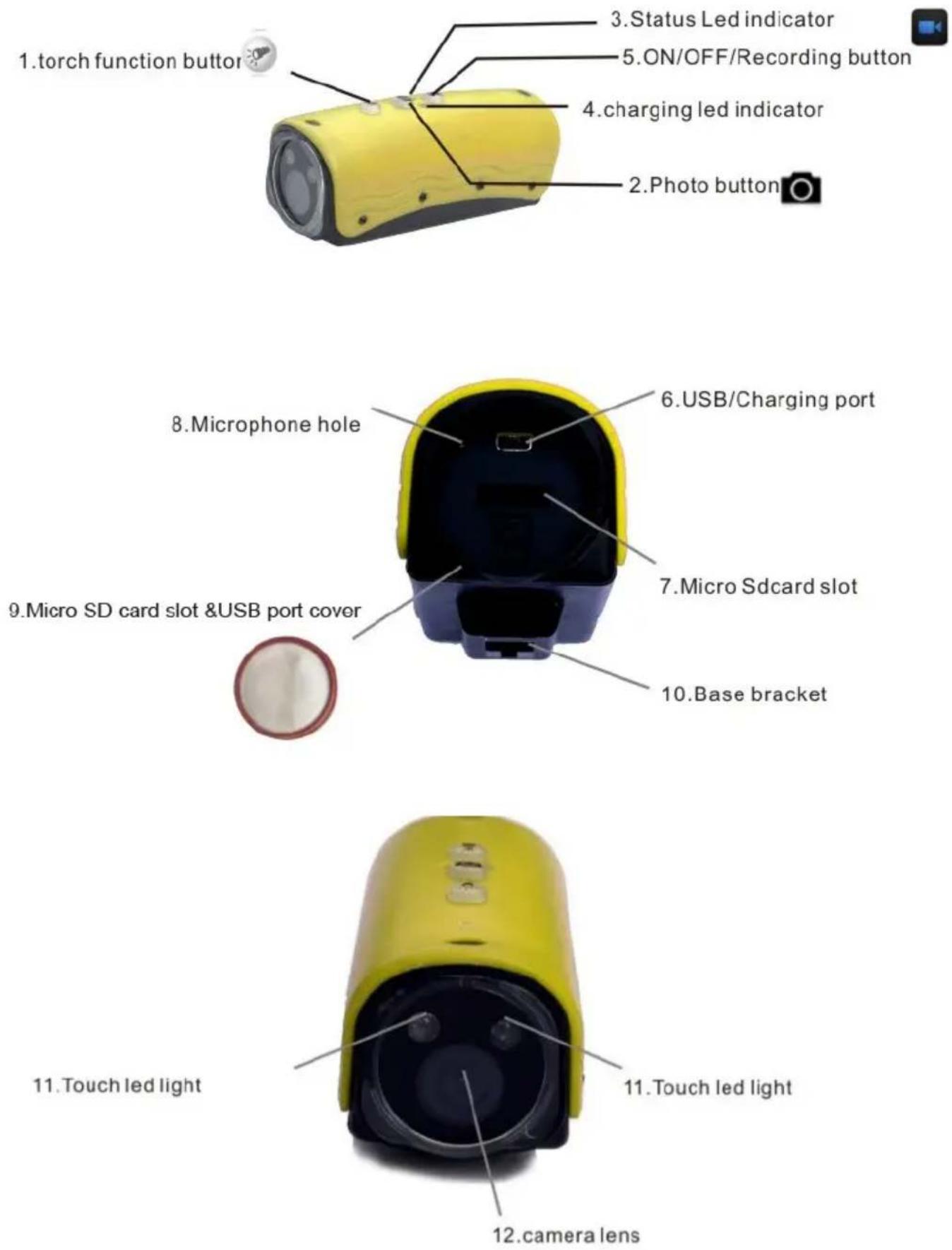
- Torch (light) function button 7. Micro SD card slot
- Photo button 8. Microphone hole
-
Led indicator 9. micro SD card slot
&USB port cover -
Charging led indicator 10. Base bracket
-
Recording / playing button 11. Touch Led light
-
USB / Charging port 12. Camera lens
I nstallation
The Full HD Sport camera can be used handheld or installed w
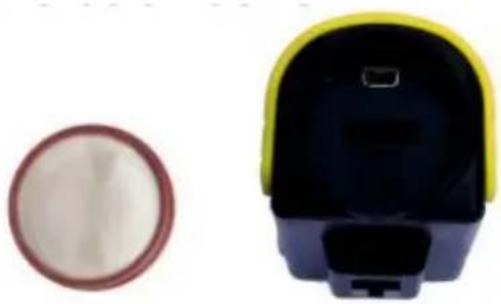
- Remove the back cover : Rotate the back cover simultaneously to pull back outside and then you can remove the back cover.
natural_image
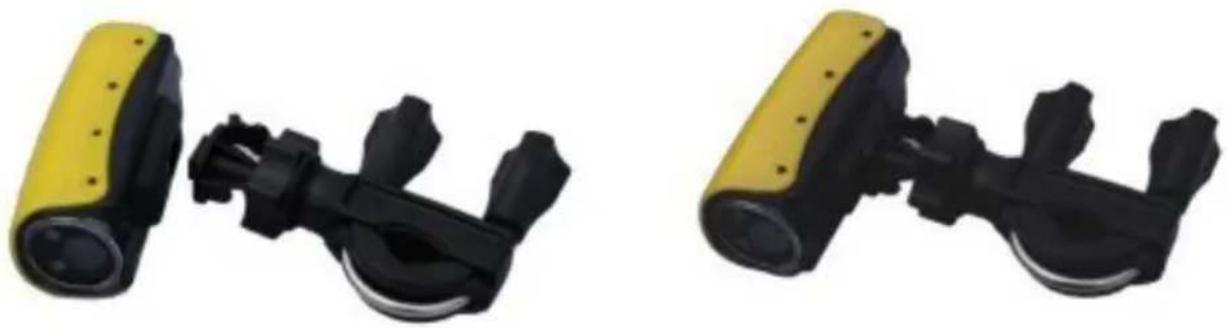
Two electronic devices: a circular device with a red rim and a black-and-yellow handheld device (no visible text or symbols)- Installation of mounting bracket 1 on bicycle
natural_image
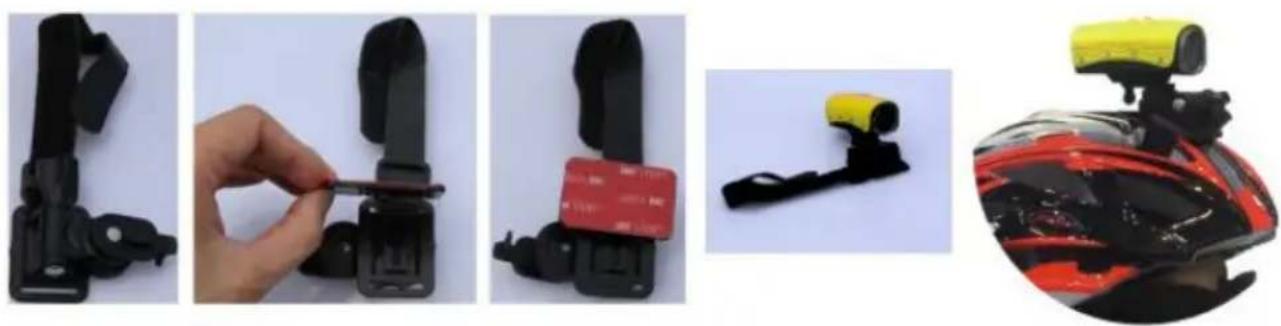
Two identical black and yellow handheld devices with connectors, shown against a white background (no text or symbols visible)- Installation of mounting bracket 2 on helmet
natural_image
Five-panel image showing a black bicycle buckle being adjusted, with a red card inserted and a yellow strap attached to the seat (no text or symbols visible)Operation and Function
Getting Started
The first step in using your device is charging it. Connect the device to a USB port on your PC or plug it into AC power with the included adapter. We suggest charging the device for 4 hours. When charging, the blue led indicator (button 3) will be blinking and turn to solid red light when fully charged.
If you plan on viewing your files on your computer, we suggest using VLC Player. The latest version can be downloaded (free of charges) at: http://www.videolan.org.
Insert Micro SD Card (suggest to use C10 hi speed card or above) press the button 5 , the Recording / playing button for few seconds until the red light is on. The red light should start to be blinking, showing it's recording. To power the device


off, hold down the ON/OFF button the red LED light will turn off.
for few seconds, and Attention: When inserting micro sd card and turning on the device, if the micro SD card is not compatible with the system, the blue led light will be blinking very FAST for 20 seconds. T device warns you to format the micro SD card before using.

Please press ON/OFF button , then the blue led light will be flashing very fast to format the card, after formatting, you can start other operations. If no action during 20 seconds, the device will shun down automatically.
Attention: Please make sure to save carefully any important information that is in your SD card before formatting.

Press button 1, the torch function button, the two Led lights will be on and will be useful as flashlight and could also help for video recording or photo when the daylight is not enough.
Taking Photos
To take photos, when device in standby button 2 once, the red LED will blink once to indicate it is capturing and storing your photo and will return to solid red light.
Recording Video
To record video, while in video standby, the LED indicator will be solid red. Press the Record button for 2-5 seconds to start the video recording. The LED will blink red while recording. Press the Record button again to save your current file and stop recording. Every 10 minute one file will be saved automatically. If no operation while in standby status for 3 minutes, the device
Reviewing Files on a Computer
To view your files on a computer, simply connect the device via the supplied USB cable to an USB port. Make sure the device is powered OFF before to do that. It will connect as a removable drive, and depending on the settings on your PC, it may automatically detected. If so, select Open Folder to View Files. If it is not
automatically detected, click Start on your desktop. Select My Computer if you are using Windows, or Computer if using Windows Vista or Windows Removable Disk under the Devices With Removable Storage section.
Using Your Device as a Webcam
To use your device as a webcam, you will first take out the Micro SD Card from slot and plug the device i USB port, then the “Standard_Camera” disk on my computer, and click it and there is a webcam screen appear on your computer.
Basic Specifications
| Format | Resolution | Recording Time | Battery Life |
| Video | AVI 1440x1080 | 7.5 min per 1 GB | 180 Min |
| Photo | JPEG 4480 X 3360 | N/A | N/A |
Troubleshooting
Problem: The device seems frozen and is not reacting when any buttons are pressed.
Solution: This usually occurs if the device receives too many commands in short period of time. To reset the seconds.
Problem: The device is with red blinking light fast for 10 seconds shut down automatically.
Solution: It occurs when the micro SD card is full, please move your important information to other storage and empty your current micro SD card.
Problem: The device is with solid red light on for 10 seconds and shut down automatically.
Solution: It occurs when no micro SD card in the device, please insert a high speed micro SD card into device.
Problem: The red led light blinking fast for 4 seconds and shut down automatically.
Solution: The device is in low battery status, please use USB cable and computer or one of the chargers to charge your device.
Problem: When playing back my video, I can hear audio, but have no video.
Solution: This most often occurs if your computer's media player is having trouble with your files. Try using VLC player, which can be downloaded for free at h t t p : / / w w w . v i d e o l a n . o r g .
Note!
Product design and Technical parameters may be change without notice. This mainly concerns parameters technical, software and user manual present. User's Manual is a general orientation on service product. Manufacturer and distributor do not assume any responsibility as compensation for any inaccuracies errors in the descriptions appearing in this user manual.
Note about disposal
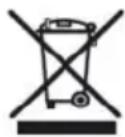
Older appliances, which display the symbol as shown in the picture, may not be discarded in household waste. You must take them to a specific disposal site (check with your local authority) or to you retailer. These sites will guarantee disposal without harming the environment

natural_image
Abstract black-and-white line drawing of a stylized interlocking shape within a circular frame (no text or symbols)MANTA
INFOLINIA SERWISOWA
from Monday to Friday. 9.00-17.00
The manufacturer reserves the right to make changes to product specifications without notice.
Home: www.manta.com.pl
Home support: www.manta.info.pl



Made in P.R.C.
FOR MANTA EUROPE
Brand : Manta
Model : MM338
Category : Sports camera