
KS 9260 - Refrigerator TECHWOOD - Free user manual and instructions
Find the device manual for free KS 9260 TECHWOOD in PDF.


| Brand | Techwood |
| Model | KS 9260 |
| Product type | Refrigerator with freezer |
| Height (mm) | 1800 |
| Width (mm) | 600 |
| Depth (mm) | 650 |
| Weight (kg) | 65 |
| Power supply | 220-240 V ~ 50 Hz |
| Energy class | A+ |
| Total net capacity (L) | 250 |
| Refrigerator net capacity (L) | 180 |
| Freezer net capacity (L) | 70 |
| Freezing capacity (kg/24h) | 4 |
| Storage time during power failure (hours) | 12 |
| Climate class | N-ST |
| Noise level (dB) | 40 |
| Thermostat control | Manual dial |
| Interior lighting | LED |
| Shelves | 3 adjustable glass shelves |
| Door storage | 2 adjustable bins + 1 bottle rack |
| Freezer drawers | 2 transparent plastic drawers |
| Defrost | Refrigerator: automatic; Freezer: manual |
| Reversible door | Yes, user-reversible |
| Anti-bacterial seal | Yes |
| Refrigerant | R600a |
| Cleaning instructions | Use mild soapy water, dry cloth |
| Spare parts availability | Through manufacturer or online |
| User manual languages | EN, DE, NL |
Frequently Asked Questions - KS 9260 TECHWOOD
User questions about KS 9260 TECHWOOD
0 question about this device. Answer the ones you know or ask your own.
Ask a new question about this device
Download the instructions for your Refrigerator in PDF format for free! Find your manual KS 9260 - TECHWOOD and take your electronic device back in hand. On this page are published all the documents necessary for the use of your device. KS 9260 by TECHWOOD.
USER MANUAL KS 9260 TECHWOOD
instruction booklet; 29-44
natural_image
Interior view of a white refrigerator with open doors and shelves (no visible text or symbols)Inhalt
AUFSTELLUNG 2
Sicherheits Information 2
Hinweise....3
natural_image
Illustration of three hands performing a knotting or wire repair operation (no text or symbols present)natural_image
Illustration of four different household items: a refrigerator with a smiling face, a rolled-up refrigerator with a hand gesture, a smiling refrigerator with a smiling face, and a door with a thumbs-up (no text or symbols present)Vor Inbetriebnahme
natural_image
Simple line drawing of a hand holding a smiling face emoji next to a rounded square (no text or symbols)TEIL 2. FUNKTIONEN
Temperaturregelung
natural_image
Technical line drawing of a mechanical component with internal gears and housing (no text or symbols)natural_image
Illustration showing three steps of a hand holding an abacus, with one hand crossed out and the other crossed out (no text or symbols present)natural_image
Simple line drawing of a hand holding a knife to cut a door (no text or symbols)natural_image
Illustration of various household appliances including a refrigerator, washing machine, and kitchen appliance (no text or symbols)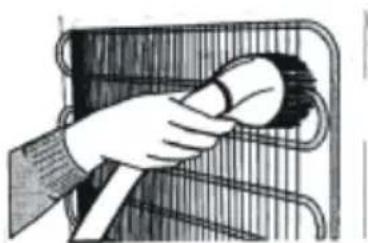
natural_image
Illustration of a hand holding a tool next to a rack (no text or symbols visible)Abtauen
Kühlteil;
natural_image
Technical line drawing of a structural component and its magnified view showing internal components (no text or symbols)natural_image
Line drawing of a mechanical device with internal components and a circular feature (no text or symbols)natural_image
Simple line drawing of two children playing a board game (no text or symbols)natural_image
Illustration of a hand using a tool to interact with a device, showing a grid-patterned screen and mechanical components (no text or symbols)natural_image
Illustration of a hand holding a mechanical component with a gear-like mechanism (no text or symbols)natural_image
Illustration of a hand using a tool to adjust or install a mechanical component, no text or symbols presentnatural_image
Illustration of a hand using a tool to lift a circular component (no text or symbols present)natural_image
Hand holding a mechanical gear with an arrow indicating rotational motion (no text or symbols)Obere Tür einsetzen
natural_image
Diagram of a refrigerator with a close-up inset showing hand positioning and mechanical adjustment (no text or symbols)natural_image
Illustration of three hands performing a knotting or wire repair operation (no text or symbols present)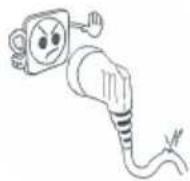
natural_image
Cartoon illustration of a person climbing a door with arms outstretched (no text or symbols)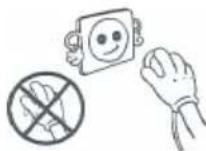
natural_image
Cartoon illustration of a distressed refrigerator with arms and legs, showing facial expressions (no text or symbols)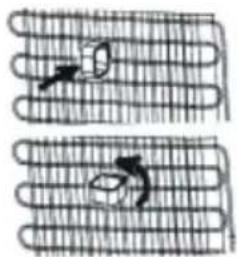
natural_image
Two identical diagrams of a coiled tube with internal structures, no text or symbols present
natural_image
Cartoon illustration of a smiling refrigerator with sunglasses and thumbs up, next to a bowl of food (no text or symbols)natural_image
Simple line drawing of a hand and a smiling emoji character (no text or symbols)DE VERSCHILLENDE FUNCTIES EN MOGELIJKHEDEN
Instelling Thermostaat
natural_image
Technical line drawing of a mechanical component with internal gear and housing (no text or symbols)natural_image
Illustration showing three steps of a hand holding an abacus, with one hand crossed out and the other using a tool (no text or symbols present)DEEL 3. VOEDSEL IN HET APPARAAT PLAATSEN
Koelingscompartiment
natural_image
Simple line drawing of a hand holding a tool near a box with a cartoon face (no text or symbols)
natural_image
Cartoon illustration of a smiling refrigerator with cleaning tools and a water droplet (no text or symbols)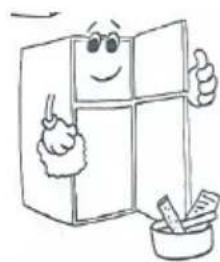
natural_image
Cartoon illustration of a smiling refrigerator with hands giving thumbs up, accompanied by a bowl and utensils (no text or symbols)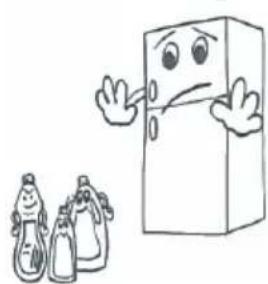
natural_image
Cartoon illustration of a distressed refrigerator with two smaller bottles nearby (no text or symbols)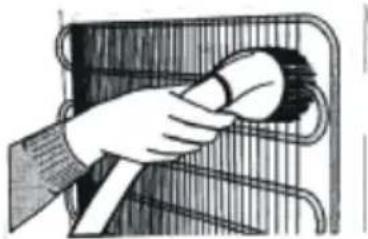
natural_image
Illustration of a hand holding a baby near a metal rack (no text or symbols)Ontdooien Koelingscompartiment
natural_image
Technical line drawing of a mechanical component with an inset showing a hand holding a circular component (no text or symbols present)natural_image
Line drawing of a mechanical device with internal components and a circular component (no text or symbols)natural_image
Simple line drawing of two children playing a board game (no text or symbols)Safety Instructions 30
Safety warnings ....31
Installing and Operating your Fridge 32
Before Using your Fridge 32
THE VARIOUS FUNCTION AND POSSIBILITIES....33
Thermostat Setting 33
Accessoires ....33
Ice tray 33
ARRANGING FOOD IN THE APPLIANCE 34
Refrigerator Compartment 34
Freezer Compartment 34
CLEANING AND MAINTENANCE 35
Defrosting 36
Replacing The Light Bulb 37
SHIPMENT AND REPOSITIONING....37
Reversing the door 38
BEFORE CALLING YOUR AFTER SALES SERVICE ....42
THE PARTS OF THE APPLIANCE AND THE COMPARTMENTS......44
PART - 1. BEFORE USING THE APPLIANCE
Safety Instructions
- If the model contains R600a-see name plate under refrigerant (the coolant isobutane), naturals gas that, is very environmentally friendly but also combustible. When transporting and installing the unit care must be taken to ensure that none of the refrigeration circuit components become damaged. In the event of damage avoid naked flames or ignition sources and ventilate the room in which the unit is placed for a few minutes.
Warning: Keep ventilation openings in appliance enclosure or in structure for building in, clear of obstruction.
- Do not use mechanical devices or other artificial means to accelerate the defrosting process.
- Do not use electrical appliances in the refrigerator or freezer compartment of the appliance.
- If this appliance is to replace an old refrigerator with a lock; break or remove the lock as a safety measure before storing it, to protect children while playing might lock themselves inside.
- Old refrigerators and freezers contain insulation gases and refrigerant, which must be disposed of properly. Entrust the disposal of a scrap unit categorically to competence of your local waste disposal service and contact your local authority or your dealer if you have any questions. Please ensure that the pipe of work of your refrigerating unit does not get damaged prior to being picked-up by the relevant waste disposal service.
Important note:
Please read this booklet before installing and switching on this appliance. The manufacturer assumes no responsibility for incorrect installation and usage as described in this booklet.
Safety warnings
Notice: Do not use mechanical devices or other artificial methods to quicken to the defrosting. Do not use electrical devices on the food storage areas of your appliance. Keep the ventilation areas of your appliance open. Do not damage your fridge's refrigerant circuit.
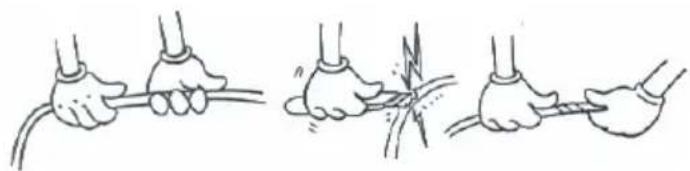
- Do not use multiple receptacles or extension cord.
- Do not plug in damaged, torn or old plugs.
natural_image
Illustration of three hands performing a knotting or wire repair operation (no text or symbols present)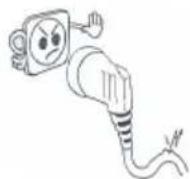
- Do not pull, bend or damage the cord.
- This appliance is designed for use by adults, do not allow children to play with the appliance or let them to hang over the door.
- Do not plug-in or out the plug from the receptacle with wet hands to prevent electrocution!
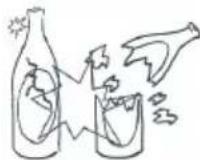
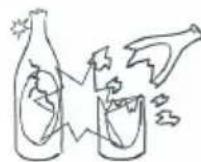
- Do not place glass bottles or beverage cans in the freezer department. Bottles or cans may explode.
- Do not place explosive or flammable material in your fridge for your safety. Place drinks with higher alcohol amount vertically and by closing their necks tightly in the fridge department.
- When taking ice made in the freezer department, do not touch it, ice may cause iceburns and/or cuts.
- Do not touch frozen goods with wet hands! Do not eat ice-cream and ice cubes immediately after you take them out of the freezer department!
- Do not re-freeze the frozen goods after being melted. This may cause health issues like food poisoning.
- Do not cover the body or top of fridge with lace. This effects the performance of your fridge.
- Fix the accessories in the fridge during transportation to prevent damage to accessories.
- Your fridge is not intended for use by physically, mentally or sensibly handicapped people or by people with less experience and knowledge (including children). These people may be allowed to use the appliance under the supervision of a responsible person giving necessary instructions. You should supervise children to prevent them playing with the appliance.
- Power cord should be replaced by an authorized technician when it is damaged.

natural_image
Cartoon illustration of a character peeking out of a door, with arms and legs bent (no text or symbols)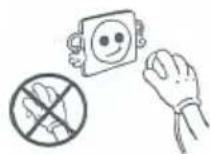
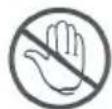
Installing and Operating your Fridge
- Before making the connection to the power supply, ensure that the voltage on the nameplate corresponds to the voltage of electrical system at your home.
- Operating voltage for your fridge is 220-240 V at 50Hz.
- Before starting to use your fridge, please call the nearest Authorized service and get free help on the installation, operation and usage of your fridge.
- Mains cord of your fridge has a grounded plug. This plug should be used with a grounded receptacle that has a 16 amper fuse minimum. If you don't have a receptacle confirming with this, please have it done by a qualified electrician.
- We do not take the responsibility of the damages that occur due to ungrounded usage.
- Place your fridge in a place that it would not be exposed to direct sunlight.
- Your appliance should be at least 50 cm away from stoves, ovens and heater cores, and should be at least 5 cm away from electrical ovens.
- It should never be used outdoors or left under the rain.
- Fit the plastic wall spacers to the condenser at the back of the refrigerator in order to prevent cleaning to the wall for good performance.
- When your fridge is placed next to a deep freezer, there should be at least 2 cm between them to prevent humidity on the outer surface. Do not place anything on your fridge, and install your fridge in a suitable place so that at least 15 cm is available on the upper side.
- If you will place your fridge next to your kitchen cabinets, leave a space of 2 cm between them.
• Install the distance adjustment plastic (the part with black vanes at the rear) by turning it 90° to prevent the condenser from touching the wall.
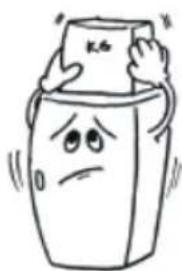
natural_image
Cartoon illustration of a sad container with arms and legs, holding a paper labeled 'K.K' (no text or symbols on the container itself)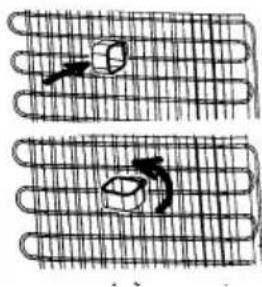
natural_image
Two hand-drawn diagrams of a coiled tube with internal structures and arrows indicating motion (no text or symbols)
natural_image
Cartoon illustration of a smiling refrigerator with thumbs up and a bowl of food (no text or symbols)- The adjustable front legs should stabilized in an appropriate height to allow your fridge operate in a stable and proper way. You can adjust the legs by turning them clockwise (or in the opposite direction). This should be done before placing food in the fridge.
- Before using your fridge, wipe all parts with warm water added with a tea spoonful of sodium bicarbonate, and then rinse with clean water and dry. Place all parts after cleaning.
Before Using your Fridge
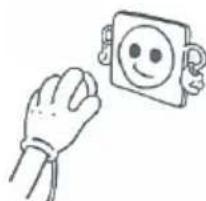
- When it is operated for the first time or after transportation, keep your fridge in the upright position for 3 hours and plug it on to allow efficient operation. Otherwise, you may damage the compressor.
natural_image
Simple line drawing of a hand holding a smiling emoji icon next to a square (no text or symbols)- Your fridge may have a smell when it is operated for the first time; the smell will fade away when your fridge starts to cool.
PART - 2. THE VARIOUS FUNCTION AND POSSIBILITIES
Thermostat Setting
natural_image
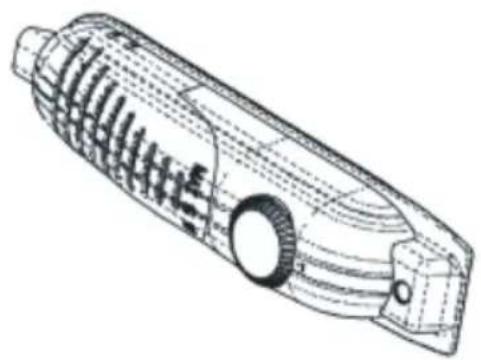
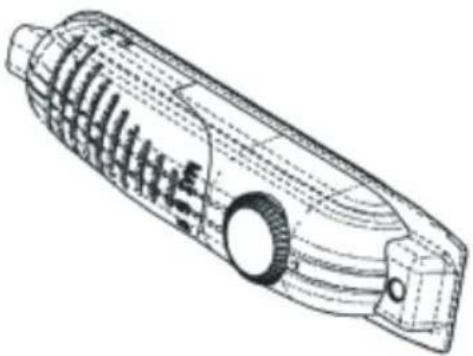
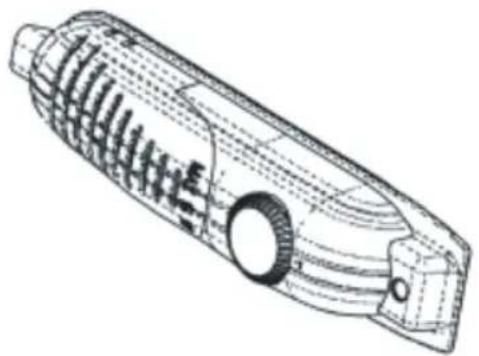
Technical line drawing of a mechanical component with no visible text or symbols- Thermostat automatically regulates the inside temperature of the refrigerator compartment and freezer compartment. By rotating the knob from position 1 to 5, colder temperatures can be obtained. «0» position shows thermostat is closed and no cooling will be available.
- For short-term storage of food in the freezer compartment, you can set the knob between 1 and 3 position.
- For long-term storage of food in the freezer compartment, you can set knop 3-4 position.
Note that ; the ambient temperature, temperature of the freshly stored food and how often the door is opened, affects the temperature in the refrigerator compartment. If required, change the temperature setting.
Accessoires
Ice tray
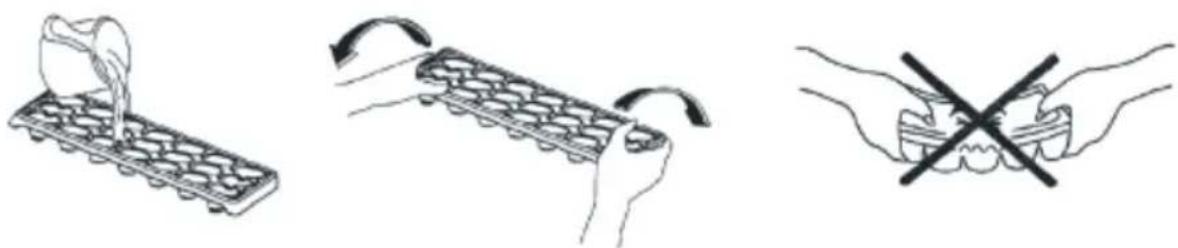
- Fill the ice tray with water and place in freezer compartment.
• After the water completely turned into ice, you can twist the tray as shown below to get the ice cube.
natural_image
Illustration showing three steps of a hand holding an abacus, with one hand crossed out and the other no longer (no text or symbols present)PART - 3. ARRANGING FOOD IN THE APPLIANCE
Refrigerator Compartment
- To reduce humidity and consequent increase of frost never place liquids in unsealed containers in the refrigerator. Frost tends to concentrate in the coldest parts of the evaporator and in time will require more frequent defrosting.
- Never place warm food in the refrigerator. Warm food should be allowed to cool at room temperature and should be arranged to ensure adequate air circulation in the refrigerator compartment.
- Nothing should touch on the back wall as it will cause frost and the packages can stick on the back wall. Do not open the refrigerator door too frequently.
- Arrange the meat and cleaned fish(wrapped in packages or sheets of plastic) which you will use in 1-2 days, in the bottom section of the refrigerator compartment(that is above the crisper) as this is the coldest section and will ensure the best storing conditions.
- You can put the fruits and vegetables into crisper without packing.
Freezer Compartment
- The use of freezer is, storing of deep-frozen or frozen foods for long periods of time and making ice cubes.
- To freeze fresh food, ensure that as much of the surface as possible of food to be frozen is in contact with the cooling surface.
- Do not put fresh food with frozen on side by side as it can thaw the frozen food.
- While freezing fresh foods(i.e meat,fish and mincemeat), divide them in parts you will use in one time.
- Once the unit has been defrosted replace the foods into freezer and remember to consume them in as short period of time.
- Never place warm food in the freezer compartment. As it will disturb the frozen foods.
- For storing the frozen foods; the instructions shown on frozen food packages should always be followed carefully and if no information is provided food should not be stored for more than 3 months from the purchased date.
- When buying frozen foods ensure that these have been frozen at suitable temperatures and that the packing is intact.
- Frozen foods should be transported in appropriate containers to maintain the quality of the food and should be returned to the freezing surfaces of the unit in the shortest possible time.
- If a package of frozen food shows the sign of humidity and abnormal swelling it is probable that it has been previously stored at an unsuitable temperature and that the contents have deteriorated.
- The storage life of frozen foods depends on the room temperature, thermostat setting, how often the door is opened, the type of food and the length of time required to transport the product from the shop to your home. Always follow the instructions printed on the package and never exceed the maximum storage life indicated.
Not that; if you want to open again immediately after closing the freezer door, it will not be opened easily. It's quite normal! After reaching equilibrium condition, the door will be opened easily.
PART - 4. CLEANING AND MAINTENANCE
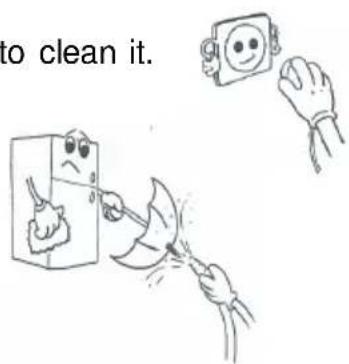
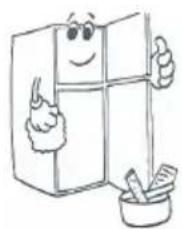
- Make sure to unplug the fridge before starting to clean it.
- Do not wash your fridge by pouring water.
- You can wipe the inner and outer sides with a soft cloth or a sponge using warm and soapy water.
- Remove the parts individually and clean with soapy water. Do not wash in washing machine.
- Never use flammable, explosive or corrosive material like thinner, gas, acid for cleaning.
natural_image
Cartoon illustration of a smiling refrigerator with thumbs up and a bowl holding chopsticks (no text or symbols)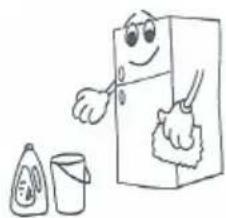
natural_image
Cartoon illustration of a smiling refrigerator with hands cleaning it, next to a cup and a bag (no text or symbols)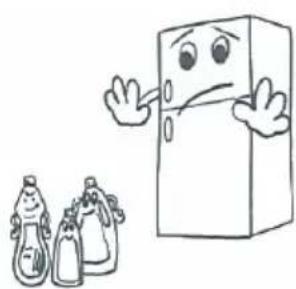
natural_image
Cartoon illustration of a smiling refrigerator with two smaller bottles nearby (no text or symbols)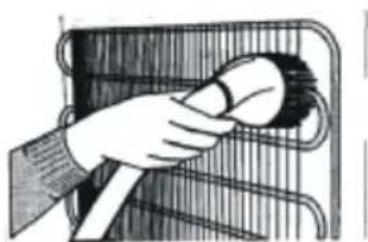
natural_image
Illustration of a hand cleaning a rack with a circular object (no text or symbols)- You should clean the condenser with broom at least once a year in order to provide energy saving and increase the productivity.
Make sure that your fridge is unplugged while cleaning.
Defrosting
Refrigerator Compartment;
natural_image
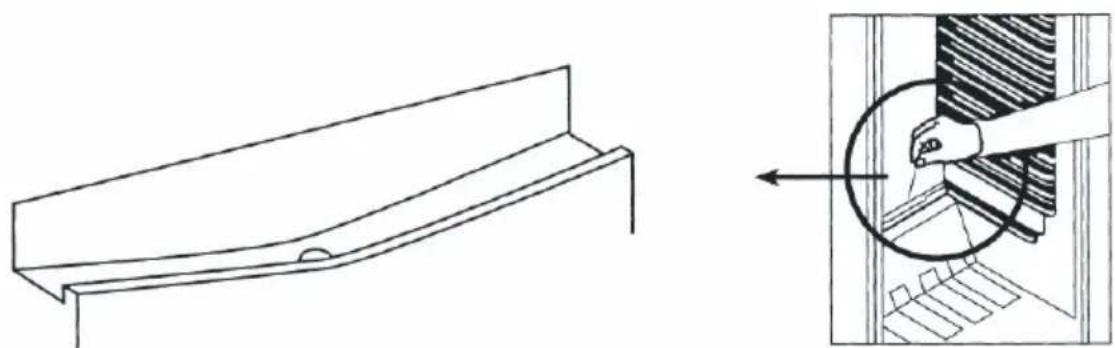
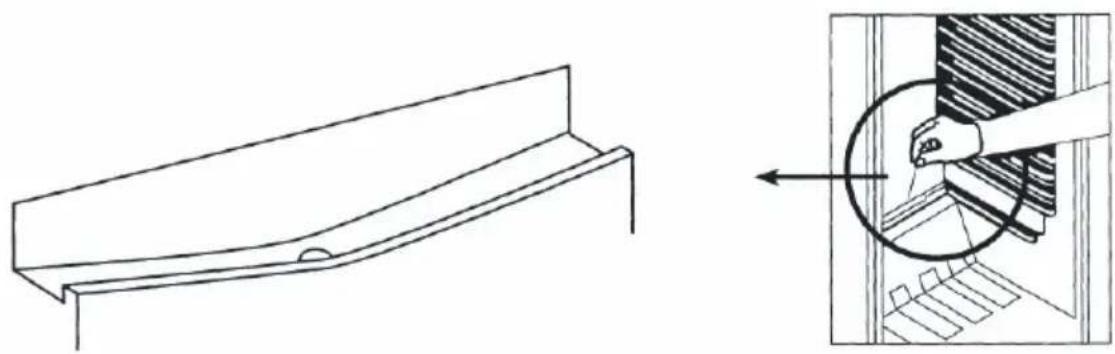
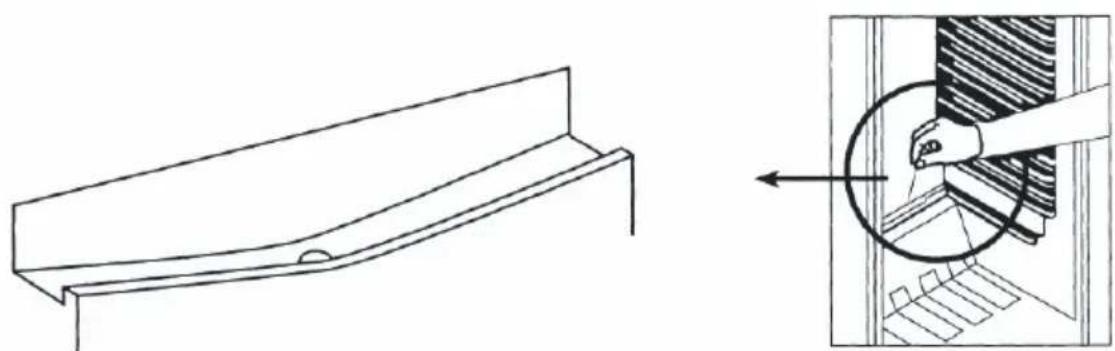
Technical line drawing of a mechanical component with an inset showing a hand holding a circular component (no text or symbols present)- Defrosting occurs automatically in refrigerator compartment during operation; the defrost water is collected by the evaporating tray and evaporates automatically.
- The evaporating tray and the defrost water drain hole should be cleaned periodically with defrost drain plug to prevent the water from collecting on the bottom of the refrigerator instead of flowing out.
- You can also pour 1/2 glass of the water to drain hole to clean inside.
Freezer Compartment;
The frost, accumulated in the freezer compartment, should be removed periodically. (Use the plastic scraper provided) The freezer compartment should be cleaned in the way as the refrigerator compartment, with the defrost operations of the compartment at least twice a year.
For this;
- The day before you defrost, set the thermostat dial to "5" position to freeze the foods completely.
- During defrosting, frozen foods should be wrapped in several layers of paper and kept in a cool place. The inevitable rise in temperature will shorten their storage life. Remember to use these foods within a relatively short period of time.
- Set thermostat knob to position « 0 » or unplug the unit; leave the door open until completely defrosted.
• To accelerate the defrosting process one or more basins of warm water can be placed in the freezer compartment.
- Dry the inside of the unit carefully and set the thermostat knob to MAX position.
Replacing The Light Bulb
natural_image
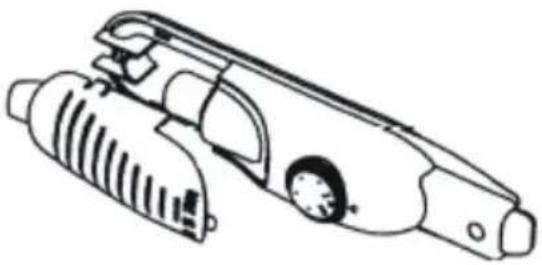
Line drawing of a mechanical device with internal components and no visible text or symbolsTo replace the bulb in freezer and fridge departments;
1- Unplug your fridge.
2- Remove the cover of the box from the claws using a screwdriver.
3- Replace with a bulb of maximum 15 Watts.
4- Install the cover.
5- Wait for 5 minutes before re-plugging and bring the thermostat to its original position.
PART - 5. SHIPMENT AND REPOSITIONING
- Original package and foam may be kept for re-transportation (optionally).
- You should fasten your fridge with thick package, bands or strong cords and follow the instructions for transportation on the package for re-transportation.
- Remove movable parts (shelves, accessories, vegetable bins etc.) or fix them into the fridge against shocks using bands during re-positioning and transportation.
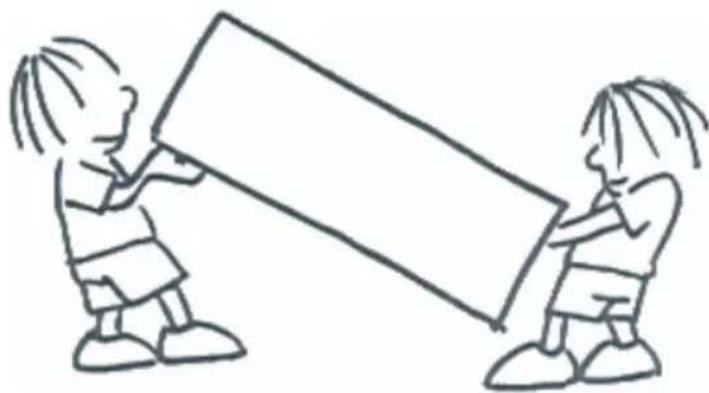
- Carry your fridge in the upright positio.
natural_image
Simple line drawing of two children playing a board game (no text or symbols)Reversing the door
1- Unscrew the two screws which are fixing the middle hinge and remove the two middle hinge screw caps (big). (Fig-1)
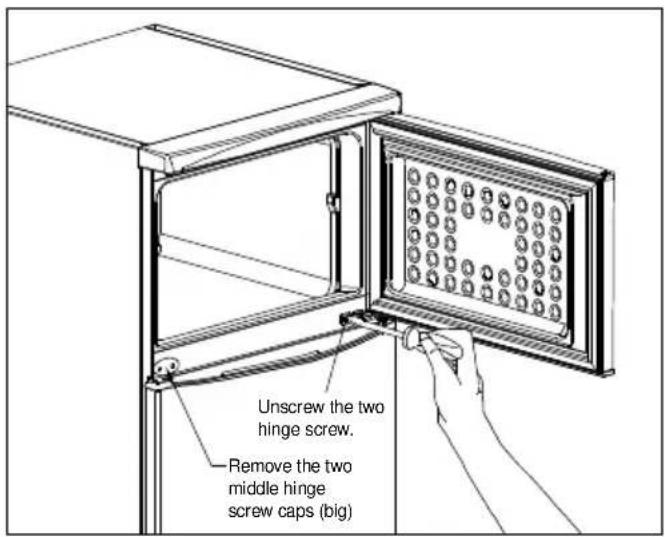
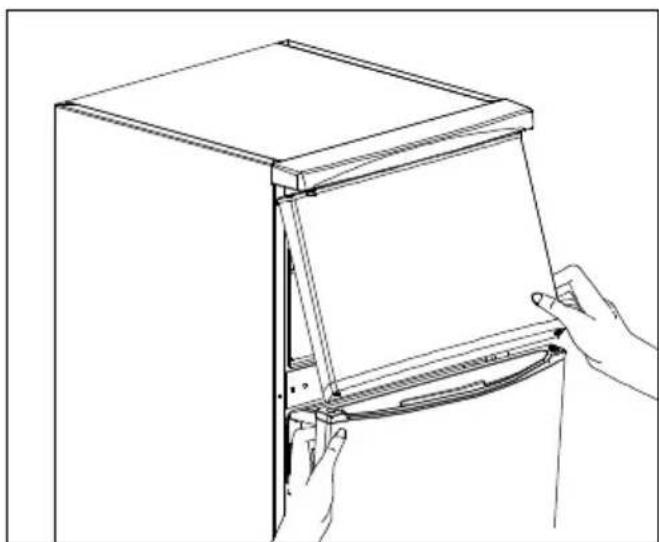
2- Dismantle the refrigerator and freezer door from cabinet by pulling towards to you together with the middle hinge. (Fig-2)
natural_image
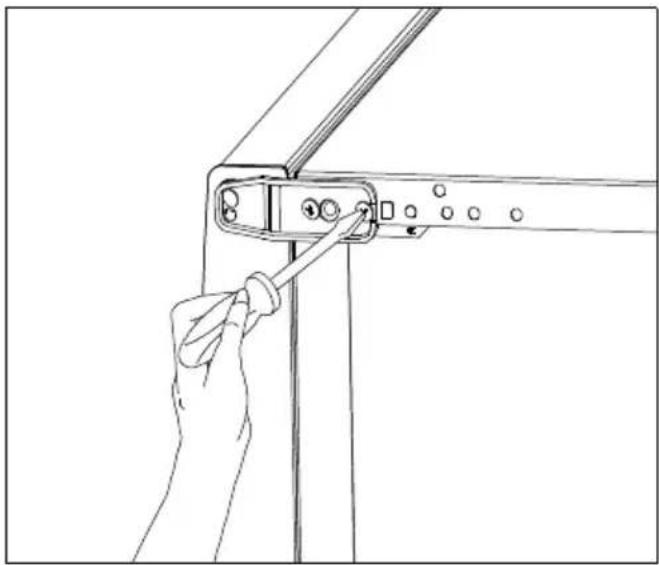
Line drawing of a refrigerator with hands installing or adjusting the door panel (no text or symbols)3- Lie down the appliance to the left side. Dismantle both leveling feet and unscrew the bottom hinge fixing screws and remove it. (Fig-3) Unscrew the bottom hinge pin and screw in the next hole.(Fig-4) Then screw the hinge to left side of the refrigerator. Screw the both leveling feet.
natural_image
Line drawing of a hand using a tool to adjust or install a mechanical bracket (no text or symbols present)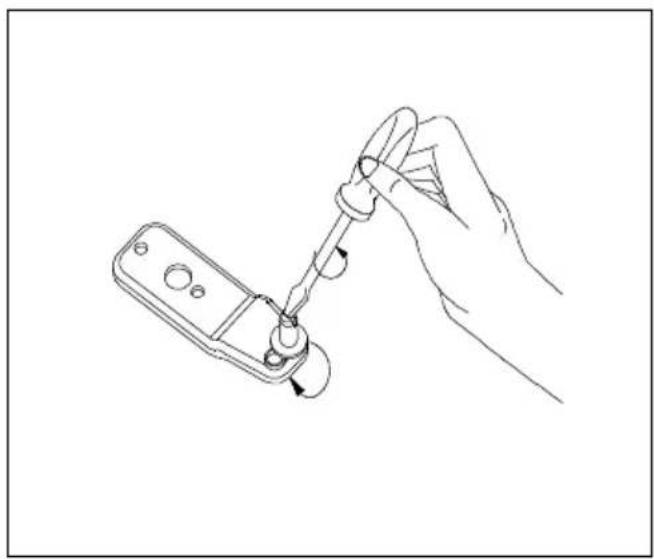
natural_image
Line drawing of a hand using a screwdriver to adjust a small component (no text or symbols present)4- Place the two middle hinge screw caps (big) as shown in the figure. (Fig-5) You can find the new caps in the user manuel bag.
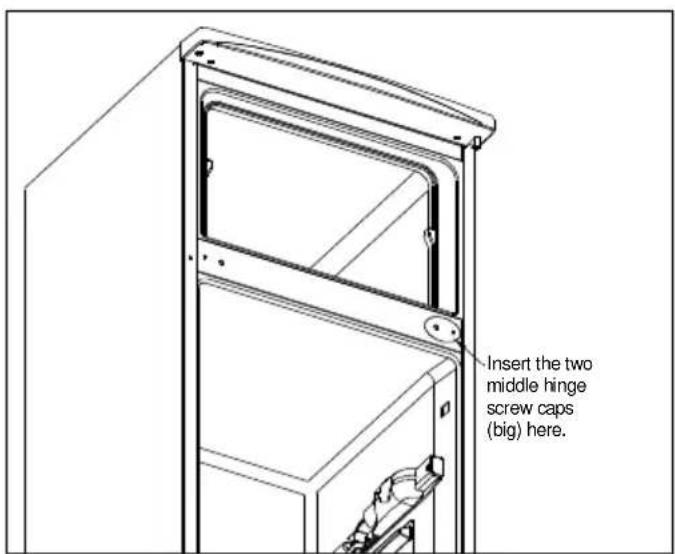
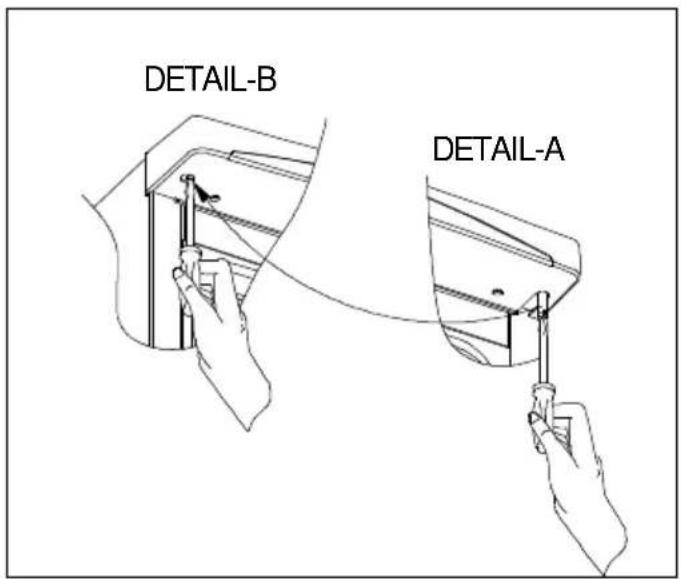
5-Unscrew the pin on the right. (Fig-6/Detail-A) and screw it to the left. (Fig-6/Detail-B)
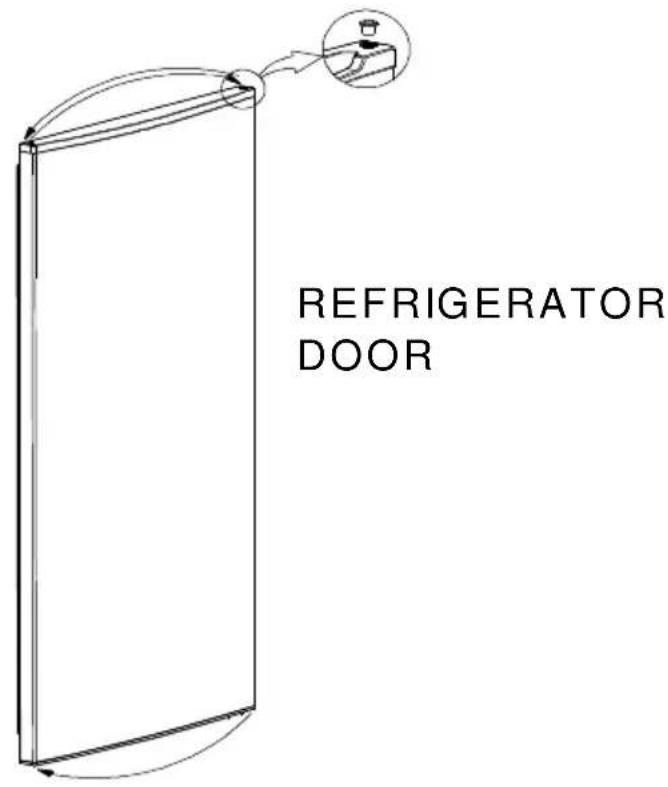
6- Replace the top bushing and top bushing cap. (Fig-7) (You can use the bushing cap that is put in the user manuel) Remove the bottom bushing assemble it to the left hole. (Fig-7)
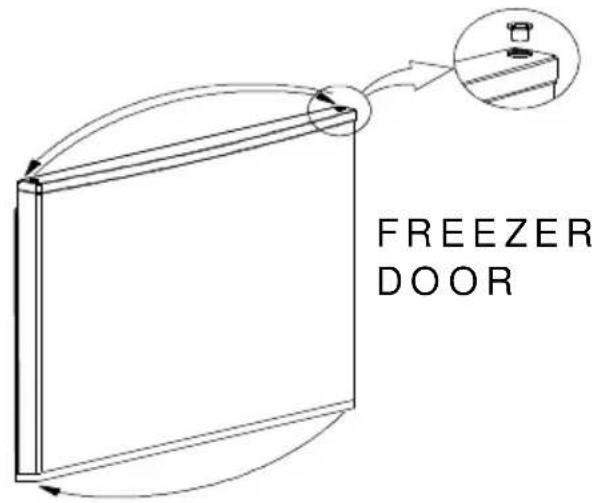
7- Replace the top bushing and top bushing cap. (Fig-8) Remove the bottom bushing assemble it to the left hole. (Fig-8)
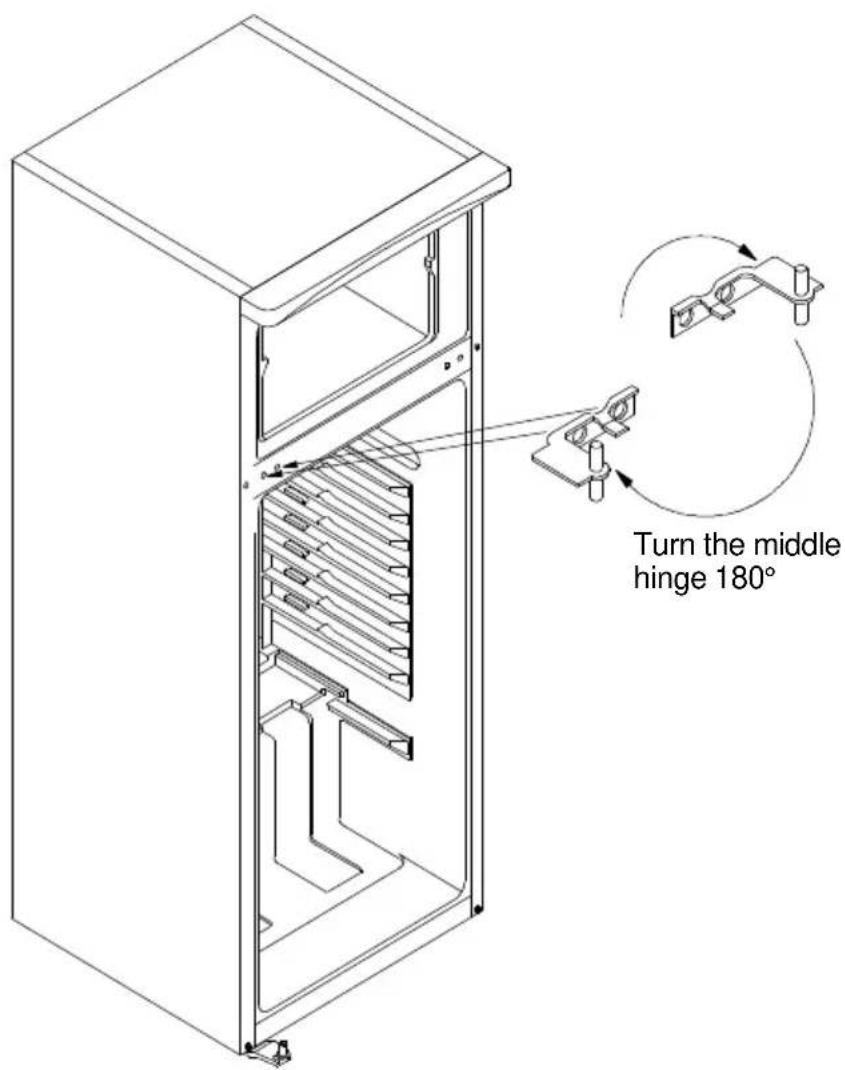
8- Turn the middle hinge 180° . Assemble the freezer door and refrigerator door together with middle hinge. (Reverse operation of item 2) Fix the middle hinge by tightening the screws. (Fig-9)
PART - 6. BEFORE CALLING YOUR AFTER SALES SERVICE
If your refrigerator is not working properly, it may be a minor problem, therefore check the following, before calling an electrician to save time and money.
What to do if your refrigerator does not operate ;
Check that ;
- There is no power,
- The general switch in your home is disconnected,
- The thermostat setting is on « 0 »position ,
- The socket is not sufficient. To check this, plug in another appliance that you know which is working into the same socket.
What to do if your refrigerator performs poorly ;
Check that ;
- You have not overloaded the appliance,
- The doors are closed perfectly,
- There is no dust on the condenser,
- There is enough place at the rear and side walls.
If there is noise ;
The cooling gas which circulates in the refrigerator circuit may make a slight noise(bubbling sound) even when the compressor is not running. Do not worry this is quite normal. If these sounds are different check that ;
• The appliance is well leveled
- Nothing is touching the rear.
- The stuffs on the appliance are vibrating.
If there is water in the lower part of the refrigerator ;
Check that ;
The drain hole for defrost water is not clogged(Use defrost drain plug to clean the drain hole)
If your fridge is not cooling enough;
Your fridge is designed to operate in the ambient temperature intervals stated in the standards, according to the climate class stated in the information label. We do not recommend operating your fridge out of stated temperatures value limits in terms of cooling effectiveness.
| Climate Class | Ambient Temperature (°C) |
| T | Between 16 and 43 (°C) |
| ST | Between 16 and 38 (°C) |
| N | Between 16 and 32 (°C) |
| SN | Between 10 and 32 (°C) |
Recommendations
- In order to increase space and improve the appearance, the « cooling section » of this appliance is positioned inside the back wall of the refrigerator compartment. When the appliance is running, this wall is covered with frost or water drops, according to weather the compressor is running or not. Do not worry. This is quite normal. The appliance should be defrosted only if an excessively thick layer forms on the wall.
- If the appliance is not used for long time (for example during the summer holidays)Defrost and clean the refrigerator leaving the door open to prevent the formation of midew and smell.
- To stop the appliance completely, unplug from main socket (for cleaning and when the doors are left open)
Conformity Information
- Tropical Class is defined for the environment temperatures between 16°C and 43°C in accordance with the TS EN ISO 15502 Standards.
- The appliance is designed in compliance with the EN15502, IEC60335-1 / IEC60335-2-24, 2004/108/EC standards.
THE PARTS OF THE APPLIANCE AND THE COMPARTMENTS
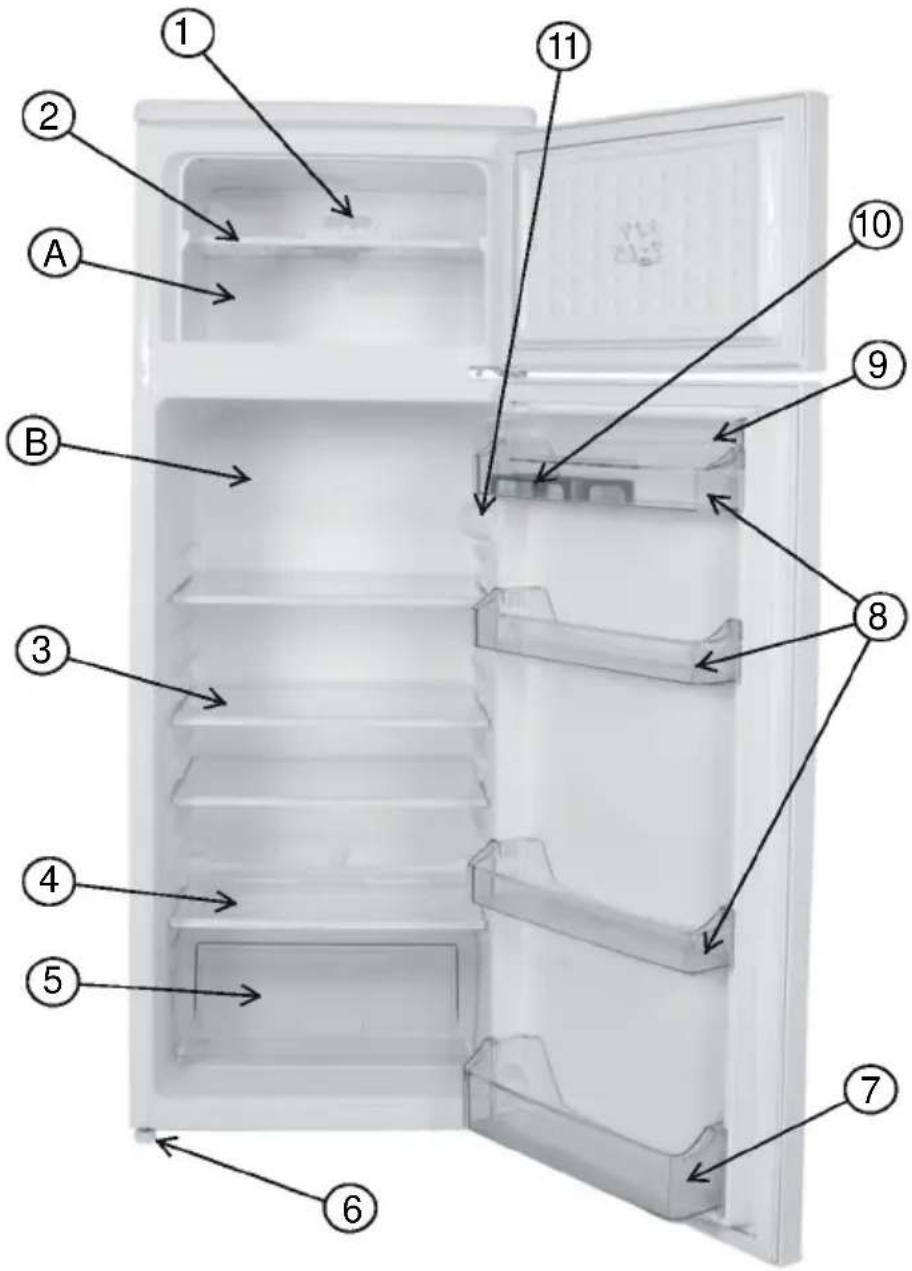
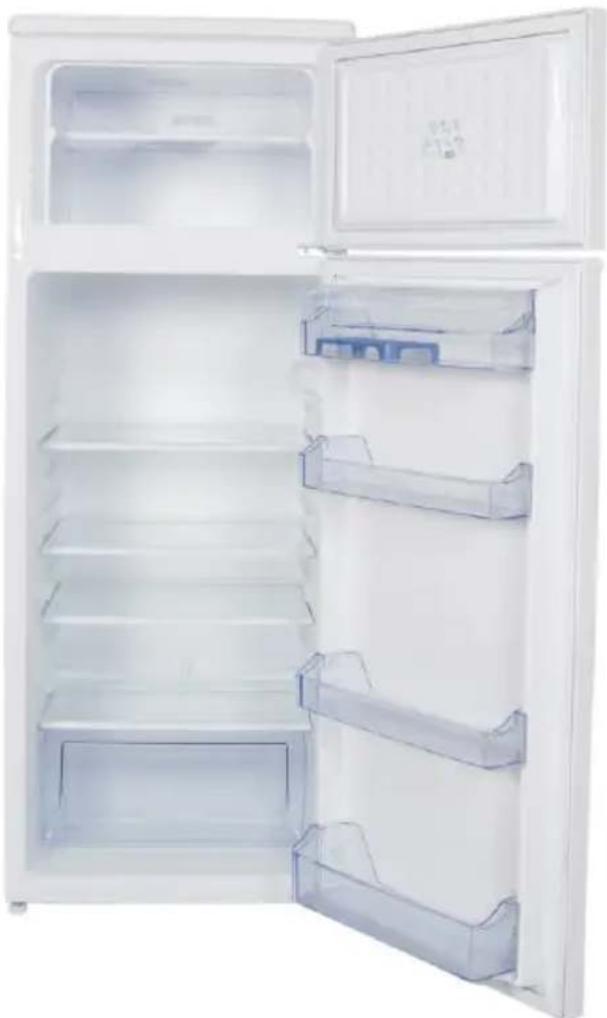
This presentation is only for information about the parts of the appliance. Parts may vary according to the appliance model.
- Inhalt
- AUFSTELLUNG 2
- Vor Inbetriebnahme
- TEIL 2. FUNKTIONEN
- Temperaturregelung
- Abtauen
- DE VERSCHILLENDE FUNCTIES EN MOGELIJKHEDEN
- Instelling Thermostaat
- DEEL 3. VOEDSEL IN HET APPARAAT PLAATSEN
- Koelingscompartiment
- Ontdooien Koelingscompartiment
- THE VARIOUS FUNCTION AND POSSIBILITIES....33
- ARRANGING FOOD IN THE APPLIANCE 34
- CLEANING AND MAINTENANCE 35
- SHIPMENT AND REPOSITIONING....37
- BEFORE CALLING YOUR AFTER SALES SERVICE ....42
- THE PARTS OF THE APPLIANCE AND THE COMPARTMENTS......44
- PART - 1. BEFORE USING THE APPLIANCE
- Safety Instructions
- Important note:
- Safety warnings
- Installing and Operating your Fridge
- Before Using your Fridge
- PART - 2. THE VARIOUS FUNCTION AND POSSIBILITIES
- Thermostat Setting
- Accessoires
- Ice tray
- PART - 3. ARRANGING FOOD IN THE APPLIANCE
- Refrigerator Compartment
- Freezer Compartment
- PART - 4. CLEANING AND MAINTENANCE
- Defrosting
- Refrigerator Compartment;
- Freezer Compartment;
- For this;
- Replacing The Light Bulb
- PART - 5. SHIPMENT AND REPOSITIONING
- Reversing the door
- PART - 6. BEFORE CALLING YOUR AFTER SALES SERVICE
- What to do if your refrigerator does not operate ;
- Check that ;
- What to do if your refrigerator performs poorly ;
- If there is noise ;
- If there is water in the lower part of the refrigerator ;
- If your fridge is not cooling enough;
- Recommendations
- Conformity Information
- THE PARTS OF THE APPLIANCE AND THE COMPARTMENTS
Brand : TECHWOOD
Model : KS 9260
Category : Refrigerator